
Tag: Android Tutorial

  • How to Connect and Watch DSTV on Your Mobile Device

    How to Connect and Watch DSTV on Your Mobile Device

    Being able to connect and watch DSTV on your mobile device with your Dstv decoder has a lot of advantages. You will be able to keep up with your favorite programs without being glued to your TV.

    Thanks to intuitive thinking, the DSTV Now platform lets DSTV users pair their mobile device, laptop, or smart TV to their DSTV decoders. In this article, we explore a comprehensive tutorial on how to connect your DSTV decoders to your mobile device, laptop, or smart TV using DSTV Now.
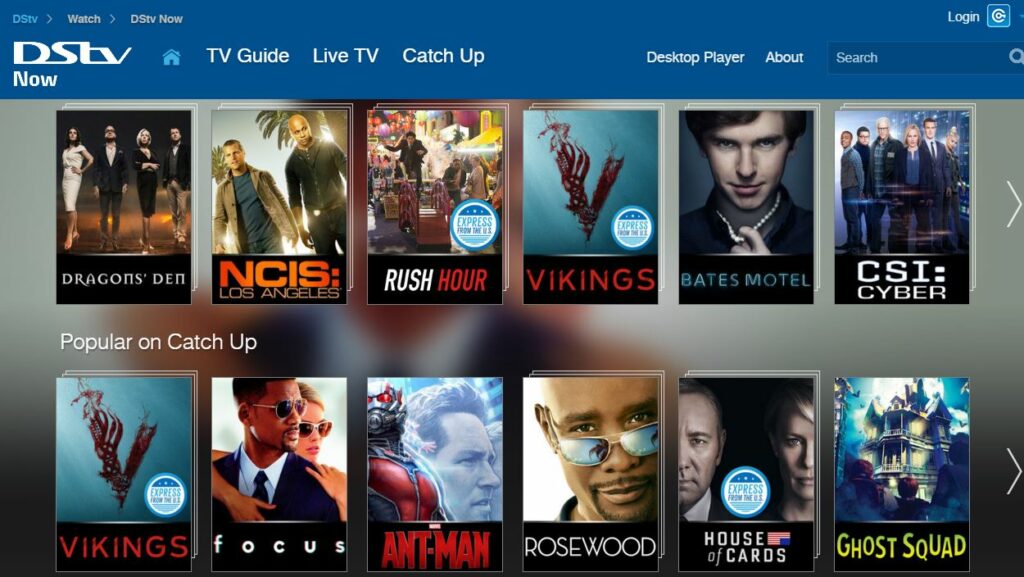
    Connect and Watch DSTV on Your Mobile Device

    Requirements to Connect and Watch DSTV on Your Mobile Device

    Before connecting your decoder to your mobile device, laptop, or smart TV, ensure you meet the following requirements:

    • An active DSTV subscription
    • The DSTV Now App
    • An Android device (smartphone or tablet)

    Steps to Connect and Watch DSTV on Your Mobile Device

    1. Download the DSTV Now App

    • Visit the Google Play Store or the Apple App Store on your mobile device.
    • Search for “DSTV Now” and download the app.

    2. Register and Sign Up on the DSTV Now Platform

    • Open the DSTV Now app.
    • Register for an account if you don’t have one, or sign in if you already do.

    3. Insert Your Smart Card Number

    • Navigate to the settings or account section within the app.
    • Enter your DSTV smart card number to link your decoder with the app.

    Streaming

    Once you’ve registered on the DSTV Now platform and inserted your smart card number, you can start streaming. You’ll have access to all the channels included in your DSTV subscription.

    Features of the DSTV Now App

    • Reminder Feature: Syncs with your phone’s reminder app to notify you when your favorite programs begin.
    • Kid Access Feature: Allows you to set a PIN for certain channels to restrict content you don’t want your kids to watch.
    How to connect your DSTV Decoder to your phone

    The DSTV Now app has a reminder feature, that syncs up with the reminder app on your phone. It provides you with accurate reminders when the program begins. The DSTV Now app also has a kid access feature that lets you set a pin on certain channels, that contain content you do not want your kids to watch. 

    There you have it – a comprehensive tutorial on how to connect your DSTV Decoder to your Android device. 
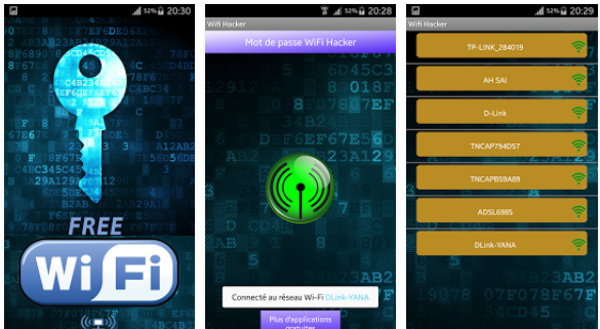
  • How to Hack WIFI Passwords Using Android Apps

    How to Hack WIFI Passwords Using Android Apps

    The Internet has over the years metamorphosed into a very essential part of our lives. The internet is a source of information, it keeps us in tune with the happenings in the world. Being absent from the internet for an hour can be very torturing. In this article, we explore a tutorial on how to hack wifi passwords using Android apps. This will help you gain access to wifi networks in your surrounding, without prior knowledge of the password. 

    1. How To Hack Wi-Fi Password Using Wi-Fi WPS WPA Tester Android App 

    Seeking to make a quick wifi network hack? The Wi-Fi WPS WPA Tester may just be what you need. The Wi-Fi WPS WPA Tester app works on both rooted and nonrooted devices. Despite its compatibility with non-rooted devices, it requires root access, to hack tougher wifi networks. Steps to hacking Wi-Fi networks using the Wi-Fi WPS WPA Tester app are listed below. 

    how to hack wifi password on android
    1. Download and install  the Wi-Fi WPS WPA Tester App from the Google Play Store
    2. Launch the Wi-Fi WPS WPA Tester app on your Andriod device
    3. Locate the Wi-Fi connection you wish to hack. 
    4. Tap on the Wi-Fi network 
    5. Select ”connect” and then select no root methods to hack Wi-Fi password. 
    • Note: If the color of the Lock icon is green, it means the chances of hacking the network is high. Red or Orange color lock indicates the chances of hacking the network is low. 

    2. How To Hack Wi-Fi Password Using Android Dumper Android App 

    Still on the topic of how to how to hack wifi passwords using Android apps, Androdumper is a free app that lets use hack Wi-Fi networks seamlessly. Androdumper doesn’t require root access to function. It is available in the Google Play store for downloads. Steps to hacking Wi-Fi networks using the Androdumpper app are listed below.

    hacking wifi password on android
    1. Download and Install the AndroDumper app from the Google Play Store
    2. Launch the AndroDrumper app on your Android device
    3. Click on the refresh button in the second top left corner of the app. This will allow the app to search for available Wi-Fi connections. 
    4. Click on the Wi-Fi network of your choice, and then click on the “Try to connect” button.
    5. Select the hack method. You have the option to choose between Root way or No Root. 
    6. Wait for Androiddumper to hack Wi-Fi network

    How To Hack Wi-Fi Password Using Android Bcmon Android App

    Last but certainly not least, is the Bcmon app. Unlike the already mentioned wifi hacking apps, Bcmon requires root access. It is compatible with rooted devices. Bcmon is a more effective app, in hacking Wi-Fi network. Steps to using the Bcmon app is listed below. 

    1. Download and Install the Bcmon app from the Google Play Store
    2. Download and install Reaver from this link 
    3. Launch the Bcmon app on your Android device. 
    4. Click on the ” Refresh” icon to view available Wi-Fi network
    5. Click on the desired Wi-Fi network
    6. Navigate to settings and uncheck “use Bcmon” checkbox
    7. Navigate back to the network screen and click the “ok” button to hack the Wi-Fi network

    Conclusion: Despite the fact that apps featured in this article are highly recommended, there is a high chance that they won’t be able to hack all the Wi-fi connections you come across. This is due to the different levels of fortification Wi-Fi connections possess. In cases where the Wi-Fi connection security isn’t strong, you should be able to gain access using the apps listed above.