Tag: academic

  • 6 Must Have Android Apps for Science Students

    6 Must Have Android Apps for Science Students

    The festive period is almost over and it is my believe that you have already made arrangements to live a healthy live, have a good time and enjoy a prosperous life in this new year.

    In less than two weeks from now it will be ‘back to school’ for every college student. As usual, you have made your usual commitments; top your class, be the smartest kid on board or even eyeing a spot in any of the ten ‘2014 scholarships to study abroad’ watch list. I’m also aware that most of you have gone through the games that rocked in 2013 and have decided to take your hands off the gaming pads.

    If you have made any of the above resolutions, I am here to show you how to work towards them using your Android smartphone. Sit back, get a pen and let me walk you through the top six Android apps that you need as a science college student.

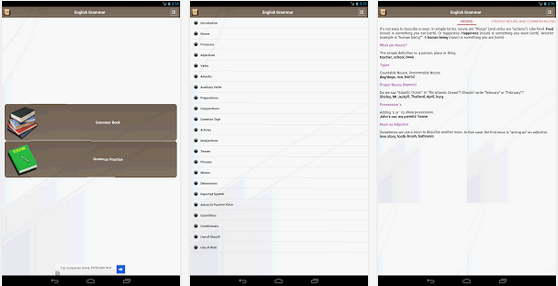
    English Grammar Book –Download

    Master the use of English language. Slate’s Matthew Yglesias recently complained that far too many people in the U.S. don’t know how to read English, in a speech intended to oppose President Obama’s “learn programming” mandate. Whether you are a student or you just want to improve your use of English Grammar  this free Android app will help you achieve your goal.

    Pocket Physics –Download

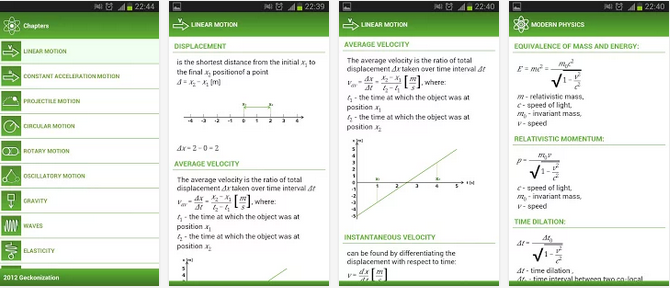
    You don’t want to carry a gigantic physics text book to everywhere you go to but you can always carry your Android smartphone around and with this application in it, you can rock Physics from anywhere and anytime.
    The application covers most of physical formulas with descriptions and images. It is perfect for students to do physics homework quickly and accurately.

    MathHelper: Algebra & Calculus –Download

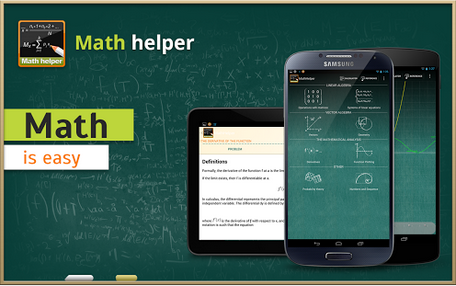
    Though this app will cost you a cup of coffee but $3.63 is enough to save you from your algebra & calculus hassles.
    Math Helper allows you not only to see the answer or result of a math or algebra problem, but you can also obtain a detailed step-by-step solution so that you may learn how to do the problems rather than just getting the answers.

    Biology Dictionary –Download

    If you don’t know what for example enzymes means, then this is a great choice. ;). Just avoid as many pop up ads as possible, you really don’t blame them for embedding so many pop up ads, do you? It’s a great app for any student offering biology as a subject or course.

    Chemistry Helper –Download

    Nice to brush up your knowledge on chemistry and is indeed very helpful. Includes a periodic table with links to wikipedia also allows students to perform simple grams/moles calculations, calculate mass percents and do stoichiometry with that compound.
    The application arrays variety of useful tools arranged in tabular forms. The tabular forms are easy for quick remembrance.

    Scientific Calculator –Download

    At the end, you need a scientific calculator – not the one in your school bag rather a portable version you
     can carry around in your smartphone. Convert your smartphone into a calculator with this free application.
    The ball is now in your court. What other application do you think we should have listed here? Tell us in the comment section.
    Images were extracted from Google Play Store.
  • Students – The Real Winners of New Age Technology Trend

    Students – The Real Winners of New Age Technology Trend

    Impatience characterizes the technology sector’s approach to education. Disruption is taking place in all other sectors of society — so, why not education? I know too well, whether at Pearson or in the classroom, the challenges and frustration of developing and using digital tools that improve outcomes for students.

    But I’m optimistic. We are on the verge of a tide of smarter innovation that, if allowed to spread, will turbocharge the learning experience for students. Here are four areas worth watching:

    1. Using technology to learn from learners

    Every great digital product constantly evolves by learning from its users, adding capabilities, and improving its performance. If it’s true for your Facebook feed, then why not education?

    The potential is there, as the OECD’s recent report on Students, Computers and Learning(OECD) incidentally showed how clickstream and tracking navigation in digital readers can be used to see how students process online text and arrive at the answer in different ways.

    In practice, companies like Renaissance Learning can point to the small margins of usage (4.7 minutes) of its reading program, separating the top performing and lagging students.

    Akin to how Amazon “knows what you want before you buy it,” edtech companies are also starting to build algorithms that can make learning more personal. For instance, based on behaviors of successful students, we can begin to predict whether a learner is on track or at risk.

    This allows teachers to intervene and provide assistance when a student most needs help before they fall behind. It also allows education content creators to tweak learning material – such as the length of a video or article – based on how a student interacts with it and progresses in subsequent activities.

    Learning products should continually evolve to benefit learners and learning. Developers should make sure the best ideas from learning science, education practice, teacher feedback, and learning analytics inform those changes. The constant iteration, investment and learning baked into Teach to One provides a great example of what young companies should be emulating.

    When I look at the growing Education Innovation Clusters or the useful tips on better ed-tech pilots provided by Digital Promise, I’m excited to see the idea of continuous improvement and learning being baked into the development and effective use of digital learning products.

    2. Using technology to adapt to how students feel

    Adaptive learning technologies today address what a student knows and can do. Programs such as Knewton alter what lessons are offered based on how individual students do in solving problems and where they may have gaps in knowledge.

    However, a large body of research shows that how a student feels – frustrated, bored or confused – influences how much learning takes place. Can technology adapt to this to increase learning? DARPA thinks so–and is willing to invest in great ideas to get at what they call Full Spectrum Learning.

    We are already seeing some examples of this in lab settings. Researchers have tracked student emotions while using Crystal Island–a game-based learning environment– and used that research to predict how students will react in other learning situations  The London Knowledge Lab is exploring the creation of a tool which will allow the feedback to be adjusted based on a student’s emotional state. These efforts align with a larger body of research into how tools, such as intelligent tutors, which are aware and can adapt to student’s emotions (or “affect”) can better serve students and contribute to improved student outcomes.

    3. Building invisible assessments that are less intrusive

    Teach. Stop. Test. Teach. Stop. Test.

     It’s disruptive for teachers; it’s annoying for parents; and it’s not fair on students. We are finally seeing examples of a move away from this approach to assessment.

    Teachers can now use the enormous amounts of data gathered in rich environments, such as games and virtual reality, to understand student progress and where to go next, in a way that’s personalized for each student.

    Take SimCityEdu: Pollution Challenge – developed by GlassLab Games – where students learn how city-planning is impacted by environmental issues. As they play the game, the system is capturing their actions – such as the sequence of what they do or requests for help – and interprets patterns in data to assess how well the player understands important concepts. This helps teachers better evaluate how a student solves problems, rather than just the final product of their work.

    In time, learning games like this should decrease reliance on stop-and-test exams and provide more real-time and actionable information to teachers.

    4.  Keeping pace with technology in the classroom

    As we shift from print to digital educational tools, the volume of tools available to teachers has increased dramatically. Some tools – often apps – are rooted in research, pedagogy, and continuous improvement. Others are no more than junk food in a student’s educational diet. How is a teacher or parent to tell the difference?

  • Which Programming Language will you Learn First?

    Which Programming Language will you Learn First?

    Last month the US president; President Obama stressed that coding is important for the future of America. Hence this question: “If you are to master programming, what programming language will you learn first?”.

    This wrangle has been a real bone of contention in the past few years and will continue to rage inasmuch as newer generations are born and newer technologies are being introduced. However, while battling with this puzzle, EWT staff has listed some basic factors to aid you make a viable decision when choosing your first programming course.

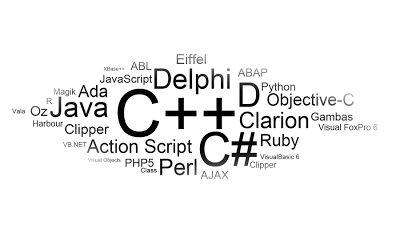
    Before we dismantle our enumeration it is exigent and imperative to note some of the common programming languages you are likely to choose from.

    Some Common Programming Languages

    •   Perl
    • Java
    • C++
    • C#
    • Python
    • Ruby
    • Eiffel
    • PHP
    • JavaScript
    • ABAP
    • Objective-C
    • Ajax
    • Clipper
    • Harbour
    • Gambas
    • ABL
    • OZ
    • Delphi

    Now lets take a look at those crucial factors that will affect your decision while choosing your first programming language.

    Career

    Of course, this is the very first thing that should come into your mind. You need to consider which language will be the most valuable throughout a career or rather, which programming language will be feasible over a long-term career.

    You need to consider your main field of specialization, which of the programming languages will aid you in that field and finally how much time do you have at your disposal.

    Conceptual Foundation and Easy Transition

    As a beginner the syntax of programming may appear a bit strange; some of the concepts may seem a hard nut to crack but a fastidious observation and implementation of that concept may lead to better understanding of similar concepts.

    One of the easiest method of mastering various programming languages is by starting from the ones that allows you to transit gradually to another language. Languages such as Java, C# and C++ are the basics of programming. Mastering any of this three will enlighten your brain and lay a fundamental foundation for learning other programming skills. Starting with more advance languages such as Object-C, Ruby or Python which has a more crooked and complicated syntax structure will be a hectic experience when reverting to the basic ones.

    Monetization and Marketability

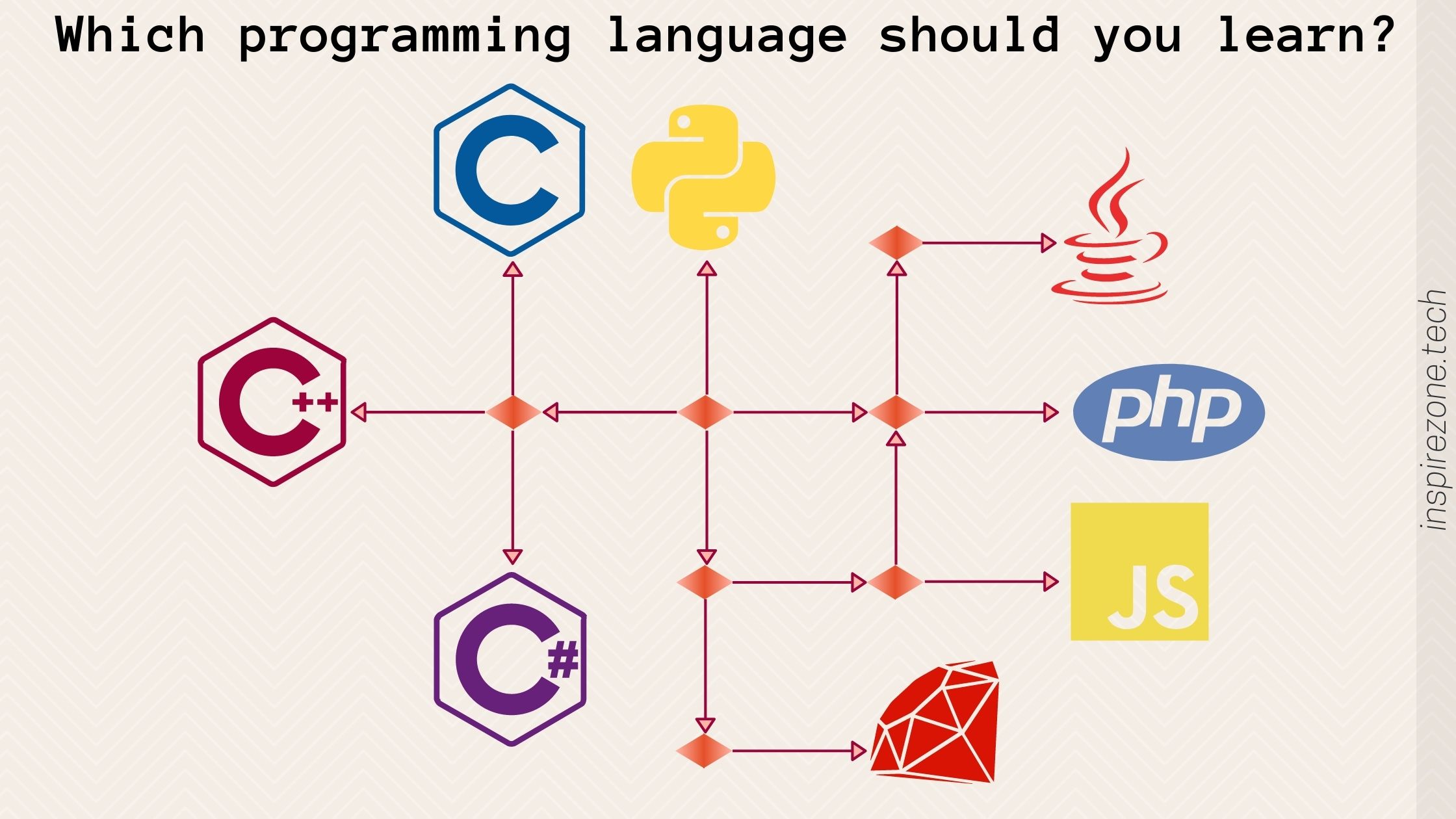
    Of course, after completing your programming course you might want to take a vacation in a luxurious environment, dry your toes and flaunt some cash. That is probably the easiest part of learning programming if you made the right choice. Ask me what I think: You want to work at Google? Best go Python. You want to work in the enterprise space, learn Java or C#. You want to build websites? Probably go PHP or Ruby. Pledged your soul to Apple? Just dive into Objective-C. Anything other this; you are out of employment.

    For those Americans who are seriously considering going into coding I recommend you start with Java, gradually progress to C# then anything can follow. Intending web programmers can start with JavaScript, PHP and Ajax. W3schools offers free web base course on the major web programming languages including JavaScript and PHP. Moreover, several programming eBooks can as well be downloaded free or paid online: A little Google search will change everything.