The festive period is almost over and it is my believe that you have already made arrangements to live a healthy live, have a good time and enjoy a prosperous life in this new year.
In less than two weeks from now it will be ‘back to school’ for every college student. As usual, you have made your usual commitments; top your class, be the smartest kid on board or even eyeing a spot in any of the ten ‘2014 scholarships to study abroad’ watch list. I’m also aware that most of you have gone through the games that rocked in 2013 and have decided to take your hands off the gaming pads.
If you have made any of the above resolutions, I am here to show you how to work towards them using your Android smartphone. Sit back, get a pen and let me walk you through the top six Android apps that you need as a science college student.
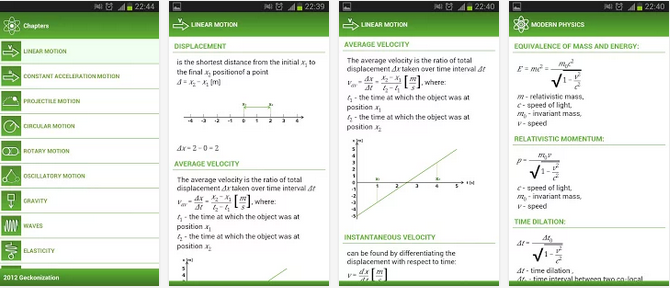
You don’t want to carry a gigantic physics text book to everywhere you go to but you can always carry your Android smartphone around and with this application in it, you can rock Physics from anywhere and anytime.
The application covers most of physical formulas with descriptions and images. It is perfect for students to do physics homework quickly and accurately.
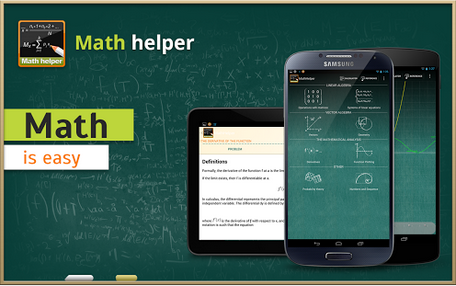
Though this app will cost you a cup of coffee but $3.63 is enough to save you from your algebra & calculus hassles.
Math Helper allows you not only to see the answer or result of a math or algebra problem, but you can also obtain a detailed step-by-step solution so that you may learn how to do the problems rather than just getting the answers.
If you don’t know what for example enzymes means, then this is a great choice. ;). Just avoid as many pop up ads as possible, you really don’t blame them for embedding so many pop up ads, do you? It’s a great app for any student offering biology as a subject or course.
Nice to brush up your knowledge on chemistry and is indeed very helpful. Includes a periodic table with links to wikipedia also allows students to perform simple grams/moles calculations, calculate mass percents and do stoichiometry with that compound.
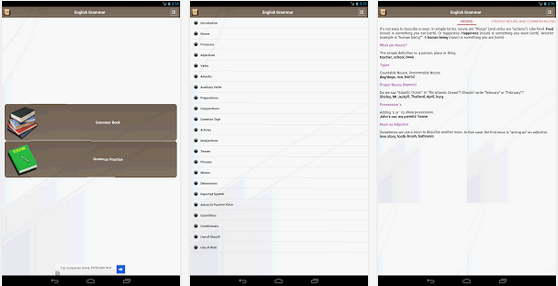
The application arrays variety of useful tools arranged in tabular forms. The tabular forms are easy for quick remembrance.
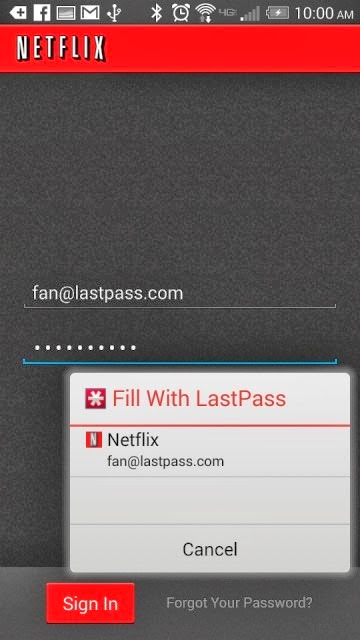
Password management service LastPass, which stores passwords on a secure online service to automatically log users into websites, has rolled out automatic password entry to Android apps and the smartphone’s Chrome browser.
So for LastPass users on Android, the days of manually entering passwords into apps and websites are over.
“It takes the concept of our desktop functionality — recognizing what page you’re on and looking for a match stored in your vault — but is adapted for the Android accessibility feature,” Amber Gott, a LastPass spokesperson, told Mashable. “Once the option is enabled in the LastPass Android app, LastPass can now ‘see’ when you’re on an app login page, and then can hover and let you know if you have a matching login.”
The news comes just a few weeks after competing password management service PasswordBox enabled a similar automatic entry feature. Previously, LastPass users needed to copy and paste passwords from the LastPass app to log into native apps and sites.
The feature is available for apps on devices with Android 4.1 and later and Chrome on smartphones running 4.3 and later. It also supports Dolphin HD and Firefox mobile browsers, too.
Although the functionality adds a big convenience on Android, it’s unclear if and when the feature will ever come to iOS devices.
“Unfortunately, Apple doesn’t have an equivalent that allows us to hook into the OS and securely deliver users their data,” a LastPass spokesperson told Mashable. “We’re still looking into it and hope that further updates to iOS may allow us to implement something similar.”
Click here to download LastPass password manager to your Android smart phone.
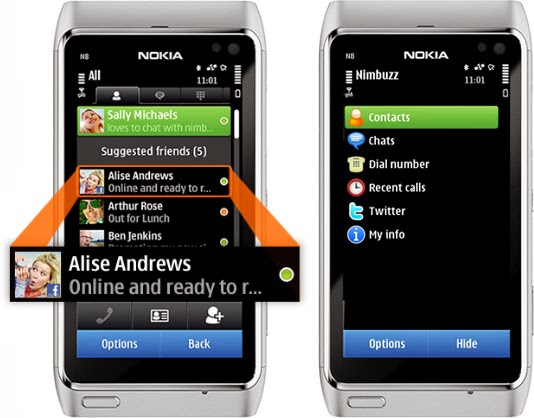
As a high school boy in 2007, I always use Nimbuzz on my Nokia 8080 Java phone to keep in touch with my classmates. It was quite handy as it was the only reliable way to have a live chat with my friends & contacts on Facebook—yes, back in the days, you have to refresh Facebook mobile for new new messages—and Gtalk, send instant messages to my phonebook contacts and update my twitter status from my mobile phone.
Nimbuzz was an all-round app that does everything.
Nimbuzz was an all-round app that does everything. You can connect your accounts on various Instant messengers (IM) such as Gtalk, Yahoo! Messenger, AOL, Skype, Facebook IM and Twitting live updates. In fact, I made my very first VOIP (voice over internet protocol) call on mobile phone with Nimbuzz in 2012—it was a 3G phone, a Nokia Symbian phone, even.
However, these days, Nimbuzz has been ‘reduced’ to less than a shadow of its former self. At best, it will serve as free mobile application that lets you connect and exchange instant messages with your phonebook contacts within app.
Nimbuzz, WhatsApp & BBM Battle
Even in the days of Nokia Sybiam series, Nimbuzz was at its climax, introducing voice call over 3G, file sharing and other exciting features. For an application that got downloaded by over 10 million users on GetJar app store in 2009, Nimbuzz seems to have depreciated from gloss to gross, prompting us to wonder what really happened to place such a glowing candle under the bushel.
I will tell you what, smartphones happened. Facebook and Twitter now have their own apps for messaging and posting update. BBM and WhatsApp has dominated the mobile IM industry.
Nimbuzz was displayed in favor of WhatsApp and BBM in the smartphone era.
The BBM idea was working quite perfectly in 2010/2011. Despite its single platform limitation at the time, people find it very convenient and easy to exchange instant message through a pre-installed app on their BlackBerry device rather than downloading a third party application.
While Nimbuzz battles with voice call over 3G, Whastsapp will go on to seize an opportunity to explore other platforms that BBM could not cover. With the introduction of file sharing and voice messenger, WhatsApp became the favorite messaging app for Android and iOS users, pulling some users from Blackberry as well. The application has over 9 million downloads on the Android platform alone and almost a double figure across other platforms.
The major reason behind the success of Whatsapp was its cross-platform availability and easy to use interface. This feature was not available on Nimbuzz untill recently. On the other hand BBM was integrated into Blackberry, with over 15 Million phones sold out by RIM in 2011, Nimbuzz unsurprisingly, was crushed under the weight of this IM giants.
What is Nimbuzz doing these days?
With the fall from grace in the IM industry, Nimbuzz seems to be throwing their weight behind their new Nimbuzz Social. In their own words:
Nimbuzz Social is the new content destination for you. With Nimbuzz social get local news and content across world, real time.
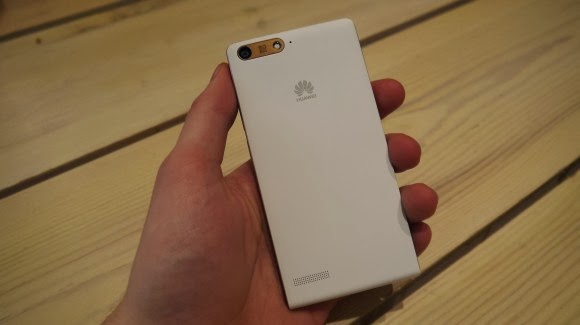
Earlier this week one of the leading leading global information and communications technology (ICT) giants Huawei registered a new name, Huawei Ascend G6 4G smart phone to the already populated smartphone industry. The 4G LTE-enabled Android device is set to face tough competitions from the likes of Samsung Galaxy S5 and Tecno P5 in the smartphone market, especially in Africa, Asia & Middle East where the the later has left it’s mark.
The smartphone device will be featuring the latest version of 4G technology – CAT 4 – giving you a super speedy internet connection.
Inside Ascend G6
The new 4G LTE-enabled smartphone brings ease of use back to smartphone ownership and opens up a world of fun and colorful new ways to stay connected without boundaries.
With a 4.5-inch qHD display, 5-megapixel front-facing camera and Emotion UI 2.0 , the product is an ideal companion for those who want to share better.
With the product, there are also endless opportunities to explore surroundings with multi-shot capture, horizontal shooting and panoramic functions, thanks to the five plastic elements (5P) lens of the 8-megapixel AF BSI f/2.0 aperture rear-facing camera.
Alternatively, the voice-activated hands-free ‘selfie’ function shows off camera-ready poses.
Describing the product, , Richard Yu, CEO, Huawei Consumer Business Group, said it is stylish, colorful, and lightning fast smartphone designed to break down barriers.
With its handy 4G LTE connectivity, he said that it is easy-to-use interface and dynamic cameras offering a multitude of photographic opportunities.
Interestingly, filming or photographing in low light is a breeze with Ascend G6 4G’s in-built Sony IMX134 sensor, blue glass infrared filter and integrated camera flash for sharp, clear images.
Featuring the latest version of the intuitive, easy-to-use interface, Emotion UI 2.0, HUAWEI Ascend G6 4G brings smartphone use within reach for everyone
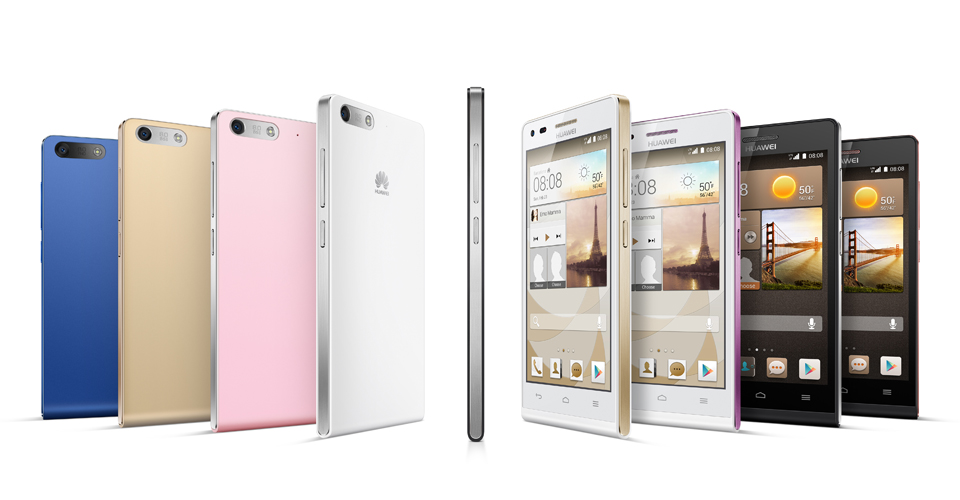
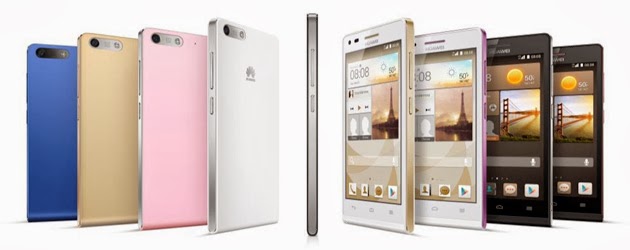
However, the phone brings vibrant color to life with its crystal clear 4.5-inch qHD 960 x 540 LCD display and 245PPI. At 7.85mm slim and weighing 115g, Ascend G6 4G builds upon the stylish ‘double C’ design of the popular Ascend P6 smartphone and is available in a range of colors including black with light gunmetal grey or rose gold highlights, or in white with pink or champagne gold .
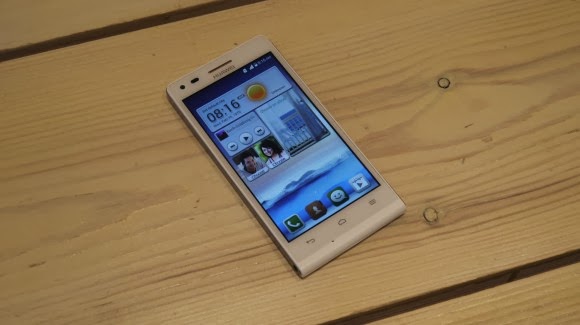
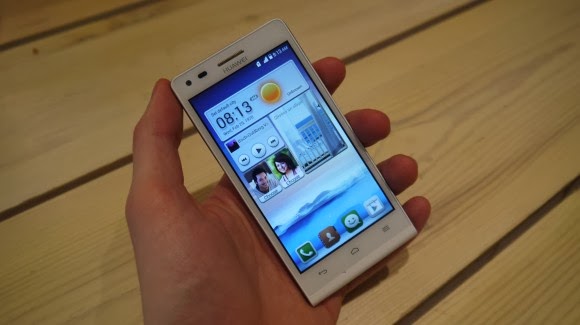
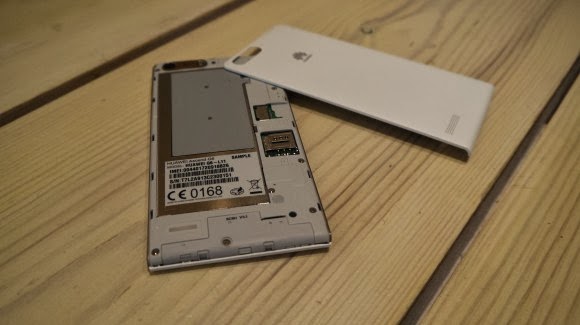
Unsurprisingly for a phone which is going to come in at under $330 the Huawei Ascend G6 sports an all plastic construction, although it is solid and the thick, faux-metal band which runs round the circumference keeps everything together nicely.
Available in black, white, pink, gold or blue colors, the product runs on a powerful quad-core 1.2 GHz processor and robust 2000 mAh lithium polymer battery with up to 30 percent power saving, HUAWEI Ascend G6 4G is 4G LTE-enabled to make connectivity faster and more reliable than ever before.
Movies can be downloaded in minutes and work files uploaded in seconds with speeds of up to 150 Mbps. Smart photo album, internet, notification and permission management provides full control over the information shared.
In addition, the ‘one key scan’ function maintains peak performance through ‘phone speed tracking’, ‘power conservation’, ‘storage cleaning’ and ‘harassment filter.’ Ascend G6 4G also supports NFC sharing for mobile payments.
The product offers an enhanced smartphone camera experience with Huawei’s proprietary self-focus tips and preview screen.
The four plastic element (4P) lens featured on the 5-megapixel front-facing camera provides audio controlled spontaneous snapping, auto-scene recognition and auto-facial enhancement. Featuring 88 degree wide-angle shooting, Ascend G6 4G enables you to take all-inclusive photos that will wow family and friends.
Add an extra dimension to photos with the ‘Voice Photo’ function that takes photos accompanied by 10-second audio clips that can be shared via Facebook and WeChat, such as at a wedding when you capture the bride and groom saying “I do.” Price When Rated: $350$330 Our Rating: 3.5 Operating System: OS Android 4.3 Jelly Bean
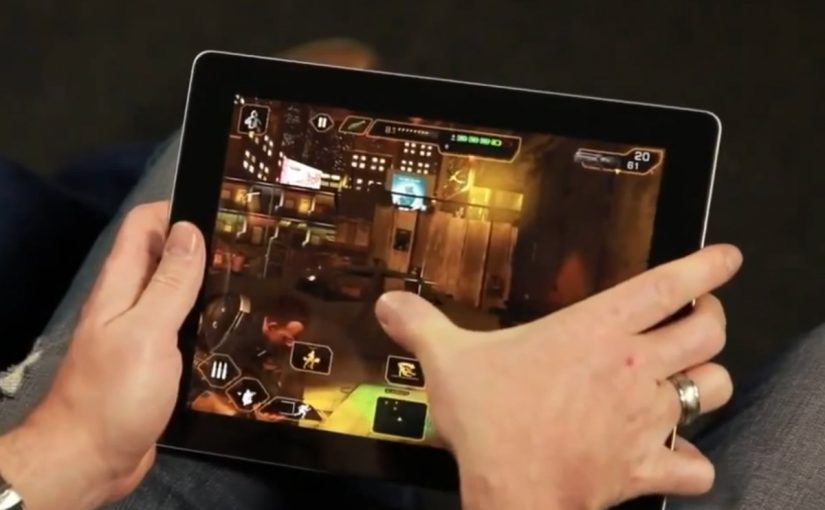
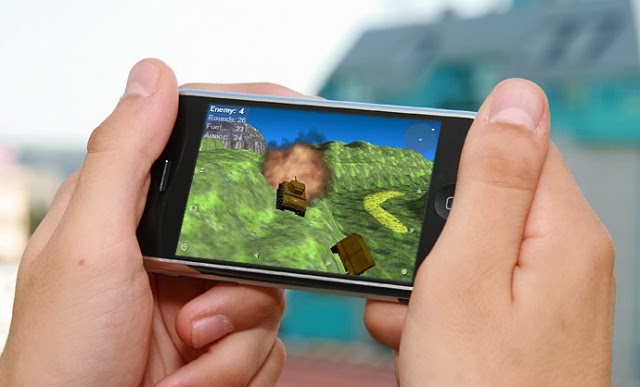
The best way to start a new week is starting with fun. Not to worry, we do not intend to scare you with Android horror games—but it’s okay if horror is fun to you—what we are interested in are three most relaxing games you must rock this week on your Android or iOS devices.
If you happen to find your favourite game in this list, you are in luck. If not, it’s time to try other games and see what you have been missing. The games in our list here today is available for both iOS and Android devices and adaptable to any screen size.
Some of us here have been enjoying the photo editing feature on Google+ since its introduction in November, 2013 but I believe a great number of you are yet to know about this feature and how to use it.
As one of it’s techniques to land you on Google+, Google has integrated an amazing photo editing tool into Google+. Though a number of you has sworn enmity with Google+ but in this case, hatred doesn’t matter: This tool will make you use Google+.
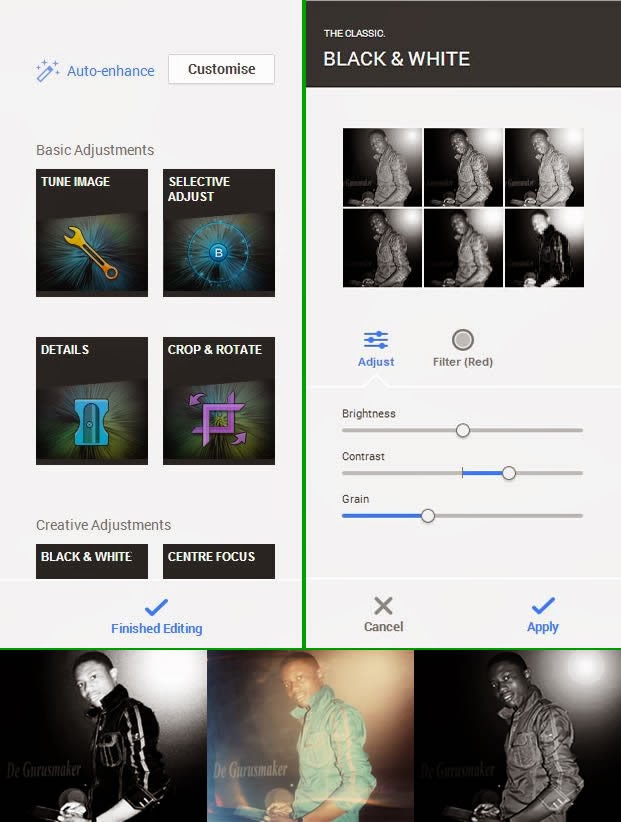
Google+ photo editing tool allows its users to crop, enhance or customize photos they have uploaded through their Google+ account, Blogger platform, Android OS or any of Google’s services that involves photos. Google+ creates an automatic album for all the photos you shared on various Google platforms. Any changes you apply on a photo will reflect on it regardless of where it’s being used or was uploaded.
To edit a photo
Login to your Google+ account.
Goto your photos page.
Click on the photo you want to edit
This will open a light-box, click on edit inside the light-box.
Clicking edit will bring photo editing tools to the right hand-side of the screen. For the first timers, I would advice you play around with the tool until you are able to master it’s functions.
When you are done editing, hit the finished editing link to apply your changes.
Google yesterday, announced that they’ve acquired Boston Dynamics. Now, if you remember Boston Dynamics: they are the creators of quad- and bi-pedal robots like Big Dog and PETMAN. This is Google’s eighth robotics acquisition.
The company, however did not disclose the details of the sale. The announcement appeared in the New York Times where Boston Dynamics CEO Marc Raibert said they would honor their DARPA military contracts although Google will not officially be a military contractor.
The company, founded in 1992, has been working on standalone, gas-powered robots for the past decade. The robots are self-righting and very resilient. Robots like Big Dog can throw cinder blocks, handle rocky terrain, and run at 16 mph.
The man behind the acquisition, Andy Rubin, stepped down as head of Googe’s Android business in march after turning a little-known mobile OS into a juggernaut. “His last big bet, Android, started off as a crazy idea that ended up putting a supercomputer in hundreds of millions of pockets,” wrote Larry Page on his Google+ page. “It is still very early days for this, but I can’t wait to see the progress.”
It is often a hectic experience trying to find a new place to live (especially if you desire to move to the housing market hellholes that are New York City and San Francisco). It’s no surprise then that so many startups — Trulia, Zillow, Redfin, Apartment List, Rental Engine, Zumper, Nestio, the list goes on — are trying to make it all just a little bit easier.
Of these myriad startups, apartment-centric Lovely has been especially busy these past few months: it closed a (sadly undisclosed) Series A and snapped up automated rent payment startup Rentmatic to help prove its worth to property owners too. So what was next on their agenda? Getting a new Android app out the door, which the company finally did earlier today.
Lovely is hardly new to the mobile realm — it launched an iOS version of the app a little over a year ago, and anyone who’s mucked around with that should feel comfortable taking the Android version for a spin. That’s far from a bad thing when more than a few competing mobile real estate apps are happy to throw everything plus the kitchen sink into the mix. It’s not hard to see why: as stated, finding an apartment is hard and bombarding a user with fiddly options and controls makes them feel like they’re actually getting something done. Maybe they are, maybe they aren’t, but the illusion of control persists.
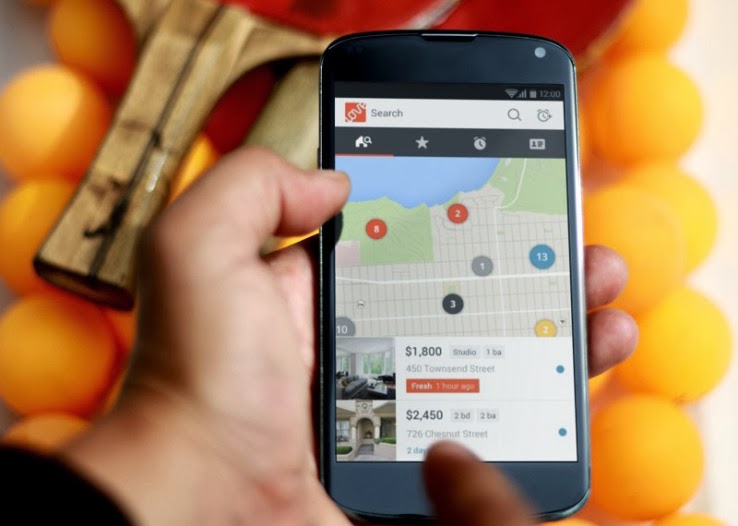
The Lovely approach is to strip out the cruft. When you fire up the app for the first time, color-coded listings appear in location-based groups that expand when tapped. From there it takes a but a few taps to directly contact the property owner, share the listing, or report obvious frauds. If you go on to create an account, even more doors open (I slay me) so you can set alerts when properties free up within specific areas and preload some personal and financial information to put potential renters at ease.
There’s little here that differentiates the Android app from its iOS cousin, but that’s hardly an issue — CEO Blake Pierson said he considers Lovely a mobile-first company that uses what it’s learned from fast iteration on the web to inform the mobile experience. All things considered, this new Android version of the app is a handsome one and I actually found a few interesting leads while I was writing this story (what can I say, I’ve grown a little weary of southern New Jersey).
“Some think of us as purely a search tool,” Pierson noted on the phone. “But our long term vision is to be the platform and THE marketplace for rentals.” What he means is that the Lovely vision ultimately encompasses the renting process from both ends: tools for renters and apartment hunters alike. The team has already starting moving down that path with its Rentmatic acquisition, but we’ll see if they can really balance both sides of that equation.DOWNLOAD LOVELY ANDROID APP
Google’s Nexus phones have become irrelevant for all but the most ardent Android fanboys. Although the Nexus program was launched three years ago to show off the very best that Android has to offer, Google’s newly announced Nexus 5 doesn’t push the envelope as much as earlier Nexus phones.
Google is stuck between a rock and a hard place: Its hardware partners don’t want to innovate when building the company’s Nexus phones; they want to save all the cool stuff for their own brands. But Google can’t just use its Motorola division to build cutting-edge phones with exciting new features without burning bridges with Samsung, LG, Sony, and HTC. Those guys are already trying to build their own ecosystems and Google doesn’t want to push them even further over the edge.
More of the same
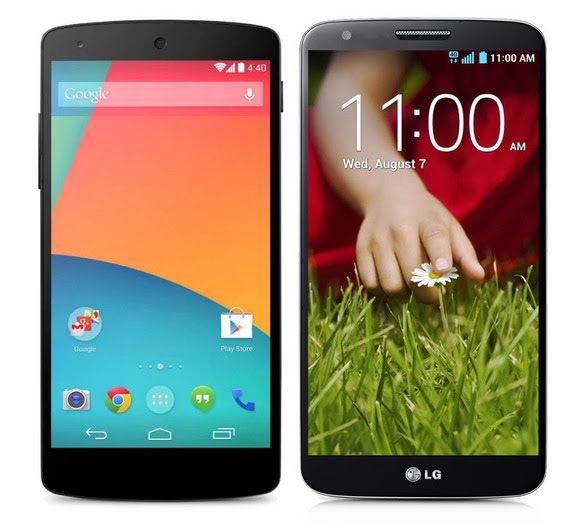
In terms of hardware alone, Nexus 5 doesn’t seem like a bad phone—its high-end specs ensure it will be relevant for at least a year. But it’s essentially identical to recent phones released by Samsung and LG. In some ways the Nexus 5 is an inferior product because LG, which built the handset for Google, released its own phone with all the same hardware but more software enhancements. Under the hood, the Nexus 5 is a stripped-down version of the LG G2, just like the Galaxy Nexus was a stripped-down version of the Samsung Galaxy S III.
Nexus 5 (left) and LG G2 (right)
The biggest draw of Nexus phones is that they get timely Android updates directly from Google, but the market has shown that most people don’t really care about that. Ever since Android 4.1 Jelly Bean, most of the updates to Android have been minor tweaks that don’t deliver much in the way of new, consumer-facing features. Instead, Google has slowly started spinning off key components of the OS to the Google Play Store as standalone apps. So, as long as you bought your Android phone in the last year or two, you’ll still have access to the latest version of Gmail, Maps, and Google Now.
Indeed, without any killer, exclusive features, you have very few reasons to buy a Nexus 5. Unless you’re a developer who needs constant access to the latest version of Android, or insist on buying an unlocked phone, the Nexus 5 is no better than any of the other high-end phones already released this year. In many ways it’s just another Android phone, and would fade into obscurity if it weren’t for the big, bold NEXUS on its back.
It’s becoming increasingly obvious that the companies Google partners with to make Nexus phones are reserving all the coolest features and innovations for their own branded handsets. Of course Google owns Motorola, but has held back on using its acquisition to build its Nexus devices for fear of upsetting its hardware partners. But maybe it’s time to start playing favorites.
Time to use Motorola
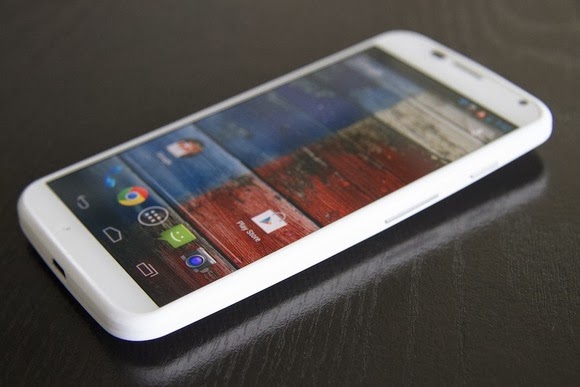
Motorola and Google collaborated on the Moto X, one of the most innovative phones available. Note that it’s not a “Nexus,” even though the OS bloatware and customizations are minimal—it’s rocking nearly stock Android. The kicker? You can get it on pretty much any carrier and there’s a developer version available for people who want it. The Moto X deserves the title of Nexus more than the Nexus 5, as it introduced a lot of the Nexus 5’s ostensible innovations first. (Take, for instance, touchless controls.)
The Moto X is one of the most innovative phones ever released.
In releasing Nexus devices via its Motorola arm, Google could more directly shape the Android experience. It could dictate all aspects of the phone, creating cutting-edge new hardware features to go hand in hand with new Android software features. KitKat introduces a lot of under-the-hood improvements that allow it to run better on low-end hardware, but manufacturers will continue to cram as many processing cores as they possibly can into their phones in an effort to win an imaginary specs war, making the optimizations almost meaningless. So Google could build a phone showing that you don’t need a quad-core processor and 2GB or RAM to run simple apps without lag. And your battery wouldn’t be eaten up due to poorly written radio drivers.
It would essentially be the Apple approach to making smartphones, an approach that’s proven to work and often leads to a better device. And if Google decided to compete directly with Samsung and others via Motorola, it would push the other Android manufacturers to make better phones and set the bar for Android devices—just like the Nexus One was originally intended to do. Microsoft is trying a similar tactic by purchasing the devices division of Nokia, while Google lets its $12 billion Motorola purchase go to waste.
We’re never going to see a truly revolutionary Nexus phone again until Google decides to take a stand against the other Android smartphone manufacturers. The more the company attempts to placate Samsung, HTC, LG, and Sony, the more meaningless the term “Nexus” becomes. It’s time for Google to drive Android forward with a more holistic hardware-and-software approach, and make Nexus mean something again.Adapted from PC WORLD
PCWORLD – A story posted on pcworld today has confirmed that we are likely to see a new generation of PC anytime soon. With microsoft paying more interest in the production of windows 8 smartphones, it is now clear to everyone that windows are likely to swap places with the android OS in the technology world.
Accidentally leaked user manuals from PC maker Lenovo show that the company is preparing a new laptop that runs Android instead of Windows.
Called the IdeaPad A10, the laptop has a 10.1 inch HD screen and is listed as an Android device, according to the manuals uploaded on Lenovo’s site.
The laptop’s 10-inch display also functions as a touchscreen. It can be opened up to 300 degrees, supporting the screen for reading or touching while the keyboard rests face down. In addition, the keyboard has signature Android buttons for “home screen”, “previous” and “apps screen”, found on the bottom of many phones and tablets running the Google OS.
Lenovo had planned on making an official announcement for the device, said Chris Millward, a spokesman for the company, on Thursday. But somehow, Lenovo unintentionally leaked the user manuals online, he added.
“The product has not been canceled. It will be going out to the market,” he said. Lenovo will later announce launch dates and pricing information.
The laptop’s specs show that it could be a budget product. It has an Arm quad-core 1.6GHz processor from Chinese firm Rockchip, 1GB or 2GB of RAM, and 16GB or 32GB of storage. There is also a 0.3 megapixel camera, a microSD card slot and an HDMI port.
Tech vendors are increasingly experimenting with Android at a time when demand for traditional Windows PCs has been waning. Earlier this year, Acer and Hewlett-Packard showed all-in-one desktops using the Google operating system. HP’s product, called the Slate 21, has a price of $399.
On the convertible PC side, Asus has shown a hybrid device that can run both Windows and Android. Called the Transformer Book Trio, the product operates as a stand-alone Android tablet, but when attached to its keyboard it can also boot up Windows.
When given a choice between Android and Apple, we start to think and scratch our head. It is difficult to choose between the two since both operating systems offer some of the best and effective smartphone features currently available. As a result, both have a strong and loyal user base. Most of the smartphone programs and apps are compatible on apple and android platforms and users can gain accessibility to vital online projects by using either iOS or Android.
Online businesses and their operations, especially on a mobile platform, demand the use of a smartphone platform, which is effective and capable of meeting requirements as well as being compatible with the nature of business. You need to make use of a platform that best complements and meets your needs because you will be depending on mobile phones for your business appointments, tasks, deals, etc.
So, if you are fretting over the decision of choosing between Android and Apple then take these points into heed first:
Determine the type of apps you make use of most in your business. When accessing online features and programs through mobile phones or other handheld devices, dependency on efficiency is high. Today, you will come across many apps that are made and designed especially for businesses. You can download and install such apps easily. If you are looking for highly innovative apps, an Android platform would be the best option.
Stability of OS is another point to lookout for. Apple is the best option for you if you are looking to use a smartphone on a long-term basis or one that keeps up with your fast paced online business and lifestyle. Products from Apple are designed and crafted to become compatible even amidst changes and upgrades in software. Android phones and mobile devices are not as quick moving.
If you have a business that is highly dependent on merchant services, such as e-commerce or payment transactions, then making use of Apple would be the best option to choose. You will find specific apps that are merchant-related and designed and created for iOS mobile devices that enable users to process different payments through debit or credit cards and make payments without any hassle.
Using smartphones and the latest handheld devices for business purposes are also usable for personal purposes. Apps, like music, entertainment, and gaming are best found under Android.
Let’s get to the bottom line then. If you are looking for a platform strictly to house your business needs, then the platform of Apple overpowers Android. The sole reason behind this revelation is that doing online business is not only about innovation, but also about prolonged stability. The platform of android does offer features for business purposes but one has to be selective about the apps and features from Android. Remember, business which is done within a stabilized mobile framework flourishes more than a business that is not based on such a platform – making Apple the winner, hands down!
In the year 2012, we have seen a great revolutionary trend in the smartphones. With the release of Samsung Galaxy S III, Galaxy Note II, computing and connectivity has been taken to a new level. Apple’s iPhone 5 has generated a phenomenal buzz with its latest features, gaining popularity among the several. “How would the next generation smartphones be?” this was the first thought that has entered my mind when I see the features. For all those questions here is a sneak peek into the next generation android phone features: Larger Display Screen : In the year 2013, we are likely to see phones with a larger display. The screen size might be increased to provide a better viewing experience. You can see high definition pictures on your mobile phone. The colours would be more brilliant and vibrant providing us with life like picture quality. You might expect better size and display with the increase in the colour pixels. Faster OS : Although most phones haven’t updated android 4.1 OS, Google has already started working on its new version. It is all set to launch the new android 4.2 Key Lime Pie in the year 2013. The operating system is believed to be faster and better than the current existing one. Better Designs: Android phones in the coming generations may view a great change in their body designs. The body might pass through various changes to bring out that best design which could ‘wow’ the crowds. It might be sleeker, thinner which weighs less. Processors: With the present processors speeding up our work and cut shorting the time taken to upload or open a web page. Presently there are various processors are used such as 1.4 GHz ARM Cortex A9, 1.2 GHz Exynos, 1.5 GHz Scorpion, 1.2 GHz dual-core TI OMAP and many others. But the grapevine is buzzing with talks that they might increase the speed or might continue with the existing ones Camera: This feature is one among the waited features. Currently smartphones come with 8 megapixels, 5 megapixel for the rear camera and 1.3 megapixels for the front but there are talks that this could be increased to 13 megapixels for the rear and 3 megapixels for the front to provide better clarity and to produce complete HD quality pictures. Memory Storage: This is another check out feature. The current memory provided by android phones is 16GB/34GB/64GB with 1GB ram but the future phones might come with 16GB, 32GB, 64GB and 128GB variant might be included and might also have 3GB ram. This provides you with a large storage area where all your files can be easily stored without much problem. With all these great features, the phone might be heavy on the pockets so in case you want to buy them and lack finances opt payday loans. The above-mentioned are a few features that might be enhanced. Technology is updated regularly.
Maria Benson
Author Biography:
This guest post was written by Maria Benson, who loves to write articles on various topics like finance, health, technology. Previously she has done research on ppi claims currently she is focusing on technology related articles.









You must be logged in to post a comment.