Tag: Blogger Tricks

  • Android Pay Will Get You Back To Your Position As A Developer

    Android Pay Will Get You Back To Your Position As A Developer

    Google’s Sundar Pichai essentially used today’s Mobile World Congress keynote to let the cat out of the bag for a whole host of interesting Google projects, including Android Pay, a new mobile payments framework that will look to succeed where Google Wallet failed. This time, they’ll be mostly leaving the apps themselves to developers, and Android Pay is intended primarily as a developer tool made available via API, rather than a centralized app like Apple Pay, for instance.

    Android Pay sounds like it’ll offer one half of what Apple Pay is on the iPhone, providing users with a way to store their payment information locally, and make it available securely to third-party developer apps via API. Those apps will then determine when and where you can use the payment cards, via store (and perhaps payment provider) specific apps that can be branded however third parties like.

    Google’s system will tokenize card numbers, in the same way that Apple Pay and Samsung Pay do, meaning it generates a one-time payment token for transmission to the receiving terminal for each transaction, rather than just offering the user’s static credit card information. This decreases the risk if the transmission is intercepted, since a one-time token with finite expiry is of no use once it’s already been consumed.

    Like Apple Pay, Google’s Android Pay will use NFC for transmission, and will also support biometric authentication via hardware like the Samsung Galaxy S6’s fingerprint scanner. And while Samsung is clearly hoping to offer its own hardware-specific solution Bimini hfjd, Google’s offering is looking to convince businesses to adopt it by giving them a lot of freedom in how it’s presented and integrated into their brand. Pichai told the MWC crowd today that it’s not meant to compete with Samsung’s offering, however, and is intended primarily to offer up more consumer choice.

    There’s no timeline on a release as of yet, but expect to hear more about the particulars of Android Pay when Google hosts its annual I/O developer conference in May.

  • How To Install IntenseDebate Comment System In Blogger

    How To Install IntenseDebate Comment System In Blogger

      Last week I wrote an article on Why You Must Quit Blogspot Comment System. As expected  many of you contacted me, asking me how to change your default blogger comment system, in regard to that I want to start by telling you how to install IntenseDebate comment system on your Blogger platform.

    CommentLuv
    One of the most popular used 3rd party comment system on Blogger.com is IntenseDebate. What attracts most people is the ability to use the Plugin CommentLuv.
    In a way, it is to encourage and also as a reward to commentators who took their time to comment on one’s blog. CommentLuv rewards your readers and helps to discover new and interesting posts by automatically adding a dofollow titled link to the comment authors last blog post when they comment.

    HTML Formatting
    You can also customize your links and add some photos to your comments. IntenseDebate supports the following HTML tags: <a>, <b>, <i>, <u>, <em>, <p>, <blockquote>, &lt;br&gt;, &lt;strong>, <strike>, <img>
    Gravatar
    Intensedebate offers full Gravatar support. If you have a Gravatar they will automatically upload your Gravatar when you signup for IntenseDebate. You can choose to use your Gravatar or upload a different profile pic.
    In this tutorial, I’m going to show you (with pictures) on how to install CommentLuv on your Blogger blog.Note: You will not loose your old comments when you install IntenseDebate
     Features Of IntenseDebate:

    IntenseDebate is one of the most popular feature-rich comment system for WordPress, Blogger, Tumblr and many other blogging/CMS platforms.In this tutorial I am going to explain how to add IntenseDebate comment system to Blogger blog.
    With IntenseDebate,you can do many things than your default comment system.These are some main features of IntenseDebate comments.

    •  Commentluv
    • Comment Threading.
    • Reply-By-Email.
    • Email Notifications.
    • Commenter Profiles.
    • Moderation/Blacklisting.
    • Reputation Points & Comment Voting.
    • Plugins API.
    • OpenID.
    • Widgets.
    • Twitter Connect.
    • Facebook Connect.
    • RSS Readers & Tracking.

    HOW TO INSTALL INTENSEDEBATE ON BLOGGER PLATFORM Follow the following steps below to Install IntenseDebate On Your Blogspot. Before you start this process,you must backup your blogger template first.Save the backup template file on your hard drive.

    Step 1 – Download your Blogger blog template

    1. Signin to your Blogger account
    2. Navigate to Template
    3. On the top right hand corner, select Backup/Restore
    4. Select Download full template and save it on your computerHow To Add IntenseDebate's CommentLuv To Blogger

    Step 2 – Create and setup your IntenseDebate account

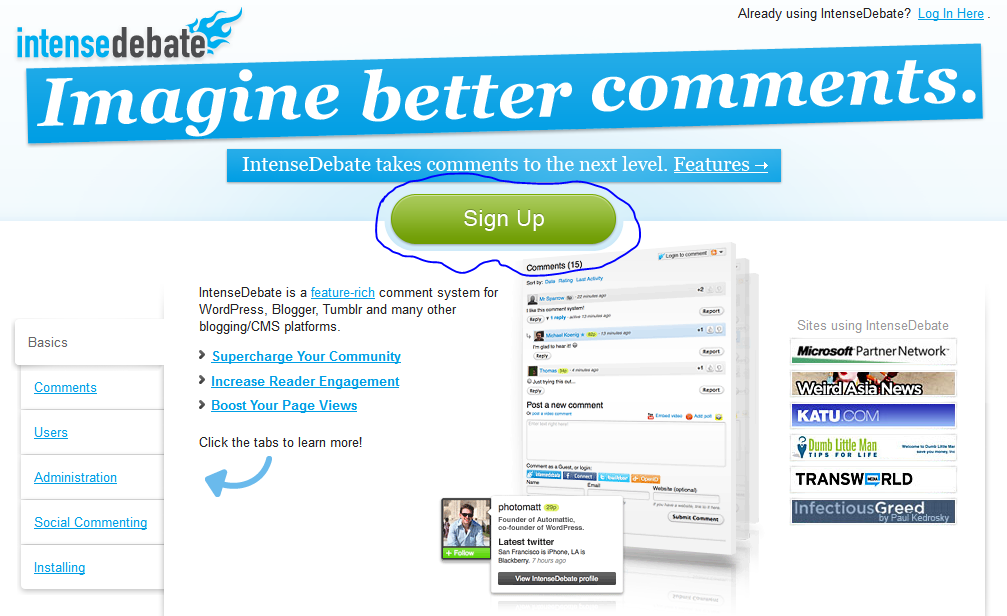
    1. Open a new browser tab and sign up for an account on IntenseDebate here How To Add IntenseDebate's CommentLuv To Blogger
    2. After confirming your account, sign into Intense Debate
    3. On the top bar menu, under Sites, select Add blog/site or use this link: http://intensedebate.com/install How To Add IntenseDebate's CommentLuv To Blogger
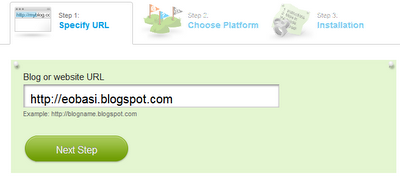
    4. Fill in your blog’s URL and select Next Step
    1. Select the Blogger platform How To Add IntenseDebate's CommentLuv To Blogger
    2. Next, you’d need to choose how you want to display your IntenseDebate comment. To keep your old Blogger comments, choose All new posts (IntenseDebate will only appear on new posts and posts without comments). To start your comments from scratch, choose On all blog posts (IntenseDebate will hide your previous comments). How To Add IntenseDebate's CommentLuv To Blogger
    3. Scroll down and upload the Blogger template that you’ve downloaded in step 1 and select continue How To Add IntenseDebate's CommentLuv To Blogger
    4. You will be brought to a page where a new set of template code is created
    1. Copy the codes 

    How To Add IntenseDebate's CommentLuv To Blogger
    Step 3 – Install IntenseDebate comment system

    1. Return to the Blogger tab in step 1
    2. Navigate to Template
    3. Select Edit HTML and then Proceed
    4. Select Expand Widget Template
    5. Replace all the template codes with the new codes that you’ve copied previously Select Savetemplate


    Step 4 – Install CommentLuv plugin

    1. Return to the IntenseDebate tab in step 2
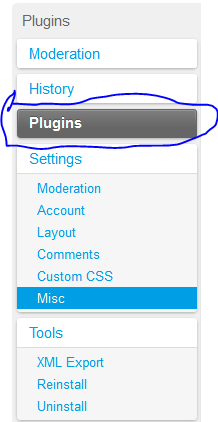
    2. Select configure this IntenseDebate accountHow To Add IntenseDebate's CommentLuv To Blogger
    1. On the left hand side menu, select Plugin

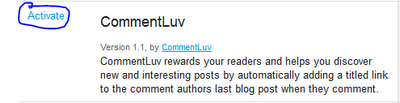
    Scroll down till you find CommentLuv and select Activate

    Done!