Today, Google officially announced the release of a new update for Gmail users. The new update is set to allow users to view and save attachments to Google Drive directly from their mailbox.
For those of you who are yet to use Google Drive: It is a product that grants Google account owners free cloud service, that allows you to store upto 5GB data(s) in your free Google account and unlimited data for premium Google accounts.
According to a statement by Scott Johnston in the Google official blog ” The next time you open an email with attachments, you’ll see new previews of the files at the bottom of the email, from photos and videos to spreadsheets and PDFs.”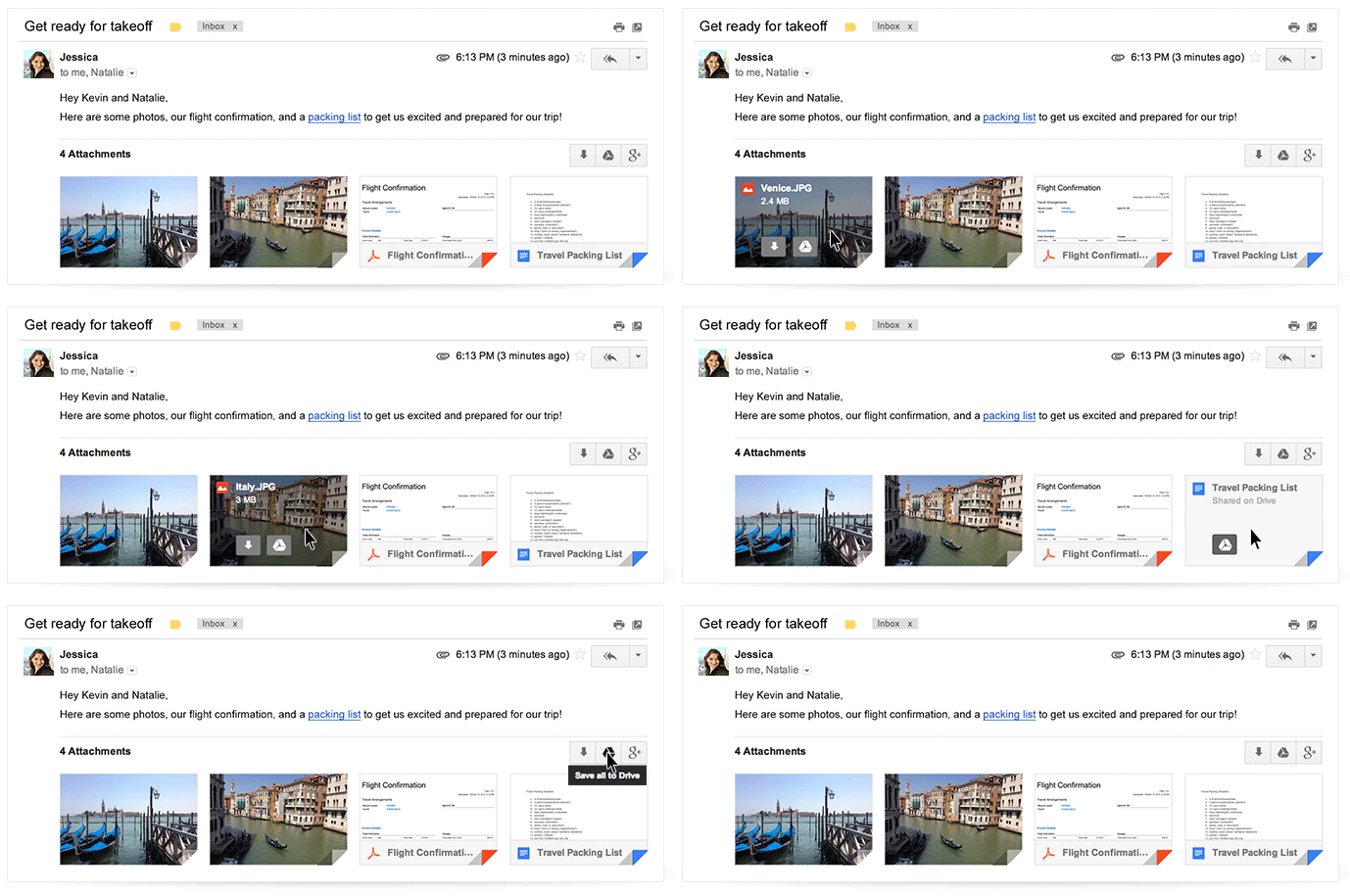
With the new Gmail interface, you can now access your email attachments from any device such as your mobile phone and tablets and save them in your Google Drive, hence, making them accessible via any other device, anywhere, anytime.
The new Gmail also let you navigate through multiple attachments right through your inbox and of-course read and even search for a particular phrase.
How to Save your Attachments to Google Drive
To save your attachments:
- Hover on the attachment preview
- Click on the Google Drive icon that appears when you hover on the attachment.
- Choose or create a folder for your attachment and click done
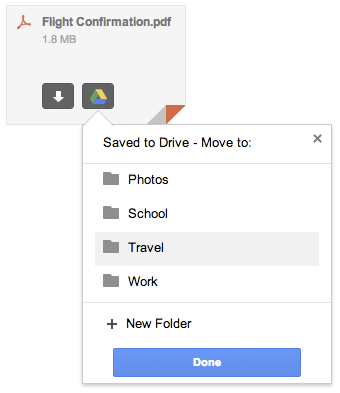
If you wish to save the attachment directly to your device, simply click the arrow icon (See image above).
“This new attachment experience is available on desktop and will be rolling out over the next week. If you’re one of the more than 120 million active Drive users, you know that saving your files to Drive lets you get to them from any computer, phone or tablet. And if you aren’t taking advantage of Drive just yet, give it a try with your next Gmail attachment.” Scott added.
 In Chrome, Google Drive operates as the local file system, said Clay Bavor, director of product management for Google Drive. He showed how a user can search through a folder of scanned receipts and find a particular receipt using a keyword search. The receipts are stored as image files, but the Drive application uses optical character recognition to index the text in the receipts.
 Google also showed how Google Docs and Google Drive can work together to allow “real-time collaboration.” It showed how three users can edit a text document simultaneously from three different devices, and have the changes all appear on each of the three screens.