The concept of data recovery is fairly old among internet users. But having a reputable software that really works in getting back deleted files has been the biggest quest of Pc users.
This is why we deemed it necessary to introduce one of these free data recovery app that really works when it comes to the business of getting lost files back.
Whether you want to restore the data from a laptop, USB stick, memory card and/or any digital device, EaseUS data recovery app will captivate your attention by recovering all the lost data.
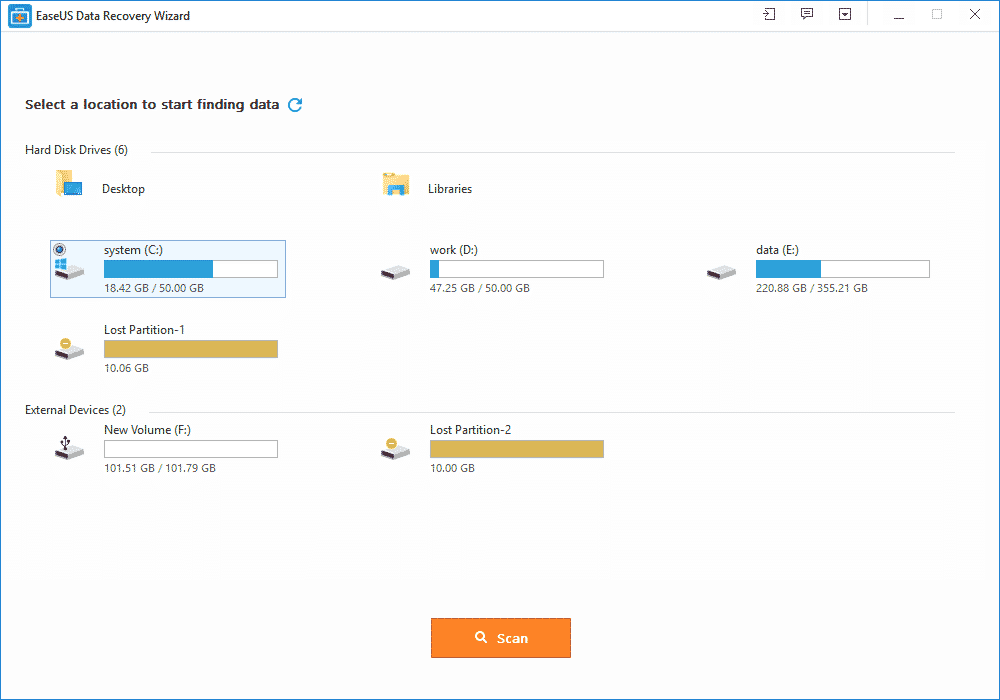
Features of EaseUS Free Data Recovery Wizard
- It is free to download and use (limited only by functions).
- It can restore any lost or formatted data from the device.
- The best feature is recycle bin recovery. It can regain the deleted data also whether it is a video, album or any other file.
- Ability to recover files with both rapid and deep scan mode.
- Quick scan allows recently deleted files to be detected quickly while deep scan can help recover somewhat older files.
- Ability to recover every kind of fille type and extension in record time like photos, videos, compressed files, pdfs and more.
- Ease of recovery from server units, personal computers, office computers, hard drive etc.
- Filter option to wade through the required files of a certain type.
- This app is easy to use and recovers the data securely free by using the deep scan mode.
- It is a virus free app and runs on all type of servers.
- Its recovering speed is faster and provides you with a basic feature of “Quick scan mode” along with the “Deep scan mode”.
- All types of files, images, videos, emails, audios or documents can be easily retrieved by EaseUS.
- This free data recovery software supports all kinds of language such as traditional or simplified Chinese, French, German, Turkish, Korean, English, Arabic, Russian and many more.
- Lifetime technical support and upgrade support.
File type Supported:
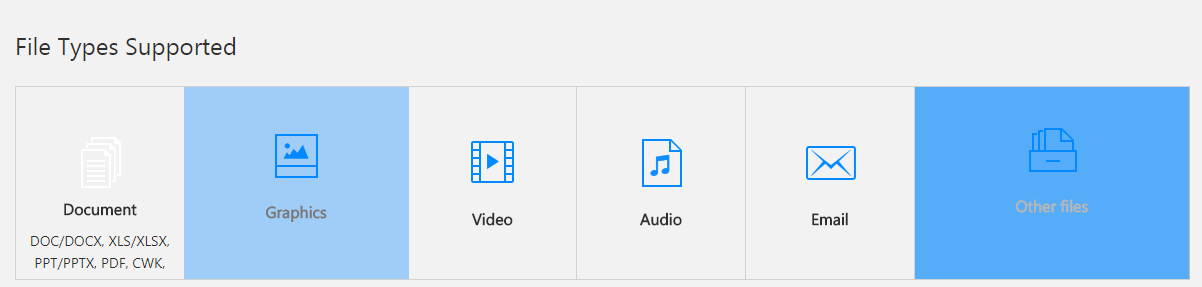
EaseUS comes with a versatile option of file support and mainly supports all kinds of files.
- It assists all types of documents such as DOC, PPT, PDF, XLS, HTML/HTM, EPS, etc.
- For the video recovering it easily recovers the FLV, MP4, MP4V, MPEG, AVI etc.
- All forms of JPG, JPEG, PNG, BMP, GIF, PSD, WMF, RAW etc. can be revived.
- Audios like MP3, MP4A, M4V, MPG, FLV, VQF etc. are supported on this application.
- The emails can be restored back into the device even from Outlook and supports the PST, DBX, EMLX, etc.
- It also supports the archive files such as ZIP,ISO, HTML SITX etc.
How to recover lost files with EaseUS data recovery Wizard?
The free data recovery software goes with the 3 easy steps of recovering the data back into your device or card.
All you have to do is to install this application from the EaseUS website. After the installation is complete, step one is to launch the app. The second step is to scan. Scan the data that you want to recover.
You can also filter or search the data for the rapid scanning of the data you want. After the scanning is complete, the third and final step is to recover. This might take some minutes. After this the required data that you want is recovered back on your device.
EaseUS memory card data recovery:
A memory card is the brain of a camera, a mobile phone or even a laptop which can contain thousands of important photographs, videos or even files.
IF you’ve accidentally formatted your memory card, using EaseUS, the free data recovery software, you can easily get it back in no time.
Supporting every type of memory card from the SD card, memory sticks, compact flash card, and digital card to the multimedia card and so on. It also has support for every kind of memory card manufacturer like Samsung, Toshiba, Transcend, Sony etc.
To avoid data loss and restore data, EaseUS is a perfect solution from a college student to a photographer and everyone in between.
Steps for recovering a memory card through EaseUS:
- Launch EaseUS, the data recovery software for free and select the type of files you want to recover and click next.
- Choose a directly for your scan; for disk recovery, after adding it to the computer through port or connector, choose the directly it is in.
- After the files have been recovered, just simply choose the files you want to recover and click on the “recover” button to get them back.
EaseUS Pro packages:
EaseUS comes up with a free and two pro packages. The free package includes the recovery of the data up to 2GB and supports all file types. There is no free upgrade or technical support feature available in this package.
While the two Pro and Pro+WinPE packages that costs 69.95$ and 99.90$ respectively, comes with numerous features. Both the packages allow you an unlimited data recovery option along with the free lifetime upgrade and free technical support.
The pro packages are single license. The Pro+WinPE comes with an extra feature of “Bootable media for emergency” i.e. it restores the data even when system breaks down.
At the end of the day, while some people may think their data is gone forever, data recovery software like EaseUS can easily help get it back in no time.
You must be logged in to post a comment.