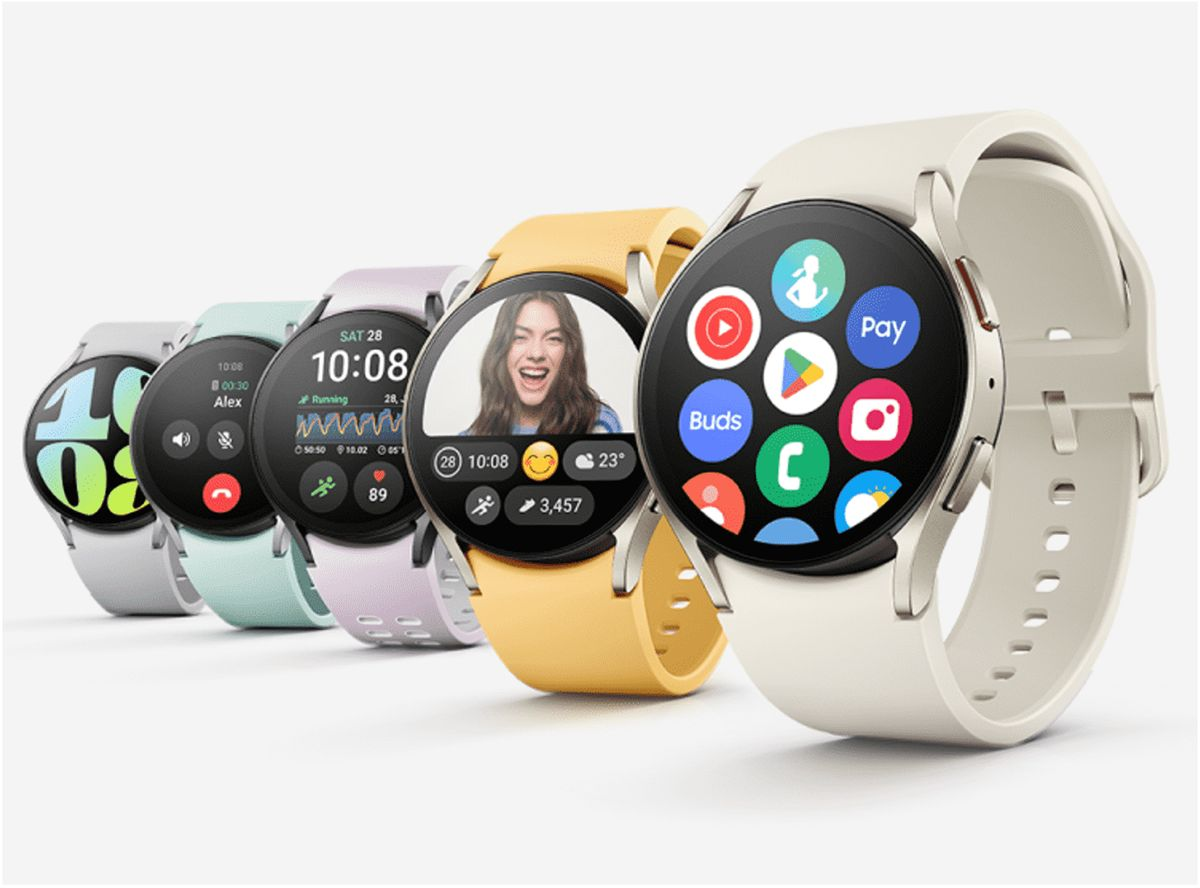
Samsung’s next-gen smartwatches identified by model numbers SM-L300, SM-L305, SM-L310, and SM-L315, have been spotted on the FCC certification. The latest Galaxy Watch 7 series will be revealed at the next Samsung Unpacked event scheduled to be held on July 10, 2024.
We got wind of some of the features, including Wi-Fi and LTE connectivity, and different models; Galaxy Watch 7, Galaxy Watch 7 Classic/Pro, and Galaxy Watch 7 FE. Samsung is also expected to showcase the Galaxy Z Fold 6 and Galaxy Z Flip 6.
Samsung, Apple, and Google have been the leading competitors in the wearables and smartwatch market for years now. The Samsung Galaxy Watch 6 is one of the best smartwatches for Android users, especially those with Samsung phones. It features a rotating bezel, health and fitness tracking, durable sapphire glass, potentially longer battery life, LTE connectivity, and a more competitive price than the Apple Watch Series 9.
Although the Galaxy Watch 6 and Watch 6 Classic are ideal for Android users, the Apple Watch Series 9 continues to set the standard for smartwatches. It runs on the efficient S9 chip, with improved battery life and on-device Siri processing for quick and private responses. Features include Double Tap, which lets you control the watch by tapping two fingers together, an FDA-cleared electrocardiogram sensor, and SpO2 measurement, although this last feature is no longer available on US models sold after January 18, 2024, due to the Apple Watch blood-oxygen monitoring patent dispute.
Google’s Pixel Watch 2 which is another good smartwatch for Android users now includes auto-start workout detection, fall detection, SpO2 measurements, and a modernized Fitbit app. It also introduces Safety Check and Body Response features for stress detection and management. Although it’s great for health and fitness tracking, the battery life lasts only about a day.
Whether you are a tech enthusiast, a social media influencer, or simply looking for a reliable phone that can keep up with your dynamic lifestyle, you are sure to find a perfect match from our list of the best android phones of 2023.
We bring to you a compilation of the hottest phones to buy this year. Featuring sleek designs, ultra-powerful processors, high-resolution cameras, innovative features, specifications, etc, these android phones are the ultimate gadgets that will upgrade your daily communication and entertainment. With their guarantee to offer seamless and immersive user experiences like never before.
So let’s explore the new android phones for 2023, alternatives to iPhones.
Our Top Picks Of The Best Android Phones in 2023
Samsung Galaxy A54 5G
Cnet.com
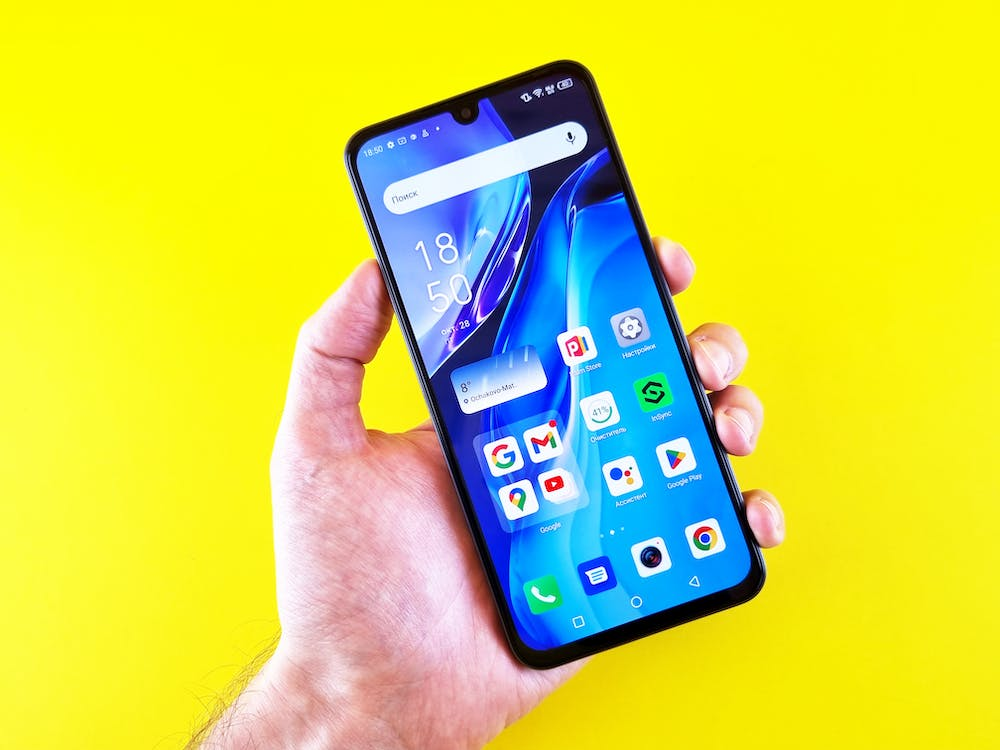
The sleek and stylish Samsung Galaxy A54 5G, which takes its design cues from the highly coveted Galaxy S23 lineup is the latest addition to the Samsung Galaxy series. This modern device boasts a 6.4″ FHD+ AMOLED display with a lightning-fast refresh rate of 120Hz, powered by a Samsung Exynos 1380 processor and backed by 128GB of storage that’s expandable up to 1TB with a microSD card.
You can capture amazing shots with the Galaxy A54’s upgraded camera setup featuring a 50MP primary sensor for superior low-light performance and dynamic range, along with a 12MP ultra-wide and 5MP macro camera for close-up shots. On the front, a 32MP selfie shooter awaits, capable of recording in 4K resolution, giving you picture-perfect moments to treasure.
The Galaxy A54 is packed with other features like 5G, Wi-Fi 6, and eSIM, ensuring you stay connected to the world around you. Running on Android 13 with One UI 5.1, the Galaxy A54 offers a seamless and intuitive user experience. Available in black and purple, this phone is so affordable. Pre-orders are set to kick off in a couple of weeks on March 30th, and you can get your hands on one starting April 6th. And the best part? This baby won’t break the bank – just like last year’s A53 5G model, it’s priced at a super reasonable $450. Truly one of the best android phones of 2023
Samsung Galaxy S23 Ultra
Forbes
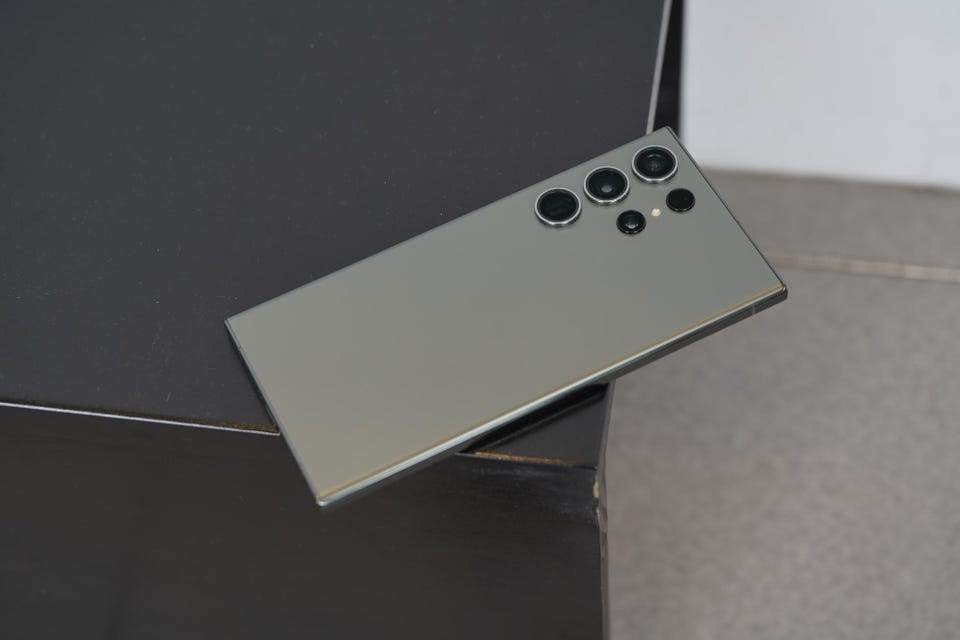
Samsung’s latest offering, the Galaxy S23 Ultra is not the regular stylus smartphones. It boasts impressive upgrades in its chip, battery, and camera features compared to its predecessors. However, aside price tag, it is one of the most expensive non-folding smartphones available.
Visually, the S23 Ultra closely resembles its predecessor the Samsung Galaxy S22, and its cream color scheme adds to its premium look and feel. The phone’s aluminum frame, slightly less curved glass edges, and super-bright and crisp screen remain unchanged from the previous model.
One of the phone’s unique features is the S Pen stylus. A fan-favorite that was introduced to the S series in 2022, and has undergone minor changes in this version. The phone’s software is based on Samsung’s One UI 5.1, running on Android 13. And offers numerous useful features, including productivity tools for the S Pen and customizable lock screens. The phone’s height is 163.4 x 78.1 x 8.9mm and weighs 233g.
Other specifications include a 6.8-inch QHD+ Dynamic Amoled 2X screen with 500ppi and 120Hz refresh rate. A Qualcomm Snapdragon 8 Gen 2 processor, 8 or 12GB RAM, and storage options of 256, 512GB, or 1TB. The phone supports 5G, USB-C, WiFi 6E, NFC, Bluetooth 5.3, UWB, and GNSS. And boasts an IP68 water resistance rating of up to 1.5m for 30 minutes.
Google Pixel 7 Pro
Digital Trends
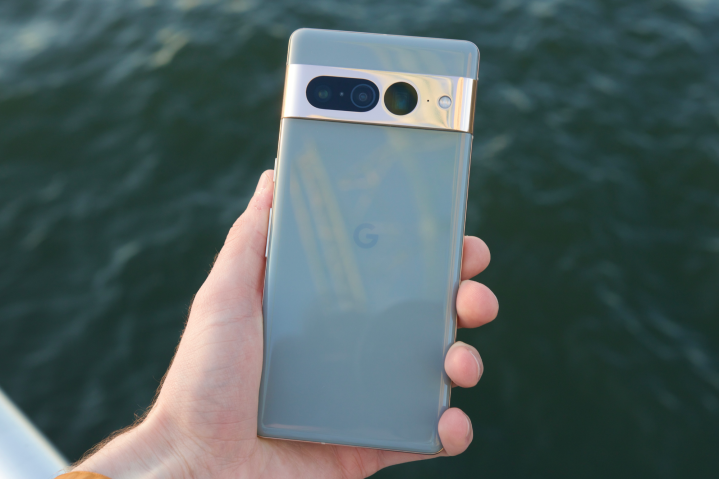
The Pixel 7 Pro is the top model in Google’s 2022 phone lineup. Aimed at continuing the company’s recent success in high-end mobile devices. Which also includes the smaller Pixel 7 and the more affordablePixel 6a.
The phone features a large, 6.7-inch OLED screen. With a 120Hz refresh rate and a polished aluminum camera bar on the back. It has good performance, a fast fingerprint scanner, and reasonable battery life. Along with impressive AI features, such as dictation and unblurring technology. The standout feature, however, is the camera, which boasts a 10x optical zoom. A feature only found on Samsung’s best, more expensive phone.
The Pixel 7 Pro comes with 12GB of RAM and is available with 128, 256, or 512GB of storage. It runs on Android 13 and has 5G connectivity, as well as eSIM, wifi 6E, UWB, NFC, Bluetooth 5.2, and GNSS. The phone is water-resistant with an IP68 rating, allowing it to withstand being submerged in 1.5 meters of water for up to 30 minutes.
Samsung Galaxy Z Fold 4
Notebook check
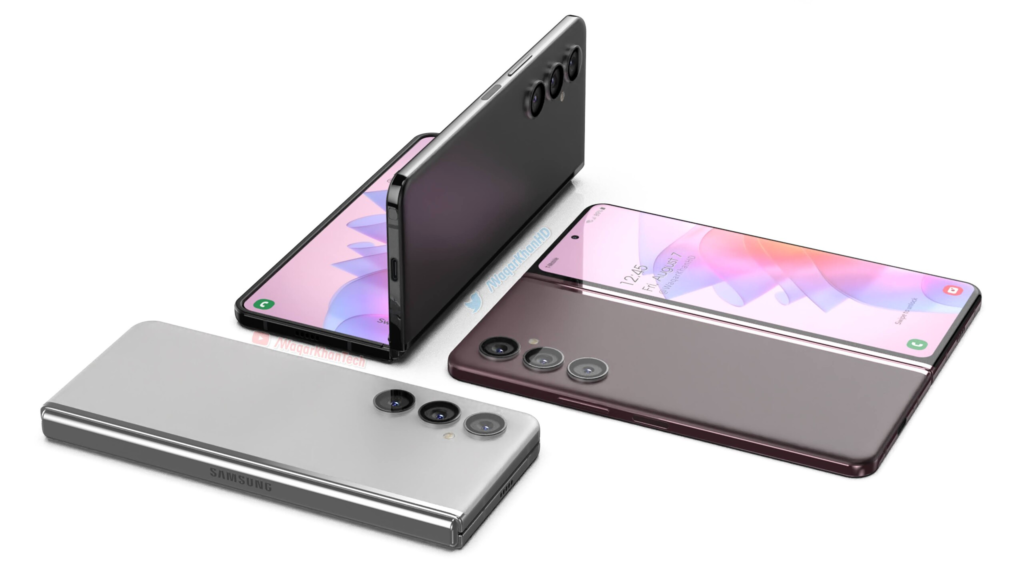
The Samsung Galaxy Z Fold 4 is the epitome of snappy and smooth, thanks to Qualcomm’s latest Snapdragon 8+ Gen 1 processor – the most powerful chip you can find on Android.
This phone has two screens, which can affect its battery life. Using just the inside display can last up to 35 hours while using both screens can get you up to 40 hours of battery life. Charging takes about 80 minutes for a full charge or 30 minutes for 50% with a 25W USB-C power adapter. It runs on Samsung’s One UI 4.1 based on Android 12L, optimized for folding-screen devices.
Now let’s talk cameras—the phone has five cameras, including a new triple system on the back, a 10MP front-facing camera, and a 4MP selfie cam hidden under the inside screen’s top right. The back cameras are similar to the S22+ and include a 50MP camera with 3x optical zoom and an ultrawide lens
So if you’re in the market for a folding phone, the Fold 4 is worth considering. Here’s a quick rundown of the specs: 7.6in QXGA+ 120Hz AMOLED flexible display (374ppi), 6.2in HD+ 120Hz Amoled cover screen (387ppi), 12GB RAM, 256/512GB or 1TB storage, One UI 4.1 based on Android 12L, 50MP wide/12MP ultrawide/10MP 3x telephoto back cameras, 10MP and 4MP selfie cams, 5G, dual sim, e-sim, USB-C, wifi 6E, NFC, Bluetooth 5.2, IPX8 water resistance, dimensions folded: 155.1 x 67.1 x 15.8mm, dimensions unfolded: 155.1 x 130.1 x 6.3mm, weight: 263g.
Sony Xperia Pro
MobGSM
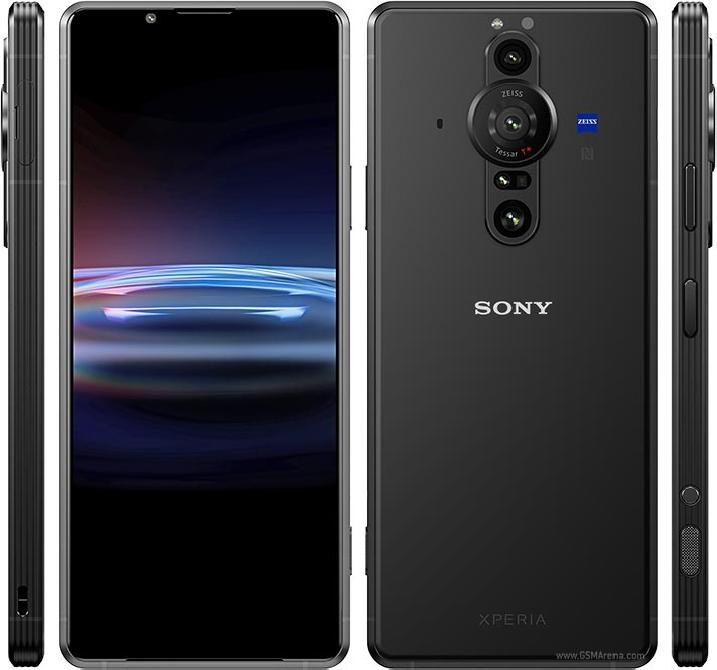
The Sony Xperia Pro is a distinctive and impressive device that is specifically tailored for professional photographers and videographers. While its steep price tag of $1800 may deter casual users, those in the content creation industry will appreciate its four-in-one functionality as a smartphone, camera monitor, fast file transfer device, and 5G machine for broadcasting and live streaming.
Equipped with a Snapdragon 888 SoC, 12GB of RAM, and 512GB of storage, the black phone is a powerful device capable of handling even the most demanding tasks. Its standout camera system includes three rear cameras with varying focal lengths and advanced capture applications. The device’s 6.5-inch 4K HDR OLED display equally offers stunning visuals with very excellent speakers. Despite not feeling as premium as similarly priced android phones, the Sony Xperia Pro is a cool and innovative option for professionals looking to take their photography and videography to the next level. Indeed one of the best android phones of 2023
ASUS ROG Phone 6 Pro
MobGSM
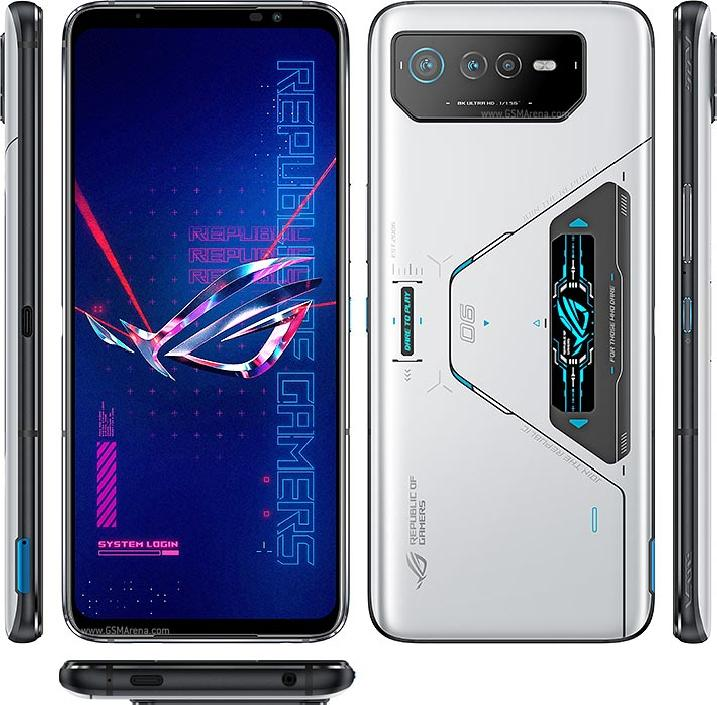
For those who want to have a superior gaming experience, the Asus ROG Phone 6 Pro is your go-to gaming android phone. True Asus fans know that ROG Phones are built for gamers. This is evident in the design and configuration of the Asus ROG Phone 6 Pro. As well as other outstanding features such as a bulky and imposing build, great display, cool speakers, etc. The phone delivers nothing short of an incredible gaming experience.
The ROG Phone 6 Pro’s display is a 6.78in, 2448×1080 OLED panel that delivers sharp details in vibrant colors for an enthralling viewing experience. It also has a classic view from the back. With a triple rear camera module that doesn’t cause any issues when placing the phone face-up on a surface. The sides of the device have power and volume controls. Dual shoulder triggers, and a second USB-C port for comfortable gaming while charging.
Audio is a priority for the ROG Phone 6 Pro. With a speaker system designed in collaboration with the audio company Dirac, known as Dirac Virtuo. This stereo design combines a large front-facing speaker with an earpiece to deliver rich music and game sound effects.
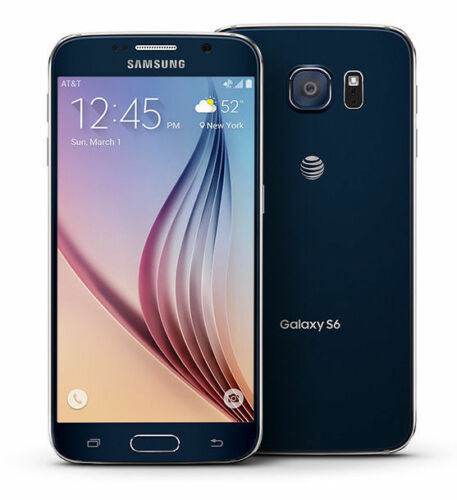
From the front, the S6 looks a lot like the Note Edge — though this time both sides of the screen feature Samsung’s unique curve. And that dark gray metal backside looks pretty nice and is a huge step above anything that Samsung’s produced to this point. Goodbye, fake leather. We can’t say we’ll miss you. Expect to see an end to all these teases when Samsung officially unveils the Galaxy S6 on March 1st. T-Mobile’s website says there’ll be much more to share on that date.
Preliminary Specifications
NETWORK Technology: GSM / HSPA / LTE
LAUNCH Announced: Exp. announcement 2015, March 1
Status Exp. release 2015, Q1
BODY Dimensions: 143.3 x 70.8 x 6.9 mm (5.64 x 2.79 x 0.27 in) SIM: Nano-SIM – Fingerprint sensor (PayPal certified) – Samsung Pay (Visa, MasterCard, AMEX certified) – IP67 certified – dust and water resistant – Water resistant up to 1 meter and 30 minutes
PROS Large, vivid screen Excellent battery life and performance Office and videoconferencing apps are built in
CONS No wired display connection Flip cover doubles as a flimsy stand Avoid using it for pictures Exceptionally high price
AT A GLANCE
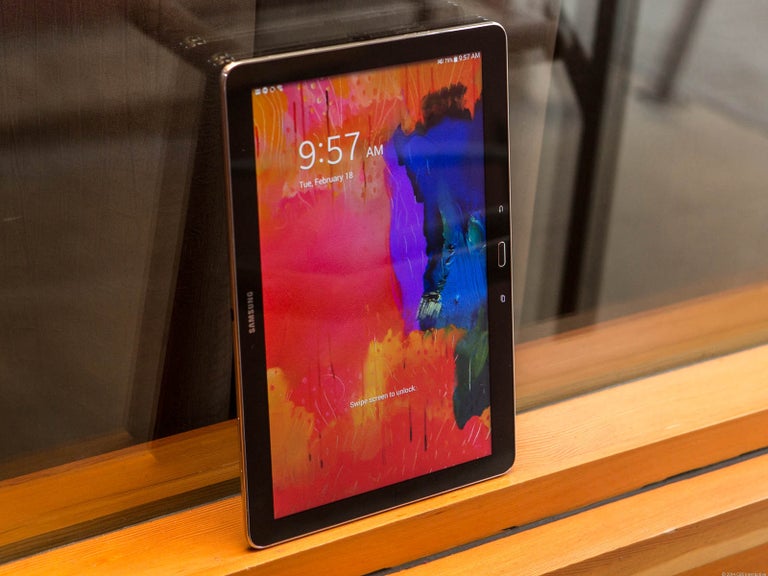
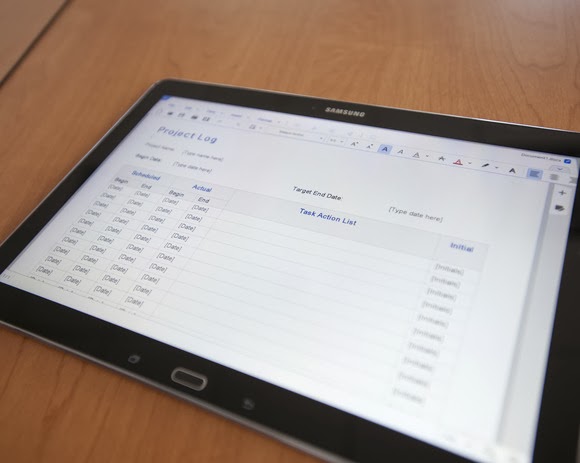
Spending $750 for an Android tablet seems exorbitant. But the Samsung Galaxy Note Pro offers a larger screen, excellent battery life, and access to the Android and Samsung app stores. When one considers the wealth of inexpensive Android tablets available, the idea of paying $750 for a 12-inch Android tablet seems inconceivable. But if now isn’t the time for consumers to start thinking of large Android tablets as legitimate Windows laptop replacements, that day isn’t far off. That’s right: a Windows laptop replacement. That’s the only way to consider the Samsung Galaxy Note Pro, a massive tablet that, like the Microsoft Surface, works best on a desk. Samsung’s 12.2-inch Galaxy Note Pro (7.95 mm thick, 1.65 pounds) is virtually identical to the Galaxy Tab Pro, save for the addition of an S-Pen stylus.
This is not a competitor to smaller tablets like the Nexus 7. Indeed, if last year’s Galaxy Note 3 smartphone doubles as a reporter’s notebook, then the new Galaxy Note Pro is something akin to an electronic legal pad. And with a surprisingly complete selection of productivity apps in both Google Play and Samsung’s own app store, this massive Android tablet can help you get real work done.
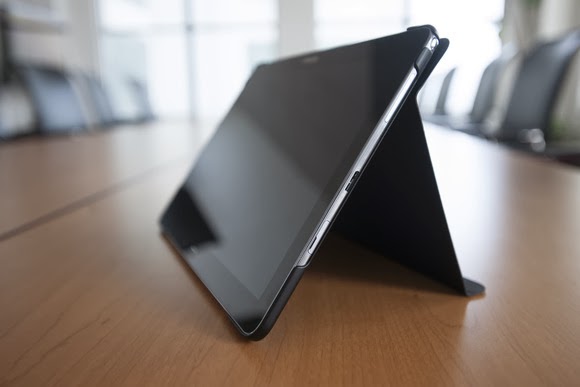
The Galaxy Note Pro lacks an integrated keyboard, and the cover, which does double duty as a stand, is a little flimsy.
The Note Pro is available for either $750 for a 32GB model, or $850 for 64GB of onboard storage. So far, Samsung has yet to announce the price for a model with an integrated LTE WLAN chip. According to Samsung, the Wi-Fi version of the Note Pro houses a 1.9GHz quad-core ARM Cortex A15 chip, powering Android 4.4 (KitKat). Our performance tests produced a Sunspider score of 0.97 seconds (which hits the upper echelons of the tablet market), and a PeaceKeeper score of 815. For the sake of comparison, the iPad 3 managed 516 in PeaceKeeper, and the Dell XPS 10 hit 324 (higher scores are better).
The Samsung ‘Surface’
It’s not much of a stretch to consider the Note Pro as Samsung’s response to Microsoft’s Surface 2 Pro, which starts at $899 for 64GB of onboard storage. Both the Note Pro and the Surface Pro 2 ship with foldable keyboard covers; the Note Pro’s can be configured so that it wakes up and unlocks the tablet when flipped back. But while the Note Pro’s cover actually doubles as a stand, it’s not immediately obvious that it does so.
The Note Pro also lacks an integrated keyboard, such as the Surface’s Type and Touch Covers. In fact, to use it as a laptop replacement, you’ll need to buy a Bluetooth keyboard and possibly a mouse. That completely eliminates its use as a “lap top” computer.
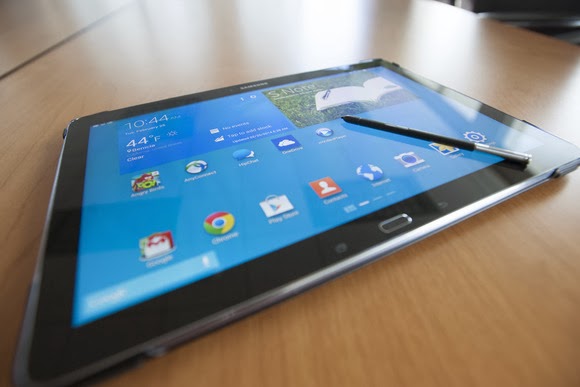
Physically, the Note Pro looks like a Note 3, flipped on its edge. The tablet is designed to be held in landscape mode, with the physical home button mounted between the back and applications buttons. Near the top sits the 2-megapixel front-facing camera, with an 8-megapixel camera at the back. (Unfortunately, the cover lacks a rear camera cutout, so when thumbing the camera button, you’ll have to awkwardly hold up the cover.) Volume and power switches sit on the top, while an all-important microSD card slot sits on the side.
An underrated productivity tool
Like the Note 3, the Note Pro uses the new USB 3.0 connector, collecting juice through a high-output charging plug. Charging the Note Pro takes about three to four hours, but battery life is excellent: You’ll see two, possibly even three days or so of casual use from its integrated 9,500 mAh battery, and our looping video test ran down the battery in 8 hours, 37 minutes. That’s on par with the Dell XPS 10 tablet.
Unfortunately, you won’t be able to use the Note Pro on long flights. The tablet, its stand and a Bluetooth keyboard will take up too much room on a seat-back tray. But you can still use the tablet for mid-flight video playback in your hands. The 12.2-inch display boasts a 2560×1600 resolution and 247 ppi pixel density, and you can even hook up an external monitor care of an optional external HDMI dongle for $39.99.
One of the problems with Samsung’s latest devices, beginning with the Galaxy S4 smartphone, is their overwhelming number of largely extraneous features, such as the “smart pause” feature that supposedly pauses video playback when you look away. You’ll see a number of these still hidden deep within the Note Pro’s settings menus—but thankfully turned off.
Feel free to mix and match entertainment and work apps—the Note Pro can handle both.
The default home screen contains a giant reminder widget for S Note, so that you don’t forget the S Pen. Equally useless New York Times and Twitter widgets can be tossed out. And, fortunately, a collection of news and entertainment apps, such as WatchON and a version of Samsung’s Flipboard-like My Magazine app, are confined on the peripheral screens.
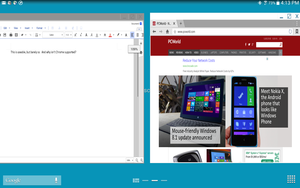
You can use the pen to draw your own windows, as I did, using the S Pen.
As with the Note phones, pulling out the S Pen triggers several options, including an Action Memo; the ability to save content into a Scrapbook; and my favorite, the Pen Window. The Pen Window lets you run a second app inside a window, providing Android with a desktop-like multitasking environment. You simply draw a box, and when it’s done, select the app you want to fill the space.
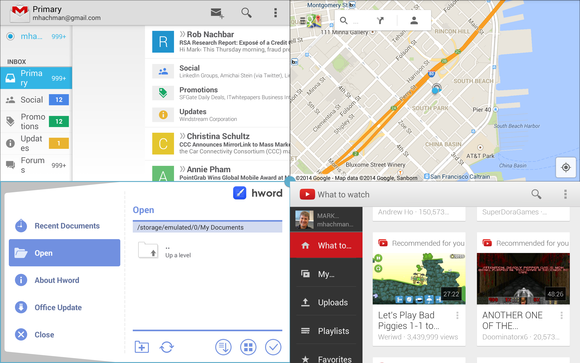
Samsung, however, now has a better option: Multi Window mode, which Samsung has made available on only the largest Galaxy Tab and Note tablets. To trigger Multi Window mode, you swipe in from the right-hand side, via a list of supported apps. (YouTube is supported, for example, but Angry Birds is not. And, inexplicably, Chrome is not supported by Pen Window mode, but it is under the Multi Window view.) Dragging one app to the main screen fills it. Dragging a second “snaps” the screen into two halves—and so on, up to a total of four screens. On a smaller tablet, this is a gimmick, but on a larger tablet like the Note Pro, it’s surprisingly useful.
Multi Window can show four apps at once, or you can snap two. This is amazingly useful.
A viable office suite
More impressive are the numerous productivity apps that are either available via the Note Pro itself or via Samsung’s own app store. Apps such as Cisco’s WebEx, a Samsung Remote PC app (an alternative to Microsoft’s own Android app, Microsoft Remote Desktop), and the Hancom Viewer are all included. On Google Play, Hancom’s Hanword, a word processor, cost over $17 at press time, but on the Note Pro, it’s free, as are similar apps to view and edit PowerPoint and Excel documents.
The Hancom apps ship in both “viewer” and editable versions, and the Note Pro tends to open files in the “viewer” version first without an option to choose the editing app, which is annoying. Google’s own Quickoffice is also installed. Aside from some possible font compatibility issues, the Hancom apps seemed to work surprisingly well.
Keep in mind one thing: With the Note Pro, these productivity apps are free. If you purchase a Surface Pro 2, you’ll also need to pay for a subscription to Office 365 or a standalone copy of Office 2013. That pushes the long-term cost up.
Hancom’s app suite makes the Note Pro a viable productivity tablet.
Samsung inexplicably omitted the VPN app that it included on the Note 3, meaning that you’ll need to search out an Android version, such as Cisco’s Easy Connect, on the Play Store. In all, though, I found Android versions of virtually every productivity app I wanted from either the Samsung or Google Play, giving me a PC-like experience on an Android tablet.
This is the bottom line. Windows PCs and Macs represent the power-user extremes of the computing experience, owning everything from Adobe Photoshop to the latest first-person shooters. But tablets are for centrist users: Android tablets and iPads dominate casual gaming, and more and more light-productivity apps are being written for those platforms.
The sum of its parts—a large screen, excellent fantastic battery life, multi-app windows, and equivalent PC software—not only make the Note Pro a viable choice for a tablet enthusiast, but a jumping-off point for an adventuresome road warrior to leave the Windows world entirely. If only Samsung could knock another $150 or so off the price.
In the world of high-tech, gadgets getting tagged as “uncool” can be a death sentence for a product. That’s why Samsung’s win over Apple in a UK court on Monday is being viewed as a defeat by some people. Apple maintained in the case that Samsung’s Galaxy tablets infringed on the iPad design. Judge Colin Bliss ruled against Apple, but he handed Apple some fodder. He found that Samsung’s tablets “do not have the same understated and extreme simplicity which is possessed by the Apple design. They are not as cool.” Galaxy tablets uncool? No cut could be crueler. But it need not be. With the right spin, Samsung could turn Bliss’ slight into a positive marketing campaign. With some slick product shots that scream cool, Samsung could use tag lines like “It’s Cool to Be Uncool” or “Uncool Is the New Cool” or “How Cool Is Uncool?” or simply “Uncool” to sublimely reverse the judge’s verdict where it counts: in the minds of tablet shoppers. Samsung has used courtroom victories to highlight its tablets before. After defeating Apple in the Australian courts, it launched a campaign declaring that its Galaxy Tab was “The Tablet Apple Tried to Stop.”
It has also shown that it’s capable of spinning Apple’s cool image against the American company. In its “Next Big Thing” campaign launched at the end of last year, Samsung mocked Apple diehards who lineup outside Apple stores for hours to be among the first to get a new product from the company. So Bliss’ “uncool” opinion of Samsung’s tablets isn’t the death sentence some commentators make it out to be. In fact, it could be the kernel of a successful marketing campaign for the Korean company. All Samsung has to do is embrace the uncool.

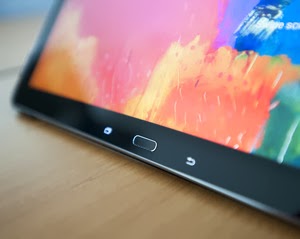 The Note Pro also lacks an integrated keyboard, such as the Surface’s Type and Touch Covers. In fact, to use it as a laptop replacement, you’ll need to buy a Bluetooth keyboard and possibly a mouse. That completely eliminates its use as a “lap top” computer.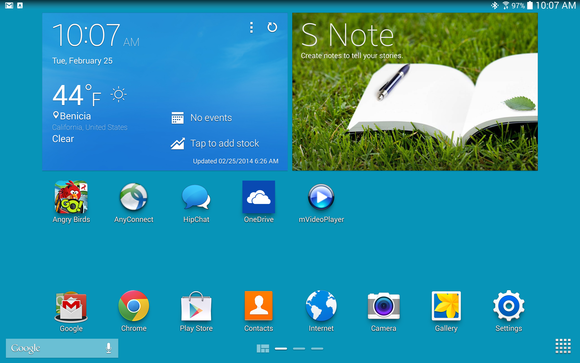

You must be logged in to post a comment.