

With the continual erosion of internet privacy and the rising level of security threats, more people are now turning to virtual private networks. VPNs encrypt your internet traffic, making it invisible to third parties like surveillance agencies, your internet provider, and the network admin. Plus, they protect your devices from hackers and the risks associated with public WiFi networks. Keep reading because https://privacyspark.com/ is going to give you key details on how to stay anonymous online.
How VPNs Work
A VPN (Virtual Private Network) is a channel that allows you to browse the internet with enhanced security and privacy. It also gives you the ability to get around content as well as censorship restrictions.
Typically, a VPN works by establishing an encrypted connection between your device or computer and a VPN server. This encrypted connection is often considered as a protected ‘tunnel’ through which users can access everything on the internet while appearing to be in the same location as the server they’re connected to.
This technology gives you a high level of online anonymity, allows you to access everything online without restrictions, and provides you with enhanced security. VPNs will encrypt and secure your online traffic, whilst also unblocking content from various parts of the world.
Without a good VPN, everything you do on the internet is traceable to your physical location as well as the device you’re using. Every device which connects to the internet comes with a unique IP address that can be altered by the VPN server you’re utilizing. Since most VPN providers have servers located all over the world, you’ll have access to numerous connection possibilities.
The Benefits
There are many reasons why you may want to consider utilizing a VPN and these include:
- Surfing the internet without exposing your real IP address as well as your geo-location.
- Adding an extra level of privacy and security by encrypting your online activity.
- Preventing your ISP (Internet Service Provider), governments, third parties, and network administrators from spying on your internet activities.
- Unblocking websites and accessing content that’s restricted to specific geographic locations.
- Bypassing censorship by getting around regional restrictions.
- Browsing the internet with peace of mind.
- Protecting yourself from hackers whenever you’re connected to public WiFI connections in airports, cafes, and hotels.
Their Legality
VPNs are absolutely legal. They’re designed to help users protect their online privacy and security. Most businesses are now utilizing VPNs – and that won’t change any time soon.
Nonetheless, there are few exceptions in places such as the United Arab Emirates, where the use of virtual private networks is currently restricted. But still, the laws in these countries don’t outlaw the VPN itself. Rather, it restricts the use of VPNs to bypass the state censorship efforts.
China and Russia have also attempted to ban certain VPNs- but these measures typically fail, because of the fact that VPN traffic can be hidden to appear like regular HTTPS traffic.
Conclusion
VPNs are routinely utilized by businesses across the globe for network security. Thus, you’ll never witness an outright ban on all VPNs since they’re absolutely necessary for both businesses as well as individual security. All you need is to shop around for reputable providers such as NordVPN, VyprVPN, CyberGhost, and ExpressVPN, who offer reliable products.







 Most financial Trojan programs used by cybercriminals today are capable of tampering in real time with online banking sessions initiated by victims on their computers. This includes the ability to execute fraudulent transactions in the background and hide them from the user by modifying the account balance and transaction history display in their browser. As a result, banks have started deploying systems to monitor how customers interact with their websites and detect anomalies that might indicate malware activity. However, it seems that some malware creators are returning to more traditional techniques that involve stealing credentials and using them from a different computer in order to avoid being detected.

 ” Online retailer Zappos disclosed hackers had likely broken into its network and stolen information on Zappos.com customers, including name, address, billing and shipping address, phone number and the last four digits of credit-card numbers and cryptographically scrambled passwords stored in hash form. Zappos informed customers all passwords were expired and customers should create a new one. ” Researchers from Seculert discovered what they say is a botnet command-and-control
  Right in the midst of a conference call the FBI was having with its agents and law-enforcement officials overseas at Scotland Yard, cybercriminals hacked their way into the phone conversation, recorded it and posted it online. The conversation was about hackers facing charges in the U.K. The group Anonymous took credit for the intercepted call. The FBI said it appeared likely the cybercriminals may have hacked into a law-enforcement official’s email to get the information for the conference call dial-in. Other February Snafus: ” Brazilian banks were targets for distributed denial-of-service attacks, with massive assaults against HSBC Brazil, Banco da Brasil, Itau Unibanco Multiplo SA and Banco Bradesco SA. Hactivists took credit for the DDoS spree. ” Whistleblowing website Cryptome.org, dedicated to exposing confidential information, was compromised by an intruder that loaded an attack code that tried to launch drive-by exploits at visitors to the site. ” The University of Florida had to notify 719 individuals that their Social Security numbers were improperly stored on a state website operated by the Bureau of Unclaimed Property for more than six years. ” Verizon had to acknowledge the Verizon 4G LTE network was knocked offline again just two months after its last serous outage. The outage on Feb. 22 lasted from about 10 a.m. to 1:20 p.m. ” Microsoft’s Azure cloud infrastructure and development service experienced a serious worldwide outage on Feb. 29. Microsoft later blamed the outage on a “Leap Year Bug” that was triggered in a key server housing a certificate that had expired on midnight on Feb. 28, and a time-calculation control hadn’t taken into account the extra day in the month of February this year. ” Taiwan-based Apple supplier Foxconn was hacked by a hacker group calling itself Swagg Security, apparently in protest related to media reports about poor working conditions at the electronics manufacturer’s factories in China. The hackers posted usernames and passwords that they said would allow attackers to place fraudulent orders under other companies’ names, including Microsoft, Apple, IBM, Intel and Dell. ” The FBI arrested a computer programmer in New York and charged him with stealing proprietary software code from the Federal Reserve Bank of New York (FRBNY). The software is known as the Government-Wide Accounting and Reporting Program (GWA), which handles all kinds of U.S. government financial transactions, and it cost over $9 million to develop. The accused thief, Bo Zhang, a contract employee at FRBNY, used the GWA code in a private business he ran to train individuals in computer programming. Zhang, a Chinese citizen in the U.S. on a work visa since 2000, is also known as “Bryan Zhang,” and in a plea agreement in April he pled guilty to theft of government property, admitting he’d copied the code onto an external hard drive and then transferred the GWA program to a home computer, knowing that was wrong. March At least 228,000 Social Security numbers were exposed in a
  ” Hackers in the LulzSec group associated with the broader Anonymous movement found the tables turned when they were arrested by the FBI and European law-enforcement agencies — and it was LulzSec leader Hector Xavier Monsegur, alias “Sabu,” who turned in his friends as part of a deal to work as a stooge for the FBI after being arrested in New York City last year. ” By the end of March, LulzSec claimed to be “reborn” and took credit for hacking a dating website for military personnel, MilitarySingles.com, leaking more than 160,000 account details from its database. ” Dutch police arrested a 17-year-old suspected of compromising the account data on hundreds of servers belonging to telecommunications operator KPN. The teenager, arrested in the Dutch town of Barendrecht, “made a confession,” according to Dutch authorities. In the wake of the hacking spree, KPN said it would appoint a chief security officer and set up a permanent control center to monitor its systems. ” A flaw was discovered in Barclays contactless bank cards that could allow customers’ data to be stolen and used fraudulently with them knowing about it, according to an investigation by ViaForensics in conjunction with Channel 4 News. But Barclays dismissed the claims as inaccurate. ” Security firms knew there was trouble when Kaspersky Lab identified code-signed Trojan malware dubbed Mediyes that had been signed with a digital certificate owned by Swiss firm Compavi AG and issued by Symantec. Symantec said it found out that the digital certificate’s private key held by Compavi had indeed been stolen; whether by an insider or an outside attacker wasn’t known. ” A security firm based in Slovakia, ESET, asserted a website operated by the country of Georgia has been used as part of a botnet to conduct cyber-espionage against that country’s residents. But ESET researchers admitted they aren’t sure whether the Win32/Georbot they have been monitoring is being directly operated by the Georgian government or by cyber-spies through a compromised Georgian agency. April
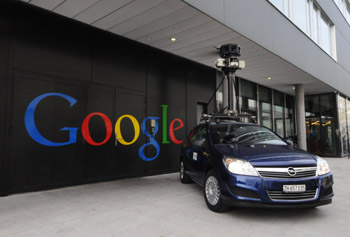 The Federal Communication Commission fined Google $25,000, asserting the search-engine giant impeded an investigation into how Google collected data while taking photos for its Street View mapping feature. The FCC maintained in a report that Google “deliberately impeded and delayed” the investigation for months by not responding to requests for information and documents. But the FCC also said it won’t take action against Google over its data collection because it still has questions it wants answered. The FCC had subpoenaed an unnamed Google engineer — now known to be Marius Milner — but he had apparently declined to testify, invoking his Fifth Amendment rights against incriminating himself. Other April snafus: ” Hactivist group Anonymous brought down the websites of trade groups U.S. Telecom Association and TechAmerica, apparently for their support of the cybersecurity bill proposed by Rep. Mike Rogers that would allow the private companies and the government to share any information “directly pertaining to a vulnerability of, or threat to” a computer network. Privacy advocates, including the ACLU and Center for Democracy and technology, contend the bills shreds privacy protections. ” A U.S. grand jury charged two residents of China with 46 criminal counts, including infringing software copyrights and illegally exporting technology to China, for allegedly operating a website that sold pirated software used in engineering, manufacturing, space exploration, aerospace simulation and design, and other fields, with a commercial value of other $100 million. Xiang Li, 35, was earlier arrested by agents from the U.S. Immigration and Customs Enforcement’s Homeland Security Investigations in Saipan, Northern Mariana Islands. Chun Yan Li remains at large. Both face charges in the U.S. District Court for the District of Delaware. ” A 31-year-old Russian national living in New York, Petr Murmylyuk, was charged with hacking into accounts at Fidelity, Scottrade, E*Trade and Schwab in a complex scheme that involved making unauthorized trades that profited the gang he recruited to open bank accounts to receive the illegal proceeds. The brokerage firms said they lost $1 million because of Murmylyuk’s fraud. ” VMware’s ESX source code was stolen and posted online, but VMware said the code, amounting to a single file from sometime around 2003 or 2004, doesn’t mean any increased risk to VMware customers. Security firm Kaspersky said it believes the code was stolen from a Chinese company called China Electronics Import & Export Corporation during a March breach. ” A terminal at New Jersey’s Newark Liberty International Airport was shut down for more than an hour on April 27 after officials discovered that a baby hadn’t been properly screened. The baby in question had been handed back and forth between the parents after a metal detector went off sounding an alarm with the mother holding the baby. The father had already gone through the screening, and the parents and baby left the checkpoint to head to the gate. But Transportation Security Administration officials decided to “err on the side of caution” to shut down the terminal and go locate the baby to make sure it went through screening. Some passengers that had already boarded flights said they had to evacuate it and go through security screening again. Speaking of the TSA, one of the agency’s critics, security expert Bruce Schneier, who is involved in a lawsuit with the agency to get them to stop the TSA’s full-body scanner program, had been invited to testify before Congress about the TSA but the House Committee on Oversight and Government Report then “uninvited” Schneier last March after the TSA formally complained about him, obviously preferring not to be challenged directly by him right in front of Congress. ” Automotive manufacturer Nissan admitted a data breach involving employee user account credentials had occurred, and that it had to spend some time cleaning its network of the malware apparently responsible for that before disclosing the breach. ” The hacker who stole Facebook’s source code, Glenn Mangham of York, England, offered an explanation of why he did it, saying, “I was working under the premise it is sometimes better to seek forgiveness than to ask permission.” He said he did little to hide his actions and that even if he got caught, Facebook would let him off the hook. But that didn’t happen, and Mangham was sentenced to eight months in prison in February, though the sentence was reduced to four months by an appeals court in April. He said he only had the source code for three weeks, but never had any intention of selling it to anyone who might exploit it for scams, for example. Mangham even made the grandiose claim that his basic good intentions saved Facebook from “potential annihilation.” ” Payments processing services company Global Payments acknowledged a data breach of up to 1.5 million card numbers had been stolen in a data breach, and in June also said it was investigating whether a server containing merchant applicants’ information had also been breached. Global Payments said its PCI compliance status had been revoked by some of the card brands because of the breach and it was working to regain it. May
 Hackers claimed to have breached the systems of the Belgian credit provider Elantis and threatened to publish confidential customer information if the bank did not make an extortion payment of $197,000. Elantis confirmed the data breach but said the bank will not give in to extortion threats. Meanwhile, Anonymous claimed it hacked a U.S. Department of Justice website server tied to the U.S. Bureau of Justice Statistics and claimed to release 1.7GB of stolen data from it, with the statement, “We are releasing it to end the corruption that exists, and truly make those who are being oppressed free.” The data was offered on The Pirate Bay. And then Yahoo accidentally leaked the private key that was used to digitally sign its new Axis extension for Google Chrome. Axis is a new search and browsing tool from Yahoo. Security blogger Nik Cubrilovic discovered the package included the private crypto key used by Yahoo to sign the extension, noting it offered a malicious attacker the ability “to create a forged extension that Chrome will authenticate as being from Yahoo.” Yahoo was forced to release a new version of its Axis extension for Google Chrome after that. June The University of Nebraska in Lincoln acknowledged a data breach that exposed information of more than 654,000 files of personal information on students and employees, plus parents and university alumni. The information was stolen from the Nebraska Student Information Systems database; a student is the suspected culprit. Other June snafus: ” Hacker gang Swagger Security strikes again, this time breaching the networks of Warner Bros. and China Telecom, releasing documents and publishing login credentials. The group said it notified China Telecom of the hack by planting a message in the company’s network. “Fortunately for them, we did not destroy their infrastructure and rendered [stet] millions of customers without communications,” Swagger Security, also known as SwaggSec, said in a note. ” About 6.5 million cryptographic hashes of LinkedIn user passwords were stolen and posted online, a breach LinkedIn acknowledged though it didn’t discuss specific numbers, which may be much less due to duplicates. LinkedIn invalidated the passwords of impacted users and the company said emails will be sent to users whose passwords were compromised, though it warned about updating passwords via links sent in email.
  ” Right after the LinkedIn fiasco, dating site eHarmony also confirmed a breach of 1.5 million passwords that were hashed. ” The Federal Trade Commission announced that data broker Spokeo will pay $800,000 to settle FTC charges it sold personal information it gathered from social media and other Internet-based sites to employers and job recruiters without taking steps to protect consumers required under the Fair Credit Reporting Act. ” The New York Times article asserting that the cyber-weapon Stuxnet is a creation of the U.S. with Israel, and was launched in a covert action authorized directly by President Barack Obama against an Iranian facility suspected of developing a nuclear weapon, has stirred up a firestorm of controversy in Washington about leaked information. Now that another cyber-weapon for espionage, Flame, has been discovered and linked directly with Stuxnet, there’s more concern, with the United Nations division International Telecommunication Union warning countries that Flame is dangerous, and some saying the U.S. is losing the moral high ground as its secret cyberwar efforts become known. Ellen Messmer is senior editor at Network World, an IDG publication and website, where she covers news and technology trends related to information security. For more information about enterprise networking, go to


You must be logged in to post a comment.