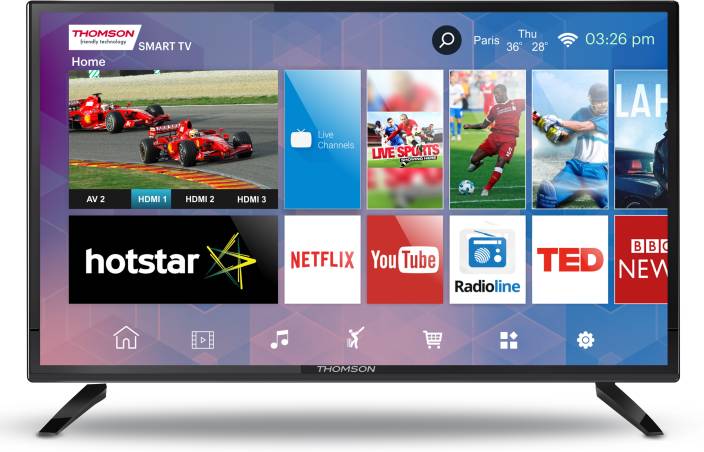
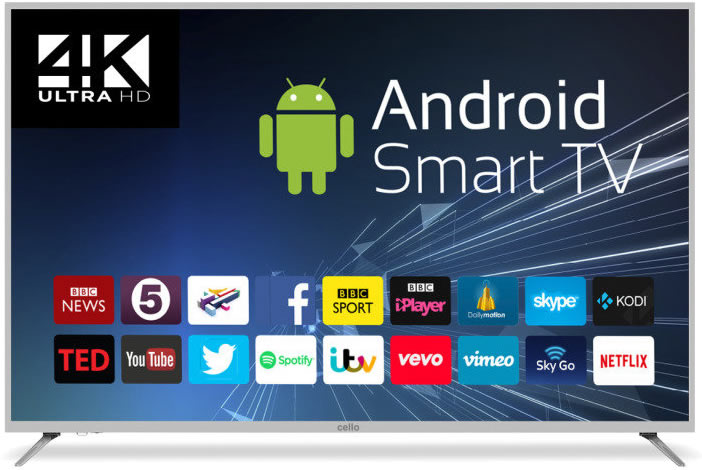
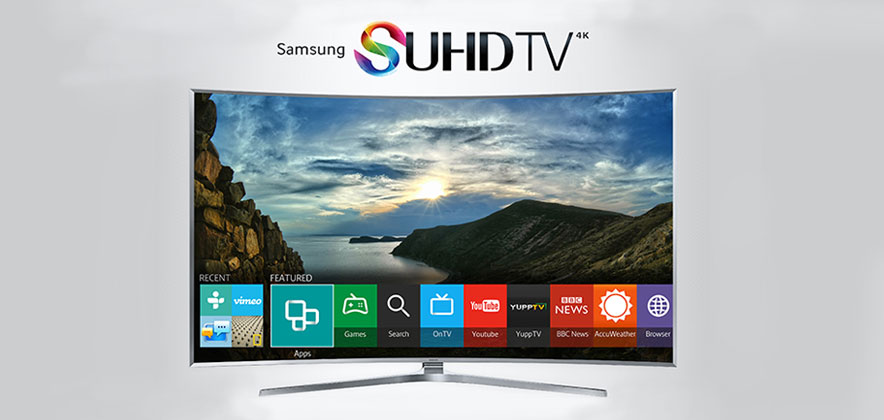
Smart TVs generally are advanced television sets, that possess more functions when compared to ordinary TV sets. Xiaomi Mi smart TV 4 is one of the Smart TVs that allow users surf the internet, allow the installation of apps supported on the OS they feature, and most importantly smart TVs allow users to stream content from a wide range of streaming services available today. In the presence of these smart TV essentials, it is very obvious that purchase facilitators have gone beyond screen size and resolution.
But if you have a digital TV and you want to convert it to a smart TV, you can check out on how to go about it.
In this article on what to watch out when buying your Smart TV set, we look at the different parameters to look out for when purchasing a Smart TV. These parameters determine the power of a Smart TV. These parameters are listed below.
Size (screen resolution)
One obvious detail you should consider is your preferred screen resolution (size) of a smart TV which most of the time is affected by your budget. Most standard Tv sets come with a 3840 by 2160pixel resolution and a screen is made up of dots or pixels and the more the pixel, the sharper the screen displays detail. The 3840 X 2160pixels is a 4k display or an ultra HD display. Please note that if you desire to enjoy 4k resolution in its full glory, you will need a larger inches smart TV.
The Fact that Ultra HD resolution A.K.A 4K resolution has become a standard is unarguable. Major streaming platforms today support 4K streaming, Streaming platforms like Netflix, Amazon Video including Youtube support 4k Streaming. This indicates the importance of having a Smart TV. In a bid to future proof your Smart TV, you are strongly advised to purchase a Smart TV with support for 4K content.
Display Technology
For display technology, we have two good options: the LED LCD and OLED l. You must note that the OLED screen technology is more expensive compared to LED LCD but the good thing is they are both use the same technology for LED illumination but their graphics are tweaked differently and that gives an advantage over the other depending on your choice and your budget
Software platform
The main difference between Smart TV’s and Ordinary TV’s is software. Smart TV feature a software platform not present in ordinary TV’s. The software platform featured on Smart TV’s make all their features come alive. Just picture a Smart TV, as a big tablet on your wall. A big tablet, that doesn’t make calls, but can be used to access the internet, play media files and stream media content from streaming platforms available.
Just the way tablets, smartphones, and laptops have different operating system, Smart TVs have different operating systems. Samsung Smart TVs feature the Tizen operating system, LG smart TVs feature WEB OS, the list goes on and on. When purchasing a smart TV, you should make sure the operating system on the Smart TV, has support for major streaming platforms, and also have a wide range of supported apps.
Refresh Rate
The refresh rate is a parameter that describes how many times per second a picture is refreshed on your screen. The refresh rate is expressed in Hertz (Hz). Please note that the standard refresh rate is 60 Hertz. Having a Smart Tv with a low refresh rate, usually output blurry images, in scenes of rapidly moving objects.
A Smart TV with 60 Hertz refresh rate won’t give you the very best, but you are gonna be satisfied, as long as you do not set your eyes on a Smart Tv with refresh rate more than 60 Hertz.
Some Smart TV’s feature High-Frame Rate support (HFR). Smart TVs with HFR have higher frame rates, and also added support for content higher than 60Hz. If your money isn’t a constraint, I advise you for TVs with HFR support. Also, you should take note of TVs with effective frame rates. Effective frame rate means the actual frame rate is half the stated frame rate. If a Smart TV has an effective frame rate of 60Hz, it means you will be able to stream content with 30 frames per seconds.
HDMI and Connections
Availability of connection ports is another important parameter, you should pay attention to when purchasing a Smart TV. Apart from being able to stream content, surf the internet, A good Smart TV should feature a generous amount of ports, for connections. These ports allow users to connect Speakers, decoders, game console and lots more. A good Smart TV should also feature an HDMI port, for the connection of external streaming devices. Make sure the HDMI ports on the Smart TV, is HDMI 2.0, and also make sure the Smart TV has at least 4 HDMI ports.
As already mentioned, if you desire to purchase a Smart TV, you should consider the parameters listed above. Take note of the minimum requirements for each parameter. You shouldn’t purchase Smart TVs with specs lower than the mentioned.
The fact that Smart TV Boxes are the best ways to convert ordinary TVs into smart tv is unarguable. Smart TV Boxes lets offers a wide range of channels for free; they allow users to stream a lot of premium content for free. This is facilitated by their support for Add-ons. Apart from letting you stream contents, Smart TV boxes also have support for apps that run on its operating system, allow users to play games and use other nonstreaming applications on it.
Despite its usefulness, a lot of people tend to stick with their ordinary TVs. This is due to the discouraging price tags, some of these Smart TV boxes offer. In this article, we explore a list of top affordable Android smart TV box. There are listed as follows:
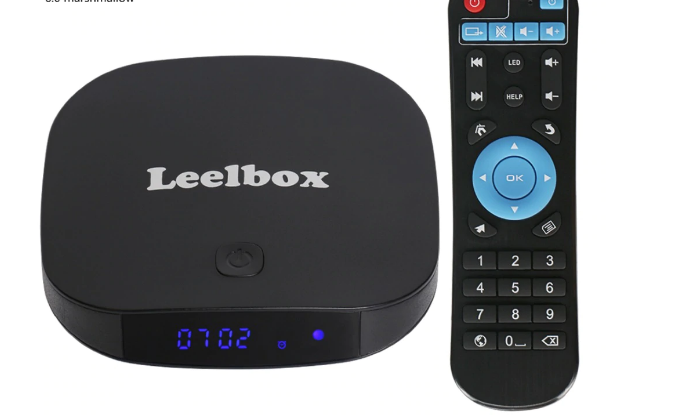
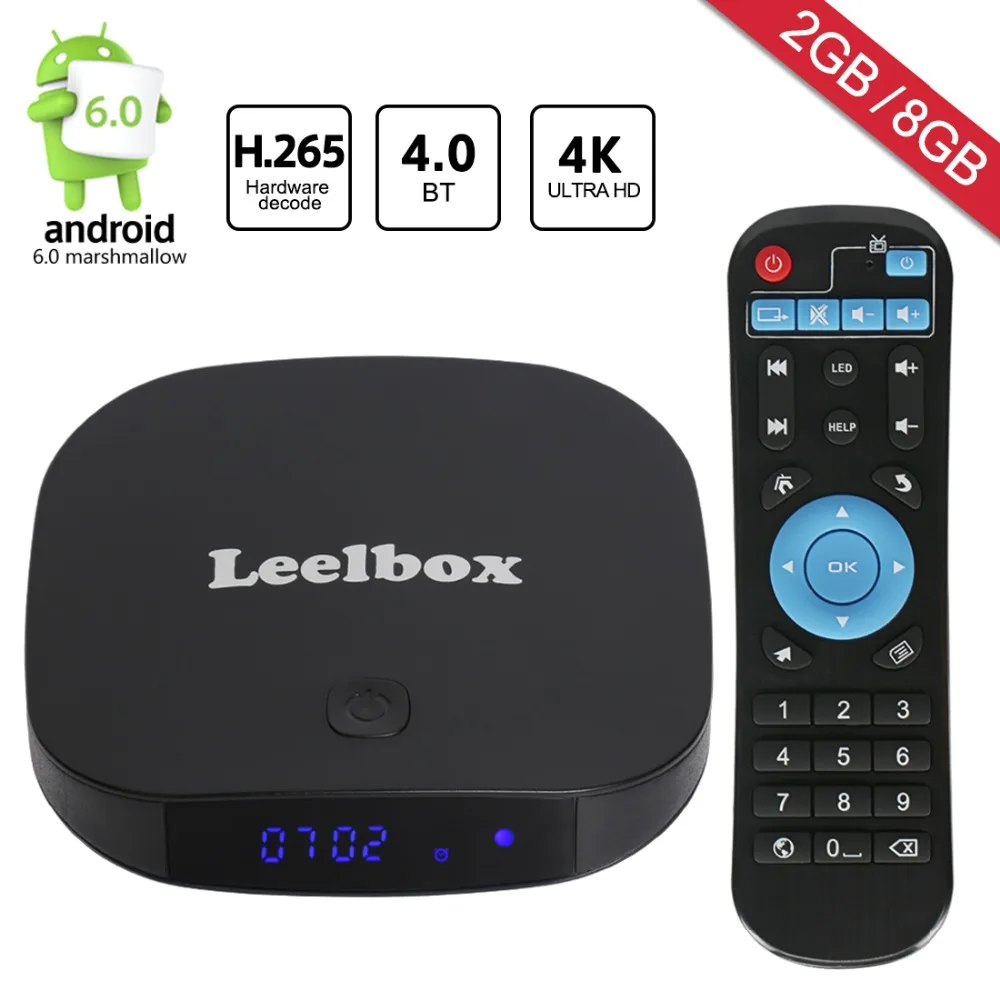
1. Leelbox Q2 Mini
Leelbox Q2 mini is an Android TV smart box, that makes the price tag featured on other smart boxes capable. It offers so much for so little, without cutting corners. With a price tag of $40, Leelbox offers users premium streaming experience.
The Leelbox Q2 mini is powered by a quad-core Cortex A7 processor, a Penta Core GPU, 2GB Ram, 8GB EMMC Flash storage. It features integrated Wifi and Bluetooth 4.0. The Leebox Q2 comes with Kodi preinstalled.
On default, the Leelbox Q2 Mini is set with a configuration that allows handling is streaming without stress. The Leelbox Q2 is capable of streaming high-resolution videos without buffering or lag. You are assured of hitch free streaming of content with the Leelbox Q2 mini. The Leelbox Q2 comes with a 12-month warranty, allowing users to get free repair within the first year.
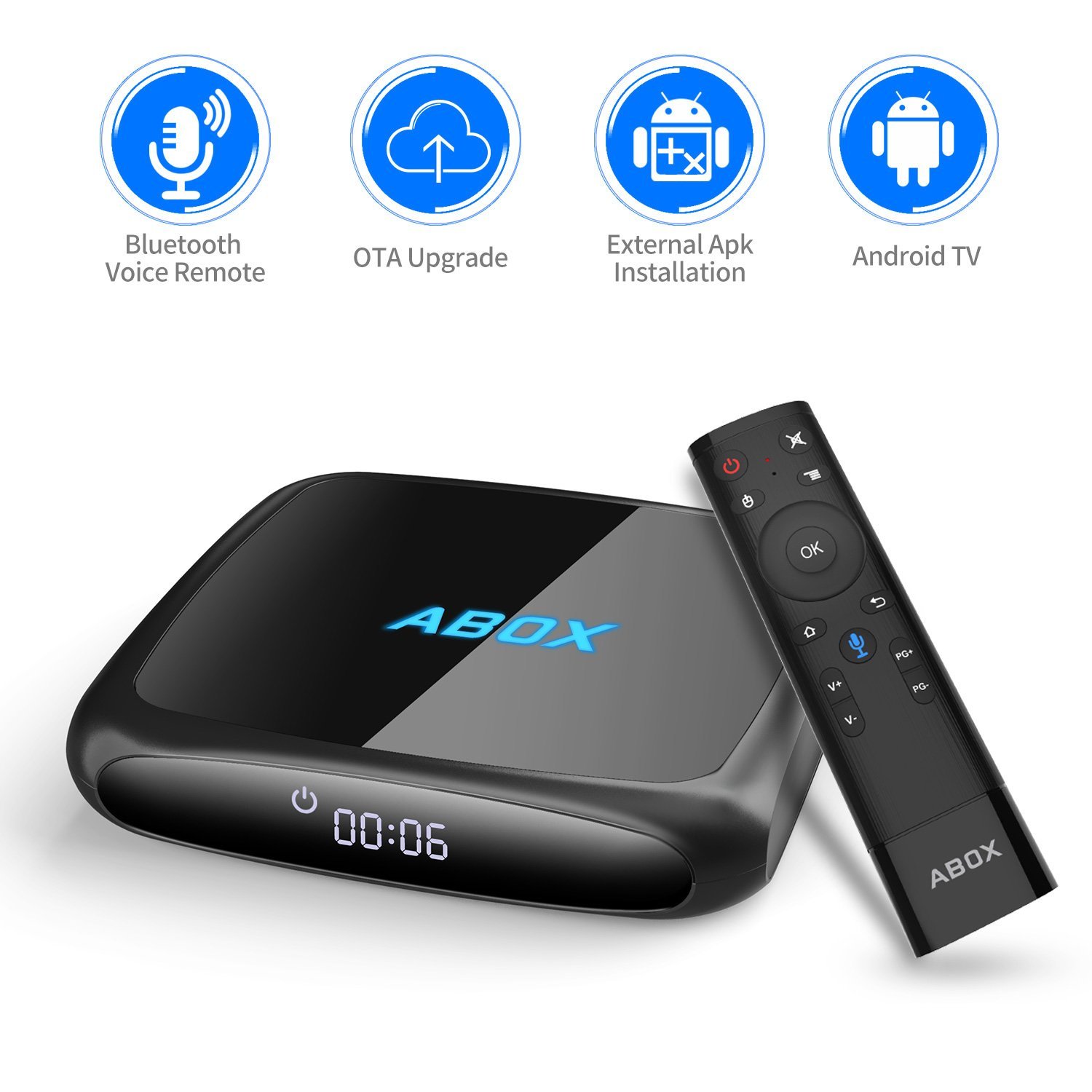
2. Goodbang Doo Abox
Goodbang Doo Abox is another Android TV Box that offers so much for so little. It even has a cheaper price tag, when compared to the Leelbox Q2 mini. It lets users stream TV Shows, movies, music, and other entertaining content seamlessly — all for a price tag of $37.
The Goodbang doo Abox Android TV features an Amlogic 2GHz Quad-Core S905X processor, Mali-450 Penta core CPU, IGB RAM and 8GB of internal storage. Similar to the Leelbox Q2 mini, The Goodbang doo Abox Android TV runs onAndroid 6.0. It also comes with Kodi Pre-installed.
3. MXQ Pro 4K
The MXQ Pro offers provides users with top-notch 4k streaming, for a price tag that seems very little. The MXQ Pro can stream 4k content for long, without any form of lag or buffers. It offers all its features for a price tag of $31.
The MXQ Pro 4k is powered by Quad-Core Amlogic S905X processor, a Penta-core Mali-450 GPU, IGB Ram and 8GB of internal storage. The MXQ Pro 4k Android TV features stable Wi-Fi and also supports Ethernet. The MXQ Pro Android TV also has HDMI support and comes with support for many languages.
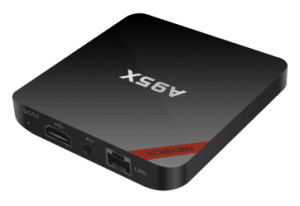
4. A95X TV BOX
Still, on the topic of top affordable Android TV smart box, the A95X TV box is yet another affordable Android TV smart box. With a price tag of $41, the A95X TV box fits perfectly in this list. It lets users stream 4k content seamlessly.
The A95X TV box does 4k video playback without buffering or any form of lag. It houses a 2.4GHz WiFi and Ethernet, Bluetooth. The A95X TV box has VP9 decoding and H.265 support. This allows it to run faster than most of the low-end TV Box we have today. It also supports DR Vivid world, which allows for improved video clarity, color, contrast and high definition pictures.
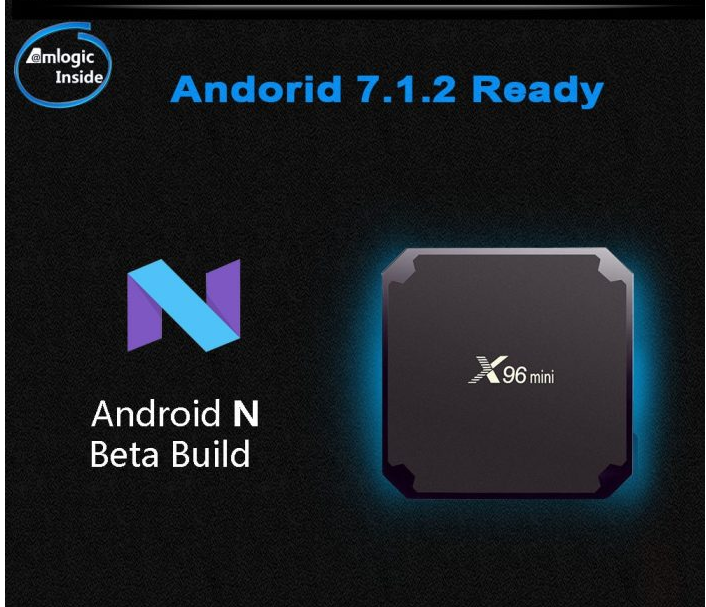
5. X96 Mini Android TV Box
Last but certainly not least is the X96 Mini Android TV Box. With a price tag of $26, the X96 mini Android TV box is the cheapest smart tv box in this list. Again have a meager price tag, doesn’t facilitate a denial in quality specs. The X96 Mini is the cheapest and most powerful Android smart TV Box featured in this article.
The X96 Mini Android TV box features an octa-core Amlogic S912 processor, 3GB ram, ARM-Mali T820MP3 GPU. It operates on 1000M ethernet. It houses Bluetooth 4.1, HDMI support. Supports 4k video up to 60 FPS. It comes with Kodi pre-installed and runs on Android 7.1 operating system.
There you have it – A comprehensive list of top affordable Android Smart TV box. Smart TV Boxes featured in this article, have different price tags, it is now left for you to choose the one that suits your budget. If you have other recommendations, please do let us know in the comment section below.
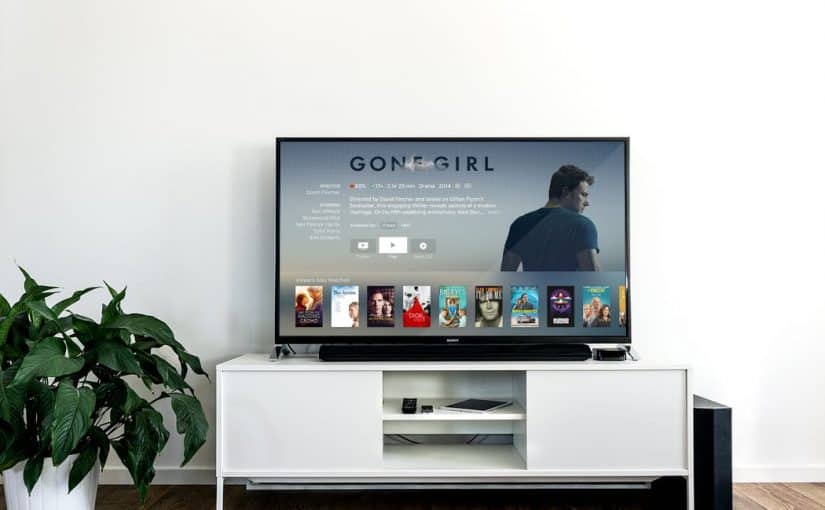
In a bid to cut down cables, TVs have over the years metamorphosed into stand-alone gadgets, that feature built-in wireless internet connections, with support for a wide range of apps. A modern television with these features is referred to as a smart TV. A smart TV also let you record shows, take screenshots and access YouTube, Netflix and other movie outlets. Now, the idea of having a smart television sounds great, but having to purchase one, may not be too palatable.
Smart TVs don’t exactly come cheap. If buying a one isn’t part of your budget right now, we have good news for your. You don’t necessarily need to purchase a smart TV to be able to gain access to the features of a smart TV. There are external media players you can use to turn your digital television into a smart television. These media players are also know as TV boxes.
A TV box is a small tech gadget that basically transforms your ordinary digital TV into a smart TV. Most TV these days are already equipped with smart technology, however, these does not completely eradicate the need for a TV box. A TV box can relatively expand the capabilities of your television, turning it into a less powerful version of your computer, or a larger version of your smartphone.
If you are in country where DSTV is supported, you won’t need an additional decoder for the kids room. You can can simply connect to DSTV online via your TV box.
Converting your Digital TV (DTV) into a Smart TV
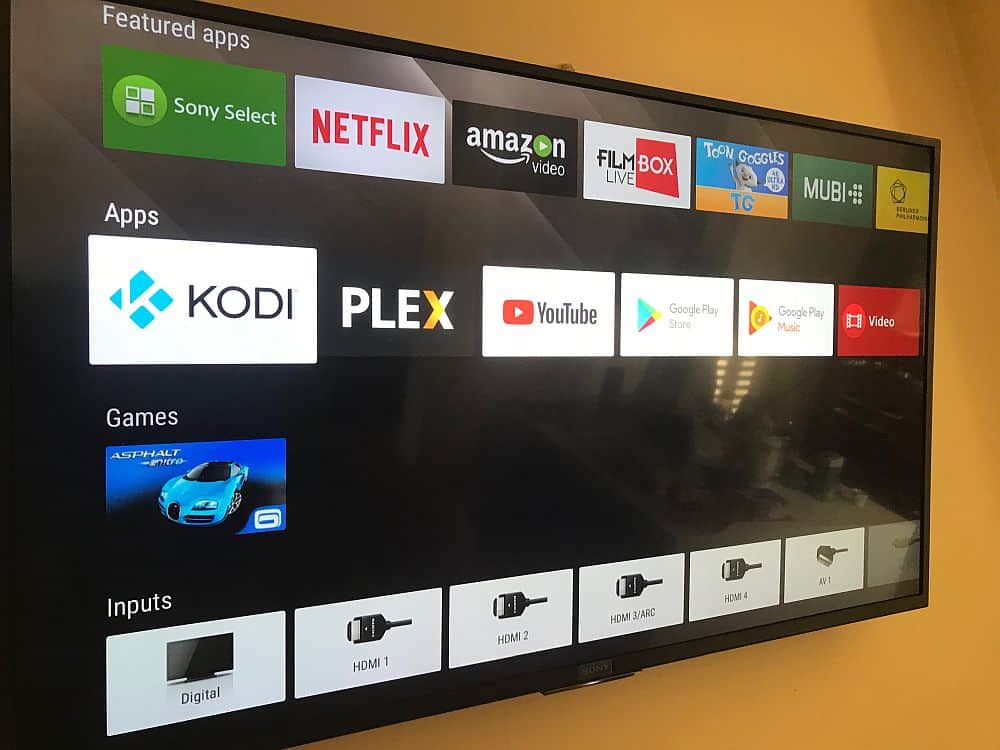
Smart TV with Netflix, YouTube and FilmBox live pre-installed
In this article, we are going to explore the various ways you can convert any Digital TV to a Smart TV using a TV box. While all of these TV boxes run via similar technology, they have different operating systems and thus, different user interfaces. For example, Apple TV runs the mobile iOS format, whereas Fire TV runs off Amazon’s operating system, instantly connecting you with Alexa. Google ChromeCast on the other hand, is powered by a simplified version of Chrome OS.
Using Media Players to Convert DTV to Smart TV
As earlier said, turning a digital TV to a smart TV, can be done using certain external media players otherwise known as TV boxes. These media players are listed below, together with tutorials on how to use them to transform your digital TV to a smart TV.
Using media players such as Apple TV, Fire or ChromeCast is one way of converting your old digital TV into a smart one. However, if these media players are far beyond your reach, there are cheaper alternatives such as using a white label Android TV box. This will be discussed much later in the article.
Note that, most Android TV box or media players require a HDMI port and a HDMI cable. If your TV set doesn’t feature a HDMI port, but instead the traditional yellow red and white port, you can use an HDMI to RCA adapter.
How to Convert any Digital TV to a Smart TV – Using Apple TV
Unarguably, Apple TV is one of the best streaming devices we have today. It is one of the top 3 streaming devices, with others being the Amazon Fire stick and the Google ChromeCast. Apple TV is the only Apple product that isn’t restricted to Apple’s ecosystem.
The TV gadget lets you stream videos, pictures, and music from your digital TV. Apple TV also enables you to buy or rent movies on iTunes. However, you cannot store media files on the Apple TV.
Step 1: Locate the HDMI port on your TV
As earlier mentioned, using a smart media player to convert your digital TV to a smart TV requires the presence of an HDMI port, and also you will need an HDMI cable. You will find HDMI ports on the body of your Digital TV. In case your digital TV doesn’t feature an HDMI port, you can use an HDMI to RCA adapter.
Step 2: Connect Apple TV to your Digital TV
In connecting the Apple TV to your digital TV, you will need to connect one end of the HDMI port to your Digital TV and the other end to your Apple TV. After you might have connected the Apple TV to your digital TV, you are required to power both of them and change your TV’s input to HDMI.
Step 3: Setup Apple TV
immediately you change your TV’s input to HDMI, the Apple TV interface will be displayed. Here you are required to select your language of choice, select a Wi-Fi network and enter a password and download any suggested updates.
Step 4: Use Apple TV as a Smart TV
Once you have completed the steps listed above, you will be presented with a drawer of apps, that include all the top-notch streaming service apps, you will able to stream content from Netflix, Hulu and lots more.
How to Convert any Digital TV to a Smart TV – Using Amazon Fire TV Stick
Amazon Fire Stick is yet another media player that lets you turn your Digital TV into a smart TV. Amazon Fire Stick takes the shape of a pen drive. It is one of those media players that isn’t obvious. Plug it to the HDMI port of your TV, and you will have access to a wide range of streaming services, streaming services that ordinarily won’t be accessed on your digital TV.
As you might have already guessed, the setup of the Amazon Fires Stick is very similar to that of the Apple TV, they both require a functioning HDMI. In case your digital TV doesn’t feature an HDMI port, you can use an HDMI-RCA adapter. Steps to converting your Digital TV using Amazon Fire Stick is listed below:
Step 1: Plug Amazon Fire Stick into HDMI Port Of Your Digital TV
Unlike the Apple TV, Amazon Fire Stick doesn’t require an HDMI cable for connection. As earlier mentioned, the Amazon Fire Stick has the shape of a pen drive. Instead of featuring a USB A or C, the Amazon Fire Stick Features an HDMI connector. So all you need to do for connectivity is plug the Amazon Fire Stick into the HDMI port of your computer.
In case the HDMI port of your TV is located on the rear, and you don’t have enough room for connection since the wall will be obstructing it, you can use an HDMI extension cable. You are required to plug one end of the HDMI cable to your Amazon Fire Stick, while other End will be plugged to your TV.
Step 2: Connect Amazon Fire Stick To A Power Outlet
Apart from featuring an HDMI connector, the Amazon Fire Stick also features a USB port. To power the Amazon Fire Stick, you are required to connect a USB power cord to it’s USB port and connect the other end to the power brick, then finally connect the Power brick to a power outlet. You are also required to place batteries in the remote of the Amazon Fire Stick.
Step 3: Switch To HDMI Input
To gain access to the Amazon TV Fire interface, you will need to switch your TV’s input to HDMI, since the Amazon Fire Stick was connected to the HDMI port of your TV.
Step 4: Setup Amazon Fire Stick
After you must have successfully connected the Amazon Fire Stick to your Digital TV, the next step is to set up the Amazon Fire service. You will be presented with the Amazon Fire interface, as soon as you switch to HDMI output. Here you are required to perform basic tasks before you can start streaming. You will be prompted to press the play/pause button at intervals, you will be required to log in to a wireless network, inputting the password. You are also required to log in your Amazon account. This will ensure This will ensure that you can view your Amazon subscriptions and purchases.
Step 5: Use Amazon Fire Stick As A Smart TV
Once you have completed the steps listed above, and Logged into your Amazon Account, you will be able to view your purchased movies, shows, and games. You will also be presented with a drawer of streaming apps, that you can use to stream content on your Digital TV
How to Convert any Digital TV to a Smart TV using Google ChromeCast
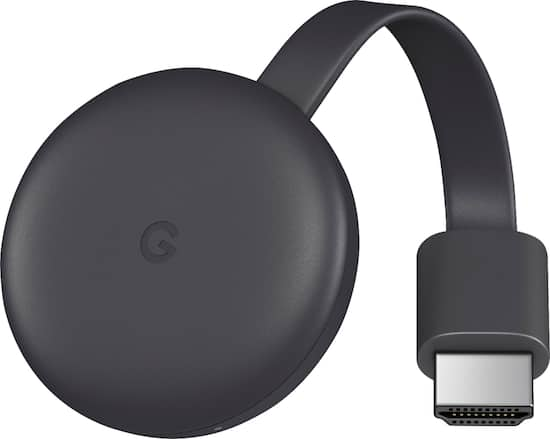
Last but not least, is Google ChromeCast. Google ChromeCast is yet another media player that can turn your Digital TV to a Smart TV. Manufactured by Google, ChromeCast is a media player, that gives you access to many streaming services. Here are the steps to using the ChromeCast to convert your Digital TV to a smart TV.
Step 1: Connect ChromeCast to your TV’s HDMI
Similar to the already mentioned media players; you will need to connect the Google ChromeCast to your digital TV. The ChromeCast comes with an HDMI connector. So all you need to do is locate the HDMI port on your digital TV and connect the ChromeCast HDMI connector. In case your TV doesn’t feature an HDMI port, you can use an HDMI-RCA adapter to connect ChromeCast to your TV
Step 2: Connect ChromeCast To A Power Outlet
ChromeCast comes with a power cable, you can use to power it. All you need to do is to connect the cable to the power port on the ChromeCast and then plug the other end to the USB port on your Digital TV. Please note that the 4k Version of the ChromeCast cannot be powered by a digital TV, you will need a wall socket for connection.
Step 3: Switch To HDMI Input
To gain access to the ChromeCast interface, you will need to switch your TV’s input to HDMI, since the ChromeCast was connected to the HDMI port of your TV.
Step 4: Download Google Home App on your Smartphone
The Google ChromeCast needs a working Google App to function. You are required to download the Google Home App on your smartphone. It is available on both the Android and IOS platform.
Step 4: Setup Google Home App
Launch the Google Home app on your smartphone, click on accept when prompted, you will be taken to the Google Home Page. Click on the devices icon, located on the top-right corner of your screen. Wait for ChromeCast to detect your phone. You will be presented with a confirmation message when ChromeCast recognizes your phone.
Next, you will need to confirm the code on your TV. Once ChromeCast detects your TV, a code will appear on your TV and also on your smartphone. Make sure both codes match. After which you are to tap Yes (iPhone), or I SEE IT (Android).
Now tap continue and then select a wireless network for your ChromeCast. Enter the password and continue. Please note that your smartphone and ChromeCast must be connected to the same network. Follow all other on-screen prompts.
Step 5: Use Your ChromeCast As a Smart TV
Upon completing the steps listed above, you will be able to stream content on your phone, directly on your digital TV. You will also be able to view apps installed on your smartphone
Reading through this article, you must have observed that converting your Digital TV to a smart TV, is a straightforward thing to do. All you have to do is select one these top media players, follow the steps given and you will be home and dry, Streaming media content on your digital TV, as though it was a Smart TV.
If you have any question, regarding this tutorial on how to convert any digital TV to a smart TV, feel free to drop them in the comment section below.
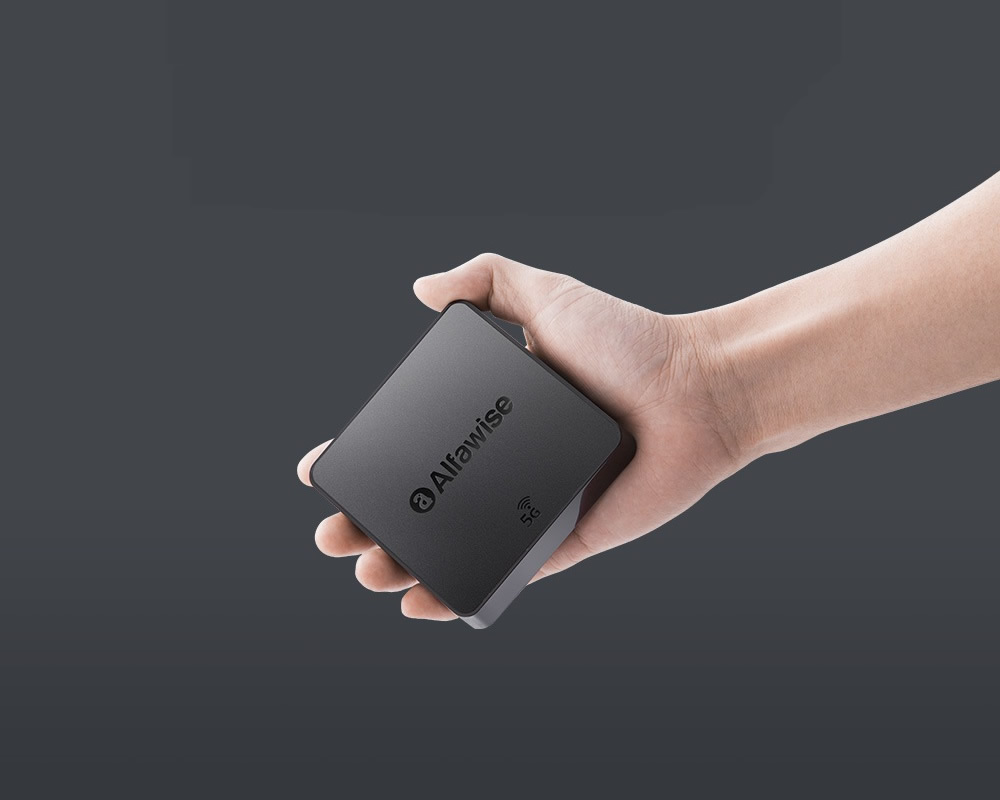
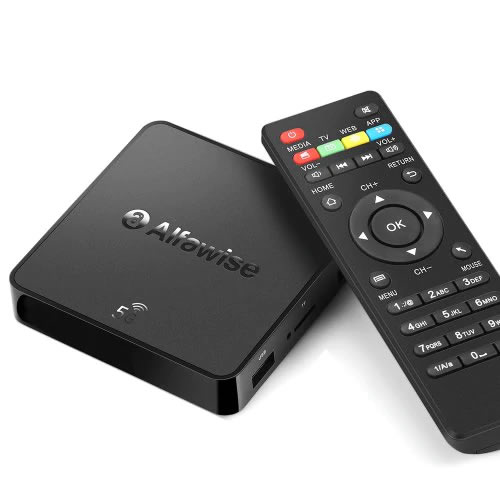
Alfawise A8 Pro Android TV Box
Apple TV, Fire or ChromeCast are the most popular TV boxes in the market. Smaller players like the Alfawise A8 pro device are not so popular but equally effective. It also come way cheaper than most TV box with the same features. The Android TV box comes with both 2.4G and 5G WiFi, provides a faster and more smooth data transmission, which makes it the ideal choice for cord-cutters.
From your A8 Pro Android TV box, you can download apps, watch local TV channels, connect to streaming apps such as Hulu and Netflix. Depending on where you live, you may even be able to connect to premium cable channels at no extra cost, especially if you have installed KODI software.
We have put together some interesting Korean dramas that will captivate you even if you are not a K-drama lover.
Korean movies that you can’t resist, even as a K-drama Fan. As for those on the sidelines, you will so love the movies that you can get addicted to them.
Just like Anime Movies, Korean dramas create emotional connections with the viewers. The audience sometimes can’t predict the endings of every episode because each episode leaves you curious till the next episode.
The audience can easily relate to the characters been portraits. Meanwhile, one can learn about their cultures without studying or traveling over to korea.
Their food that will leave you drooling, Good music that will be stuck in your head for days, and some of their funny acts that will have you laughing till your side hurts.
Top K-Drama you should watch
These are popular K-dramas with English subs. You can click on any of the titles to see more details or simply scroll through the page. It is the best chance to see what the K-drama hype is all about.
My love from the Star
My love from the Star Korean Drama
This drama got me, I ended up not going for lectures all because I wanted to see the ending, lol. A story about an alien ( Do Min-Joon) who landed on Earth 400 years ago during the Joseon Dynasty period.
He possesses a near perfect appearance and enhanced physical abilities involving his vision, hearing and speed.
And holds a cynical view to human beings, but he falls in love with actress Cheon Song-Yi. It’s an alien love story.
Gu Family Book
Choi Kang Chi is a legendary gumiho and is half-human and half-beast. He is the son of Gu Wol Ryung, the guardian spirit of Jiri Mountain, and Yoon Seo Hwa, his human mother.
He was raised by the Park family after having been picked up from the river. Kang Chi is an outspoken character who’s full of curiosity.
After realizing that he is half-human and half-beast, he begins his personal journey to adjust to this new reality.
Yeo Wool is an upright character who becomes an instructor at a martial arts center at a young age.
Kang Chi eventually falls for Yeo Wool. He then struggles to hold on to his humanity in the midst of the turmoil that befalls his family.They had to face all the struggles life throws at them.
Good Doctor
Good doctor was one of the first drama that I just couldn’t stop watching. A story about a talented surgeon with autism and savant syndrome finding his way in the ranks of a prestigious hospital. He really did an incredible job, because playing the role of a handicap all through the movie is not an easy one.
He struggles to succeed as a doctor and fit in with his co-workers in the pediatric department.
Shi On and Yoon Seo are bit different from the usual couple. They begin their relationship with Yoon Seo looking out for Shi On as a sort of protector and mentor. But in many ways it was that of an adult and a child.
Things are complicated when Shi On develops feelings for Yoon Seo, but she does not reciprocate them in the same way.
But their friendship continues to grow, and Shi On continues to mature. This allows Yoon Seo to finally be able to see him as a man.
Emergency Couple
This show stars Song Ji Hyo and Choi Jin Hyuk and is a humorous drama about a divorced couple who ends up working together in the same hospital.
They fell in love whilst in their early twenties and got married despite the strong opposition of Chang Min’s (Jin Hyuk) family. As a result, his family cut him off financially and he was forced to give up on his dream of becoming a doctor.
Due to this, the couple has an unhealthy relationship of constant bickering and fighting, which eventually ends up in a divorce. 6 years later, they meet again as interns in the same hospital.
Complication, once again, approach Oh Chang Min and Oh Jin Hee’s life when they realize they have an unfinished business.
City Hunter
Lee Yoon Sung, a man raised to take revenge on the government officials responsible for his father’s death.
He is educated in America and then returns to work in the Blue House where he can infiltrate the system to find the culprits. In the process he becomes the City Hunter, an anonymous crime fighter.
He also falls in love with a girl who he loves but wants to protect so he pushes her away is in typical superhero fashion.
It’s a great story of love and revenge and the choice between the two. It had just enough of the great k-drama cliches we come to expect and love, along with some new plot twists.
My Girlfriend is a Gumiho
My Girlfriend is a Gumiho is a comedy drama about a beautiful Gumiho (Shin Min Ah) who wants to become human and an irresponsible young man named Cha Dae Woong who unknowingly frees her from a painting she was trapped in.
She latches on to him and quickly falls head over heels. She soon learns that if her magical bead is kept inside a human for 100 days, she too can become human.
Cha Dae Woong agrees to keep her bead because of the extra benefits it gives him. But a mysterious man (No Min Woo) who hunts supernatural creatures could obstruct their plans.
The Legend of the Blue Sea
Shim Chung is a mermaid who finds herself transplanted to modern times.
She is caught by Heo Joon Jae, a charming but cold con artist who is the doppelganger for Kim Moon, the son of a noble man from the Joseon Dynasty.
But in the present time, Joon Jae works with Jo Nam Doo, a skilled conman who guides Joon Jae to become a genius scammer.
But Joon Jae’s friend, Cha Shi Ah, who works as a researcher at KAIST, may be Chung’s only hope for surviving in her strange new world.
Doctors
Yoo Hye Jung was a tough bully in school with a prickly personality and always goes wayward.
She had many scars from her childhood and through self-preservation, Hye Jung keeps her heart shut away from other people.
However, she changes after meeting her mentor Hong Ji Hong who plays a key role in transforming her life from a helpless gangster to a compassionate doctor.
Oh my Venus
Kim Yeong Ho is a personal trainer for Hollywood stars. He reluctantly comes back to Korea to face his family after a scandal with an actress.
Even though he comes from a wealthy family background, he suffered a devastating injury during his childhood days. Now, he overcomes his problems with living a healthy lifestyle.
Kang Joo Eun is a 33-year-old lawyer who was once the beauty of her school, nicknamed “Daegu’s Venus”. Over the years she has become overweight and unhealthy. She gets dumped by her boyfriend of 15 years.
Kang Joo Eun meets Kim Yeong Ho, who agrees to be her personal trainer to help her get healthier. As they work on her physical transformation, they both discover they have feelings for each other. As they grow closer, they heal each other’s emotional wounds and fall in love.
Kill me Heal me
After a traumatic experience in his childhood, Cha Do Hyeon, a third-generation billionaire, suffers memory lapses and his personality then scattered into seven different identities.
Wanting to regain control over his life he asks Oh Ri Jin, a first-year psychiatric resident, to try to help him secretly, but she eventually falls in love with one of his personalities.
Meanwhile, Ri Jin’s twin brother, Oh Ri On, is a famous mystery novelist who investigates Do Hyeon and his family.
Master’s Sun
Several years ago Kong-Sil was involved in an accident. Since that incident, Kong-Sil is able to see and hear ghosts. She’s also terrified of the ghosts that appear constantly around her.
Because of this, she’s unable to live a normal life. Kong-Sil lives in a rooftop room at an extended stay inn. She makes a living by doing odd jobs at the inn, including cleaning.
Meanwhile Joong-Won is the president of an extravagant shopping mall named Kingdom. He is also arrogant and calculative.
Everything relates to him in terms of money. Their lives take a new turn as they work together to deal with the terror and sadness brought about by the spirits, while delving into a kidnapping incident in Joong Won’s past. And unknowingly, they fell in love with each other.
I hear your Voice
Jang Hye Sung, a bold, sassy, comical, and a materialistic public defender who becomes a lawyer after overcoming poverty and painful memories from her childhood, comes to realization about society and justice after meeting Park Soo Ha, a 19-year-old boy who reads other people’s thoughts.
Jang Hye Sung is actually Soo Ha’s first love after she gave a decisive testimony on his father’s murder case 10 years ago and Soo Ha promised to protect her from the killer’s threats.
Love Rain
Suh In Ha is a sensitive artist who falls in love at first sight with fellow college student Kim Yoon Hee.
The two of them develop feelings for each other, but before they can do anything, In Ha’s best friend Lee Dong Wook professes his love for Yoon Hee.
Not wanting to ruin his friendship, In Ha takes a backseat and watches as the girl he loves gets farther away from him.
Fast-forward to the present day Seoul, where In Ha’s son Suh Joon meets and falls in love with Ha Na, Kim Yoon Hee’s daughter. The children are completely different from their parents in personality, but fate pulls them together.
Coffee Prince
Han-gyeol is a smart young man who hates to be tied down to one career in his life. Abhorring the idea of joining the family business, he is ordered by his grandmother to manage a cafe.
Unable to disobey his grandmother, he reluctantly takes over the responsibility of running a cafe and begins to immerse himself in the gourmet coffee business.
One day, he meets Eun-chan, a tomboy who is mistaken for a young man, but maintains the deception for the sake of employment. The situation is complicated when Han-gyeol begins to develop feelings for this “boy”.
Boys over Flower
Boys over flower is a puppy love story centered on a poor girl and the F4 gang of rich kids headed by the rough and fearless Jun-pyo Koo, who is a spoiled heir to world-leading conglomerate Shinhwa.
Geum Jan-Di is a girl from a poor family but has an unrivaled sense of optimism and drive and is by chance admitted to a prestigious private high school.
There she meets the infamous group of four astonishingly good looking and rich boys who are known as F4.
The group is made up of Koo Jun-Pyo, Yun Ji-Hu, So Lee-Jeong, and Song Woo-Bin. Their love story moves from Seoul to New Caledonia to Macau.
A Man called God
A man named Choi Kang-Ta gains powers similar to a God. As a child he lost his parents and became adopted by American parents. He returns to Korea to exact revenge on the murderer of his father.
Kang-Ta learns that four people are responsible for the death of his father. While carrying out his plans he is betrayed by his partner Vivian. He is then nursed back to health by Jin Bo-Bae, a woman he met by coincidence.
After Kang-Ta recovers he settles down in a slum neighborhood and finds peace with the residents and himself.
But, peace doesn’t last long as Korean CIA official Hwang Woo-Hyun is filled with jealousy that Kang-Ta has stolen Bo-Bae. Hwang Woo-Hyun then orders the death of Kang-Ta . I was captivated in the movie series throughout.
Game of Thrones’s final season, season 8 is going to be the most anticipated season in all of television series. Fans of the show are understandably very hungry for the new series.
As per the recently released teaser trailer, it looks like Game of Thrones season 8 episode 1 is probably going to show the long-awaited reunion between Jon Snow (Kit Harington) and Arya Stark (Maisie Williams).
The major source of
excitement for fans will be seeing Jon and Arya reunited. The
two haven’t seen each other since the second episode of season one, when Jon
gifted Arya her precious sword, Needle. In the tease, as the three Stark kids
stand in front of their own crypt statues, a frost creeps down the hallway. The
signal of the White Walkers causes Jon and Arya to draw their blades,
anticipating the coming fight.
Their meeting is going
to be emotional as they both share a very strong bond among all the remaining
Stark children.
Millions of fans will be sitting in front of their streaming devices when the HBO’s epic fantasy drama returns this April for one last time and it would be emotional to see how Jon will react after seeing his sister after so many years.
This season eight is going to be the last season of Game of Thrones and it is going to be a lot interesting than the previous seasons.
We’ve made it to the season 25 semi-finals, Dancing fam! Of course, we’ve only made it by the skin of our teeth: So many people are injured! There’s a whole mess of very serious-sounding leg injuries going around, and Jordan has a scratched cornea. Hold on kids, we only have one more week to go!
Before we get to the finals though, our top five will have to dance two routines: The first has the pros picking the song for their partners, and the second will be a tribute to an iconic DWTS dance that earned a perfect score in the past. Exciting, no? And then, of course, one couple will be asked to pack their dancing shoes and go. We all know who it should be, but after 25 seasons of Dancing With the Stars, we are all well aware that things don’t always go as planned. To the dances!
PRO SONG CHOICE ROUND
Drew Scott and Emma Slater
Tango, “I’m Gonna Be (500 Miles)” by The Proclaimers
Determination and positivity. That’s what Emma hears when she listens to this Proclaimers jam, and that’s what comes to mind when she thinks of Drew. Drew is also very into this tune because the Proclaimers are Scottish, and so is he. Hence the kilt he’s sporting. When you’re in the semi-finals after weeks of riding the bottom of the leader board, might as well have fun with it. And that’s what Emma and Drew do in this tango that is very un-tango-like. Forget technique, posture, and artistry — just enjoy the ride! They may take away our mirrorballs, but they’ll never take our freedom…to do embarrassing things on live television!
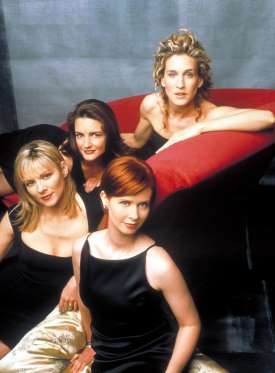
From 1998 to 2004, HBO’s “Sex and the City” reigned supreme as the first television show to provide a narrative about single women living in New York City during the early aughts.
The show starred Sarah Jessica Parker, Kim Cattrall, Cynthia Nixon and Kristin Davis and followed the fictional romantic and professional lives of this glamorous quartet.
The biggest love story of them all, of course, involved SJP’s Carrie Bradshaw and her on-again, off-again romance with Chris Noth’s character, Mr. Big.
In honor of Chris’s 63rd birthday on Nov. 13, 2017, we are taking a look at what he and more stars of the show are up to today. Read on for more “SATC”!
It’s been two months since “The Blacklist” premiere teased the flash-forward scene of a gun-wielding Reddington (James Spader) standing over the bloodied body of Tom Keen (Ryan Eggold) in an ominous twist of events. Now, in Wednesday night’s winter finale that scene comes full circle for the NBC drama. And it’s all because of a suitcase full of old bones.
The winter finale episode entitled “Ian Garvey” picks up where last week’s human-smuggling episode left off, with Tom in the clutches of the bespectacled, heavy-set Garvey (Jonny Coyne). The Blacklister is not only seeking the suitcase full of human remains, but is insisting on entrapping one Red Reddington, and using Tom to do it. Meanwhile, Liz (Megan Boone) has the entire Post Office out looking for her husband, and Red continues lying to her while tracking Tom’s whereabouts through his top-secret connections.
As seen in Variety‘s exclusive clip below, it won’t take long for Reddington and Tom to reunite following the kidnapping, or to realize that Tom is in pretty rough shape from the entire ordeal.
In the video above, Raymond Red Reddington is seen cleaning up what looks like a bullet wound on Tom Keen.
With the body count mounting and a suitcase full of secrets ready to come to the forefront, Variety talks with Eggold, showrunner John Eisendrath and creator Jon Bokenkamp about what to expect in the winter finale in an exclusive interview.
Earlier today I published an infographics on things you can do with your smartphone but I didn’t mention the possibility of checking the status of your television/electronics remote control battery with your smartphone.
Of course, in the modern technology it is no longer a question of ‘what you can do’ with your smartphone, it is now a question of ‘what you can’t do ‘ with your smartphone.
The latest discovery has revealed that you can check the power status of your TV set or home theater remote control with your smartphone. This is possible because most standard remote controls send signals to your home theater gear using a beam of infrared light, which a sensor on your hardware picks up. The beam of course is invisible to the human eyes, however, never neglect the power of your smartphone’s Camera! If your remote control start behaving in a funny way, you can easily use your phone to check if your remote batteries need refreshments.
Checking your Battery Power Status
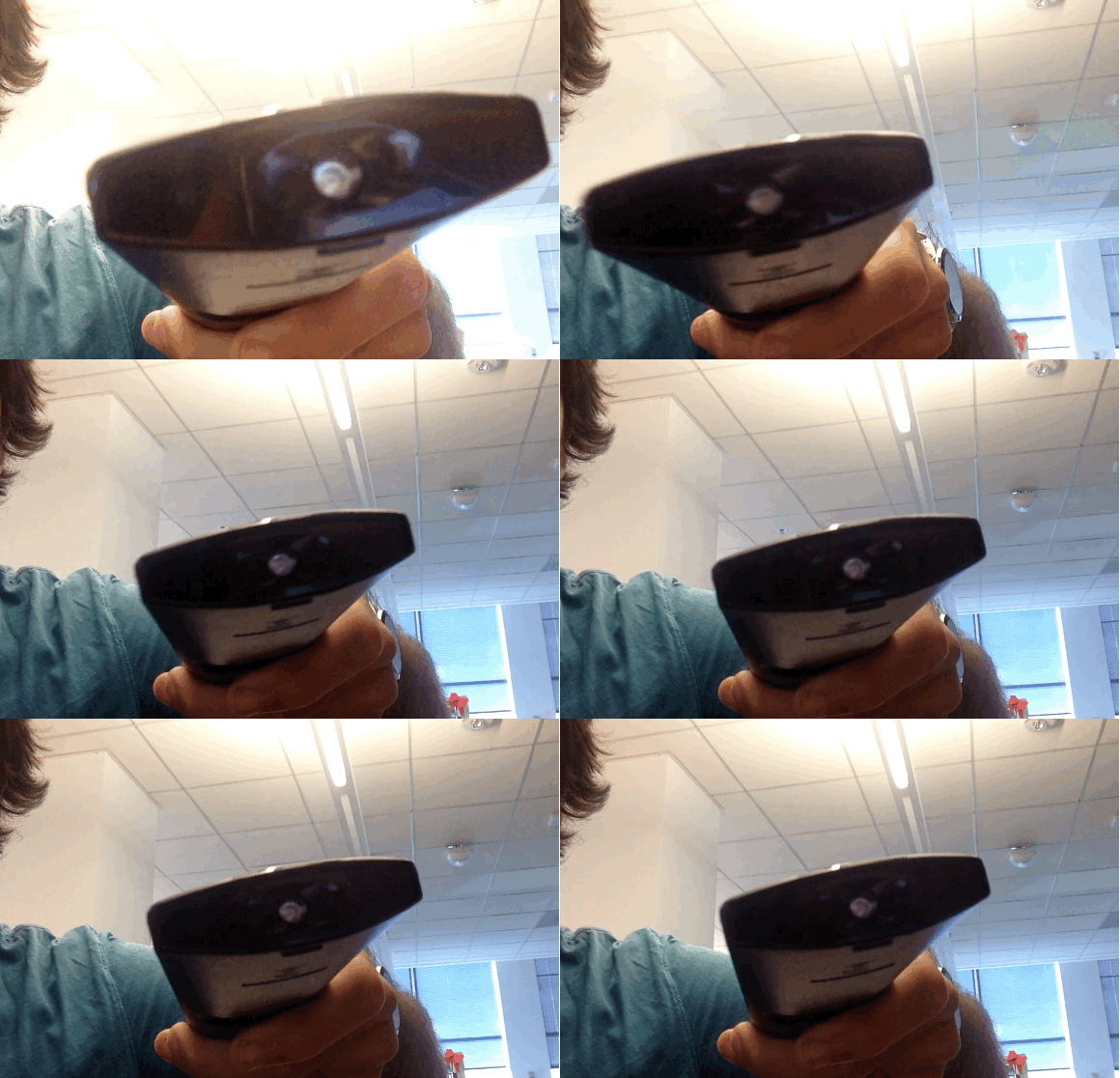
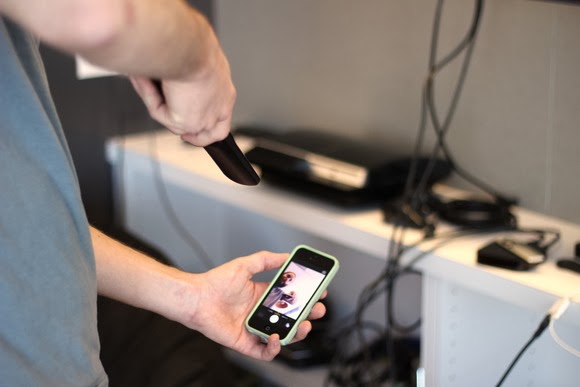
To check your battery status, simply wake your smartphone and launch the Camera application. Next, switch to the front-facing camera, point the remote at the camera, and press any button on the remote.
If the remote is working properly, you should see a flicker of light come from the IR blaster as viewed through your phone’s screen that looks something that this:
If you don’t see the flicker from the IR blaster, or perhaps just a very, very dim flicker, you probably need to change the remote’s batteries. (And if new batteries don’t help, you probably need to replace your remote. Sorry.)
Of course, this trick isn’t limited to your smartphone’s camera; many digital cameras can see infrared light, despite having filters to tune it out. So if all you have at your disposal is your laptop’s built-in webcam, you may have everything you need.
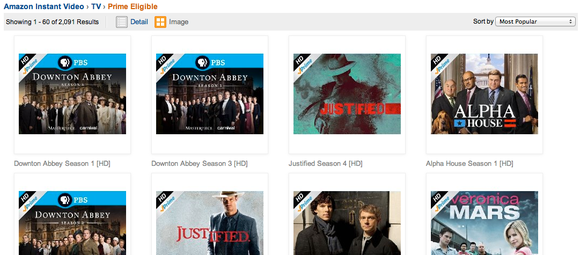
IDG NEWS SERVICE – Amazon has approached several major media conglomerates to discuss adding live cable TV channels to its Prime Instant Video service, according to a report in The Wall Street Journal on Monday.
The idea is still at a very early stage, and it might not go ahead, the newspaper said, without disclosing its source. Amazon is one of several companies that already offers on-demand movies and TV shows, but live TV would put it squarely in competition with existing cable and satellite TV providers.
Some of those providers already offer live TV over the Internet, but only as an extension of an existing pay TV subscription.
After news, music and video rentals, live TV is seen by many as the next big area that will be disrupted by the Internet. Amazon’s moves could be part of industrywide posturing in preparation for that.
The report came on the same day Verizon Communications, a major broadband Internet provider, said it is buying OnCue, a cloud TV service developed by Intel.
Sony recently said it would begin offering live television through a video service to be delivered through Sony PlayStation and connected TVs later this year, although offered no other details.
Over-the-air broadcasters are also moving toward the Internet. But in a twist on services offered in other countries, some local TV stations require a cable or satellite TV subscription in order to access live streaming programming over the Internet, despite it being broadcast free of charge over local airwaves.
One company that is attempting to break up this model, Aereo, has found itself targeted by lawsuits. Aereo receives and relays local TV broadcasts to subscribers over the Internet without the approval of the broadcasters. Aereo says it doesn’t need their approval, but TV stations disagree. That battle is heading to the U.S. Supreme Court.
The Wall Street Journal report noted the difficulty Amazon might face in getting access to content, especially if media conglomerates want to avoid upsetting major cable and satellite providers.
For all of the different brands familiar to consumers, today’s pay TV market is dominated by a handful of large companies that own many of the channels.
General Electric, for example, owns the NBC and Telemundo over-the-air networks, cable channels including CNBC, NBC Sports Network, USA Network and SyFy, cable TV and Internet operator Comcast, and a third of online streaming service Hulu.
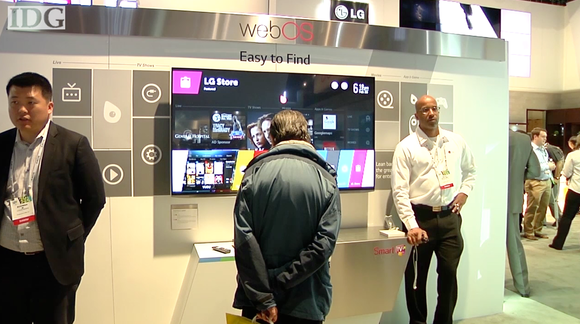
WebOS made its second big debut at last week’s CES, but not on a smartphone like it was in 2009. This time around, WebOS has landed on televisions from LG, as we’ll explore in this video report.
WebOS will power 70 percent of LG’s Smart TV lineup.
The webOS interface on the TV makes sense of all the different types of content and inputs on your television. There’s no more wondering which input to use or which service has the best content.
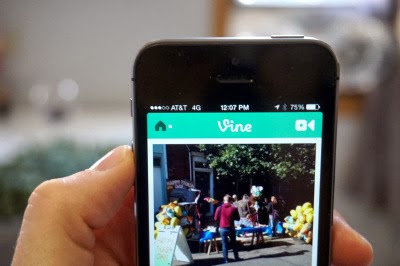
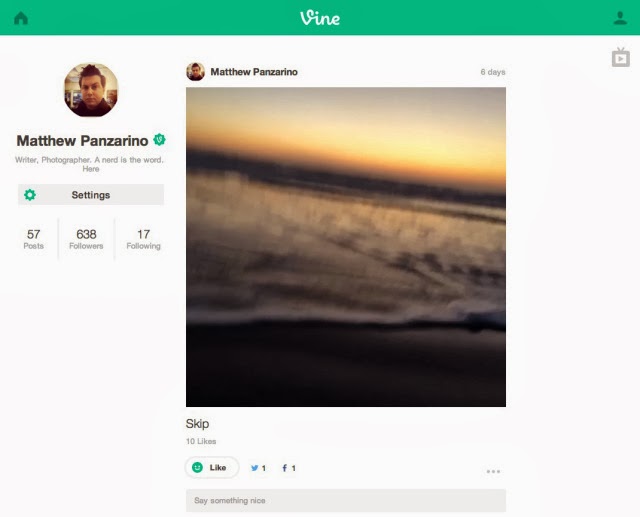
Today, Twitter’s Vine has announced full web profiles for all of its users, something it has lacked until this point. It has also introduced a new TV Mode that lets you watch videos in full screen on your computer.
You can view videos, browse users’ back catalogue and interact with them on the web. This includes viewing your home feed, liking, commenting and sharing videos.
The profiles are roughly similar to those offered by other social services like Instagram, and should offer easier browsing of multiple Vines on the web. Previously, you could look at one video at a time but there was no way to jump from that video directly to a user’s other work on the web — but you could on the mobile app. This strikes us as a move made to support Vine creators — the segment of the app’s users that have made a craft out of the six-second clips.
Vine had announced plans to create web profiles late last year, and offered reservations for custom URLs ahead of the launch. They’re now rolling out to all users.
This is not a full version of Vine for the web, as you can’t record videos with your webcam, but it does offer an easier way to give people access to all of your published Vines.
The new TV Mode is quite enjoyable, though it plays through your videos one after another, rather than looping. Given that loops are one of the core creative tools of Vine, I’d love to see a toggle that let you loop a video until you were done watching it. But there are ‘back and forward’ buttons and keyboard arrows work for this as well.
Obviously Vine profiles on the web have been in the works for a while, but the TV Mode feels a lot like a (well done) reading of the user attraction to compilations of Vines on YouTube and other video sites. People obviously want to watch a bunch of Vines in a row, and this offers a way to do that. I wouldn’t be surprised to see a rise in accounts created specifically to curate ‘best of’ compilations using the ‘re-Vine feature, for instance.
One way to encourage this could be to add a feature in the future that let users create ‘lists’ or collections of Vines separate from their home timeline. This could let them craft ‘compilation’ videos out of Vines in specific orders and around specific themes.
A smart TV is only as smart as the person controlling it. So if the person in control is a hacker, the owner could have a problem. Researchers at security consultancy ReVuln say some smart TVs are vulnerable to hacking. It is another example of what experts say is the ever-expanding attack surface of devices that traditionally never faced the Internet, but are now “smart.” The researchers at the Malta-based company said they found a vulnerability in a number of smart TVs made by Samsung Electronics that gave them root access to the TV and any attached USB drives. They posted a video titled “The TV is Watching You,” which appears on a number of security vendor websites, including Kasperky Lab’s Threatpost. While there is no voiceover, the video shows the researchers accessing the TV settings and channel lists, SecureStorage accounts, widgets and their configurations, the history of USB movies, the ID, firmware, whole partitions and any attached USB drives. They were also able to retrieve the drive image, mount it locally and check for information like usernames, passwords, financial documents, or any other type of material on USB drives. Luigi Auriemma of ReVuln told the IDG News Service that hackers could even use the integrated webcam and microphone to watch the victim. And he said the vulnerability is not confined to the single model that ReVuln tested.
What is affected
“The vulnerability affects multiple models and generations of the devices produced by this vendor, so not just a specific model as tested in our lab at ReVuln,” the report said. Samsung did not respond to a request for comment, but ReVuln emailed a statement saying there is no firmware update yet, “as the details regarding this vulnerability have not been shared with the vendor.” The statement added that ReVuln has only tested Samsung, but said: “We think that other brands of TV may be affected by similar issues.” James Arlen, senior security consultant with Leviathan Security Group and a hacking expert, said the TV is just one example of the “Internet of Things” and other non-computer resources in homes that amount to “a huge new attack surface.” “I recently counted the number of IP addresses in my house and came up with all kinds of new things that require Internet access – not just the computers, game systems, tablets and music players, but also the bathroom scale, the thermostat and more,” he said. “Televisions are one of many, but also the most likely to have lots of interconnection possibilities.” He said the problem is not new, noting that, “printers got smarter and became a threat,” and that the number of smart devices continues to expand. Dan Frye, general manager of services at MAD Security, agrees. “A common way to get into enterprise networks is through printers attached to the corporate network. A TV on the corporate net is really the same thing,” he said. “In essence, you’ve got a computer inside some device, whether it be a printer, a TV, a toaster, the Coke machine, etc., and that computer is just as vulnerable to attacks as a normal computer would be.” “Any new piece of technology that connects to the Internet is a probable attack surface,” said Matt Johansen, WhiteHat Security threat research manager. “Look at the recent research by Barnaby Jack about insulin pumps and pacemakers.” “Who would have thought these devices would ever be susceptible to hackers?” Johansen said. “But if a hacker gets their hands on any device long enough, they’ll figure out a way to break it. It was hotel door locks, slot machines in the past and it will be the smart toasters and refrigerators in the future.” Gary McGraw, CTO of Cigital, said most people don’t think of their TV or other household devices as computers, but they are. “Your TV is just a computer with a monitor,” he said. “And it knows a lot about you—what you’ve watched, whether you were home at the time.” There is some disagreement over how much of a priority security is for devices that have only recently begun to face the Internet. “Focus on delivering the product to market means that the ‘Ship It’ award is more important than ‘Is it Hackable?’” Arlen said. Frye agrees that security standards for such devices are “immature.” But he said vulnerabilities are found “everywhere, all the time, in products that certainly take security into account. Microsoft, Google, and Apple are all great examples.” McGraw said while the vulnerability discovered by ReVuln is real, he doesn’t think Samsung is necessarily lax on security. “They make the most popular Android phone out there,” he said. “So they are in the [security] wars.” To deal with the ongoing threats, both consumers and enterprises need to “control your exit path,” Arlen said. “Most consumers are unaware of what traffic passes in or out of their primary systems, so they’re going to be even more unaware of the traffic to and from devices that are ‘furniture’ rather than computers.” “More manufacturers across lots of industries need to employ or engage with the “hacker-ish” community to solve the problems prior to the shipping of the product,” he added. Frye said that once products are released, manufacturers need to treat them like computers, and “have a way for people to report vulnerabilities and a way for patches to be deployed out to their consumers.”
Samsung’s bug bounty
Samsung has begun treating smart devices like computers. “Samsung has actually taken a step in a great direction with a TV bug bounty program for researchers to submit bugs to receive a reward ($1,000), which has been useful for the likes of Google, Facebook, Mozilla, and even PayPal,” Johansen said. However, every computing device is potentially vulnerable, and with “The Internet of Everything” there will be more of them all the time. “This problem will only get worse as we integrate more things into our home networks,” Frye said. “It’s the TV now, but smart devices, smart meters for our power, the toaster, thermostat—they’re all at risk in the same way.”
More choices in original programming are surfacing on Hulu and PlayStation 3. Who needs TV? The assault on traditional TV continues. While things over in the Netflix camp have been relatively quiet (their last big news was that Breaking Bad Season 4is now available for streaming) Hulu has continued to announce new shows.
For instance, last week Larry King returned to the small screen with the launch of Larry King Now on Hulu. King says (on Hulu’s blog) that it was the capturing of Osama Bin Laden that convinced him to come out of retirement. When coverage was all over the airwaves and King wasn’t part of it, he missed the rush and knew he had to get back in the business. Dramatic story, but I’m not sure how it fits in with his first guest being Family Guy’s Seth MacFarlane. We’ll see what kinds of guests King on Hulu can draw.
Hulu has also announced its first international co-production. It is partnering with the BBC to produce a fourth season of satirical comedy show The Thick Of It. If, like me, you’re unfamiliar with the series you’ll be happy to learn that Hulu will start running the first 3 seasons on July 29.PaidContent has more info. Stepping away from Hulu, Sony has announced another streaming app coming to the Playstation 3. This time it’s The Laugh Factory. This app will offer stand-up routines from the Hollywood-based comedy club of the same name. It goes live on September 1 and will be free for all PS3 owners until December. After that it’ll cost $3/month.

/cdn.vox-cdn.com/uploads/chorus_image/image/58541691/akrales_170919_1976_0104.0.jpg)
/cdn.vox-cdn.com/uploads/chorus_image/image/61618787/Fire_TV_Stick_4K_with_all_new_Alexa_Voice_Remote___Straight.0.jpg)
























You must be logged in to post a comment.