The buzz is real! Mozilla is putting an end to the development of Firefox OS for smartphone.
Following rumours and tweets in the social media, Techcrunch has published a post that confirms that Firefox OS will no longer be developed for smartphones. This unwillingness of Mozilla to continue their quest for mobile phone democracy which let you have an open, web-based framework that anyone could work with, instead of closed platforms and apps was triggered due to the team’s inability to deliver “best user experience possible”, the statement reads.
“We are proud of the benefits Firefox OS added to the Web platform and will continue to experiment with the user experience across connected devices. We will build everything we do as a genuine open source project, focused on user experience first and build tools to enable the ecosystem to grow.
Firefox OS proved the flexibility of the Web, scaling from low-end smartphones all the way up to HD TVs. However, we weren’t able to offer the best user experience possible and so we will stop offering Firefox OS smartphones through carrier channels.
We’ll share more on our work and new experiments across connected devices soon.”
Although the mobile OS was massively use in some part of Africa and South America, mostly because of its price, the brand was unable to maintain their stand in the smartphone market with other cheaper alternatives emerging from every corners of the world.
However, Mozilla has maintained that they are still willing to “experiment” with the software on smart devices — they just won’t be the kind of devices that make phone calls.
TechHive – Mobile developers hoping to cash in on a blockbuster app have bad news from researcher Gartner: More competition and higher demands from users will make it even more difficult for developers to make money from smartphone and tablet applications.
The Google Play app store and Apple’s iTunes store both have over one million apps. That adds up to too many choices for users, and makes it harder for developers to get noticed or make money from their applications.
Average apps stats
Today about 90 percent of paid applications are downloaded fewer than 500 times per day and make less than $1250 a day, according to Gartner. This is only going to get worse, thanks to greater competition. In addition, applications will have to become more sophisticated to keep up with user demands, so operations, development, testing, deployment and support will become more expensive, it said.
This means by 2018 only one in ten thousand consumer apps will be considered a financial success by their developers, according to the market research company.
Developers need to prepare for this scenario and should set realistic expectations. If the goal is to make money directly from the sale of the app, developers need to thoroughly assess the concept, the costs, and the opportunity, because the likelihood of success is minute, Gartner said.
The share of free apps is also predicted to rise from 91 percent last year to 94.5 percent in 2017. In the same period, the total number of downloads is expected to grow from 102.1 billion to 268.7 billion.
The growing number of available applications is also changing the way users find apps. Consumers can’t sort through these large numbers and instead depend on suggestions from recommendation engines, friends, social networking or advertising to discover mobile applications, according to Gartner.
Gartner does however believe that the number of paid downloads will continue to grow, even though they are a smaller percentage of the total, and will reach 14.8 billion by 2017, compared to 9.2 billion last year.
And there’s always the possibility of the exception: a student in a basement developing a one-of-a-kind application that becomes wildly successful, Gartner said.
As 2013 travels down the history book EWT analysts take a look at the top 45 most downloaded WordPress plugins in the past 12 months.
Plugins are the fundamental ingredients that constitute a flowering website – If you are running your website on a WordPress self hosted platform you will understand what I mean by that term. Whether you are managing a cooperate/business or personal/commercial blog, we all help ourselves with one plugin or the other.
Statistics has shown that more plugins was added to the WordPress data base in 2013 than in the preceding years. Likewise, more bloggers and webmasters (esp. in Africa & Asia) uses the WordPress self hosted platform making it the most popular CMS across the globe.
The stats are quite incredible. Aren’t they? “What plugins did they use?” remains a question we need to tackle in the following section.
A social sharing service provided by AddToAny that adds social sharing functionality to your website.
43. UpdraftPlus – WordPress Backup and Restoration —Download
This Plugin helps you perform a complete backup or restoration of your self hosted WordPress site into a cloud service such as: Dropbox, Amazon S3, Google Drive, Rackspace, FTP, SFTP, email, DreamObjects, etc.
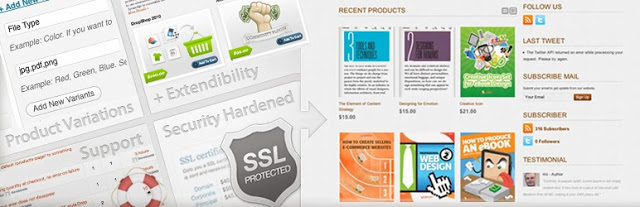
Convert your self hosted WordPress site into an e-Commerce site with this free plugin. Customers can buy products, services and digital downloads from your website.
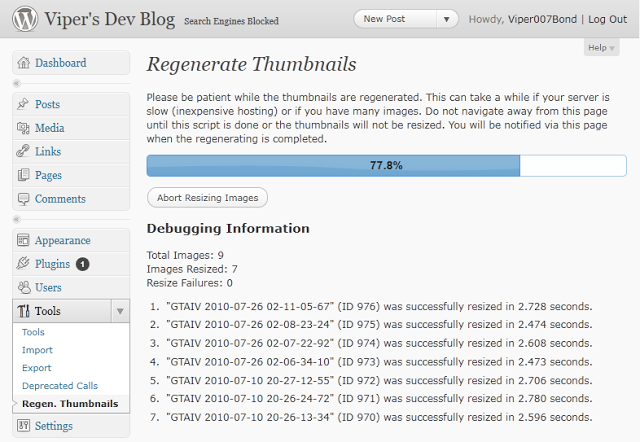
Regenerate Thumbnails allows you to regenerate the thumbnails for your image attachments. This is very handy if you’ve changed any of your thumbnail dimensions (via Settings -> Media) after previously uploading images or have changed to a theme with different featured post image dimensions.
This plugin themes the WordPress login, registration and forgot password pages according to your current theme. It creates a page to use in place of wp-login.php, using a page template from your theme. Also includes a widget for sidebar login.
This plugin allows administrators to globally disable comments on any post type (posts, pages, attachments, etc.) so that these settings cannot be overridden for individual posts. It also removes all comment-related fields from edit and quick-edit screens. On multisite installations, it can be used to disable comments on the entire network.
Just stay where you are, you can have it all – BuddyPress adds a social networking functionality to WordPress site. Users can create profiles, post messages, make connection, create and interact in groups. In the part 1 and part 2 of ‘How to Create a Social Network with WordPress’ we covered the basics of setting up this plugin.
In compliance with the recent WordPress theme guidelines, this plugin ensures that themes functionality is limited to design, layout and structure and that anything that falls outside of this is developed as a plugin.
32. ShareThis: Share Buttons and Social Analytics —Download
Adds the ShareThis share buttons to your website. Also allows you to monitor how often people share your contents.
31. Yet Another Related Posts Plugin (YARPP) —Download
Yet Another Related Posts Plugin (YARPP) displays pages, posts, and custom post types related to the current entry, introducing your readers to other relevant content on your site.
Easily create and add forms to WordPress. Fields are easy to add, remove, and re-order. The contact form will let the user send emails to a site’s admin, and also send a meeting request to talk over phone or video.
This plugin generates locational breadcrumb trails for your WordPress powered blog or website. These breadcrumb trails are highly customizable to suit the needs of just about any website running WordPress.
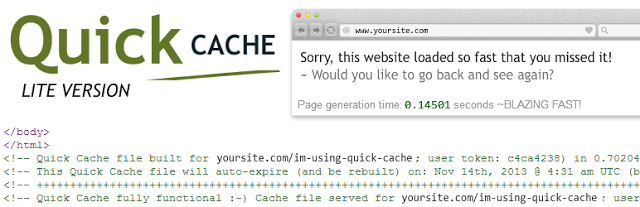
24. Quick Cache (Speed Without Compromise) —Download
Speed your website loading with this easy-to-use cache plugin.
This plugin generates static html files from your dynamic WordPress blog. After a html file is generated your webserver will serve that file instead of processing the comparatively heavier and more expensive WordPress PHP scripts.
Want to create a mobile site on WordPress? Here is your chance. WPtouch Mobile is a free plugin that helps you setup a mobile site on WordPress with 1,2,3 touches.
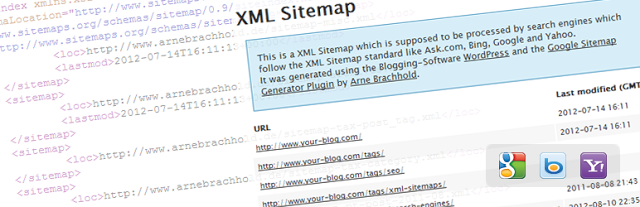
This plugin will generate a special XML sitemap which will help search engines such as Google, Bing, Yandex, etc crawl your site faster and more effectively.
Supercharge your WordPress site with powerful features such as: Email subscription, CSS editor, Hovercard popups, etc previously only available to WordPress.com users.
No SEO knowledge is required – All in One SEO Pack is a WordPress SEO plugin to automatically optimize your WordPress blog for Search Engines such as Google. Even as a total novice, you can use custom titles, custom url, advanced canonical URLs, fine tune page navigational Links on your blog posts. This plugin also helps you avoid duplicate articles submitted to you as a guest post.
Let your customers, clients or readers contact you from your WordPress site. Contact Form 7 is an Ajax contact form with easy to use interface. Can easily be embedded into any page.
Sitting at the top of our list is ‘WordPress SEO by Yoast’ plugin. This plugin helps you improve your WordPress SEO: Write better content and have a fully optimized WordPress site. Though the functions are a bit similar to that of All in One SEO Pack, the premium supports offers more.