Tag: ios

  • Ultimate Guide to Jailbreak iPad, iPhone and iPod with Sprint

    Ultimate Guide to Jailbreak iPad, iPhone and iPod with Sprint

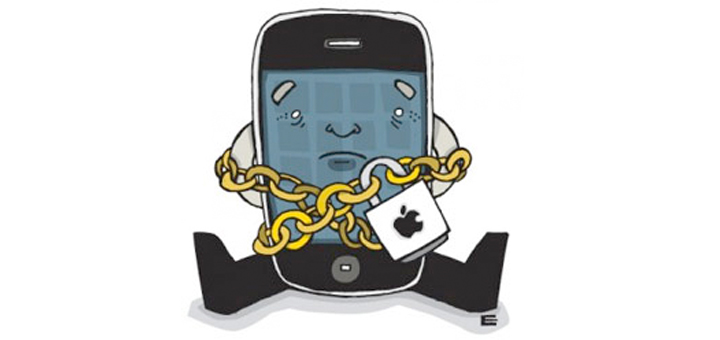
    Before we proceed to this topic proper, I will like to explain what jailbreaking your device means.Naturally, Apple’s rules for AppStore are way too limiting. Some apps are not allowed to be listed in the AppStore since they break one or more of Apple’s rules. These rules keep control of the device platform in Apple’s control. Some of these rules include: patching system files such as SpringBoard, allowing apps to run in the background, running apps out of the “sandbox”, and simply doing things Apple decided that they don’t want you to do often for reasons to their benefit, not yours (such as tethering).

    Jailbreaking is not unlocking! It is risk free and totally legal. Everything that works before jailbreaking continues to work after. Jailbreaking only adds features. Jailbreaking is risk free and cannot void your warranty. You can simply restore in iTunes at anytime to get back to a factory state. You are not alone, many people are doing it.
    If you ever consider jailbreaking your Apple’s iPad, iPhone or iPod Touch then Sprint should be your prominent choice. It offer the most easiest and quickest jailbreak  ever as Sprint takes the process to a whole new level compare to what other software like JailbreakMe has to offered. After you follow the step below to jailbreak your iDevice you will have the ability to install unapproved, third-party applications which are unavailable in the Apple’s iTunes App Store.

    What You Need to Know about Spirit Before Jailbreak

    Spirit is an untethered jailbreak for iPad, iPhone, and iPod Touch on firmware 3.1.2, 3.1.3, and 3.2.
    Your iPhone, iPod Touch, or iPad must be activated.
    Your device must not be stuck on the Connect to iTunes logo or emergency call screen.
    It will work on any version of iTunes 9 (including 9.1.1).
    Spirit will not unlock your iPhone.
    If you are currently using a tethered jailbreak, you have to restore in order to use Spirit.
    Do not upgrade if you unlocked your iPhone 3G or 3GS (if you have the SHSH blobs for 3.1.2, you can restore to it).
    While Spirit is stable for all devices, your iPad may act a little funny due to packages that have not been updated for it yet.

    Step by Step Jailbreak Instruction

    • Download the jailbreak application from Sprint.
    • Connect your iPad / iPhone / iPod Touch to your PC using USB cable.
    • Back up your iDevice to your iTunes library, and sync it. (make sure that your iTunes revision is at least version 9)
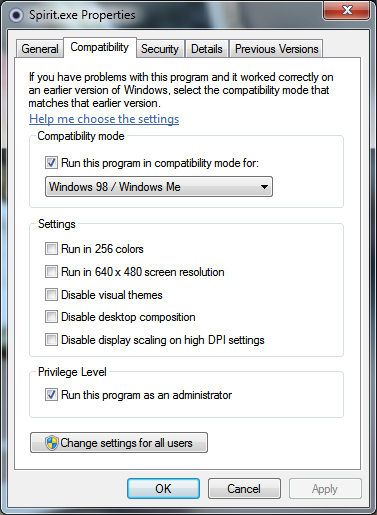
    • If you are using Windows 7, Right Click on Spirit.exe and Select Compatibility mode to “Windows 98/ME”.
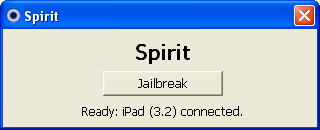
    • Now double click the Spirit.exe and click on “Jailbreak”.
    • In a few seconds your iDevice will reboot and you will be presented with jailbroken “Cydia” icon on your springboard, See Screenshot below. From here, you have access to all the unapproved, third-party applications.
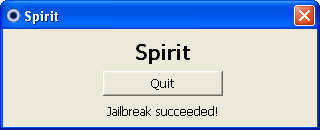
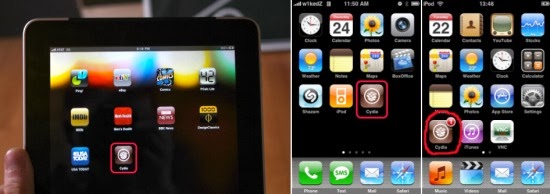
    Congrats, you have just jailbroke your iPad / iPhone / iPod Touch using Spirit.

    Error and Troubleshooting

    Windows Vista or Windows 7 users may get the error code c0000005 while performing the action. To avoid this error, you have to run Spirit.exe in compatibility mode. Follow the step as below:

    1. Right click on Spirit.exe and select Properties
    2. Select the compatibility tab
    3. Check the “Run this program in compatibility mode for” box and select Windows 98 / Windows ME

    Note: Spirit is not a “carrier unlock” which allows the iPhone to be used with carriers other than AT&T. It is a jailbreak only. Source: iPhone Download Blog
  • Tips for Creating Custom Themes with Growl for OSx

    Tips for Creating Custom Themes with Growl for OSx

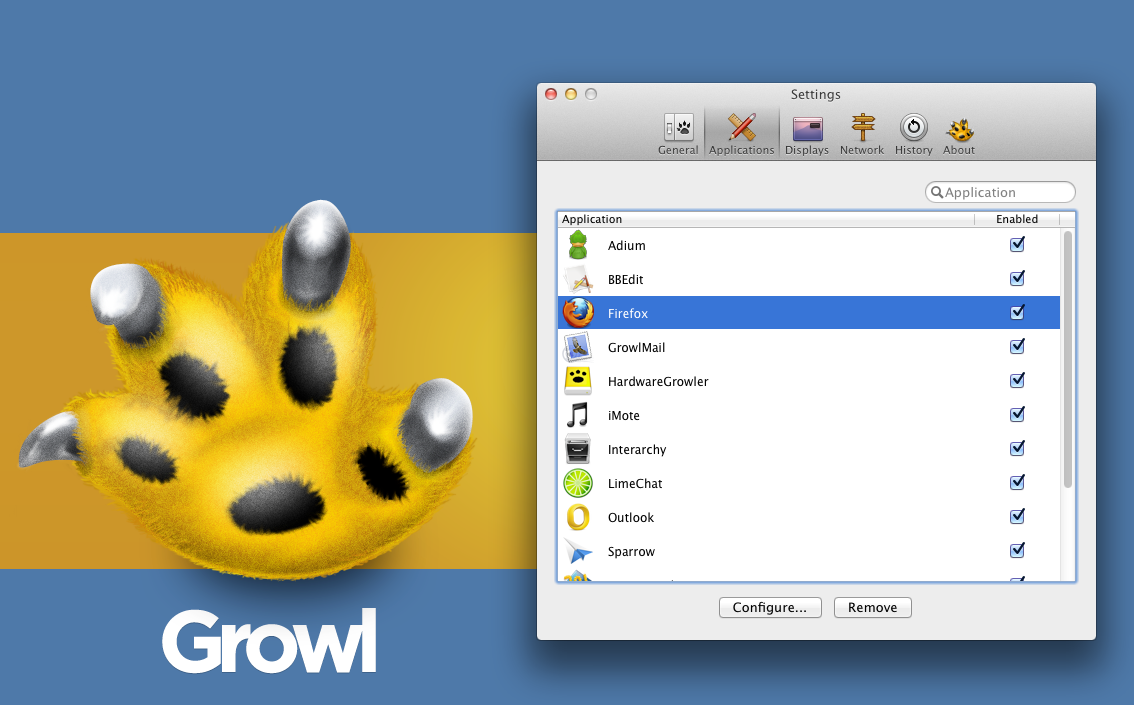
    You might install Growl for design purposes or simply by accident. There are numerous applications that provide support to it. There are even some applications that are available along with Growl. It is one of the few applications that many will consider to be usable with OS X only. Growl is perhaps the coolest notification applications for OS X. The application is known to aid many in getting alerts, whether they’re new tweets, software update or new emails. Developers have also considered Growl as a staple application because its API’s are usable by developers for the integration of alerts in their individual applications.

    Growl is not only OS X’s primary notification system, it is a well thought out design available with different animations and themes. It comes with its own themes preset, which you can obtain after downloading the application from your nearest Mac App Store. You can simply visit the Growl website to get a hold of the desired themes.

    There are many styles of themes to opt from, including AirMail Classic, Basics 1.3, Portal Growl Style and more. Growl is a cool application because you can customize the notification type you want to be displayed. If you want to customize it further, you can set styles on the screen. Growl was set to get updated by its developers. It is a 3rd party notification system that features Boxcar and Prowl in addition to an enhancement of display and action displays via visual ones.

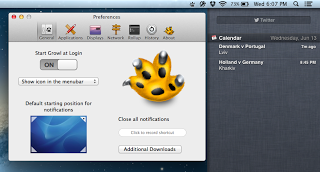
    This update is a major one because of the support provided to the Notification Center in Mountain Lion. Its functionality and operation is a straightforward one- users can keep on using Growl and consolidating the present visual displays on Apple’s Notification Center. Users can also open Preferences, click on General, and set the OS X notifications to on. By doing so, you will become capable of adding Growl to your apps listed, which is under the System Preferences’ Notifications. It might also be effective to make use of Growl as a major bridge between the Notification Center and the 3rd party apps.

    Growl 2.0 also comes with an additional element where you can separately handle the action and visual displays.

  • Square Launches Election Fundraising Tool on iOS

    Square Launches Election Fundraising Tool on iOS

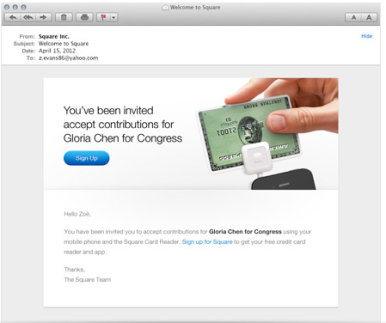
    With the 2012 election campaign heating up, Square on Friday added a new feature to its iOS-based card-reading system: The ability to make and collect campaign donations. Square CEO Jack Dorsey announced the new feature via Twitter, touting it as compliant with federal fundraising laws enforced by the Federal Election Commission. Using the card-reading device that attaches to an iPhone or iPad, candidate can accept on-the-spot donation at rallies and appearancesand Squares new fund-raising feature allows campaigns to collect FEC-required information on a donors name, address, occupation, and employer. The collected funds would be available for a campaign to spend the next day, the company said in a press release. Campaigns can also use Squares dashboard to track contributions and manage contributor information, the company said, while designating which staffers have access to the . It did not indicate whether Square would collect its customary 2.75 percent-per-swipe fee on transactions. Campaigns have grown increasingly sophisticated about using online resources in recent years; Barack Obama’s 2008 election campaign, for example, collected nearly half-a-billion dollars from online donors. The iPhone was an infant during that cycle, though, and the iPad didnt even exist. But now both Obama and his Republican challenger, Mitt Romney,have already started using Square to collect donations in this cycle. Fridays announcement opens up Squares services to federal candidates of all stripes. Users mustregister with the company in order to receive the card readers, which plug into the audio jacks of iPhones and iPads. The app itself is free, and compatible with all devices running iOS 4.0 or later.

    For more Macintosh computing news, visit Macworld. Story copyright © 2011 Mac Publishing LLC. All rights reserved.  

  • iOS Apps for Gamers, Artists, Social Media Users and Space Junkies

    iOS Apps for Gamers, Artists, Social Media Users and Space Junkies

    This week’s roundup of iOS apps is full of old favorites: Cookie Monster gets an app of his own, the creator of Angry Birds returns with Amazing Alex, and the popular Tiny Wings gets an update.

    Already this week we told you about a new magazine-reading app called Next Issue, the new TED Books app, a new cloud storage service from Neat, and an updated offering from Stay.com–and we also brought you a roundup of the best comic-reading apps, just in time for Comic-Con.
    Also, this week saw the launch of Business Card Reader HD, as well as updates to HipSwap,TheNote, and News360 for iPad applications.
    Here are other new and updated apps that caught our eye this week.
    Amazing Alex: The creators of Angry Birds have unveiled a new game that features neither rage nor avians. Amazing Alex is a $1 game for iPhone that features a “whiz kid”–one who comes up with Rube Goldberg-style chain reactions to do chores like cleaning his room. As Alex, you get to devise just how those creations will work, and share your most successful ideas with friends. There are 35 “interactive objects” to build with, and more than 100 levels to challenge players. Users can also download and play levels created by other players. None of those levels, however, involve destroying pigs.
    Corel Cinco for Painter: This isn’t a standalone app, but artists and graphic designers may find it useful nonetheless: Corel Cinco for Painter is a free iPad app that makes your tablet into a companion tool for users of the desktop Corel Painter 12 program. The app lets users drag and drop buttons onto the screen–for sketching, accessing a color wheel, and other activities–to let users complete projects efficiently. The button placement can be customized according to your hand size and finger placement. Corel promises the app will make it easier to create an uninterrupted workflow by spending less time in Corel Painter clicking on icons and hot keys.
    Google+Google+/Twitter: It was a big week for social networking services on iOS. Google+updated its free iOS app with full iPad support, the addition of the new Events feature, the ability to attach photos to posts, as well as the option to start and join Hangouts. Twitter’s free app, meanwhile, offers a range of updates: Avatars are now tappable, so that user profiles can be viewed more easily, and users can now set up notifications that let you know when particular people have tweeted. There are other improvements and changes, including a new Twitter bird, as well as an enhanced ability to see media posted to the service’s partner websites.
    The Great Cookie Thief: COOKIES!!!!! Omnomnomnomnom! The folks who gave the world The Monster at the End of This Book have returned, shifting their sights from Grover to the Cookie Monster. The Great Cookie Thief, a $1 offering for iPhone and iPad, looks at first glance to encourage both obesity and larceny–but of course, there’s more going on here. Unlike its predecessor, The Great Cookie Thief is less narrative-driven and more focused on activities: Users can make wanted posters in their efforts to track down the thief, just one of a number of tools designed to help children build their visual identification and observation skills. There are also tips for parents on how to help their kids use the app. But no, the app does not include Cookie Monster’s “Call Me Maybe” parody video.
    Spacecraft 3D: We’ll admit to worrying that NASA might be getting better at producing awesome multimedia than it is at putting astronauts into space. Luckily, that multimedia is really cool. Have you seen the Seven Minutes of Terror video about the latest Mars probe? Now there’s Spacecraft 3D, a free app for iPhone and iPad from the Jet Propulsion Laboratory, which gives users an up-close-and-personal look at the variety of satellites being used by NASA to explore the solar system and beyond. The app lets users see how the probes move, as well as get a look at the engineering feats used to construct them. Spaceflight is cool.
    Tiny Wings. Image from iTunes.Tiny Wings: Macworld’s Phil Michaels called an earlier version of this $1 iPhone game “sneakily challenging and frighteningly addictive.” Now developer Andreas Illiger has updated Tiny Wings to version 2.0, adding a new Flight School game mode in which you compete against AI opponents, as well as 15 levels of gameplay, and upgraded graphics for Retina display. There’s also now iCloud support, allowing users to sync the game with its iPad version. (Said iPad version also includes a local split-screen multiplayer mode.) The fundamentals of gameplay remain familiar, however: The birds have (natch) tiny wings, and use hills and momentum to give them flight throughout the game. Fly, little birds, fly!
    Macworld
    For more Macintosh computing news, visit Macworld. Story copyright © 2011 Mac Publishing LLC. All rights reserved.
  • Google Announces Google Drive for iOS and Offline Editing for Google Docs

    Google Announces Google Drive for iOS and Offline Editing for Google Docs

    A version of Chrome for iOS also was announced during the second day keynote for the company’s Google I/O conference.

    Google kicked off the second day of its I/O conference by announcing offline text editing for Google Docs, and a version of its Drive storage service for Apple’s iOS. The search giant also announced a

    version of its Chrome Web browser for iOS, and demonstrated it running on Apple’s iPad and iPhone.The offline text editing is available now in Google Docs, and Google is working on offline editing for its spreadsheet and presentation applications, the company said in its day-two keynote at the conference. The updates mean Google Docs users will be able to edit documents on a plane, for example, and then synch the changes to the cloud when they reconnect at the other end.
    The offline capabilities will step up the competition between Google and Microsoft. Google emphasized that Docs is a viable product for the enterprise as well as consumers: Five million businesses are using its cloud applications, it said. A Google Drive app for the iPhone, iPad and iPod Touch will be available from the App store later Thursday, Google said. It’s also developing a version for its own Chrome OS.

    Chrome OS Improvements

    Google Chrome OSIn Chrome, Google Drive operates as the local file system, said Clay Bavor, director of product management for Google Drive. He showed how a user can search through a folder of scanned receipts and find a particular receipt using a keyword search. The receipts are stored as image files, but the Drive application uses optical character recognition to index the text in the receipts.

    It can also index images. Bavor showed how a user can store their photos from a vacation in Egypt in Google Drive, for instance, and then search for “pyramid” and locate photos with pyramids in them, even though the photos are not tagged with the word “pyramid.”

    New Ways to Collaborate

    Google DocsGoogle also showed how Google Docs and Google Drive can work together to allow “real-time collaboration.” It showed how three users can edit a text document simultaneously from three different devices, and have the changes all appear on each of the three screens.

    Referring to users’ increasing tendency to use multiple devices, Sundar Pichai, Google’s senior vice president of Chrome and apps, said, “It’s not just at home: It’s the same person who leaves home and shows up at work, and they demand the same experience.”

    The company also announced an on-demand computing service called the Google Compute Engine, which will compete with Amazon Web Services’ EC2 offering.

    Follow my blog with Bloglovin