Search results for: “label/mac”

  • All Hail iPad – Your New Sheriff

    All Hail iPad – Your New Sheriff

    The ‘wonder’ Apple technology has ensured that it’s thief will not go uncaught. Last week saw the house of Mr. Tunde Makhinde, a Lagos based Nigerian visited by some robbers who took his iPad among other things. Little did they know that the iPad will eventually turn out to be the nail to their coffin: The tech whiz had activated the tracking device on his iPad, and within a matter of days, had gone with law enforcement agents to catch the thieves red handed.
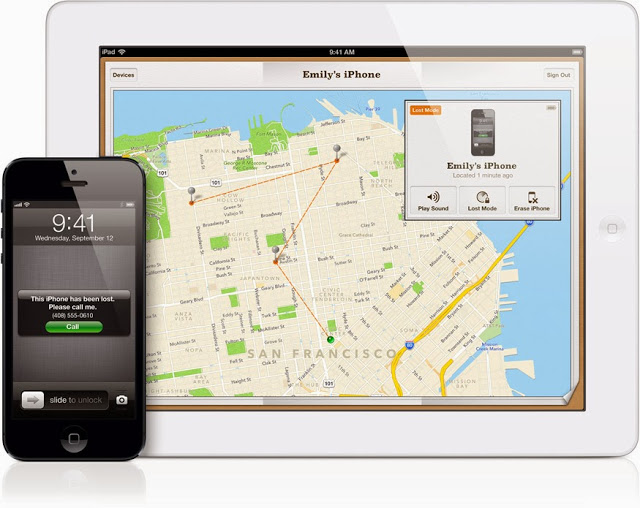

    Recently, an amazing app, Find my iphone, was used to track down a stolen iPad and the man who allegedly took it from underneath a family’s Christmas tree in the US. The victim on the ‘Find my iPhone’ app that sends out a signal to the device.Using his computer, the victim was then able to locate the iPad on a map, and alerted police to its whereabouts – just a few houses away.

    Even the burglar who broke into Steve Jobs’ house was caught last year two weeks after the crime thanks to the technology in one of the late Apple founder’s own inventions. He might never have been caught if he hadn’t logged onto iTunes on one of Jobs’ personal iPads. Investigators say they were tipped off about the perpetrator when one of the stolen devices connected to Apple servers.

    What if…?

    ‘But I am no tech whiz!” you might say. That doesn’t matter. How smart would smart technology be if it can’t holler at its owner when it gets stolen? There are simple ways to be two steps ahead of the thief. The ‘Find My iPhone’ application can be used if an Apple device is stolen or misplaced. It does not come installed but can be downloaded for free.

    The user then signs in with their unique Apple ID.a device goes missing, the owner can activate the app on a computer. Signals ‘ping’ the device and its whereabouts can be seen on a map online.can then choose to display a message on its screen, play a sound for two minutes at full volume, lock the device or erase all of its data.can be used on iPhones, iPads, Apple computers and iPods.

    iOS 7 includes a new feature called Activation Lock, which makes it more difficult for anyone to use or sell your iPhone, iPad, or iPod touch once it’s gone missing or has been stolen. And it starts working the moment you turn on Find My iPhone in iOS 7. Turning off Find My iPhone or erasing your device requires your Apple ID and password. And your Apple ID and password are required before anyone can reactivate it.

    But what happens if you find your device on a location you can’t reach? Go for second best-initiate a remote wipe to delete your personal data and restore your iPhone, iPad, iPod touch, or Mac to its factory settings. With iOS 7, Find My iPhone can continue to display your custom message, even after your device has been erased. And if you do retrieve your device, you can restore it from your iCloud backup. iCloud is not just for backup, it can help you find your apple device on the map. If one of your Apple devices goes missing, iCloud can help you figure out where it is. Just sign in at iCloud.com or use the Find My iPhone app to see your missing iPhone, iPad, iPod touch, or Mac on a map.
  • Tips for Creating Custom Themes with Growl for OSx

    Tips for Creating Custom Themes with Growl for OSx

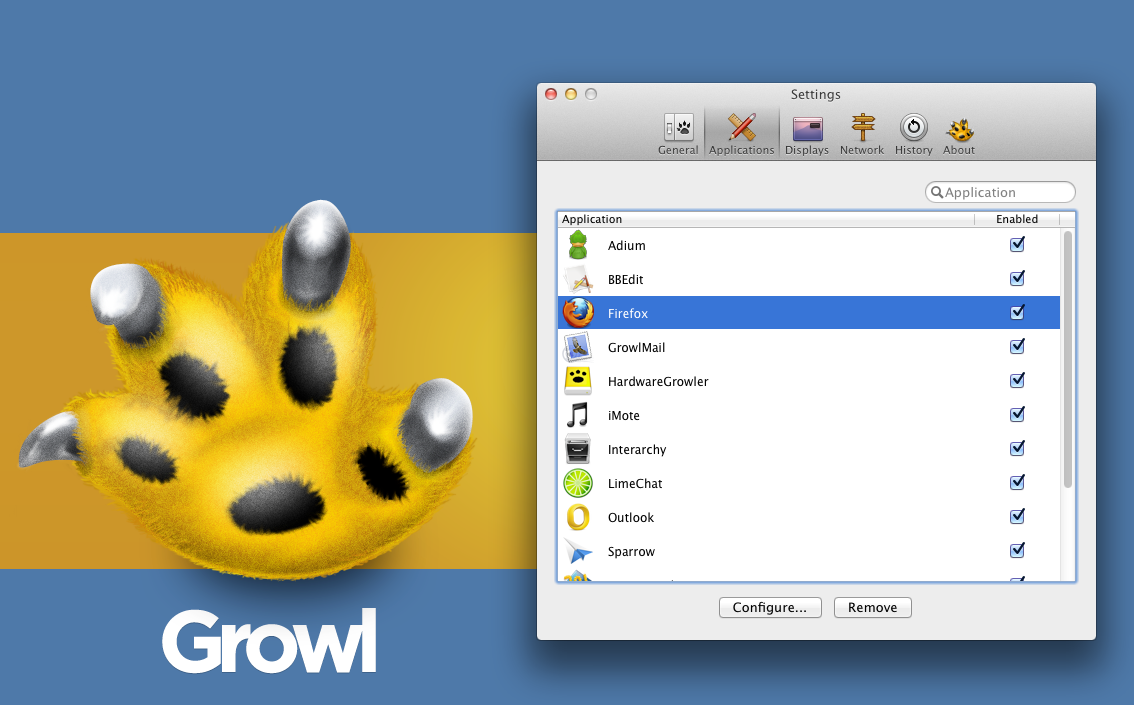
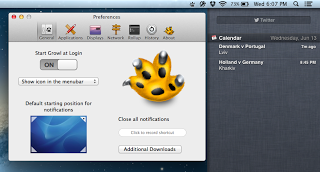
    You might install Growl for design purposes or simply by accident. There are numerous applications that provide support to it. There are even some applications that are available along with Growl. It is one of the few applications that many will consider to be usable with OS X only. Growl is perhaps the coolest notification applications for OS X. The application is known to aid many in getting alerts, whether they’re new tweets, software update or new emails. Developers have also considered Growl as a staple application because its API’s are usable by developers for the integration of alerts in their individual applications.

    Growl is not only OS X’s primary notification system, it is a well thought out design available with different animations and themes. It comes with its own themes preset, which you can obtain after downloading the application from your nearest Mac App Store. You can simply visit the Growl website to get a hold of the desired themes.

    There are many styles of themes to opt from, including AirMail Classic, Basics 1.3, Portal Growl Style and more. Growl is a cool application because you can customize the notification type you want to be displayed. If you want to customize it further, you can set styles on the screen. Growl was set to get updated by its developers. It is a 3rd party notification system that features Boxcar and Prowl in addition to an enhancement of display and action displays via visual ones.

    This update is a major one because of the support provided to the Notification Center in Mountain Lion. Its functionality and operation is a straightforward one- users can keep on using Growl and consolidating the present visual displays on Apple’s Notification Center. Users can also open Preferences, click on General, and set the OS X notifications to on. By doing so, you will become capable of adding Growl to your apps listed, which is under the System Preferences’ Notifications. It might also be effective to make use of Growl as a major bridge between the Notification Center and the 3rd party apps.

    Growl 2.0 also comes with an additional element where you can separately handle the action and visual displays.

  • How To Remote Access Any Computer By Using TeamViewer

    How To Remote Access Any Computer By Using TeamViewer

    In computing the problems can occur at any time and in any part of the computer, and without any doubt we want to fix it as soon as possible. There are two types of problems Hardware and Software. Hardware problems are uncommon because most of the users are using the branded things of good quality but in case you are facing any a hardware problem then it I might take some time. The Software problem is very common in this field which can be solved by either paying for it for free. If you’re unknown to it then you may in trouble and have to pay sometime. Now if you know your friend or any other person how can fix it and can be solved without any pay then here is the one of the best , easy and free software, which needs just an internet connection for show its effect. There are many other software are available but from my personal point of view and uses the best is as follows.

    TeamViewer : How To Remote Access Any Computer

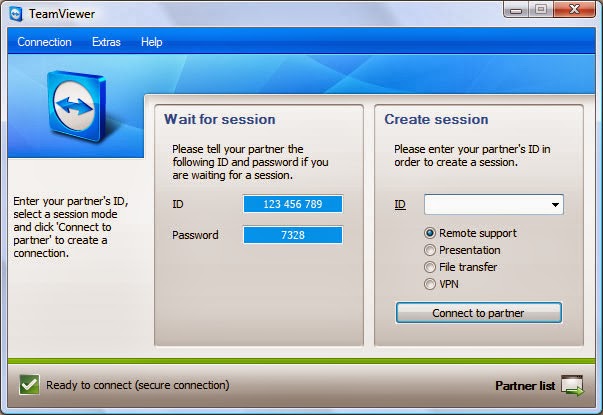
    TeamViewer is a computer software package for remote control, desktop sharing, and file transfer between computers. Remote Control stands for being a computer to which a user does not have physical access, but which he or she can access or manipulate via some kind of network. It offers the control of the one computer from the other computer without any direct connection, with which you can do anything at the other side. Remote control option comes in many operating systems as default such as Windows Server 2k, 2k3 and the other versions of it. For a common and any operating system TeamViewer is the best. It’s also designed for Windows, Mac OS X, Linux, Ios, Android with Multi-Language.

    You can get full access of TeamViewer with just a few clicks and its very easy.

    1. Download TeamViewer from here and install it on your system.

    2. After installation simple opens it from the Programs List or the for the Desktop Shortcut.

    3. It provides a unique ID  shown as “YOUR ID” and a Password (In decimal form)

    {One more thing about TeamViewer is that it works only when the system have it, which means if you want to use it you have to install it on the other system as well and make it as your computer as a server and other as its client and vice-versa.}

    4. Now the Unique ID  and Password is also from the same side fill at the “PARTNER ID” right side in the opened window and click “CONNECT THE PARTNER”.

    TeamViewer is totally free for the home use or non-commercial use. It provides many advanced options. One notable thing, if you make a restart your system it changes the password for the same client system every time. So when you reconnect with a system keep in mind this thing.