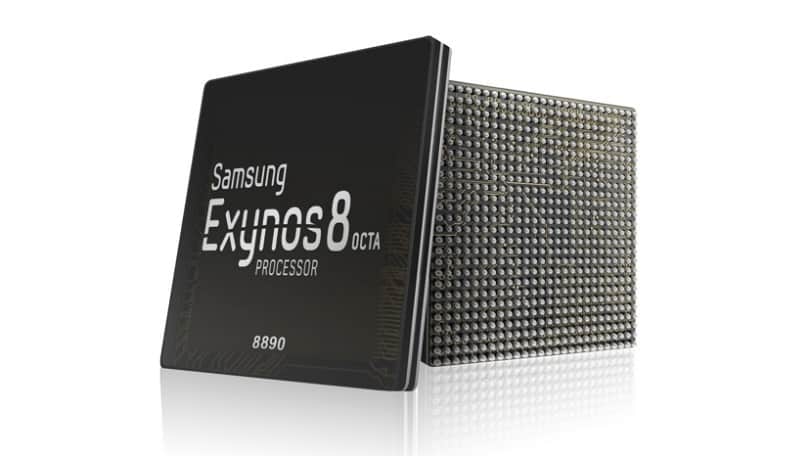
Today, Samsung announced the Exynos 8 Octa 8890 CPU processor.
This is the companies second “premium” chip built on 14nm FinFET process technology. It has a custom 64-bit CPU with four custom cores and four ARM Cortex A53 CPU cores. These specs improve the performance of the processor by 30% and cause it to use 10% less electricity.
Samsung said devices with its chips will allow users “to enjoy and share high-resolution video content on the go with ease.”
With our custom designed CPU cores and the industry’s most advanced LTE modem, consumers using mobile devices with the Exynos 8 Octa will experience a new level of mobile computing.” – Dr. Kyushik Hong, Vice President of System LSI marketing at Samsung Electronics.
The tech giant has also added that the new CPU can allow for highly immersive gaming and life-like virtual reality experiences thanks to Mali-T880; ARM’s latest GPU.
Sasmung had unveiled its first 14nm mobile application processor in February of this year. The company’s expected initiation for the Exynos 8 Octa mass production is set for later into this year.
COMMENT: Mercury might not be biggest name in the tablet segment but are set to make a statement with their new 7 inches mTAB Star tablet. NIGERIA – As the competition within the tablet segment continues to rage, Samsung, Tecno and the big guns manufacturers are lining up new and improved models of their existing stock. Not only are they, in most cases, manufacturing less expensive devices, but others like Kobian, are also loading on the features and trying their hardest to maintain a competitive price structure. Kobian launched their first Mercury Tablet the mTab, back in the tail quarter of 2011. It proved to be just above average, however, in the budget tablet division, while keeping the price under N30, 000 ($185.29). Their latest announcement is of the upgraded version of the same device only now infused with 3G capabilities and dual SIM support.
The Mercury mTab Star M831G features a 7-inch display with a resolution of 1024×600 pixels. The device is powered by a 1GHz dual core Cortex A9 processor and is based on the MediaTek chipset. It comes with 1GB of RAM and 8GB of internal storage that can be expanded up to 32GB with the help of a microSD card. It runs on Android 4.2.2 Jelly Bean. The tablet is encased in a metal body and weighs 400grams.
The tablet comes with Dual SIM card support complete with voice & video calling functionality. The tablet is far from being the ideal device for explorers and vacationist as it can only boast of a 2.0-megapixel rear camera with LED flash and a VGA front-facing camera. Connectivity options on the tablet include Wi-Fi, Bluetooth, Micro-USB, HDMI and 3G. While also supporting tethering & hotspot. Other features include a 3.5mm audio jack, built-in speakers, Flash 11 support and SGX531 3D graphics engine. The tablet includes a 3000mAh battery.
The device will be sold out for around N21, 995 – N25, 000 in most retail stores and less than N21, 000 in online stores such as Jumia.
Mercury mTab Star key specifications
7-inch display with a resolution of 1024×600 pixels
1.2GHz dual core Cortex A9 processor
1GB RAM
8GB of internal storage, expandable up to 32GB via microSD card
2.0-megapixel rear camera
VGA front camera
Android 4.2.2 Jelly Bean
3000mAh battery
3G, Wi-Fi, Bluetooth
Dual SIM support
In the Pack & Rooting mTAB Star M831G
When you open your brand new device pack, you will find the following items:
16 pages user manual
A USB data connectivity cable
Battery charger
USB tablet adapter
A pair of cable headset
The tablet comes with Whatsapp, Temple Run, OfficeSuite & Angry Bird pre-installed. Of course, to ensure master control of your device you might consider rooting it. We have tried the Kingo Rooting software and it works perfectly for this device.
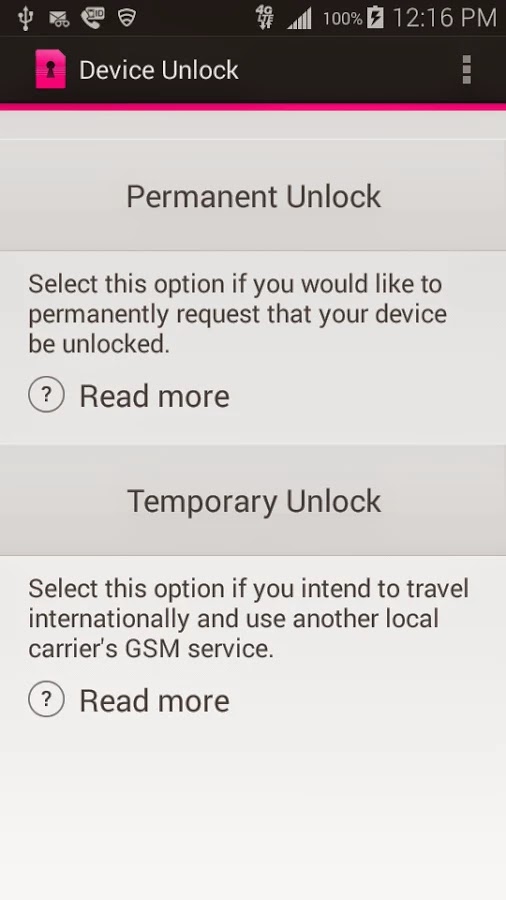
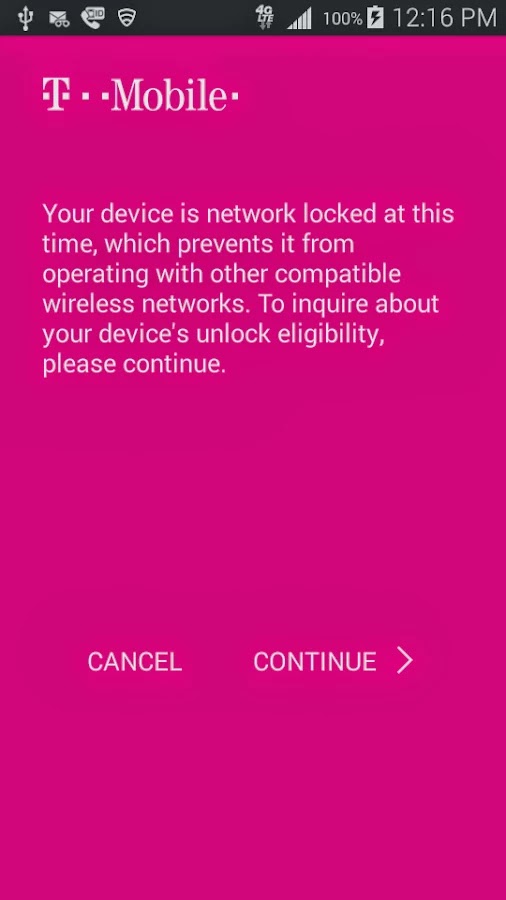
Device Unlock is an application that allows you to request and apply a Mobile Device Unlock directly from the device. For many of you Android users out there, you probably know your way around, but there are many out there with tied-down phones who have no idea where to start. And since unlocked phones are basically a civil liberty for the time being, T-Mobile plans to help them.
Note: Unlocking your smartphone is completely different from rooting your Android device. For walk-through on how to root most Android devices, kindly read: 3 Steps to Root any Android Phone with 1 Click
A Coin of Two Sides
The Device Unlock App offers you two options: one that permanently unlocks a device, for those who want complete freedom from the carrier, and a temporary unlock, which frees the phone for 30 days so you an use it overseas. The permanent unlocking option will check to see if your device is actually eligible for it before it completes the process.
The Downside
While the functionality of this app remains flawless, the limitation of supported devices remains the Achilles heel: So far, the application may install successfully on devices like T-mobile variant of the LG G3 but only works on Samsung Avant devices as clearly stated on the Play Store description. This has earned it a number of criticism among Android users in the Play Store. However, according to TmoNews.com, the US’s fourth biggest carrier is working on an app that lets its users easily unlock their phones with the literal touch of a button. It’s a really smart idea, and it’s probably how the carrier plans to appeal to all the novice smartphone users out there.
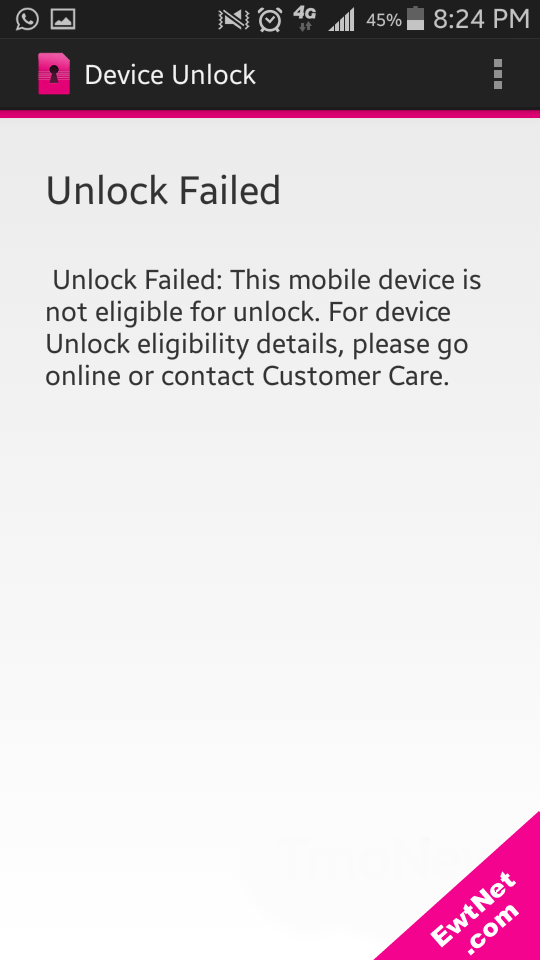
When unlocking is unsuccessful an alert pops up with details on why the your unlocking failed (See screenshot above).
PROS Large, vivid screen Excellent battery life and performance Office and videoconferencing apps are built in
CONS No wired display connection Flip cover doubles as a flimsy stand Avoid using it for pictures Exceptionally high price
AT A GLANCE
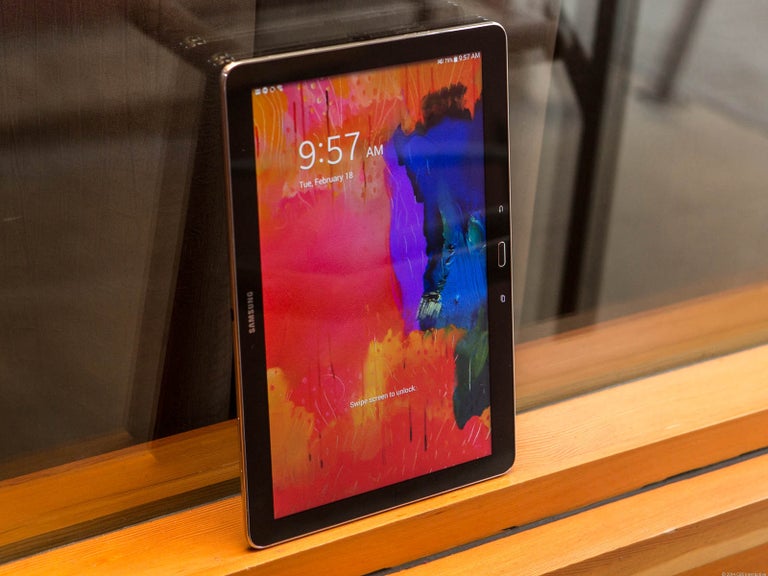
Spending $750 for an Android tablet seems exorbitant. But the Samsung Galaxy Note Pro offers a larger screen, excellent battery life, and access to the Android and Samsung app stores. When one considers the wealth of inexpensive Android tablets available, the idea of paying $750 for a 12-inch Android tablet seems inconceivable. But if now isn’t the time for consumers to start thinking of large Android tablets as legitimate Windows laptop replacements, that day isn’t far off. That’s right: a Windows laptop replacement. That’s the only way to consider the Samsung Galaxy Note Pro, a massive tablet that, like the Microsoft Surface, works best on a desk. Samsung’s 12.2-inch Galaxy Note Pro (7.95 mm thick, 1.65 pounds) is virtually identical to the Galaxy Tab Pro, save for the addition of an S-Pen stylus.
This is not a competitor to smaller tablets like the Nexus 7. Indeed, if last year’s Galaxy Note 3 smartphone doubles as a reporter’s notebook, then the new Galaxy Note Pro is something akin to an electronic legal pad. And with a surprisingly complete selection of productivity apps in both Google Play and Samsung’s own app store, this massive Android tablet can help you get real work done.
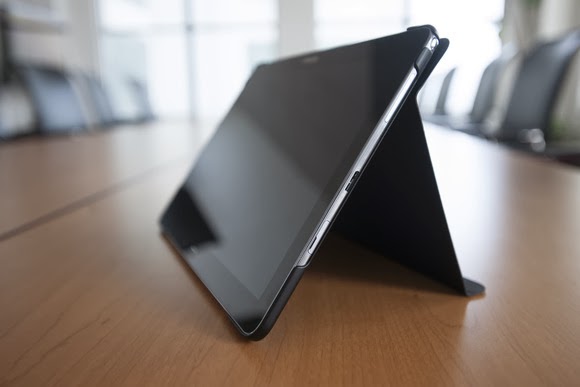
The Galaxy Note Pro lacks an integrated keyboard, and the cover, which does double duty as a stand, is a little flimsy.
The Note Pro is available for either $750 for a 32GB model, or $850 for 64GB of onboard storage. So far, Samsung has yet to announce the price for a model with an integrated LTE WLAN chip. According to Samsung, the Wi-Fi version of the Note Pro houses a 1.9GHz quad-core ARM Cortex A15 chip, powering Android 4.4 (KitKat). Our performance tests produced a Sunspider score of 0.97 seconds (which hits the upper echelons of the tablet market), and a PeaceKeeper score of 815. For the sake of comparison, the iPad 3 managed 516 in PeaceKeeper, and the Dell XPS 10 hit 324 (higher scores are better).
The Samsung ‘Surface’
It’s not much of a stretch to consider the Note Pro as Samsung’s response to Microsoft’s Surface 2 Pro, which starts at $899 for 64GB of onboard storage. Both the Note Pro and the Surface Pro 2 ship with foldable keyboard covers; the Note Pro’s can be configured so that it wakes up and unlocks the tablet when flipped back. But while the Note Pro’s cover actually doubles as a stand, it’s not immediately obvious that it does so.
The Note Pro also lacks an integrated keyboard, such as the Surface’s Type and Touch Covers. In fact, to use it as a laptop replacement, you’ll need to buy a Bluetooth keyboard and possibly a mouse. That completely eliminates its use as a “lap top” computer.
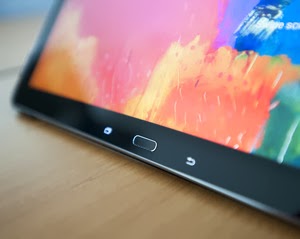
Physically, the Note Pro looks like a Note 3, flipped on its edge. The tablet is designed to be held in landscape mode, with the physical home button mounted between the back and applications buttons. Near the top sits the 2-megapixel front-facing camera, with an 8-megapixel camera at the back. (Unfortunately, the cover lacks a rear camera cutout, so when thumbing the camera button, you’ll have to awkwardly hold up the cover.) Volume and power switches sit on the top, while an all-important microSD card slot sits on the side.
An underrated productivity tool
Like the Note 3, the Note Pro uses the new USB 3.0 connector, collecting juice through a high-output charging plug. Charging the Note Pro takes about three to four hours, but battery life is excellent: You’ll see two, possibly even three days or so of casual use from its integrated 9,500 mAh battery, and our looping video test ran down the battery in 8 hours, 37 minutes. That’s on par with the Dell XPS 10 tablet.
Unfortunately, you won’t be able to use the Note Pro on long flights. The tablet, its stand and a Bluetooth keyboard will take up too much room on a seat-back tray. But you can still use the tablet for mid-flight video playback in your hands. The 12.2-inch display boasts a 2560×1600 resolution and 247 ppi pixel density, and you can even hook up an external monitor care of an optional external HDMI dongle for $39.99.
One of the problems with Samsung’s latest devices, beginning with the Galaxy S4 smartphone, is their overwhelming number of largely extraneous features, such as the “smart pause” feature that supposedly pauses video playback when you look away. You’ll see a number of these still hidden deep within the Note Pro’s settings menus—but thankfully turned off.
Feel free to mix and match entertainment and work apps—the Note Pro can handle both.
The default home screen contains a giant reminder widget for S Note, so that you don’t forget the S Pen. Equally useless New York Times and Twitter widgets can be tossed out. And, fortunately, a collection of news and entertainment apps, such as WatchON and a version of Samsung’s Flipboard-like My Magazine app, are confined on the peripheral screens.
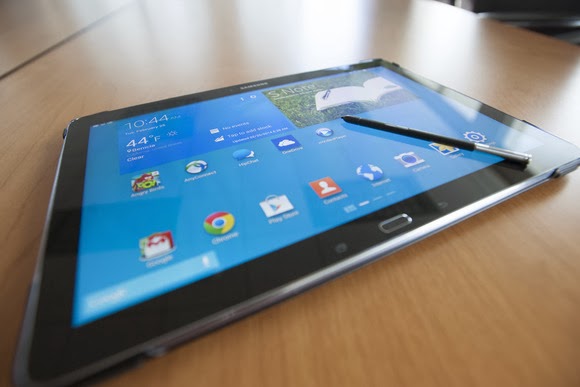
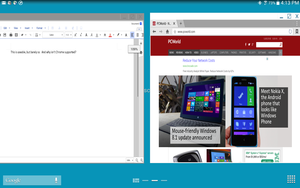
You can use the pen to draw your own windows, as I did, using the S Pen.
As with the Note phones, pulling out the S Pen triggers several options, including an Action Memo; the ability to save content into a Scrapbook; and my favorite, the Pen Window. The Pen Window lets you run a second app inside a window, providing Android with a desktop-like multitasking environment. You simply draw a box, and when it’s done, select the app you want to fill the space.
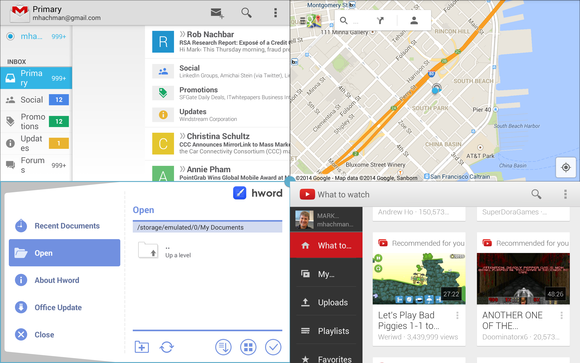
Samsung, however, now has a better option: Multi Window mode, which Samsung has made available on only the largest Galaxy Tab and Note tablets. To trigger Multi Window mode, you swipe in from the right-hand side, via a list of supported apps. (YouTube is supported, for example, but Angry Birds is not. And, inexplicably, Chrome is not supported by Pen Window mode, but it is under the Multi Window view.) Dragging one app to the main screen fills it. Dragging a second “snaps” the screen into two halves—and so on, up to a total of four screens. On a smaller tablet, this is a gimmick, but on a larger tablet like the Note Pro, it’s surprisingly useful.
Multi Window can show four apps at once, or you can snap two. This is amazingly useful.
A viable office suite
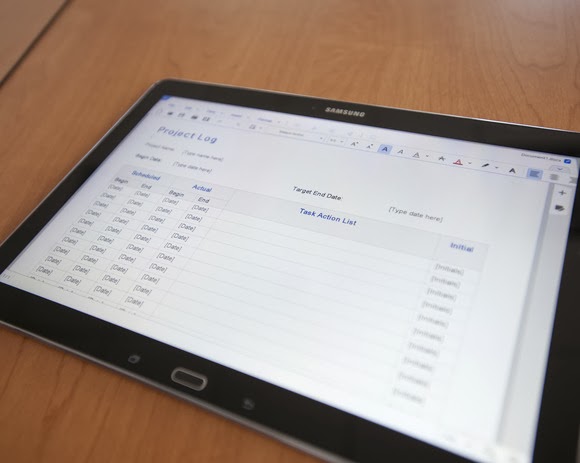
More impressive are the numerous productivity apps that are either available via the Note Pro itself or via Samsung’s own app store. Apps such as Cisco’s WebEx, a Samsung Remote PC app (an alternative to Microsoft’s own Android app, Microsoft Remote Desktop), and the Hancom Viewer are all included. On Google Play, Hancom’s Hanword, a word processor, cost over $17 at press time, but on the Note Pro, it’s free, as are similar apps to view and edit PowerPoint and Excel documents.
The Hancom apps ship in both “viewer” and editable versions, and the Note Pro tends to open files in the “viewer” version first without an option to choose the editing app, which is annoying. Google’s own Quickoffice is also installed. Aside from some possible font compatibility issues, the Hancom apps seemed to work surprisingly well.
Keep in mind one thing: With the Note Pro, these productivity apps are free. If you purchase a Surface Pro 2, you’ll also need to pay for a subscription to Office 365 or a standalone copy of Office 2013. That pushes the long-term cost up.
Hancom’s app suite makes the Note Pro a viable productivity tablet.
Samsung inexplicably omitted the VPN app that it included on the Note 3, meaning that you’ll need to search out an Android version, such as Cisco’s Easy Connect, on the Play Store. In all, though, I found Android versions of virtually every productivity app I wanted from either the Samsung or Google Play, giving me a PC-like experience on an Android tablet.
This is the bottom line. Windows PCs and Macs represent the power-user extremes of the computing experience, owning everything from Adobe Photoshop to the latest first-person shooters. But tablets are for centrist users: Android tablets and iPads dominate casual gaming, and more and more light-productivity apps are being written for those platforms.
The sum of its parts—a large screen, excellent fantastic battery life, multi-app windows, and equivalent PC software—not only make the Note Pro a viable choice for a tablet enthusiast, but a jumping-off point for an adventuresome road warrior to leave the Windows world entirely. If only Samsung could knock another $150 or so off the price.
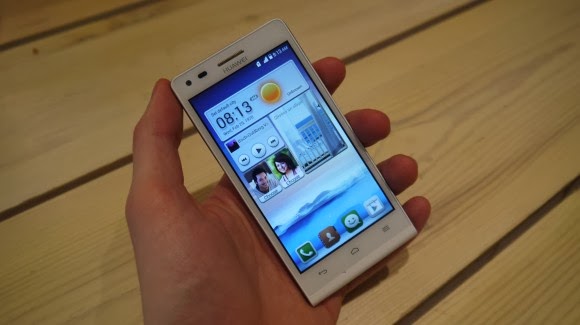
Earlier this week one of the leading leading global information and communications technology (ICT) giants Huawei registered a new name, Huawei Ascend G6 4G smart phone to the already populated smartphone industry. The 4G LTE-enabled Android device is set to face tough competitions from the likes of Samsung Galaxy S5 and Tecno P5 in the smartphone market, especially in Africa, Asia & Middle East where the the later has left it’s mark.
The smartphone device will be featuring the latest version of 4G technology – CAT 4 – giving you a super speedy internet connection.
Inside Ascend G6
The new 4G LTE-enabled smartphone brings ease of use back to smartphone ownership and opens up a world of fun and colorful new ways to stay connected without boundaries.
With a 4.5-inch qHD display, 5-megapixel front-facing camera and Emotion UI 2.0 , the product is an ideal companion for those who want to share better.
With the product, there are also endless opportunities to explore surroundings with multi-shot capture, horizontal shooting and panoramic functions, thanks to the five plastic elements (5P) lens of the 8-megapixel AF BSI f/2.0 aperture rear-facing camera.
Alternatively, the voice-activated hands-free ‘selfie’ function shows off camera-ready poses.
Describing the product, , Richard Yu, CEO, Huawei Consumer Business Group, said it is stylish, colorful, and lightning fast smartphone designed to break down barriers.
With its handy 4G LTE connectivity, he said that it is easy-to-use interface and dynamic cameras offering a multitude of photographic opportunities.
Interestingly, filming or photographing in low light is a breeze with Ascend G6 4G’s in-built Sony IMX134 sensor, blue glass infrared filter and integrated camera flash for sharp, clear images.
Featuring the latest version of the intuitive, easy-to-use interface, Emotion UI 2.0, HUAWEI Ascend G6 4G brings smartphone use within reach for everyone
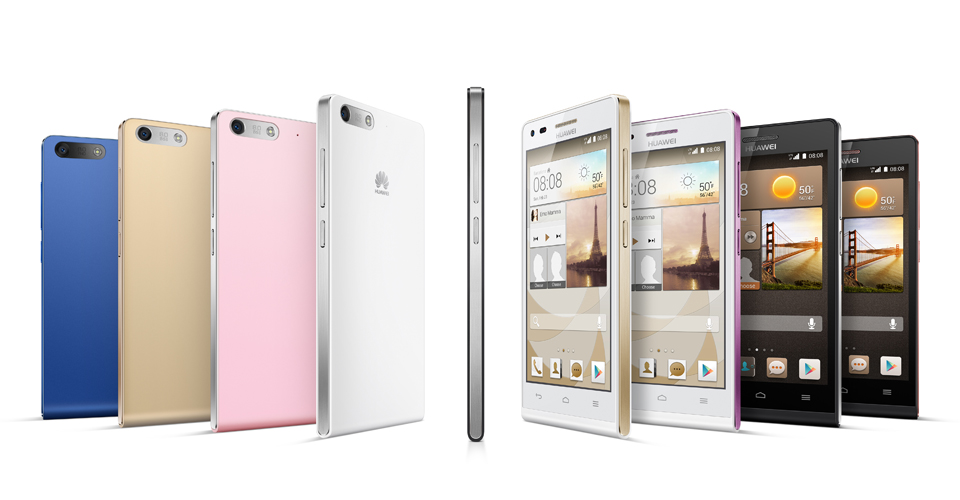
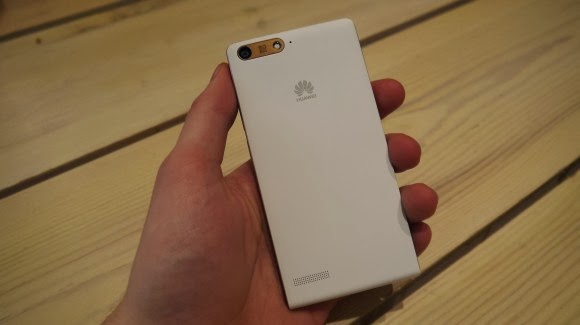
However, the phone brings vibrant color to life with its crystal clear 4.5-inch qHD 960 x 540 LCD display and 245PPI. At 7.85mm slim and weighing 115g, Ascend G6 4G builds upon the stylish ‘double C’ design of the popular Ascend P6 smartphone and is available in a range of colors including black with light gunmetal grey or rose gold highlights, or in white with pink or champagne gold .
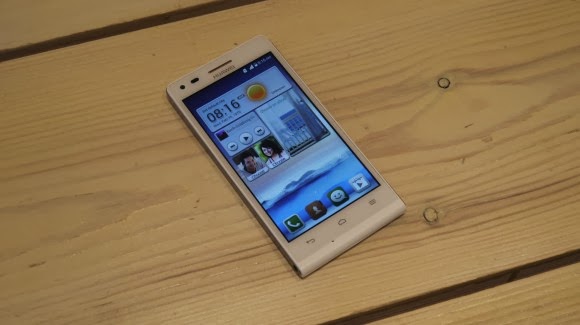
Unsurprisingly for a phone which is going to come in at under $330 the Huawei Ascend G6 sports an all plastic construction, although it is solid and the thick, faux-metal band which runs round the circumference keeps everything together nicely.
Available in black, white, pink, gold or blue colors, the product runs on a powerful quad-core 1.2 GHz processor and robust 2000 mAh lithium polymer battery with up to 30 percent power saving, HUAWEI Ascend G6 4G is 4G LTE-enabled to make connectivity faster and more reliable than ever before.
Movies can be downloaded in minutes and work files uploaded in seconds with speeds of up to 150 Mbps. Smart photo album, internet, notification and permission management provides full control over the information shared.
In addition, the ‘one key scan’ function maintains peak performance through ‘phone speed tracking’, ‘power conservation’, ‘storage cleaning’ and ‘harassment filter.’ Ascend G6 4G also supports NFC sharing for mobile payments.
The product offers an enhanced smartphone camera experience with Huawei’s proprietary self-focus tips and preview screen.
The four plastic element (4P) lens featured on the 5-megapixel front-facing camera provides audio controlled spontaneous snapping, auto-scene recognition and auto-facial enhancement. Featuring 88 degree wide-angle shooting, Ascend G6 4G enables you to take all-inclusive photos that will wow family and friends.
Add an extra dimension to photos with the ‘Voice Photo’ function that takes photos accompanied by 10-second audio clips that can be shared via Facebook and WeChat, such as at a wedding when you capture the bride and groom saying “I do.” Price When Rated: $350$330 Our Rating: 3.5 Operating System: OS Android 4.3 Jelly Bean
In the year 2012, we have seen a great revolutionary trend in the smartphones. With the release of Samsung Galaxy S III, Galaxy Note II, computing and connectivity has been taken to a new level. Apple’s iPhone 5 has generated a phenomenal buzz with its latest features, gaining popularity among the several. “How would the next generation smartphones be?” this was the first thought that has entered my mind when I see the features. For all those questions here is a sneak peek into the next generation android phone features: Larger Display Screen : In the year 2013, we are likely to see phones with a larger display. The screen size might be increased to provide a better viewing experience. You can see high definition pictures on your mobile phone. The colours would be more brilliant and vibrant providing us with life like picture quality. You might expect better size and display with the increase in the colour pixels. Faster OS : Although most phones haven’t updated android 4.1 OS, Google has already started working on its new version. It is all set to launch the new android 4.2 Key Lime Pie in the year 2013. The operating system is believed to be faster and better than the current existing one. Better Designs: Android phones in the coming generations may view a great change in their body designs. The body might pass through various changes to bring out that best design which could ‘wow’ the crowds. It might be sleeker, thinner which weighs less. Processors: With the present processors speeding up our work and cut shorting the time taken to upload or open a web page. Presently there are various processors are used such as 1.4 GHz ARM Cortex A9, 1.2 GHz Exynos, 1.5 GHz Scorpion, 1.2 GHz dual-core TI OMAP and many others. But the grapevine is buzzing with talks that they might increase the speed or might continue with the existing ones Camera: This feature is one among the waited features. Currently smartphones come with 8 megapixels, 5 megapixel for the rear camera and 1.3 megapixels for the front but there are talks that this could be increased to 13 megapixels for the rear and 3 megapixels for the front to provide better clarity and to produce complete HD quality pictures. Memory Storage: This is another check out feature. The current memory provided by android phones is 16GB/34GB/64GB with 1GB ram but the future phones might come with 16GB, 32GB, 64GB and 128GB variant might be included and might also have 3GB ram. This provides you with a large storage area where all your files can be easily stored without much problem. With all these great features, the phone might be heavy on the pockets so in case you want to buy them and lack finances opt payday loans. The above-mentioned are a few features that might be enhanced. Technology is updated regularly.
Maria Benson
Author Biography:
This guest post was written by Maria Benson, who loves to write articles on various topics like finance, health, technology. Previously she has done research on ppi claims currently she is focusing on technology related articles.
 Today, Samsung announced the Exynos 8 Octa 8890 CPU processor.
 The Note Pro also lacks an integrated keyboard, such as the Surface’s Type and Touch Covers. In fact, to use it as a laptop replacement, you’ll need to buy a Bluetooth keyboard and possibly a mouse. That completely eliminates its use as a “lap top” computer.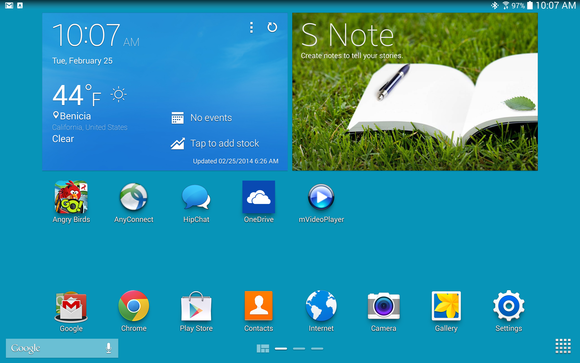

You must be logged in to post a comment.