Author: Ebenezer Obasi

  • How to Create an Eye-Catching Header Photo for the New Twitter Profile

    How to Create an Eye-Catching Header Photo for the New Twitter Profile

    Are you promoting your brand on Twitter?

    Freaking out about creating a good-looking header photo for your Twitter profile?

    You’ve probably noticed that striking visual piece in the Twitter profile layout — a full-screen-width banner image, known as a “Header Photo.”

    On Tuesday, April 8, 2014, Twitter blessed it’s users with a new profile layout that includes a full-width header photo.

    But you may have noticed that not every header photo is a home run …

    Following the release of twitter new profile layout “New You” last month, I have compiled a few image recommendations to help you create a header photo that looks professional, makes a great first impression, and markets your brand’s best assets — without violating the Twitter Image Terms.

    What’s new about the “new you”?

    Background image -out, cover image -in, summarize the new twitter profile look. The new web profile lets you use a larger profile photo, customize your header, show off your best Tweets and more. Other features included to the new look are:

    • Best Tweets: Tweets that have received more engagement will appear slightly larger, so your best content is easy to find.
    • Pinned Tweet: Pin one of your Tweets to the top of your page, so it’s easy for your followers to see what you’re all about.
    • Filtered Tweets: Now you can choose which timeline to view when checking out other profiles. Select from these options: Tweets, Tweets with photos/videos, or Tweets and replies.

    Feeling Un-Cosy? 5 Steps to Setup a Branded Twitter Profile

    If you are an existing twitter user, you may find your old profile header photo a little bit un-cosy after migrating to the new look. With the background image feature gone from the profile area, the massive space occupied by the header photo becomes your next billboard.

    In this article I’m going to show you how to make the most of this massive space in five steps.

    1. Abide by Twitter Image Policy

    Twitter reserves the right to suspend/terminate your account if you don’t comply to the rules. One of this rules states that “You may not use obscene or pornographic images in either your profile photo, header photo, or user background”.  Having that at the back of your mind, let’s proceed to the next step.

    2. Map out the exact dimensions and shape
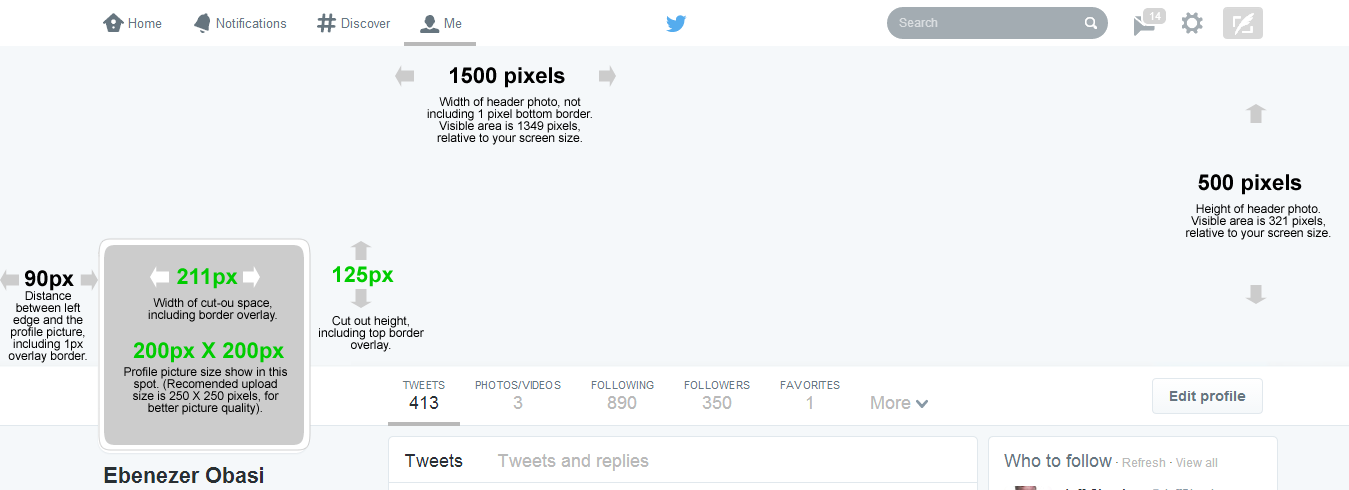
    The Twitter header photo is not a common image size, and the rectangular composition includes a cut-out for your profile image in the lower left corner.
    This means the best-looking header photos tend to be images that are designed to take advantage of the header photo’s exact size and shape.

    Shape and dimension of Header area. Click to view full image

    Detailed measurements:

    • Official recommended size for Twitter header photo is: 1500 pixels wide by 500 pixels tall.
    • Profile image cut-out: 211 pixels wide by 125 pixels tall, spaced 90 pixels from the left edge of the header photo.
    • Profile image size: 200 x 200 pixels, with a recommended image upload size of 250 x 250 pixels. (Note: Larger images can be cropped).

    Important tips:

    • If you upload an image smaller than 1500 x 500, it will be stretched to fit. This will make your image quality appear slightly grainy or distorted. The best practice is to upload an image that’s sized to Twitter’s dimensions.
    • Screenshot measurements reveal that only 321 pixels are visible from a 500-pixel image upload. The top edge appears to be covered by the Twitter header bar. A test with a 321-pixel tall image became distorted when uploaded, so do upload a 500-pixel tall image even though only the bottom 321 pixels will be visible.

    3. Don’t hide content behind your profile picture.
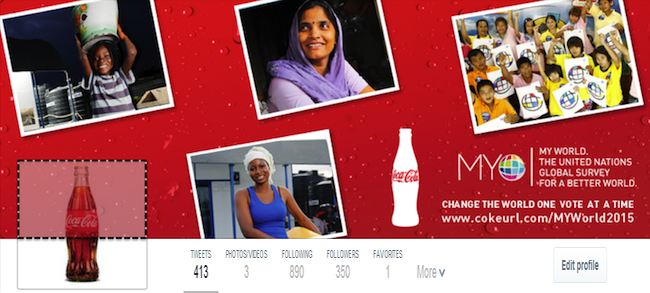
    Even though you are granted a massive 1500 pixels by 500 pixels to design a Header Photo doesn’t mean that you have all of that to work with. Because of the way that Profile Image are placed on Twitter profiles, there’s a section of your Header Photo that won’t appear unless you click on it.
    Note the area highlighted with dotted lines in the image below: That’s the part of the Header Photo that isn’t immediately visible to your Twitter followers.
    The dotted area is not visible unless the viewer clicks on the Header Photo
    Unless you are hiding a Christmas tree behind your profile image, it is generally recommended to keep the space clear.

    4. Decide contents to include in your header photo
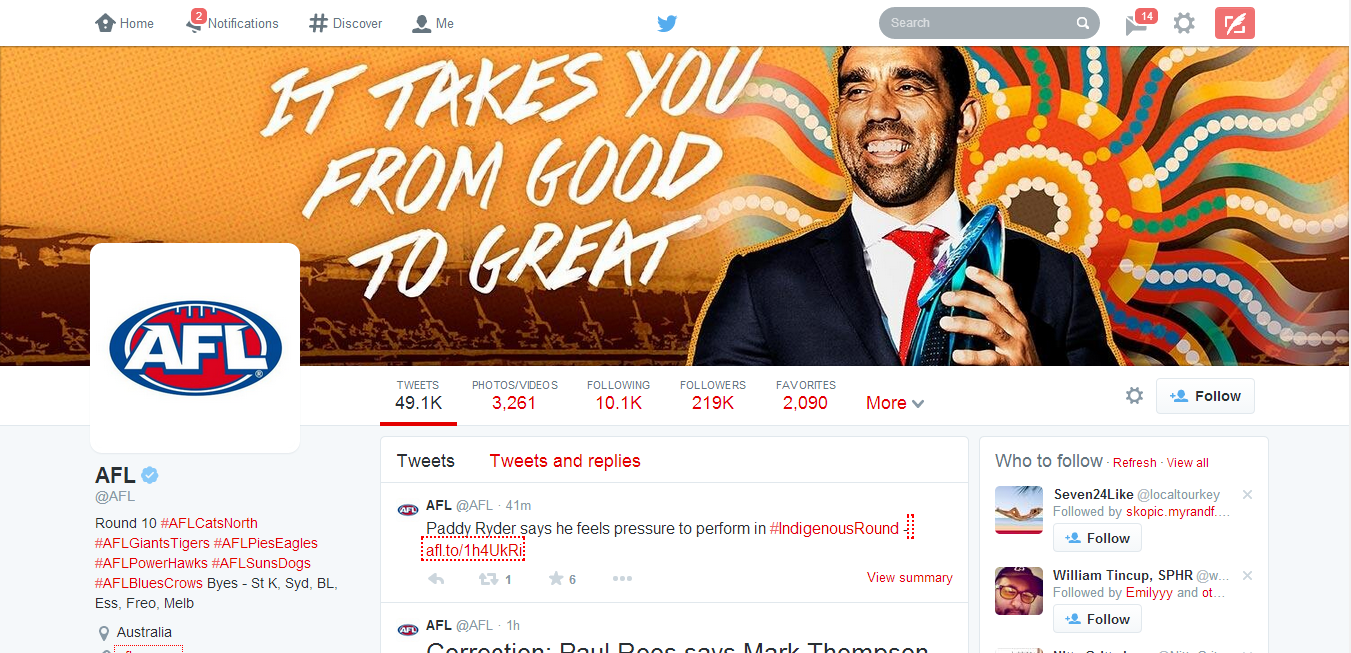
    Outside abusive and pornographic contents, Twitter currently does not have any rule limiting users on what kind of contents to display on their profile header image. However, it is the best practice to include only text/image that describe or relates to you.
    Use high-quality photographs that are in focus, have balanced color and good lighting, or use photo editing software to optimize your images. You can design an image collage or use one big, beautiful photograph — just keep the cover photo shape in mind when setting up your composition.
    Australian Football League Twitter profile. Notice the powerful text on the Header Photo
    Your company logo should appear somewhere, usually in your profile image, in which case it is not needed as an extra graphic in your cover photo. If you plan to include text, consider its placement when selecting images.
    Here are a few image content ideas suitable for brands:
    • Candid photos of customers enjoying your products (be sure to get permission to use their likeness)
    • Your most popular products
    • Icons of awards won
    • Employees in action
    • Company founders
    • Store interior or exterior
    • Branded vector graphic
    You might also consider the following type of text to grab your audience attention:
    • Company tagline or short phrase that explains what your business does
    • An impactful word that embodies your brand
    • Inspiring quote
    • Names of people in your photo
    • Photographer credits
    • Image copyrights

    5. Upload your profile header header photo

    Now is the easy part. Uploading your profile header photo is as simple as ever.
    1. Log in to your Twitter account.
    2. Go to your profile by clicking on “Me” on the twitter main menus.
    3. Just below the header photo area, click on Edit Profile button.
    4. Click on the Camera Icon on Header Photo space and click Upload from the drop down menu
    5. Reposition and scale your header photo by dragging the image and scale bar below it. When done, click Apply.
    6. Finally, save your changes and you are good to go!
    Awesome! If you think you did a great job, inspire others by posting your Twitter profile links on the comment section. GoodLuck!
  • Quickteller – Buy Airtime, Pay Bills and Transfer Funds Easily Online with your ATM Card

    Quickteller – Buy Airtime, Pay Bills and Transfer Funds Easily Online with your ATM Card

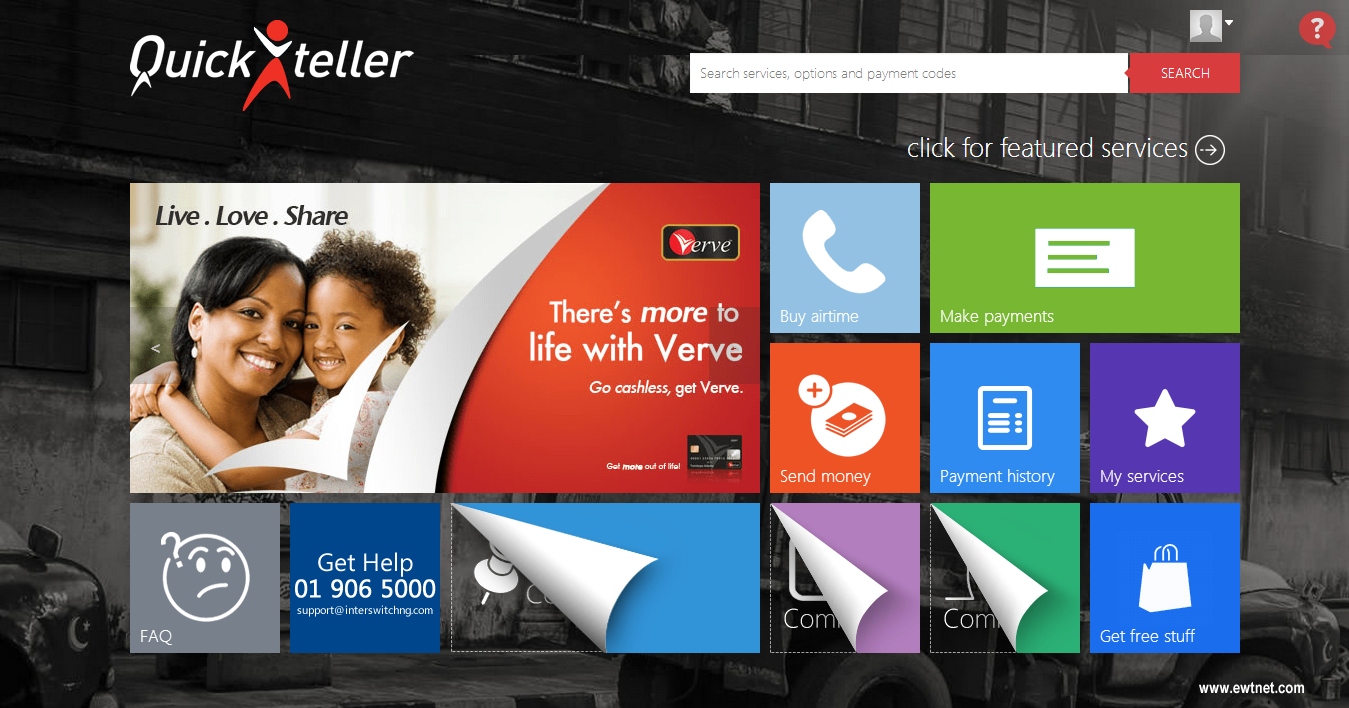
    A lot has been said about Nigerian cashless economy since the turn of last year. While the government seems to delay the implementation of this service, Quickteller has given us a taste of what it means to go cashless.

    Quickteller is a company based in Nigeria that allows Nigerians to buy airtime and pay bills online using their ATM card. The website has been around for some time but came to the interest of EwtNet only a few months ago, after the company added MasterCard NG to their list of payment means.

    Also read: How to create a US bank account in Nigeria

    What Quickteller can do for you?

    While a lot of Nigerians are already acquainted to buying airtime through ATM centers, you can ignore the long queue and and follow the shortcut: Quickteller allows you to easily top up your airtime balance online through your account dashboard. Currently supported mobile carriers include:
    • MTN Top-up (Prepaid)
    • Glo Top-up (Prepaid)
    • Airtel Top-up (Postpaid & Prepaid)
    • DexterSim Top-up (Prepaid)
    • Etisalat Top-up (Prepaid)
    • Visafone (Direct Top-up)
    • Starcomms (Direct Top-up)
    • Smile Communication Nigeria (Direct Top-up)
    The service also allows you to pay bills such as Government tax, School fees, TV renewal fees, Donations, Tithes, etc.

    Also Read: Say Yes! to Airtel Ultimate Opera Mini Browsing

    Apart from topping up and paying bills, Nigerians can as well transfer funds or receive funds to their back account directly from Quickteller.

    The service saves you a tremendous amount of time, easy to use, mobile friendly and does not apply additional charges to paying bills and buying airtime.

    The Down Side

    In all ways but one, Quickteller has proven to be flawless in delivering efficient and quality service to Nigerian residents. To help you remember your card details, you can add your mobile phone number to your account. However, as Salvador Dalí rightly placed it, “Have no fear of perfection – you’ll never reach it.” Quickteller has confirmed that it’s no candidate to bridge that saying as the company show it’s own lapses.
    Time and time again, Nigerian shopping malls seems to go clueless when it comes to payment processing. Quickkteller, is once again a victim of this circumstances: The payment processor is currently limited to the use of MasterCard and Verve ATM cards. This implies that users whose ATM card parade the VISA logo has no place in Quickteller. You should also be aware that your international MasterCard will not be accepted. However, it is my beleive that this service will be improved sooner rather than later.
  • Your New Google Glass Comes Without Video Calls Support

    Your New Google Glass Comes Without Video Calls Support

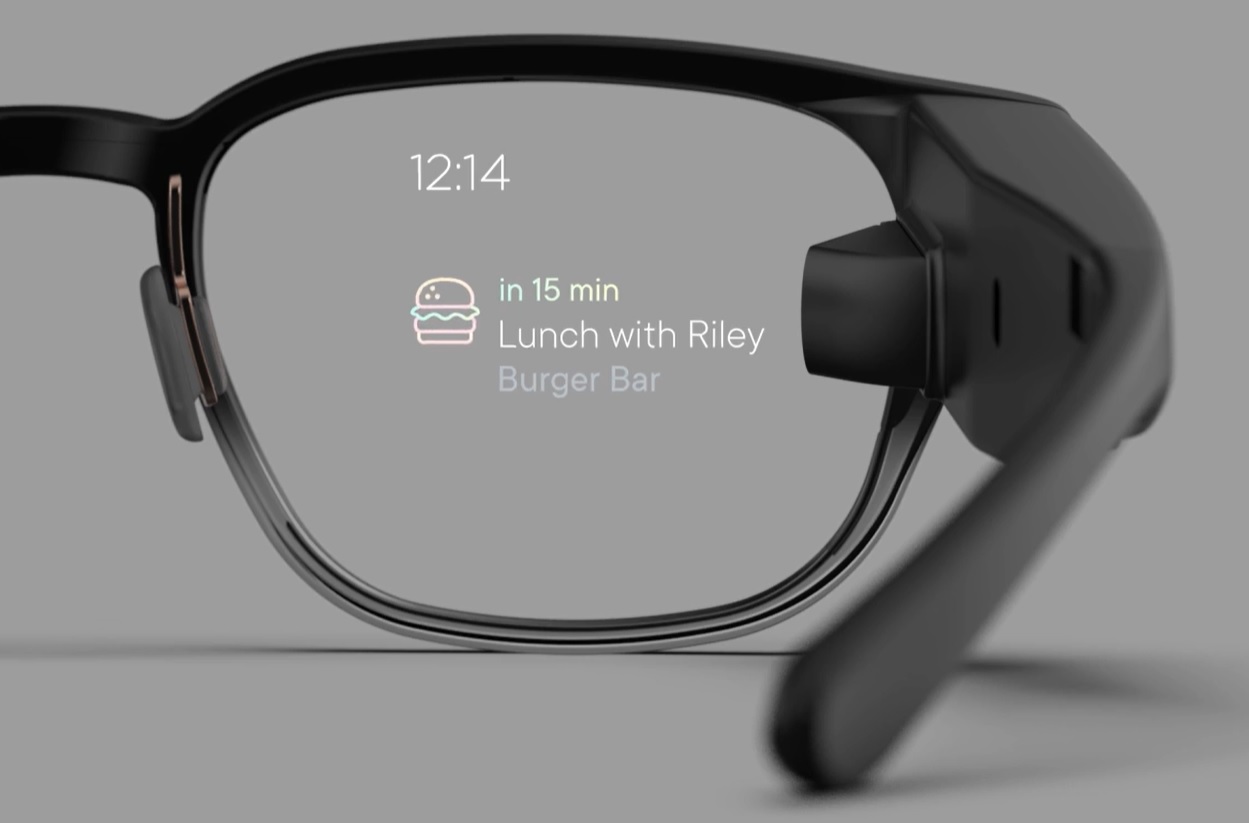
    As you set fort to lay your hand on a new pair of Goolge glasses today, let’s quickly give you the heads up on what to expect from Google’s $1,500 pair of glasses.

    Although the device will support KitKat and a couple of new features, including new tools for working with photos easier, Google has also decided to remove the option to do video calls from Glass for the time being.

    Google says video calls from Glass didn’t live out to the company’s “high standards.” Only about 10 percent of Glass users currently use them, and because of this, the Glass team has made “the hard decision to remove video calls from Glass until the experience is better.”

    It’s unclear when this feature will return, but Google tells Glass users to keep an eye out for video-streaming apps in the MyGlass app library for third-party solutions. Given that video calls from Glass were always one of the device’s marquee features, it does come as quite a surprise that Google would remove this, even if just a few percent of its current users use it.

    Is Hangout Really Enough?

    As for the photo updates, Google now finally bundles photos together so when you scroll through your timelines, it’s not cluttered by lots of photos, and the photos you take are easier to find. Glass now bundles all your videos, photos and vignettes into a single bundle for each day. If you take a lot of photos on Glass, that’s definitely a major improvement.

    Despite losing the video calling feature, Hangouts on Glass are still an option for chats, and with this update, Google now allows users to more easily send photos in Hangout messages.

    Other new updates include a voice command menu that’s now sorted by frequency and recency, as well as the ability to more easily send feedback about Glass right from the device.

    According to Google, there are a few more features in this update, too, but it hasn’t updated its Glass Journal blog yet. We will update this post with a list of all the new features as Google makes this information available.

  • Freelancer.com Acquires Digital Marketing Marketplace, Warrior Forum for $3.2M

    Freelancer.com Acquires Digital Marketing Marketplace, Warrior Forum for $3.2M

    According to a report on Techcrunch, job outsourcing marketplace Freelancer.com has put down a portion of the money it raised from its IPO last fall on buying Warrior Forum, a marketplace and forum for digital marketing professionals.

    Freelancer.com filed for an IPO last October, with the aim of raising ~$14.2 million — noting at the time that it intended to use the IPO funds for organic growth and also acquisition opportunities.

    It confirmed today it’s spent $3.2 million to buy the 732,000+ member strong marketing community site, Warrior Forum, where marketing professionals swap intel on topics including SEO, mobile marketing, social media, ad networks and more. More than 7.2 million postings have been made to the forum since it was founded, back in 1997.

    Freelancer.com said Warrior Forum will be run as an independent site, post-acquisition, with its new parent contributing resources and a dedicated team to help fuel further development of the community site.

    Freelancer.com, which was founded back in 2009, has acquired several companies over the years — including tech freelance jobs site vWorker/RentACoder and IT marketplace Scriptlance, both in 2012. More recently (this March) it picked up Polish freelance marketplace, Zlecenia.przez.net.

  • Google Glass Now Available to Everyone: How to Obtain your Own Pair of Google Glasses

    Google Glass Now Available to Everyone: How to Obtain your Own Pair of Google Glasses

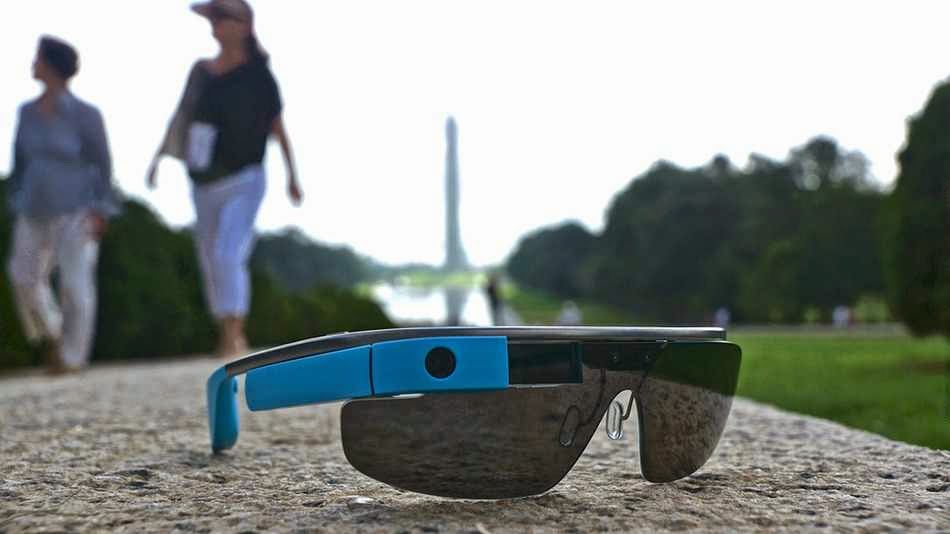
    In compliance to Google’s announcement last week, everyone in the U.S. will be able to buy Google Glass today, starting from 9 a.m ET.  “Every day, we get requests from those of you who haven’t found a way into the program yet, and we want your feedback too,” the company wrote in a blog post.

    Google Glass is not commercially available yet; it’s been available only to Google Glass Explorers — in other words, only through a very limited beta-testing program.

    Now, Google is opening up the program and folks in the U.S. will be able to get the Glass for $1500 + tax. Google has apologized to everyone else, saying it’s “just not ready yet to bring Glass to other countries.”

    The price is steep, but at least Google will throw in frames or a shade of your choice.

    To get the Glass, you need to be 18 years old, and you need to be a U.S. resident with a U.S. shipping address. Then, go to this address today, April 15, at 9am ET. Be fast, as the number of spots available is limited. You can also sign up for a reminder at the same address.

    If you are wondering what this pair of glasses will do for you, poke your cursor on this link to find out.

  • With LastPass comes the End of entering Passwords Manually in Android Apps

    With LastPass comes the End of entering Passwords Manually in Android Apps

    Password management service LastPass, which stores passwords on a secure online service to automatically log users into websites, has rolled out automatic password entry to Android apps and the smartphone’s Chrome browser.

    So for LastPass users on Android, the days of manually entering passwords into apps and websites are over.

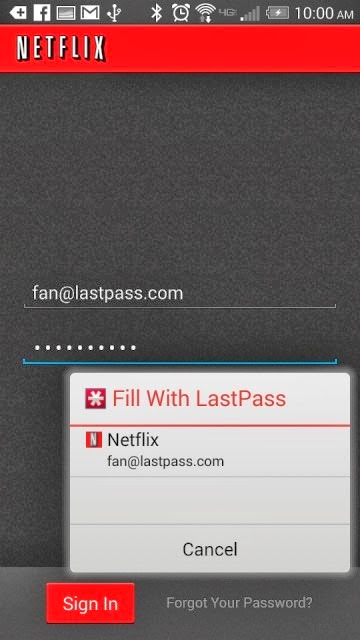
    “It takes the concept of our desktop functionality — recognizing what page you’re on and looking for a match stored in your vault — but is adapted for the Android accessibility feature,” Amber Gott, a LastPass spokesperson, told Mashable. “Once the option is enabled in the LastPass Android app, LastPass can now ‘see’ when you’re on an app login page, and then can hover and let you know if you have a matching login.”


    The news comes just a few weeks after competing password management service PasswordBox enabled a similar automatic entry feature. Previously, LastPass users needed to copy and paste passwords from the LastPass app to log into native apps and sites.

    The feature is available for apps on devices with Android 4.1 and later and Chrome on smartphones running 4.3 and later. It also supports Dolphin HD and Firefox mobile browsers, too.

    Although the functionality adds a big convenience on Android, it’s unclear if and when the feature will ever come to iOS devices.

    “Unfortunately, Apple doesn’t have an equivalent that allows us to hook into the OS and securely deliver users their data,” a LastPass spokesperson told Mashable. “We’re still looking into it and hope that further updates to iOS may allow us to implement something similar.”

    Click here to download LastPass password manager to your Android smart phone.

  • Microsoft And Dell Sign Patent Royalty Agreement For Google’s OS

    Microsoft And Dell Sign Patent Royalty Agreement For Google’s OS

    Today Dell and Microsoft announced that they have signed an agreement relating to intellectual property, which will see the two companies “license each company’s applicable” patents regarding Android and Chrome OS devices, as well as Xbox consoles.

    So Dell will pay Microsoft dollars when it ships devices running Google’s operating systems. The companies mention Xbox consoles because Dell, it turns out, has some IP with surface area to the device. Dell likely got a discount on its royalty payments as a result.

    The Android and Chrome OS portion of the agreement are not surprising, other than that they indicate that Microsoft can turn the largest of OEMs into its paying customers, and that it undercuts Google’s mobile platform hegemony and attempt to break into the traditional PC market. How so? Increasing the unit cost of using Android and Chrome OS adds a nip of cost to each unit, making them less profitable for their manufacturer, or more expensive to the consumer. Neither is much of a good option.

    And Microsoft directly cashes further into Google’s success, which is one of the more ironical pieces of the technology world at the moment.

    This post was originally posted on Techcrunch | Image by Flicker user Alex Schwenke under CC BY 2.0 Licence (Images has been cropped)

  • The Best Camera Apps for Android

    The Best Camera Apps for Android

    Tons of camera apps has been made since the foundation of Android OS. While many blogs and websites has had their say on which app is best, we are going to consider seven Android camera apps that can easily fit in as the best among it’s kind.

    In this list we are going to consider features that makes them stand out among the crowd and reasons why they are better than your preferred camera app. From 1 – 7, let’s get the list rolling.

    Camera360 Ultimate – The Best Camera App

    For sometimes now the position of Camera360 Ultimate has been unquestionable in the marquee of best Android camera apps. The free mobile application is arguable the best camera app around this days and could easily replace any smartphone default camera app.

    Features

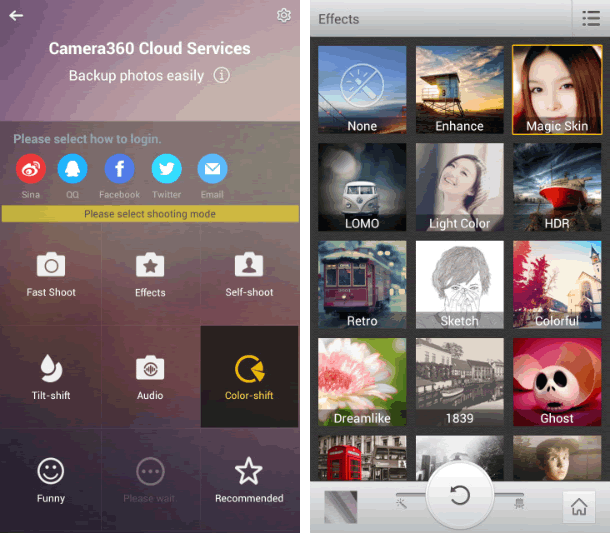
    Camera360 Ultimate of course, was only an upgrade on the old Camera360 app, which was mostly known for its HDR shooting mode. The recent version still has it in there, among some other useful features like photo effects, quick sharing, support for phone-mountable Sony lenses, and a very easy-to-use interface.
    • Easy-to-use Interface
    • Support for Phone Mountable Sony Lenses
    • Photo Effects
    • New Camera Store
    • Basic editing tools, including crop, rotate, etc
    • Photos are classified by time in Camera360 album for easy photo search and management.
    • Safe and smart cloud album for photo storing, managing, editing, sharing and more.
    • Free photo editor featuring tons of filters, unique shot modes, and extras not found in other apps from the genre
    • 1-tap upload to Facebook, Twitter, Flickr, and more
    • HDR Shooting Mode
    • Real-time digital zoom
    • Hardware tweaking options, including white balance, night shooting modes, ISO, focus metering, exposure, contrast, saturation, and more (as long as your hardware supports it)

    The Awesome

    The application compared to its competitors is worth over $4 – $5 but has been made totally free by its producers. Camera360 Ultimate makes it easier to choose between normal shot and special effects shooting mode allowing it to function properly on almost every Android device including low end Tecno Android phones.
    The latest version of Camera360 Ultimate is loaded with amazing photo tools and features. The good thing about the application is the new camera store where you can manage and add new features to your camera app. You can add features such as Effect Cam, Selfie Cam, Easy Cam, Scene Cam, Funny Cam, Tilt-shift Cam, Color-shift Cam, Audio Cam, etc. Free of charge.

    Where It Falls Short

    Camera360 Ultimate’s interface is great at guiding you right to the type of shooting mode you may want, but the problem with the app is that it’s gotten progressively bloated and bogged down with features that aren’t too useful and have little or nothing to do with taking good photos—just gimmicky ones. It’s also gotten to be a big of a storage hog, weighing in at 21mb.

    6 Worthy Alternative of Camera360 Ultimate

    Camera ZOOM FX ($3.00) has been the preferred camera app for many android users but will always face stiff competition against free top crooners like Camera360 Ultimate. The camera app has features such as:
    • Auto-focus and tap-to-focus modes
    • Hardware tweaking options, including white balance, night shooting modes, ISO, focus metering, exposure, contrast, saturation, and more (as long as your hardware supports it)
    • Gesture and multitouch support, including pinch to zoom, tap to focus, and tap to shoot
    • Burst shooting mode that supports up to 20 shots/second
    • Customizable grid overlays (so you can make use of the rule of thirds, the golden ratio, or other composition techniques)
    • Horizon level indicator (never take tilted photos again)
    • Stable shot meter and shooting mode (with crosshairs that flash red when the camera is moving)
    • Customize all the hardware buttons on your phone and assign them to camera functions, e.g. zooming with the volume controls
    • Support for time lapse shots and long exposures
    • Self Timer
    • Voice and sound-activated triggers: Clap or speak to take a picture
    • Silent photo shooting and shutter sound control
    • Over 40 different photo filters and effects, like tilt-shift, vignette, LOMO, retro, toy camera, and Polaroid
    • Dozens of photo presets for one-touch personalization
    • Real-time digital zoom
    • Geo-tagging of photos using your phone’s GPS
    • Preserves EXIF and other metadata with your photos
    • Auto-save of images when you take them
    • Live previews of photo effects and filters before you apply them
    • Basic editing tools, including crop, rotate, etc
    • Non-destructive photo editing features
    • Collage shooting modes, so you can build an instant collage of photos you’ve just taken
    • Quick social media share
    Works a bit better than the stock app and offers ISO mode control. Unfortunately, all the photos are cropped to 4:3 instead of 16:9, and there doesn’t appear to be any way to fix it. With its amazing features as mentioned above, Camera ZOOM FX can comfortably sit in our second place for best Android camera app.
    ProCapture ($3.99, Free ‘Lite’ Version) is a great camera app for niche photo shooting. The application supports multiple advanced camera shooting modes such as: Timer, Burst, Reduced Noise, Wide Shot and Panorama.

    Action Snap Pro ($3.85, Free ‘Lite’ Version) is another niche photo shooting app. Allows you to use both front and primary camera of your android device. ActionSnap supports combining 4 or 9 photos. You can choose a time interval from 0.1s to 5s and start capturing photos by one click only, or you can use the custom mode to take photos one by one.

    Camera FV-5 ($4.13, Free “Lite” version) has been around for sometime, but only recently did it get good enough to grab our attention—and boy did it get good. Loaded with tons of features, and the developers has added a lot of useful shooting features over filters and effects. You can now control hardware settings like white balance, exposure time, aperture, light metering, and so on, and the viewfinder even has an RGB histogram right there, updating in real-time. You’ll find all of the other useful features from Camera360 ultimate and other apps here too—tilt-shift shooting, auto-focus and tap-to-focus, long exposure support, the works. Its only drawback is that the interface can be a bit overwhelming as a result of all of the features.

    Vignette ($3) midst stiff competition is still around and kicking, and is an excellent option if you’re looking for an elegant shooting interface and more filters and post-processing effects than you can shake a stick at. It looks great, is a joy to use, and like Camera FV-5 can do a lot of things the other apps here can do, including tilt-shift photography, cross process, duotone, LOMO, toy camera, and more. Vignette’s only drawback is that in being elegant and useful, it’s also a bit lighter on features and shooting modes. Still, if other camera apps are overkill but you still want a step up from stock, try it out.

    Focal Camera (Free), pretty much at the beta stages and good enough to decorate the bottom area of our awesome list. The application is loaded with  features like HDR shooting, panorama shooting, photospheres, burst shooting modes, self and auto-timers, and more. It’s a bit buggy on some devices, is definitely still a beta, and doesn’t support anything running less than Jelly Bean 4.2, but if you need HDR or panoramas, it’s more than worth a look.

  • VMware is Looking for a Strategic Partner Business Manager – Kenya

    VMware is Looking for a Strategic Partner Business Manager – Kenya

    VMware a visualization cloud infrastructure solution company is currently looking for qualified applicant to fill its position of a Strategic Partner Business Manager, Kenya branch. The full details of the job is contained below.

    Job description

    The Strategic Partner Business Manager (SPBM) will be responsible for account managing and selling to some of the largest and most strategic corporate resellers in Kenya in order to develop strategic relationships and dramatically increase the revenue driven through each partner.

    Main Duties:

    • Create working business plans covering sales training, technical enablement, lead generation and marketing activities, as well as maintaining and increasing partner competency accreditation .
    • Drive large opportunities and incremental revenue through building strategic relationships with key corporate resellers.
    • Establish and grow VMware practices expertise within large corporate resellers to strengthen VMware market place defensibility and growth.
    • Establish Virtualisation and other VMware technologies as a key component of IT strategy that is embraced and promoted by large corporate resellers.
    • Market and sell to the corporate resellers in defined region to ensure that we become a standard part of relevant practices, such as Cloud, and End User Computing
    • Present to and educate the key influencers at the corporate reseller to ensure they are including VMware in their recommended solutions/proposals to customers.
    • Create direct relationships with key corporate resellers management team and map to VMware management and establish contractual relationships with the key partners.
    • Map Solution Providers field organization to VMware field organization, including technical resources where appropriate.

    Required Skills:

    • A proven track record in managing corporate resellers for either an enterprise software or hardware vendor, or within sales at a corporate reseller.
    • Demonstrated experience in enterprise software sales with a proven track record of over achieving sales goals.
    • Substantial experience of working in a channel environment.
    • Good presentation skills
    • Ability to work with a portfolio of partners
    • Excellent oral and written communication skills
    • Strong interpersonal skills: relationship building, influencing
    • Focus on results with ability to follow through
    • Good attention to detail and reporting skills. The role, responsibilities and geographical focus will change and develop over time along with the company’s rapid growth.

    Before you join, VMware will require you to go through a pre-employment screening process. This means that we will want to verify your details and the information you have given us to ensure your suitability for a certain role considering its nature, seniority and other relevant factors.


  • MakerBot Itty-Bitty 3D Printer now open for pre-order

    MakerBot Itty-Bitty 3D Printer now open for pre-order

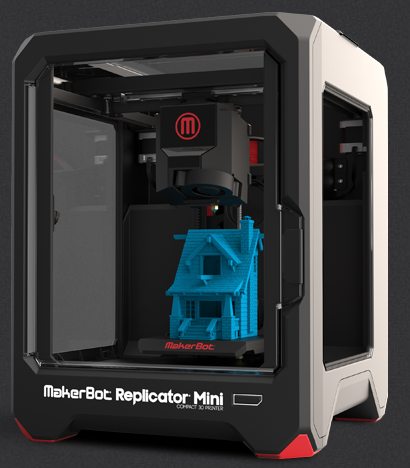
    Back at CES 2014, MakerBot announced three new 3D printers: one small (Replicator Mini), one huge (Replicator Z18), and one that’s about the same size as the one they’ve sold for years (now just the “Replicator”). With a new smart leveling system and built-in webcams for monitoring prints, these new models pack a few tricks that the older Replicators don’t.

    Since that announcement, though, only the standard Replicator has actually gone up for sale. If you wanted the baby-bear or papa-bear model, your only option was to sign up for more info later.

    Good news! Sort of. If you were waitin’ for the Mini-model, pre-orders just opened up. At $1,375 (before shipping and taxes and whatnot), it’s the cheapest 3D printer that MakerBot offers by almost a grand.
    The catch: they’re still not 100% sure when these things will ship. They pin their launch window sometime in “Spring”, but don’t get any more specific than that. For people (like me!) who are terrible with seasons: assuming they mean Northern Hemisphere Spring, that’s sometime between March 21st and the end of June.

    If you’re just looking to dabble in 3D printing but the upfront cost is a prohibitive factor, the Mini looks like a pretty damned solid option. Just know that the maximum build volume is 3.9×3.9×4.9″ — so if you’re looking to print anything much bigger than a coffee mug, you’ll need a bigger box.

    You can find the pre-order page right over here.

  • Sony To Close Two-Thirds Of Its US Retail Stores

    Sony To Close Two-Thirds Of Its US Retail Stores

    Sony announced today that it is shuttering 20 of its 31 retail stores located throughout the States. The 11 remaining stores are located near major markets.
    This shouldn’t come as much of a surprise. As the company’s press release states, this move is designed to place Sony in a more competitive stance. The Sony of today is in flux. It’s offloading unprofitable divisions left and right in an attempt to right the capsizing ship and sold off its PC business just last month. The company has eliminated over 12,000 positions over the last two years. These store closings will kill an additional 5,000 jobs.

    Sony is clearly looking for any way to reduce its liabilities and size. Even though it’s had retail stores for more than a decade, the stores never took off despite a rebranding in 2011. They used to be called Sony Style stores and were awash in Sony products. They were lifestyle stores, designed to showcase product rather than sell it.

    But while Sony’s retail strategy was influx in 2010 and 2011, Apple’s stores were taking off. Sony later cloned Apple stores and dropped the word Style from the name. But it didn’t work.

    Retail is hard. Ask Circuit City, Gateway and small town computer shops. To be successful it requires equal parts luck and skill. Sony clearly doesn’t have either.

  • Apple Makes Big Improvements In iOS Management Tools For Enterprise And Education

    Apple Makes Big Improvements In iOS Management Tools For Enterprise And Education

    Apple has been busy in the IT department. Today, it released a slew of improvements and alterations to its large-scale deployment tools for education and enterprise customers.

    Some of the tweaks get way out in the weeds of deployment strategies, so they’ll only be really exciting for the actual pros who deal with this stuff. But the big picture is that Apple is looking to make deployments at enormous scales more appealing for the people in charge of purchasing and maintaining iPhones and iPads. This, hopefully, will result in more major purchases by organizations and fewer negative stories about failed management scenarios.

    The changes are outlined in a series of documents Apple posted on its IT deployment page today. These include changes to its Device Enrollment Program, Volume Purchase Program and the Apple ID for Students service. A new iOS deployment technical reference guide and Device Enrollment Program guide have been issued, updating its older versions with new options for device management. A new overview document provides a quick cheat sheet for enterprise folks looking to utilize the tools Apple provides to mass purchase apps and roll out huge numbers of iOS devices at a time. And a new iOS Security Document has been posted that provides in-depth details on how Touch ID and the A7’s Secure Enclave work.

    I’ve had conversations with IT pros and people who roll out large iPad installs in the past and they’ve mentioned that one of the things that has continued to cause Windows devices to hold some appeal is their better remote installation and configuration support. To that end, Apple has made some updates to improve that situation.

    Both the enterprise and education programs now have support for Mobile Device Management hands-free configuration. This ‘zero touch’ setup has been a long-requested feature for many pros, as it eliminates the need to cable up every deployed device and install a profile via Apple’s Configurator utility.

    The zero touch configuration allows an organization to sign up for a profile and order devices directly from Apple that come pre-configured with all of their security and configuration choices. They can then manage them directly without ever having to touch them physically. Additionally, the ability to lock these profiles to the devices means that the end user won’t be able to remove them and do what they want to the devices willy nilly.

    This way, the load is taken off of IT departments in the rollout phase and the user is able to customize and play with the devices without mucking up security profiles. It will also allow IT departments to easily and wirelessly conform users’ own devices to their company security policies with a simple opt-in.

    “The other bit that’s interesting is that DEP-enrollment now allows admins to require and force MDM enrollment on devices they own,” Fraser Speirs, Head of Computing and IT at Cedars School of Excellence in Scotland, pointed out to TechCrunch. “This is huge for schools. The lack of enforceability of MDM enrollment was — by my guess — the central problem in the now-infamous Los Angeles Unified School District ‘hacking’ scandal.”

    Schools in LA had deployed a large amount of iPads, but had to recall them after students were found deleting the enrollment profiles on their devices. This allowed the students to use them to *gasp* browse the web as they pleased and install unapproved apps on their personal units. The anarchy would not stand and the district began reconsidering its rollout — which has since resumed. These kinds of high-profile flubs likely didn’t do anything to help the momentum of Apple’s organizational rollouts. This enforcement should allow customization, while preventing circumvention of IT rules.

    In short, it should make iPads even more attractive to these markets.

    The Volume Purchase Program has also gotten a nice overhaul. It’s now available in all 10 VPP countries for both enterprise and education partners, allowing these organizations to bulk buy applications for installation on bunches of devices at once. These purchases are generally offered with hefty discounts, which makes them more appealing to schools with tight budgets.

    In addition, VPP purchases are now able to be made via purchase orders by enterprise customers, something that was only available to IT pros in the past. Offering PO support to IT departments is going to open up VPP purchases to a huge segment that previously had no way to requisition software from Apple.

    In the educational market specifically, Apple has opened up the ability for students under the age of 13 to obtain their own Apple ID. After a school is enrolled, they can request IDs from Apple, who will then send a communication to the parent, who will then be guided through the registration process. The school is then notified that the student has been given consent.

    Though under-13 IDs were opened up late last year, the new changes open the way for students, specifically, to sign up — in a way that is COPPA-compliant. They require parental consent to sign up, for one. And these Apple IDs are limited in a specific set of ways.

    For instance, a student Apple ID account features limited ad tracking, doesn’t allow them to opt-in to marketing and there is no iCloud email support by default. They also do not require a credit card to sign up and can notify a parent or guardian of any change in the terms of the account. These accounts convert over to a full account with all normal rights and privileges once the student reaches age 13. Apple has provided a new parent guide that details the exact process and allowances of these special Apple IDs and a guide for institutions who will utilize them.

    “I think the overarching story here is that these changes are all about making deployments scale up to genuinely massive numbers,” says Speirs. “School districts are topping out at around 50k units right now — to my knowledge — but there are obviously bigger deployments in other areas of education – and enterprise.”

    For now, we’ve confirmed that the Device Enrollment Program will only affect devices purchased by organizations directly from Apple. This means that schools like Speirs’, who work through retailers, won’t be able to use the program to pre-configure devices — yet. But that will likely be on the way.

    “I do think these are major steps forward for IT organizations,” Carl Howe, Vice President, Research and Data Sciences at Yankee Group, told TechCrunch. “In many organizations, IT spends much of its time being ‘the department of no,’ where they tell employees that they can’t do things for reasons of manageability or security. By making Apple devices more manageable and being transparent with its security, Apple is helping those IT organizations go from being the department of no to ‘the department of yes.’ And given that ease of use boosts security compliance, the fact that this can be done in ways that don’t require the end-user to do anything special (i.e., their device gets provisioned to them fully linked up to their organization, secured, etc.), it should make Apple devices even more popular in businesses than they already are.”

    iOS devices have gained a large amount of popularity in organizations by leveraging the bring your own device trend. If the boss gets a new iPad and loves it, the IT department will have no choice but to support it somehow. But in order to spur growth, and to keep the vaunted ease of use of iPads and iPhones intact, Apple has to continue to refine its offerings for device deployment.

    These changes are an attempt to keep the way that people use an institutional iOS device and a consumer iOS device as close to parity as possible. If you’ve ever jumped through hoops to configure a company-issued laptop or phone, then you know how much of a pain that can be. If you imagine doing that 50,000 times, you can see why these improvements could spur a nice surge of adoption by purchasing departments.

  • Samsung Galaxy Note Pro Review and Spec

    Samsung Galaxy Note Pro Review and Spec

    PROS Large, vivid screen Excellent battery life and performance Office and videoconferencing apps are built inCONS No wired display connection Flip cover doubles as a flimsy stand Avoid using it for pictures Exceptionally high price

    AT A GLANCE

    Spending $750 for an Android tablet seems exorbitant. But the Samsung Galaxy Note Pro offers a larger screen, excellent battery life, and access to the Android and Samsung app stores. When one considers the wealth of inexpensive Android tablets available, the idea of paying $750 for a 12-inch Android tablet seems inconceivable. But if now isn’t the time for consumers to start thinking of large Android tablets as legitimate Windows laptop replacements, that day isn’t far off.
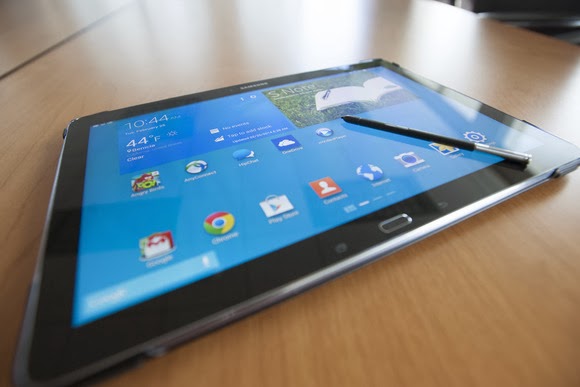
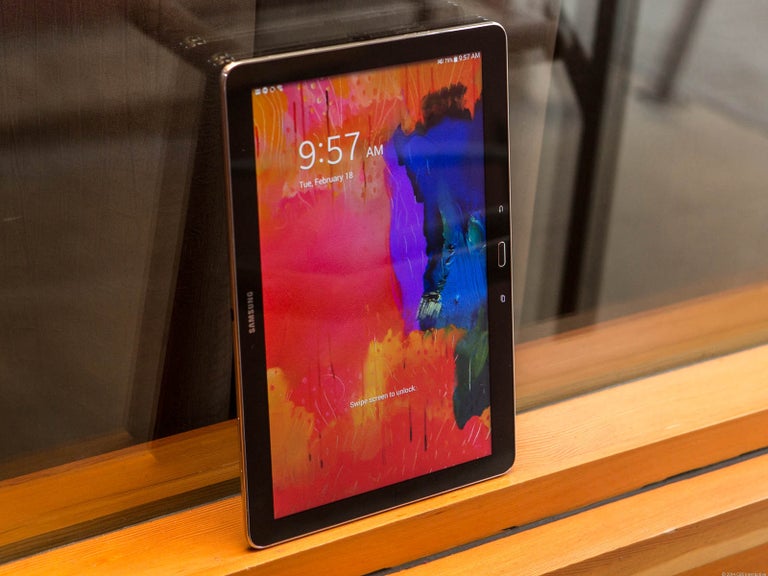
    That’s right: a Windows laptop replacement. That’s the only way to consider the Samsung Galaxy Note Pro, a massive tablet that, like the Microsoft Surface, works best on a desk. Samsung’s 12.2-inch Galaxy Note Pro (7.95 mm thick, 1.65 pounds) is virtually identical to the Galaxy Tab Pro, save for the addition of an S-Pen stylus.

    This is not a competitor to smaller tablets like the Nexus 7. Indeed, if last year’s Galaxy Note 3 smartphone doubles as a reporter’s notebook, then the new Galaxy Note Pro is something akin to an electronic legal pad. And with a surprisingly complete selection of productivity apps in both Google Play and Samsung’s own app store, this massive Android tablet can help you get real work done.

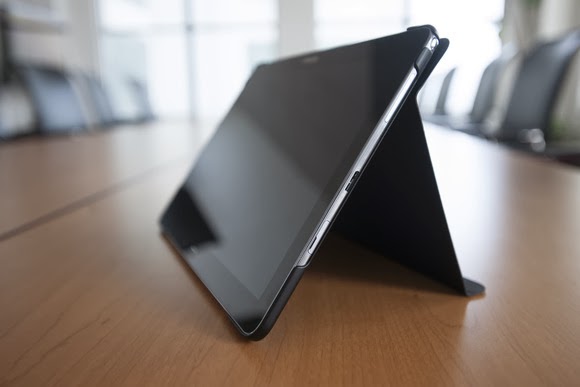
    The Galaxy Note Pro lacks an integrated keyboard, and the cover, which does double duty as a stand, is a little flimsy.

    The Note Pro is available for either $750 for a 32GB model, or $850 for 64GB of onboard storage. So far, Samsung has yet to announce the price for a model with an integrated LTE WLAN chip. According to Samsung, the Wi-Fi version of the Note Pro houses a 1.9GHz quad-core ARM Cortex A15 chip, powering Android 4.4 (KitKat). Our performance tests produced a Sunspider score of 0.97 seconds (which hits the upper echelons of the tablet market), and a PeaceKeeper score of 815. For the sake of comparison, the iPad 3 managed 516 in PeaceKeeper, and the Dell XPS 10 hit 324 (higher scores are better).

    The Samsung ‘Surface’

    It’s not much of a stretch to consider the Note Pro as Samsung’s response to Microsoft’s Surface 2 Pro, which starts at $899 for 64GB of onboard storage. Both the Note Pro and the Surface Pro 2 ship with foldable keyboard covers; the Note Pro’s can be configured so that it wakes up and unlocks the tablet when flipped back. But while the Note Pro’s cover actually doubles as a stand, it’s not immediately obvious that it does so.

    The Note Pro also lacks an integrated keyboard, such as the Surface’s Type and Touch Covers. In fact, to use it as a laptop replacement, you’ll need to buy a Bluetooth keyboard and possibly a mouse. That completely eliminates its use as a “lap top” computer.
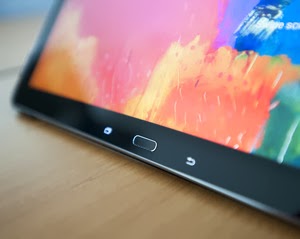
    Physically, the Note Pro looks like a Note 3, flipped on its edge. The tablet is designed to be held in landscape mode, with the physical home button mounted between the back and applications buttons. Near the top sits the 2-megapixel front-facing camera, with an 8-megapixel camera at the back. (Unfortunately, the cover lacks a rear camera cutout, so when thumbing the camera button, you’ll have to awkwardly hold up the cover.) Volume and power switches sit on the top, while an all-important microSD card slot sits on the side.

    An underrated productivity tool

    Like the Note 3, the Note Pro uses the new USB 3.0 connector, collecting juice through a high-output charging plug. Charging the Note Pro takes about three to four hours, but battery life is excellent: You’ll see two, possibly even three days or so of casual use from its integrated 9,500 mAh battery, and our looping video test ran down the battery in 8 hours, 37 minutes. That’s on par with the Dell XPS 10 tablet.

    Unfortunately, you won’t be able to use the Note Pro on long flights. The tablet, its stand and a Bluetooth keyboard will take up too much room on a seat-back tray. But you can still use the tablet for mid-flight video playback in your hands. The 12.2-inch display boasts a 2560×1600 resolution and 247 ppi pixel density, and you can even hook up an external monitor care of an optional external HDMI dongle for $39.99.

    One of the problems with Samsung’s latest devices, beginning with the Galaxy S4 smartphone, is their overwhelming number of largely extraneous features, such as the “smart pause” feature that supposedly pauses video playback when you look away. You’ll see a number of these still hidden deep within the Note Pro’s settings menus—but thankfully turned off.

    Feel free to mix and match entertainment and work apps—the Note Pro can handle both.

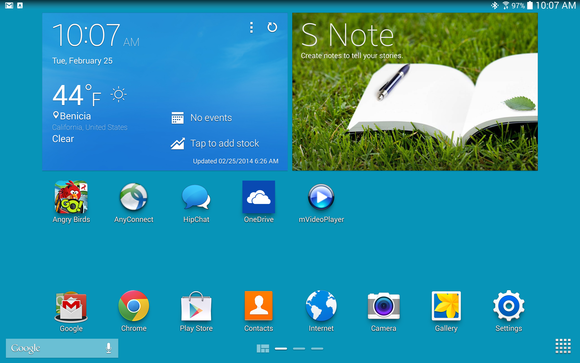
    The default home screen contains a giant reminder widget for S Note, so that you don’t forget the S Pen. Equally useless New York Times and Twitter widgets can be tossed out. And, fortunately, a collection of news and entertainment apps, such as WatchON and a version of Samsung’s Flipboard-like My Magazine app, are confined on the peripheral screens.

    You can use the pen to draw your own windows,
    as I did, using the S Pen.

    As with the Note phones, pulling out the S Pen triggers several options, including an Action Memo; the ability to save content into a Scrapbook; and my favorite, the Pen Window. The Pen Window lets you run a second app inside a window, providing Android with a desktop-like multitasking environment. You simply draw a box, and when it’s done, select the app you want to fill the space.

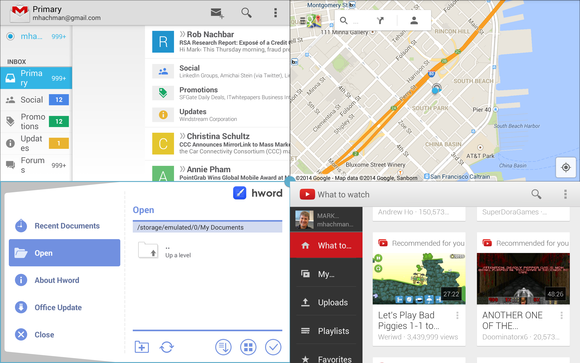
    Samsung, however, now has a better option: Multi Window mode, which Samsung has made available on only the largest Galaxy Tab and Note tablets. To trigger Multi Window mode, you swipe in from the right-hand side, via a list of supported apps. (YouTube is supported, for example, but Angry Birds is not. And, inexplicably, Chrome is not supported by Pen Window mode, but it is under the Multi Window view.) Dragging one app to the main screen fills it. Dragging a second “snaps” the screen into two halves—and so on, up to a total of four screens. On a smaller tablet, this is a gimmick, but on a larger tablet like the Note Pro, it’s surprisingly useful.

    Multi Window can show four apps at once, or you can snap two. This is amazingly useful.

    A viable office suite

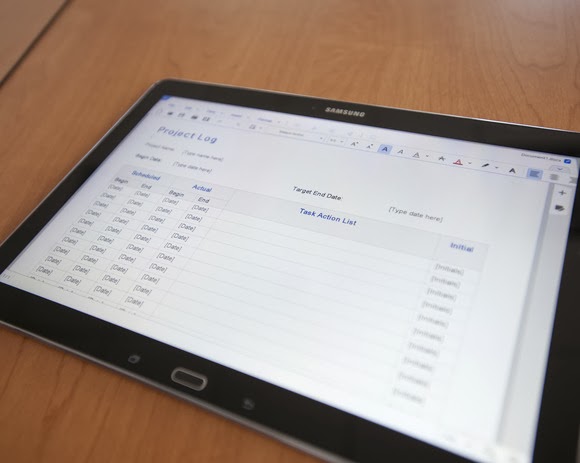
    More impressive are the numerous productivity apps that are either available via the Note Pro itself or via Samsung’s own app store. Apps such as Cisco’s WebEx, a Samsung Remote PC app (an alternative to Microsoft’s own Android app, Microsoft Remote Desktop), and the Hancom Viewer are all included. On Google Play, Hancom’s Hanword, a word processor, cost over $17 at press time, but on the Note Pro, it’s free, as are similar apps to view and edit PowerPoint and Excel documents.

    The Hancom apps ship in both “viewer” and editable versions, and the Note Pro tends to open files in the “viewer” version first without an option to choose the editing app, which is annoying. Google’s own Quickoffice is also installed. Aside from some possible font compatibility issues, the Hancom apps seemed to work surprisingly well.

    Keep in mind one thing: With the Note Pro, these productivity apps are free. If you purchase a Surface Pro 2, you’ll also need to pay for a subscription to Office 365 or a standalone copy of Office 2013. That pushes the long-term cost up.

    Hancom’s app suite makes the Note Pro a viable productivity tablet.

    Samsung inexplicably omitted the VPN app that it included on the Note 3, meaning that you’ll need to search out an Android version, such as Cisco’s Easy Connect, on the Play Store. In all, though, I found Android versions of virtually every productivity app I wanted from either the Samsung or Google Play, giving me a PC-like experience on an Android tablet.

    This is the bottom line. Windows PCs and Macs represent the power-user extremes of the computing experience, owning everything from Adobe Photoshop to the latest first-person shooters. But tablets are for centrist users: Android tablets and iPads dominate casual gaming, and more and more light-productivity apps are being written for those platforms.

    The sum of its parts—a large screen, excellent fantastic battery life, multi-app windows, and equivalent PC software—not only make the Note Pro a viable choice for a tablet enthusiast, but a jumping-off point for an adventuresome road warrior to leave the Windows world entirely. If only Samsung could knock another $150 or so off the price.

  • Microsoft deal delivers ‘free’ 100GB of OneDrive storage

    Microsoft deal delivers ‘free’ 100GB of OneDrive storage

    If you’re the type of person who can never have too much cloud storage, Microsoft just added a nice deal: 100GB of OneDrive storage as a Bing Reward offer.

    Normally, amassing the credits needed to redeem a Bing Reward takes some time and effort. But with just a little bit of work, you’ll probably earn this one almost immediately.

    If you prefer to use Bing as your search engine, or don’t mind switching back and forth between Bing and Google, Microsoft’s Bing Rewards is a worthwhile loyalty program. Each time you visit Bing, Microsoft records the visit. Over time, users are awarded “credits” for their visits as well as visiting a dashboard to pick up additional tasks or for referring friends to the service.

    Microsoft is offering a free 200-credit bonus to friends you invite to Bing Rewards.

    Now Microsoft is offering 100GB of OneDrive (nee SkyDrive) storage for one year for 100 credits. (Microsoft officials have said previously that any unused storage will vanish after the year expires, but Microsoft won’t delete any files.)

    Through the end of February, Microsoft is also offering a free 200-credit bonus to friends you invite to Bing Rewards. And if they complete Silver-level status (which basically means they need to click through a “tour” or two), you’ll get 200 credits as well. It’s a bit spammy, so you’re more likely to convince your friends to participate if you pitch it as a “scratch my back, and I’ll scratch yours” deal.

    Microsoft already hands out 7GB of free OneDrive cloud storage to new users who sign up for the service. As part of it rebranding SkyDrive to OneDrive marketing effort, Microsoft also handed out an additional 3GB if you simply turned on the camera-backup feature on your smartphone (iOS, Android, or Windows Phone). Referring a friend to OneDrive will earn you another 500MB, up to a maximum of 5GB.

    The additional OneDrive storage deal might not be the best offer you can get. Microsoft offers a 5-percent discount at the Microsoft Store for just 50 credits, for example, and other deals include $5 gift cards at Amazon or Starbucks for 525 credits.

    If you prefer Google’s search engine, you’ll probably want to stick with it. But if you’re willing to check out Bing, Microsoft will reward you with tangible benefits.

  • Wi-Fi ‘virus’ could be used to attack wireless access points

    Wi-Fi ‘virus’ could be used to attack wireless access points

    Dense concentrations of Wi-Fi access points and routers in large cities could be attacked by malware able to spread silently from node to node, researchers at the University of Liverpool have shown for the first time.

    In the experiment conducted by Jonny Milliken, Valerio Selis and Professor Alan Marshall, a specially-crafted virus called ‘Chameleon’ was pitted against a range of common access points with poorly-secured management interfaces (i.e. using default passwords). Once access had been achieved, Chameleon then attempted to take control of the device by re-flashing its firmware with a replacement, open source OpenWrt.

    Attackers gaining control in this way would be able to monitor traffic for credentials or other data but the team’s real discovery was that Chameleon would also be able to spread and infect other routers in its neighbourhood in a manner similar to an “airborne virus.”

    Having proved the concept in the lab, the team modelled the attack against the sort of Wi-Fi density found in two cities, Belfast and London, finding that even using an infection rate of five to ten percent, Chameleon would be able to infect several thousand access points within a few months.

    Outbreak…and resistance

    Although this sounds like a small number and a long timescale, in a large city each one of these access points could be serving anything from a handful to many thousands of people, so attackers would have gained access to potentially large amounts of valuable data.

    Most striking of all, because many access points are left untouched and unmanaged, the attack would be hard to detect. Access points using encryption would offer a small challenge to the extent that re-flashing them would destroy the embedded key. This would need to be captured first.

    The team doesn’t reveal which brands or classes of access point or router were vulnerable to Chameleon but were in no doubt that the re-flashing attack would work in the real world.

    “In some cases it will work, in some cases it will fail; some are resilient against it, some are not,” Professor Alan Marshall told Techworld.

    “It was assumed that it wasn’t possible to develop a virus that could attack WiFi networks but we demonstrated that this is possible and that it can spread quickly. We are now able to use the data generated from this study to develop a new technique to identify when an attack is likely,” said Marshall.

    Attack the weakest (access) points

    “Whilst many APs are sufficiently encrypted and password protected, the virus simply moved on to find those which weren’t strongly protected including open access WiFi points common in locations such as coffee shops and airports.”

    According to Marshall, the solution is to embed intrusion prevention technology into access points, something he was pursuing through Queen’s University Belfast spin-out, Traffic Observation and Management.

    The research highlights the unprotected state of router/access point technology, which rely on correctly-configured encryption and management to keep out attackers. But there is growing evidence that even without direct wireless attacks, these devices are riddled with vulnerabilities.

    Only days ago, a study by security firm Tripwire found most of the top 50 best-selling home routers had software flaws that would allow a remote attacker to gain control of the device even if it was secured.

  • Microsoft pleads with customers to ditch Windows XP and Office 2003

    Microsoft pleads with customers to ditch Windows XP and Office 2003

    Microsoft has again painted a grim picture for customers who remain on Windows XP and Office 2003 after it ends support for the old OS and suite in early April, but it’s unclear if the company is succeeding in its campaign to convince holdouts to upgrade.

    In a blog post on Wednesday, Microsoft reiterated that consumers and businesses that stick with the products past the April 8 deadline will face severe security risks and be unable to take advantage of technical advances.

    “Computers currently running Windows XP and Office 2003 won’t stop working on April 9, but over time security and performance will be affected,” reads the post.

    Specifically, Windows XP PCs won’t be able to run many “newer” applications or work with new hardware due to unsupported drivers. Additionally, PCs running the OS will become easy prey to malware, because Microsoft won’t release new security updates and bug fixes for it, nor offer support services and technical content updates. Office 2003, on the other hand, can’t provide modern mobility and cloud capabilities, according to Microsoft.

    Unsurprisingly the solution the company offers is for customers to adopt Windows 8.1 and Office 365, while acknowledging that in most instances PCs running Windows XP lack the hardware specs to run the new OS. “The majority of PCs running Windows XP are not capable of upgrading to Windows 8.1 due to the age of the hardware,” the post reads.

    Windows XP remains quite popular despite its age—it was first released in 2001. According to the latest figures from NetApplications, Windows XP has an almost 30 percent share of the desktop OS market, second only to Windows 7 which has about 47 percent. By contrast, Windows 8, which started shipping in October 2012, and its 8.1 update, released a year later, have a combined share of about 10.6 percent.

    Windows 8 and its update have drawn criticism for their touch-optimized interface and a series of disruptive bugs. Microsoft is promising another update for the spring that will make the OS friendlier for mouse-and-keyboard users, but the impression in the marketplace is that Microsoft has struggled to get Windows 8 right. The most pessimistic critics have likened Windows 8 to the disastrous Windows Vista, released in 2007 and generally panned.

    Office 2003 is also still heavily used. According to the results of a Forrester Research survey released in October, Office 2003 was in use in 28 percent of businesses polled, behind Office 2007 (51 percent) and Office 2010 (85 percent). The latest version of Office—called Office 2013 when sold via traditional perpetual license and Office 365 when sold via an annual subscription—was at the time used in 22 percent of companies polled, and with a slower adoption than Office 2010 at a comparable stage of release, according to Forrester.

  • How Nimbuzz Lost to Whatsapp and BBM in the IM Battle

    How Nimbuzz Lost to Whatsapp and BBM in the IM Battle

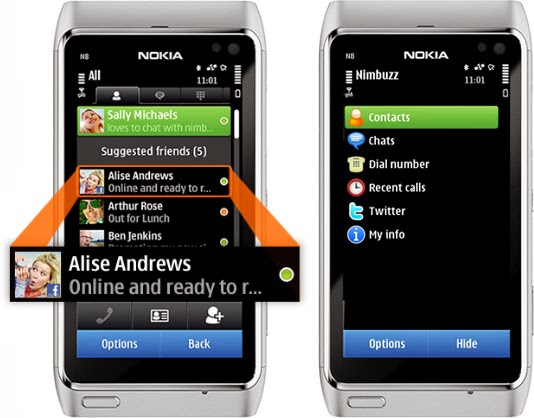
    As a high school boy in 2007, I always use Nimbuzz on my Nokia 8080 Java phone to keep in touch with my classmates. It was quite handy as it was the only reliable way to have a live chat with my friends & contacts on Facebook—yes, back in the days, you have to refresh Facebook mobile for new new messages—and Gtalk, send instant messages to my phonebook contacts and update my twitter status from my mobile phone.

    Nimbuzz
    Nimbuzz was an all-round app that does everything.

    Nimbuzz was an all-round app that does everything. You can connect your accounts on various Instant messengers (IM) such as Gtalk, Yahoo! Messenger, AOL, Skype, Facebook IM and Twitting live updates. In fact, I made my very first VOIP (voice over internet protocol) call on mobile phone with Nimbuzz in 2012—it was a 3G phone, a Nokia Symbian phone, even.

    However, these days, Nimbuzz has been ‘reduced’ to less than a shadow of its former self. At best, it will serve as free mobile application that lets you connect and exchange instant messages with your phonebook contacts within app.

    Nimbuzz, WhatsApp & BBM Battle

    Even in the days of Nokia Sybiam series, Nimbuzz was at its climax, introducing voice call over 3G, file sharing and other exciting features. For an application that got downloaded by over 10 million users on GetJar app store in 2009, Nimbuzz seems to have depreciated from gloss to gross, prompting us to wonder what really happened to place such a glowing candle under the bushel.

    I will tell you what, smartphones happened. Facebook and Twitter now have their own apps for messaging and posting update. BBM and WhatsApp has dominated the mobile IM industry.

    smartphones
    Nimbuzz was displayed in favor of WhatsApp and BBM in the smartphone era.

    The BBM idea was working quite perfectly in 2010/2011. Despite its single platform limitation at the time, people find it very convenient and easy to exchange instant message through a pre-installed app on their BlackBerry device rather than downloading a third party application.

    While Nimbuzz battles with voice call over 3G, Whastsapp will go on to seize an opportunity to explore other platforms that BBM could not cover. With the introduction of file sharing and voice messenger, WhatsApp became the favorite messaging app for Android and iOS users, pulling some users from Blackberry as well.  The application has over 9 million downloads on the Android platform alone and almost a double figure across other platforms.

    The major reason behind the success of Whatsapp was its cross-platform availability and easy to use interface. This feature was not available on Nimbuzz untill recently. On the other hand BBM was integrated into Blackberry, with over 15 Million phones sold out by RIM in 2011, Nimbuzz unsurprisingly, was crushed under the weight of this IM giants.

    What is Nimbuzz doing these days?

    With the fall from grace in the IM industry, Nimbuzz seems to be throwing their weight behind their new Nimbuzz Social. In their own words:

    Nimbuzz Social is the new content destination for you. With Nimbuzz social get local news and content across world, real time.

  • Huawei Ascend G6 4G smart phone Review and Spec

    Huawei Ascend G6 4G smart phone Review and Spec

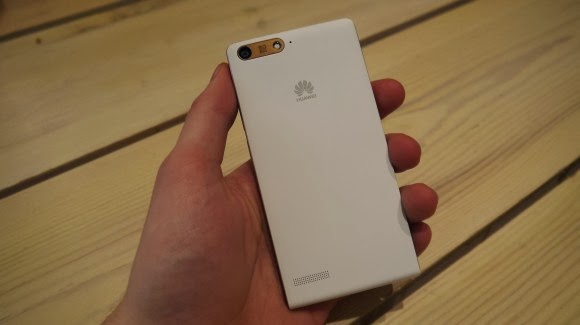
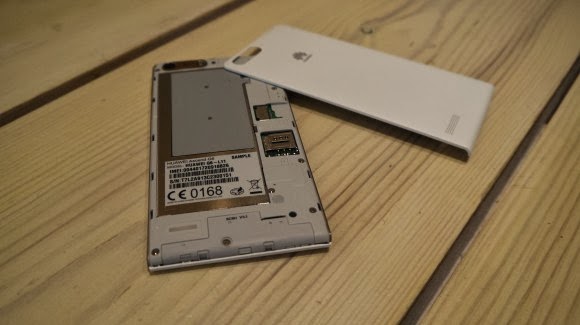
    Earlier this week one of the leading leading global information and communications technology (ICT) giants Huawei registered a new name, Huawei Ascend G6 4G smart phone to the already populated smartphone industry. The 4G LTE-enabled Android device is set to face tough competitions from the likes of Samsung Galaxy S5 and Tecno P5 in the smartphone market, especially in Africa, Asia & Middle East where the the later has left it’s mark.

    The smartphone device will be featuring the latest version of 4G technology – CAT 4 – giving you a super speedy internet connection.

    Inside Ascend G6

    The new 4G LTE-enabled smartphone brings ease of use back to smartphone ownership and opens up a world of fun and colorful new ways to stay connected without boundaries.

    With a 4.5-inch qHD display, 5-megapixel front-facing camera and Emotion UI 2.0 , the product is an ideal companion for those who want to share better.

    With the product, there are also endless opportunities to explore surroundings with multi-shot capture, horizontal shooting and panoramic functions, thanks to the five plastic elements (5P) lens of the 8-megapixel AF BSI f/2.0 aperture rear-facing camera.

    Alternatively, the voice-activated hands-free ‘selfie’ function shows off camera-ready poses.

    Describing the product, , Richard Yu, CEO, Huawei Consumer Business Group, said it is stylish, colorful, and lightning fast smartphone designed to break down barriers.

    With its handy 4G LTE connectivity, he said that it is easy-to-use interface and dynamic cameras offering a multitude of photographic opportunities.

    Interestingly, filming or photographing in low light is a breeze with Ascend G6 4G’s in-built Sony IMX134 sensor, blue glass infrared filter and integrated camera flash for sharp, clear images.

    Featuring the latest version of the intuitive, easy-to-use interface, Emotion UI 2.0, HUAWEI Ascend G6 4G brings smartphone use within reach for everyone

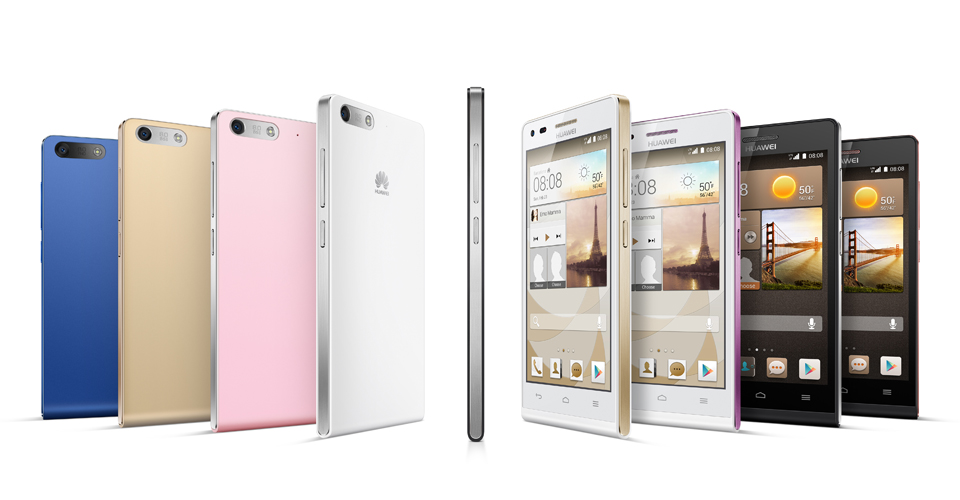
    However, the phone brings vibrant color to life with its crystal clear 4.5-inch qHD 960 x 540 LCD display and 245PPI. At 7.85mm slim and weighing 115g, Ascend G6 4G builds upon the stylish ‘double C’ design of the popular Ascend P6 smartphone and is available in a range of colors including black with light gunmetal grey or rose gold highlights, or in white with pink or champagne gold .

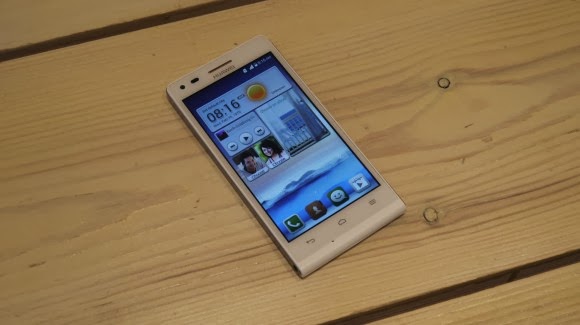
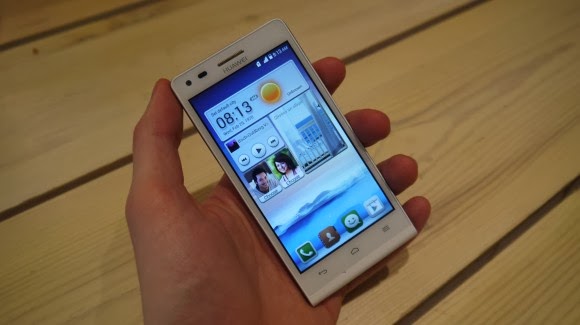
    Unsurprisingly for a phone which is going to come in at under $330 the Huawei Ascend G6 sports an all plastic construction, although it is solid and the thick, faux-metal band which runs round the circumference keeps everything together nicely.

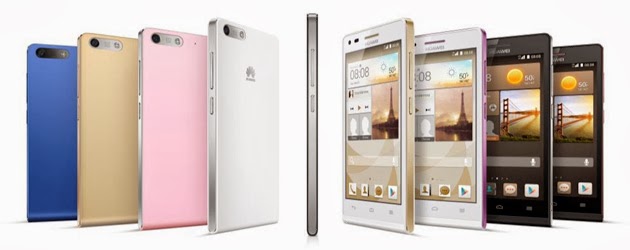
    Available in black, white, pink, gold or blue colors, the product runs on a powerful quad-core 1.2 GHz processor and robust 2000 mAh lithium polymer battery with up to 30 percent power saving, HUAWEI Ascend G6 4G is 4G LTE-enabled to make connectivity faster and more reliable than ever before.

    Movies can be downloaded in minutes and work files uploaded in seconds with speeds of up to 150 Mbps. Smart photo album, internet, notification and permission management provides full control over the information shared.

    In addition, the ‘one key scan’ function maintains peak performance through ‘phone speed tracking’, ‘power conservation’, ‘storage cleaning’ and ‘harassment filter.’ Ascend G6 4G also supports NFC sharing for mobile payments.

    The product offers an enhanced smartphone camera experience with Huawei’s proprietary self-focus tips and preview screen.

    The four plastic element (4P) lens featured on the 5-megapixel front-facing camera provides audio controlled spontaneous snapping, auto-scene recognition and auto-facial enhancement. Featuring 88 degree wide-angle shooting, Ascend G6 4G enables you to take all-inclusive photos that will wow family and friends.

    Add an extra dimension to photos with the ‘Voice Photo’ function that takes photos accompanied by 10-second audio clips that can be shared via Facebook and WeChat, such as at a wedding when you capture the bride and groom saying “I do.” Price When Rated: $350$330 Our Rating: 3.5   Operating System: OS Android 4.3 Jelly Bean

  • Meta Pro may Leapfrog Google Glass in the “Glass Wearing” Technology

    Meta Pro may Leapfrog Google Glass in the “Glass Wearing” Technology

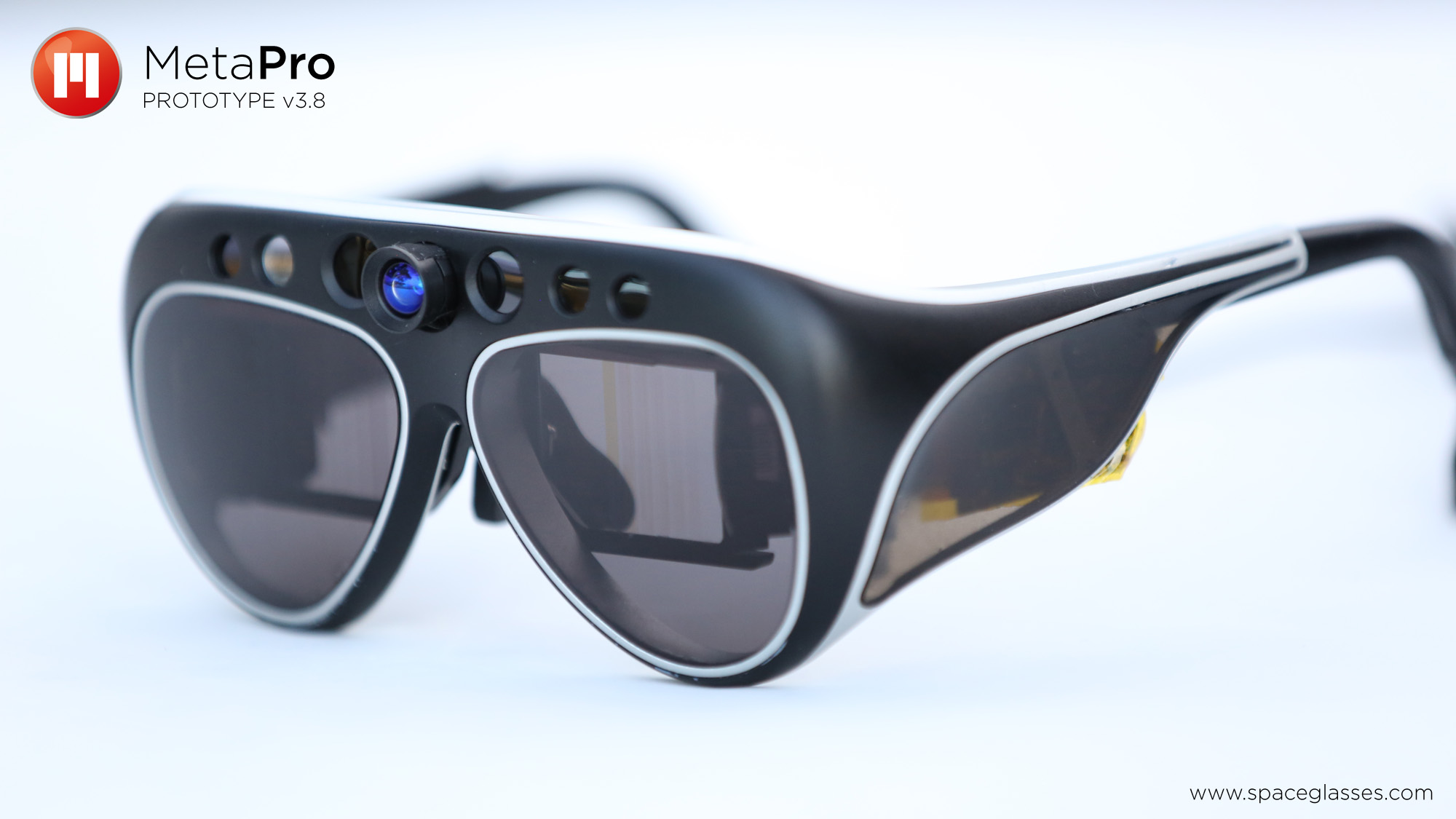
    Meta, the augmented reality technology company, has captured the attention of the gadget world with the launch of the Meta Pro, the $3,000 headset that aims to bridge the gap between fully immersive virtual reality tools such as the Oculus Rift and (relatively) more subtle wearable devices such as Google Glass.
    You can read much more about the Meta Pro, which TechCrunch named one of the best devices at this most recent CES conference in Las Vegas, here.

    The Meta Pro is up for sale online now, but it won’t start shipping to customers until this summer. So we stopped by Meta’s Portola Valley, California headquarters to get an early look at the latest prototype of the device.

    There are any number of uses for the Meta Pro, as the company has an SDK which allows developers to create programs to use with the glasses. In a news today, Techcrunch wrote on their website:

    In our visit, Meta’s CEO and founder Meron Gribetz showed us how the glasses can be used in place of traditional CAD software to design a 3D printed object using only your hands. I’m told that the final version of the glasses which will ship to users this summer will be a bit lighter and more sleek in the design, but this prototype gives a good idea of the core technology and capabilities.

    Meta, which makes wearable devices with augmented reality technology, is a particularly ambitious breed of startup — a staff of fewer than 50 employees squaring away against competition from the likes of Google and Apple. But then again, it took a good deal of ambition for Gribetz to set out a few years ago on his own with the goal of building a real-life version of something that had previously only been seen in movies such as Iron Man. It will be exciting to see how this technology continues to develop as more people play with it.

    This post was first seen on Techcruch | Image & video credit: Laptopmaga.

  • Google Photo Backup Software – A “Must” for Google+ Users

    Google Photo Backup Software – A “Must” for Google+ Users

    Google has begun pushing its “Auto Backup” photo archival software to Mac and Windows users via the company’s social networking platform, Google+. The promotion is new, we’ve confirmed, though the software itself was first launched back in December.

    At that time, Google began offering the desktop utility as a part of its older Picasa photo-sharing platform, which confusingly (and oddly) somehow still has its own domain, despite the fact that Google has been integrating Google+ into everything it owns, from search to Gmail to YouTube. When the version of Picasa for Mac and Windows launched at the end of last year, a separate tool called “Auto Backup” appeared. This app runs in the background, similar to something like Google Drive or Google Music, in order to upload all your photos to Google+, including those from SD cards.

    Now some users are noticing that a link to the same software is appearing on Google+, when they click into the “Photos” section of the social networking website.

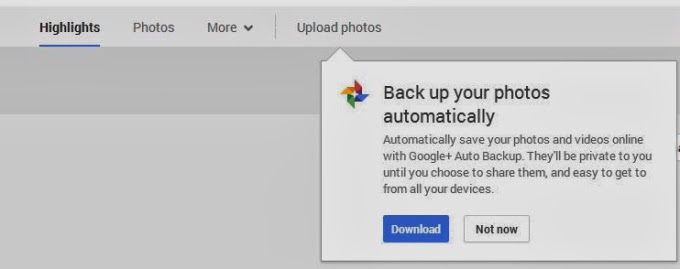
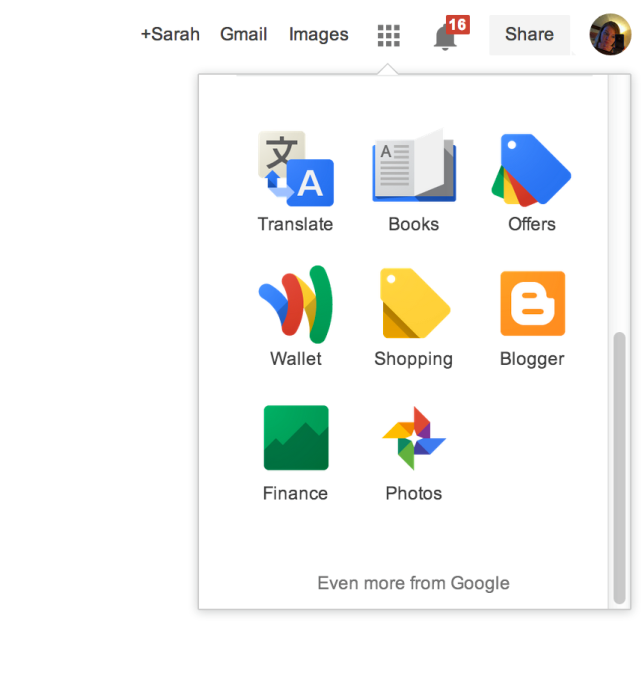
    The prompt appears underneath the “Upload Photos” button from the Google+ Photos top-level navigation. Here, a dialog box explains that the software will automatically save your photos and videos to Google+, where they’ll be marked private unless you choose to share them. You can also access Google+ Photos to then see this prompt if you’re a Chrome user who clicks through on the “Photos” icon from the app launcher (the top-right square grid-like button).

    After you download the utility, or dismiss the prompt in another way, it may be difficult to get the message to reappear, I’ve found. There doesn’t seem to be a website or section on Google+ where users can find links to directly download this software for themselves. For instance, the Google+ Photos “Take a Tour” page points to the “Auto Backup” app (which is actually just the Google+ app) on Google Play and the iTunes App Store, but links to “Auto Backup” for Mac and Windows are nowhere to be found.

    For what it’s worth, if you do decide to take advantage of the utility, be aware that it will not respect the folder structure you may have in place on your computer. That is, it will take the photos from all the albums you point it to and place them in one album on Google+ where you could then choose to share or organize them as you like.

    What the software’s appearance means in terms of Google’s larger plans to shutter the Picasa brand and domain remains to be seen, of course. For whatever reason, Google continues to develop and update its Picasa desktop software, despite its competition with Google+ in terms of feature set (photo editing, organization, etc.) and mindshare.

    This post was first seen on Techcrunch. Images are as seen on the post page.