Google+ is the most recent player in the social networking field. When it first came, we reckoned it was just another attempt by Google to counter Facebook’s increasing dominance, and that it will fail like other projects from Google in the past such as Google Buzz, Orkut etc. But now, it seems that it is obviously here to stay. Google+ is a lot more than just a social networking website. The +1 button isn’t just another Like button, as you will see later in this post. Google+ is a site where you can show your interests, have connections, and build an identity. It’s a friend of webmasters, who can achieve a lot more by using this simple social site. In a way, Google is trying to provide a coherent experience to the users by introducing all their products such as Google Search, GMail, Google News, etc. And Google+ could be the glue that holds everything together to provide an uninterrupted and ‘seamless Google experience’ to the users. In this post, we will talk about how important Google+ is, and why should you use the +1 button, and how it all helps webmasters.
Starting out with Google Plus
First of all, you need to have a presence on Google+ for it to be of any use to you. Read our post on how to join Google+. A public profile on Google Plus is very important. You can also create a separate Google+ page or your blog or brand, just like a Facebook Page. Google+ then gives you many features. Here is a video by Google’s Developer Programs Tech Lead, Maile Ohye, who summarizes the concepts explained in this post.
Intimacy; Create Circles, follow people, and Hang out!
Google introduced this great feature of Circles. Circles can come in real handy if you want to do targeted marketing. You can share your updates with any of your circles, and the people in the remaining circles won’t get those updates. This way, you can only share your personal updates with your family circle, and brand related updates to its respective circle. Also, you can set up more circles and target a specific audience, such as only men, or only women etc.
At Google+, you can follow anyone, just like Twitter. It doesn’t need confirmation. So if you would like to get updates from your favorite brand, you can simply follow them. On the other hand, if you don’t want someone to follow you, you can simply block them out!
Another great feature that inspired change in Facebook is the Hangouts feature. With this, up to ten people can start a conference video call and talk to each other.
Google+ Interaction
Google+ Interaction allows you to edit any of your posts at any time, kinda like a blog post. You can also edit your comments. Unlike a blog post, however, which is always pushed down as new posts arrive, your posts on Google+ will remain on the top depending on their popularity and the comments on them.
The +1 Button
The +1 Button is more than just a Like button you normally find on Facebook. With it, you can build your reputation. It helps you to publicly recommend and share content you find useful. Unlike the Like button on Facebook which is limited to Facebook itself, the +1 information for a content is available throughout the web on search results, ads and sites. Hence, it isn’t just confined to Google+, but it extends over to all Google products. Also, you can track and manage all your +1s, so that you can revoke them at any time if you don’t like them anymore.
The advantage of the +1 button is, you can +1 a post directly from search results. And if any of the people you know have +1’d a post, you will see it right below the search results. That way, if you +1 something, you’re indirectly recommending it to your followers.
With the +1 button, you can also get great metrics from Google Analytics and Google Webmaster Tools. The +1s data on your Webmaster Tools will help you better understand your audience by seeing what gender or age group +1’d your posts the most etc. You can also see the +1s for particular pages on your website, and the +1s that were gives for certain pages from other sites on the web.All this shows how you are building your reputation.
+1 Search Integration
We already talked about how you can +1 a search result right from the SERPs. But there is one thing you need to know. While searching for your results, Google takes your +1 history into account. For example, if I search for ‘earning methods’ and +1 our sister blog smartearningmethods.com, the next time I search for ‘earning methods’, SmartEarningMethods will come up in the top spots. Also, if any of my friends has +1’d another blog, that will come up too. Hence, getting +1s on your posts could prove very useful to you, since Google returns tailored results for each individual.
In search results, Google might also show who the author of a content is. This is where a profile comes in useful. If you have a profile linked to that content, Google might shows that as well, which increases your chances of getting followers.
Google+ can project your brand far beyond your own reach. Users who +1 your content are actually recommending your content to their own followers, who in turn might +1 the content, and so on. Hence, a network builds up with your content at its center. Facebook also has a somewhat similar feature, but the reason Google+ is ahead in this area is, Facebook’s shares are limited to Facebook only, where as the +1 button shows up on search results and is accessible throughout the web.
That was some basic information about Google+ and the +1 button you need to know. Google+ indeed is a a great new opportunity for you to grow your brand’s reach.



 Nokia, the one of most popular and trusted mobile company. Nokia made wide range of


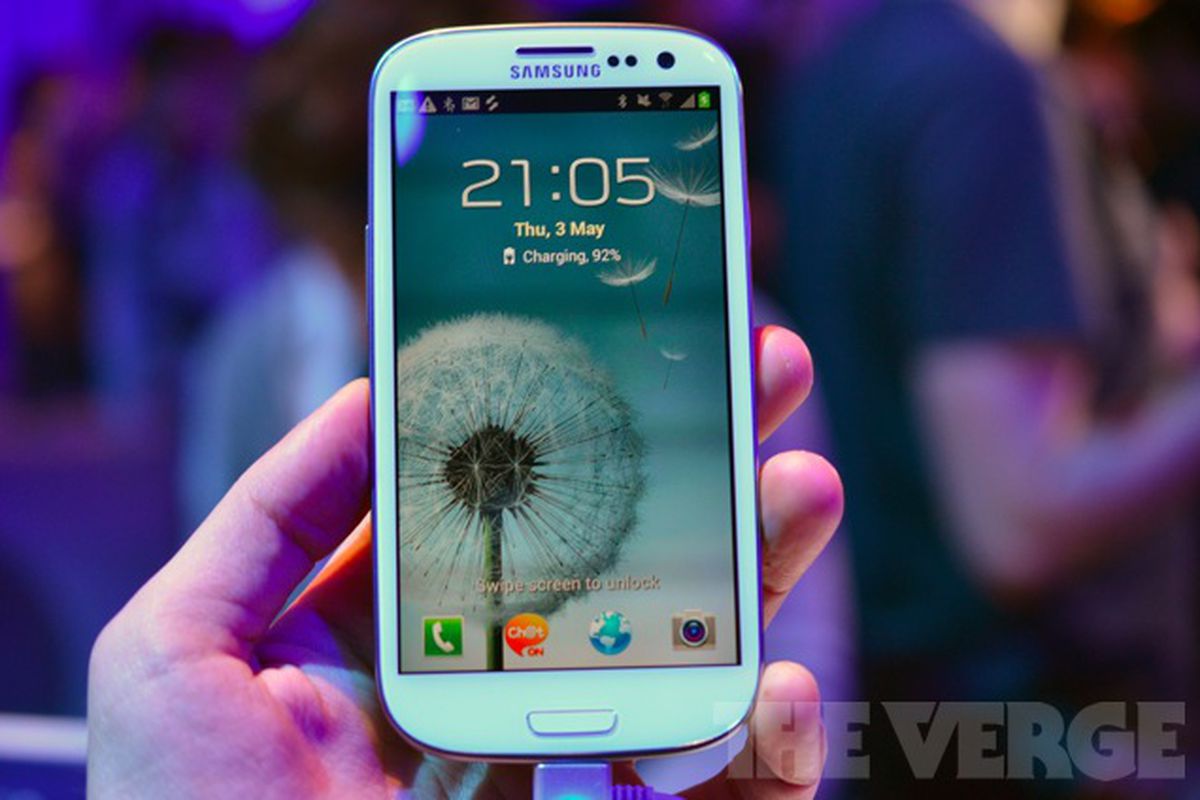
 HTC pulled a similar trick with the One X. The global version runs on an NVidia Tegra 3 processor, while the U.S. phone uses a dual-core Qualcomm Snapdragon S4 processor. NVidia’s quad-core processor was not yet compatible with AT&T’s LTE network at the time of the One X’s manufacture. In our benchmarks, however, the U.S. version of the One X did quite well despite having fewer cores.
 The 3.4-inch-thick S III has a 4.8-inch HD Super AMOLED display with a 1280-pixel by 720-pixel resolution. This is the same display technology we saw on the Galaxy Nexus. The Galaxy S II had Super AMOLED Plus, which is actually based on a PenTile pixel structure in which pixels share subpixels.
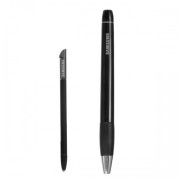 Samsung Galaxy Note S PenSamsung announced a slew of accessories, including a C Pen stylus (which seems pretty similar to the S Pen on the Galaxy Note), an AllShare Cast Hub for wireless streaming, a docking station for your desk, a wireless charger, a car kit, and an HDMI adapter.
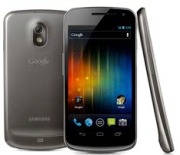 Samsung Galaxy NexusNo, relax. It might not have as many cores as the S III, and the display might be a little smaller, but don’t feel bad if you just walked out of the store with a brand new Galaxy Nexus. Your Galaxy Nexus is still an excellent, current phone and offers something the Galaxy S III does not: A pure, untouched Android experience.
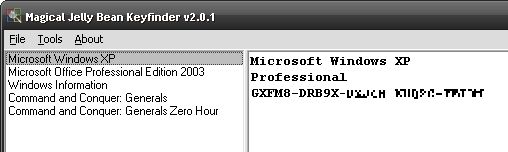 Magical Jelly Bean Keyfinder helps you round up your serial numbers.

 Apple announcement that it’s integrating Facebook into its operating system software should be welcome news for a social network that’s
  While Apple’s move doesn’t offer an answer to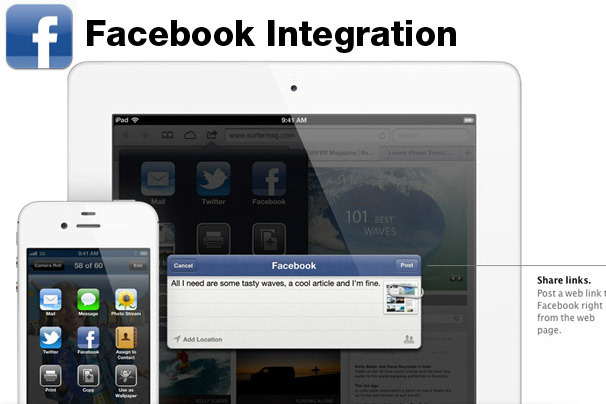




 Security breaches of mind-numbing size like those at LinkedIn and eHarmony.com set








You must be logged in to post a comment.