Search results for: “label/Windows”

  • How To Remote Access Any Computer By Using TeamViewer

    How To Remote Access Any Computer By Using TeamViewer

    In computing the problems can occur at any time and in any part of the computer, and without any doubt we want to fix it as soon as possible. There are two types of problems Hardware and Software. Hardware problems are uncommon because most of the users are using the branded things of good quality but in case you are facing any a hardware problem then it I might take some time. The Software problem is very common in this field which can be solved by either paying for it for free. If you’re unknown to it then you may in trouble and have to pay sometime. Now if you know your friend or any other person how can fix it and can be solved without any pay then here is the one of the best , easy and free software, which needs just an internet connection for show its effect. There are many other software are available but from my personal point of view and uses the best is as follows.

    TeamViewer : How To Remote Access Any Computer

    TeamViewer is a computer software package for remote control, desktop sharing, and file transfer between computers. Remote Control stands for being a computer to which a user does not have physical access, but which he or she can access or manipulate via some kind of network. It offers the control of the one computer from the other computer without any direct connection, with which you can do anything at the other side. Remote control option comes in many operating systems as default such as Windows Server 2k, 2k3 and the other versions of it. For a common and any operating system TeamViewer is the best. It’s also designed for Windows, Mac OS X, Linux, Ios, Android with Multi-Language.

    You can get full access of TeamViewer with just a few clicks and its very easy.

    1. Download TeamViewer from here and install it on your system.

    2. After installation simple opens it from the Programs List or the for the Desktop Shortcut.

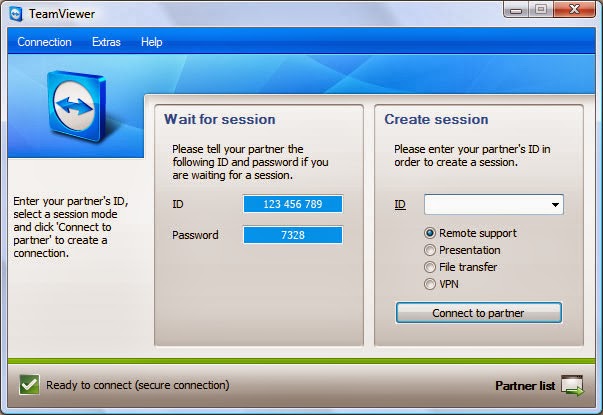
    3. It provides a unique ID  shown as “YOUR ID” and a Password (In decimal form)

    {One more thing about TeamViewer is that it works only when the system have it, which means if you want to use it you have to install it on the other system as well and make it as your computer as a server and other as its client and vice-versa.}

    4. Now the Unique ID  and Password is also from the same side fill at the “PARTNER ID” right side in the opened window and click “CONNECT THE PARTNER”.
    TeamViewer is totally free for the home use or non-commercial use. It provides many advanced options. One notable thing, if you make a restart your system it changes the password for the same client system every time. So when you reconnect with a system keep in mind this thing.
  • Windows 8.1 Ready for Release

    Windows 8.1 Ready for Release

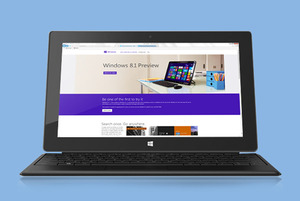
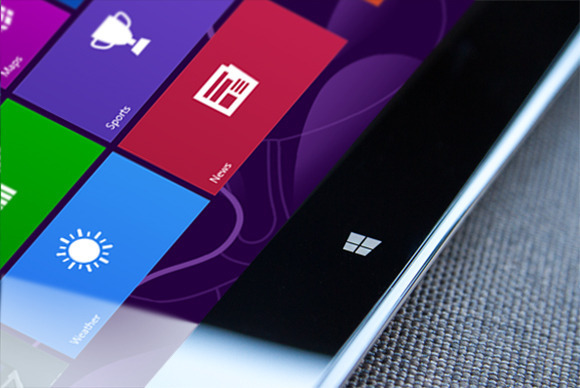
    On Tuesday, Microsoft announced that Windows 8.1 has reached its final “Release to manufacturing” stage and has, well, been released to manufacturers for inclusion in the annual blitz of holiday hardware. News of Windows 8.1’s RTM status first broke this weekend. What does this mean for you? Nothing, yet. While manufacturers have their paws on the final version of Windows 8.1 today, the free update won’t appear in the Windows Store until October 17, with boxed discs and third-party hardware appearing on physical store shelves the day after.

    Curious computer users do have a way to scratch their Windows 8.1 itch, however. A preview version of Windows 8.1 is still available for download, complete with new apps, new features, numerous new highlights, and yes, even a plethora of new (and killer) hidden secrets. One of those hidden features comes in especially handy for traditional PC lovers: The ability to boot directly to the desktop.

    Think hard before you install the Windows 8.1 preview, though. If you opt for the preview available in the Windows Store, your apps—though not your personal data—will be wiped when you install the final build in October. Since that’s just a couple of months away, you’d probably be better off grabbing the ISO files of Windows 8.1 that Microsoft has made available and running it in a virtual machine, instead. Microsoft deserves big props for delivering an RTM version of the Windows 8.1 update just 10 scant months after the official release of Windows 8.1, especially when you considerjust how expansive the update is. Windows 8 was and is far from perfect—and its mixed reception might have even cost Microsoft CEO Steve Ballmer his job—but the company’sshift towards rapid-fire releases is already paying off. Article Source: pcword.com

  • Steve Ballmer to sign his retirement letter within 12 months

    Steve Ballmer to sign his retirement letter within 12 months

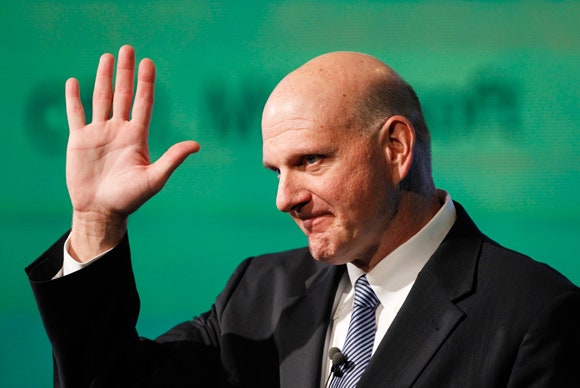
    After 13 years of leadership, the Microsoft CEO, Steve Ballmer has called it time to step down as the Chief Executive Officer of Microsoft Cooperation.

    “There is never a perfect time for this type of transition, but now is the right time,” Ballmer said in a Microsoft press release. “We have embarked on a new strategy with a new organization and we have an amazing Senior Leadership Team. My original thoughts on timing would have had my retirement happen in the middle of our company’s transformation to a devices and services company. We need a CEO who will be here longer term for this new direction.”

    Ballmer, however, has recently refocused Microsoft in order to drag the PC stalwart into the faster-moving mobile age, initiating drastic sea changes such as the device-spanning Windows 8 operating system, a push towards rapid-fire releases rather than 3-year development cycles, “One Microsoft, all the time,” an increased focus on services and the cloud, and the launch of the Surface brand—Microsoft’s first foray into competing with its manufacturing partners.

    Any of those could be considered a major shakeup. All of those combined constitute a near-complete reimagining of Microsoft.

    Those monumental changes may be the reason for Ballmer’s retirement, according to Patrick Moorhead, the principal analyst at Moor Insights and Strategy and an industry veteran who held senior leadership roles at AMD and Compaq. He finds the 12 month search for a successor suspicious.

    “Somebody pissed somebody off,” Moorhead says. “Potentially it was this $900 million write down [for Surface RT tablets]. If I had to bet money, I’d say that that was the straw that broke the camel’s back.”

    Looking Back…

    Ballmer achievement for Microsoft has been enormous in his 13 years of service. Here are Ballmer’s accomplishments in Ballmer’s own words, via a farewell letter sent to all Microsoft employees.

    “I am proud of what we have achieved. We have grown from $7.5 million to nearly $78 billion since I joined Microsoft, and we have grown from employing just over 30 people to almost 100,000. I feel good about playing a role in that success and having committed 100 percent emotionally all the way. We have more than 1 billion users and earn a great profit for our shareholders. We have delivered more profit and cash return to shareholders than virtually any other company in history.”

    Now the big question is: Who will be the new CEO? Looking at what Ballmer has archived, Whoever takes over the reins will have some mighty big shoes to fill. Ballmer was Microsoft’s 30th employee and its first business manager, and for all the grief tossed Ballmer’s way in the wake of Windows 8, there’s no denying that the company accomplished some amazing things under his stead.Credits: pcworld.com