Spotify’s desktop application is a fantastic music manager and a good replacement for our itune. Here’s is a complete walkthrough on how to make spotify you default music application.
Are you tired of your current music-management software? Invest in a Spotify membership and declare independence from iTunes, Google Music, or any other music app you’re fed up with. iTunes in particular is becoming pretty bloated, especially for Windows users–but I’ve barely seen it over the past few months thanks to Spotify and the new ability to upgrade my iOS software on my iPhone itself.
As long as you’re already paying for Spotify Premium, make Spotify’s mobile app your phone’s default music player. Spotify’s hybrid approach–storing your most-played tunes on disk while letting you stream anything from its massive song library–gives you a much larger musical selection on the go. If you’re buying more than an album or two every month, it’ll also save you money.
Here’s the fastest method to make Spotify your default music manager. Since iTunes is the thorniest music-management app to get rid of, I’ll use it as my example, but these methods should be just as easy (or even easier) on Android phones running other music-management apps.
Initial Housecleaning
The first step is to make room for Spotify to start managing your tunes by commanding your current music-management app to stop syncing your smartphone with your music collection. iTunes at least makes this process fairly easy: While your phone is synced to your PC, switch to the Music tab in the device management options, and uncheck Sync Your Music. iTunes will warn you that this action will delete all the music off your phone, but since that’s exactly what you want, click OK. Now you should have plenty of room to start syncing with Spotify.
Next, set up Spotify as an iTunes replacement. This step is simple, since Spotify asks whether you want to automatically import your iTunes library the first time you open it. This procedure will not only bring all your local files into the application (as long as you’ve linked them with your iTunes library) but also import all your iTunes playlists.

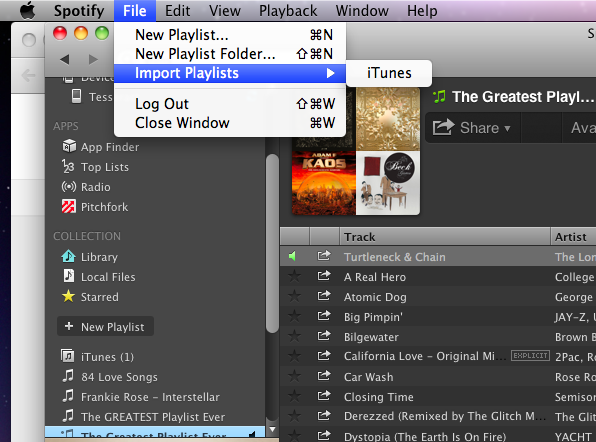
If you declined this option when you first started Spotify but want to import your iTunes library now, or if you merely want to import a library from another music manager, that’s simple enough. Open Spotify, navigate to File > Import Playlists, and then choose iTunes, Windows Media Player, or whatever other supported music application Spotify can find on your PC. Keep in mind that Spotify playlist imports sometimes require a bit of cleaning up; in my case, for example, Spotify attempted to sync the iTunes library of each of my computers separately, which resulted in quite a lot of copies of the same material. However, even with a manual check and some deletions, getting your Spotify application set up with all your iTunes music and playlists shouldn’t take more than 5 to 10 minutes.
Syncing
Once Spotify is set up on your computer, it’s time to start syncing your files onto your phone. Again, Spotify makes this step fairly straightforward, but the process involves quite a few more pitfalls that you need to be ready for. First, the good news: All you have to do is connect your phone to the same wireless network as your computer, open Spotify on your PC, and then select your phone under the Devices tab in Spotify’s left navigation pane. Click the big Sync this device with Spotify button, and select the playlists you want to download to your phone.
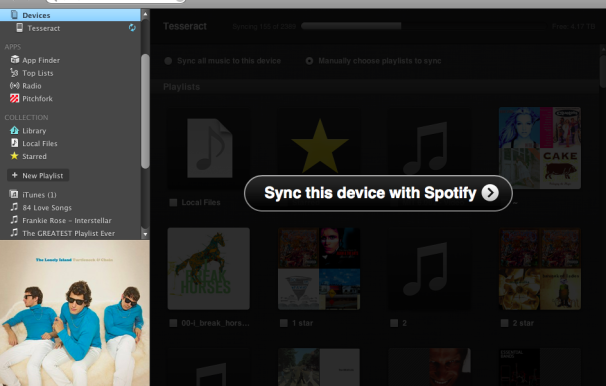
The bad news is that Spotify syncing suffers from a few irritating hiccups. Since it syncs wirelessly, it’s much slower than iTunes syncing by USB. Syncing 3000 or so songs to the Spotify app on my phone took me almost 10 hours. By itself, that wouldn’t be a huge issue, since I could just leave my phone on overnight, but Spotify also stops syncing when you leave your smartphone inactive for too long. Here’s hoping that Spotify will patch this glaring error in a future update. For now, though, this limitation makes it difficult to have Spotify sync your whole library in the background. If you’re thinking of using Spotify as a straight replacement for your music app, and if you have a gigantic music library, syncing everything will be a time-consuming process.
Instead, consider being more selective as to which playlists you listen to. Spotify syncing works much more elegantly if you don’t try to make it emulate iTunes exactly, so I suggest adding local files to Spotify gradually. Find 300 to 500 songs you know you’ll want to listen to regularly, and sync those first. Then, when you’re out and about, you can choose to save the music you find yourself streaming too often as an offline mode playlist. You probably won’t find more than 100 songs or so on any given day that you’ll want to add like this, so syncing them should be a fairly quick affair.
Don’t worry about the syncing process eating up your bandwidth. Unless you explicitly tell it to sync over 3G, the Spotify mobile app will wait until you’re on a wireless network. You can just tell it what you want to have permanently downloaded, and it will add those items to your local library the next time you’re near a stable Internet connection.
A Few More Obstacles
You should keep some other small roadblocks in mind as you declare your phone’s independence from iTunes. Many of these obstacles are relatively minor and easily solved; you can’t delete the iOS default Music app, for instance, even if you don’t have any music synced with it. I suggest hiding it in a folder and ignoring it. Other issues, however, are slightly more serious.
For the most part Spotify should import all of your music and give you access to Spotify’s library of millions of streaming songs, but if you’ve downloaded a lot of DRM-protected music from iTunes or another music store, things get more complicated. Since Spotify won’t be able to play your DRM-protected files, the service automatically matches those tracks with songs that reside in the global Spotify library. Thus, if you’ve bought, say, a Ratatat album with DRM on iTunes (as I did while writing this article), you should still be able to play it in Spotify by streaming it from Spotify’s library.
 On rare occasions, Spotify won’t be able to find a match for your DRM-protected music in its online library.
At times, however, Spotify won’t find a match for one of your DRM-protected songs, and you’ll be unable to play your music. This occurrence should be fairly uncommon (in my library of 7000 songs, I had a grand total of five unplayable tracks, three of which were free iTunes “Song of the Day” selections I haven’t listened to in years), and you can fairly easily resolve the problem by stripping the DRM off of your iTunes track. You’ll need to go through your library and look for tracks listed in red; these are the songs on which you’ll have to remove the DRM.
Also, as much as this method frees you from iTunes for everything but backing up your data, it ties you heavily to Spotify. If you ever stop paying for Spotify Premium, you’ll lose access to offline mode, which means that any music you haven’t synced from your local computer–including Spotify copies of your DRM-protected music–won’t be available on your phone any longer.
Nevertheless, as an iTunes replacement, Spotify Premium is a great choice. Spotify comes with its own set of inconveniences and annoyances, but once you get past the basic setup it’s hard to argue with on-demand access to Spotify’s music library on the go. Happy listening!






 In Chrome, Google Drive operates as the local file system, said Clay Bavor, director of product management for Google Drive. He showed how a user can search through a folder of scanned receipts and find a particular receipt using a keyword search. The receipts are stored as image files, but the Drive application uses optical character recognition to index the text in the receipts.
 Google also showed how Google Docs and Google Drive can work together to allow “real-time collaboration.” It showed how three users can edit a text document simultaneously from three different devices, and have the changes all appear on each of the three screens.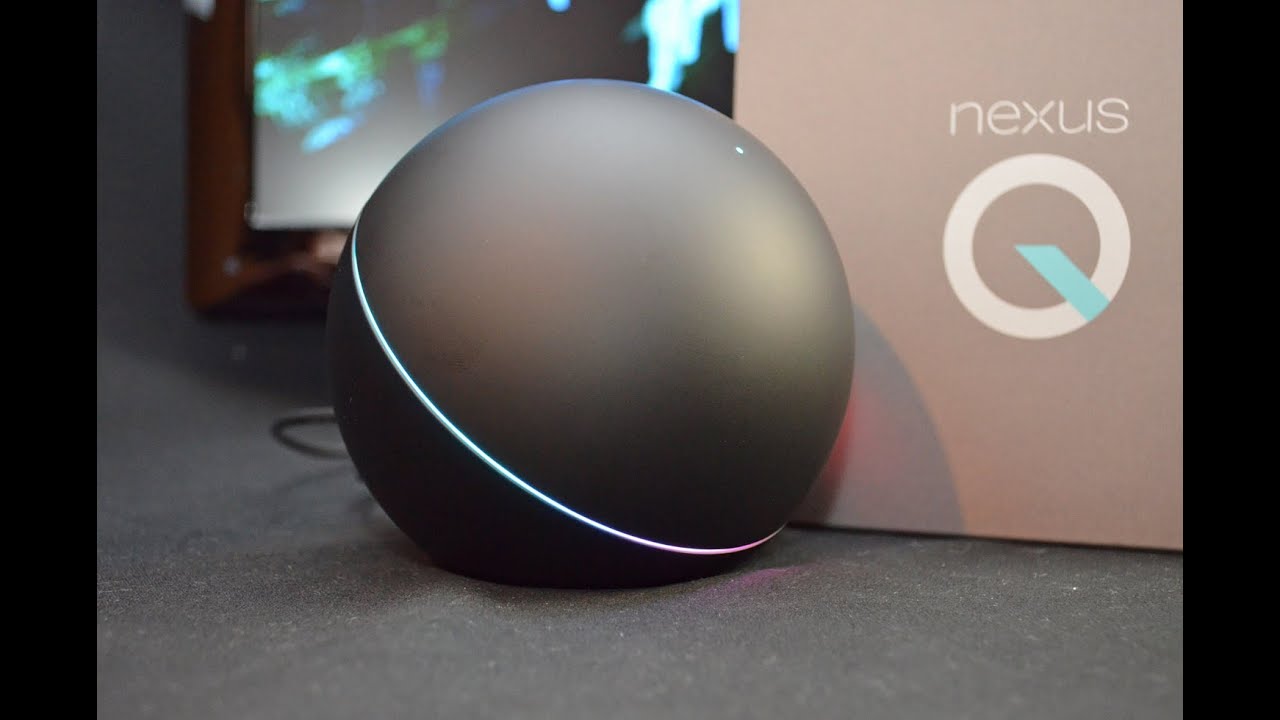
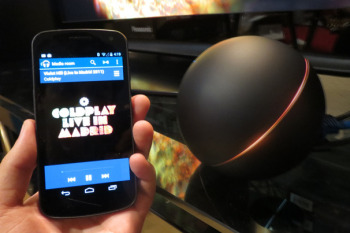
 You can add songs to the Q’s queue (pun unavoidable) or play them immediately by tapping on options in a menu that appears when you tap a track listing. You can fiddle with the queue, moving or deleting tracks, by tapping an option in Play Music. To play YouTube videos, you go through much the same routine after tapping the Android’s YouTube app. You are already signed in to your Google account, so accessing favorites and new videos on channels you’ve subscribed to is a breeze. Quality was good, at least while the Nexus Q was connected to the network using the ethernet cable and powerline switch. I didn’t download any movies or TV shows to check out how well the device works with the Google Play movie and TV app.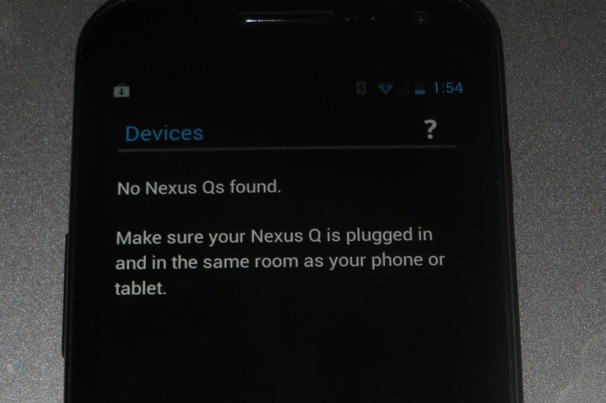
 Hopefully Google will work on these issues before it begins selling the Nexus Q to the general public. But even if you’re an Android fan willing to spend the $299 on a device with fairly limited functionality (it could at least have supported streaming media from other local network devices), I wouldn’t recommend the Q to anyone who is planning on Wi-Fi only connections in a city or a neighborhood with lots of Wi-Fi networks in range. That’s just asking for trouble.
 The current generation Kindle FireKindle Fire gossip is almost as common as iPhone and iPad rumors. Lately we’ve been hearing a lot about a new Kindle Fire tablet, which may arrive as early as next month. The rumored new model will be the successor to the first-generation Fire that debuted less than a year ago, and not a moment too soon–the impressive specs of the just-announced Google Nexus 7 make the original Fire seem pretty dated already. Want more rumors? Here ya go: Before the end of 2012, Amazon will unveil its first 10-inch color tablet, one likely designed to go head-to-head with Apple’s dominant iPad. BGR
 LinkedIn, the professional social networking site facing a $5 million-plus lawsuit for a massive breach earlier this month, may win its impending legal battle. But victory will probably not come cheap. Legal bills mount up quickly, especially with an “aggressive” defense, which LinkedIn has promised. Unless the suit, filed on behalf of lead plaintiff Katie Szpyrka and a potential cast of millions of other coplaintiffs, is settled quickly and quietly, it is likely to provide regular public reminders, for months or possibly years, of what happened and why. That, as marketing people say, is not good for “brand identity.”
 There are numerous examples of breaches of companies that are in compliance, which makes it much more difficult to prove negligence. Indeed, the Oregon Supreme Court recently struck down a
















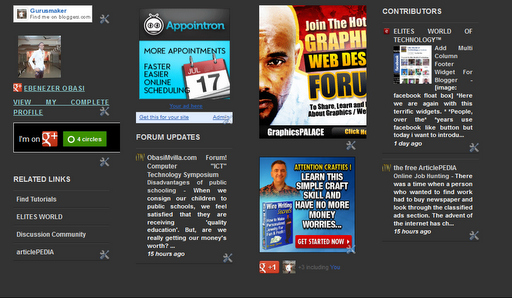
 You can observe that there a total of four columns by default and you can add as many widgets as you want to each column. If you wish to increase or decrease the number of vertical columns then follow the steps below.