Tag: apple

  • Feeling Intimidated by your ipad?  We found a way for you to own and control it

    Feeling Intimidated by your ipad? We found a way for you to own and control it

    Do you sometimes get afraid of your iPad device, or you feel like your iPad is in control of how you should use it? Here is a chance to take charge over your device by using the following steps.

    these lesson is to teach the user of an iPAD few of the advanced features of the iPad, such as how to organize your iPad, how to launch apps without hunting for the app icon and skipping the keyboard altogether by using voice dictation. If you are still learning the basics, be sure to visit the iPad 101 class before taking on these tips.

    iPad Control Center – Quick & Convenient Access to Common Settings on Your iPad

    Center gives you quick, convenient access to several settings on your iPad. You’ll find controls for audio, wireless options, do not disturb (DND), rotation lock and brightness, as well as handy buttons for the timer, camera and AirDrop. You’ll also find AirPlay if you have AirPlay capable devices such as Apple TV. You can call up Control Center at any time, even when the iPad is locked.

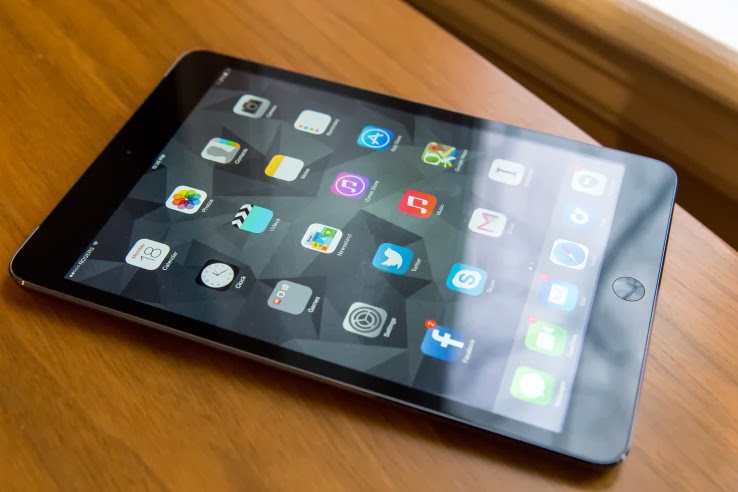
    You activate Control Center by swiping up from beneath the bottom of the screen. Place your finger below the display on the bezel or frame around the screen. Then flick up. The image above shows the entire Control Center. Let’s divide it into three sections, look more closely at each of those sections and address the controls you’re likely to use most often.

    In the left section we see playback or transport controls to play and pause content, such as a song or video. Below that you’ll find the title of the item being played or the name of the app that’s generating the sound. This part of the control center gives you a quick way to pause playback or lower volume. This is especially handy when content is “mysteriously” playing and you’re confused about the source of the noise.

    In the middle section we find three network (wireless) buttons as well as DND and screen rotation lock. These buttons are toggles. A tap turns each one on or off. When the button is white, the function is active. (Wi-Fi and Bluetooth show as active in the diagram above). Tap Airplane mode to disable all wireless connections: Wi-Fi, Bluetooth, cellular and GPS. You can use this option to comply with directions from flight attendants when aboard an aircraft. You can also use this feature to extend battery life, since each of these “radios” draw power. Just remember to turn Airplane mode off when your aircraft lands or when you need to be connected again. When Airplane mode is active, you’ll see a tiny airplane icon in the upper left corner in the status bar of your iPad.

    The crescent moon is DND (Do Not Disturb). DND silences alerts, notifications, phone calls and FaceTime calls. This feature is useful when you’re in a meeting or public performance or if you keep your device on your bed stand at night. Once again, remember to deactivate DND when you no longer need it. When DND is active, you’ll see a tiny crescent moon icon in the upper right corner in the status bar of your iPad. Lock rotation prevents your iPad screen from switching between landscape and portrait modes. So when you want your iPad to keep the same screen orientation, activate lock rotation. AirDrop and Airplay require deeper explanations. I’ll deal with those in a later article.

    On the top right right you see a slider to set screen brightness. This brightness control saves you a trip to Settings. Below you get instant access to two apps, the alarm/stopwatch/timer app and the camera app. When you need to set or measure a timed event, you can do it quickly right here. You’ll find a world clock under the timer app too. These are the same four tools found in the Clock app. The Camera button immediately activates the Camera app on your iPad. Need to snap a photo or capture a video in a hurry while your iPad or iPhone is locked? Do it from here. You may miss a great shot if you take time to swipe to unlock, enter your passcode and start the Camera app.

    To put the Control Center away without making a selection, tap the handle or touch the screen anywhere but the Control Center.
  • Video: An iPhone Working With An Android Wear Watch, No Jailbreak Required

    Video: An iPhone Working With An Android Wear Watch, No Jailbreak Required

    Have an iPhone, but want to use an Android Wear watch? Too bad! Google and Apple are focusing their smartwatch efforts on their own platforms for now, with all signs pointing to them avoiding cross-platform friendliness for as long as possible.

    Fortunately, the world has talented modders who can make things right. Here’s a video of the world’s first iPhone-to-Android-Wear connection, no jailbreak required.

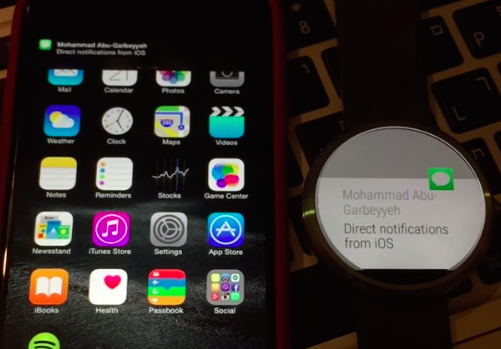
    MohammadAG, the prolific developer behind many an Android mod, has managed to get notifications to send from iOS to a Moto 360.

    The crazy part? Though MohammadAG’s iPhone is jailbroken (note the bouncing message icon on his phone — that’s a jailbreak trick), no jailbreaking is required to make this work.

    Instead, MohammadAG says the mod relies on the same ANCS protocol that the Pebble watch uses, which has been built into the iPhone since the release of iOS 7. A custom APK runs on the watch, listening for notifications. This solution limits iOS-to-Android-Wear compatibility to just basic notification support — but it’s a start, right?

    Alas, MohammadAG has yet to release the watch app to the public, so this is a one-off thing for now.

  • Apple says it has taken action against the infected apps in China

    Apple says it has taken action against the infected apps in China

    Conventional wisdom suggests that the vast majority of mobile malware cases impact Android devices. Or at least that those who do not jailbreak their iPhones are safe most threats — even Apple CEO Tim Cook has bashed Android for “dominating” the mobile malware market. Yet a new virus found in China by US-based researchers could herald the first serious security threat to Apple devices.

    A report from Palo Alto Networks (hat tip The Verge) claims that a new family of malware is getting past Apple’s settings to potentially infect secure (i.e. not jailbroken) iOS devices using infected software for Macs. Dubbed ‘WireLurker’, it was found in the wild in the Maiyadi App Store, a third-party Mac store in China, where it is said to have infected 467 apps. Infected versions of these programs have been downloaded more than 350,000 times and are likely to have affected “hundreds of thousands” of users, according to Palo Alto Networks.

    Apple tells us that it has blocked infected apps from working — the company’s full statement is at the bottom of this post.

    The malware works by repacking legitimate Mac applications. Once downloaded to a Mac, that software will then install malicious and third-party applications on any iOS device that is connected to the infected machine using a USB cable. What’s most interesting — or, indeed, worrying for Apple customers — is that once on an iOS device, WireLurker reportedly uses a range of sophisticated techniques to modify existing apps for malicious purposes.

    While the aim of its creators is not clear yet, Palo Alto Networks reports, WireLurker has been found to steal “a variety of information” from inside rewritten apps. Since it surfaced in China, it is targeting Alibaba’s hugely popular Taobao shopping and AliPay payment apps — where a phone owner’s credit card and bank details are retained — but the security firm says the way it operates could usher in a “new era” of malware for Apple devices.

    In particular, Palo Alto Networks says it is “the first in-the-wild malware to install third-party applications on non-jailbroken iOS devices through enterprise provisioning.”

    The security firm recommends its own product to help prevent WireLurker, but — as ever — the best pieces of advice are to avoid downloading apps from third-party sources, and use officially approved USB cables. The former is more difficult in China, where third-party app store are well established and hugely popular — though that’s more the case for Android than Mac or iOS.

    The full report from Palo Alto Networks has additional advice for Apple customers in the enterprise space, who could be most at risk given WireLurker’s characteristics.

    Apple says it has taken action against the infected apps in China:

    We are aware of malicious software available from a download site aimed at users in China, and we’ve blocked the identified apps to prevent them from launching. As always, we recommend that users download and install software from trusted sources.

  • Why Apple CEO Tim Cook’s open ‘gay’ confession matters to the world

    Why Apple CEO Tim Cook’s open ‘gay’ confession matters to the world

    Last week the CEO of Apple Tim Cook wrote a public essay for Bloomberg Businessweek, in which he proudly proclaim that he considers “being gay among the greatest gifts God has given me.” The essay has attracted mix reaction from media, customers & fans alike. Hence, EwtNet has taken to the tab once more to analyze how Cook’s real sexuallity will fare among different cultures.

    “The world has advanced to the point that (sexuality) is a total nonissue,” said Gerald Storch, a former CEO of Toys R Us. “Ten years ago, CEOs might have kept it closer to the vest because of consumer backlash.”

    As much as I would like to sit back here, agree with Gerald Storch and write ‘who cares?’ I know everyone cares. Even those who ‘don’t care’ care so little about it that they take time out to tell us how little they care! It seems that they care a great deal about making sure we understand how little they care.

    This could be such a noissue in California and few other states in the US but Apple is a globally recognized company in the world. Remember, for all the personal attachment we have to the company’s products, Apple is still a publicly traded company that must answer to shareholders. Sales and profits rule on Wall Street, not a leader’s sexual orientation. And lets face it, in some countries Cook could be facing a 15 years jail term for his public declaration or worst still a death sentence.

    “Apple is a business, not a social group,” said Billie Blair, a management consultant who advises several boards of directors. The only way a board would care about a CEO’s sexual orientation if it somehow drove away customers and sales and profits fell, she said.

    “Then the board would be forced to look at the issue,” Blair said. “It’s not about the sexuality of the CEO but rather what the CEO’s sexuality does to the business.”

    In Cook’s case, absolutely nothing. Apple’s products may continue to fly off the shelf for the foreseeable future in the US. Consumers don’t care about Cook’s sexuality as much as they care about the battery life and design aesthetics of the iPhone 6 and fancy Apple Watch. But doubts still hovers on how far Apple products will fly in other part of the world in light of this event.

    Do you really believe people in over 79 countries of world where homosexuality is outlawed doesn’t care about Cook’s sexuality? I don’t think so. I wouldn’t be surprised to see laws against buying apple products in Nigeria and most African countries.

    In the United States where Apple products are more dominant, anti-sodomy laws were ruled unconstitutional by the U.S. Supreme Court in 2003, but they are still on the books in 13 states: Alabama, Florida, Idaho, Kansas, Louisiana, Michigan, Mississippi, North Carolina, Oklahoma, South Carolina,  Texas, Utah and Virginia. Conservative state legislators refuse to repeal the laws and, in some cases, police still enforce them.  Reportedly, in the past few years more than a dozen LGBT people were arrested for violating those laws, but the arrestees were freed because prosecutors won’t seek convictions based on defunct laws.

    Acceptance of the LGBT community has come a long way since 2007. Thirty-two states offer legal same-sex marriage; courts have overturned gay marriage bans in another five states. The U.S. Supreme Court also gutted a key provision of the federal Defense of Marriage Act, which denied federal benefits to same-sex couples.

    “We are already moving in the right direction,” said Selisse Berry, founder and CEO of the advocacy group Out & Equal. “Hopefully, (Cook’s announcement) will be a tipping point” for corporate America.

    Even so, whether today’s executives and employees choose to come out will still largely depend on a person’s individual circumstances and a company’s particular culture.

    Cook was brave enough to come clean and as hopes, his decision could make the road a little less treacherous for gays and lesbians in the workplace.

    “If hearing that the CEO of Apple is gay can help someone struggling to come to terms with who he or she is, or bring comfort to anyone who feels alone, or inspire people to insist on their equality, then it’s worth the trade-off with my own privacy,” Cook wrote.

  • Apple CEO Tim Cook Reveals he is Gay on Bloomberg Business Week

    Apple CEO Tim Cook Reveals he is Gay on Bloomberg Business Week

    Today the CEO of Apple Tim Cook wrote a long essay on Bloomberg Business Week magazine in which he proclaim that he considers “being gay among the greatest gifts God has given me.”

    Below is an extract from Bloomberg Business Week published on the 30 October, 2014.

    Throughout my professional life, I’ve tried to maintain a basic level of privacy. I come from humble roots, and I don’t seek to draw attention to myself. Apple is already one of the most closely watched companies in the world, and I like keeping the focus on our products and the incredible things our customers achieve with them.

    At the same time, I believe deeply in the words of Dr. Martin Luther King, who said: “Life’s most persistent and urgent question is, ‘What are you doing for others?’ ” I often challenge myself with that question, and I’ve come to realize that my desire for personal privacy has been holding me back from doing something more important. That’s what has led me to today.

    For years, I’ve been open with many people about my sexual orientation. Plenty of colleagues at Apple know I’m gay, and it doesn’t seem to make a difference in the way they treat me. Of course, I’ve had the good fortune to work at a company that loves creativity and innovation and knows it can only flourish when you embrace people’s differences. Not everyone is so lucky.

    While I have never denied my sexuality, I haven’t publicly acknowledged it either, until now. So let me be clear: I’m proud to be gay, and I consider being gay among the greatest gifts God has given me.

    Being gay has given me a deeper understanding of what it means to be in the minority and provided a window into the challenges that people in other minority groups deal with every day. It’s made me more empathetic, which has led to a richer life. It’s been tough and uncomfortable at times, but it has given me the confidence to be myself, to follow my own path, and to rise above adversity and bigotry. It’s also given me the skin of a rhinoceros, which comes in handy when you’re the CEO of Apple.

    The world has changed so much since I was a kid. America is moving toward marriage equality, and the public figures who have bravely come out have helped change perceptions and made our culture more tolerant. Still, there are laws on the books in a majority of states that allow employers to fire people based solely on their sexual orientation. There are many places where landlords can evict tenants for being gay, or where we can be barred from visiting sick partners and sharing in their legacies. Countless people, particularly kids, face fear and abuse every day because of their sexual orientation.

    I don’t consider myself an activist, but I realize how much I’ve benefited from the sacrifice of others. So if hearing that the CEO of Apple is gay can help someone struggling to come to terms with who he or she is, or bring comfort to anyone who feels alone, or inspire people to insist on their equality, then it’s worth the trade-off with my own privacy.

    I’ll admit that this wasn’t an easy choice. Privacy remains important to me, and I’d like to hold on to a small amount of it. I’ve made Apple my life’s work, and I will continue to spend virtually all of my waking time focused on being the best CEO I can be. That’s what our employees deserve—and our customers, developers, shareholders, and supplier partners deserve it, too. Part of social progress is understanding that a person is not defined only by one’s sexuality, race, or gender. I’m an engineer, an uncle, a nature lover, a fitness nut, a son of the South, a sports fanatic, and many other things. I hope that people will respect my desire to focus on the things I’m best suited for and the work that brings me joy.
    The company I am so fortunate to lead has long advocated for human rights and equality for all. We’ve taken a strong stand in support of a workplace equality bill before Congress, just as we stood for marriage equality in our home state of California. And we spoke up in Arizona when that state’s legislature passed a discriminatory bill targeting the gay community. We’ll continue to fight for our values, and I believe that any CEO of this incredible company, regardless of race, gender, or sexual orientation, would do the same. And I will personally continue to advocate for equality for all people until my toes point up.

    When I arrive in my office each morning, I’m greeted by framed photos of Dr. King and Robert F. Kennedy. I don’t pretend that writing this puts me in their league. All it does is allow me to look at those pictures and know that I’m doing my part, however small, to help others. We pave the sunlit path toward justice together, brick by brick. This is my brick.
    Extracted from  Bloomberg Business Week post released on 30th October, 2014 Tim Cook Speaks Up

  • “Apple Pay Reached 1M Cards Users In 72 Hours”, Said Apple CEO Tim Cook

    “Apple Pay Reached 1M Cards Users In 72 Hours”, Said Apple CEO Tim Cook

    This evening at a Wall Street Journal technology conference, Apple CEO Tim Cook said that in its first 72 hours, Apple Pay activated 1 million cards.

    That figure indicates that Apple Pay is picking up traction outside of the technology, early-adopter set. Apple Pay competes with rival offerings from Google, among others, alongside traditional payment methods.

    Paying for goods with your smartphone, still nascent in the Western market, could grow quickly: Given smartphone penetration in the United States and other developed nations where this sort of transaction system remains new, Apple has the potential to quickly scale its new product.

    The possible revenue for Apple is not trivial. The company picks up 0.15 percent of transactions, or 15 cents per $100 dollars in payments. That isn’t much on a per-transaction basis, but it could quickly add up for the company worth more than $600 billion. If its smartphone userbase adopts its Pay technology, the product could bring in fresh top line for Apple, a company looking for a new hit.

    Of course, 1 million cards is a fraction of the total number of saved credit cards that Apple has via its iTunes and long-standing app businesses, implying that it could enjoy continued quick growth. How large its payment volume will grow in the meatspace remains to be seen.

  • Apple Pay’s Could Emulate Bluetooth File Share and Enable Phone-to-Phone Payments

    Apple Pay’s Could Emulate Bluetooth File Share and Enable Phone-to-Phone Payments

    The launch of Apple Pay this week is giving many people their first taste of NFC payment technology, which allows them to buy things in a store by bringing an iPhone 6 close to a compatible terminal.

    But the NFC standard also allows payments to be made directly between smartphones. Apple and its competitors, such as Google Wallet, don’t offer support for that part of the standard, but the technology already exists inside many of today’s NFC-equipped phones and could one day allow retailers to accept NFC payment using smartphones. It would also be technically possible for individuals to exchange money with their friends through the same system.

    The NFC standard defines three modes for the technology.

    The first, and most simple, is for reading small snippets of information such as phone numbers or Web addresses from wireless tags. The second, used by Apple Pay and Google Wallet, involves the phone emulating an NFC payment card. The third allows the NFC chip to function as a card reader.

    It’s this third mode, if enabled by Apple or Google, that would allow a smartphone to accept payments.

    Smartphone payment systems are already common in some countries. Perhaps the most famous and recognizable is the Square system, which uses a small magnetic stripe reader that plugs into a phone’s headphone jack. In Europe, some companies offer card readers for more secure chip-based payment cards, but nothing exists yet for NFC.

    “We’ve been working on it at Mastercard for a little while,” said James Anderson, the company’s senior vice president of emerging payments. “We’re interested in turning every phone into a payment acceptance device.”

    But while many of the NFC chips used in smartphones support it, not every phone could necessarily be used to accept payments.

    There are a number of requirements for NFC payments, such as the minimum and maximum distance over which the NFC transaction can take place and the speed with which it happens. Terminal manufacturers design for these requirements, but not all smartphones have necessarily been built with these in mind.

    “There may be situations in which the two devices may technically be capable of exchanging data for payment, but may not be able to achieve the read ranges and/or response times required for them to be certified as contactless payment capable,” said Sam Shrauger, senior vice president of digital solutions at Visa.

    For now, the industry is watching closely to see consumer reaction to Apple Pay. If it takes off, competitors such as Google would probably step up their offerings and the NFC payments field would become a lot more competitive. That might bring new features such as phone-to-phone payments into play.

  • TestFlight Beta Testing Goes Live For All iOS Developers

    TestFlight Beta Testing Goes Live For All iOS Developers

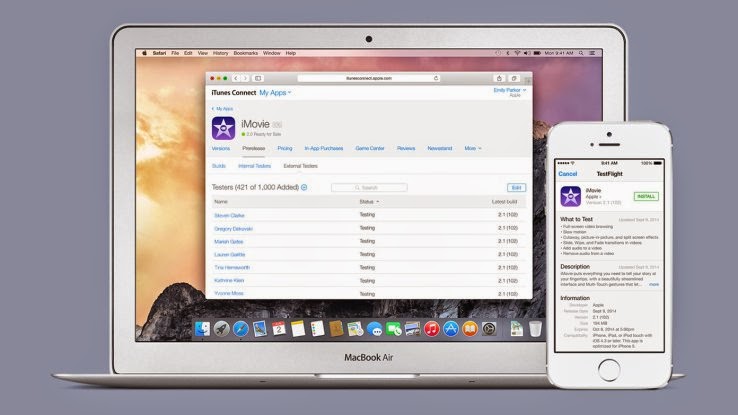
    Apple has pushed its TestFlight Beta testing service live for everyone, the company revealed on its developer news portal today. Registered developers can now invite up to 1,000 beta testers to try out their iOS apps, using emailed invitations sent via the iTunes Connect portal. TestFlight, the beta testing service Apple acquired sometime within the last year, allows developers to build teams to try out software before it launches, and report back bugs in order to prepare apps for a public launch.

    TestFlight had still been usable by devs between Apple’s acquisition of the service and now, but this marks the completion of Apple’s transition of the service to a built-in part of its developer tools. Now, TestFlight invites are distributed via iTunes Connect, as mentioned, and a dedicated TestFlight app provides the central resource for testers in terms of providing feedback and getting new builds as they’re released by developers, instead of the web portal TestFlight used pre-acquisition.

    Once external testers are invited to TestFlight, they’ll receive a link to download the official app from the App Store. There’s no longer any need to install provisioning profiles on tester devices with this shift, and there’s no need to for users to manually find and send their device’s UDID to participate. The official app will also send notifications when new builds of an app they’re testing is available, which is much more convenient than getting an email, as was the case before.

    To make an app available for the 1,000 external testers that this launch enables, an app has to pass a Beta App Review, which means it’s subject to the same App Store Review Guidelines that apply to final releases. New versions with big changes require a new review before being pushed to testers, and developers can test up to 10 apps at a time, both internally (which requires no review approval, and which is available to 25 admin or tech level team members in iTunes Connect) and externally.

    Apple has shared more about how to get started with TestFlight here, and developers who are looking to get more help can head over to the App Review team contact page (developer account and login required).

    The new TestFlight offers a lot of convenience features that should make it easier for developers to gather feedback from actual users, instead of just tech-savvy early adopters, but that review requirement might add some time to how fast builds can go out. At any rate, it’s nice to see wider beta testing options finally built directly into the platform.

  • You can now Add Friends by Username in Telegram Messaging App

    You can now Add Friends by Username in Telegram Messaging App

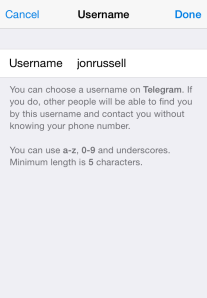
    The Telegram Messaging App, the security-focused messaging app, now lets you add friends without necessarily knowing their phone number (see the step-by-step guide on how to add a username in Telegram). An update to the iOS and Android apps today has introduced the option to register a a username, although all users must still bind their account to a phone number.

    The advantage of a username is that you can share your contact details for Telegram without revealing your phone number, thus safeguarding some level of privacy.

    Usernames must be a minimum of five characters — so you can’t make up for losing out on a one-letter Twitter handle here — and can contain letters, numbers and underscores.

    You are also free to change your alias, so long as the new one is not already taken.

    That’s not quite all from this Telegram update. The company has also taken a leaf out of Snapchat’s book with a new feature that lets users ‘Tap and Hold to View’ photos, video and voice messages that are sent with a self-destructing timer. Prior to this update, Telegram users had to tap on media to load it.

    Importantly, Telegram has now amended said self-destructing timer for media so that it only begins once the content has been opened. That means that photos, videos, etc do not self-destruct before being read.

    Founded by the brothers behind Russian social network VK, Telegram launched in October 2013 with a promise to make mobile messaging more secure. The service gained some serious momentum after Facebook agree to buy WhatsApp, when it clocked 8 million downloads in a matter of days, primarily from users concerned with Facebook’s approach to user data.

    Earlier this year, Telegram revealed that it has 35 million monthly active users, 15 million of whom use it daily. Co-founder Pavel Durov confirmed to TechCrunch that, as of March 2014, more than 18 billion messages were received by users of the service per month.

    Those stats are far smaller than WhatsApp — which has over half a billion monthly users — and others, but they are impressive for such a new entrant in the messaging space.

  • Roughly 1000 Transactions Made with Apple Pay Were Logged Twice in Customer Accounts

    Roughly 1000 Transactions Made with Apple Pay Were Logged Twice in Customer Accounts

    Roughly 1000 transactions were made with Apple. Some Bank of America customers have been double-charged for purchases made with Apple Pay, the payment system Apple launched on Monday.

    Roughly 1,000 transactions made with Apple Pay were logged twice in customer accounts, said Tara Burke, a spokeswoman with Bank of America, which is one of the largest U.S. banks and was an Apple Pay launch partner.

    “We apologize for the inconvenience and are correcting the problem,” said Burke.

    The duplicate transactions should be removed by the end of Wednesday.

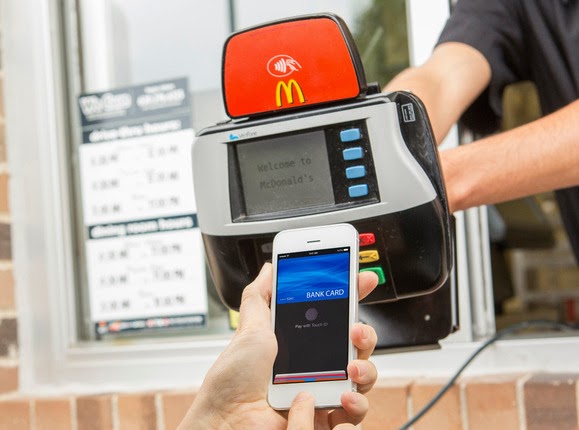
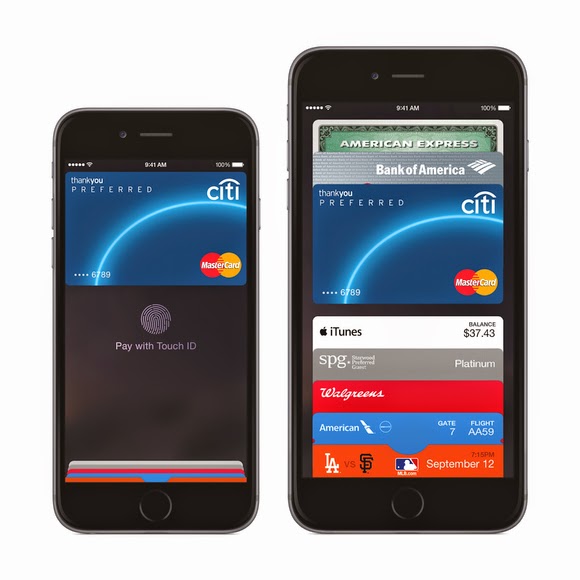
    Apple Pay utilizes a secure chip inside Apple’s new iPhone 6 that enables the phone to emulate an NFC (near field communications) payment card. When the Apple Pay app is loaded with a customer’s credit or debit card, payments can be made at NFC terminals by bringing the phone close to the terminal.

    Roughly 1000 Transactions. The system is being positioned as easier and more secure than current payment cards because the card number is not passed to the retailer’s terminal. Instead, a substitute number called a token is offered to the merchant, which sends it on to the card issuer for approval.

    The token can only be used once, so if it’s stolen it should prove useless to cyberattackers. It’s tied to the actual card number deeper in the financial services network, further away from the retailer terminals that have been the target of so much hacking recently.

    Apple Pay is compatible with existing NFC payment terminals, which can be found in around 200,000 shops and taxis across the U.S.

    Originally posted on PC World

  • First Apple Pay ad features George Brett making an Apple Pay purchase.

    First Apple Pay ad features George Brett making an Apple Pay purchase.

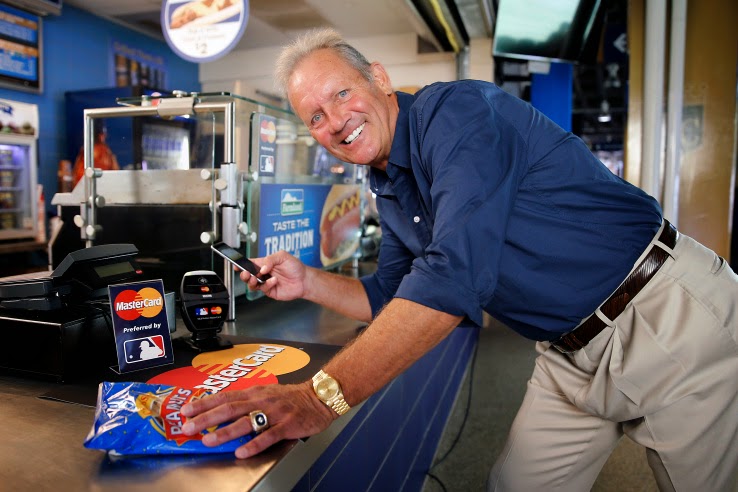
    Apple’s new payment system is live, and Apple Pay purchase have already garnered more attention than most mobile payment efforts to date. It also have a new ad, which aired yesterday during the opening game of the 2014 World Series, from payment partner MasterCard.

    MasterCard’s ad accompanies its new rollout of contactless payments at food and beverage purchase points in MLB ballparks across the U.S. The program supports a range of NFC-powered mobile payment options, but MasterCard is pushing the Apple Pay angle specifically, touting the fact that it brings Apple Pay to pro sports facilities for the first time, at ballparks in both Kansas City and San Francisco.

    MasterCard says that the Apple Pay system works well in the ballpark setting basically because people want their franks fast. Apple Pay/MLB partnerships don’t end there, however – the company is also offering in-app purchase support for Apple Pay users for single-game tickets once those start going on sale in November, via the MLB.com At the Ballpark app.

    The first ad features MBL Hall of Famer George Brett making an Apple Pay purchase. Remember, this is a MasterCard ad, not an Apple ad, meaning this is yet another sign that payments providers think Apple could be the company to make mobile payments really take off, and are investing resources and backing accordingly.

  • Apple Fixes Zapping Cellular Receception on iPhone 6 and 6 Plus devices

    Apple Fixes Zapping Cellular Receception on iPhone 6 and 6 Plus devices

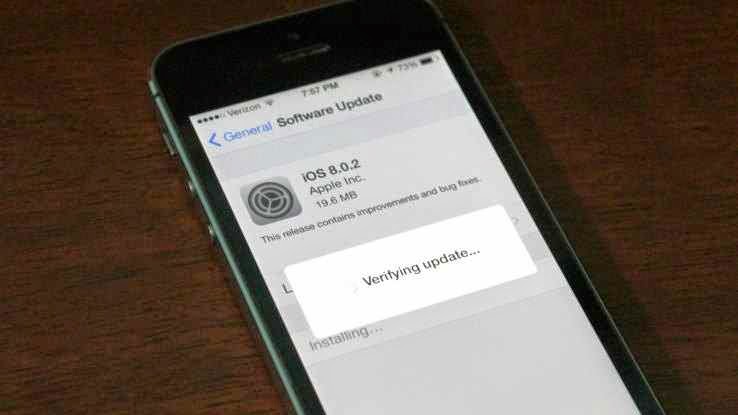
    Apple has moved quickly to release iOS 8.0.2, the update that fixes iOS 8.0.1’s problem of zapping cellular reception on iPhone 6 and 6 Plus devices. It also includes all the fixes listed in iOS 8.0.1 originally, including a fix for the HealthKit bug that held up release of compatible Health apps in iOS 8.

    It also addresses a problem whereby third-party keyboards wouldn’t stick when activated in apps, meaning it would default back to Apple’s stock keyboard. Apple released the following statement alongside the update:

    iOS 8.0.2 is now available for users, it fixes an issue that affected iPhone 6 and iPhone 6 Plus users who downloaded iOS 8.0.1, and includes improvements and bug fixes originally in iOS 8.0.1. We apologize for inconveniencing the iPhone 6 and iPhone 6 Plus users who were impacted by the bug in iOS 8.0.1.

    Apple says that less than 40,000 iPhone and iPhone 6 Plus devices were affected by the bad release, which was up for just over an hour until the company pulled it to investigate.

    To get the update, simply plug your phone in and check for updates in iTunes or navigate to Settings>General and tap Software Update.

  • AT&T will Introduce iPhone 6-Friendly WiFi Calling In 2015

    AT&T will Introduce iPhone 6-Friendly WiFi Calling In 2015

    The iPhone 6 supports WiFi calling. But does your carrier support it?

    If you’re in the U.S., the answer to that is probably “not yet”.

    (For the unfamiliar, WiFi Calling essentially turns any WiFi router you’ve got access to into a private extension of your carrier’s cell network. As long as you’re on WiFi, you’ll be able to make standard voice calls and send texts regardless of whether or not your carrier’s signal is up to snuff in that spot.)

    For now, the only U.S. carrier that can officially say they’ll support iOS 8’s new Voice Over WiFi functionality is T-Mobile — hence their big event about it just one day after Apple’s announcement.

    But fear not, AT&T customers! You’ll be getting in on the WiFi fun too… eventually.

    Speaking at an event in New York this afternoon, AT&T CEO Ralph de la Vega mentioned it almost in passing: AT&T will support Voice over WiFi sometime in 2015.

    So, why the hold up? The short version: for WiFi calling to work properly, your carrier’s network also needs to support Voice Over LTE (VoLTE). This is what allows for a seamless handoff — that is, it’s what allows you to start a call on your WiFi network, leave your house, and seamlessly continue the call on the cellular network without having to redial.

    [via LightReading & Techrunch]

  • The Gold Apple Watch Could Cost As Much As $1,200

    The Gold Apple Watch Could Cost As Much As $1,200

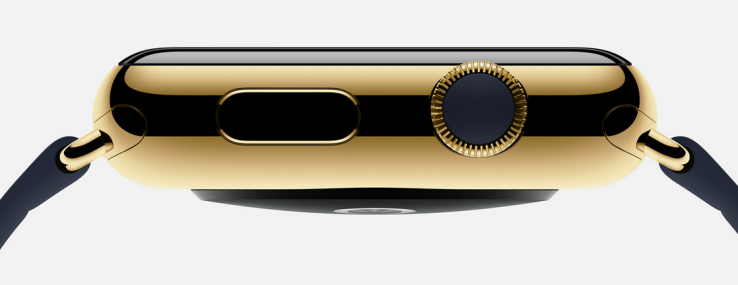
    A jewelry contact familiar with the matter told TechCrunch that the gold, 18-karat version of the Apple Watch could cost around $1,200 retail when it launches in January. This has been corroborated, based on size and weight, by jewelers familiar with the material Apple is using to make its Apple Watch Edition pieces. It should be noted that this is an estimate and the piece could come in well below that price.

    Although there is still some confusion as to whether the watch will be gold plated or actually made of gold, the jeweler suggested that it would be sub-optimal not to make the watch out of solid gold alloy, a decision that will drive up the price. The estimate is based on the leaked design images of the iWatch that appeared this weak.

    Chad Rickicki, a watch expert in Pittsburgh, Pennsylvania said that a case the size and shape of the Apple Watch in 18 carat gold would cost about $600 to make. The rest – the electronics and markup could double that price.

    That doesn’t mean that all of the Apple Watches will rest in the rarified air of haute horlogerie. The lower end sport versions will start at $349 and presumably the standard versions, simply called Apple Watch, will receive a premium over that. The Edition watches, however, are expensive because gold is expensive, even at 18K and intermixed with Apple’s alloys.

    What does this mean? It suggests an interesting move by the company to turn Apple Stores into luxury destinations. While I’m sure Prada and Louis Vuitton are clamoring to be given access to Apple’s unique band connectors, the upside for a more fashionable, luxury-leaning Apple Watch display in stores means the company will control quality and, more important, control profits on band upgrades.

    Apple is entering a fascinating new world of potential partnerships as is, to some degree, the makers of Android Wear devices. Now consumers are going to have to get used to armed guards standing over cases of (tastefully) blinged-out Apple Watches.

    [Via Techcrunch]

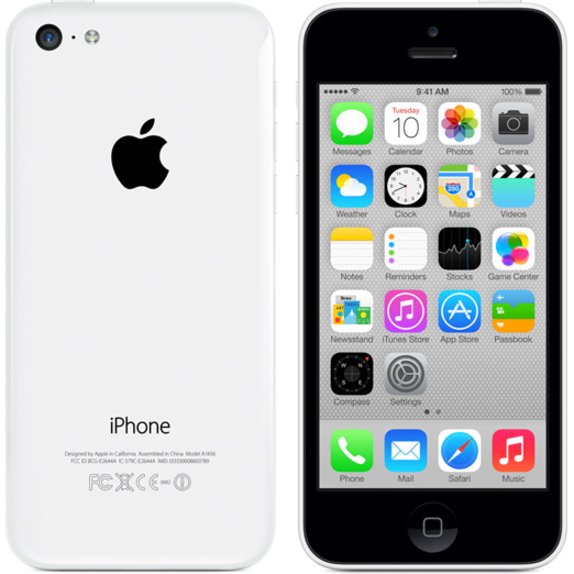
  • Where is Apple’s iPhone 5C Headed?

    Where is Apple’s iPhone 5C Headed?

    With Apple releasing new iPhones next week, the question arises: what will happen to its existing models?

    With recent releases, Apple has kept older devices around to serve it at lower price points in certain regions. But which older devices are going, which are staying and what will the prices be?

    Just as a thought exercise, let’s talk this out.

    What I would conjecture is that the iPhone 5C is going away, a move that that wouldn’t come as too much of a shock to most, though sales of the device have appeared to pick up lately. Though I personally like the look and feel, and think that it’s well built, the perception is that it’s a ‘lower end’ device that packs older innards. Apple could easily drop it from the lineup to make room for a new ‘low end’ unit.

    That new low end? Probably the iPhone 4S.

    Yes, it’s 3 years old, but the hardware is still decent and runs iOS 7 (and iOS 8) just fine. But it’s also 3 years old — that means that Apple has had time to get the manufacturing costs for the device down, way down.

    By dedicating manufacturing facilities to making these older devices, and using parts and processes that have only gotten cheaper over the intervening years, Apple could afford to charge as little as $300-$350 for the 4S, making it a relatively attractive buy in places like India, Southeast Asia and other markets were it needs more penetration outside of the ‘subsidy-rich’ US.

    As far as the iPhone 5S, I’d guess that will probably stick around too — as a ‘medium end’ subsidized model. If Apple is able to get it to clock in at around $500 then it could have real success as a prestige buy for the mid-tier Chinese customer. And Apple could probably find a way to subsidize it down to the $50-$100 range in the US.

    Because of its status as a premium unit — with premium materials — it wouldn’t fall into the same ‘unapologetically plastic’ perception trap that the 5C did. Too expensive to be considered ‘cheap and cheerful’ but too cheap (perceptively) to be considered a status symbol.

    Of course, I could be wrong and the 5C could stick around for another year. We’ll see.

    This article was first seen on Techcrunch. Image copyright belongs to Techcrunch

  • Top 7 Best Photo Editing App for iPhone

    Top 7 Best Photo Editing App for iPhone

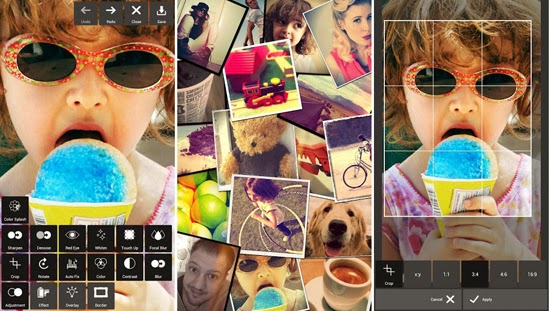
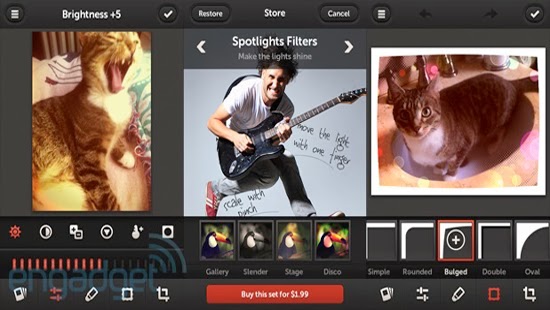
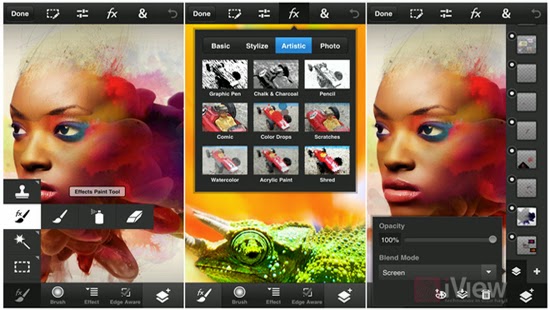
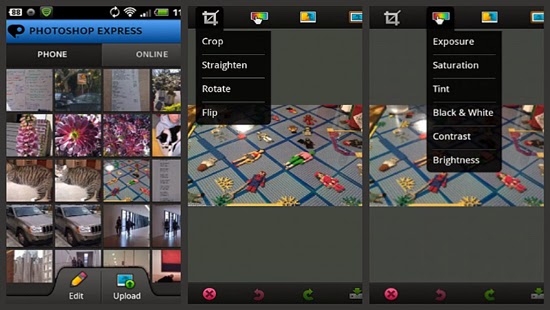
    The best photo editing app for iPhone is determined by the purpose for which the app is used. Instagram has become an established brand though there is stiff competition in the market. Although these apps are not perfect Graphic software, they make user experiences much easier and create more independence with regards to quick editing and can be used on iOS and Android operated phones. There is a wide variety of photo editing apps to choose from but here are the 7 best photo editing app for iPhone on the market at the moment.

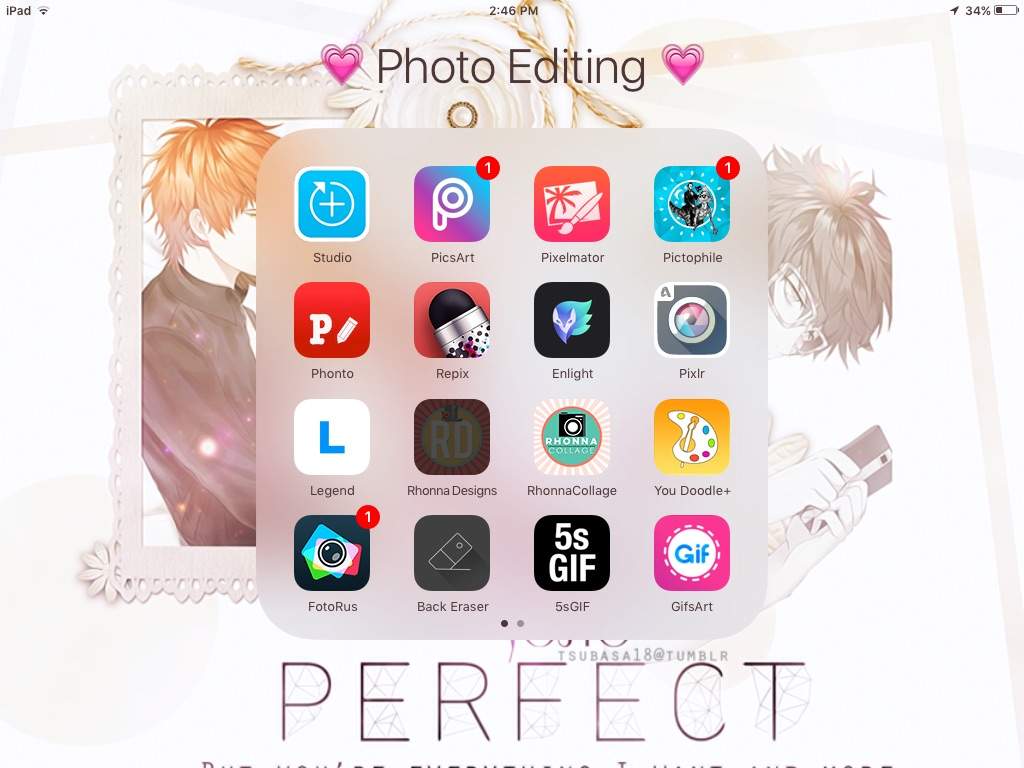
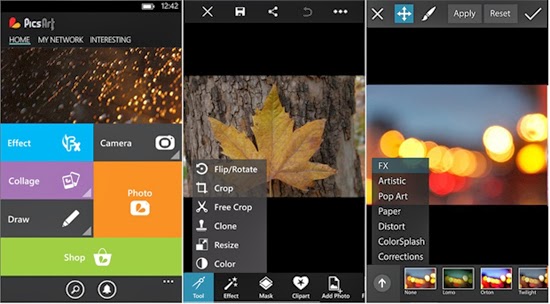
    PicsArt

    Apart from being a photo editing app PicsArt serves the purpose of being a social network for sharing photos. Editing tasks like color adjustments, re sizing and cropping can be undertaken by using the Photo button. Other salient features include Effects that issue specialized tools like red-eye removal, watercolor, pastel and cartoonizer that you can brush on to the image. Conversely, you can snap pictures with a camera tool and paint or draw on an image using a layer-based interface with the Draw tool. It has one of the widest collections of image manipulation tools.

    Pixlr Express

    Pixlr Express is an all-round photo editor & one of the best photo editing app for iPhone. It has facilities that ensure resizing, cropping and basic cleanup. Other specialized tools providing additional enhancements to your photos include one-touch cleanups, Autofix, teeth whitening and red-eye removal. Striking improvements are ensured by lighting effects and overlays in addition to colour adjustment and other tools that are done with fine-grained control.

    Repix

    If you are looking for artistic and classical images, this is the right photo editor app for your iPhone. Salient features include adjustment tools and frames including fast and rough image filters. Custom effect brushes are at your fingertips to selectively paint on special effects. Repix is compatible with Samsung’s S-Pen that provides brushes, frames, filters in addition to other tools that are available as in-app purchases.

    Adobe Photoshop Touch

    This photo editing app incorporates some desktop functions that are employed with the larger app. These include filters, adjustments, selection tools and layers. During editing, there is no loss of detail because there is no downscaling while editing up to 12 megapixels when working on high-resolution photos. Despite being slightly advanced for the novice, this is a powerful editor that makes an exceptional choice.

    Adobe Photoshop Express

    For those in need of a basic photo editing app, Adobe Photoshop Express is the right tool. Its properties include one-touch filters and Auto-fix for quick edits including slider controls for image enhancements such as shadows, exposure and contrast. In-app purchases allow for the incorporation of additional features like image utilities, special features and advanced filters. The basic package is mostly sufficient for simple editing manoeuvres that include cropping, resizing and red-eye correction.

    Snapseed Mobile

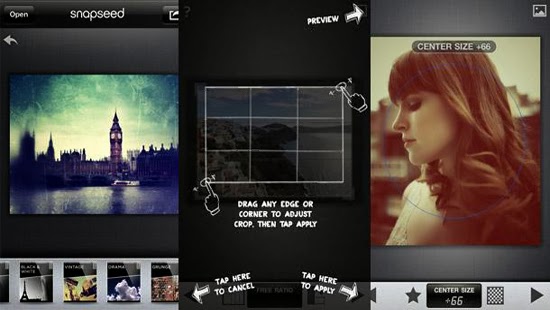
    Snapseed mobile provides more selective tools with one-touch enhancement through exceptional usability and power. Essential attributes allow you to fine-tune the image using a simple slider as well as quick boosts to colour and contrast including photo clean ups with Auto Correct. Other features provided are ‘Selective Adjust’ mode enabling you to tune concentrated portions of the image using saturation edits, colour and brightness in addition to the Tune Image tool that allows you to alter a variety of image effects like warmth, shadows and brightness. Tilt-shift provides a wide selection of tools and filters as well.

    iPhoto

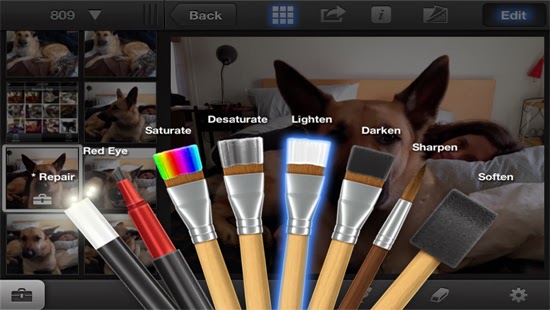
    iPhoto is a high-end photo editing app for iOS featuring smart organizational tools that enable you to tag and sort out your photos as well as touch-based tools for adding special effects and cleaning up photos. Brush-based editing tools give you the leeway to use your fingertip in sharpening, darkening or lightening images. You can selectively edit pictures by employing gesture-based and multi-touch tools. Users can order custom photo prints or photo books while you can share photos online as slideshows or web journals.

    We believe the list above features best photo editing app for iPhone, we hope this article can help you choose the right app , as always we’d love to hear your comments, suggestions…

  • Apple Makes Big Improvements In iOS Management Tools For Enterprise And Education

    Apple Makes Big Improvements In iOS Management Tools For Enterprise And Education

    Apple has been busy in the IT department. Today, it released a slew of improvements and alterations to its large-scale deployment tools for education and enterprise customers.

    Some of the tweaks get way out in the weeds of deployment strategies, so they’ll only be really exciting for the actual pros who deal with this stuff. But the big picture is that Apple is looking to make deployments at enormous scales more appealing for the people in charge of purchasing and maintaining iPhones and iPads. This, hopefully, will result in more major purchases by organizations and fewer negative stories about failed management scenarios.

    The changes are outlined in a series of documents Apple posted on its IT deployment page today. These include changes to its Device Enrollment Program, Volume Purchase Program and the Apple ID for Students service. A new iOS deployment technical reference guide and Device Enrollment Program guide have been issued, updating its older versions with new options for device management. A new overview document provides a quick cheat sheet for enterprise folks looking to utilize the tools Apple provides to mass purchase apps and roll out huge numbers of iOS devices at a time. And a new iOS Security Document has been posted that provides in-depth details on how Touch ID and the A7’s Secure Enclave work.

    I’ve had conversations with IT pros and people who roll out large iPad installs in the past and they’ve mentioned that one of the things that has continued to cause Windows devices to hold some appeal is their better remote installation and configuration support. To that end, Apple has made some updates to improve that situation.

    Both the enterprise and education programs now have support for Mobile Device Management hands-free configuration. This ‘zero touch’ setup has been a long-requested feature for many pros, as it eliminates the need to cable up every deployed device and install a profile via Apple’s Configurator utility.

    The zero touch configuration allows an organization to sign up for a profile and order devices directly from Apple that come pre-configured with all of their security and configuration choices. They can then manage them directly without ever having to touch them physically. Additionally, the ability to lock these profiles to the devices means that the end user won’t be able to remove them and do what they want to the devices willy nilly.

    This way, the load is taken off of IT departments in the rollout phase and the user is able to customize and play with the devices without mucking up security profiles. It will also allow IT departments to easily and wirelessly conform users’ own devices to their company security policies with a simple opt-in.

    “The other bit that’s interesting is that DEP-enrollment now allows admins to require and force MDM enrollment on devices they own,” Fraser Speirs, Head of Computing and IT at Cedars School of Excellence in Scotland, pointed out to TechCrunch. “This is huge for schools. The lack of enforceability of MDM enrollment was — by my guess — the central problem in the now-infamous Los Angeles Unified School District ‘hacking’ scandal.”

    Schools in LA had deployed a large amount of iPads, but had to recall them after students were found deleting the enrollment profiles on their devices. This allowed the students to use them to *gasp* browse the web as they pleased and install unapproved apps on their personal units. The anarchy would not stand and the district began reconsidering its rollout — which has since resumed. These kinds of high-profile flubs likely didn’t do anything to help the momentum of Apple’s organizational rollouts. This enforcement should allow customization, while preventing circumvention of IT rules.

    In short, it should make iPads even more attractive to these markets.

    The Volume Purchase Program has also gotten a nice overhaul. It’s now available in all 10 VPP countries for both enterprise and education partners, allowing these organizations to bulk buy applications for installation on bunches of devices at once. These purchases are generally offered with hefty discounts, which makes them more appealing to schools with tight budgets.

    In addition, VPP purchases are now able to be made via purchase orders by enterprise customers, something that was only available to IT pros in the past. Offering PO support to IT departments is going to open up VPP purchases to a huge segment that previously had no way to requisition software from Apple.

    In the educational market specifically, Apple has opened up the ability for students under the age of 13 to obtain their own Apple ID. After a school is enrolled, they can request IDs from Apple, who will then send a communication to the parent, who will then be guided through the registration process. The school is then notified that the student has been given consent.

    Though under-13 IDs were opened up late last year, the new changes open the way for students, specifically, to sign up — in a way that is COPPA-compliant. They require parental consent to sign up, for one. And these Apple IDs are limited in a specific set of ways.

    For instance, a student Apple ID account features limited ad tracking, doesn’t allow them to opt-in to marketing and there is no iCloud email support by default. They also do not require a credit card to sign up and can notify a parent or guardian of any change in the terms of the account. These accounts convert over to a full account with all normal rights and privileges once the student reaches age 13. Apple has provided a new parent guide that details the exact process and allowances of these special Apple IDs and a guide for institutions who will utilize them.

    “I think the overarching story here is that these changes are all about making deployments scale up to genuinely massive numbers,” says Speirs. “School districts are topping out at around 50k units right now — to my knowledge — but there are obviously bigger deployments in other areas of education – and enterprise.”

    For now, we’ve confirmed that the Device Enrollment Program will only affect devices purchased by organizations directly from Apple. This means that schools like Speirs’, who work through retailers, won’t be able to use the program to pre-configure devices — yet. But that will likely be on the way.

    “I do think these are major steps forward for IT organizations,” Carl Howe, Vice President, Research and Data Sciences at Yankee Group, told TechCrunch. “In many organizations, IT spends much of its time being ‘the department of no,’ where they tell employees that they can’t do things for reasons of manageability or security. By making Apple devices more manageable and being transparent with its security, Apple is helping those IT organizations go from being the department of no to ‘the department of yes.’ And given that ease of use boosts security compliance, the fact that this can be done in ways that don’t require the end-user to do anything special (i.e., their device gets provisioned to them fully linked up to their organization, secured, etc.), it should make Apple devices even more popular in businesses than they already are.”

    iOS devices have gained a large amount of popularity in organizations by leveraging the bring your own device trend. If the boss gets a new iPad and loves it, the IT department will have no choice but to support it somehow. But in order to spur growth, and to keep the vaunted ease of use of iPads and iPhones intact, Apple has to continue to refine its offerings for device deployment.

    These changes are an attempt to keep the way that people use an institutional iOS device and a consumer iOS device as close to parity as possible. If you’ve ever jumped through hoops to configure a company-issued laptop or phone, then you know how much of a pain that can be. If you imagine doing that 50,000 times, you can see why these improvements could spur a nice surge of adoption by purchasing departments.

  • North Korea’s home-grown OS looks a lot like Apple’s OS X

    North Korea’s home-grown OS looks a lot like Apple’s OS X

    IDG NEWS SERVICE – If imitation is the sincerest form of flattery, might the folks in Cupertino be pleased when they see the latest version of North Korea’s home-grown operating system?

    Version 3.0 of Red Star Linux presents users with a radical refresh of its desktop design, one that closely resembles Mac OS X. The new look replaces the Windows 7-like desktop that was used in version 2.0 of the software.

    The Korea Computer Center (KCC), a major software development center in Pyongyang, began developing Red Star about a decade ago. Version 2 is 3 years old and version 3 appears to have been released in the middle of last year.

    The world has gotten its first look at version 3 thanks to Will Scott, a computer scientist who recently spent a semester teaching at the Pyongyang University of Science and Technology (PUST). The school is North Korea’s first foreign-funded university and many of the lecturers come from overseas.

    Scott said he bought the operating system at a KCC dealer in the capital city and the screenshots he provided were of the basic version 3 software without any modifications.

    While most North Koreans are restricted from accessing the Internet, many can get access to a nationwide intranet through universities and public libraries. The intranet offers websites for domestic institutions and is heavily skewed towards offering information, educational materials such as PDF versions of books and scientific papers, and government propaganda.

    Red Star Linux includes a web browser based on Mozilla that has been re-branded “Naenara,” or “My country.”

    It also includes a copy of Wine, a Linux application that provides an environment under which Windows software can be run.

  • Download Free Tribesports Training App for iOS

    Download Free Tribesports Training App for iOS

    When London-based Tribesports — a social network for people doing rather than watching various sports — rebooted its business model last year, kickstarting what it calls the world’s first “community-powered” sportswear brand, you’d be forgiven for thinking the young company had become less tech and more clothes-maker.

    But, actually, Tribesports very much still sees itself as a creator of social web and mobile applications, which underpin its 200,000+ user base, and in turn enable those users to become co-creators and co-marketers of its new sportswear range. It’s a model that, perhaps, defies conventional corporate thinking whereby “we need an app” is often little more than a marketing afterthought.

    Today Tribesports is launching a new iOS app dedicated to training. The app, which is completely free, shunning paid-for add-ons or other premium pricing, lets you track, analyse and review your training, and, unlike something like Runkeeper, has been designed to work across multiple sports — something the company thinks reflects how many of its users actually train.

    Naturally, the app ties into the existing Tribesports community, allowing you to follow the training sessions/workouts of other users, as well as browse thousands of community uploaded workouts or share you own.

    In some ways, the Tribesports Training app offers a subset of features found in the main Tribesports app but redesigned to focus on mobile training, including, of course, a heavy use of GPS. It’s also no doubt designed to appeal to users who may not want to join and participate in a dedicated sports social network.

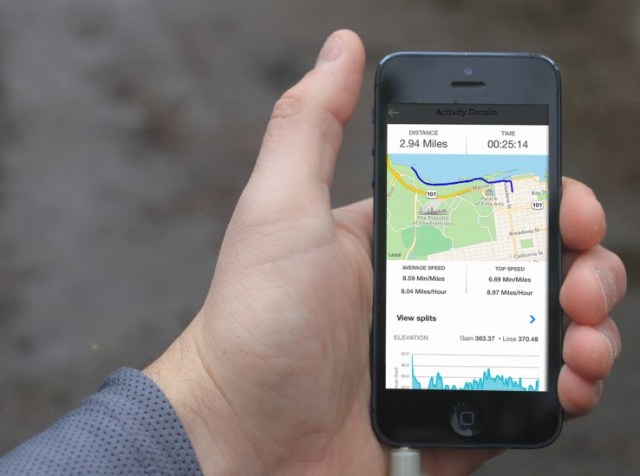
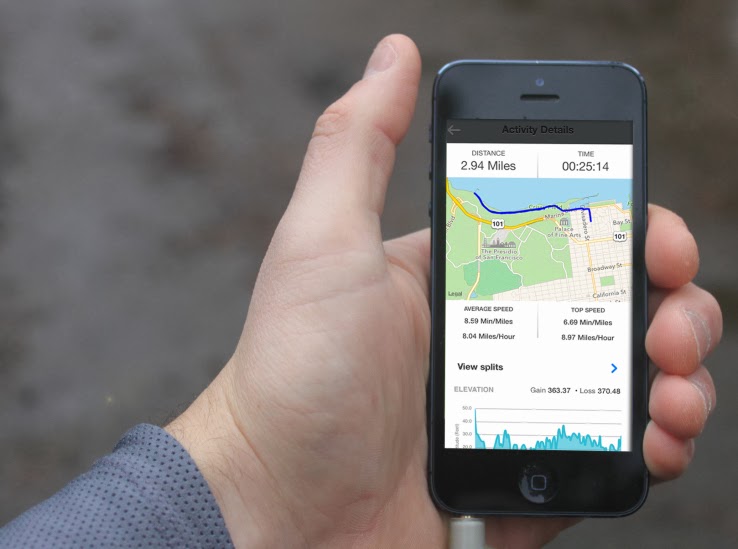
    The GPS tracking features enable you to track and analyse your running, cycling, walking and more, underpinned by weekly, monthly and all-time-best graphs. You can also take in-app photos, which are then uploaded as part of logging your training session. All in all, over 900 different sports and exercises are available to log in workouts and training sessions out of the box, and there’s the option to customise your own and share these templates.

    Of course, if Tribesports can get a greater number of people engaging with its technology wares, it can also introduce those same users to its own big brand-busting sportswear.

    This article was curled from a news update on Techcrunch.

  • Use 2go, BBM & Whatsapp on your Windows PC or Mac

    Use 2go, BBM & Whatsapp on your Windows PC or Mac

    Although future generations of PCs are likely to be operated on Android OS with Lenovo’s latest invention, Windows PC and Mac users can still enjoy Android apps without installing Android OS.

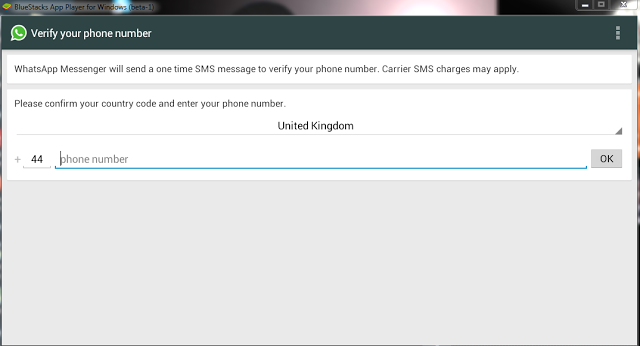
    Bluestacks is a free software that allows you to use your favorite Android apps on a Windows PC or Mac. You can download apps like Angry Birds Space, 2go, Whatsapp or BBM to Go directly into Bluestacks, or sync the apps from your phone using the Bluestacks Cloud Connect Android app.

    Using Bluestacks is similar to using an Android tablet: It works a bit like a widget. When clicked, the BlueStacks App Player will display the ten apps that have already been pre-installed and application suggestions which can be installed using Google Play Store. You can install more application by clicking on More below the big + sign. Bluestacks can be viewed in minimized or full screen.

    Download Bluestacks

    To download Bluestacks, proceed to Bluestacks download page, click on the download button that fits your OS description. The Download Now link will download a small installer file to your desktop. Remain online and double-click the installer to proceed with the actual download.

    Please note that Bluestacks is currently in beta stage: Beta or prerelease software is not intended for inexperienced users, as the software may contain bugs or may potentially damage your system. I strongly recommend that users exercise caution and save all mission-critical data before installing or using this software.

    I have personally tried this software on Windows XP, Windows 7 & Windows 8, the performance is great and it is worth trying!