Tag: Google

  • Los Angeles Wildfire Rages Out of Control, Casualties Reported

    Los Angeles Wildfire Rages Out of Control, Casualties Reported

    A catastrophic wildfire erupted in Los Angeles on Tuesday evening, tearing through the inland foothills northeast of the city and leaving widespread destruction in its path. Casualties have been reported as the fast-moving flames engulfed homes, vehicles, and vegetation, forcing over 30,000 residents to evacuate in a desperate rush to safety.

    The Los Angeles Fire Department Chief, Kristin Crowley, confirmed the devastating toll while hundreds of firefighters battled the blaze from both air and ground. Crews worked tirelessly in steep terrain to carve firebreaks and slow the fire’s relentless advance.

    Families Recount Their Journey to Safety in the Los Angeles Wildfire

    Witnesses described terrifying moments as embers rained down, turning neighborhoods into fiery infernos. “It looked far away—then suddenly, it was upon us,” Gary, a resident of Sea Ridge, told KTLA. Roads turned into gridlocks with flames on both sides, leaving some evacuees to flee on foot.

    Despite the chaos, stories of resilience have emerged. Families helped each other escape, and communities are rallying together to support those displaced. “In times like this, we see the best of humanity,” said Pacific Palisades resident Andrew Hires, who helped neighbors pack their belongings before fleeing the flames.

    For those who have made it to safety, what comes next? This is a time to lean on community resources and support systems. Local shelters are offering temporary housing, while aid groups are mobilizing to provide food, water, and clothing.

    Have you checked in with loved ones or reached out to friends who may be affected? Even a small act of kindness can make a significant difference in moments like these. Survivors are encouraged to access counseling services to process the trauma and take small, hopeful steps toward rebuilding.

    Steps to Protect Yourself Against Wildfires

    Wildfires are a harsh reminder of the importance of preparedness and proactive measures. Here’s a step-by-step guide to help communities and individuals protect themselves and minimize risks:

    1. Create Fire-Safe Zones Around Your Home

    • Clear Vegetation: Remove dry leaves, branches, and dead plants near your home to reduce fire fuel.
    • Plant Fire-Resistant Vegetation: Opt for plants with high moisture content and low resin.
    • Maintain Defensible Space: Keep at least 30 feet of clear space around your home to act as a buffer.
    • Store Combustible Materials Safely: Keep firewood and flammable items far from your house.

    2. Prepare Your Home for Wildfire Resistance

    • Install Ember-Resistant Vents: Prevent embers from entering your home through openings.
    • Install Smart Smoke Alarms: The best smart smoke alarms for modern homes offer real-time notifications and alerts directly to your phone, allowing you to take immediate action no matter where you are. These alarms can detect smoke, fire, and carbon monoxide, giving you an early warning to evacuate or take safety measures.
    • Upgrade Windows: Use tempered glass windows that are more resistant to heat.
    • Seal Gaps: Ensure roofs, gutters, and eaves are sealed to avoid ember penetration.
    • Use Fire-Resistant Materials: Consider metal roofs or fiber-cement siding for extra protection.

    3. Develop an Emergency Plan

    • Identify Safe Exits: Know multiple evacuation routes in case of emergencies.
    • Pack Emergency Kits: Include essentials like water, non-perishable food, medications, important documents, and flashlights.
    • Establish a Communication Plan: Ensure all family members know how to stay in touch during emergencies.
    • Practice Evacuations: Regularly rehearse evacuation plans with your household.

    4. Stay Informed and Alert

    • Sign Up for Alerts: Subscribe to local emergency alert systems for real-time updates.
    • Monitor Weather Conditions: Stay aware of red flag warnings and high-wind advisories.
    • Listen to Authorities: Follow instructions from emergency services promptly during a wildfire.

    5. Collaborate as a Community

    • Participate in Fire Safety Programs: Join or organize local fire-prevention initiatives.
    • Support Local Firefighters: Advocate for funding and resources for fire departments.
    • Create Firebreaks Together: Work with neighbors to clear vegetation and create communal safety zones.

    6. Advocate for Government Action

    • Strengthen Emergency Systems: Push for improved wildfire alert systems and response mechanisms.
    • Promote Policy Changes: Support legislation that prioritizes wildfire prevention and management.
    • Invest in Research: Encourage investments in technology and strategies to predict and control wildfires effectively.

    By taking these steps, we can collectively reduce the risk of wildfires and ensure that future disasters cause less destruction and loss. Let’s commit to learning from this tragedy and building a safer tomorrow.

    We stand with the survivors and all affected by this tragedy, offering our deepest empathy and support as they navigate the road to recovery.

  • Google Layoff Employees: More Job Cuts for Tech Workers

    Google Layoff Employees: More Job Cuts for Tech Workers

    The labor market, which has been consistently saturated with employees is clearly showing indications of slowing down, as certain companies are starting the new year by reducing their workforce. On Tuesday, Google revealed plans to lay off hundreds of employees in its advertising sales team, signaling ongoing workforce reductions at the Alphabet-owned company.

    Google is joining the bandwagon of tech companies turning to artificial intelligence software and automation to streamline operations rather than human labor. While discussions and questions about why Google is laying off employees are yet to settle, other companies have also declared plans to lay off staff this year.

    The roles receiving this harsh blow at Google include the Assistant team, the augmented reality hardware division within the devices and services product area(hardware teams overseeing Pixel, Nest, and Fitbit), and the central engineering team. The company attributes these layoffs to its efforts to enhance efficiency, realign resources with its major product priorities, and bring about improvement across the board.

    A spokesperson for Google explained, “We’re responsibly investing in our company’s biggest priorities and the significant opportunities ahead. To best position us for these opportunities, throughout the second half of 2023, a number of our teams made changes to become more efficient and work better, and to align their resources to their biggest product priorities. Some teams are continuing to make these kinds of organizational changes, which include some role eliminations globally. We’re continuing to support any impacted employees as they look for new roles here at Google and beyond.”

    Shares of Google’s parent company, Alphabet, experienced a 0.9% decline in intraday trading following reports of the layoffs. Google confirmed that the restructuring will result in the elimination of hundreds of roles. This workforce reduction follows Google’s previous major layoff in early 2023, where approximately 12,000 employees, constituting about 6% of its workforce, were let go.

    Several companies, such as Amazon, Twitch, Duolingo, Discord, Macy’s, Citigroup, BlackRock, etc have recently revealed plans to reduce their workforce. Some of these companies, which are currently implementing job cuts, had previously carried out more extensive layoffs over the past year or so. Since then, both inflation and expectations for a recession have decreased, contrary to the predictions made by most economists as recently as the middle of last year.

    In October of the previous year, the continued downturn in aviation revenues caused by the impact of the pandemic led Rolls-Royce to lay off 6% of its employees. Concurrently, Microsoft’s professional social media platform, LinkedIn, undertook workforce reductions, laying off 668 employees across engineering, product development, talent acquisition, and finance departments. This move followed a prior reduction of 716 staff in May of the same year, which was accompanied by the closure of its job application operations in China.

    How do Layoffs Impact Employees?

    Experiencing a layoff can bring about severe financial hardships for those affected. The abrupt termination of employment translates to the loss of a steady income, employee benefits, and various job-related perks. Despite the provision of severance packages, many individuals may find it difficult to meet their financial obligations, particularly if they are responsible for supporting a family or contend with high living expenses. The resulting stress, stemming from the inability to cover bills and provide for loved ones, can significantly impact the mental and emotional well-being of those who have been laid off.

    Google Layoff Employees: How do Layoffs Impact Employees?

    The turmoil triggered by layoffs and the subsequent career transitions can deeply affect the mental health of individuals. Confronting uncertainties, financial constraints, and the pressure of re-entering a competitive job market can elevate levels of stress, and anxiety, and even contribute to feelings of depression. Furthermore, the loss of a familiar work environment, daily routine, and a sense of purpose can compound these challenges, fostering a sense of helplessness and diminishing self-esteem.

  • Google Pixel Tablet 2023 With Impressive Speaker Dock

    Google Pixel Tablet 2023 With Impressive Speaker Dock

    Since its debut 13 years ago, the iPad has consistently held a firm grip on the global tablet market. Often dominating a huge portion of all tablets sold annually. Android tablets from brands like Samsung and HUAWEI have struggled to match iPad’s success. But Apple has always been faster, hauling out products with better functionality and faster OS upgrades. Even Google made an early entry into the tablet market with its Nexus tablet series, but that too ground to a halt.

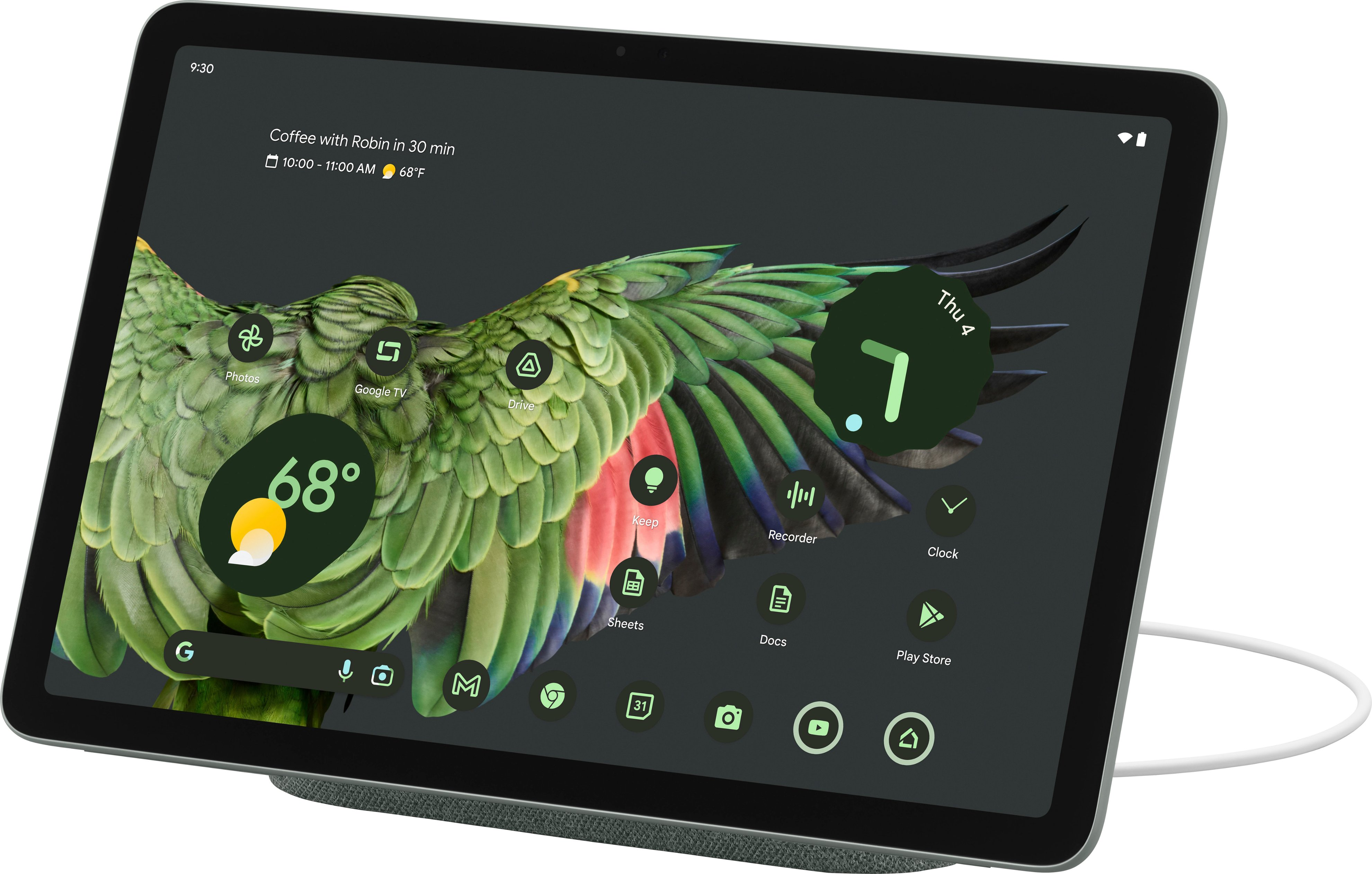
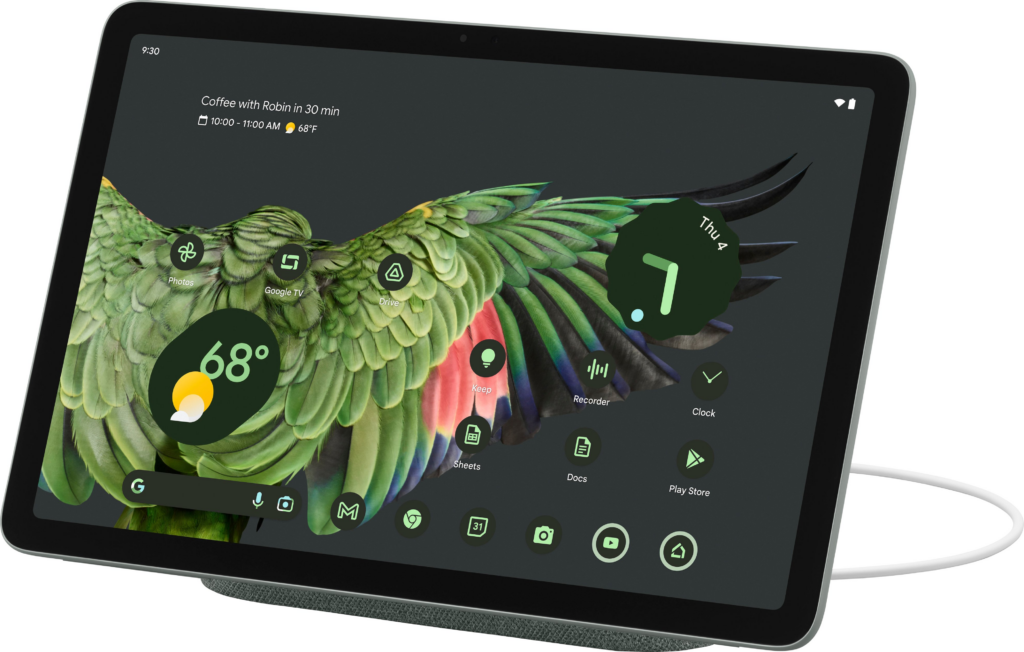
    Now, introducing the Google Pixel Tablet 2023; the latest addition to the Android tablet market, after Google’s long break. This roughly 11-inch screen tablet comes in three refreshing colors: Porcelain, Hazel, and Rose. Priced at $499, the Google Pixel Tablet has a standard tablet design with a 10.95-inch LCD display and bezels that match the color of the tablet. Along with a resolution of 1,600 x 2,560 and a 60Hz refresh rate. While it may not be as impressive as other tablets out there with OLED panels and higher refresh rates, the LCD screen is chosen to avoid screen ghosting issues. Mostly, the display offers good viewing angles, cool colors, and sufficient brightness for outdoor use.

    Let’s look at some of the outstanding features of the Google Pixel Tablet; including the most raved-about Dock.

    Design

    Google Pixel Tablet 2023 With Impressive Speaker Dock

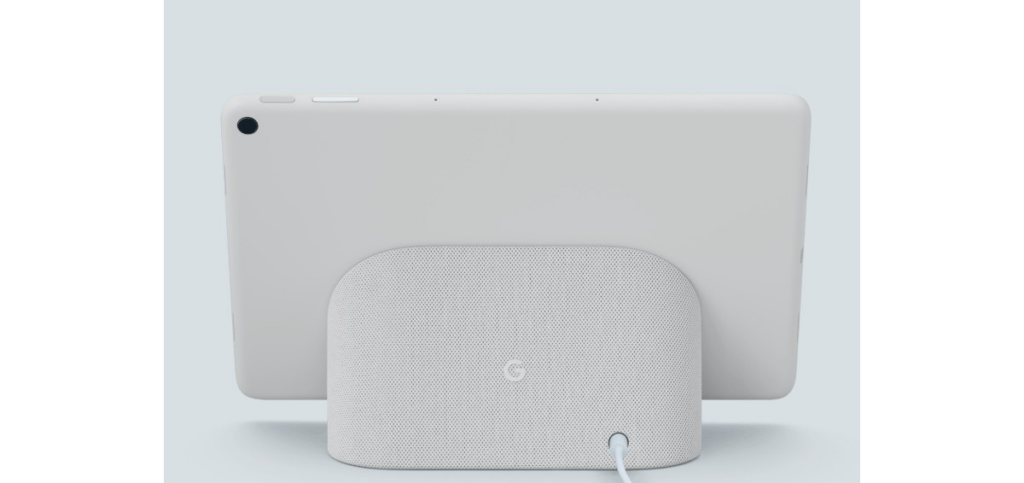
    The Google Pixel Tablet has a back made of aluminum with a textured feel and a nano-ceramic coating. It has connectors for attaching it to the dock, which also serves as a charging speaker. Just like the Pixel 5, Google has a fingerprint sensor and volume rocker on the top edge when held in landscape mode. The USB-C connector for charging is on the left side, and there are silicone bumpers on the bottom for protection.

    The tablet offers convenient hands-free assistance. By simply saying “Hey Google” users can play music and videos. Or get answers to questions, control smart home devices, manage tasks, and much more. In terms of software updates, the Pixel Tablet has a solid operating system update arrangement: a minimum of 3 years. So that users can have access to Google’s latest features and improvements. Pixel Tablet users will also receive security updates for a minimum of 5 years, to protect the device against potential security threats.

    Software and Performance of The Google Pixel Tablet 2023

    The tablet has four speakers on both sides that deliver clear audio and stereo sound, but it lacks a headphone jack. It features an 8-megapixel webcam for video calls and a rear camera for basic photography needs. It is said to offer decent performance for most tasks but tends to get warm and has a slightly lower battery life compared to similar tablets. The battery life of the Pixel Tablet is decent. When it is undocked, the device can last up to 12 hours after charge.

    The performance of the Pixel Tablet is really impressive, considering how overinflated most of Google’s products are when it comes to performance. The tablet runs on the same powerful Tensor G2 chipset as the Pixel 7 series, along with 8GB of RAM. Google has also made significant improvements in optimizing the tablet for wider screens. They have worked on enhancing the experience of using over 80 popular apps on the Pixel Tablet, such as Twitter, Whatsapp, Instagram, Calculator, Chrome, Netflix, and more.

    While Google’s apps(Maps, Gmail, YouTube, Chrome, etc) have been optimized for the tablet, many third-party apps still lack tablet-specific designs. The Pixel Tablet runs on Android 13 OS with a similar interface to Google’s Pixel phone. And from what we know, the tablet is primarily focused on providing users advanced productivity features, which if you pay close attention to, aren’t that avant.

    The Famous Google Pixel Tablet Dock

    Google Pixel Tablet 2023 With Impressive Speaker Dock

    The standout feature of the Pixel Tablet is its speaker dock, which seamlessly transfers audio from the tablet to the dock’s louder speakers. The fact that the Google Pixel Tablet includes this Dock that also charges the tablet makes the device all the more impressive. The tablet can equally be used as a smart display when docked, with voice commands and access to Google Assistant. It supports multiple users and has a kids’ mode too.

    As for the Pixel Tablet, the Charging Speaker Dock enhances the tablet’s audio experience, but it basically falls short compared to other dedicated smart speakers. It is more suitable for background music or podcasts at low to medium volumes, but lacks loudness and clarity at higher volumes. The dock beyond our expectations has limited functionality and cannot be used independently when the tablet is not docked. It’s frustrating that the dock lacks any built-in intelligence as well.

    Google’s inclusion of the dock with every tablet increases the product’s overall cost. If the speaker dock is a mandatory part of the purchase, it should offer better sound or more features, ideally both.

    When the tablet is attached to the dock, it can function as a smart display, showing a screensaver and providing access to Google Home device controls. The dock also serves as a Chromecast target for casting media to the tablet.

    Pixel Tablet VS Nest Hub

    Sadly, we cannot help but notice the similarities to Google’s Nest Hub and Nest Hub Max. Versatile smart displays that combine a smart speaker with a touchscreen. Powered by the Google Assistant, they offer a wide range of features. You can access news briefings, view weather conditions, control smart home devices, play music and podcasts, watch videos, cast content, use it as a digital picture frame, participate in video chats, create a home intercom system, answer your doorbell, assist in cooking, monitor your sleep, translate languages, control the display with hand gestures, and personalize your experience with voice and face recognition.

    What We Think?

    The Pixel Tablet is a decent midrange Android tablet that comes with a charging dock for added functionality. Its performance is impressive for its price range, and although the display isn’t technically remarkable, it still looks good. However, Google’s decision to only sell the tablet with the dock seems like a big mistake. Although Google says the Pixel Tablet is not a Nest Hub Max upgrade, it gives off that vibe and even functions similarly in some ways.

    A number of people may purchase the device, assuming they’re getting a high-end smart display that can be detached for mobility. Unfortunately, they will be disappointed because the Pixel Tablet is not a substitute for a dedicated smart display, which puts it in an awkward position. Moreover, the audio quality from the Pixel Tablet’s Charging Speaker Dock falls short of what one would expect from an approximately $500 smart home gadget. Google has come up with an intriguing concept with the Pixel Tablet, but its execution is lacking. Most people would prefer the option to buy the tablet alone without the dock. While many people may still desire the dock, it shouldn’t be a requirement for everyone.

    Full Specifications

    • Display: 10.95 inches, 2560 x 1600 pixels
    • Processor: Google Tensor G2
    • Weight: 493g
    • RAM: 8GB
    • Storage: 128 / 256GB
    • Camera: 8MP for rear and front
    • Operating system: Android 13
    • Camera: 8MP front and rear
    • Ports and Connectivity: Wi-Fi 6, Bluetooth 5.2, USB-C, UWB
    • Dimensions: 258 x 169 x 8.1mm
    • Battery: 27Wh
    • Colors: Porcelain, Hazel, Rose
  • Google Chrome Now Works Faster On Mac and Android

    Google Chrome Now Works Faster On Mac and Android

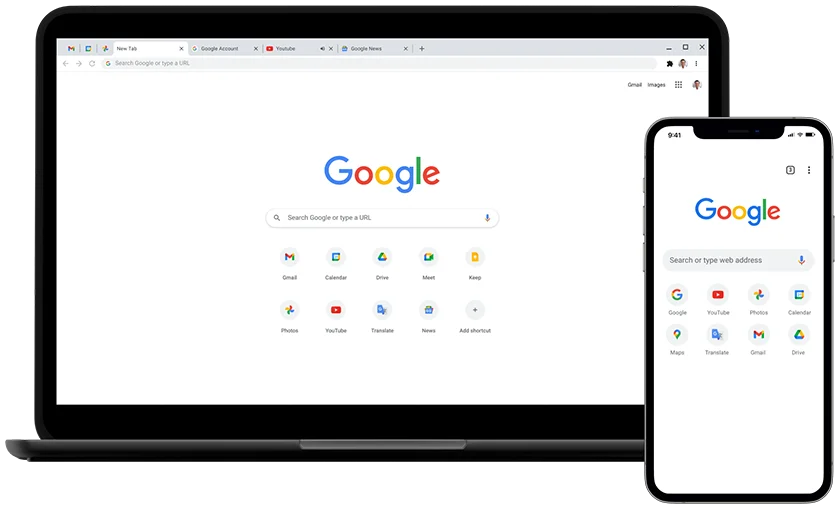
    American global technology company Google has announced its latest adjustments to Chrome—one of the leading internet browsers in the world. Over the years, several users have lodged complaints about Chrome’s very slow performance. Along with the inordinate amount of time it takes to load pages. And for a while, Google Chrome sought long and hard for ways to improve the swiftness and efficiency of their extensively utilized internet browser. But now, they’ve made a few tweaks.

    Google prides itself on being the premier search engine that offers a wide range of tools to assist millions of its users in universally accessing and sharing helpful information. In line with this mission, the Google Chrome web browser is getting a speed boost. This significant modification to the dynamic web browser will allow for a faster and more enjoyable browsing experience. The company announced this in a blog post.

    From improved caching to better memory management for all devices, including Mac and Android devices with varying capabilities. These technical improvements will not only make the browser faster, but they’ll also make the experience satisfying. According to them, the changes made to this new upgrade required Google’s expert team of engineers to delve beneath the surface of Google Chrome.

    Google Chrome Changes To Improve Functionality

    Google Chrome Changes To Improve Functionality
    Credit: Nintendo-Power

    One of the specific improvements Google factored into their upgrade is HTML Parsing. In the announcement, Google says it has uncovered some targeted optimizations for their highly used JS “Object.prototype.toString” and “Array.prototype.join” functions. Google equally implemented targeted improvements in CSS’s InterpolableColor. All of which are specialized fast paths for parsing to offer a more satisfactory web experience for all of its web users.

    Another tweak that was made to the Google Chrome web browser was a more efficient pointer compression. Due to the endless tussle between memory and performance, Google stated that it has made optimizations to how it compresses and decompresses pointers. This is to also ensure a faster, seamless browsing experience for its users with reduced memory consumption. Google further highlights the relocation of frequently accessed objects like JavaScript’s “undefined” to the beginning of the memory bases. Where they can be easily accessed with faster machine code.

  • Best Android Phones 2023: The Latest Phone Deals

    Best Android Phones 2023: The Latest Phone Deals

    Whether you are a tech enthusiast, a social media influencer, or simply looking for a reliable phone that can keep up with your dynamic lifestyle, you are sure to find a perfect match from our list of the best android phones of 2023.

    We bring to you a compilation of the hottest phones to buy this year. Featuring sleek designs, ultra-powerful processors, high-resolution cameras, innovative features, specifications, etc, these android phones are the ultimate gadgets that will upgrade your daily communication and entertainment. With their guarantee to offer seamless and immersive user experiences like never before.

    So let’s explore the new android phones for 2023, alternatives to iPhones.

    Best Android Phones in 2023: The Latest Phone Deals

    Our Top Picks Of The Best Android Phones in 2023

    Samsung Galaxy A54 5G

    Cnet.com

    The sleek and stylish Samsung Galaxy A54 5G, which takes its design cues from the highly coveted Galaxy S23 lineup is the latest addition to the Samsung Galaxy series. This modern device boasts a 6.4″ FHD+ AMOLED display with a lightning-fast refresh rate of 120Hz, powered by a Samsung Exynos 1380 processor and backed by 128GB of storage that’s expandable up to 1TB with a microSD card.

    You can capture amazing shots with the Galaxy A54’s upgraded camera setup featuring a 50MP primary sensor for superior low-light performance and dynamic range, along with a 12MP ultra-wide and 5MP macro camera for close-up shots. On the front, a 32MP selfie shooter awaits, capable of recording in 4K resolution, giving you picture-perfect moments to treasure.

    The Galaxy A54 is packed with other features like 5G, Wi-Fi 6, and eSIM, ensuring you stay connected to the world around you. Running on Android 13 with One UI 5.1, the Galaxy A54 offers a seamless and intuitive user experience. Available in black and purple, this phone is so affordable. Pre-orders are set to kick off in a couple of weeks on March 30th, and you can get your hands on one starting April 6th. And the best part? This baby won’t break the bank – just like last year’s A53 5G model, it’s priced at a super reasonable $450. Truly one of the best android phones of 2023

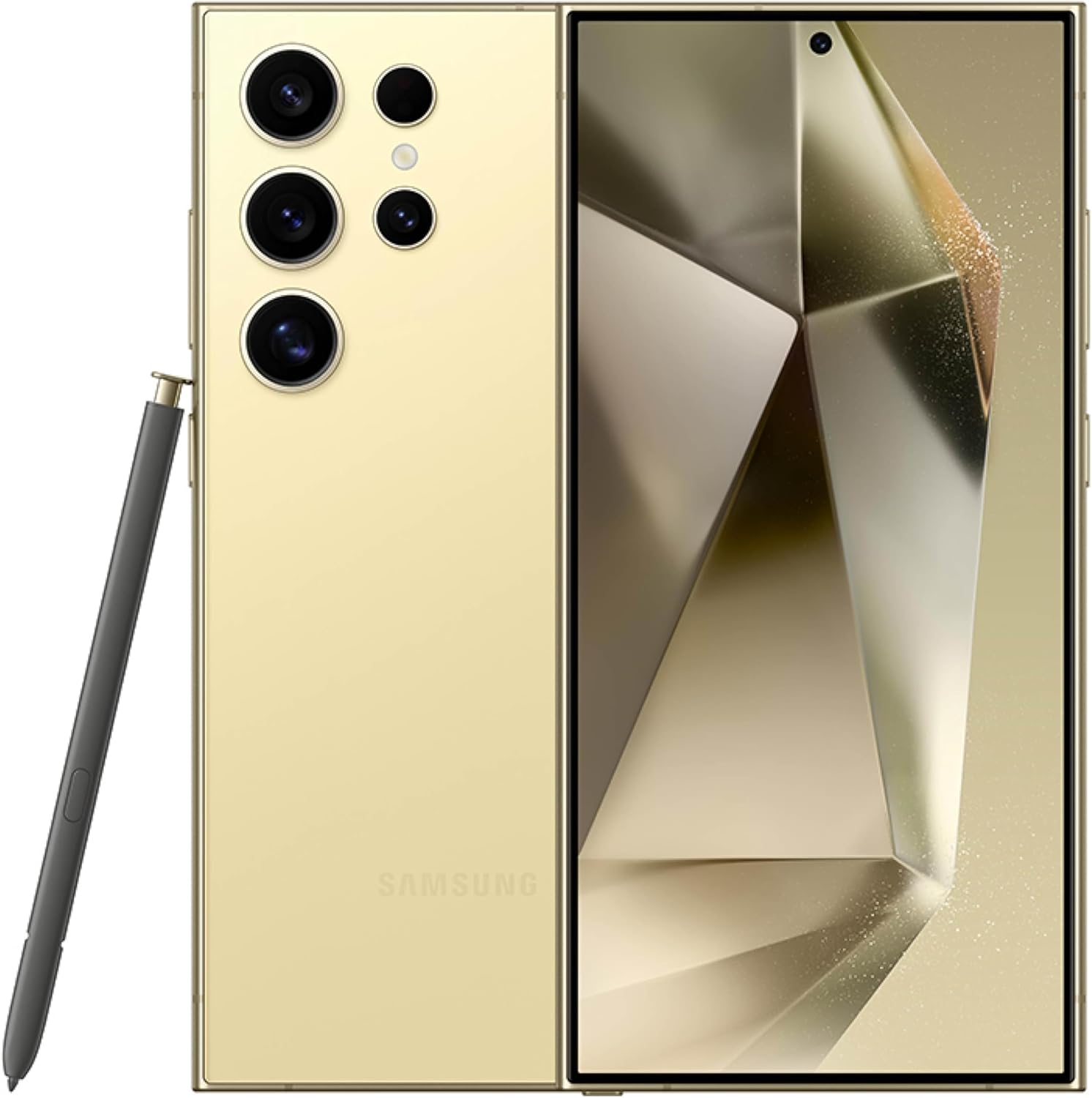
    Samsung Galaxy S23 Ultra

    Best Android Phones in 2023: The Latest Phone Deals
    Forbes

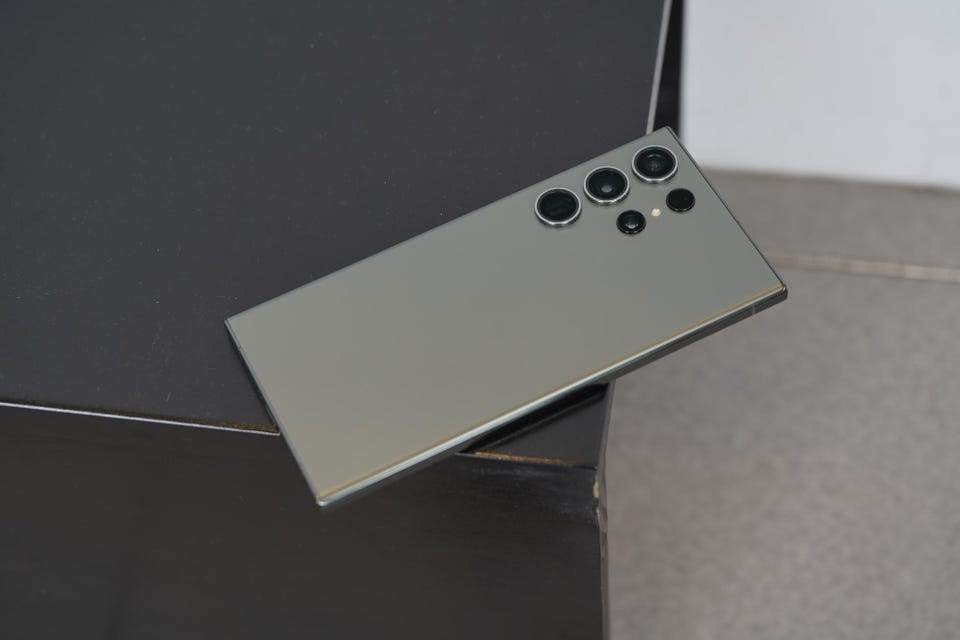
    Samsung’s latest offering, the Galaxy S23 Ultra is not the regular stylus smartphones. It boasts impressive upgrades in its chip, battery, and camera features compared to its predecessors. However, aside price tag, it is one of the most expensive non-folding smartphones available.

    Visually, the S23 Ultra closely resembles its predecessor the Samsung Galaxy S22, and its cream color scheme adds to its premium look and feel. The phone’s aluminum frame, slightly less curved glass edges, and super-bright and crisp screen remain unchanged from the previous model.

    One of the phone’s unique features is the S Pen stylus. A fan-favorite that was introduced to the S series in 2022, and has undergone minor changes in this version. The phone’s software is based on Samsung’s One UI 5.1, running on Android 13. And offers numerous useful features, including productivity tools for the S Pen and customizable lock screens. The phone’s height is 163.4 x 78.1 x 8.9mm and weighs 233g.

    Other specifications include a 6.8-inch QHD+ Dynamic Amoled 2X screen with 500ppi and 120Hz refresh rate. A Qualcomm Snapdragon 8 Gen 2 processor, 8 or 12GB RAM, and storage options of 256, 512GB, or 1TB. The phone supports 5G, USB-C, WiFi 6E, NFC, Bluetooth 5.3, UWB, and GNSS. And boasts an IP68 water resistance rating of up to 1.5m for 30 minutes.

    Google Pixel 7 Pro

    Digital Trends

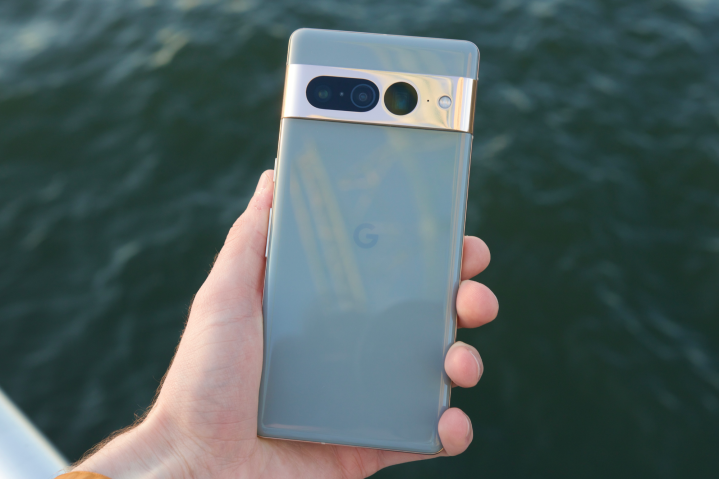
    The Pixel 7 Pro is the top model in Google’s 2022 phone lineup. Aimed at continuing the company’s recent success in high-end mobile devices. Which also includes the smaller Pixel 7 and the more affordable Pixel 6a.

    The phone features a large, 6.7-inch OLED screen. With a 120Hz refresh rate and a polished aluminum camera bar on the back. It has good performance, a fast fingerprint scanner, and reasonable battery life. Along with impressive AI features, such as dictation and unblurring technology. The standout feature, however, is the camera, which boasts a 10x optical zoom. A feature only found on Samsung’s best, more expensive phone.

    The Pixel 7 Pro comes with 12GB of RAM and is available with 128, 256, or 512GB of storage. It runs on Android 13 and has 5G connectivity, as well as eSIM, wifi 6E, UWB, NFC, Bluetooth 5.2, and GNSS. The phone is water-resistant with an IP68 rating, allowing it to withstand being submerged in 1.5 meters of water for up to 30 minutes.

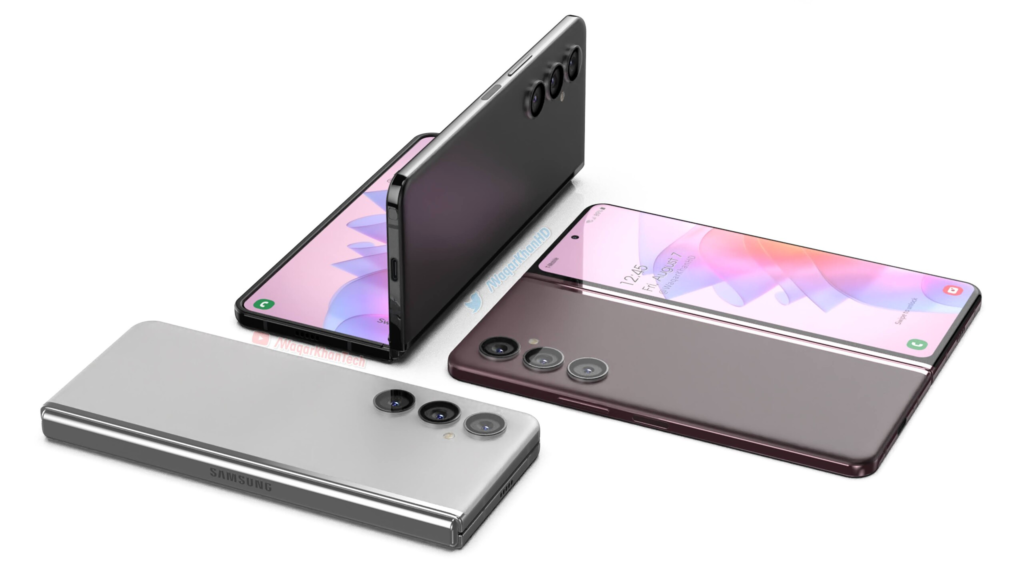
    Samsung Galaxy Z Fold 4

    Notebook check

    The Samsung Galaxy Z Fold 4 is the epitome of snappy and smooth, thanks to Qualcomm’s latest Snapdragon 8+ Gen 1 processor – the most powerful chip you can find on Android.

    This phone has two screens, which can affect its battery life. Using just the inside display can last up to 35 hours while using both screens can get you up to 40 hours of battery life. Charging takes about 80 minutes for a full charge or 30 minutes for 50% with a 25W USB-C power adapter. It runs on Samsung’s One UI 4.1 based on Android 12L, optimized for folding-screen devices.

    Now let’s talk cameras—the phone has five cameras, including a new triple system on the back, a 10MP front-facing camera, and a 4MP selfie cam hidden under the inside screen’s top right. The back cameras are similar to the S22+ and include a 50MP camera with 3x optical zoom and an ultrawide lens

    So if you’re in the market for a folding phone, the Fold 4 is worth considering. Here’s a quick rundown of the specs: 7.6in QXGA+ 120Hz AMOLED flexible display (374ppi), 6.2in HD+ 120Hz Amoled cover screen (387ppi), 12GB RAM, 256/512GB or 1TB storage, One UI 4.1 based on Android 12L, 50MP wide/12MP ultrawide/10MP 3x telephoto back cameras, 10MP and 4MP selfie cams, 5G, dual sim, e-sim, USB-C, wifi 6E, NFC, Bluetooth 5.2, IPX8 water resistance, dimensions folded: 155.1 x 67.1 x 15.8mm, dimensions unfolded: 155.1 x 130.1 x 6.3mm, weight: 263g.

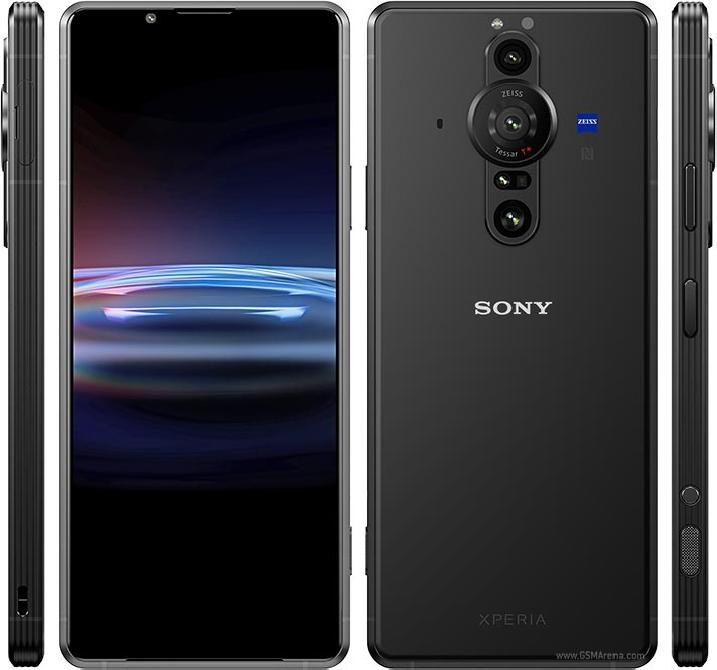
    Sony Xperia Pro

    Best Android Phones in 2023: The Latest Phone Deals
    MobGSM

    The Sony Xperia Pro is a distinctive and impressive device that is specifically tailored for professional photographers and videographers. While its steep price tag of $1800 may deter casual users, those in the content creation industry will appreciate its four-in-one functionality as a smartphone, camera monitor, fast file transfer device, and 5G machine for broadcasting and live streaming.

    Equipped with a Snapdragon 888 SoC, 12GB of RAM, and 512GB of storage, the black phone is a powerful device capable of handling even the most demanding tasks. Its standout camera system includes three rear cameras with varying focal lengths and advanced capture applications. The device’s 6.5-inch 4K HDR OLED display equally offers stunning visuals with very excellent speakers. Despite not feeling as premium as similarly priced android phones, the Sony Xperia Pro is a cool and innovative option for professionals looking to take their photography and videography to the next level. Indeed one of the best android phones of 2023

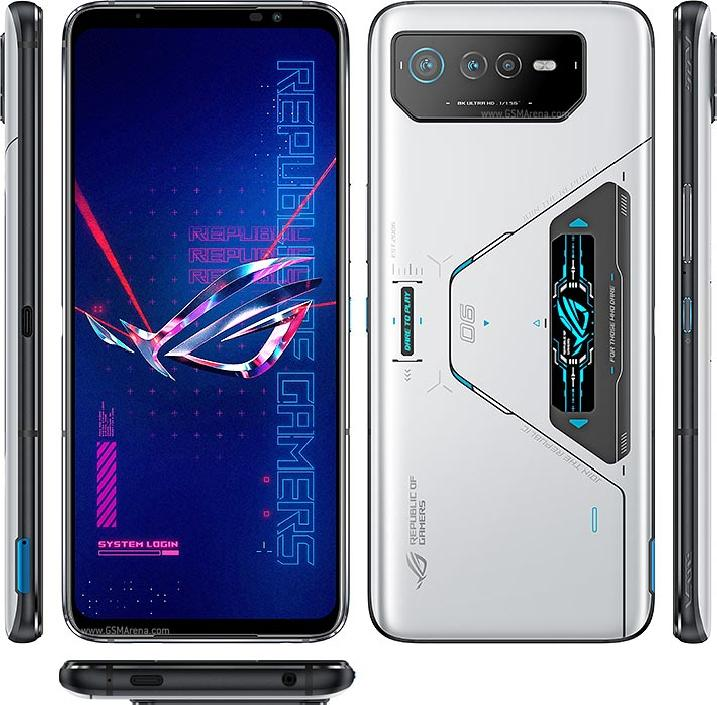
    ASUS ROG Phone 6 Pro

    Best Android Phones in 2023: The Latest Phone Deals
    MobGSM

    For those who want to have a superior gaming experience, the Asus ROG Phone 6 Pro is your go-to gaming android phone.
    True Asus fans know that ROG Phones are built for gamers. This is evident in the design and configuration of the Asus ROG Phone 6 Pro. As well as other outstanding features such as a bulky and imposing build, great display, cool speakers, etc. The phone delivers nothing short of an incredible gaming experience.

    The ROG Phone 6 Pro’s display is a 6.78in, 2448×1080 OLED panel that delivers sharp details in vibrant colors for an enthralling viewing experience. It also has a classic view from the back. With a triple rear camera module that doesn’t cause any issues when placing the phone face-up on a surface. The sides of the device have power and volume controls. Dual shoulder triggers, and a second USB-C port for comfortable gaming while charging.

    Audio is a priority for the ROG Phone 6 Pro. With a speaker system designed in collaboration with the audio company Dirac, known as Dirac Virtuo. This stereo design combines a large front-facing speaker with an earpiece to deliver rich music and game sound effects.

  • 6 Phones Compatible With 5G Network Connection

    6 Phones Compatible With 5G Network Connection

    5G is the 5th generation technology for broadband mobile phone networks that require 5G-compatible devices to ensure network connection. As wireless technology becomes more commonplace, so also does the increase in the manufacture of smartphones with 5G modems. Some mobile phones will not support 5G, hence, you need to know if your device is congruent with the cutting-edge technology network.

    Before acquiring new gadgets, you want to be sure that they are 5G-enabled. So you don’t run the risk of being outpaced in an era of groundbreaking innovations. It is imperative to know also, the phone specifications, performance, and internet or broadband speed within your location. For ease of reference, we’ve earlier reviewed how to use a wifi speed test to determine network coverage in your location.

    Here are six 5G-compatible phones from iPhones to the latest Samsung phones and Nokia phones that will guarantee network connection.

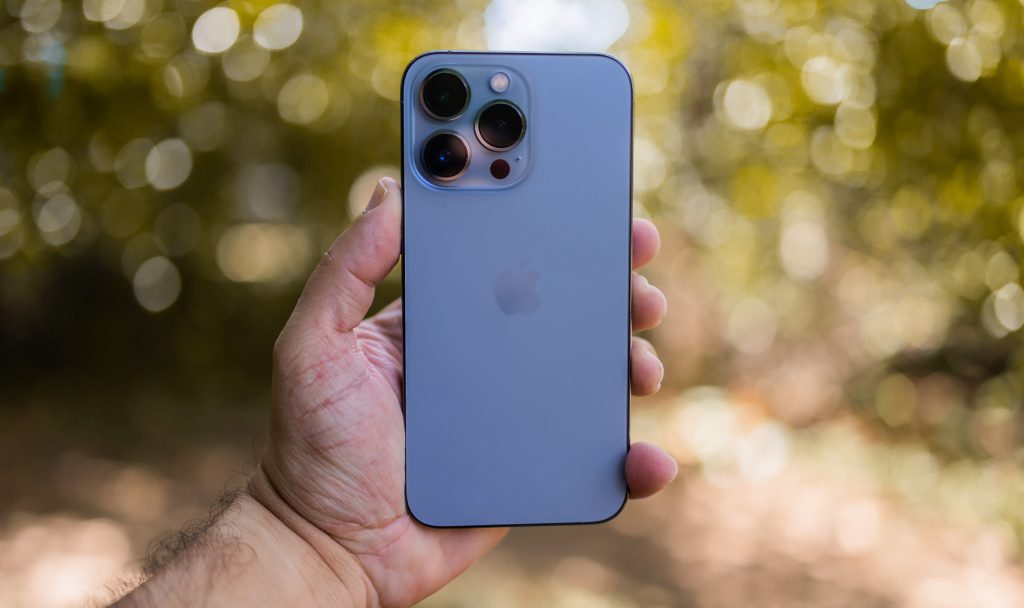
    iPhone 13 Pro Max

    broadband network connection for 5G phones
    Source: Caleb Oquendo pexels.com

    Overall Best Phone With 5G Network Connection

    Apple’s iPhone 13 Pro Max like every phone in the 13 series such as; iPhone 13 Mini, and iPhone 13, supports an assortment of 5G network connections. Ranging from frequencies under sub-6GHz, ultra-wideband to mmWave which provides greater bandwidth. Unlike other iPhone series, the iPhone 13 is the best mobile phone to use if you want to enjoy seamless transmission speed.

    iPhone 13 Pro Max Specifications

    • Released. Sep 24, 2021.
    • Display. 6.1 inches. 2532 x 1170 pixels. 60Hz Refresh rate.
    • Camera. 12 MP (Dual camera) 12 MP front.
    • Hardware. Apple A15 Bionic. 4GB RAM.
    • Storage. 128GB, not expandable.
    • Battery. 3227 mAh.
    • OS. iOS 15.x

    Samsung Galaxy S22 Ultra

    Samsung Galaxy S22 Ultra 5G network connection
    Source: Imad Clicks pexels.com

    Overall Best Android Phone With 5G Network Connection

    Samsung S22 Ultra 5G Specifications

    • Released February 25, 2022
    • Display: 6.8 inches Dynamic AMOLED
    • Dimensions:  77.9 x 163.3 x 8.9 mm
    • OS· Android 12
    • Battery: 5000mAh (typical)
    • Weight: 228 g / 229 g (mmWave) (8.04 oz)
    • Camera: Photo / Video
    • Internal: 128GB 8GB RAM, 256GB 12GB RAM
    • Main Camera: Quad

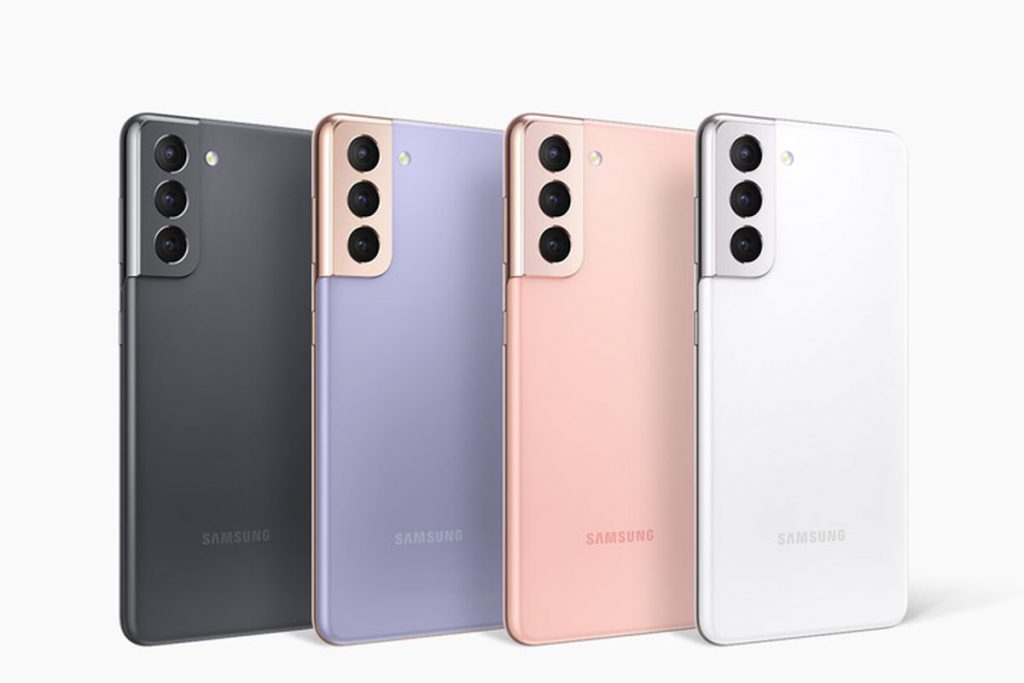
    Samsung Galaxy S21

    Source: The Verge

    Galaxy S21 5G Specifications

    • Released January 29, 2021
    • Dimensions: 151.7 x 71.2 x 7.9 mm
    • Weight:169 g (Sub6), 171 g (mmWave) (5.96 oz)
    • Display: 6.2 inches Dynamic AMOLED 2X
    • OS: Android 11, One UI 3.1
    • Internal: 128GB 8GB RAM, 256GB 8GB RAM
    • Battery: 4000mAh
    • Main Camera: Triple

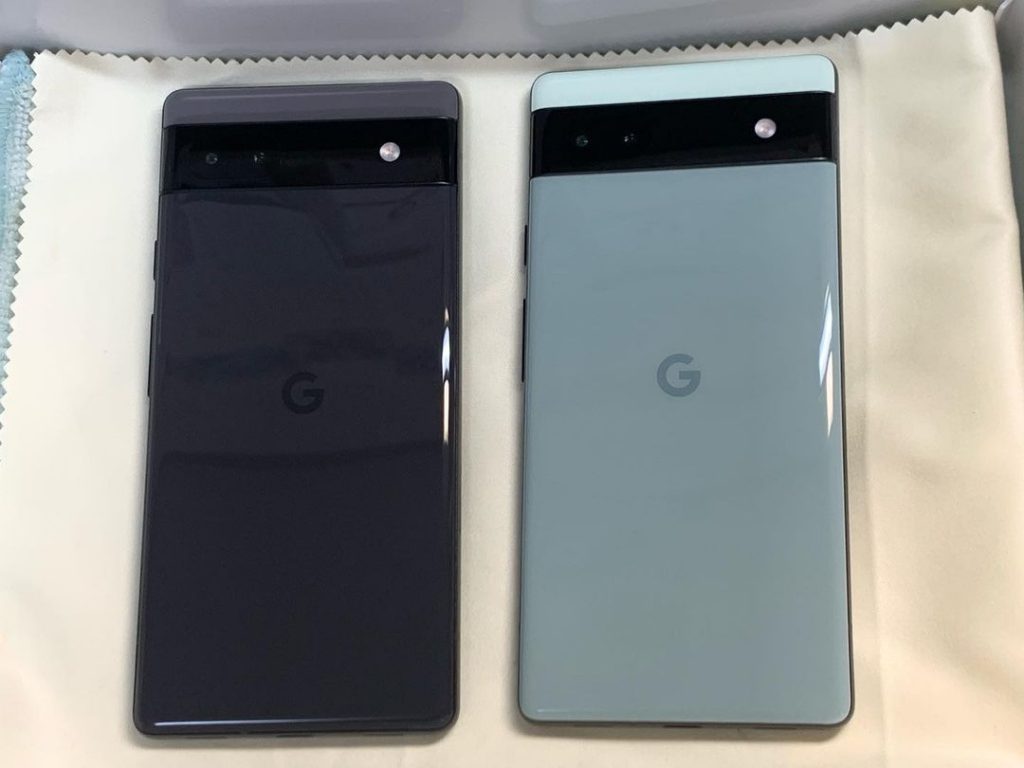
    Google Pixel 6a

    Google pixel 6a 5G network connection
    Google Pixel 6a with glass coating Source: IG @isstoyohashi

    The Google Pixel 6a Specifications

    • Released July 28, 2022
    • Display: Full-screen 6.1-inch (156 mm)
    •  Battery Capacity – 4410 mAh
    • Weight: 178 g
    • Processor: Google Tensor
    • Rear Camera: 12.2 MP dual pixel wide camera
    • Front Camera: 8 MP
    • OS: Android 12, with 3 operating system upgrades

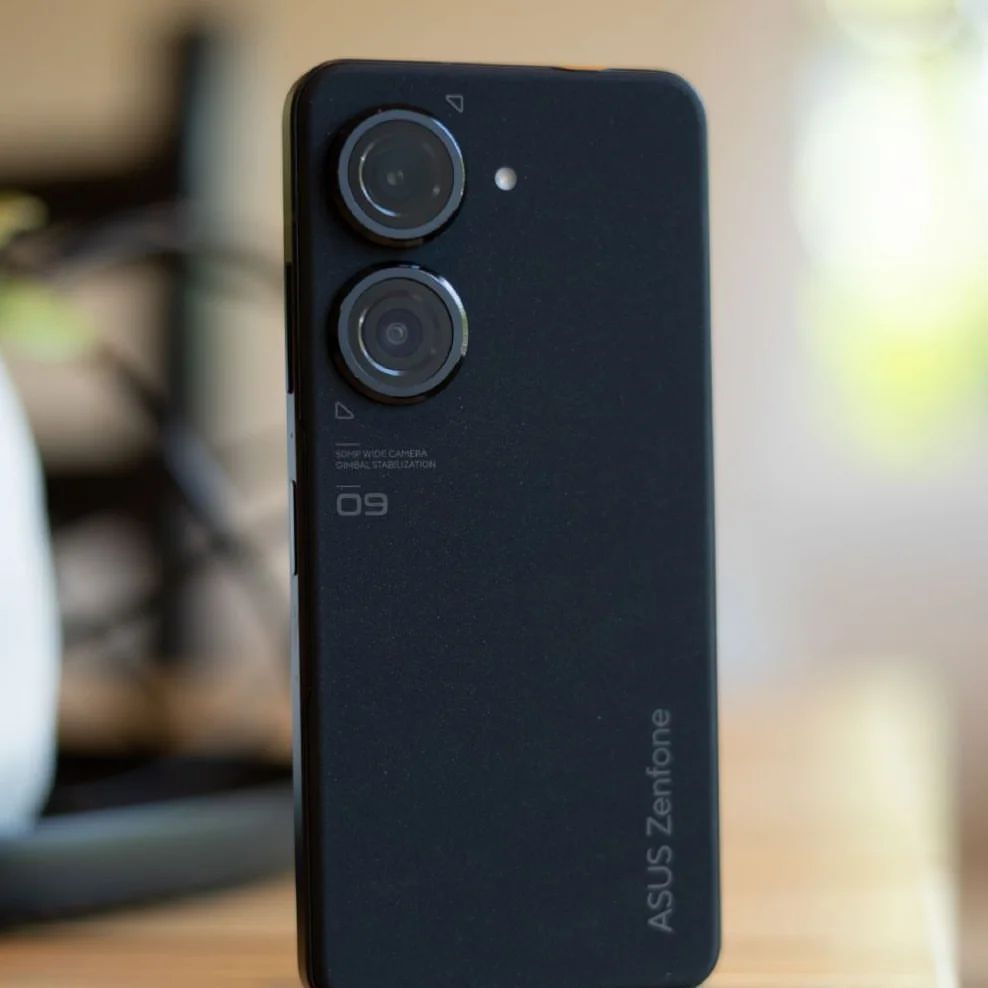
    Asus Zenfone 9 5G Network Connection

    Asus Zenfone 9 is 5-g enabled for smooth network connection
    Source: IG @Superdroid_8

    Asus Zenfone 9 is an Android 13 beta program phone that supports 5G for smooth network connection.

    Asus Zenfone 9 Specifications

    • Dimension: 146.5 x 68.1 x 9.1 mm
    • Weight: 169g
    • OS: Android 12
    • Display: 5.9-inch 20:9 (2400 x 1080) 120Hz Samsung AMOLED
    • Battery: 4300mAh (typ) battery
    • Internal: 128 or 256 GB
    • Processor: Qualcomm® Snapdragon® 8+ Gen 1 Mobile Platform

    Xiaomi 12 Lite 5G

    Source: IG @Superdroid_8

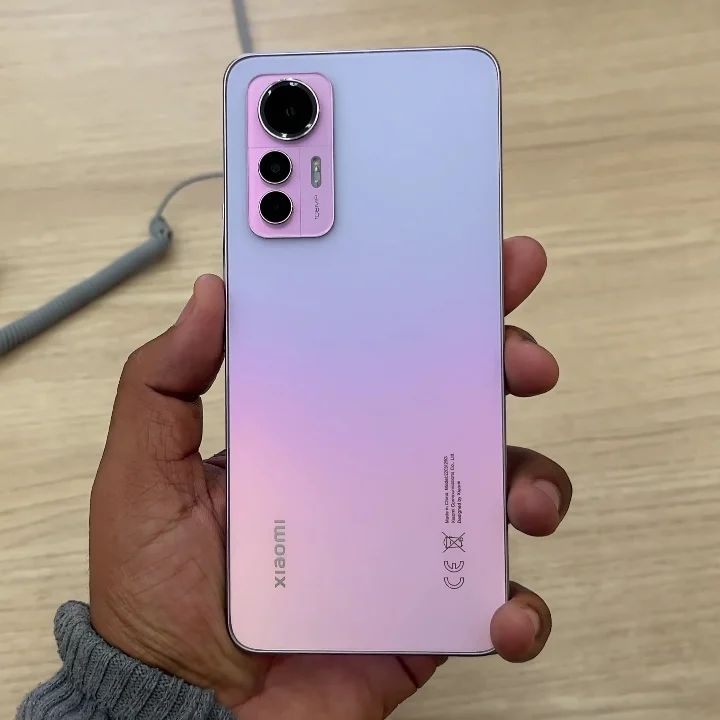
    The Xiaomi 12 Lite 5G is a cool, next-generation smartphone configured with 5G technology. it is set to be launched before the end of 2022.

    Xiaomi 12 Lite 5G Specs

    • Released 2022
    • Internal: Snapdragon 778G, Octa Core, 2.4 GHz Processor | 6 GB RAM, 128 GB inbuilt
    • Battery: 4300 mAh with Fast Charging
    • Display: 6.55 inches, AMOLED Screen 1080 x 2400 px, 120 Hz Display with Punch Hole
    • Camera: 108 MP + 8 MP + 2 MP Triple Rear & 32 MP Front Camera
    • OS: Android v12
  • YouTube will no longer auto post User’s actions on Social Networks

    YouTube will no longer auto post User’s actions on Social Networks

    You don’t want anyone to know what videos you are uploading, watching, liking, commenting on or any of your activity from YouTube to show on your Google+ page or stream.

    The good news is, there is an update concerning that, YouTube will no longer automatically post your activity (uploads, liked videos and so on) on twitter and Google+,

    In an email sent “After January 31st, the ability to automatically post YouTube activity (uploads, liked videos, etc.) on Twitter and Google+ will no longer be available. We’ve found that sharing these actions with a custom message (instead of through automatically generated posts) provides a better experience for the sharer and their followers on other social networks.”

    The email went ahead to say that “You can continue to easily share videos to your social network” by using the Share button on a video’s watch page.”

  • How to Use Google Docs Offline

    How to Use Google Docs Offline

    The Day 2 keynote at Google I/O was no match for yesterday’s Android keynote (though it did have people skydiving again), but Google delivered when it came to Google Docs: At long last, Google Docs has offline editing. The update has been added to Google Docs as of today, but you’ll need to take a few steps to enable it.

    Ho to Use Google Docs Offline
    •  

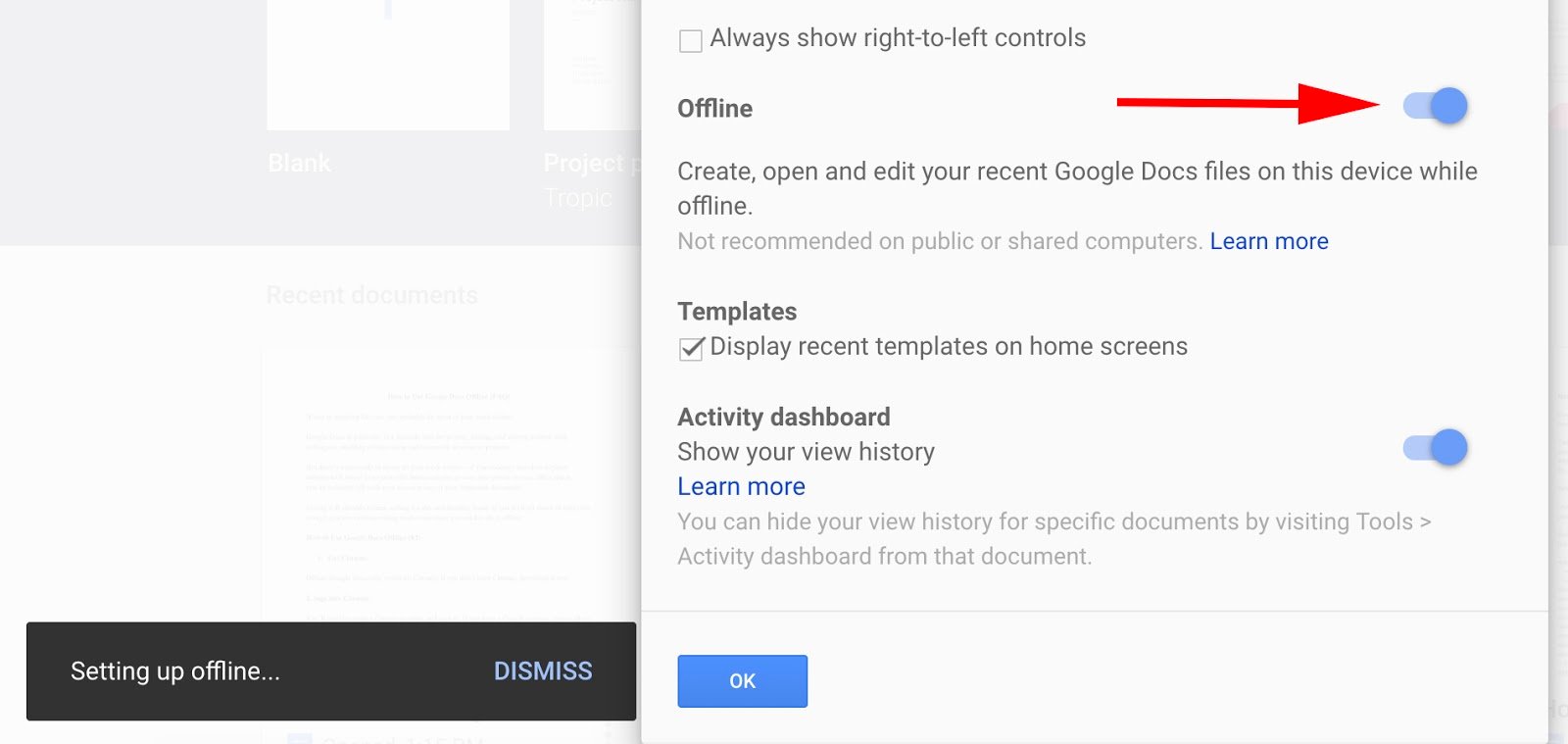
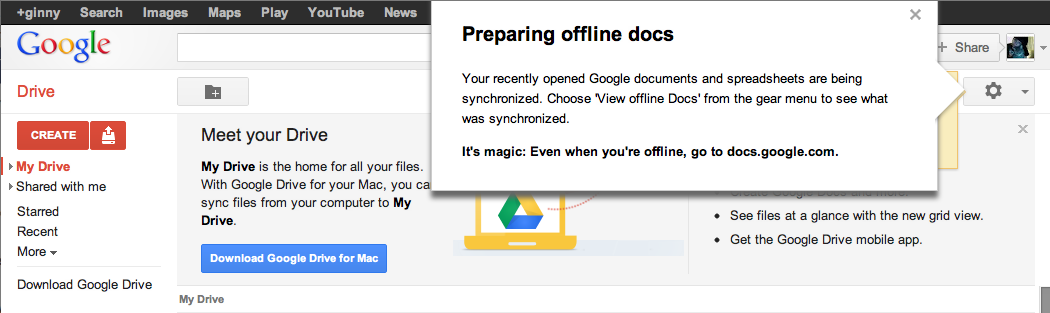
    Offline mode in Google Docs is especially useful while traveling on an airplane or if you’re in a cafe with no Internet connectivity. When you get back online, your changes will be synced to the cloud. One drawback, however, is that offline support isn’t available to the full Google Docs suite. You’ll be able to edit only documents offline. You can view spreadsheets, but you can’t edit them. Presentations, drawings and other items from your Documents List won’t be available while you’re offline. If you use Firefox or Internet Explorer, this next bit of news might be disappointing: Offline mode works only in the Chrome browser. It’s a smart tactic by Google to get people to use Chrome, but it is a bit annoying if you don’t regularly use the browser. You’ll need to enable offline mode before you can use it.After setting up Chrome, you will need to allow offline access on your computer. If you’re using the classic look, click the gear icon in the upper right-hand of your window. If you are using the new look, click the grey gear just above your document list. You’ll see a new option in the drop-down menu that reads “Set up Docs offline (beta).” After clicking on that option, you’ll be taken to a separate window with an “Enable offline Docs” button. When you complete that step, you’ll be asked to install the Google Drive Chrome web app (if you haven’t already). You’re taken directly to the Chrome Store where you can quickly download the Drive app. The app will show up alongside your other Chrome apps; click on it and you’re back to your Documents List. Calling offline “magic” is bit over the top, don’t you think?In the upper right corner, you’ll see a notification informing you that your recently open documents and spreadsheets are being synchronized. Click “View offline Docs” from the gear menu, and you can see which documents are available to you offline. And that’s it–you’re ready to start working on Google Docs offline. The whole process takes about five minutes to set up if you already have Chrome installed on your PC. Google Documents in offline mode worked well and felt stable once I had it set up. I was disappointed that Well, it is still in beta.you can’t actuallycreate documents offline; you can only edit them. Bizarrely, there’s a button at the top of your offline documents window labeled “New Document,” but clicking on it brings you to a page informing you “this document is not available offline.” It seems like an oversight to include this non-functioning function, but this is a Google beta project after all. I hope that Google expands offline editing mode to spreadsheets and presentations in future updates as well.

  • Google Invests In Mobvoi, Its Android Wear Partner In China

    Google Invests In Mobvoi, Its Android Wear Partner In China

    Google’s services are not available in China, but that isn’t stopping it from making a significant investment in a company based on Chinese soil. The U.S. search giant is backing Mobvoi, a three-year-old company specializing in mobile voice technology.

    The duo already have business ties. Mobvoi is the company that Google picked to bring Android Wear, its operating system for wearables, to China, so this deal takes things up to the next level.

    The size of the investment, which is a Series C round for Mobvoi, has not been disclosed, but Mobvoi co-founder Yuanyuan Li confirmed that Google has become a minority shareholder. The deal, she said, takes the company to $75 million in investment to date. Since Mobvoi previously raised $10 million Series B and $1.6 million Series A rounds, Google’s investment is just shy of $65 million.


    Update: Mobvoi has clarified to TechCrunch that it raised previously unannounced funding rounds so the amount invested by Google is lower than the $60-65 million that we originally reported. The company declined to disclose the value of those unannounced rounds or Google’s investment when we asked directly.

    Beyond the Android Wear deal, the two companies have plenty in common. Beijing-based Mobvoi was started by ex-Googlers — CEO Zhifei Li and CTO Mike Lei are both former research scientists with Google U.S. — and Li said the company’s DNA is heavily influenced by the tech giant.

    “We used the Google model from day one,” she told TechCrunch in an interview. “We wanted to have same culture and team values. The co-operation [on bringing Android Wear to China] went really well… and [Google] showed interest and decided to make an investment.”

    On the business and product side, Mobvoi is very Googley, too.

    The company is probably best known for Chumenwenwen, a mobile voice search service very much in the style of Siri or Google Now. The service is akin to a virtual butler, allowing users to perform a range of tasks — including search, checking weather, buying items, and more — just using their voice. Li said the company has struck deals with over 100 content partners to give users access to various services via Chumenwenwen.

    Mobvoi used its natural language technology to build out its own smartwatch software, too. Ticwear is a ROM that pairs with Android Wear to make the Google-run operating system — which is kneecapped in China thanks to the government’s blockage of Google services — work in mainland China.

    Beyond developing smartwatch software, which works on selected watches like the Moto 360, Mobvoi went a step further and developed its own hardware: the Ticwatch. Li said the company has sold 30,000 units of the smartwatch, which is priced between $160-$190 in China, but it remains focused on software development.

    “Our goal isn’t to be a watch manufacturer, [but] we’re happy to see early adopters buying our product,” she said.

    Mobvoi said it will use its new financing to hire talent from across the world and continue refine its software services — Ticwear is updated every two weeks, much like Xiaomi’s approach to its MIUI Android software — while it is plans to dip its toes into robotics and it is also working on its own in-car software. That latter product is, again, much like a Chinafied version of Apple’s CarPlay or Android Auto from Google.

    Given the many business/tech similarities between both companies and reports that the U.S. firm is looking to open up its services in China — and in particular the Google Play Store — is today’s investment a sign that Google has found the company in China to rebuild its business there?

    Perhaps there’s even the possibility of a full Google buyout in the future?

    Not so, according to Li.

    “We value this partnership a lot, and respect Google as an investor, [but it is] still a minority investor and we will focus on what we believe in and in our products,” she told TechCrunch. “We’re not changing what we’ve planned, but there are definitely more opportunities [that will open up].”

    Google, for its part, said it has “nothing to announce at this time” when we asked about potential plans to expand the scope of its partnership with Mobvoi and reopen the Google Play Store in China.

    The company may be coy on its China plans, but today’s news is undoubted evidence that those plans do exist in some form. Google Inc and its Google Capital VC arm have made investments in China in the past — including a $5 million stake in music and video site Xuneli way back in 2007 — but this deal with Mobvoi is certainly its most strategic to date, and it sets off thoughts about what the search giant has up its sleeve.

    Note: This post has been updated to correct the name of the Mobvoi spokesperson. Apologies for any confusion.

  • Tim Cook, Facebook, Google and Tech Giants throw their Support for Same-Sex Marriage

    Tim Cook, Facebook, Google and Tech Giants throw their Support for Same-Sex Marriage

    When the Supreme Court issued its historic ruling on Friday legalizing same-sex marriage across the U.S., many of the biggest technology companies embraced the decision with characteristic flair through social media, on their sites, and with tools that others could use to show their support as well.

    Companies like Google, Microsoft, Motorola Mobility, Uber and Airbnb, their chief executives, and their venture capitalist funders all took to Twitter to post celebratory tweets about the ruling, often accompanied by the hashtags #LoveWins or #Pride, plus GIFs. Companies also changed the colors of their profile pictures on Twitter to those of a rainbow, conjuring the symbol of lesbian, gay, bisexual or transgender pride.


    Twitter, which called Friday “a monumental day for equal rights,” released two new rainbow emojis, of a flag and a heart, that users could post by tweeting the aforementioned hashtags.

    Google, in a tweet, said it was proud to celebrate marriage equality. The company included a GIF of a green Android robot waving a rainbow flag.

    Given the likely impact of the Supreme Court’s ruling, and rising support among the public, same-sex marriage has become a safer issue for technology companies to support. Liberal social values in the parts of California where many tech companies are based made their reactions not much of a surprise.

    And yet the ruling comes at a time of heightened sensitivity around issues of diversity in the tech industry. Whether it’s leveraged this way or not, the Supreme Court ruling offers a convenient opportunity for companies to cast their brands in the light of openness and acceptance.

    Some executives expressed wholehearted support for the ruling. Tim Cook, the openly gay CEO of Apple, said the day marked “a victory for equality, perseverance and love.”

    Mark Zuckerberg, CEO at Facebook, said the ruling represented another step toward achieving the founding promise of the U.S. that all people are created equal.

    Josh Elman, a venture capitalist at Greylock Partners in Silicon Valley, offered this observation: “Rainbow flags going up. Confederate flags coming down. Feeling the arc of progress and humanity in how we respect each other,” referring to growing opposition to the flag associated with racism in the South.

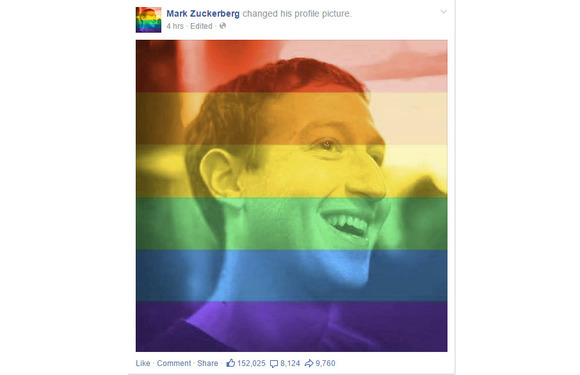
    Meanwhile, some technology companies offered tools or features meant to celebrate marriage equality. Facebook released a filter that people could use to overlay a rainbow on their profile picture. The tool appears to have been developed for Pride events around the country this weekend; the Supreme Court ruling hastened its arrival. It can be accessed at www.facebook.com/celebratepride.
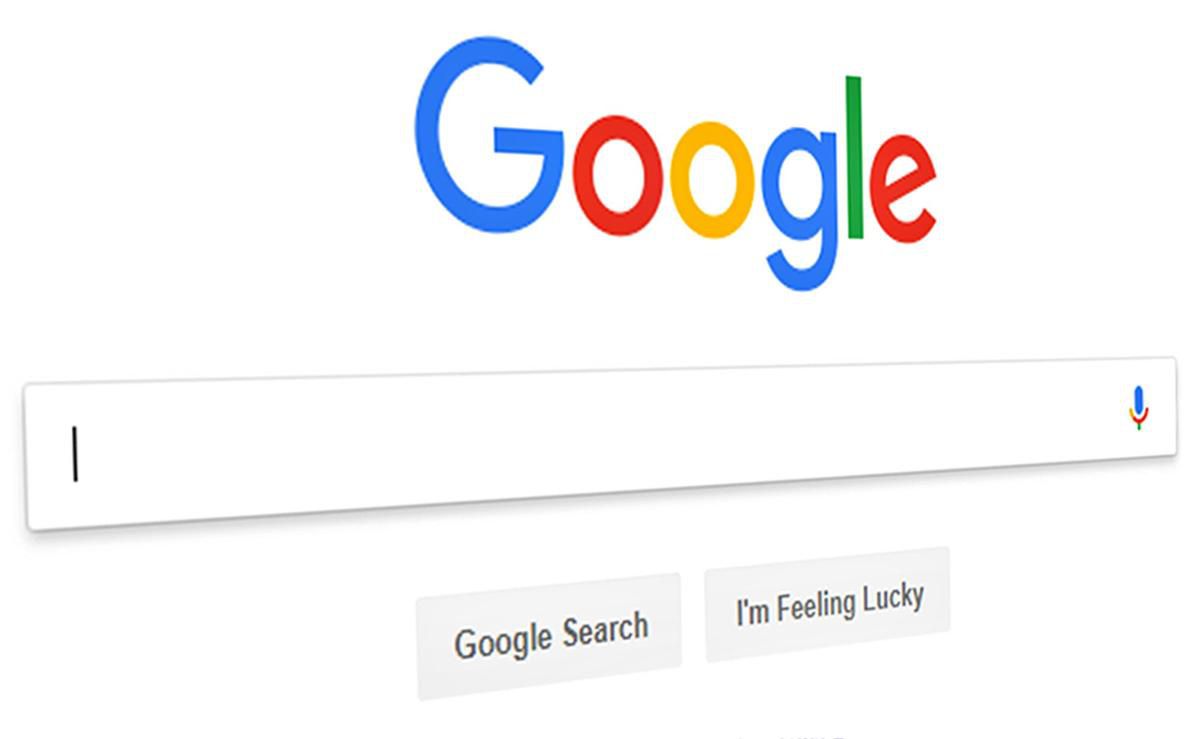
    Google, for its part, added a banner to the top of its search results page showing people holding hands and a rainbow heart. The banner only appeared for certain searches like “marriage equality” or “gay marriage.” The banner did not appear for a search for just “marriage.”

    Snapchat got in on the action, too. The photo-sharing app created a themed Live Story around the ruling, called “Marriage Equality,” which let users post photos and videos to a feed that everyone else could see. Part of the feed contained a video showing people celebrating outside the Supreme Court.

    Interest in the ruling, at least initially, appeared to be higher in the U.S. than in other countries. Google searches around gay marriage were concentrated primarily in the U.S. and Canada, according to a Google Trends report.

    But the Snapchat feed was made available to users globally, as was the Facebook rainbow filter.

  • Google Bans User Testimonials in Play Store Apps

    Google Bans User Testimonials in Play Store Apps

    One way of shamelessly making anything you make – especially online – seem like the greatest thing ever is testimonials. Not just in the actual section of a webpage or area dedicated for them, but choosing the best ones to put in the body of text meant to describe your “thing.” Google knows this and seems to think doing so on the Play Store can lead to many of things like unfair advantages, false advertising, etc. So, how do they fix this? By banning the user of testimonials in app descriptions n the Play Store, of course.

    “Please do not include user testimonials in your app description. They tend to be dubious and are frequently utilized to include references to popular search terms and competitor apps in violation of the policies outlined here. Let your users speak for themselves via Play’s comment review system,” reads an update to the “Spam, & Placement in the store” section of Google’s developer guidelines.

    Basically, Google is preventing app developers from inflating their position on the search results and lists of Google Play as to attain a fair advantage for every developer, in addition to other methods one could use such as repetitive use of keywords in an attempt to boost the presence of the app, using completely unrelated keywords to draw unsuspecting people to your application, and many more.

    To help ensure the best experience for Android users, Google Play policies prohibit the publication of spam. Please do not publish unwanted, deceptive, repetitive, or irrelevant content on Google Play. Not only will it lower your app’s rating and cause negative reviews, it can result in your app being suspended or your developer account being terminated,” reads Google’s guidelines.

    Hopefully, this small change to the policy allows more people to get only high quality applications for their device. Believe it or not, there is a lot of scrap-apps (scrapps) on the Google Play store, and most of them are the ones including testimonials in their descriptions.

    Speaking of Play Store apps, did you know about the EWT app? Get all of our post and latest tech news no matter where you’re at! Download it here to your device!

  • Intel Easy Migration App sends data from your device to a Chromebook

    Intel Easy Migration App sends data from your device to a Chromebook

    Over the past 18 months, Intel has been striking on the Chromebook market as the said market grows as more and more content is placed and trusted to the cloud. The company, that makes many CPU chips and graphics, wants to help customers switching to a Chromebook device to have a much easier time with their switch.

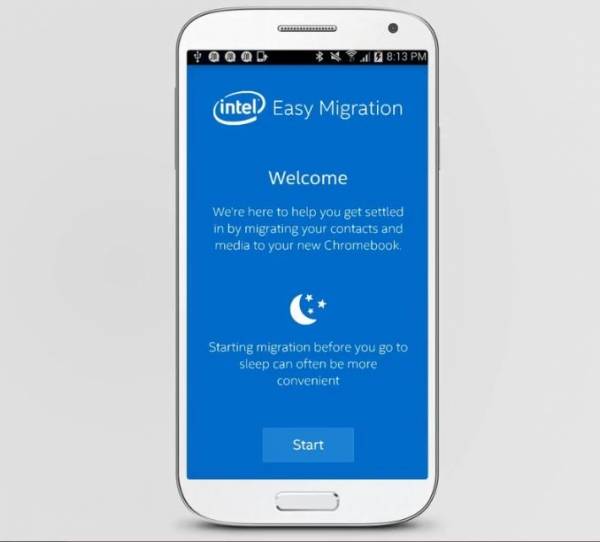
    With their app, conveniently named Intel Easy Migration, users can easily migrate files from their mobile devices or PCs to Intel-powered Chromebooks. The app can move all sorts of files like photos, videos, and audio to even contacts and more. The Intel Easy Migration app let’s the customer move any of said files from their mobile Apple iOS or Google Android device to their Chromebook or even files from their Intel-powered Windows computers.

    According to Intel officials, the customer can use the Quick Migration function to have all of their files sent over to the targeted destination, or manually select the files they want to have migrated. The user can also pause the migration whenever they wish to. The app is available in the Google Play and Apple App Store online stores, or can be downloaded for Microsoft Windows systems. Through the software, users can migrate their local and Hotmail contacts to Google Contacts, and their photos and videos to Google+ Photos. The app will also show how much space on their Google Drive is being used during the migration.

    The new app by Intel comes shortly after the popularity for the Chromebook grew, the trend continuing through 2014. In July, analysts with NPD Group found that during the first half of the year, Chromebook sales in the U.S. commercial channel jumped 250 percent from the same period in 2013 and accounted for 35 percent of the notebook sales in the channel.

    Building on last year’s surprising strength, Chrome’s unit strength ahead of this year’s education buying season shows how it has become a legitimate third platform alongside Windows and Mac OS X and iOS,” Stephen Baker, vice president of industry analysis at NPD, said in a statement at the time.

    Analysts also look at the Chromebook as a key reason – alongside Microsoft cancelling Windows XP support – for the decline of global PC sales this year. Intel has been aggressive in pursuing the Chromebook market as part of its larger efforts to gain inroads in the mobile device space against ARM and its manufacturing partners and to extend the reach of its chip portfolio into as many computing devices as possible. That includes supporting a broad range of operating systems, including Windows, Android and Chrome.

  • Window shop this Holiday season at home with the help of Google Maps

    Window shop this Holiday season at home with the help of Google Maps

      The leisurely window-shopper might be forgiven for feeling rather ambivalent towards Christmas, a time of lavish shop-displays – and of crowds of people getting in the way. Google’s latest online tool solves this problem, by allowing you to tread the streets of world shopping capitals such as London and New York. The tool, Google Maps Business View, allows surfers to avoid the cold weather, heavy bags and huge numbers of people associated with Oxford Street or Fifth Avenue at this time of year. It is similar to Google Street view – where the facades of properties on public highways can be viewed – but the shop-fronts of various flagship stores have been updated to show their festive window displays. It is also possible to take a 360-degree tour of the stores. From the comfort of your own home, you can browse the sparkling display at Liberty, which is awash with gold – and toys – or salivate with wonder at the gingerbread house at Selfridges nearby.

    •  

    Meanwhile, in New York, the department store Saks Fifth Avenue has been turned into a fairy-tale world called Once Upon a Time in NYC, complete with a Cinderella magical carriage. Santa and his Elves are hard at work at Macy’s ‘Miracle on 34th Street’ in Herald Square, and at Bloomingdale’s, the New Year’s Eve party has apparently already kicked off. The Business Map tool also allows users to look inside world famous stores, including Old Navy in San Francisco or Benetton in Moscow. Google users can click the ‘see inside’ marker when they search for shops on the maps app, or when they use the search engine.

    via Telegraph by Tom-Brooks Pollock

  • Google plans to add Android directly into your vehicle

    Google plans to add Android directly into your vehicle

    The company is working on a new Android version that will power a car’s entertainment and navigation systems, connect it to the Internet, and integrate with the vehicle’s sensors, a Reuters report says.

    Sometime in the not-too-distant future, cars from many automakers could feature a version of Google’s Android operating system built directly into the vehicles.
    If Google’s plans take shape, its operating system will power the car’s entertainment and navigation systems, connect it to the Internet, and integrate with the vehicle’s sensors, camera, fuel gauge and other components.

    That’s according to a report by Reuters Dec. 19 that it said was based on conversations with two unnamed officials with knowledge of the matter. According to Reuters, Google could announce plans for integrating Android directly into cars when it rolls out Android M, the successor to its recently released Android 5.0 Lollipop operating system, sometime next year.
    Google did not confirm or deny the report. In an email, the company merely noted that it does not comment on rumors and speculation.

    But if Google were indeed to integrate Android directly into vehicles someday, that would mark a significant step forward for the company.  At the I/O conference this year, Google announced Android Auto, software that will allow drivers to basically stream most of their smartphone’s functions to the in-car display. Android Auto is expected out next year. It will allow drivers to take advantage of Google Maps, Google Now and other Android applications more easily when driving using simple voice commands and touch commands.

    With the new version of Android that Google is reportedly working on, drivers will no longer be required to connect their phones to the vehicle. Instead, a lot of the same functionality that is currently available on Android smartphones will be accessible directly from the vehicle in a manner that is optimized for in-vehicle use.

    Google’s big challenge though will be to persuade automakers to integrate its technology into their vehicles. Google has said that Android Auto will be available in vehicles from several major domestic and international automakers, including Ford, Chrysler, Honda and Audi.
    However, some automakers may be wary of giving the company too much access to internal components for safety reasons and because of branding concerns, Reuters noted.
    Google will also have to deal with the myriad safety concerns that have been expressed over connected cars recently. Security researchers have already shown how hackers can exploit a connected vehicle’s electronic control unit and take remote control of functions like steering, braking and acceleration.

    The National Highway Traffic Safety Administration highlighted several of those concerns in a report on connected cars earlier this year while advocating the need for intrusion detection, access control and other security technologies in vehicles over the next few years. One of the areas of concerns highlighted in the report has to do with in-vehicle entertainment and navigation systems becoming potential attack vectors in connected cars of the future.

    For safety-conscious automakers to allow any version of Android to be integrated into their vehicles, Google will likely have to first considerably bolster the security of the operating system. Currently, Android is one of the most attacked operating systems in the world, with more malware targeting it than any other mobile operating system.

    via eWeek

  • Google Tour Bus will pass through Bangladesh To Help 500,000 Students Learn About The Internet

    Google Tour Bus will pass through Bangladesh To Help 500,000 Students Learn About The Internet

    Google is literally hitting the road to promote the potential of the internet in Bangladesh. The company today launched ‘Google Bus Bangladesh’, an educational program aimed at teaching key digital skills to more than half a million students in the South Asian country.

    There are some outlandish programs to help connect the world’s population — including Google’s balloons, SpaceX’s forthcoming satellites, and Facebook’s drones — but Google is going back to basics with this roadshow across the world’s eighth most populated country. It plans to visit some 500 educational campuses across 35 locations over the next 12 months, bringing with it instructors who can teach students about important tools to help them make the most of the internet.

    In addition to tutors, students involved in the project will be able to get hands-on with a number of internet-connected Android devices. Google tells us that the hardware will be entry-level devices from Symphony, like the $70 Xplorer W65i. There’s also a Google+ community for the project, where students can exchange ideas, and access more information.

    “Bangladesh is a country on the move with a large pool of young citizens that’s leading the Internet charge. Equipped with the right training, the youth can be the cornerstone for creating a connected, digital Bangladesh,” said James McClure from the Google Asia Pacific

    Living in Southeast Asia, I’ve witnessed first-hand how the internet can make big and also small-yet-impactful changes to people’s daily lives. Whether that’s helping connect them with friends, family or experts, giving them better access to information and news, or just providing a medium for entertainment — many people in emerging markets are simply just unaware of what’s possible. Throwing a smartphone or computer at them isn’t always the best approach, since the internet can be daunting, so a tutor-led approach is a great start.

    With two-thirds of the world estimated to be offline, local initiatives like Google Bus Bangladesh offer inexperienced or first-time internet users an important opportunity to familiarize themselves with the basics and the possible benefits. It’s doubtless true that the more people who use the internet or carry mobile phones is good for Google’s business — but, even still, initiatives like this are resource and time-intensive, and Google deserves credit for getting out there and trying to make a difference.

    This article was originally posted by Techcrunch. All rights reserved.

  • Larry Page; the main man of Google; puts Sundar Pichai in control of more of Google’s products.

    Larry Page; the main man of Google; puts Sundar Pichai in control of more of Google’s products.

    On Friday of last week, Google boss Larry Page sent out a memo to staff that Sundar Pichai – the man responsible for Android, Chrome, and Google Apps, will be taking on the responsibility of even more Google products. These products include Maps, Search, Research, Commerce, Ads, Infrastructure, and Google+.

    Page said that the move would help free up more time for him to focus on bigger projects, such as new products and strategies for the corporate, while Pichai puts his concentration on the already-existing business units. Such a move like this makes most believe that a move like this is putting Pichai steps closer to getting the top job of Google, and he will most likely be taken over the seat when Larry Page decides he’s done.

    Pichai was born Pichai Sundararajan in the Indian city of Chennai (formerly Madras) in 1972 and earned a Bachelor’s degree in Technology from IIT-Kharagpur in West Bengal, a Master’s degree from Stanford University, and an MBA from the Wharton School of the University of Pennsylvania.
    After a brief spell at management consultants McKinsey & Company, Pichai held various positions at Applied Materials before joining Google in 2004 as a product manager. He originally focused on Google Apps but later took responsibility for Chrome and Chrome OS, too.
    After Andy Rubin left the Android team in March of last year to concentrate on Google’s robotics ambitions, Pichai also added the mobile OS to his responsibilities, and has been the public face of the division ever since.  – history source from theregister.co.uk.

    What do you think of this move by Mr. Page? Comment below with your opinions.

  • Breaking News: Google+ Website Down For 10 Minutes

    Breaking News: Google+ Website Down For 10 Minutes

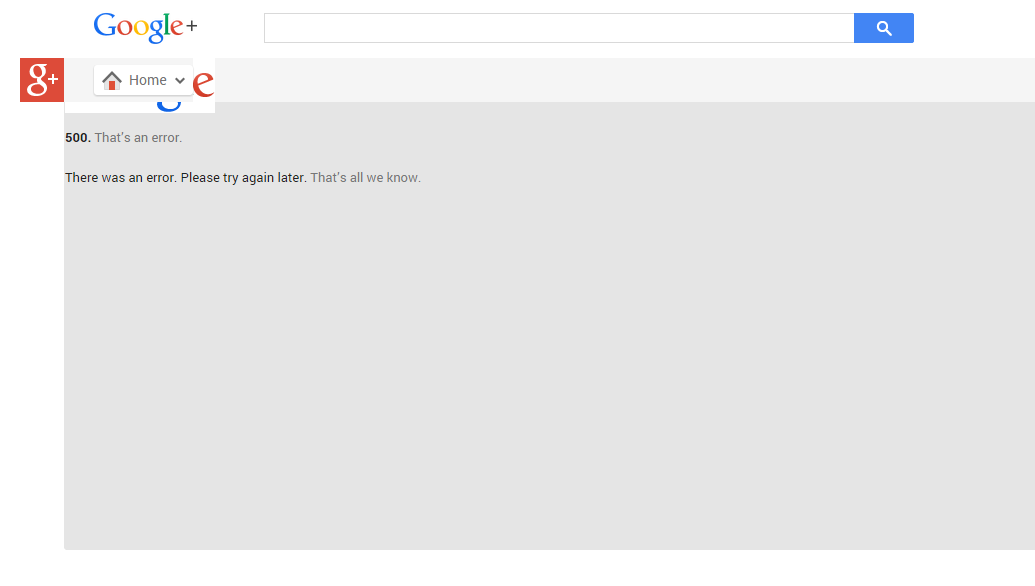
    Google’s social networking platform Google+ went down today at 8:45 am GMT + 1.

    Visiting Google+ plus.google.com will land you in a page that reads:

    500. That’s an error.
    There was an error. Please try again later. That’s all we know.

     The site came back up 10 minutes later. We were unable to reach Google to know the cause of the error page on Wednesday.

  • Google Glass Explorer’s Edition Now Available in the Play Store

    Google Glass Explorer’s Edition Now Available in the Play Store

    While all the focus of late has been on the Moto 360 and other Android Wear smartwatches, Google is giving some attention to its other wearable: Glass.

    You can now buy the Explorer edition from the Play Store, though the price is the same as when it was an invite-only product: $1,500. As a “perk” Google is throwing in a pair of shades or frames free when making the purchase.

    Glass comes in five different colors and ships from the warehouse in one to two business days.

    You will need the MyGlass companion app from the Play Store on an Android device running Ice Cream Sandwich (Android 4.0) or higher. There is also a version of the app for iOS.

  • Two More Ad Sizes For Adsense Publishers: You Can Earn Bigger!

    Two More Ad Sizes For Adsense Publishers: You Can Earn Bigger!

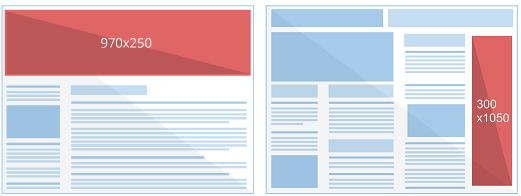
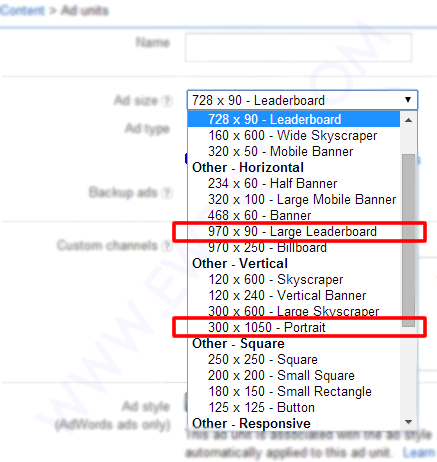
    From simple text links to rich media ads, Google has continued it’s bid to optimize revenue for it’s publishers and subsequently gain more advertisers. According to a blog post in Adsense official blog, Google has rolled out two brand new ad sizes – 970 x 250 Billboard and the 300 x 1050 Portrait – that will help you reach more advertisers while also enhancing user experience and engagement on your site.

    According to Adsense Product Specialist Alexey Petrov, the new ad sizes was as a result of publishers and advertisers demand for a larger ad unit.

    We’ve heard from both publishers and advertisers that new, larger ad formats provide a great canvas for rich creatives and perform well on many sites. Today, we’re pleased to share two new ad sizes – 970 x 250 Billboard and the 300 x 1050 Portrait – that will help you reach more advertisers while also enhancing user experience and engagement on your site.

     What’s up with the new ad sizes?

    The new ad size will follow the way of it’s predecessors – supporting text only and text/display ads.

    The ad is pretty much at the beta stage; you are likely to see fewer banners at that size. However, As with most of Adsense ad sizes, both of these ad units can accommodate standard text ads in addition to image ads. Additionally, they can show similar-sized image ads when doing so will maximize the performance of your ad unit. In this case, a 300 x 250 ad would serve in the 970 x 250 ad unit and a 160 x 600 would serve in the 300 x 1050 ad unit.

    While trying the new ad sizes you will also discover that you can only make use of a maximum of one large banner per page, of course, I don’t see anyone complaining about this, considering the the size of each banner.

    Feel free to play around with this new ad sizes and share your experience with us.

  • Microsoft And Dell Sign Patent Royalty Agreement For Google’s OS

    Microsoft And Dell Sign Patent Royalty Agreement For Google’s OS

    Today Dell and Microsoft announced that they have signed an agreement relating to intellectual property, which will see the two companies “license each company’s applicable” patents regarding Android and Chrome OS devices, as well as Xbox consoles.

    So Dell will pay Microsoft dollars when it ships devices running Google’s operating systems. The companies mention Xbox consoles because Dell, it turns out, has some IP with surface area to the device. Dell likely got a discount on its royalty payments as a result.

    The Android and Chrome OS portion of the agreement are not surprising, other than that they indicate that Microsoft can turn the largest of OEMs into its paying customers, and that it undercuts Google’s mobile platform hegemony and attempt to break into the traditional PC market. How so? Increasing the unit cost of using Android and Chrome OS adds a nip of cost to each unit, making them less profitable for their manufacturer, or more expensive to the consumer. Neither is much of a good option.

    And Microsoft directly cashes further into Google’s success, which is one of the more ironical pieces of the technology world at the moment.

    This post was originally posted on Techcrunch | Image by Flicker user Alex Schwenke under CC BY 2.0 Licence (Images has been cropped)