Happy Sunday to all EWT readers! This is the 7th month of the year and I hope everything’s going according to plan? If it’s not, it’s not too late to start afresh. One of our major objectives this year is to provide you with valuable information that will help you reach your ambitions in as much as it is tech related.
Regardless of your social class, occupation or belief this apps will help you manage your weekdays effectively and subsequently giving you a memorable week in the end. Keep your eyes fixed as we take you down the stream.
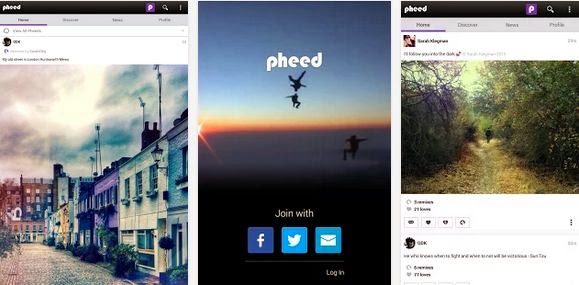
The more I think of Sunday is the more I think of social networking. What other way would you rather spend a cool Sunday evening aside saying hello to your co-workers, leaving a voice note to your classmate or even sharing your awesome videos, musics and photos with your distant family and friends? Pheed is the Android application that lets you achieve all this without lifting a foot.
The free social networking application lets you share voice-notes, musics, videos, photos and text with your followers.
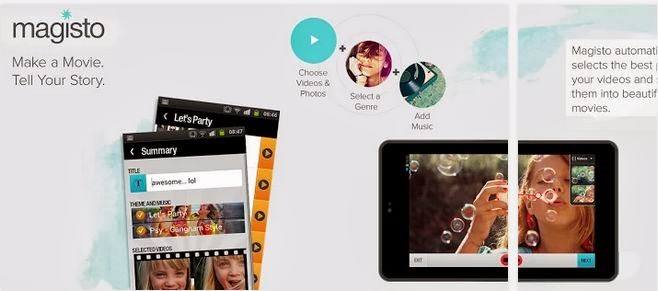
A free app to quickly convert video clips and photos into awesome editable movie; you can add your custom background music, graphics and movie effects.
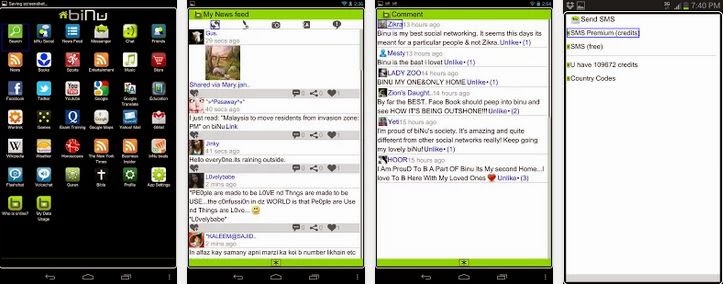
Imagine having everything you need in one app. This is what Binu is all about. The application serves as a valuable resource for news in your locality. You can also add links to your favourite news website and the app gives recent updates from the websites you have added.
Binu has an in-built chat messenger, 15 credit to send SMS to any phone number globally, sport news resources, dictionary, bible, quran, wikipedia, etc. The application is free, very portable and easy to use.
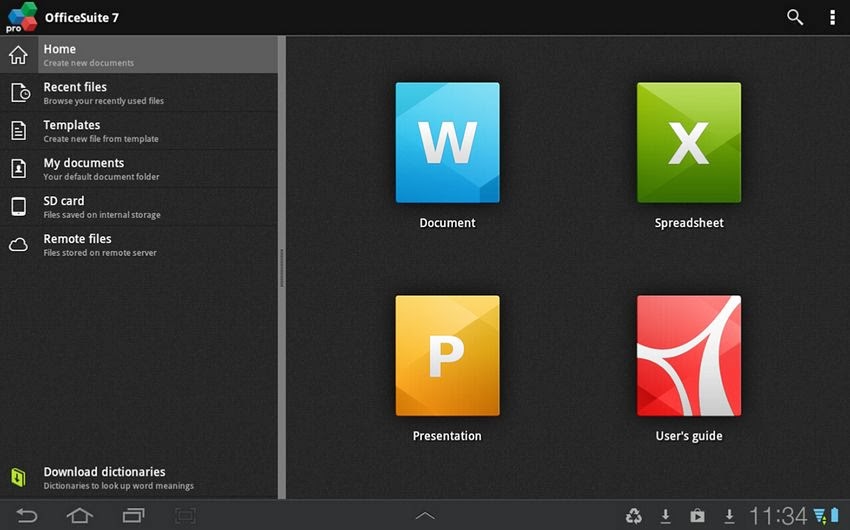
Talking of having a mobile branch of your office, all it takes is $14.99 – OfficeSuite Pro allows you to view, create, edit, print and share Microsoft Word, Excel and PowerPoint files on the go. You can also open attachments and see PDF files on an Android based phone or tablet with our feature-rich mobile office solution.
OfficeSuite Pro includes a File Browser and integration with Cloud service leaders: Box, DropBox, Google Drive, SkyDrive and SugarSync to give users a multitude of options on how to manage files and attachments.
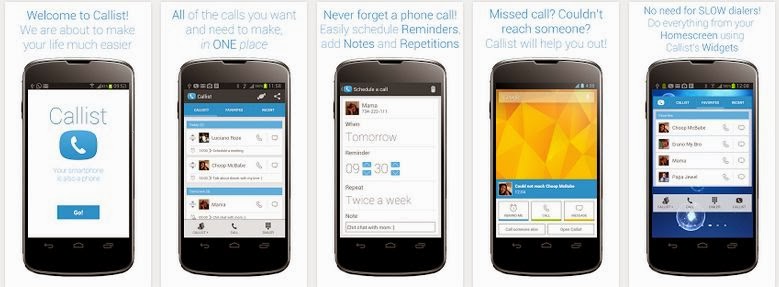
With the great features of smartphones we often forget that it is actually a phone. Callist Call Manager ensure that you don’t miss that important call you want to make. With the application you can keep a list of the people you want and need to talk to, schedule call reminders, add notes and repetitions, add to, delete from and organise your Callist with simple touch gestures, call, text and email your favorite contacts and contacts you recently talked to.
The application also deliver after call pop ups e.g. If you had a missed call or you could not reach someone Callist will show you a popup from which you can easily add a call reminder directly into your Callist (Can be done automatically, if you’d like).
Above all, this app is free, ads-free and easy to use.
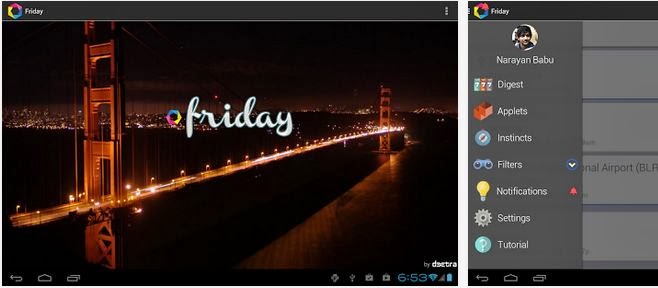
This application will take note of all your activities this week: The people you talk to, the places you visit, the images you capture, and the songs you listen to, etc. And like your brain, it initiates thoughts and ideas for you, it helps you remember information and tries to anticipate adequate actions.
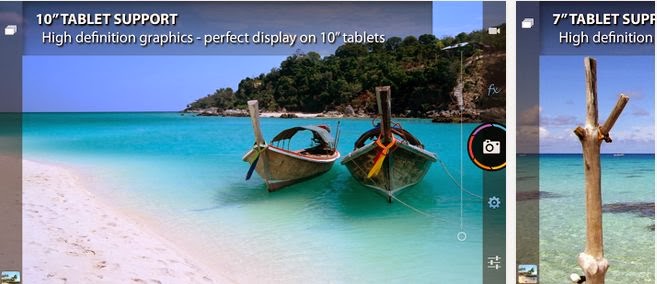
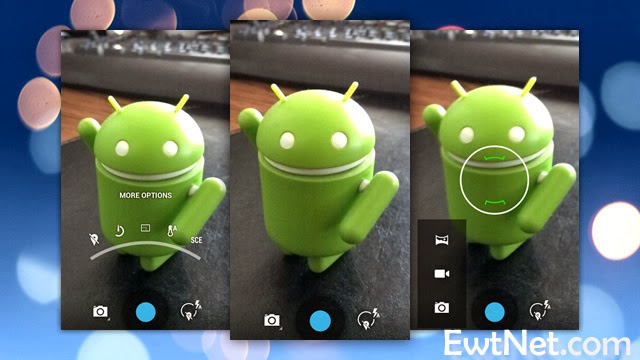
Do not loose this app: You will need it at the weekend. Camera ZOOM FX could easily be the best replacement for the N5 camera application which lacks a lot of options like 16:9 highres shot for example. It takes only $2.95 to preserve that decent memory. If Camera ZOOM FX doesn’t sound like a great app to you, you might as well hang on to any of the awesome camera app that made our best android camera app list.
The festive period is almost over and it is my believe that you have already made arrangements to live a healthy live, have a good time and enjoy a prosperous life in this new year.
In less than two weeks from now it will be ‘back to school’ for every college student. As usual, you have made your usual commitments; top your class, be the smartest kid on board or even eyeing a spot in any of the ten ‘2014 scholarships to study abroad’ watch list. I’m also aware that most of you have gone through the games that rocked in 2013 and have decided to take your hands off the gaming pads.
If you have made any of the above resolutions, I am here to show you how to work towards them using your Android smartphone. Sit back, get a pen and let me walk you through the top six Android apps that you need as a science college student.
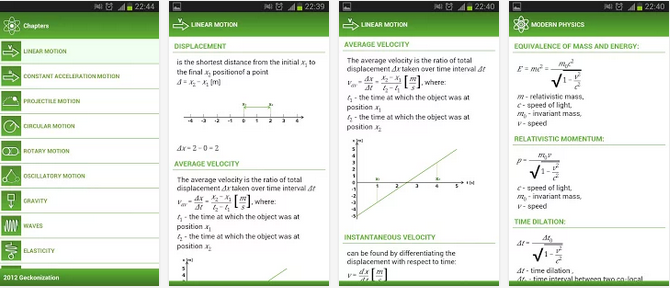
You don’t want to carry a gigantic physics text book to everywhere you go to but you can always carry your Android smartphone around and with this application in it, you can rock Physics from anywhere and anytime.
The application covers most of physical formulas with descriptions and images. It is perfect for students to do physics homework quickly and accurately.
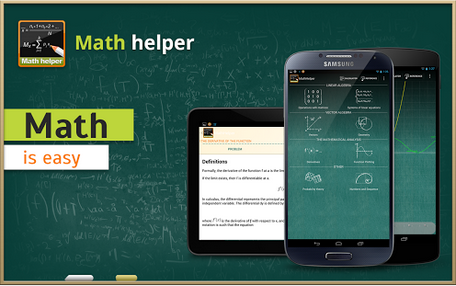
Though this app will cost you a cup of coffee but $3.63 is enough to save you from your algebra & calculus hassles.
Math Helper allows you not only to see the answer or result of a math or algebra problem, but you can also obtain a detailed step-by-step solution so that you may learn how to do the problems rather than just getting the answers.
If you don’t know what for example enzymes means, then this is a great choice. ;). Just avoid as many pop up ads as possible, you really don’t blame them for embedding so many pop up ads, do you? It’s a great app for any student offering biology as a subject or course.
Nice to brush up your knowledge on chemistry and is indeed very helpful. Includes a periodic table with links to wikipedia also allows students to perform simple grams/moles calculations, calculate mass percents and do stoichiometry with that compound.
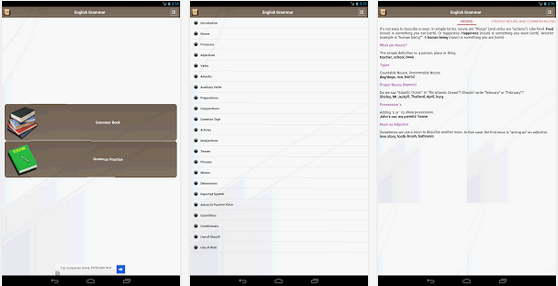
The application arrays variety of useful tools arranged in tabular forms. The tabular forms are easy for quick remembrance.
Like Twitter, Facebook (and now, Telegram), the use of usernames makes it easier to find and locate users on the website. However, finding or adding users by username isn’t something very common among mobile messaging apps. WhatsApp allows you to add a username or moreorless, a nickname but people can neither find nor add you with this username – something privacy lovers will appreciate.
Telegram on it’s own right is taking a different path. Since last year the company made it possible for you to add friends by username – without necessarily knowing their phone numbers – on their mobile app.
The advantage of a username is that you can share your contact details for Telegram without revealing your phone number, thus safeguarding some level of privacy. A lot of users has been asking us how to add a username to the app. So, here is a step to step guide:
Add Username on Telegram
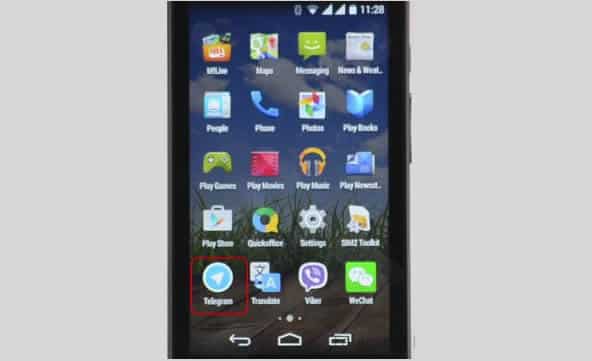
Tap the menu button on your Android screen.Launch Telegram application.
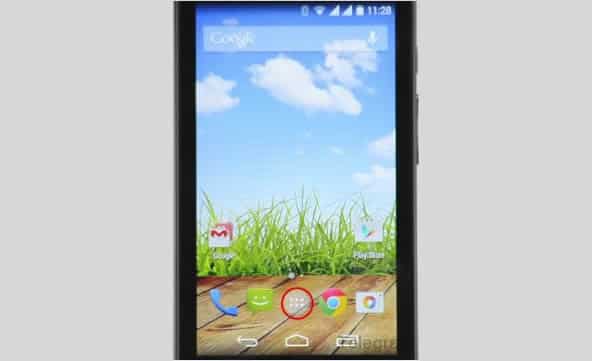
Tap the Apps button on your Android screen. Locate and launch the Telegram application.
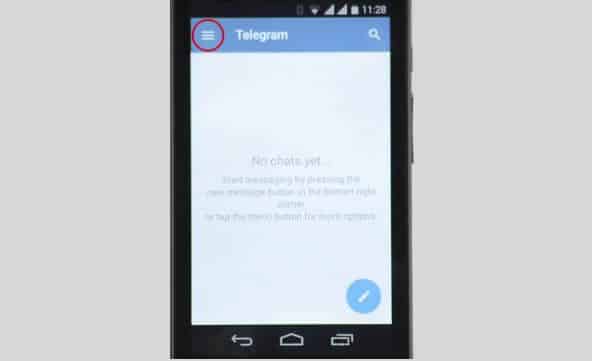
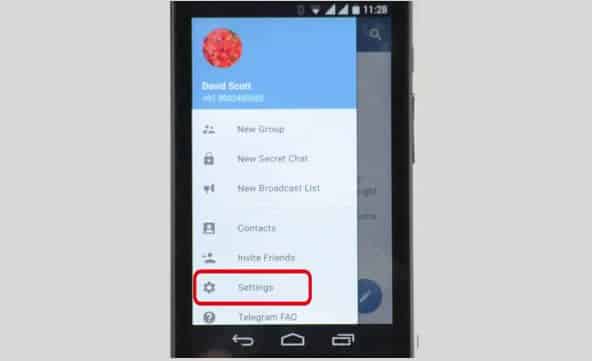
Tap the menu icon on TelegramNavigate to Settings
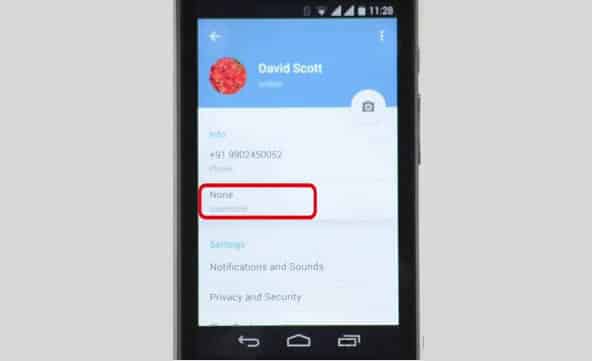
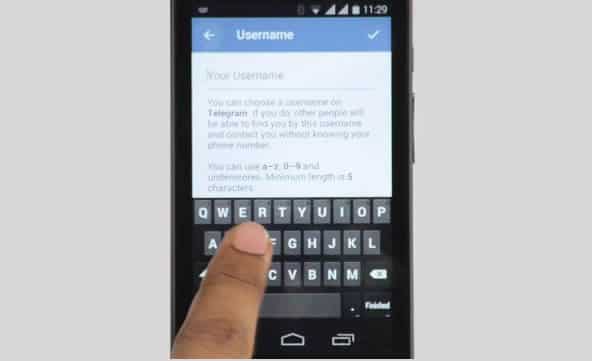
On the Telegram app tap the menu icon (represented with three horizontal lines) and open Settings. Among other options on settings, you will find Username which is set to ‘None‘ by default.
Username is set to ‘None’ by default.Tap on Username.
Tapping on the Username option will open a page where you can enter or modify your username. Simply enter your desired username on the text input box.
Usernames must be a minimum of five characters — so you can’t make up for losing out on a one-letter Twitter handle here — and can contain letters, numbers and underscores.
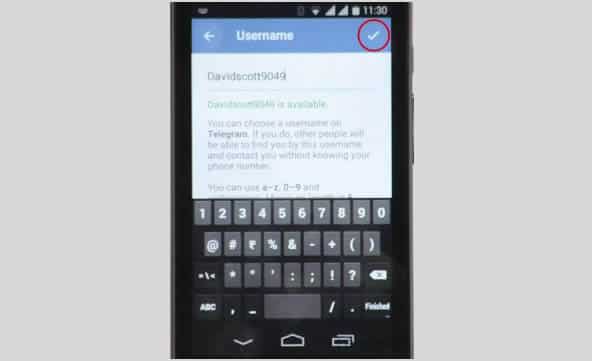
Save your username.
Save your new username by tapping ‘Good’ sign at the top-right side of your screen.
You are also free to change your alias, so long as the new one is not already taken.
In response to readers feedback and recommendations EWT Global Solutions has released a new application for Android users.
Yesterday, EWT Global Solutions announced the release of its new Android app on their official blog.
Today, we are officially announcing the release of EWT GS 1.0. The app is targeted to syndicate contents from our websites when they are published and make them available to be read offline.
We understand the need of you to be able to follow our updates on your mobile devices and the high cost of internet or slow network in most countries, hence, the production of this application. This is new with us and we cordially invite you to try it with us.
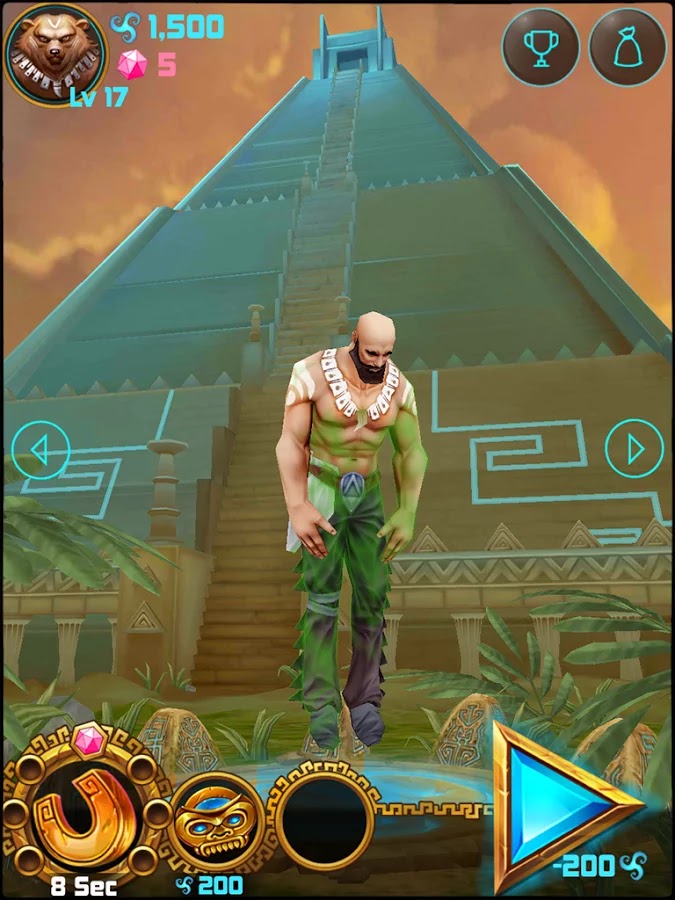
Temple Run might have let you gone through series of harrows, chased by an angry monstrous monkey and overcoming deadly obstacles. Well, the saying that you can be anything is true, at least on your Android device: Spirit Run Game will let you go through ancient rituals, transform your soul into an animal’s and help your brood defend the Aztec Temple from apocalypse!
As the quest to protect the Acient Aztec Temple becomes paramount, level-up your Spirit and run in search of soul energy balance. Choose from five characters immensely, each. gifted to transform into Wolf, Fox, Bear, Panther, and Panda respectively.
Spirit Run Android game was produced by RetroStyle Games. It was first published on the 6th of September and has since being installed by 10,000 – 50,000 Android users. As it goes “The best things in life are free” Spirit Run game might turn out to be one of the best game on your mobile device.
Content Rating:
Everyone
Our Rating: 3.5
Requires Android:
2.3 and up
Game Producer:
RetroStyle Games Spirit Run is a free Android game with Awesome graphics and well made with a good mix of strategy action and RPG.
Pros:
Free games with NO Ads
Cons:
You may experience a slow start but it gets better
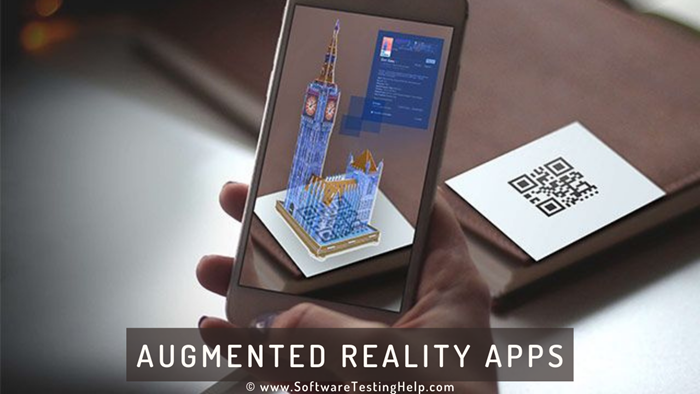
Augmented Reality is a relatively new technology that adds value in the real world using digital media and information like videos and 3D models while superimposing in real-time, the camera view of connected glasses, your PC, tablet or smart phone.
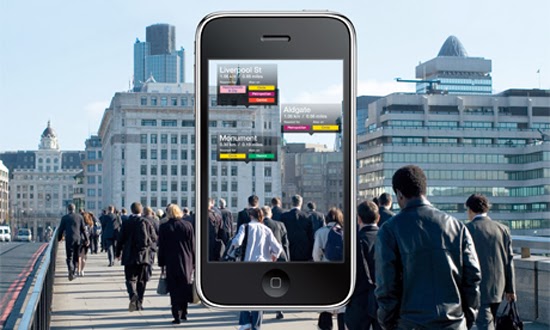
Augmented Reality tools have three main categories. Augmented Reality 3D viewers use trackers to place life size 3D models in the environment. Augmented Reality browsers provide contextual information to add value to your camera feed. Augmented Reality games offer interactive gaming experiences.
Benefits of Using Augmented Reality Apps
There are a number of benefits derived from employing augmented reality apps. These include the following.
Presentation Tool Marketing, design and sales teams benefit from the use of Augment as a powerful visualization tool.
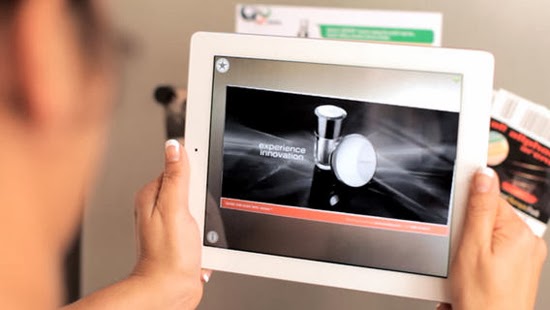
Catalogue Animation You can bring life to any print content. Your print can be scanned from any location and 3D models, links to your site or videos can pop up.
Here are some of the best Augmented Reality Apps currently on the market.
Amway Augmenter
Amway Augmenter uses image recognition to choose codes and images. Content is then activated to play on the device screen.It is a very easy app to operate. All you need to do is identify the content that you want to augment and hold your device over the image in a way that all of it will appear on the screen. The application does the rest for you.
Visuar Augmented Reality
This is a general purpose augmented reality application. It significantly reduces the cost of marketing and advertising campaigns. Salient features of this application include centering the view in the middle and sawing the interior, take photos and share on social networks and email, change textures and add personal targets in real time, add video texture as well as video, sounds and animations escalate, rotate and move in all perspectives in addition to having your own corporate image and corporate channel.
Acrossair Augmented Reality Browser
This augmented reality browser has been described as the Swiss Army knife of augmented reality. This app has been developed for the iPhone and iPad. Salient features include pinning your location to find your car later, viewing local tweets, viewing geotagged Wikipedia entries as well as hotels, cinemas and many other amenities. Holding your phone horizontally shows your location on map giving you the option regarding the layer you would like to look at.
iOnRoad Augmented Driving
This augmented reality app helps you keep track of your location while on the road while preventing the occurrence of accidents. Features include an audio-visual warning used to detect veering off the road and moving closer to the vehicle next to you. This is done by employing sensors, GPS and the smart phone camera. Operation is simple. All you have to do is mount it on the windshield which activates it automatically once the vehicle is set in motion. Other features include parking location detection allowing you to find your car later via a clicked photo and the area navigation.
R U McSafe Augmented Reality
This augmented reality app is employed to supplement safety and health measures in the work environment. It allows you to utilize your mobile device to view a variety of safety situations in space or real time. All that is required is for you to position your screen over the printed marker that fills the screen when seen from above. You can watch as the 3D appears as if they are right before your eyes. It allows you to interact with the 3D animation through the use of your finger. You can spin the icons and choose the situation you want to view.
Tons of camera apps has been made since the foundation of Android OS. While many blogs and websites has had their say on which app is best, we are going to consider seven Android camera apps that can easily fit in as the best among it’s kind.
In this list we are going to consider features that makes them stand out among the crowd and reasons why they are better than your preferred camera app. From 1 – 7, let’s get the list rolling.
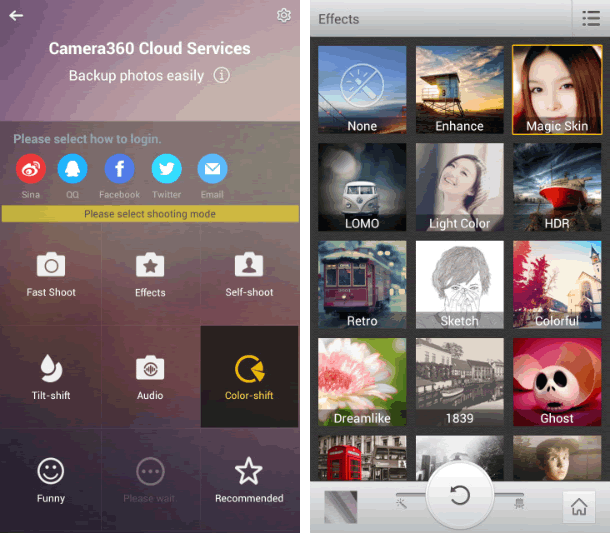
For sometimes now the position of Camera360 Ultimate has been unquestionable in the marquee of best Android camera apps. The free mobile application is arguable the best camera app around this days and could easily replace any smartphone default camera app.
Features
Camera360 Ultimate of course, was only an upgrade on the old Camera360 app, which was mostly known for its HDR shooting mode. The recent version still has it in there, among some other useful features like photo effects, quick sharing, support for phone-mountable Sony lenses, and a very easy-to-use interface.
Easy-to-use Interface
Support for Phone Mountable Sony Lenses
Photo Effects
New Camera Store
Basic editing tools, including crop, rotate, etc
Photos are classified by time in Camera360 album for easy photo search and management.
Safe and smart cloud album for photo storing, managing, editing, sharing and more.
Free photo editor featuring tons of filters, unique shot modes, and extras not found in other apps from the genre
1-tap upload to Facebook, Twitter, Flickr, and more
HDR Shooting Mode
Real-time digital zoom
Hardware tweaking options, including white balance, night shooting modes, ISO, focus metering, exposure, contrast, saturation, and more (as long as your hardware supports it)
The Awesome
The application compared to its competitors is worth over $4 – $5 but has been made totally free by its producers. Camera360 Ultimate makes it easier to choose between normal shot and special effects shooting mode allowing it to function properly on almost every Android device including low end Tecno Android phones.
The latest version of Camera360 Ultimate is loaded with amazing photo tools and features. The good thing about the application is the new camera store where you can manage and add new features to your camera app. You can add features such as Effect Cam, Selfie Cam, Easy Cam, Scene Cam, Funny Cam, Tilt-shift Cam, Color-shift Cam, Audio Cam, etc. Free of charge.
Where It Falls Short
Camera360 Ultimate’s interface is great at guiding you right to the type of shooting mode you may want, but the problem with the app is that it’s gotten progressively bloated and bogged down with features that aren’t too useful and have little or nothing to do with taking good photos—just gimmicky ones. It’s also gotten to be a big of a storage hog, weighing in at 21mb.
6 Worthy Alternative of Camera360 Ultimate
Camera ZOOM FX ($3.00) has been the preferred camera app for many android users but will always face stiff competition against free top crooners like Camera360 Ultimate. The camera app has features such as:
Auto-focus and tap-to-focus modes
Hardware tweaking options, including white balance, night shooting modes, ISO, focus metering, exposure, contrast, saturation, and more (as long as your hardware supports it)
Gesture and multitouch support, including pinch to zoom, tap to focus, and tap to shoot
Burst shooting mode that supports up to 20 shots/second
Customizable grid overlays (so you can make use of the rule of thirds, the golden ratio, or other composition techniques)
Horizon level indicator (never take tilted photos again)
Stable shot meter and shooting mode (with crosshairs that flash red when the camera is moving)
Customize all the hardware buttons on your phone and assign them to camera functions, e.g. zooming with the volume controls
Support for time lapse shots and long exposures
Self Timer
Voice and sound-activated triggers: Clap or speak to take a picture
Silent photo shooting and shutter sound control
Over 40 different photo filters and effects, like tilt-shift, vignette, LOMO, retro, toy camera, and Polaroid
Dozens of photo presets for one-touch personalization
Real-time digital zoom
Geo-tagging of photos using your phone’s GPS
Preserves EXIF and other metadata with your photos
Auto-save of images when you take them
Live previews of photo effects and filters before you apply them
Basic editing tools, including crop, rotate, etc
Non-destructive photo editing features
Collage shooting modes, so you can build an instant collage of photos you’ve just taken
Quick social media share
Works a bit better than the stock app and offers ISO mode control. Unfortunately, all the photos are cropped to 4:3 instead of 16:9, and there doesn’t appear to be any way to fix it. With its amazing features as mentioned above, Camera ZOOM FX can comfortably sit in our second place for best Android camera app.
ProCapture ($3.99, Free ‘Lite’ Version) is a great camera app for niche photo shooting. The application supports multiple advanced camera shooting modes such as: Timer, Burst, Reduced Noise, Wide Shot and Panorama.
Action Snap Pro ($3.85, Free ‘Lite’ Version) is another niche photo shooting app. Allows you to use both front and primary camera of your android device. ActionSnap supports combining 4 or 9 photos. You can choose a time interval from 0.1s to 5s and start capturing photos by one click only, or you can use the custom mode to take photos one by one.
Camera FV-5 ($4.13, Free “Lite” version) has been around for sometime, but only recently did it get good enough to grab our attention—and boy did it get good. Loaded with tons of features, and the developers has added a lot of useful shooting features over filters and effects. You can now control hardware settings like white balance, exposure time, aperture, light metering, and so on, and the viewfinder even has an RGB histogram right there, updating in real-time. You’ll find all of the other useful features from Camera360 ultimate and other apps here too—tilt-shift shooting, auto-focus and tap-to-focus, long exposure support, the works. Its only drawback is that the interface can be a bit overwhelming as a result of all of the features.
Vignette ($3) midst stiff competition is still around and kicking, and is an excellent option if you’re looking for an elegant shooting interface and more filters and post-processing effects than you can shake a stick at. It looks great, is a joy to use, and like Camera FV-5 can do a lot of things the other apps here can do, including tilt-shift photography, cross process, duotone, LOMO, toy camera, and more. Vignette’s only drawback is that in being elegant and useful, it’s also a bit lighter on features and shooting modes. Still, if other camera apps are overkill but you still want a step up from stock, try it out.
Focal Camera (Free), pretty much at the beta stages and good enough to decorate the bottom area of our awesome list. The application is loaded with features like HDR shooting, panorama shooting, photospheres, burst shooting modes, self and auto-timers, and more. It’s a bit buggy on some devices, is definitely still a beta, and doesn’t support anything running less than Jelly Bean 4.2, but if you need HDR or panoramas, it’s more than worth a look.
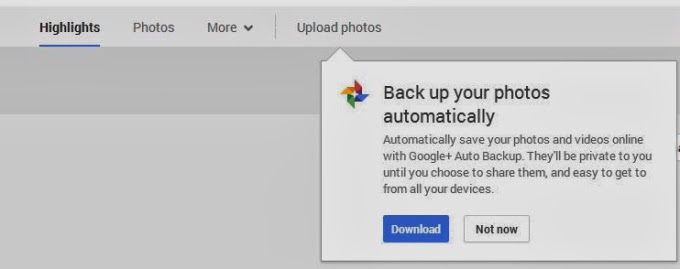
Google has begun pushing its “Auto Backup” photo archival software to Mac and Windows users via the company’s social networking platform, Google+. The promotion is new, we’ve confirmed, though the software itself was first launched back in December.
At that time, Google began offering the desktop utility as a part of its older Picasa photo-sharing platform, which confusingly (and oddly) somehow still has its own domain, despite the fact that Google has been integrating Google+ into everything it owns, from search to Gmail to YouTube. When the version of Picasa for Mac and Windows launched at the end of last year, a separate tool called “Auto Backup” appeared. This app runs in the background, similar to something like Google Drive or Google Music, in order to upload all your photos to Google+, including those from SD cards.
Now some users are noticing that a link to the same software is appearing on Google+, when they click into the “Photos” section of the social networking website.
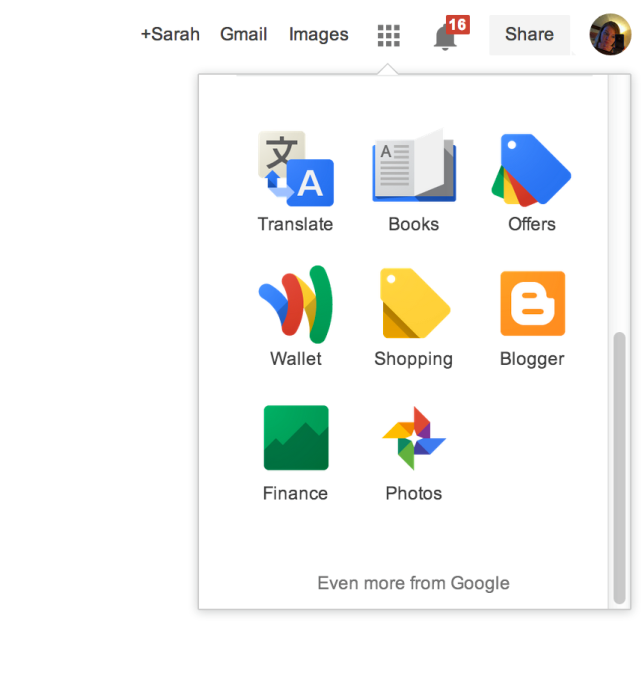
The prompt appears underneath the “Upload Photos” button from the Google+ Photos top-level navigation. Here, a dialog box explains that the software will automatically save your photos and videos to Google+, where they’ll be marked private unless you choose to share them. You can also access Google+ Photos to then see this prompt if you’re a Chrome user who clicks through on the “Photos” icon from the app launcher (the top-right square grid-like button).
After you download the utility, or dismiss the prompt in another way, it may be difficult to get the message to reappear, I’ve found. There doesn’t seem to be a website or section on Google+ where users can find links to directly download this software for themselves. For instance, the Google+ Photos “Take a Tour” page points to the “Auto Backup” app (which is actually just the Google+ app) on Google Play and the iTunes App Store, but links to “Auto Backup” for Mac and Windows are nowhere to be found.
For what it’s worth, if you do decide to take advantage of the utility, be aware that it will not respect the folder structure you may have in place on your computer. That is, it will take the photos from all the albums you point it to and place them in one album on Google+ where you could then choose to share or organize them as you like.
What the software’s appearance means in terms of Google’s larger plans to shutter the Picasa brand and domain remains to be seen, of course. For whatever reason, Google continues to develop and update its Picasa desktop software, despite its competition with Google+ in terms of feature set (photo editing, organization, etc.) and mindshare.
This post was first seen on Techcrunch. Images are as seen on the post page.
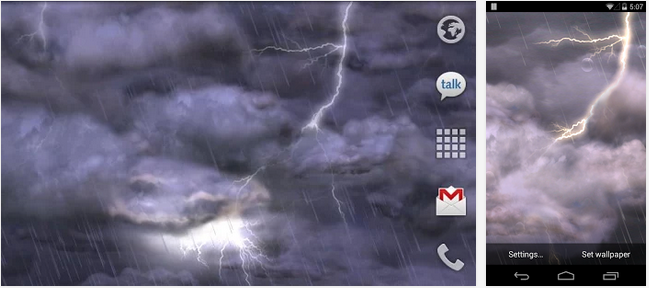
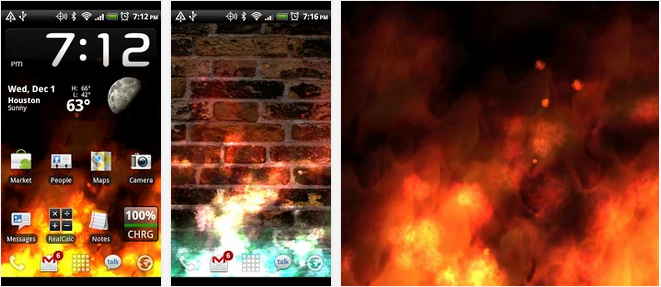
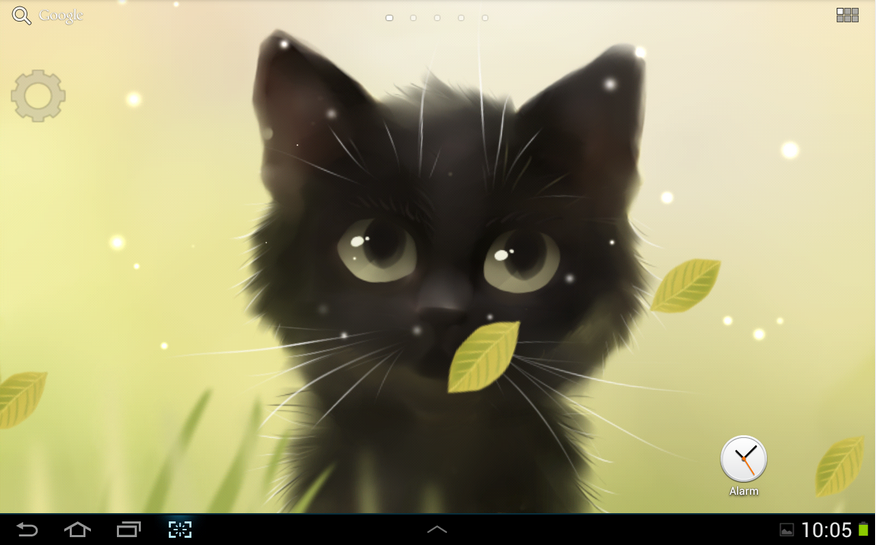
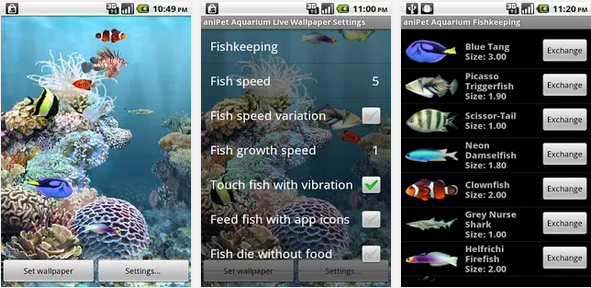
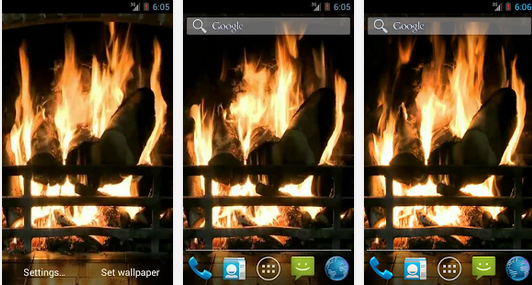
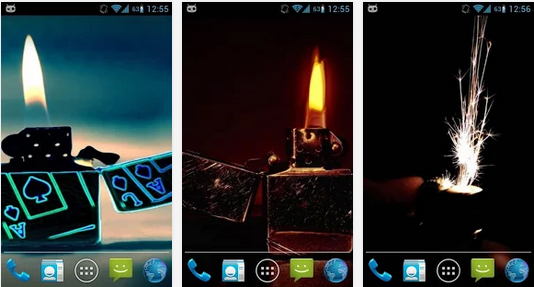
Live wallpapers refreshes your Android screen and keeps your device alive. While some of you will go down as legends in this field, a lot of us are yet to explore the excitement of Android live wallpapers. Whichever category you fall into, here is a chance to try a new thing, applaud your favourite wallpapers that made the list or tell us which wallpaper you feel should have been listed.
The wallpapers listed in this post are all live wallpapers, less-buggy and elegant in appearance. Also, the wallpapers are responsive and can adapt to any device or screen size.
Read on as we list 15 Android live wallpaper that attracted us this week or in the past two weeks.
We have been following this wallpaper for quite sometimes now. It’s consistency and clean fascinating layout has earned it a first slot in our listing today. This is your a ticket to get Koi (amazing fishes) swimming around your smartphone or tablet. This wallpaper comes with 3D rendered in OpenGL 2.0, with fully interactive water that supports multitouch.
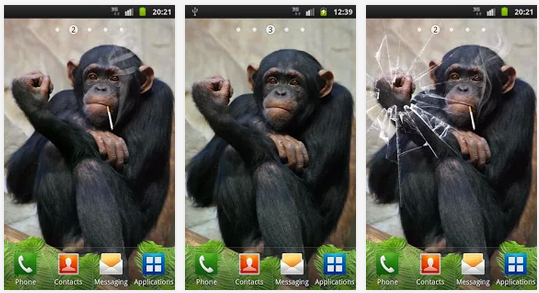
Funny Monkey Live Wallpaper – Download Install an arrogant monkey your Android device. Funny Monkey Live Wallpaper. It is not a polite monkey. As you touch the monkey on the head she will show you the “Fuck You”. Tap it in her hand and the monkey will break the screen on the phone (cracked screen). The monkey is funny and she loves to laugh. Tickle the monkey in her leg and she is going to laugh.
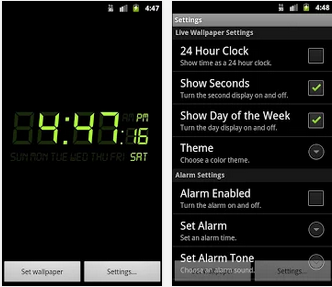
Alarm Clock Live Wallpaper is a digital clock and alarm on your home screen. It features: – One-touch snooze. – Set alarm tone, time, and reoccurring days. – 24 hour clock support. – Alarm will still sound even if device’s screen is off.
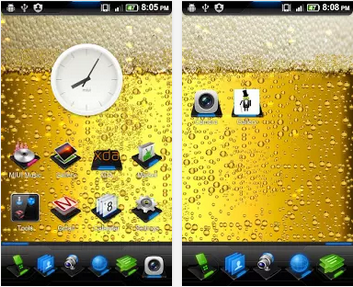
It is always good to have a beer in your hand, it gives you energy, confidence, and might make you drunk! Drink responsibly and we hope nobody gets charged for DUI!
Love to create ripples in bathtub and watch them subside. Now you could create same kind of waves in your cell phone. All you have to do is, set the wall paper on your screen and touch the point where you like to see ripples appear.
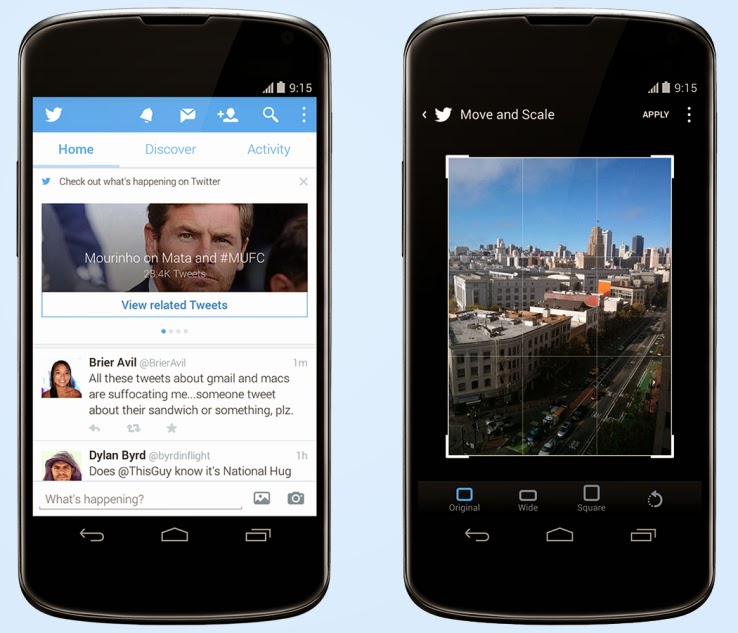
A post on Techcrunch has reported that Twitter has just released an update to its Android client (coming soon to iOS) that brings new photo editing tools to the service, which are likely meant to make it easier to share photos direct and keep people out of competitive apps like Instagram. The second change adds a significant element of event discovery and real-time trend monitoring to user timelines. The event surfacing is the more interesting element, since it marks a considerable attempt by Twitter to meddle with the straightforward chronological nature of that part of its service (besides promoted content). In case a user doesn’t have any new tweets to load when you manually update it, it now brings up recommended posts from people you don’t follow, as well as trending topics and suggestions about new people to follow. In the U.S. only, it surfaces event updates for things unfolding on TV, in sports and on the news.
Each content update features a link to click through for more tweets centered on that conversation. It’s an extension of some of the other work Twitter has been doing around surfacing events and breaking news, including the Eventparrot experiment and a feature that was tested back in August to highlight nearby events via proximity-based alerts.
A couple of things to flag about this change: It only happens when there’s no other new content for a user to view, and when they express a desire for more content, which is very clever; and it represents a way for Twitter to secure its place as the source of live, real-time information about things unfolding on the ground, a reputation that Facebook clearly covets.
Others are already capitalizing on Twitter’s ability to identify and follow events as they unfold, including Banjo, but Twitter adding this as a native feature in its mobile clients could change the nature of the service at a basic level. Should it roll out globally, and expand its scope, mobile users could be using Twitter a lot more for things like local discovery than they had been previously.
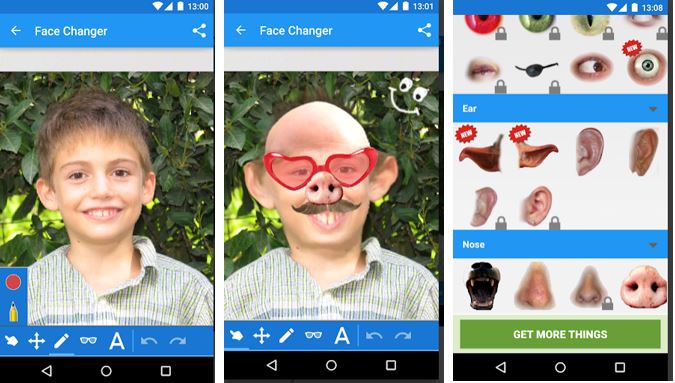
Recently, a friend tagged me in picture where he was brutally injured. “What happened?” was my first question as I wondered what might have inflicted such injury and bruises on him. The answer didn’t wait for too long: He honestly told me it was a costume he made with Face Changer on his Android device.
It doesn’t matter whether you forgot to apply the necessary make-ups before taking a photo, this app will help you apply make-ups or add items you never had to your photos.
Publisher Description
CNET: If you are searching for a great time killer and funny photo app, this one is for you. This app promises many laughs as you twist and edit your friends’ faces. Face changer lets you easily change faces in photos. Use it to change your face, friends or change face in any image you find on the internet. It’s easy to create funny pictures and caricatures, and easy to share them.
File Info
– Release Date: October 24, 2013 – Size: 6 MB – Version: 5.8 – App Requirement: Android 2.2 and up – Age Rating: 13+
For information on how to use Android Face Changer on PC or Mac click here, otherwise, click on the download button below to initiate your download.DOWNLOAD ANDROID FACE CHANGER
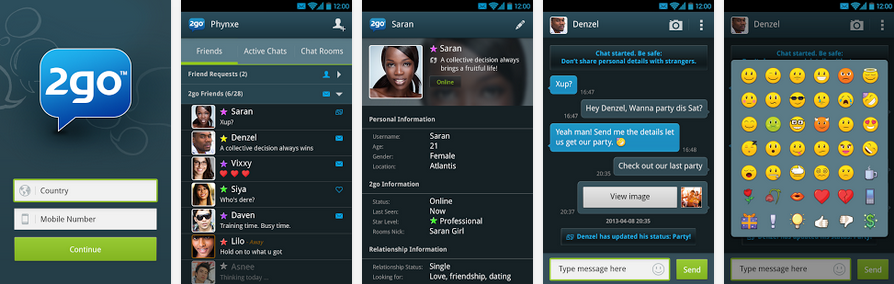
The 2go IM is currently on the Google Play Store but if for some reasons (probably best known to you) you don’t want to download it from the Store, then be my guest: I have uploaded it to this page and the application is all yours the moment you click the download button below this section.
Publisher Description
2go is a mobile social network where you can chat and share with friends and meet new people!
– Create your own profile and upload profile pictures
– Share files and photos
– Share contacts
– Chat to friends on Facebook, Google Chat and Mxit
What’s New on 2go?
The Facebook gateway is available. Chat to all your Facebook friends in 2go!
v1.0.16
– Emoticons now selected from text box for easier access.
– Preview gallery photos before sending.
– Improved keyboard behaviour.
– Improved online and offline notifications.
– Numerous bug fixes and improvements!
File Info
– Release Date: October 24, 2013
– Size: 2.3 MB
– Version: 1.0.16
– App Requirement: Android 2.2 and up
– Age Rating: 16+
For information on how to use Android 2go Application on PC or Mac click here, otherwise, click on the download button below to start your download.
For those of you who feel like ripping of twitter’s head, well, here are some Tech Hive solution that may help cool things down.
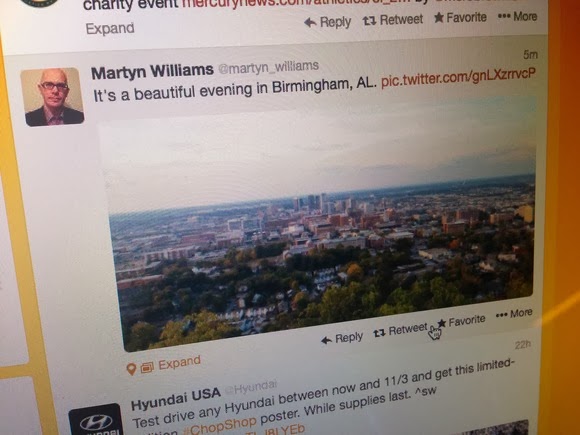
For some Twitter power users, the day of reckoning has come: On Tuesday, Twitter updated its mobile app and website to show inline previews of photos and videos in tweets instead of requiring you to click a link or expand the tweet. And lo, Twitter erupted with anger and, well, the obligatory snark.
If you view tweets using the Twitter website, you’re pretty much stuck with the inline image previews: As of this writing, there’s no way to turn them off through Twitter.com. But you do have a couple options at your disposal.
Just say no. No no no. Turning off Image Previews in Twitter’s mobile app is just a swipe away.
Disable inline images in Twitter’s mobile app
If you use Twitter’s official client app for iOS and Android, you can easily turn off the inline image previews. iOS, it’s represented by a toggle switch; on Android, it’s a checkbox).
Open the app, tap Me in the toolbar, then tap the gear icon. Tap it, then tap Settings from the menu that appears. Scroll down to Image Previews, and tap the toggle to turn it off (on
Once you do this, you should no longer see the inline image previews in Twitter’s app from the Home tab. Unfortunately, this setting only applies to the mobile app—if you go to Twitter’s website, you’ll still get the image previews in your timeline.
Use a third-party client
Countless Twitter clients exist for just about every major platform out there—Mac OS X, Windows, iOS, Android, Windows Phone—and they usually don’t show large inline image previews (though some may show small thumbnails). Do a search on your operating system’s app store for Twitter apps to get an idea of what’s out there.
Take a look at TweetDeck and Hootsuite for OS X and Windows. We also like Tweetbot, a fun, easy-to-use app for Mac OS X ($20) and iOS ($5).
If Twitter’s inline content still grinds you gears—even if you can’t see it—maybe it’s time to jump ship to another social network. We hear Google+ has some very nice features…
Tech Hive – Don’t be alarmed. Samsung’s leadership is launching a religious movement, but its goal isn’t to change everything you believe about good, evil or the meaning of life. It simply wants control of all your mobile platform needs.
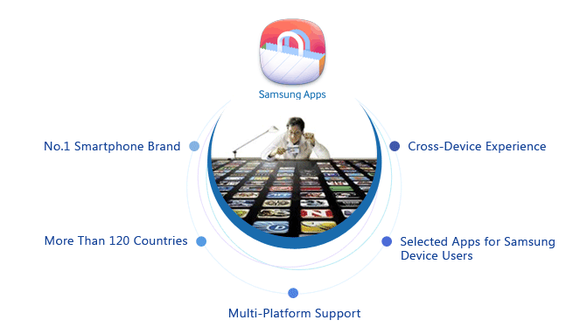
It’s an ambitious plan, and Samsung needs true believers—an army of street soldiers who can evangelize the mission, and indoctrinate new converts. The company began assembling the ranks when it introduced Samsung Apps, its own Android app store, with the release of the Galaxy S4 Smartphone earlier this year. And to further increase its headcount, the company held its first annual Samsung Developers Conference this week in San Francisco to entice startups and indie developers to build apps specifically for Samsung devices.
The goal wasn’t just to evangelize and showcase what the company has accomplished with its partnerships, but also to demonstrate that Samsung is serious about building its own full-fledged app ecosystem—a marketplace it wants you to visit before you drop into Google Play.
The world has gone app store crazy, and Samsung would be damned if it has to play second fiddle to anyone. And it really doesn’t have to, since it already has a solid hardware foundation built on every imaginable phone and tablet screen size from the 4.3-inch Galaxy S4 Mini to the 6.3-inch Galaxy Mega to the 10.1-inch Galaxy Note 10.1. At this point, Samsung really only needs to increase its flock of developers.
Hence the recruiting drive at the Samsung Developers Conference. It’s the one true path to mobile salvation.
Enticing devs with carrots
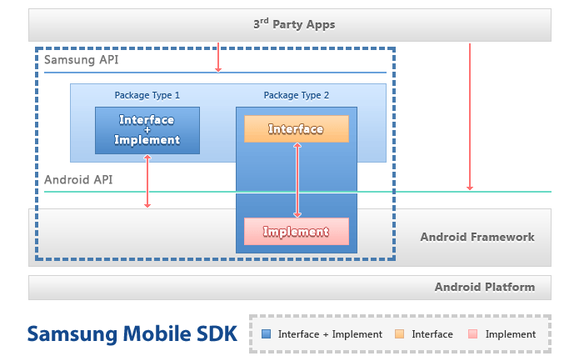
Samsung launched its Mobile SDK to get developers to make apps specifically for its mobile devices.
In its conference keynote, Samsung hit developers with two compelling arguments in support of native app development: The company has tremendous reach around the world, including footholds in China, Southeast Asia, Japan, and Australia, and it’s also the number one Smartphone maker in most of those markets.
The message resonated with Matt Nutt, VP of Business Development and Operations of Cie Games, an independent mobile game company that was featured as a part of an introductory video during the keynote. “They do have many devices, but they’re doing a lot to reduce the fragmentation of devices in terms of share on the Android marketplace,” Nutt told TechHive. “[We can’t ignore] any opportunities to leverage the marketing prowess of somebody like Samsung.”
But before you can get developers to populate your app store, you have to give them something to work with. So during its keynote, Samsung introduced five new APIs. These include a multi-screen gaming API that puts mobile games on TV screens; a Smart TV SDK that helps share mobile device content with Samsung TVs; and an SDK that supports more S-Pen controls, better handwriting recognition, and an improved multi-window feature.
If developers take advantage of the SDKs, it means you’ll find more features and apps for your Samsung devices—along with more incentive for you, the consumer, to stick with Samsung hardware. And it’s all a blueprint for ecosystem propagation, where software boosts hardware sales, and hardware sales give life to more software downloads. Connect all the dots, and it begins to seem amazing that Samsung is only holding its first developer’s conference in 2013.
A leg up on Google with the little things
To help show would-be converts all the benefits of playing on Team Samsung, the company has been busy making native apps of its own. And some of them are ahead of native Android features, at least in terms of introducing new tricks to the mobile game.
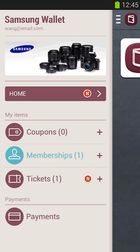
Samsung Wallet has all the functionality that Google Wallet doesn’t.
Take Samsung’s ChatON messaging applications, which let users chat with one another across all mobile and desktop platforms, send group messages, and chat in other languages with an auto-translate function. While Google has added features like SMS messaging to its Hangouts app, Android is still behind in features when compared to iOS’s iMessage, and Hangouts is only usable between the web and Android devices.
Google Wallet must also play catch-up to match Samsung’s Wallet 2.0, which borrows much of its aesthetic and functionality from Apple’s Passbook. Samsung’s mobile payments app was released earlier this year on the Google Play store with features like the ability to store loyalty and gift cards (which Google just recently took out of its Wallet app). Samsung’s wallet app also enables geo-fencing for coupons to pop up when you’re near a store. Samsung’s app is also available to users overseas, while Google’s services are still limited to the United States, and only from specific carriers, like Sprint and US Cellular (which aren’t a part of the Isis mobile payment alliance formed by AT&T, Verizon, and T-Mobile).
While Samsung’s in-house app development team may not match Google’s in size, it can still get developers with great ideas to work on features that Google doesn’t offer. Case in point: Samsung has partnered with Rabbit, an online video platform that lets you not only video chat with friends, but also watch video with them on external services like Hulu—all in real-time from your computer and (in due time) mobile devices. The upshot is that Rabbit will be featured front-and-center on Samsung hardware, and its neat features might make you consider it over Google’s own video-chat services on Android. Rabbit also trumps Google Hangouts in group conversations by allowing up to 20 people to chat in a room.
And from ecosystem success flows… money
Samsung to devs: Stick with us and we’ll get your app far.
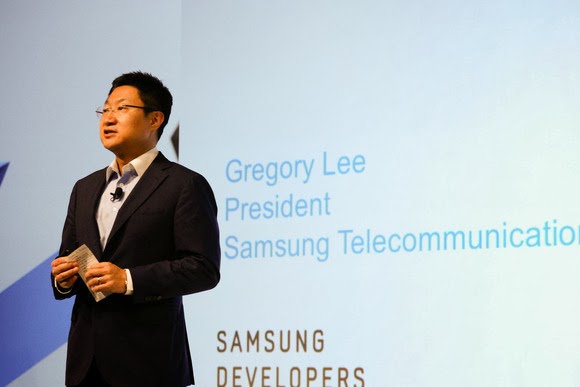
At the beginning of his Monday keynote, Gregory Lee, President of Samsung Telecommunications of America, was excited. “We never expected a big crowd,” he told the audience. “We expected a small one.”
According to Nicholas Reichenbach, co-founder and president of Rabbit, there’s a reason for the positive turnout. “Samsung’s marketshare had a lot to do with the attendance,” he said in a phone call. “Whatever Samsung is doing is very attractive to developers.”
And what can be more “attractive” to an up-and-coming app developers than sales revenue? As Smartphone users, we often scoff at the apps that device manufacturers load on our phones. And we often bristle when we’re asked to visit yet another app marketplace, when we already have Google Play. But Reichenbach says one of the key attractions of Samsung Apps is that developers are seeing better monetization through Samsung’s mobile products.
”It’s always been difficult to monetize [on the Android] platform,” he says, “but with Samsung devices, we’re starting to see the monetization equal to other platforms.” And since Samsung’s high unit sales means it has more marketshare, app developers have more chances to make more money. “It’s starting to grow—potentially even greater than other platforms that are leading the market,” Reichenbach says.
How much disruption makes sense?
With more than 1,300 attendees at this week’s conference, it’s obvious there are at least a few developers who are interested in building for Samsung’s ecosystem. Indeed, Samsung can offer small, independent developers something that Google can’t right now: Prominent positioning in an app store that’s a lot less crowded than Google Play. So one can see why so many lost souls are interested in joining the Samsung effort.
But where Samsung could really have a winning hand is not in courting small, independent developers, but in striking exclusive deals with big-name app powerhouses. It’s already teamed up with triple-A app developers like Twitter and Flipboard, and similar deals could compel you to buy the next Galaxy phone instead of a handset from HTC.
Samsung is clearly forging full-steam ahead in its effort to become more than a device manufacturer, but it needs to figure out how to do so without continually disrupting the current Android marketplace. It may be helping to reduce friction within its own device family, but by branching off into its own ecosystem, it will just make fragmentation worse for Android as a whole.
But maybe that’s the point. You can only have one religion—and Samsung wants to be yours.





.webp)
.webp)









You must be logged in to post a comment.