Tag: networking

  • How to Use LinkedIn for Networking and Marketing

    How to Use LinkedIn for Networking and Marketing

    Everybody wants to be on Facebook, Instagram, and Twitter, the platforms companies and businesses use for trendy advertising and marketing. However, investing so much time and effort in platforms that don’t benefit your career is unnecessary. A lot of people overlooked LinkedIn in the past. Ignorant of the many opportunities abundant on this site. There are life-changing opportunities for those looking for jobs, entrepreneurs, startups, investors, or fresh graduates. Here are some pointers on how to use LinkedIn for networking and marketing.

    Marketing/Networking on LinkedIn

    Just as a strong first impression counts in in-person encounters, so too does having an impressive LinkedIn profile for successful online networking. Before engaging in any LinkedIn networking activity, make sure your profile is complete and optimized.

    Build an Impressive LinkedIn Profile

    Start by including a professional-looking profile photo, as this has a big influence on profile visibility and interaction. The next detail to add is your headline. Creating an attention-grabbing headline for your LinkedIn page is similar to creating a CV. This title should communicate your areas of expertise and must be professional.

    Next is a profile description that will help you build your brand by, outlining your strengths and how you can bring value to potential clients or employers. It’s best to keep the summary brief and simple to read. Include relevant keywords to improve visibility in your area of interest. Avoid copying and pasting information from your CV while summarizing your work history on LinkedIn. Rather, concentrate on experiences that are relevant to your business or your desired career path.

    Add reputable recommendations and endorsements to your profile to increase its credibility. You can ask for referrals from people you’ve had good working connections with, such as clients, supervisors, and coworkers. These recommendations build your authority and trustworthiness and even serve as employment references. Getting more recommendations also makes you appear more credible to other users on LinkedIn.

    Make Connections

    It’s time to interact with other users on LinkedIn after building your professional presence. Refrain from adding connections randomly. Make connections with individuals in the field that you might want to collaborate with in the future or who might offer useful information on your business or career.

    When sending a connection request, make sure to add a customized statement and stay away from sending an automatic LinkedIn invitation. You can build connections with your new contact by sending a brief message introducing yourself or outlining your reasons for wanting to connect. By doing this, you’ll avoid giving the impression that you’re just adding things at random to increase your numbers. Remember, potential recruiters on LinkedIn are watching.

    As soon as your requests get accepted, you have to start forming personal or professional connections. You can engage their posts, celebrate a milestone, or simply reach out to them. Make an effort to reply to every communication you get on LinkedIn, and don’t ignore people trying to connect. To strengthen and build relationships, ask contacts to meet you offline at an event that’s open to the public.

    Create Posts/Join Groups

    Posting on LinkedIn is an important part of growing your career. Whatever your niche or industry, always make posts that engage and inform. You can start by writing your thoughts linking to your websites, and reposting pieces from others. As you grow, you can run ads on LinkedIn posts. To help people learn more about you and your business, think about providing a link to your blog to contacts. Provide a link to your subscription pages in your posts to your connections and followers.

    Become a member of industry-related LinkedIn groups to get visibility and establish valuable relationships. You may be able to connect with experts in your field if you join many active groups and share your profile. For any LinkedIn group you join to be effective, you will need to participate in them. Engage in and, provide helpful responses to queries. Instead of trying to promote yourself, concentrate on becoming an important group member.

    Benefits of LinkedIn for Employees/Businesses/Students/Job Seekers

    LinkedIn is a widely used platform for professional networking, offering numerous advantages for those seeking to expand their connections. Firstly, its ubiquity among professionals across the globe provides a direct channel to engage with crucial business contacts who may otherwise remain undiscovered.

    Many recruiters and hiring professionals use LinkedIn to find and connect with potential candidates. Users can often see job postings and recruitment-related content on the platform. Like many social media platforms, LinkedIn also allows users to run ads. Members come across sponsored content, job ads, or other promotional material while browsing their feeds. Companies and individuals can use LinkedIn’s advertising services to create targeted campaigns, promoting their products, services, or job opportunities to a specific audience.

    Most of LinkedIn members use it for business, not for informal engagements like Twitter. Networking on LinkedIn increases the chances of finding and getting opportunities. A well-constructed profile that includes relevant experiences, accomplishments, endorsements, recommendations, and information improves your professional image. Writing articles, sharing educational links, and participating in thought-provoking conversations in LinkedIn groups are other advantages of using the platform.

    LinkedIn serves as a valuable information repository, essentially presenting each user’s profile as a comprehensive resume. This helps you see the backgrounds, abilities, experiences, skills, motivations, and beliefs of potential customers, partners, investors, and other stakeholders. The search tools help to identify prospects and streamline your job search according to your interests.

    LinkedIn is not only free but also unrestricted, a feature that allows users to engage with their contacts regardless of work hours or geographical time zones. The potential opportunities that can be found on LinkedIn and from connections are far too many. Everyone looking to secure their business or career should create a LinkedIn account and use it.

  • How To Stay Anonymous On The Web

    How To Stay Anonymous On The Web

    How to Stay Anonymous on the web

    With the continual erosion of internet privacy and the rising level of security threats, more people are now turning to virtual private networks. VPNs encrypt your internet traffic, making it invisible to third parties like surveillance agencies, your internet provider, and the network admin. Plus, they protect your devices from hackers and the risks associated with public WiFi networks. Keep reading because https://privacyspark.com/ is going to give you key details on how to stay anonymous online.

    How VPNs Work

    A VPN (Virtual Private Network) is a channel that allows you to browse the internet with enhanced security and privacy. It also gives you the ability to get around content as well as censorship restrictions.

    Typically, a VPN works by establishing an encrypted connection between your device or computer and a VPN server. This encrypted connection is often considered as a protected ‘tunnel’ through which users can access everything on the internet while appearing to be in the same location as the server they’re connected to.

    This technology gives you a high level of online anonymity, allows you to access everything online without restrictions, and provides you with enhanced security. VPNs will encrypt and secure your online traffic, whilst also unblocking content from various parts of the world.

    Without a good VPN, everything you do on the internet is traceable to your physical location as well as the device you’re using. Every device which connects to the internet comes with a unique IP address that can be altered by the VPN server you’re utilizing.  Since most VPN providers have servers located all over the world, you’ll have access to numerous connection possibilities.

    The Benefits

    There are many reasons why you may want to consider utilizing a VPN and these include:

    • Surfing the internet without exposing your real IP address as well as your geo-location.
    • Adding an extra level of privacy and security by encrypting your online activity.
    • Preventing your ISP (Internet Service Provider), governments, third parties, and network administrators from spying on your internet activities.
    • Unblocking websites and accessing content that’s restricted to specific geographic locations.
    • Bypassing censorship by getting around regional restrictions.
    •  Browsing the internet with peace of mind.
    • Protecting yourself from hackers whenever you’re connected to public WiFI connections in airports, cafes, and hotels.

     Their Legality

    VPNs are absolutely legal. They’re designed to help users protect their online privacy and security. Most businesses are now utilizing VPNs – and that won’t change any time soon.

    Nonetheless, there are few exceptions in places such as the United Arab Emirates, where the use of virtual private networks is currently restricted. But still, the laws in these countries don’t outlaw the VPN itself. Rather, it restricts the use of VPNs to bypass the state censorship efforts.

    China and Russia have also attempted to ban certain VPNs- but these measures typically fail, because of the fact that VPN traffic can be hidden to appear like regular HTTPS traffic.

    Conclusion

    VPNs are routinely utilized by businesses across the globe for network security. Thus, you’ll never witness an outright ban on all VPNs since they’re absolutely necessary for both businesses as well as individual security. All you need is to shop around for reputable providers such as NordVPN, VyprVPN, CyberGhost, and ExpressVPN, who offer reliable products.

  • Best Tools For Ethical Hacking

    Best Tools For Ethical Hacking

    To the uninformed, ethical hacking is a criminal practice criminal minds use to tap the data of innocent people. Though it may have some truth in it, Ethical hacking has played a huge role in the world of cybersecurity today. It has helped firms fortify their security and also helped government official gain access to fortified criminal data. In this article, we explore a list of best tools for ethical hacking. These tools are listed below:

    1. NMAP

    Best Tools For Ethical Hacking

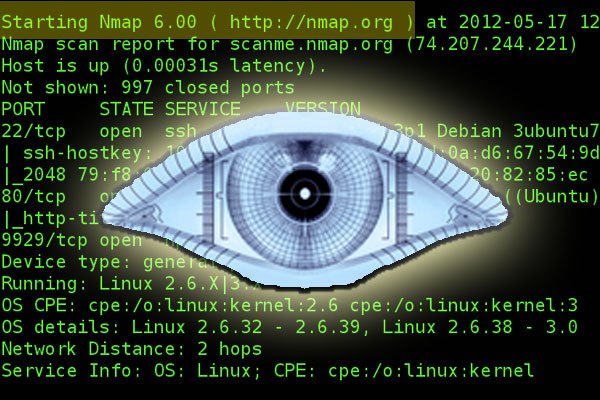
    Popular amongst infosec professionals, Nmap (Network Mapper) is an open source security tool that is used by infosec professionals to manage and audit network and operating system security for both local and remote hosts. Despite being more than twenty years, NMAP has constantly been updated. These updates have made NAMP remain relevant in the ethical hack business.

    NMAP helps professionals Audit device security, helps detect open ports on remote hosts, helps network mapping and enumeration. NMAP helps find vulnerabilities inside any network, it helps professionals launch massive DNS queries against domains and subdomains.  NMAP is supported on MAC OS X, Linux OpenBSD, and Solaris and Microsoft Windows

    2. Metasploit

    Best Tools For Ethical Hacking

    Metasploit is an open source cyber-security tool, that is used as a penetration testing tool to discover remote software vulnerabilities. It is also used as an exploit module development platform.

    Metasploit features a framework developed using Ruby. This framework can be used to develop, test and execute exploits easily. The Metasploit framework features a set of security tools that can be used to evade detection system, run security vulnerability scans, execute remote attacks, enumerate networks and hosts. Metasploit is available on Windows, Mac OS X, and Linux

    3. Burp Suit

    Best Tools For Ethical Hacking

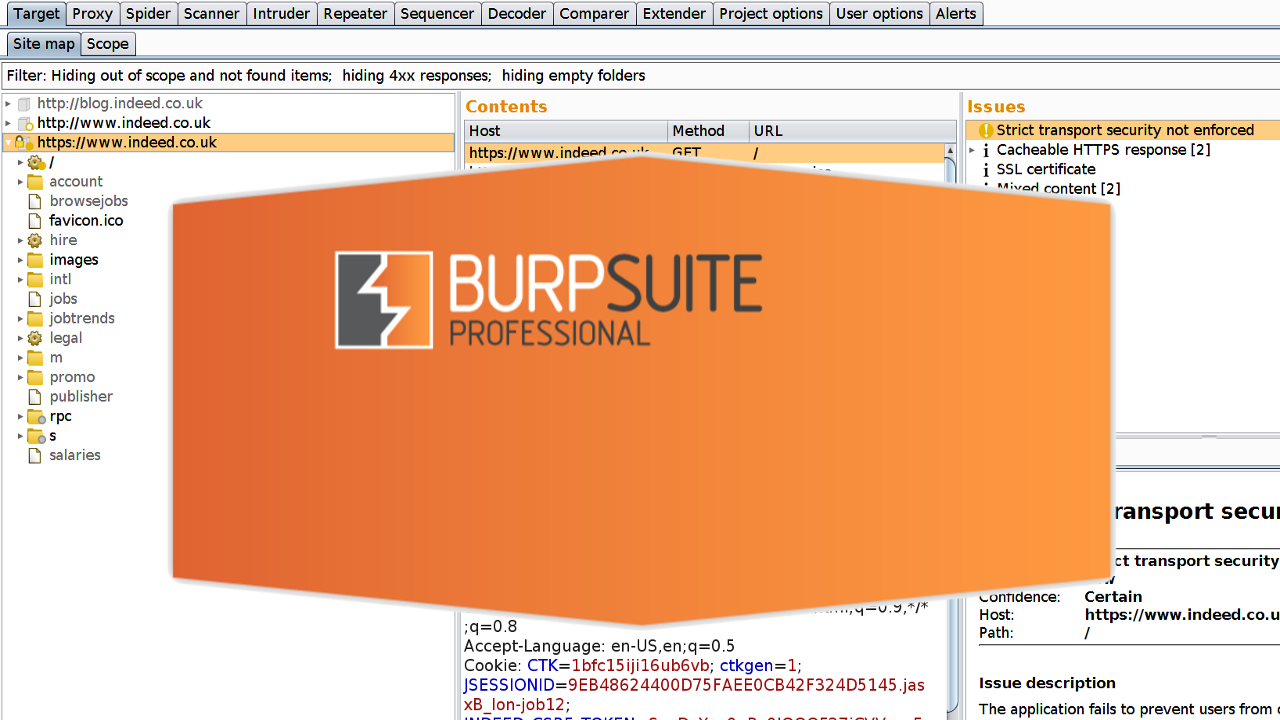
    Burp Suite is a tool used in performing security testing of web applications. It houses tools, that work in collaboration to support the entire testing process, om initial mapping and analysis of an application’s attack surface, through to finding and exploiting security vulnerabilities.

    Burp suit offers an easy to use interface, giving the administrator full control to combine advanced manual techniques with automation for efficient testing. Burp settings allow for easy configuration. It houses features designed to help users with their work, assistance that aids both the beginner and the professional.

    4. Wire Shark

    Best Tools For Ethical Hacking

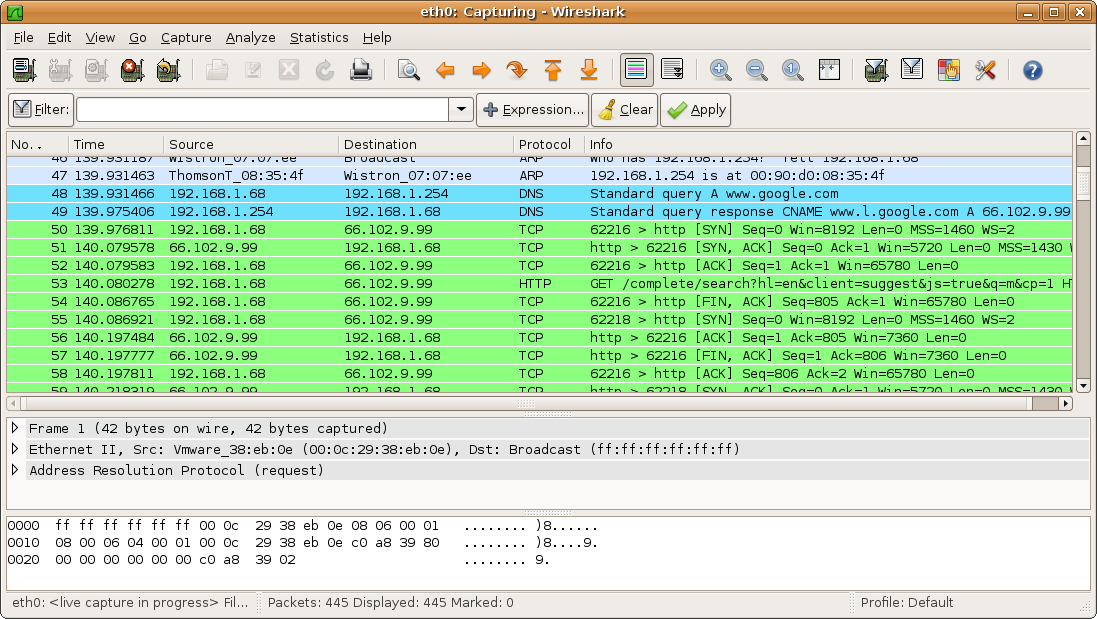
    Wire shark is yet another open-source software that can be used to analyze network traffic seamlessly. Wire Shark is popular for its ability to detect security problems in any network, as well as its effectiveness in solving general networking problems.

    Wire Shark allows users to intercept and read results in human-readable format while sniffing the network. This makes it easy to identify potential problems, threats, and vulnerabilities.

    Wire Shark saves analysis for offline inspection, it features a packet browser, powerful GUI, Rich VoIP analysis. Wireshark Inspects and decompresses gzip files, exports results to XML, PostScript, CSV, or plain text and lots more.

    5. Open AVS

    Best Tools For Ethical Hacking

    Popularly referred to as Nessus, OpenVAS is an open source network scanner that is used by professionals to detect remote vulnerabilities in any host. OpenVAS is famous for its ability to scan network vulnerability.  

    OpenVAS features a powerful web-based interface, over 50,000 network vulnerability tests, simultaneous multiple host scanning. OpenVAS has the ability to stop, pause and resume scan tasks. OpenVAS features a very powerful CLI available. OpenVAS is fully integrated with Nagios monitoring software.

    6. IronWASP

    Best Tools For Ethical Hacking

    Still, on the topic of best tools for ethical hacking, IronWASP is yet another awesome hacking tool, designed for professionals. IronWASP is a free and multi-platform tool, that makes ethical hacking fun. 

    IronWASP offers a very intuitive GUI, designed for both the expert and the beginner. It lets users perform full scans from a few clicks. IronWASP features web scan sequence recording, exports results into HTML and RTL format. IronWASL features false positive and negative management. It has full Python and Ruby support for its scripting engine. It is supported on Windows, Linux with Wine, and MacOS using CrossOver

    7. Nikto

    Best Tools For Ethical Hacking

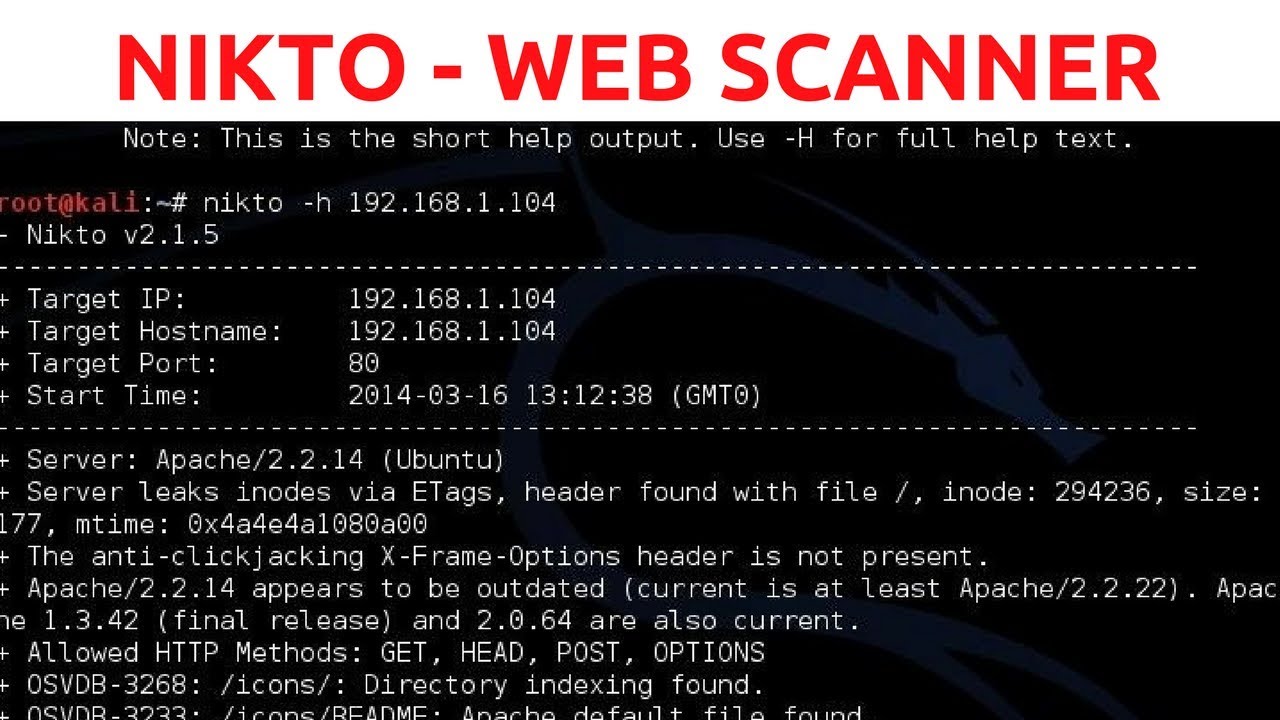
    Niko is yet another ethical hacking tool, that is used to scan web serves. It lets users perform a different type of test against the specified remote host. It features a clean and simple command line interfaces, that makes it easy to launch any vulnerability test against your target. 

    Nikto detects default installation files on any OS, it also detects outdated software applications. Nikto can be used to run XSS vulnerability tests. Nikto can be used to launch dictionary-based brute force attacks. Nikto can be integrated with the Metasploit framework.

    8. SQLMap

    Best Tools For Ethical Hacking

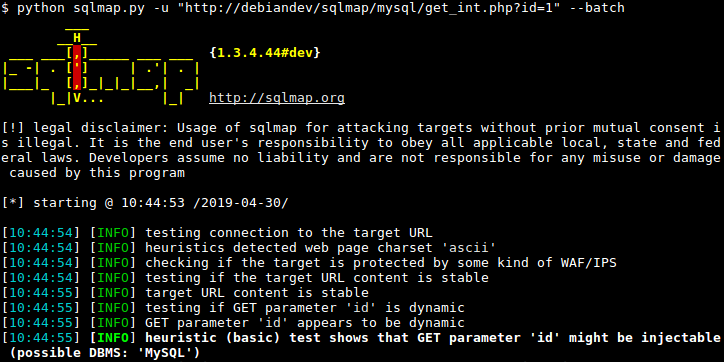
    Written in python, SQLMAP is a cybersecurity tool, that helps security researchers launch SQL code injection test against remote hosts. SQLMAP can be used to test different types of SQL based vulnerabilities, helping professionals harden the security of apps and servers. 

    SQLMAP features a Multiple database server support: Oracle, PostgreSQL, MySQL and MSSQL, MS Access, DB2 or Informix. It has automatic code injection capabilities, password hash recognition, dictionary-based password cracking, user enumeration and lots more.

    9. SQL Ninja

    Best Tools For Ethical Hacking

    SQL Ninja is a vulnerability scanner, that is bundled with Kali Linux distribution. SQL Ninja is a tool used to target and exploit web apps that use MS SQL server as the backend database server. 

    SQL Ninja can be run in different modes. Examples of such modes include: Test mode, verbose mode, fingerprint remote database mode, brute force attack with a word list, direct shell & reverse shell, canner for outbound ports, reverse ICMP Shell and NS tunnelled shell

    10. Wapiti

    Best Tools For Ethical Hacking

    Last but not least, Wapiti is yet another ethical tool designed for professionals. It open-source command line based vulnerability scanner written in python. It is famous for its ability to find security flaws in many web applications. 

    Wapiti can be used to detect security holes like XSS attacks, SQL injections, XPath injections, XXE injections, CRLF injections, Server-Side request forgery. Wapiti has the ability to pause and resume scans, it highlights vulnerabilities found inside the terminal, generates reports and export into HTML, XML, JSON, and TXT activates and deactivates multiple attack modules, Removes parameters from certain URLs. Wapiti can be used to bypass SSL certificate verification, URL extractor from javascript, timeout configuration for large scans and lots more. 

    There you have it – A comprehensive list of the best tools for ethical hacking. If you have  other recommendations, feel free to drop them in the comment section below. we would love to hear from you.

  • NSA has a spying program that targets many mobile networks

    NSA has a spying program that targets many mobile networks

      The NSA has recently conducted a campaign focused on the interception of internal communications of operators and trade groups in order to infiltrate mobile networks around the world, according to recent revelations from Edward Snowden.   

    The U.S. National Security Agency ran two undisclosed operations, the Wireless Portfolio Management Office and the Target Technology Trends Center, operating under the aegis of a program called Auroragold, according to an article Saturday in The Intercept, which also published related documents.

    Operations closely monitored the GSM Association with a maintained list of 1,201 email targets or “selectors” used to intercept internal company communications and gathered information of network security flaws in the process.

    As of May 2012, NSA documents shown that the company had collected technical information on about 70% of  the  estimated 985 mobile phone networks worldwide. Besides mentioned names of operations in Libya, Iran, and China; no other names of the targeted networks were disclosed in the documents revealed by Snowden. Intercept founding editors Glenn Greenwald and Laura Poitras have been instrumental in helping Snowden leak NSA documents to the public through various media outlet

    The mentioned NSA operations collected information in “IR.21” documents used by  the GMSA members to report security weaknesses and encryption details used by mobile operators, according to the documents of Mr. Snowden. The NSA used this information to circumvent encrypted communications, according to the documents.

    “NSA collects only those communications that it is authorized by law to collect in response to valid foreign intelligence and counterintelligence requirements — regardless of the technical means used by foreign targets, or the means by which those targets attempt to hide their communications,” the NSA said in an emailed statement. “Terrorists, weapons proliferators, and other foreign targets often rely on the same means of communication as ordinary people. In order to anticipate and understand evolving threats to our citizens and our allies, NSA works to indentify and report on the communications of valid foreign targets.”

    Since June 2013, Snowden’s leaked documents have lead to a series of of reports on the extent of NSA’s spying on Internet and telecom networks worldwide. The documents have also shown that the NSA has hacked into emails of leaders of U.S. allies as well as into networks and equipment of foreign companies including China-based Huawei.

    Additional to the covert spying, the NSA has a bulk telephone record collection system highly criticized by many. Last month, NSA Director Michael Rogers said the agency is planning no major changes in its domestic telephone records collection program after a bill to curb those efforts failed in the Senate.

    sources:
    computerworld.com – computerworld.com(2)
    firstlook.com
    pcworld.com

    What are your thoughts on the NSA’s mobile spying intentions thus far? Leave a comment below.

  • The alternative networking site to Facebook: WeeShare! – The World’s Social Network.

    The alternative networking site to Facebook: WeeShare! – The World’s Social Network.

    A new social website has sub-merged, though it isn’t exactly “new.” We’re sure you’ve heard of the site “Ello” that recently appeared, and the rise and fall of Diaspora*, and now a new social network (a social discovery network to be exact) has merged claiming to be the alternative to Facebook: WeeShare!
    WeeShare! is a website started by Jake Brunton all the way back in 2011; hence it not being so “new.” It started out as a mobile chat site, and then eventually adapted to be a desktop social network around the end of 2011/beginning of 2012.
     
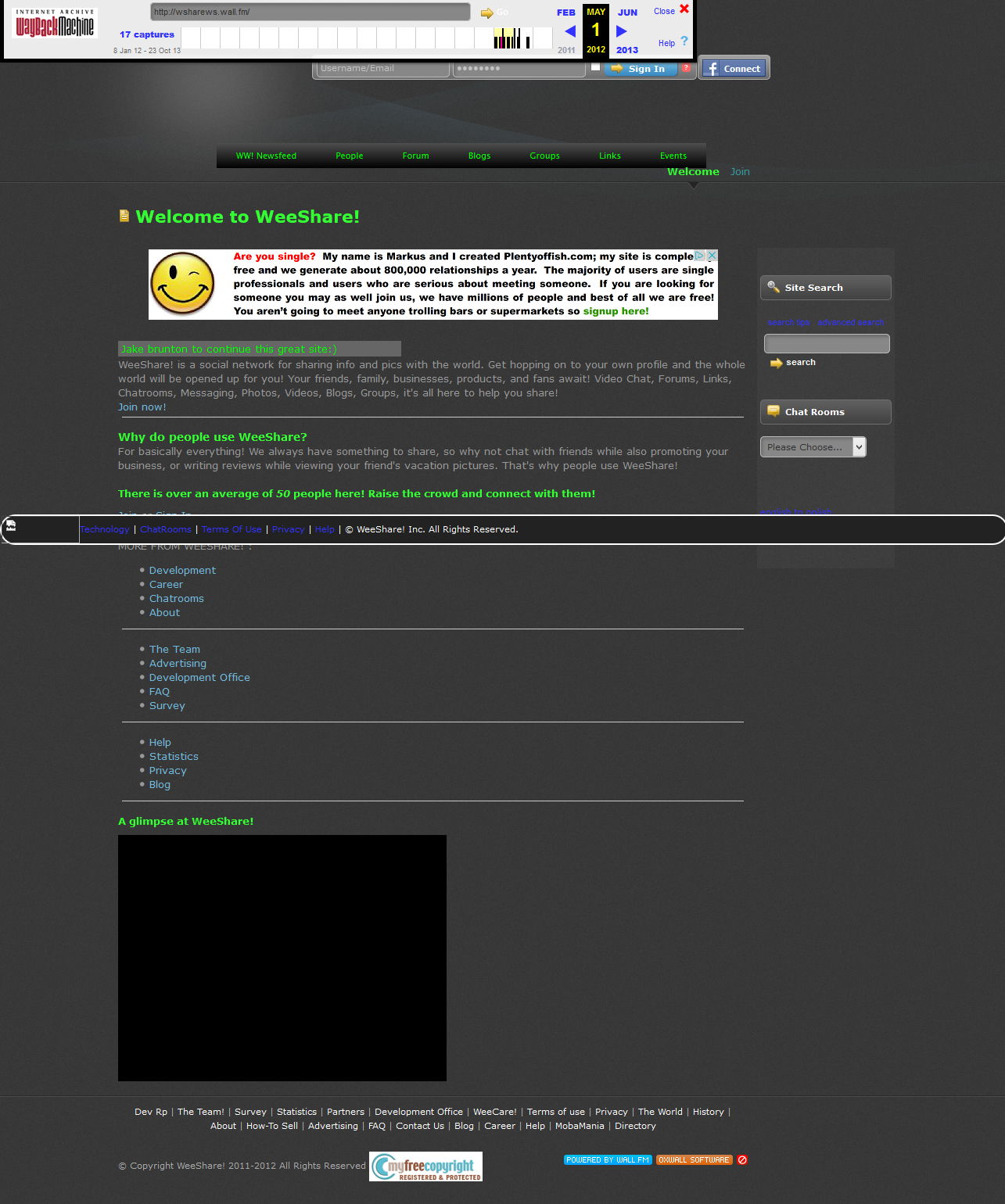
    WeeShare! from May 1st, 2012.
    WeeShare’s mission since 2012 of June was to be the world’s safe, fast, and open-source alternative to Facebook. It stands true to it’s open-source ways, being powered on the Open Source software “Oxwall” and with many functions/designs contributed by users and everyday people.
    WeeShare’s owner and his colleague Mateo Celis continued the project without ever shedding more than a couple dollars on it; none of which went to advertising. The site made it to 800+ members by April 2014, right before it was removed by the host it was on due to a late bill.
    Jake took the project on again and it was live as an [alpha] project in mid-July, now being live and online as a beta project for anyone to contribute to since mid-September of this year.
    The goal of WeeShare! is to be the people of the world’s alternative to Facebook; to protect their info, data, and privacy while letting them connect with the people they know with similar tools to that of Facebook’s. Such features include non-filtered Newsfeed, instant chat, a sleek mobile website, photos, etc. Users are free to do this all while knowing they’re safe and their data/info and swapped messages and content are safe and are NOT used for marketing purposes, or used at all even except for making the website better.
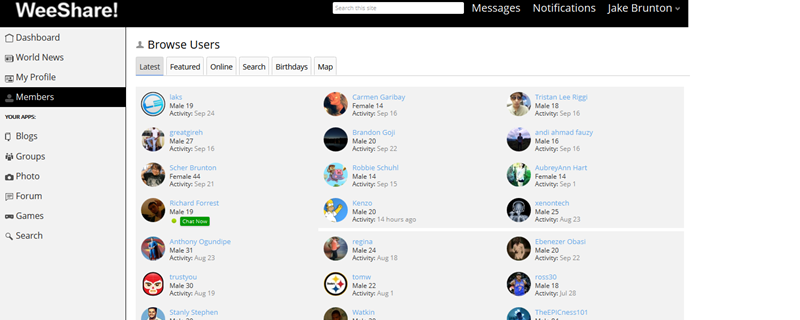
    WeeShare! as of September, 2014.
    WeeShare! stands by its claims over Ello, and other networks aimed at being Facebook alternatives by being a project: not owned by any company or business. WeeShare! is simply a project of the creator, and that’s that. Anyone can contribute code, designs, donations, suggestions, and more via the right resources like the About Website or the Developers Site (not live yet).
    The project also has a list of Contributors that have made some more outstanding changes to the website. WeeShare! doesn’t seem to have any “invite only” registration, and users are free to customize their profile’s info and content at will. The entire site uses CSS and Javascript compressions to make sure it’s fast for almost all connections, and if a user can’t access via the desktop site; they can always use the mobile site that lacks some features but let’s user instant chat, message, post updates, photos, etc.
    Jake chatting with his friend on WeeShare! mobile.
    Despite being a project of the Ohio high school student for only 4 years, WeeShare! has been through a lot of changes and major blows. Since it’s initial start as a desktop site, the overall design has changed at least 20+ times, and features have been added and removed quicker than hotcakes at a restaurant. However, it is believed that those contributing to the project will leave the design the way it is as of now – with some minor customizations here and there in the future. It was also the target of a hacker from the UK that Jake and a friend got in a scruff with online – however nothing really happened.
    The project had (up until it’s first time being live until removed) little to no budget for advertising and promotion. Jake and his friend Mateo both worked hard in their spare times by spreading the word online, at school, around town, and more – with little but still satisfying results. WeeShare! is also stated to have no main funding behind it since it is not the property of a business or company; it’s only monetary sources are any of Jake’s jobs, or donations from contributors.
    The contributors and project creator knows that being a “alternative to Facebook” or anti-Facebook is a bold claim to make, but they have a full-page article telling users why they should switch from Facebook to WeeShare! It seems the project’s new promotional push is to inform users as to why Facebook isn’t a evil villain, but why it’s not a good social tool. Several reasons the about site lists are that Facebook limits you from truly unlocking social media power, filters your newsfeed; all the way to others like it being accused of spying on user’s chats.
    Naturally, WeeShare! collects cookies on users to make the site work but in their soon-to-update privacy policy, they state how they use no third-parties to make cookies for account data collection; meaning their affiliates (J-List and Amazon) may use their own cookie systems, but they get no info about you from WeeShare! However, WS! has come to believe neither of their affiliates are collecting info – and they hope their affiliate ads will become a good source to keep the project alive. On the subject of ads, WeeShare! claims to only show ads from their two affiliates that aren’t targeted or data-based, and are simply copy and pasted JS code. The ads are also placed in non-interruptive places around the website.
    All in all, WeeShare! wants to be a social discovery network by the people, for the people, made by the people. Users are the coders and contributors: and no changes are made to anything based on the idea of pleasing “shareholders” or advertisers, making this a sleek safe haven for social networking and meeting new friends.
    With that in mind, we of EWT would like to humbly recommend trying out WeeShare.ws as it seems to be shaping up to be a good social networking alternative with more user control. Have you already made the switch? Let us know below in the comments.