Tag: review

  • Amazing Spider-Man 2 Review: Swinging nowhere

    Amazing Spider-Man 2 Review: Swinging nowhere

    Every year or two they release a new Spider-Man game. Every year or two I get my hopes up that the developers have made a proper follow-up to 2004’s Spider-Man 2—the only fun Spider-Man game in recent memory. We’re now a decade out from that, and Amazing Spider-Man 2 shares (mostly) the same title as that lone bright spot. Is this the Spider-Man game that will break the long streak of stinkers?

    Nope.

    Impossible standards

    In a way, it’s unfair to developer Beenox to hold them to Spider-Man 2’s standards. See, Spider-Man 2 wasn’t even a very good game. It fell prey to a lot of the movie-game pitfalls—repetitive content, dumb missions, a horrible camera, et cetera.

    The swinging, though. Spider-Man 2 was the first game to implement a system where Spidey’s webs actually stuck to walls instead of fastening to some invisible helicopter in the sky. I distinctly remember standing in a GameStop in New Jersey, waiting for my dad to finish up shopping at Home Depot or something, transfixed by the way the swinging worked, probably humming the song from the Spider-Man 2 trailer under my breath. (I think it was Vicarious by Dashboard Confessional? Different times.)
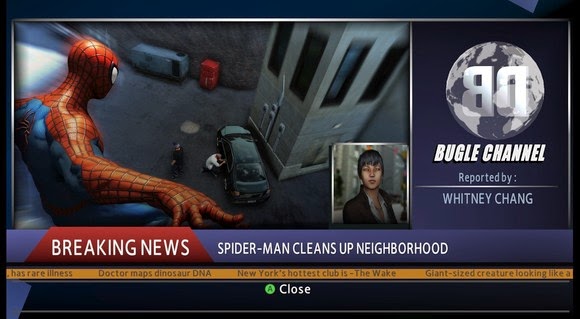
    Spider-Man 2 was the first game to make me feel like Spidey, which was a big deal—he’d always been one of my favorite superheroes, and I’ve long thought that web-swinging is a more interesting mode of transportation than flight.

    It was easy to put up with all the dumb movie-game garbage in Spider-Man 2 because swinging around Manhattan was such a joy. Keep in mind, this was also an era when expansive open-world games were relatively novel. We’d only had two large-scale Grand Theft Auto games and a handful of knock-offs. There was still a sense of wonder at just moving around an enormous environment, even if you could only enter a handful of buildings and the draw distance was about a hundred feet.

    This is what nostalgia results in: impossible standards.

    Amazing Spider-Man 2 is not really that bad, compared to Spider-Man 2. Let me rephrase: “Game released this month” is not really that bad, compared to “Game that came out a decade ago.”

    After a baffling sidestep into the old “webs attach to skyhooks” mode in 2012’s Amazing Spider-Man, Beenox has brought Spidey back into a world governed by physics. His webs are forced to attach to walls or ceilings, which is a step in the right direction. You also affect speed by releasing higher or lower in the arc of your swing.

    Swinging still doesn’t feel quite right, though. I could never quite get the hang of Spidey’s momentum, and it seemed like I swung into walls a bit more often than I’d expect. It also lacks the complexity of Spider-Man 2’s system, which allowed for all sorts of high-level maneuvering by accounting for how long you held buttons. Amazing Spider-Man 2 is at least on par with Ultimate Spider-Man (the second-best Spidey game) though, as far as swinging is concerned.

    Roll film

    Where Amazing Spider-Man 2 is not on par with anything worth playing recently is in the actual game part. This is where those “impossible standards” come into play. I’m not going to argue that Amazing Spider-Man 2 is any worse than the original Spider-Man 2. But that’s not a high bar.

    Amazing Spider-Man 2 has far too much in common with the movie tie-in games of old. Bad camera, bad lip-syncing, bad models, bad mission design—it’s all present here.

    Side quests are universally abysmal. Many of them are the same rote, quicktime event-infested tedium we’ve seen in other Spider-Man games—stop the fleeing car full of criminals!—except here you have to load into them. You swing to a location, hit a prompt to start the mission, and then sit and wait for the scene to load instead of having the events trigger organically in the world. You already won’t want to do the missions because they’re boring, but you doubly won’t want to do them when you have to sit through a loading screen each time.

    Too bad. You have to do them. If you don’t, Spidey’s reputation goes down and you’re targeted by hit squads that make it an enormous pain to just swing around the city. Apparently “not stopping a crime” is equivalent to “endorsing crime.” It’s asinine, and makes the game tedious even if you’re just there to run through story content.

    And the story? For some baffling reason Marvel or Beenox or Activision or whoeverdecided the story shouldn’t really match the story of the film. Maybe they got gun-shy after Amazing Spider-Man spoiled the film for certain players?

    Whatever the case, you’re left with an utterly forgettable tale that mostly concerns a bunch of iconic villains doing the least iconic things possible. Some of my favorite villains make an appearance in this game, but they’re given short shrift by lackluster writing and acting.
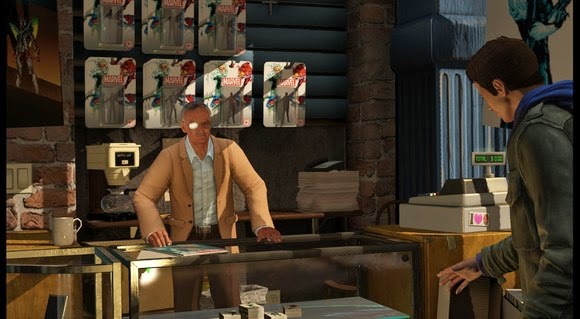
    Another thing: Apparently this game, despite being an official tie-in, couldn’t secure rights to any of the actors. Neither likenesses nor voices are present here. This results in an awkward situation where, for instance, Spidey sounds a lot like Tobey Maguire instead of Andrew Garfield, and Gwen Stacey doesn’t even appear in the entire game. It’s explained away with so much hand-waving.

    No, it doesn’t really make sense.

    Bottom line

    Sorry, true believers. I know you’re holding out hope for a great Spider-Man game, but this isn’t it. It’s good for a few hours of web-swinging entertainment if you need a fix, but by no means does it recapture the magic. (That won’t stop me from getting my hopes up the next time a Spider-Man game comes around, though.)

    This review was originally posted on PCWorld. Price When Rated: $40$40 Our Rating: 3.0   Operating System: Windows, Mac
  • Quickteller – Buy Airtime, Pay Bills and Transfer Funds Easily Online with your ATM Card

    Quickteller – Buy Airtime, Pay Bills and Transfer Funds Easily Online with your ATM Card

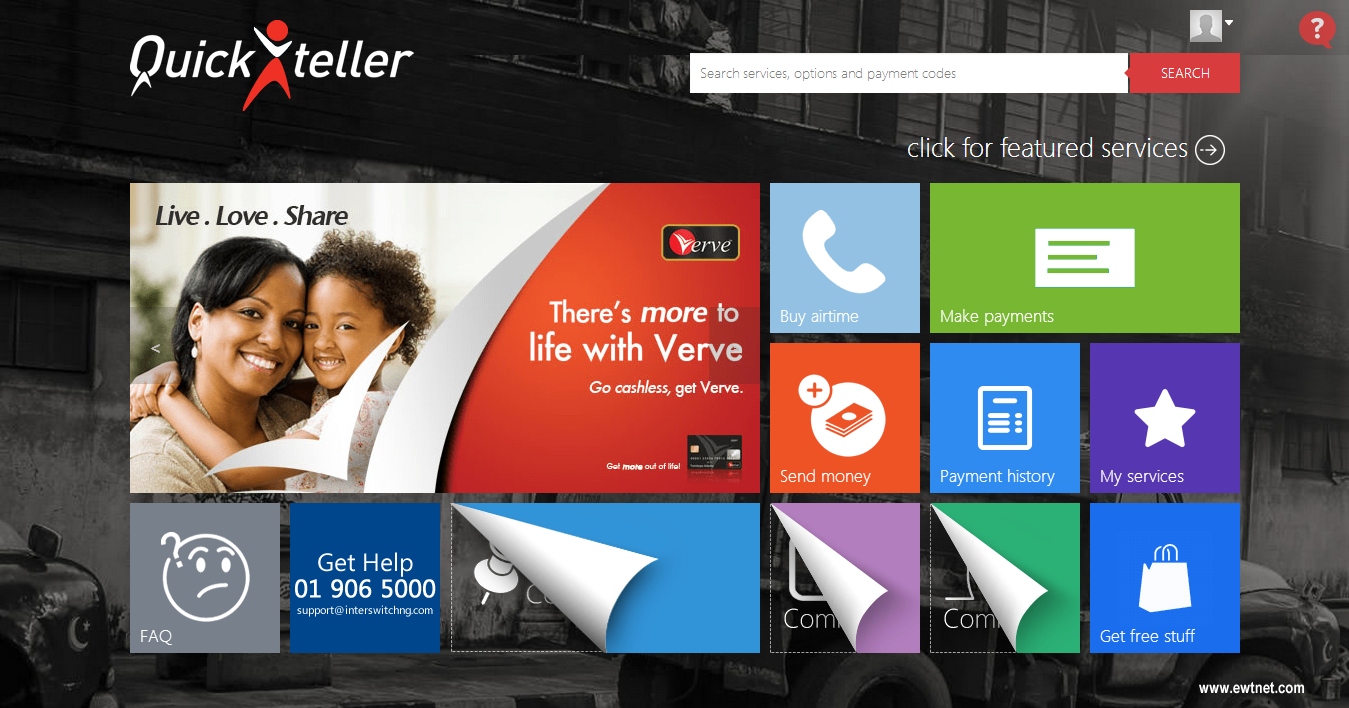
    A lot has been said about Nigerian cashless economy since the turn of last year. While the government seems to delay the implementation of this service, Quickteller has given us a taste of what it means to go cashless.

    Quickteller is a company based in Nigeria that allows Nigerians to buy airtime and pay bills online using their ATM card. The website has been around for some time but came to the interest of EwtNet only a few months ago, after the company added MasterCard NG to their list of payment means.

    Also read: How to create a US bank account in Nigeria

    What Quickteller can do for you?

    While a lot of Nigerians are already acquainted to buying airtime through ATM centers, you can ignore the long queue and and follow the shortcut: Quickteller allows you to easily top up your airtime balance online through your account dashboard. Currently supported mobile carriers include:
    • MTN Top-up (Prepaid)
    • Glo Top-up (Prepaid)
    • Airtel Top-up (Postpaid & Prepaid)
    • DexterSim Top-up (Prepaid)
    • Etisalat Top-up (Prepaid)
    • Visafone (Direct Top-up)
    • Starcomms (Direct Top-up)
    • Smile Communication Nigeria (Direct Top-up)
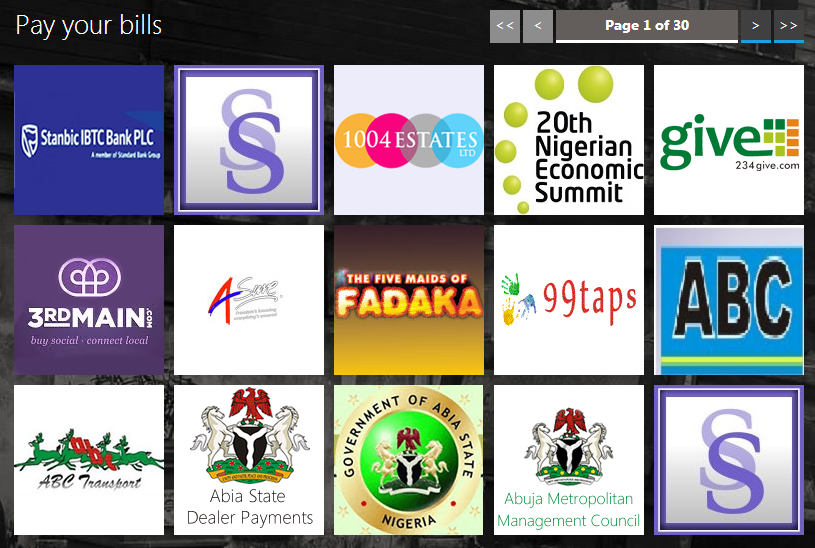
    The service also allows you to pay bills such as Government tax, School fees, TV renewal fees, Donations, Tithes, etc.

    Also Read: Say Yes! to Airtel Ultimate Opera Mini Browsing

    Apart from topping up and paying bills, Nigerians can as well transfer funds or receive funds to their back account directly from Quickteller.

    The service saves you a tremendous amount of time, easy to use, mobile friendly and does not apply additional charges to paying bills and buying airtime.

    The Down Side

    In all ways but one, Quickteller has proven to be flawless in delivering efficient and quality service to Nigerian residents. To help you remember your card details, you can add your mobile phone number to your account. However, as Salvador Dalí rightly placed it, “Have no fear of perfection – you’ll never reach it.” Quickteller has confirmed that it’s no candidate to bridge that saying as the company show it’s own lapses.
    Time and time again, Nigerian shopping malls seems to go clueless when it comes to payment processing. Quickkteller, is once again a victim of this circumstances: The payment processor is currently limited to the use of MasterCard and Verve ATM cards. This implies that users whose ATM card parade the VISA logo has no place in Quickteller. You should also be aware that your international MasterCard will not be accepted. However, it is my beleive that this service will be improved sooner rather than later.
  • Trend Micro CWShredder Review & Free Download

    Trend Micro CWShredder Review & Free Download

    A quality product called CWShredder from Trend Micro released to remove traces of coolwebsearch virus from the pc, this was one of the major virus released by hackers it creates auto bookmarks to your browser mostly to the porn and other related websites and it also changes the default home page and when you attempt to change it back it reverts the changes also it impacts system performance too which causes windows to crash and reboot very often this symptom has been noticed on vast number of pc’s. Download CWShredder today from EwtNet and safeguard your pc.

    • Effective hijack removal tool
    • Quick fix for browser related hacks
    • A quality product from major antivirus company
    • Focused on browser protection
    • Improves browser & system speed
    • Efficient in removing coolwebsearch virus
    • Fast and low on using system resources
    • Small size file and quick install
    • Easy navigation
    • Provides for all major browser

    Click on the download button to begin the download

    File Size: 207 KB (rar)
  • Trend Micro Hijackthis Review & Free Download

    Trend Micro Hijackthis Review & Free Download

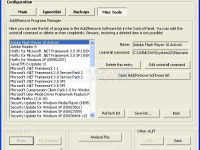
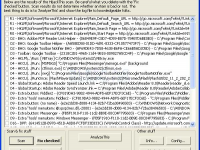
    HijackThis is a security tool which generates logs with files that are required and point to malware files & un important files, if you are picky and need control of manually deleting files instead of letting the security software take control of deleting files, hijack this is a good option. But it is extrememly important to use tool with extra caution as you might end up deleting some important files too. Download free Hijackthis tool at EwtNet

    • Lite tool with control over deleting files
    • Fast and effecient
    • Does a good job in finding virus effected files
    • Need good technical understanding to use this tool while deleting files
    • User friendly design

    Click on the download button to begin the download

    File Size: 1.34 MB
  • Download VLC Player For Windows 8,7,XP

    Download VLC Player For Windows 8,7,XP

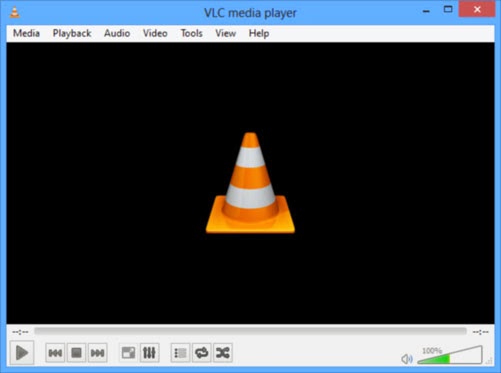
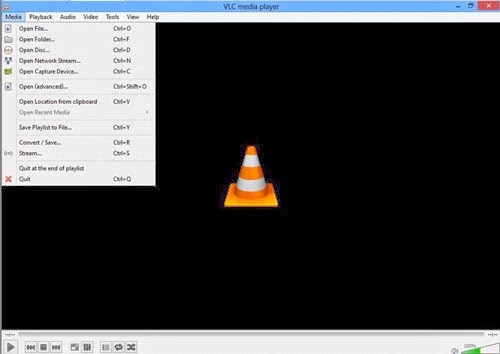
    VLC media player is one of the popular video player out there, it is a open source product which makes it free to download customize the as per your requirements , you could download VLC player for windows,mac,android,IOS devices. VLC media player project has been active from a long time and a series of updates has been pushed to fix error and improve product quality.

    It supports large number of input,video,audio formats, specially which aren’t compatible with windows media players, I tunes. This feature make VLC more adaptable and possibly one of the reason for it being so very popular. VLC also has subtitle feature which can be added or removed as and when you need it. it also offers many customization features with awesome skin and interfaces available. VLC has good input & output streaming options too.


    Some of benefits to Download vlc player

    • Supports multiple input formats
    • Mozilla/Firefox plugin
    • Supports multipe Video formats
    • Supports multipe Audio formats
    • Subtitle/Tag formats
    • A/V outputs
    • A/V filters
    • Choose different interfaces, Skins
    • Active X plugin support
    • Streaming options

    To Download VLC player click on the download button below.

  • Pick the Best Windows 8 Phone!

    Pick the Best Windows 8 Phone!

    While Apple’s iOS and the Android dominate the mobile phone’s operating systems, Microsoft’s Windows, particularly Windows 8, is growing increasingly popular not only with Nokia but Samsung and HTC have taken interest.

    Now the consumers are met with the question, “Which is the best Windows 8 phone“ in the market right now?. While we want to give you an answer, it would be best to let you decide. However, we can give you our best 5 Windows 8 phones to check for yourselves, based on the considerations of the phone’s basic functionality, look, capacity and price.

    Nokia Lumia 925/1020

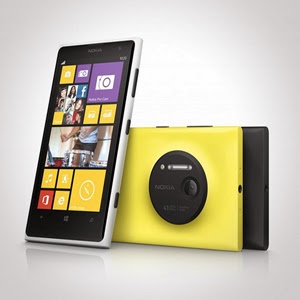
    Let us begin with Nokia. It has an array of amazing units. Nokia Lumia 925 is perfect for photography. It is equipped with Nokia’s Pureview and 6 Carl Zeiss lenses to provide 8.7megapixels with Optical Image Stabilization that allows you to capture images even on low light environments. It is somewhat lined up up there with the Iphones and Samsung Galaxy S4 with its touch-screen technology of PureMotion HD + Amoled offering you 1280×768 pixels resolution. Nokia Lumia 1020 is the video and photography professional. With its main feature of 41MP camera, your videos and photos are taken in top-class clarity and detail. It is backed by the Nokia Rich Recording that provides distortion-free and stereo sound on your videos.

    HTC 8x/8s

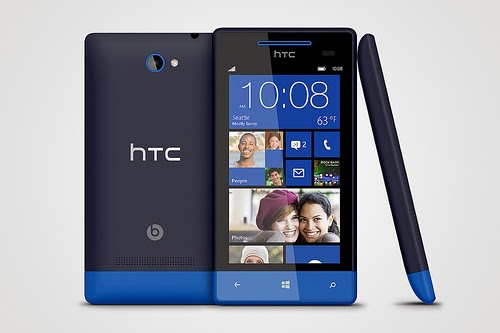
    HTC also has its wonders with Windows 8 units. It has windows phone 8X and 8S. Windows phone 8X considered as one of the best Windows 8 phone for its high end quality. It has world class camera, perfect fit design, and wide screen with 1,280×720 pixels resolution. Its dual core 1.5GHz processor is capable enough, but there is no option for expanding its memory just like most Windows 8 phones. There is also the HTC Windows phone 8S.Its boldly colored design makes it classy and attractive. It has a high performing battery. Moreover, it has a superb studio quality sound and entertainment. Great photo qualities and camera options are also featured in this one of the best Windows 8 Phone.


    Samsung ATIV S Neo

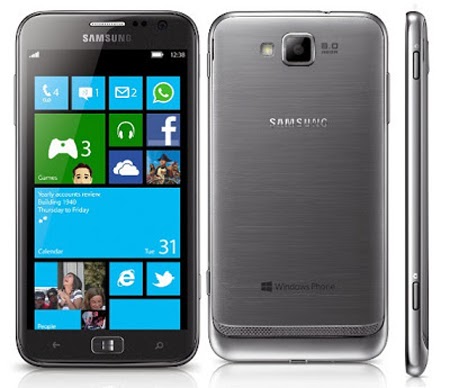
    Next stop is the Samsung ATIV S Neo. It is Samsung’s best Windows 8 phone, because of its affordability and good performance. It has a wide screen display of 720 x 1280 pixels, 4.77 inches for easy touch and visuals. It definitely provides a good windows 8 experience. It has long life battery of up to Up to 15 h and it has good camera features 8 MP, 3264 x 2448 pixels, autofocus that can capture sharp details. However, the phone is a little bulky and heavy. It is not much of a style but still a high end one with reasonable price.


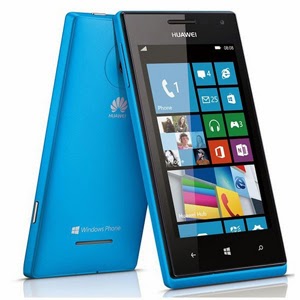
    Huawei Ascend W1

    If you are looking for a very affordable prepaid Windows 8 phone then Huawei Ascend W1 will be the best choice. It may not be a perfect device for some applications, but it has a strong battery life and expandable memory. However, this device has several drawbacks. It has a low internal storage of only 4 GB and low camera specs 5 MP, 2592*1944 pixels. Still, being affordable and practical, this might be perfect for some people who don’t want to stretch more of their budget.

    These are the top choices that we can have varying from different types of needs and lifestyle. Windows 8 had made these phones far better than usual ones. Check them out!

  • Samsung Galaxy Note Pro Review and Spec

    Samsung Galaxy Note Pro Review and Spec

    PROS Large, vivid screen Excellent battery life and performance Office and videoconferencing apps are built inCONS No wired display connection Flip cover doubles as a flimsy stand Avoid using it for pictures Exceptionally high price

    AT A GLANCE

    Spending $750 for an Android tablet seems exorbitant. But the Samsung Galaxy Note Pro offers a larger screen, excellent battery life, and access to the Android and Samsung app stores. When one considers the wealth of inexpensive Android tablets available, the idea of paying $750 for a 12-inch Android tablet seems inconceivable. But if now isn’t the time for consumers to start thinking of large Android tablets as legitimate Windows laptop replacements, that day isn’t far off.
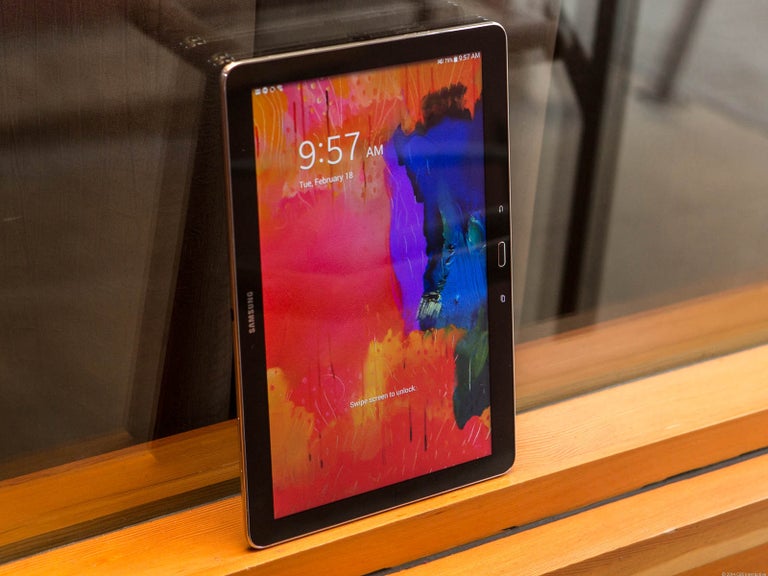
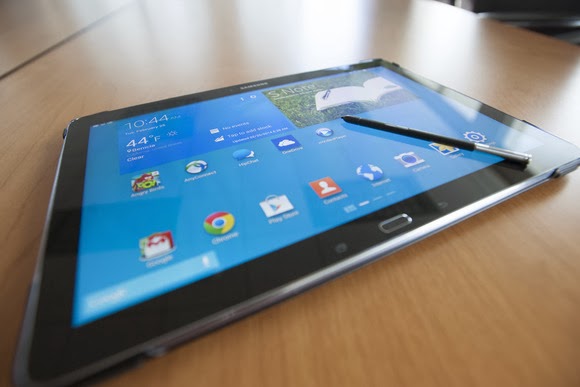
    That’s right: a Windows laptop replacement. That’s the only way to consider the Samsung Galaxy Note Pro, a massive tablet that, like the Microsoft Surface, works best on a desk. Samsung’s 12.2-inch Galaxy Note Pro (7.95 mm thick, 1.65 pounds) is virtually identical to the Galaxy Tab Pro, save for the addition of an S-Pen stylus.

    This is not a competitor to smaller tablets like the Nexus 7. Indeed, if last year’s Galaxy Note 3 smartphone doubles as a reporter’s notebook, then the new Galaxy Note Pro is something akin to an electronic legal pad. And with a surprisingly complete selection of productivity apps in both Google Play and Samsung’s own app store, this massive Android tablet can help you get real work done.

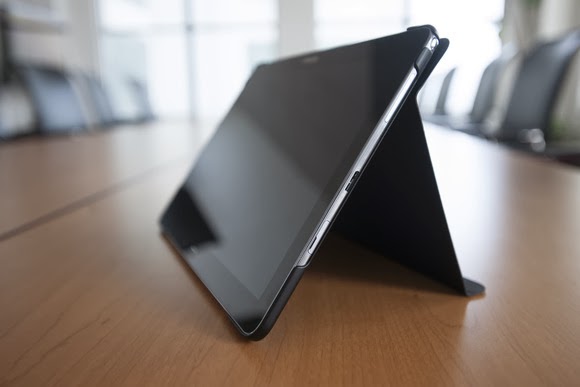
    The Galaxy Note Pro lacks an integrated keyboard, and the cover, which does double duty as a stand, is a little flimsy.

    The Note Pro is available for either $750 for a 32GB model, or $850 for 64GB of onboard storage. So far, Samsung has yet to announce the price for a model with an integrated LTE WLAN chip. According to Samsung, the Wi-Fi version of the Note Pro houses a 1.9GHz quad-core ARM Cortex A15 chip, powering Android 4.4 (KitKat). Our performance tests produced a Sunspider score of 0.97 seconds (which hits the upper echelons of the tablet market), and a PeaceKeeper score of 815. For the sake of comparison, the iPad 3 managed 516 in PeaceKeeper, and the Dell XPS 10 hit 324 (higher scores are better).

    The Samsung ‘Surface’

    It’s not much of a stretch to consider the Note Pro as Samsung’s response to Microsoft’s Surface 2 Pro, which starts at $899 for 64GB of onboard storage. Both the Note Pro and the Surface Pro 2 ship with foldable keyboard covers; the Note Pro’s can be configured so that it wakes up and unlocks the tablet when flipped back. But while the Note Pro’s cover actually doubles as a stand, it’s not immediately obvious that it does so.

    The Note Pro also lacks an integrated keyboard, such as the Surface’s Type and Touch Covers. In fact, to use it as a laptop replacement, you’ll need to buy a Bluetooth keyboard and possibly a mouse. That completely eliminates its use as a “lap top” computer.
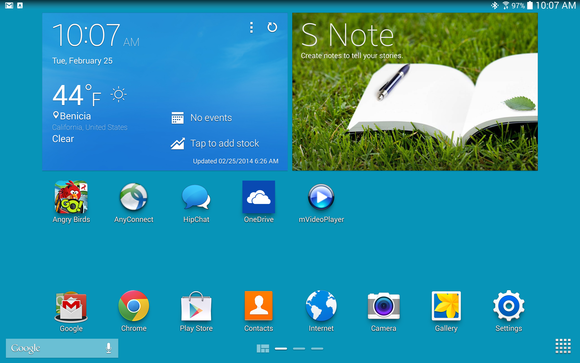
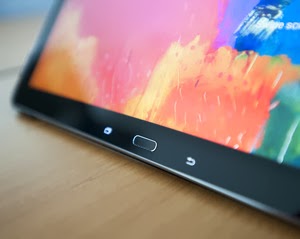
    Physically, the Note Pro looks like a Note 3, flipped on its edge. The tablet is designed to be held in landscape mode, with the physical home button mounted between the back and applications buttons. Near the top sits the 2-megapixel front-facing camera, with an 8-megapixel camera at the back. (Unfortunately, the cover lacks a rear camera cutout, so when thumbing the camera button, you’ll have to awkwardly hold up the cover.) Volume and power switches sit on the top, while an all-important microSD card slot sits on the side.

    An underrated productivity tool

    Like the Note 3, the Note Pro uses the new USB 3.0 connector, collecting juice through a high-output charging plug. Charging the Note Pro takes about three to four hours, but battery life is excellent: You’ll see two, possibly even three days or so of casual use from its integrated 9,500 mAh battery, and our looping video test ran down the battery in 8 hours, 37 minutes. That’s on par with the Dell XPS 10 tablet.

    Unfortunately, you won’t be able to use the Note Pro on long flights. The tablet, its stand and a Bluetooth keyboard will take up too much room on a seat-back tray. But you can still use the tablet for mid-flight video playback in your hands. The 12.2-inch display boasts a 2560×1600 resolution and 247 ppi pixel density, and you can even hook up an external monitor care of an optional external HDMI dongle for $39.99.

    One of the problems with Samsung’s latest devices, beginning with the Galaxy S4 smartphone, is their overwhelming number of largely extraneous features, such as the “smart pause” feature that supposedly pauses video playback when you look away. You’ll see a number of these still hidden deep within the Note Pro’s settings menus—but thankfully turned off.

    Feel free to mix and match entertainment and work apps—the Note Pro can handle both.

    The default home screen contains a giant reminder widget for S Note, so that you don’t forget the S Pen. Equally useless New York Times and Twitter widgets can be tossed out. And, fortunately, a collection of news and entertainment apps, such as WatchON and a version of Samsung’s Flipboard-like My Magazine app, are confined on the peripheral screens.

    You can use the pen to draw your own windows,
    as I did, using the S Pen.

    As with the Note phones, pulling out the S Pen triggers several options, including an Action Memo; the ability to save content into a Scrapbook; and my favorite, the Pen Window. The Pen Window lets you run a second app inside a window, providing Android with a desktop-like multitasking environment. You simply draw a box, and when it’s done, select the app you want to fill the space.

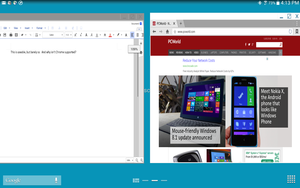
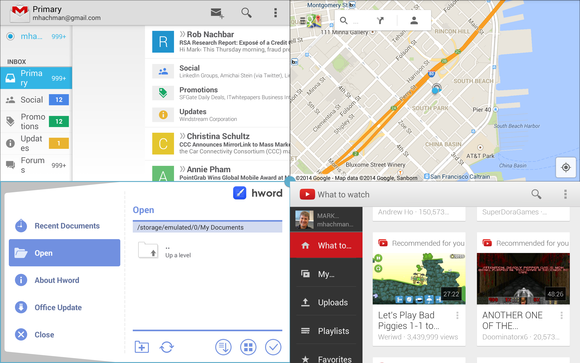
    Samsung, however, now has a better option: Multi Window mode, which Samsung has made available on only the largest Galaxy Tab and Note tablets. To trigger Multi Window mode, you swipe in from the right-hand side, via a list of supported apps. (YouTube is supported, for example, but Angry Birds is not. And, inexplicably, Chrome is not supported by Pen Window mode, but it is under the Multi Window view.) Dragging one app to the main screen fills it. Dragging a second “snaps” the screen into two halves—and so on, up to a total of four screens. On a smaller tablet, this is a gimmick, but on a larger tablet like the Note Pro, it’s surprisingly useful.

    Multi Window can show four apps at once, or you can snap two. This is amazingly useful.

    A viable office suite

    More impressive are the numerous productivity apps that are either available via the Note Pro itself or via Samsung’s own app store. Apps such as Cisco’s WebEx, a Samsung Remote PC app (an alternative to Microsoft’s own Android app, Microsoft Remote Desktop), and the Hancom Viewer are all included. On Google Play, Hancom’s Hanword, a word processor, cost over $17 at press time, but on the Note Pro, it’s free, as are similar apps to view and edit PowerPoint and Excel documents.

    The Hancom apps ship in both “viewer” and editable versions, and the Note Pro tends to open files in the “viewer” version first without an option to choose the editing app, which is annoying. Google’s own Quickoffice is also installed. Aside from some possible font compatibility issues, the Hancom apps seemed to work surprisingly well.

    Keep in mind one thing: With the Note Pro, these productivity apps are free. If you purchase a Surface Pro 2, you’ll also need to pay for a subscription to Office 365 or a standalone copy of Office 2013. That pushes the long-term cost up.

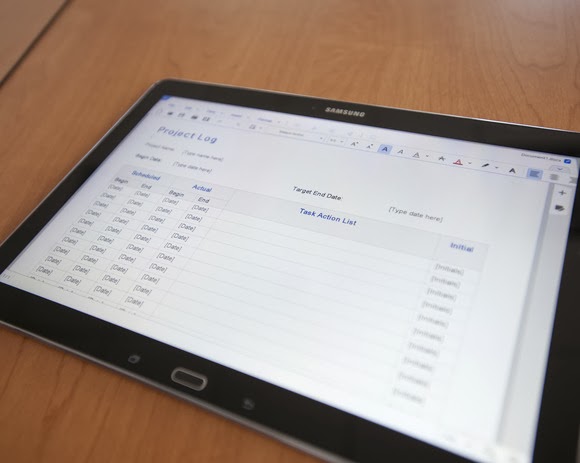
    Hancom’s app suite makes the Note Pro a viable productivity tablet.

    Samsung inexplicably omitted the VPN app that it included on the Note 3, meaning that you’ll need to search out an Android version, such as Cisco’s Easy Connect, on the Play Store. In all, though, I found Android versions of virtually every productivity app I wanted from either the Samsung or Google Play, giving me a PC-like experience on an Android tablet.

    This is the bottom line. Windows PCs and Macs represent the power-user extremes of the computing experience, owning everything from Adobe Photoshop to the latest first-person shooters. But tablets are for centrist users: Android tablets and iPads dominate casual gaming, and more and more light-productivity apps are being written for those platforms.

    The sum of its parts—a large screen, excellent fantastic battery life, multi-app windows, and equivalent PC software—not only make the Note Pro a viable choice for a tablet enthusiast, but a jumping-off point for an adventuresome road warrior to leave the Windows world entirely. If only Samsung could knock another $150 or so off the price.

  • Phantom A3 (AIII) series: Review and Spec

    Phantom A3 (AIII) series: Review and Spec

    Yesterday Paul Thurrott enumerated a number of tweaks that will appear in the upcoming Windows 8.1 update. Screenshots from WZor confirm a few of Paul’s earlier notes on upcoming changes to Windows 8.x that are worth discussing.

    The gist is that Microsoft wants to unify the desktop and Metro environments, especially in the context of apps. The better the apps work between the two, the more people might use applications from the Windows Store. This is tacit admission that people love the desktop environment that they have used for decades, and have been slow to switch over to the Metro environment.

    So, if people love the desktop and you want them to use more Metro apps, you bring the Metro apps to their desktops. Paul previously reported that you would be able to run Metro apps on the desktop, but WZor screenshots show it in action. Surprise? No.

    There is more: “I can confirm one new feature: Metro apps will now include a close box, similar to that seen on desktop applications, which can be clicked with a mouse so that the app closes completely.” Thank god. Getting rid of Metro apps when you are done with them has been a constant Windows 8.x headache.

    The divide between the “new” in Windows 8.x (the Metro side of the fence) and the “old” (the Windows 7 bits of Windows 8.x) is being blurred. That’s probably good, given that the old is popular and Microsoft wants the new to become more so.

    We’ll see more before Build, given the current pace of leaks. It seems that Microsoft wants to patch the weaker parts of Windows 8.x while keeping its main thrust in place. You can’t have mobile Windows without the Metro interface, and you need an app store as well. But you can heal the cracks on traditional PCs, I suppose.

    This post first appeared on Techcrunch | Top Image Credit: Flickr

  • Best Smartphone & Tablet Games for Android and iOS

    Best Smartphone & Tablet Games for Android and iOS

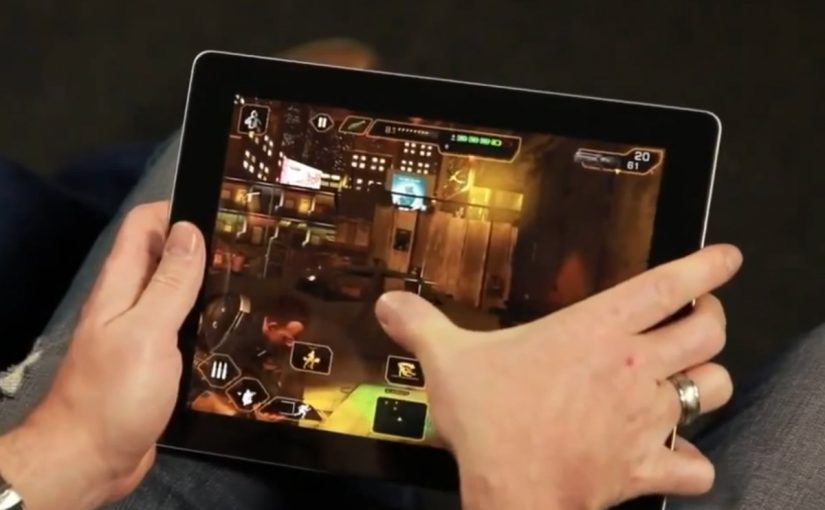
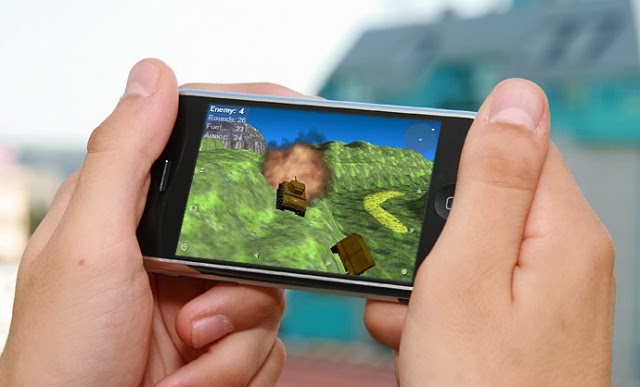
    The best way to start a new week is starting with fun. Not to worry, we do not intend to scare you with Android horror games—but it’s okay if horror is fun to you—what we are interested in are three most relaxing games you must rock this week on your Android or iOS devices.

    Android game

    If you happen to find your favourite game in this list, you are in luck. If not, it’s time to try other games and see what you have been missing. The games in our list here today is available for both iOS and Android devices and adaptable to any screen size.

  • Video: LG’s webOS TV Reports and Review

    Video: LG’s webOS TV Reports and Review

    WebOS made its second big debut at last week’s CES, but not on a smartphone like it was in 2009. This time around, WebOS has landed on televisions from LG, as we’ll explore in this video report.

    WebOS will power 70 percent of LG’s Smart TV lineup.

    The webOS interface on the TV makes sense of all the different types of content and inputs on your television. There’s no more wondering which input to use or which service has the best content.

  • Video Review: Neptune Pine Android Smartwatch

    Video Review: Neptune Pine Android Smartwatch

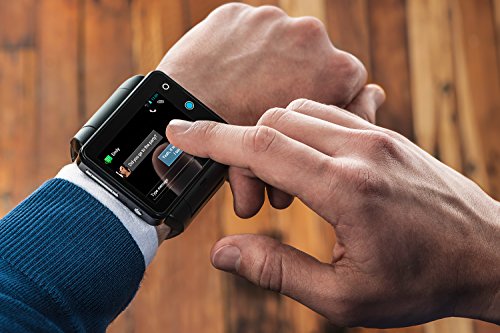
    Neptune Pine Is an Android Phone in Watch Form. Have you ever thought of wearing your mobile phone around your wrist? The video below will wow you. https://www.youtube.com/embed/KOJ45k2KOgY?feature=player_embedded
    The above video was originally posted by Mashable.

  • Panasonic Set a New Pace for Film Shooting with HC-MDH2

    Panasonic Set a New Pace for Film Shooting with HC-MDH2

    Remember when television was the exclusive preserve of  a select  few?  When no one really cared about  picture quality, but those who has  access   to    movies on television were simply thankful to behold the wonders of motion  picture? Well, those days are gone now.

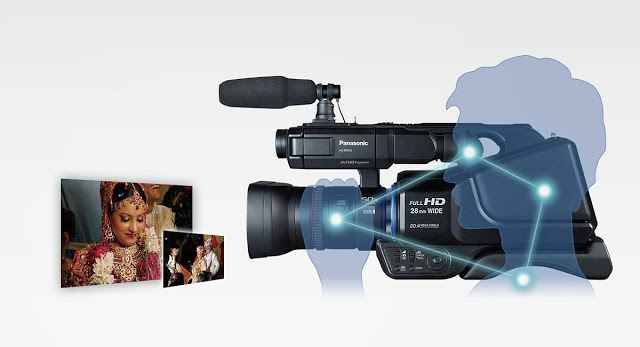
    The average person now cares  as  much for the quality of a video as he does for the quality of a movie plot. Panasonic knows that. That’s why it recently  introduced its latest camcorder product to widen the gap in film shooting and photography with the pro-style shoulder mounted HD camcorder HC-MDH2. The camcorder is equipped with the “Simultaneous Recording” function, the camcorder allows recording on dual memory devices simultaneously.

    Panasonic’s new HC-MDH2 with greater advanced shooting performance, design and operability enables photographers to shoot still Photo’s at 20 Megapixel resolution and videos in Full High Definition or in Standard Definition format. The direct manual control Of   focus, Zoom, Iris, White Balance and Shutter Speed, via the manual ring, are incorporated based on user needs to have control over varying shooting conditions. “Simultaneous Recording” in Dual Memory Devices for Added Dependability:

    With the Simultaneous recording function, a captured video can be recorded in dual memory devices at the same time, which means that even if a problem happens in one device while shooting, the video images are always backed up in the other device. This ensures high dependability. Relay Recording is also supported, making the camcorders effective for extended recordings.

    Automatically correcting the tilting of captured images to make them horizontally level for ease of viewing -The tilting angle to the horizontal plane is automatically detected and corrected while the camcorder is stationary.

    This article first appeared at our neighbor’s site: Vanguardngr.
  • Get Ready for 10-Gbit Cable modems connections with new specs

    Get Ready for 10-Gbit Cable modems connections with new specs

    Your 16-Mbit cable connection is going to look awfully puny when a new generation of 10-Gbit cable modems enters the scene—whenever that turns out to be.

    On the other hand, there’s good reason to believe that eventually you and your family will be able to simultaneously download multiple 4K streams. CableLabs, the testing and interoperability arm of the cable industry, released the DOCSIS 3.1 specifications this week, implying that its member companies will eventually support it.

    Technically, the new specification allows for 10 Gbps downstream and 1 Gbps upstream, back to the provider. Additional features include Active Queue Management, a sort of quality-of-service protocol that CableLabs promises will minimize delays inside the home and help out with tasks such as online gaming.

    “Based on the significant contributions from our members and technology suppliers, CableLabs has developed the technology foundation for the delivery of next generation broadband services over HFC networks,” said Dan Rice, senior vice president of access network technologies at CableLabs, in a statement.

    Most of the world’s cable companies—Atlantic Broadband, Cox, Comcast, Rogers, and others—are members of CableLabs. But unfortunately, the dream of downloading more than 98 terabytes per day will have to wait a bit.

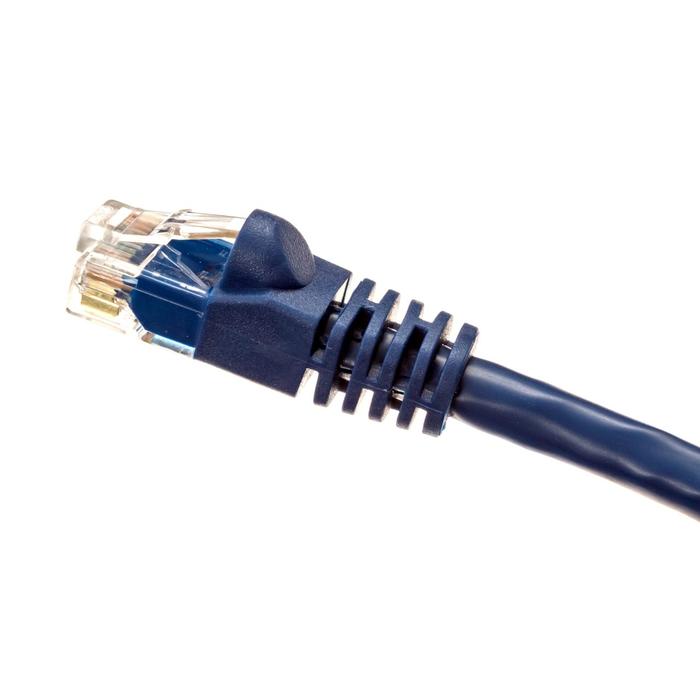
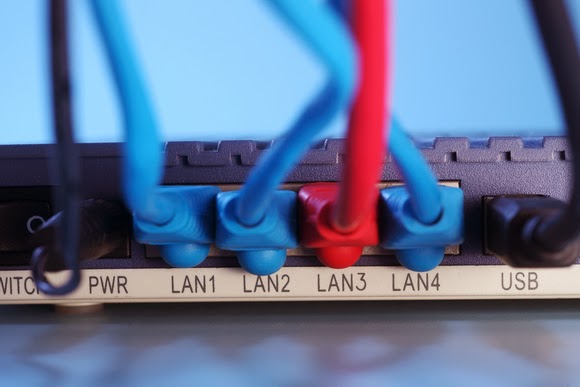
    Faster download speeds may necessitate wired networking, at least until wireless catches up.

    Since the specification is just a paper document at this point, for example, we’ll have to wait until semiconductor manufacturers begin implementing the technology inside their own components. Then modem manufacturers will have to build the modems themselves. Finally, the cable companies themselves will have to support the increased bandwidth tiers.

    The DOCSIS 3.0 rollout provides some measure of comparison—and hope. DOCSIS 3.0 was announced in 2006, with support for 160 Mbps down, and 120 Mbps up. But six years after the launch, in 2011, Comcast began offering its 105-Mbps “Extreme” tier, for customers with compatible modems. Other localized cable companies like Shaw and Videotron began offering similar services.

    Regardless of when the new DOCSIS technology rolls out, however, it’s up to you to make sure that you’re up to date. It’s possible that your cable provider will alert you of new services and the need to upgrade your modem—or perhaps not.

    Most cable customers lease their modems, which mean that if you signed up with a cable company long ago, your modem is likely out of date. And if a DOCSIS 1.0 modem is serving as the gateway for your home services, the stream of bits you’re paying for may be dammed up behind your cable modem, unable to flow at its full capacity.

    How can you tell? Comcast offers this page that asks you for your Internet speed tier and then allows you to check to see whether your modem is in fact compatible. Cox offers a similar page. Comcast will ship you an upgraded modem for a fee (and probably try to upsell you in the process) or else you can swap your modem for free at a local shop.

    Another option is to simply buy your own modem, eliminating rental or lease charges altogether; Comcast charges several dollars per month, but you can buy a compatible Motorola SURFboard 6121 modem for $70 online. The savings can add up quickly.

    Regardless, faster broadband is en route. We’ll just have to wait a bit—something we won’t have to do after the speedier standard arrives.Source: Tech Hive

  • Twitter Users Discontent with the New Twitter’s photo previews

    Twitter Users Discontent with the New Twitter’s photo previews

    Change they said, is difficult to accept and twitter users are no exception to this true saying: An extract from Tech Hive has confirmed that Some Twitter users are complaining about a change that puts photo previews front and center in their streams, and offering advice to others on how to turn it off.

    Apparently some users like viewing photos on Twitter but don’t want image previews appearing automatically in their stream, which is what happens with a change to the service rolled out Tuesday.

    “I was perfectly happy with that one extra step of ‘show picture’ for the ability to see a picture that I want to see,” one user wrote on Twitter’s developer forum.

    “I do not necessarily want to see every picture that every person I follow posts, right on my timeline,” the person wrote.

    Another Twitter user wondered if he had “ticked something somewhere” without realizing it.

    “Wow, Twitter is suddenly unscannable. What is this crap in the feed and how do I turn if off?” asked another.

    The update means users no longer have to click a link to view the photos, so scrolling through Twitter can now mean scrolling past a lot of photos. It’s been activated on the desktop version of Twitter and is included with an update for the iOS and Android apps. It only works with images posted on Twitter itself, or videos posted on Twitter’s Vine service, however.

    Twitter is apparently keen for users to see a lot more images in their Twitter streams. Photography is a key service for social networks, and Google updated its photo features on Google+ Tuesday as well.

    Showing photos in Twitter without needing to click on them can have unintended consequences, though. A search for “twitter photo previews” on Twitter Tuesday revealed at least one explicit pornographic image.

    Some users provided advice on how to disable the feature, posting screenshots of how to turn it off within the Twitter app on mobile devices. The image previews can’t be disabled on the desktop, however. (Here’s an advice on turning off online images in the mobile version of Twitter.)

    It’s not uncommon for users to complain about changes to online services, as Facebook, Yahoo and others know too well.

    One user suggested this is a fight Twitter can’t win. “Y’all complained when Twitter wasn’t visual. Today, y’all are complaining it has photos in your stream?”