Tag: review

  • Best Ad Blocker for YouTube on iPhone & Android

    Best Ad Blocker for YouTube on iPhone & Android

    Are you on the lookout for the best YouTube ad blocker? Then this post is exactly what you need.

    YouTube is one of the most popular online video-sharing platforms in the world, with over 2.1 billion monthly active users. Giving creators, artists, and businesses the opportunity to promote and grow their audience. It also presents students with inexhaustible streams of information. The cherry on the cake? It’s completely free to watch and upload content on YouTube.

    Yet, YouTube video ads and pop-ups can be ridiculously frustrating. Viewers find it difficult to stream content on YouTube without irksome ads flying all over their screens. It slows traffic, increases data usage, and makes you susceptible to online threats, spear phishing, and other malware.

    Below, we compiled a detailed list of some of the best YouTube ad blockers to aid your free streaming on YouTube and protect your device from trackers.
    Best Ad Blocker for YouTube on Android, Mac, And iOS

    1. AdBlock

    AdBlock is an open-source software that gives users control over unwanted YouTube ads and pop-ups. With over 60 million users worldwide, it blocks third-party trackers and enhances privacy.

    Key features include:

    • Custom ad blocking rules with filters, whitelists, and dark mode.
    • Advanced privacy protection against malicious ads, scams, and phishing sites.
    • Ad substitution—replace ads with images of animals, objects, or landscapes.
    • Faster browsing with accelerated page load times.
    • Cross-device compatibility, working on Android, iOS, and 40+ languages.

    2. AdGuard

    As the name implies, AdGuard blocks incredibly annoying ads and pop-ups on browsers and apps, particularly YouTube. It works by enabling a safe, web-browsing experience for users. AdGuard equally allows users high-level privacy protection from online malware and other threats harmful to their computers, networks, or servers.

    Here are some key features of the AdGuard for YouTube ad-free experience:

    • AdGuard is available on Android and iOS, going as far as offering compatibility with various other platforms such as Chrome Extension, Windows, and Mac.
    • The YouTube ad blocker protects its users’ data from web trackers, consequently preventing personal information from being disseminated to unwanted sites.
    • One significant benefit of AdGuard is that it filters adult content via parental control options that limit children’s exposure to unsuitable content.
    • AdGuard also maintains web page functionality, ensuring pages load faster and limit traffic.

    3. Luna

    Luna is one of the top-rated mobile ad blockers, designed to block YouTube ads and pop-ups across apps and browsers without compromising user safety.

    Key features include:

    • Broad compatibility, blocks ads on Spotify, Instagram, Reddit, Facebook, TikTok, Snapchat, Chrome, Firefox, and more.
    • Data-efficient browsing for a smoother experience.
    • Full support for Android and iOS, with both Wi-Fi and cellular data connections.

    4. Adblock Plus

    Adblock Plus is a free, open-source ad blocker designed to enhance the web browsing experience by eliminating video ads, pop-ups, and flashing banners.

    Key features include:

    • Faster page loading by blocking intrusive ads.
    • Protection from online trackers, scams, and malware.
    • Selective ad blocking allows support for non-intrusive ads that help websites generate revenue.
    • Compatibility with desktop browsers and Android devices.

    5. Ghostery

    Ghostery is a powerful YouTube ad blocker designed specifically for Mozilla Firefox. It helps users eliminate unwanted ads, videos, and pop-ups, creating a smoother and distraction-free browsing experience.

    Beyond ad blocking, Ghostery enhances web page speed and offers robust protection against spear phishing, spoofing, and other cyber threats.

    Key Features:

    • Customizable ad blocking – Choose which ads to block.
    • AI-powered filtering for smarter, more efficient protection.
    • Advanced privacy protection & anti-tracking to safeguard personal data.
    6. StopAd

    For those searching for the best YouTube ad blocker, StopAd is a powerful solution that does exactly what its name suggests—completely stops ads. Beyond YouTube, it blocks intrusive ads across various streaming platforms, ensuring a seamless viewing experience.

    Compatible with iOS, Mac, and Android, StopAd offers:

    • Full ad blocking – Eliminates all ad URLs, scans CSS, and filters HTML codes.
    • Robust web protection – Shields against ID theft, bank phishing, and online scams.

    7. YouTube AdBlock

    YouTube AdBlock is a dedicated ad blocker for Microsoft Edge, designed to eliminate ads, prevent scams, and reduce data usage while browsing. This Edge-exclusive extension not only blocks all types of YouTube ads but also protects users from third-party tracking, spear phishing, and spoofing attempts.

    Key features include:

    • Unlimited YouTube ad-blocking for a seamless viewing experience.
    • Enhanced privacy protection to prevent tracking activities.
    • Cross-platform installation authorization for multiple operating systems.
    • 30-day money-back guarantee for subscribers.

    8. Total Adblock

    Total Adblock is the ultimate YouTube ad blocker, designed to eliminate intrusive ads, pop-ups, alerts, and auto-play ads instantly. Available as a Chrome extension, it provides seamless browsing by blocking unwanted distractions on YouTube and other platforms.

    Key features include:

    • Advanced ad blocking – Removes ads, notifications, and third-party trackers.
    • Award-winning antivirus – Enhances security against malware and online threats.
    • Faster browsing – Improves page load speed for a smoother experience.
    • Customizable filters – Allows users to tailor acceptable ads for better control.

    Compatible with multiple browsers and social media platforms like Facebook, Total Adblock ensures a secure and ad-free browsing experience.

    Credit: pexels.com@fauxels youtube ad blocker

    9. AdBlocker Ultimate

    AdBlocker Ultimate is a top-tier YouTube ad blocker designed to eliminate ads, pop-ups, and notifications for an uninterrupted browsing experience. While it’s highly rated for iOS devices, it also supports Android and Windows, offering robust protection against phishing, malware, hackers, and other online threats.

    Key features include:

    • Cross-platform compatibility – Available for iOS, Android, and Windows.
    • Browser extension support – Works on Chrome, Firefox, Opera, and more.
    • Advanced security – Blocks intrusive ads while safeguarding against cyber threats.
    • Custom whitelisting – Allows users to personalize ad preferences for trusted sites.

    With AdBlocker Ultimate, users enjoy safer, faster, and ad-free browsing across devices.

    Finding the best YouTube ad blocker depends on your device and browsing preferences. Whether you need a mobile ad blocker for YouTube, a fast YouTube pop-up blocker, or advanced privacy protection, these top-rated options ensure an ad-free, secure, and smooth streaming experience.

  • 6 Best Chat SDK and Messaging APIs in 2024

    6 Best Chat SDK and Messaging APIs in 2024

    One of the key roadblocks to success when it comes to digital businesses recently relies on a lack of improved customer support, engagement, and retention. Integrating Chat SDK into organizations’ system is one way businesses can improve and increase customer engagement and retention, however,   choosing the best SDK Chat simplifies and improve customer retention even more. That said, in this article, we will highlight some basic guides to choosing the best chat SDK for your app. But before that, let’s get to know what the Chat SDK is all about and how it works. 

    What is Chat SDK and How Does it Work?

    Chat SDK (software development kit) is a set of tools designed to help developers integrate real-time chat into their websites and applications. This shortens the time needed to create a website and application. By using the pre-existing SDK Chat to integrate chat functionality into their websites instead of starting from scratch to create a working interactive system, developers can save time and resources. Having said that, using SDK Chat allows developers to do away with the needless time spent developing new chat systems. It also lowers costs and improves security and scalability. Additionally, SDK Chats are integrated into various types of websites, like messaging websites, social media platforms, and e-commerce platforms.

    Top Chat SDKs available in the industry

    The best SDK Chat is based on your specifications, the platform, and the type of app and website you are building with it. Now let’s explore some of the best SDK chats out there;

    Sendbird

    The first on my list today is Sendbird, it is one of the best SDK chats you can find out there, an SDK chat API for chat boxes. Businesses may enhance engagement, collaboration, and quality of service by utilizing Sendbird’s flexible capabilities, adaptable APIs, configurable SDKs, and more features.

    Group chat, one-to-one messaging, push alerts, read receipts, and other features make Sendbird’s chat box API an excellent choice for both individual and business customers. 

    Features:

    • Sendbird has user interface features that can be fully customized for a smooth integration with your program of choice.
    • It supports group calls for real-time communication and can have up to 25 members.
    • Chatbots with AI capabilities for automated customer service and interaction, enhance customer retention  
    • Support in multiple languages for diversity and a global reach.
    • Push notifications and in-app communications provide a satisfying user experience.

    PubNub

    PubNub is another SDK Chat out there that is very nice and seamless to use. With PubNub, developers have access to a flexible toolbox built around a robust interactive system. This makes for dependable chat experiences as well as ones that work well across a variety of platforms, including web, mobile, 

    Features:

    • Automated Business logic 
    • A profanity filter 
    • Robust support for multi-user operations

    With an emphasis on mobile platforms, PubNub’s SDK chat API is designed to empower development teams and let them quickly and effectively realize their unique chat visions, improving user experiences all around.

    Easy to use UI 

    TWILIO

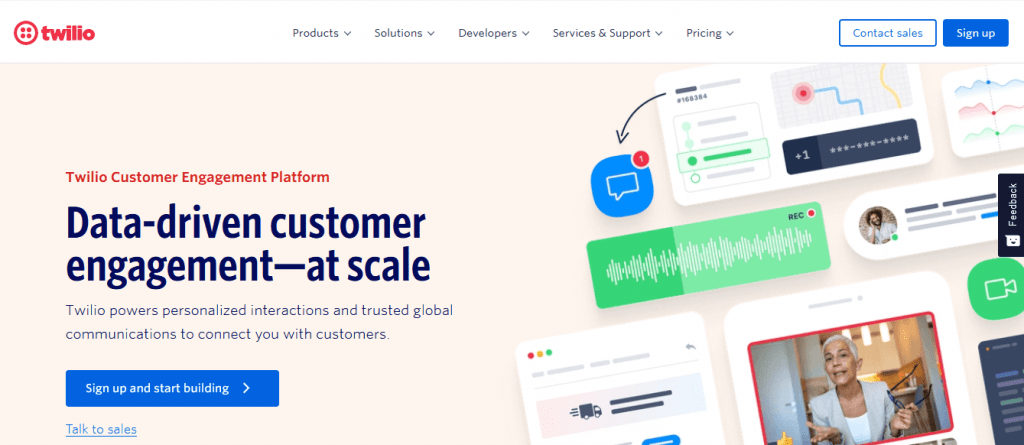
    Twilio is a unified platform for business communications, it allows businesses to interact with clients through their preferred channels. It is a powerful SDK chat software that allows users to establish and handle chat features on their websites and mobile apps. By providing a flexible and adaptable platform, Twilio enables businesses to deliver smooth and tailored chat experiences that foster interaction and enhance customer satisfaction.

    Twilio is an excellent option for businesses aiming to improve their customer communication approaches and achieve lasting achievements.

    Features:

    • real-time chat functionality. 
    • Multi-channel support, 
    • Customizable chat experiences that can be tuned to suit your company’s brand and style
    • Flexible developer API integrations
    • Advanced security features

    MirrorFly 

    MirrorFly is an SDK chat that helps to keep businesses connected with an improved communication experience. By creating SDK chat, audio, and video SDKs that can be linked with your software programs within a few minutes, it improves connectivity between programs.

    It provides seamless interaction and integration of application programming interfaces (APIs), pre-built UI kits, video guides, simple instruction manuals, and 24/7 technical assistance, as well as secure communication.

    Features:

    • Voice, video, and in-app chat APIs
    • Lite-chat app
    • Low-code strategy  
    • Reliability and Scalability

    Apphitect

    Apphitect is another top Chat SDK with enhanced features and functionalities. With features like push notifications, social interactions, and personal chats, It offers a 99.9% uptime option for the integration of communication channels into web, iOS, and Android applications with its configurable chat API. It supports features of virtual communication tools like screen sharing, video conferencing, and video. 

    Features:

    • Notifications with Push and Offline Messaging
    • Social integration and presence indicators
    • Geo-location tracking 
    • Video Calls 
    • Normal Calls 

    Guide to Choosing the Best Chat SDK for Your App

    The ultimate guide to choosing the best Chat SDK for your app provides a simple and user-friendly UI. It also ensures that all messages are delivered securely. To select a chat solution, first outline why your product requires chat functionality. This will empower you to seek APIs and SDKs that excel in this area.

    Step #1: Documentation

    While chat may seem simple, reliable in-app messaging requires many technical components and engineering resources. As a result, building chat in-house can consume more development bandwidth than an entire product if you don’t carefully prioritize it relative to your core value proposition.

    When choosing a chat API or SDK, you want one with detailed documentation that’s easy to understand. This ensures that SWEs can quickly pick up on using the feature without relying on support.

    You also want to be sure that the chat solution adheres to industry-standard security practices and will protect user data. Otherwise, you risk becoming another data breach headline or facing fines for mishandling customer information. Choose a vendor like Agora.io with robust security features like end-to-end encryption, source code control, and security patches to ensure your apps are safe. A secure in-app messaging platform will keep users’ conversations private and prevent the leaking of personal information.

    Step #2: Reliability

    A reliable chat solution should offer robust real-time messaging functionality and the ability to expand as your needs change. It should also support a range of programming languages and platforms, 3rd party integrations, and multi-protocol capabilities.

    The right solution offers a variety of Chat APIs and SDKs that provide developers with the tools to add in-app messaging to their apps, including direct and group messages, threads, reactions, typing indicators, and more. Its UI/UX Kits enable customizability and ease of integration. Some also provide developers with tools to help productive app communication. Its chat APIs and SDKs are easily integrated into existing web-based or mobile-native systems. They’re scalable and reliable, allowing you to drive 1B+ conversations across multiple apps at minimal latencies. Looking for A Guide to Boost your Dating Website Ranking with Better Skadate SEO?

    Furthermore, a trustworthy chat solution should put security first to guarantee the privacy and accuracy of communications. It should provide end-to-end encryption and adhere to industry standards. Furthermore, it should have a responsive customer support system to promptly address issues or concerns, contributing to a trustworthy and efficient communication platform.

    Step #3: Scalability

    Users use chat apps daily, so product teams must ensure the system can handle many messages and users. This is where a Chat SDK can help.

    While an API-based chat solution may require heavier integration work by developers, it can also save time and resources in the long run. In addition, it can offer a customizable user experience and robust security features such as end-to-end encryption and compliance with industry standards.

    Additionally, real-time Chat SDK tools offer multiple monetization options like in-chat payments and sponsorships, which can turn your chat into a revenue-generating resource for your company. Furthermore, these systems are designed to scale and allow for unlimited concurrent users, which can prove helpful in the case of business expansion. In contrast, subscription-based chat solutions limit simultaneous users on a per-plan basis. 

    Moreover, a scalable Chat SDK should provide efficient load balancing and server-side optimizations, ensuring optimal performance even during peak usage. This capability is essential for accommodating sudden spikes in user activity and maintaining a seamless user experience. Additionally, a well-designed Chat SDK should facilitate easy integration with third-party analytics tools, empowering businesses to gather insights into user behavior and further enhance their scalability strategies.

    Step #4: Security

    The best chat SDK should provide robust security features to keep users’ conversations and data private. This can include end-to-end encryption, securing the server-side components with Transport Layer Security (TLS), or other data protection mechanisms.

    In addition, the SDK should be able to handle large volumes of traffic without breaking down. This can be done by implementing multiple connections to the chat servers, using load balancers, or using other scalable solutions.

    Moreover, the SDK should be capable of saving chat messages to prevent losing important information. This is important because it allows developers to comply with industry-standard data protection regulations and protect against security breaches. This can be achieved by integrating chat providers offering unlimited user data storage. The right tools allow indefinite chat message retention.

    Step #5: Pricing

    Pricing is a major factor in choosing an SDK or API solution. For some apps, the savings in up-front cost and development bandwidth will make it a no-brainer to use a chat SDK. But in-house development may be worth the investment for others, particularly those with a unique vision for how a chat should look and function and the budget to back it up.

    Stream offers a developer-friendly SDK and UI kit to help brands build productive communication features into their mobile and web apps. It supports direct, group, and channel messaging with threads, read receipts, and reactions. Plus, it provides advanced features like online presence, profanity control, and user moderation.

    Its security features protect sensitive data and conversations from eavesdropping. It also complies with GDPR and other privacy standards to keep users’ data secure. It is ideal for e-commerce, marketplace, healthcare, and finance industries. This chat API is a reliable, scalable, and customizable option for businesses of all sizes. It integrates easily and is available on a variety of platforms.

  • Best Android Phones 2023: The Latest Phone Deals

    Best Android Phones 2023: The Latest Phone Deals

    Whether you are a tech enthusiast, a social media influencer, or simply looking for a reliable phone that can keep up with your dynamic lifestyle, you are sure to find a perfect match from our list of the best android phones of 2023.

    We bring to you a compilation of the hottest phones to buy this year. Featuring sleek designs, ultra-powerful processors, high-resolution cameras, innovative features, specifications, etc, these android phones are the ultimate gadgets that will upgrade your daily communication and entertainment. With their guarantee to offer seamless and immersive user experiences like never before.

    So let’s explore the new android phones for 2023, alternatives to iPhones.

    Best Android Phones in 2023: The Latest Phone Deals

    Our Top Picks Of The Best Android Phones in 2023

    Samsung Galaxy A54 5G

    Cnet.com

    The sleek and stylish Samsung Galaxy A54 5G, which takes its design cues from the highly coveted Galaxy S23 lineup is the latest addition to the Samsung Galaxy series. This modern device boasts a 6.4″ FHD+ AMOLED display with a lightning-fast refresh rate of 120Hz, powered by a Samsung Exynos 1380 processor and backed by 128GB of storage that’s expandable up to 1TB with a microSD card.

    You can capture amazing shots with the Galaxy A54’s upgraded camera setup featuring a 50MP primary sensor for superior low-light performance and dynamic range, along with a 12MP ultra-wide and 5MP macro camera for close-up shots. On the front, a 32MP selfie shooter awaits, capable of recording in 4K resolution, giving you picture-perfect moments to treasure.

    The Galaxy A54 is packed with other features like 5G, Wi-Fi 6, and eSIM, ensuring you stay connected to the world around you. Running on Android 13 with One UI 5.1, the Galaxy A54 offers a seamless and intuitive user experience. Available in black and purple, this phone is so affordable. Pre-orders are set to kick off in a couple of weeks on March 30th, and you can get your hands on one starting April 6th. And the best part? This baby won’t break the bank – just like last year’s A53 5G model, it’s priced at a super reasonable $450. Truly one of the best android phones of 2023

    Samsung Galaxy S23 Ultra

    Best Android Phones in 2023: The Latest Phone Deals
    Forbes

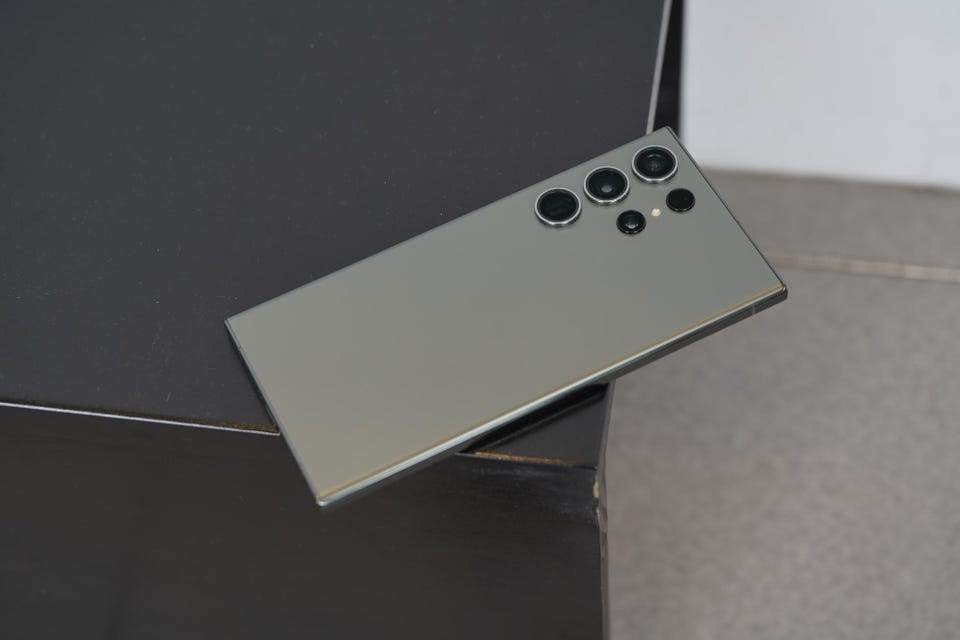
    Samsung’s latest offering, the Galaxy S23 Ultra is not the regular stylus smartphones. It boasts impressive upgrades in its chip, battery, and camera features compared to its predecessors. However, aside price tag, it is one of the most expensive non-folding smartphones available.

    Visually, the S23 Ultra closely resembles its predecessor the Samsung Galaxy S22, and its cream color scheme adds to its premium look and feel. The phone’s aluminum frame, slightly less curved glass edges, and super-bright and crisp screen remain unchanged from the previous model.

    One of the phone’s unique features is the S Pen stylus. A fan-favorite that was introduced to the S series in 2022, and has undergone minor changes in this version. The phone’s software is based on Samsung’s One UI 5.1, running on Android 13. And offers numerous useful features, including productivity tools for the S Pen and customizable lock screens. The phone’s height is 163.4 x 78.1 x 8.9mm and weighs 233g.

    Other specifications include a 6.8-inch QHD+ Dynamic Amoled 2X screen with 500ppi and 120Hz refresh rate. A Qualcomm Snapdragon 8 Gen 2 processor, 8 or 12GB RAM, and storage options of 256, 512GB, or 1TB. The phone supports 5G, USB-C, WiFi 6E, NFC, Bluetooth 5.3, UWB, and GNSS. And boasts an IP68 water resistance rating of up to 1.5m for 30 minutes.

    Google Pixel 7 Pro

    Digital Trends

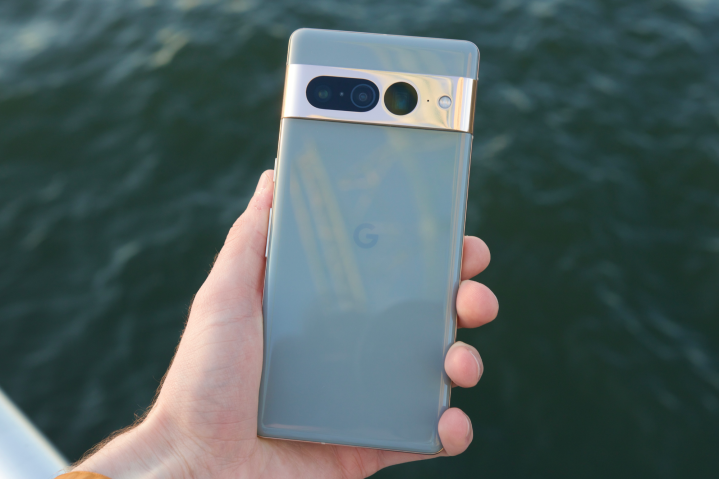
    The Pixel 7 Pro is the top model in Google’s 2022 phone lineup. Aimed at continuing the company’s recent success in high-end mobile devices. Which also includes the smaller Pixel 7 and the more affordable Pixel 6a.

    The phone features a large, 6.7-inch OLED screen. With a 120Hz refresh rate and a polished aluminum camera bar on the back. It has good performance, a fast fingerprint scanner, and reasonable battery life. Along with impressive AI features, such as dictation and unblurring technology. The standout feature, however, is the camera, which boasts a 10x optical zoom. A feature only found on Samsung’s best, more expensive phone.

    The Pixel 7 Pro comes with 12GB of RAM and is available with 128, 256, or 512GB of storage. It runs on Android 13 and has 5G connectivity, as well as eSIM, wifi 6E, UWB, NFC, Bluetooth 5.2, and GNSS. The phone is water-resistant with an IP68 rating, allowing it to withstand being submerged in 1.5 meters of water for up to 30 minutes.

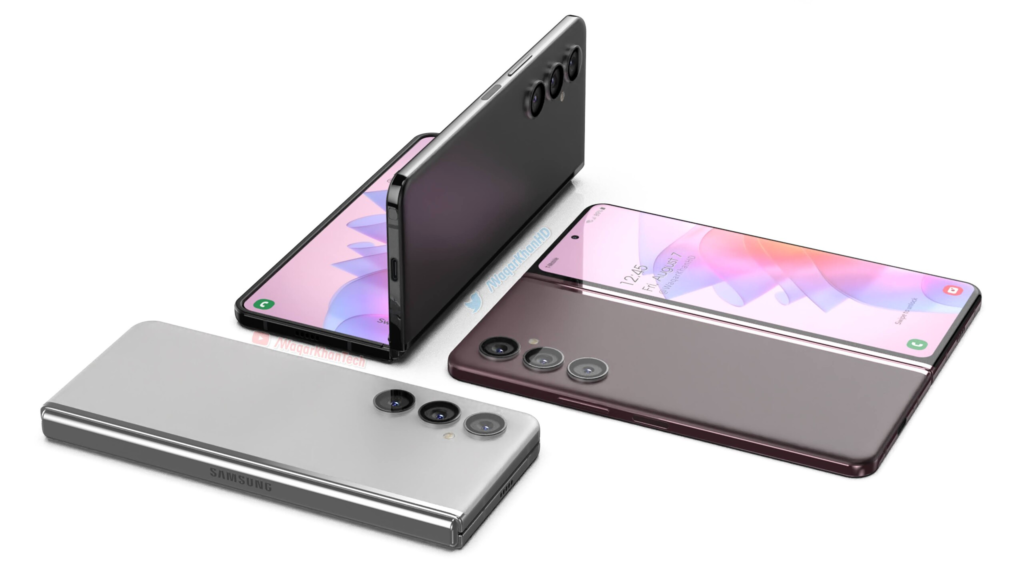
    Samsung Galaxy Z Fold 4

    Notebook check

    The Samsung Galaxy Z Fold 4 is the epitome of snappy and smooth, thanks to Qualcomm’s latest Snapdragon 8+ Gen 1 processor – the most powerful chip you can find on Android.

    This phone has two screens, which can affect its battery life. Using just the inside display can last up to 35 hours while using both screens can get you up to 40 hours of battery life. Charging takes about 80 minutes for a full charge or 30 minutes for 50% with a 25W USB-C power adapter. It runs on Samsung’s One UI 4.1 based on Android 12L, optimized for folding-screen devices.

    Now let’s talk cameras—the phone has five cameras, including a new triple system on the back, a 10MP front-facing camera, and a 4MP selfie cam hidden under the inside screen’s top right. The back cameras are similar to the S22+ and include a 50MP camera with 3x optical zoom and an ultrawide lens

    So if you’re in the market for a folding phone, the Fold 4 is worth considering. Here’s a quick rundown of the specs: 7.6in QXGA+ 120Hz AMOLED flexible display (374ppi), 6.2in HD+ 120Hz Amoled cover screen (387ppi), 12GB RAM, 256/512GB or 1TB storage, One UI 4.1 based on Android 12L, 50MP wide/12MP ultrawide/10MP 3x telephoto back cameras, 10MP and 4MP selfie cams, 5G, dual sim, e-sim, USB-C, wifi 6E, NFC, Bluetooth 5.2, IPX8 water resistance, dimensions folded: 155.1 x 67.1 x 15.8mm, dimensions unfolded: 155.1 x 130.1 x 6.3mm, weight: 263g.

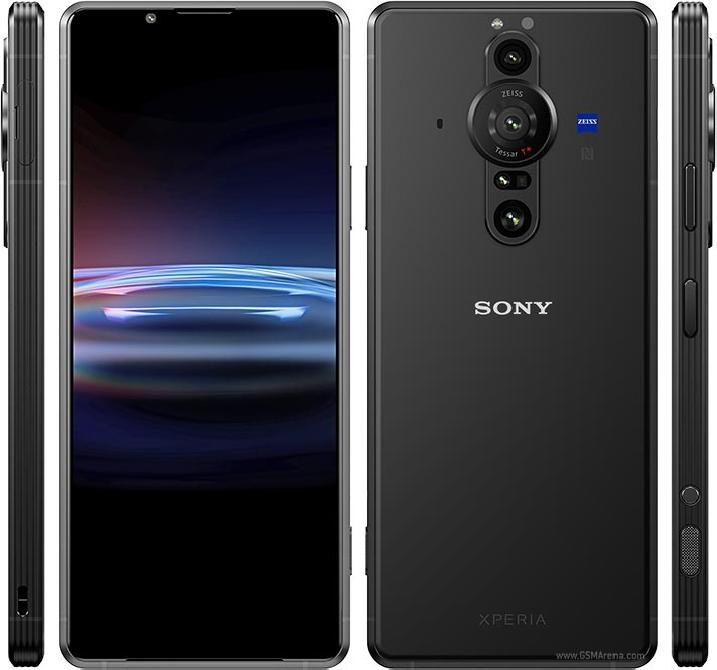
    Sony Xperia Pro

    Best Android Phones in 2023: The Latest Phone Deals
    MobGSM

    The Sony Xperia Pro is a distinctive and impressive device that is specifically tailored for professional photographers and videographers. While its steep price tag of $1800 may deter casual users, those in the content creation industry will appreciate its four-in-one functionality as a smartphone, camera monitor, fast file transfer device, and 5G machine for broadcasting and live streaming.

    Equipped with a Snapdragon 888 SoC, 12GB of RAM, and 512GB of storage, the black phone is a powerful device capable of handling even the most demanding tasks. Its standout camera system includes three rear cameras with varying focal lengths and advanced capture applications. The device’s 6.5-inch 4K HDR OLED display equally offers stunning visuals with very excellent speakers. Despite not feeling as premium as similarly priced android phones, the Sony Xperia Pro is a cool and innovative option for professionals looking to take their photography and videography to the next level. Indeed one of the best android phones of 2023

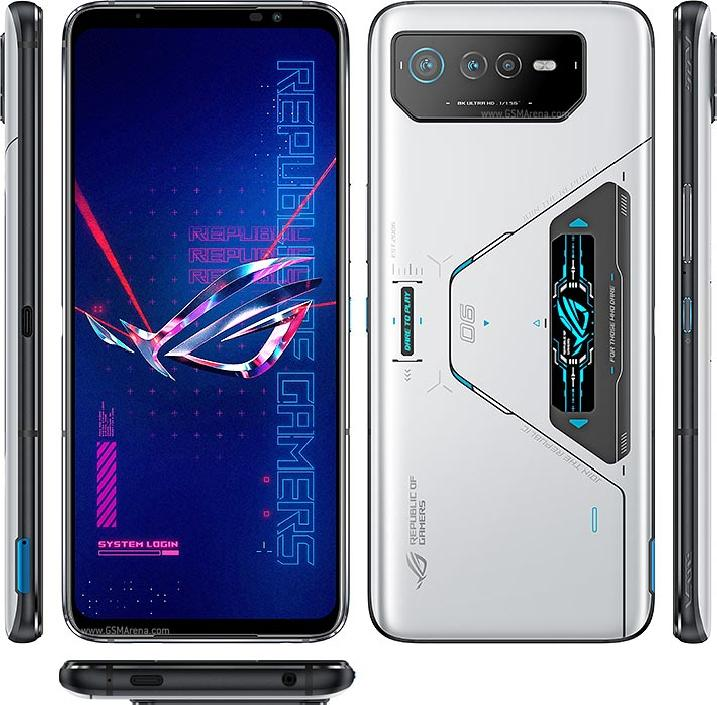
    ASUS ROG Phone 6 Pro

    Best Android Phones in 2023: The Latest Phone Deals
    MobGSM

    For those who want to have a superior gaming experience, the Asus ROG Phone 6 Pro is your go-to gaming android phone.
    True Asus fans know that ROG Phones are built for gamers. This is evident in the design and configuration of the Asus ROG Phone 6 Pro. As well as other outstanding features such as a bulky and imposing build, great display, cool speakers, etc. The phone delivers nothing short of an incredible gaming experience.
    The ROG Phone 6 Pro’s display is a 6.78in, 2448×1080 OLED panel that delivers sharp details in vibrant colors for an enthralling viewing experience. It also has a classic view from the back. With a triple rear camera module that doesn’t cause any issues when placing the phone face-up on a surface. The sides of the device have power and volume controls. Dual shoulder triggers, and a second USB-C port for comfortable gaming while charging.

    Audio is a priority for the ROG Phone 6 Pro. With a speaker system designed in collaboration with the audio company Dirac, known as Dirac Virtuo. This stereo design combines a large front-facing speaker with an earpiece to deliver rich music and game sound effects.

  • Lenovo Laptop With Rollable Concept Screen Is Futuristic!

    Lenovo Laptop With Rollable Concept Screen Is Futuristic!

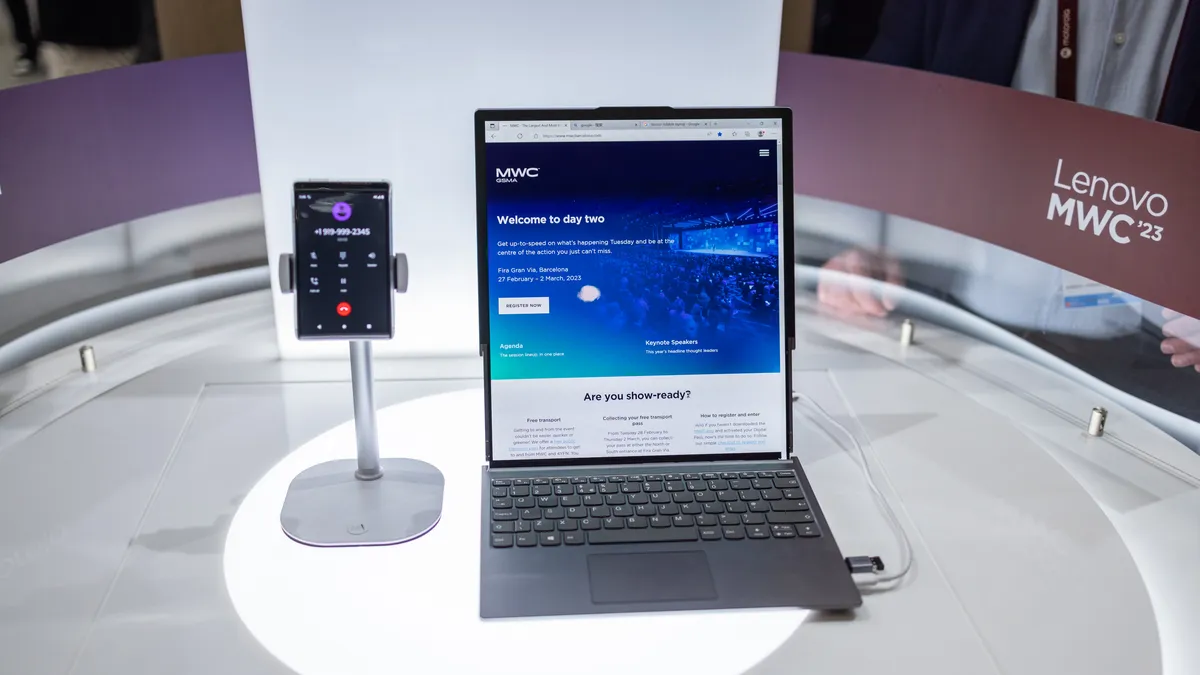
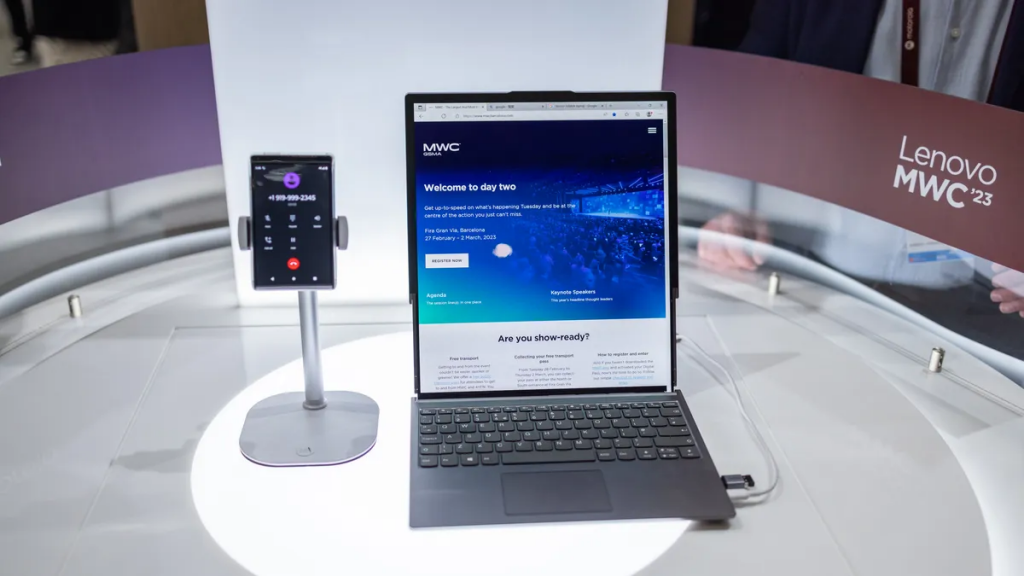
    Lenovo has once again pushed the boundaries of technology with its latest rollable laptop concept. Which was showcased at the Mobile World Congress in Barcelona. The spectacular device boasts a flexible display that can slide in and out of the laptop’s body. Making it truly unique and innovative. This latest rollable concept laptop from Lenovo is taking flexible displays to a whole new level and we are ready for the future of computer technology!.

    The Latest Lenovo Laptop Is A Revolution In PC Technology

    Everyone wants to know what the whole burst of fascination behind this Lenovo laptop is all about. Here it is. With just a simple double tap of a button on the side, the laptop’s screen begins to slowly extend its way out, resulting in a larger 15.3-inch display with an 8:9 aspect ratio. The display rolls out vertically using twin motors and springs attached to the screen to keep it tight as it goes up and down. More like a futuristic sliding skyscraper built by a first-rate prop-tech company if we have anything to say about the matter.

    This revolutionary concept seeks to increase productivity, and it’s easy to see how this would benefit certain users. Along with the impressive rollable display, the new Lenovo laptop features a standard keyboard and trackpad. There are also three USB-C ports. an audio jack, with a power button. And a switch button that expands the display from a 12.7-inch display to a 15.3-inch display.

    The technology used in the new Lenovo rollable laptop concept is quite analogous to the technology utilized in Motorola’s new rolling concept phones. Which also features an extendable screen that provides a larger surface for watching 16:9 videos.

    The Verge

    Is Lenovo’s Rollable Concept Laptop For Sale?

    While the latest Lenovo laptop is purely a proof of concept. With no plans to put it into production or use the technology on future devices. There is no doubt that significant resources, including time, dedication, and hefty financial investments, have been devoted to its creation.

    Although, this doesn’t seem like the end of the road for rollable gadget displays. We’ll most definitely witness this technology become commonplace in no time. Lenovo laptop with a rollable display concept is an impressive innovation that showcases the potential of flexible displays. That is sure to leave a lasting impression on the tech industry.

    Lenovo Laptop With Rollable Concept Screen Is Futuristic!
    Cnet.com

    We’re keeping an eye out for the future of rollable laptop screens because it’s sure going to be a game-changer. Lenovo’s rollable laptop is just the beginning of an exciting and revolutionary new era in computer technology. With such innovative technology, the possibilities are endless, and we can’t wait to see what the future holds!.

  • Apple’s iPhone 14 With Emergency SOS Unveiled

    Apple’s iPhone 14 With Emergency SOS Unveiled

    On September 8, 2022, Apple unveiled the new iPhone 14 and iPhone 14 Plus. A next-generation smart device with the A15 Bionic chipset, emergency satellite SOS, and crash detection, all integrated with iOS 16 features.

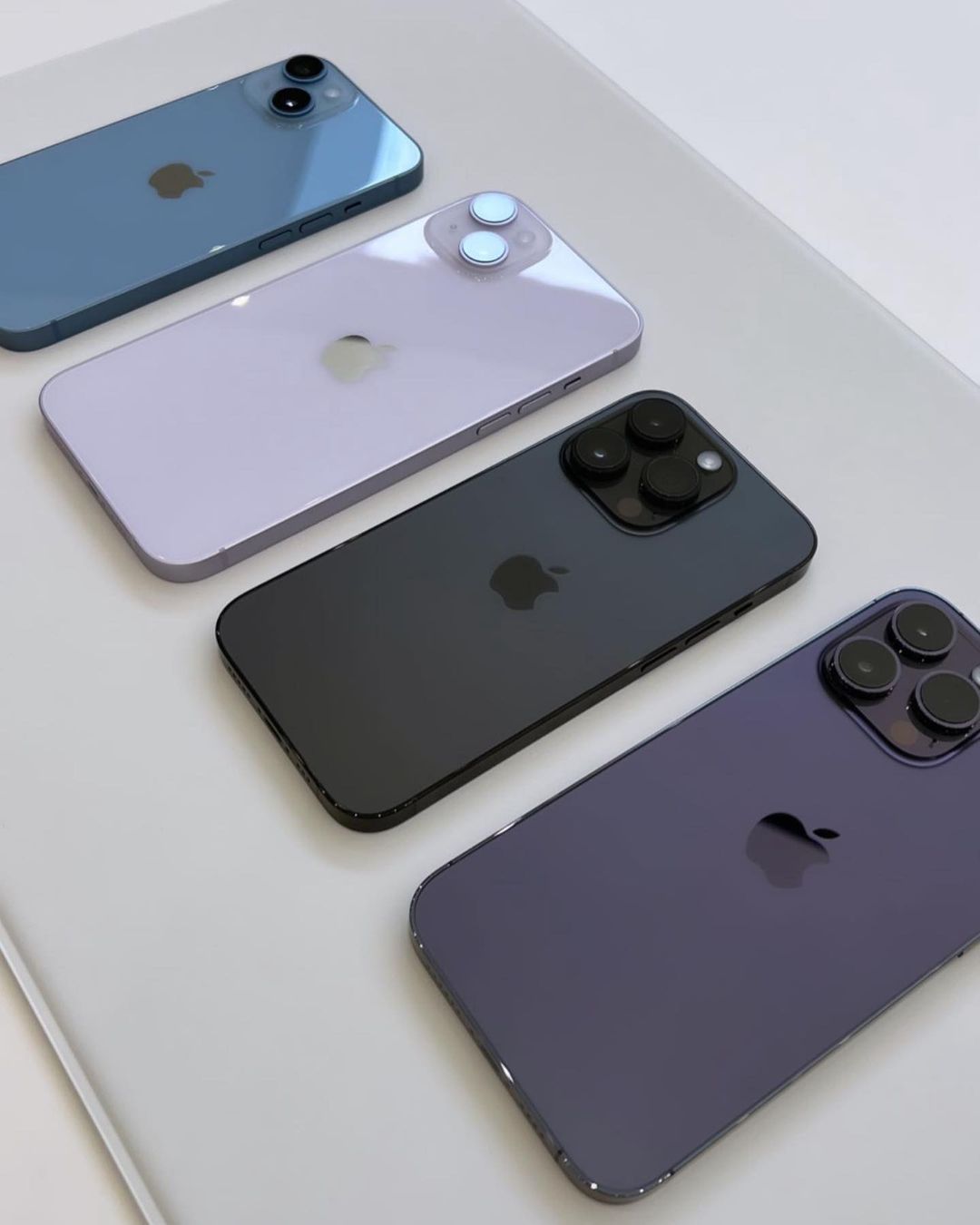
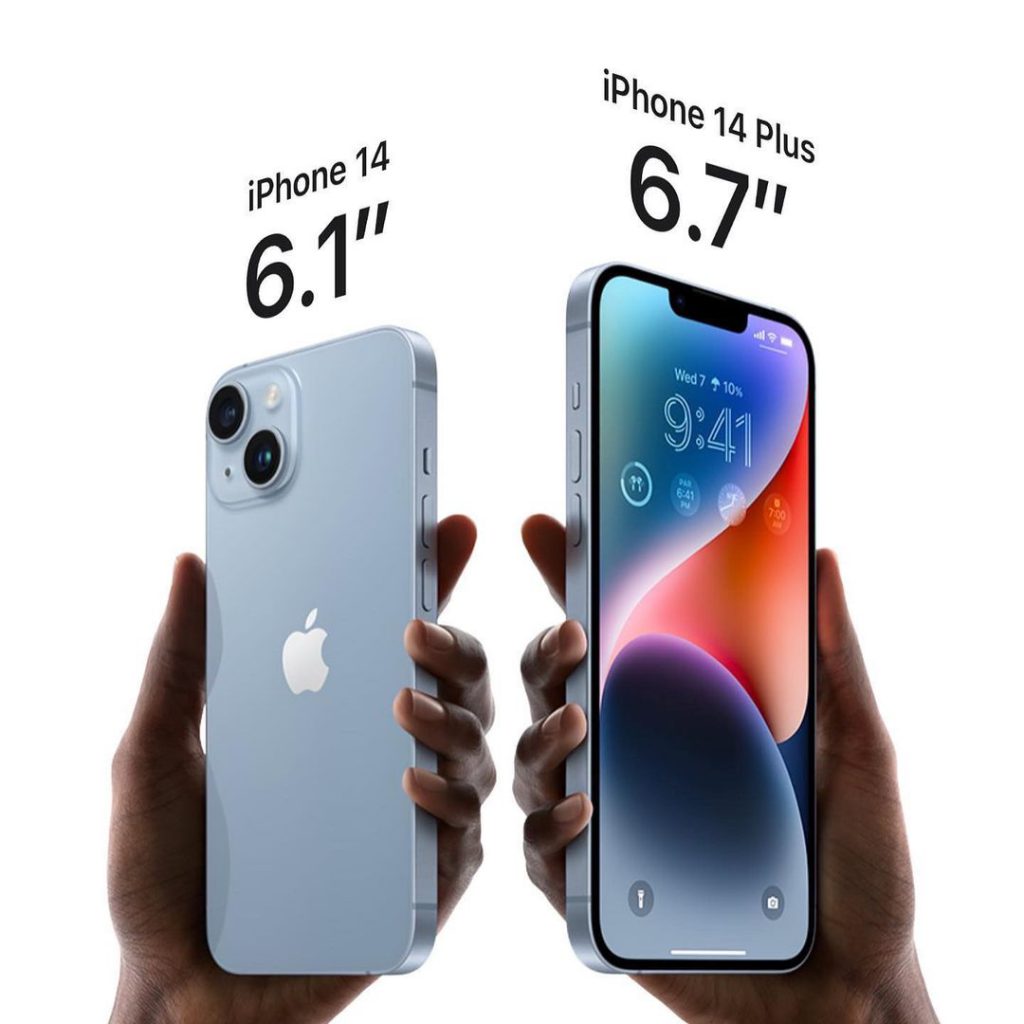
    The 6.1″ inch screen and a 6.7” inch larger screen display allow for HDR content. Apple’s iPhone 14 and 14 Plus are available in midnight, blue, starlight, purple and red. Also in 128GB, 256GB, and 512GB storage capacities. The US models of the iPhone also come with an eSIM, meaning there is no physical SIM tray.

    In the meantime, the tech community is abuzz with the special iOS 16 features and availability dates of high-end devices across the world. Technophiles worldwide are already pre-ordering iPhone 14 and iPhone 14 Plus. Find out the specifications and features below.

    iPhone 14
    Credit: IG @cellcompanycat

    iPhone 14 Emergency SOS Feature

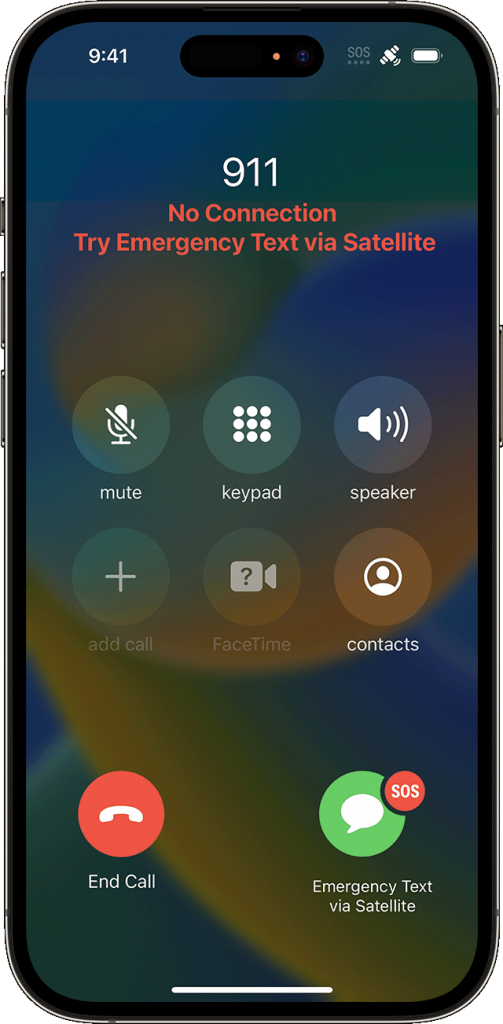
    The new safety feature called emergency SOS via satellite is a feature that Apple introduced on both recently unveiled iPhone 14 models. The feature claims to get one in touch with emergency services in areas where there’s no reception.

    In dire situations when you’re out of cellular and Wi-Fi coverage, you can send messages via satellites to get the help you need.

    Emergency SOS via satellite photo 2

    How To Use The Emergency SOS Via Satellite Feature

    Firstly, to access the emergency SOS feature, an iPhone 14 model is required, alongside an iOS 16 software update.

    Secondly, try calling emergency services. Another prerequisite to using emergency SOS via satellite is no cellular and Wi-Fi coverage. There has to be an actual disturbance in the network connection before utilizing the emergency feature. Once the above-mentioned details are covered, proceed to;

    • Tap Emergency Text via Satellite.
    • Tap Report Emergency.
    • Answer the necessary emergency questions to provide details about your situation. 
    • You can also choose to notify your emergency contacts regarding the nature of your emergency.
    • Then follow the onscreen instructions to connect to a satellite.
    • While the connection is successful, be sure to keep following the onscreen instructions so the message can deliver.
    iphone 14 emergency sos
    Credit: Apple Inc.

    Note that once connected to an emergency service, iPhone 14 starts a text conversation with emergency responders. It goes as far as sharing critical information like your Medical ID and emergency contact information (that’s if you’ve previously set up one). The nature of the emergency, your location, and the remaining battery life of the iPhone will also get to the emergency services.

    Which Location Is Emergency SOS via satellite available?

    Apple’s emergency satellite feature is only available in the US and Canada as at the launch of the iPhone. This includes Puerto Rico and US Virgin Islands, but not Guam or American Samoa. The feature is equally unavailable on iPhone models that you acquire in China mainland, Hong Kong, or Macao.

    iPhone 14 / iPhone 14 Plus Features And Specifications

    • Announced: September 7, 2022
    • Weight: 203 grams
    • Display: Super Retina XDR display
    • OS: iOS 16
    • Chipset: Apple A16 Bionic (4 nm)
    • Internal: 128GB 6GB RAM, 256GB 6GB RAM, 512GB 6GB RAM, 1TB 6GB RAM NVMe
    • Camera: Dual-camera system with HDR features
    • Sim Card: Dual eSIM support
    • Battery: Built-in rechargeable lithium-ion battery
    • Cellular & Wireless Network: 5G (sub‑6 GHz and mmWave), Gigabit LTE, Ultra Wideband
    • Safety: Emergency SOS via satellite, crash detection
    • Splash, water, and dust resistant
  • Plan your Week Ahead: 7 Must Have Android Applications for the Week

    Plan your Week Ahead: 7 Must Have Android Applications for the Week

    Happy Sunday to all EWT readers! This is the 7th month of the year and I hope everything’s going according to plan? If it’s not, it’s not too late to start afresh. One of our major objectives this year is to provide you with valuable information that will help you reach your ambitions in as much as it is tech related.

    Regardless of your social class, occupation or belief this apps will help you manage your weekdays effectively and subsequently giving you a memorable week in the end. Keep your eyes fixed as we take you down the stream.

    Pheed –Download

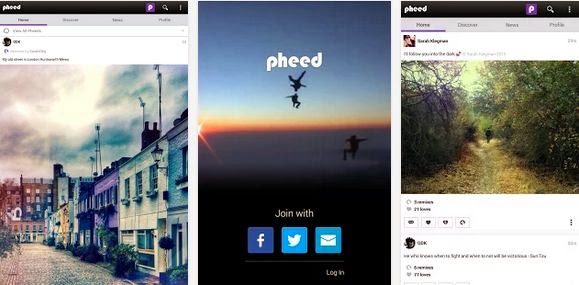
    The more I think of Sunday is the more I think of social networking. What other way would you rather spend a cool Sunday evening aside saying hello to your co-workers, leaving a voice note to your classmate or even sharing your awesome videos, musics and photos with your distant family and friends? Pheed is the Android application that lets you achieve all this without lifting a foot.
    The free social networking application lets you share voice-notes, musics, videos, photos and text with your followers.

    Magisto Video Editor & Maker –Download

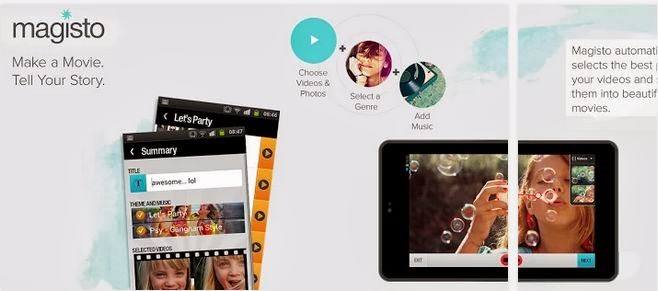
    A free app to quickly convert video clips and photos into awesome editable movie; you can add your custom background music, graphics and movie effects.

    Binu –Download

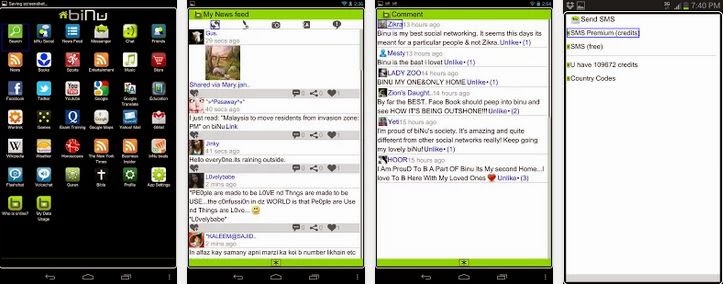
    Imagine having everything you need in one app. This is what Binu is all about. The application serves as a valuable resource for news in your locality. You can also add links to your favourite news website and the app gives recent updates from the websites you have added.
    Binu has an in-built chat messenger, 15 credit to send SMS to any phone number globally, sport news resources, dictionary, bible, quran, wikipedia, etc. The application is free, very portable and easy to use.

    OfficeSuite Pro 7 (PDF & HD) –Download

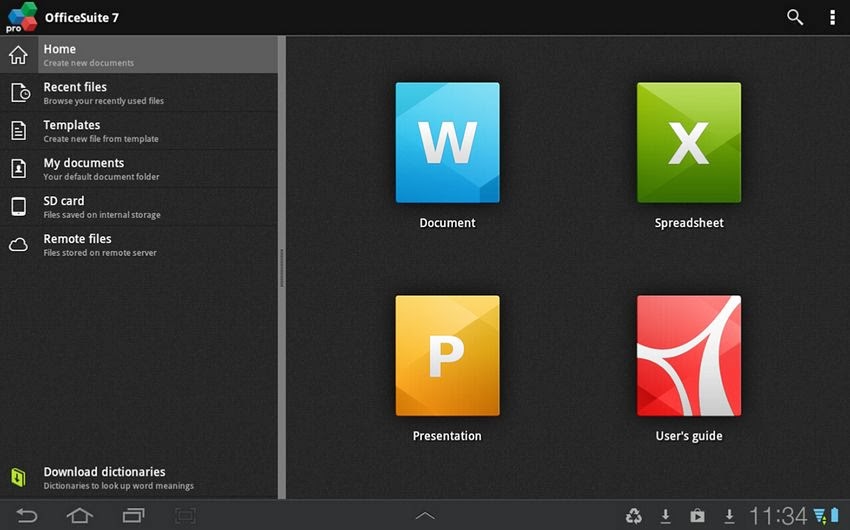
    Talking of having a mobile branch of your office, all it takes is $14.99 – OfficeSuite Pro allows you to view, create, edit, print and share Microsoft Word, Excel and PowerPoint files on the go. You can also open attachments and see PDF files on an Android based phone or tablet with our feature-rich mobile office solution.
    OfficeSuite Pro includes a File Browser and integration with Cloud service leaders: Box, DropBox, Google Drive, SkyDrive and SugarSync to give users a multitude of options on how to manage files and attachments.

    Callist – Call manager –Download

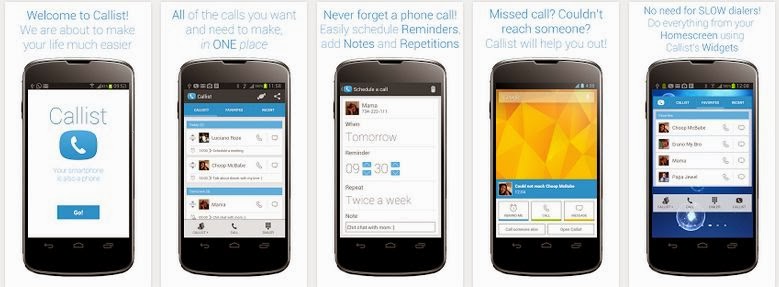
    With the great features of smartphones we often forget that it is actually a phone. Callist Call Manager ensure that you don’t miss that important call you want to make. With the application you can keep a list of the people you want and need to talk to, schedule call reminders, add notes and repetitions, add to, delete from and organise your Callist with simple touch gestures, call, text and email your favorite contacts and contacts you recently talked to.
    The application also deliver after call pop ups e.g. If you had a missed call or you could not reach someone Callist will show you a popup from which you can easily add a call reminder directly into your Callist (Can be done automatically, if you’d like).
    Above all, this app is free, ads-free and easy to use.

    Friday: Automated Journal –Download

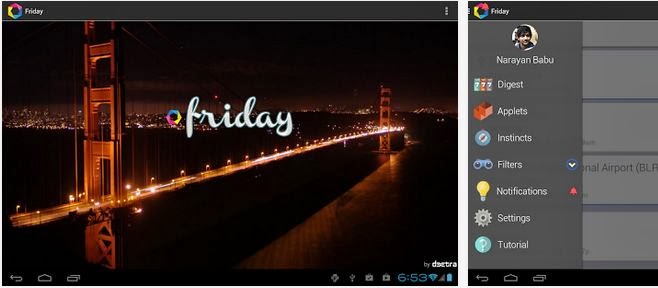
    This application will take note of all your activities this week: The people you talk to, the places you visit, the images you capture, and the songs you listen to, etc. And like your brain, it initiates thoughts and ideas for you, it helps you remember information and tries to anticipate adequate actions.

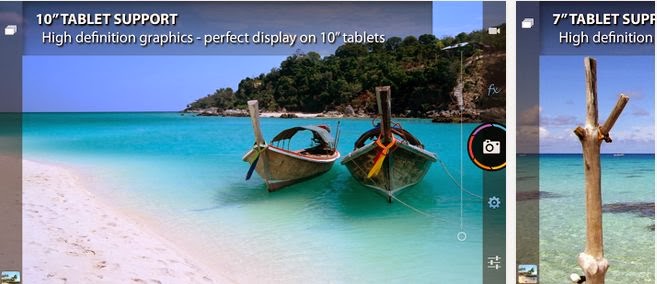
    Camera ZOOM FX –Download

    Do not loose this app: You will need it at the weekend. Camera ZOOM FX could easily be the best replacement for the N5 camera application which lacks a lot of options like 16:9 highres shot for example. It takes only $2.95 to preserve that decent memory. If Camera ZOOM FX doesn’t sound like a great app to you, you might as well hang on to any of the awesome camera app that made our best android camera app list.
  • How to Ensure Videos Saved in HD Look Good

    How to Ensure Videos Saved in HD Look Good

    If you’re starting to dip your toes into creating HD videos then you may find that sometimes the videos that you save in HD don’t actually look that great. For beginners it can be difficult to navigate through some of the technical areas of video settings – but it is necessary to do so if you want to ensure that the videos you save in HD actually turn out well.

    Understanding Resolution

    Essentially ‘HD’ or ‘High Definition’ is a type of resolution. In turn, resolution is a description of the amount of pixels contained in the video. For example a ‘Full HD’ resolution of 1080p is essentially 1920×1080 would be 1920 pixels wide and 1080 pixels tall.

    While the resolution does affect how your videos appear, it is by no means the only factor at work, however. Assuming you’re saving an HD video in HD resolutions and it doesn’t look good then that likely means that there is some other factor that is the culprit.

    Looking at the Bitrate and Frame Rate

    Aside from resolution, the two big factors that can affect the quality of your videos are its bitrate and frame rate. The frame rate is essentially the number of frames per second that will be displayed on your screen – so the higher it is, the ‘smoother’ your video will appear. Ideally the number to shoot for in terms of frame rate is 60 for the smoothest possible playback supported by most monitors and TVs.

    On the other hand, bitrate is a bit harder to understand but is basically the amount of space that can be used for every second of video. As such a higher bitrate will provide a better quality but come at the cost of a much larger file size. If the video isn’t allowed to have enough space to properly display at that resolution then you can expect the quality to be poor.

    That is part of why using Movavi Screen Capture Studio for HD video capture is ideal. Not only is it capable of recording HD videos at a high frame rate, but it can also help you to save it easily with presets to automatically optimize your video based on the device or platform that you’re using.

    It even includes a complete suite of video editing features so you can cut and combine video segments, enhance the video quality, apply special effects, add audio tracks, and insert customizable text. In short, you should be able to use Movavi Screen Capture Studio to improve your video further.

    If you want to create and save HD videos while making sure they look good there is no easier way than by using Movavi Screen Capture Studio. Just give it a try for yourself and see what it can do.

  • My [condensed] experience with Windows 10 so far…

    My [condensed] experience with Windows 10 so far…

    On November 11th, 2015, “TH 2” was released for Windows 10 users to download and install. Basically, TH 2 (using the abbreviation for the Windows 10 nickname ‘Threshold‘) is the first big update for the still in-development OS. The update came with an abundance of things, for both the personal user, and DEFINITELY for enterprise users. So, given this I figured it would be appropriate to share a condensed rambling of my experience with Windows 10 so far.

    Using their Media Creation Tool, I downloaded and installed the first release version of Windows 10 onto my then Windows 8.1 HP laptop, excited to see all of the new features it boasted. I grabbed it sometime near the ending of July or beginning of August. After the semi-painful several hours it took to download and install, I was ready to become a user! Here I am now in November, and at the moment, I feel…slightly impressed.

    Don’t let my words fool you to think I dislike the operating system – trust me when I say Windows 10 is definitely one of my favorites of the Windows Family! I was also very excited for its free download release and was super excited to setup my personalization, settings, and Start Menu. However, after having plenty of time to be more than acquaintances with the OS (and with the TH 2 update), I’ve began to realize that, at the moment, my personal experience with Windows 10 Home has fallen a bit short of my own expectations.

    Since I like to discuss negatives (well, these or more less “personal opinions” rather than “cons”) and then the positives, I will do just that; and since I’ve had a good deal to experience with the system, I’ll try my best to condense the experience report.

    1 – Start Menu & Taskbar

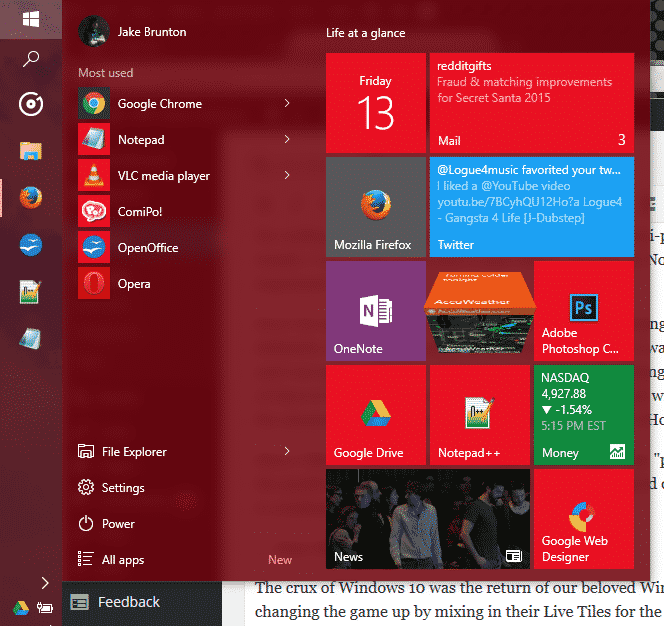
    EWTWIN10_1The crux of Windows 10 was the return of our beloved Windows Start Menu. However, Microsoft was changing the game up by mixing in their Live Tiles for the Windows Store Apps to be placed in up to 3 columns on the right side of menu. It was all great, and worked quite well. Design options are well fitted, and since TH 2, the context menus for changing up your Live Tiles are grand. But on the technical side, I find myself feeling slightly encumbered by the Start Menu.  Simply put, it has its glitches and little bugs, but the one that caught me the most is that amount of time it takes for my machine to open this awesome and modern menu up. About 0.90 seconds approximately. As for the taskbar, it still has that pesky universal problem of sometimes keeping hovered icons focused on even without your mouse hovered over it.

    2 – Windows Store Apps

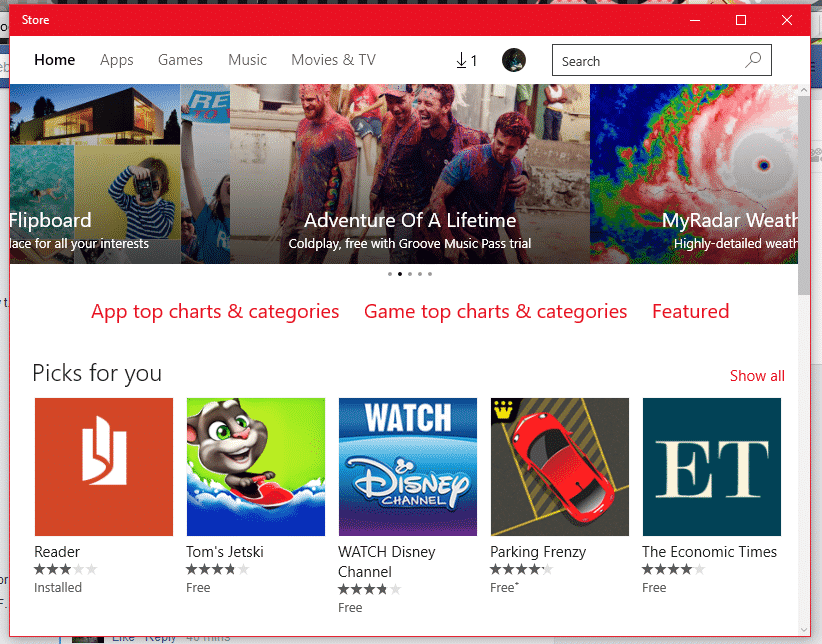
    EWTWIN10_2This is pretty much my other problem with my Windows 10 experience so far. The Windows Store offers a bunch of apps, no doubt; unfortunately only a good handful of them here and there and designed nicely and work with the system and its available APIs and standards. But the recurring problem I have here is one I’ve had since standard Windows 8. A lot of the time, apps from the app store like to either 1)close themselves immediately (and not just close, but end their own program and task(s)) and/or 2)be unresponsive (especially when communicating with servers).

    3 – Windows Search

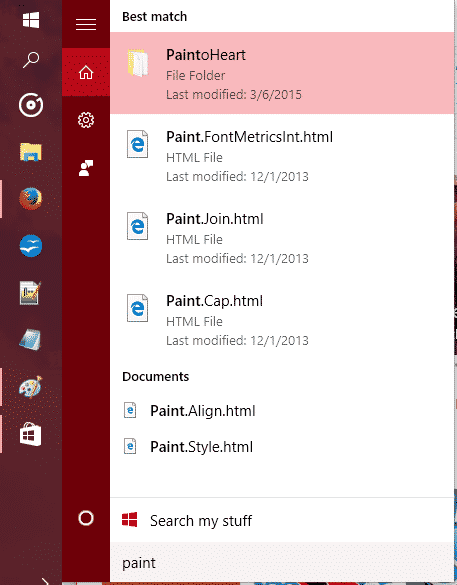
    EWTWIN10_3The new search has Cortana so you can search (and now even Send Text Messages!) with your voice. It’s all great and good. However, Cortana still stands for some good improvements, and the actual search stands for some major improvements.

    So, out of everything, those three points are the ones that have caused the most hindrance on my experience as a whole. There are other little things I come across sometimes that takes some small jabs to that ‘hype’ I had for Windows 10 as a whole, but they’re easy to look over.

    On the flip side, I still love Windows 10 so far, and love the TH 2 update. It is my favorite Windows OS to date, and it DOES have so much goodies with it. The whole Start Menu and Live Tiles, despite their usual buginess, are great altogether! And while I don’t use the feature, Cortana and the voice commands are very convenient for quick search, note taking, emailing, events, and even calling/sending texts. Faster boot times are something that is great, along with improved programs performance, virtual desktops, an activity center, and tablet mode – Windows 10 is definitely a budding operating system.

    The improved performance has helped me boost my productivity, though I will not lie when I say that the discovery of Flow Free and a third-party reddit app has held me accountable to some good procrastination. So, at the moment I recommend upgrading to Windows 10 if you have 8.1/8/7 if you want to try it out while the update is still free. If you end up disliking it, they give you a one-month use on their rollback tool to switch back onto your old OS.


    Make sure to follow EWT Net for more news and blog posts related to Microsoft, and Windows 10!

  • Samsung unveils the Exynos 8 Octa CPU

    Samsung unveils the Exynos 8 Octa CPU

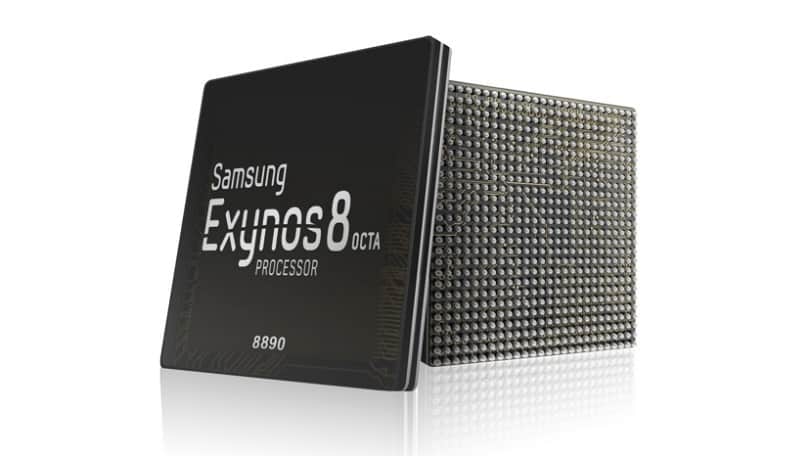
    406238-samsung-exynos-8-octa-8890Today, Samsung announced the Exynos 8 Octa 8890 CPU processor.

    This is the companies second “premium” chip built on 14nm FinFET process technology. It has a custom 64-bit CPU with four custom cores and four ARM Cortex A53 CPU cores. These specs improve the performance of the processor by 30% and cause it to use 10% less electricity.

    Samsung said devices with its chips will allow users “to enjoy and share high-resolution video content on the go with ease.”

    With our custom designed CPU cores and the industry’s most advanced LTE modem, consumers using mobile devices with the Exynos 8 Octa will experience a new level of mobile computing.” – Dr. Kyushik Hong, Vice President of System LSI marketing at Samsung Electronics.

    The tech giant has also added that the new CPU can allow for highly immersive gaming and life-like virtual reality experiences thanks to Mali-T880; ARM’s latest GPU.

    Sasmung had unveiled its first 14nm mobile application processor in February of this year. The company’s expected initiation for the Exynos 8 Octa mass production is set for later into this year.

  • Top 10 messaging apps for your Android Wear watch

    Top 10 messaging apps for your Android Wear watch

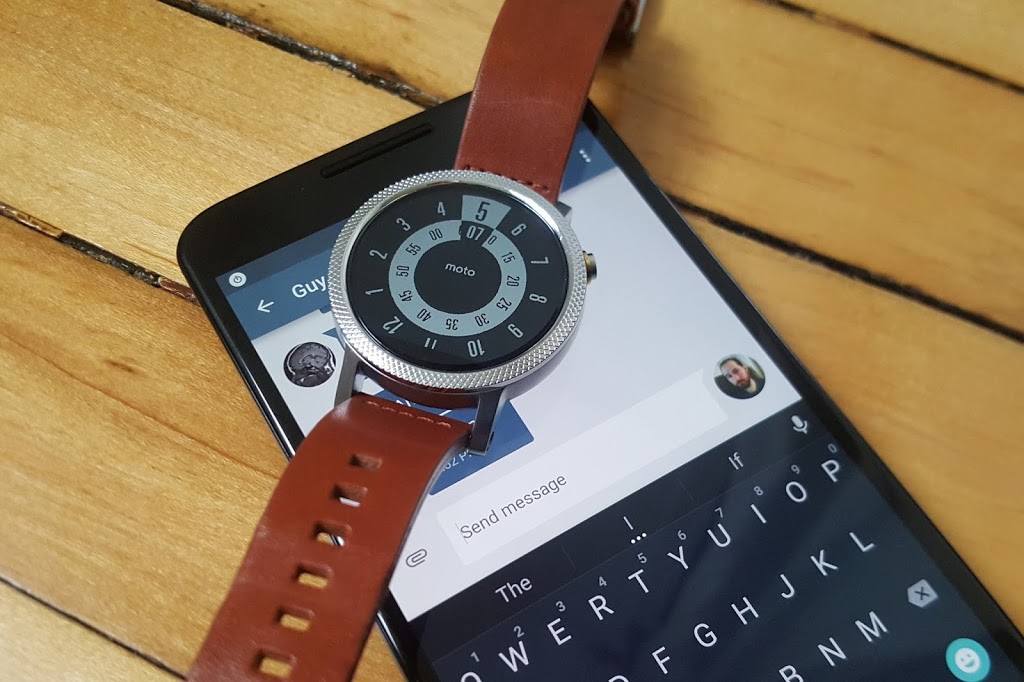
    Google has certainly beefed up the feature set of Hangouts on Android Wear since launch, but just because Hangouts is the default messaging client on most Android phones doesn’t mean it’s your only option for messaging from your wrist.

    There are plenty of great messaging apps with their own Android Wear modules. Let’s check out the best ones.

    Coffee

    Coffee is an interesting app because it’s an SMS client designed exclusively for Wear. The phone side is only used for configuring settings, adding quick responses, and organizing your contacts. Messages that come in on your phone are displayed on the watch with cool quick-reply features. The watch app includes dozens of pre-configured quick-reply snippets, but you don’t have to scroll through them all. They’re split up into categories, and similar statements are grouped together so you can build a reply in a few taps. There’s also voice input, of course. All the same messaging options are available if you want to send a new message from the watch—just open Coffee and select a contact.

    Coffee (free)

    Skype

    You won’t (thankfully) be doing video calls on your watch any time soon, but the Skype app has support for messaging on Android Wear. You’ll need to be logged into the Skype app on your phone and have it running in the background, but you can reply to all your messages from the watch. Replies are handled by voice, canned responses, or by drawing an emoji.

    Skype (free)

    WhatsApp Messenger

    WhatsApp is one of the most popular messaging services in the world, as evidenced by the more than 1 billion installs it has on the Play Store. WhatsApp was fast to add Wear support after Google’s wearable platform launched last year. Messages show up in full on the watch, and you can reply by voice. There’s no dedicated wearable app to select contacts or conversations, so all your messages have to be initiated by voice.

    WhatsApp Messenger (free)

    WearResponses

    Unlike most other messaging apps for your wrist, WearResponses doesn’t try to take over for your main messaging app. Instead, it grafts new capabilities onto the existing SMS reply functionality. Android Wear still doesn’t have customized canned replies for SMS, and that’s what WearResponses provides. You simply add your desired text to the app, and when messages arrive on the watch via WearResponses, they’ll have your custom text as quick reply options. It’s best to turn off Wear notifications for your default SMS app so you don’t get duplicates. The free version limits you to three custom responses, but the $2.99 paid version is unlimited.

    WearResponses (free / $2.99)

    Wear Messenger

    The tiny screen on your watch is not very conducive to typing, but Wear Messenger makes the experience not terrible, which is probably the best you can hope for. This app has a full wearable app that can be launched at any time to see all the active conversations and type out new replies with one of several keyboard options. You have to enable the keyboard in the phone settings app—the best one is FlickKey You tap or swipe each block of letters to get the ones you want. It’s not fast, but it’s feasible to shoot off short messages entirely from the watch. Wear Messenger also has full notification text and voice replies. It will cost you a little under $2.

    Wear Messenger ($1.62)

    Facebook Messenger

    Despite the sorry state of the main Facebook app, the Messenger client is actually quite well-supported. Facebook Messenger notifications on your Android Wear watch have full text previews, as well as the ability to respond by voice or by drawing an emoji. Want something more immediate? Next to the reply button is one that just sends a thumbs up emoji.

    Facebook Messenger (free)

    Telegram

    Telegram is a lot like WhatsApp in that it serves as a data-based replacement for SMS, but it’s free, open source, and end-to-end encrypted. It was also quick to add support for Android Wear, which entails expanded notification text and the option to reply via voice or by drawing an emoji. There’s no standalone Telegram app in the Wear launcher, though.

    Telegram (free)

    Messages for Android Wear

    You want a full QWERTY keyboard on your watch? That’s what you get with Messages for Android Wear. It’s not as insane as it sounds, and this app has a ton of functionality for sending and reading your SMS. When messages arrive, you can view not only the current one, but the entire conversation via the wearable app. If you reply, there’s a voice option or a scrolling keyboard with text prediction. It’s possible to tap out a few words when speaking to the watch or using your phone isn’t an option. A $1.49 upgrade adds canned responses, a custom signature, and more.

    Messages for Android Wear (free)

    Evolve SMS

    EvolveSMS is a full-featured SMS app for your phone, but it also has a great Android Wear client. It’s available in the app list and shows you all active conversations. Replies are handled only by voice—no fancy (or awkward) keyboards here. EvolveSMS also supports expanded message text on the watch when new messages arrive, and instant voice replies. The app is free, but if you want features like backup and themes, it’s $3 via in-app purchases.

    Evolve SMS (free)

    Google Messenger

    Hangouts has SMS support, but Google also (for some reason) has a dedicated SMS app. I’m willing to forgive the overlap, though, because Google Messenger is fantastic. It doesn’t have a full Wear app in the launcher, but notifications on the watch have an expanded conversation view and the ability to reply by voice or with a quick response. It even has MMS image preview. Like all other Google apps, Messenger is free.

    Google Messenger (free)

  • Sony Xperia Z3 – Cons, Pros and Why You Should Own One

    Sony Xperia Z3 – Cons, Pros and Why You Should Own One

    Sony is set to make a difference in our in world today by bringing about the newest smartphone Xperia Z3.

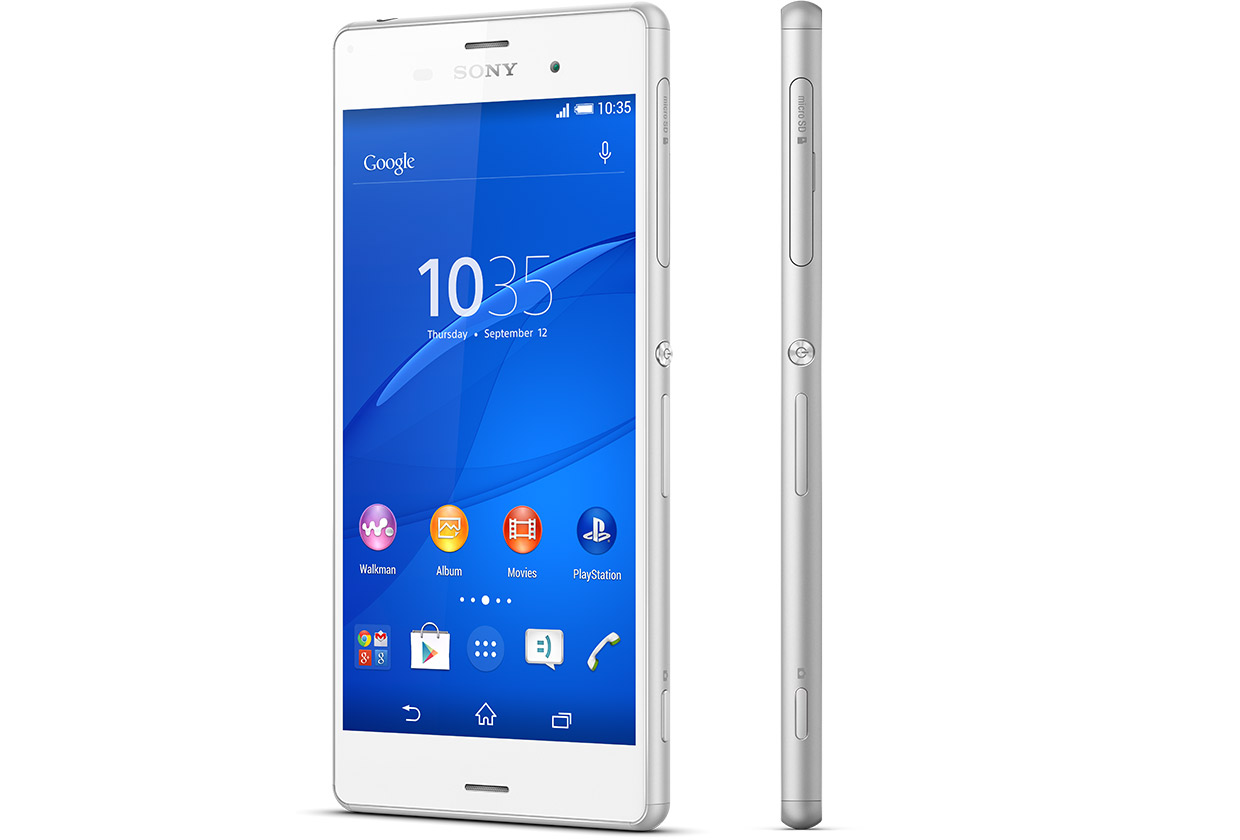
    The high competitions between reputable phone companies had driven Sony into researching and coming up with the latest Sony Xperia Z3, that has the latest premium design and highest waterproof rating capacity. the Xperia Z3 is the premium smartphone that does more by making life more easy and comfortable.

    A premium smartphone

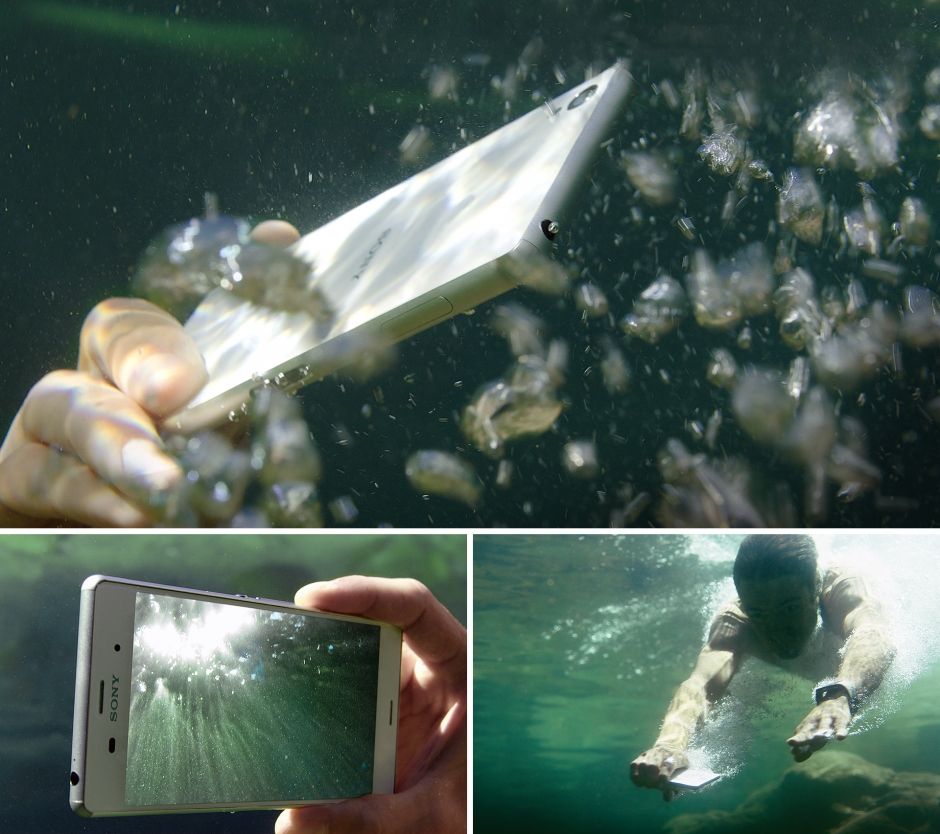
    This phone has been designed to withstand water for over 30 mins. Today you dive into pool on a hot sunny day, running when it’s raining, taking pictures in a downpour or underwater or wipe your phone when an unexpected spill occur, without considering to drop your phone or with the fear that it’s going to get damaged.


     In compliance with IP65 and IP68, the Xperia Z3 is protected against the ingress of dust and is waterproof. Provided that all ports and covers are firmly closed, the phone is (i) dust tight and (ii) protected against low-pressure jets of water from all practicable directions in compliance with IP65; and/or (iii) can be kept under 1.5 m of fresh water for up to 30 minutes in compliance with IP68. 

    Use the Xperia Z3 in the rain or in the pool

    Do you want to make great pictures and videos even better?

    You can unleash your creativity with our widest ever choice of unique Xperia camera apps. It’s our best smartphone camera yet, to make sure your memories are as vibrant as real life.

    PS4 Remote Play

    Xperia Z3 is the only phone with a PS4 game. The Xperia Z3 matches the latest gaming with the best Sony technologies. With a super-bright display and digital noise-cancelling technology, immersing yourself in your game has never been easier.


    Products Highlight


    • GSM / 4G LTE Capable
    • 20.7MP 1/2.3″ Exmor RS Camera Sensor
    • 25mm Sony G Lens + BIONZ Processor
    • 2.5 GHz Quad-Core Snapdragon 801 Chipset


    Additional Features


    • Performance battery life offering up to 2-days of regular usage
    • HighAdreno 330 GPU
    • Display Technology: TRILUMINOS Display for Mobile, Live Color LED, X-Realty for mobile, IPS display
    • Display Construction: Durable tempered glass
    • Sensors: Accelerometer, ambient light sensor, barometer, game rotation vector, geomagnetic rotation vector, gyroscope, magnetometer, step counter, step detector, significant motion detector, proximity
    • Playback/Record Supported Format: 3GPP, MP4, AVI
    • Compatible with the Sony Game Control Mount and wearable tech watches

    Sony Xperia Z3 can be purchased from Amazon or any retail store near you. To see more details or purchase this item, click here.

  • Ultraportable ASUS Transformer Book – Review & Spec

    Ultraportable ASUS Transformer Book – Review & Spec

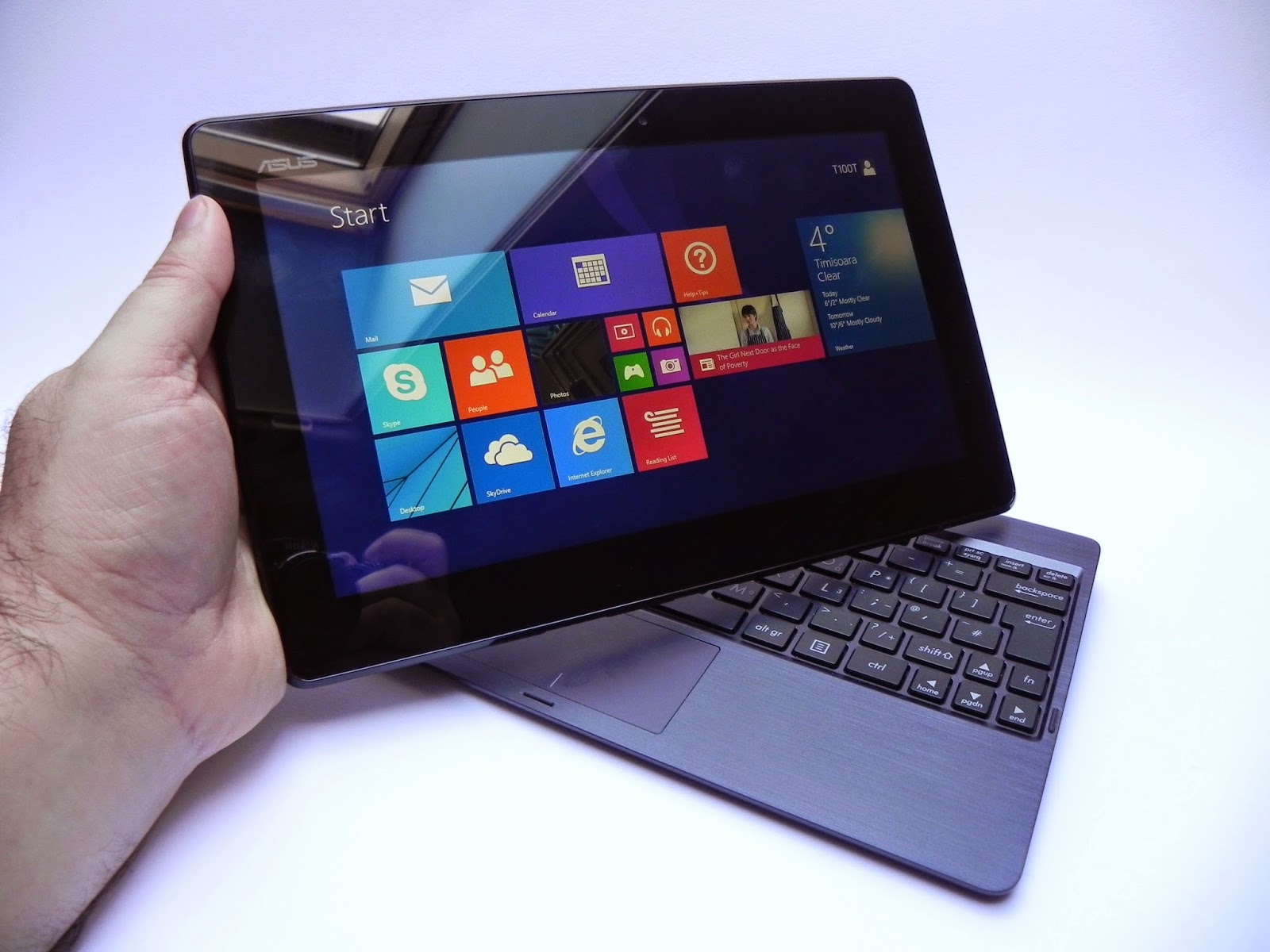
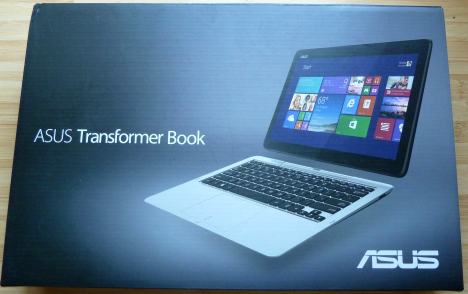
    The Asus transformer Book T100TA is a beautiful ultraportable 10.1-inch tablet  with Windows 8.1 pre-installed.

    You can detach the tablet to work and play anywhere, dock to enjoy the comfortable keyboard, smart gesture-enabled touchpad and advanced connectivity. Style, power and convenience. this beautiful device Transformer Book T100 is sleek, slim and also light — measuring less than 1 inch thin and a mere 2.4lbs docked.

    When you need to travel even lighter, simply detach the 10.1-inch tablet and you’re all set to go, with full sized keyboard which can be used on tv screens, stream and watch from a distance with family and friends

    Key Specifications

    • 10.1 inches Display Screen with a Max Screen Resolution of 1366 x 768 pixels
    • 1.33 GHz Atom Z2760 Processor
    • 2 GB DDR3 RAM
    • 64 GB Hard Drive
    • Intel HD Graphics Graphics Coprocessor
    • Bluetooth Wireless Device
    • 1 USB 2.0 Ports
    • 1 USB 3.0 Ports
    • 11 hours Average Battery Life (in hours).
    • Windows 8.1 Operating System
    • 1 pounds Weight
    • 1 x 1 x 1 inches Dimensions L x W x H
    • 64.0 Flash Memory Size
    • 1 RPM Hard Drive Rotational Speed
    • No optical drive
    • 1 Lithium ion batteries required. (included)

    Purchase this product from Amazon

  • It’s the Holidays, here are 10 Apps/Movies/Albums on Google play to get to get in the spirit.

    It’s the Holidays, here are 10 Apps/Movies/Albums on Google play to get to get in the spirit.

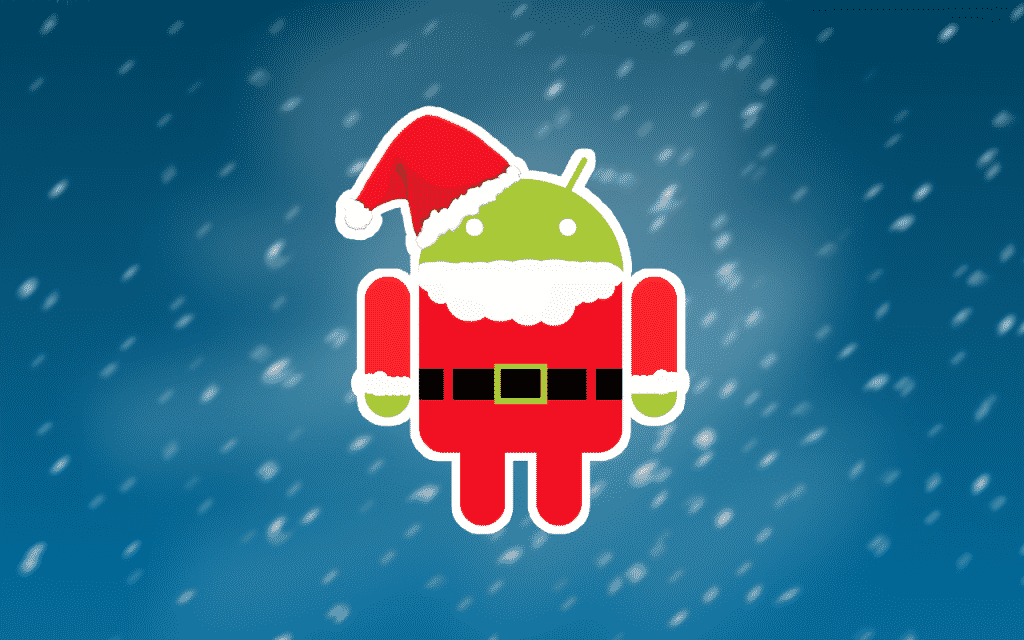
    SantaDroid-1 (1)
    Hey, are you an Android user? Good, because the end-year Holidays are rounding up on us quick, and you need to snap into the spirit! We live in a amazing age where we can set the mood from the power of a small device, in this case your Android. So, with that out of the way let us make like Santa to our list of 10 Apps/Movies/Albums to get on Google Play to help get you “ho-ho-ho’ing” into the spirit of the season.

    1) Frosty the Snowman: Holiday Collection (Movies)

    Ah, a classic! Fortunate for you this Holiday Seaon, Frosty the Snowman: Holiday Collection is available on the Google Play store. Each episode starts at $9.99 but you can save by getting the entire bundle for $12.99. If you have a Chromecast and you’ll be having a lot of kids around this season, then you should definitely look into this classic set of short-films.

    2)Wish – Shopping made Fun (App)

    You or someone special to you a fashonista? Then you should definitely check out this Android application conveniently named “Wish.” Their slogan; Shopping made Fun. I personally am using this app (yep, that means an app review to come soon), and so far I can definitely recommend it. It’s focus is letting worldwide customers get constant deals stacked on deals on awesome clothes, accessories, and other fashion items that are sold from vendors around the world. Take my word on it, it is cheap. Perfect to make you some quick “ugly sweater” shopping for X-mas.

    3)Christmas Fun (App)

    Step one: get some friends. Step two: put on ugly sweaters. Step three: make hot chocolate. Step four: sit down and pull out this game. Step five: ??? = Merry Memories. This newly found app on the Play store is a Christmas oriented piece of work. Developed by SMARTSTUDY, this app is meant to make your Christmas season more fun with songs and activities. It comes with features like 16 Christmas songs with a sing-a-long feature, little seasonal games, and more all accompanied by amazingly cute graphics and animations.

    4)Mr. Hankey’s Christmas Classics (Music)

    It’s Christmas, and you are wanting some funny sh*t. This album is for you. You will be greeted with a total of 18 songs all across the South Park history of Christmas and Holidays. No doubt that this could help make your office Christmas party less quiet and more fun (no guarantee on how it will effect the status of your job) for everyone!

    5)NOW Today’s Christmas (Music)

    This album is for those looking to move onto new traditional music for the Holidays. This “NOW” album is a good pick up for a great price ($5.99) that focuses on Christmas music from today’s hottest artist.

    6)Betty Crocker Christmas Cookies (Books)

    Mmmm..imagine waking up to the smell of delicious, beautiful cookies on Christmas morning – only to find out that Santa had eaten them. Anyways, this book on Google Play Books is filled with Christmas-oriented cookies recipes. Perfect gift for your mom, or yourself if you love to bake!

    7)Allrecipes Dinner Spinner (Apps)

    Staying on the trend of recipes and cooking (I like to cook in my spare time), next on this list of Holiday Android goods is the Allrecipes (Dinner Spinner) application. Having personal experience with this app, I can definitely recommend it for everyone preparing multiple items for that Christmas dinner, or that New Year’s Eve punch.

    8)Hotwire Hotels & Cars (Apps)

    This app will be best for those travelling around this Holiday Season. Hotwire helps their users get discounts on great hotel rooms and rental cars. No more stressing over the pre-planning stage of your family Holiday travels!

    9)Kids Paint Christmas Cards (Apps)

    Kids Paint Christmas Cards is a neat little app that offers a cutesy painting system that your children will love. You can use the replay mode to re-watch your coloring session, and share created cards to friends on social media. There are 60+ templates, so get to it!

    10)Amazon (Apps)

    And to tie off the list with a fan-favorite: the official amazon app for Android. Download, tap items into your cart, and get those last-minute gifts in quickly and safely.
    There, now you have your Christmas and New Year’s Eve setup from your friends at EWTNet! However, this is just our own personal list of recommendations, if you’re looking for more go and check out Google’s Holiday Prep Kit on Google Play! Happy Holidays from EWTNet.
    BONUS: Love our tech-related news and updates? We also offer tech profiles and job vacancies in the US and Africa. You can get our official Android app here and make your technical Holiday Season better and more informative.
  • Android Horror Games Terrifying to Play with the Lights Off

    Android Horror Games Terrifying to Play with the Lights Off

    Are you an Android horror game addict? Or you just didn’t get enough of Halloween night and still want images that will scare you to death? Be careful of what you wish for, here are 5 most scariest of horror Android games. Don’t be ashamed to curl up in a ball in the corner. These Android horror games will scare the pants off of even hardened gamesters.

    Android horror game

    Real time horror games are something you are not likely to find in any of the Play Store’s top game charts. It’s nothing to be worried about, really: A lot of people would prefer to be chased by a nice looking ‘monster monkey’ in Temple Run than to face the real terror in Android horror games.

    [Further Reading: 3 Smartphone & Tablet Games you Must Play this Week]

    As horror as horror games sounds, most gamers still prefer the suspense, and don’t need swarms of disfigured monsters creeping at them at all times to have fun. Meanwhile, others want exactly that. In that light we have tried to strike the balance between the thrill-seekers and the ones who just want a creepy enough game that is simply incompatible with poorly-lit environments.

    The good thing about this list is that the games are free and risk free: If they scare you hard enough, you might as well uninstall them and try board games.

  • Android 5.0 Lollipop Review: Yet another OS Android Developers will Love

    Android 5.0 Lollipop Review: Yet another OS Android Developers will Love

    Yes, you heard right! Google has decided to put an end to the speculations of a new Android OS and officially pulled the curtain on its new OS version Android 5.0 Lollipop. 

    Two days ago, the company announced the release of a new Android version 5.0 Lollipop on their official blog – An OS designed to “work on all your devices and to be customized for you the way you see fit.”

    Android 5.0 Lollipop featured image. Credit to Google official blogspot
    Android 5.0 Lollipop featured image. Credit to Google official blogspot

    Android has a face only an engineer could love. At least, that’s the reputation it has earned over the past few years. Google’s mobile OS is a hotbed of mobile innovation and new technologies, but its interface doesn’t have the friendly consumer-centric design of iOS or Windows Phone. With Android 5.0 Lollipop, Google aims to overhaul this shortcoming, while baking-in a handful of nifty new features.


    Google stated that “Lollipop is designed to be flexible, to work on all your devices and to be customized for you the way you see fit.” That may be true to some extent but the plastic surgery is incomplete. While iOS7 is easily identifiable by its flat bright colors and lightweight fonts, and Windows Phone carries on with Live Tiles, the Lollipop interface has no single recongnizable trait. Yes, it’s flatter and brighter, but what isn’t these days? Worse, the redesign seems pushed out the door too early. Scratch beneath the surface, and you’ll find built-in apps and menus that haven’t been udpated to the new look. There’s a lot to like in Google’s name-branded OS release, but this sweet treat isn’t quite ready to be unwrapped.

    New Cosmetic Look

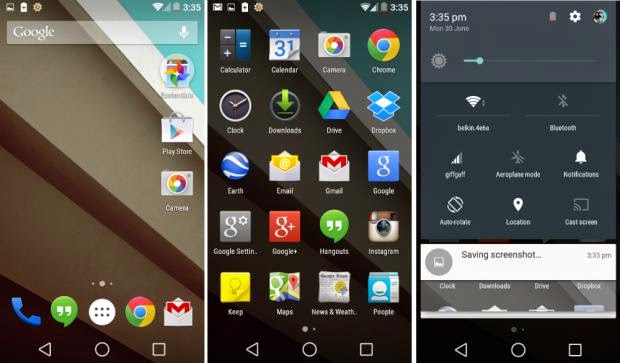
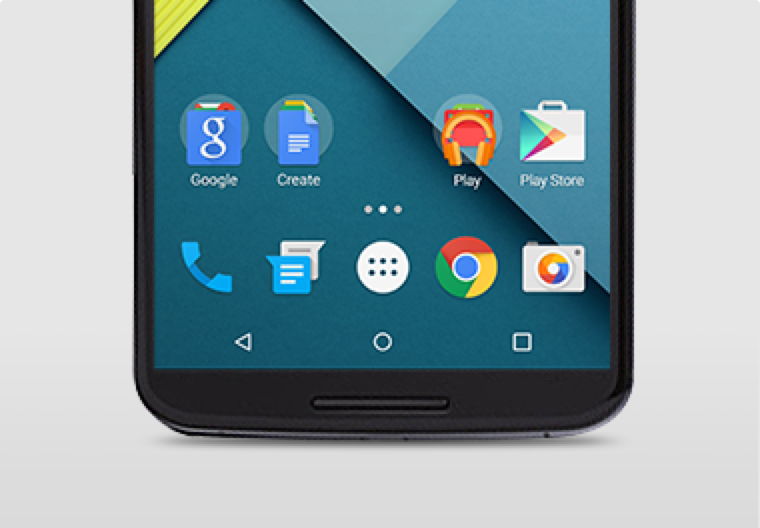
    Android 5.0 Lollipop has a new vibrant look, otherwise called Material Design. Google has finally ditched the traditional look of the Android soft keys at the bottom of the screen and has adopted something rather more stylish.

    New Soft Keys. Image by Knowyourmobile
    New Google Now Launcher. Image by Android

    The “Home” symbol is now a circle, while the multitasking menu is a square. The back button is a reversed arrow that looks like it has been lifted from a 1980’s tape player or VCR unit. It’s quite a drastic change and does take some getting used to, especially if you’ve been using Android since day one.

    The new OS is also bundled with a new launcher. A clean, simple, customizable home screen that comes with the power of Google Now: traffic alerts, weather, and much more, just a swipe away.

    Extensive Battery Life Saver

    Android L brings with it Project Volta, Google’s attempt at giving developers more visibility on what aspects of their apps are draining the most juice. While it’s early days here, the majority of the apps we tested had not been configured to make use of Volta, it’s a solid move by the Big G, as it gives you a more accurate indication of how long your phone is going to last and what apps are sucking up most power.
    Another nice touch is that when you’re charging your phone, you’re told how long it will take for the battery to be fully topped up. While we’ve perhaps not spent enough time with Android Lollipop to get a complete picture, it did seem to give our Nexus 5 more stamina than KitKat.
    Finally, we have Battery Saver mode. How this works is simple, although the service isn’t anything particularly new – plenty of OEMs already build similar features into their hardware. The idea here is to conserve battery life, so when your battery hits a certain percentage, you can set the Battery Saver mode to kick in and throttle the performance of the phone to ensure that juice lasts a little bit longer.

    Newly Improved Notification & Lock Screen

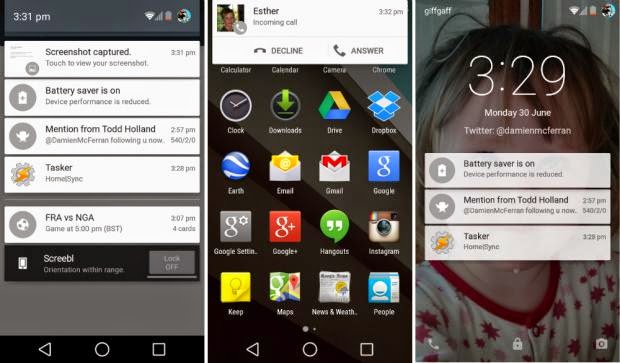
    This is perhaps the biggest area of change in Android Lollipop. Notifications have undergone a complete overhaul, and now look a lot like Google Now’s card-based system. Notifications are displayed directly on the lock screen, and tapping a card allows you to unlock the device and jump straight to that area. You can even expand cards to see more details, such as a list of emails, with the phone still in its locked state (If you don’t like the idea of people being able to snoop on your personal messages then you can enable a feature which locks away the detailed info).
    Newly improved notification and lock screen. image by Knowyourmobile
    It’s a very clever move by Google, and one that brings you even closer to the content you need on your handset. Even if you have a security lock in place, the fact that you can tap the notification you wish to see, unlock the phone and then leap straight into the relevant information makes the whole process seem a lot smoother. You can also swipe away and dismiss notifications without actually unlocking your device.
    When the phone is unlocked, notifications can be displayed by sliding a finger down from the top of the screen. Rather than showing the data in a slide-down panel, as was the case in previous versions of Android, a series of cards flow over the top of your current view, which can be seen behind the cards at all times. This “flowing” cascade of cards is set to be one of Android L’s most striking visual changes. As before though, the slide-down notifications panel has two stages: your finger swipe shows notifications, while a second swipe pulls down the quick settings menu.
    While Google is giving notifications a face-lift, it’s also making them less obtrusive. If your phone is unlocked and you’re involved in another activity, such as browsing emails or playing a game, the call details appear at the top of the display. You can accept or reject the call without having to pause what you’re currently doing. Another welcome addition is the Do Not Disturb function, which you can quickly enable to stop you being bugged by your phone.
    However, Lock-screen widgets have been removed entirely, so if you’re a fan of browsing your emails without unlocking your phone, then you might be disappointed.

    Lollipop is Pretty Good & Tasty

    From its list of features, Lollipop sounds tasty, and Android 5.0 is certainly a step in the right direction. Its interface is bright and inviting and the newly added secondary features like “People” app and a new Dialer application should help make stock Android even more consumer friendly. You also have top-level access to Google+ and Google Now, so there’s no excuse not to take advantage of Google’s most hottest features.
    A lot of popular phones will get upgraded to Lollipop in the next couple months, though Google has recently launched Nexus 6, Nexus 9 and Nexus Player, all powered by Lollipop. Hopefully by the time Lollipop makes its way to your device, Google will have tied up some the loose ends—adopting the new design in all of its core apps and consolidating the myriad of new settings. Or, it can continue to torture us like it did with Kitkat by making only incremental changes to the entire Android package with each release, spacing out core app updates by months.
  • Spirit Run Android Game Review – Translate to the Spirit Realm

    Spirit Run Android Game Review – Translate to the Spirit Realm

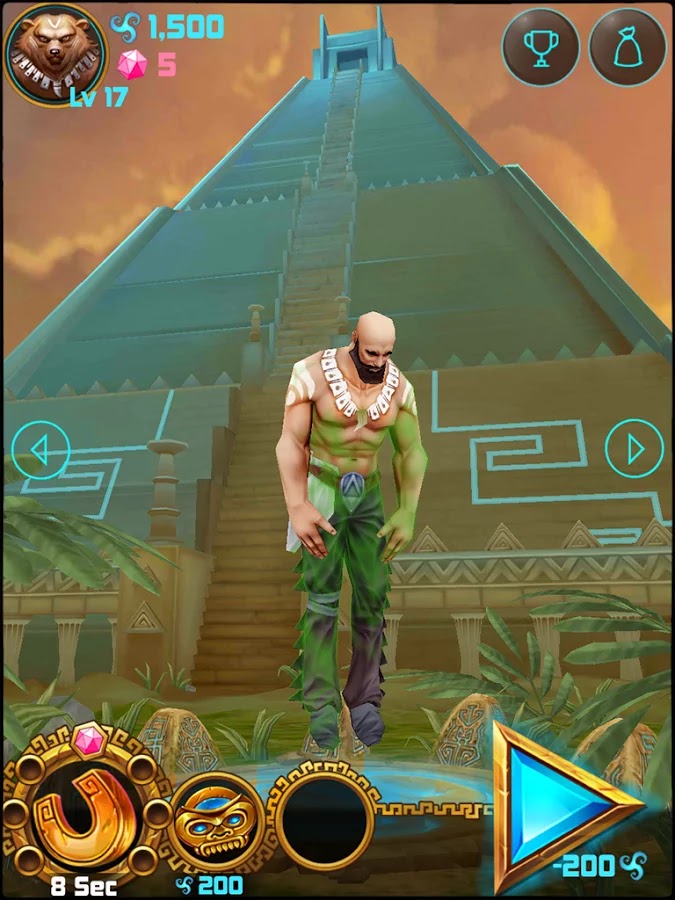
    Temple Run might have let you gone through series of harrows, chased by an angry monstrous monkey and overcoming deadly obstacles. Well, the saying that you can be anything is true, at least on your Android device: Spirit Run Game will let you go through ancient rituals, transform your soul into an animal’s and help your brood defend the Aztec Temple from apocalypse!

    As the quest to protect the Acient Aztec Temple becomes paramount, level-up your Spirit and run in search of soul energy balance. Choose from five characters immensely, each. gifted to transform into Wolf, Fox, Bear, Panther, and Panda respectively.

    Spirit Run Android game was produced by RetroStyle Games. It was first published on the 6th of September and has since being installed by 10,000 – 50,000 Android users. As it goes “The best things in life are free” Spirit Run game might turn out to be one of the best game on your mobile device.

    Content Rating:

    Everyone

    Our Rating: 3.5

    Requires Android:

    2.3 and up

    Game Producer:

    RetroStyle Games Spirit Run is a free Android game with Awesome graphics and well made with a good mix of strategy action and RPG.

    Pros:

    • Free games with NO Ads

    Cons:

    • You may experience a slow start but it gets better

    Download Now

  • Mercury mTAB Star M831G Tablet – Review & Spec

    Mercury mTAB Star M831G Tablet – Review & Spec

    Mercury mTab Star m830G Dual Core-1.2GHz (1GB RAM ,8GB HDD, 3G), Dual SIM 7-Inch Android Tablet

    COMMENT: Mercury might not be biggest name in the tablet segment but are set to make a statement with their new 7 inches mTAB Star tablet.

    NIGERIA – As the competition within the tablet segment continues to rage, SamsungTecno and the big guns manufacturers are lining up new and improved models of their existing stock. Not only are they, in most cases, manufacturing less expensive devices, but others like Kobian, are also loading on the features and trying their hardest to maintain a competitive price structure. Kobian launched their first Mercury Tablet the mTab, back in the tail quarter of 2011. It proved to be just above average, however, in the budget tablet division, while keeping the price under N30, 000 ($185.29). Their latest announcement is of the upgraded version of the same device only now infused with 3G capabilities and dual SIM support.

    The Mercury mTab Star M831G features a 7-inch display with a resolution of 1024×600 pixels. The device is powered by a 1GHz dual core Cortex A9 processor and is based on the MediaTek chipset. It comes with 1GB of RAM and 8GB of internal storage that can be expanded up to 32GB with the help of a microSD card. It runs on Android 4.2.2 Jelly Bean. The tablet is encased in a metal body and weighs 400grams.

    The tablet comes with Dual SIM card support complete with voice & video calling functionality. The tablet is far from being the ideal device for explorers and vacationist as it can only boast of a 2.0-megapixel rear camera with LED flash and a VGA front-facing camera. Connectivity options on the tablet include Wi-Fi, Bluetooth, Micro-USB, HDMI and 3G. While also supporting tethering & hotspot. Other features include a 3.5mm audio jack, built-in speakers, Flash 11 support and SGX531 3D graphics engine. The tablet includes a 3000mAh battery.

    The device will be sold out for around N21, 995 – N25, 000 in most retail stores and less than N21, 000 in online stores such as Jumia.

    Mercury mTab Star key specifications

    • 7-inch display with a resolution of 1024×600 pixels
    • 1.2GHz dual core Cortex A9 processor
    • 1GB RAM
    • 8GB of internal storage, expandable up to 32GB via microSD card
    • 2.0-megapixel rear camera
    • VGA front camera
    • Android 4.2.2 Jelly Bean
    • 3000mAh battery
    • 3G, Wi-Fi, Bluetooth
    • Dual SIM support

    In the Pack & Rooting mTAB Star M831G

    When you open your brand new device pack, you will find the following items:

    • 16 pages user manual
    • A USB data connectivity cable
    • Battery charger
    • USB tablet adapter
    • A pair of cable headset
    The tablet comes with Whatsapp, Temple Run, OfficeSuite & Angry Bird pre-installed. Of course, to ensure master control of your device you might consider rooting it. We have tried the Kingo Rooting software and it works perfectly for this device.
  • Unlocking your Android Phone could be that easy with Device Unlock App

    Unlocking your Android Phone could be that easy with Device Unlock App

    Recently, Obama granted smartphone users the freedom to unlock their devices and T-Mobile has made this  freedom even more remarkable with a new Android app that lets you unlock your smartphone with one click or maybe two.

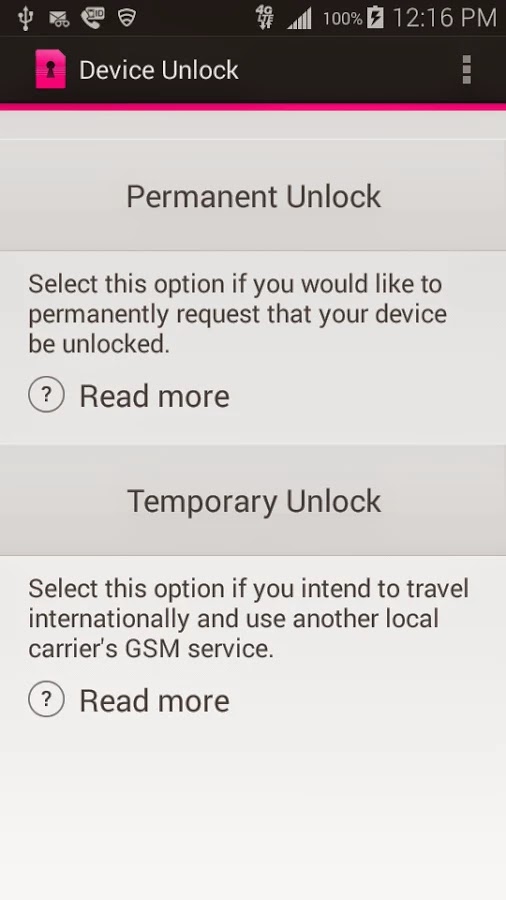
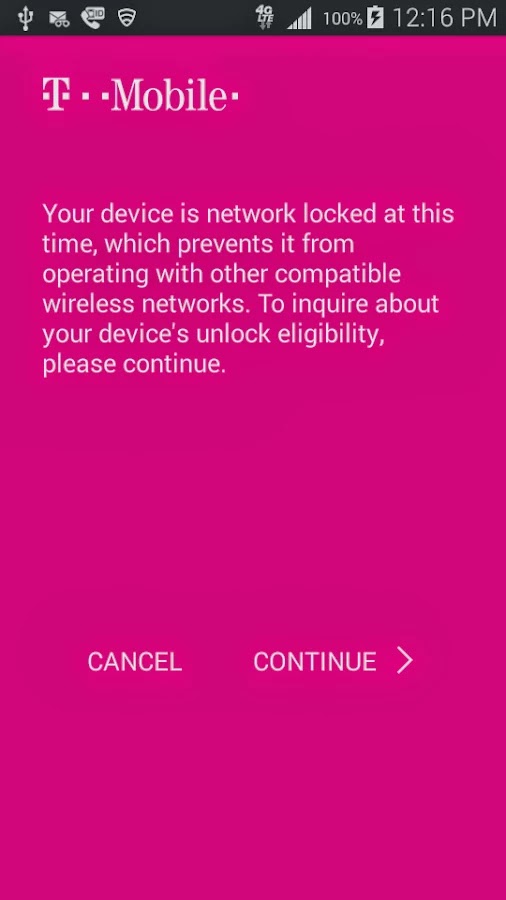
    Device Unlock is an application that allows you to request and apply a Mobile Device Unlock directly from the device. For many of you Android users out there, you probably know your way around, but there are many out there with tied-down phones who have no idea where to start. And since unlocked phones are basically a civil liberty for the time being, T-Mobile plans to help them.

    Note: Unlocking your smartphone is completely different from rooting your Android device. For walk-through on how to root most Android devices, kindly read: 3 Steps to Root any Android Phone with 1 Click

    A Coin of Two Sides

    The Device Unlock App offers you two options: one that permanently unlocks a device, for those who want complete freedom from the carrier, and a temporary unlock, which frees the phone for 30 days so you an use it overseas. The permanent unlocking option will check to see if your device is actually eligible for it before it completes the process.

    The Downside

    While the functionality of this app remains flawless, the limitation of supported devices remains the Achilles heel: So far, the application may install successfully on devices like T-mobile variant of the LG G3 but only works on Samsung Avant devices as clearly stated on the Play Store description. This has earned it a number of criticism among Android users in the Play Store. However, according to TmoNews.com, the US’s fourth biggest carrier is working on an app that lets its users easily unlock their phones with the literal touch of a button. It’s a really smart idea, and it’s probably how the carrier plans to appeal to all the novice smartphone users out there.

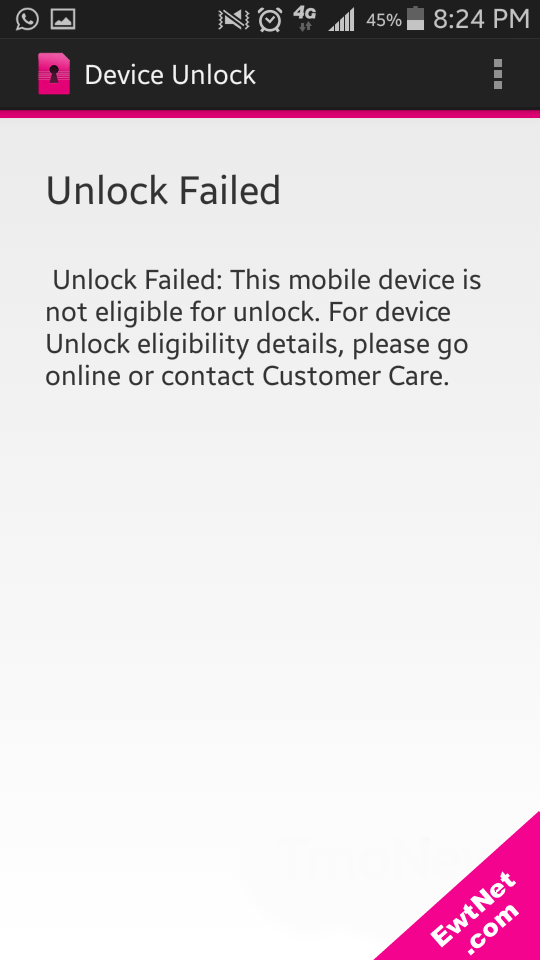
    When unlocking is unsuccessful an alert pops up with details on why the your unlocking failed (See screenshot above).

  • Launcher 8 for Android Review: Turn your Android into Windows 8

    Launcher 8 for Android Review: Turn your Android into Windows 8

    Launcher 8 (fake wp8) is a Android application that turns your boring, dull Android home UI into a fluid, mock-up UI of that of a Windows 8 phone! Developed by the QiHang Team, this application has been downloaded over 5 million+ times, and really turns your Android into something else! Now, I (Jake) of EWT will go into detail of my review and thoughts of the app!  

    Installation

    The installation process is very easy, smooth, and simple. Just download from the Google Play Store, install, and press your home button and set Launcher 8 as your main action for “Home.” Wa-la! There’s no hacking, modding, or rooting needed to install this application.   Installation is very simple, great work there.  

    New UI & Logics

    The app’s added new ui and logics is very helpful and astonishing! After installation, you instantly have the power of an Android phone with the look and options of a Windows phone. There are many themes users have made that you can effortlessly download and install, or you can customize yourself!   You can add/edit/remove tiles, re-size, and even use special “widget” tiles that are included in the app. You can bind your installed applications to tiles, change individual tile background colors, names, and more. This application truly gives you control over everything! It also is programmed to work with certain apps, such as SMS, Phone, and Facebook – showing the number of new notifications, missed calls, and new SMS messages. It’s very convenient! The app also has a setting for a customizable lockscreen, which completely overrides the default Android lock screen – you can add custom backgrounds, change the layout, etc to it and add a password. The only problem with the lockscreen in this app is if you had a lock screen set up on the default Android UI before this installation, applications like “Camera” and such will not work correctly, and pressing your Home button will try and take you to the original Android lock screen rather than the Launcher 8 lock screen.    You can, however, fix this by simply going to System Settings -> Security -> Passwords and turning off any locks, pins, etc. You can set your lockscreen pin for Launcher 8 in the Launcher 8 settings.  

    Effect on Battery

    One of the main, if not the only, downside to this application is the power consumption. You’ll be loosing more and more phone battery life every 2 to 3 minutes even if you’re in idle mode. However, the QiHang team brags that their Pro version is more power efficient. This application really does take a toll on your battery life, my Android has been on the charger more then often since the install.   

    Final Thoughts

    I believe this is a great Android application for those who want the power of Android/Google products but the look and feel of a Windows product. It has great potential, and I believe it would be even more widely popular if the free version was less battery-consuming. It could use some literary work (the grammar for settings are poor), and some of the ads are a bit mis-placed and annoying, but all around it’s pretty amazing and I’m sure to never uninstall it!  

    Final Rating

    Price When Rated:

    $2.58Free

    Our Rating: 4.5

    Requires Android:

    2.0 and up

    Content Rating:

    Low Maturity This is a great app, and does everything that it says in it’s description. However, there is room for improvement and the battery drainage is what really kills it from being 5 stars.

    Pros:

    • Complete customization; Easy to customize to your liking
    • Downloadable themes; For those living in the fast lane
    • Beautiful and fluid; Includes smart widgets and is beautiful with live tiles
    • Free with minimal ads, and many options and settings to configure

    Cons:

    • Drains the battery of your device VERY fastly
    • Lockscreen issues occur if you have the default Android lockscreen already set up
    • Can be a bit laggy once you first boot up your Android

    Download So, what are you waiting for? Go download Launcher 8 now, you won’t regret it!

  • Become Ten times Smarter with Android Smart Tools

    Become Ten times Smarter with Android Smart Tools

    Have you ever thought of making your smartphone much more smarter than it is?

    Going outdoors or camping, but not knowing exactly where to start? Or you just want to feel secured with a full suite of tools covering lots of different things – measurements of all sorts, flashlights and more?

     Smart Tools has everything you might need in your day-to-day life! On more than one occasion, this awesome android app has got me out of a traffic jam, so it comes highly recommended.

    Smart Tools Version 1.7

    The latest version of Android Smart Tools comes with 5 Pro sets for a total of 16 tools. In a word, All-in-One

    • Set 1: Length, Angle, Slope, Level, Thread – Smart Ruler Pro 
    • Set 2: Distance, Height, Width, Area – Smart Measure Pro
    • Set 3: Compass, Metal detector, GPS – Smart Compass Pro
    • Set 4: Sound level meter, Vibrometer – Sound Meter Pro
    • Set 5: Flashlight, Magnifier, Mirror – Smart Light Pro
    • Set 6: Unit – Unit Converter

    Cons

    The heaviest downside of this app is the lack homescreen shortcuts to individual tools. Maybe it’s just me but you pay for this app then realize there are no shortcuts then the author wants you to buy the individual tool apps or be pledged with adverts!  

    Pros

    This app basically helps you deal with any measurement problem you may encounter. It’s affordable price tag will also give it an edge over similar apps in the play store.  

    The best way to understand this app is probably by experimenting with it. Nonetheless, I can guarantee that your $2.55 will be worth it.

    Price When Rated:

    $3.00$2.55

    Our Rating: 3.5

    Requires Android:

    2.2 and up

    Content Rating:

    Low Maturity Download