Category: Technology

  • Where is Apple’s iPhone 5C Headed?

    Where is Apple’s iPhone 5C Headed?

    With Apple releasing new iPhones next week, the question arises: what will happen to its existing models?

    With recent releases, Apple has kept older devices around to serve it at lower price points in certain regions. But which older devices are going, which are staying and what will the prices be?

    Just as a thought exercise, let’s talk this out.

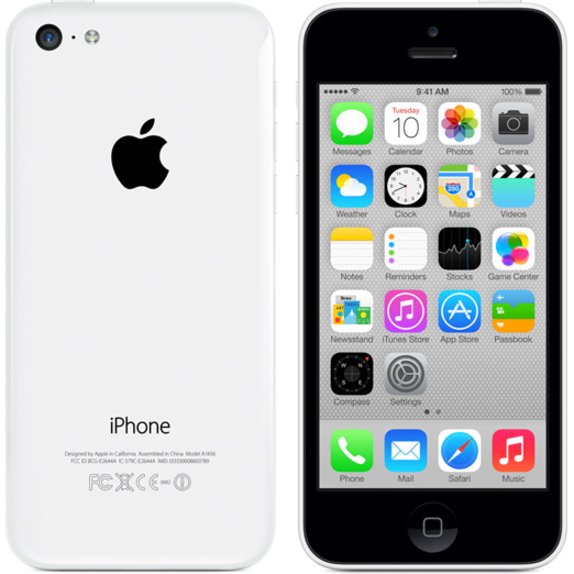
    What I would conjecture is that the iPhone 5C is going away, a move that that wouldn’t come as too much of a shock to most, though sales of the device have appeared to pick up lately. Though I personally like the look and feel, and think that it’s well built, the perception is that it’s a ‘lower end’ device that packs older innards. Apple could easily drop it from the lineup to make room for a new ‘low end’ unit.

    That new low end? Probably the iPhone 4S.

    Yes, it’s 3 years old, but the hardware is still decent and runs iOS 7 (and iOS 8) just fine. But it’s also 3 years old — that means that Apple has had time to get the manufacturing costs for the device down, way down.

    By dedicating manufacturing facilities to making these older devices, and using parts and processes that have only gotten cheaper over the intervening years, Apple could afford to charge as little as $300-$350 for the 4S, making it a relatively attractive buy in places like India, Southeast Asia and other markets were it needs more penetration outside of the ‘subsidy-rich’ US.

    As far as the iPhone 5S, I’d guess that will probably stick around too — as a ‘medium end’ subsidized model. If Apple is able to get it to clock in at around $500 then it could have real success as a prestige buy for the mid-tier Chinese customer. And Apple could probably find a way to subsidize it down to the $50-$100 range in the US.

    Because of its status as a premium unit — with premium materials — it wouldn’t fall into the same ‘unapologetically plastic’ perception trap that the 5C did. Too expensive to be considered ‘cheap and cheerful’ but too cheap (perceptively) to be considered a status symbol.

    Of course, I could be wrong and the 5C could stick around for another year. We’ll see.

    This article was first seen on Techcrunch. Image copyright belongs to Techcrunch

  • Sony Xperia Z2 – Review, Spec & Images

    Sony Xperia Z2 – Review, Spec & Images

    Sony’s smartphones rarely get the credit they deserve in the U.S. market. With the exception of a few, the company’s smartphones are usually limited to unlocked and online sales only, which doesn’t help them gain consumer mindshare. It’s unfortunate, as Sony has crafted some impressive phones, and it’s latest flagship, the Xperia Z2, is no different.

    At $700, the AT&T and T-Mobile-only smartphone is going to be a non-starter for some people. Still, the Xperia Z2 is just as good as any other top-tier smartphone today, featuring a solid camera and great design, imbued with Sony’s unique style.

    Sony Xperia Z2 key specifications

    • 5.2-inch display with a resolution of 1080 x 1920 pixels
    • Quad-core 2.3 GHz Krait 400 processor
    • 3GB RAM
    • 16GB of internal storage, expandable up to 128GB via microSD card
    • 20.7 MP rear camera
    • Shatter proof glass
    • Android OS, v4.4.2 (KitKat)
    • Non-removable Li-Ion 3200 mAh battery
    • 2G, 3G, 4G, Wi-Fi, Bluetooth 4.0, Wi-Fi hotspot
    • Micro SIM support

    A solid performer

    Just about every aspect of the Z2’s design has been changed for the better.

    The Xperia Z2 has “flagship” written all over it. Shipping with a 5.2-inch 1080p HD Triluminos display, 2.3GHz quad-core Qualcomm Snapdragon 801 processor, 3GB of RAM, and a 20.7 megapixel camera, it seems as though the smartphone will still be a viable option well into the next year.

    Rounding out the specs, the Z2 comes with the usual suspects: Wi-Fi, aGPS, NFC, Bluetooth 4.0, and a large, 3,200 mAh (embedded) battery to keep you powered up.

    The Z2 has slimmed down compared to it’s older brother, the Z1. Sony managed to throw a larger display in a slightly thinner narrower frame by shrinking down the oversized bezels found on its predecessor. The one area that the Z2 has grown in is height: it’s almost 3mm taller than the Z1.

    The layout of the Z2 is basically identical to the Z1. Ports remain in the same place (complete with lanyard holes), though the Z2 has a few tweaks that go a long way. First, the speakers have been moved to the front, which will make watching videos on the Z2 that much better. They don’t produce the same stellar sounds as the HTC One (M8), but it’s still miles better than most smartphone speakers today.

    Sony introduces digital noise cancellation with the Z2, which requires the included MDR-NC31EM headphones. Also available separately for $60 at the Sony Store, the packaged headphones are just another perk you’ll get with the Z2.
    Star of the pool party
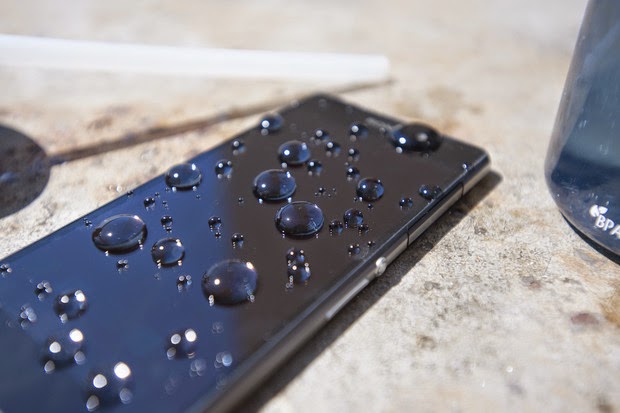
    Thanks to its water resistance, you can be assured that H20 is no match for the Z2.

    Sony was one of the first of the major OEMs to add water and dust protection to its flagship smartphones. The Z2 continues in this tradition with an IP55/58 rating, allowing it to be submerged under 5 feet of water for up to 30 minutes. This is a great trend among manufacturers, and the Z2 is somewhat functional while submerged: you can use the camera underwater, thanks to the dedicated camera button.

    A downside to all of the water resistant powers of the Z2 is that most ports have big flaps covering them to protect from water getting in. It’s a necessary evil, I suppose, but it’s not terribly elegant.
    A significantly improved display over the Z1

    The Z2 ships with Sony’s Triluminos display, but now includes the addition of Live Color LED tech, which vastly improves the vibrancy of colors, viewing angles, and contrast. While not comparable with OLED, the blacks are blacker and colors pop more.

    Sony’s X-Reality imagine processing engine returns to enhance your viewing experience for movies. By analyzing almost every aspect of an image, the engine will fill in missing pixels, sharpen edges, and boost the richness of colors, even with low quality video. For the most part, it does a good job at enhancing video, but it can also, at times, be a bit too intense. If you find that it’s not to your liking, you can always disable the optional feature.
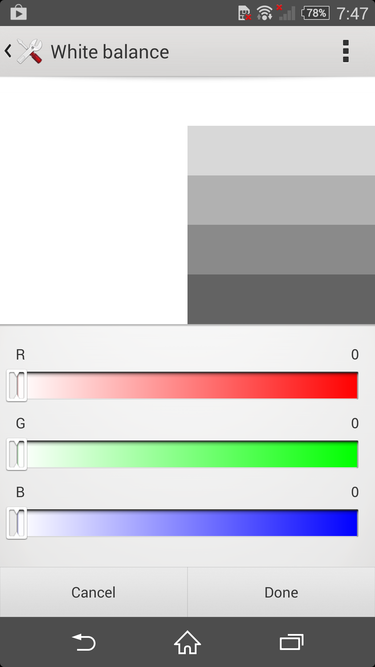
    Whether you’re seeing red or want to cool it down, you can change the white balance settings on the Z2 easily.

    The default white balance of the Z2’s display is spot on in my opinion, but Sony will let you tweak it to your heart’s content in the display settings. So, if you want to give your screen a warmer or cooler look, you can do just that. The display settings also give you the option to enable the Glove Mode and Tap to Wake features, which are self explanatory, and pretty great.
    Omnibalance is still a beautiful design aesthetic
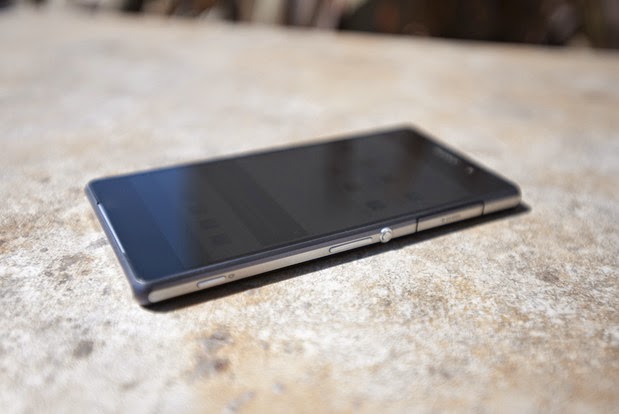
    The Omnibalance design on the Z2 is ultra minimal.

    Despite the larger-than-normal bezels on the Xperia Z and Z1, I’ve always admired Sony’s Omnibalance design approach. The subtle design language may look underwhelming to some, but it strikes a nice harmony between industrial and modern design.

    From the two glass panels on the front and back to the one-piece aluminum frame that holds them together, the Z2 not only looks like premium hardware, it feels great in the hand. While the glass on both sides of the phone are certainly fingerprint magnets, the cold smooth feeling of glass will always best any polycarbonate casing.

    While the glass panels on the Z2 feel nice, they also give off the feeling that the phone is fragile, because, well, glass breaks. The metal frame surrounding the smartphone certainly won’t protect the glass, so you might want to get a case for the Z2 if you don’t want to treat it like an antique.

    Sony managed to shrink the bezels on the Z2, which also allowed them to increase the size of the display without adding too much heft. It’s is still a large phone, though. Just slightly taller and narrower, the Z2 is in line with the size of the LG G3, which comes with a larger, 5.5-inch display.
    The best of Sony is found in its software
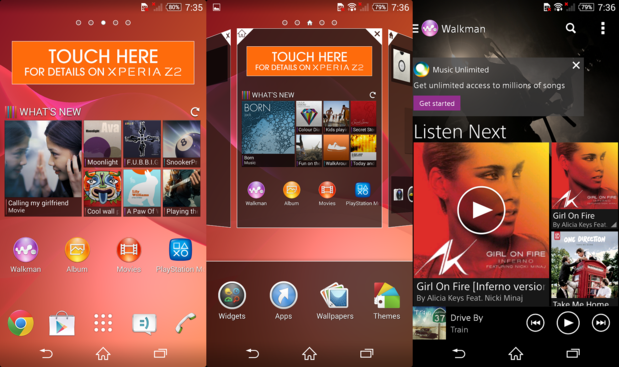
    The software on the Z2 is a nice blend of Sony and Android in an easy to use package

    Sony’s custom user interface for Android is one of my favorites because it’s not overwrought with useless customization. It’s a unique take on the Android operating system that uses some of the design values Google suggests, along with a many of it’s own, which makes for an interesting experience.

    The Z2 ships with a custom user interface that’s wholly Sony, and has an elegance to it that a majority of the other OEM skins lack. It’s quite apparent that some of the UI elements are influenced by the PlayStation, which I enjoy. The default live wallpaper and touch sounds seem to be ripped right from the PlayStation 3.

    Like most OEMs, Sony provides its users with a handful of its own apps, like Albums, Walkman, and Movies. The music and movie apps are tied into Sony’s ‘Unlimited’ services, so you can purchase content right within the apps. Of course, you’ll still have access to everything the Google Play Store has to offer.
    An impressive but inconsistent camera
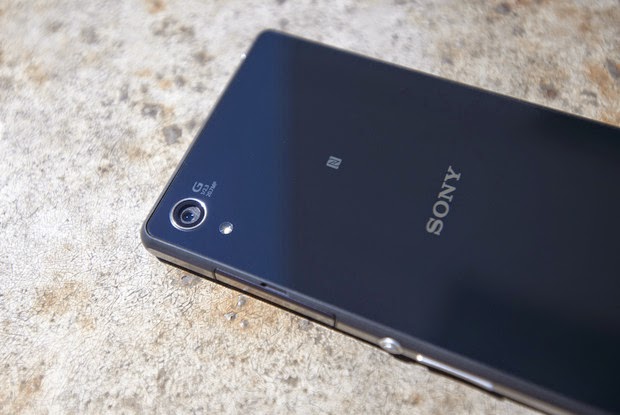
    It’s not perfect, but the 20.7 megapixel camera can produce beautiful shots.

    The 20.7 megapixel camera on the Z2 is almost identical to the shooter found on the T-Mobile Z1S, with one exception. The camera on the Xperia Z2 can record 4K video.

    There are a handful of different modes you can choose from in the camera software. From the useless but fun AR Effect to modes like Timeshift, Vine, and the great Superior Auto mode, you’ll have a good time with all of the Z2’s camera features. However, if you think you can combine these modes with the 20.7 megapixel shooter, you’d be wrong. Unfortunately, most of the nifty modes can only be used when the camera is set to 8 megapixels or lower.

    Even with some great optics in the camera, the photos from the Z2 can look pretty soft at the edges and tend to be grainy. Focusing is also an area that the camera struggled with. Taking a picture of a paper cup a foot away from me, the Z2 either never focused and reset or was completely blurry.

    Like most modern smartphone camera, the Z2 performs very well in good lighting. Compared to the G3, the color representation was more accurate, with LG’s flagship oversaturating the overall image. It performs well in low-light, too, though the softness at the edges and graininess returns.

    Overall, the camera on the Z2 is quite the performer, and can take one of the best shots you’ve seen on a camera one second, then produce an average photo the next.
    All day and all night battery

    Thanks to the massive 3,200 mAh battery powering the Z2, this is a smartphone that should last longer than the competition. In our HD video test, the Z2 squeeze out just over 10 hours of playback while in airplane mode with the display set at 100 lumens. Not only will this give you ample real-world use time, but you’ll also be able to take advantage of Sony’s low battery and Stamina mode to get you through the tough times when you don’t have a charger on hand.
    It’s not too late to love this phone
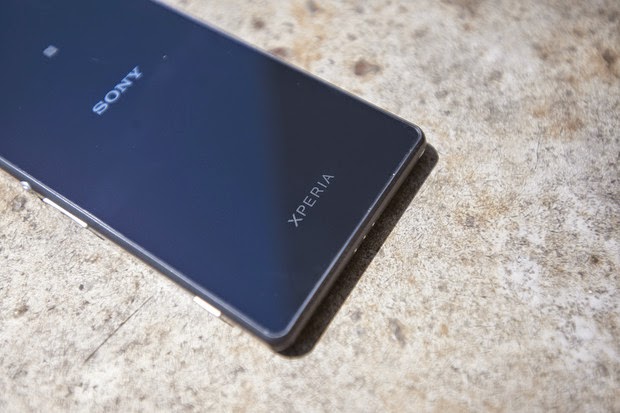
    The glass panels add to the premium design of the Z2.

    I really like this phone. In fact, had I not recently purchased the G3, and the Z2 was available on AT&T, it might be in my pocket. I can live with the big port covers and the sometimes finicky camera, as the whole package is still very appealing. Of course, if it were in the market this second, I’d struggle with buying the Z2 and waiting for the next Xperia flagship, coming this fall.

    There are a few caveats to purchasing a Z2, and they have little to do with the phone itself. With IFA right around the corner, there’s a very good chance that Sony might unveil the Xperia Z3.

    The other elephant in the room is the fact that the Z2 is only available online, unlocked, and unsubsidized, for $700. That’s a hard pill to swallow. Of course, this is how much smartphones actually cost, allowing you to live a real contract-free life, and not some “on-contract” carrier payment plan that locks you in for a couple years.

    Overall, if you like Sony’s style and have the money to burn for an unlocked phone on T-Mobile or AT&T, the Z2 should be on your list to check out.

  • Mercury mTAB Star M831G Tablet – Review & Spec

    Mercury mTAB Star M831G Tablet – Review & Spec

    Mercury mTab Star m830G Dual Core-1.2GHz (1GB RAM ,8GB HDD, 3G), Dual SIM 7-Inch Android Tablet

    COMMENT: Mercury might not be biggest name in the tablet segment but are set to make a statement with their new 7 inches mTAB Star tablet.

    NIGERIA – As the competition within the tablet segment continues to rage, SamsungTecno and the big guns manufacturers are lining up new and improved models of their existing stock. Not only are they, in most cases, manufacturing less expensive devices, but others like Kobian, are also loading on the features and trying their hardest to maintain a competitive price structure. Kobian launched their first Mercury Tablet the mTab, back in the tail quarter of 2011. It proved to be just above average, however, in the budget tablet division, while keeping the price under N30, 000 ($185.29). Their latest announcement is of the upgraded version of the same device only now infused with 3G capabilities and dual SIM support.

    The Mercury mTab Star M831G features a 7-inch display with a resolution of 1024×600 pixels. The device is powered by a 1GHz dual core Cortex A9 processor and is based on the MediaTek chipset. It comes with 1GB of RAM and 8GB of internal storage that can be expanded up to 32GB with the help of a microSD card. It runs on Android 4.2.2 Jelly Bean. The tablet is encased in a metal body and weighs 400grams.

    The tablet comes with Dual SIM card support complete with voice & video calling functionality. The tablet is far from being the ideal device for explorers and vacationist as it can only boast of a 2.0-megapixel rear camera with LED flash and a VGA front-facing camera. Connectivity options on the tablet include Wi-Fi, Bluetooth, Micro-USB, HDMI and 3G. While also supporting tethering & hotspot. Other features include a 3.5mm audio jack, built-in speakers, Flash 11 support and SGX531 3D graphics engine. The tablet includes a 3000mAh battery.

    The device will be sold out for around N21, 995 – N25, 000 in most retail stores and less than N21, 000 in online stores such as Jumia.

    Mercury mTab Star key specifications

    • 7-inch display with a resolution of 1024×600 pixels
    • 1.2GHz dual core Cortex A9 processor
    • 1GB RAM
    • 8GB of internal storage, expandable up to 32GB via microSD card
    • 2.0-megapixel rear camera
    • VGA front camera
    • Android 4.2.2 Jelly Bean
    • 3000mAh battery
    • 3G, Wi-Fi, Bluetooth
    • Dual SIM support

    In the Pack & Rooting mTAB Star M831G

    When you open your brand new device pack, you will find the following items:

    • 16 pages user manual
    • A USB data connectivity cable
    • Battery charger
    • USB tablet adapter
    • A pair of cable headset
    The tablet comes with Whatsapp, Temple Run, OfficeSuite & Angry Bird pre-installed. Of course, to ensure master control of your device you might consider rooting it. We have tried the Kingo Rooting software and it works perfectly for this device.
  • T-Mobile will take Actions against Unruly Customers who Abuse their Unlimited Data

    T-Mobile will take Actions against Unruly Customers who Abuse their Unlimited Data

    COMMENTS: The US’s fourth biggest carrier is set to educate customers who abuse their unlimited data plans.

    T-Mobile has warned that customers who misuse their unlimited data could see their data speeds start dipping dramatically over the next few weeks.

    If you’re fond of using T-Mobile’s network to torrent all six seasons of Lost or constantly broadcasting online using your unlimited plan, now would be a good time to stop. According to a leaked internal memo (which T-Mobile has substantiated) data draining customers with one of the carrier’s Unlimited 4G LTE plans such as the new $80 Simple Choice plan or the old $70 unlimited plan will see their speeds throttled starting on August 17 if they don’t change their network hammering ways. The memo reads:

    T-mobile has identified customers who are heavy data users and are engaged in peer-to-peer file sharing, and tethering outside of T-Mobile’s Terms and Conditions (T&C). This results in a negative data network experience for T-Mobile customers. Beginning August 17, T-Mobile will begin to address customers who are conducting activities outside of T-Mobile’s T&Cs.

    In a confirmation email sent to Engadget T-Mobile confirmed that defaulting customers will be contacted and briefed on how the Unlimited 4G LTE plans works. Customers who fail to comply with the service terms after the briefing could have their data speeds reduced for the remainder of their billing cycle.

    As America’s Un-carrier, we have broken the wireless industry rules to abolish numerous customer pain points and provide our customers with the fastest nationwide 4G LTE network. A very small number of our customers are misusing their Simple Choice Unlimited data service in violation of their rate plan and terms and conditions by bypassing the default tethering feature or engaging in peer-to-peer (P2P) file-sharing.

    This type of usage can negatively impact our ability to offer affordable unlimited data. In order to protect all T-Mobile customers, we will be reaching out to these people to educate them on our terms and conditions of service, but if the misuse continues, they could have their data speeds reduced for the remainder of their billing cycle.

    As previously stated, these measures will be put in place from August 17th. It’s likely that the number of people engaged in this is relatively small. And yet, it’s clearly a big enough problem to warrant a special “dedicated team” to address it.

    Originally posted on Engadgets via TmoNews. Image copyright belongs to Engadgets.

  • How to Stop New Versions of Mozilla Firefox from Hanging and Lagging

    How to Stop New Versions of Mozilla Firefox from Hanging and Lagging

    COMMENT: If you find your Firefox very disappointing and even considering a change, EwtNet is offering you something that might keep you longer on the Mozilla internet browser.

    Is your Firefox lagging, hanging or extremely slow to start?

    Are you currently thinking of quitting Firefox for good? Here is something that might help you change your mind.

    Statistics by W3school shows that Mozilla Firefox has only an average of 28.2% overall desktop users in 2013 while Google Chrome in the same year had an overall average of 52.6% desktop users. Comparing the browsers stats in 2010 Mozilla Firefox comes up with an upper hand with 46.4% of overall desktop users, while Google Chrome can only boast of 15.9%. Meaning that Firefox has lost 18.2 of it’s users to Google Chrome and other browsers since 2010.

    If you are the next Mozilla faithful who is planning to Jump ship due to the slow response of your browser, resetting Firefox might change everything.

    The reset feature fixes many issues by restoring Firefox to its factory default state while saving your essential information like bookmarks and open tabs. All of your Firefox settings and personal information are stored in a profile folder. The reset feature works by creating a new profile folder for you while saving your important data.

    Resetting Firefox will remove your Extensions and themes, website-specific preferences, search engines, download history, DOM storage, security settings, download actions, plugin settings, toolbar customizations, user styles and social features.

    How to Reset Firefox to It’s Default State

    Resetting Firefox can be done through the Troubleshooting information page.

    1. Click the menu button New Fx Menu and then click help Help-29 .
    2. From the Help menu choose Troubleshooting Information.
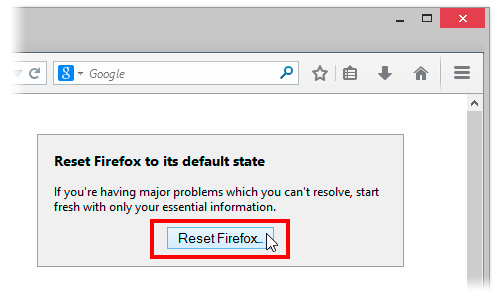
    3. Click the Reset Firefox button in the upper-right corner of the Troubleshooting Information page.Reset 29 Lin
    4. To continue, click Reset Firefox in the confirmation window that opens.
    5. Firefox will close and be reset. When it’s done, a window will list the information that was imported. Click Finish and Firefox will open.

    Another way of accessing the Troubleshooting Information page  is by entering about:support in your address bar. Hit enter to bring up the troubleshooting information page. Follow step 3-5 above to reset your browser.

    What if Resetting Does Not Work

    If after resetting your browser you still find Firefox lazying about, you might consider doing any of the following:

    • Start Firefox in safe mode to see if there are any changes.
    • Disable all plugins and extensions  one-by-one to see if any took up a lot of memory usage. Firefox memory usage sometimes can reach over 400 Mb
    • If your browser often lag while watching YouTube videos, try installing a freeware program called Firemin which apparently stops memory leaks when used to launch Firefox.
    If none of this worked, the ultimate solution is to wipe Firefox clean from your computer and installing a fresh copy of the application.

    Note: It is essential to print these steps or view them in another browser.

    1. Download the latest Desktop version of Firefox from http://www.mozilla.org and save the setup file to your computer.
    2. After the download finishes, close all Firefox windows (click Exit from the Firefox or File menu).
    3. Delete the Firefox installation folder, which is located in one of these locations, by default:

    Windows:

     
    C:Program FilesMozilla Firefox 
    C:Program Files (x86)Mozilla Firefox

    Mac:

    Delete Firefox from the Applications folder.

    Linux:

    If you installed Firefox with the distro-based package manager, you should use the same way to uninstall it – see

    Install Firefox on Linux

    . If you downloaded and installed the binary package from the

    Firefox download page

    , simply remove the folder firefox in your home directory.
    1. Now, go ahead and reinstall Firefox:
    2. – Double-click the downloaded installation file and go through the steps of the installation wizard.

    – Once the wizard is finished, choose to directly open Firefox after clicking the Finish button

    If you have a lot of Bookmarks you wish to preserve, there is nothing to fear. You can Export Firefox bookmarks to an HTML file to back up or transfer bookmarks and restore them whenever you want to.

  • Unlocking your Android Phone could be that easy with Device Unlock App

    Unlocking your Android Phone could be that easy with Device Unlock App

    Recently, Obama granted smartphone users the freedom to unlock their devices and T-Mobile has made this  freedom even more remarkable with a new Android app that lets you unlock your smartphone with one click or maybe two.

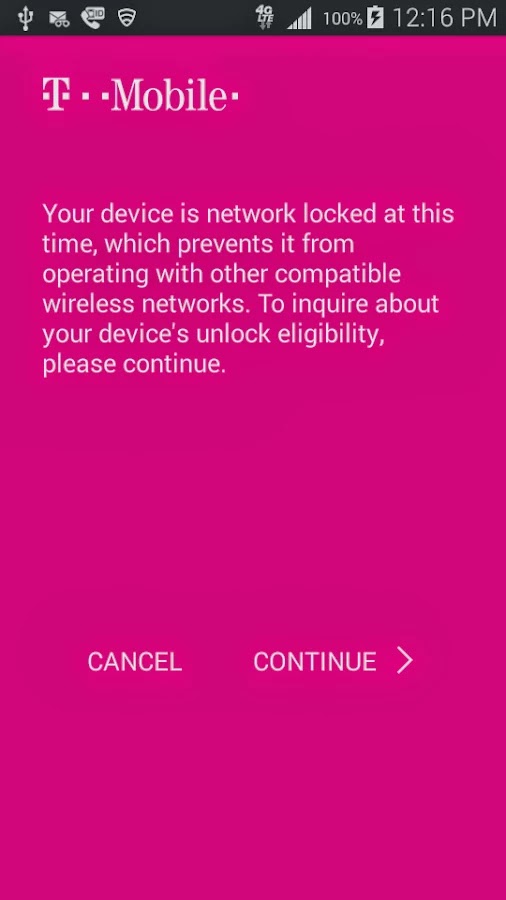
    Device Unlock is an application that allows you to request and apply a Mobile Device Unlock directly from the device. For many of you Android users out there, you probably know your way around, but there are many out there with tied-down phones who have no idea where to start. And since unlocked phones are basically a civil liberty for the time being, T-Mobile plans to help them.

    Note: Unlocking your smartphone is completely different from rooting your Android device. For walk-through on how to root most Android devices, kindly read: 3 Steps to Root any Android Phone with 1 Click

    A Coin of Two Sides

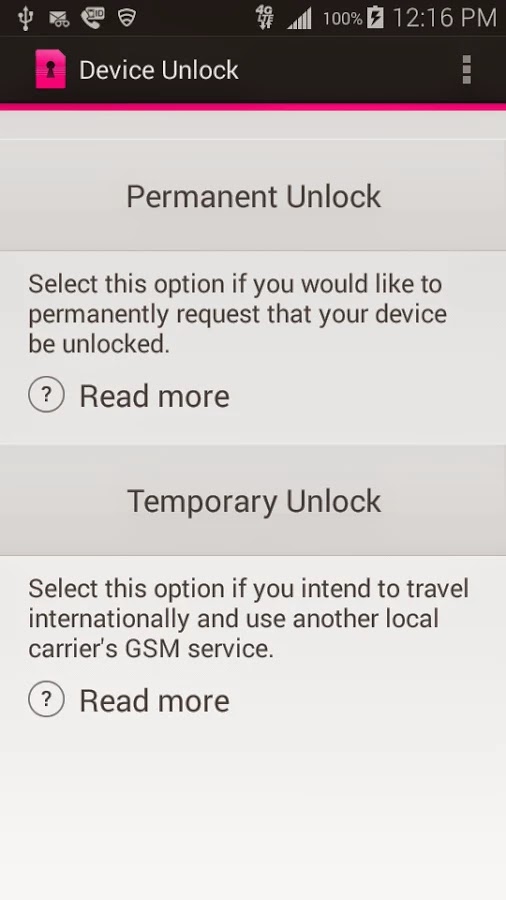
    The Device Unlock App offers you two options: one that permanently unlocks a device, for those who want complete freedom from the carrier, and a temporary unlock, which frees the phone for 30 days so you an use it overseas. The permanent unlocking option will check to see if your device is actually eligible for it before it completes the process.

    The Downside

    While the functionality of this app remains flawless, the limitation of supported devices remains the Achilles heel: So far, the application may install successfully on devices like T-mobile variant of the LG G3 but only works on Samsung Avant devices as clearly stated on the Play Store description. This has earned it a number of criticism among Android users in the Play Store. However, according to TmoNews.com, the US’s fourth biggest carrier is working on an app that lets its users easily unlock their phones with the literal touch of a button. It’s a really smart idea, and it’s probably how the carrier plans to appeal to all the novice smartphone users out there.

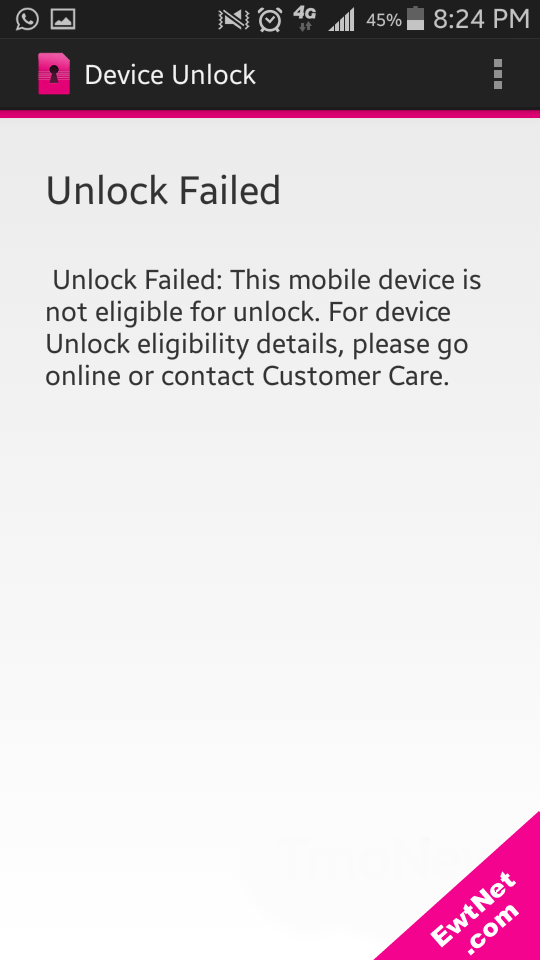
    When unlocking is unsuccessful an alert pops up with details on why the your unlocking failed (See screenshot above).

  • Don’t Fall for this: Classic Facebook “Color Changer” Scam makes a Big Return

    Don’t Fall for this: Classic Facebook “Color Changer” Scam makes a Big Return

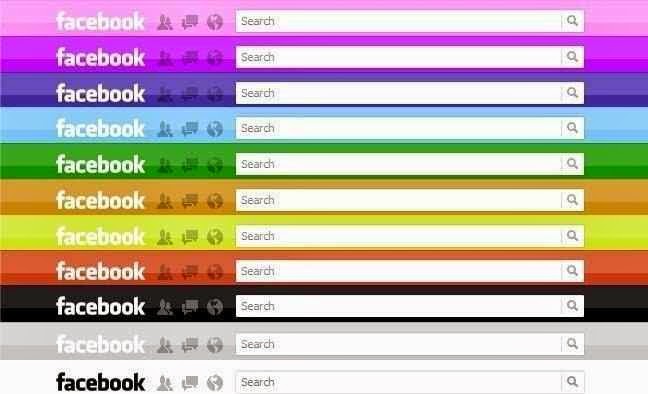
    COMMENT: While the idea of changing the Facebook default blue header to your custom color seems great, Cheetah Mobile has warned that you might end up getting more than what you bargained for.

    IDG NEWS NETWORK – On Facebook, some scams are so alluring that they seem to live forever.

    So it goes with “Facebook Color Changer,” a new malware attack that masquerades as a way to change the appearance of Facebook’s Website. Security firm Cheetah Mobile claims that the latest scam has affected more than 10,000 people around the world.

    Don’t fall for this.

    According to Cheetah Mobile, the app advertises the ability to “select your favourite color scheme for facebook layout,” and appears to direct users to “apps.facebook.com/themsandcolors.” But instead, the app sends users to a phishing site.

    Once there, the site asks users to view a tutorial video. Launching the video supposedly provides temporary access to the user’s Access Tokens, letting the malicious site connect to the user’s Facebook friends. If the user doesn’t view the video, the site then attempts to download a pornographic video player on PCs or a bogus malware scanner on Android devices.

    Cheetah Mobile blames a “a vulnerability that lives in Facebook’s app page itself, allowing hackers to implant viruses and malicious code into Facebook-based applications directs users to phishing sites.”

    As Mashable points out, color-changing capabilities have been a popular hook for Facebook malware peddlers in the past. At least two previous scams have gained traction by inviting users to switch the color of Facebook’s blue menu bar. The color changer joins a number of other recurring scams that pose as oft-requested features, including the fabled ”dislike” button and ability to see who viewed your profile.

    What if you need a real Facebook Color Changer?

    There is a legitimate way to change the color of Facebook’s menu bar, using an extension in the Chrome Web Store, but in general it’s best to treat these “feature enhancements” with extreme caution. Just because a friend posts a link your feed doesn’t mean it’s safe to click.

  • Video: New Hexapod Robot Learns to Walk in 2 Minutes

    Video: New Hexapod Robot Learns to Walk in 2 Minutes

    What do you do if you’re a robotic hexapod and one of your legs is broken? Do you give up? Lie down and burst into flames? Cry from tear duct-less eyes? Or, through a process of trial-and-error, do you brush yourself off, hide your broken leg, and learn to walk again?

    You guessed it.

    Researchers Antoine Cully, Jeff Clune and Jean-Baptiste Mouret have trained a hexapod to try different walking configurations through “Intelligent Trial and Error.” The original version of this algorithm kept the robots stumped for about 20 minutes until they figured out how to go in a relatively straight line after suffering damage. The new system lets the robots learn to walk in about two minutes.

    As you see in the video, the robot tries different walking “styles.” First it hops a little, then it brings its damaged leg up high to try to balance itself. All the while it is sensing its position in the room as well as its speed. If the gait it has chosen is suitably straight and fast, it can keep doing it indefinitely until it gets moving again.

    How does it work? Well, in this case the researchers created a database of potential gaits – 13,000 in all – by running a simulated version of the hexapod and rendering the walking styles. Because the robot is fairly simple it could easily classify the problem it was having (broken strut, mashed leg, etc.) and compare it to the database. Then, using a series of tests, it could decide how to move.

    While this isn’t exactly artificial intelligence, the system does save time in the field and, more importantly, allows the robot to carry out its nefarious mission without stopping, an important consideration when the robots finally rise up to take control of our precious bodily fluids.

    For more on what Hexapod Robots are doing to stay indestructible, check out Spectrum and remember to watch the video above again.

    The original copyright to this post belongs to Techcruch. All rights reserved. Image & Video are the properties of Spectrum.

  • Download Free E-books – Top 10 Online Libraries for Bookworms

    Download Free E-books – Top 10 Online Libraries for Bookworms

    From the oldest libraries on the Web to the modern book shelves, EwtNet has searched all corners and compiled the most thrilling places virtual bookworms can have a good read and download free E-books

    Since the beginning of time men has been searching for one knowledge or the other. Reading is one of the simplest method of acquiring knowledge best known to man. The invention of the Web and various technologies has insured that books can be fully represented in digital media format know as E-book.

    10 Libraries for Bookworms to Download E-books Image

    Whether you are developer seeking for handouts, a student searching for information or just another book nerd looking for the next great book to sink your teeth into? We have compiled a list of the best shelves to pick your favorite E-book and even more, have a good read without spending a dime.

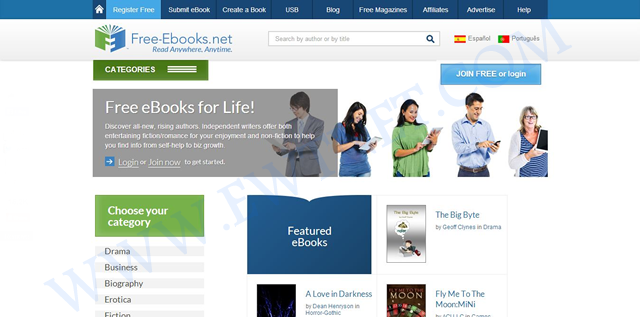
    1. Free-Ebook — Visit Site

    Topping our list today is a free E-book community site Free-Ebook. The site is an online source for free E-book downloads, E-book resources and E-book authors in over 80 categories. Besides free E-books, you also download free magazines or submit your own E-book.

    The online e-book library is recommended for everyone, especially to students and fictional book lovers. If you need to get something nice for your kid, you might want to browse through the Children Audio Books category.

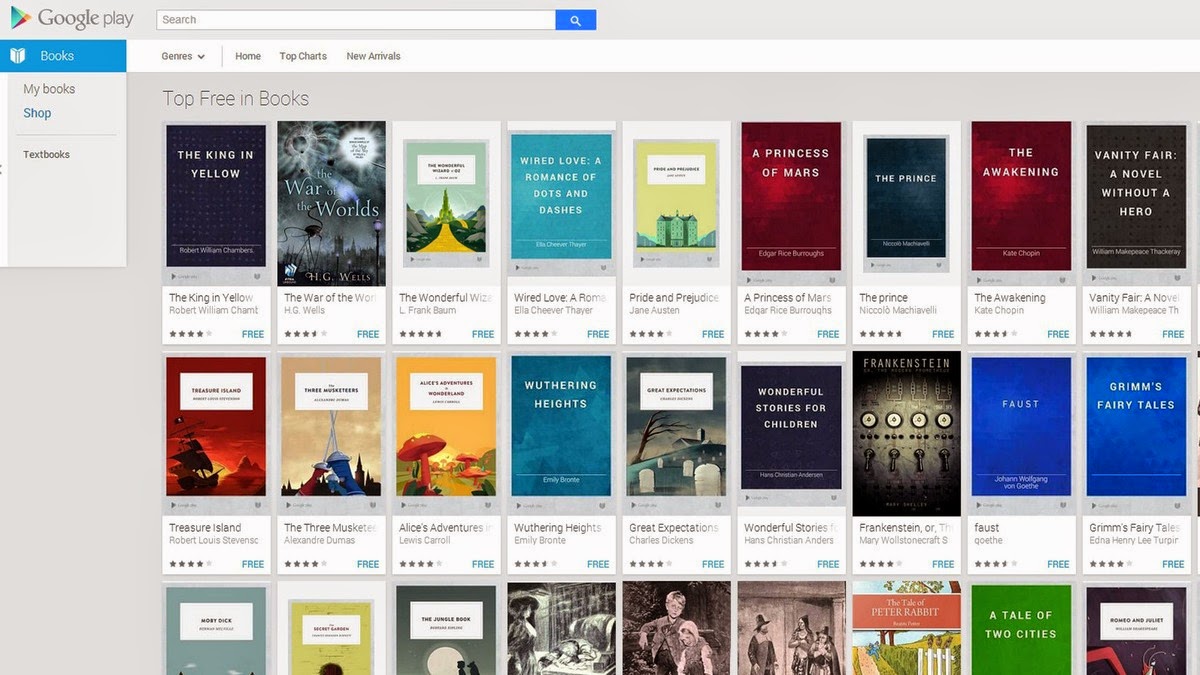
    2. Google Book Shelf — View Site

    In the midst of stiff competition from other free e-book sites, it will be unfair not to include the Google Book Shelf. The Google eBookstore is a home to tons of premium and free e-books from a variety of genres. You can filter your search to bestsellers, favorite classics and more. Books are available in several formats, and you can also check out ratings and reviews from other users.

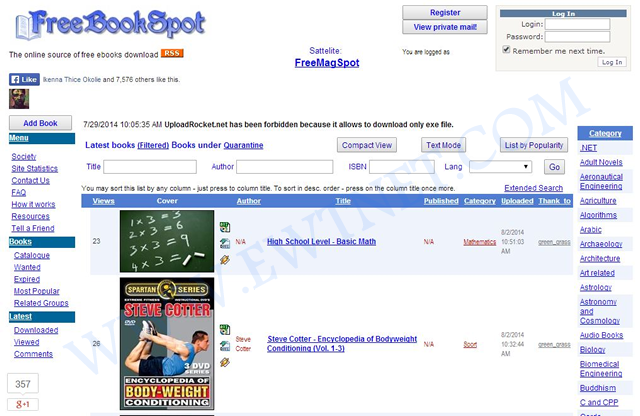
    3. Free Book Spot — View Site

    Free Book Spot is a free e-books links library where you can find and download free books in almost any category. Created November 2006, Free Book Spot is one of the oldest e-book library you can come across. The library houses 187,565 e-books in more than 90 categories.

    The simplicity of the site makes it easier to navigate through pages and look up e-books using the search box.

    4. Know Free — View Site

    If you are looking for tutorial handout on any tech-related subject, Know Free is the shelf you might want to start looking from. No registration or fee is required and has 15 categories.

    5. Open Library — View Site

    The Open Library can boast of over 1 million free e-books available on it’s shelves. This library catalog is an open online project of Internet Archive, and allows users to contribute books or make correction to the catalog. You can easily search by the title, author and subject.

    One of the unique features of Open Library is the E-book borrowing: Open Library account holders can borrow an eBook from the growing collection of mainly 20th Century titles available now. Each title can be borrowed by one patron at once, and you can read it in a web browser or in Adobe Digital Editions as a PDF or ePub.

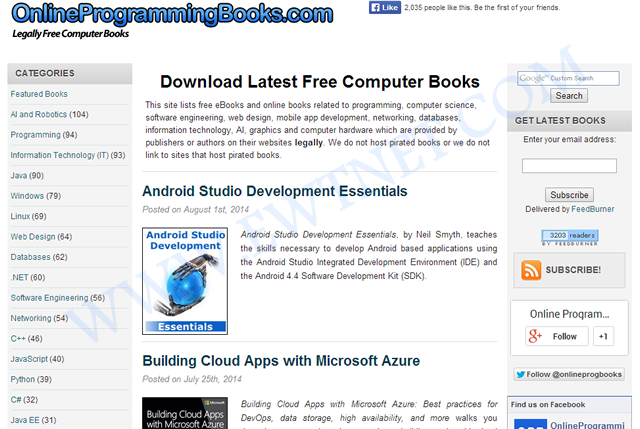
    6.Online Programming Books — View Site

    Online Programming Books consists of a huge collection of free online Computer, Programming, Mathematics, Technical Books, Lecture Notes and Tutorials. It is very well categorized by topics, with 92 categories and 1,574+ E-books.

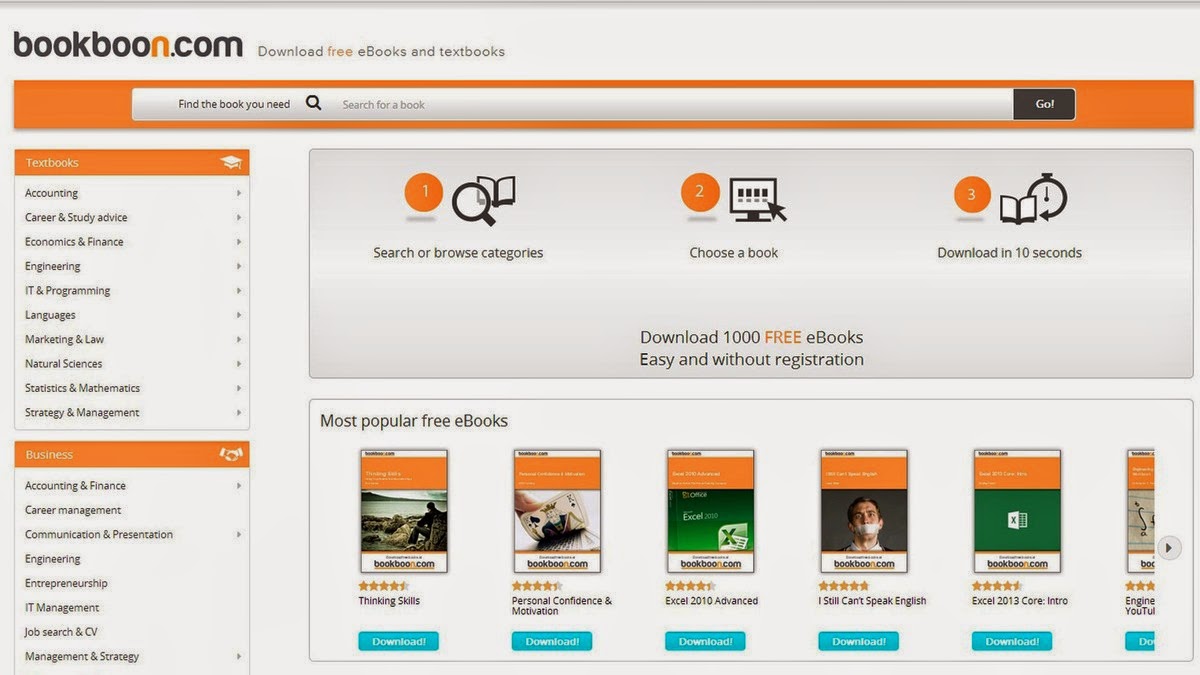
    7. BookBoon — View Site

    If you are searching for a particular educational textbook or business book BookBoon may come very handy. The site offers more than 1,000 e-books, it’s easy to navigate and best of all, you don’t have to register to download them.

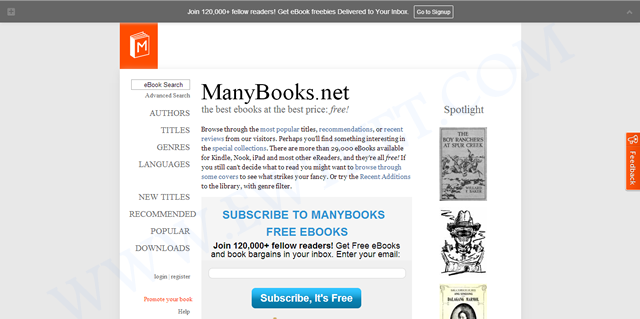
    8. Many Books — View Site

    Grouped under authors, titles, languages and genres Many Books houses more than 29,000 E-books  for Kindle, Nook, iPad and most other eReaders. The simplified navigation gives you the option to browse by most popular titles, recent reviews, authors, titles, genres, languages and more.

    9.The Online Book Page — View Site

    You might find the simplicity of The Online Book Page’s website a bit interesting but it has a list of over 1 million E-books from the web. It is more like an E-book search engine with option for visitors to submit more E-book links to their index.

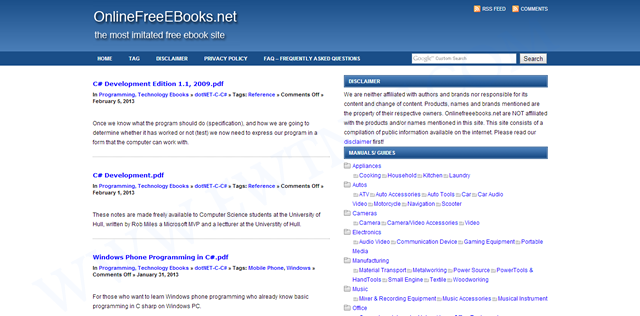
    10. Online Free E-Books — View Site

    Completing our list of top 10 Online Libraries is the Online Free E-books. The library has 100s of E-books categorized under various tags.

    Download/Read Chinese Novels PDFs Free Online

    With the rise of Chinese industry in the global economy comes strong appeal for everything China, including novels – which are great, by the way. Chinese novels has the tendency of getting you hooked up and leaving you hanging. This is owing to the original material being in Mandarin and English translation apps charging too much to unlock chapters.

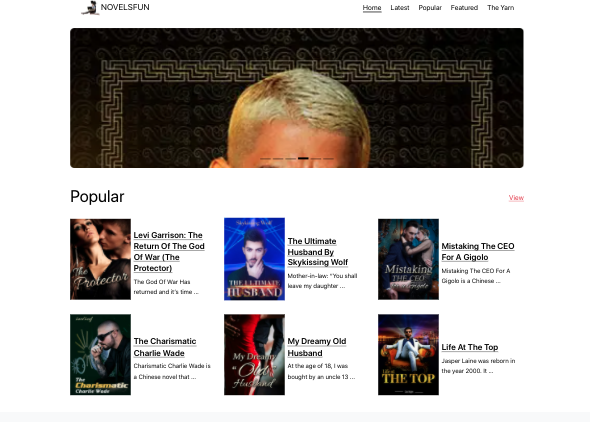
    Novels.Fun Homepage
    Novels.Fun homepage for reading free Chinese novels online.

    If you find yourself in the middle of reading a Chinese novel where you have ran out of credits or simply want to own it offline Novels Fun is a dedicated website for downloading or reading Chinese novels (PDFs) for free.

  • Obama Gives Smartphone Users the Freedom to Unlock their Devices

    Obama Gives Smartphone Users the Freedom to Unlock their Devices

    The President has signed a bill into law that allows American citizens to legally unlock their phones. That means you can take your mobile device, no matter which carrier subsidized it, and move with it to a competing carrier.

    Unlocking phones was made illegal in January of 2013, when an exemption to the DMCA expired. The bi-partisan bill was passed last week by the U.S. House of Representatives, after already being approved by the Senate.

    There is bit of a catch: the Unlocking Consumer Choice and Wireless Competition Act, as it’s called, is valid only through 2015. For now, it ensures you have a choice in matters of your mobile device, as long as your phone is compatible with another carrier’s network and you’ve complied with your previous contract. And even if you don’t fancy yourself as technologically savvy, the bill allows you to seek outside help.

    It’s been a long journey to get to this point. About a year ago, the National Telecommunications and Information Administration (NTIA) filed a petition urging the FCC to make a ruling that would require carriers to unlock phones and tablets at the customer’s request. While most carriers have been kind about unlocking devices, tools for consumers to unlock those phones and tablets themselves were considered illegal.

    So, what are you waiting for? Go forth and be free! At least until the next time this exemption expires.

  • Entourage to Outlook Converter – Worth Tool to Change MBOX Files in PST Form

    Entourage to Outlook Converter – Worth Tool to Change MBOX Files in PST Form

    MBOX Converter is an apt solution that can be used as an Entourage to Outlook converter though the application works only on Windows Operating System, whereas Microsoft Entourage is an email client that was developed for Macintosh OS 8.5 and higher. But the release of Entourage has been discontinued with the release of ‘MS Office for Mac 2011.’ Rather it can be said that ‘Outlook for Mac’ or Outlook 2011 has replaced Entourage mail client that was developed specifically for Mac systems.

    Here in this page we will be reviewing MBOX Converter version-2.1 and check into the useful attributes of the tool that makes it suitable to be employed as an Entourage to Outlook converter; that requires the conversion of MBOX files to PST format. But before we exactly go for the inspection of the software it is necessary to know how to perform transition from Entourage to Outlook for Windows, with the assistance of the application.

    How to Migrate and Access Entourage Mail in Outlook?

    The tool whose performance is being examined in this page converts MBOX files to PST format and also functions only on Windows OS instead of Mac. The Entourage folder structure is stored at the following location in Apple Macintosh OS X:
    ‘Hard Disk Name/Users/user_name/Documents/Microsoft User Data/Office 2008 Identities/Main Identity’
    Therefore, to use the tool as Entourage to Outlook converter, following steps need to be followed:

    1. Copy the Main Identity folder to a Windows system because when this is practiced, MBOX files are created for individual mail folders.
    2. Import the exported PST file in Outlook mail client once the conversion of MBOX files to PST format is complete by running/ executing the software program.

    Installation Prerequisite

    The application seeks some basic minimum system requirements and they are:

    System Requirement SysTools
    Support Windows 8.1 & Below versions
    Available Hard Disk Space 10 MB
    Processor 1GHz
    Memory (RAM) 512MB

    Acquaintance with Some Key Attributes Of the Converter

    • Scans the emails in short span of time
    • Previews emails along with attachments
    • Can merge multiple MBOX files into single PST
    • Can create single Outlook PST file for each MBOX data file
    • Outlook installation is not needed to convert MBOX to PST form
    • Can convert multiple MBOX files to PST/EML/MSG format in bulk
    • Both demo and full version of the converter is available

    Detailed Description of Characteristic Features of the Software

    • Exports MBOX File In Bulk – The tool has the exportation potential of converting and exporting multiple MBOX file all together at a time in batch.
    • Multiple Forms Of MBOX File Backed – MBOX file is an ordinarily used format created by a number of mail clients in different forms such as .mbox, .mbx and MBOX file without any extension. The application backs all these MBOX file forms.
    • 2 Conversion Choices Except Outlook PST – MBOX files can also be exported in 2 different file formats such as EML and MSG excluding PST format.
    • Supports Different Mail Clients MBOX Files – The tool has the ability to convert about 17+ email clients (e.g. Entourage, Thunderbird, etc.) MBOX files to MS Outlook PST, EML and MSG file type.
    • Capability To Create Multiple PST File – While converting MBOX to PST file type, the Entourage to Outlook converter provides two different options so as to create either single or multiple PST. Note – With ‘Create single PST file’ option, all MBOX files can be merged into a single common PST file whereas with ‘create multiple PST file’ choice one PST file can be produced  for each MBOX file.
    • Files & Folders Selectivity Choices – Either all or selected Entourage emails can be converted and exported to Outlook PST or other supported formats.
    • Various File Naming Convention Available – When exporting emails, the software provides alternative to choose an appropriate naming pattern to save each email. The different file naming patterns that are available are: Save as subject, DD-MM-YY, DD-MM-YYY, MD5, Auto incremental and many more.

    Demo and Full Release Comparison

    Almost all features explained above are provided in both the demo version and full version. Though there are some exceptions in the demo edition which is provided for trial purpose so that the execution of the program is well known before purchasing the license. The comparison is shown in form of the table given below:

    Features Demo Version Full Version
    Auto Scan MBOX files Yes Yes
    Preview MBOX emails with attachments Yes Yes
    Windows 8 & below versions supported Yes Yes
    Advanced Naming Convention No Yes
    Export MBOX file as PST, EML, MSG No(Limited) Yes

    It is inferred from the comparison table that demo version of Entourage to Outlook converter does not fulfill the exportation of all emails if the number of emails is more than 25. Also naming convention feature is not enabled in free edition. Thence, to avail all the facilities, license of the third party application has to be purchased.

    Activation Key Of Full Versions: Personal License, Business License, Enterprise License

    Extended Client Assistance

    To make the users completely satisfied with the product and to assist users Chat as well as Email optionhas been provided to the customers. Users can log on to: www.mboxtooutlook.org and avail the facilities 24*7.

    • Chat – Clients can chat with the support technicians to clear their doubts or any uncertainties.
    • Email – Clients can drop a line at: [email protected]
  • Launcher 8 for Android Review: Turn your Android into Windows 8

    Launcher 8 for Android Review: Turn your Android into Windows 8

    Launcher 8 (fake wp8) is a Android application that turns your boring, dull Android home UI into a fluid, mock-up UI of that of a Windows 8 phone! Developed by the QiHang Team, this application has been downloaded over 5 million+ times, and really turns your Android into something else! Now, I (Jake) of EWT will go into detail of my review and thoughts of the app!  

    Installation

    The installation process is very easy, smooth, and simple. Just download from the Google Play Store, install, and press your home button and set Launcher 8 as your main action for “Home.” Wa-la! There’s no hacking, modding, or rooting needed to install this application.   Installation is very simple, great work there.  

    New UI & Logics

    The app’s added new ui and logics is very helpful and astonishing! After installation, you instantly have the power of an Android phone with the look and options of a Windows phone. There are many themes users have made that you can effortlessly download and install, or you can customize yourself!   You can add/edit/remove tiles, re-size, and even use special “widget” tiles that are included in the app. You can bind your installed applications to tiles, change individual tile background colors, names, and more. This application truly gives you control over everything! It also is programmed to work with certain apps, such as SMS, Phone, and Facebook – showing the number of new notifications, missed calls, and new SMS messages. It’s very convenient! The app also has a setting for a customizable lockscreen, which completely overrides the default Android lock screen – you can add custom backgrounds, change the layout, etc to it and add a password. The only problem with the lockscreen in this app is if you had a lock screen set up on the default Android UI before this installation, applications like “Camera” and such will not work correctly, and pressing your Home button will try and take you to the original Android lock screen rather than the Launcher 8 lock screen.    You can, however, fix this by simply going to System Settings -> Security -> Passwords and turning off any locks, pins, etc. You can set your lockscreen pin for Launcher 8 in the Launcher 8 settings.  

    Effect on Battery

    One of the main, if not the only, downside to this application is the power consumption. You’ll be loosing more and more phone battery life every 2 to 3 minutes even if you’re in idle mode. However, the QiHang team brags that their Pro version is more power efficient. This application really does take a toll on your battery life, my Android has been on the charger more then often since the install.   

    Final Thoughts

    I believe this is a great Android application for those who want the power of Android/Google products but the look and feel of a Windows product. It has great potential, and I believe it would be even more widely popular if the free version was less battery-consuming. It could use some literary work (the grammar for settings are poor), and some of the ads are a bit mis-placed and annoying, but all around it’s pretty amazing and I’m sure to never uninstall it!  

    Final Rating

    Price When Rated:

    $2.58Free

    Our Rating: 4.5

    Requires Android:

    2.0 and up

    Content Rating:

    Low Maturity This is a great app, and does everything that it says in it’s description. However, there is room for improvement and the battery drainage is what really kills it from being 5 stars.

    Pros:

    • Complete customization; Easy to customize to your liking
    • Downloadable themes; For those living in the fast lane
    • Beautiful and fluid; Includes smart widgets and is beautiful with live tiles
    • Free with minimal ads, and many options and settings to configure

    Cons:

    • Drains the battery of your device VERY fastly
    • Lockscreen issues occur if you have the default Android lockscreen already set up
    • Can be a bit laggy once you first boot up your Android

    Download So, what are you waiting for? Go download Launcher 8 now, you won’t regret it!

  • Become Ten times Smarter with Android Smart Tools

    Become Ten times Smarter with Android Smart Tools

    Have you ever thought of making your smartphone much more smarter than it is?

    Going outdoors or camping, but not knowing exactly where to start? Or you just want to feel secured with a full suite of tools covering lots of different things – measurements of all sorts, flashlights and more?

     Smart Tools has everything you might need in your day-to-day life! On more than one occasion, this awesome android app has got me out of a traffic jam, so it comes highly recommended.

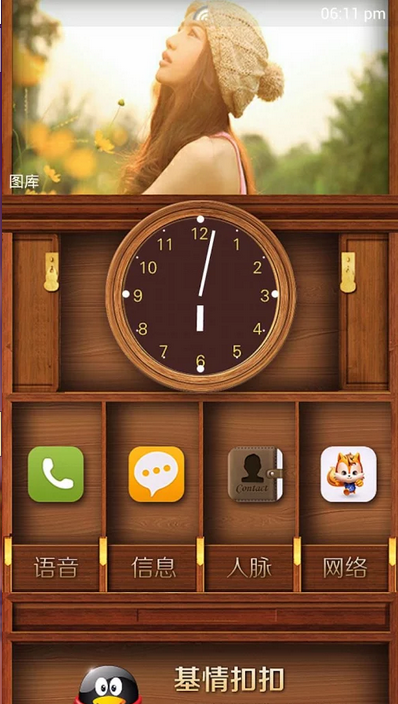
    Smart Tools Version 1.7

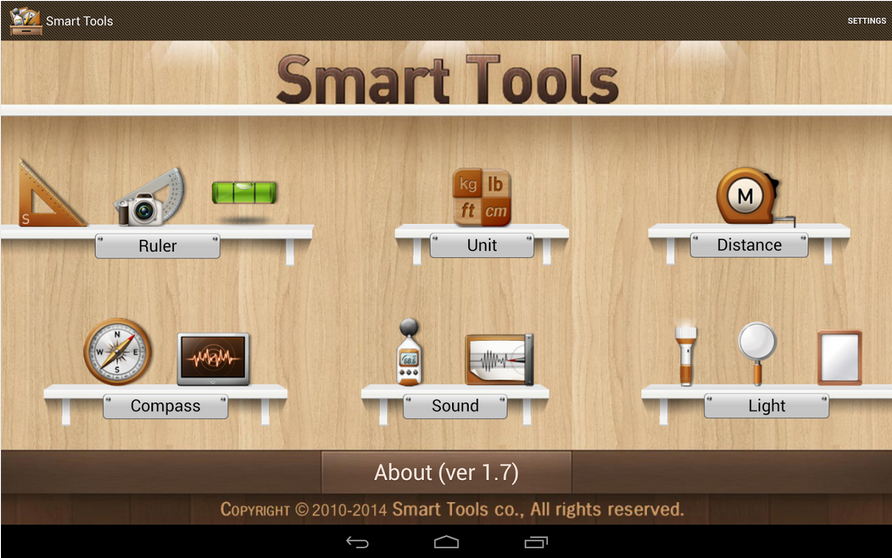
    The latest version of Android Smart Tools comes with 5 Pro sets for a total of 16 tools. In a word, All-in-One

    • Set 1: Length, Angle, Slope, Level, Thread – Smart Ruler Pro 
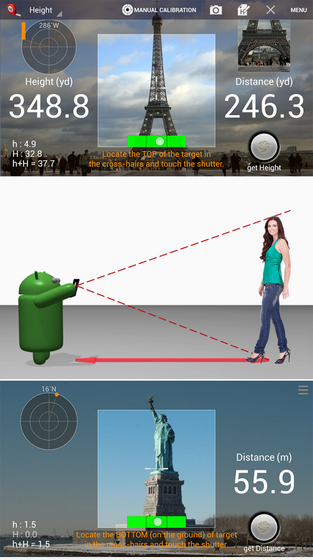
    • Set 2: Distance, Height, Width, Area – Smart Measure Pro
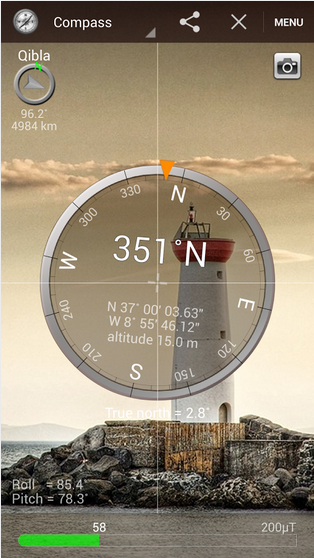
    • Set 3: Compass, Metal detector, GPS – Smart Compass Pro
    • Set 4: Sound level meter, Vibrometer – Sound Meter Pro
    • Set 5: Flashlight, Magnifier, Mirror – Smart Light Pro
    • Set 6: Unit – Unit Converter

    Cons

    The heaviest downside of this app is the lack homescreen shortcuts to individual tools. Maybe it’s just me but you pay for this app then realize there are no shortcuts then the author wants you to buy the individual tool apps or be pledged with adverts!  

    Pros

    This app basically helps you deal with any measurement problem you may encounter. It’s affordable price tag will also give it an edge over similar apps in the play store.  

    The best way to understand this app is probably by experimenting with it. Nonetheless, I can guarantee that your $2.55 will be worth it.

    Price When Rated:

    $3.00$2.55

    Our Rating: 3.5

    Requires Android:

    2.2 and up

    Content Rating:

    Low Maturity Download

  • How to Create an Eye-Catching Header Photo for the New Twitter Profile

    How to Create an Eye-Catching Header Photo for the New Twitter Profile

    Are you promoting your brand on Twitter?

    Freaking out about creating a good-looking header photo for your Twitter profile?

    You’ve probably noticed that striking visual piece in the Twitter profile layout — a full-screen-width banner image, known as a “Header Photo.”

    On Tuesday, April 8, 2014, Twitter blessed it’s users with a new profile layout that includes a full-width header photo.

    But you may have noticed that not every header photo is a home run …

    Following the release of twitter new profile layout “New You” last month, I have compiled a few image recommendations to help you create a header photo that looks professional, makes a great first impression, and markets your brand’s best assets — without violating the Twitter Image Terms.

    What’s new about the “new you”?

    Background image -out, cover image -in, summarize the new twitter profile look. The new web profile lets you use a larger profile photo, customize your header, show off your best Tweets and more. Other features included to the new look are:

    • Best Tweets: Tweets that have received more engagement will appear slightly larger, so your best content is easy to find.
    • Pinned Tweet: Pin one of your Tweets to the top of your page, so it’s easy for your followers to see what you’re all about.
    • Filtered Tweets: Now you can choose which timeline to view when checking out other profiles. Select from these options: Tweets, Tweets with photos/videos, or Tweets and replies.

    Feeling Un-Cosy? 5 Steps to Setup a Branded Twitter Profile

    If you are an existing twitter user, you may find your old profile header photo a little bit un-cosy after migrating to the new look. With the background image feature gone from the profile area, the massive space occupied by the header photo becomes your next billboard.

    In this article I’m going to show you how to make the most of this massive space in five steps.

    1. Abide by Twitter Image Policy

    Twitter reserves the right to suspend/terminate your account if you don’t comply to the rules. One of this rules states that “You may not use obscene or pornographic images in either your profile photo, header photo, or user background”.  Having that at the back of your mind, let’s proceed to the next step.

    2. Map out the exact dimensions and shape

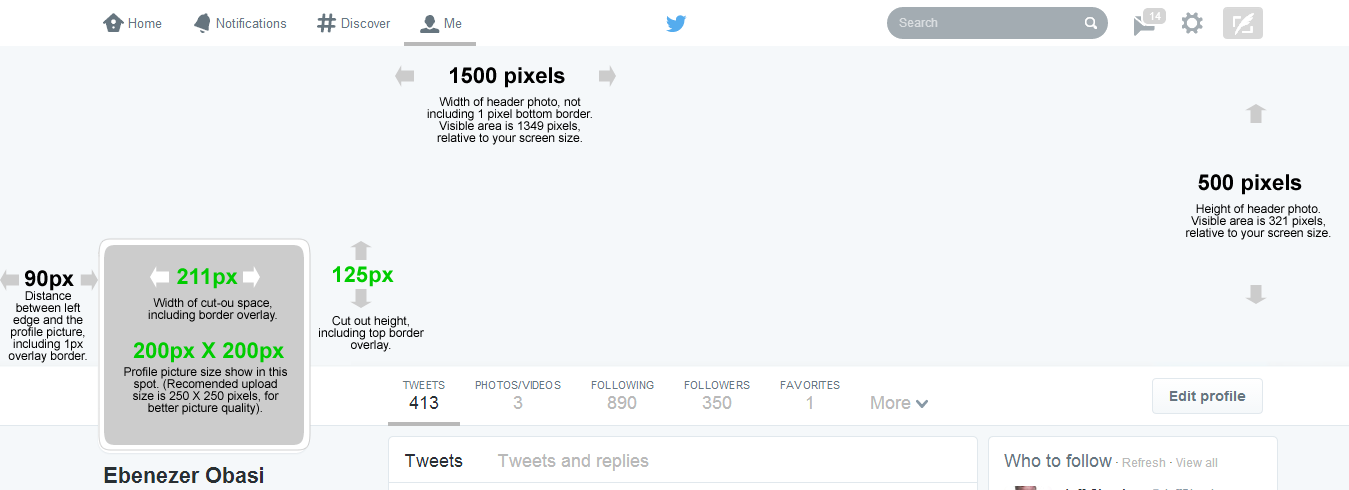
    The Twitter header photo is not a common image size, and the rectangular composition includes a cut-out for your profile image in the lower left corner.
    This means the best-looking header photos tend to be images that are designed to take advantage of the header photo’s exact size and shape.

    Shape and dimension of Header area. Click to view full image

    Detailed measurements:

    • Official recommended size for Twitter header photo is: 1500 pixels wide by 500 pixels tall.
    • Profile image cut-out: 211 pixels wide by 125 pixels tall, spaced 90 pixels from the left edge of the header photo.
    • Profile image size: 200 x 200 pixels, with a recommended image upload size of 250 x 250 pixels. (Note: Larger images can be cropped).

    Important tips:

    • If you upload an image smaller than 1500 x 500, it will be stretched to fit. This will make your image quality appear slightly grainy or distorted. The best practice is to upload an image that’s sized to Twitter’s dimensions.
    • Screenshot measurements reveal that only 321 pixels are visible from a 500-pixel image upload. The top edge appears to be covered by the Twitter header bar. A test with a 321-pixel tall image became distorted when uploaded, so do upload a 500-pixel tall image even though only the bottom 321 pixels will be visible.

    3. Don’t hide content behind your profile picture.

    Even though you are granted a massive 1500 pixels by 500 pixels to design a Header Photo doesn’t mean that you have all of that to work with. Because of the way that Profile Image are placed on Twitter profiles, there’s a section of your Header Photo that won’t appear unless you click on it.
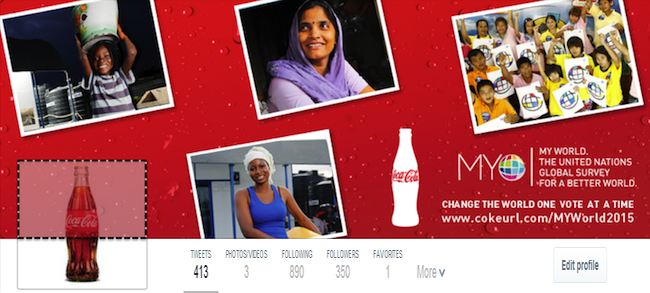
    Note the area highlighted with dotted lines in the image below: That’s the part of the Header Photo that isn’t immediately visible to your Twitter followers.
    The dotted area is not visible unless the viewer clicks on the Header Photo
    Unless you are hiding a Christmas tree behind your profile image, it is generally recommended to keep the space clear.

    4. Decide contents to include in your header photo

    Outside abusive and pornographic contents, Twitter currently does not have any rule limiting users on what kind of contents to display on their profile header image. However, it is the best practice to include only text/image that describe or relates to you.
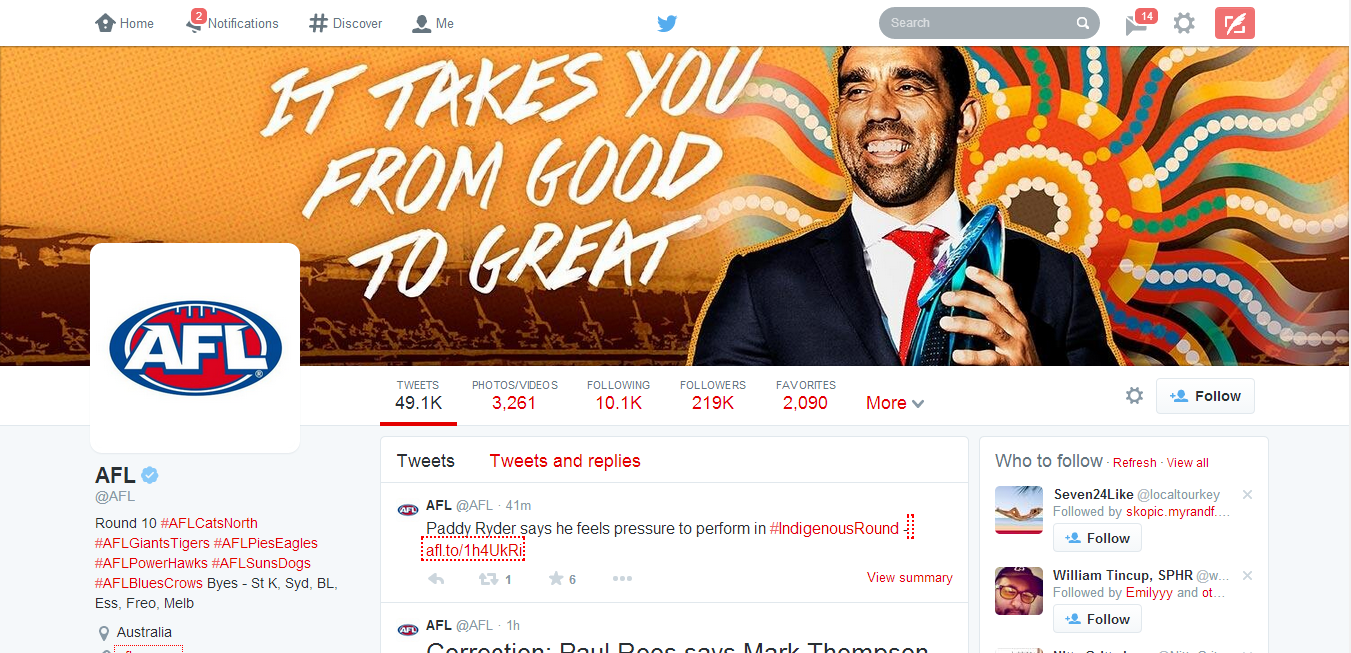
    Use high-quality photographs that are in focus, have balanced color and good lighting, or use photo editing software to optimize your images. You can design an image collage or use one big, beautiful photograph — just keep the cover photo shape in mind when setting up your composition.
    Australian Football League Twitter profile. Notice the powerful text on the Header Photo
    Your company logo should appear somewhere, usually in your profile image, in which case it is not needed as an extra graphic in your cover photo. If you plan to include text, consider its placement when selecting images.
    Here are a few image content ideas suitable for brands:
    • Candid photos of customers enjoying your products (be sure to get permission to use their likeness)
    • Your most popular products
    • Icons of awards won
    • Employees in action
    • Company founders
    • Store interior or exterior
    • Branded vector graphic
    You might also consider the following type of text to grab your audience attention:
    • Company tagline or short phrase that explains what your business does
    • An impactful word that embodies your brand
    • Inspiring quote
    • Names of people in your photo
    • Photographer credits
    • Image copyrights

    5. Upload your profile header header photo

    Now is the easy part. Uploading your profile header photo is as simple as ever.
    1. Log in to your Twitter account.
    2. Go to your profile by clicking on “Me” on the twitter main menus.
    3. Just below the header photo area, click on Edit Profile button.
    4. Click on the Camera Icon on Header Photo space and click Upload from the drop down menu
    5. Reposition and scale your header photo by dragging the image and scale bar below it. When done, click Apply.
    6. Finally, save your changes and you are good to go!
    Awesome! If you think you did a great job, inspire others by posting your Twitter profile links on the comment section. GoodLuck!
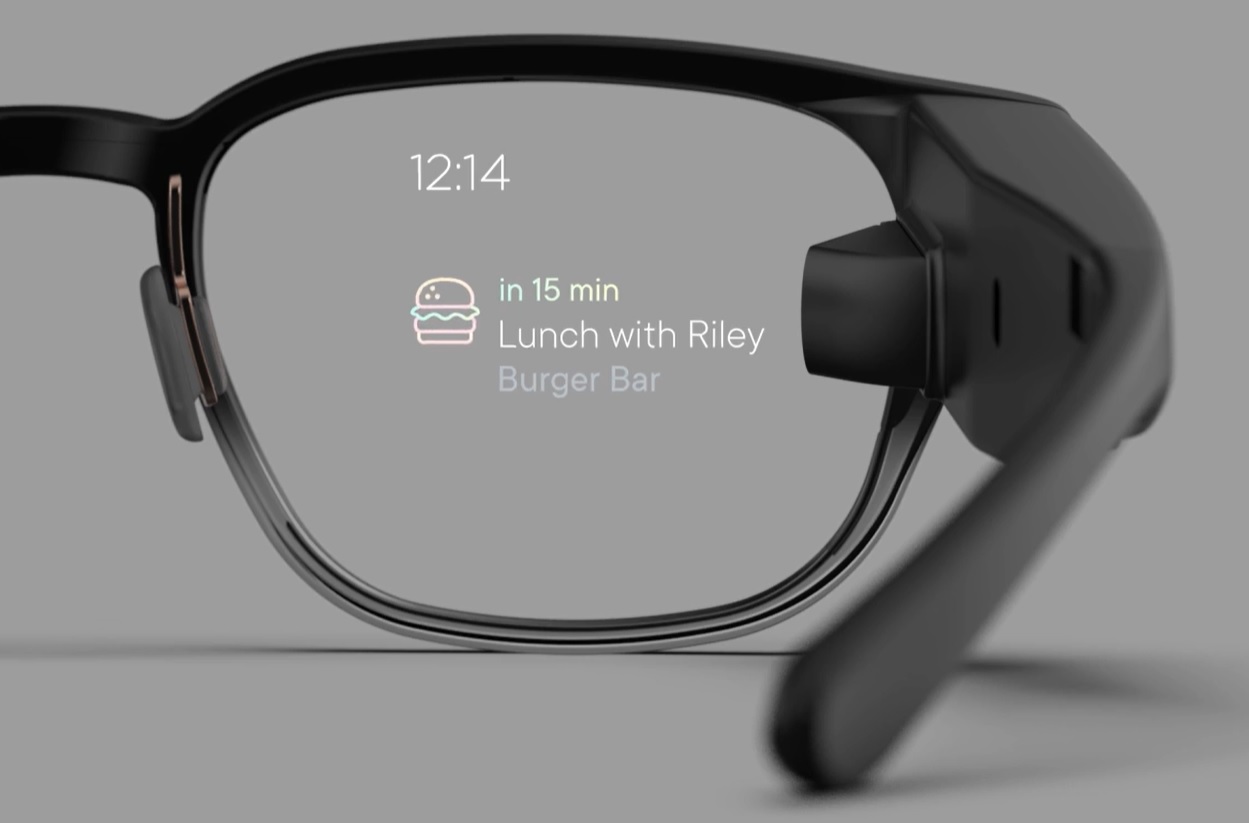
  • Your New Google Glass Comes Without Video Calls Support

    Your New Google Glass Comes Without Video Calls Support

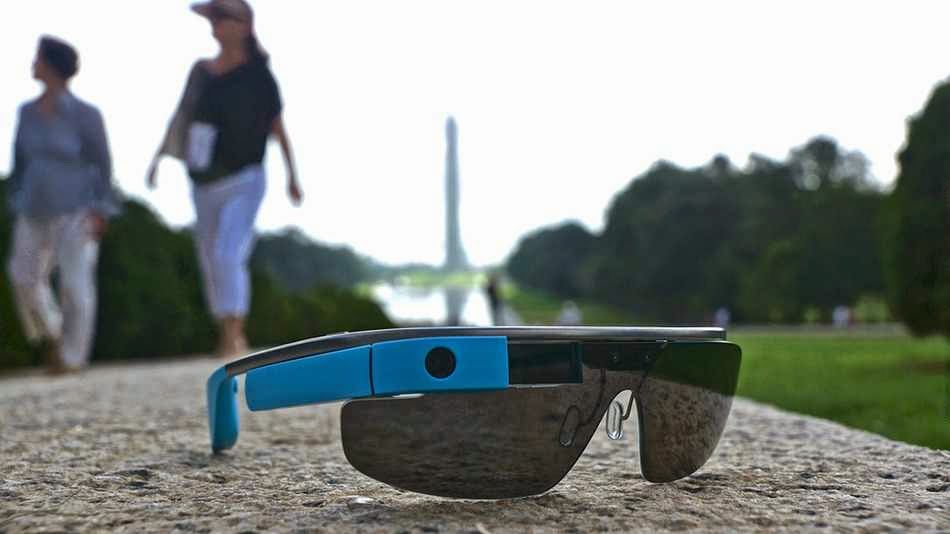
    As you set fort to lay your hand on a new pair of Goolge glasses today, let’s quickly give you the heads up on what to expect from Google’s $1,500 pair of glasses.

    Although the device will support KitKat and a couple of new features, including new tools for working with photos easier, Google has also decided to remove the option to do video calls from Glass for the time being.

    Google says video calls from Glass didn’t live out to the company’s “high standards.” Only about 10 percent of Glass users currently use them, and because of this, the Glass team has made “the hard decision to remove video calls from Glass until the experience is better.”

    It’s unclear when this feature will return, but Google tells Glass users to keep an eye out for video-streaming apps in the MyGlass app library for third-party solutions. Given that video calls from Glass were always one of the device’s marquee features, it does come as quite a surprise that Google would remove this, even if just a few percent of its current users use it.

    Is Hangout Really Enough?

    As for the photo updates, Google now finally bundles photos together so when you scroll through your timelines, it’s not cluttered by lots of photos, and the photos you take are easier to find. Glass now bundles all your videos, photos and vignettes into a single bundle for each day. If you take a lot of photos on Glass, that’s definitely a major improvement.

    Despite losing the video calling feature, Hangouts on Glass are still an option for chats, and with this update, Google now allows users to more easily send photos in Hangout messages.

    Other new updates include a voice command menu that’s now sorted by frequency and recency, as well as the ability to more easily send feedback about Glass right from the device.

    According to Google, there are a few more features in this update, too, but it hasn’t updated its Glass Journal blog yet. We will update this post with a list of all the new features as Google makes this information available.

  • Google Glass Now Available to Everyone: How to Obtain your Own Pair of Google Glasses

    Google Glass Now Available to Everyone: How to Obtain your Own Pair of Google Glasses

    In compliance to Google’s announcement last week, everyone in the U.S. will be able to buy Google Glass today, starting from 9 a.m ET.  “Every day, we get requests from those of you who haven’t found a way into the program yet, and we want your feedback too,” the company wrote in a blog post.

    Google Glass is not commercially available yet; it’s been available only to Google Glass Explorers — in other words, only through a very limited beta-testing program.

    Now, Google is opening up the program and folks in the U.S. will be able to get the Glass for $1500 + tax. Google has apologized to everyone else, saying it’s “just not ready yet to bring Glass to other countries.”

    The price is steep, but at least Google will throw in frames or a shade of your choice.

    To get the Glass, you need to be 18 years old, and you need to be a U.S. resident with a U.S. shipping address. Then, go to this address today, April 15, at 9am ET. Be fast, as the number of spots available is limited. You can also sign up for a reminder at the same address.

    If you are wondering what this pair of glasses will do for you, poke your cursor on this link to find out.

  • With LastPass comes the End of entering Passwords Manually in Android Apps

    With LastPass comes the End of entering Passwords Manually in Android Apps

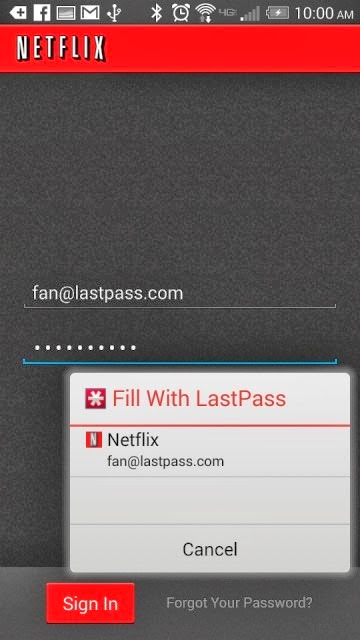
    Password management service LastPass, which stores passwords on a secure online service to automatically log users into websites, has rolled out automatic password entry to Android apps and the smartphone’s Chrome browser.

    So for LastPass users on Android, the days of manually entering passwords into apps and websites are over.

    “It takes the concept of our desktop functionality — recognizing what page you’re on and looking for a match stored in your vault — but is adapted for the Android accessibility feature,” Amber Gott, a LastPass spokesperson, told Mashable. “Once the option is enabled in the LastPass Android app, LastPass can now ‘see’ when you’re on an app login page, and then can hover and let you know if you have a matching login.”


    The news comes just a few weeks after competing password management service PasswordBox enabled a similar automatic entry feature. Previously, LastPass users needed to copy and paste passwords from the LastPass app to log into native apps and sites.

    The feature is available for apps on devices with Android 4.1 and later and Chrome on smartphones running 4.3 and later. It also supports Dolphin HD and Firefox mobile browsers, too.

    Although the functionality adds a big convenience on Android, it’s unclear if and when the feature will ever come to iOS devices.

    “Unfortunately, Apple doesn’t have an equivalent that allows us to hook into the OS and securely deliver users their data,” a LastPass spokesperson told Mashable. “We’re still looking into it and hope that further updates to iOS may allow us to implement something similar.”

    Click here to download LastPass password manager to your Android smart phone.

  • Microsoft And Dell Sign Patent Royalty Agreement For Google’s OS

    Microsoft And Dell Sign Patent Royalty Agreement For Google’s OS

    Today Dell and Microsoft announced that they have signed an agreement relating to intellectual property, which will see the two companies “license each company’s applicable” patents regarding Android and Chrome OS devices, as well as Xbox consoles.

    So Dell will pay Microsoft dollars when it ships devices running Google’s operating systems. The companies mention Xbox consoles because Dell, it turns out, has some IP with surface area to the device. Dell likely got a discount on its royalty payments as a result.

    The Android and Chrome OS portion of the agreement are not surprising, other than that they indicate that Microsoft can turn the largest of OEMs into its paying customers, and that it undercuts Google’s mobile platform hegemony and attempt to break into the traditional PC market. How so? Increasing the unit cost of using Android and Chrome OS adds a nip of cost to each unit, making them less profitable for their manufacturer, or more expensive to the consumer. Neither is much of a good option.

    And Microsoft directly cashes further into Google’s success, which is one of the more ironical pieces of the technology world at the moment.

    This post was originally posted on Techcrunch | Image by Flicker user Alex Schwenke under CC BY 2.0 Licence (Images has been cropped)

  • Trend Micro CWShredder Review & Free Download

    Trend Micro CWShredder Review & Free Download

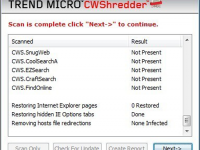
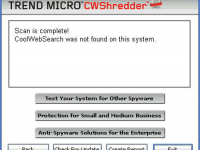
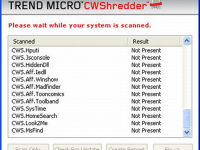
    A quality product called CWShredder from Trend Micro released to remove traces of coolwebsearch virus from the pc, this was one of the major virus released by hackers it creates auto bookmarks to your browser mostly to the porn and other related websites and it also changes the default home page and when you attempt to change it back it reverts the changes also it impacts system performance too which causes windows to crash and reboot very often this symptom has been noticed on vast number of pc’s. Download CWShredder today from EwtNet and safeguard your pc.

    • Effective hijack removal tool
    • Quick fix for browser related hacks
    • A quality product from major antivirus company
    • Focused on browser protection
    • Improves browser & system speed
    • Efficient in removing coolwebsearch virus
    • Fast and low on using system resources
    • Small size file and quick install
    • Easy navigation
    • Provides for all major browser

    Click on the download button to begin the download

    File Size: 207 KB (rar)
  • Trend Micro Hijackthis Review & Free Download

    Trend Micro Hijackthis Review & Free Download

    HijackThis is a security tool which generates logs with files that are required and point to malware files & un important files, if you are picky and need control of manually deleting files instead of letting the security software take control of deleting files, hijack this is a good option. But it is extrememly important to use tool with extra caution as you might end up deleting some important files too. Download free Hijackthis tool at EwtNet

    • Lite tool with control over deleting files
    • Fast and effecient
    • Does a good job in finding virus effected files
    • Need good technical understanding to use this tool while deleting files
    • User friendly design

    Click on the download button to begin the download

    File Size: 1.34 MB