Millions of people across North America could have a chance to observe a partial solar eclipse next week, weather permitting.
Although the Oct. 23 partial solar eclipse may not be as spectacular as a total eclipse, it is still a beautiful and interesting event to witness. The sight of the moon gradually moving across the face of the sun fills most people with awe. The best views of the eclipse will be in the north, in Alaska and the Canadian arctic, but everyone in North America should see some of it, except in the extreme northeast of the continent. In eastern North America, the eclipse will only be visible near or at sunset, so a low western horizon is essential. Venus is very close to the eclipsed sun, but you will probably need to block the sun from view to spot it.
In some ways, a partial eclipse is the most dangerous to observe. People naturally want to look at it, and this defeats our normal reflex to look away from the sun.
Warning: Never look directly at the sun through binoculars, a telescope or with your unaided eye. Serious eye damage and even blindness can result. Scientists and experienced skywatchers use special filters and glasses to safely observe the sun.
The safest way to view a solar eclipse is by using a pinhole in a piece of cardboard to project the sun. This is particularly effective with an eclipse near sunset, like this one. Punch a hole a couple of millimeters in diameter in the middle of a piece of cardboard, and tape it against a west-facing window. This will project a perfect image of the eclipsed sun on a wall opposite.
Do not use binoculars or telescopes to view the sun unless you have a properly designed solar filter, such as the full aperture solar filters available for all telescopes at any store selling astronomical gear. Do not improvise with home-brew solutions, as permanent eye damage is likely to occur.
A much requested feature — and playing catch-up with competitors, such as Rdio — Spotify is introducing a family plan to reduce the cost of several family members subscribing to the music streaming service.
The ‘Spotify Family’ plan lets users buy premium subscriptions for up to four additional family members at 50 per cent off, or $4.99 for each additional account. So, for example, a family of five would pay $29.99 through the new family plan rather than the $50. Like stand-alone Spotify Premium accounts, under the family plan each member can create and manage their own descrete playlists/music library and get personalized song recommendations. In addition, all of the other Premium features apply, such as the ability to cache playlists for offline listening, multi-device/mobile support, and ad-free listening.
“This is one of the most asked for features from our audience,” says Ken Parks, Chief Content Officer at Spotify, in a statement. “With today’s announcement we’re making it easier than ever for the whole family to experience Spotify Premium on their phones, at home and on the go.”
However, while the move and reduced pricing will be welcomed by families who are already hooked on Spotify or want to add additional household accounts, it also speaks to one of the challenges facing the company. As Josh Constine notes, the big problem for Spotify is that its on-demand streaming competitors aren’t in the music business. Apple uses music software to sell iPhones and MacBooks. Google Music is designed to lock people into its ad-filled ecosystem. Amazon bundles music in for “free” with a $99 a year Prime subscription that gets you to buy more physical goods.
In other words, all three of Spotify’s deep-pocketed competitors could drive down the price of music streaming further because they make money elsewhere. If music streaming services weren’t already a commodity, it’s not inconceivable to imagine on-demand streaming becoming something we eventually expect to come for free with a phone or mobile OS, regardless of any attempts to differentiate via a better user experience or broader music catalogue.
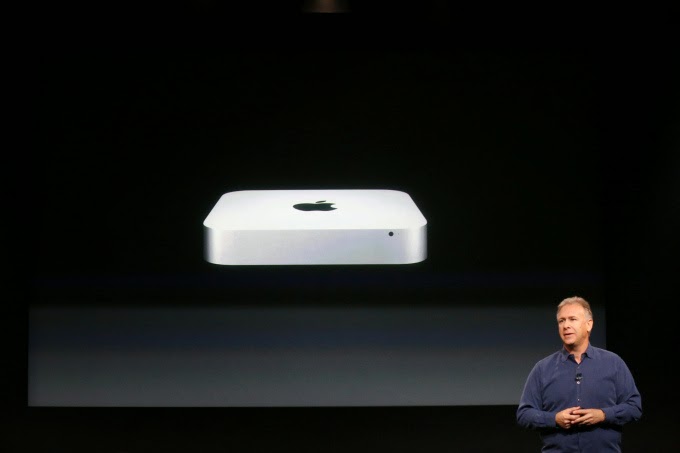
After encouraging customers to upgrade their Mac Mini RAM in 2012, Apple has decided it’s time customers lives with what they are offered.
Apple excited its users when they announced their newest Mac Mini some few weeks ago. However, Brian Stucki, who runs a Mac Mini hosting farm in Las Vegas has taken to twitter to announced that the new Mac Mini’s RAM is soldered to the board.
He also notes that the latest generation Mac Mini now has tamper proof screws, making things that are user serviceable that much more difficult to get to:
Confirmed: RAM in the new Mac mini is not user accessible. Hard drive can be replaced/upgraded, though not keeping warranty.
— Brian Stucki (@brianstucki) October 17, 2014
If people didn’t like to hear the confirmation of soldered RAM, wait until they see the foot of the Mac mini with tamper-proof screws.
— Brian Stucki (@brianstucki) October 18, 2014
An Apple support page found here seems to confirm the soldered-on RAM:
The memory for Mac mini (Late 2014) computers isn’t user accessible and is integrated into the main logic board. You can configure your computer’s memory at the time of purchase.
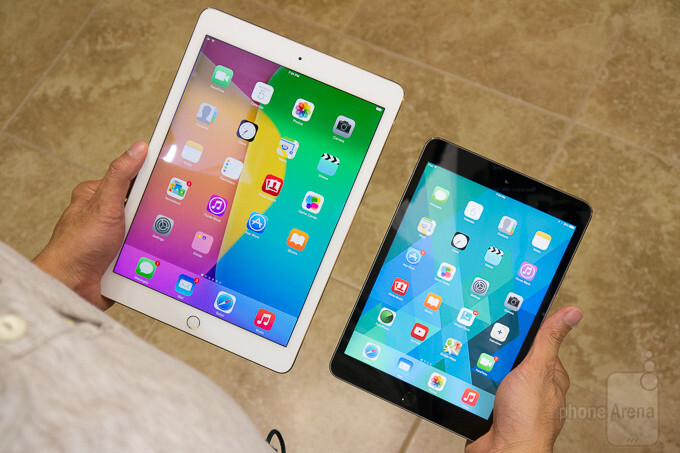
Apple revealed new iPad models on Thursday, and they all go on sale starting today via Apple’s online store. Today is just the beginning of pre-sales, with iPads officially shipping to pre-order customers and arriving in stores sometime “late next week,” according to Apple.
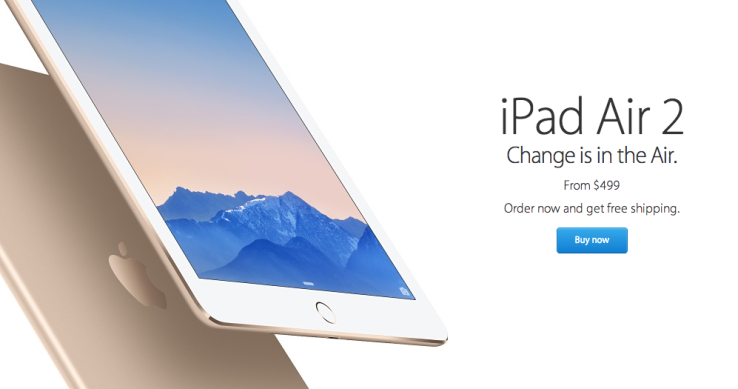
Pricing for the new iPad mini, which is essentially the same as the existing model with Touch ID added and a new gold color option, starts at $399, while the iPad Air 2, with its full external and internal overhaul, begins at $499. Configuration options include 16, 64 and 128GB options, with both Wi-Fi only and LTE-capable models of each.
Delivery time for the new iPads is listed as October 23, which partly helps explain why the date wasn’t set in stone on stage. Apple seems to want to get these out the door as soon as possible, instead of staging a defined, singular street date, so they could be shipping them in batches as soon as they come off the line.
Our own initial impressions of the new iPads found that the iPad Air 2 is a marked upgrade even from last year’s version, but as for the iPad mini 3, unless you have a burning desire for Touch ID or you’re upgrading from a first-gen Mini, it might be worth holding off on a purchase.
Yes, you heard right! Google has decided to put an end to the speculations of a new Android OS and officially pulled the curtain on its new OS version Android 5.0 Lollipop. Two days ago, the company announced the release of a new Android version 5.0 Lollipop on their official blog – An OS designed to “work on all your devices and to be customized for you the way you see fit.”
Android 5.0 Lollipop featured image. Credit to Google official blogspot
Android has a face only an engineer could love. At least, that’s the reputation it has earned over the past few years. Google’s mobile OS is a hotbed of mobile innovation and new technologies, but its interface doesn’t have the friendly consumer-centric design of iOS or Windows Phone. With Android 5.0 Lollipop, Google aims to overhaul this shortcoming, while baking-in a handful of nifty new features.
Google stated that “Lollipop is designed to be flexible, to work on all your devices and to be customized for you the way you see fit.” That may be true to some extent but the plastic surgery is incomplete. While iOS7 is easily identifiable by its flat bright colors and lightweight fonts, and Windows Phone carries on with Live Tiles, the Lollipop interface has no single recongnizable trait. Yes, it’s flatter and brighter, but what isn’t these days? Worse, the redesign seems pushed out the door too early. Scratch beneath the surface, and you’ll find built-in apps and menus that haven’t been udpated to the new look. There’s a lot to like in Google’s name-branded OS release, but this sweet treat isn’t quite ready to be unwrapped.
New Cosmetic Look
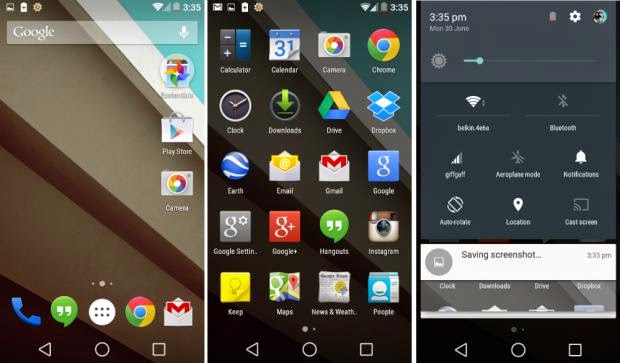
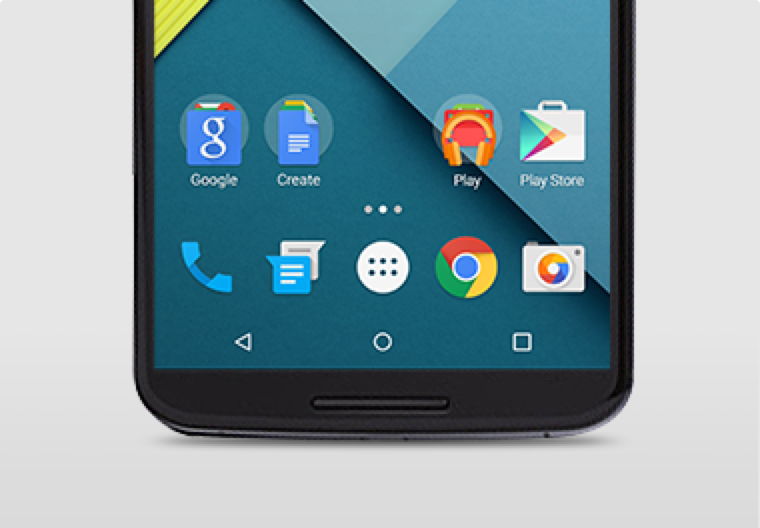
Android 5.0 Lollipop has a new vibrant look, otherwise called Material Design. Google has finally ditched the traditional look of the Android soft keys at the bottom of the screen and has adopted something rather more stylish.
New Soft Keys. Image by Knowyourmobile
New Google Now Launcher. Image by Android
The “Home” symbol is now a circle, while the multitasking menu is a square. The back button is a reversed arrow that looks like it has been lifted from a 1980’s tape player or VCR unit. It’s quite a drastic change and does take some getting used to, especially if you’ve been using Android since day one.
The new OS is also bundled with a new launcher. A clean, simple, customizable home screen that comes with the power of Google Now: traffic alerts, weather, and much more, just a swipe away.
Extensive Battery Life Saver
Android L brings with it Project Volta, Google’s attempt at giving developers more visibility on what aspects of their apps are draining the most juice. While it’s early days here, the majority of the apps we tested had not been configured to make use of Volta, it’s a solid move by the Big G, as it gives you a more accurate indication of how long your phone is going to last and what apps are sucking up most power.
Another nice touch is that when you’re charging your phone, you’re told how long it will take for the battery to be fully topped up. While we’ve perhaps not spent enough time with Android Lollipop to get a complete picture, it did seem to give our Nexus 5 more stamina than KitKat.
Finally, we have Battery Saver mode. How this works is simple, although the service isn’t anything particularly new – plenty of OEMs already build similar features into their hardware. The idea here is to conserve battery life, so when your battery hits a certain percentage, you can set the Battery Saver mode to kick in and throttle the performance of the phone to ensure that juice lasts a little bit longer.
Newly Improved Notification & Lock Screen
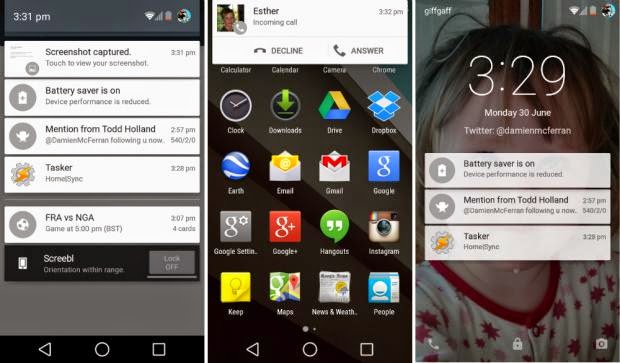
This is perhaps the biggest area of change in Android Lollipop. Notifications have undergone a complete overhaul, and now look a lot like Google Now’s card-based system. Notifications are displayed directly on the lock screen, and tapping a card allows you to unlock the device and jump straight to that area. You can even expand cards to see more details, such as a list of emails, with the phone still in its locked state (If you don’t like the idea of people being able to snoop on your personal messages then you can enable a feature which locks away the detailed info).
Newly improved notification and lock screen. image by Knowyourmobile
It’s a very clever move by Google, and one that brings you even closer to the content you need on your handset. Even if you have a security lock in place, the fact that you can tap the notification you wish to see, unlock the phone and then leap straight into the relevant information makes the whole process seem a lot smoother. You can also swipe away and dismiss notifications without actually unlocking your device.
When the phone is unlocked, notifications can be displayed by sliding a finger down from the top of the screen. Rather than showing the data in a slide-down panel, as was the case in previous versions of Android, a series of cards flow over the top of your current view, which can be seen behind the cards at all times. This “flowing” cascade of cards is set to be one of Android L’s most striking visual changes. As before though, the slide-down notifications panel has two stages: your finger swipe shows notifications, while a second swipe pulls down the quick settings menu.
While Google is giving notifications a face-lift, it’s also making them less obtrusive. If your phone is unlocked and you’re involved in another activity, such as browsing emails or playing a game, the call details appear at the top of the display. You can accept or reject the call without having to pause what you’re currently doing. Another welcome addition is the Do Not Disturb function, which you can quickly enable to stop you being bugged by your phone.
However, Lock-screen widgets have been removed entirely, so if you’re a fan of browsing your emails without unlocking your phone, then you might be disappointed.
Lollipop is Pretty Good & Tasty
From its list of features, Lollipop sounds tasty, and Android 5.0 is certainly a step in the right direction. Its interface is bright and inviting and the newly added secondary features like “People” app and a new Dialer application should help make stock Android even more consumer friendly. You also have top-level access to Google+ and Google Now, so there’s no excuse not to take advantage of Google’s most hottest features.
A lot of popular phones will get upgraded to Lollipop in the next couple months, though Google has recently launched Nexus 6, Nexus 9 and Nexus Player, all powered by Lollipop. Hopefully by the time Lollipop makes its way to your device, Google will have tied up some the loose ends—adopting the new design in all of its core apps and consolidating the myriad of new settings. Or, it can continue to torture us like it did with Kitkat by making only incremental changes to the entire Android package with each release, spacing out core app updates by months.
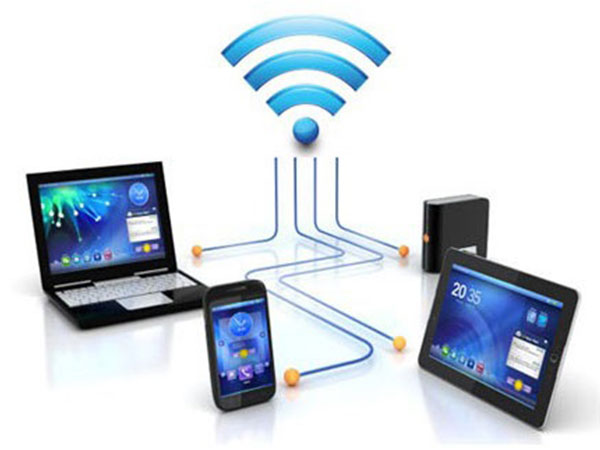
If you don’t have a home internet access, your best bet is to use your Android smartphone to distribute your cellular Internet connection to your other devices. Using our guidelines provided in video, picture gallery and text format you can learn how to configure Wi-Fi hotspot in an Android smartphone.
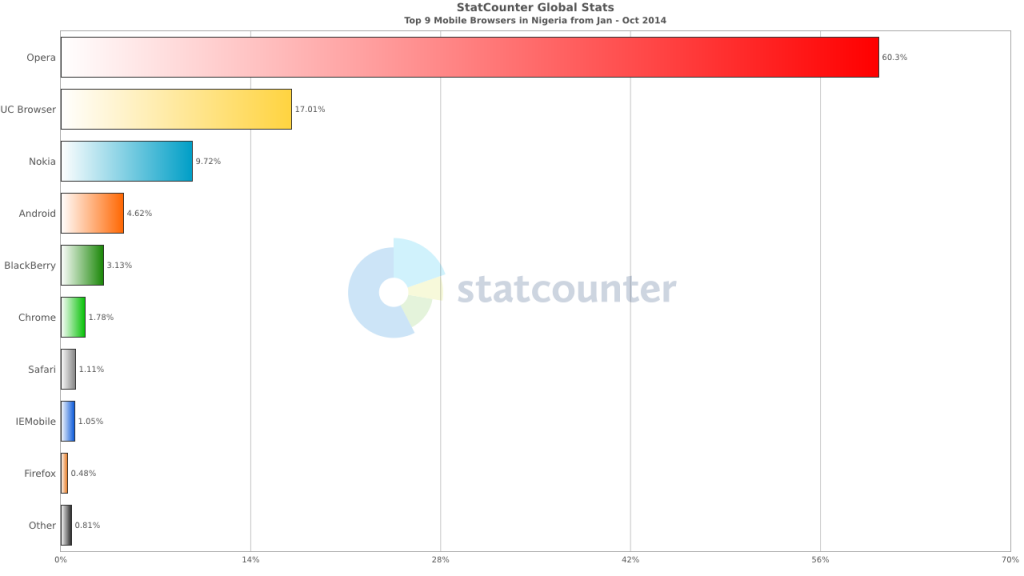
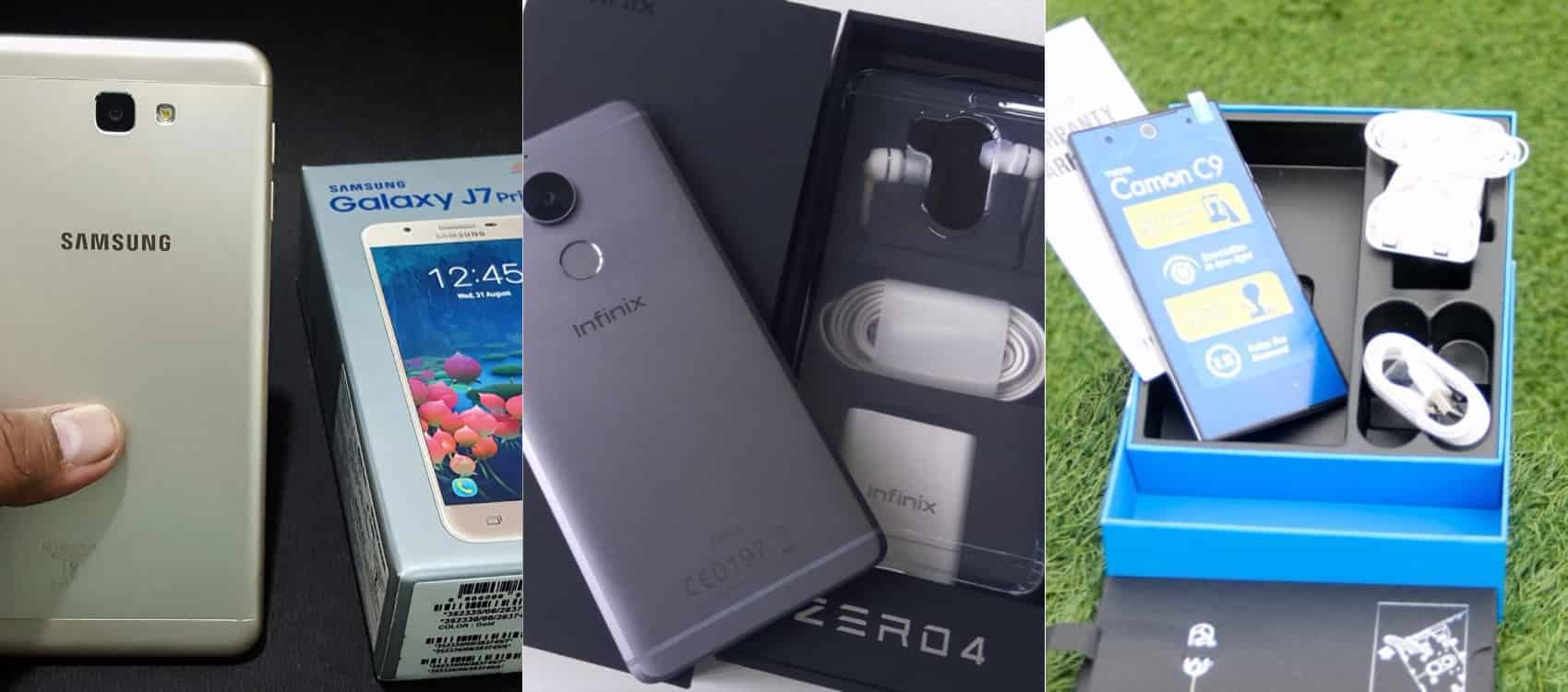
Smartphone usage statistics from Jan-Oct 2014 shows that Android OS is winning the smartphone war in Nigeria. Infinix, Tecno and Samsung smartphones are at the very top of the food chain in Android smartphone usage among Nigerians.
Since most internet users [in Nigeria] access the internet from the mobile data, it makes sense for Android users to get acquainted with the inbuilt portable hotspot facility that comes pre-installed in most Android devices.
Be it on Huawei Y6 Prime 2019, Samsung Galaxy S10+, Infinix Zero 5 or any Android smartphone out there, these guide is ready to get you started with portable hotspot on your device.
Click on any of the formats listed above to access this tutorial in that format.
How to use and configure Wi-fi on Samsung, Teno, Infinix and other Android smart phone?
Configure Wi-Fi hotspot on Samsung Galaxy S8
Time needed: 2 minutes
Follow this step to step guide to learn how to configure Wi-Fi Hotspot on your Samsung, Tecno, Infinix and any other Android smartphone.
Go to your Android phone’s settings
From the Home screen, tap the Application screens icon > Find and tap Settings.
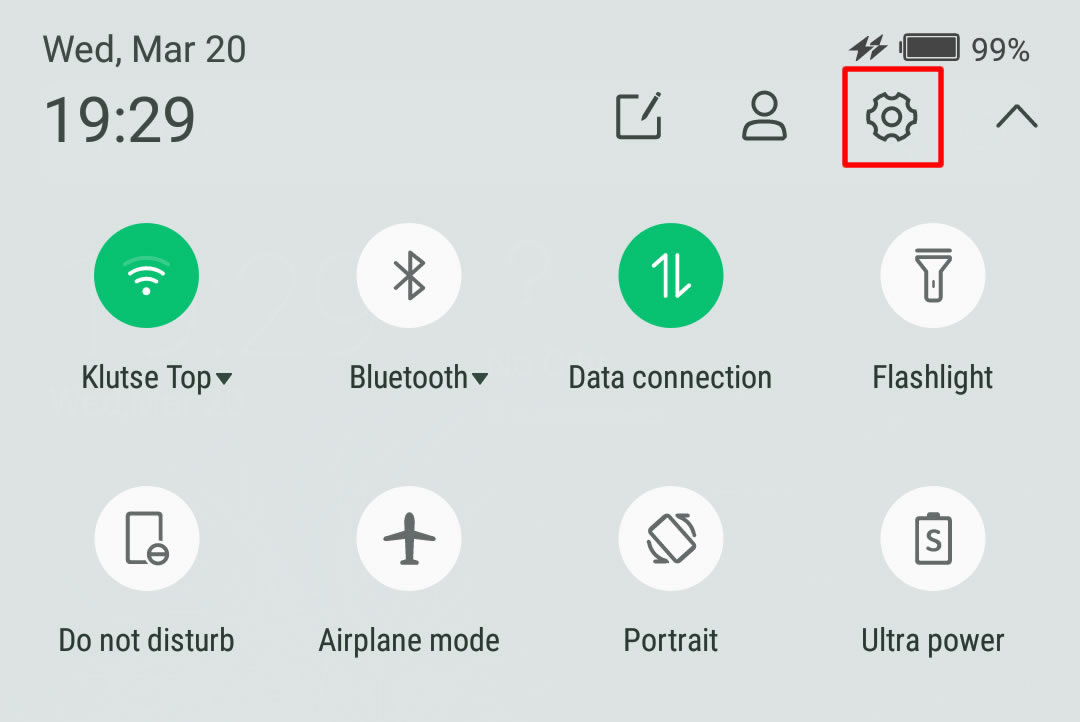
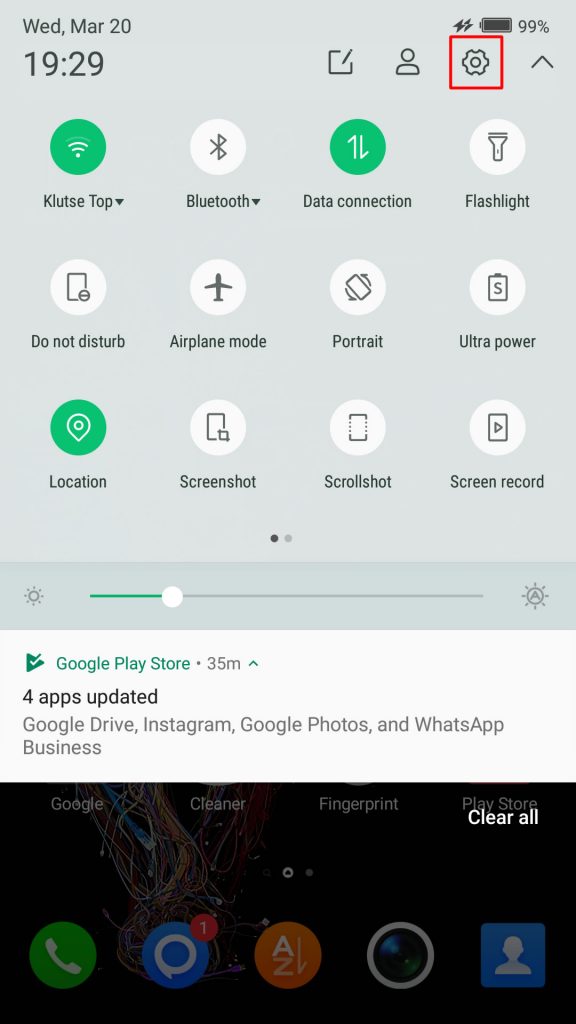
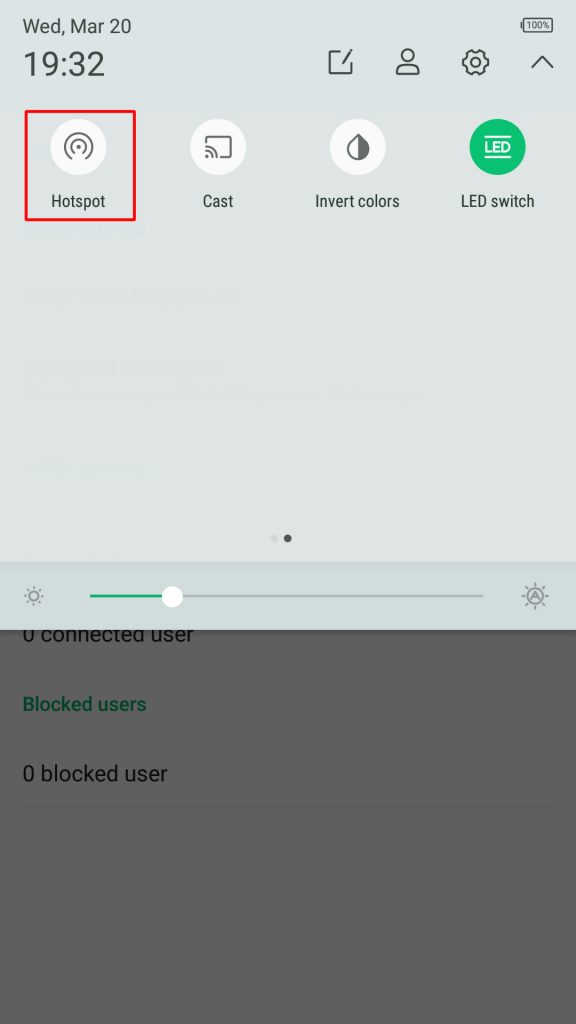
On newer versions of Android, you can simply pull down Android control panel and click on the gear icon.
Wireless & networks settings
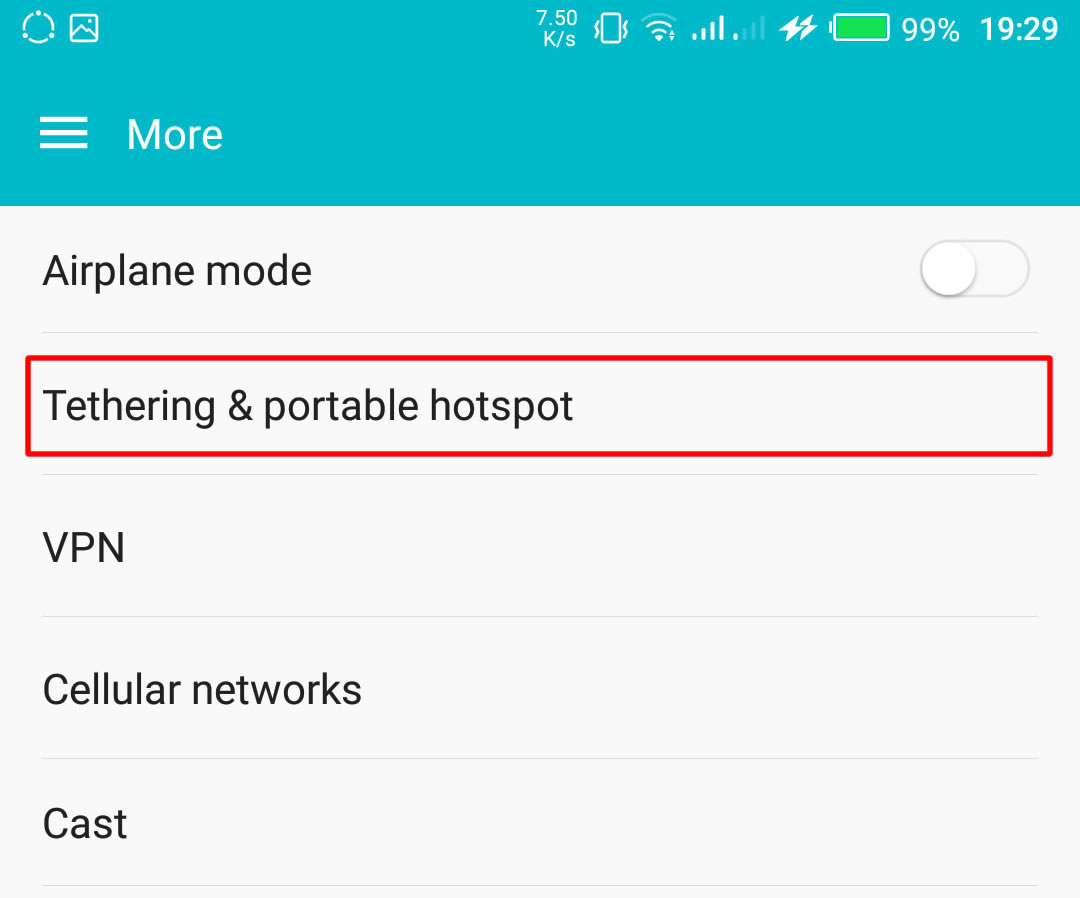
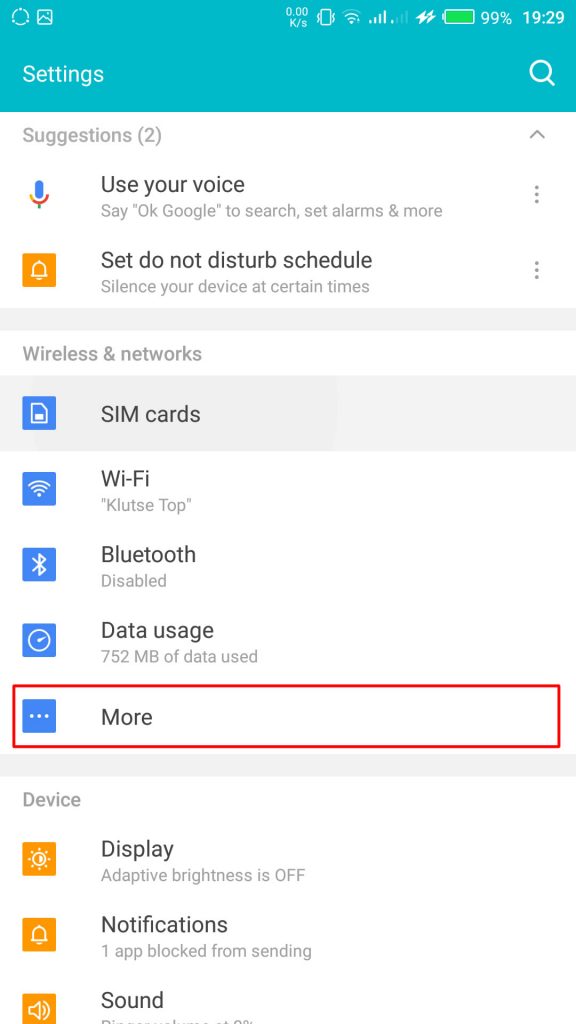
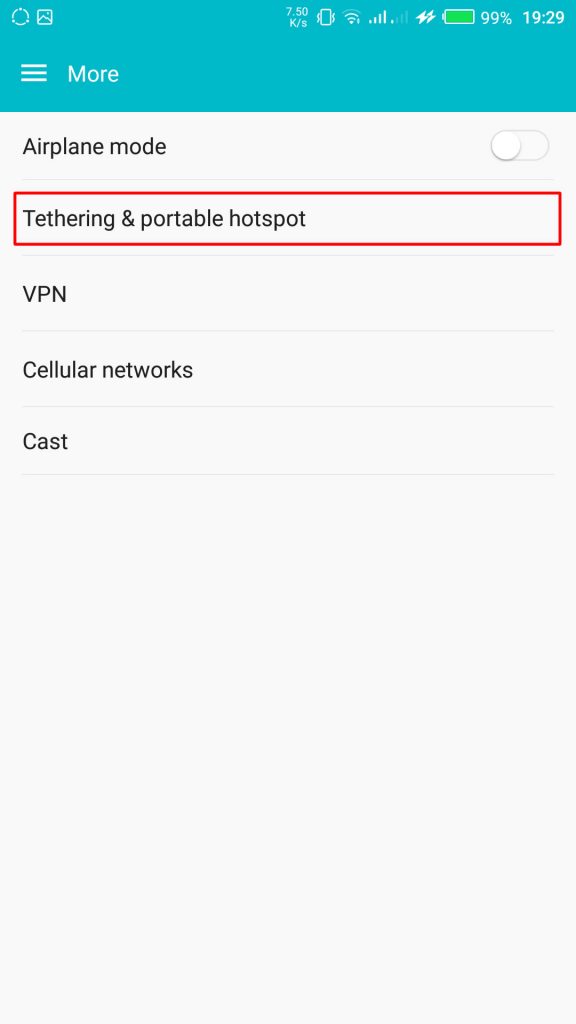
From your Settings screen, locate Wireless & Networks block and tap Tethering & Portable Hotspot. If you can’t find Tethering & portable hotspot on your settings home screen, tap More > Tethering and portable hotspot.
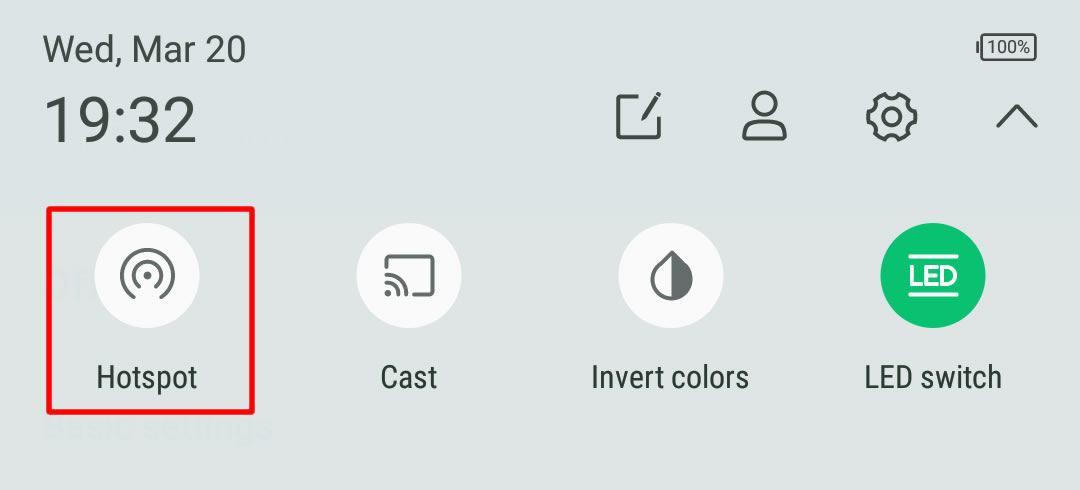
On some version of Android, you can hold the upper screen of your Infinix smartphone or Tecno smartphone and scroll down. Turn “On” hotspot from the menu. You will see a notification requesting you to touch to configure hotspot, just touch the notification.
Configure Wi-Fi Hotspot
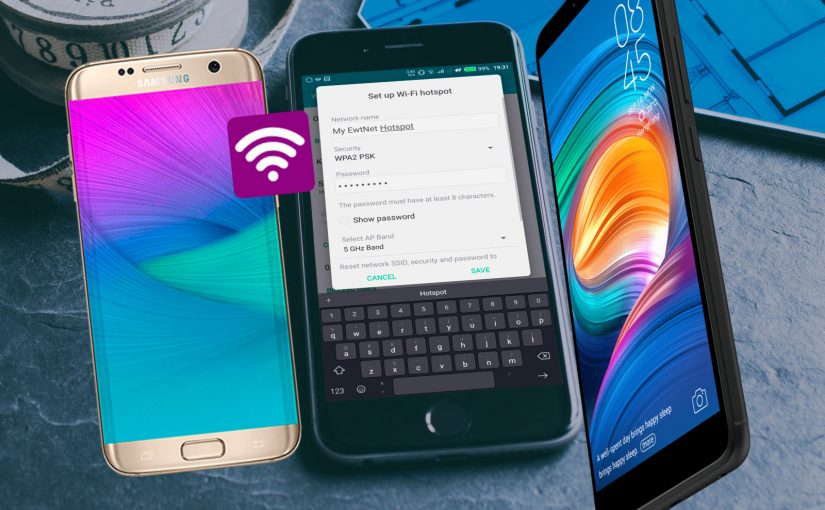
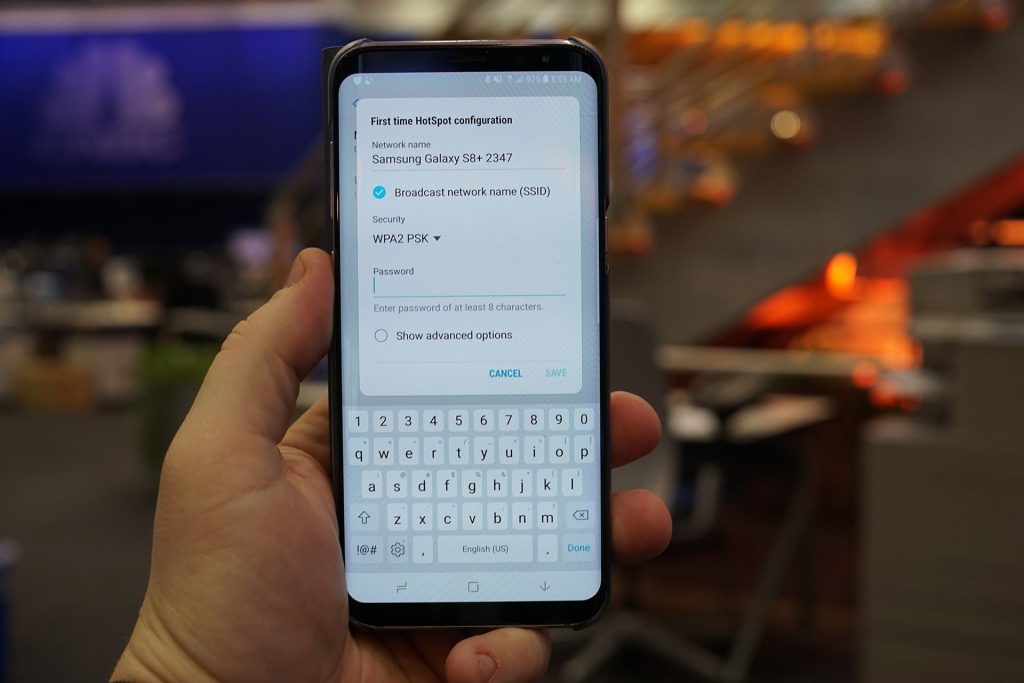
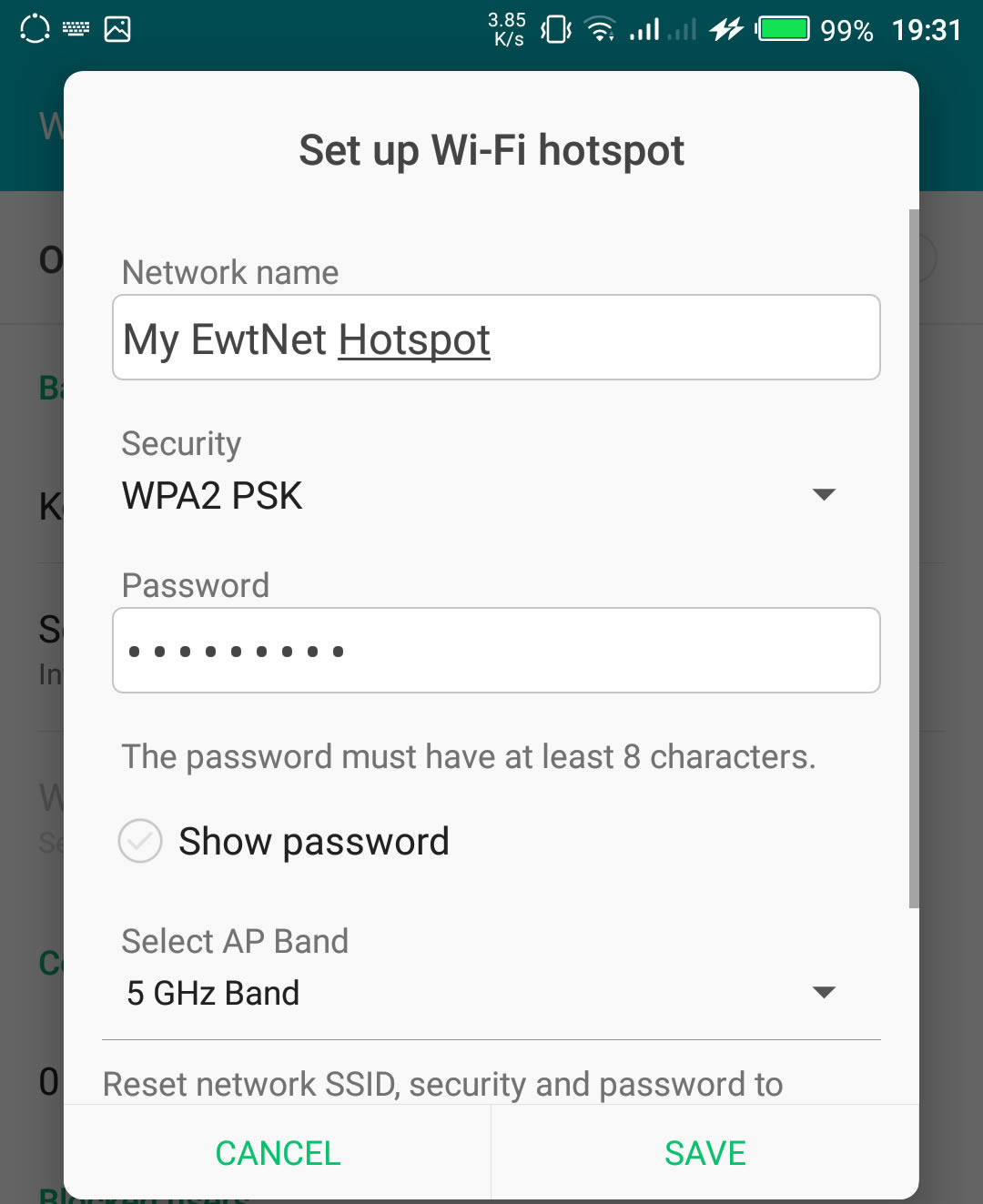
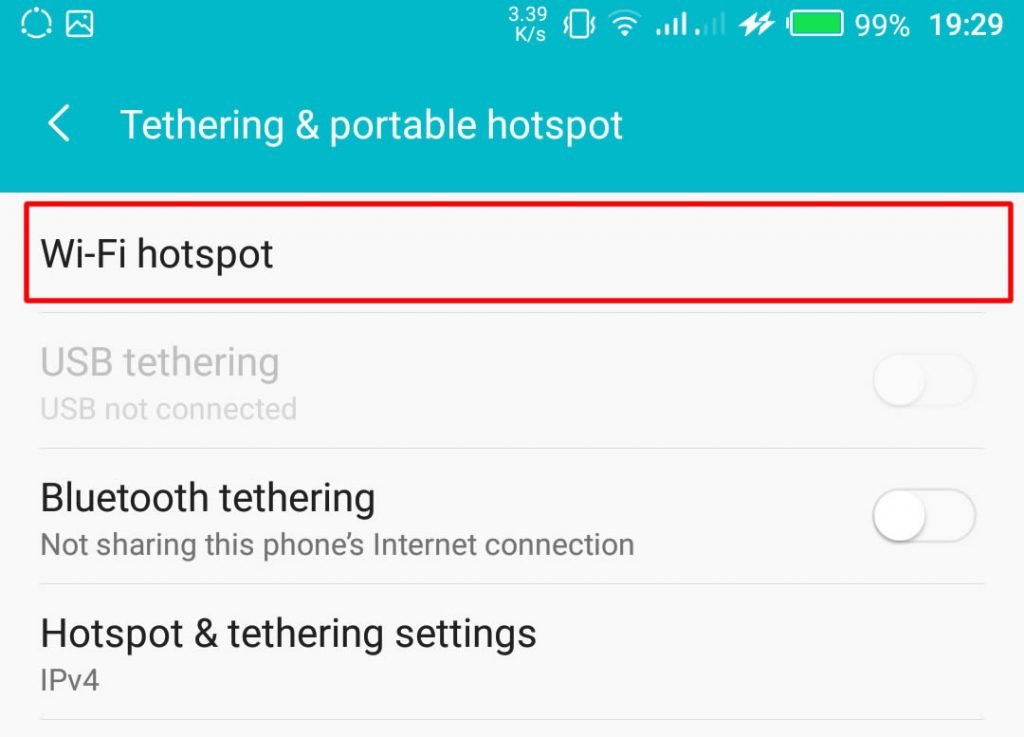
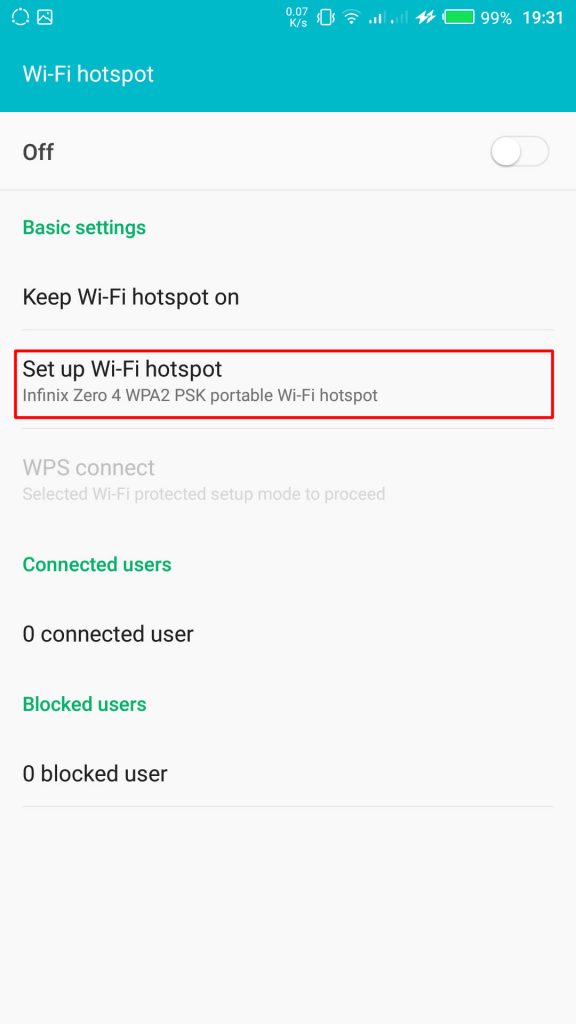
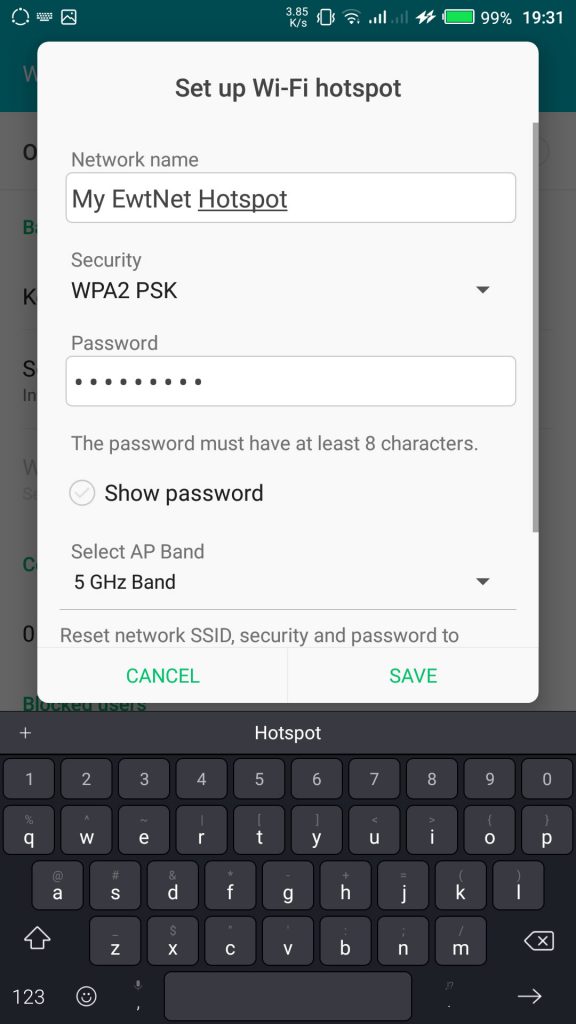
From the Tethering & portable hotspot screen, tap Wi-Fi hotspot and select Set up Wi-Fi hotspot. Here you can set your WIFI’s SSID and security.
The SSID or Network Name is the name of your Wi-Fi connection. Change the name to any name of your choice, the default name is usually “AndroidAp”
You can change the security option, to any of your choice, such as, “Open” which allows any WI-fi enabled device to connect to your smartphone without requesting for a password. While WPA PSK and WPA2 PSK allows you to put your preferred password.
Using Portable Wi-Fi hotspot on Android Smartphones
Your WIFI hotspot is now functional and can be used on basically every Android device that support WiFi connection including, Honor 8X, Infinix Diamond, Tecno Camon 11 Pro, Xiaomi Redmi Go, Tecno phantom and on any PC that has a WiFi adapter.
Turn on your Infinix WLAN hotspot and your laptop WLAN and search for available networks and connect. That’s all you need to configure your WLAN Hotspot and start using your Infinix smartphone to power your laptops and smartphones WLAN, up to multiple devices simultaneously
If you going to use your mobile data on your PC be ready to re-adjust your monthly data budget. Luckily, network providers in Nigeria and Ghana has improved their data offers in recent years.
How to use and configure Wi-Fi on Infinix smartphones in Pictures?
This picture walk-through guides you on how you can set up Wi-Fi hotspot on your Android smartphone using infinix example.
Click on the images to expand and use the arrow keys to browse.
Tap and drag down the top area of your Android phone to open the Android control panel > tap on the gear icon.
From your Settings screen, locate Wireless & Networks block. This is where configure network services like Bluetooth, Wi-Fi and mobile data. Tap More to open more network settings.
From More in Wireless and Networks settings, tap Tethering & Portable Hotspot. This will open the Tethering & Portable hotspot setting screen.
Tap Wi-Fi hotspot to open the hotspot management screen.
Ta Set up Wi-Fi hotspot to configure your Wi-Fi hotspot network name and password.
Here you can set your WIFI’s SSID and security. The SSID or Network Name is the name of your Wi-Fi connection. Change the name to any name of your choice, the default name is usually “AndroidAp”
You can change the security option, to any of your choice, such as, “Open” which allows any WI-fi enabled device to connect to your smartphone without requesting for a password. While WPA PSK and WPA2 PSK allows you to put your preferred password.
Once you’re done, get an Internet plan for your phone, turn on your mobile data and hotspot.
Your WIFI hotspot is now functional and can be used for multiple devices.
After you’re done, all you have to do is turn off the hotspot.
The same techniques will work on all Android devices. Using your mobile data on PC is obviously going to be more costly than Internet to the home bills, you may consider this data subscription plans to make an informed decision.
Video Guide on How to Use and Configure Wi-Fi Hotspot on Android Smartphones
The video demonstration is recorded on Infinix Zero 4 smartphone, but the same procedure is used to configure Wi-Fi hotspot on any Android device.
French Twitter users will be able to send money to one another with a tweet from later this week—but the payment service isn’t run by Twitter. S-Money, a subsidiary of France’s second largest banking group, BPCE, plans to extend its existing mobile payment service to French Twitter users with a payment card, regardless of who they bank with.
The service will be available this week, a BPCE spokesman said Monday, though he refused to discuss details ahead of a news conference scheduled on Tuesday.
However, a Twitter spokeswoman was quick to emphasize on Monday that this is not an official partnership between Twitter and the banking group. There are currently no plans to launch the service in other countries, as at this time it’s solely a French initiative, she added.
Free payments via tweets
As to how the service would work exactly, details are still scarce. French Twitter users will be able to send money with a simple Tweet and free of charge, without having to enter the beneficiary’s bank details, S-Money said on its site.
S-Money already offers electronic wallet apps for Android and iOS devices. The apps allow users who have linked their bank accounts to the service to send money for free to friends and family who also signed up for the S-Money service.
With that service, users’ personal banking information is stored on a secure server and never on a phone. All transactions are encrypted and require the entry of a PIN. If a phone is stolen or lost, accounts can be blocked with a phone call.
S-Money’s Twitter service will be launched at a time banks are struggling to keep up with technology companies who increasingly tap into the online payments market.
Twitter trying to move into payments
Twitter itself started testing a “buy’ button for users in the U.S., offering them a way to buy products directly form their timelines. After tapping the button, users will get additional product details and be prompted to enter shipping and payment information. Once that’s entered and confirmed, order information is sent to the merchant for delivery.
Meanwhile, Facebook is also testing a service which lets U.S. users buy retail items directly from their feeds or from a company page. The social network is also reportedly gearing up to enable mobile payments within its Messenger app.
Whether the services will take off remains to be seen. One hurdle might be the reluctance of users to share their financial details with Facebook or Twitter out of privacy concerns. As people are already used to sharing their payment details with banks, the banking sector could have advantage as a social media payments provider.
Microsoft announced this morning that it crossed the 1 million tester mark for the technical preview of its Windows 10 operating system. I had expected a higher number would opt for the new code, given how extensively the media (guilty) covered the rollout of the nascent operating system.
According to the company, more than 200,000 “pieces of user-initiated feedback” have reached its ears. The breakdown of builds that are run virtually and natively is about one-third and two-thirds, respectively, according to Microsoft. Microsoft has a long way to go with Windows 10, but with 1 million current registrants and several beta cycles yet to go, things seem to be off to a decent start. You will have to vet the strength of the million figure yourself.
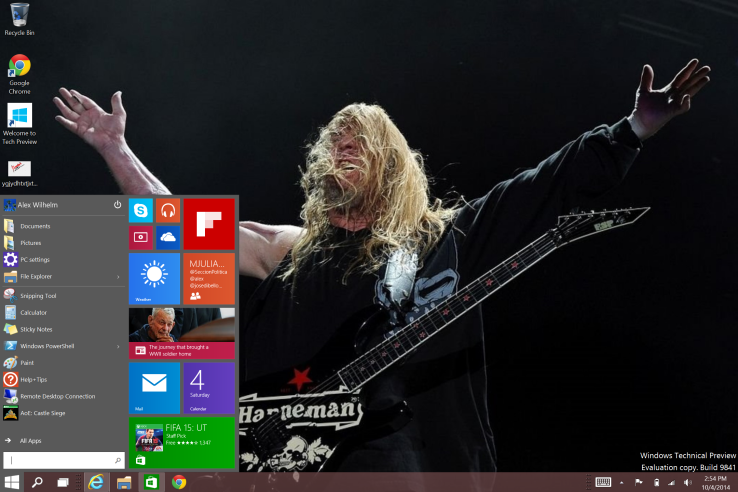
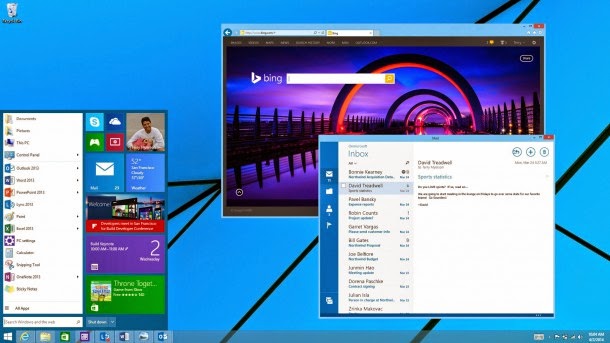
I’ve been using Windows 10 as a daily driver at home for a few days now, with a docked Surface Pro 3 hooked up to a 24-inch external screen, and an external mouse and keyboard. It’s a decent operating system in firm need of debugging, and the unshackling of its Metro alter-ego. But all things told, I am roughly as happy with it in desktop mode as I was Windows 7. And like with Windows 7, in Windows 10 I don’t use the Start Menu much. If you haven’t gone hands-on with the code, it’s worth a spin.
How long until 2 million people are using Windows 10?
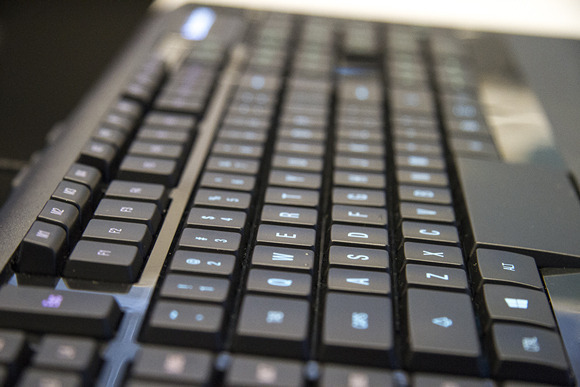
Windows 10 adds all sorts of nifty new features designed to appeal to PC power users, but it also includes some nifty newcomers that you can’t actually see—fresh keyboard shortcuts!
The details come courtesy of Brandon LeBlanc of Microsoft’s Blogging Windows blog. If you install Windows 10 be sure to check these out.
Snapping window: Windows key + Left or Right — LeBlanc says: “(Can be used with UP or DOWN to get into quadrants.)” Quadrants is the new Snap view mode that pins apps to the four quarters of the screen.
Switch to recent window: Alt + Tab – LeBlanc says: “Hold shows new Task View window view, let go and switches to app.”
Task view: Windows + Tab – LeBlanc says: “New Task view opens up and stays open.”
Create new virtual desktop: Windows key + Ctrl + D
Close current virtual desktop: Windows key + Ctrl + F4
Switch virtual desktop : Windows key + Ctrl + Left or Right
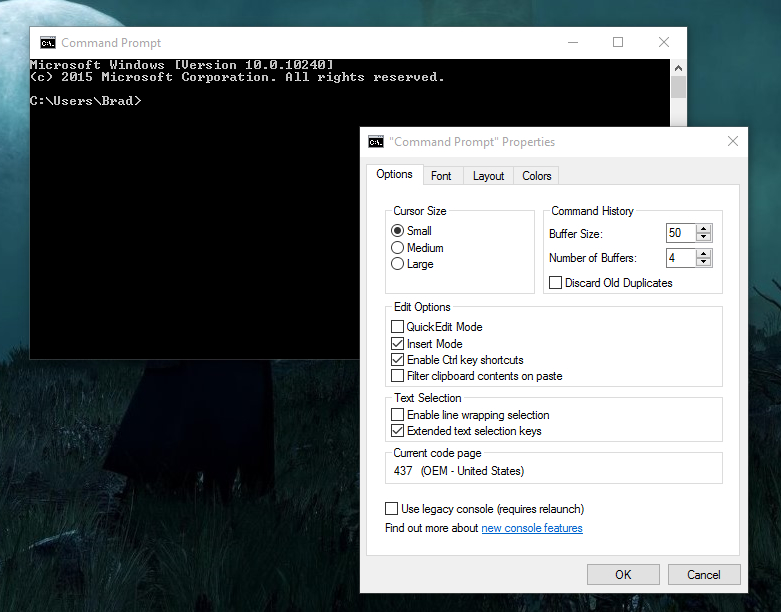
The Command Prompt and its Experimental Properties tab in Windows 10.
If you want to start using Windows 10’s greatly enhanced Command Prompt hotkeys (copy-pasting via the keyboard, yesssss) then be sure to check out Scott Hanselman’s extensive post on the topic.
Windows 10’s newfound support for keyboard shortcuts in the Command Prompt isn’t enabled by default, however. To enable it, right-click the Command Prompt’s title bar and select Properties. Open the new-to-Windows-10 “Experimental” tab and check the box next to “Enable experimental console features.” Finally, check the boxes next to “Enable new Ctrl key shortcuts” and “Extended edit keys,” then click OK.
According to statistics on Internet Live Stats Nigeria is dominating 2.30% share of the 2,981,011,134 (two billion nine hundred eighty-one million eleven thousand one hundred thirty-four) population of internet users in the world since January, 2014.
Around 40% of the world population has an internet connection today. In 1995, it was less than 1%. The number of internet users has increased tenfold from 1999 to 2013. The first billion was reached in 2005. The second billion in 2010. The third billion will be reached by the end of 2014 at this rate.
Understandably, the world most populated country China leads the chart of countries with the highest number of internet users in 2014. Reaching 29.99% i.e 641,601,070 internet users out of 2,981,011,134 world internet users.
China is followed, though at a very wide margin by United States with 279,834,232 internet users.Which is 9.58% of the world overall internet users.
Behind United States is the world second most populated country and the world third most populated internet users. 243,198,922 people access the internet from India which is exactly 8.33% of the total internet users in the world.
Japan (109,252,912) and Brazil (107,822,831) follows further behind in fourth and fifth place respectively, both having 3.74% and 3.69% population share of the world internet users.
The sixth and seventh place is occupied by Russia (84,437,793) and Germany (71,727,551) respectively, collecting 2.89% and 2.46% shares of the total population count.
Nigeria is posed on eight position in the global internet population ranking table. The African giants with over 178,516,904 human population, seventh most populated country in the world has improved its share of the global internet population by 16% since 2013. Nigeria currently has a total of 67,101,452 internet users, constituting 2.30% of the total global internet population.
Nigeria and the Egypt are the only African countries in the top 20 global internet consumers ranking table. The rest of other countries in top 20 include:
A new social website has sub-merged, though it isn’t exactly “new.” We’re sure you’ve heard of the site “Ello” that recently appeared, and the rise and fall of Diaspora*, and now a new social network (a social discovery network to be exact) has merged claiming to be the alternative to Facebook: WeeShare!
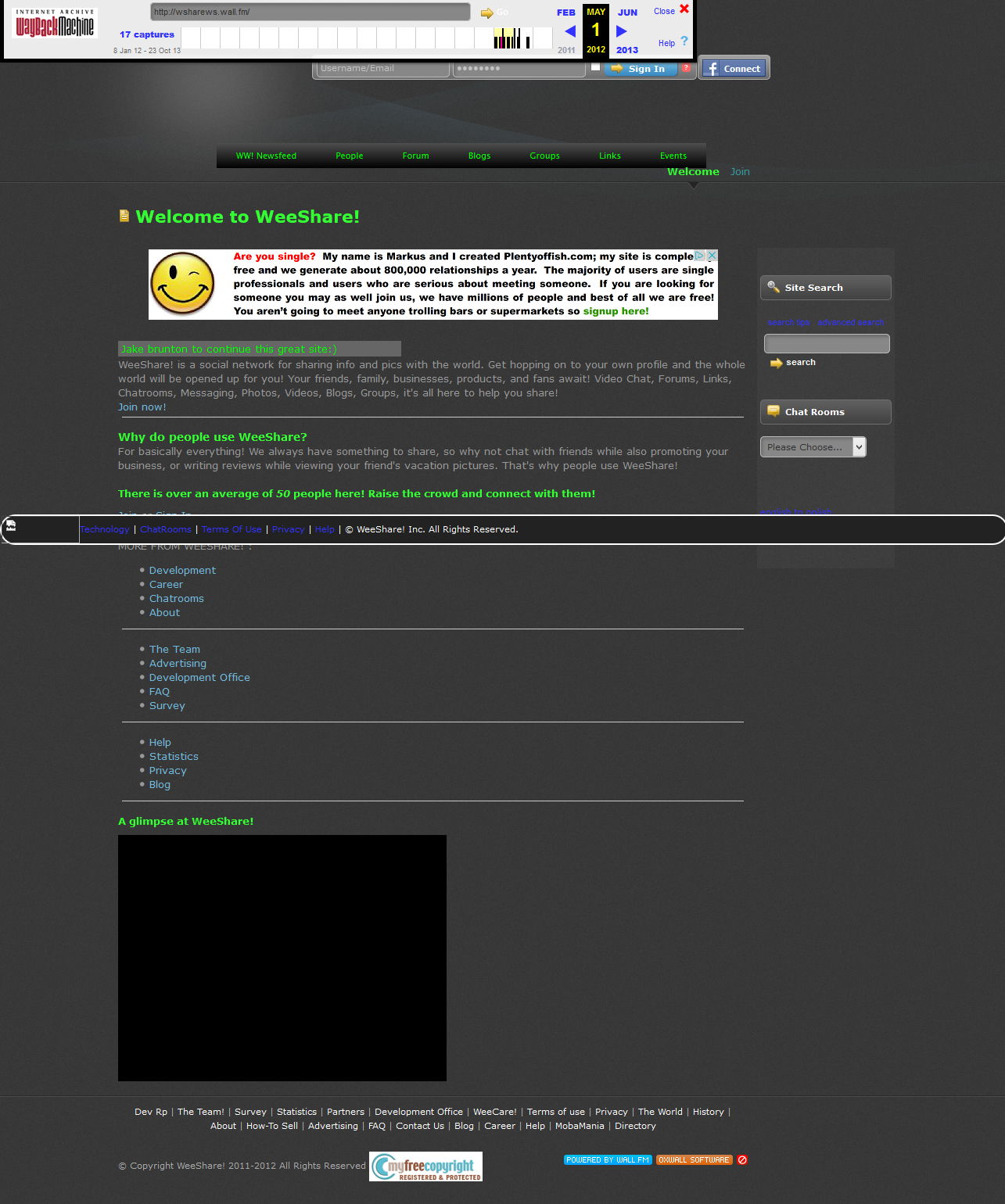
WeeShare! is a website started by Jake Brunton all the way back in 2011; hence it not being so “new.” It started out as a mobile chat site, and then eventually adapted to be a desktop social network around the end of 2011/beginning of 2012.
WeeShare! from May 1st, 2012.
WeeShare’s mission since 2012 of June was to be the world’s safe, fast, and open-source alternative to Facebook. It stands true to it’s open-source ways, being powered on the Open Source software “Oxwall” and with many functions/designs contributed by users and everyday people.
WeeShare’s owner and his colleague Mateo Celis continued the project without ever shedding more than a couple dollars on it; none of which went to advertising. The site made it to 800+ members by April 2014, right before it was removed by the host it was on due to a late bill.
Jake took the project on again and it was live as an [alpha] project in mid-July, now being live and online as a beta project for anyone to contribute to since mid-September of this year.
The goal of WeeShare! is to be the people of the world’s alternative to Facebook; to protect their info, data, and privacy while letting them connect with the people they know with similar tools to that of Facebook’s. Such features include non-filtered Newsfeed, instant chat, a sleek mobile website, photos, etc. Users are free to do this all while knowing they’re safe and their data/info and swapped messages and content are safe and are NOT used for marketing purposes, or used at all even except for making the website better.
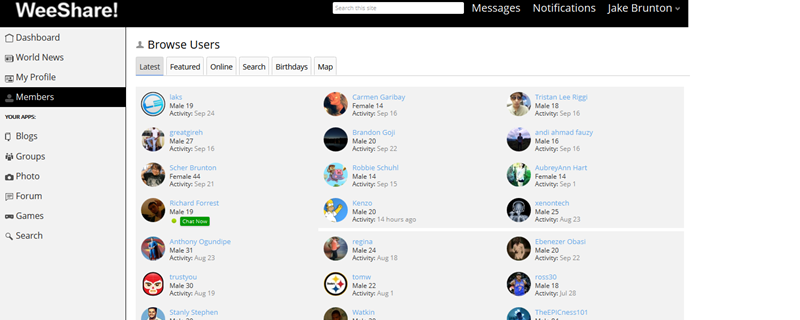
WeeShare! as of September, 2014.
WeeShare! stands by its claims over Ello, and other networks aimed at being Facebook alternatives by being a project: not owned by any company or business. WeeShare! is simply a project of the creator, and that’s that. Anyone can contribute code, designs, donations, suggestions, and more via the right resources like the About Website or the Developers Site (not live yet).
The project also has a list of Contributors that have made some more outstanding changes to the website. WeeShare! doesn’t seem to have any “invite only” registration, and users are free to customize their profile’s info and content at will. The entire site uses CSS and Javascript compressions to make sure it’s fast for almost all connections, and if a user can’t access via the desktop site; they can always use the mobile site that lacks some features but let’s user instant chat, message, post updates, photos, etc.
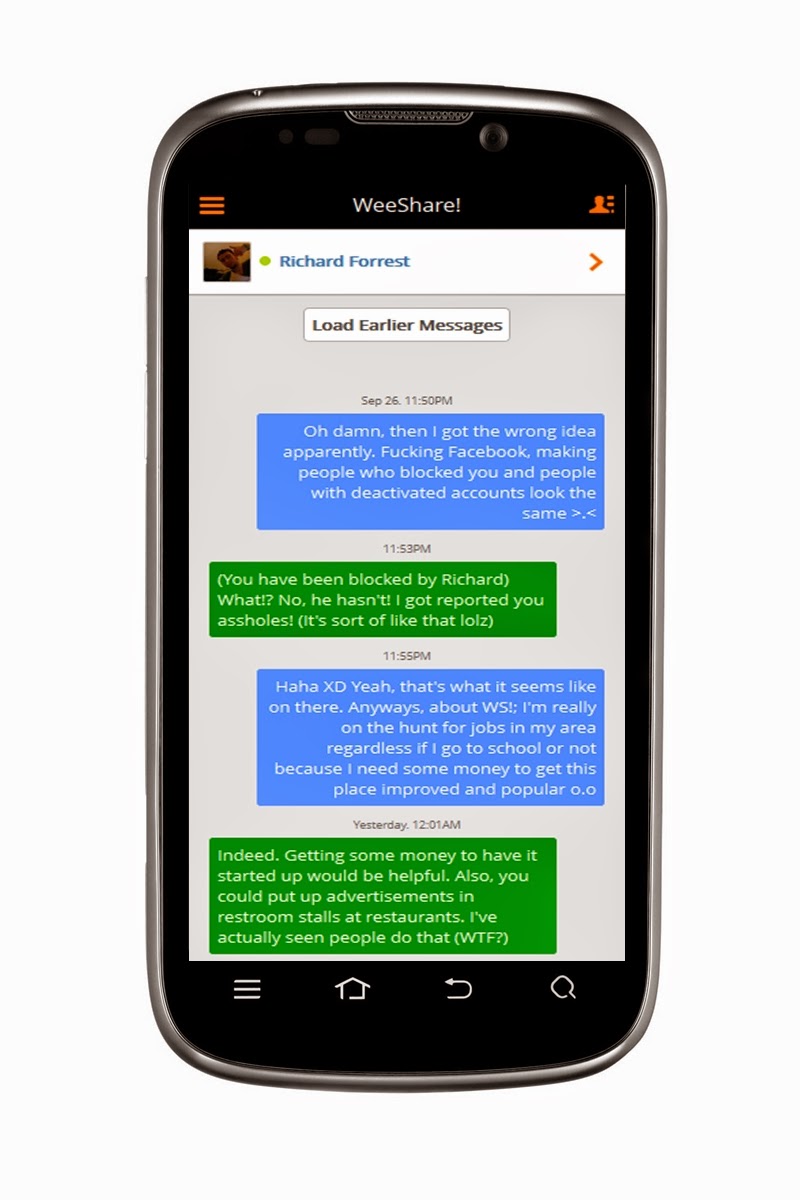
Jake chatting with his friend on WeeShare! mobile.
Despite being a project of the Ohio high school student for only 4 years, WeeShare! has been through a lot of changes and major blows. Since it’s initial start as a desktop site, the overall design has changed at least 20+ times, and features have been added and removed quicker than hotcakes at a restaurant. However, it is believed that those contributing to the project will leave the design the way it is as of now – with some minor customizations here and there in the future. It was also the target of a hacker from the UK that Jake and a friend got in a scruff with online – however nothing really happened.
The project had (up until it’s first time being live until removed) little to no budget for advertising and promotion. Jake and his friend Mateo both worked hard in their spare times by spreading the word online, at school, around town, and more – with little but still satisfying results. WeeShare! is also stated to have no main funding behind it since it is not the property of a business or company; it’s only monetary sources are any of Jake’s jobs, or donations from contributors.
The contributors and project creator knows that being a “alternative to Facebook” or anti-Facebook is a bold claim to make, but they have a full-page article telling users why they should switch from Facebook to WeeShare! It seems the project’s new promotional push is to inform users as to why Facebook isn’t a evil villain, but why it’s not a good social tool. Several reasons the about site lists are that Facebook limits you from truly unlocking social media power, filters your newsfeed; all the way to others like it being accused of spying on user’s chats.
Naturally, WeeShare! collects cookies on users to make the site work but in their soon-to-update privacy policy, they state how they use no third-parties to make cookies for account data collection; meaning their affiliates (J-List and Amazon) may use their own cookie systems, but they get no info about you from WeeShare! However, WS! has come to believe neither of their affiliates are collecting info – and they hope their affiliate ads will become a good source to keep the project alive. On the subject of ads, WeeShare! claims to only show ads from their two affiliates that aren’t targeted or data-based, and are simply copy and pasted JS code. The ads are also placed in non-interruptive places around the website.
All in all, WeeShare! wants to be a social discovery network by the people, for the people, made by the people. Users are the coders and contributors: and no changes are made to anything based on the idea of pleasing “shareholders” or advertisers, making this a sleek safe haven for social networking and meeting new friends.
With that in mind, we of EWT would like to humbly recommend trying out WeeShare.ws as it seems to be shaping up to be a good social networking alternative with more user control. Have you already made the switch? Let us know below in the comments.
Yes, you’ve heard right. According to a recent article from an Indonesia news website “Detik.com,” the Windows Indonesian president Andreas Diantoro said, rather confirmed, that Windows 9 will be available for free to users of Windows 8(8.1). According to Andreas, the “update will be automatic” for Windows 8 systems. Whether this update will occur also for Windows 7/Vista users is yet to be announced nor confirmed.
While this can surely be just rumors, we might get the 101% confirmation when Microsoft unveils its new OS at an event at San Francisco tomorrow (September 30th, 2014). This all comes ahead of an announced “preview edition” of Windows 9 which is expected to come round October of this year.
Why would Microsoft make their new OS free? Well, some should take in account of how much negative feedback that was received to Windows 8, their OS that released two years ago; reason of the hate to it happened to be that Windows 8 removed the traditional start menu popup, and gave everyone a “Retro Start Menu” in its place. Not only that, but it is an OS solely aimed at mobile systems, and I think it’s safe to say that the design may have been a wrong choice, given the stop coming to the production/support of Windows 8 and Windows 7.8 phones.
Anyways, with the hate, their blunder of the Xbox One reveal, and more; Microsoft is letting fan and/or user loyalty slip away and they do this even more by not standing for support of free OS support. Apple’s updates to OS X’s are always free to owners of previous versions, however with Microsoft’s “Windows,” the case hasn’t been the same. No one got a free update from Windows 7 right to Windows 8, or from any other versions that preceded it. Some believe that giving Windows 8/8.1 a free update to Windows 9 or “Threshold” (official name still unknown) will be an incentive of Microsoft saying something like “sorry we’ve screwed you over recently.” This could also be them contributing to being more free on OS’; this can definitely gain them some big media points, along with their names eventually hitting all game systems thanks to their acquisition of Mojang: the creators of Minecraft.
So, all-in-all it’s only right to give some incentive back to their users that stayed with them even through the muck of the buggy, unattractive to most; Windows 8. What are your thoughts on the announcement of the free upgrade? Let us know in the comments below.
In response to readers feedback and recommendations EWT Global Solutions has released a new application for Android users.
Yesterday, EWT Global Solutions announced the release of its new Android app on their official blog.
Today, we are officially announcing the release of EWT GS 1.0. The app is targeted to syndicate contents from our websites when they are published and make them available to be read offline.
We understand the need of you to be able to follow our updates on your mobile devices and the high cost of internet or slow network in most countries, hence, the production of this application. This is new with us and we cordially invite you to try it with us.
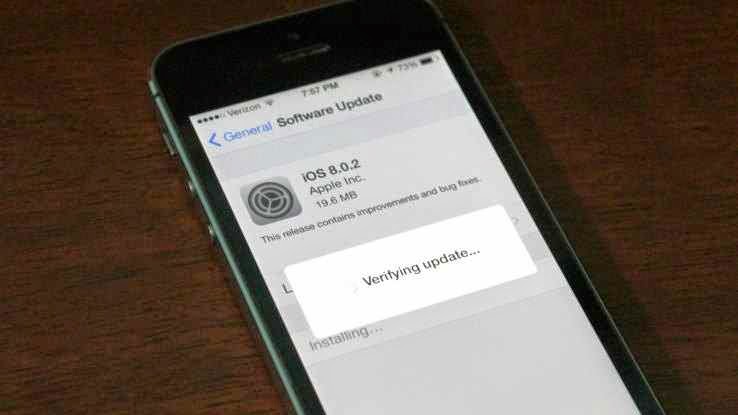
Apple has moved quickly to release iOS 8.0.2, the update that fixes iOS 8.0.1’s problem of zapping cellular reception on iPhone 6 and 6 Plus devices. It also includes all the fixes listed in iOS 8.0.1 originally, including a fix for the HealthKit bug that held up release of compatible Health apps in iOS 8.
It also addresses a problem whereby third-party keyboards wouldn’t stick when activated in apps, meaning it would default back to Apple’s stock keyboard. Apple released the following statement alongside the update:
iOS 8.0.2 is now available for users, it fixes an issue that affected iPhone 6 and iPhone 6 Plus users who downloaded iOS 8.0.1, and includes improvements and bug fixes originally in iOS 8.0.1. We apologize for inconveniencing the iPhone 6 and iPhone 6 Plus users who were impacted by the bug in iOS 8.0.1.
Apple says that less than 40,000 iPhone and iPhone 6 Plus devices were affected by the bad release, which was up for just over an hour until the company pulled it to investigate.
To get the update, simply plug your phone in and check for updates in iTunes or navigate to Settings>General and tap Software Update.
A batch of leaked screenshots from the next version of Windows reveals just how far Microsoft will go to win back desktop users.
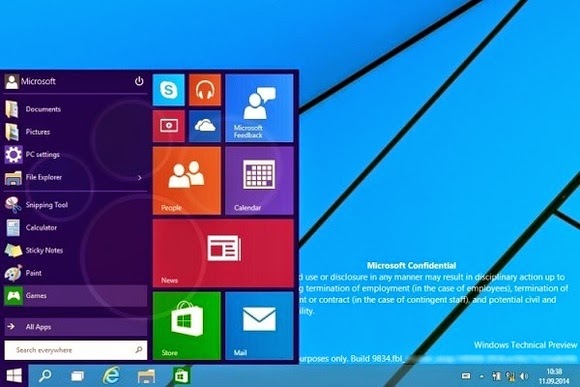
The update, codenamed Threshold and possibly called Windows 9 or just plain Windows, takes some features from Windows 8 and grafts them onto the classic desktop. While we’ve known for some time that Windows 9 will have a pop-up Start menu and the ability to run modern apps in windowed mode, the new screenshots from Computer Base and WinFuture.de give even greater detail on how things will work.
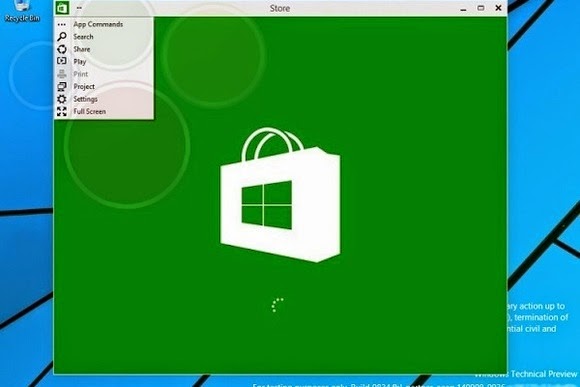
When running in windowed mode, Windows Store apps will get a button in the top-left corner. Clicking the button brings up a list of functions that previously appeared in the Charms bar, including Search, Share, Play, Project and Settings. This menu lets users switch the app to full screen mode as well.
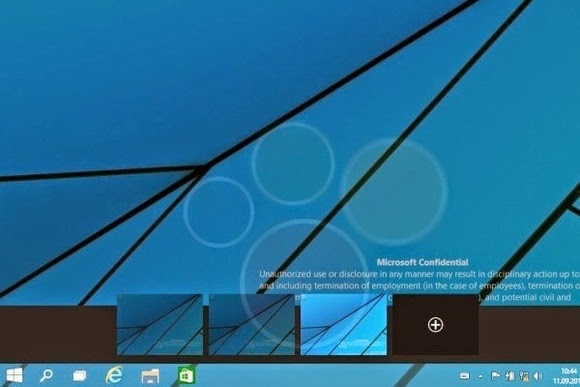
Microsoft is also adding a few new buttons to the desktop taskbar. A search button sits immediately to the right of the Start button, followed by a button for switching between multiple desktops. The latter feature, possibly called “virtual desktops,” will let users switch between several sets of desktop apps and layouts in nod to Ubuntu Linux’s longstanding “Workspaces.”
Near the right side of the taskbar, users will find a new notifications button, with a pop-up menu that will presumably show messages from Windows Store apps.
The screenshots don’t reveal any other major features, but they do give away a few more minor details. Despite rumors that the Charms bar is dead, the screenshots show that users can still bring up Charms by pointing to the upper-right corner, or bring up a recent apps list by pointing to the upper-left corner. Those options and others will be available through Taskbar and Start Menu Properties.
Of course, all of these details are subject to change as Microsoft hasn’t even released a public beta yet. The leaks likely come from Microsoft partners, who according to Neowin started receiving Windows builds a few weeks ago. A public “Technical Preview” is expected to arrive later this month or early next month.
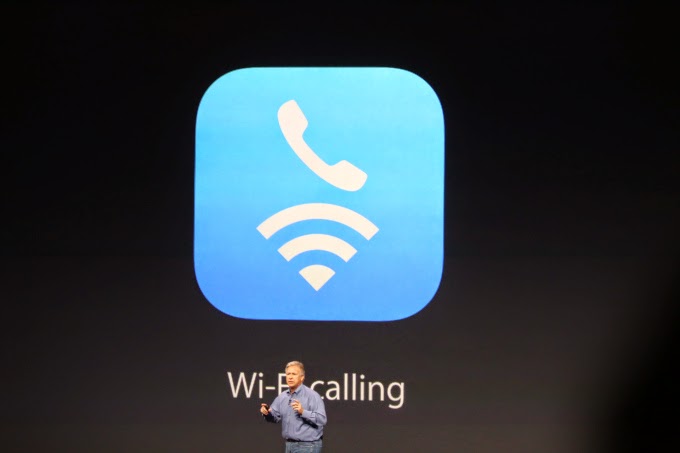
The iPhone 6 supports WiFi calling. But does your carrier support it?
If you’re in the U.S., the answer to that is probably “not yet”.
(For the unfamiliar, WiFi Calling essentially turns any WiFi router you’ve got access to into a private extension of your carrier’s cell network. As long as you’re on WiFi, you’ll be able to make standard voice calls and send texts regardless of whether or not your carrier’s signal is up to snuff in that spot.)
For now, the only U.S. carrier that can officially say they’ll support iOS 8’s new Voice Over WiFi functionality is T-Mobile — hence their big event about it just one day after Apple’s announcement.
But fear not, AT&T customers! You’ll be getting in on the WiFi fun too… eventually.
Speaking at an event in New York this afternoon, AT&T CEO Ralph de la Vega mentioned it almost in passing: AT&T will support Voice over WiFi sometime in 2015.
So, why the hold up? The short version: for WiFi calling to work properly, your carrier’s network also needs to support Voice Over LTE (VoLTE). This is what allows for a seamless handoff — that is, it’s what allows you to start a call on your WiFi network, leave your house, and seamlessly continue the call on the cellular network without having to redial.
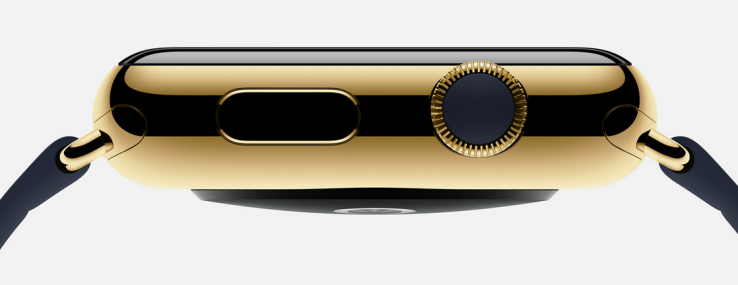
A jewelry contact familiar with the matter told TechCrunch that the gold, 18-karat version of the Apple Watch could cost around $1,200 retail when it launches in January. This has been corroborated, based on size and weight, by jewelers familiar with the material Apple is using to make its Apple Watch Edition pieces. It should be noted that this is an estimate and the piece could come in well below that price.
Although there is still some confusion as to whether the watch will be gold plated or actually made of gold, the jeweler suggested that it would be sub-optimal not to make the watch out of solid gold alloy, a decision that will drive up the price. The estimate is based on the leaked design images of the iWatch that appeared this weak.
Chad Rickicki, a watch expert in Pittsburgh, Pennsylvania said that a case the size and shape of the Apple Watch in 18 carat gold would cost about $600 to make. The rest – the electronics and markup could double that price.
That doesn’t mean that all of the Apple Watches will rest in the rarified air of haute horlogerie. The lower end sport versions will start at $349 and presumably the standard versions, simply called Apple Watch, will receive a premium over that. The Edition watches, however, are expensive because gold is expensive, even at 18K and intermixed with Apple’s alloys.
What does this mean? It suggests an interesting move by the company to turn Apple Stores into luxury destinations. While I’m sure Prada and Louis Vuitton are clamoring to be given access to Apple’s unique band connectors, the upside for a more fashionable, luxury-leaning Apple Watch display in stores means the company will control quality and, more important, control profits on band upgrades.
Apple is entering a fascinating new world of potential partnerships as is, to some degree, the makers of Android Wear devices. Now consumers are going to have to get used to armed guards standing over cases of (tastefully) blinged-out Apple Watches.
If you’ve ever wished that the screen on your Android phone or tablet stayed on longer before going to sleep, you’re not alone. Luckily, this can easily be adjusted in the settings with just a few taps. Not only that, you can prevent your Android device from sleeping while it’s charging, too.
The term ‘screen timeout’ refers to the time it takes for your smartphone or tablet to go to sleep (the screen turns off) after you’ve stopped interacting with it. The average screen timeout sits around 30 seconds to one minute, depending on your device. For many users, this is acceptable, but there are times that you might wish that your phone didn’t go to sleep so quickly.
Maybe you’re looking at a recipe on your tablet in the kitchen, your hands are covered in food, and you need to get to the next step. Maybe you’re reading a walkthrough for a video game and just want to glance over to see what to do next without pausing. Here’s how you get your screen to stay on longer.
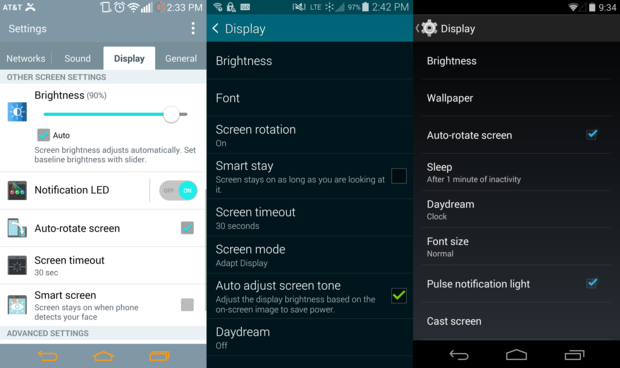
Depending on your phone, the Display Settings can appear in a tab or window, but will you give the same options.
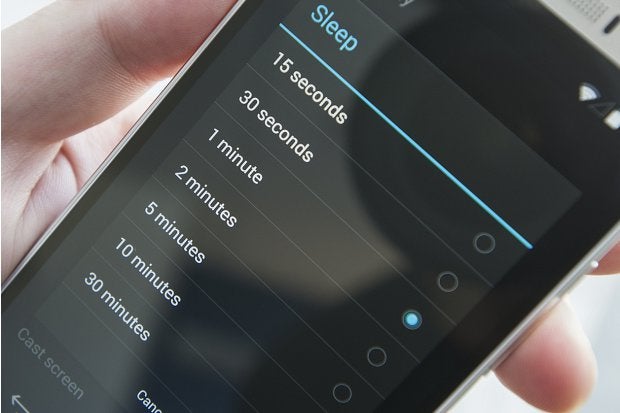
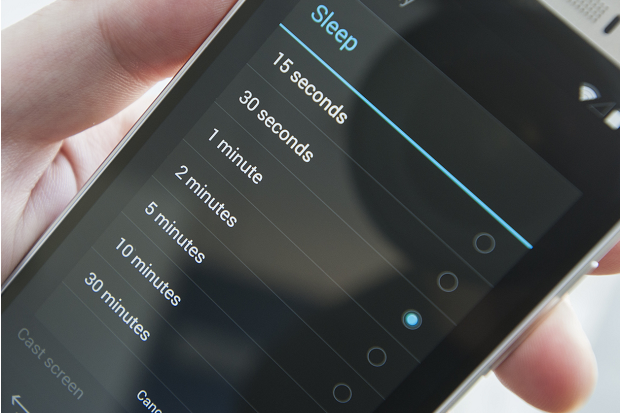
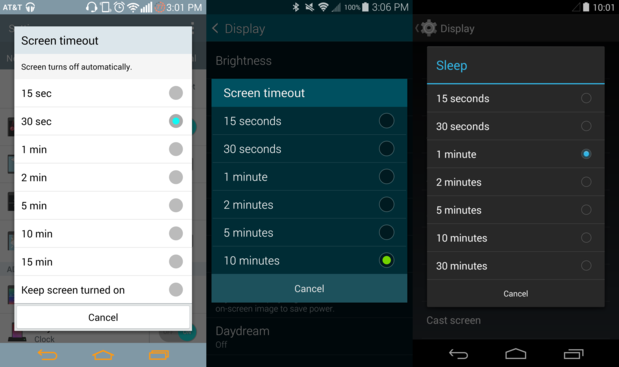
To get started, go to the Settings > Display. In this menu, you’ll find a Screen timeout or Sleep setting. Tapping this will allow you to change the time it takes your phone to go to sleep.
Certain phones offer more screen timeout options.
Select the timeout option that you’d like, and you’re done. Keep in mind that the display is one of the biggest battery hogs on your phone, and a longer screen timeout setting can, and likely will, lead to faster battery drain. Make your phone a night owl while charging
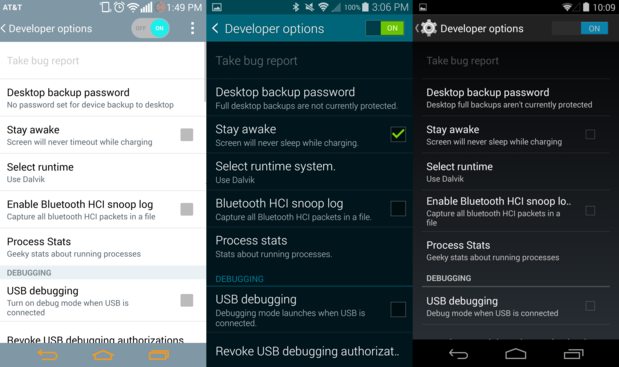
Daydream not good enough for you? Android gives you the option prevent your phone or tablet from sleeping while it’s charging. First, you need to unlock Developer options.
If you check the Stay Awake box in Developer options, the screen will never turn off while its charging unless you press the power button.
Once you have enabled the Developer options, check the Stay awake box to keep your phone from sleeping while you have it plugged in. Of course, pressing the power button will still turn the screen off, just in case you want to get some shut eye at night.
All rights reserved. Blake Stimac — Staff Writer, Greenbot [Image credit: Greenbot]
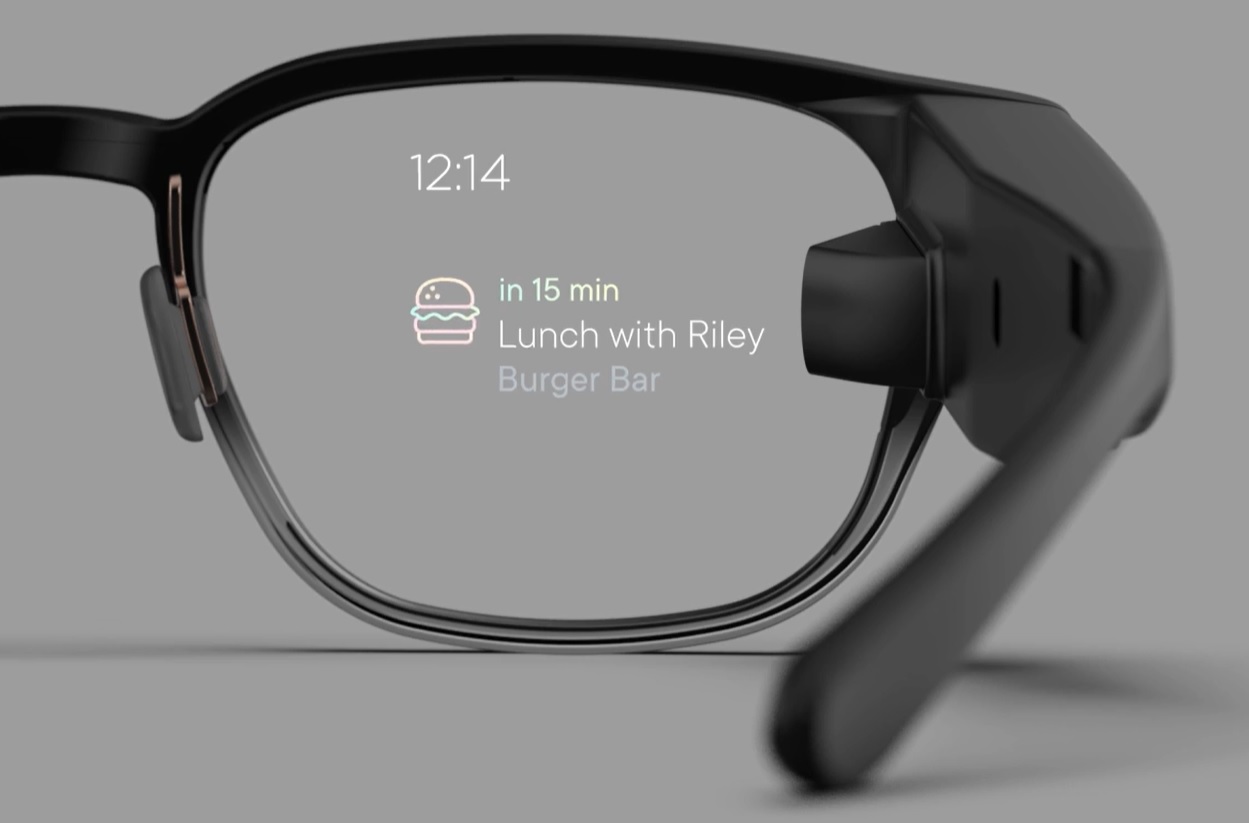
While all the focus of late has been on the Moto 360 and other Android Wear smartwatches, Google is giving some attention to its other wearable: Glass.
You can now buy the Explorer edition from the Play Store, though the price is the same as when it was an invite-only product: $1,500. As a “perk” Google is throwing in a pair of shades or frames free when making the purchase.
Glass comes in five different colors and ships from the warehouse in one to two business days.













You must be logged in to post a comment.