Tag: editorial

  • Nintendo Switch: Where it Should Go

    Nintendo Switch: Where it Should Go

    (Opinion) The Nintendo Switch is just a bit shy over 1 year’s old. And while I was late to the party (not obtaining my own copy of the hybrid console until last February), it seems to have had a great lifespan – at least, according to other outlets. And it’s fair enough to assume so. We got Mario Odyssey, Xenoblade Chorincles 2, Fire Emblem Warriors, Breath of the Wild, and more great games. But, wait? Do you notice something there? Most of the Switch’s greatest games released in its first year are either all Nintendo IPs, or published by Nintendo? Seem familiar?

    This is the pattern I’ve noticed on Nintendo consoles ever since I interacted with them as a child. The DS, 3DS, Wii, WiiU, all had some great first-party games on it. And some decent third-parties, but mostly first-parties. And while these titles are always a blast, fans have been crying for more and more third-party support ever since the days of the Wii, and even some consoles beforehand. And while we can blame it on the sales (for example, the awfully performing WiiU), I personally believe we have none other than Nintendo to blame. The entertainment company has always been harsh on third-parties; pretty much denying any and all access to their consoles, at least to triple A games and developers. And it’s that push that leads to poorly-performing console sales on Nintendo’s end.

    Recently, we saw a light of hope with the Nintendo Switch focusing on a more pro-third-party catalogue and a more pro-mature one as well. We’ve seen titles we’d never suspect make it to a Nintendo console, such as Skyrim, L.A. Noire, and even DOOM. It’s honestly amazing to me, but at the same time, it’s not enough. Now, I know this makes me sound like some nit-picky, over-demanding fanboy. That may be the case. However, it’s not enough to me, because the steam we were picking up for more immersive, third-party games on the new Switch has started to blow down.

    And while we can understand – not everyone is eager to port every triple A game to the Switch – there’s another problem present along with it: lack of original, new first-parties. That’s just a big Nintendo-no-no. Sure, we have all the games I previously mentioned, including Pokken, Mario Kart 8, and more. But most of these games are WiiU ports, and if not, there’s not many brand-new Nintendo IPs on the new console. It feels almost as if Nintendo hadn’t even given themselves enough time to have a powerful catalogue to go with.

    So, in a hopes to rally some discord and to get Nintendo thinking, here’s the Nintendo IPs that need to be made for the Switch. And not just ported: new AND original, to separate the console from the WiiU/3DS. Alongside this is discussion of the need of a system software overhaul.

    1) Pokemon Switch
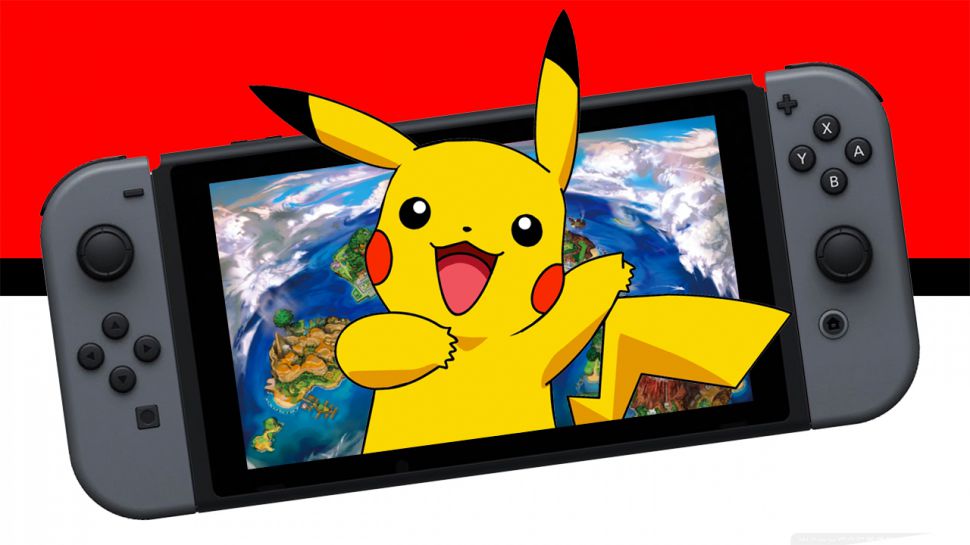
    We’ve already been seeing confirmations of the Pokemon Switch game to be the 8th generation, and this is great news! This most likely points to a guarantee that it will be a new mainline Pokemon game, and not a port or mashup of Sun & Moon.

    2) Animal Crossing
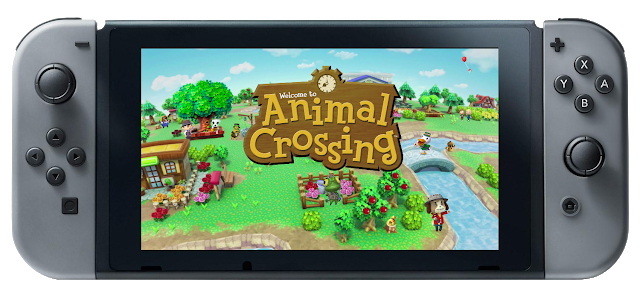
    The last home console Animal Crossing game is going to be ten years old this November. 10 years old. The last fully-fledged Animal Crossing game is going to be 6 this year. Yes, I’m excluding Happy Home Designer and the mobile Pocket Camp. Animal Crossing is obviously a popular Nintendo IP that many people, young and old, love dearly. The Switch being a hybrid console, means we could indeed have a beautiful, large Animal Crossing game going with us anywhere in the world. I don’t want ports, as stated, but sticking with the idea of City Folk wouldn’t be bad either.

    3) Star Fox
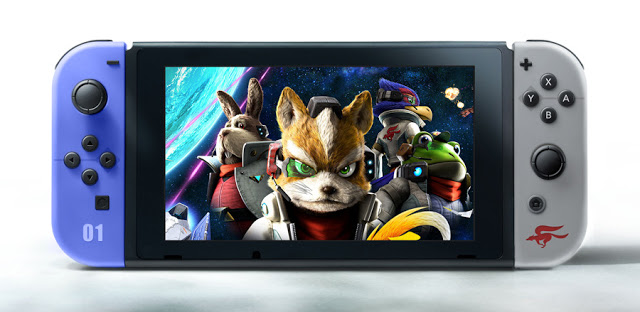
    One of the more underrated IPs of Nintendo is Star Fox. I personally loved the play style of all the Star Fox games I had the chance to play as a kid. The last attempt to boot up Star Fox on the WiiU didn’t go as well as expected, only averaging a 69% metacritic score. The Switch’s booted graphics and mobility, however, are the perfect environment for a Star Fox game to find itself in.

    4) Fire Emblem
    We’ve had a very basic confirmation that the Switch will indeed have a Fire Emblem game (not referencing Fire Emblem Warriors). However, this statement was made long ago, not too long after the Switch’s birth. Since then, several Nintendo Directs have passed, and no news has been shared about the project. I’m hoping Nintendo will go for a new game, like Fates or Awakening, and avoid another port, or at the very least bring a from-the-ground-up reboot of an older game.

    Alongside these suggestions, of course Nintendo needs to do all they can to make the Switch more inviting to third-party developers. They need to force developers to think “Nintendo-only.” Many great third-party games yet to release for the Switch are also going to release for other platforms, and while this offers a great amount of choice to players, this can very well be bad for business to Nintendo. I’ve noticed this lack of Switch-only third-parties lately, and we all know it’s in fear of failing sales. If Nintendo makes their move now with more first-party releases, and some major system changes (I discuss those down further), they can reignite the hype and buzz the console had upon it’s first announcement. Such a rise in coverage would bolster sales, at least in theory, and make third-parties that aren’t just indies (hopefully) strive to create unique, exclusives for the console.

    I mentioned needing a system overhaul earlier, and whether you agree or not, the system itself seems so…lacking. The 3DS is an amazing performer for Nintendo, just ask anyone. This system also has a unique, customizable and interactive software UI. The Switch? A choice between White or Black backgrounds, with some game tiles and a button to the eShop, Album, Settings and Controllers. While many may respect the simplicity, it just seems to barebones for a Nintendo system.

    First and foremost, the lack of customizing makes it moot. White or Black are our options of Themes, yet there’s no Theme shop available like there is for the 3DS. I can’t make folders for certain apps, I can’t use a web browser, user profiles are lackluster. I personally think the Nintendo Switch’s UI is where it fails the most. It’s so boring and unimaginative that sometimes browsing your console is just, well, unbearable. I strongly believe Nintendo is hard at work on addressing such changes, but we can only hope it comes soon enough before the interest and lack of support fades from this very promising console.

    What are your thoughts? Feel free to debate down in the comments section, or share what games and changes you want to see on the Nintendo Switch.


  • Why Pokemon GO Falls Short

    Why Pokemon GO Falls Short

    Pokemon GO is a augmented reality mobile game that released (without announcement) on July 6th, 2016 (in the U.S.). I was in my friend’s car when I refreshed the Google Play store, and searched ‘pokemon’ to come across its app tile in the results. When I got home, I rushed to that Play Store and downloaded and installed Pokemon GO. I thought I would love this game; I figured it would be the game to get mobile games the attention and traction they needed. I thought wrong.

    Since its release, Pokemon GO and developer Niantic has faced challenge after challenge, bug after bug, complaint after complaint. Many eager North American player’s first few days of the game was greeted with constant server shortages and only able to play every so often for a few minutes. Naturally, these outages came about from the influx of new players trying to access; simple tech stuff, right? Well, the first blow to the game and the first sign of failure arose from this: little to no comment about the servers from the company, and in a game where we were given some PokeBalls, and sent on our way. Eventually (about a week or so later) the servers became stable for the most part; most looked past Niantic’s shy communication with the players and continued to enjoy the game, as did I.

    After the servers were finally stable, me and my Pokemon-avid brother would take out at night to “cath em’ all,” and being the mega fan my brother is of the franchise: he enjoyed nearly every minute. I had fun, sure, but something began to set in the back of my mind. Something we all know very well; something we all dread. It was there and I knew it instantly. This feeling creeping on me was none other than boredom. It wasn’t too much to trouble me at first, but then the game finally reached its peak of social media attention and that’s when I knew this would go downhill for me as a player, and for the mobile game itself.

    Every single day here in Ohio, out in the blistering heat; people I knew (including my brother and his friends) would travel to universities near and far and wander aimlessly for hours to capture the abundance of Pokemon available. I can say during my time of playing, I never felt the need to travel as this game shouldn’t treat the larger cities with more spawns. However, it does and people in small towns like me are left with little to no spawns – at the beginning this was okay with me. I was just simply leveling up and hoping to evolve my Pokemon; playing freely whilst many others were ditching town and spending a good deal of cash on the game.

    So, as I continued to get bored with the capturing mechanics (which felt at the time and at this time still seem quite broken [regarding capture rate]) I decided to simply grind my Pokemon with the most CP so I can take some gyms. This part of the game is nearly impossible. Active players at the time (e.g people on the social media wagon) of course played this game with every single second of their free time that they could, and of course this made capturing and holding gyms within the game very close to impossible. I would capture a gym, just to have it taken within about 20 minutes or more (give or take). It started to make me feel even less motivated to take part in the game.

    Then, the social media ‘hype’ and ‘buzz’ of the game soon turned to distrust and conspiracy as the in-game tracker broke. This tool was essential to the whole concept of catching Pokemon, as you could have an estimate of knowing when you’d be close or far from a Pokemon. Without any patch or word, this stayed a problem. Then we got an update: for “minor text fixes.” This, of course being a ridiculous excuse for an update, developed into a bit of a fond ‘meme’ for many of the games players. These ‘minor text fixes’ did not fix the tracker and did not improve gameplay.

    Then, the relatively-young Niantic began to dig itself a deeper whole. A considerable “first major update” arrived, and with it they removed the tracker completely. This of course caused an uproar with players, but many continued on in hopes of one day “catching em’ all.” I also continued to play this, but definitely not as much as I did the prior month.

    Pokemon GO = sad pikachu

    About a day or so after Niantic’s big tracker-fiasco, the company was purportedly the reason behind the shut downs of many of the online Pokemon GO tracker websites. Many players now felt like the company had been suppressing them, and that there was no way to enjoy the game at all. And I agree. Thought, there is much more to why this mobile game “phenomenon” fall short.

    People only see the negatives as given: removed tracking, lack of communication, shutting down fan-run websites, etc. Of course, these taint Niantic’s name and all that they do. But there was, from the start, and has been another negative of the game that led it to what I consider it’s demise: the player base.

    Many will agree when they say this game belongs into an “over-hyped” and “bandwagon” category of sorts. Many die-hard Pokemon fans hyped it, and many people who never even cared and/or heard of the series played it “because everyone else was.” And this isn’t necessarily bad: all the time. Many people play games because many others are; fun games like Overwatch, CS:GO, and even relative mobile titles like Fruit Ninja and Crossy Road are played by millions due to bandwagon. It’s natural. But in the case of Pokemon GO, it was too much. There’s mobile games that are addictive, and then there’s ones that become addictive strictly because of the need to feel like you have conquered over your peers and other strangers.

    pokemon go competitive

    Thanks to the awful leveling system, I was stuck at level 16 forever, barely making it to 17 before I stopped playing. And I chose to stop playing 1) because of the player base and 2) because of the brokenness of the game. Every other player and their grandma had done nothing with their lives besides this game in every breathing moment that they weren’t working or sleeping. Every gym holder and those contributing Pokemon to protect it were way out of my league – level 20+ players with Dragonites and Venasaurs all over 1,500+ CP (much much stronger than anything I can hatch/find at level 17.) I no longer had a point to try for gyms, and the only other mechanic was broken due to messed-up catching rates (low CP Pokemon would break out of a Great Ball and run, despite however many razz berries were tossed its way).

    And the annoyance brought from the player base also deteriorated the game’s reputation and overall play-ability. Always harsh cracks and disrespect based on what fictional team you were. Players would be threaten, called ‘retarded’, or even have their property destroyed for being on an “enemy team.” (according to a redditor on a /r/pokemongo thread). People who were taking the game and its teams way too seriously; people devoting every second to this game (working out isn’t done with every free hour of your day); people neglecting other things in life simply because they want to brag that their Blastoise is stronger. Mix this awful, confused, and allured audience with a game that is relatively broken, barren, and simply boring, and you get a very great concept that rode upon hype and died surely enough.

    The recent figures for the game have come out: Pokemon GO by Niantic has lost over 15 million active players in just one month. And I think the reasons are reflected here in the editorial. Pokemon GO was a great concept, but a rushed release of a buggy game with an over-involved and addicted audience destroyed all that this mobile game had going for it.

  • Firefox OS, Microsoft IE and 5 top Technologies that Died in 2015

    Firefox OS, Microsoft IE and 5 top Technologies that Died in 2015

    Like 2016, 2015 started with a lot of promises and big time resolution for technology companies, but unfortunately, not all those technologies made it through the year.

    A large number of services/technologies either died, discontinued or gradually faded away in 2015. For every success recorded in 2015, there was a complementing failure. There is no shame in it, after all, the market is a battlefield. Some technology will fall to a better competition, others will simply fail to replicate the first spark there product generated or just not good enough in the modern trend. However, before we welcome what 2016 have in stock for us, let’s pause to remember five notable products and services whose death in 2015 will forever remain in our memory.

    Replaceable batteries (c. 1954-2015)
    Replaceable batteries (c. 1954-2015)

    Replaceable batteries (c. 1954-2015)

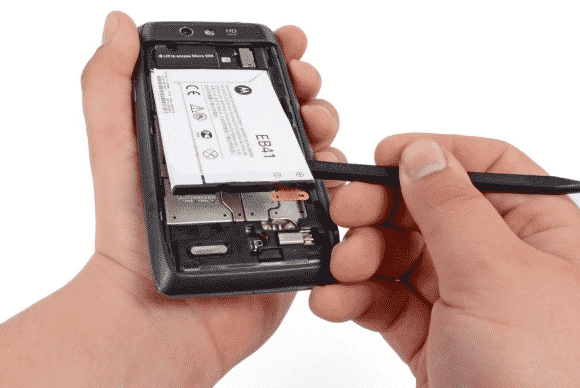
    The 61 long years of replaceable batteries finally came to an unexpected end in 2015 – well, in a way. If you used Samsung smartphone in 2013 then you are no stranger to short battery life, but then, you can at least carry 3 backup batteries in your pack… Not anymore!

    The movement was first started when Apple decided that it could reduce the weight of devices by sealing non-removable batteries in their systems. Introducing the non-removable battery technology with the original iPhone and the first MacBook Air, and it has since stuck with this plan.

    Today, no Apple products feature replaceable batteries, and neither does much of anything else. This year even the Samsung Galaxy Note line, long known for replaceable batteries, ditched them too. Today, the LG G4 is the only mainstream smartphone left that has one. We’re calling it dead except in niche or corporate products as of this year.

    Windows RT (2012-2015)
    Windows RT (2012-2015)

    Windows RT (2012-2015)

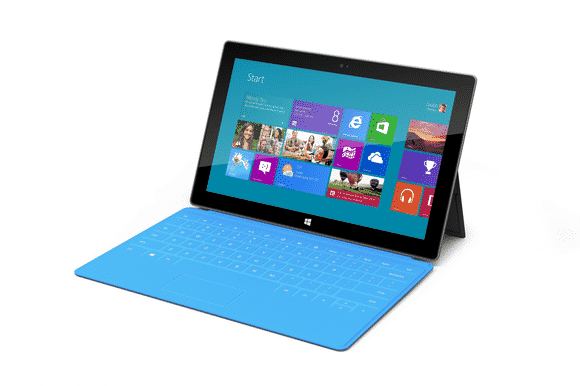
    Microsoft had only 3 years to surrender their failed attempt to create a cheap lite version of disastrous Windows 8. This “lite” version of Windows 8 was created for lower-power, cheaper tablets that couldn’t run the full-fledged OS.

    RT-powered Windows tablets met with immediate disdain due to performance problems, a lack of software, and compatibility issues. Development on the OS ended in 2013, and when the Surface 2 was discontinued in February, Windows RT breathed its last. All Windows RT support formally ends in January 2018.

    Mozilla Firefox OS for Smartphone (2013 - 2015)
    Mozilla Firefox OS for Smartphone (2013 – 2015)

    Mozilla Firefox OS for Smartphone (2013 – 2015)

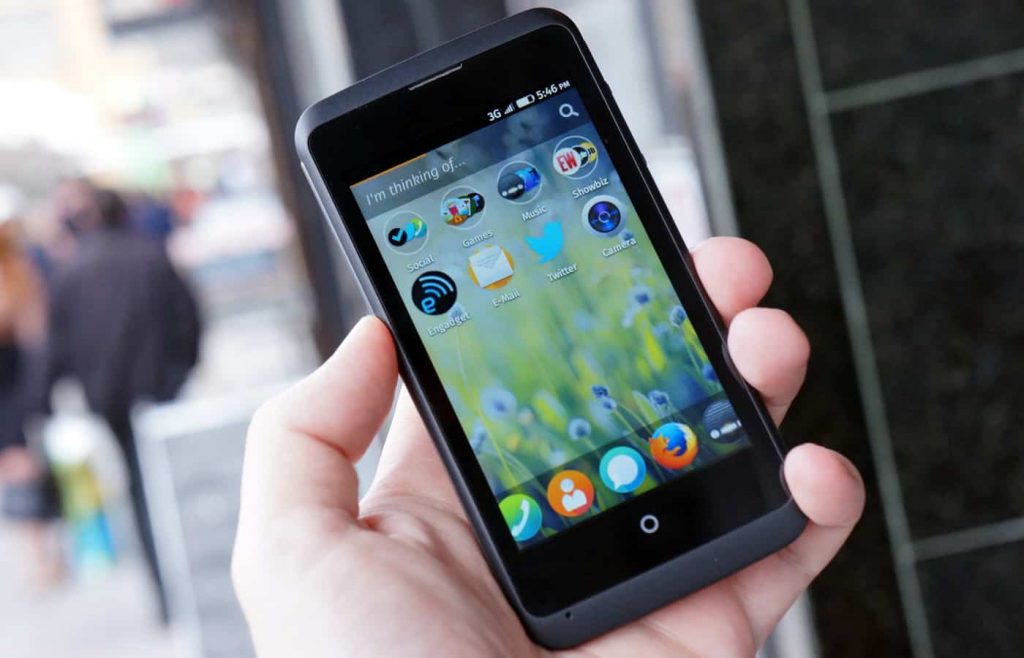
    In February 2013, Mozilla founded an initiative that let you have an open, web-based framework that anyone could work with, instead of closed platforms and apps – Firefox OS.

    Firefox OS proved the flexibility of the Web, scaling from low-end smartphones all the way up to HD TVs. However, the OS couldn’t stand the competition from other tech giants or “weren’t able to offer the best user experience possible” as the owners claimed and hence the death of this initiative.

    Even if Mozilla has maintained that they are still willing to “experiment” with the software on smart devices — they just won’t be the kind of devices that make phone calls.

    Amazon Fire Phone (2014-2015)
    Amazon Fire Phone (2014-2015)

    Amazon Fire Phone (2014-2015)

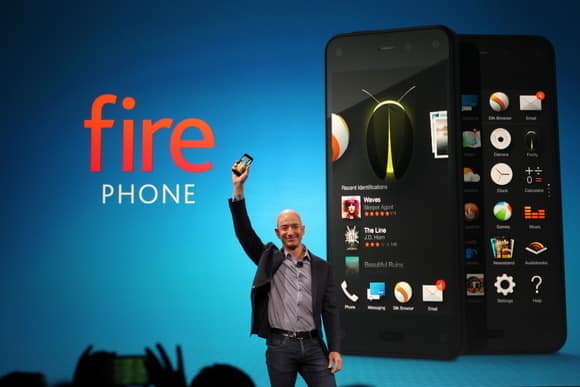
    After upending publishing, retail, and cloud services, Amazon took on the cell phone industry in 2014 with its first-ever smartphone.

    It will probably be its last.

    The idea wasn’t particularly bad in concept: The Fire Phone was ambitious, designed to integrate with the retailer’s various offerings and make it easier to take advantage of the many services available to Amazon Prime members, along with more standard Android features. But for a phone focused on media consumption, the Fire Phone was undercooked and complicated, and its unique features just didn’t work well enough. Massive discounts began within months, and Amazon pulled the plug barely a year after launch.

    Internet Explorer (1995-2015)
    Internet Explorer (1995-2015)

    Internet Explorer (1995-2015)

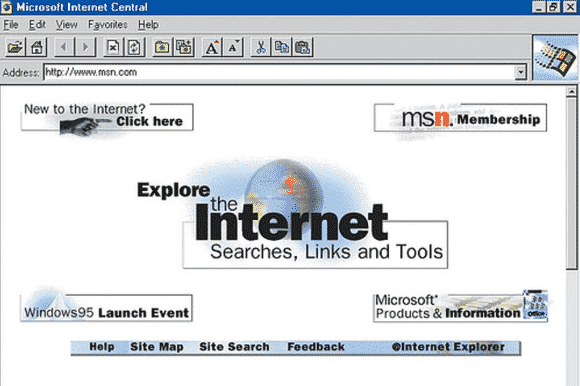
    The death of Microsoft Internet Explorer will probably be celebrated as the death of a tyrant by some PC users. Can it be that we’ve suffered for a full 20 years with good ol’ “Internet Exploder?” Designed as a competitor to Netscape—Netscape!—back in 1995, IE once boasted market share of over 90 percent, and as recently as 2009 still had a share of over 60 percent.

    The dramatic rise of Chrome and, to a lesser extent, Safari killed IE, but the death blow has been delivered by Microsoft itself. While some of its code is still buried inside the guts of Windows 10, IE is effectively no more, replaced by Microsoft Edge—which was developed entirely separately from IE—as the default Windows browser. Microsoft has already announced restricted support plans for IE and will sunset it along with older versions of Windows.

    Next on life support: Firefox.

  • Oxford’s word of the year for 2015: ?

    Oxford’s word of the year for 2015: ?

    No joke. It was announced on the Oxford Dictionaries’ blog yesterday that 2015’s word of the year is officially a pictograph, or more commonly known as a emoticon. Which emoticon? ?. Yes, the emoticon dubbed “Face with tears of joy” has been announced as the word of the year. According to the official blog post, the emoji was chosen because it was “the ‘word’ that best reflected the ethos, mood, and preoccupations of 2015.”

    Upon such news, one naturally asks “why would this be chosen?” Well, Oxford covered that question in the blog post as well!

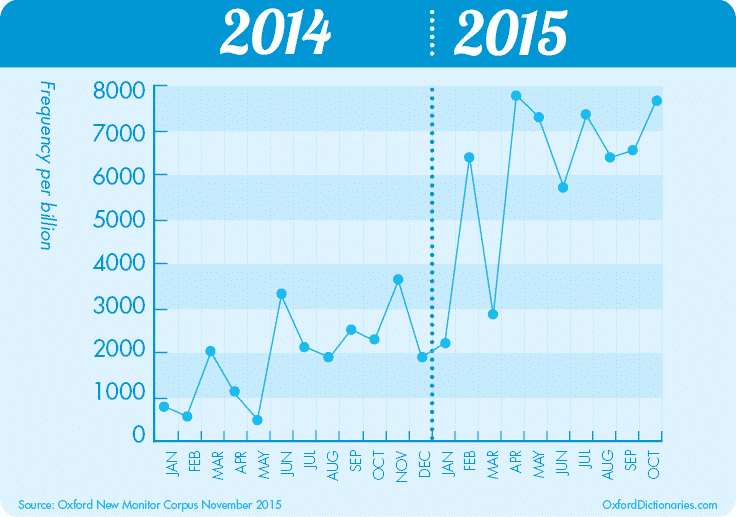
    This year Oxford University Press have partnered with leading mobile technology business SwiftKey to explore frequency and usage statistics for some of the most popular emoji across the world, and ? was chosen because it was the most used emoji globally in 2015. SwiftKey identified that ? made up 20% of all the emojis used in the UK in 2015, and 17% of those in the US: a sharp rise from 4% and 9% respectively in 2014. The word emoji has seen a similar surge: although it has been found in English since 1997, usage more than tripled in 2015 over the previous year according to data from the Oxford Dictionaries Corpus.

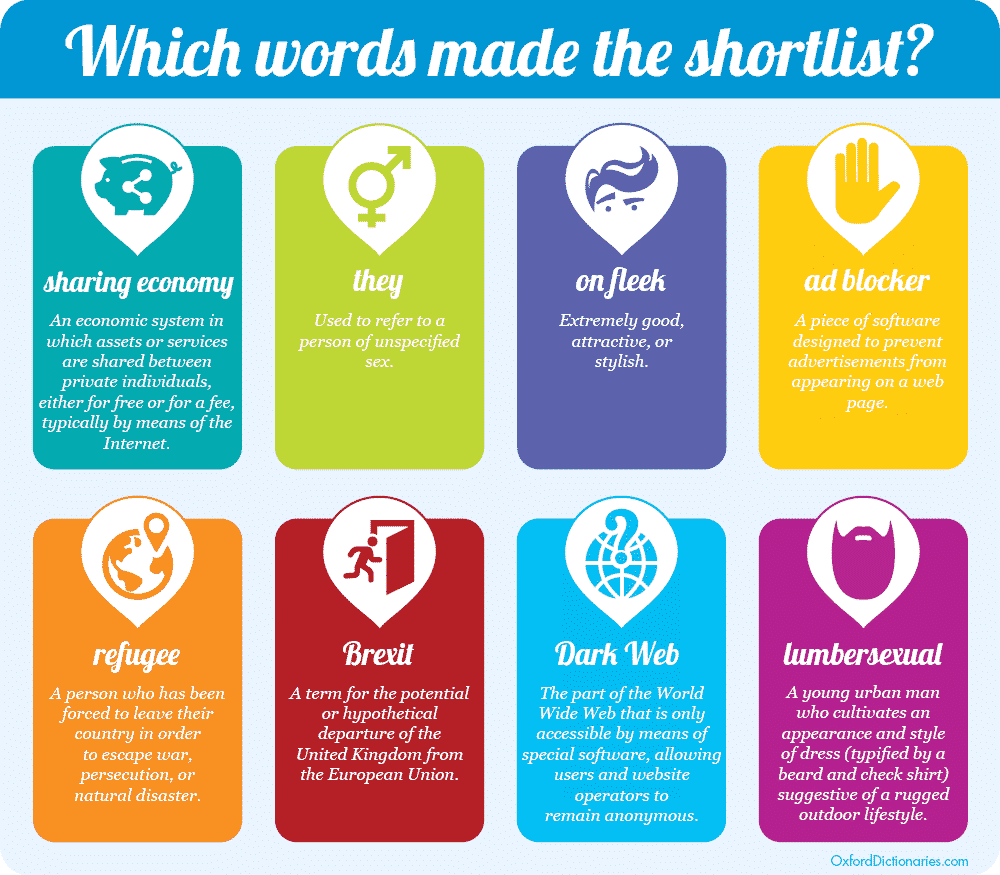
    emoji-frequencySo, with that it is official. Looks like the use of emojis has developed into something greater than just icons to help add contextual message to our texts; seemingly, they’ve become words their self. For those wondering, there was a graphic created with the “runner-up” words that were looked into for the position that ‘Face with Tears of Joy’ took.

    shortlist-WOTY-2015

    What are your thoughts on Oxford’s choice for word of the year? Leave a comment below!

    source: OxfordWords Blog

  • My [condensed] experience with Windows 10 so far…

    My [condensed] experience with Windows 10 so far…

    On November 11th, 2015, “TH 2” was released for Windows 10 users to download and install. Basically, TH 2 (using the abbreviation for the Windows 10 nickname ‘Threshold‘) is the first big update for the still in-development OS. The update came with an abundance of things, for both the personal user, and DEFINITELY for enterprise users. So, given this I figured it would be appropriate to share a condensed rambling of my experience with Windows 10 so far.

    Using their Media Creation Tool, I downloaded and installed the first release version of Windows 10 onto my then Windows 8.1 HP laptop, excited to see all of the new features it boasted. I grabbed it sometime near the ending of July or beginning of August. After the semi-painful several hours it took to download and install, I was ready to become a user! Here I am now in November, and at the moment, I feel…slightly impressed.

    Don’t let my words fool you to think I dislike the operating system – trust me when I say Windows 10 is definitely one of my favorites of the Windows Family! I was also very excited for its free download release and was super excited to setup my personalization, settings, and Start Menu. However, after having plenty of time to be more than acquaintances with the OS (and with the TH 2 update), I’ve began to realize that, at the moment, my personal experience with Windows 10 Home has fallen a bit short of my own expectations.

    Since I like to discuss negatives (well, these or more less “personal opinions” rather than “cons”) and then the positives, I will do just that; and since I’ve had a good deal to experience with the system, I’ll try my best to condense the experience report.

    1 – Start Menu & Taskbar

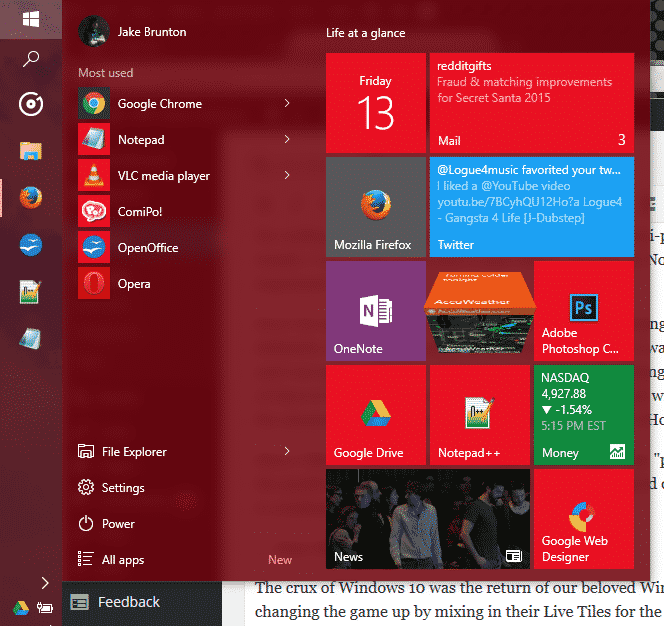
    EWTWIN10_1The crux of Windows 10 was the return of our beloved Windows Start Menu. However, Microsoft was changing the game up by mixing in their Live Tiles for the Windows Store Apps to be placed in up to 3 columns on the right side of menu. It was all great, and worked quite well. Design options are well fitted, and since TH 2, the context menus for changing up your Live Tiles are grand. But on the technical side, I find myself feeling slightly encumbered by the Start Menu.  Simply put, it has its glitches and little bugs, but the one that caught me the most is that amount of time it takes for my machine to open this awesome and modern menu up. About 0.90 seconds approximately. As for the taskbar, it still has that pesky universal problem of sometimes keeping hovered icons focused on even without your mouse hovered over it.

    2 – Windows Store Apps

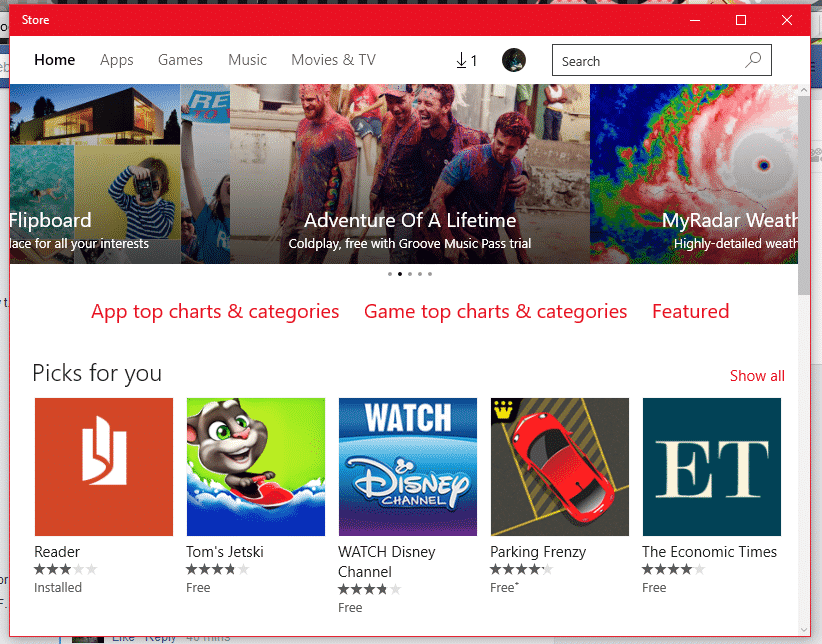
    EWTWIN10_2This is pretty much my other problem with my Windows 10 experience so far. The Windows Store offers a bunch of apps, no doubt; unfortunately only a good handful of them here and there and designed nicely and work with the system and its available APIs and standards. But the recurring problem I have here is one I’ve had since standard Windows 8. A lot of the time, apps from the app store like to either 1)close themselves immediately (and not just close, but end their own program and task(s)) and/or 2)be unresponsive (especially when communicating with servers).

    3 – Windows Search

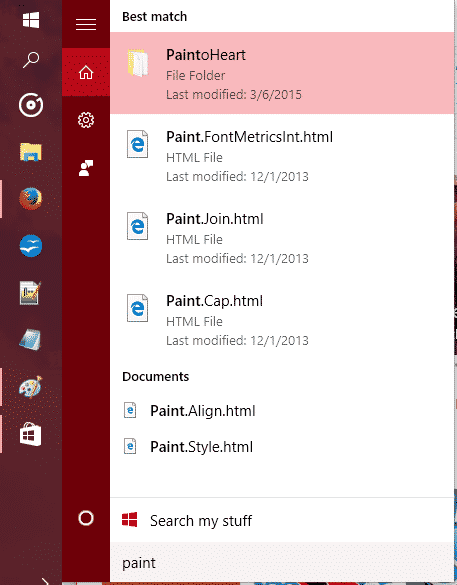
    EWTWIN10_3The new search has Cortana so you can search (and now even Send Text Messages!) with your voice. It’s all great and good. However, Cortana still stands for some good improvements, and the actual search stands for some major improvements.

    So, out of everything, those three points are the ones that have caused the most hindrance on my experience as a whole. There are other little things I come across sometimes that takes some small jabs to that ‘hype’ I had for Windows 10 as a whole, but they’re easy to look over.

    On the flip side, I still love Windows 10 so far, and love the TH 2 update. It is my favorite Windows OS to date, and it DOES have so much goodies with it. The whole Start Menu and Live Tiles, despite their usual buginess, are great altogether! And while I don’t use the feature, Cortana and the voice commands are very convenient for quick search, note taking, emailing, events, and even calling/sending texts. Faster boot times are something that is great, along with improved programs performance, virtual desktops, an activity center, and tablet mode – Windows 10 is definitely a budding operating system.

    The improved performance has helped me boost my productivity, though I will not lie when I say that the discovery of Flow Free and a third-party reddit app has held me accountable to some good procrastination. So, at the moment I recommend upgrading to Windows 10 if you have 8.1/8/7 if you want to try it out while the update is still free. If you end up disliking it, they give you a one-month use on their rollback tool to switch back onto your old OS.


    Make sure to follow EWT Net for more news and blog posts related to Microsoft, and Windows 10!

  • Samsung unveils the Exynos 8 Octa CPU

    Samsung unveils the Exynos 8 Octa CPU

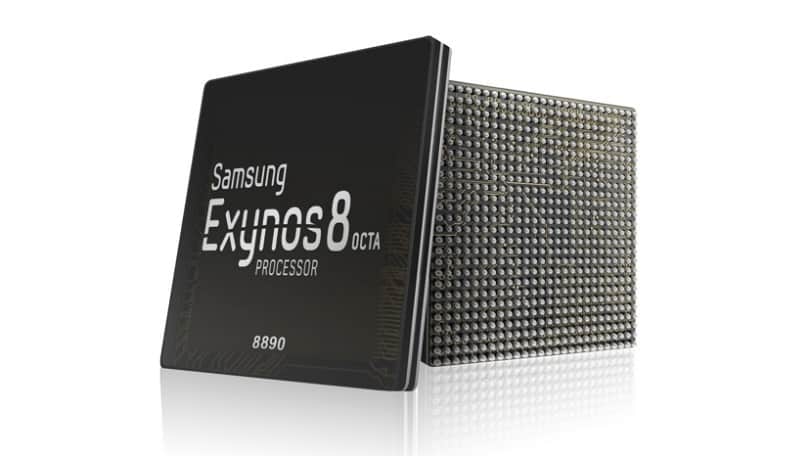
    406238-samsung-exynos-8-octa-8890Today, Samsung announced the Exynos 8 Octa 8890 CPU processor.

    This is the companies second “premium” chip built on 14nm FinFET process technology. It has a custom 64-bit CPU with four custom cores and four ARM Cortex A53 CPU cores. These specs improve the performance of the processor by 30% and cause it to use 10% less electricity.

    Samsung said devices with its chips will allow users “to enjoy and share high-resolution video content on the go with ease.”

    With our custom designed CPU cores and the industry’s most advanced LTE modem, consumers using mobile devices with the Exynos 8 Octa will experience a new level of mobile computing.” – Dr. Kyushik Hong, Vice President of System LSI marketing at Samsung Electronics.

    The tech giant has also added that the new CPU can allow for highly immersive gaming and life-like virtual reality experiences thanks to Mali-T880; ARM’s latest GPU.

    Sasmung had unveiled its first 14nm mobile application processor in February of this year. The company’s expected initiation for the Exynos 8 Octa mass production is set for later into this year.

  • Discovered: Monster Black Hole Marking The Brightest And The Largest.

    Discovered: Monster Black Hole Marking The Brightest And The Largest.

    The largest black holes found so far in the nearby universe have masses more than 10 billion times that of the sun.


    Astronomers have discovered the largest and most luminous black hole ever seen — an ancient monster with a mass about 12 billion times that of the sun — that dates back to when the universe was less than 1 billion years old.

    largest black holes found so far in the nearby universe have masses more than 10 billion times that of the sun. In comparison, the black hole at the center of the Milky Way is thought to have a mass only 4 million to 5 million times that of the sun.
    Although not even light can escape the powerful gravitational pulls of black holes — hence, their name — black holes are often bright. That’s because they’re surrounded by features known as accretion disks, which are made up of gas and dust that heat up and give off light as it swirl into the black holes. Astronomers suspect that quasars, the brightest objects in the universe, contain super massive black holes that release extraordinarily large amounts of light as they rip apart stars.
    So far, astronomers have discovered 40 quasars — each with a black hole about 1 billion times the mass of the sun — dating back to when the universe was less than 1 billion years old. Now, scientists report the discovery of a super massive black hole 12 billion times the mass of the sun about 12.8 billion light-years from Earth that dates back to when the universe was only about 875 million years old.
    This black hole — technically known as SDSS J010013.02+280225.8, or J0100+2802 for short — is not only the most massive quasar ever seen in the early universe but also the most luminous. It is about 429 trillion times brighter than the sun and seven times brighter than the most distant quasar known.
    The light from very distant quasars can take billions of years to reach Earth. As such, astronomers can see quasars as they were when the universe was young.
    This black hole dates back to a little more than 6% of the universe’s current age of 13.8 billion years.
    “This is quite surprising because it presents serious challenges to theories of black hole growth in the early universe,” said lead study author Xue-Bing Wu, an astrophysicist at Peking University in Beijing.
    Accretion discs limit the speed of modern black holes’ growth. First, as gas and dust in the disks get close to black holes, traffic jams slow down any other material that’s falling into them. Second, as matter collides in these traffic jams, it heats up, emitting radiation that drives gas and dust away from the black holes.
  • How to turn your old phone into a basic PC with less than $25

    How to turn your old phone into a basic PC with less than $25

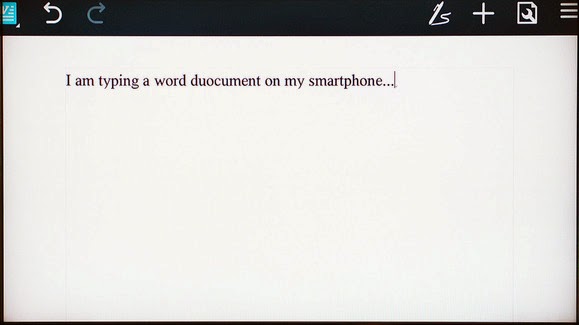
    Your old smartphone has a greater destiny than your junk drawer. Believe it or not, you can turn it into, say, a mini-PC or media streamer. Assuming it packs both USB On The Go support (OTG) and a Mobile High-Definition Link (MHL) compatible port, there’s a ton of additional functionality lurking under that its hood. Heck, you can even use a smartphone with a broken screen for this.

    Without further ado, here’s how to transform your old smartphone into the brains of an Android-powered PC.

    It starts with MHL ports and USB OTG support

    Many smartphones from companies like Google, Samsung, LG, HTC, and Sony—among others—ship with MHL ports and have built-in compatibility for USB OTG as well.

    The MHL port essentially adds HDMI output capabilities (with 1080p and 7.1-channel digital multi-channel audio support) and remote control functionality to the phone’s micro-USB port—the port you most likely use to charge the phone. USB OTG support gives mobile devices the ability to connect to and work with many different USB peripherals, like storage devices and input devices. Combine the two, and a mobile device with MHL and USB OTG support is capable of connecting to a discrete external display and peripherals like a keyboard or mouse.

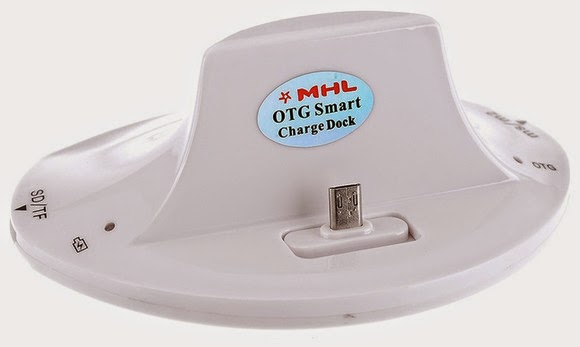
    A multi-function cradle with OTG MHL support is the key to turning your phone into a PC. Here’s the $25 VicTsing OTG MHL to HDMI multi-function cradle we tested.

    You can see where we’re headed here.

    A number of companies have released proprietary “docks” for their mobile devices that leverage both MHL and USB OTG, but they tend to be expensive and work only with one particular device. Some third-party manufacturers have also released near-universal multi-function docks, however, that can be had for only a few bucks.

    We purchased a VicTsing OTG MHL to HDMI multi-function cradle for only $25. It works with a wide range of devices and offers dual USB ports, a couple of flash card readers, HDMI and audio output, and a charger. By connecting this simple dock to a display and a keyboard and mouse, it can essentially transform a smartphone into a basic Android-powered PC. Throw some Office-style apps on the phone and you’re ready for some actual productivity.

    Making the connections

    The VicTsing cradle’s port selection.

    Using a dock with USB OTB and MHL support is very simple and straightforward. Though we only tested it with a couple of Samsung phones (a Galaxy Note 3 and Galaxy S4) and an HTC phone (an HTC One X), the process and behavior should be similar with compatible devices.

    MARCO CHIAPPETTA

    The dock has an HDMI output that gets connected to a secondary screen. (A HDMI-to-DVI conversion cable can work if you have a spare monitor laying around). In our tests, both a cheap 1080p monitor and a Toshiba HDTV connected perfectly. The dock also requires power, which comes by way of a standard micro-USB charger; you can connect the included USB cable to a USB port on a TV or monitor, or simply use your phone’s charging cord.

    A keyboard and mouse can simply be plugged into the full-sized USB ports. You could use wireless keyboards and mice as well, as long as they use standard USB HID (human interface device) drivers. Multimedia keys and other custom keys on fancier keyboards won’t work.

    Once the physical connections are made, ensure the display is configured to use the correct input and simply slide the phone onto the dock, inserting the dock’s male connecter into the phone’s MHL/micro-USB port. When the smartphone is fully connected to the dock, its screen will go dark and output will be sent to the secondary display. Boom! Your old smartphone is now essentially an Android PC. It really is that simple!

    On the Samsung smartphones, everything we tried automatically rotated into landscape mode, which made it ideal for multi-media playback or working on office documents.

    Getting around

    Smartphones with USB OTG and MHL support will typically auto-rotate most content into landscape mode when connected to a secondary display.

    Navigating through the various menus on Android can be somewhat clunky when using a keyboard and mouse, but it’s fairly intuitive once you start poking around. Right-clicks act as a back button, while left-clicking behaves like a tap of the touchscreen. Many in-application icons and menus—even the mouse cursor itself—appear oversized on a big screen, but they function as expected.

    We wouldn’t trade an actual PC for a smartphone and USB OTG / MHL dock, but for a relatively small investment (especially if you’ve already got the monitor and input devices on hand) you can easily get some work done on one of these setups.

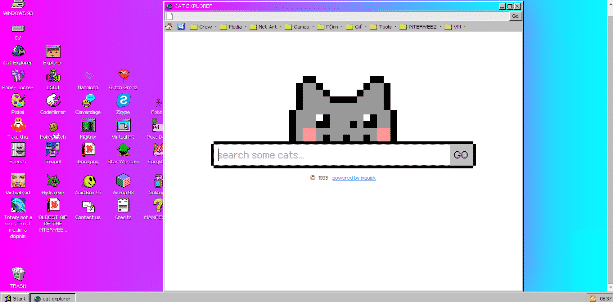
  • Hilarious Windows93 comes with an internet browser, ‘Cat Explorer’ and chat app ‘Zype’

    Hilarious Windows93 comes with an internet browser, ‘Cat Explorer’ and chat app ‘Zype’

    What if you are giving a chance to live your life again? Or should I say, what if you are giving a chance to see what Windows computers look like 25 years ago?

    Let me walk you back to somewhere within 1992 and 1995 and unveil the hilarious Window that never was, Windows 93

    Windows93 might not have existed as a Microsoft Windows series. But if Microsoft released an operating system in the chasm between Windows 3.1 and Windows 95 it might look something like Windows 93, an interactive art project by Jankenpopp and Zombectro that you can try right in your web browser.

    WINDOWS 93

    The experience of the OS is hard to put into words—it’s Windows imagined in some parallel universe, with plenty of retro homages to the weird OS quirks of yore.


    The hard drive defragger comes with a funky MIDI beat so head-bobbingly enticing that you’ll wonder why it wasn’t implemented in the first place. Perhaps familiar to some, a horribly sad “Virtual Girl” can sit on your desktop, though instead of flirting or stripping via 16-bit animation, this one lays there as lifeless as a paper doll. You can watch a video of Star Wars right on your desktop (the catch: it’s rendered in ASCII). And then there’s the “Totally not a virus. Trust me..im a dolphin” icon that’s pretty much a must-click, harkening back to the good old days when viruses were as much about pranking you as they were stealing your data. Though, for the record, that virus is nowhere as devastating as the army of Clippys that will randomly show up.

    It’s surprising just how deep you can dig in Windows 93, thanks to content like GameBoy emulators and pixel editors that have actually been pulled from various sources across the web. I spent a shameful amount of time giggling nostalgically, until suddenly, a beach ball of death showed up on my screen. At first, I figured it was just another one of Windows 93’s jokes until, moments later, Chrome froze and then crashed.

    Oh how far we’ve come in the last 20 years!

    You can experience the thrill of Windows93 for yourself. Try it here.

    As seen on Fastcodesign

  • Lenovo G505, HP 255 and 5 budget laptops for Nigerian college students—we picked the best

    Lenovo G505, HP 255 and 5 budget laptops for Nigerian college students—we picked the best

    Going to  college in Nigeria could be financially cumbersome towards the end of each semester—especially when it is imperative to get a new laptop and you didn’t manage your finance during the semester.

    Your bank account is nearly tapped out, and you still need to buy text books, handouts and lay in enough ramen noodles to last through the winter.

    Yeah, we’ve all been there. Fortunately, Moore’s Law is still in play, so today’s budget notebook is yesterday’s workhorse. Pretty much any modern laptop can handle the gamut of productivity chores—word processing, number crunching, email, and the like—but all of the machines in this roundup can also tackle media editing and encoding sessions, and deliver respectable entertainment experiences.

    To strike the best balance between performance and affordability, I gathered the top five laptops I could find for ₦60,000 or less. Benchmark busters they’re not, but they aren’t budget busters, either.

    Also Read: Infinix Diamond, Ankara Q2 and 6 ‘Premium’ Affordable Android Phones/Tablets you can buy for ₦9,999+

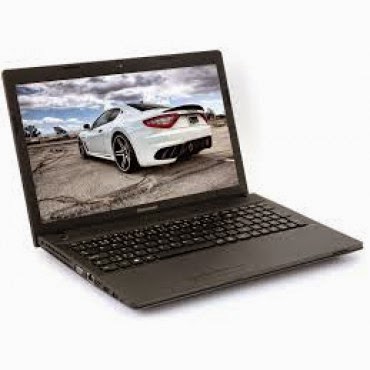
    Lenovo G505 (₦58,000) — Buy Online

    Working on an environment that demands great sound system? Lenovo G505 offers you the best option. Thanks to its stereo speakers with Dolby® Advanced Audio™ v2, graphics card options up to the speedy AMD Radeon 8570M VRAM, and optical disk drive options up to a Blu-ray Disc™ combo, the G505 offers stunning, stutter-free visuals and immersive sound for a fuller, more satisfying home entertainment experience.

    The AMD E1-2100 APU Processor powered laptop comes with a Windows 8 operating system and a RAM of 2GB. The pre-installed Bitdefender Anti‎‐Virus Plus gives maximum security to the user for 1 year and can be renewed afterward.

    Key Specifications:

    • Windows 8 OS
    • 4GB DDR3 RAM
    • 1TB (1,000GB) Hard Drive
    • AMD E1-2100 APU Processor
    • 15.6-Inch, HD Display
    • Inbuilt Wireless Adapter
    • AMD Radeon Graphics
    • DVD RW Optical Drive

    The actual price for Lenovo G505 is currently ₦86,400 but can be bought online for ₦58,000 (discount rate). See product page for full specification and purchase.

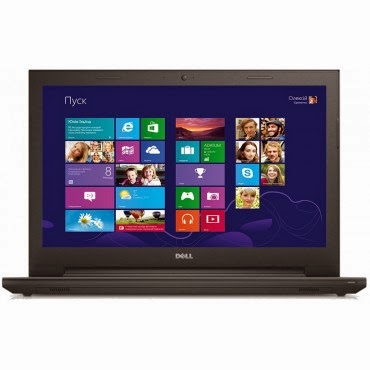
    Dell Inspiron 3541  (₦59,990) — Buy Online

    Dell Inspiron 3541 is a well packaged Windows 8.1 laptop with an AMD E1-6010 Dual Core Processor, Free Dell Sleeve, Microsoft Office 365 Personal, 8GB Flash Drive and 2 years free call service with Skype.

    The device is suitable for gaming and performing high resolution display tasks, boasting of 15.6-Inch (1366×768) HD display unit and AMD R2 dedicated graphics card.

    Key Specifications:

    • Windows 8.1 OS
    • 2GB DDR3 RAM
    • 500GB Hard Drive
    • AMD E1-6010 Dual Core Processor
    • 15.6-Inch (1366×768) HD
    • DVD RW Optical Drive
    • Inbuilt Wireless Adapter

    You can purchase or see complete features and specification of Dell Inspiron 3541 on the product page.

    HP 255 G2 (₦58,600) — Buy Online

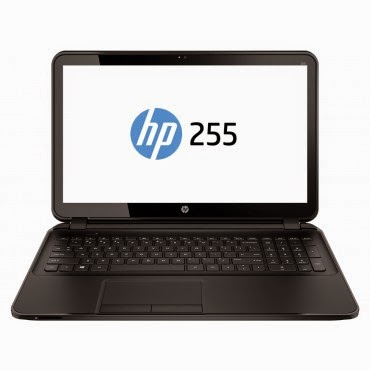
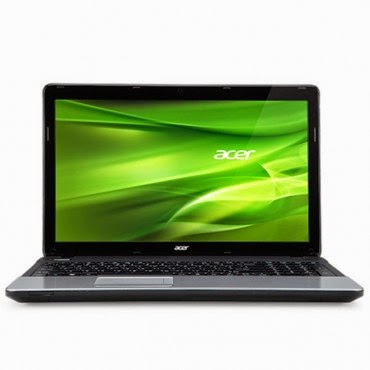
    HP 255 is a multi-tasks Windows 8 laptop powered by a 1 GHz, AMD E1-2100 Dual Core Processor and 2 GB RAM, certainly not the fastest PC on this list but the 15.6 Inch, HD display unit will make up for its shortcoming.

    The laptop has a 500 GB storage space, DVD RW Optical Drive and yes, it has an inbuilt wireless adapter.
    Key Specifications

    • Windows 8.1 OS
    • 2GB RAM
    • 500GB Hard Drive
    • AMD Dual-Core E1-2100 APU with Radeon HD 8210 Graphics (1 GHz, 1 MB cache)
    • 15.6-Inch (1366×768) HD
    • Intel HD Graphics
    • DVD RW Optical Drive
    • Inbuilt Wireless Adapter

    The actual amount for this device is ₦75,000 but can be purchased online for just ₦58,600. See pricing and full specifications.

    Also Read: Sony & Samsung Tablets Dominate the Top 5 Most Expensive Android Tablets in Nigeria

    Acer Aspire E1-510 (₦53,500) — Buy Online

    When it comes to producing quality PCs, Acer is second to no one. Acer Aspire E1-510 carries the same DNA, featuring a durable plastic case and a 4-cell Li-Ion with extended life capacity—if you are in an area where electricity is an issue, you might want to stick with this product.
    The practical yet stylish notebook is loaded with powerful and useful features like multimedia tools and convenient connectivity features‎‎.‎‎ This is a stylish notebook which comes with 15.6 inch, HD LED Backlit display‎‎,‎‎ powered by Intel Pentium processor with Linux OS to provide a faster and user friendly experience‎‎.‎‎ It has Intel HD Graphics that deliver ultimate graphics needed for gaming‎‎,‎‎ 500GB Hard disk drive also provides ample space for storage‎‎,‎‎ HDMI and USB 3.0 ports for faster data transfer.‎‎
    Key Specifications
    • Linux OS (Windows 8.1 & 7 OS Compatible)
    • 4GB DDR3 RAM
    • 500GB Hard Drive
    • Intel Celeron Processor
    • 15.6 Inch, Active Matrix TFT Color LCD
    • 4-cell Li-Ion Battery
    • DVD RW Optical Drive
    • Inbuilt Wireless Adapter
    The researcher friendly laptop is on sale for ₦53,500 online and ₦71,500 in most shops offline. See full product specifications and pricing.

    Acer V5-123 Mini Laptop (₦49,900) — Buy Online

    If you think the products listed above are a little above your budget and you don’t mind sacrificing the option of listening to another Davido’s single, you can bite the bullet and go with an Acer mini laptop without a CD Drive.
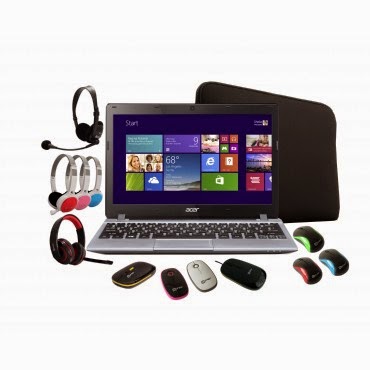
    The Aspire V5 Series puts inspiring performance in a thin and light form. A choice of elegant views adds to the charm. Breathe life into your entertainment and enjoy hands-on control with Acer Aspire V5-123. Its built-in speakers sweeten the deal with splendid sound. The laptop features;11.6-Inch WXGA HD, AMD Radeon trade; HD display with 2GB RAM and a 500GB hard drive which provides enough space for you to store your files, data, photos, and music. You can connect to the world wherever you are with your laptop, the WiFi enables you to browse and surf the web, you can also transfer data to other devices via bluetooth. This laptop comes with a free mouse, bag and headset.

    Key Specifications:
    • Windows 8.1 OS
    • 2GB RAM
    • 500GB Hard Drive
    • 11.6-Inch WXGA HD Display
    • Intel HD Graphics
    • Inbuilt WiFi 802.11 bgn Adapter
    Although Acer Aspire V5-123 has no CD Drive, you can still connect a CD Drive via the USB port. Saving over ₦10,000 compared to other products listed above. Purchase or see more about this product on its product page.
  • Download Free E-books – Top 10 Online Libraries for Bookworms

    Download Free E-books – Top 10 Online Libraries for Bookworms

    From the oldest libraries on the Web to the modern book shelves, EwtNet has searched all corners and compiled the most thrilling places virtual bookworms can have a good read and download free E-books

    Since the beginning of time men has been searching for one knowledge or the other. Reading is one of the simplest method of acquiring knowledge best known to man. The invention of the Web and various technologies has insured that books can be fully represented in digital media format know as E-book.

    10 Libraries for Bookworms to Download E-books Image

    Whether you are developer seeking for handouts, a student searching for information or just another book nerd looking for the next great book to sink your teeth into? We have compiled a list of the best shelves to pick your favorite E-book and even more, have a good read without spending a dime.

    1. Free-Ebook — Visit Site

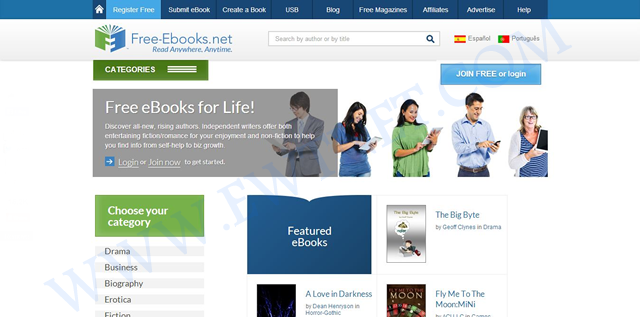
    Topping our list today is a free E-book community site Free-Ebook. The site is an online source for free E-book downloads, E-book resources and E-book authors in over 80 categories. Besides free E-books, you also download free magazines or submit your own E-book.

    The online e-book library is recommended for everyone, especially to students and fictional book lovers. If you need to get something nice for your kid, you might want to browse through the Children Audio Books category.

    2. Google Book Shelf — View Site

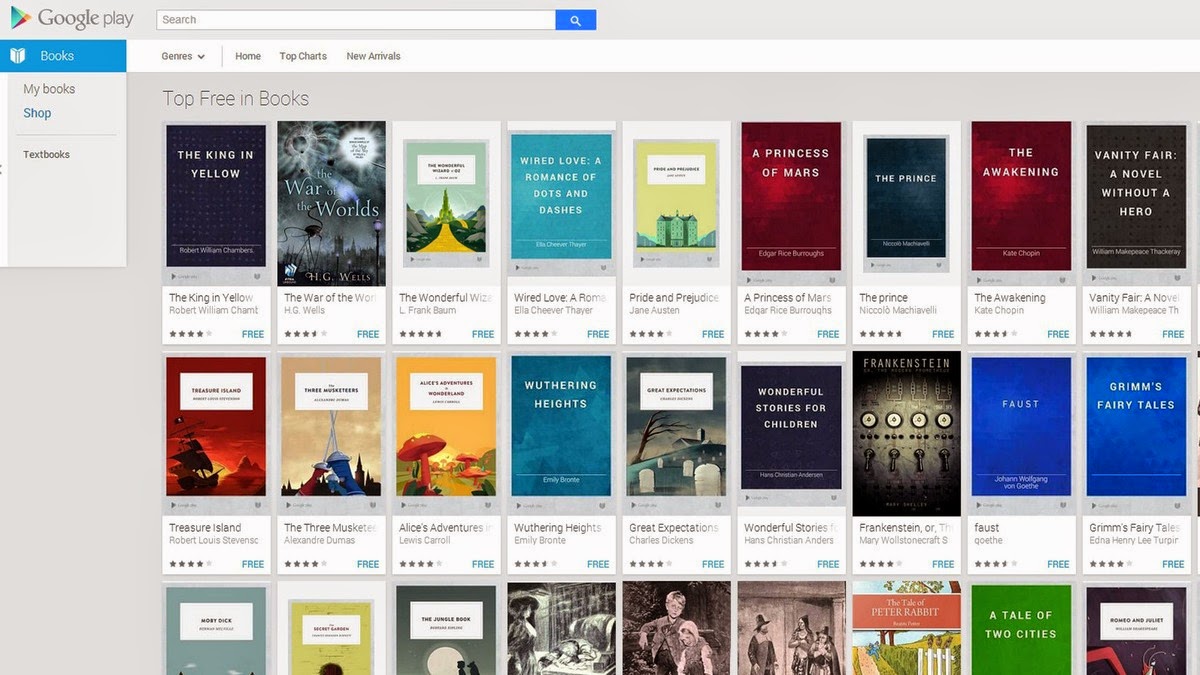
    In the midst of stiff competition from other free e-book sites, it will be unfair not to include the Google Book Shelf. The Google eBookstore is a home to tons of premium and free e-books from a variety of genres. You can filter your search to bestsellers, favorite classics and more. Books are available in several formats, and you can also check out ratings and reviews from other users.

    3. Free Book Spot — View Site

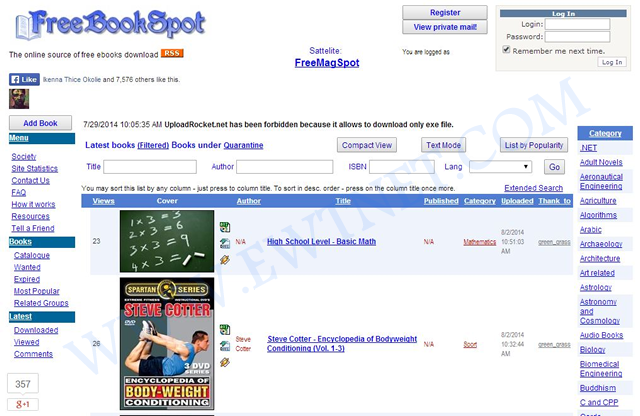
    Free Book Spot is a free e-books links library where you can find and download free books in almost any category. Created November 2006, Free Book Spot is one of the oldest e-book library you can come across. The library houses 187,565 e-books in more than 90 categories.

    The simplicity of the site makes it easier to navigate through pages and look up e-books using the search box.

    4. Know Free — View Site

    If you are looking for tutorial handout on any tech-related subject, Know Free is the shelf you might want to start looking from. No registration or fee is required and has 15 categories.

    5. Open Library — View Site

    The Open Library can boast of over 1 million free e-books available on it’s shelves. This library catalog is an open online project of Internet Archive, and allows users to contribute books or make correction to the catalog. You can easily search by the title, author and subject.

    One of the unique features of Open Library is the E-book borrowing: Open Library account holders can borrow an eBook from the growing collection of mainly 20th Century titles available now. Each title can be borrowed by one patron at once, and you can read it in a web browser or in Adobe Digital Editions as a PDF or ePub.

    6.Online Programming Books — View Site

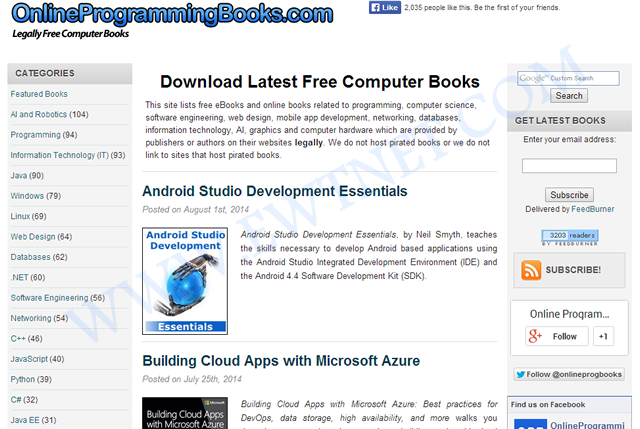
    Online Programming Books consists of a huge collection of free online Computer, Programming, Mathematics, Technical Books, Lecture Notes and Tutorials. It is very well categorized by topics, with 92 categories and 1,574+ E-books.

    7. BookBoon — View Site

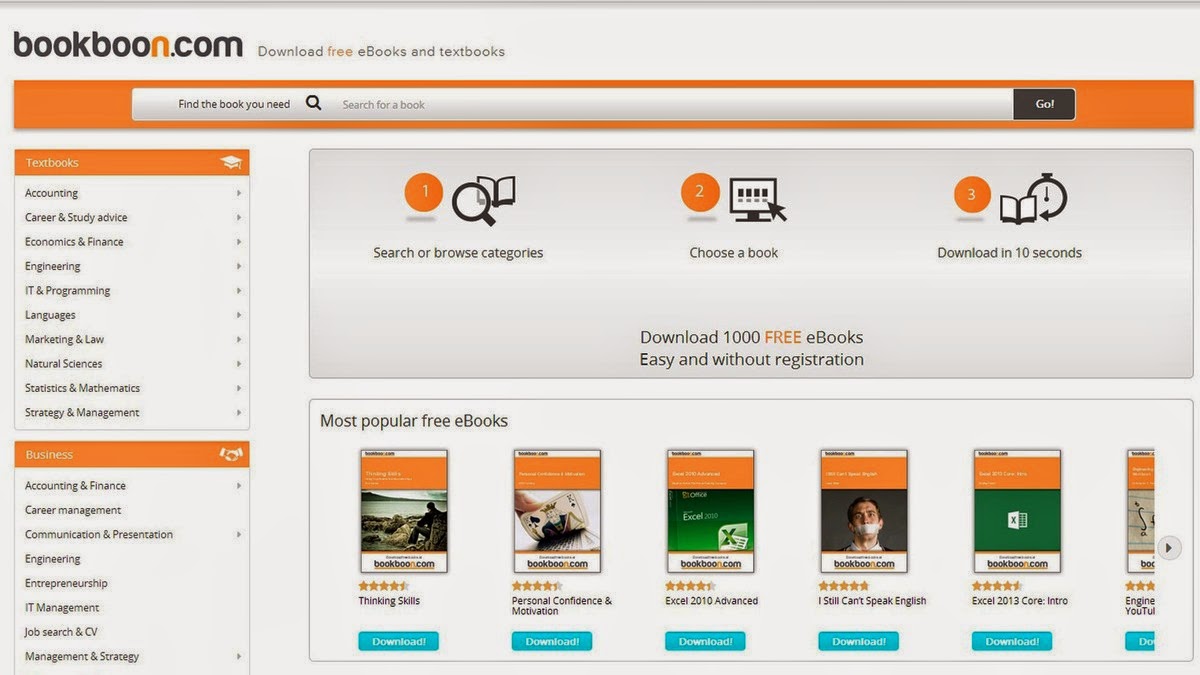
    If you are searching for a particular educational textbook or business book BookBoon may come very handy. The site offers more than 1,000 e-books, it’s easy to navigate and best of all, you don’t have to register to download them.

    8. Many Books — View Site

    Grouped under authors, titles, languages and genres Many Books houses more than 29,000 E-books  for Kindle, Nook, iPad and most other eReaders. The simplified navigation gives you the option to browse by most popular titles, recent reviews, authors, titles, genres, languages and more.

    9.The Online Book Page — View Site

    You might find the simplicity of The Online Book Page’s website a bit interesting but it has a list of over 1 million E-books from the web. It is more like an E-book search engine with option for visitors to submit more E-book links to their index.

    10. Online Free E-Books — View Site

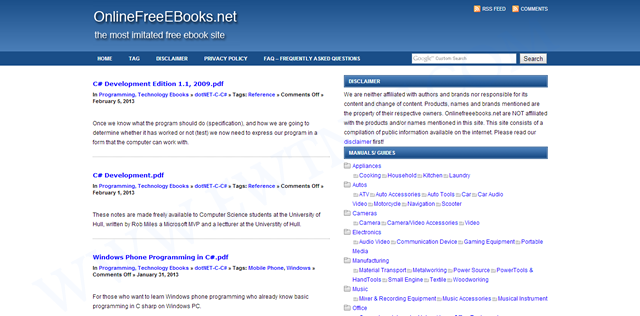
    Completing our list of top 10 Online Libraries is the Online Free E-books. The library has 100s of E-books categorized under various tags.

    Download/Read Chinese Novels PDFs Free Online

    With the rise of Chinese industry in the global economy comes strong appeal for everything China, including novels – which are great, by the way. Chinese novels has the tendency of getting you hooked up and leaving you hanging. This is owing to the original material being in Mandarin and English translation apps charging too much to unlock chapters.

    Novels.Fun Homepage
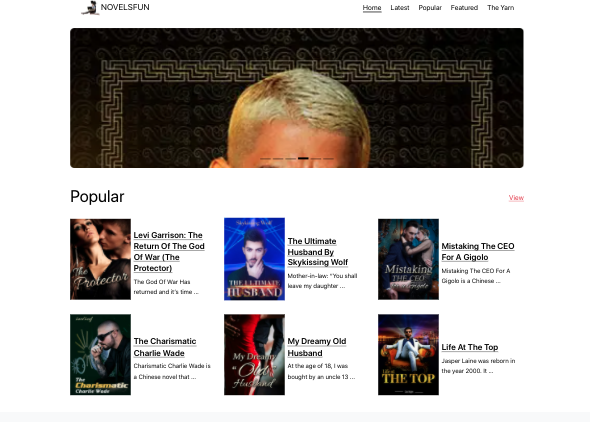
    Novels.Fun homepage for reading free Chinese novels online.

    If you find yourself in the middle of reading a Chinese novel where you have ran out of credits or simply want to own it offline Novels Fun is a dedicated website for downloading or reading Chinese novels (PDFs) for free.

  • How Nimbuzz Lost to Whatsapp and BBM in the IM Battle

    How Nimbuzz Lost to Whatsapp and BBM in the IM Battle

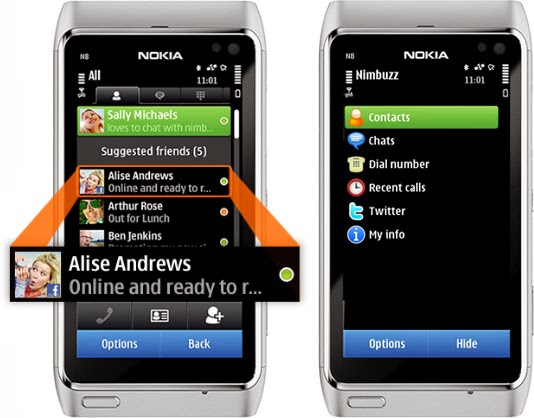
    As a high school boy in 2007, I always use Nimbuzz on my Nokia 8080 Java phone to keep in touch with my classmates. It was quite handy as it was the only reliable way to have a live chat with my friends & contacts on Facebook—yes, back in the days, you have to refresh Facebook mobile for new new messages—and Gtalk, send instant messages to my phonebook contacts and update my twitter status from my mobile phone.

    Nimbuzz
    Nimbuzz was an all-round app that does everything.

    Nimbuzz was an all-round app that does everything. You can connect your accounts on various Instant messengers (IM) such as Gtalk, Yahoo! Messenger, AOL, Skype, Facebook IM and Twitting live updates. In fact, I made my very first VOIP (voice over internet protocol) call on mobile phone with Nimbuzz in 2012—it was a 3G phone, a Nokia Symbian phone, even.

    However, these days, Nimbuzz has been ‘reduced’ to less than a shadow of its former self. At best, it will serve as free mobile application that lets you connect and exchange instant messages with your phonebook contacts within app.

    Nimbuzz, WhatsApp & BBM Battle

    Even in the days of Nokia Sybiam series, Nimbuzz was at its climax, introducing voice call over 3G, file sharing and other exciting features. For an application that got downloaded by over 10 million users on GetJar app store in 2009, Nimbuzz seems to have depreciated from gloss to gross, prompting us to wonder what really happened to place such a glowing candle under the bushel.

    I will tell you what, smartphones happened. Facebook and Twitter now have their own apps for messaging and posting update. BBM and WhatsApp has dominated the mobile IM industry.

    smartphones
    Nimbuzz was displayed in favor of WhatsApp and BBM in the smartphone era.

    The BBM idea was working quite perfectly in 2010/2011. Despite its single platform limitation at the time, people find it very convenient and easy to exchange instant message through a pre-installed app on their BlackBerry device rather than downloading a third party application.

    While Nimbuzz battles with voice call over 3G, Whastsapp will go on to seize an opportunity to explore other platforms that BBM could not cover. With the introduction of file sharing and voice messenger, WhatsApp became the favorite messaging app for Android and iOS users, pulling some users from Blackberry as well.  The application has over 9 million downloads on the Android platform alone and almost a double figure across other platforms.

    The major reason behind the success of Whatsapp was its cross-platform availability and easy to use interface. This feature was not available on Nimbuzz untill recently. On the other hand BBM was integrated into Blackberry, with over 15 Million phones sold out by RIM in 2011, Nimbuzz unsurprisingly, was crushed under the weight of this IM giants.

    What is Nimbuzz doing these days?

    With the fall from grace in the IM industry, Nimbuzz seems to be throwing their weight behind their new Nimbuzz Social. In their own words:

    Nimbuzz Social is the new content destination for you. With Nimbuzz social get local news and content across world, real time.

  • How to Create a U.S and Other Foreign Bank Accounts and Get a Debit Card any

    How to Create a U.S and Other Foreign Bank Accounts and Get a Debit Card any

    If you are residing within Australia, Nigeria, India, Russia or anywhere else around the world, wanting to own a U.S bank account or localized accounts in EURO, CHY, GBP and JPY. The Payoneer service is a secure and convenient service that allows you to send and receive funds globally.

    This is nothing like PayPal or the likes. These are fully functional bank accounts in your name. You can withdraw your funds from an ATM or make payments online with your Payoneer debit card.

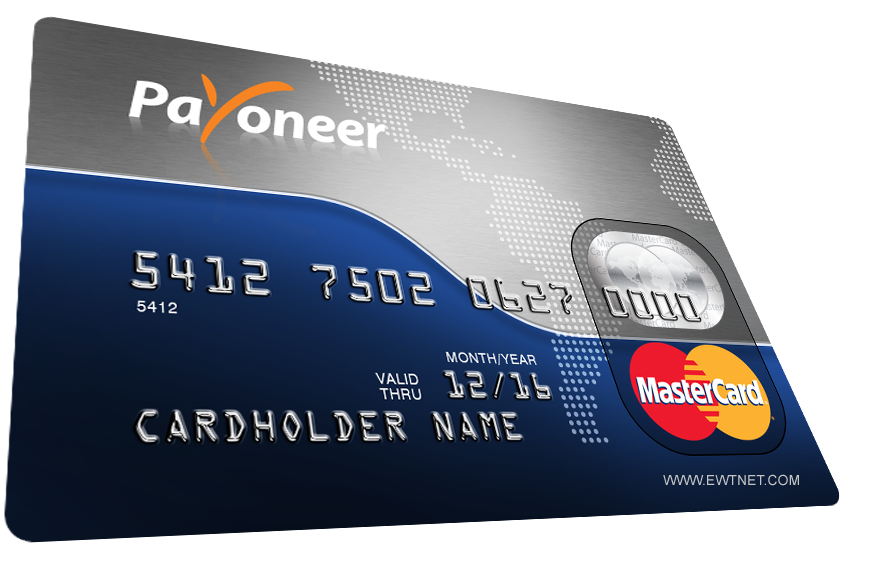
    Payoneer debit card
    Payoneer debit card

    As a resident of Nigeria (or any other country) you can own a U.S Checking Account that provides you with a US collection account that can be used to receive payments from US companies directly to your Payoneer account.

    These payments can be withdrawn using your Payoneer debit card or used to make other payments online.

    Payoneer Global Payment Service

    Furthermore, Payoneer allows account holders to own, receive and make payments in other localised currencies using the Global Payment Service.

    There are two types of receiving accounts:

    Local receiving accounts – let you get paid by local bank transfer from companies in different countries as if you had a local bank account in that country. Receiving local accounts include:

    • USD Receiving Account (United States)
    • EUR Receiving Account (Europe)
    • GBP Receiving Account (United Kingdom)
    • CHY Receiving Account (People’s Republic of China)
    • JPY Receiving Account (Japan)

    Wire (SWIFT) receiving accounts – let you get paid by wire transfer worldwide. You can use wire (SWIFT) receiving accounts to receive payments from companies located in countries where local receiving accounts aren’t supported.

    Payoneer Debit Card

    Payoneer allows you to receive ACH / Direct Deposit transfers from cooperate organizations such as eBay, Fiverr, Amazon, Upwork, etc. The debit card makes it easy and convenient to perform various transactions online such as purchasing or paying for services online and can be used in any ATM globally that accepts MasterCard.

    You can request for a separate debit card for all your currencies. Depending on your location, your debit card is shipped between 2-5 weeks.

    Setting Up your Payoneer Account

    Creating a Payoneer account is easy. You can start by simply creating an account on the Payoneer website. But the easiest method to get your account approved and verified is going through a third party.

    Co-operations such as Amazon, SeoClerks and Fiverr allows you to receive funds through your Payoneer account. Hence, providing you with a unique link to setup of your Payoneer account. In this tutorial, I will be walking you through on how to setup your U.S bank account and get your Payoneer card using Infolinks.

    Requirements

    • A Valid Email Address – Create a Gmail
    • A Website/Blog – Create a Free Blog
    • Infolinks Publisher Account – Create it!
    • A scanned copy of a government-issued ID (any of Driving licence, Passport, National ID or Voter’s Card will be fine)

    Setting Up your Infolinks Publisher’s Account

    Infolinks is a media advertisement partner that allows you to share advertisement revenue by implementing the infolinks publisher code on your website or blog.   If you don’t already own one, proceed to Gmail to create a free email account. Then visit Blogger.com to start a free blog powered by Google.

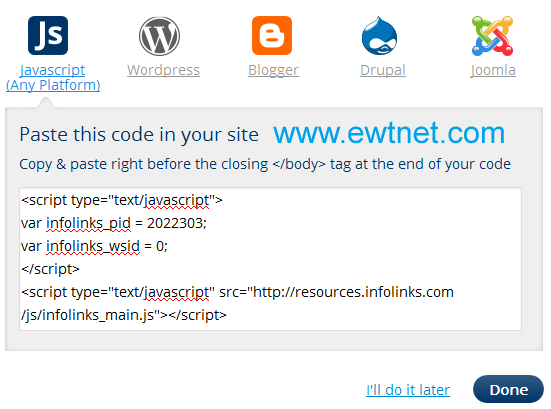
      When all is set, proceed to Infolinks Publisher’s account setup, and enter your website/blog (e.g. website.blogspot.com) address in the specified input box. FIll the remaining info and complete the setup by implementing the Infolinks code on your website/blog (See how to add custom widget on Blogger to add your Infolinks code on the Blogger platform).

    Request your Payoneer Debit Card

    I believe you have already setup your email address and created an Infolinks publisher’s account. Now, proceed to your Infolinks payment setting:

    • Enter your contact details and click next
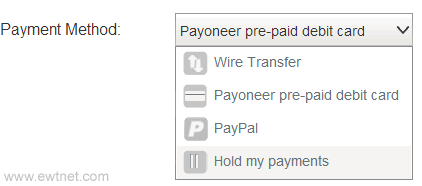
    • Select Payoneer pre-paid debit card as your payment method
    • Immediately beneath this area, you will find a notification box prompting you that no Payoneer account is associated with your infolinks account. Kindly, follow the Creat account link and fill the form at the Payoneer website. This process will require your email address and a government issued ID. If you do not have any of driving licence, national id or passport you can select National ID and use your voters’s card later.
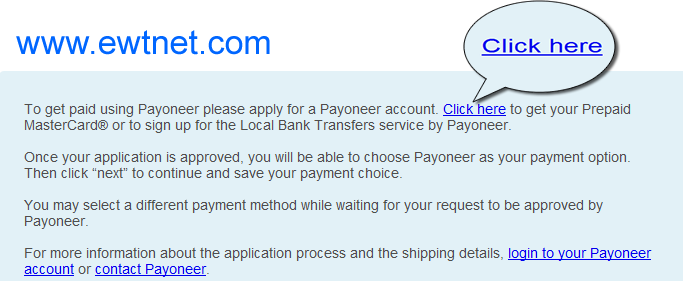
    Get paid using Payoneer on Infolinks

    Note: Ensure that your billing address is valid and correct. To be on the safer side, visit the nearest post office to get details of your mailing address.

    • At this point a confirmation message will be sent to your email. Sit back and wait for 2-5 business days for your Payoneer account to be reviewed and approved.

    Once your account is approved you will receive a congratulation email!

    Activate Payoneer Debit Card

    Your Payoneer Debit card will arrive your mailing address within 2-5 weeks. Once you receive it, you can proceed to your Payoneer account to view your status and activate your card.

    Setting Up your U.S Bank Account

    A free U.S checking account will be created for you the moment your debit card request is approved. This account is used to receive payments from US companies directly to your Payoneer account.

    Check your email inbox for an email from [email protected] containing the following message:

    Dear FirstName,

    Welcome to the Payoneer US Payment Service.

    This service provides you with a US collection account that can be used to receive payments from US companies directly to your Payoneer account!

    Your US Payment Service information:
    BANK NAME: Bank Of America
    ACCOUNT TYPE: CHECKING
    ACCOUNT #: ***-***-***-***-***-***
    ABA # (Bank Routing Number): ####-#####
    Please Note: Your US Payment Service has not yet been verified. In order to ensure that payments you receive are funded to your account without delay, you’ll need to verify your service by completing the following steps:

    Click here to complete the US Payment Service Questionnaire
    Click here to submit a copy of your government-issued photo ID

    Kindly, follow the links provided in the email to submit your US Payment Questionnaire and a scanned copy of your government-issued photo ID respectively.

    Wait for a message similar to this one:

    Congratulations! Your U.S Bank Account is ready to be used. You can use this account to receive funds from various U.S co-operation including Paypal and Amazon.

    Need Help?

    If you want us to help you setup your U.S Checking Account or request for a Payoneer debit card. Contact us here.

  • The Future of Social Networking: What is it Like?

    The Future of Social Networking: What is it Like?

    Every one of us are connected through some On-line medium in this ERA Advanced Internet world. The introduction of smartphones, mobile computing, advance internet facilities such as Google Glass, internet browsers, etc., has made it incredibly easy and efficient to communicate with one another when it all boils down to social networking.

    With every positive technology comes a negative view of that specific technology: Almost all of us are worried about one particular thing called online privacy when it comes to social networking. As a matter of fact, there has been a lot of negative witnesses on this type of issues, with Facebook being the latest suspect.

    Recently, Facebook introduced trending topics to its website, with Twitter and Google+ pushing more and more sophisticated technologies to keep up with people’s expectation, we still see some loopholes like users profiles being viewed without one’s knowledge and all that!

    Imagine, if there is a technology which can pretty much reduce the risk of being revealed online about our conversation overall? Thinking as how possible it is. Yes! It is possible and more specifically, it is going to be welcomed by Many social media giants in the near future. Below, we take a look at some technology that will be integrated with social networking in the nearest future.

    Temporary Social Messages

    The next step of Social Media is about the technology called temporary social messages. It is obvious that the name of the technology itself will explain the benefit of it. As an Individual, we will be worried about our online conversations over various social media online. The worry about “not completely privatized” will always make us insecure. The benefit of temporarily messages will reduce the insecurity to a minimum level, but then there are hurdles like sexting, response from industry role models like Facebook and Twitter will make a huge difference to welcome such technology completely.

    As we mentioned above, the hurdles like Sexting is one of major Challenges to overcome for the complete adoption of this technology. As there may not be a proof to show up if and when the sexting cases happen through Social Media through Temporary Social Media. Nonetheless, this innovation will surely open up a wide arm in other Areas which will be welcomed by certain industries and make the use of it to the utmost level. Imagine, Industries like Banks and healthcare make the use of this innovation! The process level of policies, and basic formalities will be taken care in the speedy way.

    Consequently, Common will be beneficial with the help of this technology and the Quick processes of the Industries. Not just that, Due to its nature of Temporary/ limited existing, this innovation will keep up the confidential things of Industries “secure and private”.

    One such Model has already been used by one of the companies called SkyBees to communicate as it has customers all around the world. They maintain a Temporary Database server to carry this service.

    At the end of the day, it is also Significant to check as How well this innovation could guarantee the Temporary nature of the messages/conversations technically.

    It may look a simple technology, but then the benefits out of this for an Individual and Industries are Limitless and very much appreciative.

    This post was made possible, courtesy to Basheer Ahmed, senior editor, MSys Technologies.

  • How to Check the Power Status of Remote Control Batteries with your Smartphone

    How to Check the Power Status of Remote Control Batteries with your Smartphone

    Earlier today I published an infographics on things you can do with your smartphone but I didn’t mention the possibility of checking the status of your television/electronics remote control battery with your smartphone.

    Of course, in the modern technology it is no longer a question of ‘what you can do’ with your smartphone, it is now a question of ‘what you can’t do ‘ with your smartphone.

    The latest discovery has revealed that you can check the power status of your TV set or home theater remote control with your smartphone. This is possible because most standard remote controls send signals to your home theater gear using a beam of infrared light, which a sensor on your hardware picks up. The beam of course is invisible to the human eyes, however, never neglect the power of your smartphone’s Camera! If your remote control start behaving in a funny way, you can easily use your phone to check if your remote batteries need refreshments.

    Checking your Battery Power Status

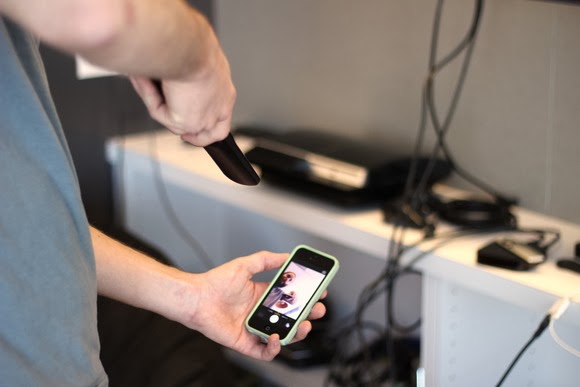
    To check your battery status, simply wake your smartphone and launch the Camera application. Next, switch to the front-facing camera, point the remote at the camera, and press any button on the remote.

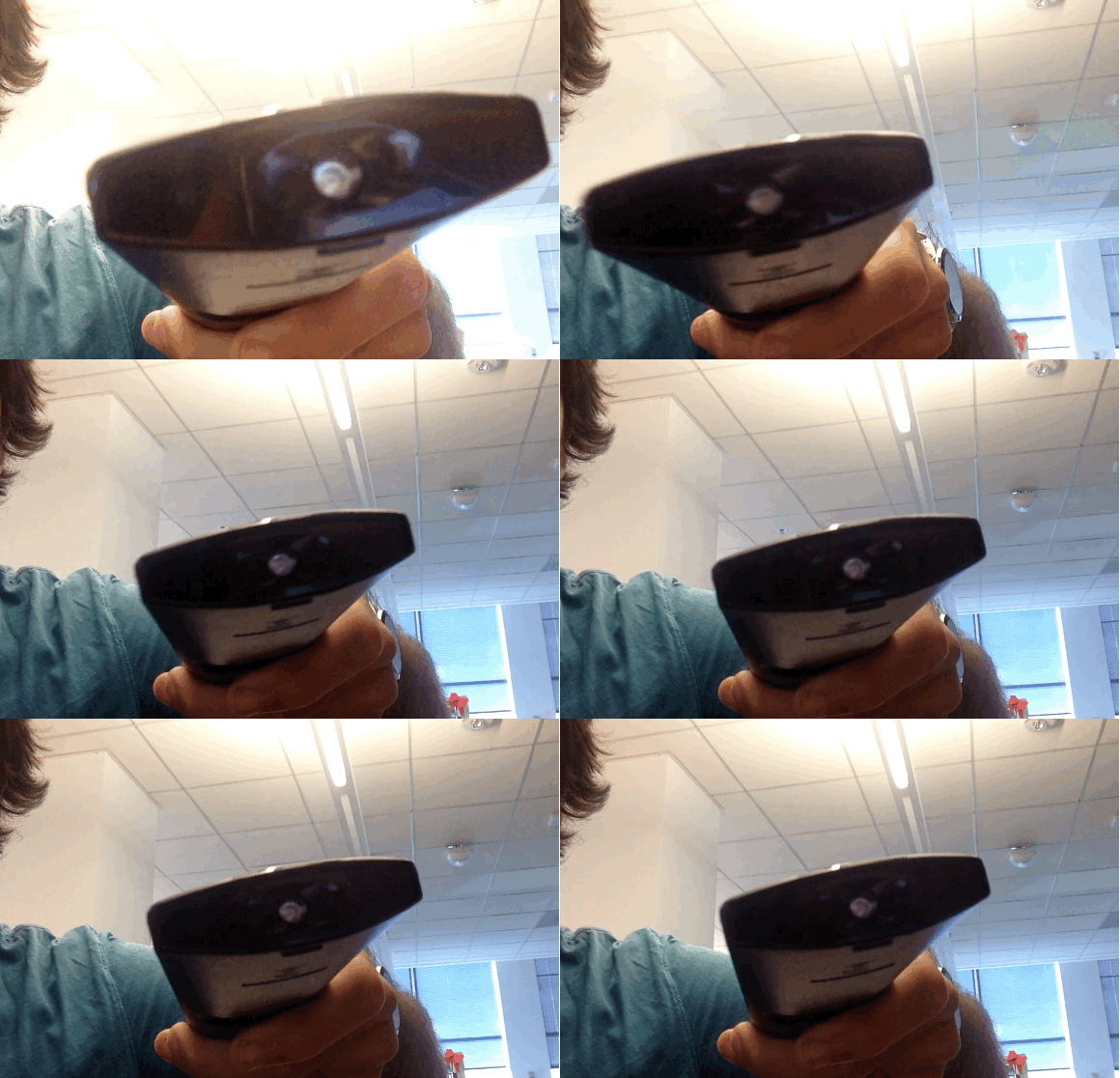
    If the remote is working properly, you should see a flicker of light come from the IR blaster as viewed through your phone’s screen that looks something that this:

    If you don’t see the flicker from the IR blaster, or perhaps just a very, very dim flicker, you probably need to change the remote’s batteries. (And if new batteries don’t help, you probably need to replace your remote. Sorry.)

    Of course, this trick isn’t limited to your smartphone’s camera; many digital cameras can see infrared light, despite having filters to tune it out. So if all you have at your disposal is your laptop’s built-in webcam, you may have everything you need.

    Image Credit: TechHive

  • How to Backdate your Posts and Photos on Facebook

    How to Backdate your Posts and Photos on Facebook

    As +Brian Gardner rightly said “the social media makes you look better, and that’s the problem”: We all like to appear slicker than we actually are, just to get a few likes and comments on Facebook.

    Whether you are using Facebook as a business entity (page) or as an individual you can backdate your new status update, schedule an update (scheduling updates is only available to page admins) or even change the date of your already posted items.

    Maybe you just remembered a photo you were suppose to post three years ago or something you were suppose to say yesterday, don’t worry, you can still go back to the past – at least on Facebook.

    Scheduling Posts on Facebook Pages

    If you need to make a statement at a time you won’t be available on your Facebook page, scheduling your status update may come handy. The system allows you to post a status update and schedule it to be publish at a given time.

    You can prepare a post and schedule it to appear later by adding a date and time in the future before you post it. You can schedule a post up to 6 months in advance in 10-minute intervals.

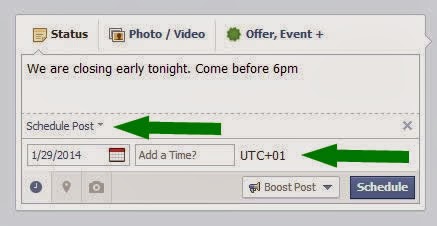
    From your Page’s sharing tool:

    1. Choose the type of post you want to add to your Page
    2. Clickin the lower left of the sharing tool
    3. Choose the date and time you want the post to appear
    4. Click Schedule
    If you choose a date in the past, the post will appear immediately at the appropriate place on your Page’s Timeline. All times correspond to the current time zone you’re in.

    Note: Scheduling post is currently available to only Facebook page admins.

    Backdating Timeline Post

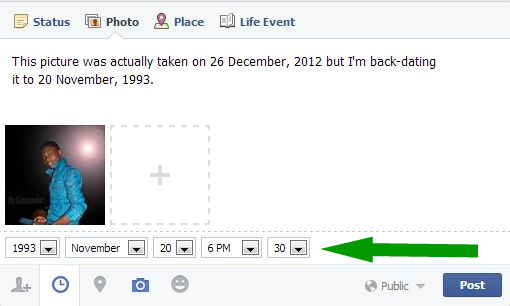
    You can backdate your videos, photos, status and just about everything you own on Facebook. Simple goto to your Facebook sharing tool:
    1. Choose the type of post you want to add to your Timeline
    2. Clickin the lower left of the sharing tool
    3. Choose the date and time you want the post to appear
    4. Click Post
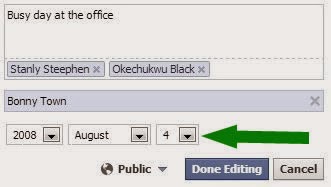
    To backdate an existing photo:
    1. Click on the photo you want to backdate.
    2. From the right-hand panel, click Edit.
    3. Choose the date and time you want the post to appear.
    4. Click Done Editing.

    Have fun and Happy Midweek!