After securing $50 million in outside funding back in September, Reddit had promised it would find a way to let the community own 10 percent of those shares. Today, it is revealing some details as to how: Reddit Notes.
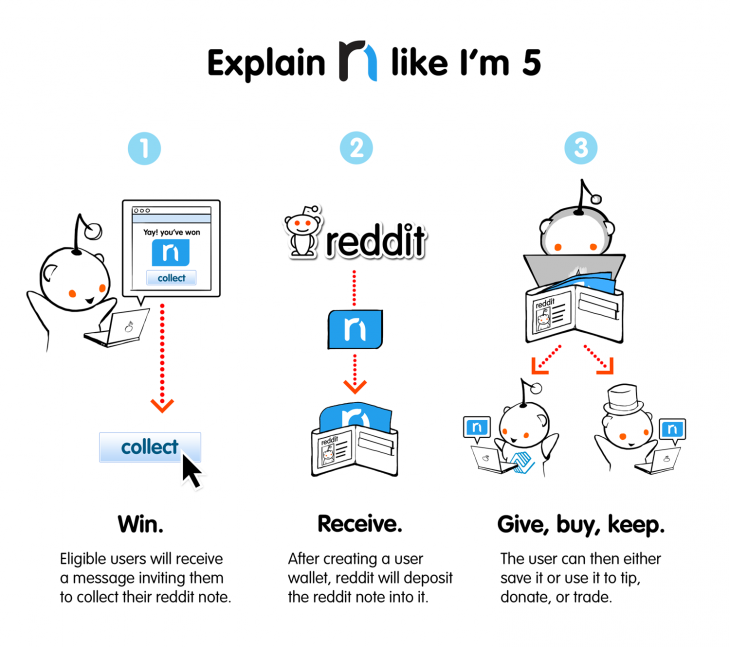
Details are still vague, but Reddit will host a random lottery to give away around 950,000 notes to divide among active users. They will then be able to deposit their notes into a virtual wallet, after which they can use the funds to “tip, donate or trade.”
Reddit Notes started taking shape after listening to thousands of requests from users and considering some ideas of its own. The company notes its still working out the kinks – such as how the plan will work under government regulations – and plans to start handing out the notes in fall of 2015.
As more innovators and tech gurus crawl into the ever-growing technology and internet market, the concern between users and their privacy online become more and more dominant. According to a Pew Research Center study, policymakers and tech innovators will have a hard time to respond.
Experts responded to a survey with split opinions on the matter that politicians and tech innovators can create “secure, popularly accepted, and trusted privacy-rights infrastructure by 2025 that allows for business innovation and monetization,” while offering people accessible options for protecting their personal info.
Looking at the results of the survey, about 55% of the 2,511 people surveyed said they believed a accepted privacy-rights infrastructure would exist in the next decade. The other 45% said it would, however. Regardless to the surveyed thoughts on the future of online privacy, many had agreed that online life is public nature.
“Almost everybody agrees this new environment is coming,” said Lee Rainie, co-author of the study. “About half say we will make accommodations and about half say it’s an inexorable blob that will swallow people’s lives…and leave people in an environment where they have little control over their privacy.”
Pew’s survey uncovered common threads among responses; many experts agreed that security and privacy are “foundational issues of the digital world” and that people don’t require much more than the draw of convenience to share their personal information.
“Lack of concern about privacy stems from complacency because most people’s life experiences teach them that revealing their private information allows commercial (and public) organisations to make their lives easier (by targeting their needs), whereas the detrimental cases tend to be very serious but relatively rare,” Bob Briscoe, chief researcher in networking and infrastructure for British Telecom, wrote in his response.
We are living in an unprecedented age of surveillance, said John Wilbanks, chief commons officer for the biomedical research company Sage Bionetworks.
“I do not think 10 years is long enough for policymakers to change the way they make policy to keep up with the rate of technological progress. We have never had ubiquitous surveillance before, much less a form of ubiquitous surveillance that emerges primarily from voluntary (if market-obscured) choices,” he said.
What does this mean for the media, which often relies on targeted ads mined from readers’ personal data? The widespread use of personalized ads is a fait accompli, Rainie said. They aren’t going anywhere.
“People don’t freak out now when they see ads that they see on other sites, or ads related to things they search for,” he said. “What experts would say is it’s a settled issue, not a top-of-mind problem.”
The tricky part is figuring out “the Internet of things,” Rainie added, and adapting to future changes in the display and rendering of information.
And social and cultural norms are ever-changing, said Homero Gil de Zuniga, director of the Digital Media Research Program at the University of Texas-Austin. That includes perceptions of privacy. “By 2025, many of the issues, behaviors, and information we consider to be private today will not be so,” he told Pew. “Information will be even more pervasive, even more liquid, and portable. The digital private sphere, as well as the digital public sphere, will most likely completely overlap.”
What do you think of the idea of still not having an accepted, private-rights infrastructure by the next decade? Leave a comment below with your thoughts.
Facebook has faced allegations in the past about using its users private information for marketing reasons. Questions has been raised on what user information Facebook itself gets to see – If you were ever in doubt on how Facebook handles your privacy, the Manager of privacy and public policy at Facebook, Matt Scutari has made it clear that there is no hiding place for you on the internet – or least on Facebook.
Matt Scutari has confirmed that the information you are hiding from other Facebook users you called friends are not completely private, claiming that Facebook like every other platform “have to at least use that information to provide the service”. “With most online services, there’s an understanding that when you use those services to share information, you’re also sharing information with the company providing the service,” said Matt Scutari, manager of privacy and public policy at Facebook.
“For users who are truly concerned with sharing their information with a particular platform, honestly, you might not want to share information with that platform,” he said, speaking during a conference on digital privacy in Palo Alto, California, on Friday.
“I don’t think there are many services out there who could claim they’re not using your information that you’re sharing with them for any purpose. They have to at least use that information to provide the service,” he added.
Scutari was responding to a question from the audience about what tools, if any, Facebook might provide to people who want to post and share information but keep it from Facebook itself.
Lately, the company has been trying to improve its controls for sharing among friends. In September it introduced a “privacy checkup” feature. And just this week it released a revamped privacy policy designed to be easier to use. The company also gives users information about how their data is used for advertising. But it has never offered users tools to limit what data Facebook can ingest when they share.
Data collection—what companies collect, and how it’s used—is an area of concern for Internet users in general, highlighted by some dramatic findings in a recent Pew survey.
Facebook does have a team of employees tasked with looking at privacy issues related to its products, features and tools. The team has a number of programs in place, including daily surveys of users and talks with people in other countries to get their views on privacy, Facebook said on Friday.
The leader of Europol’s European cybercrime center said those hiding behind the anonymous communication encrypted system facility, Tor should not consider themselves invisible – at least from the European cybercrime center.
Coordinated raids by law enforcement agencies in the U.S. and 16 European countries have closed hundreds of underground websites, including dozens dealing in weapons and drugs, and led to the arrest of 17 people.
The raids took place on Thursday and were the biggest so far against sites running on the Tor network, according to the U.S. Department of Justice and Europol, which cooperated on the action.
Tor is an encrypted system that facilitates anonymous communication. It has plenty of legitimate uses, particularly for evading surveillance in countries with authoritarian governments, but its use by criminals has caused controversy. Police have increasingly been targeting underground websites on Tor, and Thursday’s raids are the latest in that work.
Troels Oerting, head of Europol’s European cybercrime center, said criminals using Tor have long considered themselves beyond the reach of the law, but that’s no longer the case.
“We can now show that they are neither invisible nor untouchable,” he said in a statement. “The criminals can run but they cant hide.”
The list of shuttered sites included names such as Blue Sky, Hydra and Cloud Nine, and the DOJ said they dealt in drugs, fake currency, stolen credit card data and fake ID documents. Executive Outcomes dealt in firearms and shipped worldwide, Fake Real Plastic sold counterfeit credit cards, Fake ID sold fake passports and Fast Cash and Super Notes Counter sold counterfeit Euro and U.S. currency in exchange for bitcoins, authorities said.
The first hint of the raids came on Thursday, when police in the U.S. said they had arrested the alleged operator of Silk Road 2.0, a website allegedly used to sell illegal drugs, computer-hacking tools and fraudulent identification documents. At the time they didn’t say that the arrest was part of a larger action.
“As illegal activity online becomes more prevalent, criminals can no longer expect that they can hide in the shadows of the dark web,’” said U.S. Attorney Preet Bharara, in a statement. ”We shut down the original Silk Road website and now we have shut down its replacement, as well as multiple other dark market sites allegedly offering all manner of illicit goods and services, from firearms to computer hacking.”
But despite the assertions of Oerting and Bharara, it still remains incredibly difficult for law enforcement to discover who is behind a Tor website. The same safeguards built into the system that keep the identity of a dissident secret from a government also help criminals stay anonymous. Typically, a true identity is discovered because of a clue such as an email address that has inadvertently been left in the open.
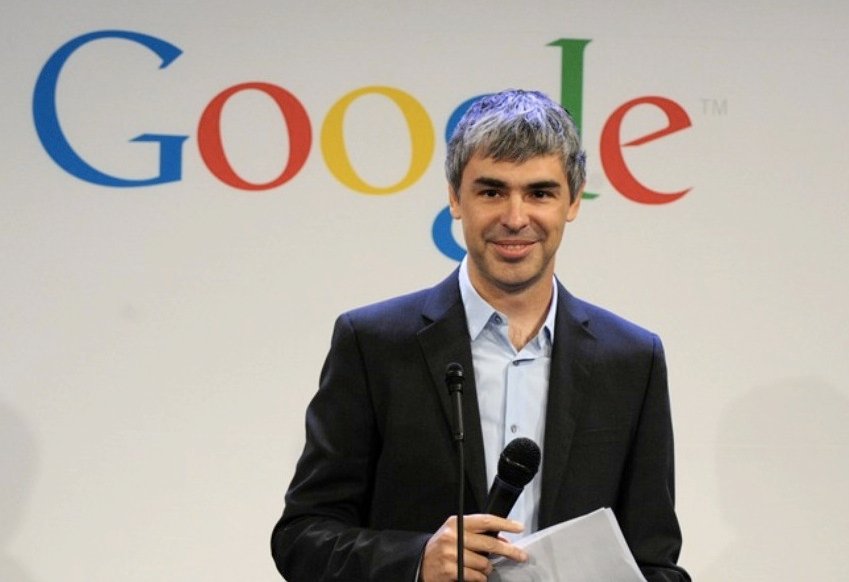
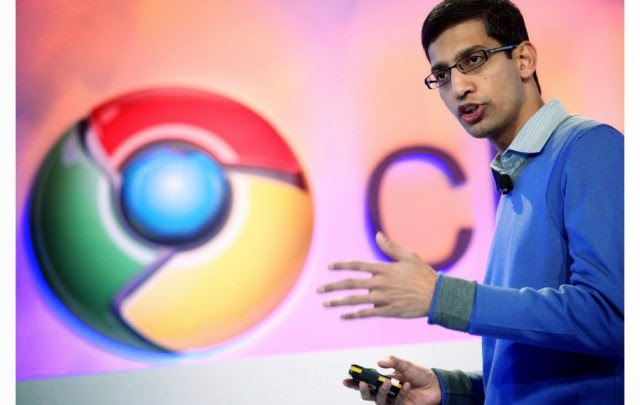
On Friday of last week, Google boss Larry Page sent out a memo to staff that Sundar Pichai – the man responsible for Android, Chrome, and Google Apps, will be taking on the responsibility of even more Google products. These products include Maps, Search, Research, Commerce, Ads, Infrastructure, and Google+.
Page said that the move would help free up more time for him to focus on bigger projects, such as new products and strategies for the corporate, while Pichai puts his concentration on the already-existing business units. Such a move like this makes most believe that a move like this is putting Pichai steps closer to getting the top job of Google, and he will most likely be taken over the seat when Larry Page decides he’s done.
Pichai was born Pichai Sundararajan in the Indian city of Chennai (formerly Madras) in 1972 and earned a Bachelor’s degree in Technology from IIT-Kharagpur in West Bengal, a Master’s degree from Stanford University, and an MBA from the Wharton School of the University of Pennsylvania. After a brief spell at management consultants McKinsey & Company, Pichai held various positions at Applied Materials before joining Google in 2004 as a product manager. He originally focused on Google Apps but later took responsibility for Chrome and Chrome OS, too. After Andy Rubin left the Android team in March of last year to concentrate on Google’s robotics ambitions, Pichai also added the mobile OS to his responsibilities, and has been the public face of the division ever since. – history source from theregister.co.uk.
What do you think of this move by Mr. Page? Comment below with your opinions.
It’s been over a month since Twitter came after Twitpic over the service trademark, threatening to remove the service’s access to Twitter’s API. Today, CEO Noah Everett has announced that they have reached an agreement with Twitter that will let them stay alive – but a mare survival.
And in a somewhat happy turn of events, Twitpic has announced that it has reached an agreement with Twitter to keep Twitpic photos and links alive, giving Twitter control over the domain and the full photo archive.
However, the agreement also states that Twitpic will no longer be taking any new photos or data and will exist in a read-only mode. Apps on the App Store and Google Play have been removed, but users will still be able to log in, delete content or the account itself, and export and/or download data.
This comes after a “roller coaster ride” of the past few months. In September, Twitpic founder and CEO Noah Everett announced that the service would shut down after Twitter came after the service over the Twitpic trademark, threatening to remove the service’s access to Twitter’s API.
“This came as a shock to us since Twitpic has been around since early 2008, and our trademark application has been in the USPTO since 2009,” Everett wrote in a blog post.
Shortly thereafter, rumors circulated that Twitpic might be bought in order to save the service and the data that lives on it, until Everett once again admitted defeat and announced that he had given up on finding acquirers.
It’s with a heavy heart that I announce again that Twitpic will be shutting down on October 25th. We worked through a handful of potential acquirers and exhausted all potential options. We were almost certain we had found a new home for Twitpic (hence our previous tweet), but agreeable terms could not be met.
According to the blog post from today, which you can read below, it seems Everett won’t be staying on at Twitter or Twitpic.
Today marks the end of a difficult battle for Twitpic, whether it’s a happy or sad ending.
First off I want to say thank you to everyone who has used Twitpic over the years and for your patience with us over the last couple of months. As you know it’s been quite the roller coaster ride. We weren’t able to find a way to keep Twitpic independent. However, I’m happy to announce that we have reached an agreement with Twitter to give them the Twitpic domain and photo archive, thus keeping the photos and links alive for the time being. Twitter shares our goal of protecting our users and this data. Also, since Twitpic’s user base consists of Twitter users, it makes sense to keep this data with Twitter. What this means for Twitpic users:
Twitpic will no longer be taking on new photos or data (the site will be in a read-only mode)
The iOS and Android apps have been removed from the app stores and will no longer be supported
You will still be able to login to your profile to delete content or delete your account on Twitpic.com
You can still export and download your data / photo archive on Twitpic.com
This will be my (@noaheverett) final chapter with Twitpic, and again I want to say thank you for allowing me to be a part of your photo sharing memories for nearly seven years. It has been an honor.
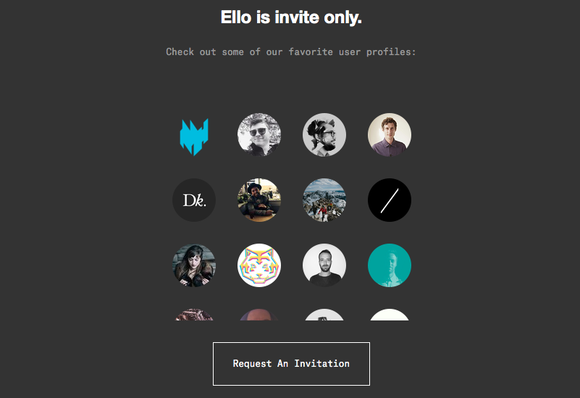
It’s one thing to say your social network will never be like Facebook, it’s another to enshrine that promise in legal documents. Ello, a social site whose claim to fame is an anti-ad manifesto, is doing just that by filing to become a public benefit corporation.
A benefit corporation is a company that chooses to be socially conscious of how its decisions affect not just shareholders or investors, but also its customers, employees, and the environment. Ello won’t get any tax benefits for being a do-good social network, but the charter the company filed prevents current and future investors and owners from ever profiting from ads or user data.
“In other words, Ello exists for your benefit, and will never show ads or sell user data,” Ello founder Paul Budnitz wrote in a Thursday Ello post.
Ello is growing rapidly, ballooning to 1 million members in the last two months, according to Wired. Another 3 million are waiting to be let in. The network also announced that it raised $5.5 million in venture capital, but its investors had to sign the ad-free charter, which you can read in full here.
So if ads are off the table forever, how will the social network make money? Budnitz plans to model Ello after the most successful company in the world: Apple.
“We will make money, and we are a business, and we have been really open about that since the beginning,” Budnitz told Inc. in an interview earlier this month. “Our model is based on a very successful business model that has been applied to all kinds of other things except social networking, which is the iPhone model. In its most basic form, Ello will be fun and free to use. But after that there are features that some groups want really badly—for example one of the most requested features is the ability to control multiple accounts from a single log in. We might charge a dollar for that. It would be like the App Store.”
That sounds good, but it’s not exactly similar to how Apple makes money. Apple’s model is to sell you expensive hardware at a comfortable profit margin, and the software and services—and even the App Store—enhance the experience to make you want to buy the hardware. Apple wouldn’t give you a basic iPhone for free and then upcharge you to add more features that you want really badly. If you wanted features Apple isn’t providing, you’d probably go buy a different phone.
Anyway, Ello is technically still a beta network that has tons of ideas about features to add but isn’t fully built out yet. Users are dying for a “like” or “favorite” button, which Budnitz says is coming, but don’t expect the feature to be like Facebook’s or Twitter’s. Budnitz in an Ello post earlier this month recommended people use the bread emoji to signify a nod or thumbs up. It’s a little unconventional, but, hey—that’s Ello.
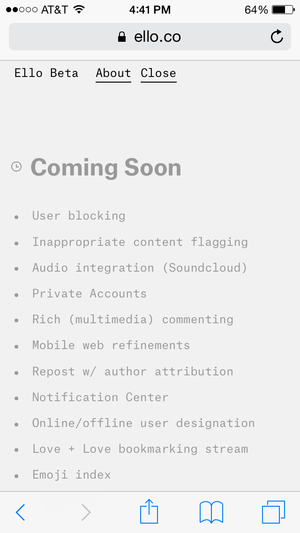
In the meantime, the network has added a notification center, blocking and muting functions, and is working on better search, an NSFW mode, sound and video embeds, and a couple much-needed apps. Ello might never be as big as Facebook, but if it keeps working to woo skeptics, it might just be a viable alternative.
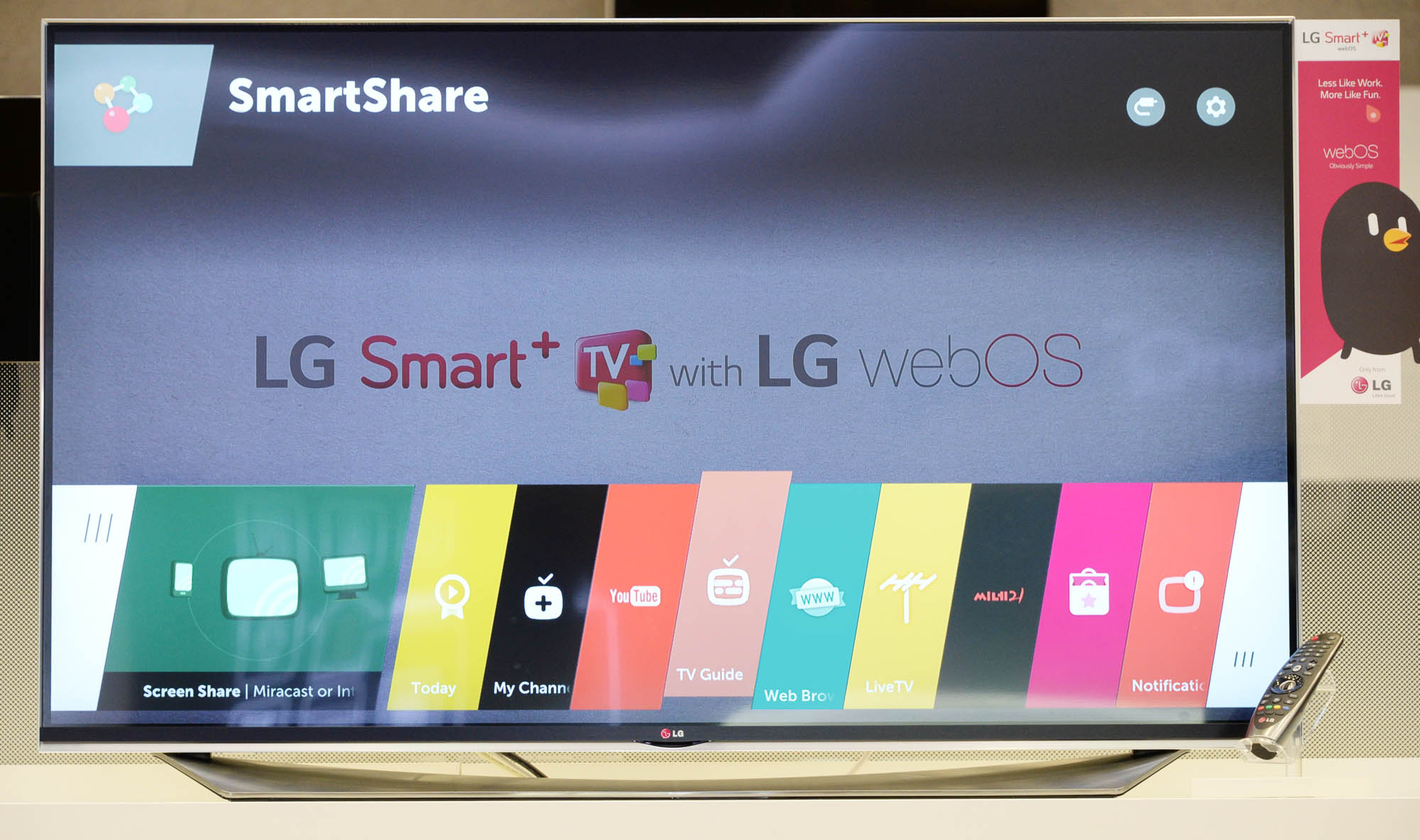
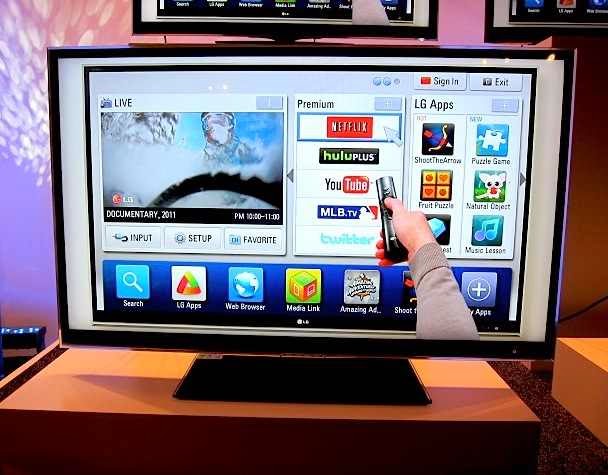
LG Electronics recently launched an internet television tagged WebOS Smart+TV. The TV has the unique ability to connect users with the wealth of knowledge available on the internet. Yet it grants access to the full potential of the smart TV.
The first time the user turns on the webOS-enabled LG Smart TV, an animated character named BeanBird appears onscreen to help get connected and walk the use through the setup process. All the viewer has to do is shake the Magic Remote or press the OK button to receive further advice from the winged virtual facilitator. webOS can instantly recognize when and what kind of external device has been plugged into the TV and brings up a pop-up menu listing all relevant options for the user to choosefrom.
The new Launcher, a left-to-right scrollable menu that runs along the lower portion of the screen is one of the most distinctive features of webOS.
The Launcher makes it possible to switch between broadcast TV, smart TV content and media stored on external devices without having to return to the Home screen. It allows the viewer to simultaneously watch a show, play a game or browse the internet while searching or downloading other content.
Live Menu, which can be opened while viewing the TV, keeps the search, recommendation and channel options within easy reach. LG’s webOS also offers access to the LG Store’s comprehensive collection of apps.
The LG Store lets users browse the most-viewed and most-downloaded items available from across the Smart TV platform, including broadcast TV programs and the latest games.
The logically organized categories, which include 3D content, games and movies, employ thumbnail images for fast and convenient selection of content.
According to statistics on Internet Live Stats Nigeria is dominating 2.30% share of the 2,981,011,134 (two billion nine hundred eighty-one million eleven thousand one hundred thirty-four) population of internet users in the world since January, 2014.
Around 40% of the world population has an internet connection today. In 1995, it was less than 1%. The number of internet users has increased tenfold from 1999 to 2013. The first billion was reached in 2005. The second billion in 2010. The third billion will be reached by the end of 2014 at this rate.
Understandably, the world most populated country China leads the chart of countries with the highest number of internet users in 2014. Reaching 29.99% i.e 641,601,070 internet users out of 2,981,011,134 world internet users.
China is followed, though at a very wide margin by United States with 279,834,232 internet users.Which is 9.58% of the world overall internet users.
Behind United States is the world second most populated country and the world third most populated internet users. 243,198,922 people access the internet from India which is exactly 8.33% of the total internet users in the world.
Japan (109,252,912) and Brazil (107,822,831) follows further behind in fourth and fifth place respectively, both having 3.74% and 3.69% population share of the world internet users.
The sixth and seventh place is occupied by Russia (84,437,793) and Germany (71,727,551) respectively, collecting 2.89% and 2.46% shares of the total population count.
Nigeria is posed on eight position in the global internet population ranking table. The African giants with over 178,516,904 human population, seventh most populated country in the world has improved its share of the global internet population by 16% since 2013. Nigeria currently has a total of 67,101,452 internet users, constituting 2.30% of the total global internet population.
Nigeria and the Egypt are the only African countries in the top 20 global internet consumers ranking table. The rest of other countries in top 20 include:
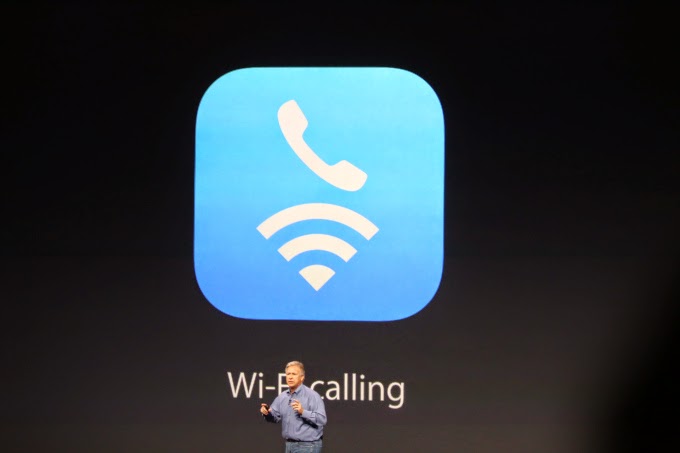
The iPhone 6 supports WiFi calling. But does your carrier support it?
If you’re in the U.S., the answer to that is probably “not yet”.
(For the unfamiliar, WiFi Calling essentially turns any WiFi router you’ve got access to into a private extension of your carrier’s cell network. As long as you’re on WiFi, you’ll be able to make standard voice calls and send texts regardless of whether or not your carrier’s signal is up to snuff in that spot.)
For now, the only U.S. carrier that can officially say they’ll support iOS 8’s new Voice Over WiFi functionality is T-Mobile — hence their big event about it just one day after Apple’s announcement.
But fear not, AT&T customers! You’ll be getting in on the WiFi fun too… eventually.
Speaking at an event in New York this afternoon, AT&T CEO Ralph de la Vega mentioned it almost in passing: AT&T will support Voice over WiFi sometime in 2015.
So, why the hold up? The short version: for WiFi calling to work properly, your carrier’s network also needs to support Voice Over LTE (VoLTE). This is what allows for a seamless handoff — that is, it’s what allows you to start a call on your WiFi network, leave your house, and seamlessly continue the call on the cellular network without having to redial.
Reddit did two things last night that, on the surface, seemed pretty contradictory. It publisheda post by CEO Yishan Wong offering an explanation for why the site does not generally take down “morally objectionable or otherwise inappropriate” subreddits. At around the same time, Reddit took down /r/TheFappening and related subreddits, where many of the images from the celebrity photo hack were posted.
The post itself has been updated to acknowledge that this was a little weird, explaining the situation like so:
Those two events occurring together have created great confusion. That is: we put up a blog post explaining why we don’t ban things for reason X (which some people want us to, but we will not), but at the same time behavior in a subreddit started violating reason Y (a pre-existing and valid rule for which we do ban things) and we banned it, resulting in much confusion.
Apparently “Reason Y”, in this case, has nothing to do with the general horribleness of sharing stolen nudes, and more with the fact that Reddit was receiving DMCA takedown notices, i.e., legal complaints from copyright owners.
In a follow-up comment, Wong wrote, “I said that we don’t ban subreddits for being morally bad. We DO ban subreddits for breaking our rules, and one of them is repeatedly and primarily being a place where people post copyrighted material for which valid DMCA requests are being received.”
Not everyone has been satisfied with Wong’s explanation, particularly since Reddit was willing to keep the Fappening up for a week (benefiting from a big boost in traffic), and because it hasn’t taken down other subreddits, such as /r/SexWithDogs and /r/CuteGirlCorpses, that are pretty horrible but aren’t drawing as much ire from celebrities or the media.
On the question of other awful content, it sounds like Reddit won’t be taking down most objectionable groups unless it’s getting letters from lawyers.
For what it’s worth, I do think Reddit was in a tough spot here, albeit one that it benefited from in some ways. By the nature of the site, there’s going to be content that really pushes the boundaries of both legality and morality, and that means it’s going to face questions without easy answers.
At the same time, limiting itself to DMCA requests and a few other narrow legalities might not be an adequate way to grapple with those questions. (And by the way, some of the comments here offer suggestions about how Reddit can increase transparency around this process.) If nothing else, it makes high-minded posts with titles like “Every Man Is Responsible For His Own Soul” (and descriptions of Reddit as “the government of a new type of community”) ring a little hollow.
COMMENT: If you find your Firefox very disappointing and even considering a change, EwtNet is offering you something that might keep you longer on the Mozilla internet browser.
Is your Firefox lagging, hanging or extremely slow to start?
Are you currently thinking of quitting Firefox for good? Here is something that might help you change your mind.
Statistics by W3school shows that Mozilla Firefox has only an average of 28.2% overall desktop users in 2013 while Google Chrome in the same year had an overall average of 52.6% desktop users. Comparing the browsers stats in 2010 Mozilla Firefox comes up with an upper hand with 46.4% of overall desktop users, while Google Chrome can only boast of 15.9%. Meaning that Firefox has lost 18.2 of it’s users to Google Chrome and other browsers since 2010.
If you are the next Mozilla faithful who is planning to Jump ship due to the slow response of your browser, resetting Firefox might change everything.
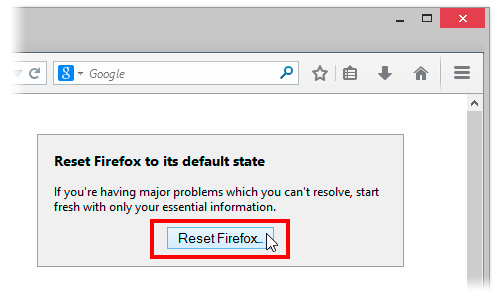
The reset feature fixes many issues by restoring Firefox to its factory default state while saving your essential information like bookmarks and open tabs. All of your Firefox settings and personal information are stored in a profile folder. The reset feature works by creating a new profile folder for you while saving your important data.
Resetting Firefox will remove your Extensions and themes, website-specific preferences, search engines, download history, DOM storage, security settings, download actions, plugin settings, toolbar customizations, user styles and social features.
How to Reset Firefox to It’s Default State
Resetting Firefox can be done through the Troubleshooting information page.
Click the menu button and then click help .
From the Help menu choose Troubleshooting Information.
Click the Reset Firefox button in the upper-right corner of the Troubleshooting Information page.
To continue, click Reset Firefox in the confirmation window that opens.
Firefox will close and be reset. When it’s done, a window will list the information that was imported. Click Finish and Firefox will open.
Another way of accessing the Troubleshooting Information page is by entering about:support in your address bar. Hit enter to bring up the troubleshooting information page. Follow step 3-5 above to reset your browser.
What if Resetting Does Not Work
If after resetting your browser you still find Firefox lazying about, you might consider doing any of the following:
Start Firefox in safe mode to see if there are any changes.
Disable all plugins and extensions one-by-one to see if any took up a lot of memory usage. Firefox memory usage sometimes can reach over 400 Mb
If your browser often lag while watching YouTube videos, try installing a freeware program called Firemin which apparently stops memory leaks when used to launch Firefox.
If none of this worked, the ultimate solution is to wipe Firefox clean from your computer and installing a fresh copy of the application.
Note: It is essential to print these steps or view them in another browser.
Download the latest Desktop version of Firefox from http://www.mozilla.org and save the setup file to your computer.
After the download finishes, close all Firefox windows (click Exit from the Firefox or File menu).
Delete the Firefox installation folder, which is located in one of these locations, by default:
Windows:
C:Program FilesMozilla Firefox
C:Program Files (x86)Mozilla Firefox
Mac:
Delete Firefox from the Applications folder.
Linux:
If you installed Firefox with the distro-based package manager, you should use the same way to uninstall it – see
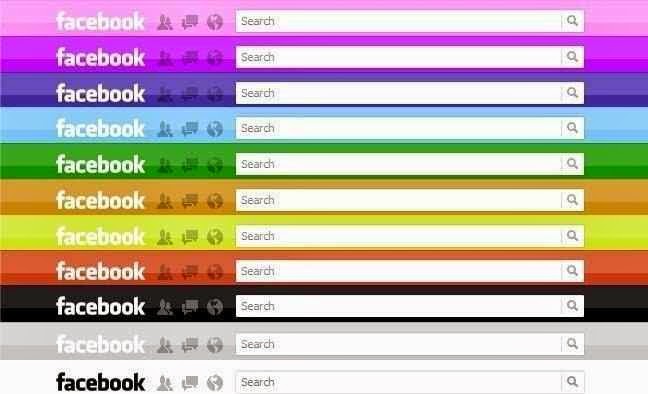
COMMENT: While the idea of changing the Facebook default blue header to your custom color seems great, Cheetah Mobile has warned that you might end up getting more than what you bargained for.
IDG NEWS NETWORK – On Facebook, some scams are so alluring that they seem to live forever.
So it goes with “Facebook Color Changer,” a new malware attack that masquerades as a way to change the appearance of Facebook’s Website. Security firm Cheetah Mobile claims that the latest scam has affected more than 10,000 people around the world.
Don’t fall for this.
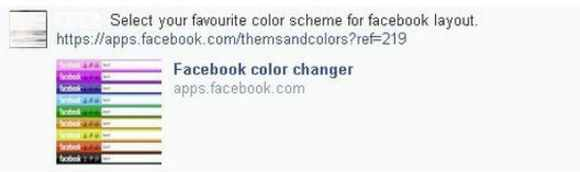
According to Cheetah Mobile, the app advertises the ability to “select your favourite color scheme for facebook layout,” and appears to direct users to “apps.facebook.com/themsandcolors.” But instead, the app sends users to a phishing site.
Once there, the site asks users to view a tutorial video. Launching the video supposedly provides temporary access to the user’s Access Tokens, letting the malicious site connect to the user’s Facebook friends. If the user doesn’t view the video, the site then attempts to download a pornographic video player on PCs or a bogus malware scanner on Android devices.
Cheetah Mobile blames a “a vulnerability that lives in Facebook’s app page itself, allowing hackers to implant viruses and malicious code into Facebook-based applications directs users to phishing sites.”
As Mashable points out, color-changing capabilities have been a popular hook for Facebook malware peddlers in the past. At least two previousscams have gained traction by inviting users to switch the color of Facebook’s blue menu bar. The color changer joins a number of other recurring scams that pose as oft-requested features, including the fabled ”dislike” button and ability to see who viewed your profile.
What if you need a real Facebook Color Changer?
There is a legitimate way to change the color of Facebook’s menu bar, using an extension in the Chrome Web Store, but in general it’s best to treat these “feature enhancements” with extreme caution. Just because a friend posts a link your feed doesn’t mean it’s safe to click.
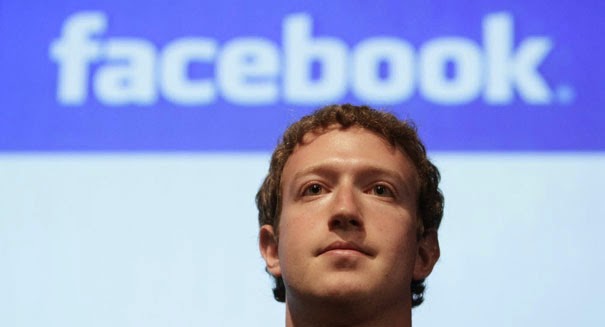
Facebook does plan to monetize Messenger through payments, but it’s going to take its time to do it right. Regarding Messenger, CEO Mark Zuckerberg said on today’s Q2 earningscall that “over time there will be some overlap between that and payments”. He stressed that “The payments piece will be a part of what will help drive the overall success and help people share with each other and interact with businesses.”
We shouldn’t expect this to happen too soon, though. Zuckerberg explained that “there’s so much groundwork for us to do.” He continued, “we could take the cheap and easy approach and put ads in and do payments and make money in the short-term, but we’re not going to do that.”
He urged analysts and investors to revise their estimates of Facebook’s revenue if they expected this to come quickly. “To the extent that your models or anything reflect that we might be doing that, I strongly encourage you to adjust that, because we’re not going to. We’re going to take the time to do this in the way that is going to be right over multiple years” Zuckerberg concluded.
Messenger hit 200 million active users in Q1 2014, and people now send 12 billion messages per day on Facebook. The question on the earnings call about how it would make money from the product was prompted by Facebook’s hire of PayPal president David Marcus to run its messaging unit.
If Facebook allowed peer-to-peer payments or payments to businesses via Messenger, it could earn serious revenue by taking a cut. Facebook’s international footprint could allow it to disrupt the greedy remittance industry, which often charges migrant workers exorbitant fees to send money home. Facebook could engender good will and save families money while still turning a tidy profit by undercutting traditional remittance players like Western Union, MoneyGram, Remit2India, and more.
Along with a strong performance in Q2 in terms of user growth and revenue, this news as has pushed Facebook’s share price to an all-time high of $75 in after-hours trading.
MBOX Converter is an apt solution that can be used as an Entourage to Outlook converter though the application works only on Windows Operating System, whereas Microsoft Entourage is an email client that was developed for Macintosh OS 8.5 and higher. But the release of Entourage has been discontinued with the release of ‘MS Office for Mac 2011.’ Rather it can be said that ‘Outlook for Mac’ or Outlook 2011 has replaced Entourage mail client that was developed specifically for Mac systems.
Here in this page we will be reviewing MBOX Converter version-2.1 and check into the useful attributes of the tool that makes it suitable to be employed as an Entourage to Outlook converter; that requires the conversion of MBOX files to PST format. But before we exactly go for the inspection of the software it is necessary to know how to perform transition from Entourage to Outlook for Windows, with the assistance of the application.
How to Migrate and Access Entourage Mail in Outlook?
The tool whose performance is being examined in this page converts MBOX files to PST format and also functions only on Windows OS instead of Mac. The Entourage folder structure is stored at the following location in Apple Macintosh OS X: ‘Hard Disk Name/Users/user_name/Documents/Microsoft User Data/Office 2008 Identities/Main Identity’
Therefore, to use the tool as Entourage to Outlook converter, following steps need to be followed:
Copy the Main Identity folder to a Windows system because when this is practiced, MBOX files are created for individual mail folders.
Import the exported PST file in Outlook mail client once the conversion of MBOX files to PST format is complete by running/ executing the software program.
Installation Prerequisite
The application seeks some basic minimum system requirements and they are:
System Requirement
SysTools
Support
Windows 8.1 & Below versions
Available Hard Disk Space
10 MB
Processor
1GHz
Memory (RAM)
512MB
Acquaintance with Some Key Attributes Of the Converter
Scans the emails in short span of time
Previews emails along with attachments
Can merge multiple MBOX files into single PST
Can create single Outlook PST file for each MBOX data file
Outlook installation is not needed to convert MBOX to PST form
Can convert multiple MBOX files to PST/EML/MSG format in bulk
Both demo and full version of the converter is available
Detailed Description of Characteristic Features of the Software
Exports MBOX File In Bulk – The tool has the exportation potential of converting and exporting multiple MBOX file all together at a time in batch.
Multiple Forms Of MBOX File Backed – MBOX file is an ordinarily used format created by a number of mail clients in different forms such as .mbox, .mbx and MBOX file without any extension. The application backs all these MBOX file forms.
2 Conversion Choices Except Outlook PST – MBOX files can also be exported in 2 different file formats such as EML and MSG excluding PST format.
Supports Different Mail Clients MBOX Files – The tool has the ability to convert about 17+ email clients (e.g. Entourage, Thunderbird, etc.) MBOX files to MS Outlook PST, EML and MSG file type.
Capability To Create Multiple PST File – While converting MBOX to PST file type, the Entourage to Outlook converter provides two different options so as to create either single or multiple PST. Note – With ‘Create single PST file’ option, all MBOX files can be merged into a single common PST file whereas with ‘create multiple PST file’ choice one PST file can be produced for each MBOX file.
Files & Folders Selectivity Choices – Either all or selected Entourage emails can be converted and exported to Outlook PST or other supported formats.
Various File Naming Convention Available – When exporting emails, the software provides alternative to choose an appropriate naming pattern to save each email. The different file naming patterns that are available are: Save as subject, DD-MM-YY, DD-MM-YYY, MD5, Auto incremental and many more.
Demo and Full Release Comparison
Almost all features explained above are provided in both the demo version and full version. Though there are some exceptions in the demo edition which is provided for trial purpose so that the execution of the program is well known before purchasing the license. The comparison is shown in form of the table given below:
Features
Demo Version
Full Version
Auto Scan MBOX files
Yes
Yes
Preview MBOX emails with attachments
Yes
Yes
Windows 8 & below versions supported
Yes
Yes
Advanced Naming Convention
No
Yes
Export MBOX file as PST, EML, MSG
No(Limited)
Yes
It is inferred from the comparison table that demo version of Entourage to Outlook converter does not fulfill the exportation of all emails if the number of emails is more than 25. Also naming convention feature is not enabled in free edition. Thence, to avail all the facilities, license of the third party application has to be purchased. Activation Key Of Full Versions: Personal License, Business License, Enterprise License
Extended Client Assistance
To make the users completely satisfied with the product and to assist users Chat as well as Email optionhas been provided to the customers. Users can log on to: www.mboxtooutlook.org and avail the facilities 24*7.
Chat – Clients can chat with the support technicians to clear their doubts or any uncertainties.
Freaking out about creating a good-looking header photo for your Twitter profile?
You’ve probably noticed that striking visual piece in the Twitter profile layout — a full-screen-width banner image, known as a “Header Photo.”
On Tuesday, April 8, 2014, Twitter blessed it’s users with a new profile layout that includes a full-width header photo.
But you may have noticed that not every header photo is a home run …
Following the release of twitter new profile layout “New You” last month, I have compiled a few image recommendations to help you create a header photo that looks professional, makes a great first impression, and markets your brand’s best assets — without violating the Twitter Image Terms.
What’s new about the “new you”?
Background image -out, cover image -in, summarize the new twitter profile look. The new web profile lets you use a larger profile photo, customize your header, show off your best Tweets and more. Other features included to the new look are:
Best Tweets: Tweets that have received more engagement will appear slightly larger, so your best content is easy to find.
Pinned Tweet: Pin one of your Tweets to the top of your page, so it’s easy for your followers to see what you’re all about.
Filtered Tweets: Now you can choose which timeline to view when checking out other profiles. Select from these options: Tweets, Tweets with photos/videos, or Tweets and replies.
Feeling Un-Cosy? 5 Steps to Setup a Branded Twitter Profile
If you are an existing twitter user, you may find your old profile header photo a little bit un-cosy after migrating to the new look. With the background image feature gone from the profile area, the massive space occupied by the header photo becomes your next billboard.
In this article I’m going to show you how to make the most of this massive space in five steps.
1. Abide by Twitter Image Policy
Twitter reserves the right to suspend/terminate your account if you don’t comply to the rules. One of this rules states that “You may not use obscene or pornographic images in either your profile photo, header photo, or user background”. Having that at the back of your mind, let’s proceed to the next step.
2. Map out the exact dimensions and shape
The Twitter header photo is not a common image size, and the rectangular composition includes a cut-out for your profile image in the lower left corner.
This means the best-looking header photos tend to be images that are designed to take advantage of the header photo’s exact size and shape.
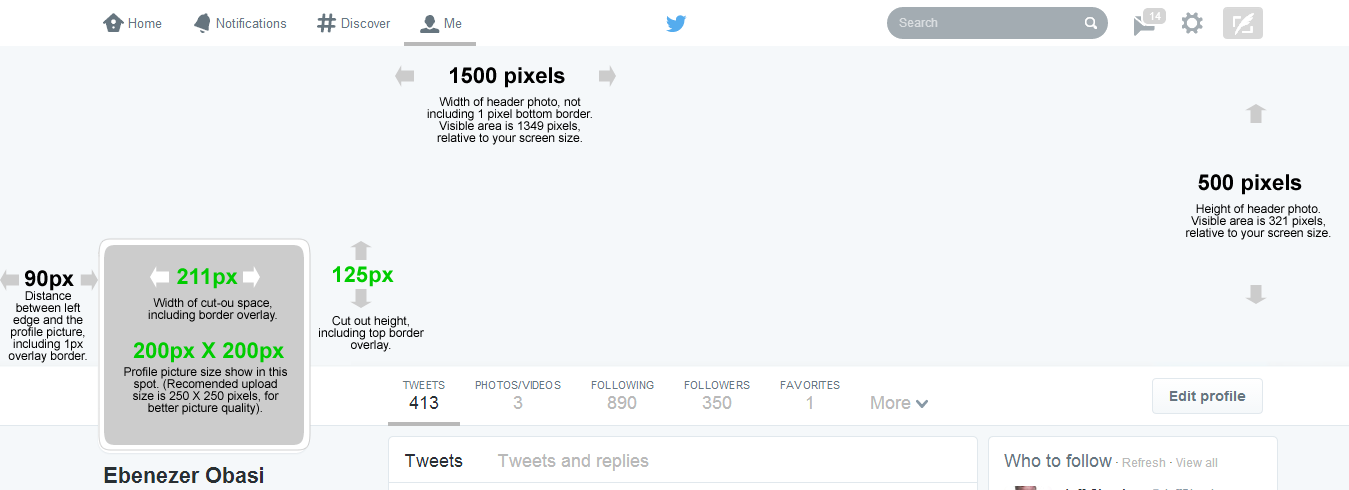
Shape and dimension of Header area. Click to view full image
Detailed measurements:
Official recommended size for Twitter header photo is: 1500 pixels wide by 500 pixels tall.
Profile image cut-out: 211 pixels wide by 125 pixels tall, spaced 90 pixels from the left edge of the header photo.
Profile image size: 200 x 200 pixels, with a recommended image upload size of 250 x 250 pixels. (Note: Larger images can be cropped).
Important tips:
If you upload an image smaller than 1500 x 500, it will be stretched to fit. This will make your image quality appear slightly grainy or distorted. The best practice is to upload an image that’s sized to Twitter’s dimensions.
Screenshot measurements reveal that only 321 pixels are visible from a 500-pixel image upload. The top edge appears to be covered by the Twitter header bar. A test with a 321-pixel tall image became distorted when uploaded, so do upload a 500-pixel tall image even though only the bottom 321 pixels will be visible.
3. Don’t hide content behind your profile picture.
Even though you are granted a massive 1500 pixels by 500 pixels to design a Header Photo doesn’t mean that you have all of that to work with. Because of the way that Profile Image are placed on Twitter profiles, there’s a section of your Header Photo that won’t appear unless you click on it.
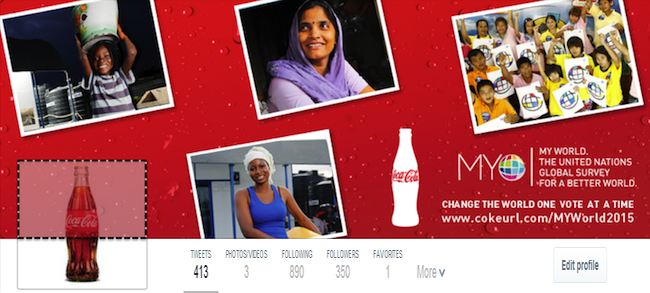
Note the area highlighted with dotted lines in the image below: That’s the part of the Header Photo that isn’t immediately visible to your Twitter followers.
The dotted area is not visible unless the viewer clicks on the Header Photo
Unless you are hiding a Christmas tree behind your profile image, it is generally recommended to keep the space clear.
4. Decide contents to include in your header photo
Outside abusive and pornographic contents, Twitter currently does not have any rule limiting users on what kind of contents to display on their profile header image. However, it is the best practice to include only text/image that describe or relates to you.
Use high-quality photographs that are in focus, have balanced color and good lighting, or use photo editing software to optimize your images. You can design an image collage or use one big, beautiful photograph — just keep the cover photo shape in mind when setting up your composition.
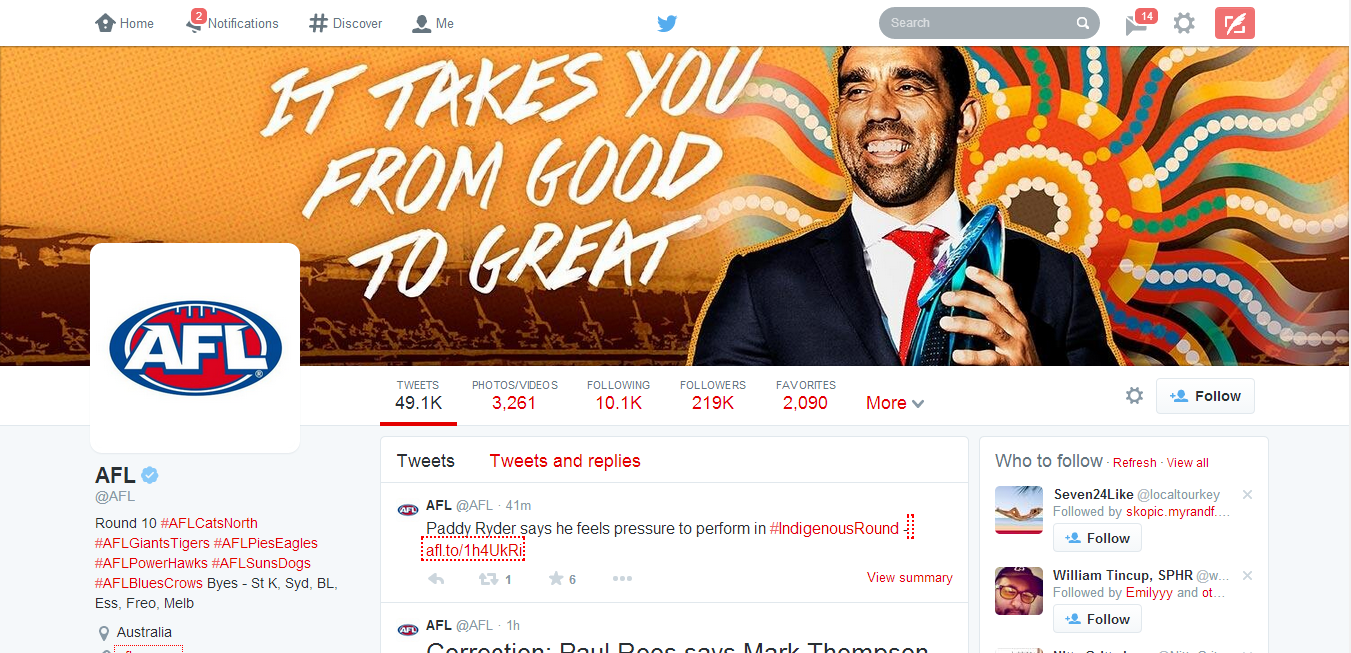
Australian Football League Twitter profile. Notice the powerful text on the Header Photo
Your company logo should appear somewhere, usually in your profile image, in which case it is not needed as an extra graphic in your cover photo. If you plan to include text, consider its placement when selecting images.
Here are a few image content ideas suitable for brands:
Candid photos of customers enjoying your products (be sure to get permission to use their likeness)
Your most popular products
Icons of awards won
Employees in action
Company founders
Store interior or exterior
Branded vector graphic
You might also consider the following type of text to grab your audience attention:
Company tagline or short phrase that explains what your business does
An impactful word that embodies your brand
Inspiring quote
Names of people in your photo
Photographer credits
Image copyrights
5. Upload your profile header header photo
Now is the easy part. Uploading your profile header photo is as simple as ever.
Log in to your Twitter account.
Go to your profile by clicking on “Me” on the twitter main menus.
Just below the header photo area, click on Edit Profile button.
Click on the Camera Icon on Header Photo space and click Upload from the drop down menu
Reposition and scale your header photo by dragging the image and scale bar below it. When done, click Apply.
Finally, save your changes and you are good to go!
Awesome! If you think you did a great job, inspire others by posting your Twitter profile links on the comment section. GoodLuck!
According to a report on Techcrunch, job outsourcing marketplace Freelancer.com has put down a portion of the money it raised from its IPO last fall on buying Warrior Forum, a marketplace and forum for digital marketing professionals.
Freelancer.com filed for an IPO last October, with the aim of raising ~$14.2 million — noting at the time that it intended to use the IPO funds for organic growth and also acquisition opportunities. It confirmed today it’s spent $3.2 million to buy the 732,000+ member strong marketing community site, Warrior Forum, where marketing professionals swap intel on topics including SEO, mobile marketing, social media, ad networks and more. More than 7.2 million postings have been made to the forum since it was founded, back in 1997.
Freelancer.com said Warrior Forum will be run as an independent site, post-acquisition, with its new parent contributing resources and a dedicated team to help fuel further development of the community site.
Freelancer.com, which was founded back in 2009, has acquired several companies over the years — including tech freelance jobs site vWorker/RentACoder and IT marketplace Scriptlance, both in 2012. More recently (this March) it picked up Polish freelance marketplace, Zlecenia.przez.net.
If you’re the type of person who can never have too much cloud storage, Microsoft just added a nice deal: 100GB of OneDrive storage as a Bing Reward offer.
Normally, amassing the credits needed to redeem a Bing Reward takes some time and effort. But with just a little bit of work, you’ll probably earn this one almost immediately.
If you prefer to use Bing as your search engine, or don’t mind switching back and forth between Bing and Google, Microsoft’s Bing Rewards is a worthwhile loyalty program. Each time you visit Bing, Microsoft records the visit. Over time, users are awarded “credits” for their visits as well as visiting a dashboard to pick up additional tasks or for referring friends to the service.
Microsoft is offering a free 200-credit bonus to friends you invite to Bing Rewards.
Now Microsoft is offering 100GB of OneDrive (nee SkyDrive) storage for one year for 100 credits. (Microsoft officials have said previously that any unused storage will vanish after the year expires, but Microsoft won’t delete any files.)
Through the end of February, Microsoft is also offering a free 200-credit bonus to friends you invite to Bing Rewards. And if they complete Silver-level status (which basically means they need to click through a “tour” or two), you’ll get 200 credits as well. It’s a bit spammy, so you’re more likely to convince your friends to participate if you pitch it as a “scratch my back, and I’ll scratch yours” deal.
Microsoft already hands out 7GB of free OneDrive cloud storage to new users who sign up for the service. As part of it rebranding SkyDrive to OneDrive marketing effort, Microsoft also handed out an additional 3GB if you simply turned on the camera-backup feature on your smartphone (iOS, Android, or Windows Phone). Referring a friend to OneDrive will earn you another 500MB, up to a maximum of 5GB.
The additional OneDrive storage deal might not be the best offer you can get. Microsoft offers a 5-percent discount at the Microsoft Store for just 50 credits, for example, and other deals include $5 gift cards at Amazon or Starbucks for 525 credits.
If you prefer Google’s search engine, you’ll probably want to stick with it. But if you’re willing to check out Bing, Microsoft will reward you with tangible benefits.
If you are residing within Australia, Nigeria, India, Russia or anywhere else around the world, wanting to own a U.S bank account or localized accounts in EURO, CHY, GBP and JPY. The Payoneer service is a secure and convenient service that allows you to send and receive funds globally.
This is nothing like PayPal or the likes. These are fully functional bank accounts in your name. You can withdraw your funds from an ATM or make payments online with your Payoneer debit card.
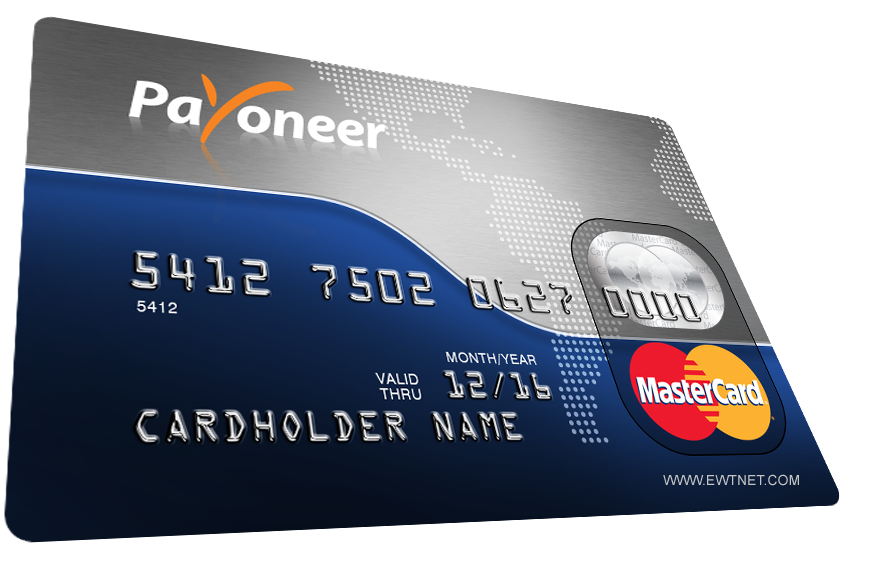
Payoneer debit card
As a resident of Nigeria (or any other country) you can own a U.S Checking Account that provides you with a US collection account that can be used to receive payments from US companies directly to your Payoneer account.
These payments can be withdrawn using your Payoneer debit card or used to make other payments online.
Payoneer Global Payment Service
Furthermore, Payoneer allows account holders to own, receive and make payments in other localised currencies using the Global Payment Service.
There are two types of receiving accounts:
Local receiving accounts – let you get paid by local bank transfer from companies in different countries as if you had a local bank account in that country. Receiving local accounts include:
USD Receiving Account (United States)
EUR Receiving Account (Europe)
GBP Receiving Account (United Kingdom)
CHY Receiving Account (People’s Republic of China)
JPY Receiving Account (Japan)
Wire (SWIFT) receiving accounts – let you get paid by wire transfer worldwide. You can use wire (SWIFT) receiving accounts to receive payments from companies located in countries where local receiving accounts aren’t supported.
Payoneer Debit Card
Payoneer allows you to receive ACH / Direct Deposit transfers from cooperate organizations such as eBay, Fiverr, Amazon, Upwork, etc. The debit card makes it easy and convenient to perform various transactions online such as purchasing or paying for services online and can be used in any ATM globally that accepts MasterCard.
You can request for a separate debit card for all your currencies. Depending on your location, your debit card is shipped between 2-5 weeks.
Setting Up your Payoneer Account
Creating a Payoneer account is easy. You can start by simply creating an account on the Payoneer website. But the easiest method to get your account approved and verified is going through a third party.
Co-operations such as Amazon, SeoClerks and Fiverr allows you to receive funds through your Payoneer account. Hence, providing you with a unique link to setup of your Payoneer account. In this tutorial, I will be walking you through on how to setup your U.S bank account and get your Payoneer card using Infolinks.
A scanned copy of a government-issued ID (any of Driving licence, Passport, National ID or Voter’s Card will be fine)
Setting Up your Infolinks Publisher’s Account
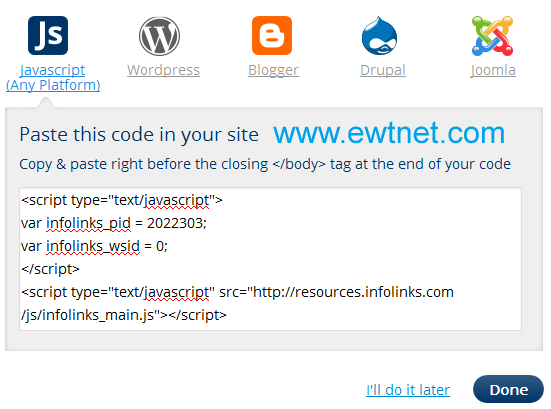
Infolinks is a media advertisement partner that allows you to share advertisement revenue by implementing the infolinks publisher code on your website or blog. If you don’t already own one, proceed to Gmail to create a free email account. Then visit Blogger.com to start a free blog powered by Google.
When all is set, proceed to Infolinks Publisher’s account setup, and enter your website/blog (e.g. website.blogspot.com) address in the specified input box. FIll the remaining info and complete the setup by implementing the Infolinks code on your website/blog (See how to add custom widget on Blogger to add your Infolinks code on the Blogger platform).
Request your Payoneer Debit Card
I believe you have already setup your email address and created an Infolinks publisher’s account. Now, proceed to your Infolinks payment setting:
Enter your contact details and click next
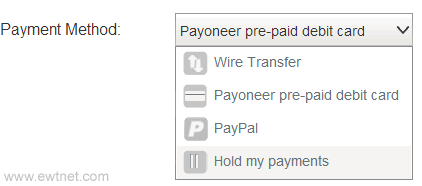
Select Payoneer pre-paid debit card as your payment method
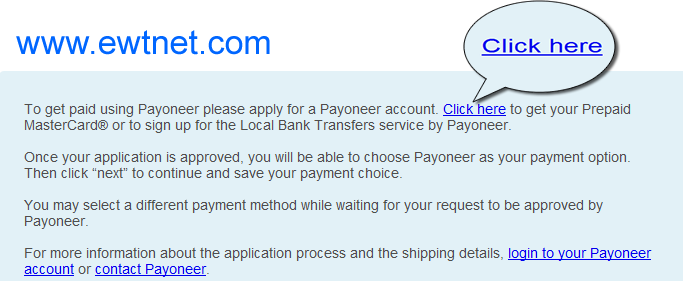
Immediately beneath this area, you will find a notification box prompting you that no Payoneer account is associated with your infolinks account. Kindly, follow the Creat account link and fill the form at the Payoneer website. This process will require your email address and a government issued ID. If you do not have any of driving licence, national id or passport you can select National ID and use your voters’s card later.
Note: Ensure that your billing address is valid and correct. To be on the safer side, visit the nearest post office to get details of your mailing address.
At this point a confirmation message will be sent to your email. Sit back and wait for 2-5 business days for your Payoneer account to be reviewed and approved.
Once your account is approved you will receive a congratulation email!
Your Payoneer Debit card will arrive your mailing address within 2-5 weeks. Once you receive it, you can proceed to your Payoneer account to view your status and activate your card.
Setting Up your U.S Bank Account
A free U.S checking account will be created for you the moment your debit card request is approved. This account is used to receive payments from US companies directly to your Payoneer account.
Check your email inbox for an email from [email protected] containing the following message:
Dear FirstName,
Welcome to the Payoneer US Payment Service.
This service provides you with a US collection account that can be used to receive payments from US companies directly to your Payoneer account!
Your US Payment Service information: BANK NAME: Bank Of America ACCOUNT TYPE: CHECKING ACCOUNT #: ***-***-***-***-***-*** ABA # (Bank Routing Number): ####-##### Please Note: Your US Payment Service has not yet been verified. In order to ensure that payments you receive are funded to your account without delay, you’ll need to verify your service by completing the following steps:
Click here to complete the US Payment Service Questionnaire Click here to submit a copy of your government-issued photo ID
Kindly, follow the links provided in the email to submit your US Payment Questionnaire and a scanned copy of your government-issued photo ID respectively.
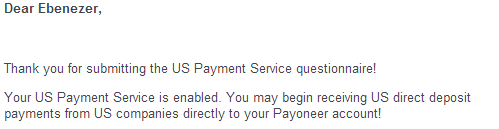
Wait for a message similar to this one:
Congratulations! Your U.S Bank Account is ready to be used. You can use this account to receive funds from various U.S co-operation including Paypal and Amazon.
Need Help?
If you want us to help you setup your U.S Checking Account or request for a Payoneer debit card. Contact us here.
Before now, the Huawei E303 Glo Bolt Internet Modem has been an ugly nightmare for Nigerian geeks. I happened to be a victim of this nightmare, but somehow, I found an escape route. You might have wondered why Glo Bolt Modem cannot be unlocked using code unlockers or the Huawei E303 unclocking I tips posted earlier. The reason is because Glo Bolt modems has been blocked by either its manufactures or Glo themselves. When a user enters a wrong unlock code in a particular modem over ten times, the modem is blocked and can no longer accept SIM cards outside the one it was branded for, this is the exact state of Glo Bolt modems.
At some point, the possibility of unblocking or re-branding the Glo Bolt modem looks hopeless, but thanks to our team’s curiosity, we now have a solution to Unblock Huawei E303 Glo Bolt Internet Modem using firmware updater. It is free and easy to follow steps.
Requirements to Unlock Huawei E303 Glo Bolt Modem
A PC with internet access (preferably not from a modem).
Uninterrupted power supply (Your devices cannot be interrupted throughout the process). If you are using a laptop, it is recommend you charge your battery to the brim.
Unblocking your Huawei E303 Glo Bolt Modem
Run the Universal Master Code Calculator you have downloaded earlier. Put your IMlEI and hit the Calculate button. Copy the Flash code into somewhere save. We will use it as a password at some point in this tutorial.
Universal MasterCode Tool
Next, extract the contents of the HUAWEI E303 Firmware Update into a folder. Make sure the modem is connected and it has been installed with the SIM card inside it. Now exit the dashboard tray if it’s open and run E303SUpdate_21.157.31.00.850.B757.exe, put the Flash code you got earlier from the Universal Master Code Calculator when it prompt for password.
In less than 3 mins, you will have a brand new modem at your disposal 🙂 Just insert any SIM and enjoy permanent freedom. You can also download a new modem dashboard here.








 and then click help
  .
.