Tag: internet

  • How to Unlock Huawei E303, E173 Modems: MTN, Airtel, Etisalat & Glo Included

    How to Unlock Huawei E303, E173 Modems: MTN, Airtel, Etisalat & Glo Included

    The recent series of internet modem dominant in West Africa and South Asia is the Huawei E303 Data Card. The data card has quickly being adopted by network service providers in those countries due to it’s high speed HSDPA/3G internet features.

    Taking a closer look at your brand new data card will reveal that the IMEI is somewhat similar 86************ which contrasts with the 35*********** IMEI found on the older internet modems. This contrast is the major reason why you cannot calculate your unlock code using Universal MasterCode Calculator, old DC-Unlocker or any of the code unlocker you have used in the past.

    In this tutorial I will walk you through the steps on how to unlock any of the recent internet modem, including MTN NG, Airtel NG, Huawei E303 Glo Bolt, Airtel E173 and Etisalat internet modem using DC-Unlocker. Huawei E303 Glo Bolt Internet Modem can be unlocked for free using this method.

    Things you will Need

    To begin the process of your modem unlocking, you will need the following items:
    • A working PC of course, with internet facility.
    • DC-Unlocker Client Version 1.00.1084 or later – Download now.
    • An account on  DC-Unclocker with at  least 4 credits.
    After you have downloaded DC-Unlocker on your computer. You need to buy unlocking credits from their website. However, before purchasing unlocking credits, you need to confirm the number of credits required to unlock each modem.Unlocking E303 data cards should cost you 4 credits, but in the case of other models, you can check here to confirm the amount of credit needed to unlock them.

    Unlocking Huawei E303 Data Cards

    If everything is set, connect your USB Modem with the supported sim card. Allow the dashboard installation.
    • Disconnect to the internet and plug your USB Modem with a different provider SIM.  And insert your modem to the USB port.
    • After some seconds, you should see a popup window requesting for the unlock code. Click the Cancel Button and exit the modem dashboard.
    • Locate and install dc-unlocker_client-1.00.1084.exe on your computer. Next, find the icon on your desktop and run as administrator.
    • Choose what “manufacturer” that your modem is. i.e. Huawei Modems
    • Click the magnifying glass, and it will search for plugged USB modems.
    • Once the modem is detected, Click on Server and enter your account details.
    • Go to Unlocking menu, and click on Do Job.
    • Wait till the unlocker program says that, unlock is successfully done.
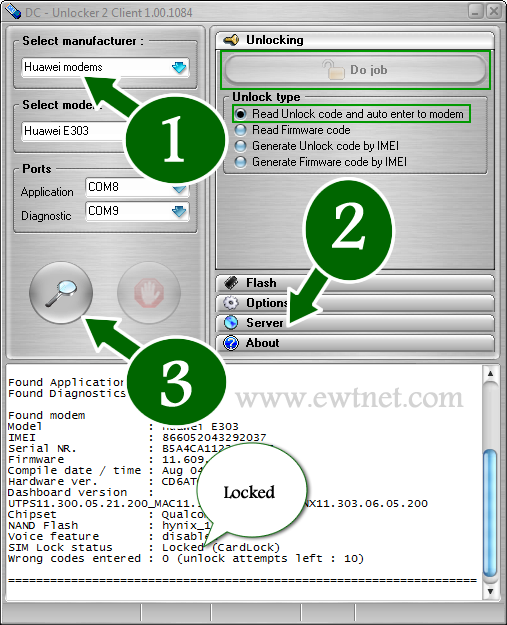
    Of course, you can use this method to unlock ZTE modems, all Etisalat, Glo, Airtel and MTN modems, just follow similar steps to the ones above.

    Payment Worries for Nigerians

    The payment processors available in DC-Unlocker’s are currently not supported in Nigeria and most countries. However, the company has dealers in over 50 different countries worldwide. The official dealer in Nigeria is Gurutech and charges N2,500 for DC-Unlocker credits.
    If you have no intention of going through the so many long process involved in modem unlocking, or you cannot afford the N2,500 price tag from the Nigerian dealer. You can sit back and lets do the job for you. Click here for more details.
  • The Future of Social Networking: What is it Like?

    The Future of Social Networking: What is it Like?

    Every one of us are connected through some On-line medium in this ERA Advanced Internet world. The introduction of smartphones, mobile computing, advance internet facilities such as Google Glass, internet browsers, etc., has made it incredibly easy and efficient to communicate with one another when it all boils down to social networking.

    With every positive technology comes a negative view of that specific technology: Almost all of us are worried about one particular thing called online privacy when it comes to social networking. As a matter of fact, there has been a lot of negative witnesses on this type of issues, with Facebook being the latest suspect.

    Recently, Facebook introduced trending topics to its website, with Twitter and Google+ pushing more and more sophisticated technologies to keep up with people’s expectation, we still see some loopholes like users profiles being viewed without one’s knowledge and all that!

    Imagine, if there is a technology which can pretty much reduce the risk of being revealed online about our conversation overall? Thinking as how possible it is. Yes! It is possible and more specifically, it is going to be welcomed by Many social media giants in the near future. Below, we take a look at some technology that will be integrated with social networking in the nearest future.

    Temporary Social Messages

    The next step of Social Media is about the technology called temporary social messages. It is obvious that the name of the technology itself will explain the benefit of it. As an Individual, we will be worried about our online conversations over various social media online. The worry about “not completely privatized” will always make us insecure. The benefit of temporarily messages will reduce the insecurity to a minimum level, but then there are hurdles like sexting, response from industry role models like Facebook and Twitter will make a huge difference to welcome such technology completely.

    As we mentioned above, the hurdles like Sexting is one of major Challenges to overcome for the complete adoption of this technology. As there may not be a proof to show up if and when the sexting cases happen through Social Media through Temporary Social Media. Nonetheless, this innovation will surely open up a wide arm in other Areas which will be welcomed by certain industries and make the use of it to the utmost level. Imagine, Industries like Banks and healthcare make the use of this innovation! The process level of policies, and basic formalities will be taken care in the speedy way.

    Consequently, Common will be beneficial with the help of this technology and the Quick processes of the Industries. Not just that, Due to its nature of Temporary/ limited existing, this innovation will keep up the confidential things of Industries “secure and private”.

    One such Model has already been used by one of the companies called SkyBees to communicate as it has customers all around the world. They maintain a Temporary Database server to carry this service.

    At the end of the day, it is also Significant to check as How well this innovation could guarantee the Temporary nature of the messages/conversations technically.

    It may look a simple technology, but then the benefits out of this for an Individual and Industries are Limitless and very much appreciative.

    This post was made possible, courtesy to Basheer Ahmed, senior editor, MSys Technologies.

  • Latest Google Chrome Release Officially lets you Mute Noisy Tabs

    Latest Google Chrome Release Officially lets you Mute Noisy Tabs

    IDG News Service – Few things are worse than when you’re trying to get some work done with your headphones on and all of a sudden, a loud, obnoxious advertisement yells at you to “come try this out!”

    It’s terrible, but Google seems to empathize with this. Back in November, the search giant launched an update to its Chrome beta browser that included a helpful little feature that silences these noisy tabs. This helpful feature is now available in the latest stable release of Google Chrome.

    Just look for the little sound icon in your tabs.

    The feature allows you to track down noisy tabs with visuals: scan your tabs and look for the speaker icon to see which one is the disruptor. You’ll also be able to tell which tabs are using your webcam or are being cast to your TV via Chromecast.

    The new Google Chrome update also comes with the stronger Safe Browsing feature that blocks malicious files from downloading, while Windows 8 users will appreciate the new “Metro” mode look.

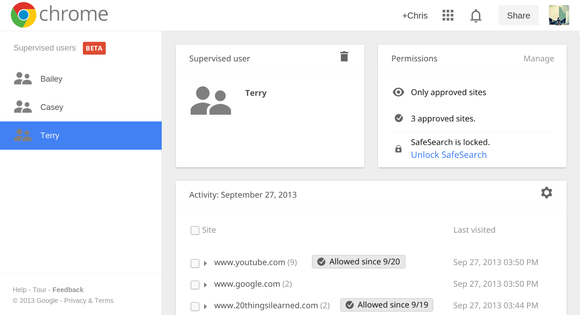
    Supervised users is a lot like multi-user accounts.

    Lastly, if you’ve got a family computer, you can now try out a beta preview of supervised users, which helps out those family members who need some help getting around the Internet. Once you’ve set up the accounts, you can visit a specific page to review each member’s browsing activity and determine their restrictions. It’s like Android’s multi-user profiles, but for Chrome.

    If you’d like to try out the new features, you can update the Chrome browser from the Help menu under the browser settings. To try out the beta features, you’ll have to download Chrome Beta.

  • How to Backdate your Posts and Photos on Facebook

    How to Backdate your Posts and Photos on Facebook

    As +Brian Gardner rightly said “the social media makes you look better, and that’s the problem”: We all like to appear slicker than we actually are, just to get a few likes and comments on Facebook.

    Whether you are using Facebook as a business entity (page) or as an individual you can backdate your new status update, schedule an update (scheduling updates is only available to page admins) or even change the date of your already posted items.

    Maybe you just remembered a photo you were suppose to post three years ago or something you were suppose to say yesterday, don’t worry, you can still go back to the past – at least on Facebook.

    Scheduling Posts on Facebook Pages

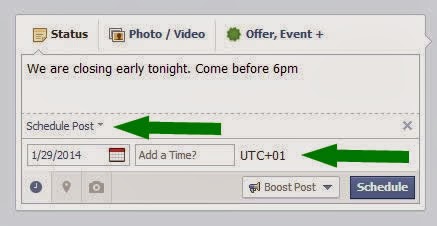
    If you need to make a statement at a time you won’t be available on your Facebook page, scheduling your status update may come handy. The system allows you to post a status update and schedule it to be publish at a given time.

    You can prepare a post and schedule it to appear later by adding a date and time in the future before you post it. You can schedule a post up to 6 months in advance in 10-minute intervals.

    From your Page’s sharing tool:

    1. Choose the type of post you want to add to your Page
    2. Clickin the lower left of the sharing tool
    3. Choose the date and time you want the post to appear
    4. Click Schedule
    If you choose a date in the past, the post will appear immediately at the appropriate place on your Page’s Timeline. All times correspond to the current time zone you’re in.

    Note: Scheduling post is currently available to only Facebook page admins.

    Backdating Timeline Post

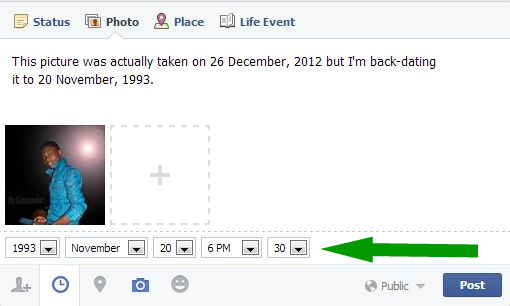
    You can backdate your videos, photos, status and just about everything you own on Facebook. Simple goto to your Facebook sharing tool:
    1. Choose the type of post you want to add to your Timeline
    2. Clickin the lower left of the sharing tool
    3. Choose the date and time you want the post to appear
    4. Click Post
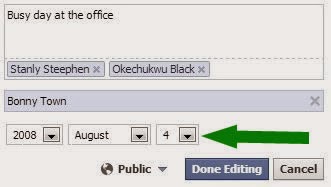
    To backdate an existing photo:
    1. Click on the photo you want to backdate.
    2. From the right-hand panel, click Edit.
    3. Choose the date and time you want the post to appear.
    4. Click Done Editing.

    Have fun and Happy Midweek!

  • Top 5 Sites for Freelancers and Buyers

    Top 5 Sites for Freelancers and Buyers

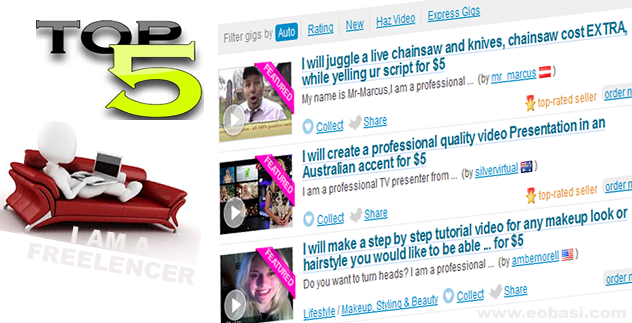
    Over the years doing some spare time job has been a very good way of financing  your education or buying a cup of coffee for your troubles, exploring the web for business exposure has become a second nature to most of us, so the need of having an avenue for such exposure becomes a must. Discover the secret of how I scaled through my limitation as a student/passionate blogger and earn quite handsomely through freelancing.

    As a student, I didn’t have so many options to earn online; most  ‘part time’ job I came across online are a whole bunch of scam, so I decided to ride my luck, viz.. Monetize my skills.

    Freelancing is the act of rendering a particular service to individuals or group of individuals as a ‘free man’ (not committed to any employer long term). This service may include article writing, web design, health solutions, graphic, SEO help or any skill you feel you can deliver online.

    If you a free man just like me: Self employed (student) and not committed to any employer long term, looking for where to showcase your products and services or you are just an individual/organization looking for where to acquire the product/services of an expert . Whichever you are here is the list of the top 5 of such sites.

    Top Five Sites For Business Exposures

    1. SEOClerks

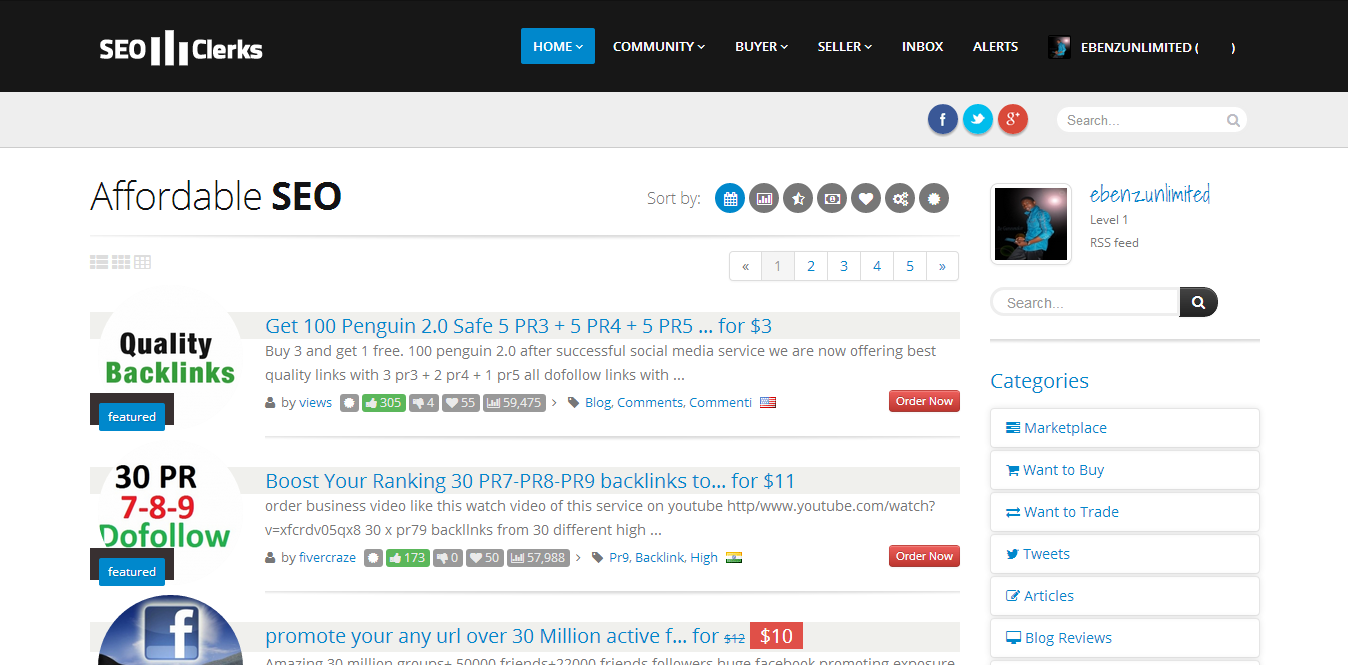
    SeoClerks is probably the cheapest place to get any job done. Just recently, I purchased 1,000 US human visitors for just $2, the seller provided me with a google analytics url as a prove to confirm that they were real human. The delivery was quite on time and enjoy the level of interaction allowed between buyers and sellers on this site. The website functions are pretty much like fiverr’s but there is no limit for a range of prices charged for gigs. Sellers are either online, then you will get the work within 8 hours, or offline, then you will get the work in 48 hours. Release the cash and await the job. You are also given an option to place a guarantee on your gig and create discount coupon codes for gigs.

    2. Fiverr

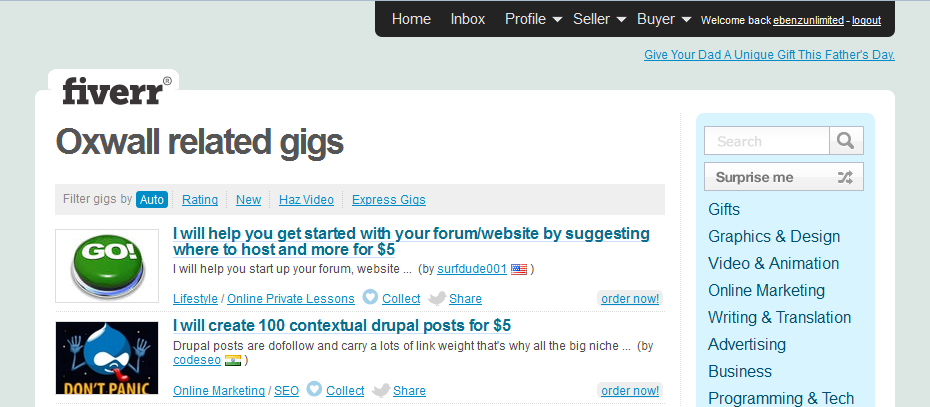
    For the past few years fiverr gigs have represented an icon for freelancers. Though sites with more features has arisen, no-one has really surpassed the credibility and originality that fiverr has always boasted of. Dealings in fiverr are called gig i.e. 1gig = $5.

    3. Onedollarr

    Task in onedollarr is called gig and is best for buyers who want to acquire services at a very cheap rate.    Do not let the $1 fool you, as you can as well add extras to your gig without a specified amount.

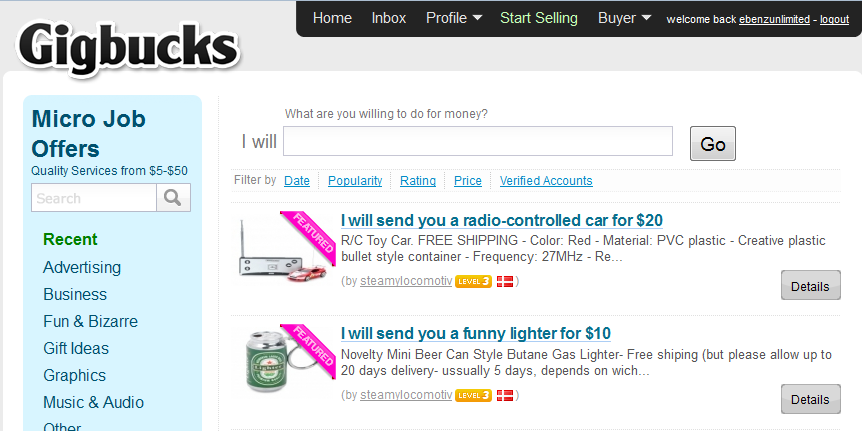
    4. Gigbucks

      Sell or purchase products/services rate between $5-$50

    5. Fourerr

    Is always nice to some do something different and that’s exactly what fourerr has done. They have got a very good track record over the past two years and seems pretty much like the next big thing. I really recommend every freelancer try out this site and give your testimonies.