Tag: technology

  • What is Benchmarking? How to Benchmark Your PC for Free

    What is Benchmarking? How to Benchmark Your PC for Free

    Benchmarking is the standard by which a PC’s performance is determined.

    To thoroughly determine a PC’s performance, you need to use multiple tools and utilities specifically designed to tax each major component. We show you which tools to use, describe how to get results that are reliable and repeatable, and explain what all those numbers mean.

    Running benchmarks on a PC enables users to evaluate performance, to identify potential bottlenecks, and to choose effective system upgrades. Unfortunately, many users imagine that system performance is simply a matter of CPU frequency or memory capacity, which leads them to think that dropping in a faster CPU or more memory will automatically and immediately yield noticeable performance improvements. In reality, however, that is not always the case.
    Though CPU and memory upgrades help in some situations, it often makes more sense to upgrade the storage subsystem or the graphics board if you’re looking for perceptible improvement in system responsiveness or gaming performance, for example. If you ran a series of benchmarks and identified which components were holding your system back, you’d be able to choose the most effective upgrade for your current system–or determine which components make the most sense in a new system suited to your particular needs.
    Several different types of benchmarks are available for evaluating a system’s performance. Some use synthetic tests that don’t necessarily reflect real-world usage, while others employ scripted tests that rely on actual applications and simulated real-world workloads. Some benchmarks assess the performance of a single component, while others measure total system performance. To best gauge the overall performance of a PC, consider running some combination of all of these different types of benchmarks, based on your usage patterns.

    Benchmarking Do’s and Don’ts

    Before running any benchmarks, you need to consider a number of hardware and software factors, in order to avoid potential damage to your system and to ensure consistent, accurate results. We’ll look at hardware factors first.
    Many benchmarks place significant stress on specific components, so you need to ensure that all such components are in good working order, properly cooled (if necessary), and receiving adequate power. If you have a component that seems unstable or unreliable during normal, day-to-day use, subjecting it to a taxing benchmark could kill it. Also, an inadequately cooled or underpowered device that works most of the time may become unstable under stress. That said, we’ve run benchmarks for many years, and have had only a handful of components fail due to the demands of a benchmark test–and those components were likely defective to begin with.
    On the software front, parameters for the operating system, applications, and drivers must be satisfied to ensure accurate, repeatable benchmark results. Windows (and other) operating systems proactively prefetch data and store numerous temporary files that could interfere with a benchmark, so it’s best to clear out any temporary files and prefetch data before running a test. In Windows 7, you can find prefetch data in C:WindowsPrefetch, and temporary files in C:WindowsTemp and C:Users[username]AppDataLocalTemp. If you have applications running, it may not be safe (or possible) to delete all temporary files, so restart your system and shut down any applications that may be running in the background before wiping out any temporary files.
    You don’t want applications or utilities that may be running in the background to interfere with the benchmark, so shut them down. This is especially important in connection with antimalware utilities, remote desktop tools, and downloaders that intermittently consume CPU, memory, and storage resources and steal application focus. Unless you’re testing a system as it shipped from an OEM to evaluate the effects of background applications on performance, shut them down before running the tests. In the same vein, most operating systems load multiple services and perform maintenance during the initial boot process. Consequently, after boot-up, it’s best to let the system “settle” and reach an idle state, with no drive or CPU activity, before you run a test.
    Using the correct (typically the latest) drivers for a component is another important step to take to ensure that it is operating and performing optimally. This is especially true of graphics boards and motherboards/chipsets, where the wrong driver can significantly worsen the system’s frame rates or transfer speeds and latency. Finally, confirm that the operating system is fully updated and patched to ensure optimal compatibility and to reflect the current, real-world OS configuration–not the OS as it may have shipped years ago.

    Benchmarking Individual Components

    Many components in a system contribute to its overall performance, but the CPU/processor, memory, graphics board, and storage configuration generally play the largest roles for most users. Which of these components is the most important in a particular case depends on the individual person’s usage patterns, however. A gamer seeking the best possible frame rates, for example, will probably be better served by a faster GPU than by more memory. A casual user seeking a more responsive system may benefit most by upgrading a slow hard drive to a fast solid-state drive. You must decide which aspects of system performance are most important to you, tailor the suite of benchmarks to your specific needs, and then weigh the individual test results accordingly.

    CPU/Processor

    The most useful CPU benchmarks place a heavy workload on the CPU while minimizes the influence of other system components. SiSoft’s SANDRA 2012 incorporates a few CPU-centric synthetic benchmarks that test a chip’s performance with various mathematical workloads. The tests are multithreaded and generally scale with higher-clocked speeds and more CPU cores. SANDRA also provides results from other CPUs for easy comparison.
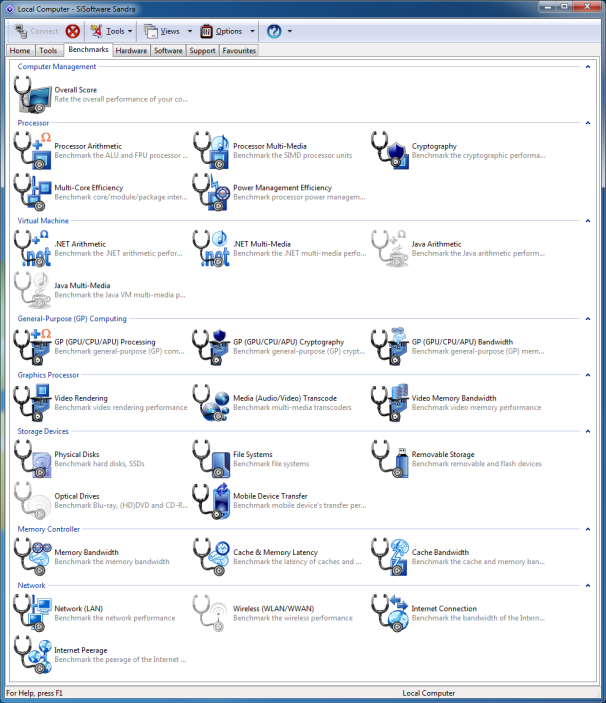
    Benchmark Your PC: SiSoft SANDRA 2012; click for full-size image. 
    Utilities like SiSoft’s SANDRA 2012 incorporate various easy-to-use, synthetic benchmarks for testing the performance of different system components.
    Another popular CPU benchmark is Cinebench. Cinebench renders a 3D scene using the animation engine from Maxon’s Cinema 4D. Cinebench is free, works with multiple operating systems, and can run in single-threaded mode (to test the performance of a single CPU core) or in multithreaded mode (to tax all of the cores in a CPU). If all is working properly, an Intel Core i7-2700K will score about 1.55 in Cinebench’s (R11.5) single-threaded test and about 7.05 in its multithreaded test.
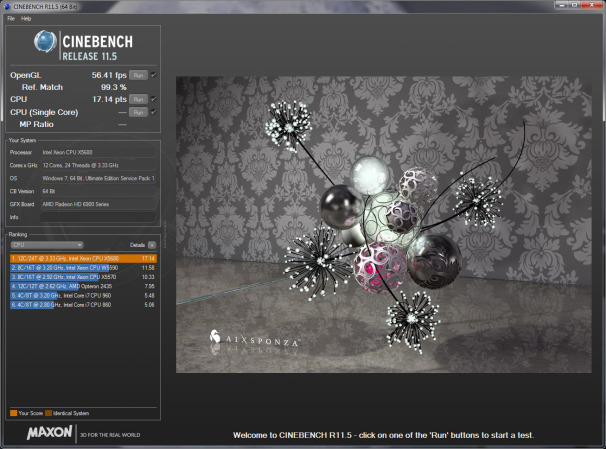
    Benchmark Your PC: Maxon Cinebench; click for full-size image.Maxon’s Cinebench, based on the company’s Cinema 4D animation software, tests single-threaded and multithreaded CPU performance.

    GPU/Graphics Board

    Myriad graphics-related benchmarks are available for testing a GPU’s performance. Many games have built-in tools to test performance; and you can test games that don’t with a utility called Fraps that shows real-time frame rates and tracks performance over time. Many synthetic and “canned” graphics benchmarks don’t use actual game engines to test performance, but produce comparable results nonetheless.
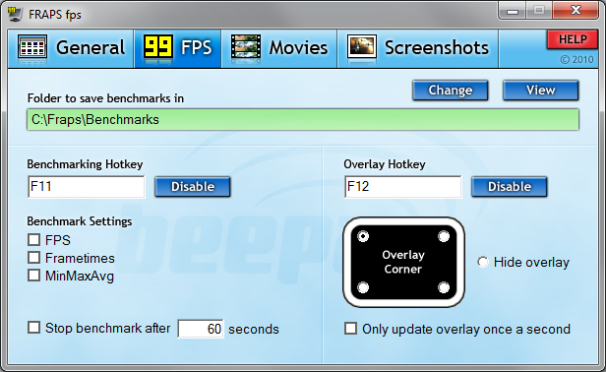
    Benchmark Your PC: Fraps; click for full-size image.Fraps tests how well a game is performing on your system, even if the game doesn’t offer a built-in benchmark.
    For testing a GPU’s performance, we recommend using a mixture of synthetic and real-world tests to see how the GPU handles a range of different workloads. Futuremark’s 3DMark 7 is a popular tool that provides an overall 3DMark score, as well as numerical results for each of the individual tests that contribute to the final score. Another handy synthetic benchmarking is Unigine Heaven. Heaven can test a GPU’s performance using DirectX 9, 10, or 11 or OpenGL paths, with varying levels of image quality and tessellation. Heaven’s results identify both an overall score and a frame rate.
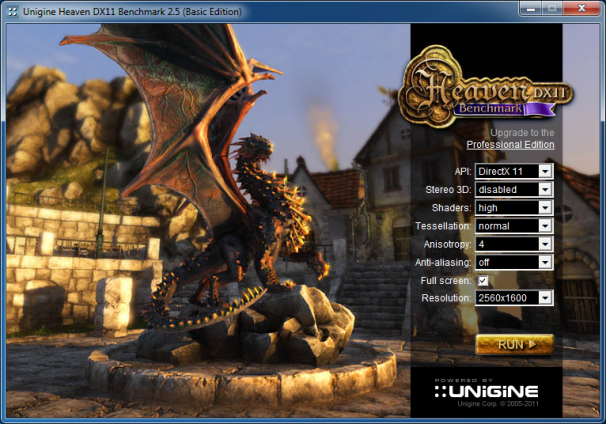
    Benchmark Your PC: Unigine Heaven; click for full-size image. The Unigine Heaven benchmarking tests GPU performance in multiple DirectX or OpenGL modes.
    In a system powered by an Intel Core i7-3960X, when tested at a resolution of 1920 by 1200 with 4X MSAA, 16X anisotropic filtering, and high tessellation, an Nvidia GeForce GTX 560 Ti will score about 665 points in Unigine Heaven, at about 26.4 frames per second. At the same settings, a Radeon HD 7850 will score about 706 points, at 28 fps. If you have a faster GPU than those cited here, your system should be able to beat these scores, but a slower GPU won’t be able to catch them.

    Memory

    The most common method of evaluating memory performance is via synthetic tests designed to ascertain peak bandwidth and latency. Performance variables include the operating frequency and capacity of the memory, and the number of channels that a given system uses.
    AIDA64 Extreme Edition has an excellent built-in memory benchmark that tests read, write, and copy bandwidth, as well as latency; but it is available only as a limited trial unless you pay for the full edition of the tool.
    The free edition of SiSoft SANDRA 2012 offers memory bandwidth and latency tests, too. It reports bandwidth scores in gigabytes per second (GBps) and latency in nanoseconds. The tests are easy to run and take moments to complete. An Intel Core i7-2700K-based system with 8GB of DDR3-1333MHz system memory running in a dual-channel configuration (two memory sticks) should offer about 16 GBps of bandwidth at an access latency in the 29ns range. Higher clocked memory should deliver more bandwidth and lower latency.
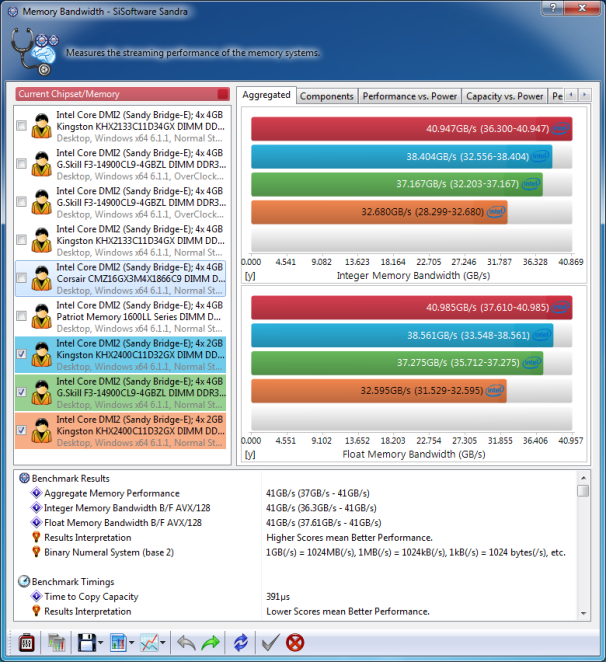
    Benchmark Your PC: SiSoft SANDRA 2012's Memory Bandwidth; click for full-size image. 
    SiSoft SANDRA 2012’s Memory Bandwidth benchmarking tests peak bandwidth using both integer and floating point tests.

    Drives/Storage
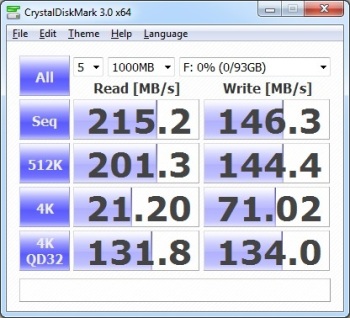
    Benchmark Your PC: CrystalDiskMark; click for full-size image.CrystalDIskMark is an excellent tool for testing a drive’s read and write performance at several different transfer sizes.
    To test the performance of a hard drive or solid-state drive adequately, your best bet is to use a benchmarking that evaluates read and write transfer speeds (with both sequential and random workloads), as well as access latency. Trace-based tests, like those used in PCMark, that track performance over time with simulated application workloads are also beneficial.
    One of the better free tools for testing a drive’s performance is CrystalDiskMark. This benchmark is particularly useful because it tests both sequential and random read and write speeds with both large and small block sizes, and with queue depths of up to 32. A SATA II Corsair solid-state drive earned the scores shown in the screenshot at right. Hard-disk drive scores will be much lower, but most newer SATA III SSDs will score higher.
    CrystalDiskMark doesn’t report access latency, however, so it’s a good idea to use a tool such as HD Tune, IOMeter, or the Physical Disk Benchmark in SiSoft SANDRA 2012 for this purpose.

    Total System Benchmarking

    Among total system benchmarking, the rather basic Windows Experience Index (WEI) built into Windows 7 and Vista isn’t a good choice, owing to the rudimentary nature of the tests and the lack of granularity in the results. Instead consider using a suite such as BAPCO’s Sysmark or Futuremark’s PCMark 7; both are widely accepted and generate extensive results. Sysmark is expensive and tends to be difficult to run, however, whereas PCMark 7 is available in a free basic edition and can be run with a single click.
    PCMark 7 runs a wide range of tests that tax CPU, GPU, memory, and disk performance; and it generates scores for each test–with higher scores reflecting better performance. PCMark 7 tends to emphasize disk/storage performance, but we’re fine with that. Upgrading from a hard drive to a solid state drive tends to be one of the best upgrades a user can make to improve system responsiveness, and PCMark 7’s results reflect that.
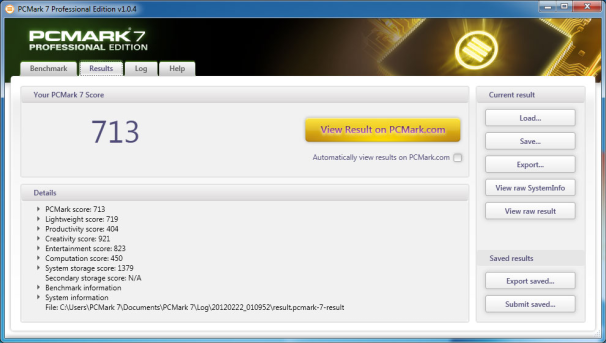
    Benchmark Your PC: Futuremark PCMark 7; click for full-size image.Futuremark’s PCMark 7 evaluates system performance by testing CPU, GPU, memory, and storage subsystem performance.
    To give you a baseline for comparison, an Intel Core i7-2700K-based system with 8GB of RAM, a discrete Nvidia GeForce GTX 280 graphics card, and a 7200-rpm hard drive will earn a PCMark score of roughly 3800. Upgrade that same system with an SSD, and its score will jump to about 5100.

    Digesting the Results

    Most benchmarking scores are easy to understand. But keep in mind that higher scores don’t always point to better performance. On most benchmarks, higher frame rates or scores do mean that one system or component outperformed another; but some benchmarks are timed–and may output results in minutes or seconds. In such results, lower scores usually indicate better performance.

    Important Notice: Tweet this article with the bookmark social media share below to stand a chance to win an ipad or start making money with your twitter account (it works only with your twitter account and the more articles you tweet the more you stand a chance to win an Ipad)
  • Awesome Skins for VLC Media Player

    Awesome Skins for VLC Media Player

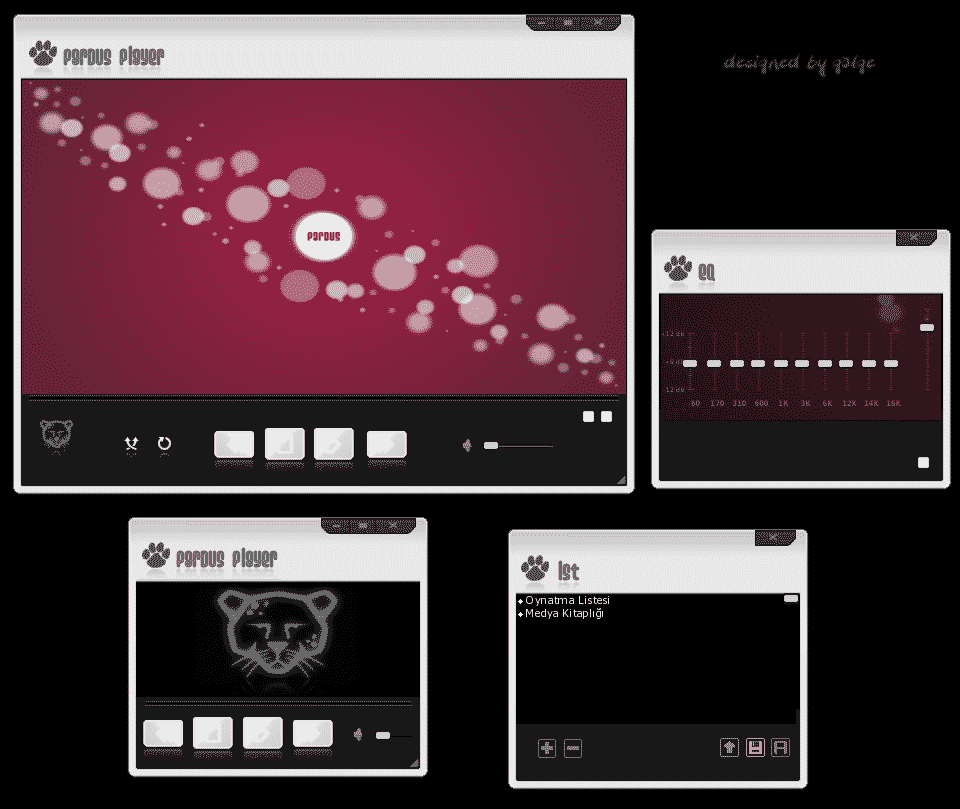
    VLC is a free and open source cross-platform multimedia player and framework,that plays most multimedias files as well as DVD, Audio CD, VCD, and various streaming protocols. Skins gives the media player a new look on the operating system so here is the collection of some skins which you may use on your system.  It is simple to use, yet very powerful and extendable. to use these skins after downloading follow these instructions.
    Skins do not work on Mac OS X!
    Put the downloaded VLT files in the following folder:

    • On Windows: the skins folder in the VLC installation directory (e.g. C:Program FilesVLCskins)
    • On Linux/Unix: ~/.local/share/vlc/skins2

    Then open your VLC settings and change your interface from native to skins. You can choose your desired skin already there or change it when you are in the skins mode by rightclicking somewhere on the skin and going to Interface>Choose Skin.
    VLC needs to be restarted to change to skins mode.

    • Media Player 12 by sebweber
    • Black v 2.0 by Letis
    • Slick Iphone Skin by Maunil Patel
    • Pardus white by gölge
    • Pardus by gölge
    • DestroyVLC by Erik Teichmann
    • Alienware Darkstar by Universematrix
    • WMP11_B – resizable and with total time by ANGEL_B
    • Nintendo Black Style by Universematrix
    • Nintendo Style by Guilherme DLA
    • BLUE STEEL by RTJWILDE
    • Esperanto gnewsense by anonima artistino de gimp
    • Earth_changed by i changed it
    • QuickTime by Guilherme DLA
    • QuickTime UMX.vlt by Guilherme DLA
    • VLC Darkness by Universematrix
    • Itunes graphite by Guilherme DLA
    • Ftouch 1.00 by Klaus Adrian
    • Bblue by Ptitlu
    • Default_Dark_Mod by mentalrey
    • Universe by Universematrix
    • Iphone_3g by terireme


    Download all the skins at once here (34.3MB).

  • Must-Use Home and Office Tech Gadgets in 2019

    Must-Use Home and Office Tech Gadgets in 2019

    Tech Gadgets generally are tools, that makes our everyday tasks seamless. They reduce the stress in carrying out everyday tasks activities. Thanks to technological advancements, there are different gadgets for different fields. In this article, we explore a comprehensive list of must use home and office tech gadgets. Gadgets featured in this list, are gadgets are essentials you will need as a tech enthusiast.

    1. Satechi Aluminum Type C USB Clamp

    Image result for Satechi Aluminum Type C USB Clamp

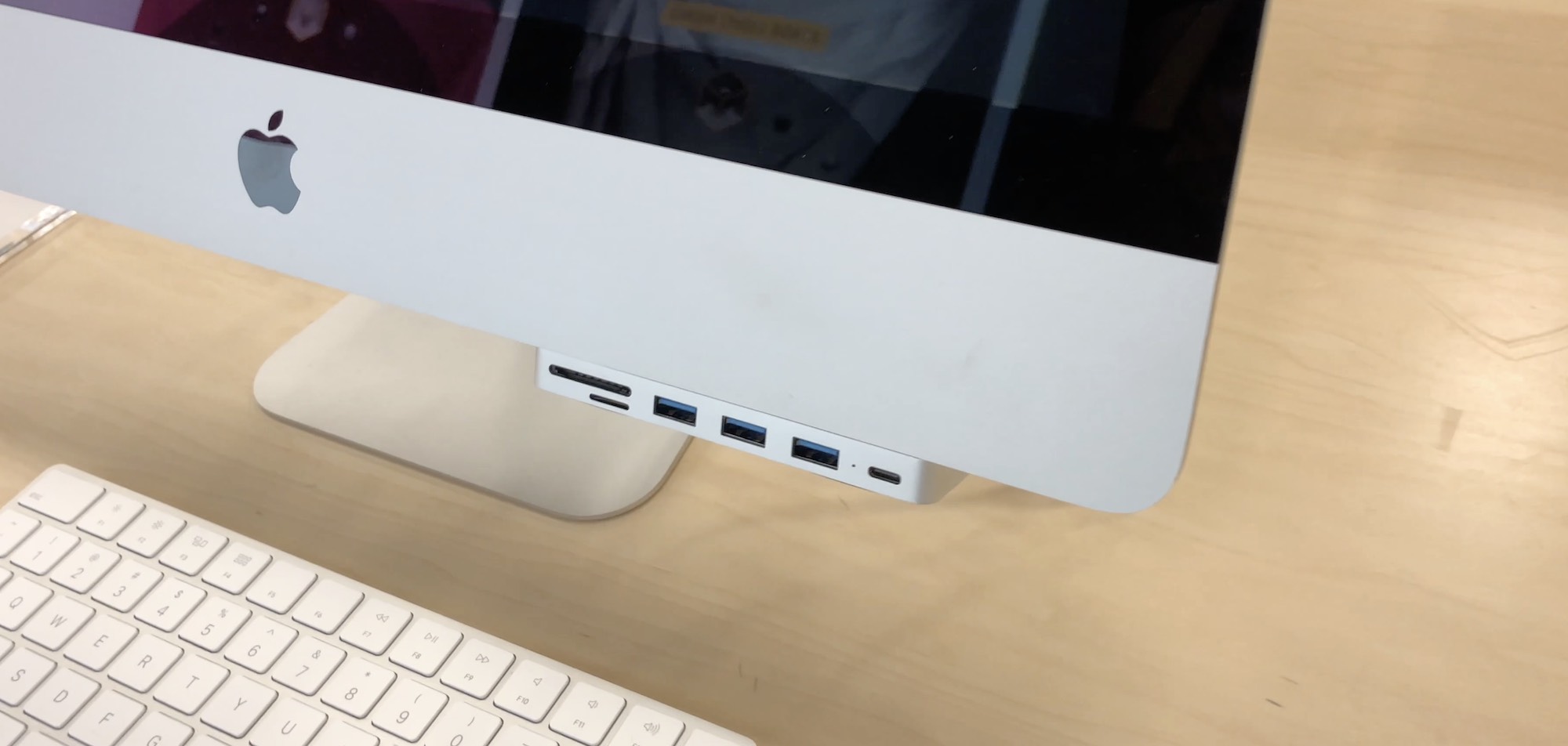
    The Satechi Aluminium USB adapter clamps to your computer, providing you with lot more ports in I/O. It makes connecting peripherals to your computer a whole lot easier. You do not have to lean to connect peripherals. The ports on this adapter face the user, making it easy to fix and remove peripherals.  The 2017 iMac and iMac Pro models feature additional Thunderbolt slots.

    2. Logitech MX Vertical Ergonomic Mouse

    Image result for Logitech MX Vertical Ergonomic Mouse

    The importance of a very ergonomic mouse cannot be overemphasized, it is needed for smooth workflow on your PC, it makes navigation a whole lot Logitech MX vertical ergonomic mouse, takes comfort to a whole new level. This mouse reduces the pain associated with continuous use of a mouse, to the barest minimum.  The Logitech MX vertical ergonomic mouse keeps your hand in a natural handshake position, which eliminates the strain caused by using the mouse sideways. With a 4000 DPI, this mouse is a very high precision mouse.

    3. Norton Core Router

    home and office tech gadgets

    Having a good router that outputs good wifi Signals for the internet, is very imperative. In this Era of the internet of things, the internet has become very essential in powering a lot of devices that we use today. Whether it’s your home or your office, you are certainly going to need a Wifi router

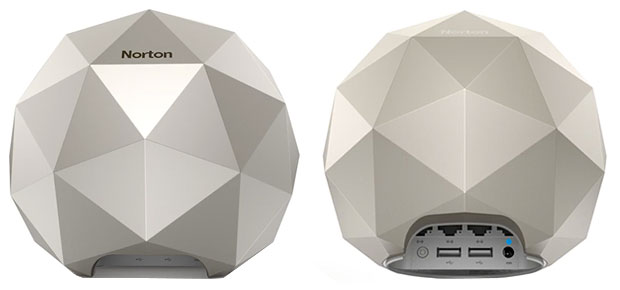
    Speaking on Wifi Routers, the Norton core router is a highly recommended router. It is one of those WIFI routers, that is very resistant to malware like VPN filter, a malware that has plagued more than half a million routers in more than 50 countries. Apart from being a very powerful router, the Norton core router features a very beautiful and intuitive design, that can easily blend into your surroundings, be it your office or your home. 

    4. Shinola Power Supply ( 5 Ports)

    home and office tech gadgets

    Be it your office or your home, good power extensions are very important, they let us power ower devices. If you are someone that has a lot of devices with different prongs or connectors, you are certainly going to need an extension with universal ports. 

    The Shinola power supply is a very good example of the kind of power extension you would want to purchase. It features 5 port + Dual USB ports, which lets you plug your smartphones and other USB using devices, directly to the power supply, which will, in turn, facilitate faster charge.

    5. Brookstone Wi-fi Scanner

    home and office tech gadgets

    The Brookstone Wi-Fi scanner is very portable scanner, that lets you scan documents, directly to your PC, via WIFI. Unlike other scanners, the Brookstone Wi-Fi scanner is a very portable scanner, that can be easily transported, it fits into your pocket perfectly. Its portability and size save you a lot of space. 

    6. Anker Nebula Portable Projector

    home and office tech gadgets

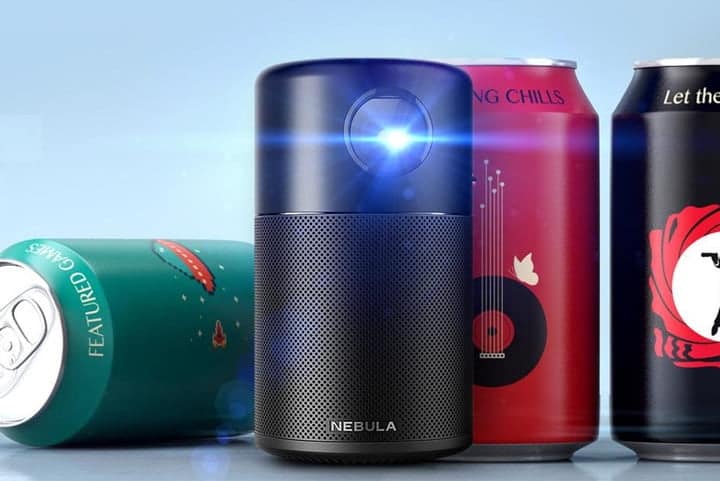
    Over the years, we have witnessed the widespread use of projectors instead of TV. These days people find it super convenient to use projectors instead of conventional television. This Anker projector makes the process a whole lot sweeter. The Anker Nebula projector is a portable projector that can be used anywhere in the home or in the office, provided there is a screen. This projector maxes out at 720p resolution, features 300 ANSI of brightness and DLP Intellibright technology. 

    7. Beoplay M5 Speaker

    home and office tech gadgets

    A Bluetooth connected speaker is a very important piece of the gadget eco-system of any home or office. At some point, you may just desire to play songs or watch an informative clip, this is where these Bluetooth speakers come in. Instead of searching for AUX cords, you can just connect your devices to these Bluetooth speakers and begin jamming. 

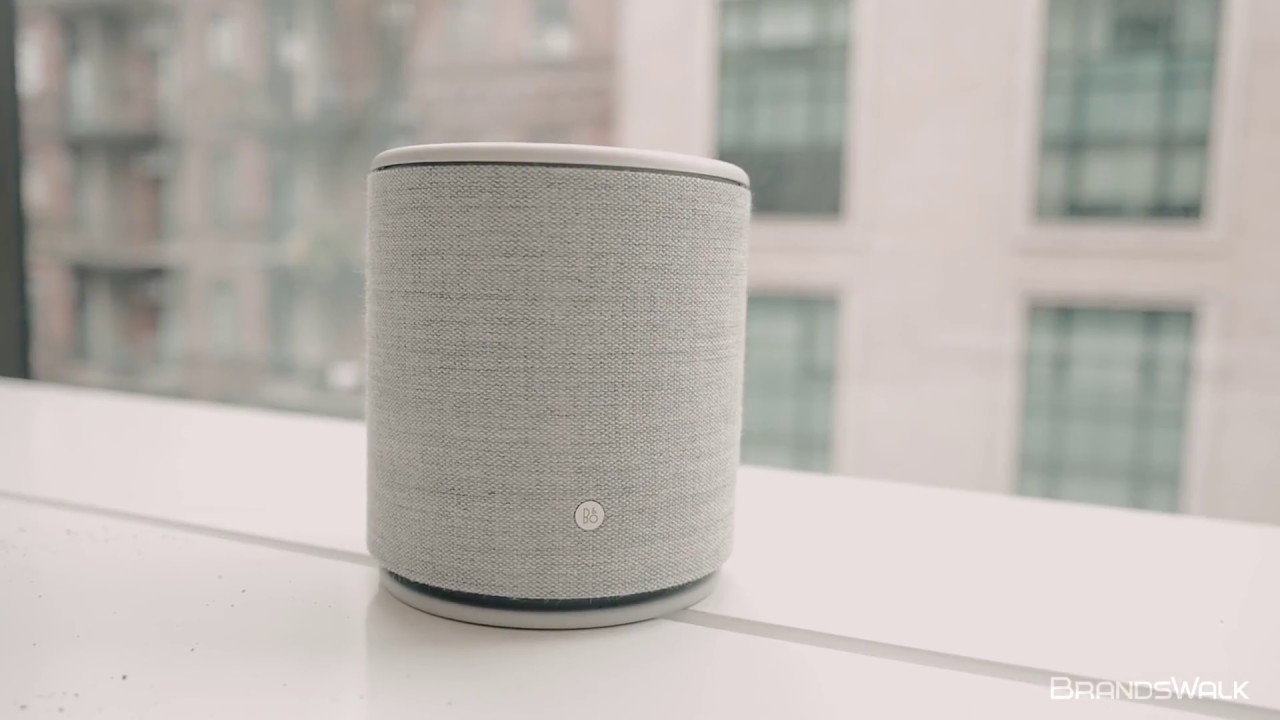
    The Beoplay M5 is one of those Bluetooth speakers you would want in your office or home, it provides rich sounds, that satisfies the auditory needs of your ears. The M5 Bluetooth speaker was manufactured by Bang & Olufsen’s. 

    8. Grovemade Walnut Speakers

    Image result for Grovemade Walnut Speakers

    Looking for a very powerful table speaker, with a design that blends with the furniture of your home or office? The Grovemade speaker may just be what you need. It features an aesthetics that makes you mistake it for carved wood. I was designed by Grovemade and industrial designer Joey Roth, together they worked to harness the acoustic properties of wood to create a full and bright sound. This speaker also features trimmed leather mounts on stainless steel stands. 

    9. Bose QuietComfort 35 Series II

    Image result for Bose QuietComfort 35 Series II

    Generally, headphones are gadgets that convey sounds from their sources to our ears. So if tabletop speakers aren’t your thing, you should look into getting a good Bluetooth headphone. The Bose QuietComfort 35 Series 11 headphone, fondly referred to as the Bose QC35, is one of the most sought after noise canceling headphones we have today. it is a wireless headphone, with up to 20 hours of wireless play time. If you need complete immersion, this headphone may just be what you need. 

    10. Henge Docks Stone Tethered Laptop Dock

    Image result for Henge Docks Stone Tethered Laptop Dock

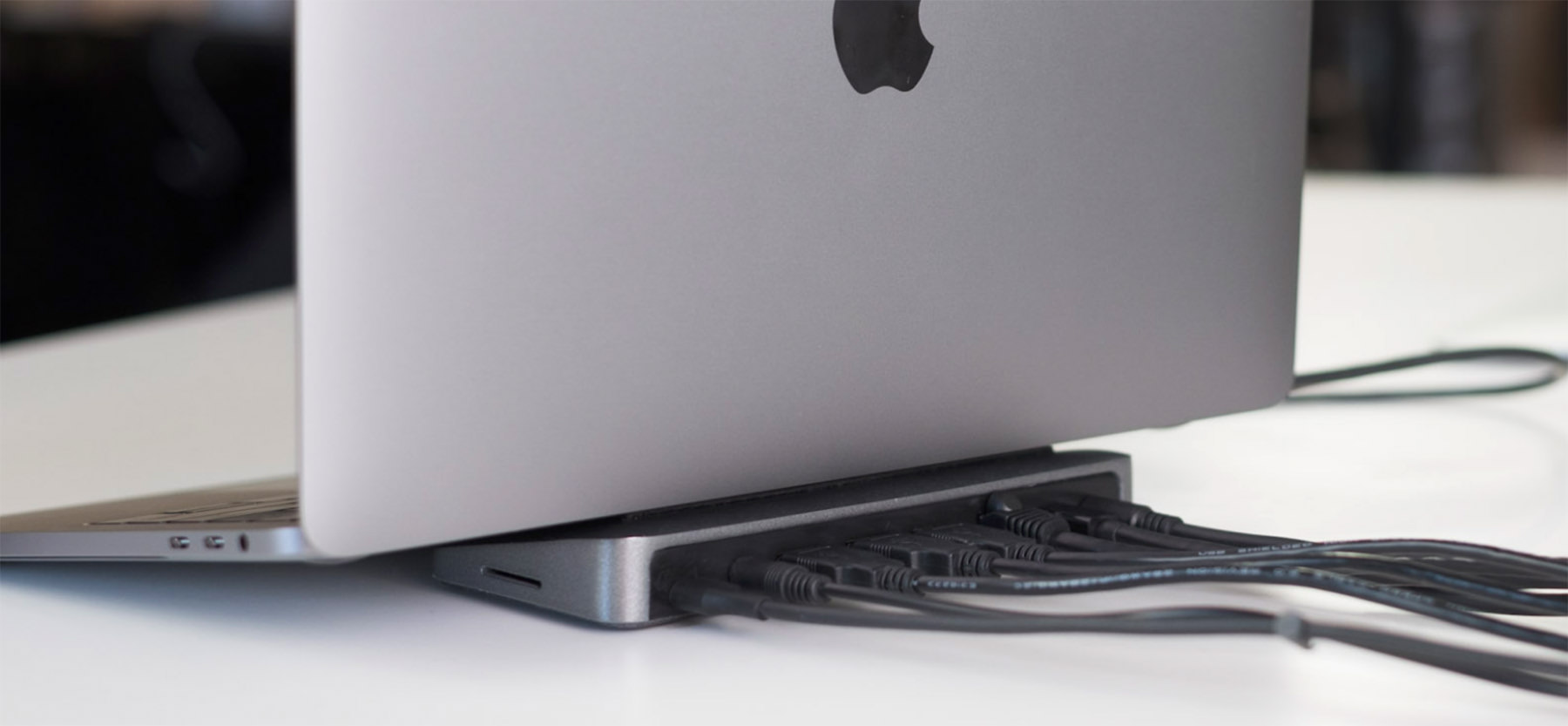
    Last but certainly not least, is a gadget designed for Macbook users. The scarcity of ports on Apple MacBooks isn’t news anymore. The Henge Docks stone fixes this problem. It adds a wide range of ports to your Apple Macbook. Here you will find three USB 3.1 ports, Mini DisplayPort, audio, ethernet, power supply, and an SD Card reader.

    There you have it – A comprehensive list of must use home and office tech gadgets. If you have other recommendations, feel free to drop them in the comment section below.

  • Best smart home Gadgets under $70.

    Best smart home Gadgets under $70.

    Feel safer with these smart home gadgets.

    There are many smart home product categories, so you can control everything from security cameras to smart lights in your home.

    You will find some of these smart home gadgets useful, to solve everyday problems that you run into. Some of them are just for fun.

    Cool smart home Gadgets

    SmartBell

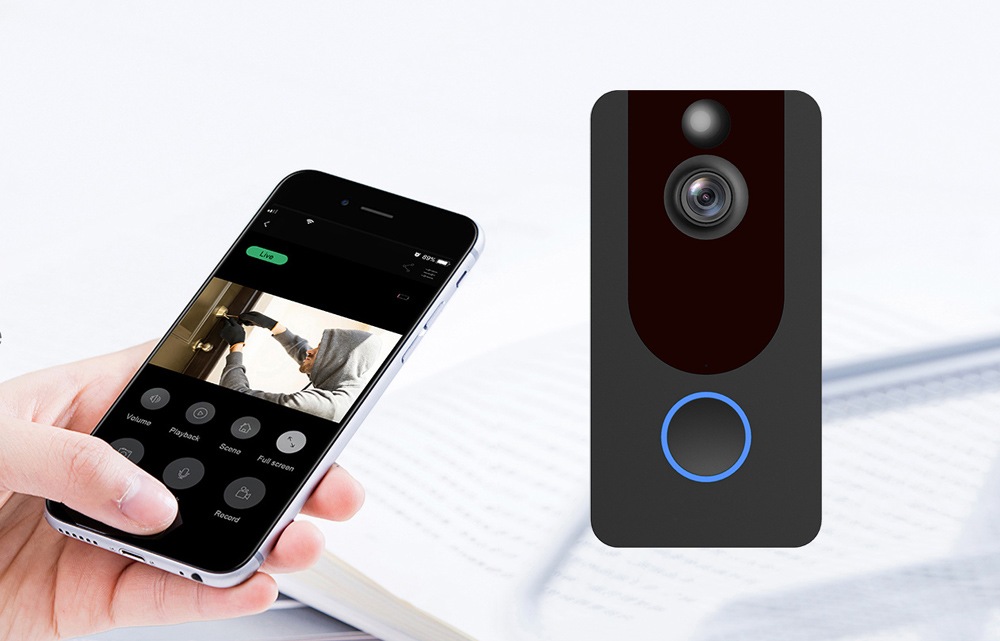
    Smartbell is the high-tech doorbell that lets you video chat with your visitors.When a visitor presses the Smartbell, the unit contacts you on your smartphone (via Wi-Fi) to alert you of someone at the door. You can know the visitor’s information without opening the door.

    Because there’s a built-in camera, mic, and speaker, you can activate a real-time video chat between the Smartbell and your phone.

    Imagine never being afraid of a knock on your door late at night, wondering whether it’s a friend or stranger? When you have SmartBell, you will know exactly who is your unannounced visitor.

    It has real-time audio and visual capabilities. Visitors can make video, voice calls and short-term video recordings.

    Features:

    HD Viewing

    1280*720 HD resolution, 166 degrees super wide-angle lens, all-round view of the scene.

    Wireless Signal

    No wiring, easy installation, built-in WiFi module, stable transmission, reliable connection, no need to worry about the signal problem caused by too far distance between the doorbell and the client.

    Phone Connected

    When people enter the sensing range, the device will push the information to the mobile phone at a very high speed, safe and practical. Support WiFi connection, Android IOS APP remote control.

    Night Vision

    HD infrared night vision 24 hours all day guard. With high-efficiency infrared light compensation, the picture can be clearly seen even at night when the night is dark.

    Video Call

    The home is in your hand when going out, the mobile phone can remotely wake up and actively view, monitor the home door, press the doorbell to push information, and view it in real time.

    See product page for full Specification.

    Smart led Bulb

    Sometimes you are certain something is not quite right at home, but you just can’t put your finger on it. Sure, you could set up a led-bulb with unseen video camera in your home.

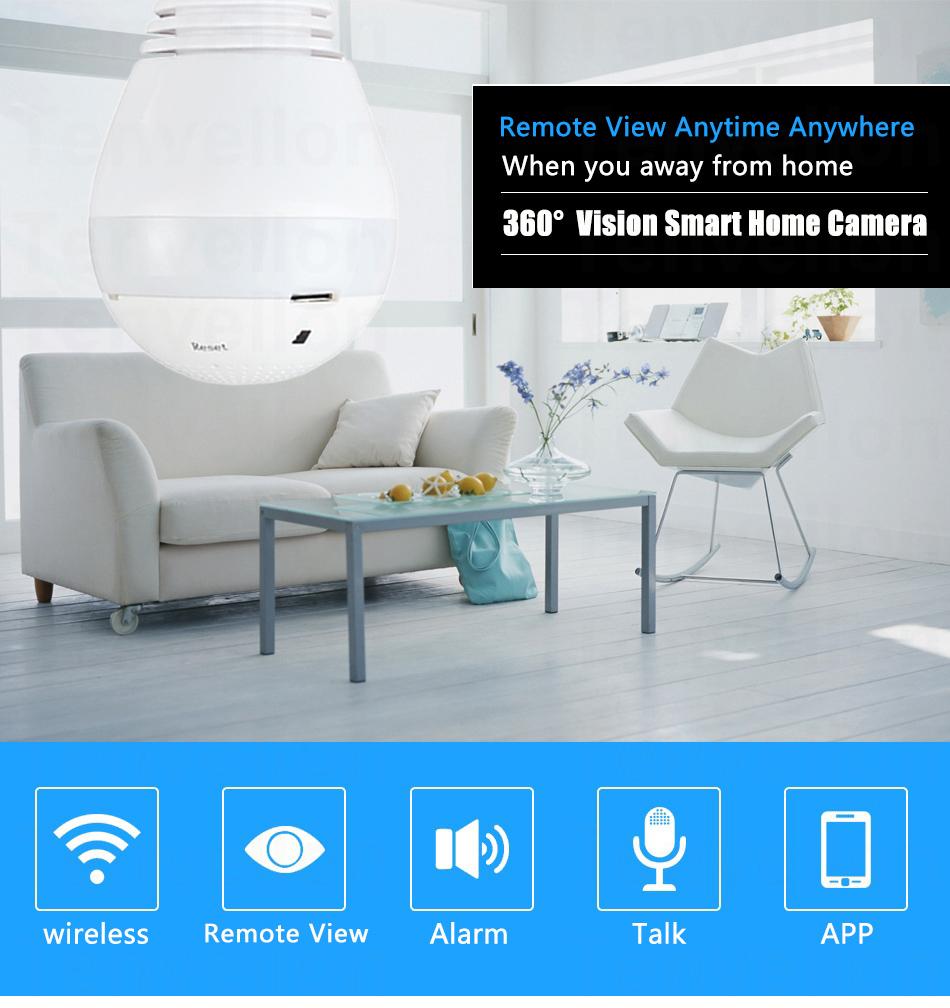
    This led-bulb, is actually a video camera that can live stream footage directly to your phone or tablet. It screws into your light bulb socket, provides light, and offers a 360-degree panoramic view of your home,office and so on. Bulb Led Can be turn on or turn off by app “V380” Version 5.5.

    Feature:  

    • 360 degrees panoramic view
    • Support Motion detection
    • Advanced e-PTZ on split video.
    • Simultaneous multi H.264 streams support
    • for iPhone and Android apps available for remote viewing
    • Plug and Play smart access without IP setting via routers
    • Support loop recording remote playback

    Click to see product full specification.

    Shower-head with wireless speaker

    Showering has never been so fun. This shower-head lets you stream your favorite music, news or talk radio right in the shower with you.

    It  holds a portable wireless speaker that pairs wirelessly with Bluetooth(R)-enabled devices to deliver high-quality audio to your shower. The speaker docks directly into the shower-head, so your music is closer than ever when showering. It is easy to install and use.

    Main Features:

    • Wireless speaker delivers 8 to 10 hours of music or talk.
    • Bluetooth range: 28 – 32 feet.
    • Include one set of lithium ion battery and USB cable charger.
    • High-fidelity 3W waterproof speakers.
    • Bluetooth 3.0
    • Simulated dual microphone noise reduction.
    • Pickup technology for background noise cancellation.
    • The latest audio algorithms, for the best call and music quality.

    Check out product page for full specification.

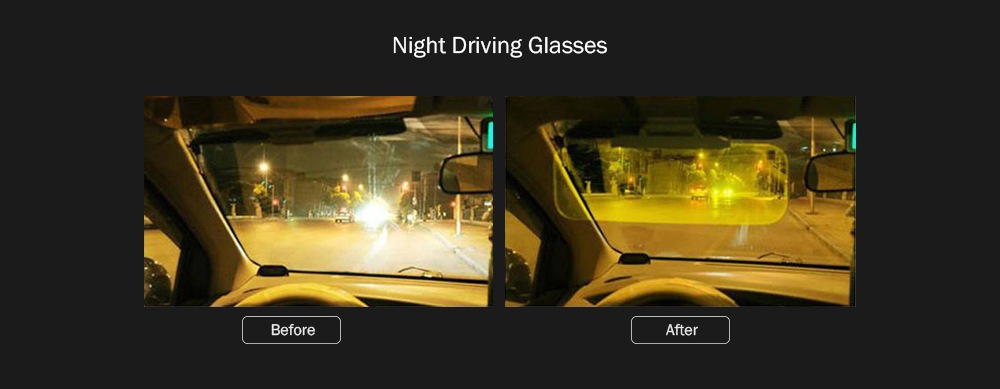
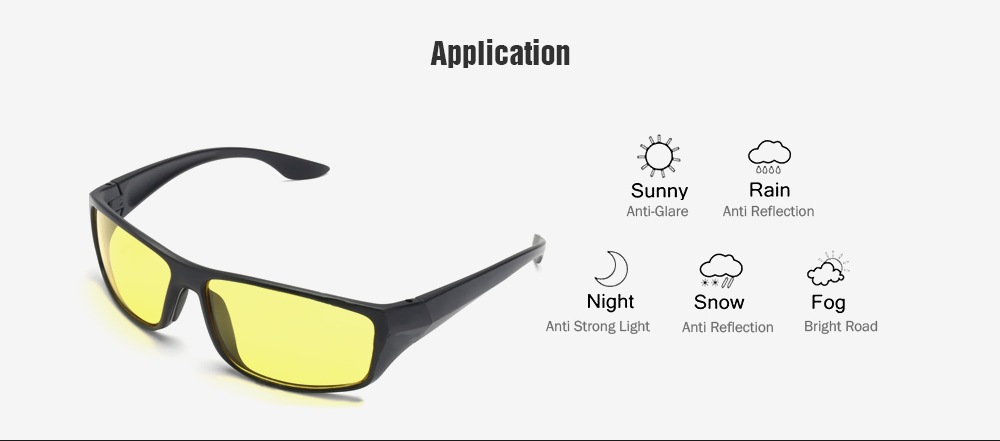
    Day-sight Glasses

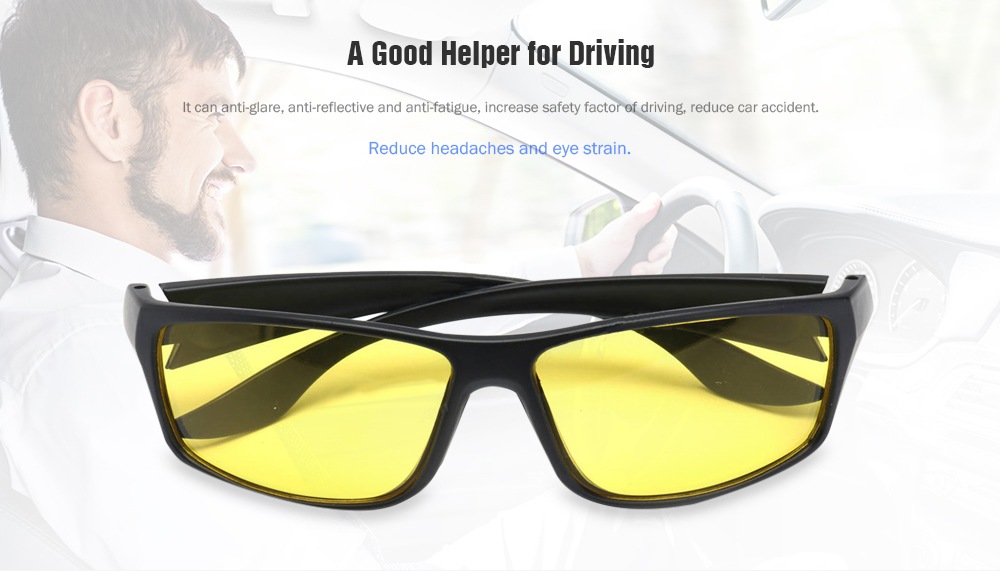
    Day-sight night driving glasses helps reduce the risk of road accidents.
    This new innovative device prevents you, your friends, and family from late night car accident.

    They are lightweight, UV400 anti-reflective and work by reducing the glare that often causes problems when high beam headlights make their way into your line of sight.

    They look just like any other pair of glasses, except their lenses are specially designed using Resin to reduce glare, while keeping you safe on the road at the same time.This high-definition lens technology protects you from fatigue and migraine.

    You can finally drive in the dark without any problem. See product page for full Specification.

  • WhatsApp now lets you control who can add you to Groups

    WhatsApp now lets you control who can add you to Groups

    WhatsApp has added a new feature that will stop people from automatically adding you to groups.

    The Facebook-owned company will now allow you to block randoms from adding you to annoying group chats and spare you from unnecessary notifications.

    This new privacy feature is to give users more control over how they use group chats. Who is able to add them to a group and more importantly, who can’t.

    How to enable this new WhatsApp feature

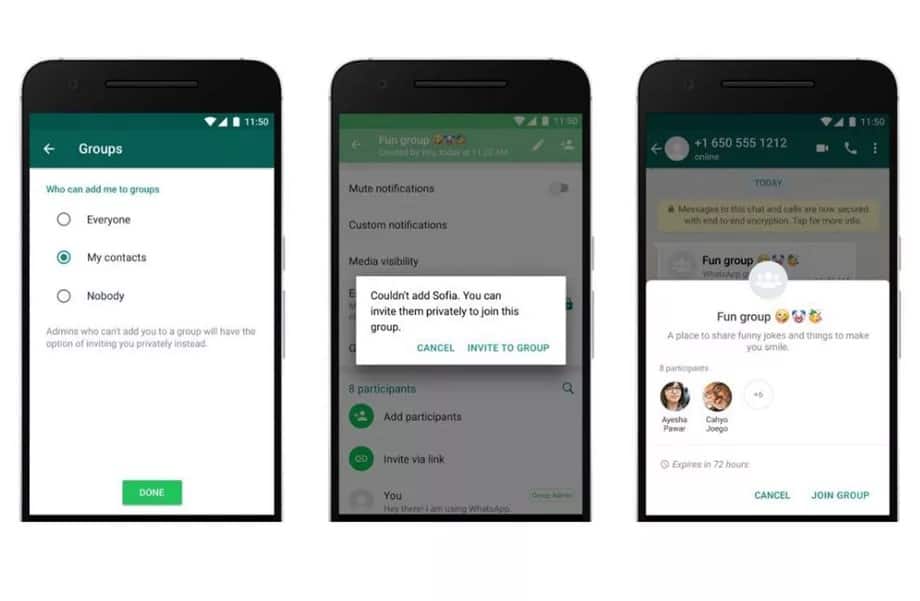
    To enable it, go to Settings in your app, then tap Account > Privacy > Groups and select one of three options: “Nobody”, “My Contacts”, or “Everyone”.

    “Nobody” means you’ll have to approve joining every group to which you’re invited, and “My Contacts” means only users you have in your address book can add you to groups.

    In those cases, the person adding you to a group will be prompted to send a private invite through an individual chat, giving you the choice of joining the group. You will have three days to accept the invite before it expires.

    With these new features, users will have more control over the group messages they receive. These new privacy settings will begin rolling out to some users starting today and will be available worldwide in the coming weeks to those using the latest version of WhatsApp. A statement from whatsApp official site.

  • Apple Launch a Credit Card with no Fees

    Apple Launch a Credit Card with no Fees

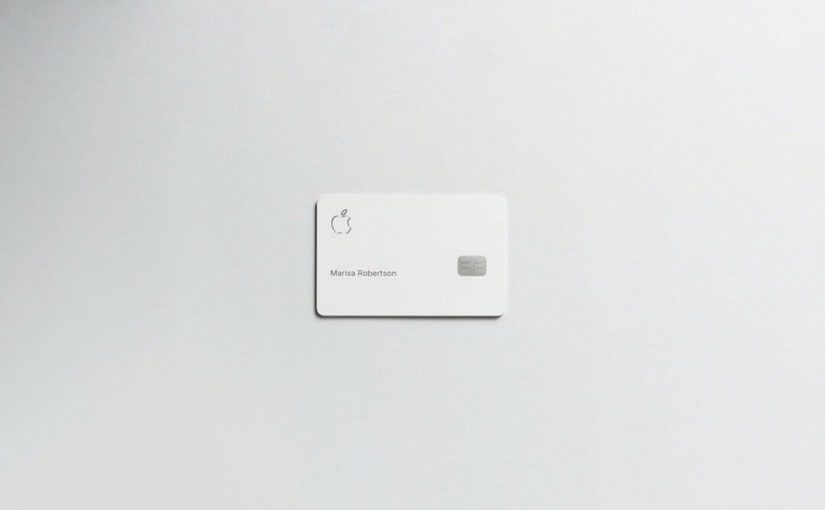
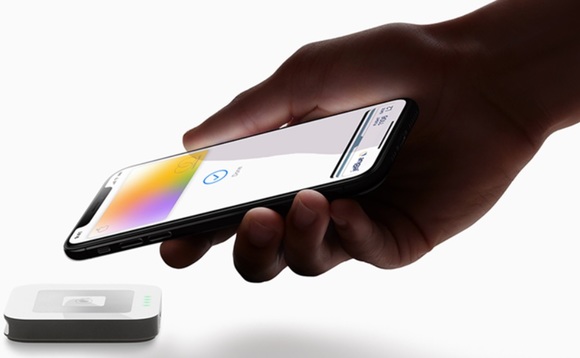
    Apple announced that it would partner with Goldman Sachs and MasterCard to offer its own credit card. The Card is built into the Apple Wallet app on iPhone, offering customers a familiar experience with Apple Pay and the ability to manage their card right on iPhone.

    The Apple Card will come without any late fees, annual fees, over-limit fees, or international fees. Apple Card will be available this summer.

    Daily Cash is added to customers’ Apple Cash card.Every time customers use Apple Card with Apple Pay, they will receive 2 percent cash back on purchases made with Apple Pay and 3 percent cash back on purchases made on Apple products.

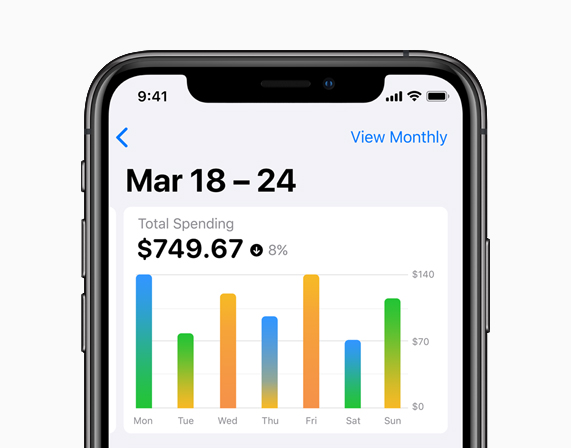
    Apple Card provides weekly and monthly spending summaries, to help customers better understand their spending.

    Privacy and Security

    Apple said a unique card number is created on iPhone for Apple Card and stored safely in the device’s Secure Element, a special security chip used by Apple Pay.

    Every purchase is secure because it is authorized with Face ID or Touch ID and a one-time unique dynamic security code. The unique security and privacy architecture created for Apple Card means Apple doesn’t know where a customer shopped, what they bought or how much they paid.

    The physical Card

    Apple has also designed a titanium Apple Card for shopping at locations where Apple Pay is not accepted yet. Apple has eliminated a lot of the weak points that allow hackers to steal card information.

    The card has no card number, CVV security code, expiration date or signature on the card. All this information is easily accessible in Wallet to use in apps and on websites. For purchases made with the titanium Apple Card, customers will get 1 percent Daily Cash. Apple explains.

  • Samsung Galaxy Fold: what you need to know about the Samsung foldable Smartphone

    Samsung Galaxy Fold: what you need to know about the Samsung foldable Smartphone

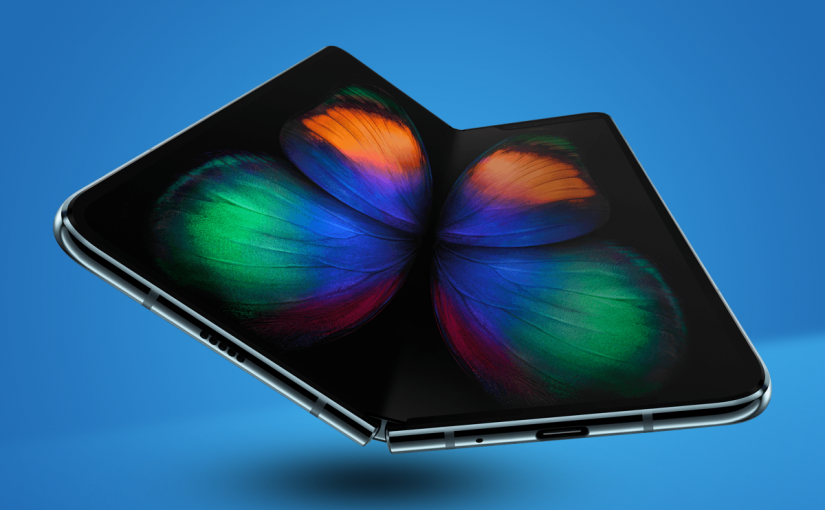
    Samsung has unveiled a foldable smartphone,tablet-like display and would be able to run up to three apps at once.

    The design doesn’t just stand out. It stands apart.The highly anticipated Galaxy Fold is a new foldable device that features the world’s first 7.3-inch Infinity Flex Display, which folds into a compact device with a cover display.

    The handset will be available in Space Silver, Cosmos Black, Martian Green and Astro Blue colour schemes.

    Galaxy Fold Release Date and Pricing

    The Galaxy Fold is set to go on sale on April 26, 2019 and will start at $1,980.

    Galaxy Fold Features

    • Android 9.0
    • Power: 4380mAh battery, split over two separate cells. Ready to go all day.
    • Six cameras, one on the cover, three on the rear and dual front selfie cameras.
    • 12GB RAM, 512GB storage
    • 7.3-inch Infinity Flex Display
    • Fingerprint sensor
    • Foldable display, wireless charging.

    Galaxy Fold offers a powerful new way to multitask, watch videos, play games, and chat at once – bringing to life new experiences and possibilities.

  • Chinese Schools introduce Smart Uniforms with GPS Chips to track Students during School Hours

    Chinese Schools introduce Smart Uniforms with GPS Chips to track Students during School Hours

    China has introduced a new technology that will track students location using their school uniform. The new tech dubbed smart uniforms will be to tell the exact location of your ward.

    Eleven schools in the South-West province of Guizhou have introduced the uniforms, which were developed by local tech firm Guizhou Guanyu Technology.

    These smart uniforms record the time and date a student enters the school and a short video parents can see through a mobile app. This is to help encourage good attendance rates.

    It triggers an alarm to notify both teachers and parents of the student’s absence and an automatic voice alarm is activated if a student leaves school without permission.

    The chips can detect when a student has fallen asleep in class, and can also allow students to make payments using biometrics attributes to confirm the purchase.

    The company’s project manager, said that the school would only use the tracking beyond school hours if a pupil were to go missing

    smart uniforms

    He said the two chips, which are installed in each uniform’s shoulders, are able to withstand up to 500 washes and 150C. So that means students can wash, and rewash their uniforms without any problem.

    How the Chinese smart uniforms work

    Face ID, built right inside the uniforms, is a small quantity of facial recognition software to make sure that the right student is wearing the right outfit.

    Alarm is to keep the school premises in order, to notify both teachers and parents of the student’s absence and an automatic voice alarm is activated if a student leaves school without permission.

    Tracking, each of student uniform has two inbuilt chips in the shoulders. This will enable the appropriate management to know when a child is at any moment during the school hours.

  • Awale, Backgammon and 1 other Game Technology has transformed

    Awale, Backgammon and 1 other Game Technology has transformed

    From time memorial, man has indulged himself into seeking out ways to improve his living standard. The application of this science into practical purposes is what is termed ‘technology’.

    The constant evolution of technology has affected every part of human existence: information is more accessible, we enjoy good roads, better & healthy living. We can also admit that the introduction of some technology has shortened our existence on earth; with the worldwide life expectancy age just lying above 70 years, life is indeed very short.

    Games such as Awale are not only there for our entertainment, it also improve family and friendship bonding. These days, we have school and work commitments which make it increasingly difficult to enjoy the thrills that gaming brings. That is where online gaming platforms steps in, providing online gaming platforms where you can play countless games online, with the added benefit of betting.

    My business here today is to discuss 3 important games, with historic background that technology has presented us in a platter of gold – playable in your mobile devices at your convenience.

    Awale

    Awale also known as Ókwè, Alancho, Ayoayo, Oware or Ise, has its root in Africa and played worldwide. A common name in English is Awari but one of the earliest Western scholars to study the game, R.S. Rattray, used the name Wari.

    fogo-sao-filipe-jeu-awale-62

    The game is considered the national game of the Ashanti kingdom in Ghana; it is also played traditionally in Nigeria, especially in the Igbo-speaking tribes. Known to encourage family bonding, Awale is one on the most social two-player abstract.

    Today, Awale can be downloaded and played on your computer and mobile devices. You can find Awale on the Google Playstore or download it on the Apple store.

    Backgammon

    Backgammon is one of the oldest board games known to man. It goes down to the ages when human bones were used for dice and Emperor Nero and Claudius making a fortune through gambling.

    cigar-backgammon-board


    Just before technology stepped in, the church and government banished backgammon because of the gambling aspect of it. However, some Good Samaritan in the 1920s introduced doubling to rekindle interest in the game.

    In recent years, backgammon has been studied with great interest by computer scientists. Owing to this research, backgammon software has been developed that is capable of beating world-class human players (see TD-Gammon for an example). More developers are also pushing out backgammon games you can play both on your Android and iOS devices.

    You can find backgammon games you can play for free on Android here and here, for iOS.

    Chess

    The Chess game needs no introduction. The game has been around ever since the 6th AD. It’s thought to have originated from India with its modern version (Romantic Era of Chess) characterized by swashbuckling attacks, clever combinations, brash piece sacrifices and dynamic games. Winning was secondary to winning with style.

    acient-chess

    According to a survey in 2012, “chess players now make up one of the largest communities in the world: 605 million adults play chess regularly”. Chess is played at least once a year by 12% British people, 15% Americans, 23% Germans, 43% Russians, and 70% Indian people.

    What’s more? Technology has ensured that the new era of chess can be taking anywhere with you. Thousands of chess games have been developed for both PC and mobile. Even the famous Microsoft Windows 7 Ultimate edition comes with the Chess game as one of the pre-packaged system application.

    Owing to the modern trend of mobile technology, mobile application developers has delivered by making countless Chess games you can download both on the Android store and Apple store.

  • How to Ensure Videos Saved in HD Look Good

    How to Ensure Videos Saved in HD Look Good

    If you’re starting to dip your toes into creating HD videos then you may find that sometimes the videos that you save in HD don’t actually look that great. For beginners it can be difficult to navigate through some of the technical areas of video settings – but it is necessary to do so if you want to ensure that the videos you save in HD actually turn out well.

    Understanding Resolution

    Essentially ‘HD’ or ‘High Definition’ is a type of resolution. In turn, resolution is a description of the amount of pixels contained in the video. For example a ‘Full HD’ resolution of 1080p is essentially 1920×1080 would be 1920 pixels wide and 1080 pixels tall.

    While the resolution does affect how your videos appear, it is by no means the only factor at work, however. Assuming you’re saving an HD video in HD resolutions and it doesn’t look good then that likely means that there is some other factor that is the culprit.

    Looking at the Bitrate and Frame Rate

    Aside from resolution, the two big factors that can affect the quality of your videos are its bitrate and frame rate. The frame rate is essentially the number of frames per second that will be displayed on your screen – so the higher it is, the ‘smoother’ your video will appear. Ideally the number to shoot for in terms of frame rate is 60 for the smoothest possible playback supported by most monitors and TVs.

    On the other hand, bitrate is a bit harder to understand but is basically the amount of space that can be used for every second of video. As such a higher bitrate will provide a better quality but come at the cost of a much larger file size. If the video isn’t allowed to have enough space to properly display at that resolution then you can expect the quality to be poor.

    That is part of why using Movavi Screen Capture Studio for HD video capture is ideal. Not only is it capable of recording HD videos at a high frame rate, but it can also help you to save it easily with presets to automatically optimize your video based on the device or platform that you’re using.

    It even includes a complete suite of video editing features so you can cut and combine video segments, enhance the video quality, apply special effects, add audio tracks, and insert customizable text. In short, you should be able to use Movavi Screen Capture Studio to improve your video further.

    If you want to create and save HD videos while making sure they look good there is no easier way than by using Movavi Screen Capture Studio. Just give it a try for yourself and see what it can do.

  • Firefox OS, Microsoft IE and 5 top Technologies that Died in 2015

    Firefox OS, Microsoft IE and 5 top Technologies that Died in 2015

    Like 2016, 2015 started with a lot of promises and big time resolution for technology companies, but unfortunately, not all those technologies made it through the year.

    A large number of services/technologies either died, discontinued or gradually faded away in 2015. For every success recorded in 2015, there was a complementing failure. There is no shame in it, after all, the market is a battlefield. Some technology will fall to a better competition, others will simply fail to replicate the first spark there product generated or just not good enough in the modern trend. However, before we welcome what 2016 have in stock for us, let’s pause to remember five notable products and services whose death in 2015 will forever remain in our memory.

    Replaceable batteries (c. 1954-2015)
    Replaceable batteries (c. 1954-2015)

    Replaceable batteries (c. 1954-2015)

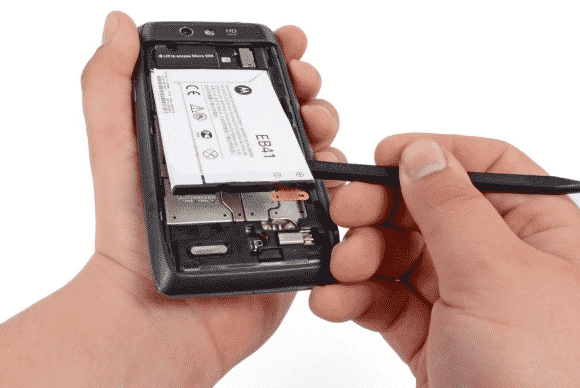
    The 61 long years of replaceable batteries finally came to an unexpected end in 2015 – well, in a way. If you used Samsung smartphone in 2013 then you are no stranger to short battery life, but then, you can at least carry 3 backup batteries in your pack… Not anymore!

    The movement was first started when Apple decided that it could reduce the weight of devices by sealing non-removable batteries in their systems. Introducing the non-removable battery technology with the original iPhone and the first MacBook Air, and it has since stuck with this plan.

    Today, no Apple products feature replaceable batteries, and neither does much of anything else. This year even the Samsung Galaxy Note line, long known for replaceable batteries, ditched them too. Today, the LG G4 is the only mainstream smartphone left that has one. We’re calling it dead except in niche or corporate products as of this year.

    Windows RT (2012-2015)
    Windows RT (2012-2015)

    Windows RT (2012-2015)

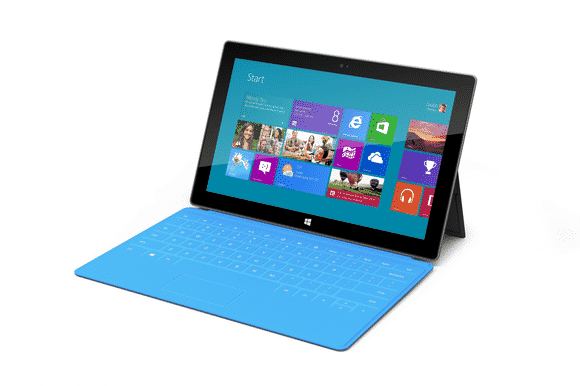
    Microsoft had only 3 years to surrender their failed attempt to create a cheap lite version of disastrous Windows 8. This “lite” version of Windows 8 was created for lower-power, cheaper tablets that couldn’t run the full-fledged OS.

    RT-powered Windows tablets met with immediate disdain due to performance problems, a lack of software, and compatibility issues. Development on the OS ended in 2013, and when the Surface 2 was discontinued in February, Windows RT breathed its last. All Windows RT support formally ends in January 2018.

    Mozilla Firefox OS for Smartphone (2013 - 2015)
    Mozilla Firefox OS for Smartphone (2013 – 2015)

    Mozilla Firefox OS for Smartphone (2013 – 2015)

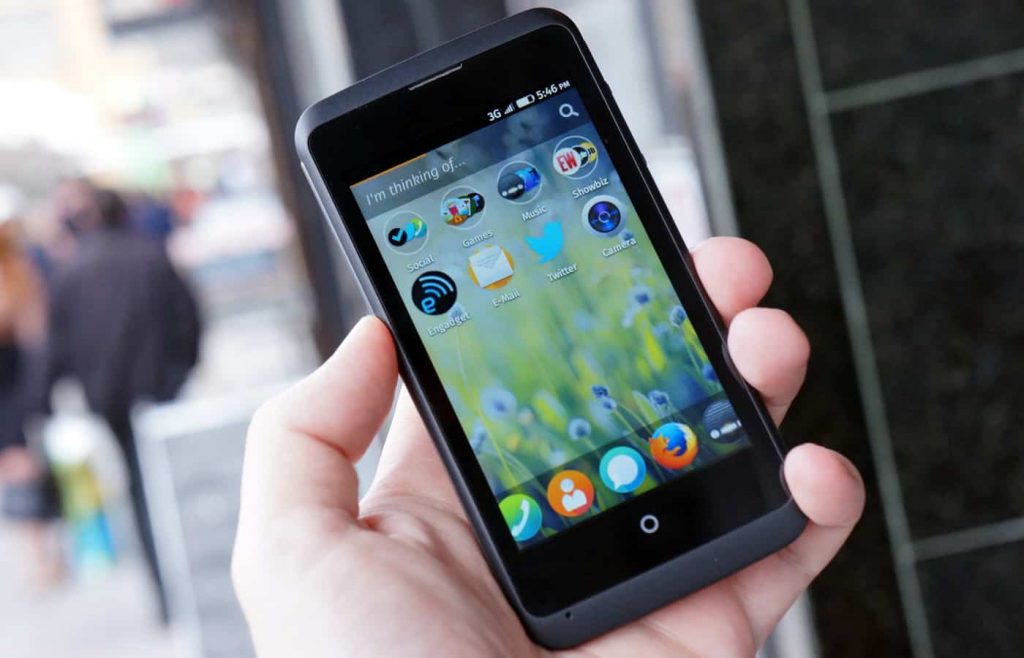
    In February 2013, Mozilla founded an initiative that let you have an open, web-based framework that anyone could work with, instead of closed platforms and apps – Firefox OS.

    Firefox OS proved the flexibility of the Web, scaling from low-end smartphones all the way up to HD TVs. However, the OS couldn’t stand the competition from other tech giants or “weren’t able to offer the best user experience possible” as the owners claimed and hence the death of this initiative.

    Even if Mozilla has maintained that they are still willing to “experiment” with the software on smart devices — they just won’t be the kind of devices that make phone calls.

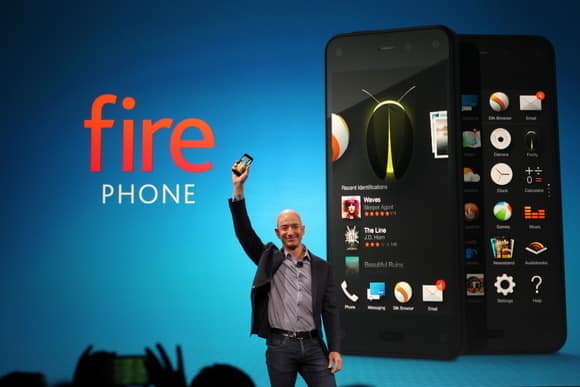
    Amazon Fire Phone (2014-2015)
    Amazon Fire Phone (2014-2015)

    Amazon Fire Phone (2014-2015)

    After upending publishing, retail, and cloud services, Amazon took on the cell phone industry in 2014 with its first-ever smartphone.

    It will probably be its last.

    The idea wasn’t particularly bad in concept: The Fire Phone was ambitious, designed to integrate with the retailer’s various offerings and make it easier to take advantage of the many services available to Amazon Prime members, along with more standard Android features. But for a phone focused on media consumption, the Fire Phone was undercooked and complicated, and its unique features just didn’t work well enough. Massive discounts began within months, and Amazon pulled the plug barely a year after launch.

    Internet Explorer (1995-2015)
    Internet Explorer (1995-2015)

    Internet Explorer (1995-2015)

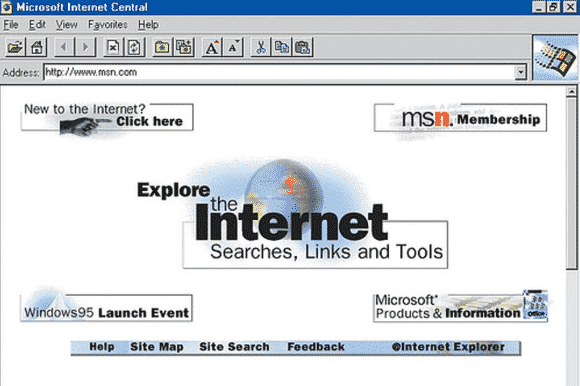
    The death of Microsoft Internet Explorer will probably be celebrated as the death of a tyrant by some PC users. Can it be that we’ve suffered for a full 20 years with good ol’ “Internet Exploder?” Designed as a competitor to Netscape—Netscape!—back in 1995, IE once boasted market share of over 90 percent, and as recently as 2009 still had a share of over 60 percent.

    The dramatic rise of Chrome and, to a lesser extent, Safari killed IE, but the death blow has been delivered by Microsoft itself. While some of its code is still buried inside the guts of Windows 10, IE is effectively no more, replaced by Microsoft Edge—which was developed entirely separately from IE—as the default Windows browser. Microsoft has already announced restricted support plans for IE and will sunset it along with older versions of Windows.

    Next on life support: Firefox.

  • Students – The Real Winners of New Age Technology Trend

    Students – The Real Winners of New Age Technology Trend

    Impatience characterizes the technology sector’s approach to education. Disruption is taking place in all other sectors of society — so, why not education? I know too well, whether at Pearson or in the classroom, the challenges and frustration of developing and using digital tools that improve outcomes for students.

    But I’m optimistic. We are on the verge of a tide of smarter innovation that, if allowed to spread, will turbocharge the learning experience for students. Here are four areas worth watching:

    1. Using technology to learn from learners

    Every great digital product constantly evolves by learning from its users, adding capabilities, and improving its performance. If it’s true for your Facebook feed, then why not education?

    The potential is there, as the OECD’s recent report on Students, Computers and Learning(OECD) incidentally showed how clickstream and tracking navigation in digital readers can be used to see how students process online text and arrive at the answer in different ways.

    In practice, companies like Renaissance Learning can point to the small margins of usage (4.7 minutes) of its reading program, separating the top performing and lagging students.

    Akin to how Amazon “knows what you want before you buy it,” edtech companies are also starting to build algorithms that can make learning more personal. For instance, based on behaviors of successful students, we can begin to predict whether a learner is on track or at risk.

    This allows teachers to intervene and provide assistance when a student most needs help before they fall behind. It also allows education content creators to tweak learning material – such as the length of a video or article – based on how a student interacts with it and progresses in subsequent activities.

    Learning products should continually evolve to benefit learners and learning. Developers should make sure the best ideas from learning science, education practice, teacher feedback, and learning analytics inform those changes. The constant iteration, investment and learning baked into Teach to One provides a great example of what young companies should be emulating.

    When I look at the growing Education Innovation Clusters or the useful tips on better ed-tech pilots provided by Digital Promise, I’m excited to see the idea of continuous improvement and learning being baked into the development and effective use of digital learning products.

    2. Using technology to adapt to how students feel

    Adaptive learning technologies today address what a student knows and can do. Programs such as Knewton alter what lessons are offered based on how individual students do in solving problems and where they may have gaps in knowledge.

    However, a large body of research shows that how a student feels – frustrated, bored or confused – influences how much learning takes place. Can technology adapt to this to increase learning? DARPA thinks so–and is willing to invest in great ideas to get at what they call Full Spectrum Learning.

    We are already seeing some examples of this in lab settings. Researchers have tracked student emotions while using Crystal Island–a game-based learning environment– and used that research to predict how students will react in other learning situations  The London Knowledge Lab is exploring the creation of a tool which will allow the feedback to be adjusted based on a student’s emotional state. These efforts align with a larger body of research into how tools, such as intelligent tutors, which are aware and can adapt to student’s emotions (or “affect”) can better serve students and contribute to improved student outcomes.

    3. Building invisible assessments that are less intrusive

    Teach. Stop. Test. Teach. Stop. Test.

     It’s disruptive for teachers; it’s annoying for parents; and it’s not fair on students. We are finally seeing examples of a move away from this approach to assessment.

    Teachers can now use the enormous amounts of data gathered in rich environments, such as games and virtual reality, to understand student progress and where to go next, in a way that’s personalized for each student.

    Take SimCityEdu: Pollution Challenge – developed by GlassLab Games – where students learn how city-planning is impacted by environmental issues. As they play the game, the system is capturing their actions – such as the sequence of what they do or requests for help – and interprets patterns in data to assess how well the player understands important concepts. This helps teachers better evaluate how a student solves problems, rather than just the final product of their work.

    In time, learning games like this should decrease reliance on stop-and-test exams and provide more real-time and actionable information to teachers.

    4.  Keeping pace with technology in the classroom

    As we shift from print to digital educational tools, the volume of tools available to teachers has increased dramatically. Some tools – often apps – are rooted in research, pedagogy, and continuous improvement. Others are no more than junk food in a student’s educational diet. How is a teacher or parent to tell the difference?

  • Samsung unveils the Exynos 8 Octa CPU

    Samsung unveils the Exynos 8 Octa CPU

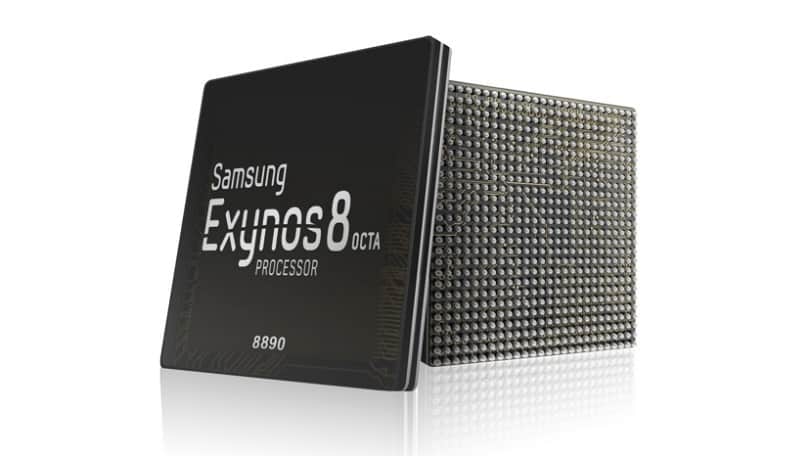
    406238-samsung-exynos-8-octa-8890Today, Samsung announced the Exynos 8 Octa 8890 CPU processor.

    This is the companies second “premium” chip built on 14nm FinFET process technology. It has a custom 64-bit CPU with four custom cores and four ARM Cortex A53 CPU cores. These specs improve the performance of the processor by 30% and cause it to use 10% less electricity.

    Samsung said devices with its chips will allow users “to enjoy and share high-resolution video content on the go with ease.”

    With our custom designed CPU cores and the industry’s most advanced LTE modem, consumers using mobile devices with the Exynos 8 Octa will experience a new level of mobile computing.” – Dr. Kyushik Hong, Vice President of System LSI marketing at Samsung Electronics.

    The tech giant has also added that the new CPU can allow for highly immersive gaming and life-like virtual reality experiences thanks to Mali-T880; ARM’s latest GPU.

    Sasmung had unveiled its first 14nm mobile application processor in February of this year. The company’s expected initiation for the Exynos 8 Octa mass production is set for later into this year.

  • Tim Cook, Facebook, Google and Tech Giants throw their Support for Same-Sex Marriage

    Tim Cook, Facebook, Google and Tech Giants throw their Support for Same-Sex Marriage

    When the Supreme Court issued its historic ruling on Friday legalizing same-sex marriage across the U.S., many of the biggest technology companies embraced the decision with characteristic flair through social media, on their sites, and with tools that others could use to show their support as well.

    Companies like Google, Microsoft, Motorola Mobility, Uber and Airbnb, their chief executives, and their venture capitalist funders all took to Twitter to post celebratory tweets about the ruling, often accompanied by the hashtags #LoveWins or #Pride, plus GIFs. Companies also changed the colors of their profile pictures on Twitter to those of a rainbow, conjuring the symbol of lesbian, gay, bisexual or transgender pride.


    Twitter, which called Friday “a monumental day for equal rights,” released two new rainbow emojis, of a flag and a heart, that users could post by tweeting the aforementioned hashtags.

    Google, in a tweet, said it was proud to celebrate marriage equality. The company included a GIF of a green Android robot waving a rainbow flag.

    Given the likely impact of the Supreme Court’s ruling, and rising support among the public, same-sex marriage has become a safer issue for technology companies to support. Liberal social values in the parts of California where many tech companies are based made their reactions not much of a surprise.

    And yet the ruling comes at a time of heightened sensitivity around issues of diversity in the tech industry. Whether it’s leveraged this way or not, the Supreme Court ruling offers a convenient opportunity for companies to cast their brands in the light of openness and acceptance.

    Some executives expressed wholehearted support for the ruling. Tim Cook, the openly gay CEO of Apple, said the day marked “a victory for equality, perseverance and love.”

    Mark Zuckerberg, CEO at Facebook, said the ruling represented another step toward achieving the founding promise of the U.S. that all people are created equal.

    Josh Elman, a venture capitalist at Greylock Partners in Silicon Valley, offered this observation: “Rainbow flags going up. Confederate flags coming down. Feeling the arc of progress and humanity in how we respect each other,” referring to growing opposition to the flag associated with racism in the South.

    Meanwhile, some technology companies offered tools or features meant to celebrate marriage equality. Facebook released a filter that people could use to overlay a rainbow on their profile picture. The tool appears to have been developed for Pride events around the country this weekend; the Supreme Court ruling hastened its arrival. It can be accessed at www.facebook.com/celebratepride.

    Google, for its part, added a banner to the top of its search results page showing people holding hands and a rainbow heart. The banner only appeared for certain searches like “marriage equality” or “gay marriage.” The banner did not appear for a search for just “marriage.”

    Snapchat got in on the action, too. The photo-sharing app created a themed Live Story around the ruling, called “Marriage Equality,” which let users post photos and videos to a feed that everyone else could see. Part of the feed contained a video showing people celebrating outside the Supreme Court.

    Interest in the ruling, at least initially, appeared to be higher in the U.S. than in other countries. Google searches around gay marriage were concentrated primarily in the U.S. and Canada, according to a Google Trends report.

    But the Snapchat feed was made available to users globally, as was the Facebook rainbow filter.

  • AMD Battery Life Issue Solved.

    AMD Battery Life Issue Solved.

    Have u ever used an AMD machine and you prefer having an intel instead because of the battery life?, AMD is set out to satisfy your battery life needs.

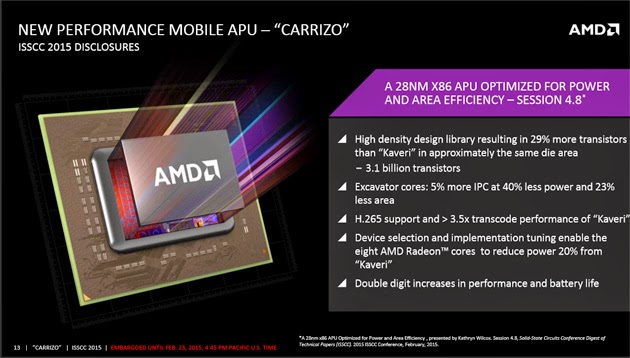
    Intel isn’t the only chip giant championing battery life over performance this year. AMD has revealed Carrizo, a processor range that’s focused heavily on extending the running time of performance-oriented laptops. While there will be double-digit boosts to speed, there’s no doubt that efficiency is the bigger deal here. The new core architecture (Excavator) is just 5 percent faster than its Kaveri ancestor, but it chews up 40 percent less energy at the same clock rate — even the graphics cores use 20 percent less juice.

    Not that this is the only real trick up AMD’s sleeve. Carrizo is the first processor to meet the completed Heterogeneous System Architecture spec, which lets both the CPU and its integrated graphics share memory. That lets some tasks finish faster than they would otherwise (since you don’t need as many instructions), and it could provide a swift kick to both performance and battery life in the right conditions. You’ll also find dedicated H.265 video decoding, so this should be a good match for all the low-bandwidth 4K videosyou’ll stream in the future.

    The new chip is pretty promising as a result. With that said, its creator will undoubtedly be racing against time. Carrizo is expected to reach shipping PCs in the second quarter of the year, or close to Intel’s mid-year target for its quad-core Broadwell processors. You may find shiny new AMD and Intel chips in PCs at around the same time — that’s good news if you’re a speed junkie, but it’s not much help to AMD’s bottom line.

  • Honey Moon Technology For Crazy Lovers

    Honey Moon Technology For Crazy Lovers

    If your dream is to make your honeymoon lovemaking so romantic and memorial, or you have this crazy idea of making love on a star ship then here you really can fulfill that desire.

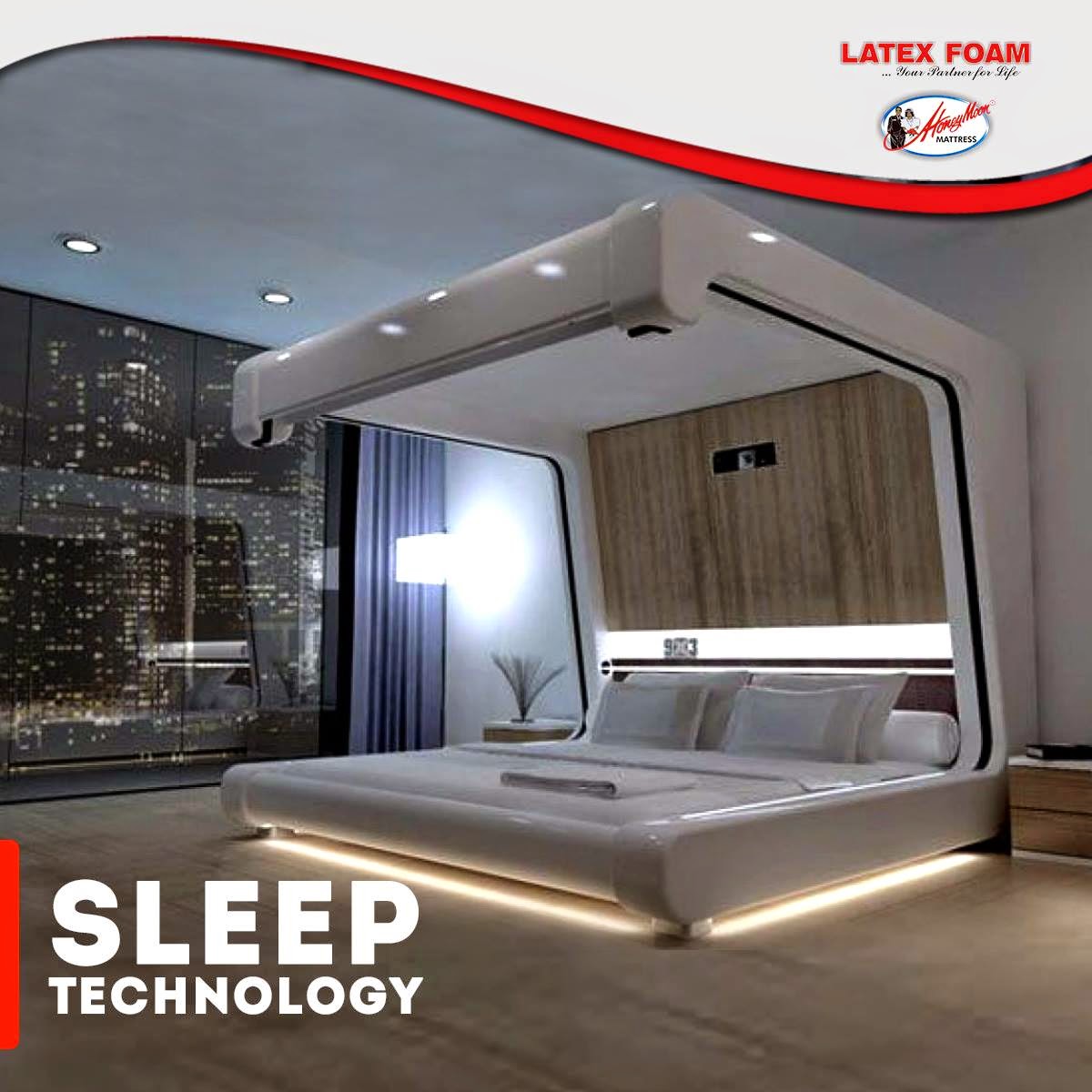
    The Somnus Neu by Yoo-Pod Llc offers a number of high-tech gizmos, including a full audio-visual system and an internet connection, but these aren’t what make the bed romantic. It’s the mechanized curtains and drop-down screen that completely enclose the mattress and the LED lighting above, under and around the bed that provide you with total privacy and mood lighting so you and your partner can feel totally in sync with one another.

  • Russia offers its support to North Korea amid the Sony Hack

    Russia offers its support to North Korea amid the Sony Hack

    EWT is following the Sony Hacks, North Korea’s internet outages, and all other related topics as they develop. See bottom of article for further reading.


    MOSCOW –  Russia on Thursday offered sympathy to North Korea amid the Sony hacking scandal, saying the movie that sparked the dispute was so scandalous that Pyongyang’s anger was “quite understandable.”

    Washington failed to offer any proof to back its claims of Pyongyang’s involvement in the hacking, Russian Foreign Ministry spokesman Alexander Lukashevich said at a briefing, adding that the U.S. threats of retaliation were “counterproductive.”

    The U.S. has blamed Pyongyang for the recent cyberattack on Sony Pictures, which produced “The Interview,” a comedy depicting the assassination of North Korean leader Kim Jong Un. Pyongyang has denied a role in the hacking, but also praised it as a “righteous deed.”

    Sony initially decided not to release the film because of threats against U.S. cinemas, but released the movie online Wednesday.

    Russia’s ties with the communist North soured after the 1991 Soviet collapse, but have improved under President Vladimir Putin’s watch. Moscow has taken part in international efforts to help mediate the standoff over Pyongyang’s nuclear and missile programs, although its diplomatic efforts have had little visible effect.

    Last week, the Kremlin said that it had invited Kim to Moscow in May to attend festivities marking the 70th anniversary of the victory over Nazi Germany.

    Commenting on the Sony hack scandal, Lukashevich said that “the concept of the movie is so aggressive and scandalous, that the reaction of the North Korean side, and not just it, is quite understandable.”

    He went on to say that Pyongyang had offered to conduct a joint investigation into the incident, adding that the proposal could help ease tensions and reflected a “sincere desire of the North Korean side to study the issue in detail.”

    “We perceive the U.S. threats to take revenge and calls on other nations to condemn the Democratic People’s Republic of Korea as absolutely counterproductive and dangerous, as they only would add tensions to the already difficult situation on the Korean Peninsula and could lead to further escalation of conflict,” Lukashevich said.

    Further Reading:
    North Korea’s Internet is Offline     –     Sony Hack: U.S President Vows Responsibility for FBI Claims

    via Foxnews

  • Window shop this Holiday season at home with the help of Google Maps

    Window shop this Holiday season at home with the help of Google Maps

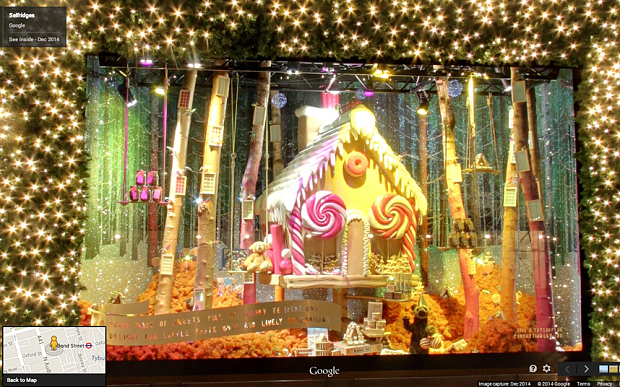
      The leisurely window-shopper might be forgiven for feeling rather ambivalent towards Christmas, a time of lavish shop-displays – and of crowds of people getting in the way. Google’s latest online tool solves this problem, by allowing you to tread the streets of world shopping capitals such as London and New York. The tool, Google Maps Business View, allows surfers to avoid the cold weather, heavy bags and huge numbers of people associated with Oxford Street or Fifth Avenue at this time of year. It is similar to Google Street view – where the facades of properties on public highways can be viewed – but the shop-fronts of various flagship stores have been updated to show their festive window displays. It is also possible to take a 360-degree tour of the stores. From the comfort of your own home, you can browse the sparkling display at Liberty, which is awash with gold – and toys – or salivate with wonder at the gingerbread house at Selfridges nearby.

    •  

    Meanwhile, in New York, the department store Saks Fifth Avenue has been turned into a fairy-tale world called Once Upon a Time in NYC, complete with a Cinderella magical carriage. Santa and his Elves are hard at work at Macy’s ‘Miracle on 34th Street’ in Herald Square, and at Bloomingdale’s, the New Year’s Eve party has apparently already kicked off. The Business Map tool also allows users to look inside world famous stores, including Old Navy in San Francisco or Benetton in Moscow. Google users can click the ‘see inside’ marker when they search for shops on the maps app, or when they use the search engine.

    via Telegraph by Tom-Brooks Pollock

  • Google plans to add Android directly into your vehicle

    Google plans to add Android directly into your vehicle

    The company is working on a new Android version that will power a car’s entertainment and navigation systems, connect it to the Internet, and integrate with the vehicle’s sensors, a Reuters report says.

    Sometime in the not-too-distant future, cars from many automakers could feature a version of Google’s Android operating system built directly into the vehicles.
    If Google’s plans take shape, its operating system will power the car’s entertainment and navigation systems, connect it to the Internet, and integrate with the vehicle’s sensors, camera, fuel gauge and other components.

    That’s according to a report by Reuters Dec. 19 that it said was based on conversations with two unnamed officials with knowledge of the matter. According to Reuters, Google could announce plans for integrating Android directly into cars when it rolls out Android M, the successor to its recently released Android 5.0 Lollipop operating system, sometime next year.
    Google did not confirm or deny the report. In an email, the company merely noted that it does not comment on rumors and speculation.

    But if Google were indeed to integrate Android directly into vehicles someday, that would mark a significant step forward for the company.  At the I/O conference this year, Google announced Android Auto, software that will allow drivers to basically stream most of their smartphone’s functions to the in-car display. Android Auto is expected out next year. It will allow drivers to take advantage of Google Maps, Google Now and other Android applications more easily when driving using simple voice commands and touch commands.

    With the new version of Android that Google is reportedly working on, drivers will no longer be required to connect their phones to the vehicle. Instead, a lot of the same functionality that is currently available on Android smartphones will be accessible directly from the vehicle in a manner that is optimized for in-vehicle use.

    Google’s big challenge though will be to persuade automakers to integrate its technology into their vehicles. Google has said that Android Auto will be available in vehicles from several major domestic and international automakers, including Ford, Chrysler, Honda and Audi.
    However, some automakers may be wary of giving the company too much access to internal components for safety reasons and because of branding concerns, Reuters noted.
    Google will also have to deal with the myriad safety concerns that have been expressed over connected cars recently. Security researchers have already shown how hackers can exploit a connected vehicle’s electronic control unit and take remote control of functions like steering, braking and acceleration.

    The National Highway Traffic Safety Administration highlighted several of those concerns in a report on connected cars earlier this year while advocating the need for intrusion detection, access control and other security technologies in vehicles over the next few years. One of the areas of concerns highlighted in the report has to do with in-vehicle entertainment and navigation systems becoming potential attack vectors in connected cars of the future.

    For safety-conscious automakers to allow any version of Android to be integrated into their vehicles, Google will likely have to first considerably bolster the security of the operating system. Currently, Android is one of the most attacked operating systems in the world, with more malware targeting it than any other mobile operating system.

    via eWeek

  • Amazon is getting “Fired” up for another smartphone

    Amazon is getting “Fired” up for another smartphone

    In June of 2014, Amazon tried to launch their newest product – the Fire phone. It was essentially a modified Android phone with a “unique” 3D display and a ton of references to different Amazon shops. It turned out that “Fire” was pretty cold, being a complete failure. The phone hit Amazon with a $170 million loss in its most recent financial quarter to account for “inventory valuation and supplier commitment cost.” The major commerce company is finding it hard to even give these things away; if you wander into a Amazon warehouse, you may just find a big pile of these lonely little buggers hoping; waiting for someone to come and make them theirs.

    However, Bezos & CO aren’t giving up without a few punches here, truly living up to the phrase “if at first you don’t succeed, try again.” On Friday, Amazon released a software update for their Fire phone that adds new features and sources close to the giant company says they have plans of releasing a second Fire phone, just not anytime soon.

    Among the new features in the Friday update is text translation for the Fire Phone’s Firefly app, where you can scan text and have it converted to or from English, French, German, Italian, and Spanish.

    Firefly has also been trained to identify 2,000 famous paintings, for those of you who like to walk around art museums with your mobile in your hand.

    The update introduces a new camera feature named Best Shot, a (camera) app that takes three quick photos and lets the user choose the best ones. Amazon said this would be great for group photos or pictures of children or pets. There are also some minor UI changes, such as adjustable SMS settings and blocking phone calls by the number. Added to their “flop” phone was a office-document editing app, VPN support, and even more which you can find in the full list of changes here.

    On the topic of making another phone that customers will actually like, VentureBeat reports that several sources agree that the online megastore will take another shot at it, but it’s not in a hurry. It has “gone back to the drawing board,” one source claimed, and is currently pondering which features to put into the new device that would make it appealing, with an eye to ship it sometime in 2016.

    And we may be able to expect more phones to come from Amazon after that. The company CEO Jeff Bezos gives the Fire Phone line full support and believes it’s a young product that the company will need to “iterate” over time.

    What do you think of a new Fire phone coming out, or about the changes in the new update? Leave a comment below.

    source(s);
    TheRegister