Category: Technology

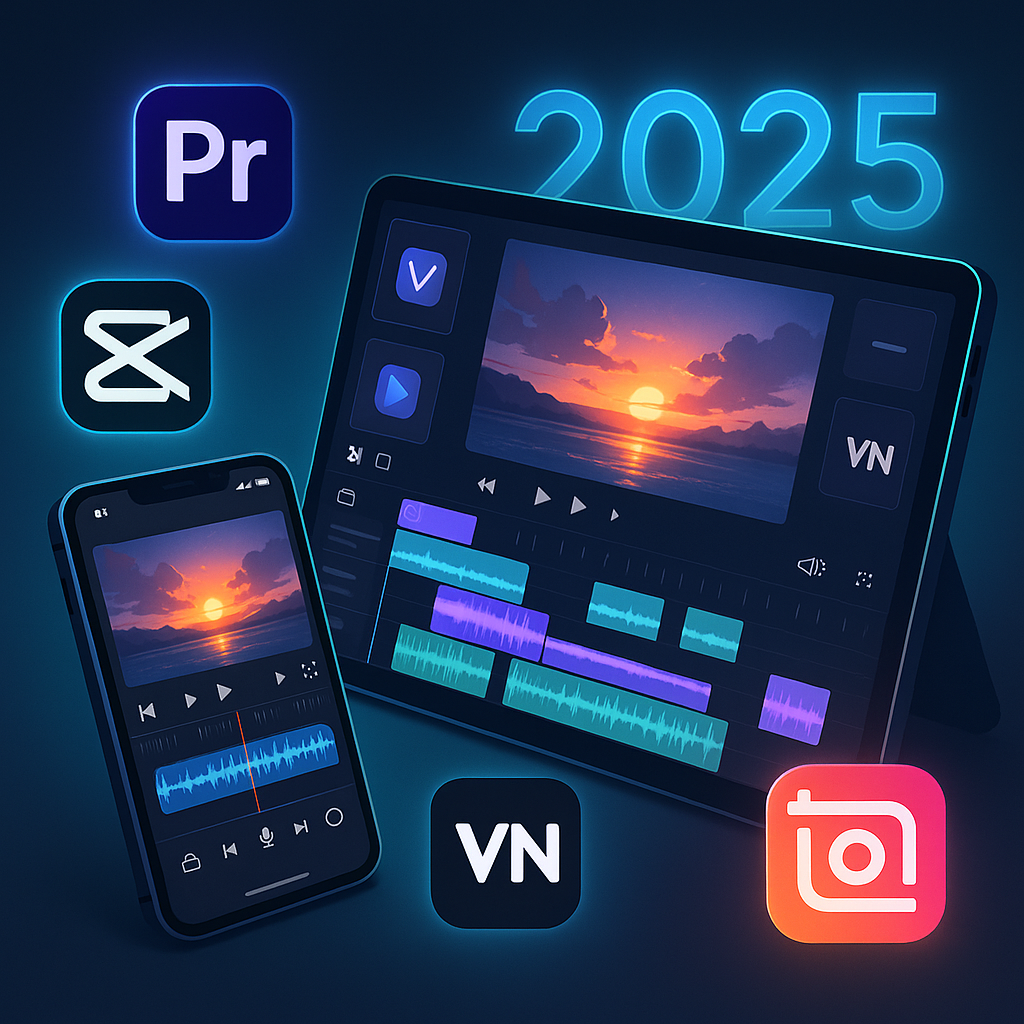
  • Best Video Editing Apps of 2025

    Best Video Editing Apps of 2025

    Quick Picks by Category (2025 Edition)

    Use CaseBest AppWhy It Wins
    Best Free (No Watermark)VN Video EditorPowerful tools, no watermark, pro-level timeline
    Best for TikTok & ReelsCapCutAI magic, auto-captions, effects that trend fast
    Best for Cinematic EditsLumaFusionMulti-track timeline, color grading, pro exports
    Best for BeginnersInShotSimple interface, fun effects, quick sharing
    Best AI-Powered EditorVideoleapNew AI Cut Pro in 2025 is mind-blowing for auto-edits
    Best Cross-Platform SyncAdobe Premiere RushCloud sync between devices, great for vlogs
    Best for Tablet EditingDaVinci Resolve (iPad)Full desktop-grade editing on iPad — now with 2025 Magic Mask update

    Want to Improve Your Content Creation Skills?

    While you’re here, check out these highly recommended tools to boost your productivity and enhance your content creation journey:

    The Top 7 Video Editing Apps of 2025

    Each of these apps was tested for 4K export, ease of use, effects library, AI features, and social sharing capability. Here’s how they stack up:

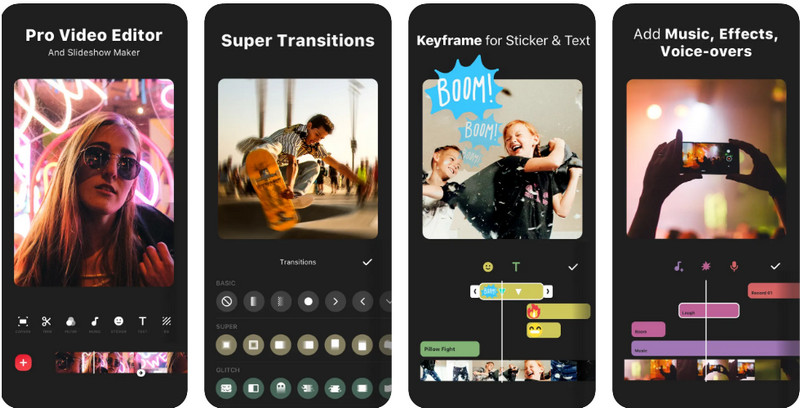
    1. VN Video Editor

    Best Free App Without Watermark

    • Platforms: iOS, Android, iPad
    • Watermark: None
    • Price: Free (optional upgrade for cloud)
    • New in 2025: Faster export engine, AI beat-sync

    Why It’s Great:
    VN gives you desktop-style editing with full timeline control, multiple layers, and even LUT support — all for free, and without slapping a watermark on your hard work.

    Ideal for: Creators on a budget who still want professional cuts.

    Pros:

    • No ads, no watermark
    • Precision trimming and keyframes
    • Works great for IG Reels and YouTube Shorts

    Cons:

    • Audio library is limited
    • Interface can feel a bit technical at first

    2. CapCut

    Best for Social Creators & Viral Shorts

    • Platforms: iOS, Android, Desktop
    • Watermark: Optional (can be removed)
    • Price: Free with Pro upgrade
    • New in 2025: Auto-scene generator for TikTok clips

    Why It’s Great:
    CapCut is owned by ByteDance (TikTok’s parent company), which means you’re editing with an unfair advantage. Expect filters, trending sounds, and automatic subtitle generation that matches TikTok and IG vibe perfectly.

    Ideal for: Social media creators looking for fast, trendy, polished results.

    Pros:

    • AI-powered tools: remove background, auto captions
    • Trend integration for music, stickers, and styles
    • Cloud syncing and template library

    Cons:

    • Slight branding push toward TikTok
    • Some features require login

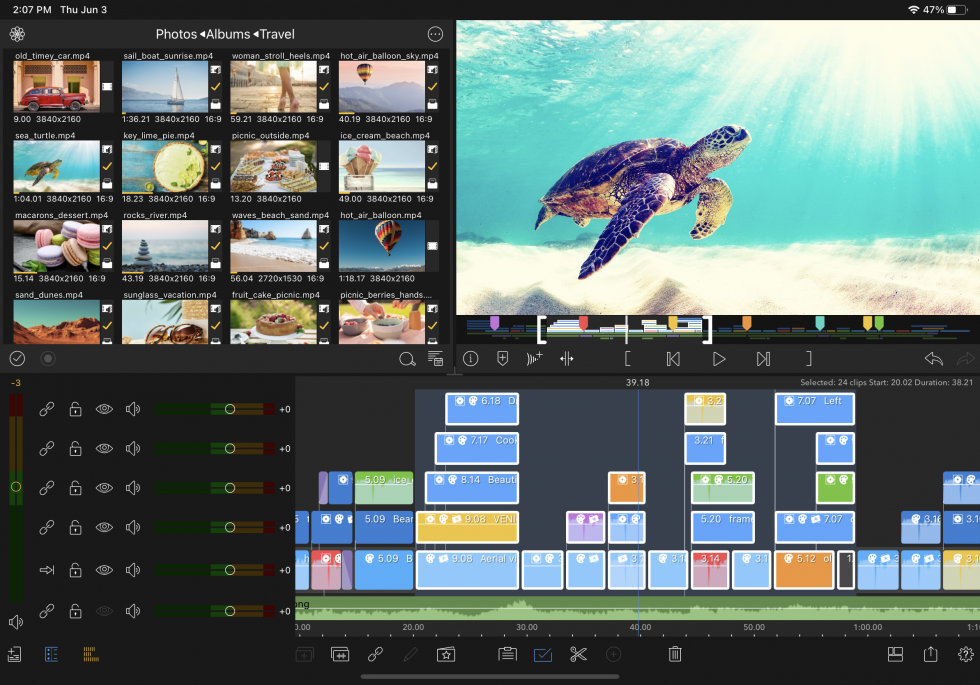
    3. LumaFusion

    Best for Cinematic Projects and Semi-Pro Editors

    • Platforms: iOS, iPadOS
    • Watermark: None
    • Price: One-time fee (~$29.99)
    • New in 2025: Native support for Apple M3 chip, stabilized exports

    Why It’s Great:
    LumaFusion turns your iPhone or iPad into a full-blown editing suite. Perfect for indie filmmakers, vloggers, or YouTubers who need color grading, motion effects, and full control.

    Ideal for: Editors coming from Final Cut or Premiere looking to edit on-the-go.

    Pros:

    • Multi-track editing
    • Pro transitions and titles
    • Advanced color correction tools

    Cons:

    • Not available on Android
    • Learning curve is steeper than VN or InShot

    4. InShot

    Best for Beginners and Casual Editors

    • Platforms: iOS, Android
    • Watermark: Yes (can be removed with Pro)
    • Price: Free with Pro tier (~$3.99/month)
    • New in 2025: Auto music sync, better portrait export presets

    Why It’s Great:
    InShot is perfect for creators who want quick, fun edits without the learning curve. Drag-and-drop effects, animated text, and filters are its strong points — and it’s optimized for vertical videos.

    Ideal for: Instagram users, vloggers, small business promos

    Pros:

    • Super easy to use
    • Great for fast-paced vertical content
    • Nice built-in music and filters

    Cons:

    • Watermark on free plan
    • Limited advanced control (no keyframes)

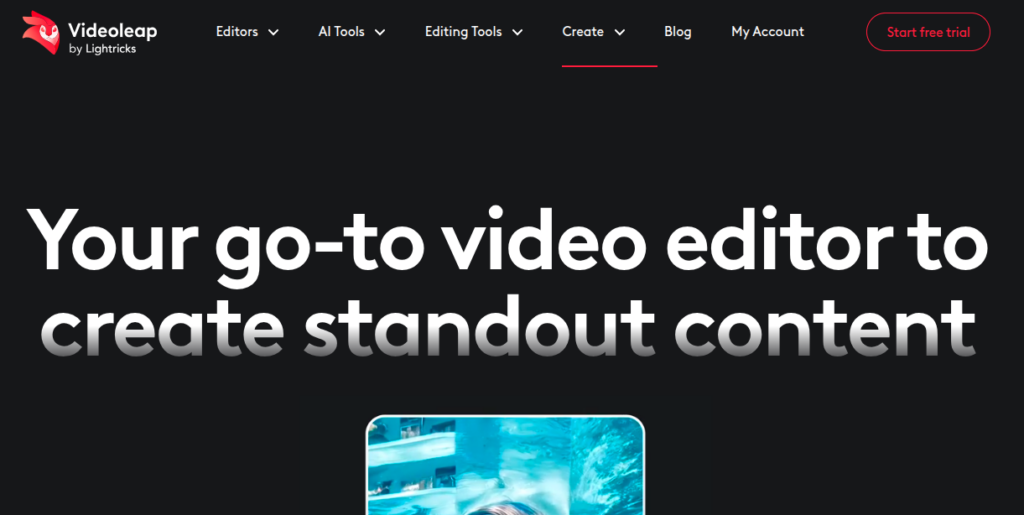
    5. Videoleap

    Best AI-Powered Editing App in 2025

    • Platforms: iOS, Android
    • Watermark: Yes (Pro removes it)
    • Price: Freemium, Pro starts ~$7.99/month
    • New in 2025: AI Cut Pro for auto-editing full reels from raw clips

    Why It’s Great:
    Videoleap has leaned hard into AI in 2025. Upload a bunch of footage, and the app generates a polished, trendy edit in seconds — complete with transitions, music, and effects. You can then tweak the result with its advanced editor.

    Ideal for: Creators who want fast results with minimal effort.

    Pros:

    • Stunning auto-edits
    • Lots of trendy effects and overlays
    • Powerful manual editing for when needed

    Cons:

    • Free version has limits and watermark
    • Pro plan is a bit pricey compared to peers

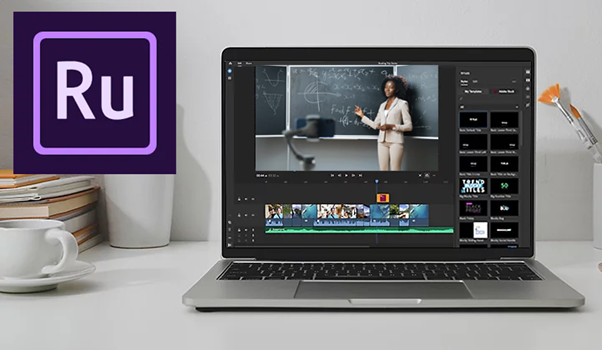
    6. Adobe Premiere Rush

    Best for Cross-Platform Editing & Sync

    • Platforms: iOS, Android, Desktop
    • Watermark: None (with Adobe account)
    • Price: Included with Adobe Creative Cloud or $9.99/mo
    • New in 2025: AI Voiceover Narrator + Desktop-to-Mobile Sync 2.0

    Why It’s Great:
    If you edit across devices — say, film on your phone and finish on your laptop — Rush is unbeatable. It integrates with Adobe Creative Cloud, so files sync automatically and you get access to Adobe’s fonts, stock, and templates.

    Ideal for: Vloggers and semi-pros who want seamless workflow between devices.

    Pros:

    • Clean timeline, easy interface
    • Adobe cloud sync
    • Direct export to YouTube, TikTok, Instagram

    Cons:

    • Not as trendy as CapCut or VN
    • Paid plan needed for most cloud features

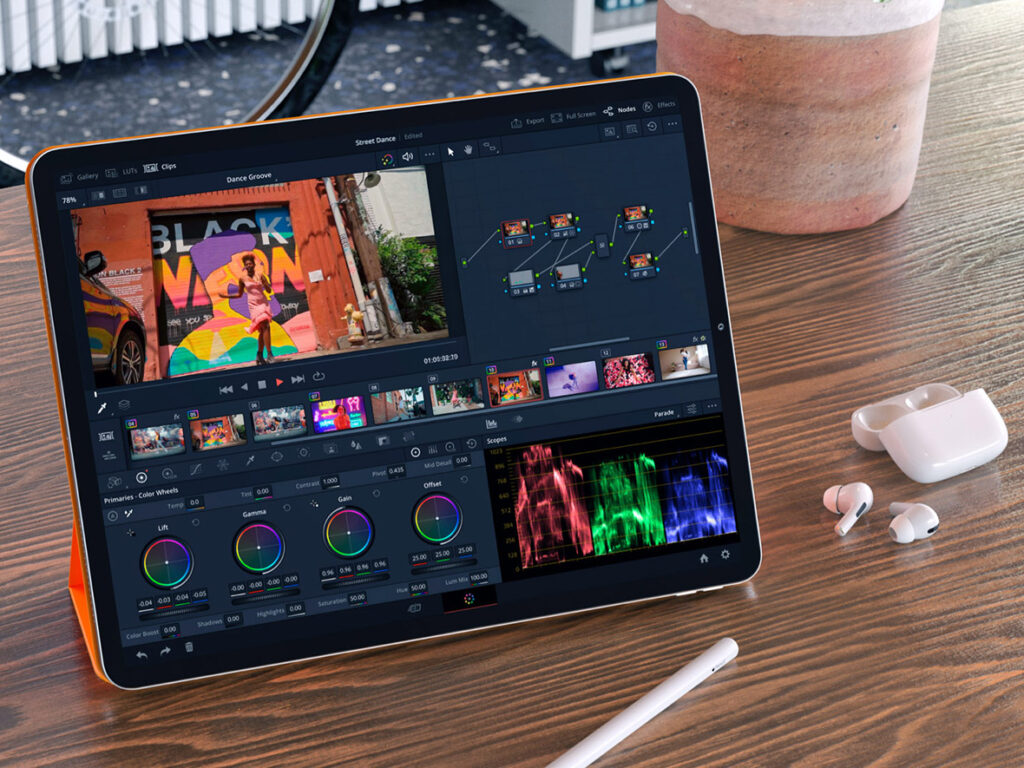
    7. DaVinci Resolve for iPad

    Best for Pro Editing on Tablet (2025 Beast Mode)

    • Platforms: iPadOS (M1/M2/M3 only)
    • Watermark: None
    • Price: Free core version; $95 for Studio
    • New in 2025: Magic Mask AI now optimized for touch, HDR-ready exports

    Why It’s Great:
    DaVinci is a serious editor — the same one used for Netflix-level productions. In 2025, the iPad version is faster, smarter, and fully touch-optimized. It’s the closest you’ll get to a desktop NLE on mobile.

    Ideal for: Professionals editing documentaries, ads, or YouTube series on iPad.

    Pros:

    • Full-blown editing suite
    • AI features like object tracking, voice isolation
    • No watermarks, even on free version

    Cons:

    • Only works on newer iPads
    • Learning curve for casual users

    How We Ranked These Video Editing Apps for 2025

    To find the best video editing apps for iOS and Android this year, we tested 25+ apps based on the features that matter most in 2025. We didn’t just go by app store ratings — we used them, abused them, and exported dozens of test videos on both iPhone 15 and flagship Androids (Samsung S24, Pixel 8 Pro). Here’s how we picked the top 7:

    FactorWhy It Matters
    Ease of UseCan you create a good video fast, even as a beginner?
    Editing PowerDoes it offer multi-layer editing, keyframes, masks, and transitions?
    AI FeaturesIs there automatic scene cutting, voice cleanup, or smart templates?
    Export QualityCan you export 4K without watermarks? How fast is rendering?
    Platform SupportDoes it work on both iOS and Android? Any sync with desktop?
    Value for MoneyFree features vs paid plan — is the upgrade worth it?
    Community & SupportIs there a helpful creator community or regular updates?

    We didn’t just list apps, we edited real content with them, including:

    • Instagram reels
    • TikTok short skits
    • YouTube vlog intros
    • Promo videos with voiceovers and captions
    • AI-generated reels vs manual edits

    Each app was scored from 1–10 per category. The apps that made our Top 7 had to hit at least 8/10 on three or more factors, no exceptions.

    Which Video Editing Apps Should You Use in 2025?

    Not all apps are made for the same creator. Here’s a quick guide to help you choose based on your goals:

    1. CapCut

    If you’re just starting and want to post clean, polished videos fast — CapCut is unbeatable.

    • Why it works: Intuitive UI, drag-and-drop effects, auto-captions, and templates.
    • Perfect for: Reels, TikToks, and simple YouTube Shorts.

    2. VN Video Editor

    For long-form content with multiple layers and audio syncing, VN gives you near-premium tools for free.

    • Why it works: Advanced timeline, no watermark, multi-track support.
    • Perfect for: Vlogs, tutorials, and cinematic B-roll.

    3. Videoleap

    Want to create scroll-stopping content in minutes? Videoleap’s AI can auto-cut, auto-caption, and even suggest templates.

    • Why it works: Smart trimming, AI script-to-video, and social optimization.
    • Perfect for: Instagram Reels, product promos, and content batching.

    4. LumaFusion (iOS Only)

    Editing on iPad or iPhone and want Final Cut-level control? LumaFusion is the go-to.

    • Why it works: Color correction, keyframes, LUTs, and pro audio tools.
    • Perfect for: Filmmakers, YouTube creators, and mobile-first professionals.

    5. Adobe Premiere Rush

    If you want to start on your phone and finish on your desktop — or vice versa — Rush is seamless.

    • Why it works: Syncs with Adobe Cloud, auto reformatting, clean UI.
    • Perfect for: Creators in the Adobe ecosystem and hybrid mobile-desktop workflows.

    6. InShot

    Want to stylize your videos with trendy transitions, music, and filters? InShot does it all — no fuss.

    • Why it works: Powerful presets, viral music library, glitch/strobe/speed effects.
    • Perfect for: Trend-based content, edits on the go, and daily creators.

    Top 5 AI-Powered Video Editing Apps in 2025

    If you’re editing videos on the go, it’s important to pick a phone that handles AI-powered apps smoothly. We’ve tested these video editing apps on some of the best budget Android phones, and the results might surprise you.”. These five apps are leading the way in 2025 with smart features that make editing faster, easier, and more professional.

    1. Videoleap (iOS & Android)

    Best for: Fast, stylish edits powered by AI

    • Script-to-video with voiceovers
    • AI scene detection and smart trimming
    • Template suggestions based on your footage
    • Background removal and auto-captions

    Why it’s trending: Creators love how fast they can go from raw clips to polished social videos — without touching a timeline.

    2. CapCut (iOS, Android, Desktop)

    Best for: Social-first creators who want automation with control

    • Auto-captions, auto-beat sync, and motion tracking
    • AI-based “CapCut Assist” edits based on your niche
    • Trending templates + background generation with AI

    Why it stands out: TikTok integration and community-driven effects make it a viral video machine.

    3. Runway ML (Web + iOS companion)

    Best for: High-end AI effects and green screen magic

    • Text-to-video tools
    • AI video background replacement
    • Motion tracking and object removal
    • Script-based scene editing

    Why pros use it: Runway is like having a VFX studio in your pocket. It’s ideal for creators who want to look high-budget without actually spending big.

    4. Pika Labs (Web-based)

    Best for: Creating stunning animations and 3D AI video from text

    • Text-to-video animation
    • Style selection (anime, cinematic, abstract)
    • Fast rendering and customizable prompts

    Why it’s hot in 2025: Used by both marketers and TikTokers for eye-catching intros and effects no one else is using — yet.

    5. Descript (Desktop + App companion)

    Best for: Editing by editing text, not timelines

    • Turn transcripts into cuts
    • Remove filler words with one click
    • Auto-podcast + social clip generation
    • Green screen + voice cloning features

    Why it’s revolutionary: Great for creators who talk to the camera or need fast turnaround on educational or talking-head content.

    Which AI Video Editing Apps Should You Choose?

    There’s no one-size-fits-all, but here’s the cheat code:

    • Want the fastest edits for TikTok or Reels? Go with CapCut or Videoleap
    • Want cinematic quality with AI magic? Try Runway ML or Pika Labs
    • Want zero timeline headaches and clean talking-head content? Descript is your best friend

    Once you’ve used one of these AI video editing apps to polish your content, tools like the SnapTik app make it easy to download and share your TikToks without watermark. Many of these tools have free plans — so test 2 or 3 before committing. The best app is the one that fits your content style and workflow.

    Don’t Miss These Handy Tools for Your Creative Journey!

    While you’re working on your video projects, be sure to check out these other great resources:

  • AI Jobs Listings: What Roles Are in Demand in 2025?

    AI Jobs Listings: What Roles Are in Demand in 2025?

    In 2025, 97 million new jobs will be created by artificial intelligence. Sounds glorious, doesn’t it? Until you realised it will also scrap 85 million old ones without asking for permission. 

    Putting it simply, AI isn’t knocking politely on the job market’s door, it’s barging in with a suitcase full of resumes and a wrecking ball for outdated careers.

    The question isn’t whether your job will change, but how soon and if you’ll still be holding a badge when it does. I’m not here to glamourise the situation. We either adapt, or we become cautionary stories. 

    So, let’s get straight into it. Where are the opportunities, what skills will be currency, and what on earth are employers actually looking for?

    AI Jobs Demand Across Industries

    If you think AI jobs are limited to nerds in hoodies tapping away in Silicon Valley basements, think again. Healthcare is already using AI for diagnosis better than half the doctors you know. 

    Finance relies on algorithms that sniff out fraud faster than a pack of bloodhounds. Logistics? AI is practically running the show, plotting delivery routes while humans argue over parking spaces.

    According to CompTIA, AI-related job listings jumped by 32% in 2024 alone. Glassdoor says searches for AI jobs tripled in the same period. It’s not slowing down but accelerating like a Formula 1 car on fresh tyres.

    Here’s where the hottest demand is boiling over:

    • Tech: AI developers, systems architects, data strategists
    • Healthcare: Medical imaging AI specialists, clinical data analysts
    • Finance: Fraud detection experts, AI risk modellers
    • Manufacturing: Smart factory engineers, robotics maintenance specialists
    • Retail and Marketing: AI customer behaviour analysts, personalisation platform managers

    In short, if you work in any of these sectors and you’re not at least conversing with AI, you’re falling towards professional extinction.

    Most In-Demand AI Job Roles in 2025

    Here’s the real meat. May I let you know that these roles are not predictions. They’re already booking meeting rooms.

    1. AI / ML Engineer

    AI and machine learning engineers design systems that learn from data to make predictions, automate tasks, and improve over time. From chatbots to self-driving cars, they power the AI we interact with daily. With demand rising across industries like tech, finance, and healthcare, this role is at the center of AI innovation.

    The required skills are as follows:

    • Python
    • TensorFlow
    • deep learning
    • data science
    • cloud computing

    Average Salary: $128,000–$185,000 per year
    Expected to grow significantly through 2030

        2. Machine Learning Engineer

        Machine Learning Engineers build algorithms that allow systems to learn from data and make accurate decisions, without being explicitly programmed. They’re behind everything from Netflix recommendations to fraud detection systems.

        As businesses automate more processes, ML engineers are critical for designing models that scale and improve over time.

        The required skills are as follows:

        • Python
        • Scikit-learn
        • PyTorch
        • data engineering
        • model deployment (MLOps)

        Average Salary: $101,000–$257,000 per year
        High-growth, especially in fintech, healthcare, and big tech

        3. Data Scientist

        Data Scientists analyze large sets of data to uncover patterns, predict outcomes, and provide actionable insights. They use statistical and machine learning methods to solve business problems and guide decision-making. As companies rely more on data to gain a competitive edge, Data Scientists are essential for turning raw data into strategic advantages.

        The required skills are as follows:

        • Statistical analysis
        • machine learning
        • data visualization (Tableau, PowerBI)
        • SQL
        • big data tools (Hadoop, Spark)

        Average Salary: $95,000–$100,000 per year
        Strong demand in industries like healthcare, finance, and tech

        4. AI Research Scientist

        AI Research Scientists push the boundaries of artificial intelligence, developing groundbreaking algorithms and models. They are the masterminds behind new AI technologies, from advanced machine learning techniques to innovations in natural language processing and robotics.

        As AI continues to evolve, the need for visionary researchers to drive the next wave of innovation is crucial. These experts work at the forefront of AI, paving the way for the technologies that will shape the future.

        The required skills are as follows:

        • Deep learning
        • advanced statistics
        • machine learning
        • algorithm design
        • Python programming language (and other languages like C++ or Java)
        • research methodologies

        Average Salary: $161,000–$258,000 per year
        High demand in both academia and industry, especially for tech giants and research labs

        5. AI Product Manager

        AI Product Managers lead the strategy, development, and launch of AI-powered products. They bridge the gap between the technical team and business stakeholders, ensuring that AI solutions meet user needs and business goals. From concept to market, they drive the AI product lifecycle.

        As companies increasingly focus on AI-driven solutions, the demand for skilled product managers who can guide AI projects from idea to execution is growing rapidly.

        Required skills:

        • Product management
        • AI and machine learning understanding
        • Cross-functional collaboration
        • Strategic thinking
        • Agile methodologies
        • Communication and leadership skills

        Average Salary: $140,000+ per year (depending on experience)
        Strong demand across tech companies and startups

        6. Robotics Engineer

        Robotics Engineers design intelligent robots that can handle manual tasks and, in some cases, think autonomously. These engineers work on creating robots that can perform actions traditionally done by humans, but with greater precision and efficiency.

        As automation continues to take over industries, the demand for Robotics Engineers who can create these smart machines is increasing.

        Required skills:

        • Robotics design
        • AI integration
        • Mechanical engineering
        • Programming (Python, C++)
        • Sensors and automation technology

        Average Salary: $90,000–$150,000 per year
        High demand in manufacturing, healthcare, and logistics industries

        7. Prompt Engineer

        Prompt Engineers specialize in crafting inputs for large language models like ChatGPT or Gemini to ensure high-quality outputs. This emerging role is critical in getting the most out of AI systems and is evolving rapidly.

        As AI tools become more integrated into daily life, Prompt Engineers are needed to fine-tune and optimize AI responses.

        Required skills:

        • Understanding of AI language models
        • Data analysis
        • Prompt crafting and optimization
        • Natural language processing
        • Creativity and problem-solving

        Average Salary: $95,000–$270,000 per year
        Rapid growth, especially in AI-focused tech companies

        8. AI Cybersecurity Analyst

        AI Cybersecurity Analysts protect digital systems from AI-driven cyberattacks. They develop advanced security measures to defend against emerging threats posed by AI technologies. Think of them as digital bodyguards, but faster and more intuitive.

        With the rise of AI-enhanced cyber threats, this role is becoming increasingly essential for companies in all sectors.

        Required skills:

        • Cybersecurity protocols
        • AI-driven threat detection
        • Cryptography
        • Risk assessment
        • Python, Java

        Average Salary: $95,000–$160,000 per year
        Strong demand across tech, finance, and government sectors

        9. AI Ethicist

        AI Ethicists ensure that AI systems operate in a way that is fair, transparent, and free from bias. They address the moral and societal challenges posed by AI, ensuring that machines don’t harm people or society. This role has quickly gained importance as AI’s influence grows.

        As AI becomes more integrated into decision-making, the ethical implications are becoming a critical area of focus.

        Required skills:

        • Ethics in technology
        • AI transparency
        • Bias mitigation
        • Policy development
        • Communication skills

        Average Salary: $100,000–$160,000 per year
        Growing demand, especially in tech companies and governmental organizations

        10. AI Trainer

        AI Trainers help artificial intelligence systems learn by providing human feedback to improve the AI’s performance. These trainers ensure that models become more accurate and efficient over time, guiding AI to understand and respond better.

        As AI continues to evolve, these professionals will play a key role in shaping AI capabilities.

        Required skills:

        • Machine learning
        • Data labeling
        • Human-AI interaction
        • Feedback loops
        • Communication skills

        Average Salary: $80,000–$130,000 per year
        Increasing demand as AI tools expand into new sectors

        11. AI Governance Specialist

        AI Governance Specialists define the rules and policies around AI usage within companies and governmental bodies. These professionals ensure that AI systems are used ethically, legally, and responsibly, essentially acting as the “new law-makers” for AI technology.

        With AI becoming ubiquitous, governance is becoming a top priority.

        Required skills:

        • AI policy development
        • Legal and regulatory knowledge
        • Risk management
        • Strategic thinking
        • Communication skills

        Average Salary: $110,000–$170,000 per year
        High demand as companies need regulatory compliance in AI deployment

        12. Synthetic Data Engineer

        Synthetic Data Engineers create realistic, privacy-safe datasets to train AI models. This allows companies to build AI systems without using real data that might breach privacy laws. Synthetic data has become a critical asset as AI adoption grows.

        This emerging field is vital for developing AI responsibly.

        Required skills:

        • Data generation techniques
        • Machine learning
        • Privacy laws
        • Python programming language
        • Statistical analysis

        Average Salary: $100,000–$155,000 per year
        Growing demand, especially in tech and data-driven industries

        13. AI Creativity Director

        AI Creativity Directors combine artistic vision with AI technology to drive creative projects in marketing, media, and entertainment. They use AI tools to create new types of content, blending technology with artistic expression.

        As AI takes on a more creative role, this unique role is becoming more important in various industries.

        Required skills:

        • AI in creative fields
        • Creative direction
        • AI tools for design and content generation
        • Collaboration skills
        • Innovation

        Average Salary: $115,000–$180,000 per year
        High demand in media, marketing, and entertainment sectors

        No, I didn’t make any of these up, you just haven’t seen half of them because they’re arriving faster than the market can even post job ads.

        Old Skills Meet AI: Evolving Traditional Jobs

        If you thought only tech people needed to panic, well, you’re wrong.

        • Marketers must now use AI-driven customer segmentation tools.
        • Lawyers are automating discovery processes with machine learning.
        • Teachers are deploying AI-tutors personalised to every student’s learning style.

        Companies are no longer simply rewriting job descriptions. They’re burning the old templates, pouring a drink, and starting from scratch.

        Take Unilever, for example. Their HR staff now use AI to screen candidates before a human even touches a CV. In hospitals, AI interprets MRI scans faster than some radiologists.

        It’s not about fighting machines, you need to ride them.

        Emerging AI-Driven Roles

        Some careers didn’t even exist five years ago — now, they’re goldmines.

        • AI Policy Advisors: Advising governments and corporations on safe AI deployment.
        • Human-AI Interaction Designers: Making AI systems easier for humans to engage with.
        • Synthetic Voice Designers: Creating the tone and style of AI-generated speech.
        • AI Bias Auditors: Evaluating systems for bias and discrimination risks.

        Gartner predicts that by 2027, corporate legal, risk, and compliance functions will double their technology spending, driven largely by the adoption of AI, while investments in AI governance are expected to grow significantly across industries. Let that sink in.

        Top Skills Professionals Need to Stay Competitive

        AI jobs

        Hard Skills:

        • Machine Learning (using libraries like TensorFlow, PyTorch)
        • Programming (Python, R, C++)
        • Data Analytics (SQL, Tableau)
        • Prompt Engineering
        • AI Ethics (Understand bias, fairness, transparency)

        Soft Skills:

        • Critical Thinking (machines handle patterns, humans handle judgment)
        • Creativity (machines can’t ideate… yet)
        • Adaptability (AI will keep evolving)
        • Communication (translating AI outputs into plain English for decision-makers)

        The smartest professionals are blending technical know-how with human insights. That’s the sweet spot.

        How Companies Are Changing Hiring Processes

        AI Job in Demand 2025

        Gone are the days when AI knowledge was “nice to have.” Now, if you’re an accountant, Amazon expects you to understand automated ledger analysis. If you’re a doctor, you need to know AI-assisted diagnosis tools.

        Firms like PwC, Amazon, and JPMorgan have already rewritten their job listings to include AI literacy requirements. Even creative agencies are sneaking “experience with AI tools” into design job descriptions.

        The message is that if you can’t collaborate with AI, someone else will.

        AI isn’t the enemy. Complacency is.

      1. How to Backup Files on Windows 10 and Windows 11

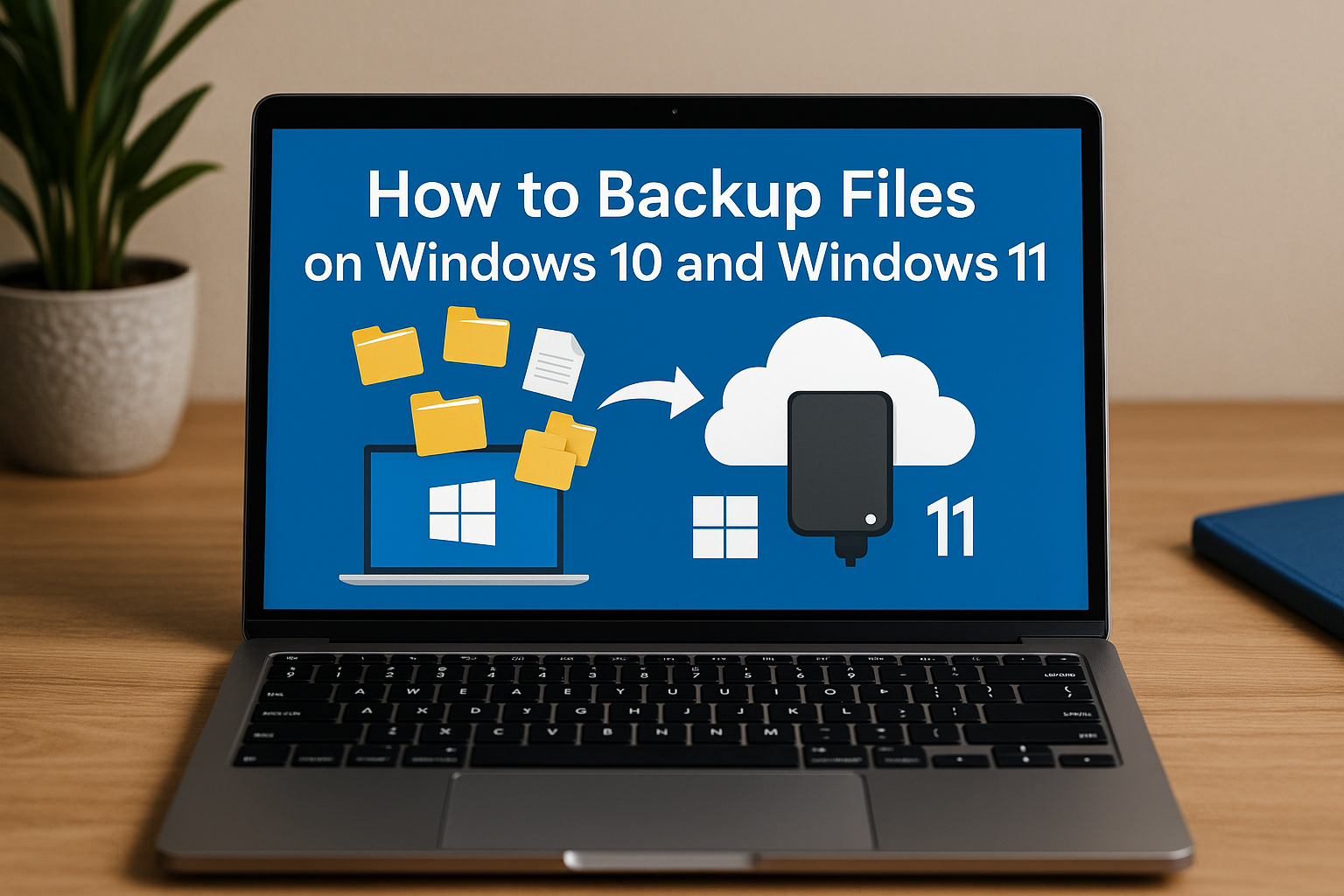
        How to Backup Files on Windows 10 and Windows 11

        Imagine turning on your computer one day only to find your files, photos, and work are all gone. It happens more often than you think, but it’s easily preventable with the right backup plan. Windows 10 and Windows 11 offer powerful tools to back up everything you care about, whether you use an external drive or cloud storage. This guide will walk you through the easiest ways to set up your backup and secure your digital life.

        1. How to Backup Files Using File History (Windows 10 and Windows 11)

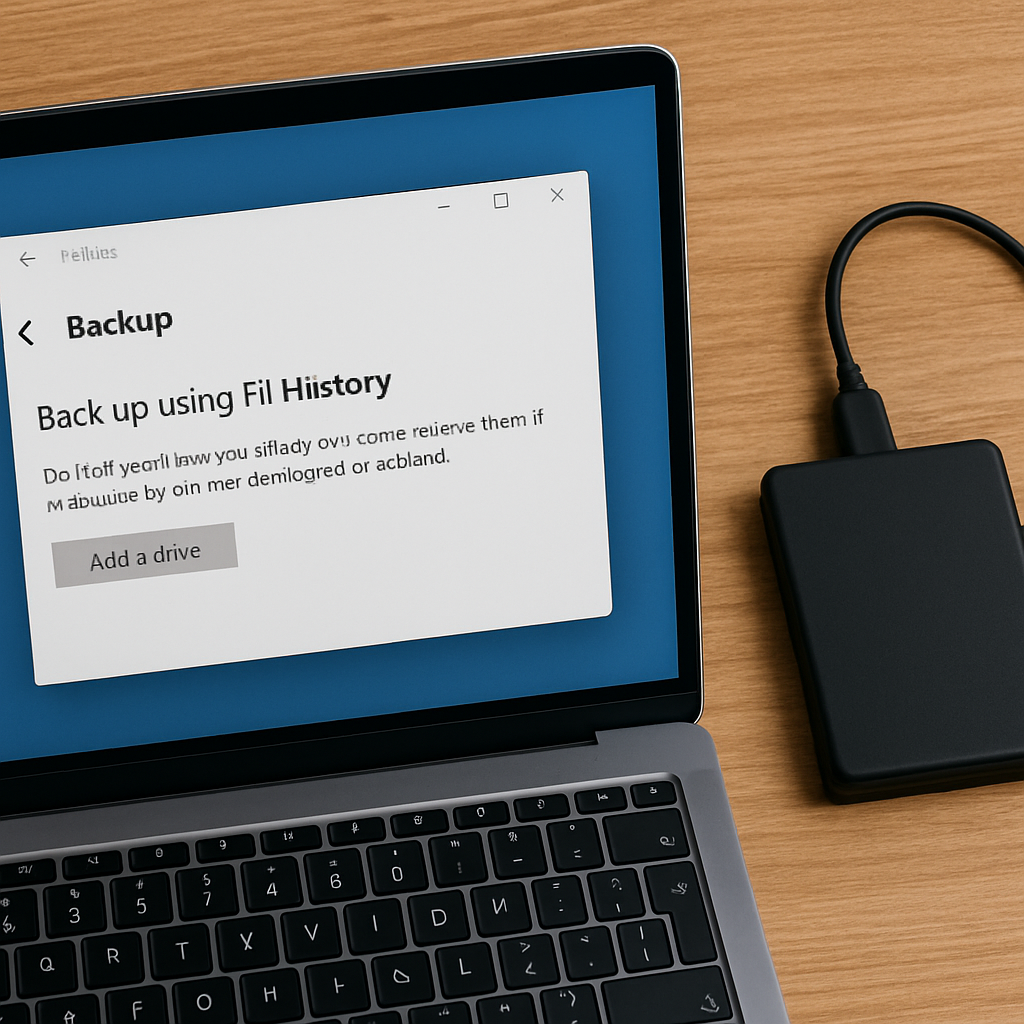
        File History automatically backs up important folders like Desktop, Documents, Pictures, and Music. It’s an easy-to-use tool that helps you quickly recover files if they get lost or corrupted.

        Backup Windows 10 to External Drive

        • Step 1: Connect an external drive to your PC.
        • Step 2: Go to Settings > Update & Security > Backup.
        • Step 3: Click Add a drive and select your external drive.
        • Step 4: Turn on Automatically back up my files.
        • Step 5: Click More options to choose which folders to back up and how often.
        How to back up Windows 10 and Windows 11

        Backup Windows 11 to External Drive

        • Step 1: Connect your external drive.
        • Step 2: Open the Search bar and type File History.
        • Step 3: Select File History from the search results.
        • Step 4: Click Select drive and choose your backup drive.
        • Step 5: Turn on File History to start backing up your files.

        Note: Windows 11 limits File History to certain folders. To back up other locations, move files into the default folders.

        2. How to Use Windows Backup App

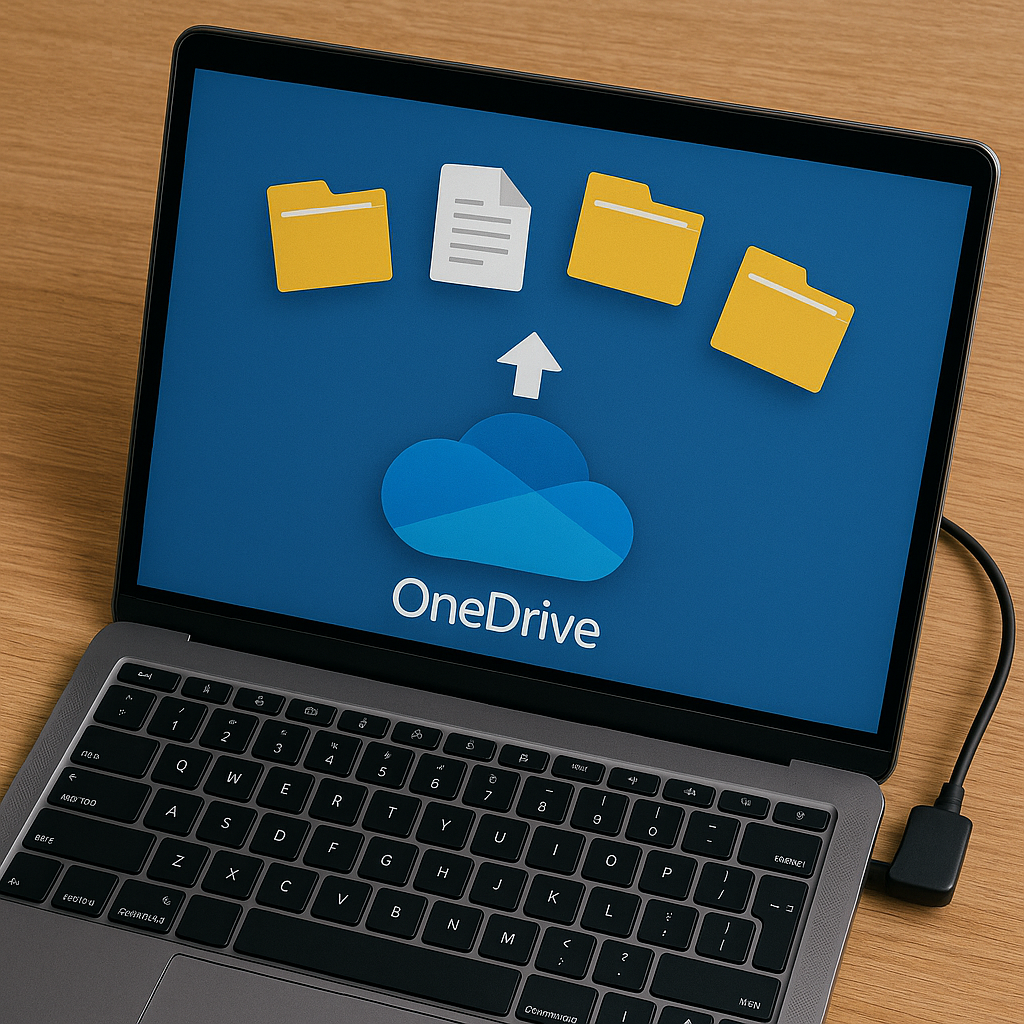
        The Windows Backup app lets you back up settings, files, and apps directly to the cloud (OneDrive). It’s a seamless option if you want to ensure your data is accessible from any device.

        How to Set Up Windows Backup

        • Step 1: Open Settings > Accounts > Windows backup.
        • Step 2: Sign in with your Microsoft account.
        • Step 3: Turn on the options for:
          • Remember my apps
          • Remember my preferences
          • Back up my files to OneDrive

        This makes switching to a new device or recovering files very easy.

        3. How to Create a Full System Image Backup (Windows 10/11)

        System Image Recovery creates a complete copy of your system, including Windows, settings, apps, and files. It’s a great way to ensure that if your system fails, you can quickly restore everything to its original state.

        Create a System Image Backup

        • Step 1: Connect an external hard drive (formatted as NTFS).
        • Step 2: Open the Control Panel.
        • Step 3: Go to Backup and Restore (Windows 7).
        • Step 4: Click Create a system image on the left.
        • Step 5: Choose your external drive or network location.
        • Step 6: Follow the prompts and click Start backup.

        Tip: You must create new system images regularly to keep your backup updated. Make sure your drive has enough space to store the image.

        4. Best Third-Party Backup Tool Option: EaseUS Todo Backup

        For users looking for more flexibility beyond the built-in Windows tools, third-party software like EaseUS Todo Backup can be considered. It offers a variety of features such as:

        • Backing up individual files, folders, entire partitions, or the full system.
        • Scheduling automatic backups based on your preferred frequency.
        • Cloning hard drives for easy migration or upgrades.
        • Saving backup copies to external drives, cloud services, or network storage (NAS).

        EaseUS Todo Backup has both free and paid versions available. Users can explore these options based on their backup needs and preferences.

        Frequently Asked Questions (FAQ)

        Q: How often should I back up my files on Windows?
        It’s recommended to set up automatic backups through File History or Windows Backup to back up your files daily or weekly, depending on your needs.

        Q: Can I back up my system to a cloud service like OneDrive?
        Yes, Windows allows you to back up important files to OneDrive using the Windows Backup app. However, a full system backup (like a system image) requires external or network storage.

        Q: What’s the difference between File History and System Image Recovery?
        File History backs up individual files and folders, allowing you to recover previous versions. System Image Recovery creates a complete snapshot of your entire system, including Windows, settings, and apps, which can be restored in case of major system failure.

      2. Anonymous Messages 2025: Why Vibebo Is the Only App Getting It Right

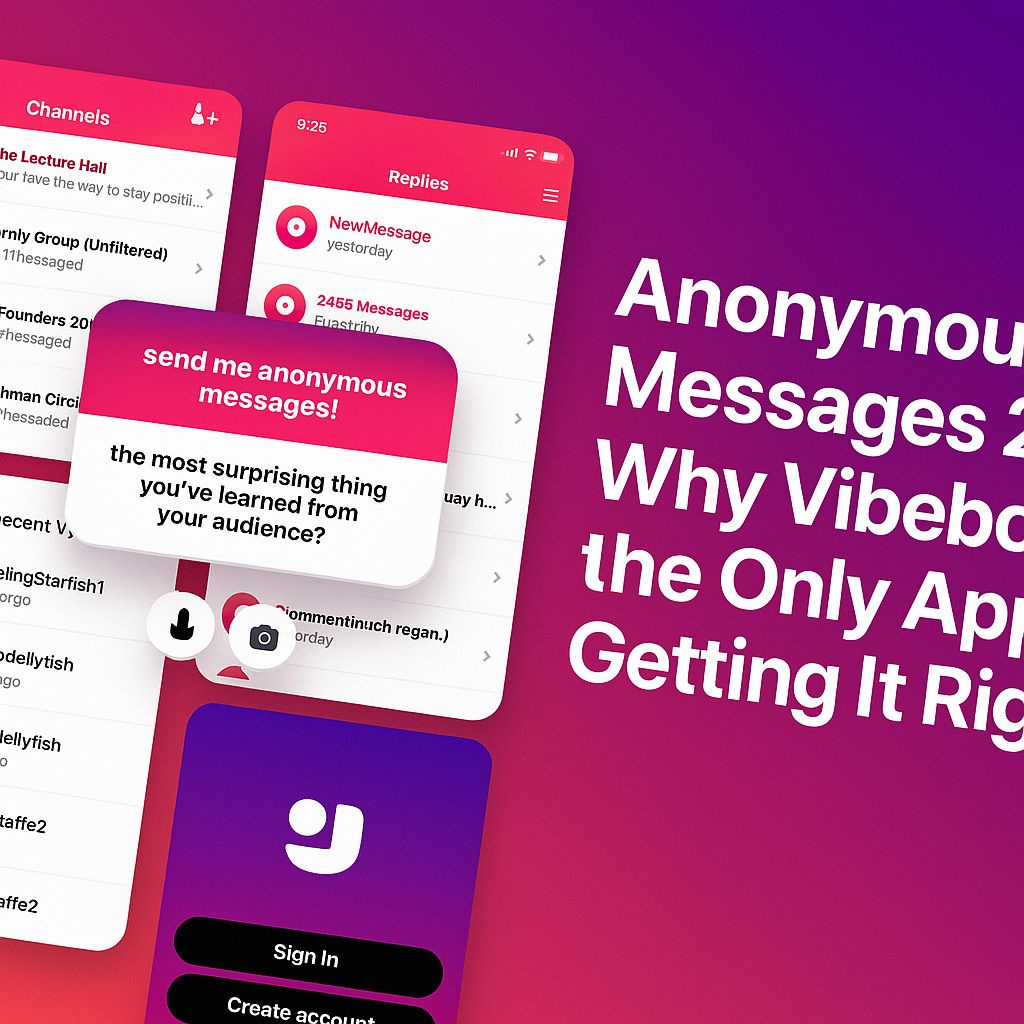
        Anonymous Messages 2025: Why Vibebo Is the Only App Getting It Right

        It’s 2025. An era of overwhelming DMs, “seen” zones, and social media pressure. And then there’s Vibebo — the one app that actually understands anonymous messaging, not just as a feature, but as a feeling.

        After using it across both Android and iOS, here’s the honest truth: Vibebo just gets it.

        It’s Not Just Anonymous — It’s Designed to Feel Safe

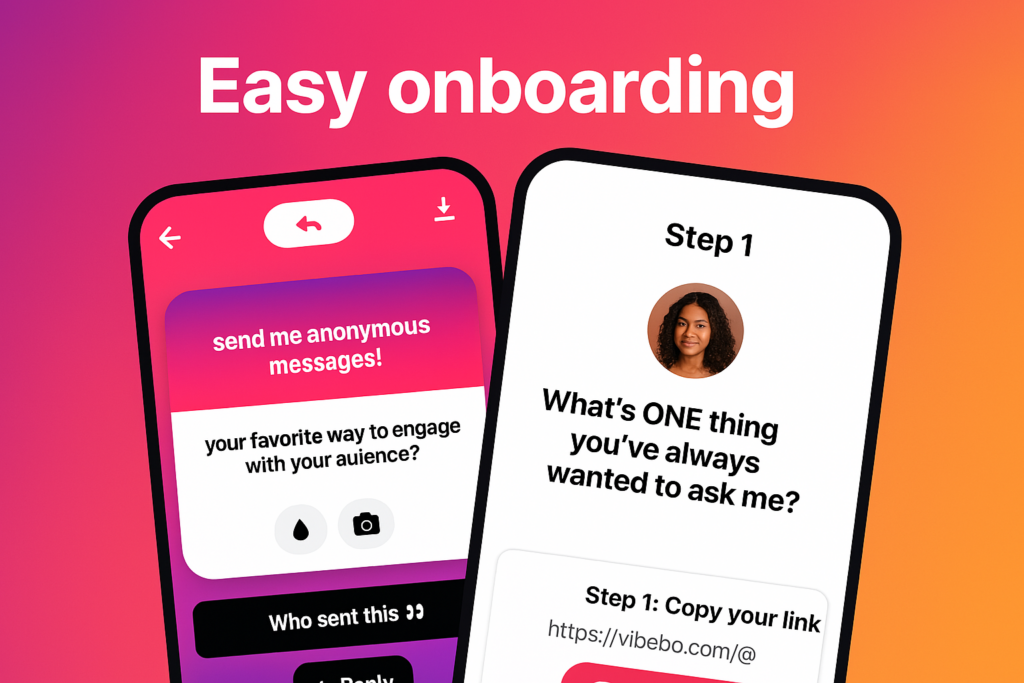
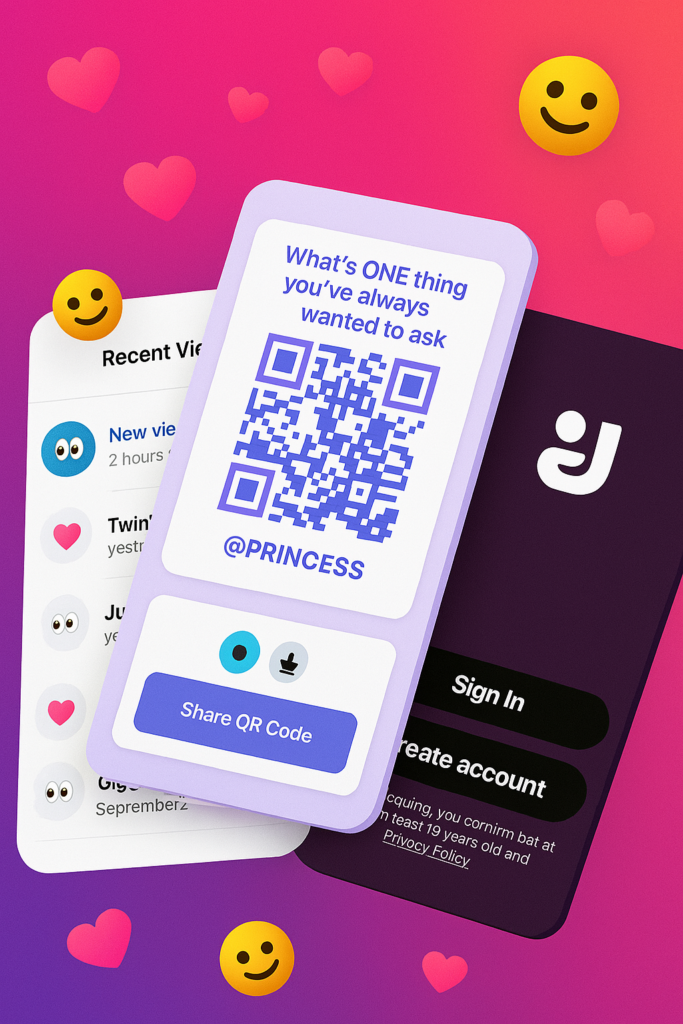
        easy onboarding for anonymous messaging

        From the moment you log in, Vibebo looks and feels intentional. The onboarding is smooth. No fluff. The interface feels like it was built to reduce social pressure, not add to it.

        The “Playground” tab becomes your hub — where you receive anonymous messages and get to reply, publicly or privately. But what really stands out is the level of control it gives you. You can:

        • Hide specific words
        • Block specific users (yes, even anonymous ones)
        • Pause your profile link anytime
        • And toggle Advanced Message Filtering if you’re not in the mood for chaos.
        • It’s like having a personal bouncer for your inbox.

        Channels Are the Game-Changer

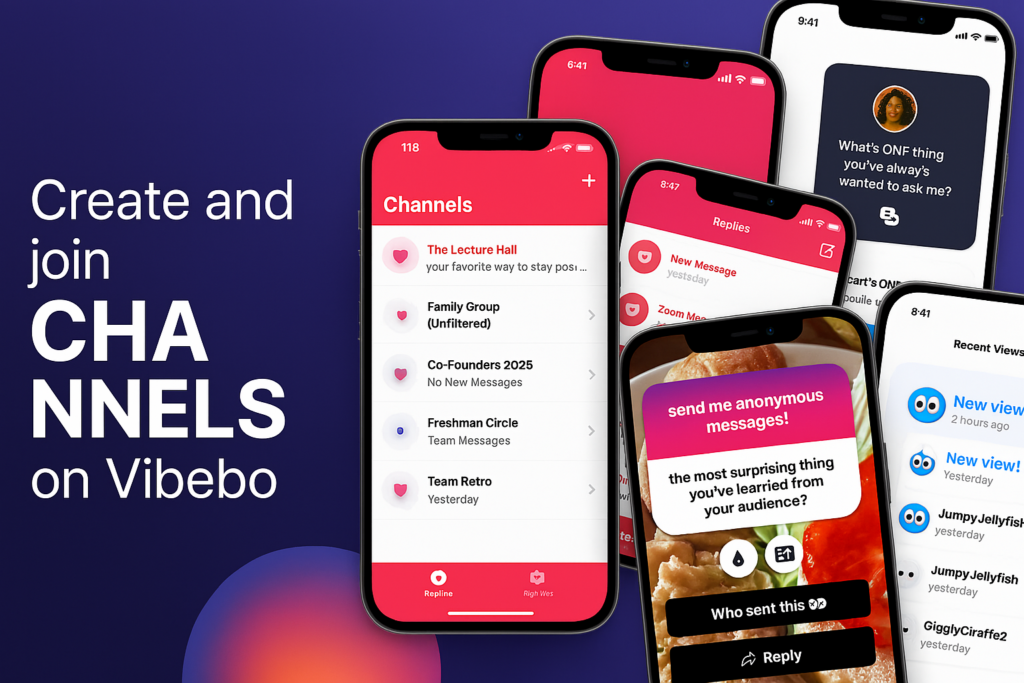
        create channels for anonymous messages

        While most anonymous messaging apps are focused on individual clout, Vibebo introduces a completely new social layer: Channels.

        Whether you are:

        • Class Reps collecting feedback
        • Clubs or Orgs handling suggestions
        • Work Teams encouraging honest input
        • Influencers or Creators managing fan messages

        Channels let groups receive anonymous messages. That’s big. It opens the door for big or small teams to collect messages and feedback anonymously — all in one place.

        As a channel owner, you get full control over message moderation. Others in your team can view the responses, but no one can delete what they didn’t start. Pure transparency. Pure vibes.

        Smart, But Still Fun

        Vibebo is anonymous, but it doesn’t feel cold or impersonal. There’s a touch of play in everything:

        • The colourful QR posters with lines like “What’s ONE thing you’ve always wanted to ask me?”
        • The ability to reply with a tap
        • The quirky usernames in “Recent Views” like JumpyJellyfish or TwinklingStarfish
        • It’s a mix of deep honesty and Gen Z energy. You feel seen — even when you’re unseen.

        Sharing Is Effortless

        Sharing your Vibebo is smoother than ever. Just tap “Share Profile,” copy the link or grab the QR code. It’s designed for real-world use — from classrooms to campus events, team-building sessions, or friend circles.

        One post. One link. Endless messages.

        Vibebo Feels Like the First App That Cares

        Let’s be honest. Most anonymous apps end up becoming chaos. But Vibebo’s layered design — with advanced safety controls, invite-only channels, real-time views, and an actual message review experience — makes you feel safe and curious at the same time.

        Try it for yourself: vibebo.com/download

      3. Best Ad Blocker for YouTube on iPhone & Android

        Best Ad Blocker for YouTube on iPhone & Android

        Are you on the lookout for the best YouTube ad blocker? Then this post is exactly what you need.

        YouTube is one of the most popular online video-sharing platforms in the world, with over 2.1 billion monthly active users. Giving creators, artists, and businesses the opportunity to promote and grow their audience. It also presents students with inexhaustible streams of information. The cherry on the cake? It’s completely free to watch and upload content on YouTube.

        Yet, YouTube video ads and pop-ups can be ridiculously frustrating. Viewers find it difficult to stream content on YouTube without irksome ads flying all over their screens. It slows traffic, increases data usage, and makes you susceptible to online threats, spear phishing, and other malware.

        Below, we compiled a detailed list of some of the best YouTube ad blockers to aid your free streaming on YouTube and protect your device from trackers.

        Best Ad Blocker for YouTube on Android, Mac, And iOS

        1. AdBlock

        AdBlock is an open-source software that gives users control over unwanted YouTube ads and pop-ups. With over 60 million users worldwide, it blocks third-party trackers and enhances privacy.

        Key features include:

        • Custom ad blocking rules with filters, whitelists, and dark mode.
        • Advanced privacy protection against malicious ads, scams, and phishing sites.
        • Ad substitution—replace ads with images of animals, objects, or landscapes.
        • Faster browsing with accelerated page load times.
        • Cross-device compatibility, working on Android, iOS, and 40+ languages.

        2. AdGuard

        As the name implies, AdGuard blocks incredibly annoying ads and pop-ups on browsers and apps, particularly YouTube. It works by enabling a safe, web-browsing experience for users. AdGuard equally allows users high-level privacy protection from online malware and other threats harmful to their computers, networks, or servers.

        Here are some key features of the AdGuard for YouTube ad-free experience:

        • AdGuard is available on Android and iOS, going as far as offering compatibility with various other platforms such as Chrome Extension, Windows, and Mac.
        • The YouTube ad blocker protects its users’ data from web trackers, consequently preventing personal information from being disseminated to unwanted sites.
        • One significant benefit of AdGuard is that it filters adult content via parental control options that limit children’s exposure to unsuitable content.
        • AdGuard also maintains web page functionality, ensuring pages load faster and limit traffic.

        3. Luna

        Luna is one of the top-rated mobile ad blockers, designed to block YouTube ads and pop-ups across apps and browsers without compromising user safety.

        Key features include:

        • Broad compatibility, blocks ads on Spotify, Instagram, Reddit, Facebook, TikTok, Snapchat, Chrome, Firefox, and more.
        • Data-efficient browsing for a smoother experience.
        • Full support for Android and iOS, with both Wi-Fi and cellular data connections.

        4. Adblock Plus

        Adblock Plus is a free, open-source ad blocker designed to enhance the web browsing experience by eliminating video ads, pop-ups, and flashing banners.

        Key features include:

        • Faster page loading by blocking intrusive ads.
        • Protection from online trackers, scams, and malware.
        • Selective ad blocking allows support for non-intrusive ads that help websites generate revenue.
        • Compatibility with desktop browsers and Android devices.

        5. Ghostery

        Ghostery is a powerful YouTube ad blocker designed specifically for Mozilla Firefox. It helps users eliminate unwanted ads, videos, and pop-ups, creating a smoother and distraction-free browsing experience.

        Beyond ad blocking, Ghostery enhances web page speed and offers robust protection against spear phishing, spoofing, and other cyber threats.

        Key Features:

        • Customizable ad blocking – Choose which ads to block.
        • AI-powered filtering for smarter, more efficient protection.
        • Advanced privacy protection & anti-tracking to safeguard personal data.

        6. StopAd

        For those searching for the best YouTube ad blocker, StopAd is a powerful solution that does exactly what its name suggests—completely stops ads. Beyond YouTube, it blocks intrusive ads across various streaming platforms, ensuring a seamless viewing experience.

        Compatible with iOS, Mac, and Android, StopAd offers:

        • Full ad blocking – Eliminates all ad URLs, scans CSS, and filters HTML codes.
        • Robust web protection – Shields against ID theft, bank phishing, and online scams.

        7. YouTube AdBlock

        YouTube AdBlock is a dedicated ad blocker for Microsoft Edge, designed to eliminate ads, prevent scams, and reduce data usage while browsing. This Edge-exclusive extension not only blocks all types of YouTube ads but also protects users from third-party tracking, spear phishing, and spoofing attempts.

        Key features include:

        • Unlimited YouTube ad-blocking for a seamless viewing experience.
        • Enhanced privacy protection to prevent tracking activities.
        • Cross-platform installation authorization for multiple operating systems.
        • 30-day money-back guarantee for subscribers.

        8. Total Adblock

        Total Adblock is the ultimate YouTube ad blocker, designed to eliminate intrusive ads, pop-ups, alerts, and auto-play ads instantly. Available as a Chrome extension, it provides seamless browsing by blocking unwanted distractions on YouTube and other platforms.

        Key features include:

        • Advanced ad blocking – Removes ads, notifications, and third-party trackers.
        • Award-winning antivirus – Enhances security against malware and online threats.
        • Faster browsing – Improves page load speed for a smoother experience.
        • Customizable filters – Allows users to tailor acceptable ads for better control.

        Compatible with multiple browsers and social media platforms like Facebook, Total Adblock ensures a secure and ad-free browsing experience.

        Credit: pexels.com@fauxels youtube ad blocker

        9. AdBlocker Ultimate

        AdBlocker Ultimate is a top-tier YouTube ad blocker designed to eliminate ads, pop-ups, and notifications for an uninterrupted browsing experience. While it’s highly rated for iOS devices, it also supports Android and Windows, offering robust protection against phishing, malware, hackers, and other online threats.

        Key features include:

        • Cross-platform compatibility – Available for iOS, Android, and Windows.
        • Browser extension support – Works on Chrome, Firefox, Opera, and more.
        • Advanced security – Blocks intrusive ads while safeguarding against cyber threats.
        • Custom whitelisting – Allows users to personalize ad preferences for trusted sites.

        With AdBlocker Ultimate, users enjoy safer, faster, and ad-free browsing across devices.

        Finding the best YouTube ad blocker depends on your device and browsing preferences. Whether you need a mobile ad blocker for YouTube, a fast YouTube pop-up blocker, or advanced privacy protection, these top-rated options ensure an ad-free, secure, and smooth streaming experience.

      4. Skype To Shutdown After Two Decades

        Skype To Shutdown After Two Decades

        Microsoft has confirmed it will be shutting down Skype, the once-dominant internet-based phone and video service, in May.

        In an announcement on X, the company assured users they would soon be able to access Microsoft Teams’ free tier using their Skype login credentials.

        Skype’s closure comes 14 years after Microsoft acquired the platform for $8.5 billion in cash—its largest-ever purchase at the time. Since then, the tech giant has integrated Skype into various products, including Office and the now-defunct Windows Phone.

        “Skype shaped modern communications and created countless meaningful moments, and we honor being part of its journey,” said Jeff Teper, Microsoft’s president of collaborative apps and platforms, in a blog post.

        He added, “We’re excited about the new opportunities that Teams brings and remain committed to helping you stay connected in new and meaningful ways.”

        A Changing Communications Landscape

        Once the go-to platform for online calls, Skype’s influence has waned in recent years, despite a brief resurgence during the pandemic. The rise of competing services—including Zoom, Google Meet, and Cisco Webex—has further pushed Skype into the background. Meanwhile, Apple’s FaceTime and Meta’s WhatsApp have cemented their places as key players in the video calling space.

        At the same time, Microsoft has been shifting its focus to Teams, which offers many of Skype’s features along with additional business-oriented tools.

        A Legacy of Innovation

        Skype launched in 2003 in Estonia and quickly attracted users as a free alternative to costly international phone calls. The service’s rapid growth led eBay to acquire it for $2.6 billion in 2005. However, the partnership was short-lived, and eBay sold a majority stake in Skype to an investor group for $1.9 billion in 2009.

        Microsoft’s 2011 acquisition marked a significant investment in the future of digital communication. However, the company has struggled to maintain Skype’s relevance in an increasingly crowded market. With Microsoft now prioritizing Teams, Skype’s shutdown marks the end of an era for a platform that once revolutionized the way people connected across the globe.

      5. Apple’s $500 Billion US Investment: New Jobs, AI Expansion, and Manufacturing Plans

        Apple’s $500 Billion US Investment: New Jobs, AI Expansion, and Manufacturing Plans

        Apple’s $500 billion US investment over the next four years will fuel job creation, AI advancements, and manufacturing expansion, the company announced on Monday. The tech giant plans to hire 20,000 new employees and establish a new manufacturing facility in Houston, Texas, this move aligns with President Donald Trump’s push for US-based manufacturing and technological expansion.

        “Apple today announced its largest-ever spend commitment, with plans to spend and invest more than $500 billion in the US over the next four years,” the company stated.

        Apple Expands AI, Manufacturing, and R&D in the US

        CEO Tim Cook emphasized the company’s commitment to American innovation, stating:

        “We are bullish on the future of American innovation, and we’re proud to build on our long-standing US investments with this $500 billion commitment to our country’s future.”

        Apple’s investment will primarily focus on:

        • Research & Development
        • Silicon Engineering
        • Software Development
        • AI & Machine Learning

        New Manufacturing Facility in Texas

        A new manufacturing facility will open in Houston, Texas, in 2026, creating thousands of jobs. This facility will assemble servers that power Apple Intelligence, the company’s AI-driven ecosystem.

        Additionally, Apple plans to establish an Apple Manufacturing Academy in Detroit, designed to help companies transition to advanced manufacturing technologies.

        Apple’s $500 Billion US Investment

        Apple’s $500 Billion US Investment Ties to Tariff Policies

        This announcement comes days after Trump praised Apple’s commitment to investing “hundreds of billions of dollars” in the US. His tariff policies, including 10% levies on Chinese goods, aim to encourage US manufacturing—though critics argue they could increase consumer prices.

        Apple’s Current US Manufacturing Footprint

        Apple’s suppliers already manufacture silicon in 24 factories across 12 states, including:

        • Arizona
        • Colorado
        • Oregon
        • Utah

        With Apple’s $500 billion US investment, the company is reinforcing its commitment to American jobs, AI advancements, and domestic production.

      6. Apple Unveils Budget-Friendly iPhone 16e With Apple Intelligence

        Apple Unveils Budget-Friendly iPhone 16e With Apple Intelligence

        Apple has officially unveiled the iPhone 16e, a more affordable version of the iPhone 16, marking the company’s renewed push into the budget smartphone market. This new model, priced at $599, is set to launch on February 28, 2025. It will be the cheapest iPhone supporting Apple Intelligence.

        A key highlight of the iPhone 16e is Apple’s in-house designed cellular modem, making it the first iPhone to feature an Apple-built modem.

        iPhone 16e vs iPhone SE: A Shift in Apple’s Budget Strategy

        The introduction of the iPhone 16e signifies a shift away from the iPhone SE, Apple’s previous budget iPhone line that debuted in 2016 and last saw an update in 2022.

        According to Consumer Intelligence Research Partners, the iPhone SE accounted for just 5% of U.S. iPhone sales as of December 2024, prompting Apple to rethink its budget strategy.

        Unlike the SE, the iPhone 16e offers a more modern design, bringing it closer to Apple’s current lineup with a 6.1-inch display, Face ID, and a 48MP camera.

        iPhone 16e Features & Specs

        The iPhone 16e shares many similarities with the standard iPhone 16, but at a lower price point.

        Key Features of the iPhone 16e:

        • 6.1-inch display (same as iPhone 16)
        • Face ID authentication
        • 48MP camera (lacks a second camera for wide shots)
        • Action button for custom shortcuts
        • Power-efficient 5G modem designed by Apple
        • Powered by the same processor as the iPhone 16 lineup

        While it lacks the Camera Control button and a secondary wide-angle camera, it retains many premium features. Which makes it an attractive option for budget-conscious buyers.

        Apple Intelligence: Bringing AI to More Users

        The iPhone 16e is the most affordable iPhone to support Apple Intelligence, Apple’s suite of AI-powered tools. Previously, Apple Intelligence was only available on:

        Apple Intelligence Features Include:

        • Generative AI tools for creating emojis and images
        • Notification summaries for better organization
        • Object removal in photos
        • ChatGPT integration with Siri

        This move signals Apple’s intent to make AI a core feature of its future products, as it competes with Google and Samsung, both of which have aggressively integrated AI into their devices.

        The Future of AI in Smartphones

        Since the launch of ChatGPT in late 2022, AI has become a central focus for tech giants like Microsoft, Google, and Samsung. While Apple has long used AI in the background for tasks like photo processing, it has only recently begun rolling out consumer-facing AI features.

        By introducing Apple Intelligence on the iPhone 16e, Apple aims to broaden AI accessibility, potentially driving wider adoption of its AI tools. However, with iPhone revenue missing Wall Street expectations in early 2025, it remains to be seen whether AI features will be enough to boost iPhone sales.

      7. The 78th BAFTA Film Awards: Celebrating Excellence in Cinema

        The 78th BAFTA Film Awards: Celebrating Excellence in Cinema

        The 78th edition of the British Academy Film Awards, popularly known as the BAFTA Awards, took place on Sunday, February 16, 2025, recognizing outstanding national and international films from 2024.

        The winners at the BAFTA Film Awards, celebrating the best in big-screen action over the past 12 months, have been revealed. Conclave and The Brutalist emerged as the biggest winners, securing four awards each. Meanwhile, Wicked, Emilia Pérez, Anora, Dune: Part Two, A Real Pain, and Wallace and Gromit: Vengeance Most Fowl each won two awards.

        According to a post shared on Monday on the official X handle of BAFTA, the organizers congratulated all award winners:
        “Congratulations to all the winners and nominees from the #EEBAFTAs 2025. To see the full list of winners, head to our website.”

        Full List of BAFTA Award Winners and Nominees

        Best Film

        • Anora
        • The Brutalist
        • A Complete Unknown
        • Conclave – WINNER!
        • Emilia Pérez

        Outstanding British Film

        • Bird
        • Blitz
        • Conclave – WINNER!
        • Gladiator II
        • Hard Truths
        • Kneecap
        • Lee
        • Love Lies Bleeding
        • The Outrun
        • Wallace and Gromit: Vengeance Most Fowl

        Outstanding Debut by a British Writer, Director, or Producer

        • Hoard, Luna Carmoon (director, writer)
        • Kneecap, Rich Peppiatt (director, writer) – WINNER!
        • Monkey Man, Dev Patel (director)
        • Santosh, Sandhya Suri (director, writer), James Bowsher (producer), Balthazar De Ganay (producer)
        • Sister Midnight, Karan Kandhari (director, writer)

        Best Film Not in the English Language

        • All We Imagine As Light
        • Emilia Pérez – WINNER!
        • I’m Still Here
        • Kneecap
        • The Seed of the Sacred Fig

        Best Documentary

        • Black Box Diaries
        • Daughters
        • No Other Land
        • Super/Man: The Christopher Reeve Story – WINNER!
        • Will & Harper

        Best Animated Film

        • Flow
        • Inside Out 2
        • Wallace and Gromit: Vengeance Most Fowl – WINNER!
        • The Wild Robot

        Best Director

        • Anora, Sean Baker
        • The Brutalist, Brady Corbet – WINNER!
        • Conclave, Edward Berger
        • Dune: Part Two, Denis Villeneuve
        • Emilia Pérez, Jacques Audiard
        • The Substance, Coralie Fargeat

        Best Leading Actress

        • Cynthia Erivo, Wicked
        • Karla Sofía Gascón, Emilia Pérez
        • Marianne Jean-Baptiste, Hard Truths
        • Mikey Madison, Anora – WINNER!
        • Demi Moore, The Substance
        • Saoirse Ronan, The Outrun

        Best Leading Actor

        • Adrien Brody, The Brutalist – WINNER!
        • Timothée Chalamet, A Complete Unknown
        • Colman Domingo, Sing Sing
        • Ralph Fiennes, Conclave
        • Hugh Grant, Heretic
        • Sebastian Stan, The Apprentice

        Best Supporting Actress

        • Selena Gomez, Emilia Pérez
        • Ariana Grande, Wicked
        • Felicity Jones, The Brutalist
        • Jamie Lee Curtis, The Last Showgirl
        • Isabella Rossellini, Conclave
        • Zoe Saldaña, Emilia Pérez – WINNER!

        Best Supporting Actor

        • Yura Borisov, Anora
        • Kieran Culkin, A Real Pain – WINNER!
        • Clarence Maclin, Sing Sing
        • Edward Norton, A Complete Unknown
        • Guy Pearce, The Brutalist
        • Jeremy Strong, The Apprentice

        Additional Categories:

        • Best Casting: Anora – WINNER!
        • Best Cinematography: The Brutalist – WINNER!
        • Best Editing: Conclave – WINNER!
        • Best Costume Design: Wicked – WINNER!
        • Best Make-up And Hair: The Substance – WINNER!
        • Best Original Score: The Brutalist – WINNER!
        • Best Production Design: Wicked – WINNER!
        • Best Sound: Dune: Part Two – WINNER!
        • Best Special Visual Effects: Dune: Part Two – WINNER!
        • Best British Short Animation: Wander to Wonder – WINNER!
        • Best British Short Film: Rock, Paper, Scissors – WINNER!
        • Rising Star Award (voted for by the public): David Jonsson – WINNER!

        The Legacy and Impact of the BAFTA Awards

        The BAFTA Awards were first held in 1947, making them one of the oldest and most prestigious film awards ceremonies. The event, typically hosted in London, attracts global attention and serves as a key indicator of potential success at the Oscars.

        Eligibility for the BAFTA Awards is not restricted to British films; international films released in the UK during the qualifying period are also considered. However, BAFTA has specific categories, such as Outstanding British Film, to highlight the contributions of British cinema.

        The winners are determined through a voting process involving BAFTA members, who are professionals from various branches of the film industry. The voting system ensures that the awards reflect industry consensus and maintain credibility.

        The BAFTA Awards ceremony remains a significant milestone in the global film industry, recognizing artistic and technical excellence and shaping conversations around the best films of the year.

      8. Best Mobile Games to Play in 2025

        Best Mobile Games to Play in 2025

        2025 has been full of exciting news for mobile gamers. With the recent smartphone updates, developers are working overtime to create better mobile game experiences that can take on PC and console games. Whether you’re a casual player looking for some entertainment or a professional gamer searching for something new and challenging, you’re at the right place. 

        These are the best mobile games to play in 2025, and the best part? These games are all compatible with Android and iOS devices. 

        Top 10 Mobile Games of 2025

        So here’s our list of the top 10 mobile games in 2025.

        1. Genshin Impact

        Genshin Impact

        If you haven’t tried Genshin Impact yet, you’re missing out on a huge chunk of fun!

        Genshin Impact is a free-action RPG where you can explore a big open world, fight enemies, and follow exciting stories. This game gets its inspiration from The Legend of Zelda: Breath of the Wild. What sets this game apart from the others is its regular updates that add new areas, characters, and events. With cool visuals and tons of content, Genshin Impact is perfect for anyone who loves adventure games with some depth and amazing visuals—and the best part? It’s completely free to play!

        2. Honkai Star Rail

        Honkai Star Rail, also made by the creators of Genshin Impact, is a turn-based RPG that has created its own niche in gaming. This game is set in a sci-fi world; it features a colorful cast of characters, exciting stories, and different planets to explore. The battles mix strategy with cool animations, making it fun for both experienced RPG fans and beginners. With a big focus on storytelling and adventure, the game keeps getting better and better.

        3. Forge of Empires

        For fans of strategy games, Forge of Empires is a classic game and is still popular in 2025 after all this time. The game allows you to build and grow your own city, going through history from ancient times to the future. It’s a fun and educational game, with a mix of city-building and tactical battles. If you love history or strategy games, this one’s a must-try!

        4. Jetpack Joyride

        Jetpack Joyride being one of the best mobile games in 2025 isn’t a surprise and proves that simple games can be incredibly fun. You play as Barry Steakfried, a quirky hero using a jetpack to dodge a bunch of obstacles in this endless runner. Even though it’s been around for a while, its frequent updates keep it exciting with new power-ups, challenges, and themes. It’s perfect for quick, lighthearted fun when you have a few minutes to spare.

        5. Slay the Spire

        Slay the Spire is a top 10 strategy game that mixes deck-building with roguelike features. You climb a mysterious tower, fighting enemies and making important choices along the way. What makes it so fun is that each playthrough is different, and your decisions impact the game. Now available on mobile, it lets you enjoy its deep, strategic gameplay wherever you are.

        6. Hero Wars

        Hero Wars is often misunderstood due to its misleading ads, but the actual game is a gem for RPG fans. You gather and train a team of heroes to conquer dungeons and defeat powerful bosses. The game’s progression system keeps you hooked and rewards you as you collect better gear and unlock new characters. It’s easy to get lost in, with a mix of casual gameplay and deeper RPG elements that appeal to a wide range of players.

        7. Reigns

        Reigns combines humor and strategy in a way few games do. You swipe cards to make decisions as a ruler in a medieval kingdom, and every choice leads to surprising (and often funny) results. With its quirky story and entertaining graphics, it’s a great choice for players who enjoy fun, story-driven games.

        8. Monument Valley Series.

        The Monument Valley series is a beautiful mix of art and puzzles. Known for its simple visuals and tricky challenges, it’s as much about the experience as the gameplay. With amazing designs and soothing music, it offers a relaxing break from everyday stress. The sequel improves on the original with tougher levels and a touching story.

        9. Paper Trail

        Paper Trail is an indie game that mixes creative puzzles with a touching story. You move paper-like environments to solve challenges and reveal the plot. Its fresh gameplay and calming visuals make it a great choice for those who enjoy creative and meaningful games.

        10. The Elder Scrolls: Castles

        Fans of the Elder Scrolls series will love this mobile adaptation. The Elder Scrolls: Castles mixes city-building with RPG elements, allowing you to manage a kingdom while exploring its rich story. It’s a great mix of strategy and adventure, perfect for players who like games with both depth and easy-to-learn gameplay.

        Mobile gaming in 2025 proves that mobile phones can deliver experiences as good as the traditional gaming platforms. These games show you the best of what the industry has to offer, from breathtaking visuals and exciting narratives to addictive games. Whether you’re in the mood for strategic battles, relaxing puzzles, or crazy adventures, these are the best mobile games in 2025 that will keep you entertained for hours.

        The future of mobile gaming looks brighter than ever, so grab your device and start exploring these incredible games today.

        Frequently Asked Questions About the Best Mobile Games of 2025

        1. What are the best mobile games in 2025?

        Answer: The best mobile games of 2025 include:

        • Genshin Impact 
        • Honkai Star Rail 
        • Forge of Empires 
        • Slay the Spire 
        • Monument Valley Series

        2. Are these games free to play?

        Answer: Some of the mentioned games are free, but others provide you with optional in-game purchases or premium versions.

        • Some free-to-play games include Genshin Impact, Honkai Star Rail, and Hero Wars.
        • Premium or subscription-based games like Slay the Spire might require a one-time payment or service access.

        3. What type of game is best for casual players?

        Answer: If you’re looking for light, quick games:

        • Jetpack Joyride is perfect for you.
        • Reigns offers a simple card-swiping mechanic with humorous outcomes.
        • Monument Valley provides a relaxing puzzle experience.

        4. Can I play these games offline?

        Answer: Some games, like Slay the Spire and Monument Valley, offer offline modes.
        However, others like Genshin Impact and Honkai Star Rail require an internet connection for gameplay.

      9. How Green Fintech Solutions Promote Environmental Sustainability

        How Green Fintech Solutions Promote Environmental Sustainability

        If money really made the world go round, then perhaps it’s time to question whether that rotation is powered by solar energy. After all, we’re facing an environmental issue that even the richest among us can’t buy their way out of. 

        With the rate of problems brought about by climate change, it’s no longer enough for financial institutions to sit on their green laurels. 

        In this regard, let’s talk about green fintech, a booming industry that blends finance and technology to build solutions that address disturbing environmental matters, including the statistics that speak volumes. 

        In fiscal year 2024, the World Bank Group allocated $42.6 billion to climate finance, a 10% increase from the previous year. Meanwhile, the global green fintech market is projected to grow at a compound annual growth rate (CAGR) of 22.4% between 2024 and 2029

        With total green project funding expected to rise from $495 billion in 2023 to $700 billion by 2029, the marriage of finance and sustainability is definitely ready to bolster industries worldwide.

        A Greener Approach to Finance

        Green fintech companies are leveraging innovative tools to create resilient environmental solutions. These include:

        • Carbon Tracking: Companies like Ecolytiq in Germany are providing carbon tracking technology that helps financial institutions monitor and reduce emissions. Adoption of such tools will surely enhance environmental sustainability.
        • Digital Payments: The transition towards cashless transactions, driven by platforms like Paystack and Flutterwave, is greatly reducing paper waste, with a projected 4% drop in cash usage per year.
        • Green Loans: Financial giants like African Development Bank (AfDB), HSBC, Lloyds, and Barclays are developing loan products that incentivize sustainability. These green loans are expected to double from $150 billion in 2023 to $300 billion by 2029.
        • Blockchain Technology: In Nigeria and beyond, blockchain is being used for everything from document verification to supply chain management, promoting transparency and efficiency.

        Venture Capital for Climate Action

        European venture capital firm Satgana tells us how funding can drive climate innovation. With a €30 million fund targeting startups tackling climate change in Africa and Europe, Satgana has already invested in promising initiatives:

        • Orbio Earth: This German startup uses satellites to monitor and reduce methane emissions.
        • Mazi Mobility: Based in Kenya, it’s building a network of electric motorbikes and battery-swapping stations in East Africa.
        • Yeasty: A French company using beer yeast to create sustainable protein alternatives.

        Satgana’s investments focus on food, agriculture, energy, mobility, and more, emphasizing circular economies and climate resilience. In Africa, where 7 of the 10 most climate-vulnerable countries are located, such initiatives are important.

        How Green Fintech Solutions Promote Environmental Sustainability

        Sustainable Startups: A Dual Mandate

        Startups like Moove, Uber, Moniepoint, Veridaq, ekko, Sugi, Tomorrow, and TreeCard are blending technology with environmental goals:

        • Moove is a Lagos-based company that has facilitated the integration of electric vehicles into ride-hailing services, reducing urban emissions through the adoption of eco-friendly vehicles in urban areas.
        • Moniepoint also raised $110 million in Series C funding, expanding financial inclusion while supporting green fintech initiatives in Africa.
        • Veridaq is leveraging blockchain for document verification and supply chain management to enhance transparency while promoting sustainable procedures.
        • ekko provides digital banking solutions that allow users to track their carbon footprint while supporting sustainability projects.
        • Sugi provides carbon impact data for investment decisions, ensuring transparency and responsibility in financial markets.
        • Tomorrow funds climate initiatives like biogas plants in Vietnam and clean water projects in Uganda.
        • TreeCard contributes 80% of its profits to reforestation, ascertaining that small actions can have a massive impact.

        Africa’s Green Growth

        With abundant solar, wind, and geothermal resources, Africa is capable of stimulating the global green transition. Yet, the continent is challenged with systemic risks from climate change, including floods, droughts, and food insecurity. 

        Investments in climate resilience—such as vertical farming, early warning systems, and microgrids—are urgently needed.

        Though producing less than 3% of global greenhouse gases, Africa still has issues of climate disasters. In 2021 alone, 2.6 million people in sub-Saharan Africa were displaced due to environmental factors, with that number projected to reach 700 million by 2030.

        The Role of Green Fintech in Promoting Sustainability

        Green fintech integrates sustainability into innovative financial solutions, and this approach creates opportunities for businesses and individuals to contribute to a better and greener environment. 

        • Digital Banking: Digital banking has reduced the need for physical branches and paper-based processes. In transitioning to virtual platforms, financial institutions have minimized their carbon footprint, cutting down emissions associated with traditional infrastructure.
        • Sustainable Investment Platforms: Fintech platforms now empower individuals and organizations to channel investments into environmentally friendly projects and companies. Simplifying access to sustainable investment opportunities has ensured that more capital is directed toward initiatives that prioritize the planet.
        • Blockchain and Transparency: Blockchain technology is also greatly promoting sustainable initiatives. Its uniqueness of providing traceability and transparency in supply chains ensures that products are ethically sourced and produced. This innovation reduces fraud and increases accountability, thereby enhancing trust and supporting reliable business operations.

        Challenges and Opportunities

        While green fintech has good prospects, it cannot single-handedly achieve net-zero emissions. Collaboration among governments, corporations, and startups is highly essential. 

        Funding gaps are wide; however, the increasing leverage of environmental, social, and governance (ESG) factors in finance brings good expectations for a greener environment.

        Green fintech solutions go beyond technological advancements, and addressing climate change, promoting sustainable practices, and supporting innovative startups will ensure these solutions bring a more resilient, equitable, and sustainable environment. As the world turns, let’s hope it’s turning green.

      10. Best Free Text-to-Speech Platforms in 2025

        Best Free Text-to-Speech Platforms in 2025

        Text-to-speech (TTS) technology has become a game-changer for creating audio content quickly and effectively. Whether you’re searching for text-to-speech free options, experimenting with AI-driven tools, or exploring innovative ways to convert text into speech, there’s a platform tailored to your needs. This article explores six popular TTS platforms that can simplify your workflow and enhance productivity.

        Why Use Text-to-Speech Platforms?

        Text-to-speech solutions allow users to convert written text into natural-sounding audio. These tools are widely used for:

        • Creating narrations for videos and presentations.
        • Accessibility for visually impaired individuals.
        • Enhancing productivity for content creators, educators, and developers.

        Top 6 Text-to-Speech Platforms

        1. Narakeet

        Narakeet excels in converting text into speech with natural-sounding voices across 80+ languages. Its user-friendly design and focus on video creators make it ideal for professionals.

        • Key Features:
          • Supports multiple voice options and languages.
          • Customizable speed, pitch, and intonation.
          • Perfect for creating e-learning content and professional voiceovers.
        • Why It Stands Out:
          Narakeet leverages AI text-to-speech technology to deliver high-quality results, making it a go-to platform for creators aiming for excellence.

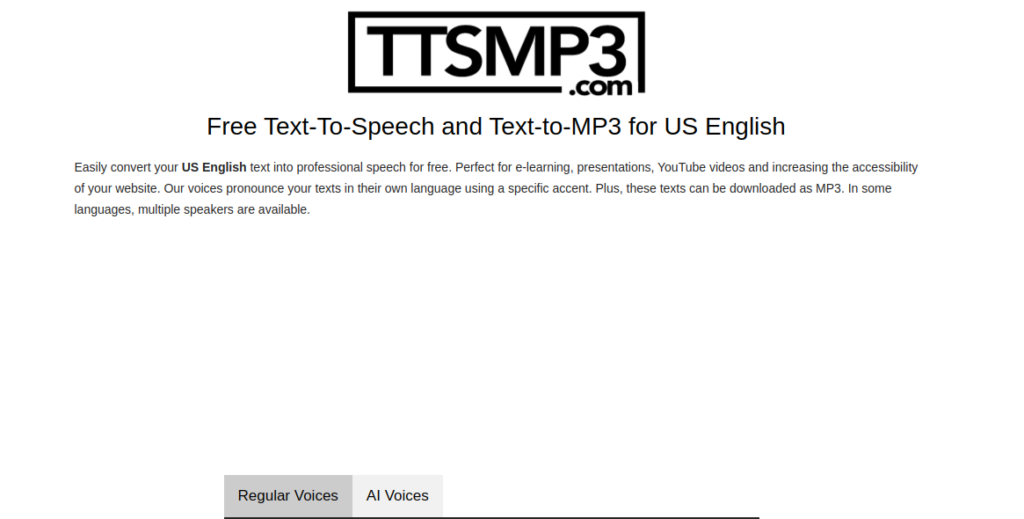
        2. TTSMP3

        TTSMP3 is a reliable choice for those who need quick and easy conversions. Its no-frills interface makes it accessible for anyone looking for text-to-speech free tools.

        • Key Features:
          • Free for basic usage.
          • Allows users to download MP3 files instantly.
          • Supports multiple languages.
        • Why It Stands Out:
          The simplicity and efficiency of TTSMP3 cater to casual users and professionals alike.

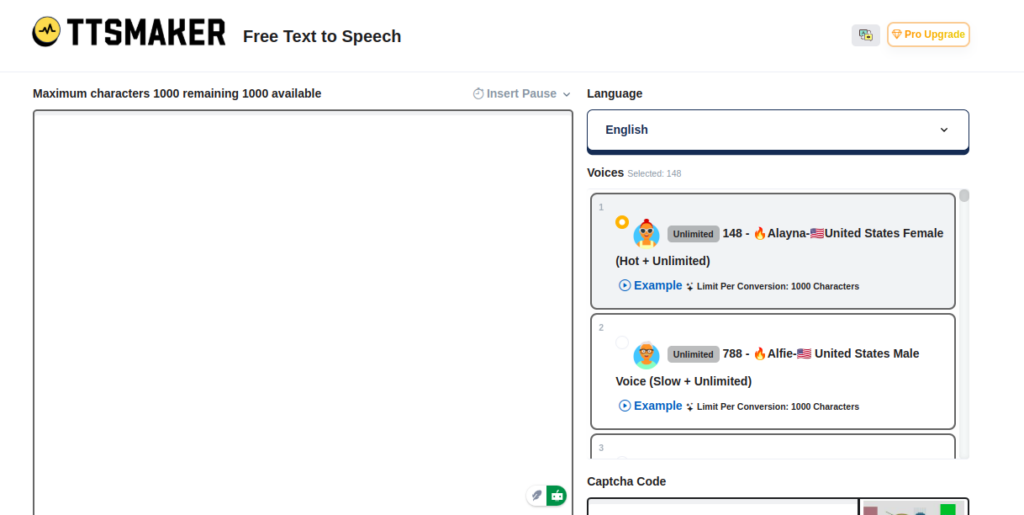
        3. TTSMaker

        TTSMaker is an impressive tool for developers and small businesses. Its unlimited usage and lack of watermarks make it a favorite among budget-conscious users.

        • Key Features:
          • Real-time AI text-to-speech generation.
          • Multilingual support with lifelike voices.
          • 100% free, even for commercial use.
        • Why It Stands Out:
          TTSMaker’s high-quality audio output ensures scalability for any project size, from apps to full-scale campaigns.

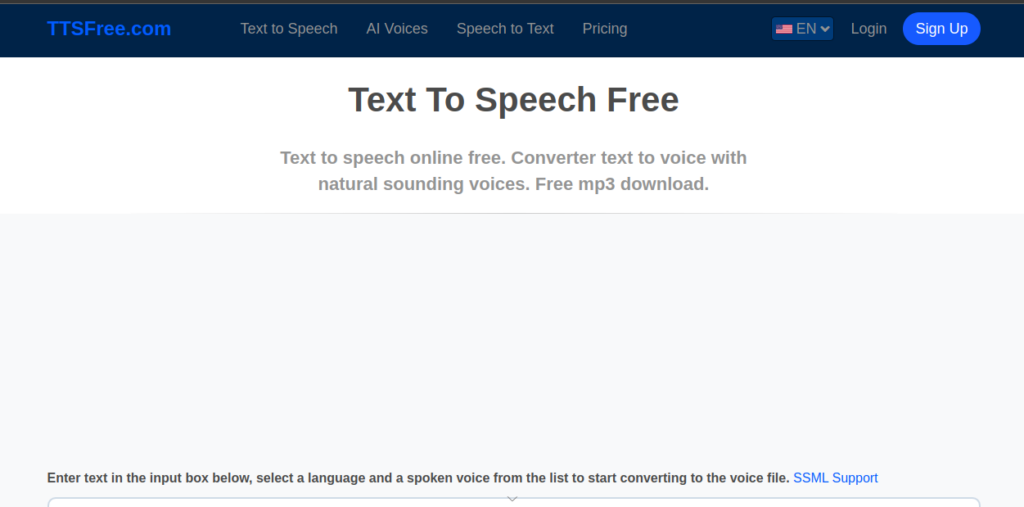
        4. TTSFree

        If you’re looking for simplicity, TTSFree delivers an intuitive solution for converting text into speech. This platform is perfect for casual users and students.

        • Key Features:
          • Quick, browser-based TTS generation.
          • Supports several voice and language options.
          • Completely free with no sign-up requirements.
        • Why It Stands Out:
          TTSFree provides an accessible option for users new to text-to-speech technology.

        5. TextFromToSpeech

        This platform emphasizes usability and accessibility. Its straightforward design ensures that anyone can convert text into speech with minimal effort.

        • Key Features:
          • Multilingual support with diverse voices.
          • Free and accessible for everyone.
          • Fast processing for quick results.
        • Why It Stands Out:
          The platform caters to global audiences, offering efficient solutions for anyone needing audio content on the go.

        6. Luvvoice

        Luvvoice blends AI text-to-speech innovation with premium voice options, making it ideal for podcasters and businesses looking for professional narrations.

        • Key Features:
          • Advanced AI-powered voices that mimic human speech patterns.
          • Flexible pricing for various budgets.
          • Tailored for professional content creators.
        • Why It Stands Out:
          Luvvoice’s focus on premium audio quality ensures its appeal to businesses and individuals seeking exceptional sound.

        How to Choose the Right Platform

        When selecting a text-to-speech tool, keep the following in mind:

        • Purpose: Are you looking for personal use, professional voiceovers, or accessibility?
        • Voice Quality: Opt for platforms using AI text-to-speech for natural-sounding audio.
        • Language Options: Ensure the platform supports the languages you need.
        • Budget: Free tools like TTSFree and TTSMaker are excellent for beginners, while premium platforms like Narakeet and Luvvoice offer advanced features.

        Frequently Asked Questions

        1. What is the best free text-to-speech platform?
          • Answer: TTSMaker and TTSFree are excellent choices for users seeking high-quality text-to-speech free tools without limitations.
        2. Can I use text-to-speech for commercial purposes?
          • Answer: Yes! Platforms like TTSMaker and Luvvoice allow commercial use, but always check the specific licensing terms for your chosen tool.
        3. How does AI text-to-speech differ from traditional TTS?
          • Answer: AI text-to-speech uses advanced algorithms to mimic human-like intonation and emotion, providing a more natural listening experience.
      11. TikTok Restores Service in the U.S. After Voluntary Shutdown

        TikTok Restores Service in the U.S. After Voluntary Shutdown

        After a brief voluntary shutdown, TikTok has resumed its service for U.S. users, thanks to President-elect Donald Trump’s intervention. The move comes after a Supreme Court ruling upheld a law that could have potentially banned the app due to concerns over national security and its connection to China. This decision was met with swift action from TikTok, who took their platform offline just hours before the deadline. The shutdown affected millions of users, but now, with Trump’s intervention, TikTok is back online, reassuring users of its continued operation in the U.S.

        Trump’s Intervention Delays TikTok Ban

        The 90-day extension granted by Trump gives TikTok a temporary reprieve, allowing the company time to work on a potential sale. TikTok’s parent company, ByteDance, challenged the ban in court, and despite the Supreme Court’s ruling, Trump vowed to issue an executive order to protect the app and prevent the law from taking immediate effect. This executive order could allow TikTok to continue offering its services to over 170 million American users, many of whom rely on the platform for entertainment, social interaction, and business promotion.

        Future of TikTok in the U.S. Remains Uncertain

        TikTok Restores Service in the U.S.

        While TikTok has resumed service in the U.S., the long-term future of the app in the country remains uncertain. With ongoing security concerns and potential changes in the law, TikTok may have to adjust its operations or possibly even consider a sale to comply with U.S. regulations. The company remains committed to finding a solution with the new administration to ensure its continued operation in the U.S. TikTok users, particularly small businesses that leverage the platform for marketing, are hoping that the situation will stabilize and that the platform’s unique features will continue to be available in the U.S.

        Potential Impact on TikTok Users and Businesses

        For now, millions of American TikTok users can breathe a sigh of relief, knowing that their favorite app is back online. The platform, which boasts over 170 million American users, plays a crucial role in the social media ecosystem, particularly for content creators, influencers, and small businesses. As the situation develops, it will be interesting to see how TikTok navigates the political and legal challenges ahead.

      12. The Best Mobile Gaming Devices of 2025

        The Best Mobile Gaming Devices of 2025

        As individuals with a love for playing games on mobile devices, we often face challenges that usually decrease the love of doing what we love. Mobile gaming has soared in popularity, reshaping the entertainment experience worldwide, especially in Africa where its influence is profound and keeps expanding on a daily. With the industry’s rapid evolution, selecting the right device is important for your casual or competitive activities. 

        This article reviews the top mobile gaming devices of 2025 using criteria like performance, display, and user comfort.

        Handheld Wars 2025: Asus ROG Ally vs. AYN Odin 2

        Asus ROG Ally

        mobile gaming devices

        This is at the pinnacle of gaming devices due to its reliability and power within the mobile space. The Asus ROG Ally stands out with its AMD Ryzen Z1 Extreme chip, offering incredible processing power. Its 7-inch screen is slick and crisp, perfect for gaming enthusiasts who demand top-tier visuals with the ability to play pc game passes and ease of playing games from other stores. The battery life reviewed here, exceeding many competitors, ensures prolonged gaming sessions on PUBG Mobile and Call of Duty Mobile without charging.

        PROSCONS
        Storage(1-TB SSD)Very comfortable for usersCan run most Windows apps or gamesMarginally Expensive (1 Million Naira and above)Low battery lifeThe design might make some Windows apps look strange

        AYN Odin 2

        This device is a prime choice for retro gaming fans. The AYN Odin 2 delivers exceptional performance and stands out with its targeted features for classic game lovers, ensuring a smooth and nostalgic gaming experience.

        PROSCONS
        Strong battery life and storage(1Terrabite)PWD (Snapdragon 8 Gen 2 Chipset)The design is compact and ergonomicLess expensive (Below 1 Million Naira)128GB/256GB/512GB

        Mobile Wars: iPhone 15 Pro vs. Samsung Galaxy

        iPhone

        Apple’s iPhone series continues evolving within the mobile space with the 15 Pro and 16 Pro. Both models offer seamless gaming experiences, however, the 16 Pro actualises more gaming experience through enhanced graphics and faster processors. Their compatibility with the latest mobile games adds to their unparalleled versatility and appeal. You may want to visit here to get more information on their gaming compatibility.

        PROSCONS
        PWD (A17/18 Pro Chipset)Storage(256GB-1TB)Mildly comfortable for usersThe camera is decent (48MP)Expensive (1.5 Million Naira and above)Decent battery life (3,582 mPh)3D Graphics is decent (4144 pts) compared to its rival

        Samsung Galaxy S24 Ultra

        Samsung’s resurgence in mobile gaming is palpable. The Galaxy series combines impressive gaming capabilities with high-resolution displays, catering to avid gamers. Samsung’s focus on improving graphic deliveries and user experience sets it apart in a competitive market.

        PROSCONS
        PROSPWD (Snapdragon 8 Gen 3 Chipset)3D Graphics is higher (4444 pts) compared to its rivalDecent battery life(5,000 mPh)Storage(256GB- 1TB)Very Expensive (2 Million Naira and above)Too big and quite heavy

        Nubia Redmagic 9S Pro

        The Nubia RedMagic 9s Pro captures gamers’ attention with its combination of portability and display quality. It is the perfect mobile phone specifically made just for gaming, known for exclusive game titles like Call of Duty, Need for Speed, Wuthering Waves or Simpsons (as an idle game). 

        Also, it is a phone that boasts a screen that’s not just for play but for a visual feast. Its compact design, as explained here makes it an ideal companion for gamers on the move. However, the RedMagic 10 Pro and RedMagic 10 Pro+ are now available for pre-order in China as sales begin on the 18th of November 2024.

        PROSCONS
        Battery life (6500 mAh)Storage(256GB-1Terrabite)PWD (Snapdragon 8 LV Chipset)3D Graphics is higher (5381 pts) compared to SamsungThe camera is decent (50MP)Marginally expensive(Above 1 Million Naira)

        Key Features to Consider When Choosing a Mobile Gaming Device

        • Performance and Speed: Processing speed and RAM are critical in ensuring a remarkable gaming experience. Devices with advanced chips like the Snapdragon 8 will aid sufficient RAM to handle high-intensity games and graphics seamlessly, utmostly reducing lag.
        • Display Quality: An immersive gaming experience often relies on display quality. High screen resolution and adequate size are essential for clear graphics and engaging play. A graphical display above 4k will help aid a gaming mood without being in a gaming atmosphere. Devices with superior display capabilities ensure that visuals are rich and detailed.
        • Battery Life: Battery efficiency is a significant thing to look out for especially when looking for a gaming machine. It can make or break the gaming experience, especially during long commutes, esports tournaments or trips. Devices with advanced battery technology like the Redmagic might offer more extended playtime without frequent interruptions for charging.
        • Game Library and Compatibility: Access to a broad game library enhances the overall experience. Devices that support a wide range of storage spaces close to 1TB will always allow gamers to explore various genres and keep the excitement alive.
        • Ergonomics and Design: There is an old saying: “Comfort is key during prolonged gaming sessions.” Ergonomically designed devices like Odin 2 will help reduce hand strains and enhance the gaming experience. This only proves the significance of design as a crucial consideration when choosing gaming equipment or devices.

        Future Trends in Mobile Gaming Devices

        Integration of Cloud Gaming

        Cloud gaming is set to transform mobile gaming with free-to-play gaming services dominating the industry. Services like Xbox Cloud Gaming and NVIDIA GeForce Now allow you to stream high-quality games directly from your device, which in a way helps lower the demand for powerful hardware and also expand gaming options.

        Augmented Reality (AR) Capabilities

        The integration of AR technology into mobile gaming provides an innovative way to interact with games. This technology overlays digital content on the real world, offering new perspectives and immersive experiences.

        Enhanced Connectivity Features

        With 5G and Wi-Fi 6, mobile gaming is more interconnected than ever. These features ensure stable, high-speed connections, crucial for online multiplayer games and real-time interactions.

        Choosing the right mobile gaming device involves balancing performance, display quality, and user comfort. The devices mentioned represent the pinnacle of mobile gaming in 2024, each providing unique qualities that cater to different aspects for maximum satisfaction. However, these devices might not be budget-friendly for the average gamer, you may want to visit here for a much cheaper budget device as a gamer. 

        Finally, on a personal note, if you have the financial strength for any of the above, you might want to consider the Nubia Redmagic 9S Pro for your next gaming investment to match your passion. Additionally, if you’re an esports startup or a business owner aiming to enter the gaming market in Nigeria and need assistance with market analysis and data collection, you can find more information here.

      13. Echo vs Echo Dot: Which Device is Better?

        Echo vs Echo Dot: Which Device is Better?

        If you’re looking to create a smart home setup, Amazon’s Echo family offers a strong starting point. Why choose Amazon Echo devices for your smart home?. These devices are affordable, user-friendly, and powerful enough to simplify daily tasks. From playing music and adjusting room settings to providing news updates, Echo devices enable voice recognition technology.

        Whether you want to video call with Echo Show’s sleek display, enjoy budget-friendly features with Echo Pop, or set up a device specifically for your kids, they allow you to manage small tasks with ease, so you can focus on more important matters without interruptions.

        Two of the most popular devices in Amazon’s Echo are the 4th Generation Echo and the 5th Generation Echo Dot. One common question is whether to choose the Echo or the Echo Dot. While they both offer strong functionality, their differences in size, sound quality, and pricing could be the deciding factor.

        The Best Amazon Echo Devices: Echo vs Echo Dot

        Amazon Echo (4th Generation)

        Amazon Echo (4th Generation)

        The Echo (4th Gen), released in 2020, is a full-sized smart speaker designed for enhanced sound quality and broader smart home control. It weighs 34.2 ounces and measures 5.7 x 5.7 x 5.2 inches, making it significantly larger than the Echo Dot.

        Its sleek, round design features controls like action buttons, volume adjustments, a mic-off switch, and a light-up ring. It also includes a 3.5mm audio output for external devices, and its compatibility with the Alexa Voice Service makes it an ideal choice for hands-free home management.

        Setting up the Echo is quick and easy. All you need to do is download the Alexa app, plug in the device, and follow the on-screen instructions. Once connected to your home Wi-Fi, you’re ready to use it for a wide variety of tasks, such as controlling smart lights, making phone calls, and even managing your grocery list. The Echo is known for its Dolby premium sound, making it an excellent choice for music lovers.

        Amazon Echo Dot (5th Generation)

        The Best Amazon Echo Devices: Echo vs Echo Dot

        The Echo Dot (5th Gen), released in 2022, offers similar smart functionality but in a smaller, more budget-friendly package. Weighing just 10.7 ounces and measuring 3.9 x 3.9 x 3.5 inches, it’s easy to fit on countertops, nightstands, or shelves. While it lacks the Echo’s larger woofer and tweeter setup, the Echo Dot still delivers impressive sound quality through its 1.73-inch front-firing speaker. Additionally, it supports the Eero mesh network, allowing it to act as a node for better Wi-Fi coverage throughout your home.

        Like the Echo, setting up the Echo Dot is simple. Plug it in, open the Alexa app, and follow the step-by-step guide to customize settings like your wake word and phone contacts. The Echo Dot also includes new motion sensors, which allow you to tap the device to snooze alarms or control music playback, adding an extra layer of convenience.

        Features and Functionality: Echo vs Echo Dot

        Both devices are capable of performing similar tasks, including streaming music, controlling smart home devices, setting timers, and answering questions via Alexa. However, the Echo’s larger size and enhanced audio features make it better suited for those who prioritize sound quality, while the Echo Dot is perfect for those who want smart speaker functionality in a compact, affordable form.

        Audio Performance

        The Echo’s Dolby premium sound system provides fuller, more immersive audio, perfect for larger rooms or anyone who loves to blast music at high volume. In contrast, the Echo Dot is more modest in sound quality but still sufficient for smaller spaces.

        Smart Home Integration

        Both devices integrate with Alexa-compatible smart home products, allowing you to control lights, thermostats, and more using just your voice. The Echo, however, includes a built-in Zigbee smart home hub, which allows it to connect directly to Zigbee-compatible devices, offering an edge in smart home control.

        Voice Recognition and Communication

        Both the Echo and Echo Dot have hands-free communication, enabling you to make phone calls, send messages, or announce household reminders. Alexa’s voice recognition capabilities allow the devices to learn your voice and respond to commands even in noisy environments, thanks to advanced beamforming technology and noise cancellation.

        Privacy and Security Concerns

        Amazon has addressed growing privacy concerns by incorporating features that allow users to manage data and voice history directly in the Alexa app. Both the Echo and Echo Dot feature a mic-off button, ensuring no voice input reaches Alexa without your consent. These controls give users greater confidence in the security of their private conversations.

        Price and Value

        The Echo is priced at $99.99, while the Echo Dot comes in at $49.99,

        Our Verdict: Echo vs Echo Dot?

        If you’re seeking a smart speaker with top-tier sound and enhanced smart home integration, the 4th Gen Echo is your best bet.

        On the other hand, if affordability and space-saving design are your priorities, the 5th Gen Echo Dot is a fantastic choice. No matter which device you choose, both the Echo and Echo Dot will enhance your home’s functionality.

      14. iPhone 16 Series Review: USB-C, AI, Enhanced Safety Features

        iPhone 16 Series Review: USB-C, AI, Enhanced Safety Features

        Apple’s latest iPhone, the iPhone 16 series, introduces a powerful design upgrade—USB-C connectivity—along with innovative safety features like satellite-enabled roadside assistance. The iPhone 16 series continues Apple’s trend of releasing multiple models within each new generation, a practice that began with the iPhone XS and XR in 2018. The four models in the iPhone 16 lineup are iPhone 16, iPhone 16 Plus, iPhone 16 Pro, and iPhone 16 Pro Max.

        Meet the iPhone 16 Series

        • iPhone 16: The most affordable model features a 6.1-inch display, an A18 processor with a 5-core GPU, a 48MP primary camera, and a new customizable Action Button.
        • iPhone 16 Plus: Nearly identical to the base model but with a larger 6.7-inch screen and a higher price tag.
        • iPhone 16 Pro: Upgrades include a 6.3-inch display, the A18 Pro chip with a 6-core GPU, and a titanium design.
        • iPhone 16 Pro Max: The flagship model boasts a 6.9-inch screen, an extended battery life, and advanced camera zoom features.

        While the iPhone 16 series is Apple’s latest release, previous models like the iPhone 15, iPhone 14, and iPhone SE (2022) are still available for those seeking more budget-friendly and cheap iPhones.

        New iPhone 16 Series Features

        Each model in the iPhone 16 series includes standard features like FaceTime, Siri, Face ID, Apple Pay, and 5G connectivity. However, several innovations set the iPhone 16 series apart:

        • Apple Intelligence: An advanced AI system that powers smart functionality across all models.
        • A18 Pro Processor: Enhanced performance, particularly for graphics-intensive tasks, thanks to the A18 Pro chip.
        • Next-Generation Ceramic Shield: Improved durability with the latest Ceramic Shield glass.

        Advanced Features in the Pro Models

        iPhone 16 Series Review: iPhone 16 Plus, iPhone 16 Pro, and iPhone 16 Pro Max. USB-C, AI, Enhanced Safety Features

        The iPhone 16 Pro and iPhone 16 Pro Max premium features:

        • Pro Performance: Powered by the A18 Pro chip, the Pro models offer up to 15% faster CPU performance compared to the A17 Pro in the iPhone 15 series.
        • Superior Cameras: Both Pro models feature a 48MP main camera, a 12MP ultra-wide camera, and enhanced zoom capabilities, along with support for 4K video recording at 120fps.
        • Immersive Audio: Equipped with four studio-quality microphones and spatial audio recording, the Pro models deliver an exceptional audio experience.
        • Titanium Build: A sleek, durable design made from Grade 5 titanium, available in four finishes: black, white, natural, and desert.

        Charging and Privacy

        All iPhone 16 models support USB-C charging, with the Pro models featuring faster USB 3 charging speeds. Additionally, Apple has introduced Private Cloud Compute, a privacy feature that processes sensitive data locally on the device without sending it to Apple’s servers.

        iOS 18 and AI Integration

        The iPhone 16 series runs on iOS 18, which introduces powerful AI tools, such as Apple Intelligence for text rewriting, proofreading, and creating AI-driven images and movies. Siri has also been significantly enhanced, now capable of managing tasks with better contextual awareness and offering new actions to simplify daily use.

        iPhone 16 vs. iPhone 15

        While both the 16 and 15 series share key features like the Action Button and USB-C support, the 16 series brings more improvements:

        • Improved Camera Controls: The iPhone 16’s upgraded camera system allows quicker access to video and photo tools, offering more intuitive controls.
        • Enhanced Displays: The iPhone 16 lineup features larger screens, with sizes ranging from 6.1 inches to 6.9 inches, and ultra-thin bezels for an immersive viewing experience.
        • AI-Enhanced Siri: Siri on the iPhone 16 is more context-aware and capable of performing complex tasks more efficiently.

        Full iPhone 16 Specifications

        Here’s a breakdown of the iPhone 16 models’ key specs:

        FeatureiPhone 16iPhone 16 PlusiPhone 16 ProiPhone 16 Pro Max
        Display6.1-inch Super Retina XDR6.7-inch Super Retina XDR6.3-inch Super Retina XDR6.9-inch Super Retina XDR
        Action ButtonYesYesYesYes
        Storage Options128GB, 256GB, 512GB128GB, 256GB, 512GB128GB, 256GB, 512GB, 1TB256GB, 512GB, 1TB
        Camera48MP wide, 12MP ultra-wide48MP wide, 12MP ultra-wide48MP wide, telephoto48MP wide, telephoto
        Battery Life (Video Playback)22 hours27 hours27 hours33 hours
        ProcessorA18A18A18 ProA18 Pro
        Price (Starting)$799$899$999$1199

        Pricing and Availability

        The iPhone 16 series was announced on September 9, 2024, and was available for pre-order starting September 13. Prices range from $799 for the base iPhone 16 to $1,199 for the Pro Max model.

        ModelStarting Price
        iPhone 16$799
        iPhone 16 Plus$899
        iPhone 16 Pro$999
        iPhone 16 Pro Max$1,199

      15. 10 Best Alternative Search Engines to Google

        10 Best Alternative Search Engines to Google

        When someone thinks of internet searches, Google is often the first name that comes to mind. Since Google’s launch in 1998, it has steadily grown to become the undisputed leader in multiple areas of technology and digital services. It dominates the global search engine market and leads in online advertising through Google Ads.

        Google also powers the world’s most widely used mobile operating system, Android, and its Chrome browser is the market leader. In addition, Google has a strong presence in cloud computing with Google Cloud, and in video streaming through YouTube. Its services like Gmail and Google Maps are globally popular, and it is one of the top corporations in AI and machine learning technologies, as well as smart home devices through Google Nest.

        Even with over 90% market share, Google’s presence in the search engine market does not stop users from seeking alternatives. Multiple persons have argued the growing concerns over privacy, data collection, and not just the monopolization of information.

        While Google’s dominance is unlikely to wane soon from the search engine space, these 10 best alternative search engines to Google will help you minimize your digital footprint(if you want) and enhance privacy.

        Best Alternative Search Engines

        Best Alternative Search Engines to Google - Microsoft Bing, Qwant, Startpage, Mojeek, Swisscows, Presearch, Gibiru, Ecosia, Brave Search
        1. Microsoft Bing

        Price: Free

        Bing, powered by Microsoft, holds 6.04% of the global search engine market. It’s known for providing multimedia results and AI tools, and its tight integration with Microsoft’s ecosystem makes it a powerful alternative to Google. Additionally, Bing’s Rewards Program lets users earn points redeemable for gift cards.

        Key features: Advanced image and video search, built-in AI functionalities, and extensive search integration with Windows and Microsoft 365.

        1. DuckDuckGo

        Price: Free

        DuckDuckGo has made its name as the go-to search engine for people who love privacy, as it does not track or store user data. While its global market share is less than 1%, its reputation continues to grow due to rising concerns about online privacy.

        Key features: Private, non-tracked searches, no ad-targeting, and anonymous browsing.

        1. Brave Search

        Price: Free

        Brave Search is the engine for users who prioritize privacy and independent results. Launched by the creators of the Brave browser, this search engine boasts complete anonymity, with no user tracking, and has gained 40 million active users as of 2023.

        Key features: customization, AI-powered summaries, and ad-free experience for paid version.

        1. Ecosia

        Price: Free

        Ecosia is an ethical search engine that donates its profits to environmental causes, particularly reforestation. With over 170 million trees planted by 2024, it appeals to environmentally conscious users who want to make a positive impact through their searches.

        Key features: Privacy-focused and powered by Bing.

        1. Qwant

        Price: Free

        Qwant, based in France, is a privacy-centric search engine that offers a powerful music search feature as well as maps. It adheres to stringent European privacy laws, ensuring that no user data is stored or sold.

        Key features: No tracking or personalized ads, integrated maps and music search, and GDPR compliance for users in Europe.

        1. Swisscows

        Price: Free

        Swisscows is a Swiss-based search engine, well-known for its family-friendly content filtering. With servers based in Switzerland, it adheres to some of the strongest privacy laws in the world, ensuring user data is not tracked or stored.


        Key features: Semantic search technology, privacy guarantees, and a focus on music search and other media-based queries.

        1. Startpage

        Price: Free

        Startpage combines the accuracy of Google’s search results with enhanced privacy features. It functions as a proxy search engine, allowing users to browse without being tracked by Google, and is subject to EU privacy laws.

        Key features: Google-powered results without data tracking, anonymous proxy for extra privacy, and EU privacy compliance.

        1. Mojeek

        Price: Free

        Mojeek is a UK-based search engine with an innovative approach. It ranks results based on emotional sentiment, allowing users to filter search results by emotions like positive or negative tones.

        Key features: No tracking, independent search index, and emotion-based result filtering.

        1. Presearch

        Price: Free

        Presearch is a decentralized search engine that allows users to earn cryptocurrency (PRE tokens) for their searches. With a focus on Web3 technology, it provides an alternative for users interested in blockchain-based search engines.

        Key features: Earn rewards for searches, community-driven moderation, and decentralized search infrastructure.

        1. Gibiru

        Price: Free

        Gibiru offers uncensored, private search results while still drawing on Google’s powerful search infrastructure. It strips out the tracking and personalization that normally comes with Google searches, allowing for anonymous results.

        Key features: Unfiltered Google results without tracking, prioritizes user privacy, and delivers fast, unbiased search results.

        Other Alternative Search Engines

        • Yahoo Search: remains relevant due to its integration with Yahoo Finance, Yahoo News, and its long-standing user base.
        • Seekr Search: ranks search results based on reliability and political bias, offering transparency for users concerned with misinformation.
        • Seva Search: allows users to contribute to charitable causes through searches, much like Ecosia but with a broader focus on philanthropy.
        • Yep Search: a search engine that directs 90% of its ad revenue towards content creators, providing a financial incentive for those producing original online content.
      16. How to Become a Social Media Manager Professionally

        How to Become a Social Media Manager Professionally

        The role of a Social Media Manager is important for businesses aiming to thrive. Corporate enterprises, celebrities, influential personalities, and high-growth startups have all realized how social media management can boost brand presence, convert leads to sales, and build relationships.

        Understanding the Role of a Social Media Manager

        How to Become a Social Media Manager Professionally - Understanding the role of social media manager

        According to a report by Statista, social media ad spending is projected to reach $358 billion by 2027, indicating the critical role social media plays in modern business marketing strategies. As businesses prioritize digital presence, skilled Social Media Managers are in demand across all industries.

        A Social Media Manager is responsible for the planning, development, and execution of social media strategies across platforms such as Facebook, Instagram, Twitter, LinkedIn, TikTok, and more. 

        This role is not only about content creation. As digital marketing becomes more data-driven, the Social Media Manager role has transformed from simply posting content to a strategic field.

        A Social Media Manager is also responsible for analyzing metrics, engaging with followers, and building community. 

        How Much Does a Social Media Manager Earn?

        how much does social media manager get paid? How to Become a Social Media Manager Professionally

        The salary of a Social Media Manager varies depending on location, experience, industry, and the size of the organization. According to the latest reports, in the U.S, Social Media Managers earn an average salary of $56,000 to $72,000 per year. However, compensation can rise for professionals with advanced skills, and, or those managing social media for large brands or high-profile clients.

        Many companies, especially larger organizations, offer bonuses, stock options, and other perks such as flexible work hours, remote work opportunities, and healthcare benefits, which significantly increase the total compensation package for a Social Media Manager.

        How to Become a Freelance Social Media Manager

        How to Become a Social Media Manager Professionally - how to become a freelance social media manager

        Many Social Media Managers opt to work as freelancers or consultants. Rates for freelance Social Media Managers typically range between $25 and $100 per hour, depending on experience, specialization, and project scope. For instance, a freelancer managing social media for a small business may charge less than someone managing digital strategies for a Fortune 500 company or a celebrity brand.

        According to Upwork, a popular freelancing platform, top-tier freelancers in social media management can earn up to $120 per hour, especially if they bring additional expertise in areas like SEO, content strategy, or paid advertising.

        Skills Needed to Become a Social Media Manager

        How to Become a Social Media Manager Professionally

        Strategic Planning
        Successful Social Media Managers are adept at crafting comprehensive social media strategies that align with broader business goals. This requires understanding market trends, audience segmentation, and platform algorithms.

        Content Creation & Curation
        With over 4.9 billion social media users globally, the ability to create engaging, relevant content is important. From written posts to video storytelling, content needs to resonate with target audiences.

        Data Analysis & Reporting
        Social media is driven by data, from tracking engagement metrics to monitoring ROI. Proficiency in platforms like Google Analytics, Hootsuite Insights, and native tools such as Facebook Insights is essential.

        As HubSpot reports, a lot of marketers say they use data to drive their social media campaigns, showing the importance of this skill.

        Community Management & Customer Service
        Managing a brand’s reputation online involves nurturing relationships with followers, responding to comments, and ensuring customer satisfaction. Social media is often the first point of contact for customers, requiring a combination of empathy and professionalism.

        SEO & Digital Marketing Knowledge
        While SEO may seem separate from social media, search engines index public posts from platforms like Twitter, LinkedIn, and YouTube. Optimizing social content using SEO best practices—such as keyword integration, hashtags, and backlinks—can boost visibility.

        Backlinko has shown that posts with relevant keywords tend to have a higher chance of appearing on search engine results pages (SERPs).

        How to Become a Social Media Manager Professionally

        How to Become a Social Media Manager Professionally

        Breaking into social media management without prior experience may seem daunting, but it’s entirely achievable. Here’s a step-by-step guide to becoming a Social Media Manager with no experience.

        1. Build a Solid Foundation in Digital Marketing

        Social media management is closely tied to broader digital marketing strategies. Learning digital marketing fundamentals, including SEO, email marketing, and paid social advertising, will give you a competitive edge.

        A comprehensive digital marketing course can be beneficial here. According to a report by LinkedIn, top digital marketers possess at least some background in formal education in digital marketing.

        2. Master Platform-Specific Skills

        Different social media platforms cater to different audiences. For instance, LinkedIn is more professional and B2B-focused, while Instagram and TikTok cater to younger, B2C audiences.

        Social Media Managers must understand the nuances of each platform. This involves knowing the best content formats, posting schedules, and engagement tactics.

        Key Insights:

        • Facebook remains the largest social platform with over 2.9 billion monthly active users. Knowing its advertising model and algorithm updates is crucial.
        • Instagram’s Reels and YouTube’s Shorts are growing as video content becomes increasingly important, with video marketing predicted to represent 82% of all online traffic by 2025.

        3. Develop Your Personal Brand

        To showcase your expertise, build your personal brand on platforms such as LinkedIn and Twitter.

        Regularly share valuable insights, participate in industry discussions, and connect with professionals in your field. This will position you as a thought leader in social media management.

        4. Gain Experience and Build a Portfolio

        Start by managing the social media accounts of smaller brands or personal projects. Document your work, including engagement statistics, follower growth, and successful campaigns. A well-rounded portfolio with proven results is key when applying for more prestigious roles.

        5. Stay Updated on Trends & Tools

        Social media is an ever-evolving landscape. Staying current on trends, new platforms, and tools like Buffer, Hootsuite, Sprout Social, and Canva is essential.

        Following top digital marketing blogs such as Neil Patel’s blog or the HubSpot Marketing Blog can provide valuable insights into emerging strategies.

        6. Network and Collaborate

        Building a strong network of industry peers, influencers, and marketers can lead to valuable opportunities. Attend conferences, webinars, and workshops, both in-person and online. Collaborating with other marketers on projects can also expand your experience and visibility.

        Tips on How to Become a Social Media Manager With No Experience

        Tips on How to Become a Social Media Manager With No Experience
        • The first step is to familiarize yourself with social media platforms. Use your own social media profiles or create mock accounts to experiment with different content formats, posting strategies, and engagement tactics.
        • Understanding what type of content works best on each platform is important. Each platform has unique features, algorithms, and audience demographics.
        • Stay updated by reading blogs, watching tutorials, and subscribing to newsletters from sources like Hootsuite, Buffer, and Sprout Social.
        • Analyze what successful brands in your target industry are doing on social media. Observe their strategies for audience engagement, content types, and tone of voice.
        • Take free online courses on the fundamentals of social media management, digital marketing, and content strategy. Many of these courses provide certifications that you can add to your resume.
        • Choose a topic you are passionate about or have some expertise in, whether it’s fitness, personal finance, fashion, or tech. Share valuable content within that niche to attract an audience.
        • Develop a consistent posting schedule that aligns with your audience’s preferences. Use tools like Hootsuite or Buffer to schedule your posts.
        • Respond to comments, participate in discussions, and collaborate with others in your niche to grow your online presence organically.
        • One of the best ways to build a portfolio without experience is by offering your services for free or interning with small businesses, startups, non-profits, or local organizations.
        • After gaining some initial experience, either through internships or free services, you can start offering your skills as a freelancer. Platforms like Upwork, Fiverr, and Freelancer are great for connecting with clients in need of social media management.

        Trends in Social Media Management

        Trends in Social Media Management

        1. AI-Driven Social Media Tools

        Artificial Intelligence (AI) is revolutionizing how we manage social media. AI-powered tools for scheduling posts, creating content, and analyzing data help optimize social media strategies.

        ChatGPT and Jasper.ai are examples of AI-driven content tools that can generate high-quality copy for social media posts.

        2. Increased Focus on Video and Interactive Content

        With 85% of internet users in the U.S. watching online video content monthly, the demand for video-focused content managers is high. Interactive features, such as polls and live streaming, are also growing in popularity, enhancing user engagement.

        3. Social Commerce Growth

        Social media platforms are evolving into shopping destinations. As per Statista, global social commerce sales are projected to reach $1.3 trillion by 2025. Social Media Managers will need to understand this shift and create strategies that integrate e-commerce functionalities seamlessly.

        4. Data Privacy and Compliance

        In light of growing privacy concerns and regulations such as the General Data Protection Regulation (GDPR) and California Consumer Privacy Act (CCPA), Social Media Managers must be knowledgeable about compliance. Ensuring that social media campaigns respect user privacy is essential for legal protection and maintaining customer trust.

        Becoming a Social Media Manager is more than just understanding social media platforms—it requires strategic thinking, content creativity, data analytics, and a deep understanding of digital marketing. Mastering these key areas can help you establish yourself as a successful Social Media Manager even without a degree.

      17. 5 Best Accounting Software for Small Businesses

        5 Best Accounting Software for Small Businesses

        Accounting software automates many of the time-consuming tasks associated with bookkeeping, invoicing, and financial reporting. For small businesses, this means less time spent on administrative tasks and more time focusing on growth. The best accounting software not only simplifies financial management but also provides valuable insights into your business’s financial health.

        Key Features to Look for in Accounting Software

        Key Features to Look for in Accounting Software for small businesses

        Before diving into our top picks, it’s important to understand the key features that small businesses should look for in accounting software:

        1. User-Friendly Interface: A straightforward and intuitive interface is essential for small business owners who may not have a background in accounting.
        2. Invoicing and Billing: Look for software that allows you to create, send, and track invoices with ease.
        3. Expense Tracking: Effective expense management is critical. Choose software that simplifies tracking and categorizing expenses.
        4. Bank Reconciliation: Automatic bank reconciliation helps ensure your accounts are accurate and up-to-date.
        5. Reporting: Comprehensive financial reports are vital for understanding your business’s financial performance.
        6. Scalability: As your business grows, your accounting software should be able to scale with you, offering additional features or integrations as needed.

        Top Accounting Software for Small Businesses in 2024

        Here are the best accounting software for small businesses in 2024, each meeting different needs and budgets:

        1. QuickBooks Online

        QuickBooks is a leader in the accounting software space, with a strong set of features designed specifically for small businesses. Its user-friendly interface, extensive third-party integrations, and scalability make it a top choice for businesses of all sizes.

        Key Features:

        • Invoicing and payment processing
        • Expense tracking and categorization
        • Bank reconciliation
        • Financial reporting and analytics
        • Scalable with advanced features for growing businesses

        Best For: Small businesses looking for a comprehensive solution with room to grow.

        2. Xero

        Xero is another popular software, known for its beautiful interface and strong accounting capabilities. It’s particularly used by businesses that need to manage multi-currency transactions and integrate with a wide range of third-party applications.

        Key Features:

        • Multi-currency support
        • Real-time financial reporting
        • Expense tracking and bank reconciliation
        • Over 800 app integrations
        • Inventory management

        Best For: Small businesses with global operations or those requiring extensive integrations.

        3. FreshBooks

        FreshBooks is ideal for service-based small businesses, freelancers, and contractors. Its emphasis on invoicing and time tracking sets it apart, making it a favorite among users who need to bill clients for hours worked.

        Key Features:

        • Time tracking and project management
        • Customizable invoices
        • Expense tracking
        • Automated payment reminders
        • Easy-to-use mobile app

        Best For: Service-based businesses, freelancers, and contractors.

        4. Wave

        Wave offers a free accounting solution, making it an excellent choice for small businesses on a tight budget. Despite being free, it includes many features found in paid software, such as invoicing, receipt scanning, and bank reconciliation.

        Key Features:

        • Free accounting and invoicing
        • Expense tracking
        • Receipt scanning via mobile app
        • Bank reconciliation
        • Tax filing support

        Best For: Small businesses and startups looking for a cost-effective accounting solution.

        5. Zoho Books

        Zoho Books is part of the Zoho suite of business tools, making it a great choice for small businesses already using Zoho products. It offers a wide range of features, including automated workflows, making it ideal for businesses looking to streamline their processes.

        Key Features:

        • Automated workflows
        • Client and vendor management
        • Multi-currency support
        • Financial reporting
        • Inventory management

        Best For: Small businesses using the Zoho ecosystem or those needing automation.

        Choosing the Right Accounting Software for Your Business

        Selecting the best accounting software for your small business depends on your specific needs, industry, and budget. QuickBooks Online is a great all-rounder, Xero excels for global businesses, FreshBooks is perfect for service providers, Wave offers unbeatable value for money, and Zoho Books is ideal for businesses seeking automation and integration within the Zoho suite.

        FAQs

        1. What is the best accounting software for small businesses in 2024?

        The best accounting software depends on your specific needs, but QuickBooks Online, Xero, FreshBooks, Wave, and Zoho Books are among the top options.

        2. Can I use free accounting software for my small business?

        Yes, Wave offers a free accounting software solution that is suitable for many small businesses, especially startups or those on a tight budget.

        3. How do I choose the right accounting software for my business?

        Consider your business size, industry, budget, and specific needs, such as invoicing, expense tracking, and scalability, when choosing the right software.

        4. Is cloud-based accounting software secure?

        Most cloud-based accounting software uses advanced security measures, such as encryption and two-factor authentication, to protect your data.

        5. Can accounting software help with tax filing?

        Yes, many accounting software solutions offer features that assist with tax filing, including generating reports that align with tax requirements.