Tag: technology

  • North Korea’s home-grown OS looks a lot like Apple’s OS X

    North Korea’s home-grown OS looks a lot like Apple’s OS X

    IDG NEWS SERVICE – If imitation is the sincerest form of flattery, might the folks in Cupertino be pleased when they see the latest version of North Korea’s home-grown operating system?

    Version 3.0 of Red Star Linux presents users with a radical refresh of its desktop design, one that closely resembles Mac OS X. The new look replaces the Windows 7-like desktop that was used in version 2.0 of the software.

    The Korea Computer Center (KCC), a major software development center in Pyongyang, began developing Red Star about a decade ago. Version 2 is 3 years old and version 3 appears to have been released in the middle of last year.

    The world has gotten its first look at version 3 thanks to Will Scott, a computer scientist who recently spent a semester teaching at the Pyongyang University of Science and Technology (PUST). The school is North Korea’s first foreign-funded university and many of the lecturers come from overseas.

    Scott said he bought the operating system at a KCC dealer in the capital city and the screenshots he provided were of the basic version 3 software without any modifications.

    While most North Koreans are restricted from accessing the Internet, many can get access to a nationwide intranet through universities and public libraries. The intranet offers websites for domestic institutions and is heavily skewed towards offering information, educational materials such as PDF versions of books and scientific papers, and government propaganda.

    Red Star Linux includes a web browser based on Mozilla that has been re-branded “Naenara,” or “My country.”

    It also includes a copy of Wine, a Linux application that provides an environment under which Windows software can be run.

  • Here is What Google is Doing with all those Robots!

    Here is What Google is Doing with all those Robots!

    Starting from December last year, Google has acquired at least six robots companies or companies creating technologies used in the development of robotics. The acquisition of Boston Dynamic (the creators of Big Dog) on December last year and the recent acquisition of DeepMind Technologies has made a few people to wonder about Google’s actual intentions for buying all those robots.  

    Former Google Android lead and current Google Robot Guru Andy Rubin‘s list of acquired companies reads a bit like a baseline robot kit:

    While we are well aware of Google’s interest in self-driving cars, the robot end-game is unclear. Sure, you can build an army of C-3POs, but for what?

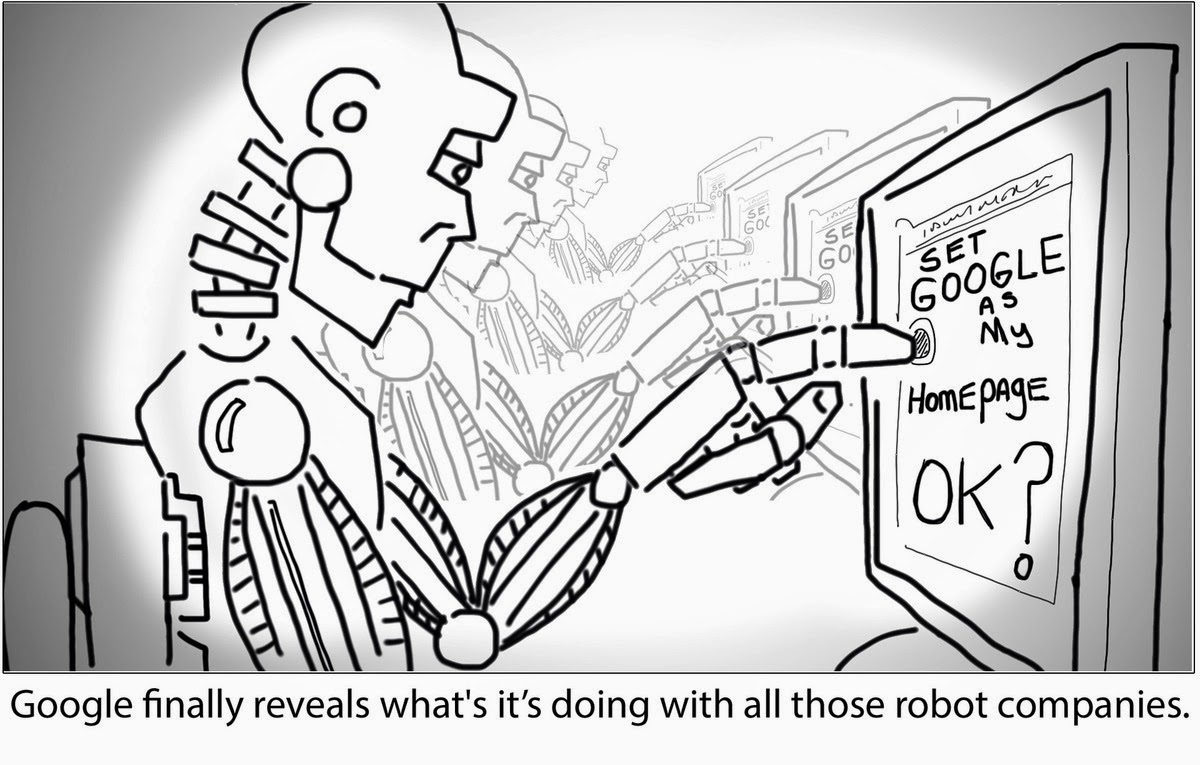
    Well, robots are excellent at repetitive tasks, like changing the settings on millions of computers so that they have Google.com as their home page and Google as their default search engine. Would these Google Robots invade homes to make the change or would Google offer it as a service? Send us your computer and our robots will “fix” them.

    No one knows. Until then, I offer you the comic guesswork above.

  • How to Check the Power Status of Remote Control Batteries with your Smartphone

    How to Check the Power Status of Remote Control Batteries with your Smartphone

    Earlier today I published an infographics on things you can do with your smartphone but I didn’t mention the possibility of checking the status of your television/electronics remote control battery with your smartphone.

    Of course, in the modern technology it is no longer a question of ‘what you can do’ with your smartphone, it is now a question of ‘what you can’t do ‘ with your smartphone.

    The latest discovery has revealed that you can check the power status of your TV set or home theater remote control with your smartphone. This is possible because most standard remote controls send signals to your home theater gear using a beam of infrared light, which a sensor on your hardware picks up. The beam of course is invisible to the human eyes, however, never neglect the power of your smartphone’s Camera! If your remote control start behaving in a funny way, you can easily use your phone to check if your remote batteries need refreshments.

    Checking your Battery Power Status

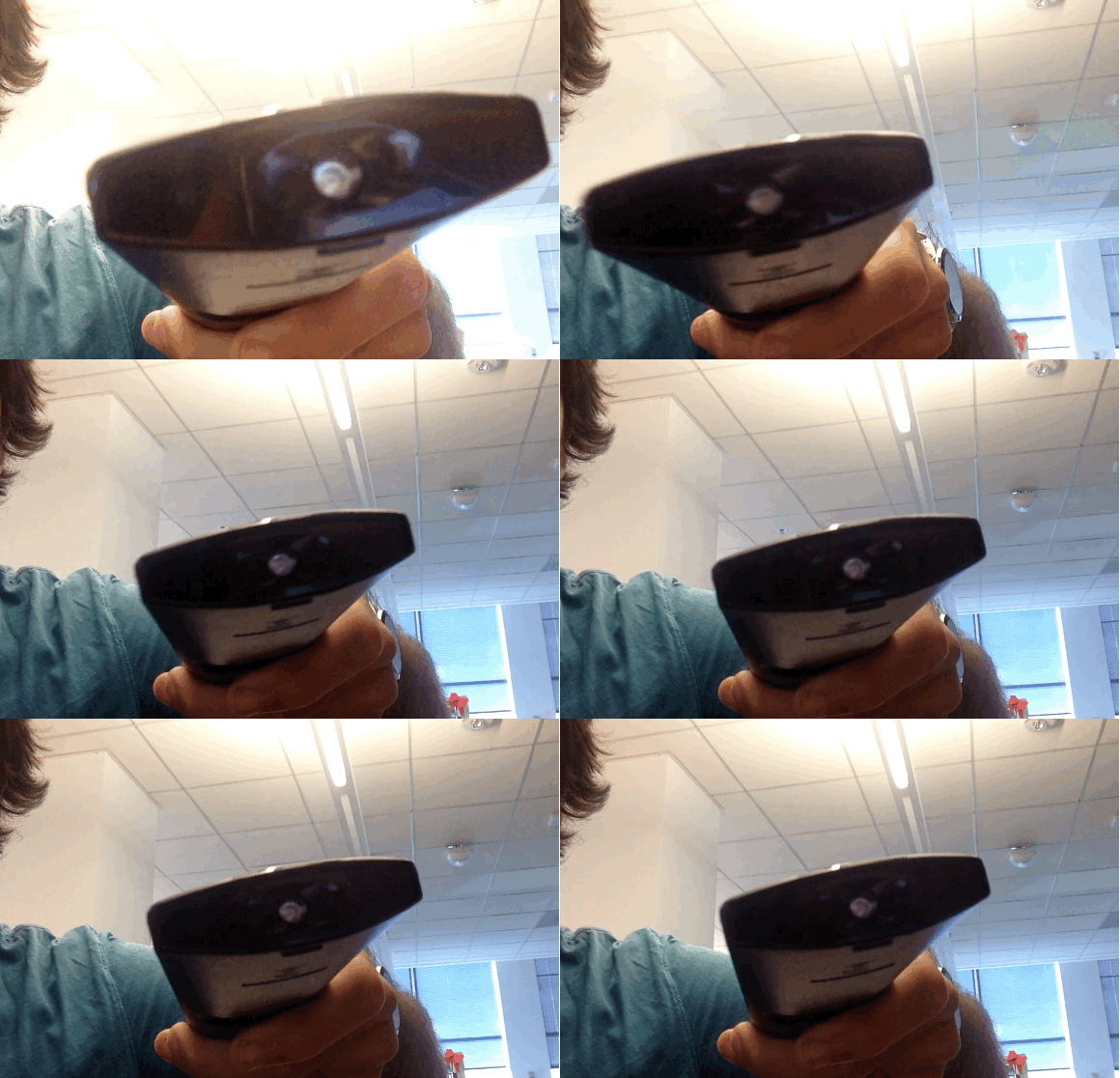
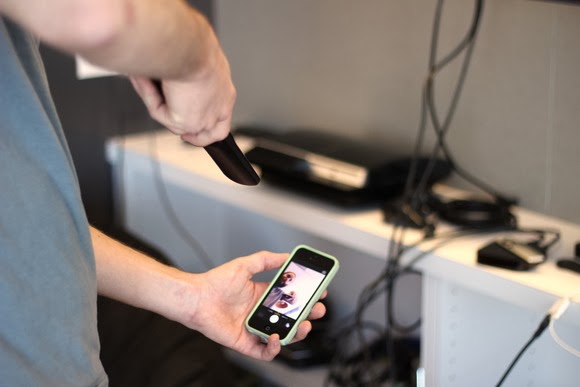
    To check your battery status, simply wake your smartphone and launch the Camera application. Next, switch to the front-facing camera, point the remote at the camera, and press any button on the remote.

    If the remote is working properly, you should see a flicker of light come from the IR blaster as viewed through your phone’s screen that looks something that this:

    If you don’t see the flicker from the IR blaster, or perhaps just a very, very dim flicker, you probably need to change the remote’s batteries. (And if new batteries don’t help, you probably need to replace your remote. Sorry.)

    Of course, this trick isn’t limited to your smartphone’s camera; many digital cameras can see infrared light, despite having filters to tune it out. So if all you have at your disposal is your laptop’s built-in webcam, you may have everything you need.

    Image Credit: TechHive

  • Smartphones Infographic: How smart has it made you?

    Smartphones Infographic: How smart has it made you?

    Half a century ago people are quite content with wearing analogue watches, playing cards and penning down notes. Post offices and analogue cameras, was doing great as well. Today people pay $335 to put a computer around their wrist. Board and ‘card’ games has long been replaced by more advance console video games, penning down and sending mails are now done on smartphones and even more strangely, people, now wear computers in place of glasses.

    smartphones
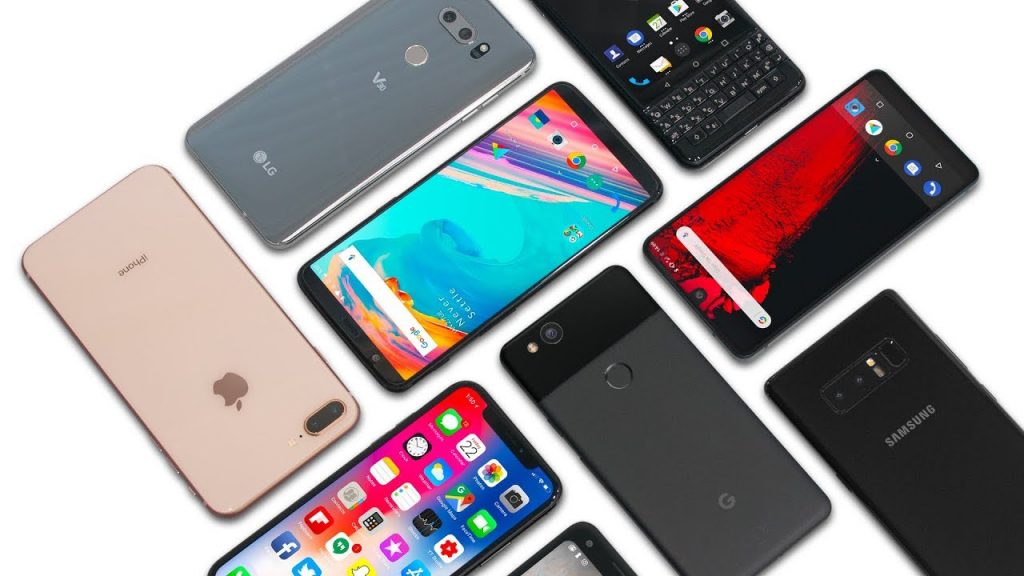
    Smartphones now comes in all shapes and sizes.

    The modern generation is very reliant on technology and computing to perform daily activities. This is to be expected as there is a sense of urgency associated with our present dispensation. However, smartphones usage is not dominated by business, finance, health or other categories you might expect. The leading category is the gaming category. Every now and then, someone has their face buried in their smartphone, no doubt, playing some of the most terrifying Android horror games in darkness. Indeed, smart devices are made, so we can become dull.

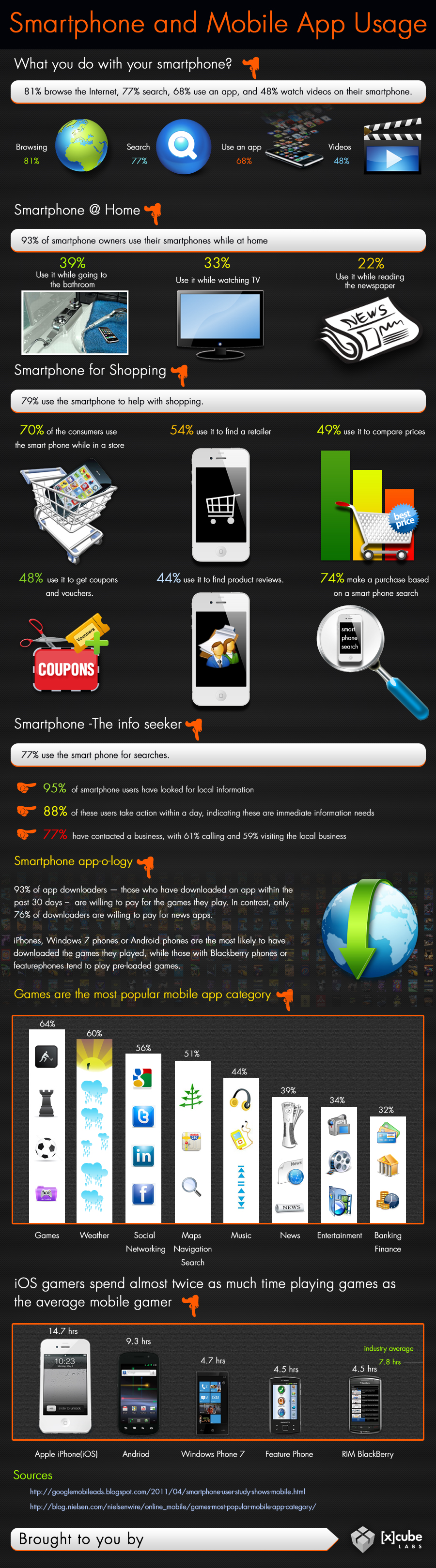
    Smartphones And Mobile App Usage – Infographic

    Smart phones has come to stay, the use of applications are evolving, companies can choose to adapt or suffer the fate of Nimbuzz. Just how far can mobile computing go? The answer will depend on what you make of it.

    [Further Reading: 6 Must Have Android Apps for Science Students]

    What really makes these devices functional and so useful is the fact that several apps can be downloaded on them. These mobile apps are available through different app stores depending on the operating system of your mobile computer.

    Some examples of these apps stores are Apple store, Google Play Store, Windows marketplace etc.  Below is an infographics by Xcubelabs that will show us, how people use their smartphone on daily basis.

    Smartphone And Mobile App Usage Infographic
    Smartphone And Mobile App Usage Infographic [Image credit: Xcubeslabs ]

    Embed this Infographic on your site

    <a href="https://ewtnet.com/technology/infographics-smart-phone" title="Smartphone And Mobile App Usage - Infographic"<img src="https://ewtnet.com/wp-content/uploads/2019/02/smartphone-and-Mobile-app-usage.jpg" alt="Smartphone And Mobile App Usage Infographic" title="Smartphone And Mobile App Usage - Infographic" width="100%" height="auto" /></a><br /><a href="https://ewtnet.com/technology/infographics-smart-phone">Smartphone And Mobile App Usage - Infographic</a><br>

    Smartphones play a lot of roles in your day-to-day life affair. I think most people simply prefer to relax to play a couple of games at the end of a hectic day. So going back to my initial question; I think smartphones has indeed made us smarter.

    Feel free to argue, though. The comment section is open to everyone.

  • The smartest cars may need 5G networks, Ericsson says

    The smartest cars may need 5G networks, Ericsson says

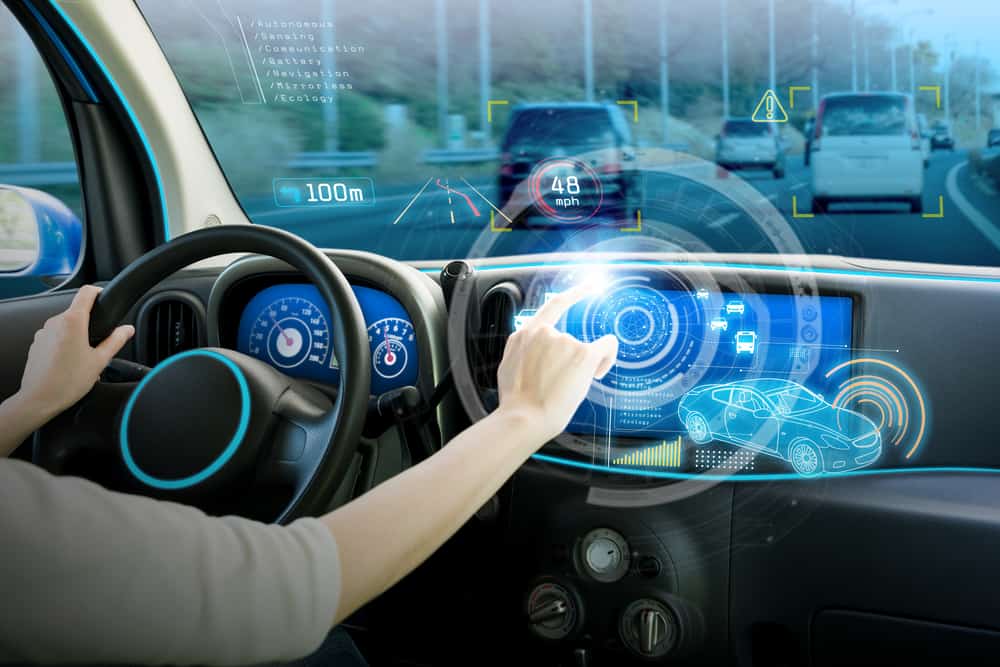
    IDG News Service – Some of the most futuristic features envisioned in networked cars will depend on 5G mobile technology that probably won’t be available in full until 2020, according to Ericsson’s chief technology officer.

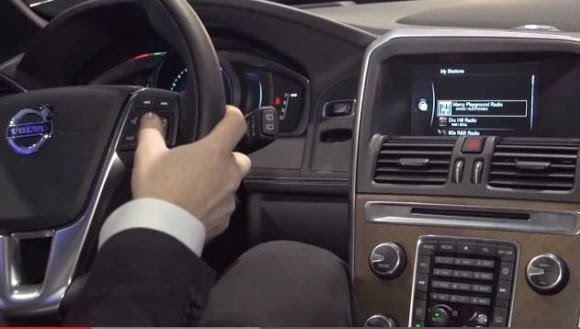
    There’s a bright future for cellular in cars, according to Ulf Ewaldsson, who is the mobile gear vendor’s senior vice president and chief technology officer and head of Group Function Technology. He spoke with IDG News Service following a big automotive push by Ericsson at International CES earlier this month. Among other things, the company showed off its CVC (Connected Vehicle Cloud), designed to deliver applications in a car for information, entertainment, making service appointments and other needs. Ericsson announced partnerships with both a carrier (AT&T) and a carmaker (Volvo).


    But more advanced networked-car visions, up to and including self-driving cars, will rely on capabilities that Ericsson sees coming in the as-yet-undefined 5G technology that will augment today’s 4G networks, Ewaldsson said. Ericsson and others are already talking about what to include in 5G, but Ericsson has said it expects commercial deployments of the future specification starting in 2020.

    Connected to a 5G network, cars could warn drivers of an impending collision or even be guided through traffic automatically with no driver behind the wheel, Ewaldsson said.Demonstrations at CES showed off both of those types of capabilities. But making those kinds of services work would require guaranteed performance all the way from the cloud that runs the service to the car, and back again.

    ”The networks that we have today have nowhere near that quality-of-service guarantee,” Ewaldsson said. Instead, 4G systems treat all data as “best-effort” traffic. Even though 4G radios, at their best, have a latency of just 20 milliseconds (a big improvement from 35 milliseconds on 3G), the critical thing is being able to predict and control those delays for each application, he said.

    ”A car is a good example of something that will have very different demands on different bitstreams,” Ewaldsson said. For example, a child watching a movie in the back seat may be getting that video stream over the same cellular network that’s responsible for real-time warnings and vehicle commands. Future networks will have to be able to tell the difference between them and prioritize one application over another, he said. “Maybe we don’t want to do this right now. Maybe we want to do this six microseconds later.”

    In addition to prioritizing packets and using low-latency radios, 5G networks should be able to communicate the service levels for different traffic types to the clouds that will run the applications, Ewaldsson said. That calls for software-defined networking, an emerging set of technologies that shifts control away from traditional routers and switches and into software running on various platforms.

    If all this work makes smarter cars sound like an impossible dream, Ewaldsson did say some elements of 5G would be implemented sooner than others. In addition, there is a parallel development track in the industry pursuing the same results without network assistance, he said, though he thinks everything disconnected eventually will hook up to the network.

    Ewaldsson defended the lengthy process of completing global telecommunications standards.

    ”That model has been very successful. It has globalized technology faster than the super-competitive model, if you compare it to the IT industry,” he said. The alternative can create “redundant” innovation by competing companies that each try to make their approach dominant through their weight in the market, he said.

  • Panasonic Set a New Pace for Film Shooting with HC-MDH2

    Panasonic Set a New Pace for Film Shooting with HC-MDH2

    Remember when television was the exclusive preserve of  a select  few?  When no one really cared about  picture quality, but those who has  access   to    movies on television were simply thankful to behold the wonders of motion  picture? Well, those days are gone now.

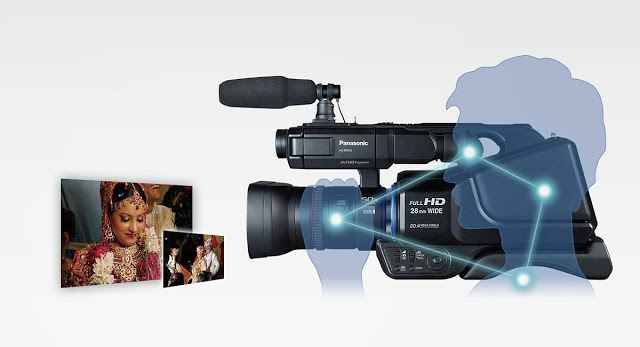
    The average person now cares  as  much for the quality of a video as he does for the quality of a movie plot. Panasonic knows that. That’s why it recently  introduced its latest camcorder product to widen the gap in film shooting and photography with the pro-style shoulder mounted HD camcorder HC-MDH2. The camcorder is equipped with the “Simultaneous Recording” function, the camcorder allows recording on dual memory devices simultaneously.

    Panasonic’s new HC-MDH2 with greater advanced shooting performance, design and operability enables photographers to shoot still Photo’s at 20 Megapixel resolution and videos in Full High Definition or in Standard Definition format. The direct manual control Of   focus, Zoom, Iris, White Balance and Shutter Speed, via the manual ring, are incorporated based on user needs to have control over varying shooting conditions. “Simultaneous Recording” in Dual Memory Devices for Added Dependability:

    With the Simultaneous recording function, a captured video can be recorded in dual memory devices at the same time, which means that even if a problem happens in one device while shooting, the video images are always backed up in the other device. This ensures high dependability. Relay Recording is also supported, making the camcorders effective for extended recordings.

    Automatically correcting the tilting of captured images to make them horizontally level for ease of viewing -The tilting angle to the horizontal plane is automatically detected and corrected while the camcorder is stationary.

    This article first appeared at our neighbor’s site: Vanguardngr.
  • How To Remote Access Any Computer By Using TeamViewer

    How To Remote Access Any Computer By Using TeamViewer

    In computing the problems can occur at any time and in any part of the computer, and without any doubt we want to fix it as soon as possible. There are two types of problems Hardware and Software. Hardware problems are uncommon because most of the users are using the branded things of good quality but in case you are facing any a hardware problem then it I might take some time. The Software problem is very common in this field which can be solved by either paying for it for free. If you’re unknown to it then you may in trouble and have to pay sometime. Now if you know your friend or any other person how can fix it and can be solved without any pay then here is the one of the best , easy and free software, which needs just an internet connection for show its effect. There are many other software are available but from my personal point of view and uses the best is as follows.

    TeamViewer : How To Remote Access Any Computer

    TeamViewer is a computer software package for remote control, desktop sharing, and file transfer between computers. Remote Control stands for being a computer to which a user does not have physical access, but which he or she can access or manipulate via some kind of network. It offers the control of the one computer from the other computer without any direct connection, with which you can do anything at the other side. Remote control option comes in many operating systems as default such as Windows Server 2k, 2k3 and the other versions of it. For a common and any operating system TeamViewer is the best. It’s also designed for Windows, Mac OS X, Linux, Ios, Android with Multi-Language.

    You can get full access of TeamViewer with just a few clicks and its very easy.

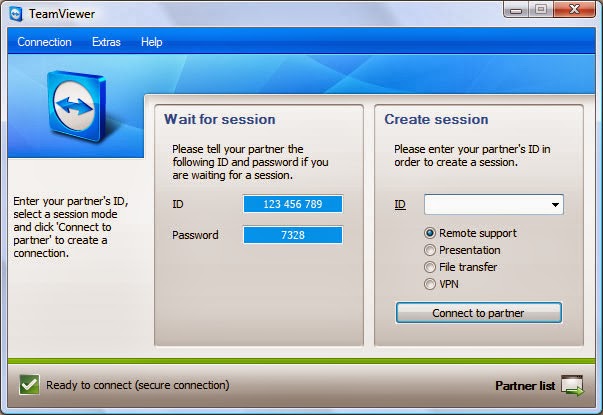
    1. Download TeamViewer from here and install it on your system.

    2. After installation simple opens it from the Programs List or the for the Desktop Shortcut.

    3. It provides a unique ID  shown as “YOUR ID” and a Password (In decimal form)

    {One more thing about TeamViewer is that it works only when the system have it, which means if you want to use it you have to install it on the other system as well and make it as your computer as a server and other as its client and vice-versa.}

    4. Now the Unique ID  and Password is also from the same side fill at the “PARTNER ID” right side in the opened window and click “CONNECT THE PARTNER”.

    TeamViewer is totally free for the home use or non-commercial use. It provides many advanced options. One notable thing, if you make a restart your system it changes the password for the same client system every time. So when you reconnect with a system keep in mind this thing.

  • The Rise of Mobile-Payment Apps

    The Rise of Mobile-Payment Apps

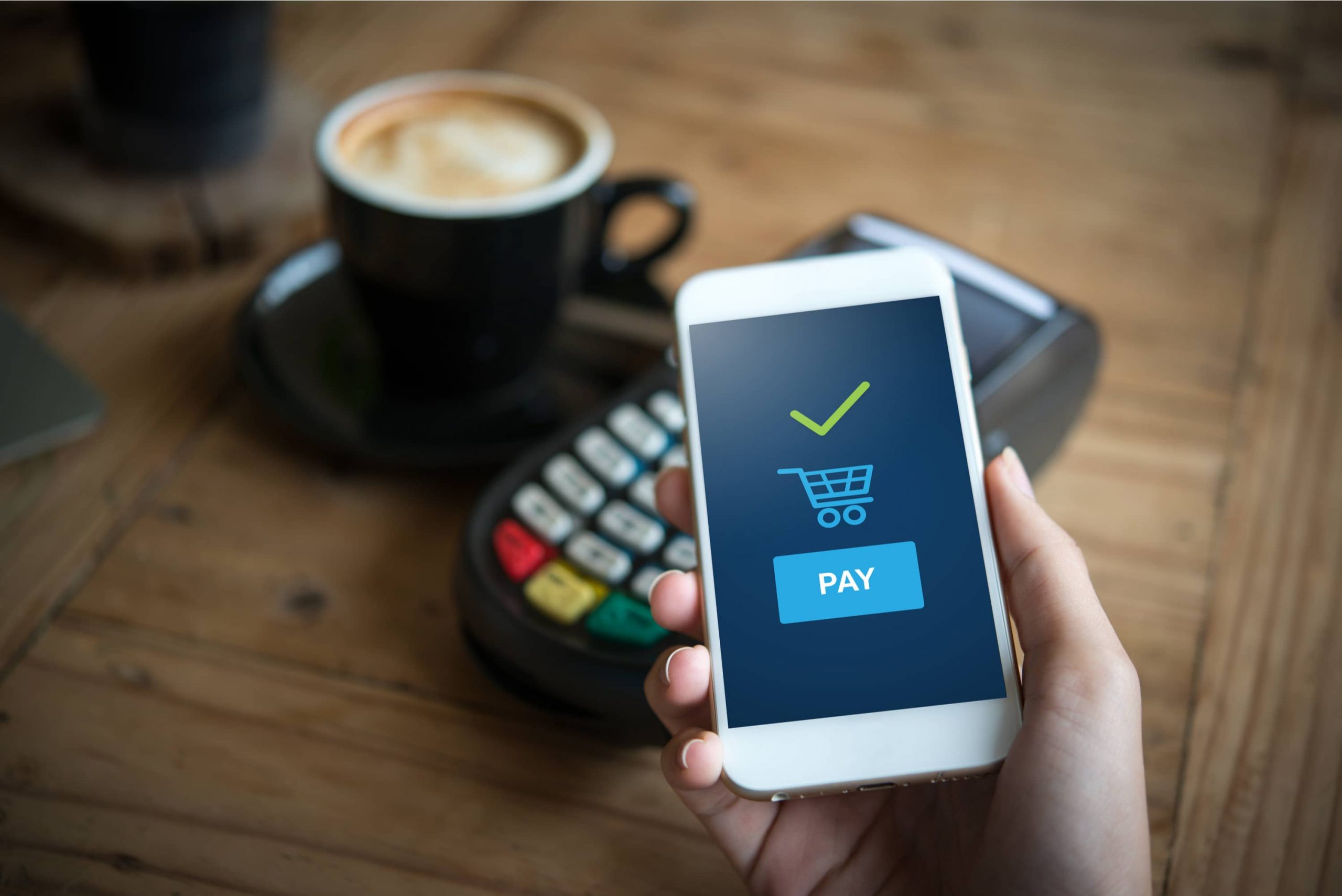
    The rise of mobile-payment apps is due in part to the rise of consumer demand for payment options on mobile phones. This is the main reason behind the increase in using mobile payment options worldwide. In the US alone more than 50% have accepted making payments through mobile phones for services and products. Consumers today are more sensitive and aware about the worth of money. They are ready to make investments on energy and time in order to find the right service or product. However, consumers prefer institutions for providing mobile payment means through wallets and apps in order to gain the confidence and trust in mobile payment security.

    At least 60% of consumers have accepted that they will become more willing to accept mobile payment apps if certain financial institutions offered them the right resources. Mobile payment apps have increased worldwide because the majority of payment resources are realizing the importance of smartphones and features that are being made. They also understand how consumers are becoming comfortable with the entire process of mobile payments today more than ever before.

    With the mass use of tablets and smartphones, the entire world is reaching the phase where everything will become mobile. We are moving away from card based and fixed point transactions and opting for mobile resources. Mobile payments examine and analyze the mobile payment state and how they will match up with the card readers. Credit card companies, traditional banks, card processors and similar institutions are seeing mobile payments as a tough competition and threat.

    The majority of brands are switching to the mobile payment mode. For example, Starbucks is switching its debit and credit card processing system to Square. Another recent development is that mobile payments are becoming a part of the huge mobile commerce market and it is bound to explode soon.

    Android phone users are engaging and using mobile payment apps and the trend has grown to 8%, a 35% increase from last year. Mobile wallet and payment solutions are at the peak of its development. Consumers are using it to make basic payments, from bill payments and account management to moving money. They are also using their phones to make payments of services and goods of limited value, including the purchasing of movie tickets or getting coffee.

    Success and rise in mobile payment apps completely depends on the changing trend in consumer behavior and their shifting reliance and dependence on the use of mobile payment apps and wallets.

  • Role of Technology in Business Expansion

    Role of Technology in Business Expansion

    Technology plays a very important role in the expansion of a business. Business technology such as social networks, virtual office technology as well as video conferencing helps in removing boundaries at work place that limit business expansion. Technology in business helps in targeting a wider customer base that help an organization grow to higher levels. Therefore, choosing, deploying and managing the information technology which is necessary for business expansion is important. This article provides information on the role of technology in business expansion as explained in the following paragraphs;


    Diversification

    The use of technology serves the purpose of opening doors to different types of people globally in the work place together with different perspectives to projects. Diversification is an essential function that a business must have to be able to compete in the global market. Through diversification a business will expand in different ways including;

    • Opening opportunities for the business to expand and operate globally.
    • Bringing people from different countries and cultures – this offers a different perspective to business projects and environment. It gives a wide variety of diverse, creative as well as unique views that helps in growth and expansion of the business.
    • A new approach of business gives the institution a competitive edge which is beneficial for growth and increased sales.

    Efficiency in Communication

    Effective communication is a basic necessity to achieve business expansion. Technology works to improve communication in the workplace. Business expansion is achieved through;

    • Interactive communication among workers in attending to clients’ needs through phone calls
    • Workers are able to use electronic mails instantly to reply and sell business products without interrupting the recipient
    • Improved communication with business partners using multiple channels of communications is an advantage for the business. This is an assurance that a business will expand at the end.

    Information Storage

    Safety and accessibility of a company’s information is important. The prospects generated and their use for the company needs to be stored safely and should be accessible to people who need it. This information will be used by;

    • Workers in the office as reference material to sell company’s products
    • Sales people use this information to teach new and existing clients about the business and its products
    •  Other business executives need to use this information even outside regular business hours

    Accessibility of business information is very important when it comes to selling its products. So, technology serves a good purpose to ensure this information is safe for future use. Deploying IT systems plays an important role in expanding companies.

    Mobility

    The use of technology in a business allows more movement of people. Business partners do not need to meet in one room to discuss essential matters concerning the business. The use of video conferencing has made the operation of business easier in the following ways;

    • It has enabled businesses all over the world to interact with one another.
    • Businesses save time, expenses and space
    • People can set up virtual meetings and distribute data without the need to be in the same room.
    • With technology businesses can establish a global presence at a fraction of the cost.
    Andrea Jayson

    Author Biography:


    Andrea is a Blogger and Write from UK. She loves to write articles on various categories like Finance, Technology, Travel and Health. As If not she is doing a research work on ukba.

  • Top 5 Technology Trends Which Will Govern The Future

    Top 5 Technology Trends Which Will Govern The Future

    Trends get a bad blow, mostly since they are frequently associated with fashions. However trends can be significant, particularly those long in the making. If a lot of clever individuals are ready to spend years of their lives and millions of dollars on an idea, there is perhaps something to it.

    Currently, we are on the edge of a new digital paradigm, where the abilities of our machinery are beginning to outshine our own.

    Computers are deciding which products to store on shelves, carrying out legal detection and even winning game shows. Very soon they will be driving our cars and making medical diagnoses. Here are 5 trends that are driving it all.

    #1. No-Touch Interfaces:

    We have become accustomed to the notion that computers are machines which we control with our hands. Just as the Generation X became contented with keyboards and mouse, today’s millennial peer group has learned to text at an extremely high speed. Every new restatement of technology has required new abilities to use it competently. That is why the new trend towards no-touch lines is so basically different. From Microsoft’s Kinect to Apples Siri to Google’s Project glass, people are beginning to expect the computers to get used to them instead of the other way round.

    #2. Native Content:

    Though over the past several years technology has become more indigenous, social and portable, the new digital combat zone will be fought in the sitting room with Netflix, Amazon, Microsoft, Google, Apple and the cable companies all competing to create a leading model for delivering customer entertainment.  One developing approach is to develop unique programming so as to attract and uphold a subscriber base.

    #3. Massively Online:

    In the last decade, enormously multi-player online games for instance World of Warcraft became all the rage. Instead of simply playing against the computer, you could play with thousands of others in real time. It can be extremely interesting, though somewhat disturbing when you realize that the spiteful Philistine you have been prowling around with is in fact a 14 year-old girl. The massively online trend has even entered into politics, with President Obama recently reaching out to average voters through Google Hangouts and twitter.

    #4. The Web of Things: 

    This is perhaps the most universal trend, where almost everything we interact with becomes a quantifiable unit. Our homes, cars and even items on the street will intermingle with our Smartphones and with each other, perfectly. What will drive the trend in the future are two corresponding technologies: Near Field Communication, which lets for reciprocal data communication with close devices and ultra-low power chips that can harvest energy in the environment, which will put quantifiable objects just about everywhere you can think of. Still, as computing stops to be something we do seated at a desk and becomes an ordinary, typical way of relating to our environment, you cannot tell what the effect will be.

    5. Consumer Driven Supercomputing:

     Everyone knows the frustration of calling a customer service line and having to cope with computerized interface. They work very well, though it takes some determination.  There lies the next great challenge of computing. While we used to wait for our desktop computers to process our commands and then waited for what seemed like infinity for web pages to load, we now struggle with ordinary language boundaries that just can’t quite work like we would like them to.

    In conclusion, technology companies are becoming more and more consumer-driven, capitalizing on things like native content in order to get us aboard their platform, from which we will sign onto enormously online services to amuse and educate ourselves. The future of technology is, paradoxically, all too human.

    Andrea Jayson

    Author Biography:


    Andrea is a Blogger and Write from UK. She loves to write articles on various categories like Finance, Technology, Travel and Health. As If not she is doing a research work on ukba.

  • Review: Jitterbug Plus Cell Phone Simple Design, Lifesaving Technology

    Review: Jitterbug Plus Cell Phone Simple Design, Lifesaving Technology


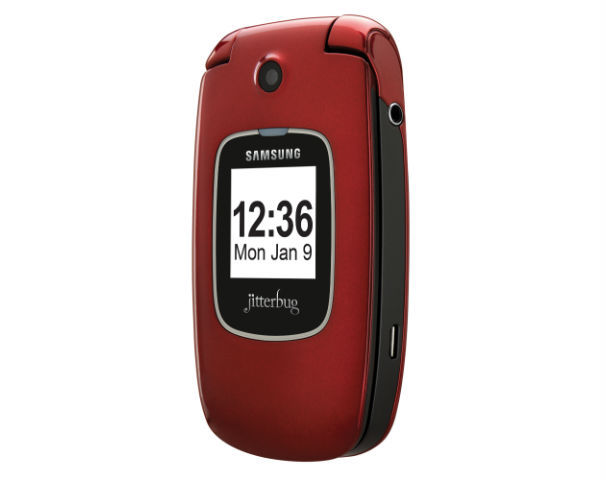
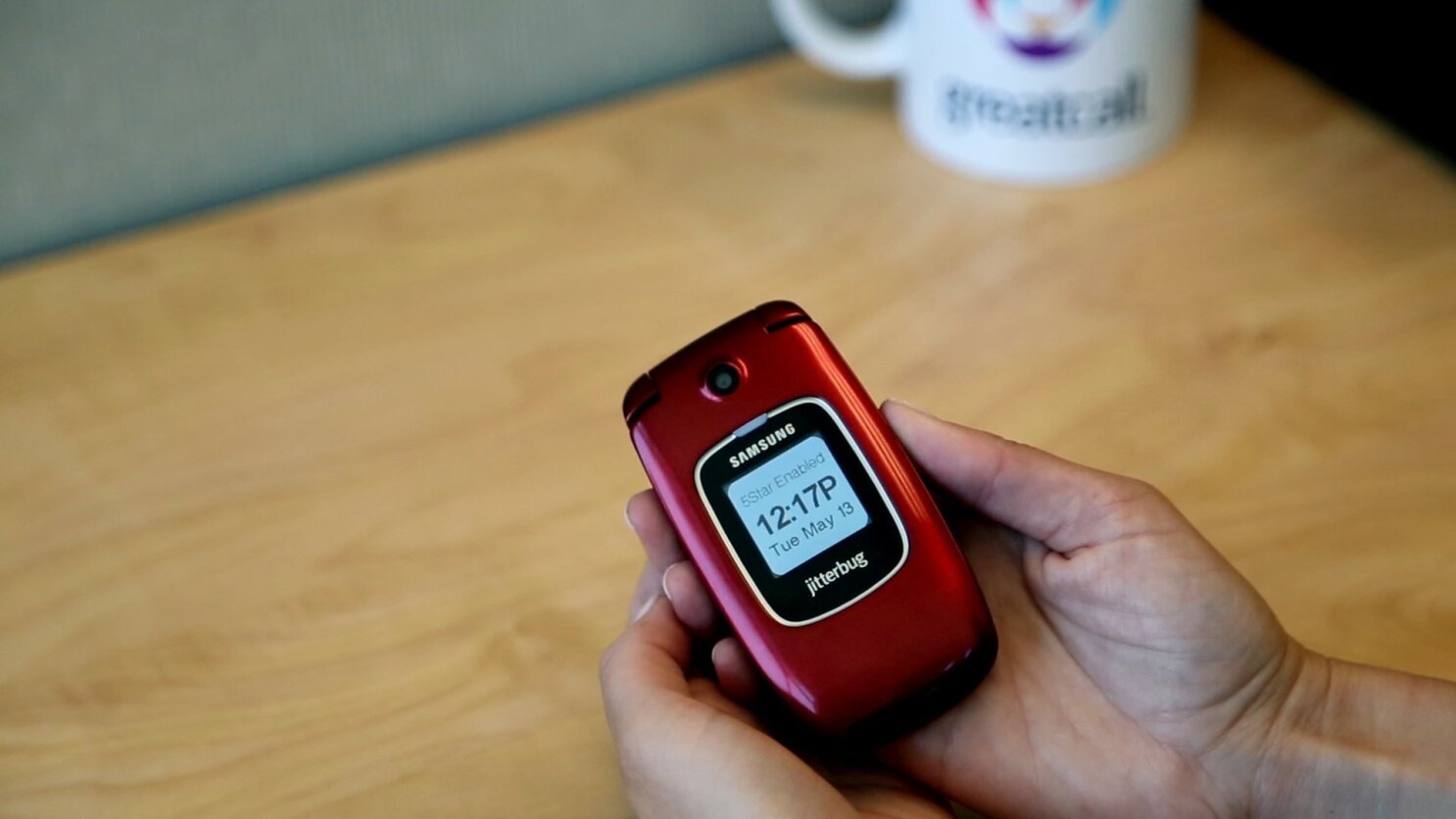
    The GreatCall Jitterbug Plus ($119, no contract required; price as of July 2, 2012), designed for seniors and anyone else who needs access to health or safety services, looks and functions like a simple, no-frills feature phone, but it has lifesaving technology behind it. The Jitterbug Plus improves on the previous Jitterbug model with photo-sharing capabilities, preloaded text messages, and a more sleek design. It also supports GreatCall’s 5Star Urgent Response personal emergency-response service.
    GreatCall CEO David Inns says that the company obtained feedback from customers on ways to improve the previous Jitterbug. One feature request that kept coming up was picture sharing. Jitterbug Plus owners can now share photos on Facebook, Picasa, and Shutterfly. It is easy to set up, too: You simply go to your Jitterbug.com account and fill out your profile credentials. Afterward, you can share photos with your social networks directly from the
    camera gallery.
    The 2-megapixel camera isn’t the highest quality; in my tests, photos looked a bit hazy and washed out. For social networking purposes, however, the Jitterbug Plus’s camera works just fine. The camera has no flash, so taking photos in dark environments might not turn out so well.
    The Jitterbug’s design is a bit of a throwback to older phones, with its clamshell shape and internal and external displays. The Samsung-built phone is smaller and lighter than previous iterations, though, and comes in an attractive red or silver color.
    On the Jitterbug Plus, you’ll find a few preinstalled text messages, such as “How are you?” and “On my way.” The alphanumeric keyboard offers large, easy-to-press keys with a clear font to make texting painless. Large ‘Yes’ and ‘No’ keys help you navigate the simple menu; for example, if you want to read a text message, you press ‘Yes’ to open it. As somebody who is constantly using advanced smartphones, I found that this extremely basic navigation system took some getting used to–I kept looking for ‘Back’ and ‘Home’ keys instead. But when I showed the Jitterbug Plus to a person who has never even attempted to use a smartphone, he loved the design, and said that it was much easier to use than the feature phone he already owned. He did not like how long it took to browse through the main menu, however. I also noticed that the navigation was a bit slow in that regard.
    The Jitterbug Plus has insanely long battery life, which is an important feature for its demographic. GreatCall claims that the phone has 25 days of standby time. Although I haven’t had the phone for 25 days, I haven’t needed to charge it since I received it about a week ago. One drawback is that the display has no battery-life indicator; you have to go to ‘Phone Info’ from the main menu, which is a bit unintuitive. For customers who are hard of hearing, the Jitterbug Plus has a very loud ringtone and audio speaker. Call quality overall was quite clean on my test calls. My friends on the other end of the line were similarly pleased with how clear I sounded.

    Pricing and Additional Services

    GreatCall offers a pay-as-you-go plan that starts at $15 per month for 50 minutes, and runs up to $80 per month for unlimited minutes and text messages. If you choose to go à la carte, text messages cost 10 cents each. Voicemail costs an extra $3 per month.
    Jitterbug Plus owners can add a number of wellness services to their plans, including 5Star Urgent Response ($15 per month), which gives you direct contact with a certified emergency-response agent, performs GPS tracking, and provides free 24-hour access to unlimited health advice from registered nurses. You can tack on other helpful services, too, such as automated check-in calls ($5 per month) and medication reminders ($10 per month). These services add up, but are invaluable to anyone who needs them.
    The Jitterbug Plus is meant for a very specific audience–one that I’m not yet a member of–so reviewing a product like this can be difficult. But I’ve seen other products that try to make an interface too simple, and end up leaving out some important features. GreatCall has done an excellent job of creating a phone that is both easy to use and full-featured, packed into a modern design.