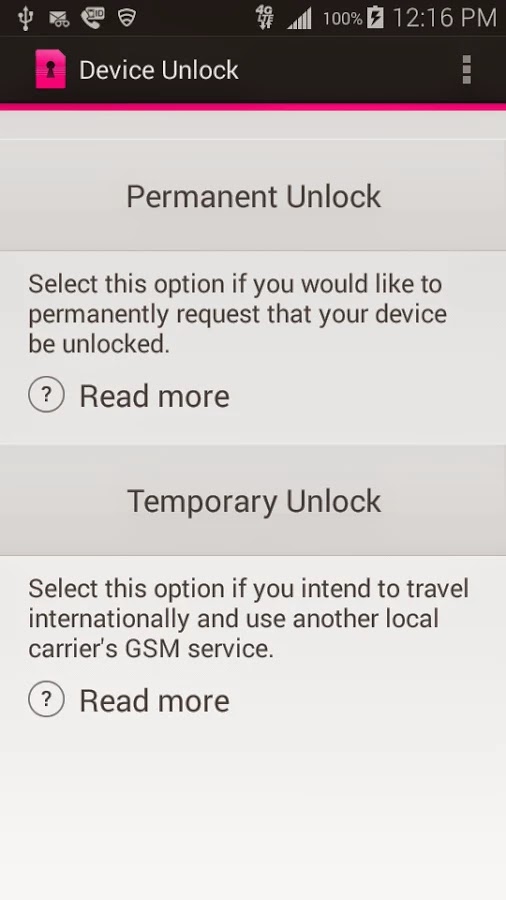
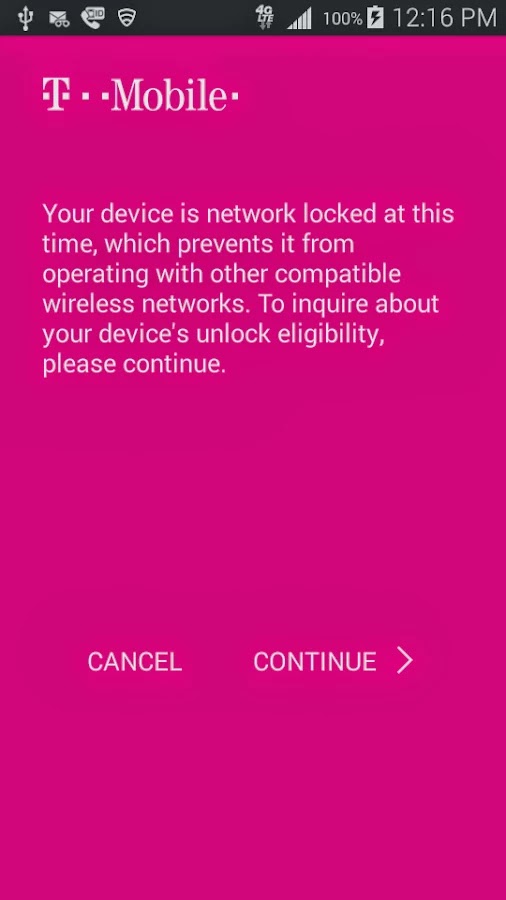
Device Unlock is an application that allows you to request and apply a Mobile Device Unlock directly from the device. For many of you Android users out there, you probably know your way around, but there are many out there with tied-down phones who have no idea where to start. And since unlocked phones are basically a civil liberty for the time being, T-Mobile plans to help them.
Note: Unlocking your smartphone is completely different from rooting your Android device. For walk-through on how to root most Android devices, kindly read: 3 Steps to Root any Android Phone with 1 Click
A Coin of Two Sides
The Device Unlock App offers you two options: one that permanently unlocks a device, for those who want complete freedom from the carrier, and a temporary unlock, which frees the phone for 30 days so you an use it overseas. The permanent unlocking option will check to see if your device is actually eligible for it before it completes the process.
The Downside
While the functionality of this app remains flawless, the limitation of supported devices remains the Achilles heel: So far, the application may install successfully on devices like T-mobile variant of the LG G3 but only works on Samsung Avant devices as clearly stated on the Play Store description. This has earned it a number of criticism among Android users in the Play Store. However, according to TmoNews.com, the US’s fourth biggest carrier is working on an app that lets its users easily unlock their phones with the literal touch of a button. It’s a really smart idea, and it’s probably how the carrier plans to appeal to all the novice smartphone users out there.
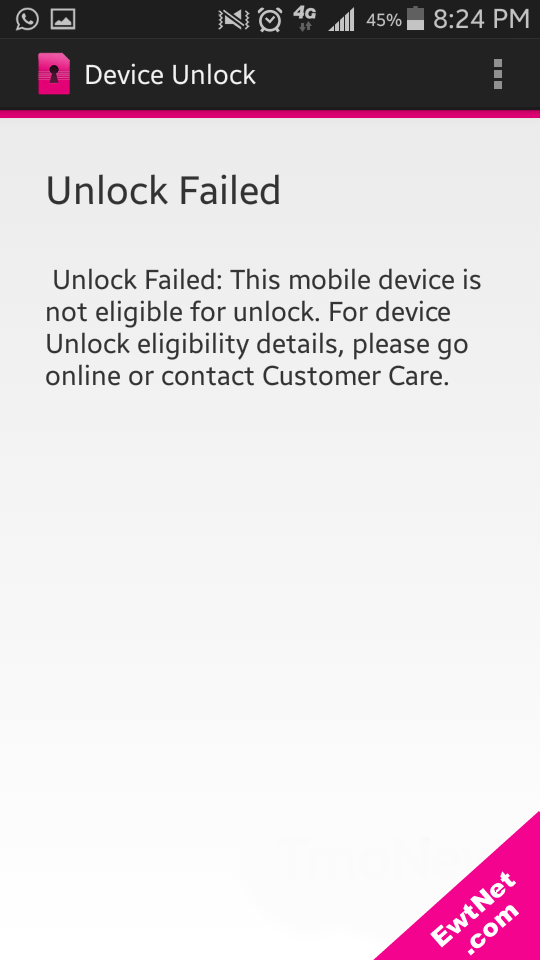
When unlocking is unsuccessful an alert pops up with details on why the your unlocking failed (See screenshot above).
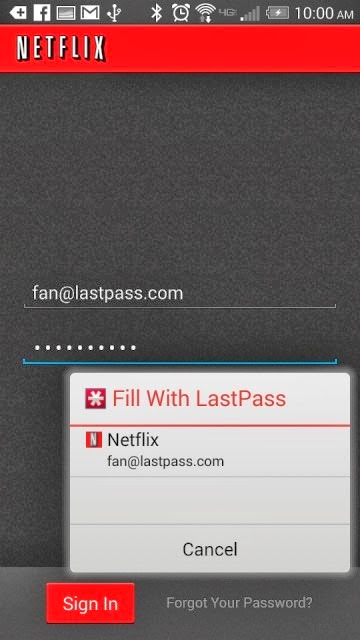
Password management service LastPass, which stores passwords on a secure online service to automatically log users into websites, has rolled out automatic password entry to Android apps and the smartphone’s Chrome browser.
So for LastPass users on Android, the days of manually entering passwords into apps and websites are over.
“It takes the concept of our desktop functionality — recognizing what page you’re on and looking for a match stored in your vault — but is adapted for the Android accessibility feature,” Amber Gott, a LastPass spokesperson, told Mashable. “Once the option is enabled in the LastPass Android app, LastPass can now ‘see’ when you’re on an app login page, and then can hover and let you know if you have a matching login.”
The news comes just a few weeks after competing password management service PasswordBox enabled a similar automatic entry feature. Previously, LastPass users needed to copy and paste passwords from the LastPass app to log into native apps and sites.
The feature is available for apps on devices with Android 4.1 and later and Chrome on smartphones running 4.3 and later. It also supports Dolphin HD and Firefox mobile browsers, too.
Although the functionality adds a big convenience on Android, it’s unclear if and when the feature will ever come to iOS devices.
“Unfortunately, Apple doesn’t have an equivalent that allows us to hook into the OS and securely deliver users their data,” a LastPass spokesperson told Mashable. “We’re still looking into it and hope that further updates to iOS may allow us to implement something similar.”
Click here to download LastPass password manager to your Android smart phone.
While Apple’s iOS and the Android dominate the mobile phone’s operating systems, Microsoft’s Windows, particularly Windows 8, is growing increasingly popular not only with Nokia but Samsung and HTC have taken interest.
Now the consumers are met with the question, “Which is the best Windows 8 phone“ in the market right now?. While we want to give you an answer, it would be best to let you decide. However, we can give you our best 5 Windows 8 phones to check for yourselves, based on the considerations of the phone’s basic functionality, look, capacity and price.
Nokia Lumia 925/1020
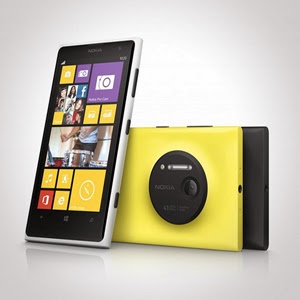
Let us begin with Nokia. It has an array of amazing units. Nokia Lumia 925 is perfect for photography. It is equipped with Nokia’s Pureview and 6 Carl Zeiss lenses to provide 8.7megapixels with Optical Image Stabilization that allows you to capture images even on low light environments. It is somewhat lined up up there with the Iphones and Samsung Galaxy S4 with its touch-screen technology of PureMotion HD + Amoled offering you 1280×768 pixels resolution. Nokia Lumia 1020 is the video and photography professional. With its main feature of 41MP camera, your videos and photos are taken in top-class clarity and detail. It is backed by the Nokia Rich Recording that provides distortion-free and stereo sound on your videos.
HTC 8x/8s
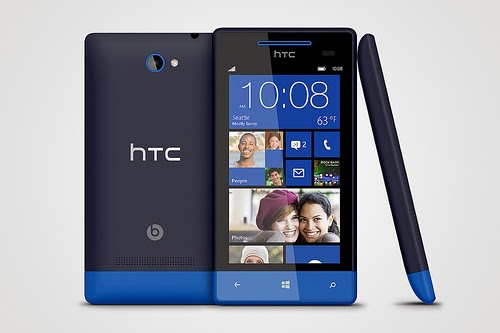
HTC also has its wonders with Windows 8 units. It has windows phone 8X and 8S. Windows phone 8X considered as one of the best Windows 8 phone for its high end quality. It has world class camera, perfect fit design, and wide screen with 1,280×720 pixels resolution. Its dual core 1.5GHz processor is capable enough, but there is no option for expanding its memory just like most Windows 8 phones. There is also the HTC Windows phone 8S.Its boldly colored design makes it classy and attractive. It has a high performing battery. Moreover, it has a superb studio quality sound and entertainment. Great photo qualities and camera options are also featured in this one of the best Windows 8 Phone.
Samsung ATIV S Neo
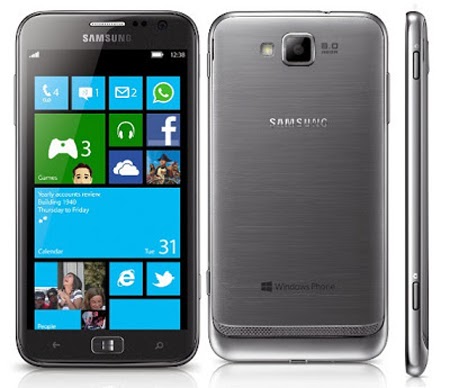
Next stop is the Samsung ATIV S Neo. It is Samsung’s best Windows 8 phone, because of its affordability and good performance. It has a wide screen display of 720 x 1280 pixels, 4.77 inches for easy touch and visuals. It definitely provides a good windows 8 experience. It has long life battery of up to Up to 15 h and it has good camera features 8 MP, 3264 x 2448 pixels, autofocus that can capture sharp details. However, the phone is a little bulky and heavy. It is not much of a style but still a high end one with reasonable price.
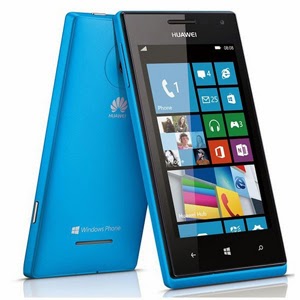
Huawei Ascend W1
If you are looking for a very affordable prepaid Windows 8 phone then Huawei Ascend W1 will be the best choice. It may not be a perfect device for some applications, but it has a strong battery life and expandable memory. However, this device has several drawbacks. It has a low internal storage of only 4 GB and low camera specs 5 MP, 2592*1944 pixels. Still, being affordable and practical, this might be perfect for some people who don’t want to stretch more of their budget.
These are the top choices that we can have varying from different types of needs and lifestyle. Windows 8 had made these phones far better than usual ones. Check them out!
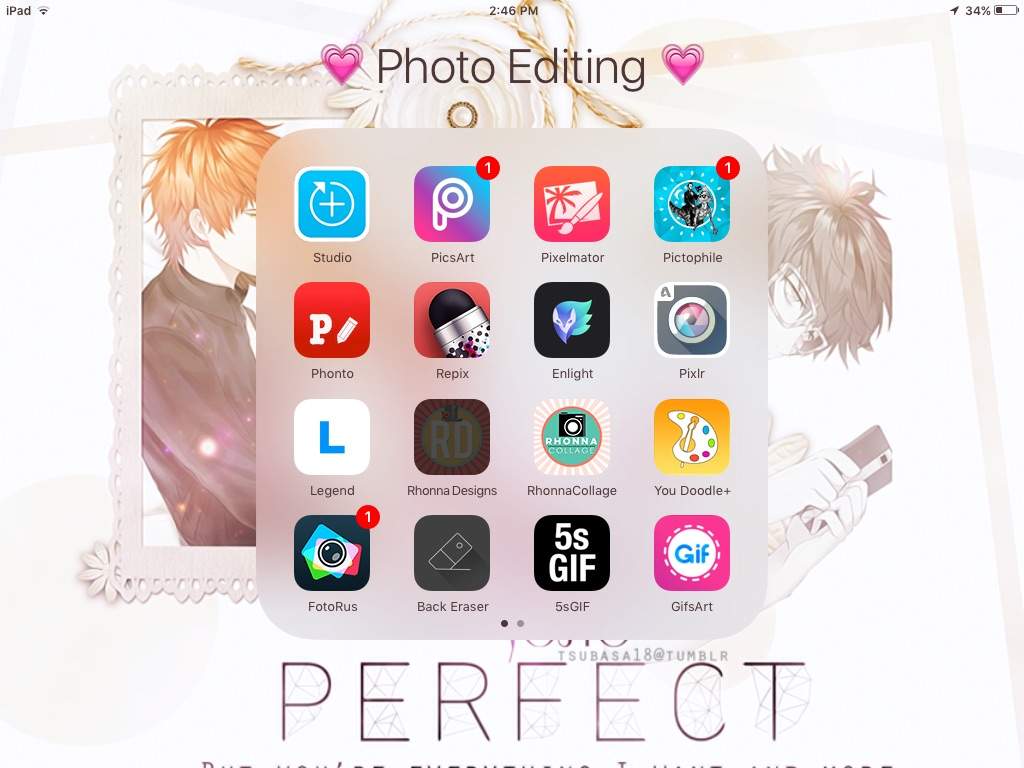
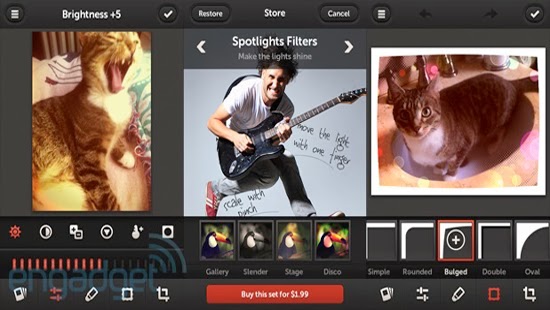
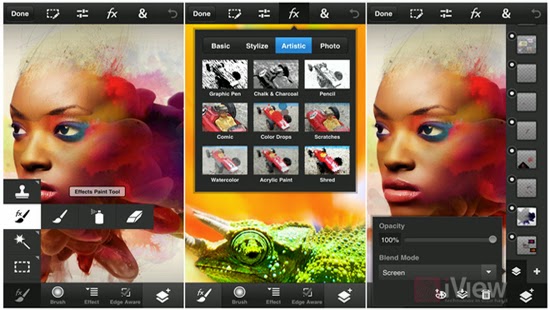
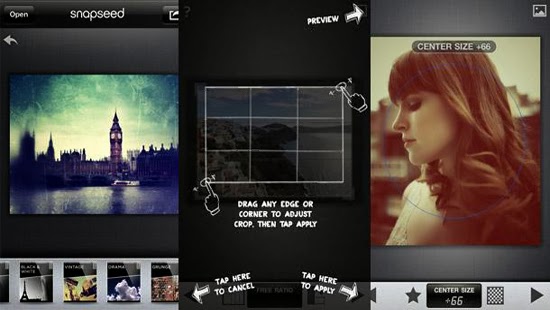
The best photo editing app for iPhone is determined by the purpose for which the app is used. Instagram has become an established brand though there is stiff competition in the market. Although these apps are not perfect Graphic software, they make user experiences much easier and create more independence with regards to quick editing and can be used on iOS and Android operated phones. There is a wide variety of photo editing apps to choose from but here are the 7 best photo editing app for iPhone on the market at the moment.
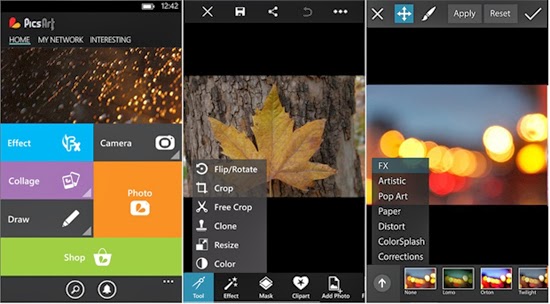
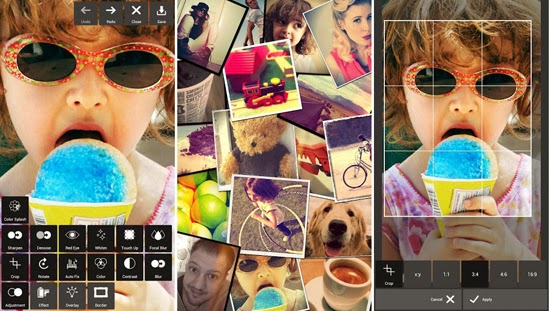
Apart from being a photo editing app PicsArt serves the purpose of being a social network for sharing photos. Editing tasks like color adjustments, re sizing and cropping can be undertaken by using the Photo button. Other salient features include Effects that issue specialized tools like red-eye removal, watercolor, pastel and cartoonizer that you can brush on to the image. Conversely, you can snap pictures with a camera tool and paint or draw on an image using a layer-based interface with the Draw tool. It has one of the widest collections of image manipulation tools.
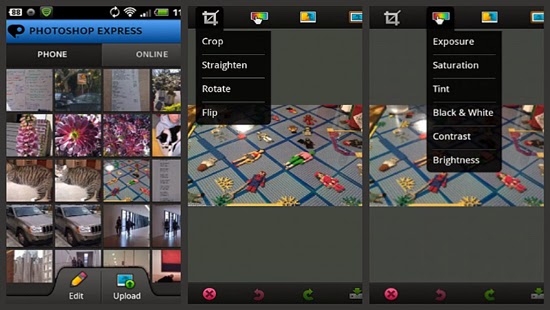
Pixlr Express is an all-round photo editor & one of the best photo editing app for iPhone. It has facilities that ensure resizing, cropping and basic cleanup. Other specialized tools providing additional enhancements to your photos include one-touch cleanups, Autofix, teeth whitening and red-eye removal. Striking improvements are ensured by lighting effects and overlays in addition to colour adjustment and other tools that are done with fine-grained control.
If you are looking for artistic and classical images, this is the right photo editor app for your iPhone. Salient features include adjustment tools and frames including fast and rough image filters. Custom effect brushes are at your fingertips to selectively paint on special effects. Repix is compatible with Samsung’s S-Pen that provides brushes, frames, filters in addition to other tools that are available as in-app purchases.
This photo editing app incorporates some desktop functions that are employed with the larger app. These include filters, adjustments, selection tools and layers. During editing, there is no loss of detail because there is no downscaling while editing up to 12 megapixels when working on high-resolution photos. Despite being slightly advanced for the novice, this is a powerful editor that makes an exceptional choice.
For those in need of a basic photo editing app, Adobe Photoshop Express is the right tool. Its properties include one-touch filters and Auto-fix for quick edits including slider controls for image enhancements such as shadows, exposure and contrast. In-app purchases allow for the incorporation of additional features like image utilities, special features and advanced filters. The basic package is mostly sufficient for simple editing manoeuvres that include cropping, resizing and red-eye correction.
Snapseed mobile provides more selective tools with one-touch enhancement through exceptional usability and power. Essential attributes allow you to fine-tune the image using a simple slider as well as quick boosts to colour and contrast including photo clean ups with Auto Correct. Other features provided are ‘Selective Adjust’ mode enabling you to tune concentrated portions of the image using saturation edits, colour and brightness in addition to the Tune Image tool that allows you to alter a variety of image effects like warmth, shadows and brightness. Tilt-shift provides a wide selection of tools and filters as well.
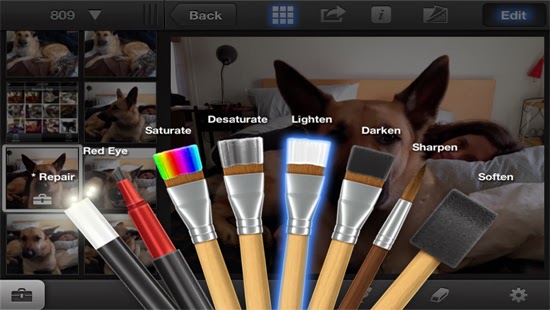
iPhoto is a high-end photo editing app for iOS featuring smart organizational tools that enable you to tag and sort out your photos as well as touch-based tools for adding special effects and cleaning up photos. Brush-based editing tools give you the leeway to use your fingertip in sharpening, darkening or lightening images. You can selectively edit pictures by employing gesture-based and multi-touch tools. Users can order custom photo prints or photo books while you can share photos online as slideshows or web journals.
We believe the list above features best photo editing app for iPhone, we hope this article can help you choose the right app , as always we’d love to hear your comments, suggestions…
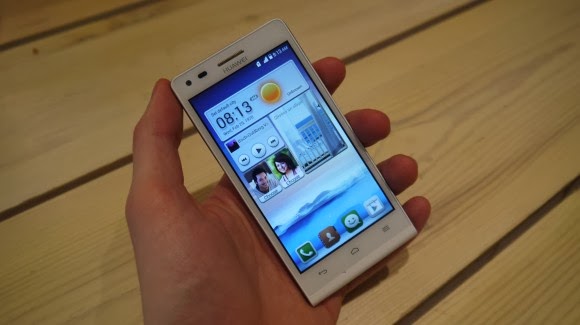
Earlier this week one of the leading leading global information and communications technology (ICT) giants Huawei registered a new name, Huawei Ascend G6 4G smart phone to the already populated smartphone industry. The 4G LTE-enabled Android device is set to face tough competitions from the likes of Samsung Galaxy S5 and Tecno P5 in the smartphone market, especially in Africa, Asia & Middle East where the the later has left it’s mark.
The smartphone device will be featuring the latest version of 4G technology – CAT 4 – giving you a super speedy internet connection.
Inside Ascend G6
The new 4G LTE-enabled smartphone brings ease of use back to smartphone ownership and opens up a world of fun and colorful new ways to stay connected without boundaries.
With a 4.5-inch qHD display, 5-megapixel front-facing camera and Emotion UI 2.0 , the product is an ideal companion for those who want to share better.
With the product, there are also endless opportunities to explore surroundings with multi-shot capture, horizontal shooting and panoramic functions, thanks to the five plastic elements (5P) lens of the 8-megapixel AF BSI f/2.0 aperture rear-facing camera.
Alternatively, the voice-activated hands-free ‘selfie’ function shows off camera-ready poses.
Describing the product, , Richard Yu, CEO, Huawei Consumer Business Group, said it is stylish, colorful, and lightning fast smartphone designed to break down barriers.
With its handy 4G LTE connectivity, he said that it is easy-to-use interface and dynamic cameras offering a multitude of photographic opportunities.
Interestingly, filming or photographing in low light is a breeze with Ascend G6 4G’s in-built Sony IMX134 sensor, blue glass infrared filter and integrated camera flash for sharp, clear images.
Featuring the latest version of the intuitive, easy-to-use interface, Emotion UI 2.0, HUAWEI Ascend G6 4G brings smartphone use within reach for everyone
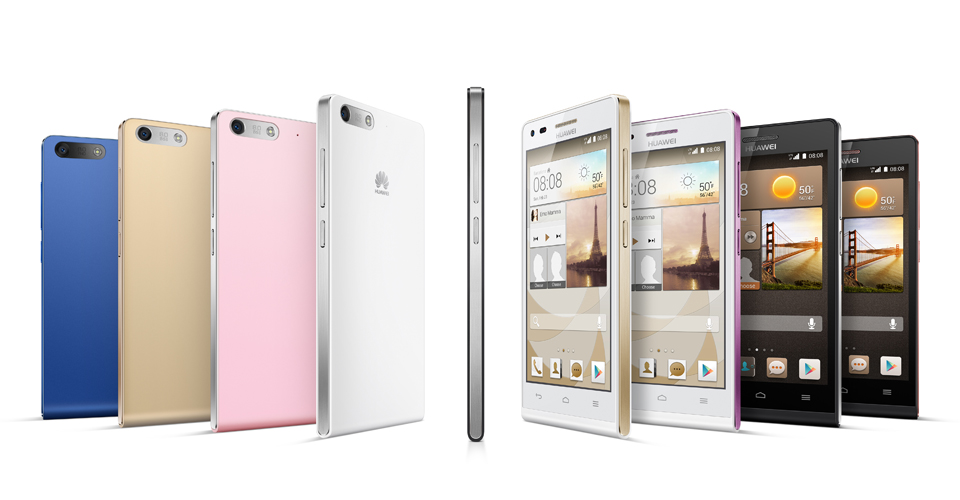
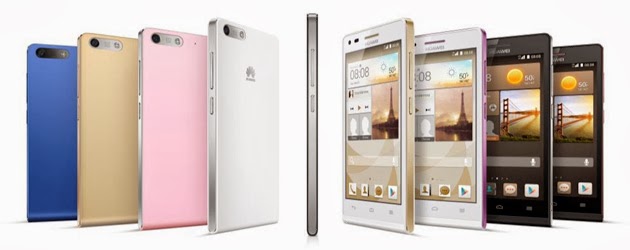
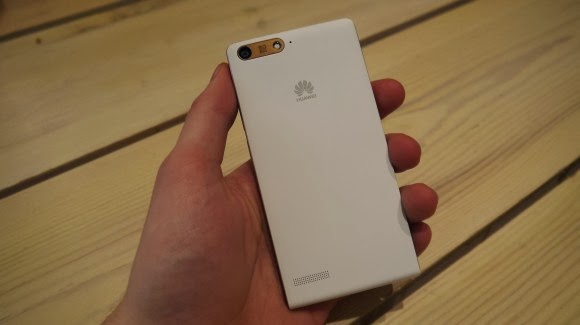
However, the phone brings vibrant color to life with its crystal clear 4.5-inch qHD 960 x 540 LCD display and 245PPI. At 7.85mm slim and weighing 115g, Ascend G6 4G builds upon the stylish ‘double C’ design of the popular Ascend P6 smartphone and is available in a range of colors including black with light gunmetal grey or rose gold highlights, or in white with pink or champagne gold .
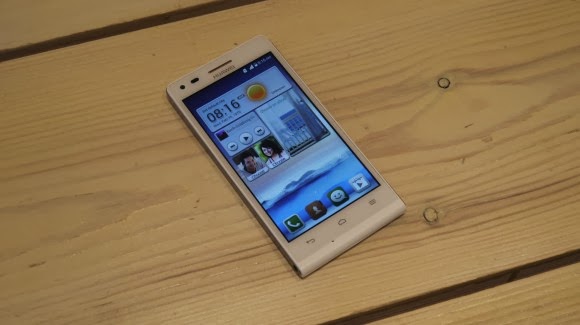
Unsurprisingly for a phone which is going to come in at under $330 the Huawei Ascend G6 sports an all plastic construction, although it is solid and the thick, faux-metal band which runs round the circumference keeps everything together nicely.
Available in black, white, pink, gold or blue colors, the product runs on a powerful quad-core 1.2 GHz processor and robust 2000 mAh lithium polymer battery with up to 30 percent power saving, HUAWEI Ascend G6 4G is 4G LTE-enabled to make connectivity faster and more reliable than ever before.
Movies can be downloaded in minutes and work files uploaded in seconds with speeds of up to 150 Mbps. Smart photo album, internet, notification and permission management provides full control over the information shared.
In addition, the ‘one key scan’ function maintains peak performance through ‘phone speed tracking’, ‘power conservation’, ‘storage cleaning’ and ‘harassment filter.’ Ascend G6 4G also supports NFC sharing for mobile payments.
The product offers an enhanced smartphone camera experience with Huawei’s proprietary self-focus tips and preview screen.
The four plastic element (4P) lens featured on the 5-megapixel front-facing camera provides audio controlled spontaneous snapping, auto-scene recognition and auto-facial enhancement. Featuring 88 degree wide-angle shooting, Ascend G6 4G enables you to take all-inclusive photos that will wow family and friends.
Add an extra dimension to photos with the ‘Voice Photo’ function that takes photos accompanied by 10-second audio clips that can be shared via Facebook and WeChat, such as at a wedding when you capture the bride and groom saying “I do.” Price When Rated: $350$330 Our Rating: 3.5 Operating System: OS Android 4.3 Jelly Bean
Motorola Mobility is being sold to Lenovo, in a deal worth $2.91B. Google is divesting itself of the handset division it purchased for $12.5B in 2011, but it will keep some of the assets — including patents.
“Google will maintain ownership of the vast majority of the Motorola Mobility patent portfolio, including current patent applications and invention disclosures,” says Motorola Mobility CEO Dennis Woodside. “As part of its ongoing relationship with Google, Lenovo will receive a license to this rich portfolio of patents and other intellectual property. Additionally Lenovo will receive over 2,000 patent assets, as well as the Motorola Mobility brand and trademark portfolio.”
When Google purchased Motorola Mobility, much of the discussion swirled around whether it was buying it simply to own a hardware pipeline on which to deliver its Android juice — or whether it wanted patents for protection. The answer, as is typical, lay somewhere in the middle. Though the Motorola patents never turned out to by incredibly effective winning solo battles against Google’s patent enemies, they did work as a part of a larger tactic which has seen Google aligning itself via cross-licensing with OEMs like Samsung.
One segment of the statement today by Woodside was interesting:
Since being acquired by Google in 2012, Motorola has transformed itself, focusing on solving real consumer problems and providing amazing experiences built on a foundation of pure Android. The result has been Moto X, Moto G, and a reinvigorated Droid line. Together, these devices have won over consumers and critics alike and helped re-establish the Motorola brand around the world.
Indeed, Google’s purchase and investments in Motorola did raise the flagging manufacturer’s profile significantly over the intervening years. They have several well-received smartphones on the market and have made a lot of noise about technology innovations in wearable computing and DARPA-think-tank-director hires.
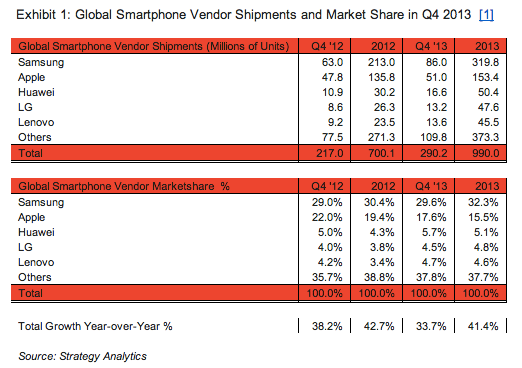
Techcrunch – To coincide with Apple releasing its Q1 earnings, Strategy Analytics has put out its quarterly and full-year figures for how the smartphone market has fared, along with figures on the wider mobile phone market. Overall, there were nearly 1 billion — 990 million — smartphones shipped in 2013, representing growth of 41% over 2012′s 700 million units. Smartphone shipments for the last quarter of 2013 were 290.2 million, up 34%.
Mobile phone shipments, meanwhile, were just under 1.7 billion — and as a mark of how smartphones are where all the buying has shifted, the wider mobile phone market grew only 5% over a year ago. While 41% growth sounds good, Ken Hyers, an analyst at Strategy Analytics, notes that it is actually down slightly on the 43% growth of a year ago. He says this is because of “high penetration in some major markets like the United States.” This was something that had a direct effect on Apple. Traditionally a strong player in the U.S., CEO Tim Cook noted today that Apple’s sales in North America declined.
As we pointed out earlier today, although Samsung continues to remain in the lead with its 32% of all smartphone shipments, the real story appears to be about what is happening underneath that.
Apple continues to fall (pardon the pun) and is now at 15.5% for the full year (compared to 19% a year ago) on 153 million units. And although Huawei, LG and Lenovo are all behind Apple, together they are nearly overtaking the iPhone maker in units, with a combined share of 14.6%.
That’s not to overlook that Samsung’s growth is nothing short of impressive: its 319.8 million smartphones shipped in 2013 was the “largest number of units ever shipped by a smartphone vendor in a single year,” according to the analyst group’s executive director Neil Mawston. Samsung also retained its title as the world’s biggest mobile phone maker overall: it shipped 451 million units for a 27% share of the market.
Although Apple made a point today of talking up its emerging market business, Strategy Analytics (and perhaps others, given the stock decline) are not buying it: “Apple remains strong in the high-end smartphone segment, but a lack of presence in the low-end category is costing it lost volumes in fast-growing emerging markets such as India,” writes Mawston.
As in quarters past, the Samsung/Apple juggernaut is all but dominating the smartphone world in terms of vendors.
“Large marketing budgets, extensive distribution channels and attractive product portfolios have enabled Samsung and Apple to maintain their grip on the smartphone industry,” writes analyst Linda Sui.
The question will be whether the economics of making cheaper phones will mean that the smaller vendors like LG, Huawei and Lenovo can stick around longer, or whether they will eventually find themselves in the same positions as Nokia, BlackBerry and HTC — all out of the top five rankings now partly because it eventually became unsustainable to play in the smartphone game without scale.
In any case, although in times past it seemed that the route to being a worldwide phone leader was to have a strategy of offering devices across a range of price points and feature sets, today that’s not as clear.
Over 70% of the handsets Samsung’s shipping right now are smartphones. And Apple, the number-three player in mobile sales overall, is a smartphone-only vendor. Meanwhile, Nokia’s smartphone share these days is so small that Strategy Analytics doesn’t break it out, meaning that its number-two position among mobile phone makers is based largely on its power at the lower end of the market.
However, it turns out the strategy of not having a killer smartphone lineup not only is not lucrative but eventually self-destructive.
Nokia’s global mobile phone shipments fell 25% between 2012 and 2013, from 335.6 million units to 252.4 million units. “Nokia faced tough competition from Samsung in developing markets like India, while LG and others ramped up the pressure in developed regions such as Western Europe,” writes Mawston. “Nokia’s Windows Phones have been performing relatively well, but this was not enough to offset sluggish demand for its Asha models and other feature phones during the course of the year.”
As Strategy Analytics points out, one route for smaller, national players to survive longer term is to continue to grow internationally. Huawei, it notes, is expanding in Europe; LG’s Optimus range “is proving popular in Latin America”; Lenovo’s Android models are selling at competitive price-points across China. “Samsung and Apple will need to fight hard to hold off these and other hungry challengers during 2014,” notes Sui.
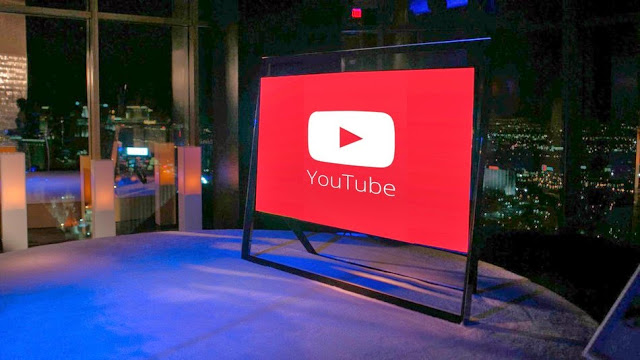
If you’re looking for more content for your 4K TV, you’ll soon have somewhere new to turn: YouTube. The Google-owned company will demonstrate 4K video next week at the International CES show as it moves forward with offering next-generation video.
YouTube will serve up 4K (a.k.a. Ultra HD or UHD) in a new format called VP9, a royalty-free codec that will also reportedly offer a better experience with Google Hangouts, according to GigaOm. VP9 consumes considerably less data than other, commercial codecs (such as H.265), YouTube said, letting the service stream higher-quality streams with less bandwidth.
However, hardware must support the format before consumers can view the streams. Google is reportedly working on that, too; it will demo streamed 4K content on TVs from LG, Panasonic and Sony. Several other partners, including Samsung, ARM and Intel, have signed up to build hardware that supports VP9.
This isn’t the first time YouTube has experimented with 4K. The service first ventured into supporting the format, which is typically 3,840 x 2,160 or 4x the pixel resolution of full HD, in 2010. Though the 4K streams appeared to work for Mashable’s Christina Warren when she watched them over a 50Mbps connection, she couldn’t verify the clarity since 4K monitors were a rarity four years ago.
That has changed, with several manufacturers offering 4K TVs and displays — some at impressively low prices. The challenge now is bringing true 4K content to consumers. YouTube is addressing this along with the likes of Netflix, which tested offering 4K videos, and Sony, which offers a 4K download service to owners of its 4K TVs.
Falling prices on TVs and 7-inch Android tablets helped boost Black Friday sales to nearly $5 billion, NPD reported Wednesday. The retail analyst firm added that sales of “stocking stuffer” accessories also showed dramatic growth from a year ago.
All told, sales during Black Friday week (Nov. 24 through Nov. 30) increased nearly 10 percent compared with a year ago, the firm found. One of the only laggards during the period was the slowdown in Windows sales, which dropped off by more than 10 percent compared to 2012.
TVs and tablets generated the most revenue of any category measured by NPD, prompted in part by what appears to be the migration of low-end TVs into what might be called impulse buys. Retailers polled by NPD reported $1.4 billion in TV sales during that one week alone, up 5.6 percent, with units climbing more than 16 percent to 4.7 million units. Interestingly, both high-end and low-end TVs flew off the shelves, with 60-inch TV sales growing by 60 percent; the average price was a little more than $1000, down about $300 from a year ago. Vizio led with 55 percent of the 60-inch TV market. Samsung, then Sharp, trailed with 29 percent and 8 percent, respectively.)
But the average selling price of a 32-inch TV also plunged from $194 to $137, making it a fairly uncomplicated purchase for a bedroom or as a second monitor. That helped boost sales of 32-inch TVs by 40 percent.
Tablet sales boomed, as units increased by 105 percent and the category generated the second-highest revenue of any measured by NPD.
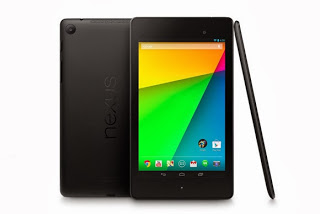
Drilling down through NPD’s numbers, however, unearthed the big winner of Black Friday: 7-inch Android tablets, which accounted for 80 percent of all Android tablet sales. Total Android tablet sales exploded 146 percent from a year ago, and revenues climbed 70 percent. But the prices tell the story: the average price of an Android tablet fell from $151 to $105, and the average price of the 7-inch tablets was just $82. That means a lot of $69 Android tablets will be under the Christmas tree this year, for better or for worse.
Overall, PC and tablet sales increased by 58 percent to almost 5.9 million units; however, notebook sales actually fell by 2 percent.
NPD found that Microsoft’s aggressive discounts paid off, with an 8 percent boost in Windows device sales as a whole. But Windows desktops and Windows notebooks fell 8 percent and 9 percent, respectively. So that left Apple to pick up the slack: thanks to its own holiday sales, sales were up 34 percent in notebooks, 51 percent in tablets and 277 percent in desktops, NPD found.
Tech stocking-stuffers gaining, too
NPD also found that more shoppers began plowing back any savings in the tablets and other devices with additional purchases in accessories and cheaper devices. And not only are consumers buying more headphones and sound bars, but they’re spending more, too.
Stephen Baker, the analyst in charge of the report, provided some examples on a related blog: the average price paid by a shopper for a multi-function inkjet printer prices was up 23 percent, PC monitors were up 2 percent, and memory cards climbed 30 percent from a year ago (but just to $13).
“To sum up we saw encouraging industry signs in this Black Friday report,” Baker wrote. “Revenue growth across all the major large categories and accelerating revenue increases in the fastest growing mid-size categories, all combined with a slowing in revenue declines in some of the legacy categories, with the end result that Black Friday week sales delivered an impressive start to the holiday season.”This post first appeared on PC World
Google’s Nexus phones have become irrelevant for all but the most ardent Android fanboys. Although the Nexus program was launched three years ago to show off the very best that Android has to offer, Google’s newly announced Nexus 5 doesn’t push the envelope as much as earlier Nexus phones.
Google is stuck between a rock and a hard place: Its hardware partners don’t want to innovate when building the company’s Nexus phones; they want to save all the cool stuff for their own brands. But Google can’t just use its Motorola division to build cutting-edge phones with exciting new features without burning bridges with Samsung, LG, Sony, and HTC. Those guys are already trying to build their own ecosystems and Google doesn’t want to push them even further over the edge.
More of the same
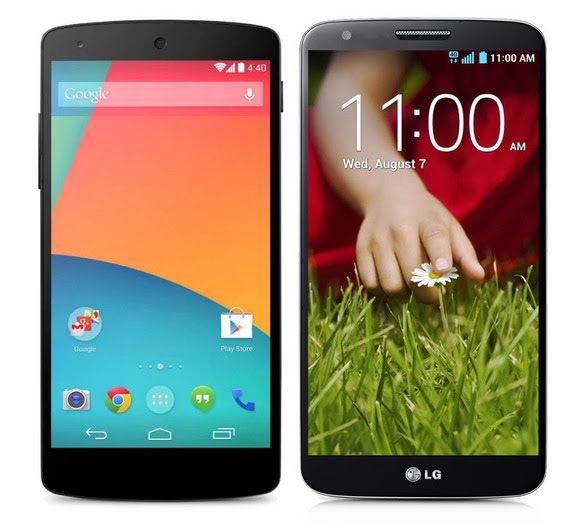
In terms of hardware alone, Nexus 5 doesn’t seem like a bad phone—its high-end specs ensure it will be relevant for at least a year. But it’s essentially identical to recent phones released by Samsung and LG. In some ways the Nexus 5 is an inferior product because LG, which built the handset for Google, released its own phone with all the same hardware but more software enhancements. Under the hood, the Nexus 5 is a stripped-down version of the LG G2, just like the Galaxy Nexus was a stripped-down version of the Samsung Galaxy S III.
Nexus 5 (left) and LG G2 (right)
The biggest draw of Nexus phones is that they get timely Android updates directly from Google, but the market has shown that most people don’t really care about that. Ever since Android 4.1 Jelly Bean, most of the updates to Android have been minor tweaks that don’t deliver much in the way of new, consumer-facing features. Instead, Google has slowly started spinning off key components of the OS to the Google Play Store as standalone apps. So, as long as you bought your Android phone in the last year or two, you’ll still have access to the latest version of Gmail, Maps, and Google Now.
Indeed, without any killer, exclusive features, you have very few reasons to buy a Nexus 5. Unless you’re a developer who needs constant access to the latest version of Android, or insist on buying an unlocked phone, the Nexus 5 is no better than any of the other high-end phones already released this year. In many ways it’s just another Android phone, and would fade into obscurity if it weren’t for the big, bold NEXUS on its back.
It’s becoming increasingly obvious that the companies Google partners with to make Nexus phones are reserving all the coolest features and innovations for their own branded handsets. Of course Google owns Motorola, but has held back on using its acquisition to build its Nexus devices for fear of upsetting its hardware partners. But maybe it’s time to start playing favorites.
Time to use Motorola
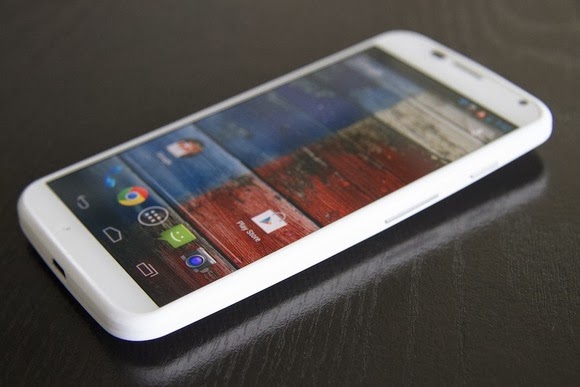
Motorola and Google collaborated on the Moto X, one of the most innovative phones available. Note that it’s not a “Nexus,” even though the OS bloatware and customizations are minimal—it’s rocking nearly stock Android. The kicker? You can get it on pretty much any carrier and there’s a developer version available for people who want it. The Moto X deserves the title of Nexus more than the Nexus 5, as it introduced a lot of the Nexus 5’s ostensible innovations first. (Take, for instance, touchless controls.)
The Moto X is one of the most innovative phones ever released.
In releasing Nexus devices via its Motorola arm, Google could more directly shape the Android experience. It could dictate all aspects of the phone, creating cutting-edge new hardware features to go hand in hand with new Android software features. KitKat introduces a lot of under-the-hood improvements that allow it to run better on low-end hardware, but manufacturers will continue to cram as many processing cores as they possibly can into their phones in an effort to win an imaginary specs war, making the optimizations almost meaningless. So Google could build a phone showing that you don’t need a quad-core processor and 2GB or RAM to run simple apps without lag. And your battery wouldn’t be eaten up due to poorly written radio drivers.
It would essentially be the Apple approach to making smartphones, an approach that’s proven to work and often leads to a better device. And if Google decided to compete directly with Samsung and others via Motorola, it would push the other Android manufacturers to make better phones and set the bar for Android devices—just like the Nexus One was originally intended to do. Microsoft is trying a similar tactic by purchasing the devices division of Nokia, while Google lets its $12 billion Motorola purchase go to waste.
We’re never going to see a truly revolutionary Nexus phone again until Google decides to take a stand against the other Android smartphone manufacturers. The more the company attempts to placate Samsung, HTC, LG, and Sony, the more meaningless the term “Nexus” becomes. It’s time for Google to drive Android forward with a more holistic hardware-and-software approach, and make Nexus mean something again.Adapted from PC WORLD
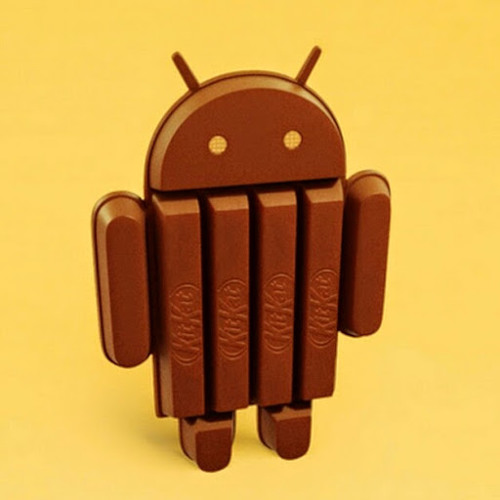
The speculation sourounding Android 4.4 KitKat can finally be put to rest. While users and developers are allowed to have their opinion, you need to base your criticism or appluas on a good ground and the contents below could prove an avenue for such ground.
While we weren’t expecting a hefty update, some of the features announced in KitKat—like the newly revamped interface and new messaging features in the Hangouts app—were on our wish list. Other features, like optimization updates to help KitKat run on low-end phones, simply remind us that Google is still battling all the issues that lead to device fragmentation.
Regardless, let’s walk through some of the key features of KitKat and what you can expect when you finally get your hands on the new OS (whenever that is, because as we know, Android updates can take a long time to roll out).
A better phone dialer
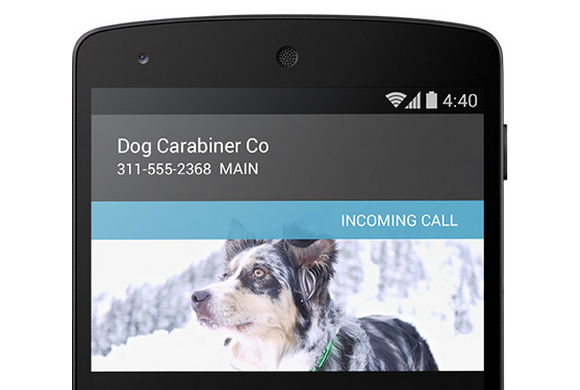
No more surprises: Google will provide info to let you know who is calling you.
You wouldn’t expect an overhaul of a dialer application to be a marquee feature, but Google has achieved the near impossible. When you’re in the dialer interface, now you can type just the first few letters of who or what you’re looking for—whether it’s a business or a friend—and the dialer will immediately bring it up. You won’t have to venture into Contacts for this essential information. If this search functionality sounds familiar, that’s because some manufacturers already offer this feature in their own version of the Android dialer. Samsung’s TouchWiz UI, for example, helps you find the name of the person you want to call by letting you key in the first few letters of his or her name on the number pad. So perhaps the bigger news isn’t that Google overhauled its dialer applications, but that it’s looking to what third-parties are doing to give consumers what they want. KitKat also provides a novel form of caller ID, fetching the location information of unknown numbers that call you to provide a better glimpse into who might be calling and where they’re located. This is an especially helpful addition when you consider the number of telemarketer calls that aren’t routed through an 800 number.
Fabulous interface makeover
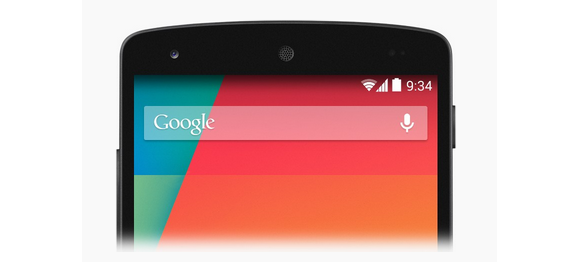
That navigation bar will look translucent, which should prettify the slightly doldrum Android interface.
Stock Android doesn’t have to be plain and simple. As some developers posited in our Android retrospective, KitKat includes a slightly revamped interface design. You’ll see better use of screen real-estate in applications that utilize the new “immersive” full-screen abilities, like Google Music and Books. And the new navigation bar is now translucent, so your wallpaper won’t be cropped by a colored menu bar. KitKat also sports a new condensed font. Unfortunately, these interface changes won’t necessarily be exposed on non Nexus devices—meaning pretty much the entire universe of Android hardware. You’ll still be held hostage to whatever interface the manufacturer wants you to look at if you’re not using the developer edition of a phone. It’s unclear how these design changes could affect interfaces like HTC’s Sense or Samsung’s TouchWiz UI, but we’re not holding our breath for substantial KitKat additions to those UIs. Third-party manufacturers will likely continue to push interfaces that match their brand, and for companies like Samsung that means gaudy icons and blue everything.
Never carry cash again
As leaks suggested, Android 4.4. KitKat will enable Google Wallet right off the bat—without the need for your carrier’s approval. And because Android is actually storing your payment information within KitKat, you won’t have to rely on NFC security elements to make a transaction. But that’s not all: Not only will you be able to manage your credit card information from within the Settings panel and more easily pay for items anywhere NFC and Wallet is supported, but you’ll also be able to send money to friends without annoying transaction fees. Google enabled the payment settings from within the OS to help people on Verizon, T-Mobile, and AT&T take advantage of its Wallet offerings, as those three carriers have banded together to use Isis as the default NFC-payment platform. We won’t know more about how Wallet works in KitKat until we physically have an Android 4.4 device in our hands, but at first glance the update looks like a win.
Okay, Google Now
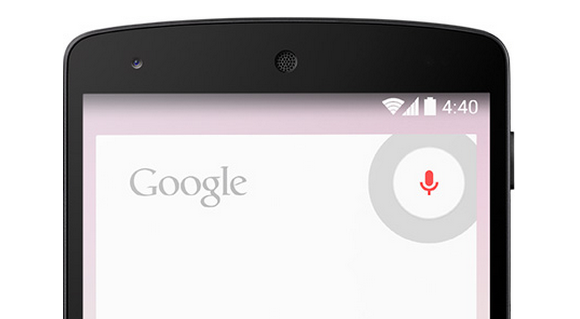
Launch Google Now any which way.
How you access Google Now varies from phone to phone. Do you hold down the home button? Do you swipe up from the bottom of the screen? Do you shake your phone vigorously while shouting at it? Hoping to simplify things a bit, Google has put Google Now front and center by adding it to the Home screen. Now, instead of entering in some variable command, you can just swipe from left to right to quickly access Google’s handy service. The new OS also supports launching Google Now by saying, “Ok Google” while on the homescreen. It should be a helpful feature if your hands are tied up, or you would rather dictate than type. It’s kind of like the Touchless Controls on the Moto X, but with a few more hoops to jump through. Unfortunately the functionality is currently limited to the Nexus 5, so your current phone probably won’t get the feature. (But your next phone might!)
Also, Google Now can now access apps when it exposes information in its search results. Let’s say you’re looking for a particular restaraunt. Not only will you get the usual Google results, you could also get an invitation to book a reservation via, say, the OpenTable app. This function has to be supported on the app level, but suggests an exciting new expansion of Google’s digital assistant. Indeed, by enabling easier access to Google Now, third-party manufacturers like Samsung won’t be able to hide it behind its own proprietary services. (Ever try to get to Google Now on a Galaxy S 4, only to be defaulted to S-Voice?) Google just wants you to stick with it for all of your queries.
Hangouts
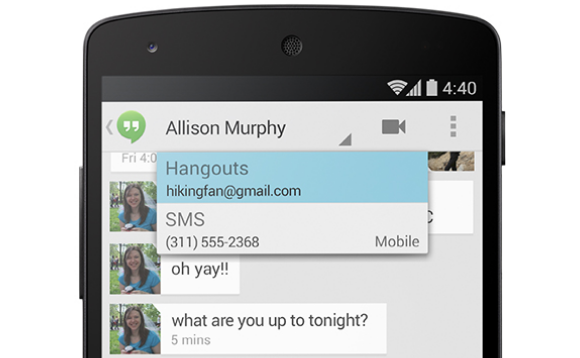
You can chat with your friends through SMS in the Hangouts app.
Finally! A few days ago, Google updated its Hangouts app to let you send both SMS, MMS, and chat messages from one application. It’s the right idea, but Google is merely playing catch-up, since Apple released the all-encompassing Messages application in iOS 6 over a year ago. Google wrote in its official blog post that its intention for combining all the communication functionality into one was for added convenience.
Faster Android for aging phones
Okay, so maybe your hardware isn’t exactly top tier compared to the ones running quad-core Snapdragon processors and massive amounts of memory. Google understands your plight and has introduced a new way for manufacturers to take advantage of all the latest Android features without the typical slow downs that plague most aging hardware. It’s called Project Svelte and it’s designed to make KitKat run smoothly and efficiently even on low-end devices with as little as 512MB of RAM. As a result, Kit Kat uses 16 percent less memory than its predecessor, Jelly Bean, and there are additional features that allow developer to disable any features that use up more memory than needed. This may help developers make apps for low-end devices, but that doesn’t necessarily mean that all old hardware will be able to run KitKat. Not even the Galaxy Nexus will be eligible for an update, and that device is barely a year and a half old. However, the under-the-hood improvements should help the current generation of devices handle applications a bit better, like the now-aging Nexus 7 and Nexus 4. This means an overall smoother Android experience if you’re running those devices.
Under-the-hood enhancements
You may not reap the benefits of some of the other features just yet, but that’s because they’re intended for developers to embed into applications.
There’s some weird irony in the phrase “Stay fit with KitKat.”
If you walk to work everyday, you might appreciate that Google introduced a nifty new low-power step detector that enables you to track the number of steps you walk in a day without having to leave the screen on. Developers can also take advantage of system-wide captioning abilities that can display closed captions for various content, which is a nice enhancement for the hearing impaired—and when you want to watch a video but don’t headphones nearby. As for that printer collecting dust in the corner, if it’s Google Print-compatible you can now send documents directly to it with the built-in cloud print functionality. Android apps can print anything over Wi-Fi or from cloud-hosted services. You can also discover any available printers, change paper sizes, and choose specific pages to print. Article Credit: PC World
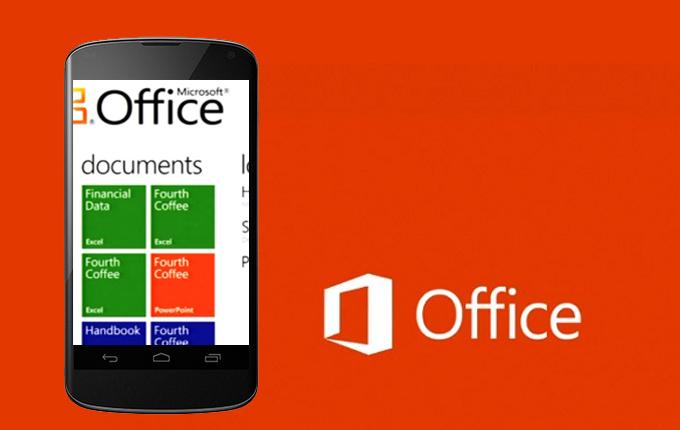
Earlier today Microsoft added Android to the list of mobile operating systems now supported by Office Mobile. But Office Mobile for Android only covers phones, not tablets, limiting its utility. The Android version, Office Mobile for Android, is also arguably the weakest of the bunch, in terms of compatibility with Microsoft Office. Microsoft is still tacitly encouraging users to buy Windows Phones, which come preloaded and activated with Windows Mobile and don’t require an Office 365 subscription to use. The problem is, within the Android world, there are a number of other office solutions that provide very good direct competition to Microsoft’s offering.
Nevertheless, Office Mobile for Android is free and downloadable from the Google Play Store. The only requirement is that your phone must contain Android 4.0 or higher, and you must already have purchased Office 365. In a break with Office Mobile for iPhone, Microsoft doesn’t even offer the option to purchase Office 365 from within the app; instead, users must sign up outside the application itself. And without Office 365, Office Mobile for Android is virtually useless. “The release of this app shows that we’re committed to keep providing additional value for Office 365 subscribers,” said Guy Gilbert, a senior product manager of the Office apps for Microsoft, in a blog post. Qualifying Office 365 plans include Office 365 Home Premium, Office 365 Small Business Premium, Office 365 Midsize Business, Office 365 Enterprise E3 and E4, Office 365 Education A3 and A4, Office 365 ProPlus, and Office 365 University. There are also Office 365 government plans that include Office Mobile. Users can also visit Office.com and sign up for a free 30-day trial, Microsoft said. While Microsoft eventually intends to make Office Mobile for Android available across 33 languages and in 117 markets, it’s only currently available for the United States. That will change over the next few weeks, Microsoft said.
What’s included
Like Office Mobile for iPhone, the Android version comes with mobile versions of Excel, PowerPoint, and Word; Office Mobile for Windows Phone adds OneNote as well. So far, Android users don’t have access to the Outlook Web App app that Microsoft recently released for the iPhone, either.
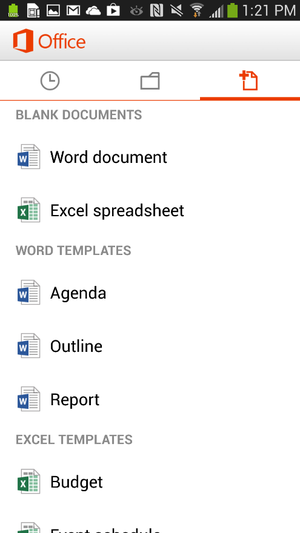
Office for Android users can create documents in Word or Excel.
Users can create new documents, edit those that they’ve already created, and save, load, or edit files saved to Microsoft’s SkyDrive or SkyDrive Pro—which on Tuesday received a few upgrades, as well. But the ability to create files only applies to Word and Excel; for now, you can review your PowerPoint slides and edit them, but not create a presentation from scratch. Users can also open a document via email. Office Mobile includes a couple of handy features designed for the phone; The software knows what documents you’ve recently accessed on your PC, and those are the first options presented when you choose to open a saved file. A feature that Microsoft calls Rapid Resume also works like Amazon’s Kindle, ‘fast-forwarding” you to the portion of the document last viewed on your PC. An “outline view” in Excel and Word allow you to quickly navigate through the document, and both apps allow annotations as well. Within the three supported apps, Microsoft has made efforts to make editing a snap; in Word (shown at top of story), for example, tapping the pencil brings up the most common editing functions. Excel allows you to filter and sort data and create charts, using the local processor to calculate data. Within PowerPoint, users can review slides and edit speaker notes, move and hide slides, and make text edits directly from the phone. Holding the phone in a portrait orientation allows edits to be made and includes a quick navigation bar; a landscape orientation serves as presentation mode.
Office Mobile for Android, displaying an Excel worksheet.
In general, Office Mobile for Android and Office Mobile for iPhone should function quite similarly, with two exceptions: Android users can not sign up for Office 365 within the app itself, and Android users may need to fully qualify documents that are accessed via an on-premise SharePoint server.
Buy Windows Phone—or a Surface
To date, however, Microsoft has been keenly cognizant that productivity apps are the foundation of the Windows platform, and users who purchase a Windows Phone will have these benefits:
Office Mobile will be preinstalled and activated;
users will be able to save documents to the phone itself, as well as SkyDrive or email;
WP users will be able to filter and search for documents;
Users can also easily open documents with permissions attached to them.
Office 365 includes a license of up to five mobile devices—but Windows Phones don’t count against that limit. The biggest annoyance, however, is that—like the iPad—tablets aren’t supported in either Office Mobile for the iPhone or the Android version, either. Those trying to hunt and peck at keys in the back of a jouncing taxi are likely to grit their teeth and muddle through; by doing so, however, Microsoft is tacitly encouraging customers in the direction of a Surface tablet—now at a new low, low, price—or even a full-fledged Windows 8 PC. (“Phablets” like the Samsung Galaxy Note II should still be supported, however.) “If you have an iPad or Android tablet, we recommend using the Office Web Apps, which provide the best Office experience on a tablet,” a spokeswoman for Microsoft said via email. “We have made lots of enhancements to Office Web Apps including a touch experience for tablet users.”
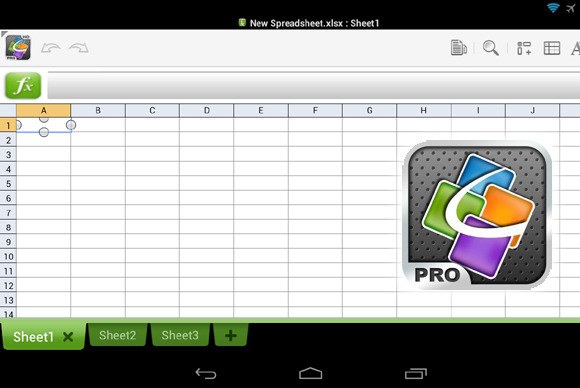
QuickOffice Pro provides one tablet-friendly alternative to Office Mobile for Android.
Microsoft also has native apps for OneNote, Lync, and SharePoint, in addition to supporting Exchange Active Sync for email, calendar and contacts, she said. ”I’m not sure how many people are going to want to do a lot of Office work on a phone,” Michael Silver, an analyst at Gartner, said recently. “A tablet’s going to be a lot more important.”
Alternatives
Of course, there’s no reason that users have to live in the world that Microsoft has created. Plenty of Android office apps allow document creation or editing, both on a phone or tablet: Google Drive, of course, allows for Google’s own documents to be created; and Google’s own QuickOffice, Documents to Go, and OfficeSuite Pro 7 are all arguably as good or better choices than Microsoft’s offerings. In one way, editing or creating an Office document on a mobile phone is counter-intuitive; too many people still append some sort of signature file on a mobile phone to explain away any typos or shorthand. Within a business document, however, typos simply shouldn’t appear. Office Mobile can certainly stand in to enable last-minute changes while on the go, but they shouldn’t be considered as serious tools for document creation. And that’s exactly how Microsoft appears to want it.
In the year 2012, we have seen a great revolutionary trend in the smartphones. With the release of Samsung Galaxy S III, Galaxy Note II, computing and connectivity has been taken to a new level. Apple’s iPhone 5 has generated a phenomenal buzz with its latest features, gaining popularity among the several. “How would the next generation smartphones be?” this was the first thought that has entered my mind when I see the features. For all those questions here is a sneak peek into the next generation android phone features: Larger Display Screen : In the year 2013, we are likely to see phones with a larger display. The screen size might be increased to provide a better viewing experience. You can see high definition pictures on your mobile phone. The colours would be more brilliant and vibrant providing us with life like picture quality. You might expect better size and display with the increase in the colour pixels. Faster OS : Although most phones haven’t updated android 4.1 OS, Google has already started working on its new version. It is all set to launch the new android 4.2 Key Lime Pie in the year 2013. The operating system is believed to be faster and better than the current existing one. Better Designs: Android phones in the coming generations may view a great change in their body designs. The body might pass through various changes to bring out that best design which could ‘wow’ the crowds. It might be sleeker, thinner which weighs less. Processors: With the present processors speeding up our work and cut shorting the time taken to upload or open a web page. Presently there are various processors are used such as 1.4 GHz ARM Cortex A9, 1.2 GHz Exynos, 1.5 GHz Scorpion, 1.2 GHz dual-core TI OMAP and many others. But the grapevine is buzzing with talks that they might increase the speed or might continue with the existing ones Camera: This feature is one among the waited features. Currently smartphones come with 8 megapixels, 5 megapixel for the rear camera and 1.3 megapixels for the front but there are talks that this could be increased to 13 megapixels for the rear and 3 megapixels for the front to provide better clarity and to produce complete HD quality pictures. Memory Storage: This is another check out feature. The current memory provided by android phones is 16GB/34GB/64GB with 1GB ram but the future phones might come with 16GB, 32GB, 64GB and 128GB variant might be included and might also have 3GB ram. This provides you with a large storage area where all your files can be easily stored without much problem. With all these great features, the phone might be heavy on the pockets so in case you want to buy them and lack finances opt payday loans. The above-mentioned are a few features that might be enhanced. Technology is updated regularly.
Maria Benson
Author Biography:
This guest post was written by Maria Benson, who loves to write articles on various topics like finance, health, technology. Previously she has done research on ppi claims currently she is focusing on technology related articles.
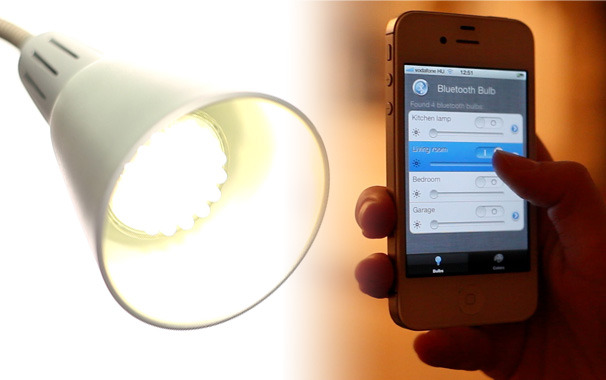
If you’re one for setting the perfect mood in your home by brightening or dimming the lights, you’ll know how annoying it can be when you need to get up to adjust the light. Thanks to smartphone apps and Bluetooth, though, you can actually continue to recline.
[Credit: Bluetooth Bulb]
The Bluetooth Bulb is probably one of the weirdest gadgets you’ll install in you home. Like a typical bulb, you just screw it in to get it to light up the room. But this light bulb, as the name suggests, can be controlled from your phone via Bluetooth. Not only does this light bulb-app combo let you adjust the brightness in a room from your phone,it also comes available as an RGB bulb, so you can pick a number of colors to light your room. Tinkerers can also easily change the chips (useful if it stops working, too) or play with the software, so you can have it do things like automatically switch off at a specified time. Unfortunately, there is a small catch. The light uses Bluetooth 4.0, so only a small handful of phones or computers can work with support it. At present, you’d need an iPhone 4S, iPad 3, Samsung Galaxy S III, Droid RAZR, Mac Mini, or MacBook Air in order to use the Bluetooth Bulb. Also, the light can only be controlled within 164 feet–that’s the length of an Olympic swimming pool. If the above doesn’t put you off though, or you think it’ll make a great addition to your home automation project, the impressive-sounding bulb will be available within the next two months from Bluetooth Bulb‘s online store. [Bluetooth Bulb]
New GPS tech can track your every move. Should you fear it or embrace it?
Privacy fans, take note: A new technology, called Indoor Positioning System, could push your worry meter to the max. IPS allows pinpoint tracking of any Wi-Fi-enabled device, such as a smartphone or tablet, within a building. This means that an IPS service could easily track you–right down to, say, the table you’re occupying in a mall’s food court–as long as your mobile devices’ Wi-Fi is turned on. And, if you’re a typical device user, your Wi-Fi is always on, right? In short, we’ve moved far beyond using regular old GPS for location tracking. Indoor environments are challenging for low-cost location systems such as GPS, because the ways in which buildings are constructed–not to mention physical obstacles and even people’s bodies–interfere with GPS’s ability to pinpoint a location. Navizon ITS logoOne example of the new technology is the Navizon Indoor Triangulation Service, which MIT’s Technology Review blog discussed recently. Location services company Navizon says that ITS can provide accurate tracking of Wi-Fi-enabled devices, including smartphones, tablets, and laptops, anywhere inside a building or throughout a campus. (Triangulation by Wi-Fi hotspots helps to make location services more accurate.) As such services begin to grow, they might threaten your privacy. So, in many instances, if you don’t want an entity knowing the location of your mobile device, you should shut it off or ditch it completely. At the same time, however, device tracking could become hugely useful to you. Innovators have figured out how to take GPS-like navigation indoors so that people can not only quickly find the restroom in a department store or their departure gate at the airport, but also receive deals and discounts from retailers upon stepping over a shop’s threshold. Navizon wouldn’t comment for this article, but some of its competitors did. Let’s take a look at other companies working on IPS services.
Skyhook
Skyhook developed the first hybrid location system to use Wi-Fi positioning, GPS, and cell-tower triangulation to determine the coordinates of a device, even indoors. Since then, Apple (Skyhook’s biggest customer) and Google (Skyhook’s biggest competitor) have emulated the hybrid approach for their respective mapping apps. All sorts of mobile devices on the market–phones, laptops, ebook readers, digital cameras, and gaming devices–are location aware. In many cases, that’s because Skyhook software is baked into them. For instance, Apple, Dell, and HP laptops use the Skyhook system to change their clocks automatically when users take them across time zones. The laptops also let users pull up real-time information about what’s happening in a neighborhood that they happen to be in, and they can broadcast their location so that users can find them in case of theft. Skyhook’s SpotRank data-intelligence service predicts the density of people in predefined urban square-block areas worldwide at any hour, any day of the week. Image: Courtesy of SkyhookBut what’s really interesting about Skyhook is its ability to profile individual devices–not identifiable people, as CEO Ted Morgan is quick to point out–and know which ones are associated with certain kinds of people. For instance, if Skyhook sees that a device shows up at Wrigley Field four times in a season, it assumes that the person using the laptop is a sports fan. Or if a laptop or smartphone is detected in an airport several times a month, Skyhook guesses that the user is most likely a business traveler. “Because we’ve been running the location on about 100 million devices for the last four or five years, we have a tremendous amount of knowledge into overall human behavior–about where people are throughout the day, where they go, which street corners are busy, which ones are not at different times of the day,” Morgan says. Over time, Skyhook also figures out where all these devices live. Then, by mixing into device profiles publicly available data from the U.S. Census, for example, it adds demographic data such as age and ethnicity. This is a veritable gold mine of data that Skyhook can then package and offer to marketers who want to reach only select segments of consumers, or to developers and device makers who can use the software to deliver highly relevant real-time content to users. “We’re able to see at an aggregate level what 100,000,000 people are doing, so we can predict what areas of a city are getting busy or less busy, what types of people are in different areas of the city,” Morgan says. “So, if you want to know where to go out in Seattle tonight, I can tell you what the most active street corner is going to be, and I can tell you the high-level breakout of the type of people who will be there, because they’ve done that every Friday night for the last three years.” So just how does Skyhook do all this profiling of individual devices while maintaining the anonymity of the people using them? Morgan says that the company does not use device MAC addresses or phone numbers. “Every time a new phone registers on our system, we give it an ID like a license plate. There’s no way for you to know what it is. There’s no way for anyone to see it. If you were able to look into our system and see what my phone’s ID was, the only thing you’d ever find out about me is that I’m a middle-aged white guy who makes over $100,000,” Morgan says. “It would never say my name. It would never say where I’m from. There’s nothing that could ever figure out the user, and that’s the bar we have for privacy. Nobody could get into our system, even ourselves, to figure out the name of a user.”
Skyhook and Google
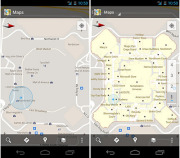
The main thing you need to know here is that Skyhook is suing Google currently. “Google recognized [the value of mapping the country’s Wi-Fi] and decided it wanted to have a similar system, so it copied the model,” says Morgan. “And because Google brings so much else to the table, where it’s giving away things for free [such as] maps and search and email, they became a competitor to us.” The problem, Morgan says, came about after Skyhook won deals with Motorola and Samsung, and Google forced those companies to back out of their contracts. Google did not respond to a request for comment. Even so, maps are undeniably a brilliant gem in Google’s crown–its turn-by-turn navigation is something that Android users universally adore. It only makes sense that the company would get involved in IPS services. In November, Google announced that it was taking Google Maps indoors. Now, if you go to select U.S. shopping malls, airports, and retail locations, or certain Japanese transit stations, you can use your Android mobile device to see where you are. The idea is similar to the physical kiosk maps you see in malls, except this one is on your phone and adds Google’s famous little blue pin so that you can quickly figure out how to get from the shoe department in Macy’s, for example, over to the men’s department.
Google Maps 6.0 for Android updates your indoor location as you move, and will even refresh the map when you move to a different floor. Image: Courtesy of Google Google Maps 6.0 for Android updates your location as you move, and it will even refresh the map when you move to a different floor. It also labels all sorts of helpful information, such as bathroom locations, ATMs, and airport gates. At launch, the application included floor plans for Tokyo’s Narita and 17 U.S. airports; stores of the retail chains Bloomingdales, Home Depot, Ikea, and Macy’s; and malls such as the Mall of America in Bloomington, Minnesota, Times Square Mall in Mt. Vernon, Illinois, and Liberty Fair Mall in Martinsville, Virginia. To enable indoor mapping, Google created a desktop tool that lets venue owners and business owners upload the floor plans of their locations. After doing so, they download an app from Google Play that lets them share publicly broadcast GPS, cell-tower, and Wi-Fi information with Google. With that radio-signal information in hand, Google can allow Android users to track their indoor locations on its maps. Currently Google isn’t pushing ads, discounts, or offers to consumers who use its IPS service. Since Google makes gobs of money on advertising, however, one can only imagine that we may very well see something like that at some point in the future. As for whether the service profiles devices the way Skyhook does, Google’s new privacy policy doesn’t exactly say. It does state that the company keeps a consolidated record of how you use its services so that it can improve them as well as serve you more-relevant search results and ads. Regarding location information specifically, Google’s privacy policy states: “When you use a location-enabled Google service, we may collect and process information about your actual location, like GPS signals sent by a mobile device. We may also use various technologies to determine location, such as sensor data from your device that may, for example, provide information on nearby Wi-Fi access points and cell towers.”
Wifarer
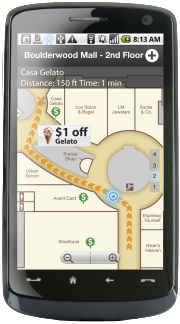
Wifarer is another company using IPS. Unlike Google, which so far provides only indoor maps and location awareness to users, Wifarer wants to give its users heaps of content, discounts, and deals related to where they are located. The company says that its service is essentially a private, customized version of Google’s IPS offering that lets venues control the content, the branding, and various ways to make money from their digital space. The Wifarer app for Android gives users heaps of content, discounts, and deals related to where they are located. Image: Courtesy of WifarerThe Wifarer software works with Wi-Fi systems that exist in public places such as malls, museums, and airports–that is, any location where it might help you to know your whereabouts so as to better find your way and receive relevant information or offers. If you have the Wifarer app installed on your Android phone (Apple has yet to allow the app into its ecosystem), the fingerprint radio frequency-based system determines your phone’s position within a few feet of where you’re using it. Currently beta testing in 25 venues, Wifarer expects to be up and running in 400 additional places by the end of this year. “One of the things about indoor positioning systems is that they open up a new vein of [intellectual property],” says Wifarer CEO Philip Stanger. That means IPS is seeing a tremendous amount of development; Stanger says that some exciting things will be coming down the pipeline in the next several months to a year. He won’t divulge what those developments might be, although they could include inventions such as displays that employ augmented reality and are triggered by users’ locations. Stanger, like many other people in the business of phone-finding technology, maintains that his product keeps user privacy intact. “Without giving away core IP and proprietary processes, I can say that the app calculates and displays its own positioning and location information entirely from within the app. This occurs when the app is turned on, and only when the app is turned on,” Stanger says. “Upon first download, a new user is given an anonymous user ID, and neither their MAC ID nor their IMEI number is ever recorded, monitored, or tracked. From then on, all transactions with and downloads from our system are identified by this UI (user ID) alone. Occasionally, and only when the app is on, location information of the UI is reported back to the system, mainly to verify positioning accuracy.” The fact that Wifarer works at all is pretty impressive, considering the technical hurdles involved. “The challenges are many, but most revolve around the variability of Wi-Fi due to environmental considerations,” Stanger says. “For instance, most Wi-Fi broadcasts at around 2.4GHz. Unfortunately the resonating frequency of water is also 2.4GHz, and people are comprised of mostly water. So, the more that people congregate, the more the Wi-Fi radio patterns vary. So the question becomes, how can we normalize patterns when the very usage we envisage generates disruptions to those patterns?” Stanger isn’t saying how his company has done it, only that it involves proprietary coding.
Nokia
Phone maker Nokia is also working on an interesting way to determine location in an indoor environment. As part of a consortium of 17 technology and media companies, Nokia recently participated in a demo showing how unused portions of the TV spectrum can deliver information to people according to their location. At the Imperial War Museum hangar in Duxford, UK, Scott Probasco, a Nokia senior manager, shows how a Nokia smartphone can connect to the Internet via TV white spaces and use an app to grab information about the planes on display. Image: Courtesy of NokiaAt the Imperial War Museum hangar in Duxford, UK, Nokia recently showed how a radio system box operating in UHF TV bands can connect to a TV white-space database to pinpoint which TV channels are available. From there, a Nokia smartphone can connect to the Internet via the TV white space and use an app to grab content. In the case of the museum demo, the content was information about the planes on display. This type of arrangement would allow museum visitors, for example, to gain access to a vast amount of information about exhibits depending on where they are standing–far more than the museum could ever include on physical signage. A similar system could be built out to push content to people in other places, such as retail locations; in this case, shoppers could receive offers and coupons, and participate in loyalty programs, just by walking around with an app on their phones. That isn’t going to happen overnight, however. Before services can use TV white spaces for location finding and content distribution, the necessary technology–including mass-produced chips inside phones and special wireless access points–must be standardized, which likely won’t occur for at least a few years. In addition, the system isn’t terribly precise, as the accuracy is good only at 25 feet to 50 feet. “We can use several well-known methods to refine this coarse location, for example taking signal-strength measurements from several access points and then mathematically combining these signals to estimate the location of the phone a bit more accurately,” says Scott Probasco, a senior manager at Nokia.
Broadcom
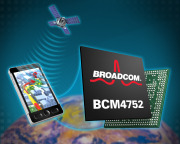
Before the end of the year, a new chip made by Broadcom, called the BCM4752, will be integrated in certain mobile devices coming to market. Although the company won’t identify the devices, the technology looks to be pretty mind-blowing.
Broadcom’s BCM4752 chipDesigned for smartphones, tablets, portable media players, and portable navigation devices, the BCM4752 chip is a Global Navigation Satellite System (GNSS) product that communicates with the U.S.-based GPS as well as with three of that system’s counterparts–the Russian GLONASS, the in-progress Quasi-Zenith Satellite System (QZSS) in Japan, and SBAS constellations of satellites. Access to more satellites means better location awareness, but what’s really fascinating about the Broadcom location platform is that, in addition to supporting IPS through Wi-Fi, Bluetooth, and NFC, it integrates measurements from device sensors–the accelerometer, gyroscope, magnetometer, and altimeter–into its positioning engine. Essentially, that means Broadcom’s technology can find your location without being connected to any kind of network. For example, after recording your GNSS coordinates as you enter a building, the technology could continue to track your device’s location simply based on these sensor outputs–how many steps you’ve taken, in what direction you took them, and at what altitude. According to Scott Pomerantz, GM and VP of Broadcom’s GPS line of business, the technology makes use of intelligent location software known as the Hybrid User Location Application to integrate measurements from GNSS, inertial sensors, its Wi-Fi products, its cellular modem, and many other RF components found in smartphones today. “We want to be able to do all of the position location locally, not necessarily depending on outside databases or other information; but, just with the device in your hand, we can recognize [the data that is] available and how to render [its] position,” Pomerantz says. While it’s one thing to have a phone capable of doing incredible things and quite another to build out infrastructure and applications that actually use it, Pomerantz says many location-aware apps will be able to make great use of the BCM4752 chip. The companies I spoke with represent just a sampling of those carrying out the location tracking of mobile devices. If this topic interests you, check out Polaris Wireless as another example: It provides high-accuracy, software-based systems for finding the location of mobile phones, and it can serve not only for activities like push advertising and social networking but also for asset tracking and fleet tracking, plus lawful interception by government agencies.
How Much Should You Worry About Privacy Issues?
Should it bother you that so many entities can see where you’re using your mobile device, or do features such as vastly improved navigation trump any such privacy concerns? I posed the question to a couple of experts well versed in the implications of this advanced technology. Rob Enderle, principal analyst for Enderle Group, sees the tracking of individuals as particularly useful for companies that have high security requirements or have issues with employee theft or time-card cheating. And, he says, when physical danger is an issue, knowing a person’s exact location can mean that help comes faster. “In those instances, when implemented properly, the reward clearly exceeds the risk,” Enderle says. “The utility and convenience for commercially available location-based services and wireless tracking usage outweigh, at this moment in time, individualistic notions of privacy,” says T. Jeff Vining, VP of government research and geospatial surveillance operational technology for Gartner, a technology research firm. “But when data is aggregated, then it will become a concern for privacy advocates and governments.” In short, this is a subject you’re going to want to track
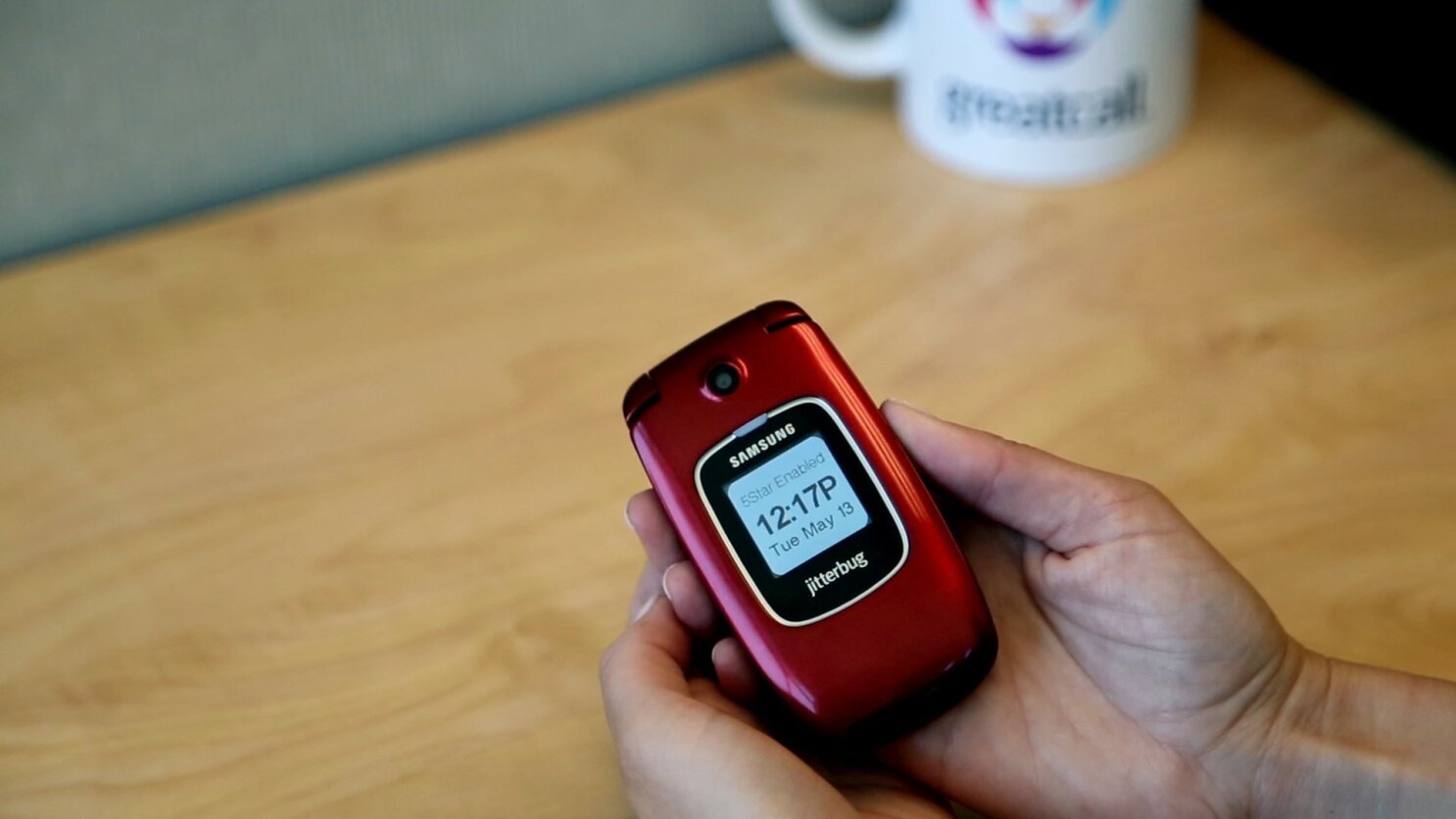
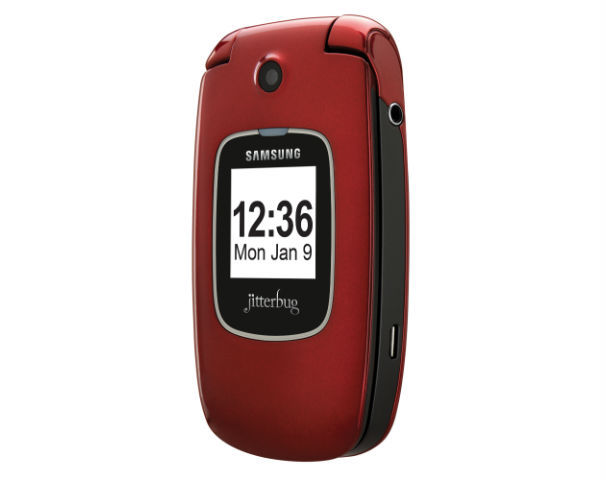
The GreatCall Jitterbug Plus ($119, no contract required; price as of July 2, 2012), designed for seniors and anyone else who needs access to health or safety services, looks and functions like a simple, no-frills feature phone, but it has lifesaving technology behind it. The Jitterbug Plus improves on the previous Jitterbug model with photo-sharing capabilities, preloaded text messages, and a more sleek design. It also supports GreatCall’s 5Star Urgent Response personal emergency-response service. GreatCall CEO David Inns says that the company obtained feedback from customers on ways to improve the previous Jitterbug. One feature request that kept coming up was picture sharing. Jitterbug Plus owners can now share photos on Facebook, Picasa, and Shutterfly. It is easy to set up, too: You simply go to your Jitterbug.com account and fill out your profile credentials. Afterward, you can share photos with your social networks directly from the camera gallery. The 2-megapixel camera isn’t the highest quality; in my tests, photos looked a bit hazy and washed out. For social networking purposes, however, the Jitterbug Plus’s camera works just fine. The camera has no flash, so taking photos in dark environments might not turn out so well. The Jitterbug’s design is a bit of a throwback to older phones, with its clamshell shape and internal and external displays. The Samsung-built phone is smaller and lighter than previous iterations, though, and comes in an attractive red or silver color. On the Jitterbug Plus, you’ll find a few preinstalled text messages, such as “How are you?” and “On my way.” The alphanumeric keyboard offers large, easy-to-press keys with a clear font to make texting painless. Large ‘Yes’ and ‘No’ keys help you navigate the simple menu; for example, if you want to read a text message, you press ‘Yes’ to open it. As somebody who is constantly using advanced smartphones, I found that this extremely basic navigation system took some getting used to–I kept looking for ‘Back’ and ‘Home’ keys instead. But when I showed the Jitterbug Plus to a person who has never even attempted to use a smartphone, he loved the design, and said that it was much easier to use than the feature phone he already owned. He did not like how long it took to browse through the main menu, however. I also noticed that the navigation was a bit slow in that regard. The Jitterbug Plus has insanely long battery life, which is an important feature for its demographic. GreatCall claims that the phone has 25 days of standby time. Although I haven’t had the phone for 25 days, I haven’t needed to charge it since I received it about a week ago. One drawback is that the display has no battery-life indicator; you have to go to ‘Phone Info’ from the main menu, which is a bit unintuitive. For customers who are hard of hearing, the Jitterbug Plus has a very loud ringtone and audio speaker. Call quality overall was quite clean on my test calls. My friends on the other end of the line were similarly pleased with how clear I sounded.
Pricing and Additional Services
GreatCall offers a pay-as-you-go plan that starts at $15 per month for 50 minutes, and runs up to $80 per month for unlimited minutes and text messages. If you choose to go à la carte, text messages cost 10 cents each. Voicemail costs an extra $3 per month. Jitterbug Plus owners can add a number of wellness services to their plans, including 5Star Urgent Response ($15 per month), which gives you direct contact with a certified emergency-response agent, performs GPS tracking, and provides free 24-hour access to unlimited health advice from registered nurses. You can tack on other helpful services, too, such as automated check-in calls ($5 per month) and medication reminders ($10 per month). These services add up, but are invaluable to anyone who needs them. The Jitterbug Plus is meant for a very specific audience–one that I’m not yet a member of–so reviewing a product like this can be difficult. But I’ve seen other products that try to make an interface too simple, and end up leaving out some important features. GreatCall has done an excellent job of creating a phone that is both easy to use and full-featured, packed into a modern design.




 Navizon ITS logoOne example of the new technology is the Navizon Indoor Triangulation Service, which MIT’s Technology Review blog discussed recently. Location services company Navizon says that ITS can provide accurate tracking of Wi-Fi-enabled devices, including smartphones, tablets, and laptops, anywhere inside a building or throughout a campus. (Triangulation by Wi-Fi hotspots helps to make location services more accurate.)
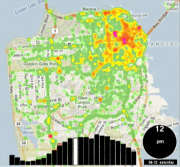 Skyhook developed the first hybrid location system to use Wi-Fi positioning, GPS, and cell-tower triangulation to determine the coordinates of a device, even indoors. Since then, Apple (Skyhook’s biggest customer) and Google (Skyhook’s biggest competitor) have emulated the hybrid approach for their respective mapping apps.
 The main thing you need to know here is that Skyhook is suing Google currently.
 Wifarer is another company using IPS. Unlike Google, which so far provides only indoor maps and location awareness to users, Wifarer wants to give its users heaps of content, discounts, and deals related to where they are located.
 Phone maker Nokia is also working on an interesting way to determine location in an indoor environment.
 Before the end of the year, a new chip made by Broadcom, called the