Search results for: “samsung”

  • Best Budget Android Phones to Buy in 2024

    Best Budget Android Phones to Buy in 2024

    There have been mindblowing changes lately to Android phones thanks to some seriously powerful new chips. Remember when you had to pick between shelling out big bucks for a best-value phone or settling for midrange phones or something slower on a budget? Those days are fading fast. We’ve also seen sweeping changes to Google’s mobile OS—the world’s most popular mobile operating system.

    Even the less affordable Android phones now pack a punch. It’s like everyone’s getting a taste of the good stuff without breaking the bank – suddenly, everyone’s in.

    We’ll check out what these best budget Android phones can do, so we can help you find the cheapest phones no matter the budget.

    What Should I Look for in a Good Budget Android Phone?

    Most expensive phones are designed with high-quality gaming and advanced photography in mind, while more affordable Android phones are carefully engineered with powerful mid-range processors to handle daily tasks with ease and stay up-to-date with Android updates.

    Even more surprising is the fact that these budget smartphones between $150 to $500 offer great user experiences and can last for years.

    Choosing an affordable Android phone that suits your needs and wallet is important for most of us. You don’t want to end up with a phone that feels outdated and sluggish shortly after purchasing it. So, before diving into specs like processor and camera quality, start by considering connectivity. Ensure the phone supports your network and other basics like Bluetooth and Wi-Fi.

    When it comes to the processor, look for an Android phone with a decent chipset to avoid a slow performance. Qualcomm’s Snapdragon processors are common, but not all are equal. Aim for at least a Snapdragon 400-series or higher for better performance. MediaTek’s Dimensity series is also worth considering for speedier performance.

    RAM is another thing you need to look out for; phones with at least 6GB of RAM allow for better multitasking.

    Storage isn’t a major concern nowadays thanks to cloud services like Google Photos and Apple iCloud. These services can store your media securely, freeing up space on your phone.

    Camera quality matters too, especially if you enjoy capturing moments. While cheaper phones may not have great image quality like iPhones, you can still take good pictures with some Android models.

    Battery life is one thing many users overlook. While most phones on the list below have decent battery life, some are built to last longer. They might not be the most expensive phones today, but they sure do perform better than most of the high-end phones. All you need to do is consider your priorities and budget before making a decision.

    Best Budget Android Phones: Cheap Android Phones 2024

    Here are the cheapest Android phones to buy this 2024

    Google Pixel 7a
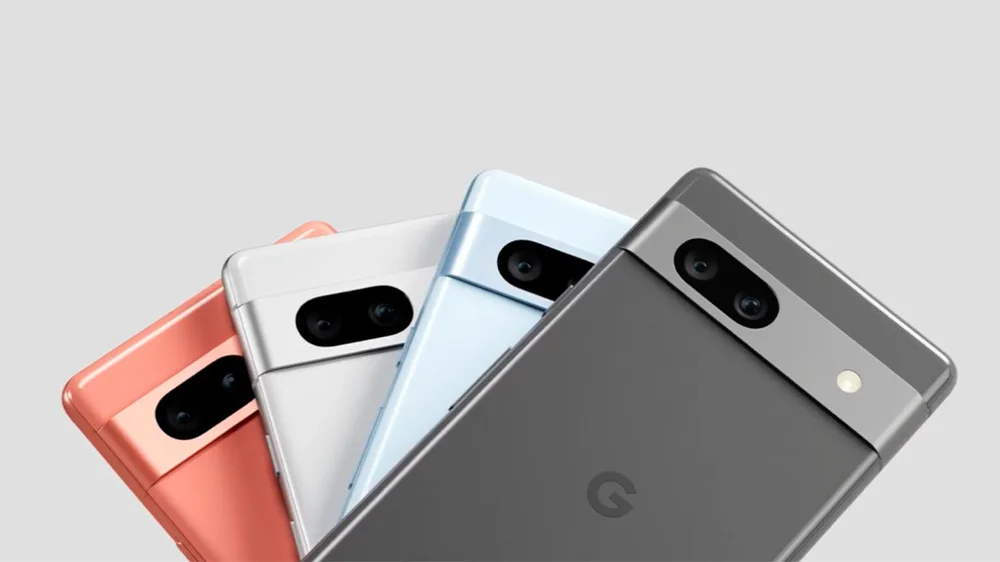
    Google Pixel 7a Best Budget Android Phones
    Google Pixel 7a – Best Budget Android Phones

    Google’s phones are favored by Android lovers; from the Pixel 7 Pro, Pixel 7, and Pixel 6a. The Google Pixel 7a is known as the best budget Android phone in the market, and it’s easy to see why. With a bright 6.1-inch AMOLED display, 8GB of RAM, and a powerful Google Tensor G2 chipset, this phone delivers top-notch performance.

    Its 64MP primary camera captures stunning photos, and you get access to exclusive Pixel features straight out of the box. Plus, it’s the first A-series Pixel with wireless charging support. Despite minor drawbacks like a 90Hz refresh rate and average battery life, the Pixel 7a is one of the cheapest phones under $500.

    OnePlus 12R
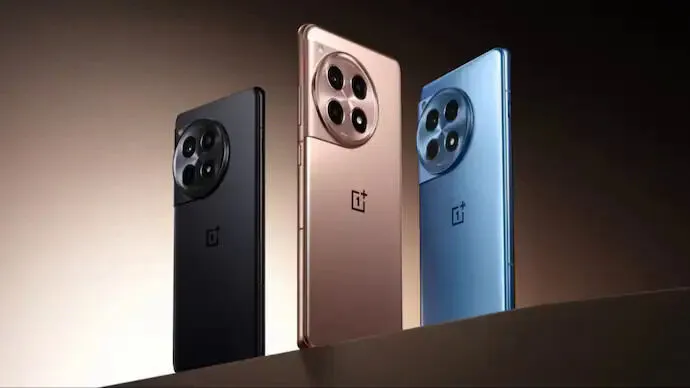
    OnePlus 12R Best Budget Android Phones to Buy in 2024

    The OnePlus 12R is dubbed one of the most affordable and best-value Android phones, and for good reason. Packed with a Snapdragon 8 Gen 2 processor, a superb AMOLED display with a 120Hz refresh rate, and impressive camera capabilities, this phone offers flagship-level performance. The sleek design and 100W wired charging are impressive and ideal for anyone in the market for a high-quality smartphone.

    Nothing Phone 2a
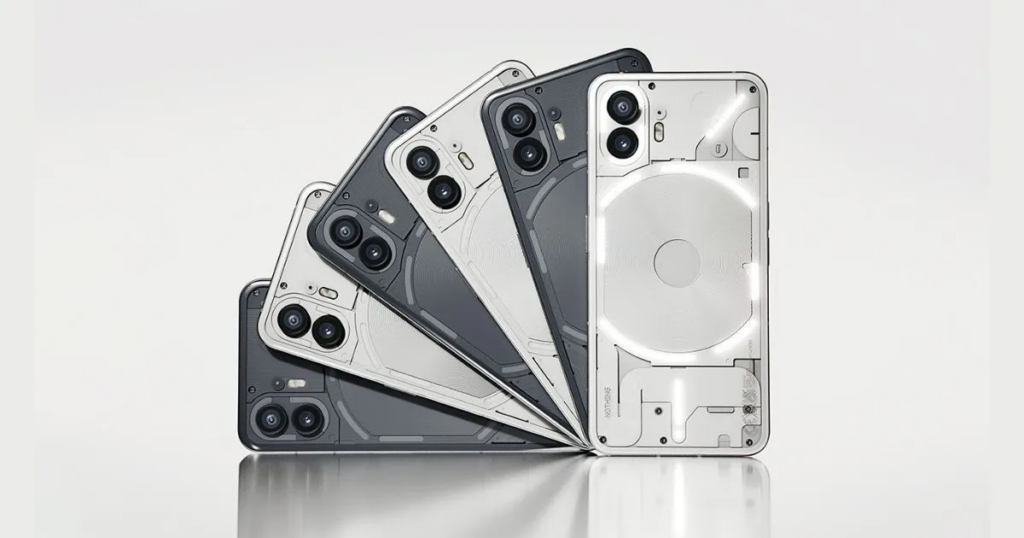
    Nothing Phone 2a Best Budget Android Phones to Buy in 2024

    Next up, we have the Nothing Phone 2a, praised for its exquisite design. With features like a transparent back panel and unique Glyph lights, this phone is impressive. Other specs, including a 6.7-inch Flexible AMOLED display and a MediaTek Dimensity 7200 Pro processor, make it a great choice in the budget Android phone market.

    Samsung Galaxy A54
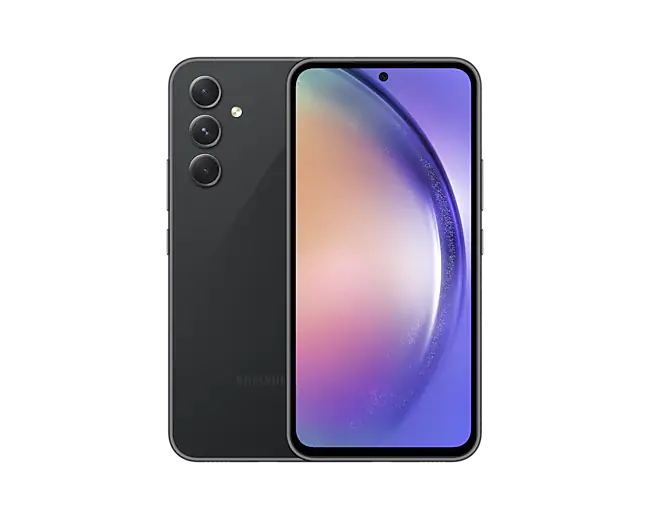
    Samsung Galaxy A54 - best budget android phones
    Samsung Galaxy A54

    Another Samsung phone to buy if you’re looking for the best budget Android phone is the Galaxy A54 5G, sold for $325. It has a Pixel alternative with a fast display and premium design, though lacking wireless charging and slow charging speeds.

    With a Super AMOLED display, flagship-level camera features, and a large 5,000mAh battery, this phone offers solid performance at a reasonable price. Samsung promises users four OS upgrades and up to five years of security updates.

    OnePlus Nord N30 5G
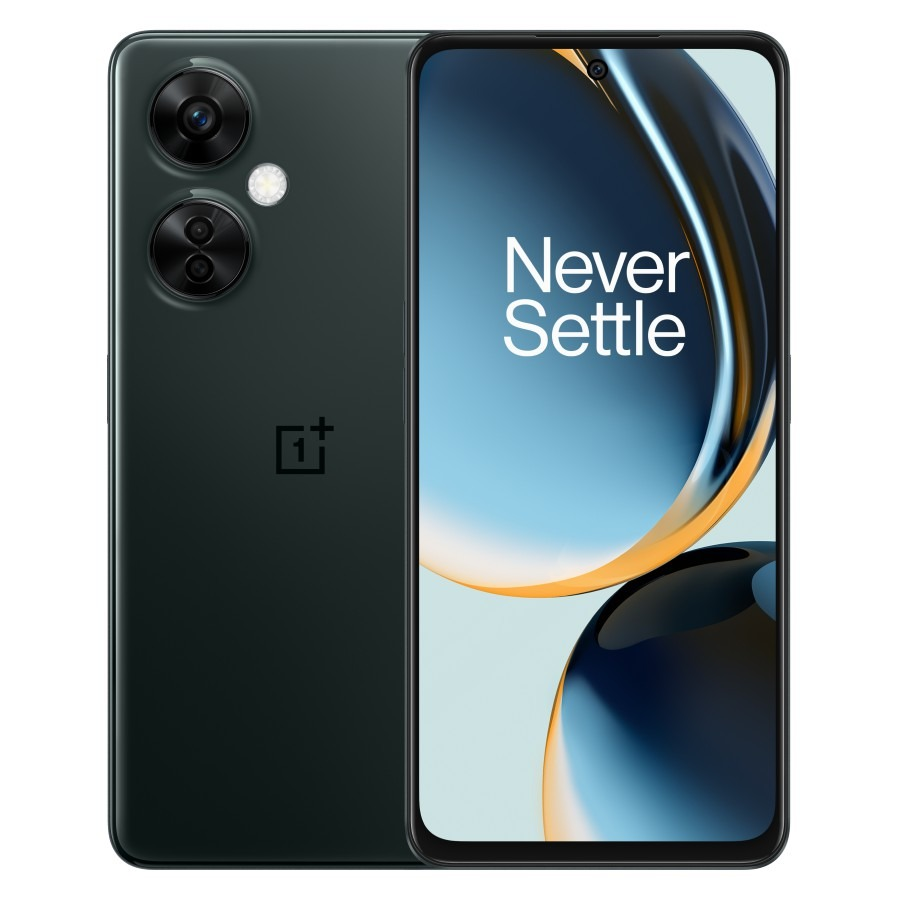
    OnePlus Nord N30 5G

    The OnePlus Nord N30 5G delivers exceptional value for its price. With features like a Snapdragon 695 processor, an AMOLED display, and impressive camera capabilities, this phone is one of the cheapest Android phones to buy. Plus, its 120Hz refresh rate ensures a smooth user experience.

    Although the OnePlus Nord N30 priced at $250 maintains strong performance, it loses the AMOLED display and premium design of its predecessor.

    Moto G Stylus 5G
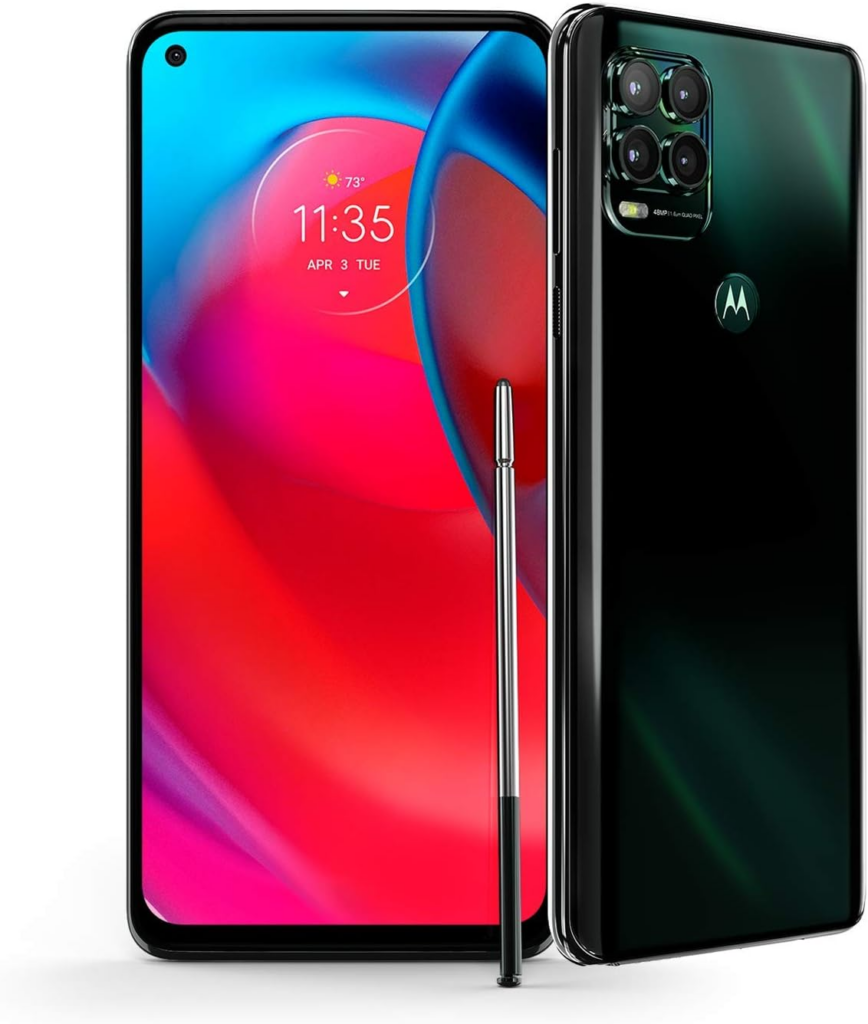
    Moto G Stylus 5G

    The Moto G Stylus 5G has been termed as the best stylus phone. Alongside solid specs like a Snapdragon 6 Gen 1 processor and a large 6.6-inch FHD+ display, it comes with a built-in stylus for writing and drawing. With its combination of features, performance, and value, it’s an ideal choice for a mid-range smartphone.

    Other Budget Android Smartphones

    • The $350 Motorola Edge has a cool OLED display, solid battery life, and improved cameras and is one of the best budget Android phones.
    • For Galaxy fans, the Samsung Galaxy A14 5G, priced at $200 is a top pick. It features a fast display and great design, though lacking in speaker quality.
    • Motorola Razr sold for about $500 is a budget foldable smartphone with decent performance, good battery life, and a large display, despite limitations in the cover screen and camera quality.
    • You can also get the Samsung Galaxy A04 under $120, which offers good budget specs with Samsung’s One UI software, though limited by its plastic build and low resolution.
    • The $230 T-Mobile REVVL 6x Pro with wireless charging, and long battery life is a great choice for a budget phone if you can handle a large screen, but it has poor display quality and weak performance.

    While these budget Android smartphones might not meet the features of the cheapest iPhones by comparison, they still offer decent performance and features at affordable prices.

  • What is SIEM, and What Are the Key Benefits of Implementing SIEM System?

    What is SIEM, and What Are the Key Benefits of Implementing SIEM System?

    Security Information and Event Management, popularly known as SIEM system, is critical to any cybersecurity strategy. It helps protect against threats and provides visibility into your entire IT environment.

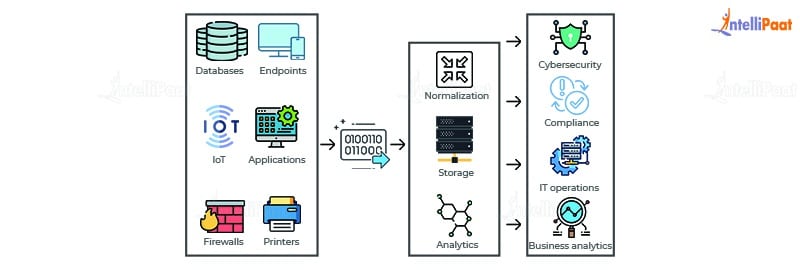
    SIEM is a security control system that integrates the two components of security event management (SEM) and security information management (SIM). This technology gathers event logs from a range of sources. By identifying activity that deviates from the norm with real-time analysis, and takes appropriate action.

    How Does SIEM work?

    SIEM software is used to gather and examine massive volumes of data from users, servers, and devices within an organization in real-time. Enabling security teams to promptly detect and stop threats. SIEM tools operate according to already established procedures to facilitate the way security teams define threats and send out alerts.

    What are the Benefit of SIEM?

    SIEM can be a complex solution that requires experienced staff to implement and fine-tune. Before investing, it’s essential to understand its key benefits.

    Improved Detection

    By the way, what is SIEM? A SIEM is a powerful tool that can alert you to potential environmental threats. It can also help you meet various compliance requirements, including PCI, NERC, PII, and HIPAA. The best way to get the most out of an SIEM is to properly tune it to your network and environment.

    Tuning your SIEM involves establishing the appropriate rules and thresholds to differentiate normal and abnormal network activity. This can be accomplished through simple rules that correlate one event with another or more complex correlations of different events, such as a compromised login, a large file transfer, and a location change.

    These models can significantly improve visibility into your network and detect various threats, even ones outside of the perimeter, like remote user access to SaaS applications and devices or attacks carried out from the cloud. This lets your security team focus on the most dangerous incidents and prioritize the threats threatening your business. This helps you get the most value out of your SIEM and reduces the time you spend dealing with unnecessary alarms.

    SIEM System

    Reduced False Positives

    SIEM can churn out too many false positive alerts unless it is configured correctly and tuned to the security needs of your organization. This can bog down analysts, creating a productivity drain that reduces their ability to detect real threats and mitigate them quickly.

    This is especially true if the system has to use configuration management data to solve the problem. You can first try to understand the typical activity in your environment and then identify deviations from that baseline. UEBA or user and entity behavior analytics can help remove these annoying false positives.

    This is possible if you configure the rules correctly, which takes time to set up properly (so the solution knows what is typical for your environment). If you configure these rules right, it will be possible for the software to distinguish between legitimate security events and false positives so that it will trigger too many alerts. It’s also essential to enable only the rules necessary in your environment, as leaving every default rule allowed can cause alert fatigue. This is a common mistake.

    Better Compliance

    With a SIEM program, you can monitor all devices and applications—including those of remote employees—from one central location. This active monitoring can help you identify and correct cyberattacks in far less time than if you were manually monitoring each device.

    SIEM also enables you to create custom rules, alerts, and dashboards tailored to your security needs. This helps your analysts get the needed information without being overwhelmed by too many false positives.

    A good SIEM program uses models rather than correlation rules, making it more likely to recognize real threats. Which can prevent attackers from taking advantage of the system. Models require multiple events to occur, like a user logging in from a different location or carrying out a large file transfer, to trigger an alert.

    The benefits of SIEM solutions are numerous, but implementing and maintaining one requires more work. It also requires the talent of experienced IT environments and security teams. Managed SIEM services eliminate the stress of deploying, managing, and monitoring an SIEM platform—and they can also save your organization money by eliminating the need for you to invest in software and hardware.

    SIEM System
    SIEM system

    Enhanced Visibility

    With the SIEM system, security teams can get a real-time bird’s-eye view of what is happening on their network. This visibility eliminates blind spots, making detecting and responding to attacks much easier.

    With the rise of remote workforces, organizations need to be able to mitigate risks wherever digital assets are accessed. A SIEM solution can help to do this by providing visibility into all network activity – regardless of the device, application, or service the activity is associated with.

    The other benefit of SIEM visibility is reducing the time it takes to identify threats and take action. This is crucial as the longer an attack goes unnoticed, the more damage it can cause.

    Alongside correlation rules, some next-gen SIEM solutions include user and entity behavior analytics (UEBA) that automatically detect suspicious behavior patterns and alert the security team. This can be extremely useful for detecting DDoS attacks and file integrity breaches that could indicate an attacker at work.

    Increased Security

    When correctly configured and tuned to fit your environment, an SIEM solution can surface indicators of a threat that could lead to a breach. This is made possible through correlation and analysis, allowing security staff to identify malicious activity promptly.

    The History of Security Information and Event Management?

    SIEM solutions have been around for decades, with varying degrees of functionality based on which product or vendor you choose.

    Gartner analysts Mark Nicolett and Amrit Williams coined the term SIEM in 2005. First-generation SIEM focused mainly on traditional log collection. The next generation of SIEM platforms focused on security events based on triggers from tools such as antivirus, firewalls, and intrusion detection systems (IDS).

    Many SIEM systems now incorporate the capabilities of user and entity behavior analytics and security orchestration, automation, and response. Which makes them full-fledged tools to help protect your organization against cyberattacks. Combined with powerful event correlation and advanced analytics, these solutions can significantly improve the mean time to detect and the mean time to respond for IT security teams. By offloading manual workflows, they free up the time and resources needed to address the most severe threats.

  • Black Friday 2023: Date, Deals, What to Expect

    Black Friday 2023: Date, Deals, What to Expect

    Black Friday, the post-Thanksgiving celebration will forever remain an important day for shoppers shopping day. One way to describe Black Friday is a “yearly shopping extravaganza.” It occurs on the day after Thanksgiving. For all we know, the annual slashes on many gift items like kitchen accessories, TVs, tech devices, vacuums, headphones, and gaming consoles make Black Friday a day to look forward to.

    And yes, this includes discounts that are even better than Amazon’s much-anticipated Prime Day offerings. Here’s what you should know about Black Friday 2023 in advance. Take it from us, items are genuinely more affordable on Black Friday and this year’s event will not be an exception.

    When does Black Friday Start?

    Black Friday 2023 Credit:pexels.com
    Black Friday 2023 Credit:pexels.com


    Black Friday falls on Friday, November 24 this year, but we anticipate numerous stores to give exclusive early access to their customers who subscribe amidst their ongoing holiday sales in the coming weeks. Many items will go on sale at steep discounts in the weeks leading up to Black Friday.


    Price-tracking websites and coupon-finding browser extensions can do much of the legwork for you. Check out CamelCamelCamel, Honey, SlickDeals, Keepa, etc, and keep an eye out for dedicated Black Friday landing pages on retailers’ websites like Amazon, Walmart, Best Buy, and Target. We will also be monitoring the best Black Friday deals right here on this page once they start.

    Black Friday vs Cyber Monday

    Black Friday vs Cyber Monday

    Both Black Friday and Cyber Monday simultaneously denote blowout sales and binge shopping. However lately, the Black Friday and Cyber Monday deals have started to blur together. But one of the disparities between the two largest shopping days is that Cyber Monday is solely online. The day after Thanksgiving which is Friday is Black Friday while three days after Thanksgiving which is Monday is Cyber Monday.

    Shoppers who were unable to score some great deals on Black Friday can avail themselves of the opportunity to purchase high-end gadgets and other seasonal frills on Monday. Black Friday was initially for retailing top-of-the-line merchandise, but the dawn of Cyber Monday has presented tech-savvy consumers the opportunity to also shop smart devices at closeouts. As well as other quality home electronics and accessories.

    The Best Black Friday Deals 2023

    In essence, nearly every conceivable product and brand will feature some form of promotion or discount during the shopping season. The majority of these discounts most likely apply to high-value items that don’t typically see major price cuts. Here’s a brief rundown of the most important deals to look forward to in Black Friday 2023.

    Gaming Consoles

    The demand for current-gen gaming accessories and consoles like Nintendo, PlayStation, and Xbox consoles has surged over the past two years, a trend set to peak during Black Friday. While we can’t assure the availability of the coveted Switch, PS5, or Xbox Series X/S this holiday season due to soaring demand, not every console may be in stock this year.

    The Switch OLED, while not enhancing gameplay, boasts a 7-inch OLED display, expanded storage (64GB), strong kickstand, and an updated dock with an Ethernet port. Sony’s PlayStation 5, in circulation for two years, sees limited discounts. Although more accessible, the stock remains fleeting. Retailers employ invite systems to thwart scalpers, while bundles, like the one with God of War: Ragnarok, present an option. Walmart intermittently stocks bundles.

    The PS5 Digital Edition is typically scarcer than its standard counterpart. The PS5, while benefiting from more exclusive titles, delivers a substantial upgrade for PS4 holdouts. Microsoft’s Xbox Series X, more available than the PS5, sees scant discounts. It often experiences third-party retailer stockouts, and Black Friday offers are currently lacking. Amazon and Walmart utilize invite systems for purchases.

    Tablets and E-Readers

    Tablets remain among the most sought-after tech products on the market. The finest iPads are now capable of running full-fledged video games. And can also double as work laptops, smart home devices, or an additional monitor. While a top-tier tablet can function as an E-Reader, you can also secure devices dedicated solely to this purpose for a much lower cost. There’s invariably a multitude of exceptional Kindle deals available during the shopping spree season, allowing you to acquire a reading tablet for under $100.

    TVs

    While TV prices have seen a considerable decline in recent years, this shopping event remains the best time to purchase a new television. Top online retailers consistently roll out significant price reductions on both 2023 models and previous iterations from major brands. You’ll find discounts on Samsung, LG, Sony, TCL, and Vizio TVs across the board, with prices dipping well below $300 for some exceptional 4K models. If you’re on the hunt for the best TV deals on OLED or LED, the day after Thanksgiving is your best bet.

    Phones and PCs

    If you’re looking to snag a new phone at a bargain, the holiday season presents the prime opportunity. With fall releases like the iPhone 15 Pro, various mobile carriers have begun offering promotions tied to new phone plans. These typically take the form of Buy One, Get One offers upon switching carriers. Or diverse trade-in deals for those seeking an upgrade. Additionally, unlocked phones usually receive direct discounts from retailers like Amazon, Walmart, and Best Buy. It’s an excellent time to secure an older iPhone at an affordable price if having the latest model isn’t a priority.

    Headphones and Earbuds

    Even some of the most budget-friendly earbuds can carry a hefty price tag. And if you’re in the market for a quality pair of noise-canceling headphones, you might end up making a substantial investment. This makes the shopping event one of the prime events of the year to procure headphones, earbuds, or headsets. Deals on AirPods, Sony, Beats, and Samsung headset are virtually guaranteed. Additionally, expect to come across phone bundles that throw in branded earbuds as a complimentary bonus with your purchase. So keep an eye out for those as well.

  • Google Pixel Tablet 2023 With Impressive Speaker Dock

    Google Pixel Tablet 2023 With Impressive Speaker Dock

    Since its debut 13 years ago, the iPad has consistently held a firm grip on the global tablet market. Often dominating a huge portion of all tablets sold annually. Android tablets from brands like Samsung and HUAWEI have struggled to match iPad’s success. But Apple has always been faster, hauling out products with better functionality and faster OS upgrades. Even Google made an early entry into the tablet market with its Nexus tablet series, but that too ground to a halt.

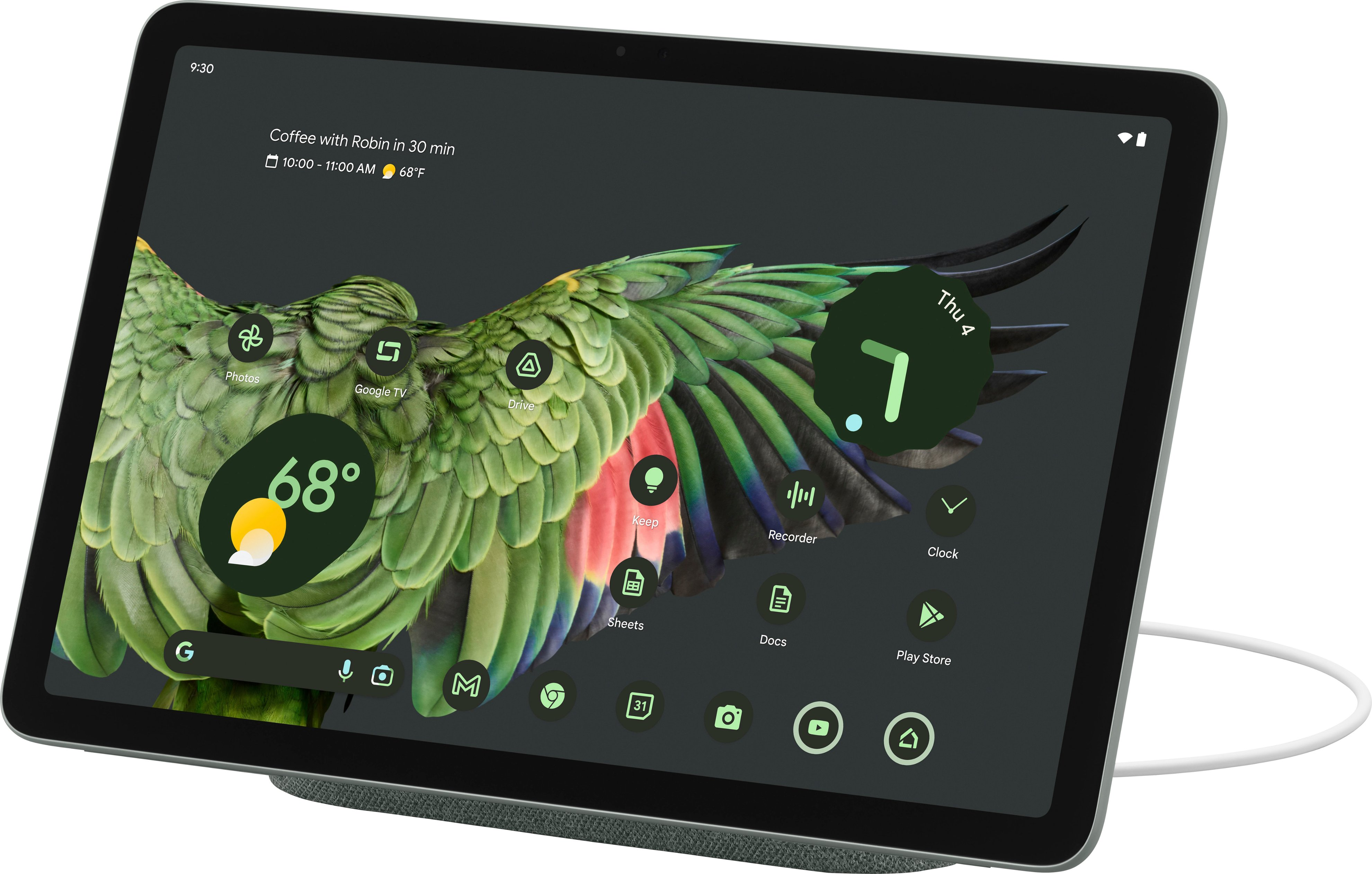
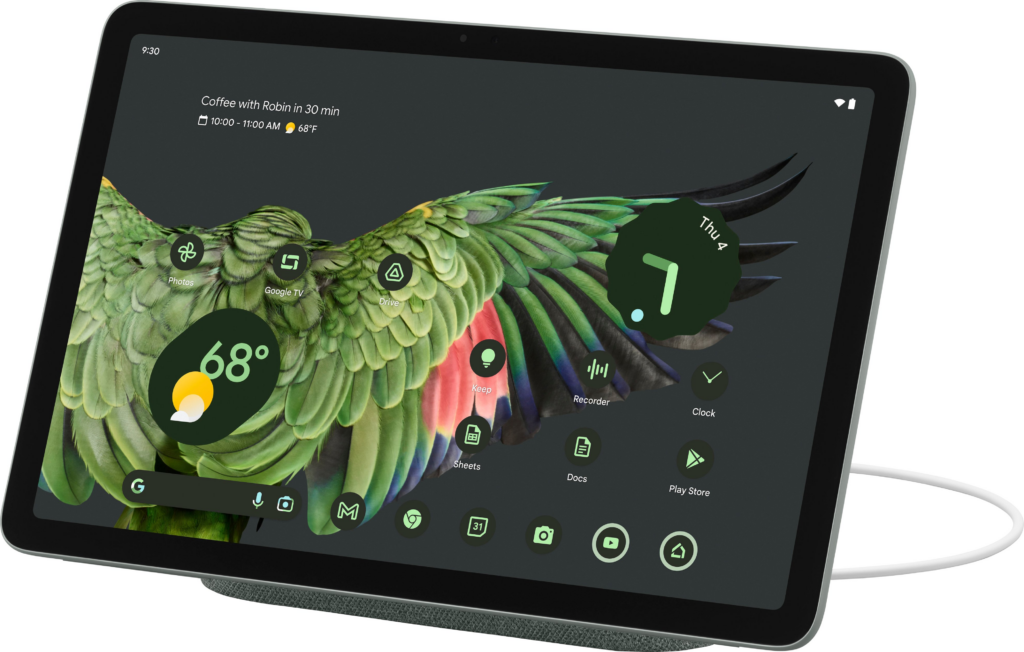
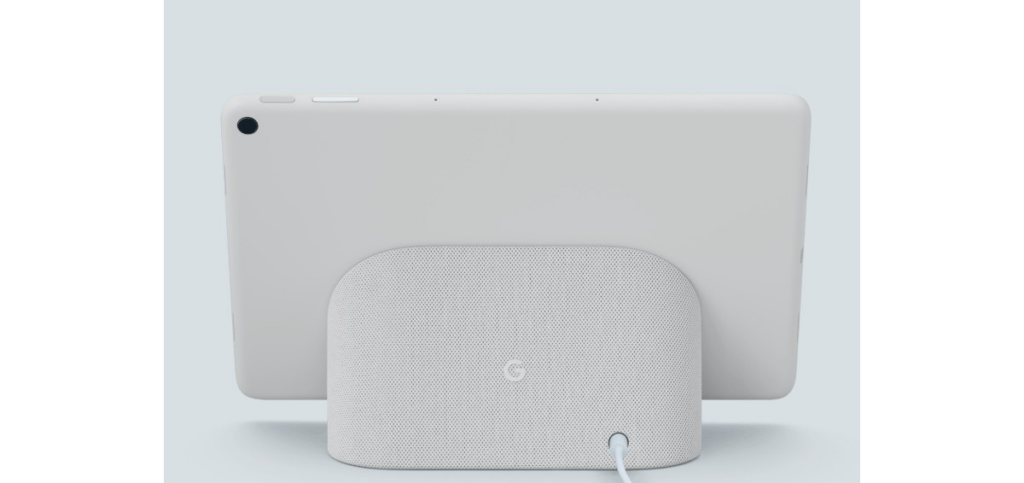
    Now, introducing the Google Pixel Tablet 2023; the latest addition to the Android tablet market, after Google’s long break. This roughly 11-inch screen tablet comes in three refreshing colors: Porcelain, Hazel, and Rose. Priced at $499, the Google Pixel Tablet has a standard tablet design with a 10.95-inch LCD display and bezels that match the color of the tablet. Along with a resolution of 1,600 x 2,560 and a 60Hz refresh rate. While it may not be as impressive as other tablets out there with OLED panels and higher refresh rates, the LCD screen is chosen to avoid screen ghosting issues. Mostly, the display offers good viewing angles, cool colors, and sufficient brightness for outdoor use.

    Let’s look at some of the outstanding features of the Google Pixel Tablet; including the most raved-about Dock.

    Design

    Google Pixel Tablet 2023 With Impressive Speaker Dock

    The Google Pixel Tablet has a back made of aluminum with a textured feel and a nano-ceramic coating. It has connectors for attaching it to the dock, which also serves as a charging speaker. Just like the Pixel 5, Google has a fingerprint sensor and volume rocker on the top edge when held in landscape mode. The USB-C connector for charging is on the left side, and there are silicone bumpers on the bottom for protection.

    The tablet offers convenient hands-free assistance. By simply saying “Hey Google” users can play music and videos. Or get answers to questions, control smart home devices, manage tasks, and much more. In terms of software updates, the Pixel Tablet has a solid operating system update arrangement: a minimum of 3 years. So that users can have access to Google’s latest features and improvements. Pixel Tablet users will also receive security updates for a minimum of 5 years, to protect the device against potential security threats.

    Software and Performance of The Google Pixel Tablet 2023

    The tablet has four speakers on both sides that deliver clear audio and stereo sound, but it lacks a headphone jack. It features an 8-megapixel webcam for video calls and a rear camera for basic photography needs. It is said to offer decent performance for most tasks but tends to get warm and has a slightly lower battery life compared to similar tablets. The battery life of the Pixel Tablet is decent. When it is undocked, the device can last up to 12 hours after charge.

    The performance of the Pixel Tablet is really impressive, considering how overinflated most of Google’s products are when it comes to performance. The tablet runs on the same powerful Tensor G2 chipset as the Pixel 7 series, along with 8GB of RAM. Google has also made significant improvements in optimizing the tablet for wider screens. They have worked on enhancing the experience of using over 80 popular apps on the Pixel Tablet, such as Twitter, Whatsapp, Instagram, Calculator, Chrome, Netflix, and more.

    While Google’s apps(Maps, Gmail, YouTube, Chrome, etc) have been optimized for the tablet, many third-party apps still lack tablet-specific designs. The Pixel Tablet runs on Android 13 OS with a similar interface to Google’s Pixel phone. And from what we know, the tablet is primarily focused on providing users advanced productivity features, which if you pay close attention to, aren’t that avant.

    The Famous Google Pixel Tablet Dock

    Google Pixel Tablet 2023 With Impressive Speaker Dock

    The standout feature of the Pixel Tablet is its speaker dock, which seamlessly transfers audio from the tablet to the dock’s louder speakers. The fact that the Google Pixel Tablet includes this Dock that also charges the tablet makes the device all the more impressive. The tablet can equally be used as a smart display when docked, with voice commands and access to Google Assistant. It supports multiple users and has a kids’ mode too.

    As for the Pixel Tablet, the Charging Speaker Dock enhances the tablet’s audio experience, but it basically falls short compared to other dedicated smart speakers. It is more suitable for background music or podcasts at low to medium volumes, but lacks loudness and clarity at higher volumes. The dock beyond our expectations has limited functionality and cannot be used independently when the tablet is not docked. It’s frustrating that the dock lacks any built-in intelligence as well.

    Google’s inclusion of the dock with every tablet increases the product’s overall cost. If the speaker dock is a mandatory part of the purchase, it should offer better sound or more features, ideally both.

    When the tablet is attached to the dock, it can function as a smart display, showing a screensaver and providing access to Google Home device controls. The dock also serves as a Chromecast target for casting media to the tablet.

    Pixel Tablet VS Nest Hub

    Sadly, we cannot help but notice the similarities to Google’s Nest Hub and Nest Hub Max. Versatile smart displays that combine a smart speaker with a touchscreen. Powered by the Google Assistant, they offer a wide range of features. You can access news briefings, view weather conditions, control smart home devices, play music and podcasts, watch videos, cast content, use it as a digital picture frame, participate in video chats, create a home intercom system, answer your doorbell, assist in cooking, monitor your sleep, translate languages, control the display with hand gestures, and personalize your experience with voice and face recognition.

    What We Think?

    The Pixel Tablet is a decent midrange Android tablet that comes with a charging dock for added functionality. Its performance is impressive for its price range, and although the display isn’t technically remarkable, it still looks good. However, Google’s decision to only sell the tablet with the dock seems like a big mistake. Although Google says the Pixel Tablet is not a Nest Hub Max upgrade, it gives off that vibe and even functions similarly in some ways.

    A number of people may purchase the device, assuming they’re getting a high-end smart display that can be detached for mobility. Unfortunately, they will be disappointed because the Pixel Tablet is not a substitute for a dedicated smart display, which puts it in an awkward position. Moreover, the audio quality from the Pixel Tablet’s Charging Speaker Dock falls short of what one would expect from an approximately $500 smart home gadget. Google has come up with an intriguing concept with the Pixel Tablet, but its execution is lacking. Most people would prefer the option to buy the tablet alone without the dock. While many people may still desire the dock, it shouldn’t be a requirement for everyone.

    Full Specifications

    • Display: 10.95 inches, 2560 x 1600 pixels
    • Processor: Google Tensor G2
    • Weight: 493g
    • RAM: 8GB
    • Storage: 128 / 256GB
    • Camera: 8MP for rear and front
    • Operating system: Android 13
    • Camera: 8MP front and rear
    • Ports and Connectivity: Wi-Fi 6, Bluetooth 5.2, USB-C, UWB
    • Dimensions: 258 x 169 x 8.1mm
    • Battery: 27Wh
    • Colors: Porcelain, Hazel, Rose
  • Best Fitness Trackers to Monitor Your Fitness Journey

    Best Fitness Trackers to Monitor Your Fitness Journey

    In today’s wearable scape dominated by smartwatches like the Apple Watch, and Samsung Galaxy Watch, fitness trackers remain a reliable option. Particularly for those seeking a trusted device to accurately track fitness metrics without the distractions of constant notifications. Or fitness trackers with more configurable features. We extensively reviewed some of the best fitness trackers and handpicked the ideal options for most people.

    While smartwatches have their advantages, fitness bands are better alternatives in a number of ways. Smartwatches may offer exceptional performances, including on-watch apps, alerts, and advanced fitness features. But fitness trackers excel in their primary purpose of tracking physical activity during workouts or exercises. With their compact size, longer battery life, and affordability, fitness trackers remain a good choice for those who prioritize accurate fitness monitoring without the distractions of a smartwatch.

    Best Fitness Trackers to Buy in 2023

    Fitness trackers have greatly advanced in functionalities over the last few decades. Gaining momentum from mere predictions of inventors like Leonardo da Vinci about devices capable of step tracking to advanced health monitoring in present times. Today, wearable technology has gone over and beyond with the invention of sleek smartwatches for not only tracking steps, but skin temperature, heart rate, calories, and sleep patterns, the options are vast. In 2023, the market is teeming with the best fitness trackers with even cooler tweaks and we’re about to share them all.

    Apple Watch Series 8

    Apple Watch Series 8

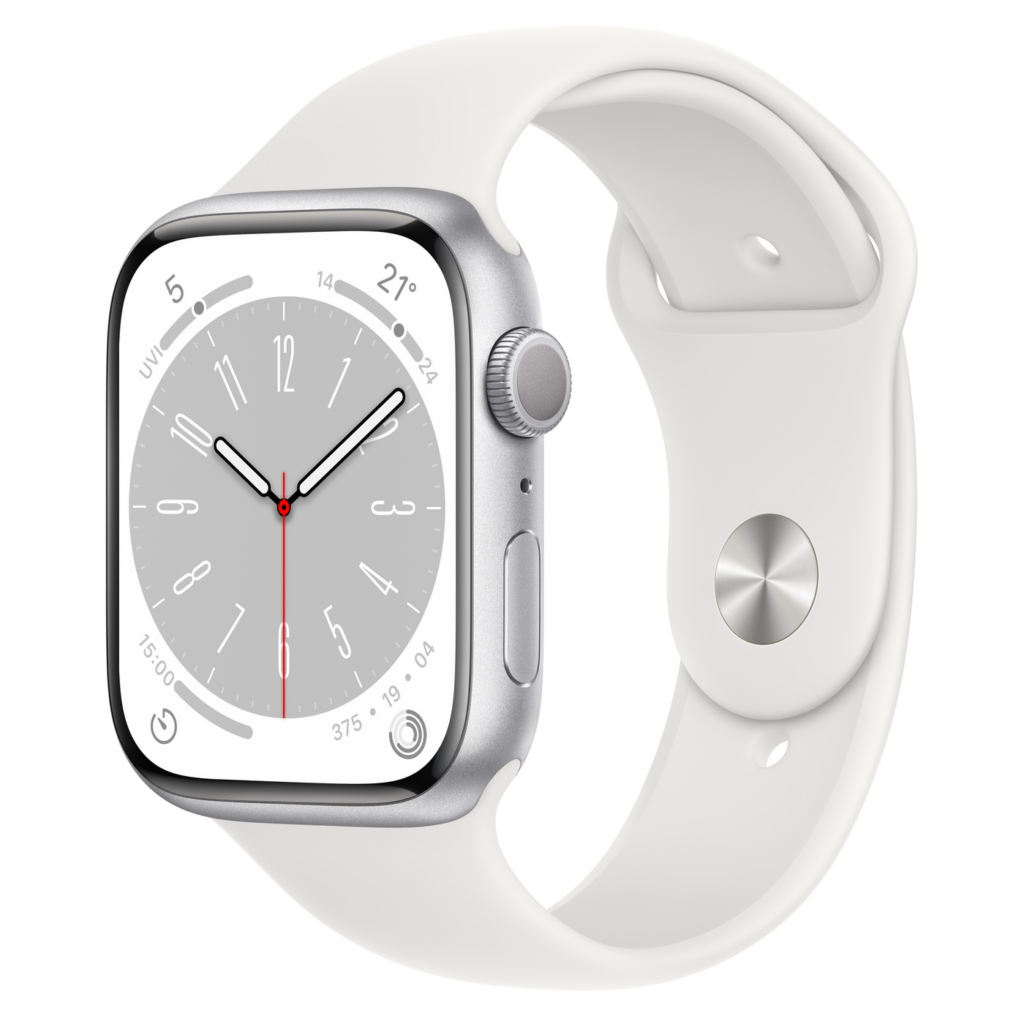
    The Apple Watch Series 8 is the latest offering from Apple, boasting impressive features like watchOS 9 and unique additions such as Crash Detection and temperature sensors for menstrual cycle tracking. It comes with a design that closely resembles its predecessor, the Apple Watch 7, with its curvier chassis and thinner display bezels. The larger screen offers enhanced features like Always-On Display, new watchOS 9 faces, and a QWERTY keyboard for messaging. While these features may not be new to Apple Watch Series 7 users, those upgrading from older models will appreciate the redesigned look and increased usable screen space.

    Apple has introduced a skin temperature sensor in the Series 8, which is beneficial for sleep tracking and cycle tracking. The sensor helps monitor deviations in overnight temperature for sleep analysis and can predict ovulation windows based on wrist temperature for users trying to conceive. Additionally, it can provide validation for those with conditions affecting their menstrual cycles. The data is secure and can be shared selectively, such as with a doctor assisting with fertility treatment.

    Crash detection is a notable safety feature in the Apple Watch Series 8, made possible by upgraded motion sensors. The watch can detect crashes with improved accuracy and automatically call emergency services and notify emergency contacts.

    Another significant upgrade is the low power mode, borrowed from the iPhone, which allows users to disable power-draining features while keeping the watch functional. With low power mode enabled, the battery life of the Apple Watch Series 8 can extend up to 36 hours.

    Samsung Galaxy Watch 5

    Samsung Galaxy Watch 5

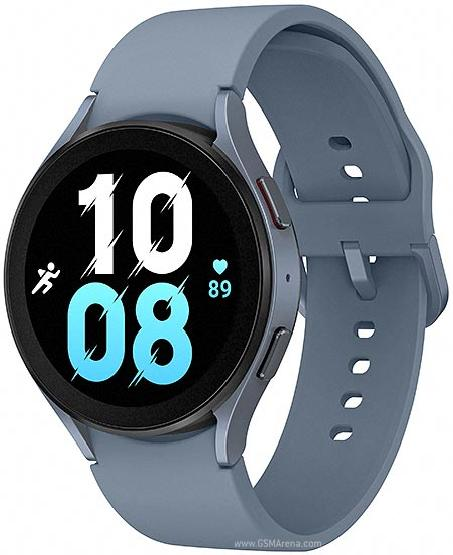
    Designed for Samsung phone users, the Samsung Galaxy Watch 5 is a feature-packed smartwatch for fitness tracking. Compared to its predecessor the Galaxy Watch 4, Samsung Galaxy Watch 5 offers a refined design. It offers improved wearable health features, including advanced sleep tracking and body composition analysis. Notable new features include a temperature analysis sensor and comprehensive fitness tracking capabilities. The watch runs on Wear OS powered by Samsung, offering seamless integration with other Samsung devices.
    Unlike the Galaxy Watch 4 lineup, the Galaxy Watch 5 does not feature a rotating bezel, which may disappoint some fans. However, the reshaped curvature on the bottom of the watch enhances watch-to-skin contact for improved accuracy on data collected from the biometric sensor. The watch remains water-resistant and boasts a display made of sapphire crystal glass, for increased scratch resistance. The Galaxy Watch 5 comes in four colors and offers interchangeable bands for personalization.

    Although battery life could be better, it is an improvement over its predecessor.

    Google Pixel Watch

    Google Pixel Watch best fitness trackers

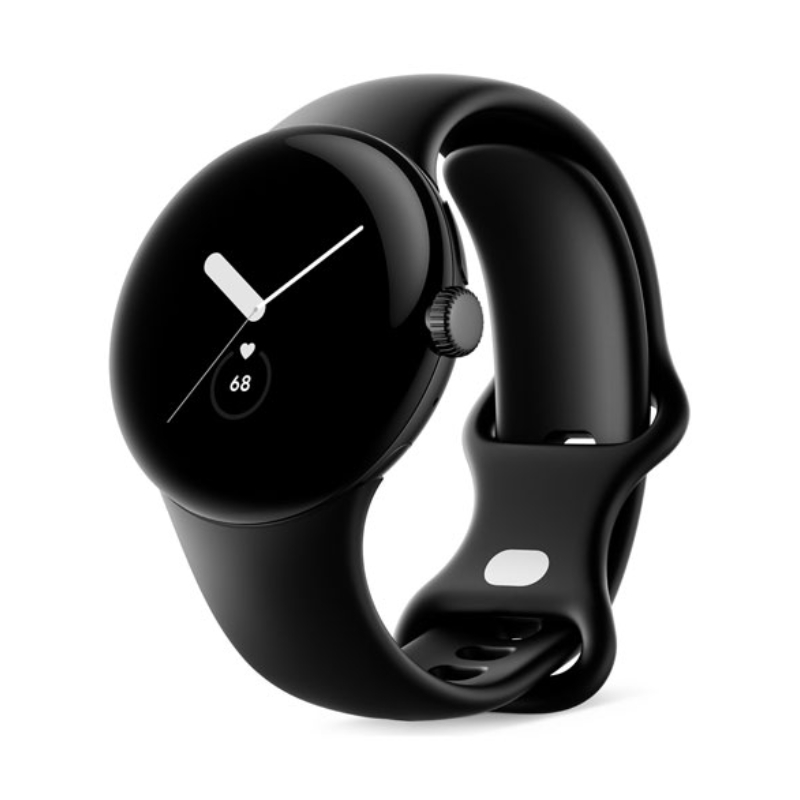
    The Google Pixel Watch boasts a simple and minimalistic design, available in a single size of 41mm. While some may desire a larger alternative, the watch fits well. Its face features a rounded design with a 3D glass dome, which somewhat distracts from the thick bezel but leaves a significant portion of the display unused.

    The watch predominantly uses a dark mode interface and watch faces with black backgrounds to conceal the bezel. The Pixel Watch comes in matte black, silver, and gold, with interchangeable straps that require a learning curve to replace. The Watch marks Google’s debut in the smartwatch market and is one of the best fitness trackers with a native Fitbit integration. Aside from its stunning domed display and native Fitbit integration, it delivers excellent health-tracking capabilities. Offering users over 40 workout styles, heart rate monitoring, ECGs, and GPS tracking. Fitbit Premium unlocks advanced features such as a Daily Readiness Score and detailed sleep tracking analysis. The Pixel Watch integrates with Google services through Wear OS, providing access to various daily programs and services.
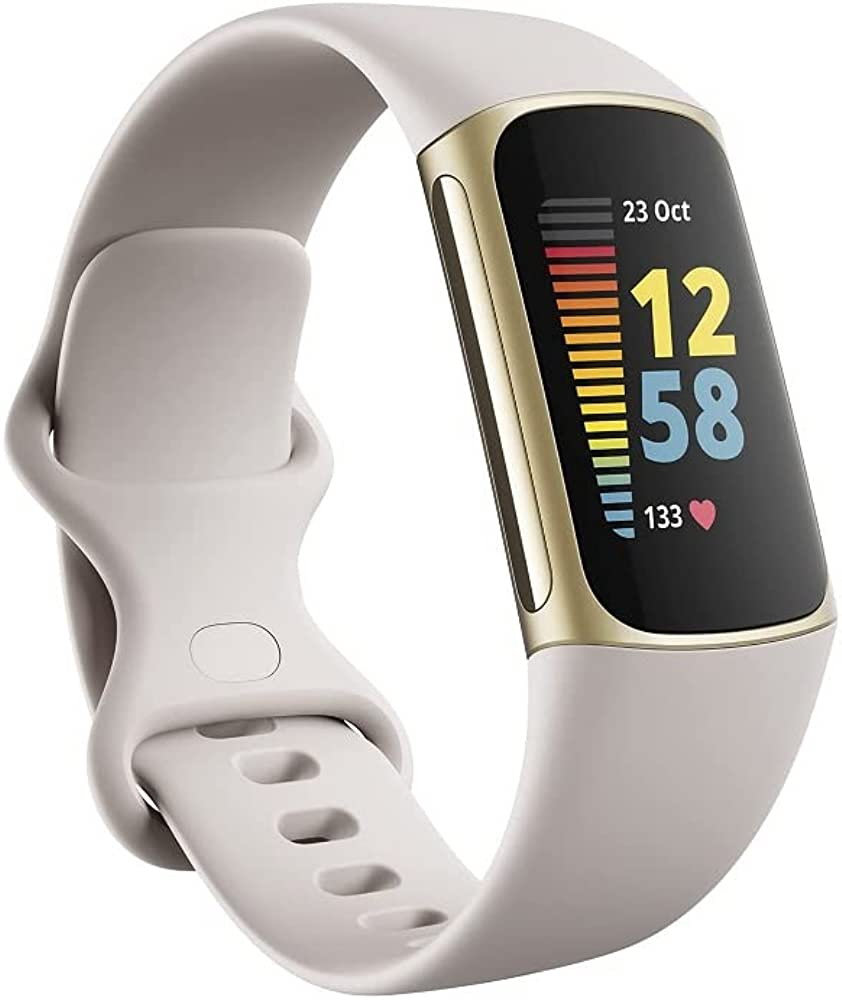
    Fitbit Charge 5

    Fitbit Charge 5

    The Fitbit Charge 5 emerges as the top choice among fitness trackers, offering a comprehensive set of features. With its built-in GPS that delivers fast and accurate tracking, the Charge 5 excels as a versatile fitness tracker and stands out from smartwatches. Its full-color AMOLED display and slim design make it more stylish than its predecessor, the Charge 4. The device boasts stress-tracking capabilities and future updates will introduce ECG measurements and Daily Readiness Scores. Fitbit Pay support and all-day and all-night battery life further enhance its appeal.

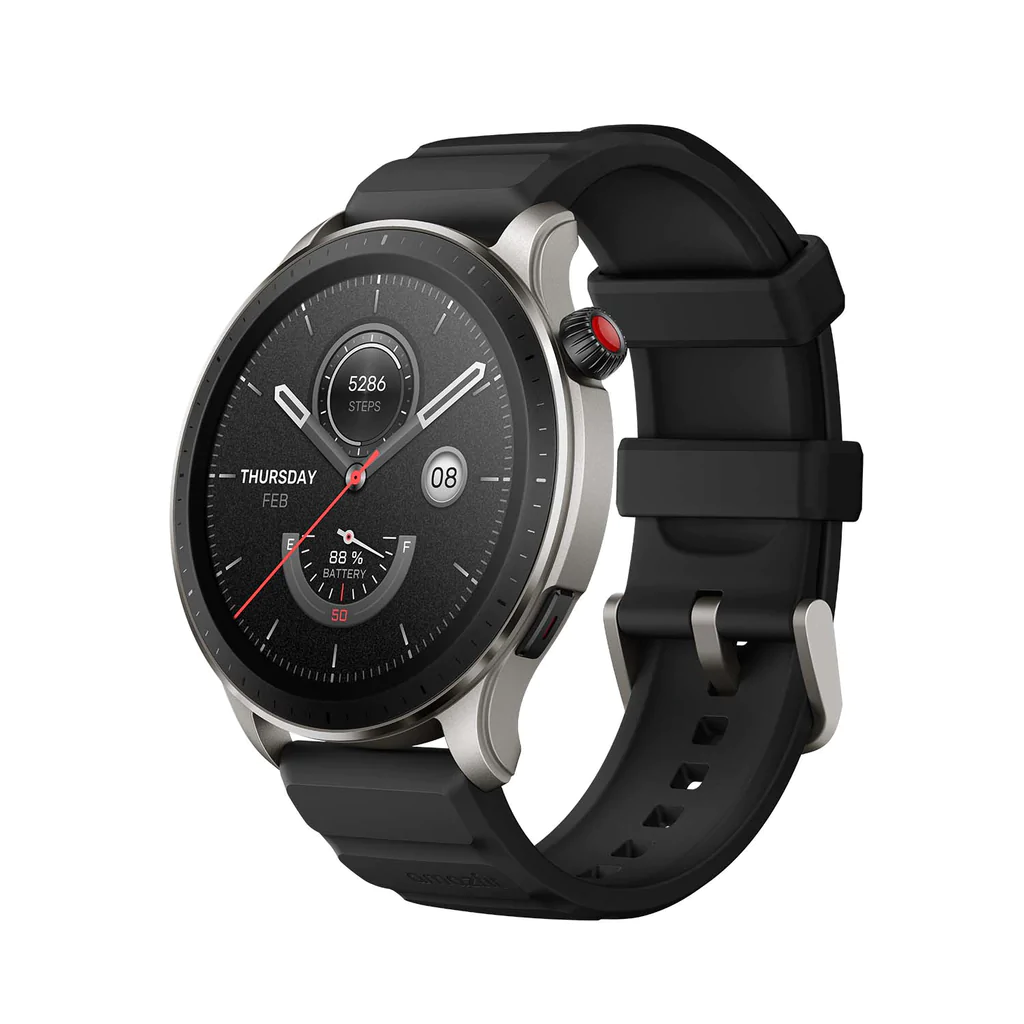
    Amazfit GTR 4

    Amazfit GTR 4 best fitness trackers

    The Amazfit GTR 4 is a great alternative to popular smartwatch brands like Apple and Samsung. Despite some limitations in in-app support and notification interaction, it offers a fantastic design, long battery life, and reliable activity tracking.

    The GTR 4 features a premium look and feel with a beautiful AMOLED display and always-on functionality. Its hardware is impressive, with a lightweight body and durable build. However, the included rubber band may cause discomfort and requires frequent cleaning.

    Running on Zepp OS, the GTR 4 has a simple and functional interface. While lacking extensive app support, it offers useful features and connects seamlessly with both Android and iOS devices. Notably, it supports Alexa and Bluetooth calling.

    The watch is excellent for tracking activities and health metrics such as heart rate, sleep, stress levels, and blood oxygen levels. It comes with a 475mAh battery, delivering approximately ten days of usage on a single charge. The absence of daily charging makes it convenient and comparable to higher-end models.

    Considering its affordability, attractive design, and essential smartwatch functionalities, the Amazfit GTR 4 is among the best fitness trackers for budget-conscious buyers.

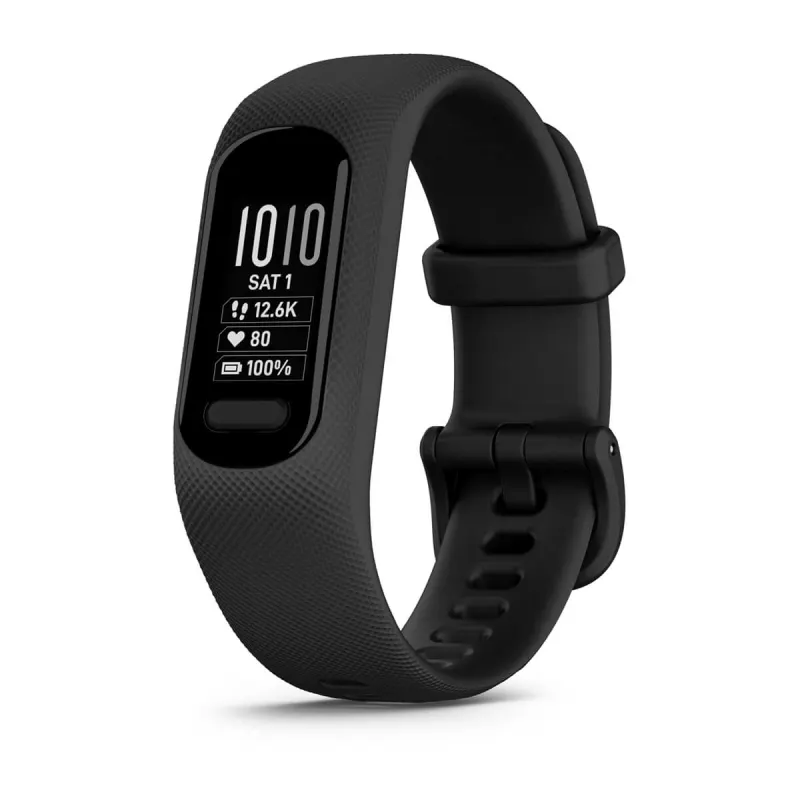
    Garmin vívosmart 5

    Garmin vívosmart 5

    A sleek and modest alternative to dozens of other smartwatches, the Garmin vívosmart 5 showcases Garmin’s expertise in fitness tracking. Garmin has made significant but subtle design improvements to the Vivosmart 5, focusing on usability. The addition of a physical button enhances navigation and activity control, addressing the previous touchscreen issues. The monochrome OLED display is 66% larger than its predecessor, making it easier to read messages and allowing scrolling text to avoid message truncation. The screen shows at least three stats simultaneously.

    However, the Vivosmart 5’s display remains somewhat challenging to view, especially while in motion. Compared to other fitness trackers like the Fitbit Charge 5 and Amazfit GTR 4, its black-and-white screen feels outdated. It may not be as beginner-friendly as top Fitbits, requiring some time to understand its functions, but familiarity improves with usage.

    The Vivosmart 5 comes in two sizes and offers interchangeable bands, a convenient option using Garmin’s official bands for now. Third-party alternatives may become available. Battery life is around seven days without all-day blood oxygen monitoring, reducing to approximately three days when enabled. However, given that blood oxygen monitoring is most useful for sleep tracking, it can be selectively activated during sleep only.

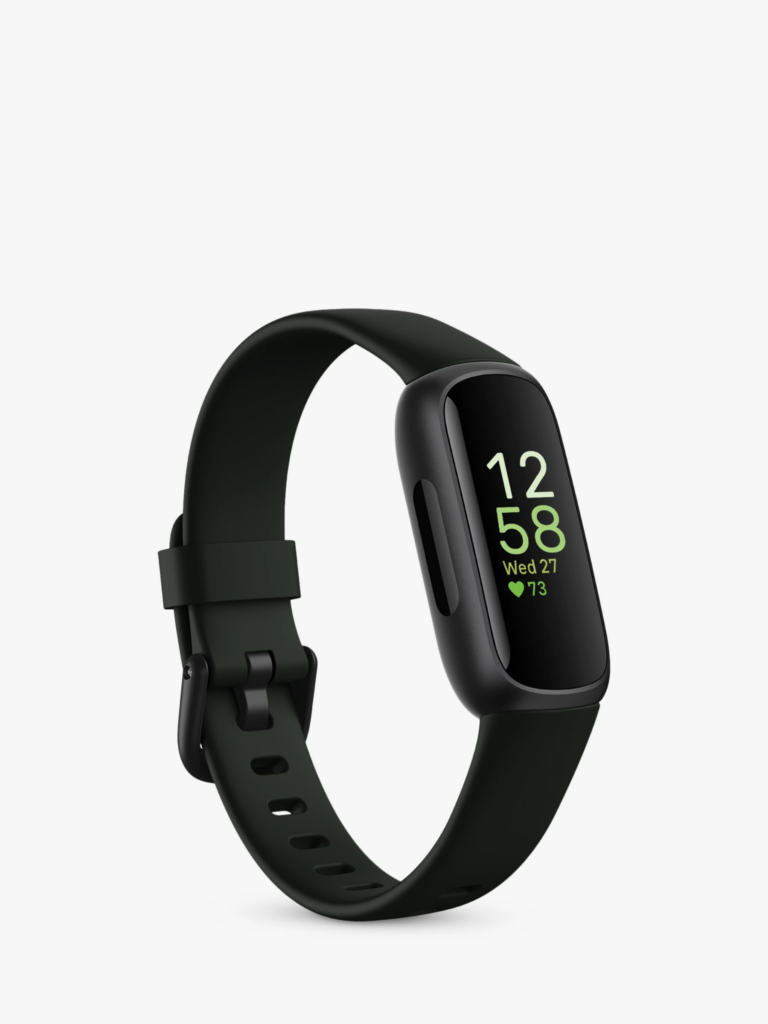
    Fitbit Inspire 3

    Fitbit Inspire 3 best fitness trackers

    The Fitbit Inspire 3 closely resembles its predecessor in terms of design, featuring a compact size and rounded edges. It is lightweight and comfortable to wear, almost unnoticeable throughout the day. Notably, the Inspire 3 stands out with its bright and clear AMOLED display, giving it a premium feel without a higher price tag.

    The tracker incorporates two haptic buttons for easy navigation, although the small screen may not be ideal for extensive message viewing. It is more suited for those seeking overall health insights without the complexities of a full-fledged smartwatch.

    Fitness tracking capabilities include heart rate, steps, calories, Active Zone Minutes, stress, SpO2, and sleep monitoring, all at an affordable price. While the small screen makes it challenging to view live feedback during activities, attaching the tracker to clothing can be a practical workaround. The heart rate accuracy is comparable to more expensive alternatives.

    Additional features include reminders, weekly exercise goals, water intake tracking, weight changes, and menstrual cycle tracking. Fitbit excels in sleep tracking, accurately monitoring sleep duration and quality. However, advanced sleep insights and scores are locked behind a premium subscription. The Fitbit Inspire 3 boasts up to 10 days of battery life, providing ample usage without frequent recharging.

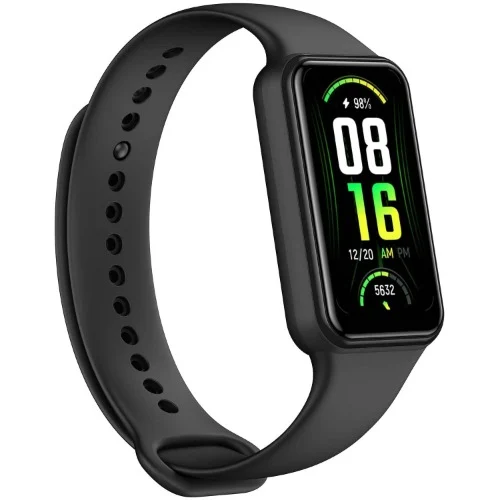
    Amazfit Band 7

    Amazfit Band 7 best fitness trackers

    The Amazfit Band 7 has undergone a significant upgrade with improved features such as a more vibrant OLED display, longer battery life of up to 28 days, etc.

    The case, constructed from polycarbonate is lightweight and available in black or beige. And it is customizable with wristbands in green, blue, pink, or orange colors. Health and fitness tracking capabilities include step counting, heart rate monitoring, stress level assessment, blood oxygen saturation measurement, and sleep tracking.

    The watch can be set up and customized using the Zepp app, which allows users to personalize vibrations, watch faces, and configure notifications. It also supports third-party app integration and features Amazon Alexa as a voice assistant. In addition to providing lightweight comfort, the Amazfit Band 7 is also dust and water-resistant. One of the best fitness trackers in 2023.

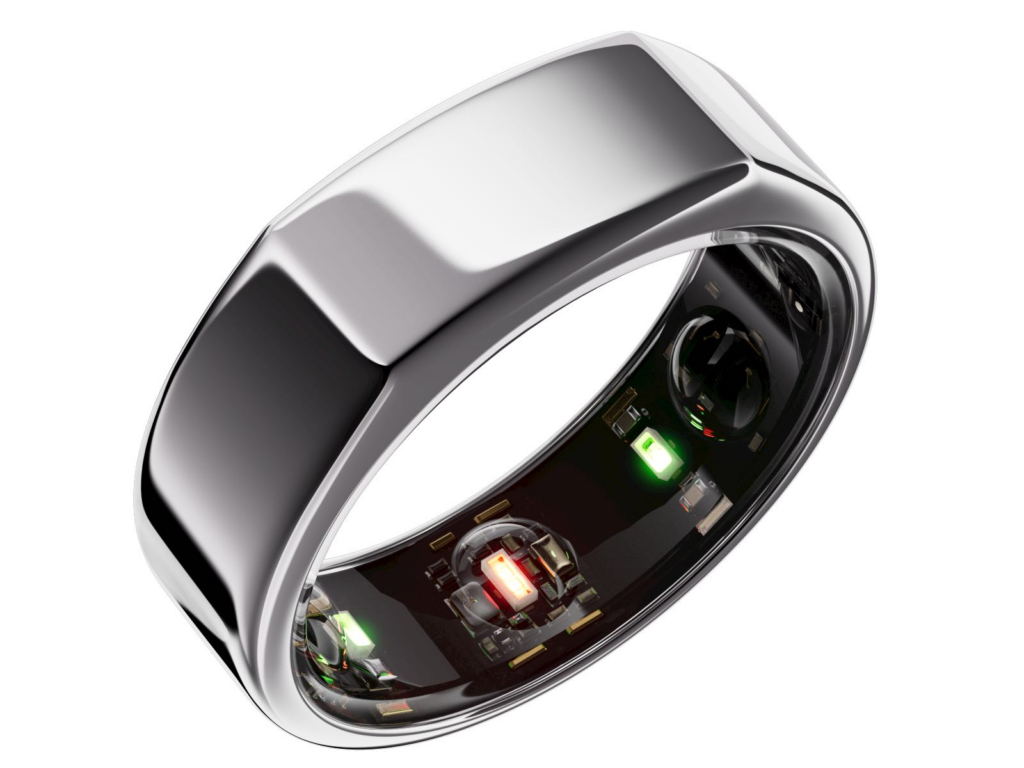
    Oura Ring Gen 3

    best fitness tracker 2023 - Oura Ring Gen 3

    Meanwhile, those seeking a discreet and minimalist option will find the Oura Ring Gen 3 an appealing preference as a fitness tracker. The Oura Ring Generation 3 is a discreet piece of jewelry that seamlessly blends with other silver rings, concealing its advanced features until closer inspection. With its titanium loop, one can easily reveal the underside sensors, which include heart rate, respiratory rate, and body temperature sensors housed within three inner ridges. The ring is designed to be worn on the index finger with the slightly-flattened edge facing up for accurate readings.

    In terms of activity tracking, the Oura Ring Generation 3 is not intended to display metrics during workouts. Instead, it can track calorie burn, steps, walking equivalency, and hourly movement through the Oura app. It assesses workout intensity based on heart rate and elevated activity minutes, incorporating data from Apple Health or Google Fit. The app also allows retroactive exercise logging and can estimate completed workouts.

    For sleep monitoring, the Oura Ring provides valuable insights such as total time spent lying down, hours of sleep, resting heart rate, sleep efficiency, and a daily sleep score.

    The Oura Ring offers an advanced and accurate sleep-tracking experience compared to devices like the Apple Watch. It even provides a Rest Mode feature that can automatically activate if irregular body temperature is detected. The battery life of the Oura Ring Generation 3 is estimated to last up to a week.

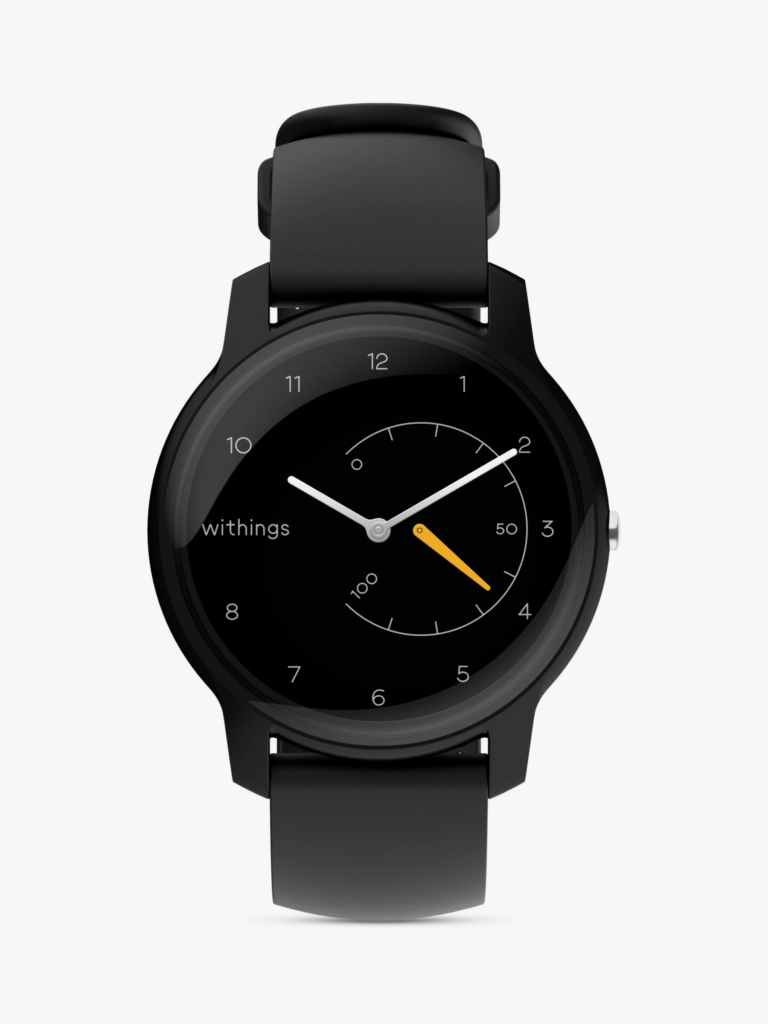
    Withings Move

    Withings Move best fitness trackers

    For those in need of a fitness tracker with a more standard yet fashionable design, the Withings Move is an ideal choice. The analog watch incorporates style with basic fitness tracking features such as step, calorie, distance, and sleep monitoring. It also includes other features such as connected GPS, auto-recognition for over 30 workouts, and water resistance. The Withings Move boasts an impressive battery life of up to 18 months, thanks to its button-cell battery. This eliminates the need to frequently juice it up.

  • Amazon Prime Day 2023 is Packed with Incredible Deals

    Amazon Prime Day 2023 is Packed with Incredible Deals

    If you’re an online shopper, chances are you’ve heard of Amazon Prime Day. No, not Black Friday. Not Cyber Monday, not even close. One of Amazon’s biggest shopping events of the year, offering exclusive deals and discounts on millions of products to Amazon Prime members across the globe. Every year, Amazon shoppers eagerly anticipate when the big day will arrive, hoping to snag fantastic deals on every item, from electronics to beauty and tech products, etc.

    Amazon Prime Day made its first debut on July 15, 2015, to commemorate Amazon’s 20th anniversary. The inaugural Prime Day event was an unparalleled success that surpassed all expectations—even Amazon’s. Amazon reported record-breaking numbers in terms of sales, with over 34.4 million items sold on the 24-hour shopping extravaganza.

    Subsequent Prime Day events gradually turned into a 48-hour sales spree. By extending the span of the event, Amazon simply wanted to build a sense of urgency and excitement among its customers. There’s nothing more fun than shopping your favorite items on slash sales And because access was strictly through Amazon’s Prime membership, the exclusivity generated significant buzz and publicity.

    Since then, shoppers have come to expect this from the now two-day event. The significant Prime membership surge tells us all we need to know—the deals are irresistible. Slated for Wednesday, July 12 to Thursday, July 13, 2023, here are some of the best deals on Amazon Prime Day.

    Anticipate these Best Amazon Prime Day Deals

    Amazon Prime Day 2023 is Packed with Incredible Deals

    Based on the sales turnout of last summer, we can predict what the best Amazon Prime Day deals for 2023 would be. We expect serious discounts on high-end electronics, tech gear, and home goods like TVs, gaming accessories, wireless headphones, computers, smart alarms, smart coffee makers, etc. Here are some of the deals we are expecting to see this year from Amazon:

    • 2021 Apple TV 4K
    • iRobot Roomba i7+ Robot Vacuum
    • Sony WH-1000XM4
    • Blink Mini 1080p Security Camera
    • Blink Outdoor 1080p Security Camera
    • Ring Video Doorbell
    • Amazon Wi-Fi Smart Thermostat 
    • Ring Alarm 8-Piece Kit w/ Ring Video Doorbell + Echo Show 8
    • Beats Fit Pro
    • Apple Watch Series 7
    • Apple Watch Series 8
    • Apple AirPods Pro Wireless Earbuds
    • Apple AirTag
    • Apple Pencil
    • Apple iPad 10.2″ 64GB Wi-Fi Retina Tablet
    • Apple iPad Mini 64GB Wi-Fi Tablet
    • Apple MacBook Air M1
    • Apple Mac Mini M2
    • Apple MacBook Pro M1 Pro 14″ 1TB SSD Laptop
    • Eero Pro 6 mesh Wifi router
    • Ring Indoor Cam Wireless Security Camera
    • Amazon Fire TV 65″ Omni QLED series 4K UHD smart TV
    • Samsung 55-Inch Frame Series Smart TV

    Amazon Prime membership for Prime Day 2023

    Amazon Prime Day 2023 is Packed with Incredible Deals

    To start, it’s crucial to ensure that you possess an active Amazon Prime membership. Prioritize confirming your membership status before anything else. You have the option to enroll in a 30-day complimentary trial period. Following that, the membership will require a monthly fee of $14.99 or an annual fee of $139. Apart from the perk of no-cost two-day shipping, being a Prime member grants you access to ad-free music streaming on Prime Video, unlimited photo storage, and unrestricted reading materials. Keep in mind that numerous exceptional deals are offered on Prime Day, exclusively accessible to Prime members.

    During Prime Day, Amazon frequently provides Prime members with exclusive promotions and coupons. For instance, you might discover good discounts on services such as Amazon Music Unlimited and Audible Premium. Typically, these promotions are showcased on Amazon’s Prime Day homepage, either through their app or on their website.

    Getting Ready to Shop

    shopping on prime day

    To stay informed about sales and deals, you have the option to subscribe to notifications. It can be a bit challenging, so if you find it hard to skim through Amazon’s website or app on Prime Day, just sign up for notifications. And you’ll get notified by Amazon of all specific products of interest immediately after the prices drop. This feature proves particularly valuable when it comes to time-limited deals. Also, you can choose to receive notifications based on your Amazon search history and recently viewed items. To set up these deal alerts, simply visit the Amazon Prime Day page online or access it through the Amazon app once it becomes active.

    Another avenue for receiving alerts is utilizing Amazon’s Alexa. Alexa can inform you up to 24 hours ahead of a deal becoming available for an item on your wishlist, in your shopping cart, or saved for later. You can equally ask Alexa to remind you when the deals go live and permit Alexa to place orders on your behalf. And this will be done swiftly using your account’s default payment and delivery details. Amazon highlights that this feature is particularly advantageous during Prime Day due to the constant influx of new mouthwatering deals.

    For more Amazon products and services, check out the movies on Amazon Prime Video to stream this weekend. Or if you’re up to reading your favorite books, discover the Amazon Kindle models that suit your budget.

  • Asus Zenbook S 13 OLED Is The PC You’ve Been Waiting For

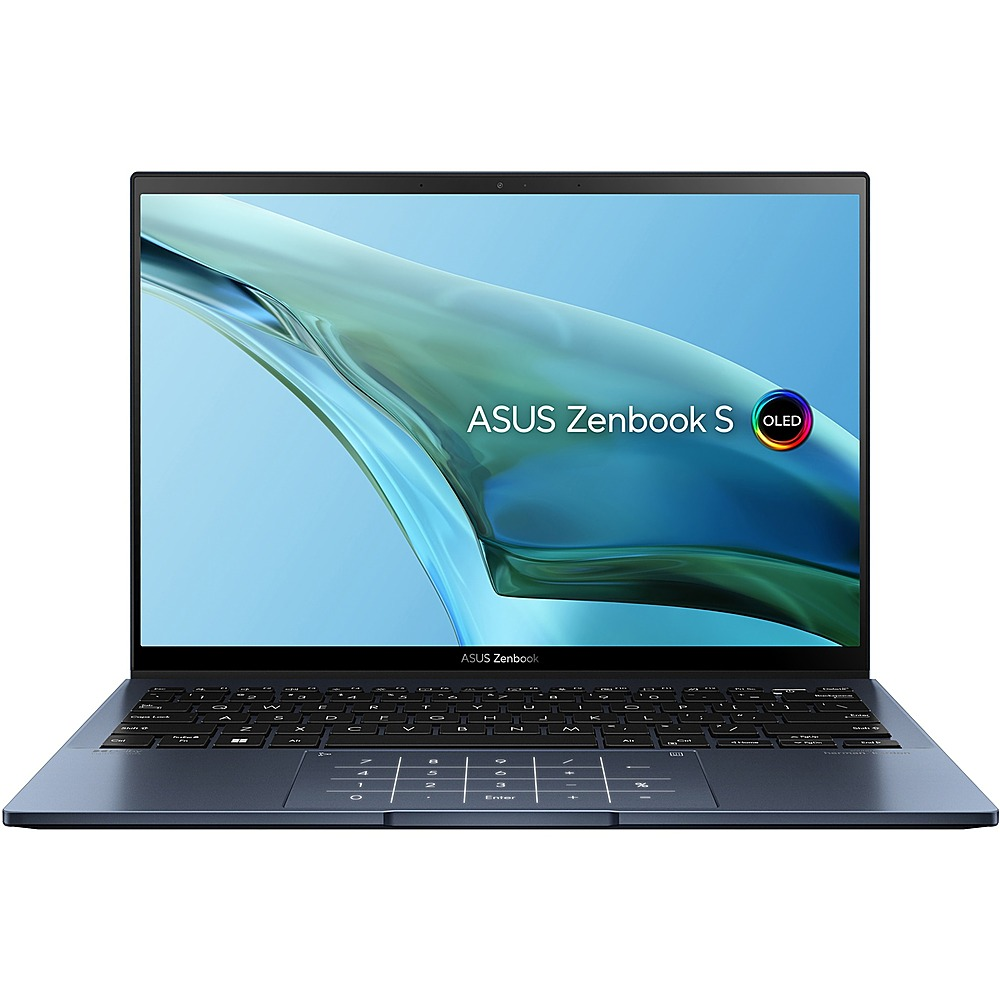
    Asus Zenbook S 13 OLED Is The PC You’ve Been Waiting For

    At the start of 2022, we got wind of a high-tech ultrabook that was dubbed the “best alternative to some high-end PCs like Macbook Air M2” because of its unbelievable weightlessness. The Zenbook S 13 OLED from Asus. Approximately one year later, the good people at Asus analyzed the Asus ZenBook S 13 OLED, and apparently uncovered what we all knew but were reluctant to verbalize — the lightweight 2022 model can be made even lighter.

    Now, the Zenbook S 13 OLED is not just compared side by side with Apple’s MacBook Air, it’s competing for space at the top of the global PC market. Already one of the lightest laptops in the world, the sleek 13.3-inch OLED ultrabook sports mighty impressive features such as a 13th-generation Intel i7 processor, replacing its 2022 model’s AMD processor. It has also been redesigned with several other cool features that we’ll be delving into in this article.

    Asus ZenBook S 13 OLED Review (ZenBook S 13 Series)

    Asus Zenbook S 13 OLED Is The PC You've Been Waiting For

    Compared to its predecessor, the Asus Zenbook S 13 Ultrabook is slimmer and lighter. Although the weight is slightly more than what we see on the spec sheet. And the display specifications remain unchanged. With a 13.3-inch OLED touchscreen with a refresh rate of 60 Hz and a resolution of 2,880 x 1,800 pixels. The panel has a new ID, and the image quality remains excellent with no opalescent effect.

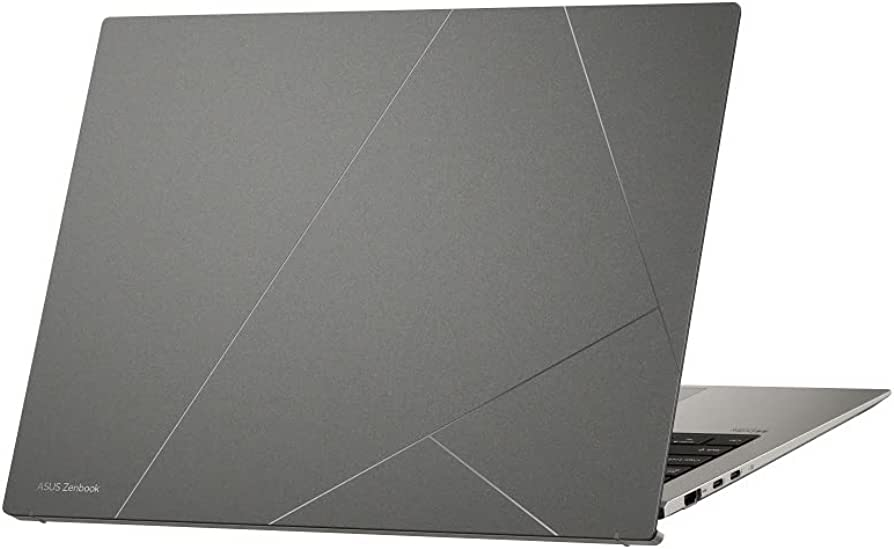
    Asus has equally introduced a new design and material for the case of their 2023 Zenbook S 13 model. Featuring an ErgoLift mechanism that rotates the panel up to meet the display, improving typing comfort for users. The sleek and elegant Zenbook S 13 case comes in two color options: Ponder Blue and Basalt Grey. The lid is made of aluminum and is coated with a layer of plasma ceramic material. This improves resistance to wear and corrosion, and the surface texture also conceals fingerprints perfectly.

    Additionally, Asus has equipped the Zenbook S 13 with a fast PCIe 4.0 SSD from Samsung, providing a storage capacity of 1 TB. The battery capacity is slightly lower than that of the old model, with a battery life of almost 14 hours. The laptop has two USB-C ports. A USB-A port, and a full-size HDMI port, which is more suitable for everyday use. The laptop uses the AZ211 WLAN module from Intel, which supports the most current Wi-Fi 6E WLAN standard and Bluetooth 5.2. The Ultrabook feels premium and is very perfect for creative users.

    Let’s breeze through the full specifications of the Asus Zenbook S 13 OLED.

    Asus ZenBook S 13 OLED UX5304 Full Specs

    Processor – Intel Core i7-1355U 10 x 1.2 – 5 GHz, 44 W PL2 / Short Burst, 17 W PL1 / Sustained, Raptor Lake-U

    Graphics adapter – Intel Iris Xe Graphics G7 96EUs, Core: 1300 MHz

    Memory – 16 GB, LPDDR5, dual-channel, onboard

    Display – 13.30 inch 16:10, 2880 x 1800 pixel 255 PPI, capacitive, SDC417B, OLED, glossy: yes, HDR, 60 Hz

    Mainboard – Intel Alder Lake-P PCH

    Storage – Samsung PM9A1 MZVL21T0HCLR, 1024 GB, 903 GB free

    Soundcard – Intel Raptor Lake-P/U/H PCH – cAVS

    Connections – 1 USB 3.0 / 3.1 Gen1, 2 USB 4.0 40 Gbps. 2 Thunderbolt, USB-C Power Delivery (PD), 1 HDMI, 2 DisplayPort, Audio Connections: 3.5 mm audio port, Brightness Sensor

    Networking – Intel Wi-Fi 6E AX211 (a/b/g/h/n = Wi-Fi 4/ac = Wi-Fi 5/ax = Wi-Fi 6/ Wi-Fi 6E 6 GHz), Bluetooth 5.2

    Size – height x width x depth (in mm): 11.8 x 296.2 x 216.3 ( = 0.46 x 11.66 x 8.52 in)

    Battery – 63 Wh, 8140 mAh Lithium-Polymer

    Operating System – Microsoft Windows 11 Home

    Camera – Webcam: 1080p
    Primary Camera: 2 MPix

    Speakers – Stereo

    Keyboard – Chiclet, 1.1 mm

    Keyboard Light – Yes

    Weight – 1.048 kg ( = 36.97 oz / 2.31 pounds)

    Power Supply – 228 g ( = 8.04 oz / 0.5 pounds)

  • Best Android Phones 2023: The Latest Phone Deals

    Best Android Phones 2023: The Latest Phone Deals

    Whether you are a tech enthusiast, a social media influencer, or simply looking for a reliable phone that can keep up with your dynamic lifestyle, you are sure to find a perfect match from our list of the best android phones of 2023.

    We bring to you a compilation of the hottest phones to buy this year. Featuring sleek designs, ultra-powerful processors, high-resolution cameras, innovative features, specifications, etc, these android phones are the ultimate gadgets that will upgrade your daily communication and entertainment. With their guarantee to offer seamless and immersive user experiences like never before.

    So let’s explore the new android phones for 2023, alternatives to iPhones.

    Best Android Phones in 2023: The Latest Phone Deals

    Our Top Picks Of The Best Android Phones in 2023

    Samsung Galaxy A54 5G

    Cnet.com

    The sleek and stylish Samsung Galaxy A54 5G, which takes its design cues from the highly coveted Galaxy S23 lineup is the latest addition to the Samsung Galaxy series. This modern device boasts a 6.4″ FHD+ AMOLED display with a lightning-fast refresh rate of 120Hz, powered by a Samsung Exynos 1380 processor and backed by 128GB of storage that’s expandable up to 1TB with a microSD card.

    You can capture amazing shots with the Galaxy A54’s upgraded camera setup featuring a 50MP primary sensor for superior low-light performance and dynamic range, along with a 12MP ultra-wide and 5MP macro camera for close-up shots. On the front, a 32MP selfie shooter awaits, capable of recording in 4K resolution, giving you picture-perfect moments to treasure.

    The Galaxy A54 is packed with other features like 5G, Wi-Fi 6, and eSIM, ensuring you stay connected to the world around you. Running on Android 13 with One UI 5.1, the Galaxy A54 offers a seamless and intuitive user experience. Available in black and purple, this phone is so affordable. Pre-orders are set to kick off in a couple of weeks on March 30th, and you can get your hands on one starting April 6th. And the best part? This baby won’t break the bank – just like last year’s A53 5G model, it’s priced at a super reasonable $450. Truly one of the best android phones of 2023

    Samsung Galaxy S23 Ultra

    Best Android Phones in 2023: The Latest Phone Deals
    Forbes

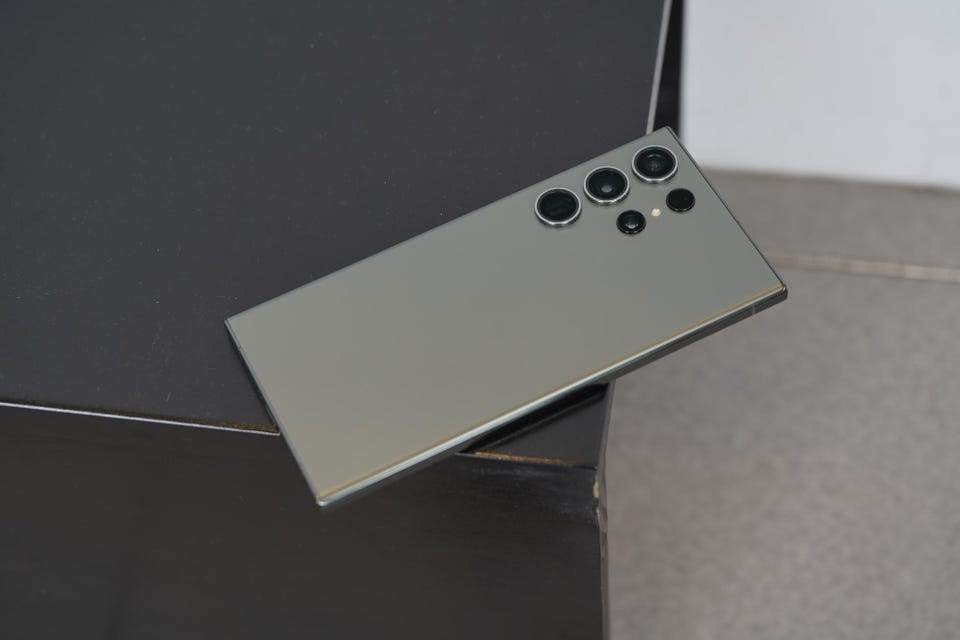
    Samsung’s latest offering, the Galaxy S23 Ultra is not the regular stylus smartphones. It boasts impressive upgrades in its chip, battery, and camera features compared to its predecessors. However, aside price tag, it is one of the most expensive non-folding smartphones available.

    Visually, the S23 Ultra closely resembles its predecessor the Samsung Galaxy S22, and its cream color scheme adds to its premium look and feel. The phone’s aluminum frame, slightly less curved glass edges, and super-bright and crisp screen remain unchanged from the previous model.

    One of the phone’s unique features is the S Pen stylus. A fan-favorite that was introduced to the S series in 2022, and has undergone minor changes in this version. The phone’s software is based on Samsung’s One UI 5.1, running on Android 13. And offers numerous useful features, including productivity tools for the S Pen and customizable lock screens. The phone’s height is 163.4 x 78.1 x 8.9mm and weighs 233g.

    Other specifications include a 6.8-inch QHD+ Dynamic Amoled 2X screen with 500ppi and 120Hz refresh rate. A Qualcomm Snapdragon 8 Gen 2 processor, 8 or 12GB RAM, and storage options of 256, 512GB, or 1TB. The phone supports 5G, USB-C, WiFi 6E, NFC, Bluetooth 5.3, UWB, and GNSS. And boasts an IP68 water resistance rating of up to 1.5m for 30 minutes.

    Google Pixel 7 Pro

    Digital Trends

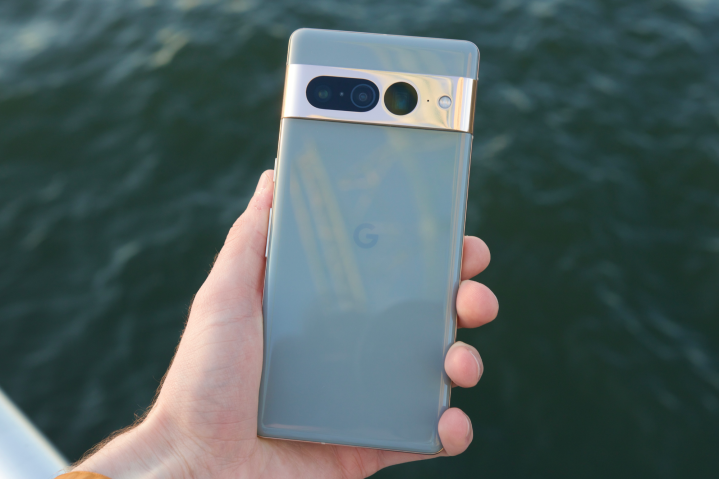
    The Pixel 7 Pro is the top model in Google’s 2022 phone lineup. Aimed at continuing the company’s recent success in high-end mobile devices. Which also includes the smaller Pixel 7 and the more affordable Pixel 6a.

    The phone features a large, 6.7-inch OLED screen. With a 120Hz refresh rate and a polished aluminum camera bar on the back. It has good performance, a fast fingerprint scanner, and reasonable battery life. Along with impressive AI features, such as dictation and unblurring technology. The standout feature, however, is the camera, which boasts a 10x optical zoom. A feature only found on Samsung’s best, more expensive phone.

    The Pixel 7 Pro comes with 12GB of RAM and is available with 128, 256, or 512GB of storage. It runs on Android 13 and has 5G connectivity, as well as eSIM, wifi 6E, UWB, NFC, Bluetooth 5.2, and GNSS. The phone is water-resistant with an IP68 rating, allowing it to withstand being submerged in 1.5 meters of water for up to 30 minutes.

    Samsung Galaxy Z Fold 4

    Notebook check

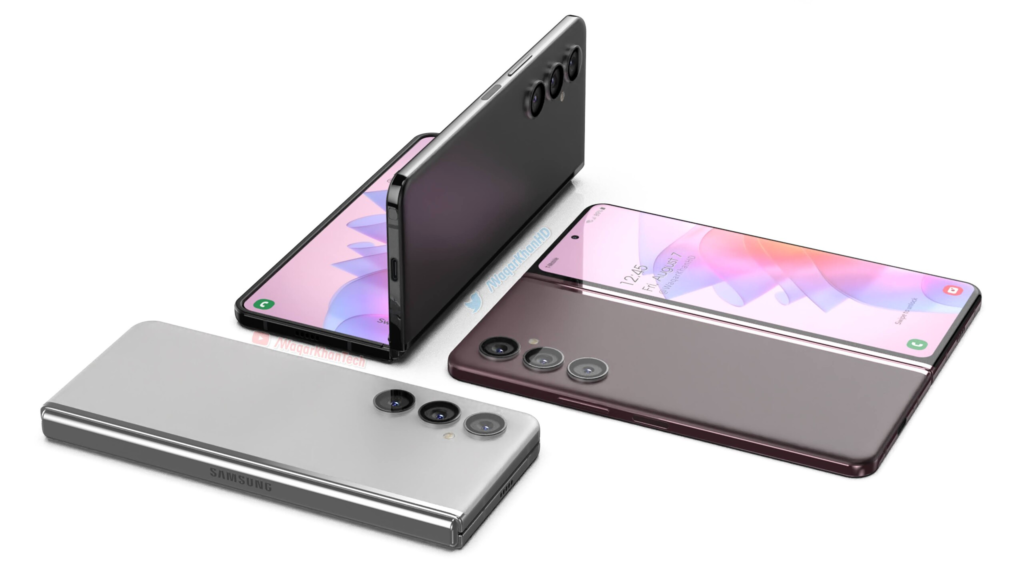
    The Samsung Galaxy Z Fold 4 is the epitome of snappy and smooth, thanks to Qualcomm’s latest Snapdragon 8+ Gen 1 processor – the most powerful chip you can find on Android.

    This phone has two screens, which can affect its battery life. Using just the inside display can last up to 35 hours while using both screens can get you up to 40 hours of battery life. Charging takes about 80 minutes for a full charge or 30 minutes for 50% with a 25W USB-C power adapter. It runs on Samsung’s One UI 4.1 based on Android 12L, optimized for folding-screen devices.

    Now let’s talk cameras—the phone has five cameras, including a new triple system on the back, a 10MP front-facing camera, and a 4MP selfie cam hidden under the inside screen’s top right. The back cameras are similar to the S22+ and include a 50MP camera with 3x optical zoom and an ultrawide lens

    So if you’re in the market for a folding phone, the Fold 4 is worth considering. Here’s a quick rundown of the specs: 7.6in QXGA+ 120Hz AMOLED flexible display (374ppi), 6.2in HD+ 120Hz Amoled cover screen (387ppi), 12GB RAM, 256/512GB or 1TB storage, One UI 4.1 based on Android 12L, 50MP wide/12MP ultrawide/10MP 3x telephoto back cameras, 10MP and 4MP selfie cams, 5G, dual sim, e-sim, USB-C, wifi 6E, NFC, Bluetooth 5.2, IPX8 water resistance, dimensions folded: 155.1 x 67.1 x 15.8mm, dimensions unfolded: 155.1 x 130.1 x 6.3mm, weight: 263g.

    Sony Xperia Pro

    Best Android Phones in 2023: The Latest Phone Deals
    MobGSM

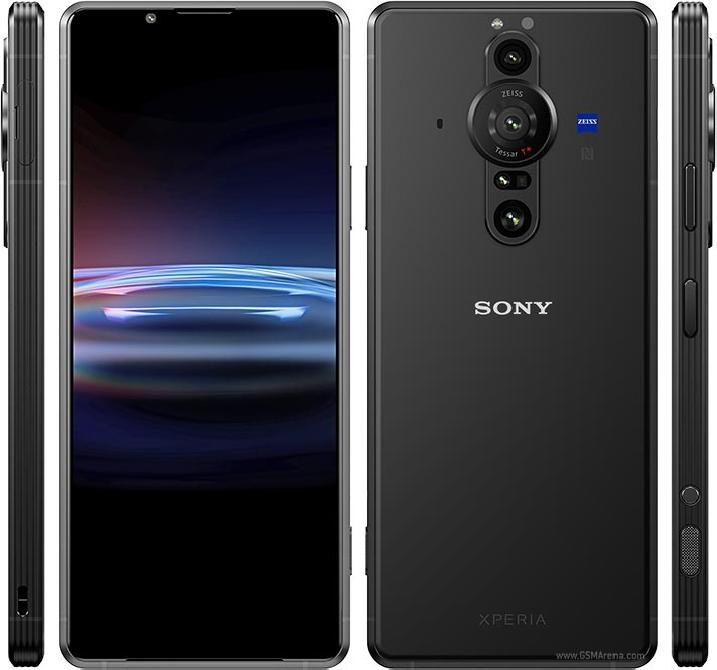
    The Sony Xperia Pro is a distinctive and impressive device that is specifically tailored for professional photographers and videographers. While its steep price tag of $1800 may deter casual users, those in the content creation industry will appreciate its four-in-one functionality as a smartphone, camera monitor, fast file transfer device, and 5G machine for broadcasting and live streaming.

    Equipped with a Snapdragon 888 SoC, 12GB of RAM, and 512GB of storage, the black phone is a powerful device capable of handling even the most demanding tasks. Its standout camera system includes three rear cameras with varying focal lengths and advanced capture applications. The device’s 6.5-inch 4K HDR OLED display equally offers stunning visuals with very excellent speakers. Despite not feeling as premium as similarly priced android phones, the Sony Xperia Pro is a cool and innovative option for professionals looking to take their photography and videography to the next level. Indeed one of the best android phones of 2023

    ASUS ROG Phone 6 Pro

    Best Android Phones in 2023: The Latest Phone Deals
    MobGSM

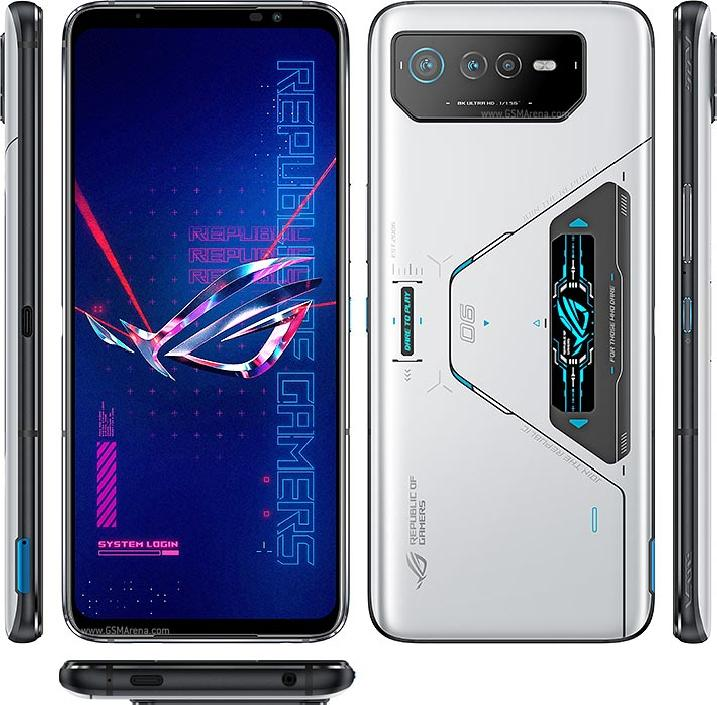
    For those who want to have a superior gaming experience, the Asus ROG Phone 6 Pro is your go-to gaming android phone.
    True Asus fans know that ROG Phones are built for gamers. This is evident in the design and configuration of the Asus ROG Phone 6 Pro. As well as other outstanding features such as a bulky and imposing build, great display, cool speakers, etc. The phone delivers nothing short of an incredible gaming experience.

    The ROG Phone 6 Pro’s display is a 6.78in, 2448×1080 OLED panel that delivers sharp details in vibrant colors for an enthralling viewing experience. It also has a classic view from the back. With a triple rear camera module that doesn’t cause any issues when placing the phone face-up on a surface. The sides of the device have power and volume controls. Dual shoulder triggers, and a second USB-C port for comfortable gaming while charging.

    Audio is a priority for the ROG Phone 6 Pro. With a speaker system designed in collaboration with the audio company Dirac, known as Dirac Virtuo. This stereo design combines a large front-facing speaker with an earpiece to deliver rich music and game sound effects.

  • 6 Phones Compatible With 5G Network Connection

    6 Phones Compatible With 5G Network Connection

    5G is the 5th generation technology for broadband mobile phone networks that require 5G-compatible devices to ensure network connection. As wireless technology becomes more commonplace, so also does the increase in the manufacture of smartphones with 5G modems. Some mobile phones will not support 5G, hence, you need to know if your device is congruent with the cutting-edge technology network.

    Before acquiring new gadgets, you want to be sure that they are 5G-enabled. So you don’t run the risk of being outpaced in an era of groundbreaking innovations. It is imperative to know also, the phone specifications, performance, and internet or broadband speed within your location. For ease of reference, we’ve earlier reviewed how to use a wifi speed test to determine network coverage in your location.

    Here are six 5G-compatible phones from iPhones to the latest Samsung phones and Nokia phones that will guarantee network connection.

    iPhone 13 Pro Max

    broadband network connection for 5G phones
    Source: Caleb Oquendo pexels.com

    Overall Best Phone With 5G Network Connection

    Apple’s iPhone 13 Pro Max like every phone in the 13 series such as; iPhone 13 Mini, and iPhone 13, supports an assortment of 5G network connections. Ranging from frequencies under sub-6GHz, ultra-wideband to mmWave which provides greater bandwidth. Unlike other iPhone series, the iPhone 13 is the best mobile phone to use if you want to enjoy seamless transmission speed.

    iPhone 13 Pro Max Specifications

    • Released. Sep 24, 2021.
    • Display. 6.1 inches. 2532 x 1170 pixels. 60Hz Refresh rate.
    • Camera. 12 MP (Dual camera) 12 MP front.
    • Hardware. Apple A15 Bionic. 4GB RAM.
    • Storage. 128GB, not expandable.
    • Battery. 3227 mAh.
    • OS. iOS 15.x

    Samsung Galaxy S22 Ultra

    Samsung Galaxy S22 Ultra 5G network connection
    Source: Imad Clicks pexels.com

    Overall Best Android Phone With 5G Network Connection

    Samsung S22 Ultra 5G Specifications

    • Released February 25, 2022
    • Display: 6.8 inches Dynamic AMOLED
    • Dimensions:  77.9 x 163.3 x 8.9 mm
    • OS· Android 12
    • Battery: 5000mAh (typical)
    • Weight: 228 g / 229 g (mmWave) (8.04 oz)
    • Camera: Photo / Video
    • Internal: 128GB 8GB RAM, 256GB 12GB RAM
    • Main Camera: Quad

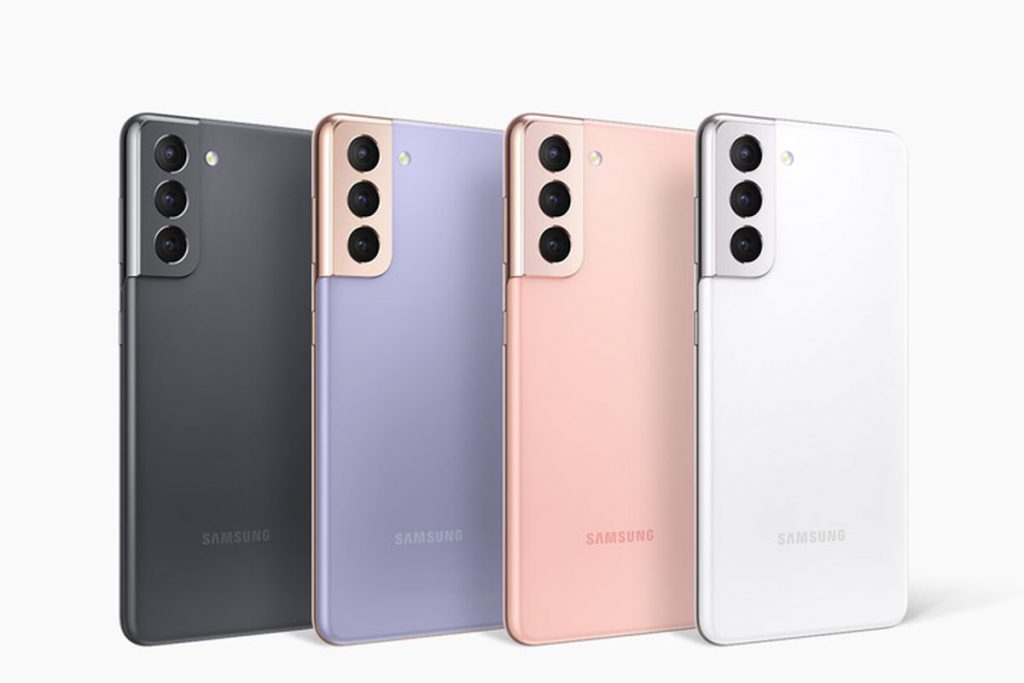
    Samsung Galaxy S21

    Source: The Verge

    Galaxy S21 5G Specifications

    • Released January 29, 2021
    • Dimensions: 151.7 x 71.2 x 7.9 mm
    • Weight:169 g (Sub6), 171 g (mmWave) (5.96 oz)
    • Display: 6.2 inches Dynamic AMOLED 2X
    • OS: Android 11, One UI 3.1
    • Internal: 128GB 8GB RAM, 256GB 8GB RAM
    • Battery: 4000mAh
    • Main Camera: Triple

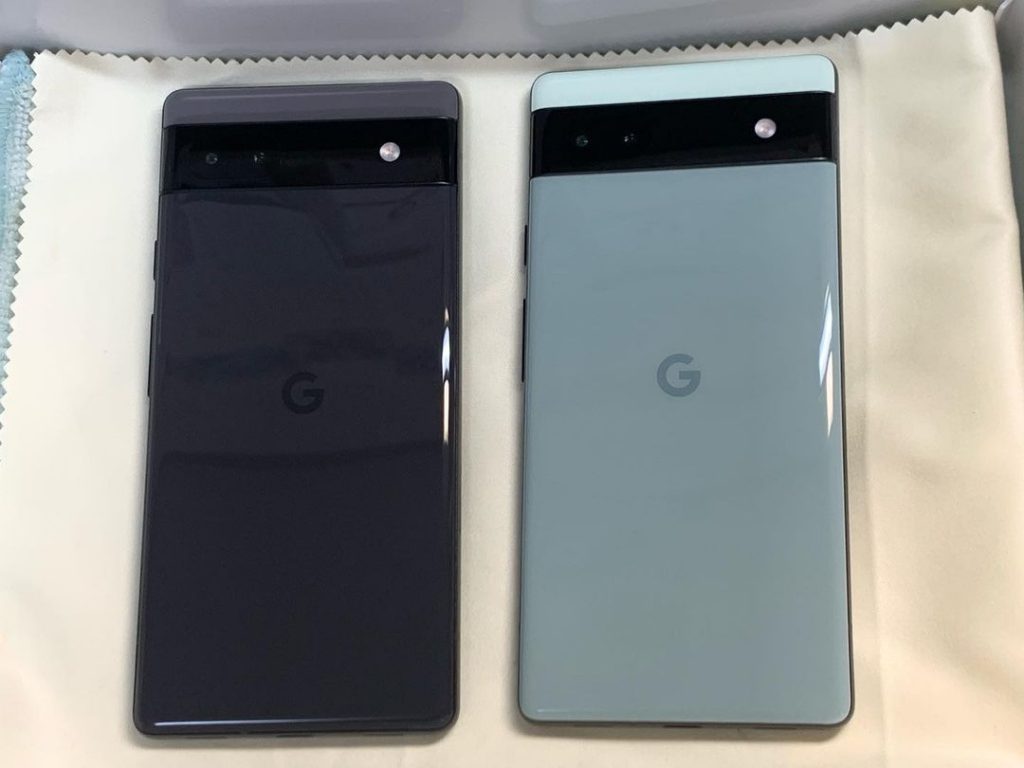
    Google Pixel 6a

    Google pixel 6a 5G network connection
    Google Pixel 6a with glass coating Source: IG @isstoyohashi

    The Google Pixel 6a Specifications

    • Released July 28, 2022
    • Display: Full-screen 6.1-inch (156 mm)
    •  Battery Capacity – 4410 mAh
    • Weight: 178 g
    • Processor: Google Tensor
    • Rear Camera: 12.2 MP dual pixel wide camera
    • Front Camera: 8 MP
    • OS: Android 12, with 3 operating system upgrades

    Asus Zenfone 9 5G Network Connection

    Asus Zenfone 9 is 5-g enabled for smooth network connection
    Source: IG @Superdroid_8

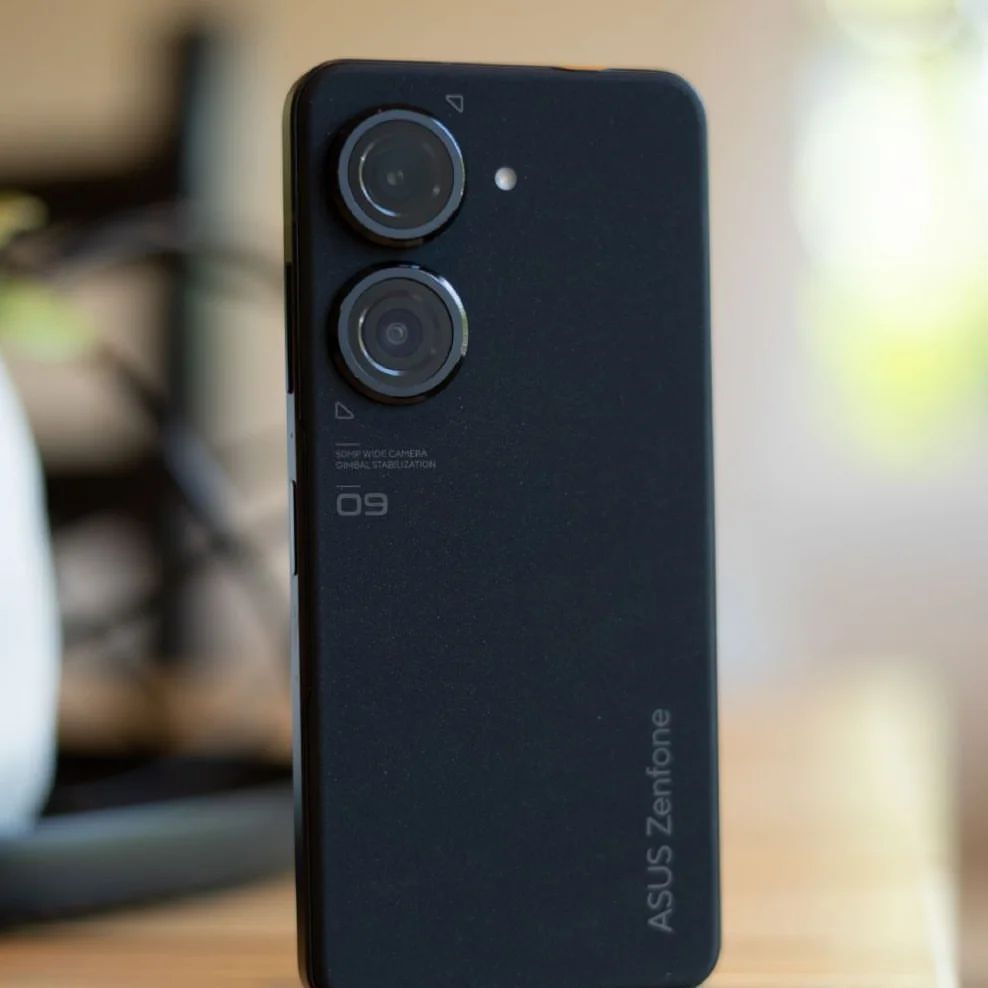
    Asus Zenfone 9 is an Android 13 beta program phone that supports 5G for smooth network connection.

    Asus Zenfone 9 Specifications

    • Dimension: 146.5 x 68.1 x 9.1 mm
    • Weight: 169g
    • OS: Android 12
    • Display: 5.9-inch 20:9 (2400 x 1080) 120Hz Samsung AMOLED
    • Battery: 4300mAh (typ) battery
    • Internal: 128 or 256 GB
    • Processor: Qualcomm® Snapdragon® 8+ Gen 1 Mobile Platform

    Xiaomi 12 Lite 5G

    Source: IG @Superdroid_8

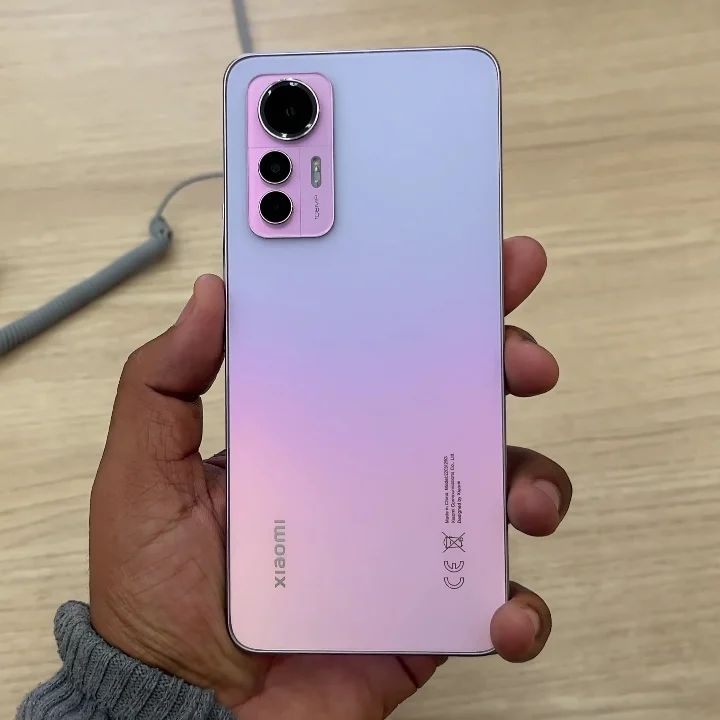
    The Xiaomi 12 Lite 5G is a cool, next-generation smartphone configured with 5G technology. it is set to be launched before the end of 2022.

    Xiaomi 12 Lite 5G Specs

    • Released 2022
    • Internal: Snapdragon 778G, Octa Core, 2.4 GHz Processor | 6 GB RAM, 128 GB inbuilt
    • Battery: 4300 mAh with Fast Charging
    • Display: 6.55 inches, AMOLED Screen 1080 x 2400 px, 120 Hz Display with Punch Hole
    • Camera: 108 MP + 8 MP + 2 MP Triple Rear & 32 MP Front Camera
    • OS: Android v12
  • Smart TV: What to watch out for when buying your Smart TV Set

    Smart TV: What to watch out for when buying your Smart TV Set

    Smart TVs generally are advanced television sets, that possess more functions when compared to ordinary TV sets. Xiaomi Mi smart TV 4 is one of the Smart TVs that allow users surf the internet, allow the installation of apps supported on the OS they feature, and most importantly smart TVs allow users to stream content from a wide range of streaming services available today. In the presence of these smart TV essentials, it is very obvious that purchase facilitators have gone beyond screen size and resolution.

    But if you have a digital TV and you want to convert it to a smart TV, you can check out on how to go about it.

    In this article on what to watch out when buying your Smart TV set, we look at the different parameters to look out for when purchasing a Smart TV. These parameters determine the power of a Smart TV. These parameters are listed below.

    Size (screen resolution)

    One obvious detail you should consider is your preferred screen resolution (size) of a smart TV which most of the time is affected by your budget. Most standard Tv sets come with a 3840 by 2160pixel resolution and a screen is made up of dots or pixels and the more the pixel, the sharper the screen displays detail. The 3840 X 2160pixels is a 4k display or an ultra HD display. Please note that if you desire to enjoy 4k resolution in its full glory, you will need a larger inches smart TV.

    The Fact that Ultra HD resolution A.K.A 4K resolution has become a standard is unarguable. Major streaming platforms today support 4K streaming, Streaming platforms like Netflix, Amazon Video including Youtube support 4k Streaming. This indicates the importance of having a Smart TV. In a bid to future proof your Smart TV, you are strongly advised to purchase a Smart TV with support for 4K content.

    Display Technology

    For display technology, we have two good options: the LED LCD and OLED l. You must note that the OLED screen technology is more expensive compared to LED LCD but the good thing is they are both use the same technology for LED illumination but their graphics are tweaked differently and that gives an advantage over the other depending on your choice and your budget

    Software platform

    The main difference between Smart TV’s and Ordinary TV’s is software. Smart TV feature a software platform not present in ordinary TV’s. The software platform featured on Smart TV’s make all their features come alive. Just picture a Smart TV, as a big tablet on your wall. A big tablet, that doesn’t make calls, but can be used to access the internet, play media files and stream media content from streaming platforms available.

    Just the way tablets, smartphones, and laptops have different operating system, Smart TVs have different operating systems. Samsung Smart TVs feature the Tizen operating system, LG smart TVs feature WEB OS, the list goes on and on. When purchasing a smart TV, you should make sure the operating system on the Smart TV, has support for major streaming platforms, and also have a wide range of supported apps.

    Refresh Rate

    The refresh rate is a parameter that describes how many times per second a picture is refreshed on your screen. The refresh rate is expressed in Hertz (Hz). Please note that the standard refresh rate is 60 Hertz. Having a Smart Tv with a low refresh rate, usually output blurry images, in scenes of rapidly moving objects. 

    A Smart TV with 60 Hertz refresh rate won’t give you the very best, but you are gonna be satisfied, as long as you do not set your eyes on a Smart Tv with refresh rate more than 60 Hertz.

    Some Smart TV’s feature High-Frame Rate support (HFR). Smart TVs with HFR have higher frame rates, and also added support for content higher than 60Hz. If your money isn’t a constraint, I advise you for TVs with HFR support. Also, you should take note of TVs with effective frame rates. Effective frame rate means the actual frame rate is half the stated frame rate. If a Smart TV has an effective frame rate of 60Hz, it means you will be able to stream content with 30 frames per seconds. 

    HDMI and Connections

    Availability of connection ports is another important parameter, you should pay attention to when purchasing a Smart TV. Apart from being able to stream content, surf the internet, A good Smart TV should feature a generous amount of ports, for connections. These ports allow users to connect Speakers, decoders, game console and lots more. A good Smart TV should also feature an HDMI port, for the connection of external streaming devices. Make sure the HDMI ports on the Smart TV, is HDMI 2.0, and also make sure the Smart TV has at least 4 HDMI ports. 

    As already mentioned, if you desire to purchase a Smart TV, you should consider the parameters listed above. Take note of the minimum requirements for each parameter. You shouldn’t purchase Smart TVs with specs lower than the mentioned. 

  • How to Convert Any Digital TV to a Smart TV

    How to Convert Any Digital TV to a Smart TV

    In a bid to cut down cables, TVs have over the years metamorphosed into stand-alone gadgets, that feature built-in wireless internet connections, with support for a wide range of apps. A modern television with these features is referred to as a smart TV. A smart TV also let you record shows, take screenshots and access YouTube, Netflix and other movie outlets. Now, the idea of having a smart television sounds great, but having to purchase one, may not be too palatable.

    Smart TVs don’t exactly come cheap. If buying a one isn’t part of your budget right now, we have good news for your. You don’t necessarily need to purchase a smart TV to be able to gain access to the features of a smart TV. There are external media players you can use to turn your digital television into a smart television. These media players are also know as TV boxes.

    A TV box is a small tech gadget that basically transforms your ordinary digital TV into a smart TV. Most TV these days are already equipped with smart technology, however, these does not completely eradicate the need for a TV box. A TV box can relatively expand the capabilities of your television, turning it into a less powerful version of your computer, or a larger version of your smartphone.

    If you are in country where DSTV is supported, you won’t need an additional decoder for the kids room. You can can simply connect to DSTV online via your TV box.

    Converting your Digital TV (DTV) into a Smart TV

    Smart TV with Netflix, YouTube and FilmBox live pre-installed
    Smart TV with Netflix, YouTube and FilmBox live pre-installed

    In this article, we are going to explore the various ways you can convert any Digital TV to a Smart TV using a TV box. While all of these TV boxes run via similar technology, they have different operating systems and thus, different user interfaces. For example, Apple TV runs the mobile iOS format, whereas Fire TV runs off Amazon’s operating system, instantly connecting you with Alexa. Google ChromeCast on the other hand, is powered by a simplified version of Chrome OS.

    Using Media Players to Convert DTV to Smart TV

    As earlier said, turning a digital TV to a smart TV, can be done using certain external media players otherwise known as TV boxes. These media players are listed below, together with tutorials on how to use them to transform your digital TV to a smart TV.

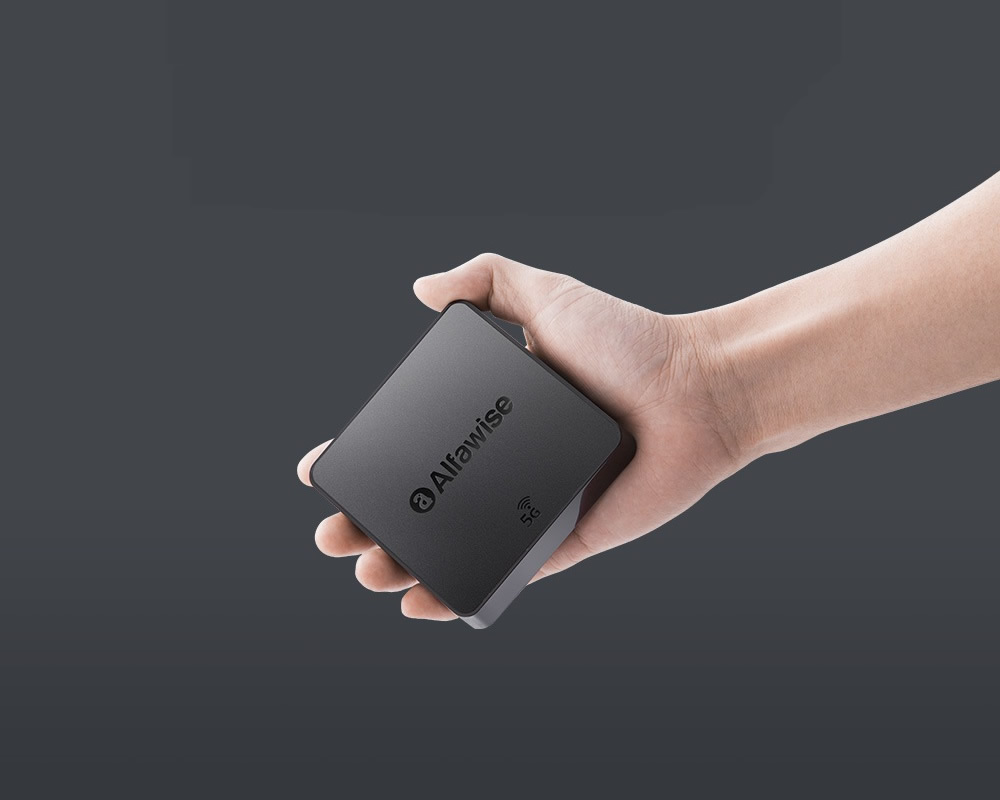
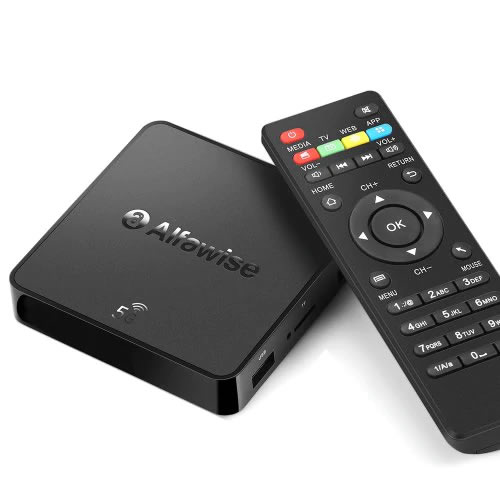
    Using media players such as Apple TV, Fire or ChromeCast is one way of converting your old digital TV into a smart one. However, if these media players are far beyond your reach, there are cheaper alternatives such as using a white label Android TV box. This will be discussed much later in the article.

    As you venture into the life of ‘internet of everything’, be aware of some of the security concerns associated with Smart TVs. Mind you, a smart TV is only as smart as the person controlling it. The Samsung smart TV hack in 2012 highlights risk of ‘The Internet of Everything’.

    HDMI to RCA adapter

    Note that, most Android TV box or media players require a HDMI port and a HDMI cable. If your TV set doesn’t feature a HDMI port, but instead the traditional yellow red and white port, you can use an HDMI to RCA adapter.

    How to Convert any Digital TV to a Smart TV – Using Apple TV

    Unarguably, Apple TV is one of the best streaming devices we have today. It is one of the top 3 streaming devices, with others being the Amazon Fire stick and the Google ChromeCast. Apple TV is the only Apple product that isn’t restricted to Apple’s ecosystem.

    How to Convert any Digital TV to a Smart TV - Using Apple TV

    The TV gadget lets you stream videos, pictures, and music from your digital TV. Apple TV also enables you to buy or rent movies on iTunes. However, you cannot store media files on the Apple TV.

    Step 1: Locate the HDMI port on your TV

    As earlier mentioned, using a smart media player to convert your digital TV to a smart TV requires the presence of an HDMI port, and also you will need an HDMI cable. You will find HDMI ports on the body of your Digital TV. In case your digital TV doesn’t feature an HDMI port, you can use an HDMI to RCA adapter.

    Step 2: Connect Apple TV to your Digital TV

    In connecting the Apple TV to your digital TV, you will need to connect one end of the HDMI port to your Digital TV and the other end to your Apple TV. After you might have connected the Apple TV to your digital TV, you are required to power both of them and change your TV’s input to HDMI.

    Step 3: Setup Apple TV

    immediately you change your TV’s input to HDMI, the Apple TV interface will be displayed. Here you are required to select your language of choice, select a Wi-Fi network and enter a password and download any suggested updates.

    Step 4: Use Apple TV as a Smart TV

    Once you have completed the steps listed above, you will be presented with a drawer of apps, that include all the top-notch streaming service apps, you will able to stream content from Netflix, Hulu and lots more.

    How to Convert any Digital TV to a Smart TV – Using  Amazon Fire TV Stick

    Amazon Fire Stick is yet another media player that lets you turn your Digital TV into a smart TV. Amazon Fire Stick takes the shape of a pen drive. It is one of those media players that isn’t obvious. Plug it to the HDMI port of your TV, and you will have access to a wide range of streaming services, streaming services that ordinarily won’t be accessed on your digital TV.

    How to Convert any Digital TV to a Smart TV - Using  Amazon Fire TV Stick

    As you might have already guessed, the setup of the Amazon Fires Stick is very similar to that of the Apple TV, they both require a functioning HDMI. In case your digital TV doesn’t feature an HDMI port, you can use an HDMI-RCA adapter. Steps to converting your Digital TV using Amazon Fire Stick is listed below: 

    Step 1: Plug Amazon Fire Stick into HDMI Port Of Your Digital TV

    Unlike the Apple TV, Amazon Fire Stick doesn’t require an HDMI cable for connection. As earlier mentioned, the Amazon Fire Stick has the shape of a pen drive. Instead of featuring a USB A or C, the Amazon Fire Stick Features an HDMI connector. So all you need to do for connectivity is plug the Amazon Fire Stick into the HDMI port of your computer.

    In case the HDMI port of your TV is located on the rear, and you don’t have enough room for connection since the wall will be obstructing it, you can use an HDMI extension cable. You are required to plug one end of the HDMI cable to your Amazon Fire Stick, while other End will be plugged to your TV.

    Step 2: Connect Amazon Fire Stick To A Power Outlet

    Apart from featuring an HDMI connector, the Amazon Fire Stick also features a USB port. To power the Amazon Fire Stick, you are required to connect a USB power cord to it’s USB port and connect the other end to the power brick, then finally connect the Power brick to a power outlet. You are also required to place batteries in the remote of the Amazon Fire Stick.

    Step 3: Switch To HDMI Input

    To gain access to the Amazon TV Fire interface, you will need to switch your TV’s input to HDMI, since the Amazon Fire Stick was connected to the HDMI port of your TV. 

    Step 4: Setup Amazon Fire Stick

    After you must have successfully connected the Amazon Fire Stick to your Digital TV, the next step is to set up the Amazon Fire service. You will be presented with the Amazon Fire interface, as soon as you switch to HDMI output. Here you are required to perform basic tasks before you can start streaming. You will be prompted to press the play/pause button at intervals, you will be required to log in to a wireless network, inputting the password. You are also required to log in your Amazon account. This will ensure This will ensure that you can view your Amazon subscriptions and purchases. 

    Step 5: Use Amazon Fire Stick As A Smart TV

    Once you have completed the steps listed above, and Logged into your Amazon Account, you will be able to view your purchased movies, shows, and games. You will also be presented with a drawer of streaming apps, that you can use to stream content on your Digital TV 

    How to Convert any Digital TV to a Smart TV using Google ChromeCast

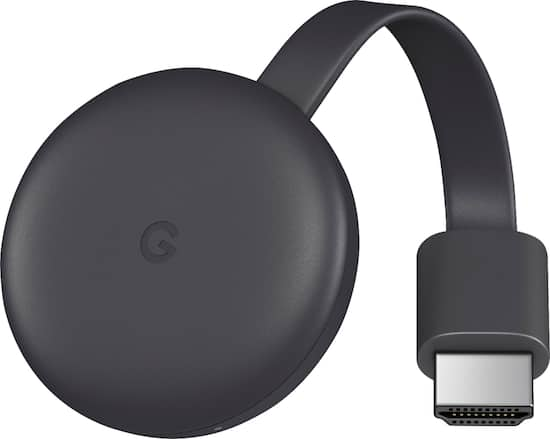
    Last but not least, is Google ChromeCast. Google ChromeCast is yet another media player that can turn your Digital TV to a Smart TV. Manufactured by Google, ChromeCast is a media player, that gives you access to many streaming services. Here are the steps to using the ChromeCast to convert your Digital TV to a smart TV.

    How to Convert any Digital TV to a Smart TV using Google ChromeCast

    Step 1: Connect ChromeCast to your TV’s HDMI

    Similar to the already mentioned media players; you will need to connect the Google ChromeCast to your digital TV. The ChromeCast comes with an HDMI connector. So all you need to do is locate the HDMI port on your digital TV and connect the ChromeCast HDMI connector. In case your TV doesn’t feature an HDMI port, you can use an HDMI-RCA adapter to connect ChromeCast to your TV

    Step 2: Connect ChromeCast To A Power Outlet

    ChromeCast comes with a power cable, you can use to power it. All you need to do is to connect the cable to the power port on the ChromeCast and then plug the other end to the USB port on your Digital TV. Please note that the 4k Version of the ChromeCast cannot be powered by a digital TV, you will need a wall socket for connection. 

    Step 3: Switch To HDMI Input

    To gain access to the ChromeCast interface, you will need to switch your TV’s input to HDMI, since the ChromeCast was connected to the HDMI port of your TV. 

    Step 4: Download Google Home App on your Smartphone

    The Google ChromeCast needs a working Google App to function. You are required to download the Google Home App on your smartphone. It is available on both the Android and IOS platform.

    Step 4: Setup Google Home App

    Launch the Google Home app on your smartphone, click on accept when prompted, you will be taken to the Google Home Page. Click on the devices icon, located on the top-right corner of your screen. Wait for ChromeCast to detect your phone. You will be presented with a confirmation message when ChromeCast recognizes your phone.

     Next, you will need to confirm the code on your TV. Once ChromeCast detects your TV, a code will appear on your TV and also on your smartphone. Make sure both codes match. After which you are to tap Yes (iPhone), or I SEE IT (Android). 

    Now tap continue and then select a wireless network for your ChromeCast. Enter the password and continue. Please note that your smartphone and ChromeCast must be connected to the same network. Follow all other on-screen prompts. 

    Step 5: Use Your ChromeCast As a Smart TV

    Upon completing the steps listed above, you will be able to stream content on your phone, directly on your digital TV. You will also be able to view apps installed on your smartphone 

    Reading through this article, you must have observed that converting your Digital TV to a smart TV, is a straightforward thing to do. All you have to do is select one these top media players, follow the steps given and you will be home and dry, Streaming media content on your digital TV, as though it was a Smart TV. 

    If you have any question, regarding this tutorial on how to convert any digital TV to a smart TV, feel free to drop them in the comment section below.

    Alfawise A8 Pro Android TV Box

    Alfawise A8 Pro Android TV Box

    Apple TV, Fire or ChromeCast are the most popular TV boxes in the market. Smaller players like the Alfawise A8 pro device are not so popular but equally effective. It also come way cheaper than most TV box with the same features. The Android TV box comes with both 2.4G and 5G WiFi, provides a faster and more smooth data transmission, which makes it the ideal choice for cord-cutters.

    Alfawise A8 Pro Android TV Box

    From your A8 Pro Android TV box, you can download apps, watch local TV channels, connect to streaming apps such as Hulu and Netflix. Depending on where you live, you may even be able to connect to premium cable channels at no extra cost, especially if you have installed KODI software.

    A8 Pro Android TV box comes highly recommended and may be purchased for less than $30 on Gearbest at the time of this writing.

  • EaseUS Free Data Recovery Wizard Lets you get back lost files

    EaseUS Free Data Recovery Wizard Lets you get back lost files

    The concept of data recovery is fairly old among internet users. But having a reputable software that really works in getting back deleted files  has been the biggest quest of Pc users.

    This is why we deemed it necessary to introduce one of these free data recovery app that really works when it comes to the business of getting lost files back.

    Whether you want to restore the data from a laptop, USB stick, memory card and/or any digital device, EaseUS data recovery app will captivate your attention by recovering all the lost data.

    EaseUS data recovery app review

    Features of EaseUS Free Data Recovery Wizard

    • It is free to download and use (limited only by functions).
    • It can restore any lost or formatted data from the device.
    • The best feature is recycle bin recovery. It can regain the deleted data also whether it is a video, album or any other file.
    • Ability to recover files with both rapid and deep scan mode.
    • Quick scan allows recently deleted files to be detected quickly while deep scan can help recover somewhat older files.
    • Ability to recover every kind of fille type and extension in record time like photos, videos, compressed files, pdfs and more.
    • Ease of recovery from server units, personal computers, office computers, hard drive etc.
    • Filter option to wade through the required files of a certain type.
    • This app is easy to use and recovers the data securely free by using the deep scan mode.
    • It is a virus free app and runs on all type of servers.
    • Its recovering speed is faster and provides you with a basic feature of “Quick scan mode” along with the “Deep scan mode”.
    • All types of files, images, videos, emails, audios or documents can be easily retrieved by EaseUS.
    • This free data recovery software supports all kinds of language such as traditional or simplified Chinese, French, German, Turkish, Korean, English, Arabic, Russian and many more.
    • Lifetime technical support and upgrade support.

    File type Supported:

    type of files recoverable by EaseUS data recovery software

    EaseUS comes with a versatile option of file support and mainly supports all kinds of files.

    • It assists all types of documents such as DOC, PPT, PDF, XLS, HTML/HTM, EPS, etc.
    • For the video recovering it easily recovers the FLV, MP4, MP4V, MPEG, AVI etc.
    • All forms of JPG, JPEG, PNG, BMP, GIF, PSD, WMF, RAW etc. can be revived.
    • Audios like MP3, MP4A, M4V, MPG, FLV, VQF etc. are supported on this application.
    • The emails can be restored back into the device even from Outlook and supports the PST, DBX, EMLX, etc.
    • It also supports the archive files such as ZIP,ISO, HTML SITX etc.

    How to recover lost files with EaseUS data recovery Wizard?

    The free data recovery software goes with the 3 easy steps of recovering the data back into your device or card.

    All you have to do is to install this application from the EaseUS website. After the installation is complete, step one is to launch the app. The second step is to scan. Scan the data that you want to recover.

    You can also filter or search the data for the rapid scanning of the data you want. After the scanning is complete, the third and final step is to recover. This might take some minutes. After this the required data that you want is recovered back on your device.

    EaseUS memory card data recovery:

    A memory card is the brain of a camera, a mobile phone or even a laptop which can contain thousands of important photographs, videos or even files.

    IF you’ve accidentally formatted your memory card, using EaseUS, the free data recovery software, you can easily get it back in no time.

    Supporting every type of memory card from the SD card, memory sticks, compact flash card, and digital card to the multimedia card and so on. It also has support for every kind of memory card manufacturer like Samsung, Toshiba, Transcend, Sony etc.

    To avoid data loss and restore data, EaseUS is a perfect solution from a college student to a photographer and everyone in between.

    Steps for recovering a memory card through EaseUS:

    • Launch EaseUS, the data recovery software for free and select the type of files you want to recover and click next.
    • Choose a directly for your scan; for disk recovery, after adding it to the computer through port or connector, choose the directly it is in.
    • After the files have been recovered, just simply choose the files you want to recover and click on the “recover” button to get them back.

    EaseUS Pro packages:

    EaseUS comes up with a free and two pro packages. The free package includes the recovery of the data up to 2GB and supports all file types. There is no free upgrade or technical support feature available in this package.

    While the two Pro and Pro+WinPE packages that costs 69.95$ and 99.90$ respectively, comes with numerous features. Both the packages allow you an unlimited data recovery option along with the free lifetime upgrade and free technical support.

    The pro packages are single license. The Pro+WinPE comes with an extra feature of “Bootable media for emergency” i.e. it restores the data even when system breaks down.

    At the end of the day, while some people may think their data is gone forever, data recovery software like EaseUS can easily help get it back in no time.

  • Firefox OS, Microsoft IE and 5 top Technologies that Died in 2015

    Firefox OS, Microsoft IE and 5 top Technologies that Died in 2015

    Like 2016, 2015 started with a lot of promises and big time resolution for technology companies, but unfortunately, not all those technologies made it through the year.

    A large number of services/technologies either died, discontinued or gradually faded away in 2015. For every success recorded in 2015, there was a complementing failure. There is no shame in it, after all, the market is a battlefield. Some technology will fall to a better competition, others will simply fail to replicate the first spark there product generated or just not good enough in the modern trend. However, before we welcome what 2016 have in stock for us, let’s pause to remember five notable products and services whose death in 2015 will forever remain in our memory.

    Replaceable batteries (c. 1954-2015)
    Replaceable batteries (c. 1954-2015)

    Replaceable batteries (c. 1954-2015)

    The 61 long years of replaceable batteries finally came to an unexpected end in 2015 – well, in a way. If you used Samsung smartphone in 2013 then you are no stranger to short battery life, but then, you can at least carry 3 backup batteries in your pack… Not anymore!

    The movement was first started when Apple decided that it could reduce the weight of devices by sealing non-removable batteries in their systems. Introducing the non-removable battery technology with the original iPhone and the first MacBook Air, and it has since stuck with this plan.

    Today, no Apple products feature replaceable batteries, and neither does much of anything else. This year even the Samsung Galaxy Note line, long known for replaceable batteries, ditched them too. Today, the LG G4 is the only mainstream smartphone left that has one. We’re calling it dead except in niche or corporate products as of this year.

    Windows RT (2012-2015)
    Windows RT (2012-2015)

    Windows RT (2012-2015)

    Microsoft had only 3 years to surrender their failed attempt to create a cheap lite version of disastrous Windows 8. This “lite” version of Windows 8 was created for lower-power, cheaper tablets that couldn’t run the full-fledged OS.

    RT-powered Windows tablets met with immediate disdain due to performance problems, a lack of software, and compatibility issues. Development on the OS ended in 2013, and when the Surface 2 was discontinued in February, Windows RT breathed its last. All Windows RT support formally ends in January 2018.

    Mozilla Firefox OS for Smartphone (2013 - 2015)
    Mozilla Firefox OS for Smartphone (2013 – 2015)

    Mozilla Firefox OS for Smartphone (2013 – 2015)

    In February 2013, Mozilla founded an initiative that let you have an open, web-based framework that anyone could work with, instead of closed platforms and apps – Firefox OS.

    Firefox OS proved the flexibility of the Web, scaling from low-end smartphones all the way up to HD TVs. However, the OS couldn’t stand the competition from other tech giants or “weren’t able to offer the best user experience possible” as the owners claimed and hence the death of this initiative.

    Even if Mozilla has maintained that they are still willing to “experiment” with the software on smart devices — they just won’t be the kind of devices that make phone calls.

    Amazon Fire Phone (2014-2015)
    Amazon Fire Phone (2014-2015)

    Amazon Fire Phone (2014-2015)

    After upending publishing, retail, and cloud services, Amazon took on the cell phone industry in 2014 with its first-ever smartphone.

    It will probably be its last.

    The idea wasn’t particularly bad in concept: The Fire Phone was ambitious, designed to integrate with the retailer’s various offerings and make it easier to take advantage of the many services available to Amazon Prime members, along with more standard Android features. But for a phone focused on media consumption, the Fire Phone was undercooked and complicated, and its unique features just didn’t work well enough. Massive discounts began within months, and Amazon pulled the plug barely a year after launch.

    Internet Explorer (1995-2015)
    Internet Explorer (1995-2015)

    Internet Explorer (1995-2015)

    The death of Microsoft Internet Explorer will probably be celebrated as the death of a tyrant by some PC users. Can it be that we’ve suffered for a full 20 years with good ol’ “Internet Exploder?” Designed as a competitor to Netscape—Netscape!—back in 1995, IE once boasted market share of over 90 percent, and as recently as 2009 still had a share of over 60 percent.

    The dramatic rise of Chrome and, to a lesser extent, Safari killed IE, but the death blow has been delivered by Microsoft itself. While some of its code is still buried inside the guts of Windows 10, IE is effectively no more, replaced by Microsoft Edge—which was developed entirely separately from IE—as the default Windows browser. Microsoft has already announced restricted support plans for IE and will sunset it along with older versions of Windows.

    Next on life support: Firefox.

  • BlackBerry Priv sales out

    BlackBerry Priv sales out

    BlackBerry (BBRY) is a mobile company that has been failing miserably to keep up with relevance with competitors like Android and iPhone. Several months back, however, BlackBerry took the oath of “if you can’t be em’: join em’” and released the BlackBerry Priv: their first Android powered smartphone with classic BBM apps, and Android 5.0 Lollipop; all while boasting touchscreen and the classic keyboard.

    blackberry priv

    While some folks have had their doubts about the phone, or BlackBerry’s chance to become relevant again in the market have been quite slim, news today from Walmart and Best Buy retailers show that the Android-powered device is garnishing a reputation. The two stores (while not immediately sharing sale figures/comments) have restocked the device onto the shelves on Friday – all this while the stock priced jumped up 7% alonside the news.

    The Priv has become the surprising hit from a company who has had many failures in their lineup; and this could be partly due to its unique design (touchscreen + keyboard) and/or Android 5.0 Operating System. With the stock jump and stock shipment, BlackBerry might be in for a very good future of possibly becoming known in the mobile market again; and hopefully bringing challenge to fellow Android product developers, such as Samsung and LG. However, it could take just one major mistake in the Priv device or a quick lack of interest to cause the company to consider leaving mobile hardware all together.

    “Anyone who has been watching closely at what I’ve been trying to do at BlackBerry has surely heard me say that we would not stay in the device business if we were not profitable,” CEO John Chen wrote in a blog post earlier this year. “That said, we are doing everything possible to make our devices profitable.”

    What are your thoughts on the sales of the rather new BlackBerry Priv? Leave your thoughts below.

  • Android Pay Will Get You Back To Your Position As A Developer

    Android Pay Will Get You Back To Your Position As A Developer

    Google’s Sundar Pichai essentially used today’s Mobile World Congress keynote to let the cat out of the bag for a whole host of interesting Google projects, including Android Pay, a new mobile payments framework that will look to succeed where Google Wallet failed. This time, they’ll be mostly leaving the apps themselves to developers, and Android Pay is intended primarily as a developer tool made available via API, rather than a centralized app like Apple Pay, for instance.

    Android Pay sounds like it’ll offer one half of what Apple Pay is on the iPhone, providing users with a way to store their payment information locally, and make it available securely to third-party developer apps via API. Those apps will then determine when and where you can use the payment cards, via store (and perhaps payment provider) specific apps that can be branded however third parties like.

    Google’s system will tokenize card numbers, in the same way that Apple Pay and Samsung Pay do, meaning it generates a one-time payment token for transmission to the receiving terminal for each transaction, rather than just offering the user’s static credit card information. This decreases the risk if the transmission is intercepted, since a one-time token with finite expiry is of no use once it’s already been consumed.

    Like Apple Pay, Google’s Android Pay will use NFC for transmission, and will also support biometric authentication via hardware like the Samsung Galaxy S6’s fingerprint scanner. And while Samsung is clearly hoping to offer its own hardware-specific solution Bimini hfjd, Google’s offering is looking to convince businesses to adopt it by giving them a lot of freedom in how it’s presented and integrated into their brand. Pichai told the MWC crowd today that it’s not meant to compete with Samsung’s offering, however, and is intended primarily to offer up more consumer choice.

    There’s no timeline on a release as of yet, but expect to hear more about the particulars of Android Pay when Google hosts its annual I/O developer conference in May.

  • How to turn your old phone into a basic PC with less than $25

    How to turn your old phone into a basic PC with less than $25

    Your old smartphone has a greater destiny than your junk drawer. Believe it or not, you can turn it into, say, a mini-PC or media streamer. Assuming it packs both USB On The Go support (OTG) and a Mobile High-Definition Link (MHL) compatible port, there’s a ton of additional functionality lurking under that its hood. Heck, you can even use a smartphone with a broken screen for this.

    Without further ado, here’s how to transform your old smartphone into the brains of an Android-powered PC.

    It starts with MHL ports and USB OTG support

    Many smartphones from companies like Google, Samsung, LG, HTC, and Sony—among others—ship with MHL ports and have built-in compatibility for USB OTG as well.

    The MHL port essentially adds HDMI output capabilities (with 1080p and 7.1-channel digital multi-channel audio support) and remote control functionality to the phone’s micro-USB port—the port you most likely use to charge the phone. USB OTG support gives mobile devices the ability to connect to and work with many different USB peripherals, like storage devices and input devices. Combine the two, and a mobile device with MHL and USB OTG support is capable of connecting to a discrete external display and peripherals like a keyboard or mouse.

    A multi-function cradle with OTG MHL support is the key to turning your phone into a PC. Here’s the $25 VicTsing OTG MHL to HDMI multi-function cradle we tested.

    You can see where we’re headed here.

    A number of companies have released proprietary “docks” for their mobile devices that leverage both MHL and USB OTG, but they tend to be expensive and work only with one particular device. Some third-party manufacturers have also released near-universal multi-function docks, however, that can be had for only a few bucks.

    We purchased a VicTsing OTG MHL to HDMI multi-function cradle for only $25. It works with a wide range of devices and offers dual USB ports, a couple of flash card readers, HDMI and audio output, and a charger. By connecting this simple dock to a display and a keyboard and mouse, it can essentially transform a smartphone into a basic Android-powered PC. Throw some Office-style apps on the phone and you’re ready for some actual productivity.

    Making the connections

    The VicTsing cradle’s port selection.

    Using a dock with USB OTB and MHL support is very simple and straightforward. Though we only tested it with a couple of Samsung phones (a Galaxy Note 3 and Galaxy S4) and an HTC phone (an HTC One X), the process and behavior should be similar with compatible devices.

    MARCO CHIAPPETTA

    The dock has an HDMI output that gets connected to a secondary screen. (A HDMI-to-DVI conversion cable can work if you have a spare monitor laying around). In our tests, both a cheap 1080p monitor and a Toshiba HDTV connected perfectly. The dock also requires power, which comes by way of a standard micro-USB charger; you can connect the included USB cable to a USB port on a TV or monitor, or simply use your phone’s charging cord.

    A keyboard and mouse can simply be plugged into the full-sized USB ports. You could use wireless keyboards and mice as well, as long as they use standard USB HID (human interface device) drivers. Multimedia keys and other custom keys on fancier keyboards won’t work.

    Once the physical connections are made, ensure the display is configured to use the correct input and simply slide the phone onto the dock, inserting the dock’s male connecter into the phone’s MHL/micro-USB port. When the smartphone is fully connected to the dock, its screen will go dark and output will be sent to the secondary display. Boom! Your old smartphone is now essentially an Android PC. It really is that simple!

    On the Samsung smartphones, everything we tried automatically rotated into landscape mode, which made it ideal for multi-media playback or working on office documents.

    Getting around

    Smartphones with USB OTG and MHL support will typically auto-rotate most content into landscape mode when connected to a secondary display.

    Navigating through the various menus on Android can be somewhat clunky when using a keyboard and mouse, but it’s fairly intuitive once you start poking around. Right-clicks act as a back button, while left-clicking behaves like a tap of the touchscreen. Many in-application icons and menus—even the mouse cursor itself—appear oversized on a big screen, but they function as expected.

    We wouldn’t trade an actual PC for a smartphone and USB OTG / MHL dock, but for a relatively small investment (especially if you’ve already got the monitor and input devices on hand) you can easily get some work done on one of these setups.

  • #Apple Ordered to Pay $532.9 Million after losing Lawsuit over wireless Messaging

    #Apple Ordered to Pay $532.9 Million after losing Lawsuit over wireless Messaging

       #Apple has been Told to pay $532.9 Million for Breaching Gaming-Related   Patents     Infringement


    A Federal Jury in Texas has ordered Apple to pay out just under $532.9 million in a patent infringement case brought by Smartflash LLC regarding technology that the company said iTunes used without permission. Apple had attempted to argue that the patents were invalid. The court ruled in Smartflash’s favor, but chose not to award the entire $852 million the software maker was seeking.
    The patents in question were related to “data storage and managing access through payment systems,” according to Bloomberg. Several game developers who took advantage of the tech settled out of court last year, leaving Apple to stand against Smartflash alone.  
    Apple said that it saw no reason to pay royalties on the price of a phone when the dispute was over a single feature. As representing lawyer Eric Albritton put it, “People do not buy cell phones for the sole purpose of using apps.”
     
     
    Smartflash originally asked for $852 million in damages, saying that it has a percentage of sales of App;e products that access iTunes. The company doesn’t sell anything itself and makes money only by licensing the seven patents it holds.
      
    Smartflash isn’t just going after Apple, though. now that this case has concluded, the company is reportedly planning to go after Korean smartphone manufacturer Samsung. The company owns only seven patents, the licensing fees for which constitute its only income.
     
  • Android 5.0 Lollipop Update will be available for some LG G3 phones this week

    Android 5.0 Lollipop Update will be available for some LG G3 phones this week

    Here’s some good news for owners of LG’s G3 smartphone: Your phone will be among the first to get an update to Android 5.0 Lollipop. Assuming you live in Poland, anyway.

    According to the company, it will roll out an update to Lollipop to G3 users in Poland this week, and release the update “[in] other key markets in the near future.” LG didn’t specify what it means by “near future,” however, so it could conceivably take anywhere from a few days to a few months for it to make it onto LG phones here in the US.

    The story behind the story: Fragmentation may not be the fatal flaw that some expected it to be with Android—it’s a non-issue for many people most of the time, and it’s arguably one of Android’s strengths in that it’s resulted in a wide variety of hardware and software options. But updates are one area where fragmentation still becomes an issue. Ironically, enthusiasts who bought Google Nexus devices because of the promise of speedy Android updates are watching third-party phones land Lollipop first.

    The Lollipop waiting game continues

    And so we wait. Despite the limited release of LG’s upcoming Lollipop update, though, there are some signs that we’ll start to see some updates soon. On Friday, Motorola published–then pulled —release notes for its Android Lollipop update for the second-generation Moto X. This seems to suggest that Motorola is close to having an update, but you’ll have to wait at least a little longer.

    But if you’re feeling daring—and have a compatible Nexus device, the Sony Experia Z, or the Samsung Galaxy S3—the folks at XDA Developers have cobbled together a jury-rigged build of Lollipop for you to try. It’s a potentially buggy build, though, and installing unofficial builds can be a challenge, so it isn’t for the faint of heart.

  • Lenovo G505, HP 255 and 5 budget laptops for Nigerian college students—we picked the best

    Lenovo G505, HP 255 and 5 budget laptops for Nigerian college students—we picked the best

    Going to  college in Nigeria could be financially cumbersome towards the end of each semester—especially when it is imperative to get a new laptop and you didn’t manage your finance during the semester.

    Your bank account is nearly tapped out, and you still need to buy text books, handouts and lay in enough ramen noodles to last through the winter.

    Yeah, we’ve all been there. Fortunately, Moore’s Law is still in play, so today’s budget notebook is yesterday’s workhorse. Pretty much any modern laptop can handle the gamut of productivity chores—word processing, number crunching, email, and the like—but all of the machines in this roundup can also tackle media editing and encoding sessions, and deliver respectable entertainment experiences.

    To strike the best balance between performance and affordability, I gathered the top five laptops I could find for ₦60,000 or less. Benchmark busters they’re not, but they aren’t budget busters, either.

    Also Read: Infinix Diamond, Ankara Q2 and 6 ‘Premium’ Affordable Android Phones/Tablets you can buy for ₦9,999+

    Lenovo G505 (₦58,000) — Buy Online

    Working on an environment that demands great sound system? Lenovo G505 offers you the best option. Thanks to its stereo speakers with Dolby® Advanced Audio™ v2, graphics card options up to the speedy AMD Radeon 8570M VRAM, and optical disk drive options up to a Blu-ray Disc™ combo, the G505 offers stunning, stutter-free visuals and immersive sound for a fuller, more satisfying home entertainment experience.

    The AMD E1-2100 APU Processor powered laptop comes with a Windows 8 operating system and a RAM of 2GB. The pre-installed Bitdefender Anti‎‐Virus Plus gives maximum security to the user for 1 year and can be renewed afterward.

    Key Specifications:

    • Windows 8 OS
    • 4GB DDR3 RAM
    • 1TB (1,000GB) Hard Drive
    • AMD E1-2100 APU Processor
    • 15.6-Inch, HD Display
    • Inbuilt Wireless Adapter
    • AMD Radeon Graphics
    • DVD RW Optical Drive

    The actual price for Lenovo G505 is currently ₦86,400 but can be bought online for ₦58,000 (discount rate). See product page for full specification and purchase.

    Dell Inspiron 3541  (₦59,990) — Buy Online

    Dell Inspiron 3541 is a well packaged Windows 8.1 laptop with an AMD E1-6010 Dual Core Processor, Free Dell Sleeve, Microsoft Office 365 Personal, 8GB Flash Drive and 2 years free call service with Skype.

    The device is suitable for gaming and performing high resolution display tasks, boasting of 15.6-Inch (1366×768) HD display unit and AMD R2 dedicated graphics card.

    Key Specifications:

    • Windows 8.1 OS
    • 2GB DDR3 RAM
    • 500GB Hard Drive
    • AMD E1-6010 Dual Core Processor
    • 15.6-Inch (1366×768) HD
    • DVD RW Optical Drive
    • Inbuilt Wireless Adapter

    You can purchase or see complete features and specification of Dell Inspiron 3541 on the product page.

    HP 255 G2 (₦58,600) — Buy Online

    HP 255 is a multi-tasks Windows 8 laptop powered by a 1 GHz, AMD E1-2100 Dual Core Processor and 2 GB RAM, certainly not the fastest PC on this list but the 15.6 Inch, HD display unit will make up for its shortcoming.

    The laptop has a 500 GB storage space, DVD RW Optical Drive and yes, it has an inbuilt wireless adapter.
    Key Specifications

    • Windows 8.1 OS
    • 2GB RAM
    • 500GB Hard Drive
    • AMD Dual-Core E1-2100 APU with Radeon HD 8210 Graphics (1 GHz, 1 MB cache)
    • 15.6-Inch (1366×768) HD
    • Intel HD Graphics
    • DVD RW Optical Drive
    • Inbuilt Wireless Adapter

    The actual amount for this device is ₦75,000 but can be purchased online for just ₦58,600. See pricing and full specifications.

    Also Read: Sony & Samsung Tablets Dominate the Top 5 Most Expensive Android Tablets in Nigeria

    Acer Aspire E1-510 (₦53,500) — Buy Online

    When it comes to producing quality PCs, Acer is second to no one. Acer Aspire E1-510 carries the same DNA, featuring a durable plastic case and a 4-cell Li-Ion with extended life capacity—if you are in an area where electricity is an issue, you might want to stick with this product.
    The practical yet stylish notebook is loaded with powerful and useful features like multimedia tools and convenient connectivity features‎‎.‎‎ This is a stylish notebook which comes with 15.6 inch, HD LED Backlit display‎‎,‎‎ powered by Intel Pentium processor with Linux OS to provide a faster and user friendly experience‎‎.‎‎ It has Intel HD Graphics that deliver ultimate graphics needed for gaming‎‎,‎‎ 500GB Hard disk drive also provides ample space for storage‎‎,‎‎ HDMI and USB 3.0 ports for faster data transfer.‎‎
    Key Specifications
    • Linux OS (Windows 8.1 & 7 OS Compatible)
    • 4GB DDR3 RAM
    • 500GB Hard Drive
    • Intel Celeron Processor
    • 15.6 Inch, Active Matrix TFT Color LCD
    • 4-cell Li-Ion Battery
    • DVD RW Optical Drive
    • Inbuilt Wireless Adapter
    The researcher friendly laptop is on sale for ₦53,500 online and ₦71,500 in most shops offline. See full product specifications and pricing.

    Acer V5-123 Mini Laptop (₦49,900) — Buy Online

    If you think the products listed above are a little above your budget and you don’t mind sacrificing the option of listening to another Davido’s single, you can bite the bullet and go with an Acer mini laptop without a CD Drive.
    The Aspire V5 Series puts inspiring performance in a thin and light form. A choice of elegant views adds to the charm. Breathe life into your entertainment and enjoy hands-on control with Acer Aspire V5-123. Its built-in speakers sweeten the deal with splendid sound. The laptop features;11.6-Inch WXGA HD, AMD Radeon trade; HD display with 2GB RAM and a 500GB hard drive which provides enough space for you to store your files, data, photos, and music. You can connect to the world wherever you are with your laptop, the WiFi enables you to browse and surf the web, you can also transfer data to other devices via bluetooth. This laptop comes with a free mouse, bag and headset.
    Key Specifications:
    • Windows 8.1 OS
    • 2GB RAM
    • 500GB Hard Drive
    • 11.6-Inch WXGA HD Display
    • Intel HD Graphics
    • Inbuilt WiFi 802.11 bgn Adapter
    Although Acer Aspire V5-123 has no CD Drive, you can still connect a CD Drive via the USB port. Saving over ₦10,000 compared to other products listed above. Purchase or see more about this product on its product page.
  • Mercury mTAB Star M831G Tablet – Review & Spec

    Mercury mTAB Star M831G Tablet – Review & Spec

    Mercury mTab Star m830G Dual Core-1.2GHz (1GB RAM ,8GB HDD, 3G), Dual SIM 7-Inch Android Tablet

    COMMENT: Mercury might not be biggest name in the tablet segment but are set to make a statement with their new 7 inches mTAB Star tablet.

    NIGERIA – As the competition within the tablet segment continues to rage, Samsung, Tecno and the big guns manufacturers are lining up new and improved models of their existing stock. Not only are they, in most cases, manufacturing less expensive devices, but others like Kobian, are also loading on the features and trying their hardest to maintain a competitive price structure. Kobian launched their first Mercury Tablet the mTab, back in the tail quarter of 2011. It proved to be just above average, however, in the budget tablet division, while keeping the price under N30, 000 ($185.29). Their latest announcement is of the upgraded version of the same device only now infused with 3G capabilities and dual SIM support.

    The Mercury mTab Star M831G features a 7-inch display with a resolution of 1024×600 pixels. The device is powered by a 1GHz dual core Cortex A9 processor and is based on the MediaTek chipset. It comes with 1GB of RAM and 8GB of internal storage that can be expanded up to 32GB with the help of a microSD card. It runs on Android 4.2.2 Jelly Bean. The tablet is encased in a metal body and weighs 400grams.

    The tablet comes with Dual SIM card support complete with voice & video calling functionality. The tablet is far from being the ideal device for explorers and vacationist as it can only boast of a 2.0-megapixel rear camera with LED flash and a VGA front-facing camera. Connectivity options on the tablet include Wi-Fi, Bluetooth, Micro-USB, HDMI and 3G. While also supporting tethering & hotspot. Other features include a 3.5mm audio jack, built-in speakers, Flash 11 support and SGX531 3D graphics engine. The tablet includes a 3000mAh battery.

    The device will be sold out for around N21, 995 – N25, 000 in most retail stores and less than N21, 000 in online stores such as Jumia.

    Mercury mTab Star key specifications

    • 7-inch display with a resolution of 1024×600 pixels
    • 1.2GHz dual core Cortex A9 processor
    • 1GB RAM
    • 8GB of internal storage, expandable up to 32GB via microSD card
    • 2.0-megapixel rear camera
    • VGA front camera
    • Android 4.2.2 Jelly Bean
    • 3000mAh battery
    • 3G, Wi-Fi, Bluetooth
    • Dual SIM support

    In the Pack & Rooting mTAB Star M831G

    When you open your brand new device pack, you will find the following items:

    • 16 pages user manual
    • A USB data connectivity cable
    • Battery charger
    • USB tablet adapter
    • A pair of cable headset
    The tablet comes with Whatsapp, Temple Run, OfficeSuite & Angry Bird pre-installed. Of course, to ensure master control of your device you might consider rooting it. We have tried the Kingo Rooting software and it works perfectly for this device.