Just pulled this one from Techcrunch – Google is hoping to do it again with Android — and cars. The 2007 Open Handset Alliance helped drive Google’s mobile OS from new-kid-on-the-block to dominant force in smartphones. Today, the company has announced the Open Automotive Alliance (OAA) to attempt the same trick but for cars — persuading a small coterie of car makers and others to join it as founder members of the OAA.
As well as Mountain View itself, Audi, GM, Honda, Hyundai and NVIDIA have put their names to the OAA, which is described as “a global alliance of technology and auto industry leaders committed to bringing the Android platform to cars starting in 2014″. The OAA will be focused on establishing a common platform for Android integration with connected cars.
Google notes:
We’re working with our partners to enable better integration between cars and Android devices in order to create a safer, car optimized experience. We’re also developing new Android platform features that will enable the car itself to become a connected Android device. Stay tuned for more details coming soon.
As with Android, Google is a little late to the party here: back in June Apple confirmed it is working with car makers on an initiative called ‘iOS in The Car’ to enable iDevice owners to use their gadgets to do stuff like play music, display maps, dictate messages in their cars, starting in 2014.
Car makers signed up to Apple’s earlier automotive initiative are a little more plentiful and include Honda, Mercedes Benz, Nissan, Ferrari, Chevy, Infiniti, Kia, Hyundai, Volvo, Jaguar, and Acura. (So Honda and Hyundai are playing in both camps.)
The first cars with “Android integration” are expected by the end of this year, according to the OAA’s inaugural release (it does not say which car maker is expected to be first).
It seems everyone is doling out $7.99 per month for the privilege of Netflix, that glimmering portal to instant TV marathons and endless movies. Everyone and their mother has written a list of the best titles streaming on Netflix right this very minute (and those that just got purged). But what if I told you there was a cheaper way?
Enter Amazon Prime. It’s primarily known for getting you free two-day shipping on Amazon.com for $79 per year. But it also comes with Prime Instant Video, a free streaming service for thousands of movies and TV shows that comes under the umbrella of its Video on Demand service: Amazon Instant Video. In other words, it’s Netflix but combined with a shipping service that is actually useful for life in the real world. And it’s cheaper than Netflix at a little less than $7 per month.
My family is obsessed with Amazon.com. I’ve been a Primer (™) for years now, and although it sometimes feels like I’m missing out on the Netflix party, Prime has some pretty great benefits. It’s also rapidly evolving to catch up with Netflix. I remember when it didn’t have a watchlist and I had to actually bookmark things I wanted to watch (gasp!). But those times are behind us. Amazon and I are growing every day.
I’ll weigh the pros and cons of Prime Instant Video versus Netflix. Perhaps it’ll convince you to switch over, or at least realize that Netflix is not the autocrat of the streaming world.
Pro: The rental option. If a movie is streaming, but not for free, you can just rent it for anywhere from $2.99 to $6.99 for some new releases. You can also buy a digital copy of movie or TV show. With Netflix, your only other option is to order the DVD — a non-option if you only have a streaming account. Having TV episodes for purchase also means Amazon gets recent TV seasons much quicker than Netflix. They already have the most recent seasons of “Breaking Bad” and “American Horror Story,” notably absent from Netflix.
Con: Not as user-friendly as Netflix. Amazon is a site on its own, and Prime Instant Video is a small, hidden part of it. Your watchlist (Amazon’s version of a queue) is tucked away behind two menus instead of waiting for you on the homepage for your scrolling convenience. There’s no way to reorder items in your queue. Basically, there’s a lot of room for improvement here.
Pro: While there isn’t much overlap between the two, Prime has a bunch of stuff that Netflix doesn’t. They had “Mean Girls” when Netflix didn’t deign to have it except on DVD (but who even has a DVD subscription?). They’re pretty good about new releases too: They already have “Spring Breakers,” whereas there’s no sign of it on Netflix. Prime is known for its particularly great free TV selection. They have exclusive rights to “Downton Abbey,” with the first season free. They have A LOT of BBC and Masterpiece Theatre series. On a separate note, they have a particularly vast treasure trove of old movie musicals and classics.
Con: The recommendations aren’t as good as Netflix. How are they ever going to compete with Netflix’s 76,897 genres and its crazy personalization? Right now the best they have is recommended Comedy, Drama, and Kids & Family. Three genres? Nice try.
Pro: The aforementioned free shipping. Useful for ordering textbooks and gifts at the last minute. Plus it’s cool to just buy something without worrying how much more expensive it’ll be with shipping.
In an ideal world you could just have both — Amazon Prime to pick up Netflix’s slack — but we’re not all millionaires, are we? Plus, it’s easier to justify spending money on Amazon Prime. After all, free shipping is a good adult thing that adults should have.
“All work without play” they said, “makes Jack a dull boy”. 2013 would have been incomplete without all the fun in it. Today, EWT is bringing your attention to the top 20 PC games that branded our 2013.
The games shortlisted here can easily contend for the ‘best game of the year’ award. If your most preferred game is not listed here, you are free to include it on the comment section. The qualifications for contention: The game must be a stand-alone product that you can buy on its own, and it must run on a PC.
DayZ is a gritty, authentic, open-world survival horror hybrid-MMO game, in which players follow a single goal: to survive in the harsh post-apocalyptic landscape as long as they can. Players can live through powerful events and emotions arising from the ever-evolving emergent gameplay.
In Papers, Please, you win the lottery. Unfortunately, it’s the labor lottery, and you’re pressed into service as a border-crossing guard for your vaguely Eastern Bloc country Arstotzka. Your job is to examine people’s passports and—as drab days stretch into miserable weeks—make sure no criminal scum is trying to get into the country using falsified documents. Of course, the “criminal scum” is often people just like you—like the man who immigrates with no problem but whose wife has counterfeit papers. Do you let her in anyway? Or do you do your job and reject her? Keep in mind that if you let her in, there’s a good chance your pay will get docked and your family won’t eat tonight. Papers, Please is brutal. Unforgiving. Bleak.
After a swift fall from grace with the last two middling chapters of the Assassin’s Creed franchise (Revelations and III), I thought I was done. Burned out. Imagine my surprise when I put 15 hours into Black Flag my first day. Sailing around the Caribbean, sinking boats just to cause chaos, with my crew of pirates belting out sea chanties—I liked being a pirate. Star of the show Edward Kenway is the most affable protagonist the series has ever had. While some lament the lack of plot progression in the overarching series, I’m actually glad proceedings are less self-serious this time around. Assassin’s Creed IV is pure, unadulterated fun. Just make sure to keep a bottle of rum close at hand. Or this weird nonalcoholic rum for all you youngsters.
The Stanley Parable, once a mod for Half-Life 2, is now a stand-alone game. If you don’t know what The Stanley Parable is about, I highly recommend that you skip the rest of this entry and just go download the demo. Choice is the operative word in The Stanley Parable. You play Stanley, a hapless office worker who suddenly realizes that all his coworkers are missing. Also, a British guy narrates everything. “Stanley came to two doors and walked through the one on the right, towards his boss’s office,” the narrator says cheerfully. Do you listen to him, or do you rebel and walk through the door on the left? Do you stand there, paralyzed by choice, for minutes on end? Or do you contemplate how utterly meaningless life is? Let’s be honest: It’s probably the last one.
Eu não falo Português. Still, that didn’t stop me from becoming eternal king of the Portuguese Empire, a globe-spanning operation that discovered the Americas before Columbus was even born, and that grew to control the entire New World. In Europa Universalis IV, you take control of a country in the early Renaissance era and guide it toward empire. Or don’t. It’s a giant political sandbox. Want to know what would’ve happened if Ireland had thrown in with the French during the Hundred Years’ War? Or if the Holy Roman Empire had become an exceptional naval power? Go ahead and try it. The complexity of Europa Universalis IV’s grand-strategy approach takes some getting used to, but stick with it and you’ll suddenly find you’re making political decrees at four in the morning, wearing a crown you fashioned from an old pizza box. Perfect.
Look at your shelf of films (or your Netflix account or wherever they live). Are a good portion of your favorites neon-soaked, 1980s action films? Ones that feature spandex, an abundance of one-liners, and cheesy synthesizer and saxophone music? Far Cry 3: Blood Dragon takes place in a post-nuclear-war 2007. Your name is Sergeant Rex Power Colt. You have an electronic eye and a cybernetic arm. Your character is voiced by Michael “Kyle Reese” Biehn. It’s basically the same game as Far Cry 3, except way more pink. And way more amazing.
It’s been months, and I still don’t quite know how to put my experience with Gone Home into words—or perhaps I don’t want to. The experience is intensely personal, and not everyone is going to get as much out of it as I did. Gone Home is not, despite outward appearances, a horror game. There are no enemies to encounter, no middle act where you blow up the house and save the universe. Gone Home is a story of a family—and the secrets the family members keep even from one another, secrets that are hidden in the backs of old drawers and stashed under beds. What can you learn from the letter your mother uses for a bookmark? How about the box of papers in the basement? Or the details of an old rejection slip addressed to your dad? A lot, it turns out. Gone Home takes people as its premise, and people are fascinating.
8. Call of Juarez: Gunslinger
Call of Juarez: Gunslinger abandons the self-seriousness of the last Call of Juarez game (The Cartel) and returns to the Old West, winning it the title of best arcade-style shooter of the year. You play as Silas Greaves, a grizzled bounty hunter and legend of the Old West. Greaves is actually the narrator of Gunslinger, relating his tales to a crowd of saloon patrons. And, as you can imagine, his tales are a bit…tall. Yes, you play the unreliable narrator of your own stories. The other people in the bar will call Greaves out on his lies, and the game world changes accordingly. “Now hang on, I didn’t say they were Apaches, I said they fought like Apaches!” Greaves says, and suddenly the Apache enemies turn into generic bandits. It’s a refreshing approach—toying with game tropes without taking itself too seriously. And for only $15? It’s a steal.
9. Tomb Raider
I never thought that in 2013 I’d be putting a Tomb Raider title on the Game of the Year list, but here we are. Developed by Crystal Dynamics, the new Tomb Raider is (like so many things these days) a dark, gritty reboot of the franchise. In this case, however, it’s a gritty reboot that works. The iconic Lara Croft is younger here, not as sure of herself. She’s shipwrecked on a mysterious island where the locals are less than friendly, and from there the game plays a bit like an open-world Uncharted. And I mean that comparison in the most favorable way. Tomb Raider’s mechanics just feel right: The game has dozens of collectibles scattered around the world, and for the first time in a long, long while, I actually snagged them all, just so I could keep playing.
10. Saints Row IV
If Saints Row were a presidential candidate, it would endorse Fun. Capital F. “Restrict guns? No, I want the entire world to have guns,” says President Saints Row IV. “Oh, and here are some superpowers and a kickin’ soundtrack and—you know what, let’s just remake Crackdown, but make it silly.” I love Crackdown. Remake Crackdown but set it in the anything-goes, Saints Row universe, where every moment is a new pop-culture reference, and one of your many superpowers lets you turn yourself into a nuclear explosion? Awesome. Plus, I think there’s an unspoken rule that any game prominently featuring Aerosmith’s perennial classic “I Don’t Want to Miss a Thing” has to make the GOTY list.
BioShock Infinite didn’t match its potential. Set aside the fact that the middle chapter is a drag, and you’re still left with an extremely problematic story that never quite gets a handle on any of its themes. And yet there were moments (particularly this one) that provided brief glimpses of the game it might have been, and even those brief glimpses were better than a lot of games. BioShock Infinite didn’t “save video games,” and it certainly didn’t have the same impact as the original BioShock, but those sky-high expectations were always unrealistic. It’s a shooter with a story that’s marginally better than those of most other shooters, set in a high-concept world that occasionally falters and shows its seams.
Starcraft II: Heart of the Swarm is the first expansion pack to Starcraft II, and the second chapter in a planned trilogy of games. The game’s campaign takes place after the events of the first game and you take on the role of Sarah Kerrigan and the Zerg race in an all new single-player campaign. Like the first game, you’ll decide how to proceed through the campaign by choosing your missions and your army’s upgrades—which now in the form of Zerg evolutionary enhancements. The multiplayer portion of the game, which is arguably what most people are going to get the game for, is also getting some major additions with new buildings, units, and associated strategies.
Battlefield 4 is being developed on a powerful next-gen engine and features Destruction 4.0 — allowing for Battlefield: Bad Company 2 style effects — tessellation and dynamic weather effects. As with Battlefield 3, the next entry in the series’ primary platform will be PC. More than just a yearly upgrade, the game will come with a host of improvements to the way its maps are set. For instance, each map in the game will be subject to various weather conditions including fog, sandstorms, rain and haze with these being completely random according to the leak. This, and a dedicated single-player campaign will be part and parcel of the next-gen Battlefield 4 experience.
SimCity is one of our most wanted games of 2013 for the PC. Heck, it’s been one of our most wanted games for a decade now. We’ve wanted a proper, current-generation sequel to SimCity 4, a game which has—thus far—remained uncontested by the likes of too many city simulations that simply fail to compete. The new SimCity offers a city simulation with more detail than ever before thanks to the powerful Glassbox engine it runs on, which simulates everything from underground water tables to the spread of fire, pollution, and crime. Beyond that, it’s got detail that’ll make use of high-end PC hardware to their max, pushing the boundaries of what’s possible in a simulation. It’s got its share of problems, but they’ve been fixed. Aside from the game’s always online requirement, most of its issues that were around during its launch have since been alleviated, making it one of the best city simulation games of all time.
Total War: Rome II is set to be the latest and greatest title in Creative Assembly’s Total War series of real-time strategy games. As the eight standalone title in the series, Rome II is set in the classical antiquity with a focus on the Roman Republic. The game is set to offer a much larger campaign than any previous Total War title, encompassing the extent of the Roman Empire and its environs. This time around however, players will be prompted with a variety of decisions to make throughout their campaign. For the first time ever, players will have to make decisions which affect how the campaign plays out by assigning traits to their legions, customizing their loadouts, and more. Additionally, the game’s developers also seek to capture the uniqueness of the different cultures and fighting forces of the time so you won’t simply be commanding cloned armies to fight one another. Each unit in the game will have a unique look and feel associated to its culture, and a technological tree that makes historical sense.
Planetary Annihilation can be best described as the spiritual successor to Total Annihilation and Supreme Commander, offering real-time strategy battles that take place on a planetary scale. Games are expected to vary from half-hour 2-player battles to large scale, and lengthy 40-player matches. The game is set to feature a planet-based map system spanning over multiple star systems, different types of planets, and even asteroids. Players will be able to conquer planets and even entire solar systems in their war for galactic dominance.
Metro: Last Light is the sequel to Metro 2033, taking place a year after the events of the first game. Originally slated for release in 2012, the game has since been delayed to an early 2013 release. The writer of the books, Dmitry Glukovsky has been signed on to work with the developers on the game. Like Metro 2033, the game is expected to make full use of the PC’s capabilities to offer better visuals than its console counterparts.
Crysis 3 may be getting released on consoles, but it’s a game that finds its home on the PC as its developers plan to make full use of the PC’s powerful hardware. Veering away from the corridor shooter gameplay of the second Crysis, Crysis 3 is set to offer wide open spaces in a New York City overrun by flora and fauna. Much like the first Crysis and Far Cry before it, players can expect to be able to utilize free-form strategies against AI opponents as they traverse through the wide open areas.
Wasteland 2 is a tactical turn-based and party-based RPG with an “old school” isometric view in which players take control of a party of up to seven characters (three of which are NPCs), and all of whom are highly customizable. Wasteland 2 comes from the makers of Fallout and the original Wasteland—precursors to just about every other modern RPG. As one of the first major games to be funded by Kickstarter, Wasteland 2’s development is entirely independent from the machinations and meddling of marketing departments and corporate big-wigs.
Brothers – A Tale of Two Sons is a videogame developed by Starbreeze Studios in partnership with 505 Games. A lovely game just enough to squeak in at the bottom of the list.
It is often a hectic experience trying to find a new place to live (especially if you desire to move to the housing market hellholes that are New York City and San Francisco). It’s no surprise then that so many startups — Trulia, Zillow, Redfin, Apartment List, Rental Engine, Zumper, Nestio, the list goes on — are trying to make it all just a little bit easier.
Of these myriad startups, apartment-centric Lovely has been especially busy these past few months: it closed a (sadly undisclosed) Series A and snapped up automated rent payment startup Rentmatic to help prove its worth to property owners too. So what was next on their agenda? Getting a new Android app out the door, which the company finally did earlier today.
Lovely is hardly new to the mobile realm — it launched an iOS version of the app a little over a year ago, and anyone who’s mucked around with that should feel comfortable taking the Android version for a spin. That’s far from a bad thing when more than a few competing mobile real estate apps are happy to throw everything plus the kitchen sink into the mix. It’s not hard to see why: as stated, finding an apartment is hard and bombarding a user with fiddly options and controls makes them feel like they’re actually getting something done. Maybe they are, maybe they aren’t, but the illusion of control persists.
The Lovely approach is to strip out the cruft. When you fire up the app for the first time, color-coded listings appear in location-based groups that expand when tapped. From there it takes a but a few taps to directly contact the property owner, share the listing, or report obvious frauds. If you go on to create an account, even more doors open (I slay me) so you can set alerts when properties free up within specific areas and preload some personal and financial information to put potential renters at ease.
There’s little here that differentiates the Android app from its iOS cousin, but that’s hardly an issue — CEO Blake Pierson said he considers Lovely a mobile-first company that uses what it’s learned from fast iteration on the web to inform the mobile experience. All things considered, this new Android version of the app is a handsome one and I actually found a few interesting leads while I was writing this story (what can I say, I’ve grown a little weary of southern New Jersey).
“Some think of us as purely a search tool,” Pierson noted on the phone. “But our long term vision is to be the platform and THE marketplace for rentals.” What he means is that the Lovely vision ultimately encompasses the renting process from both ends: tools for renters and apartment hunters alike. The team has already starting moving down that path with its Rentmatic acquisition, but we’ll see if they can really balance both sides of that equation.DOWNLOAD LOVELY ANDROID APP
PC WORLD – Recent headlines about shadowy government agencies, high-profile hack attacks, and your face in Google ads drive home a crucial point: Your online privacy is best protected when you keep an iron grip on the information you’re handing out. If your info is on a server somewhere, it’s not truly yours.
So many core aspects of our lives have shifted to the cloud, mostly to our great benefit: Gmail and Outlook.com maintain our email archives. Dropbox and SkyDrive make your files available anywhere, anytime. Windows 8.1 searches include Bing results by default. Google Now dishes out the information you need before you even know you need it.
But every gain in convenience comes with a loss of control, and that loss of control all too often comes bundled with privacy or security woes.
You can take some simple precautions to minimize the amount of personal information that you have online. But before we get started, remember that this data checkup is about what you’re comfortable with. You could follow all the tips in this post, tighten up on just a few of the practices mentioned below, or go even farther down the rabbit hole than the suggestions offered here. Digital privacy is not a zero-sum or a one-size-fits-all proposition. If nothing else, this article can help you make better decisions about the information you share with the services you love.
Giving Google the cold shoulder
When it comes to minimizing your digital footprint, we have to start with Google. Just imagine the dossier the company has on you: search history, sites you visit, Google Play purchases, location data from Android and Chrome and Maps, your Google Drive documents…it looks like a lot when it’s all spelled out like that, doesn’t it?
To its credit, Google takes data security seriously, receiving fairly good marks in the Electronic Frontier Foundation’s annual “Who has your back?” survey. But Google also makes heavy in-house use of your data, a point that touched a nerve with announcements of the company’s plans to use your real name and face in online advertising (not to mention Microsoft’s “Scroogled” campaign).
Divorcing Google isn’t a realistic option for most people, though, given its superior services and sheer ubiquity. Switching to Microsoft’s services still leaves your information in the cloud. So what can you do if you want to reduce the amount of data you’re sharing with either online monolith?
Firefox’s private browsing mode kills cookies dead.
To start, you can keep Google from collecting and sharing your data as much as possible. Using your browser’s private/incognito mode will erase tracking cookies, including Google’s, when you close it. You can also tell Google to stop trailing you in your account’s Web History page (at the expense of Google Now features) and take a minute to tweak your general Google privacy settings.
Another solution is to replace what Google services you can with more private alternatives. Do you use Google Docs but don’t really need its online capabilities? Try the open-source Libre Office suite. If you need only basic image-editing capabilities, skip Picasa and stick to Paint.net. What about Google Drive’s on-the-go docs? We’ll talk more about cloud storage later.
Google may have a wide reach, but when it comes to mapping your social connections, no company knows more than Facebook. And just like Google, Facebook is practically impossible to shut out of your life. You need it to sign in to your favorite services, play games, chat, and keep in touch with pals.
Tweaking your Facebook profile’s privacy settings can keep other people’s eyes at bay—but Facebook itself has a reputation for questionable user data decisions. How to give Zuck the cold shoulder without divorcing Facebook completely?
You don’t want to be among the first Graph Search results for “Males in New York that like Drugs and Marijuana” or anything similar. Mind those Likes, and those privacy preferences.
Easy: Stop hitting that “Like” button so much and consider removing past thumbs-ups. Don’t add extra information to your profile such as life events, places you’ve lived, and so on. (Below’s a video on deleting life events.)
Finally, decide whether you want to continue sharing your photo library online. Is anybody really looking at them, or are they just fodder for Facebook’s face-detection algorithms?
Facebook also tracks you as you travel from site to site, using the Like buttons embedded on each. Make sure you’re signed out of Facebook to prevent that from happening, or use your browser’s private mode.
You can delete your Facebook account if you’re able (and willing) to cut the socialite cord completely.
Cloud storage
If you slap your files in a cloud-storage locker for anytime, anywhere access, you probably don’t want to give up that convenience. You can, however, seize control of your cloud documents by encrypting them, which helps protect against the data breaches (such as two that happened to Dropbox and Apple) and government information requests faced by many cloud providers.
Note that while many services (such as Dropbox) encrypt your data on their servers, they control the encryption keys in most cases. That means you are not in control of when or for whom that encrypted data is unlocked, but it also makes using the service easier—just enter your login information and go!
A truly “zero-knowledge” cloud provider such as SpiderOak or Wuala, on the other hand, never has access to your encryption key, meaning that only you can unlock your data. (Don’t lose the key!) Alternatively, you could manually encrypt files bound for SkyDrive, Google Drive, Dropbox, SugarSync, or any other cloud service, using a tool like TrueCrypt or the cloud-focused BoxCryptor.
Western Digital’s My Cloud connected storage drive lets you build your own private cloud.
Or, if you want anytime, anywhere access to your files but don’t want to entrust your stuff to anyone else, you could use a Net-connected storage drive like Western Digital’s My Cloud to create your own personal cloud-storage solution.
All the rest
We’ve taken care of your major online accounts, but what about all those random accounts you have connected to your social networks? Go through the settings of your Facebook, Twitter, and Google+ accounts to see the list of apps and services connected to them. Then simply remove access permissions for the ones you no longer use.
Speaking of apps and services, part of good data hygiene is regularly deleting accounts you’ve left by the wayside. Go ahead: Close that MySpace profile and kill your Klout score if you’re not using them.
The tip of the iceberg
Now that you have at least some of your data under control, you could look at numerous other things, as well.
We briefly touched on restricting who can track your browsing while online. For a real eye-opener, try using Abine’s DoNotTrackMe add-on for a week and see how many tracking cookies the add-on blocks. You could also use a stand-alone email program configured using the POP3 protocol to save your email locally and wipe your messages from your provider’s servers. (Here’s the info you need to do just that with Outlook.com, Gmail, and Mozilla’s Thunderbird client.)
For an even more comprehensive look at the topic, check out Macworld’s seven-part series on protecting your online privacy—but note that some of the tips apply only to Apple’s ecosystem.
Going off-grid online is borderline impossible these days, but taking just a short time to tidy up your online footprint can pay big dividends for your security and your privacy. And remember: It’s up to you just how far down the rabbit hole you go. Happy deleting!
Until now, Apple’s iPhone has only been available in white and black. New reports have declared that the next generation of iPhone is debuting in gold. The iPhone 5S will not be made of complete gold but a rather subtle and sheer champagne color. It will be almost the same tint as the gold iPod mini.
Across the internet, many sites have already published pictures of champagne colored iPhones. In the meanwhile, Ming-Chi Kuo, analyst of KGI Securities, has put all rumors to rest by offering accurate and legit details about the product plans of Apple and also published a note where he claims that the iPhone 5S devices will most definitely be available in gold.
Kuo made forecasts about the new model, which will be available with a new look and enhanced features, like 128GB storage. Apple unveiled the iPhone 5S on September 10th at a media event.
The new iPhone 5S will be inclusive of an A7 system on a chip or SOC, which will be on the basis of 64-Bit ARMv8 architecture of ARM. The 64-bit chips generally offer more memory and is more enhanced than the other software in demand. The A7 will also boost and enhance the performance level of the A6. The iPhone 5S will be built with a rear camera, kept with a 8MP sensor and will also have a large aperture of f/2.0. The camera is said to match the efficiency of HTC One and will be available with dual LED Flash!
Ming-Chi Kuo also claimed that the iPhone will come with a sapphire home button, built with a fingerprint sensor. With rumors of iPhone 5S being made available in different colors, including golden color, as well as green, pink, white and blue, the eagerness is increasing more than ever.
This will be the first time that the tech giant will launch a smartphone in color, aside from black or white. Reports are also citing that Apple further plans to offer many variation as well as cheaper series of the expensive iPhone, in order to expand the market and rake in more customers.
It hasn’t been the best of months for Anonymous, the loose hacktivist collective that likes to view itself as the most potent threat on the Web to big government, big business, and those who do not share its views on pretty much anything — law enforcement, the environment, internet freedom, copyright laws, politics etc. Several of its recent claims have been exposed as not just inflated, but outright fabrications.
The group claimed to have personal mailing addresses and phone numbers besides the UDIDs, plus device tokens for the Apple Push Notification Service (APNS) for numerous types of Apple devices such as iPhones, iPads and iPod Touches. The FBI immediately denied that any of its computers had been compromised. Apple said it had never provided UDIDs to the FBI. And, as Michael Mimoso noted on the Kaspersky Labs blog Threatpost, David Schuetz, a senior consultant with Intrepidus Group, found that the real source of the breach was BlueToad, a Florida based technology provider for digital publishers. “[Schuetz] found a password dump online for BlueToad dated March 14, the same week AntiSec said it had breached the FBI computer. Any hesitancy Schuetz had regarding BlueToad’s connection to the breach was evaporating,” Mimoso wrote. Earlier this week, BlueToad CEO Paul DeHart publicly confirmed via the company’s blog that it was the source of the breach, that it had contacted law enforcement and was cooperating in the investigation.
Then there was the claim last month that Anonymous was looking to break into the communication system between NASA and the Mars rover Curiosity. That didn’t even pass the laugh test for most security professionals, who viewed it as a bad joke or a weak attempt at trolling. Last March, LulzSec, which operated under the Anonymous umbrella, after the FBI arrested and then flipped its leader, Hector Xavier Monsegur, who went by the hacker name of “Sabu.” Does all this mean that the Anonymous brand has been undermined? Do its boasts and threats have any credibility in the security community?
Anonymous uneven
Yes and no, say those who track its exploits. Most agree with Cole Stryker, an author who has researched Anonymous and who The New York Timesquoted describing it as “a handful of geniuses surrounded by a legion of idiots.” Those idiots, say experts, are going to make a host of errors and laughable claims. But that does not mean there is no danger from the core group.
“What we have here is a bunch of kids, largely in UK and here and dozens of other places such as Brazil, Turkey, Iran, China, Ukraine, Romania and lesser numbers in other places across the planet — a bunch of really bored kids who want to be a part of something, but have no clue,” said Kevin McAleavey, cofounder of the KNOS Project and a malware and hacking expert.
“How seriously do I take Anonymous’s claims? About as seriously as I take ‘The Daily Show,’” he said. “Yes, there are a handful of really dangerous people who those kids admire and who occasionally feed them a breath mint. One or two of them have already been apprehended. The rest have gone back to collecting exploits and writing malware, and selling them to criminals and government spooks for real cash. They won’t touch Anonymous any more because the heat is too high.” Nick Selby, a Texas police officer and information security consultant who runs a police-led intelligence blog, noted at the time of the LulzSec bust that there is essentially no barrier to claim membership in Anonymous. “It doesn’t require massive technical skills — just reasonable knowledge and a willingness to break the law,” he said. But Aaron Cohen, founder of the Hacker Academy, said he thinks it would be foolish to discount the group’s skill and power. He said he has a hard time talking about Anonymous, “because we don’t know who they are. People are out there doing things under the name of Anonymous, but you don’t really know if that’s true.” Cohen said the whole idea of an Anonymous brand misses the point. “They’re not looking for branding,” he said. “They’re doing it under a pseudo name. There is no call to arms to get somebody. But if one person says they’re going to get a company, then everybody tends to rally around that person.” But Cohen adds that he thinks Anonymous has been “pretty reliable so far,” in both its claims and its threats. And he said whether it is Anonymous or some other group, good hackers are proof that “if people want to break into something badly enough, they can.” “So if you’re a target, it’s best to tighten up,” he said.
Microsoft has taken its server OS a giant step forward with Tuesday’s release of Windows Server 2012, making this version the first that can be controlled remotely so it is more suitable for data centers.“Microsoft has delivered on the promise of an operating system that can be completely managed from the command line,” said Don Jones, an author of a series of Windows 2012 instructional videos that have been released by the training firm CBT Nuggets. “The technologies are in place to manage 100 servers as easily as you can manage one server.” The first major upgrade since 2009 features a bevy of new features, most designed to make it more suitable for large-scale data-center deployments. Satya Nadella, Microsoft president for Server and Tools, has touted this release as Microsoft’s “Cloud OS.” Microsoft’s Hyper-V virtualization can now support up to 64 virtual processors and 1TB of memory for guests, a marked improvement from the old limit of four virtual processors and 64GB of memory. The Server Message Block (SMB) network communication protocol has been updated to handle faster data transfers and the OS’s Server Manager has been updated to handle multiple servers at once. But perhaps the most significant enhancement is one that may not be noticed among these flashy new features. Thanks to the inclusion of the PowerShell, first introduced six years ago, this will be the first version of Windows Server that can be completely controlled through the command line, making it controllable remotely. PowerShell provides the Windows similar capabilities that chief competitor Unix has long offered, such as the ability to forward, or pipe, the output of one process to the input of another process. It even adds a few new tricks, such as the ability to handle software objects, which have come about from studying Unix’s limitations. “It is an incredibly well-designed shell,” Jones said. Of course, the GUI is still available for those who require it, but “you can remove the GUI and it will be a fully functional server,” Jones said. Doing away with the need for a GUI (graphical user interface) means that servers can be managed more efficiently in multiple numbers, Jones said. “If you are still using management techniques where you are still physically touching the server, you need to move to the 21st century and managing it like a server in a data center.” For instance, an administrator may now have to execute a routine task on a server once a week — such as backing up data — by clicking through a series of options on a graphical program. With the command line, the administrator can write a script in PowerShell to run though all of those steps automatically and that script can run against multiple machines. PowerShell may require some studied learning for those used to GUIs, but it is time well invested, Jones said, adding that his videos were designed to help give users an introduction to the technology. In addition to PowerShell, Windows Server 2012 also features a data-center-friendly installation method called Server Core, which provides a way to install the OS over the network. One hardware partner, Dell, has wasted no time in updating its line of servers to run Windows Server 2012. The company designed its PowerEdge 12th generation (12G) servers around Windows Server 2012. The new blade, rack and tower servers run Intel Xeon E5-2600 processors and feature extreme memory density, hot-swappable hard drives and solid state drives, and a range of advanced features to support networking. Microsoft “engineered the Windows Server 2012 for the private cloud. Our part of the equation is to deliver hardware and systems that are enabled for virtualization,” said Brian Payne, executive director of Dell PowerEdge servers. The 12G was designed to host the many multiple virtual machines that Hyper-V can host, he noted. Dell also designed software to take advantage of Windows Server 2012’s ODX (Offload Data Transfer) protocol, which allows data to be moved among different server nodes without the need of the server CPU.
More choices in original programming are surfacing on Hulu and PlayStation 3. Who needs TV? The assault on traditional TV continues. While things over in the Netflix camp have been relatively quiet (their last big news was that Breaking Bad Season 4is now available for streaming) Hulu has continued to announce new shows.
For instance, last week Larry King returned to the small screen with the launch of Larry King Now on Hulu. King says (on Hulu’s blog) that it was the capturing of Osama Bin Laden that convinced him to come out of retirement. When coverage was all over the airwaves and King wasn’t part of it, he missed the rush and knew he had to get back in the business. Dramatic story, but I’m not sure how it fits in with his first guest being Family Guy’s Seth MacFarlane. We’ll see what kinds of guests King on Hulu can draw.
Hulu has also announced its first international co-production. It is partnering with the BBC to produce a fourth season of satirical comedy show The Thick Of It. If, like me, you’re unfamiliar with the series you’ll be happy to learn that Hulu will start running the first 3 seasons on July 29.PaidContent has more info. Stepping away from Hulu, Sony has announced another streaming app coming to the Playstation 3. This time it’s The Laugh Factory. This app will offer stand-up routines from the Hollywood-based comedy club of the same name. It goes live on September 1 and will be free for all PS3 owners until December. After that it’ll cost $3/month.
This was a question asked by a member of crowdanswers that I chose to answer here for the purpose of those who might be asking the same question. Psychedelic Dude Hexagram Version 1.0 is a modified Version of the original abstract Image 766 of abstract image series by Bill M. Trace. This image is a derived image from the old
Trusted, “PSYCHEDELIC DUDE”. This was expanded using the filter, “PERSSIANRUG” from DC special. This effectively quadrupled the original pixel size, since it was rather small. This went on to put the resulting image through the filter, Kalaidoscope 2.1 by Mehdi, set to six mirrow petals, making it A six pointed hexagram star.
Google’s Hangout feature is once again giving Google+ users a chance to get closer to the stars, this time with a Olympic twist. The New York Times-sponsored series started on Wednesday with basketball stars Carmelo Anthony of the New York Knicks, and Chris Paul of the Los Angeles Clippers. Both are members of the 2012 USA Basketball team. The hangouts will run through next Tuesday.
Google Hangouts have been a favorite stop of politicians, celebrities, and friends.President Obama used the feature to connect with voters back in January, and musical artists the Black Eyed Peas participated in a hangout last October to chat with fans shortly before they took the stage at a concert in New York City. But with the Olympics coming up in short order, it makes sense for these hangouts to feature some of America’s top athletes, doesn’t it? That said, the list of athletes participating is heavy in the marathoner department, with three runners. Friday’s chat featured Shalane Flanagan, a long distance runner planning to participate in the Olympic Marathon. Monday’s Olympic Games Hangout will also feature another runner, male marathoner Ryan Hall, who is expected to contend for a medal in London. His Google Plus hangout begins at 2 p.m. ET. Hall will be followed by brothers Bob Bryan and Mike Bryan, the second ranked men’s doubles team in the world and widely expected to earn a medal in the Olympic tennis tournament. Their chat occurs at 5 p.m. ET Monday.
The Hangout series ends on Tuesday at 6 p.m. ET, with yet another marathoner, Kara Goucher. All chats occur from The New York Times’Google+ page. If you would like to ask a question, either comment on the post announcing the Hangout or post the question to your own Google+ wall with the hashtag #London2012Hangout. Those with the best questions will get the chance to ask them live of the athletes during the event, the paper says.
Adsense is one of the most trusted way of making money online but after handing series of suspension to publishers it becomes potentially unreliable to use adsense.
Don’t get me wrong: Many people started blogging for the sole reason of earning money and after they put in so many hardwork to setup a decent blog they still found their adsense disapproved or suspended.
Now that doesn’t sound good at all, that was why I came up with this tutorial on how to make adsense your 12th choice for making money online.
Here Are The Lists Of The Top 11 Alternative to Adsense
Clicksor:Clicksor offers contextual ads based on your site content. You’re paid 60% of what advertisers. They provides in-text ads, text banners, image banners and even popup-unders.The payment process is via paypal, check or bank wire. The minimum payout is $50 if your payment process is via bank wire and paypal or $100 if your payment process is check.
Chitika: If you wish to run a different ad platform on your blog alongside Google Adsense, you should consider choosing Chitika. It complies with Adsense policies and they offer great contextual ads based on users’ search query and this gives you a high CPM. The minimum payout is $10 and it’s either by check or Paypal.
Luminate: This is very different from others and it’s ideal for you if you use lots of images on your blog. It notes the keywords that have been tagged with your image and displays relevant ads.The minimum payout is $10 which can either be through PayPal or Standard Cheque.
Bidvertiser:Bidvertiser works a bit differently from others. It allows publishers to sell ad space directly to advertisers and also delivers text and image add. They also offer a mouth-watering payout of $10 via paypal or check.
Adbrite: Adbrite is a trusted name in contextual advertising and it’s been said to be a major alternative to Google Adsense. The default payout is $100 but you can set it to any amount above $5. payment is by check and paypal
Addynamo:Ad Dynamo offers pay per click advertising worldwide for both web and mobile. Ad Dynamo was actually where I had my first experience on PPC and is very cool and you sometimes get $0.50 per click. The payout is only $20 and you can get your money through paypal or check. The one problem you may encounter withthem is the way they advertise their program on your blog when they’ve got no ads to serve and it takes a very long time before real ads start showing on your blog.
Adstract:Adstract is a global video-based advertising network that specializes in video ads, video distribution and monetization. Is particularly similar to adsense (But they don’t get your account suspended) But has a quicker payment system. They pay through check ($100 minimum payout), wire transfer ($300 minimum payout) and payoneer ($100 minimum payout).
Buysellads: Buysellads is an online advertising platform that brings publishers and advertisers together directly and this advertising platform allows advertisers to choose which website to display ads on based on the site content and advertisers budget. Lots of bloggers with good traffic are earning big with them but they charge 25% of your earning for the service they offer. You can withdraw through Paypal, cheque or bank wire transfer and the minimum payout is 50$.
Infolinks: Infolinks offers in-text ads and and it’s the best in this aspect. The in-text ad is unobtrusive and you can as well use it along with Google Adsense. Minimum payment is 50$ for Paypal and debit cards and 300$ for bank wire transfer.
Kontera: Just like Infolinks, Kontera offers in-text advertising and it won’t take up any space on your blog. It turns keywords to ads and you can use it along with any other contextual advertising platform you use. You get paid by Paypal or cheque and the minimum payout is 50$.
Yahoo! The Yahoo! Bing Network Contextual Ads program enables web publishers to easily and effectively earn advertising revenue. Publishers can now use the Media.net self-serve platform to create and customize ad units that display relevant text ads consisting of sponsored links and ad topics from the Yahoo! Bing Network. They only accept publishers per invitation and the payment method is paypal and check.
Google Adsense:Now adsense is what might have disapproved or suspended your account quite a number of times. Do you still want to continue it or try other alternatives? Share your views below.
Google AdSense & Blogger: An introduction
If you’ve been thinking about monetizing your blog and are unfamiliar with how Google AdSense works, here are the three things you need to know:
1. AdSense is built into Blogger: You can easily sign up and start showing ads on your blog, without having to leave Blogger, by clicking on the “Earnings” tab in your dashboard. After completing the AdSense application, the next step is to designate where you want the ads to appear on your blog. Once your application is approved, we’ll start serving ads and you’ll start making money. And unlike many other blogging platforms, Blogger doesn’t take a cut of your revenue.
2. AdSense serves relevant ads on your blogs: AdSense works by matching text and image ads to your blog based on your content and the types of users that visit your site. For example, if you write about running, your readers may see ads next to your post about running shoes and equipment. Ads are created and paid for by advertisers who want to promote their products.
3. Great content is key: Posting high quality content is the best way to maximize your returns with AdSense. It’s important to take a little extra time defining your topic, creating a post that is engaging and matters to your readers. The more interesting and appealing your content is, the more likely your readers will be to click on the ads on your blog. http://www.youtube.com/embed/32VknlEnYgc?feature=player_embedded This short video will also give you a quick overview of AdSense and how it works with Blogger:
Stay tuned to the Blogger Buzz blog for more tips and tricks about monetization in the coming weeks. If you are already a google adsense user I recommend you read How To Avoid Getting Your Adsense Account Terminated
Important Notice: Tweet this article with the bookmark social media share below to stand a chance to win an ipad or start making money with your twitter account (it works only with your twitter account and the more articles you tweet the more you stand a chance to win an Ipad)
Building an amazing desktop computer is easy, but even after you stuff your new system with the latest hardware, hook up your cabling, and make room for your giant monitor, you’re not quite done. Make it easy on the eyes with this handy guide.
Building a desktop computer that’s amazing is easy, if a little time-consuming. But even after you’ve stuffed your new system with all the latest hardware, hooked up your cabling, and cleaned off your desk for a giant monitor, you’re not quite done. Your new desktop masterpiece is going to do you little good if you can use it for only a few hours each day. And you have the failure of your own biology to thank for that: Humans were made to be hunters, gatherers, and thinkers, not desk jockeys. Spend too much time in front of your screen, and you’re going to wreck your eyes—and no, we’re not just channeling our worried mothers. Computer Vision Syndrome (CVS) is a real condition with real symptoms that you’ve likely already noticed at some point in your tech-centric life: bloodshot peepers staring at you in the mirror after a long day of gaming; the tired, dry feelings that you attempt to relieve by rubbing your eyes; or perhaps a bit of burning, itching, or increased sensitivity to light. There are plenty of ways to keep your eyes from rioting every time you fire up your favorite Web browser. Most of them are super-easy to set up and require more time than money, although fancier (and pricier) solutions can give you a beautiful desktop setup and happier eyeballs all at once. In any case, your eyes will forever thank you for your investment.
Basic Lighting
While you might think that you’re looking at a crisper, more pleasing picture in a dim or otherwise darker environment, you’re just forcing your eyes to work that much harder to process extreme differences in contrast. And a similar situation happens when you set up your screen in a location that creates a ton of glare: not only does your picture look horrible, but all that light mucks up the quality of your picture and forces your eyes to do a lot more refocusing to achieve better clarity. So if you’re sitting at a computer under fluorescent lights and you aren’t at work, just stop: This kind of overhead lighting is one of the harshest environments for your eyes to deal with.
The best setup? Plain ol’ natural light, best deployed in the form of a window angled perpendicular to your computer screen. You might be tempted to slap your monitor or laptop in front of a huge window to enjoy some scenery while you work, but the brightness of your exterior view could stress your eyes out. You could always use blinds or curtains to limit the amount of light coming in when it’s especially bothersome, but that kind of defeats the point of the view, doesn’t it? When placing your screen perpendicular to your natural light source, you want to make sure that you’re balancing ambience with glare reduction: Angle your display so that extra light isn’t bouncing off your screen. And take some time to play around with your PC setup; a few minutes now will save you countless hours of agony later. Again, blinds or curtains can be an eye-saving device if the sun is really giving you trouble during certain hours of the day. You’ll want to supplement this natural light (or lack thereof, as the day turns to evening) with artificial lighting. And overhead lighting—even incandescent—still isn’t the best option due to its potential for glare. But you shouldn’t go to the other extreme, either. Resist the urge to purchase the classic “spotlight” desk lamp and slap its narrow cone of light somewhere on your desktop. Remember, you’re also trying to avoid sharp differences in contrast. You don’t need that much light around a monitor or laptop screen, and what you pick needs only to supply indirect light in a general area around your desk and display. A small lamp on a desk that creates a pleasant diffusion of light behind your display and prevents glare is great; a full-sized floor lamp can also work wonders, provided it physically fits into your particular desk setup. As for bulbs, consider those of the natural light (and low wattage) variety: If you need more brightness, switch to higher wattages or add another light source.
Advanced Lighting
If you’re looking for a setup that looks a little bit cooler than a tiny lamp on your desk—or if your particular desktop setup has no room for any bulkier lighting equipment—you might want to consider trying out some bias lighting. You’ve probably seen the concept before, likely on a Philips HDTV with ambient lighting (or as Philips brands it, “Ambilight”). The gist is simple: LED lights attached to the rear of your monitor blast the background with colored light (desktop systems only—unless you really want to silly up your laptop), helping to reduce glare in dimly lit environments, to make your picture appear sharper, and to transform your boring ol’ monitor into a glowing beacon of cool. As Sound and Vision’s Timothy Seppala describes the benefits of bias lighting, in an interview with Ars Technica, “It works because it provides enough ambient light in the viewing area that your pupils don’t have to dilate as far. This makes for less eyestrain when a flashbang gets thrown your way or a bolt of lightning streams across the screen.” Tim actually wrote a great guide to getting the most out of your HDTV for PCWorld that includes some tips on lighting your home theater for optimal movie watching, and you should definitely check it out if you’re a serious PC enthusiast seeking to optimize your display. When it comes to PC building, though, the problem with bias lighting is that few devices and software combinations exist that will allow you to achieve the perfect setup: ambient lighting that changes to match the colors appearing on your screen. We’ve had a lot of luck with Mad Catz’s Cyborg Gaming Lights. They’re a bit pricy at $100, but you get two little lighting modules that contain three LEDs (red, green, and blue) for creating any color you’re looking at. You just need to plug the lights into two of your system’s free USB ports (after plugging the lights’ power adapter into the wall), stash them behind your monitor, angle the lights up toward the wall, and fire up a software utility. You can then pick the color that you want to live behind your screen or set your lights to slowly rotate through a series of colors. You can also have the lights dynamically switch their appearance based on whatever happens to be on your screen—be it a game, a movie, or a picture. If you’re looking for a more inexpensive way to build bias lighting into your desktop monitor, you can always pick up Antec’s Halo 6 LED Bias Lighting Kit. For a mere $13, you can slap a strip of six white LEDs to the rear of your display. These lights—or a similar style that you can pick up at your local IKEA (Ledberg or Dioder)—aren’t going to modulate to fit whatever’s on your screen. But at least you’ll be able to reap the benefits of bias lighting without breaking your bank account. A bias lighting strip that you would attach to the rear of your display.
Beyond Lighting
Other tricks you can employ to reduce the harmful effects of extended computer use on your eyeballs include installing little apps to remind yourself to take a much-needed eye break. Chrome users can grab the extension Gimme a Break! and Firefox fans can hit up the simple Auto Timer extension to schedule some rest time for tired eyeballs. For every 20 minutes you spend staring at a screen, you need only to focus your eyes on something else for 20 seconds—that’s not so hard, is it? The software fun doesn’t end there. Odds are good that you’re running your display at fairly high brightness and contrast levels, as monitors are sometimes shipped with factory-default settings that use inordinate amounts of brightness to convince you that the picture is awesome. Not good. You’ll want to fire up the Lagom LCD monitor test pages and use their instructions to set your monitor’s settings to their correct levels. Why blast your eyes with excessively bright light if you don’t have to? Your monitor’s color temperature can also adversely affect your eyes after prolonged periods of staring. An app like F.Lux (click on the Download link at the top of the site) will automatically adjust your monitor’s temperature to match the time: Cooler lighting during the day, mimicking the temperature of common daylight, and warmer lighting in the evening, when “you probably shouldn’t be looking at the sun,” says F.Lux. Finally, you can also opt for a pair of geektastic computer glasses to help you handle your display temperature situation and reduce screen glare—we’re speaking specifically of Gunnar Optiks’ line of Advanced Computer Eyeware (the company’s term, not ours). Gunnar Optiks claims that its glasses also help increase the moisture within your eyes—a function commonly performed by blinking, which one tends to do much less when focusing on a computer screen. We can’t say whether Gunnar’s glasses turn eyeballs into swimming pools, but we did tend to notice less eye fatigue (and didn’t seem to have the same headaches as before) after a few marathon computing sessions when equipped with its glasses. Their yellow tint does take some getting used to, however!
Important Notice: Tweet this article with the bookmark social media share below to stand a chance to win an ipad or start making money with your twitter account (it works only with your twitter account and the more articles you tweet the more you stand a chance to win an Ipad)
A Popular Auto Responder Marketing Technique Marketing through auto responder series is a popular strategy to increase repeat website visits and sales. Here is a popular strategy. EZINE EBOOK Instead of trying to publish a small daily or weekly eZines, try publishing one large monthly eZine (similar to a monthly magazine) as an e-book format delivered via auto responder, preferably an Adobe .pdf file. You could have it made up of a large number of articles per issue and insert regularly featured areas throughout like inspirational quotes, industry tips, favorite sites and advice from the pros. You could also insert full-color graphics, multimedia components like audio / video file links and ads. Then you can charge a monthly rate, with an annual discounted package purchase, and sell advertising spots to sprinkle in your auto responder announcements for each issue and with an informational series to announce your monthly eZine to new prospects. In summary, by using customized marketing techniques like an eZine eBook, tailored to fit your own products and services, you can reach out and increase your website traffic and sales opportunities. Internet marketing can mean more ways to grow your business. Auto Responder Improvements Stuck in an auto responder rut with only your eZine going out regularly? Get out of the rut with some of these ideas for improvements. 1. Provide back issues of your eZine archives via your auto responder instead of hosting all your archives online. This will give your subscribers and web site visitors easy access to them and offers a chance to include graphics, audio and video and other components all rolled up in .pdf files for quick, easy download. 2. Help with tech issues and publish your entire web site, save it in a pdf file, and load it into an auto responder. Sometimes visitors don’t have enough time read your entire site or they lose their Internet connection or time online. So this way, they could print it out and read it offline. 3. You could offer your eBook via an auto responder. Often your visitors won’t have to download it or have the software to read it right away, so this way they can take it “to go”. 4. For a handy – -and nice legal – touch, you could include the terms and conditions to purchase transactions and load them into an auto responder that is triggered with each purchase. This could include return policies, purchases, refunds etc. Auto Responder Marketing Techniques The Internet offers many means of affordable marketing with auto responders. Here are a couple of popular ways of using them. DIRECTORY Some webmasters set up link or article directories on their sites. They create a directory on a specific industry topic, placing their own ad or banner along the top. Then they invite others to add their website links via a link exchange program, listing themselves in your directory. Or they invite articles to be submitted that include a resource box at the bottom of each with a link to the author’s website. This results on increased traffic as sites link up across the World Wide Web. Enter “link exchange software” or “article directory software” into a favorite search engine for help with each. TEACH A COURSE Some marketers write up a simple step-by-step instructional class in their area of expertise. Then they break it up into smaller portions or messages and set them up in an auto responder as email messages, including short ads within each message to invite sales & website visits. Then they invite website visitors to sign up through on online form or email subscription address offered through the auto responder service. As people sign up, they will learn more about the products and services through the teaching series. Do the Two-Step! Top sales pros confirm that it often takes seven or more communications or sales messages before prospective customers make a purchase. They also confirm that it’s generally easier to sell to a referral, because someone they know gave positive testimonial about their products or services. What would happen if you combined both of these powerful ideas? A nifty and thrifty two-step. Try this two-step tip: 1. Collect leads with your auto responder. Ask for mailing addresses and telephone numbers, too, for additional ways to follow up with each person. When you download the e-mail digest of everyone’s e-mail addresses and other information from those who requested additional information from your auto responder, follow up multiple ways. Send postcards. Call. Mail sales letters and other promotional pieces. 2. Publish a price list of all the products and services that you offer in an insert, direct marketing package and / or .pdf to be made available via auto responder. You could also include order forms, product descriptions, and other sales material. Then send to the people in #1 above with monthly updates, announcements of new sales and products / services, and a request for referrals. So why not improve your closing ratio and reach out even farther at the same time? Do the two-step! Word count: 828
HTC Evo 4G LTE Review: Gorgeous, but No LTE for Now
Sprint’s original HTC Evo 4G was the carrier’s very first 4G WiMAX phone. Two years (and a few other Evos) later, we have the HTC Evo 4G LTE ($200 with a new two-year contract from Sprint; price as of 5/10/12). But despite the name, this smartphone is currently just a 3G phone until Sprint builds out its LTE network. Outside of this issue, the Evo 4G LTE is a solid phone. The display, camera, design, and multimedia features make it the best phone currently coming from Sprint. Sprint will have the HTC Evo 4G LTE available on May 18.
Different Design on HTC Evo 4G LTE
The Evo’s kickstandThe HTC Evo 4G LTE might share a lot of specs in common with the One X on AT&T, but its design is totally different. With its black body and red accents, you might mistake it for a Verizon phone; it looks an awful lot like the newly announced HTC Droid Incredible 4G LTE. It holds onto the Evo design legacy, however, with a bright red kickstand. You flip the kickstand out and set your Evo on a table for some hands-free video watching. The kickstand is a little difficult to open, however. You’ll need some nails to get it out. The kickstand divides the Evo’s battery cover, which is part glossy black plastic and part matte, soft-touch rubber.
Measuring 5.3-by-2.7-by-0.35 inches, the Evo is slightly smaller than the One X, which measures 5.3-by-2.8-by-0.4 inches. The Evo is an ounce heavier, at 4.7 ounces, than the One X (4.6 ounces).
The Evo has a 4.7-inch 1280-by-720 HD pixel display with IPS (In Plane Switching) technology. We loaded the Evo up with a few test photos we use across phones to test display quality. These images include a colorscale test, a grayscale test, and photos of people. In our colorscale test, I could detect some oversaturation as the colors bled into one another (see sample photo). In the portrait photos, skin tones had a ruddy look–another sign of oversaturation. Details appeared sharp, however, as did text.
Android 4.0 with HTC Evo 4G LTE Sense
HTC Sense–the manufacturer’s user interface over Android–has garnered a mixed response from consumers and tech journalists alike. And Android 4.0 (Ice Cream Sandwich) has, by far, the best-looking interface of any version of Android. I understand why manufacturers slapped on overlays in the early days of Android: The underlying interfaces were ugly. HTC Sense is undeniably pretty. But its animations and colorful widgets have a tendency to bog down the operating system.
Perhaps my idea that manufacturers might leave Android 4.0 alone and just add a few customized widgets was just wishful thinking. To HTC’s credit, Sense 4.0 is much subtler than previous versions of the interface. The company has cleared out many unnecessary icons and text that cluttered older versions of Sense. You can still pinch the screen to see all seven of your homescreens, and you get that handy customizable lock screen that we saw with Sense 3.0.
Still, Android purists might take offense to a few changes. The Recent Apps UI has been tweaked in typical Sense fashion. Rather than displaying your apps or websites as a list with thumbnails, it displays them as pages that flip as you flick through them. The Sense widgets are a bit too busy and garish for my liking, but you can easily remove them.
HTC Sense also makes some very basic tasks more difficult than they should be. For example, to change the phone’s wallpaper, you have to dig through multiple menus in the Settings. Changing the wallpaper in vanilla Android 4.0 is as simple as holding down on the homescreen.
The Evo 4G LTE comes with a significant amount of carrier and manufacturer-added software, but that seems to be the norm these days. You can disable some of these so they don’t show up in your apps menu. Annoyingly, you can’t disable either the Sprint Music Plus player or the Sprint Zone.
Camera
Sprint and HTC unleashed a bunch of journalists in the city of New Orleans to test out the HTC Evo’s camera in the field. Like the HTC One series of phones, the Evo 4G LTE has HTC’s ImageSense camera software and the HTC ImageChip, which supports a which supports an f2.0 aperture and a handful of different shooting modes, including High Dynamic Range (HDR), Macro, and Panorama. HTC also claims that One cameras have an almost no-lag shutter speed. In my hands-on tests, I found the no-lag claim to be pretty much true. My photos taken in automatic mode looked excellent, with good colors and crisp Indoor Photo Using Automatic Modedetails. Most of the shooting modes worked quite well, too, especially the macro mode (see example photos). HDR made my photos look a bit spooky–I prefer the HDR mode on the iPhone 4S’s camera. You can also add Instagram-like filters to your photos, but I don’t think they look very good. A better bet would be to add a third-party app like, well, Instagram or Pixlr, which has even more filters. This Evo also has a very cool continuous shooting feature, which lets you take multiple pictures at a time. You can then use the camera app’s Best Photo feature, which will automatically pick the cleanest photos out of the group. You can use continuous shooting with both the onscreen shutter button and the physical key. It is a little sensitive, however. When I was snapping photos from a tour bus in New Orleans, I accidentally took multiple pictures without meaning to.
The Evo has a dedicated camera shutter button, which is always a plus, as it helps stabilize the phone before you take your photo. Annoyingly, you can’t press the button when the phone is locked to jump directly to the camera app.
Multimedia
All HTC One phones have Beats Audio built in. Beats Audio automatically turns on when you play music, but you can opt to turn it off. I could definitely hear a positive change in music quality, especially with rock and metal music, when Beats was running. Bass sounded richer and the vocals fuller. Beats Audio also kicks in when you play a YouTube video.
Unlike the One phones, the Evo has a microSD slot so you can expand your phone’s memory beyond the built-in 16GB, with photos, video, apps, and so on.
The phone also comes with HTC Watch, which is the company’s movie-streaming service. If you wish to stream movies off your phone, however, I’d go with Netflix, as it has a larger library than Watch.
Performance
Using the FCC-approved Ookla Speedtest.net app, I tested Sprint’s 3G network in two cities: New Orleans and San Francisco. In New Orleans, the HTC Evo achieved an average of 1.4 Mbps for download speeds and 0.52 Mbps for upload speeds. In San Francisco, Sprint’s 3G network was a bit faster, with an average of 1.69 Mbps for downloads and 0.90 Mbps for upload speeds.
These are okay speeds for 3G, but I’ve been spoiled by 4G. Videos started and stalled over YouTube and Web pages weren’t loading as quickly as I’m used to. Even T-Mobile’s HSPA+ network seems much faster than Sprint’s 3G network. But until Sprint LTE comes to your city, you’re stuck with 3G. Even if you have WiMax in your city, the Evo 4G LTE isn’t compatible with that network.
I ran both the Quadrant and Vellamo benchmarking apps to see how powerful the Qualcomm S4 1.5GHz dual-core processor is on the HTC EVO 4G LTE. With Vellamo (which was developed by Qualcomm), the Evo had a score of 2392, slightly ahead of the HTC One S, which has the same processor and achieved a score of 2365.
Under Quadrant, the HTC Evo got a score of 5145, which put it slightly ahead of both the One S and the Galaxy Nexus. I also ran a few graphics-heavy games, like World of Goo and Osmos, and the Evo handled them flawlessly.
While we haven’t yet completed our formal battery tests, I used the EVO 4G LTE for an afternoon photo outing. After 2 hours and about 50 photos later, I noticed a significant drop in battery life. You might not use the camera as heavily in a short time span as I did for this review, but one of the main selling points of this phone is the camera. I also ran a 26-minute video over YouTube with the battery starting at 76 percent charged. After the video was finished, the Evo had a battery life of 67 percent. We’ll update the Evo’s battery life results once we finish our formal testing.
We experienced uneven call quality with both the HTC One X and the One S, but the Evo sounded good on both ends of the line. My friends said my voice sounded clear and natural, and they didn’t hear any crackling or static as they did on the One phones.
The EVO 4G LTE will be the first handset on a U.S. carrier with HD Voice. Sprint’s demo of HD Voice at the EVO 4G LTE’s launch in New York City showed how it significantly decreases background noise.
This is made possible by the Snapdragon processor, which uses dual-microphone noise suppression and earpiece active noise cancellation. It also relies on Sprint to finish its upgrades to its 3G network so we were unfortunately unable to test this feature. Also, HD Voice will only work if both people on a call are using an HD Voice-supported smartphone on an HD Voice-supported network.
Bottom Line
The Evo phones have always been Sprint’s strongest offering, and the Evo 4G LTE is no exception. From its beautiful design to the versatile camera to the fast performance, this is Sprint’s best phone–and one of the best Android phones available. But without LTE, it feels as if it is not quite living up to its potential.
That Sprint is releasing LTE phones (the Evo, the LG Viper, and the Galaxy Nexus) without an actual 4G LTE network in place is a bit frustrating. While the company has disclosed the initial six cities for launch (Atlanta, Baltimore, Dallas, Houston, Kansas City and San Antonio), it has not said when these networks will turn on. And unless you live in one of those cities, you’ll find it hard to get excited about LTE. Sprint’s 3G network feels painfully slow, too, especially when you compare it to other carriers’ 4G networks. Sprint has announced that it will release 15 more 4G devices, most of them handsets. Unless you are 100 percent committed to the Evo legacy or are dying to upgrade your phone, I’d hold off on buying the Evo until you know that you’ll get LTE or have seen what else is available before locking into a two-year contract.
Inside Google Docs’ spreadsheet component, you’ll find gadgets that endow the app with powers thatTurn text into a QR code.even Excel users will envy. Included are tools for creating animated pie charts, producing QR codes, generating organizational charts, and more. You can also plot data in color by country on a map, and you can publish a map with your office location marked on it. All of these tricks are easy to pull off–I’ll show you how.
1. Make Your Own QR Codes
QR codes are ubiquitous these days. They’re a great way to share contact details, URLs, product information, and other brief amounts of text. To create a QR code in a Google Docs spreadsheet, first type the text for the code into one or more adjacent cells in a column of the spreadsheet. Choose Insert > Gadget >All,locate the QR Code gadget, and click Add to spreadsheet. When the Gadget Settings dialog box appears, drag over the cells containing the text for the code, click OK, and then clickApply & Close. The generated QR code will display in the gadget dialog box. You can drag the gadget dialog box–as you can all gadget dialog boxes–and place it anywhere on the spreadsheet. To see the options for working with any gadget, click the down arrow in the top corner of the gadget dialog box. The options for the QR Code gadget include using ‘Publish Gadget’ to obtain some code that you can use on your website to display the QR code. You can also use Print Screen on the code and then insert it into a document or other publication.
2. Make Your Own Custom Google Map
The Map gadget uses content from Google Maps to display the addresses you have entered as markers on the map.Pictures convey more information than words do, and a map offers the easiest way to show people where your office and other places of interest are located. The Map gadget lets you create a custom Google Map with pointers to the places you want to highlight, and it’s simple to use. To begin, type a list of addresses, one per row down a single column. If you want a tooltip to appear over the map location when someone hovers over the marker, type the text for this item in the cell to the right of the address. For example, to produce a map of local farmers’ markets, type each address in one cell and the name of the farmers’ market in the adjoining cell to the right. Choose Insert > Gadget >Maps, and click Add to Spreadsheet. Now select the range of cells containing your address and tooltip data, and then enter a title for the map in the Title box. If your data includes tooltips, select the Last Column as Tooltips checkbox, and then click theZoom Using Mouse Wheel checkbox. From the ‘Map type’ list, select the type of map–Normal is a good choice–and then click Apply & Close. The gadget dialog box will now show a map with the addresses plotted on it. As with the other gadgets, you can publish the Map gadget for use on your website to show your business locations or places of interest to your customers.
3. Create Quick and Easy Organization Charts
Organization charts are handy for describing how your business is set up, but they also work well for diagramming website designs and displaying any other data in a hierarchical arrangement. The Organization Chart gadget can create a hierarchical chart showing the design for your website or the management structure of your business.
4. Produce an Interactive Table
At its simplest, the Table gadget lets you filter data to see a subset of it.The Google Table gadget allows you to analyze data by creating a table that supports filtering, grouping, and even totaling. Insert the gadget by choosingInsert > Gadget > Tables > Add to spreadsheet. Select the range containing your data, including the heading row, and click OK. Click in the Title box and type a title for your tables. Select the checkboxes for Show Filters and Enable Grouping, and then click Apply & Close.To group the data by the contents of column A, for example, click the Define groupings and calculations link, select that column’s heading, and click the arrow to add it to ‘Group by Box’. Click Next, and select a column to calculate. To sum Profit, for instance, set the Profit entry to Total. You can apply calculations to multiple columns, if you desire, or to none at all if you just want to group the data.You’ll see a table appear in the gadget dialog box, with the headings over each column. Use the filter box at the top of each column to filter that column of data. Click OK, and the gadget will show you the grouped data, with any calculations appearing in the row above the appropriate group. You can collapse and expand the groups as necessary to see the values in the table.
5. Create a Gantt Chart From Project Data
The Gantt Chart gadget illustrates the tasks in a project and the time allotted for each of them.You can use a Gantt chart to display projects involving tasks that must be performed over time. To make this type of chart, you need three columns of data (with an optional fourth column). In the first column, place a list of the individual tasks in the overall project–the steps needed to create and publish an email newsletter, for example. In the second column, place the start date for each task; in the third column, insert the end date for the task. If you wish, you can add a fourth column containing the percentage completed for that task. To produce the Gantt chart, chooseInsert > Gadget > Charts. Locate the Gantt chart and click Add to spreadsheet. Select the data for the tasks, the start and end dates, and the completed percentage, and click OK. Set the Name column to the column containing the task names. Set the Start column, Finish column, and % Complete column to the column letters containing that data (typically columns B, C, and D), and click Apply & Close. The Gantt chart will present the tasks to be completed, their start and end dates, and the progress made toward their completion to date.
6. Plot Data as Colors on a Map
The Heatmap gadget shows relative values as colors on a map.You can plot data related to states or countries on a heat map, with small values indicated by light colors and larger values rendered in darker and more saturated colors. To plot the data correctly, you must use ISO country codes (or, for U.S. states, the usual two-letter state codes). Place the data to plot in the cell to the right of each relevant state or country. Choose Insert > Gadget > Map > Heatmap, and then click Add to spreadsheet. Select the data–including the locations and the data to plot, but not the column headings–and click OK. Type a title for the heatmap in the Title box, select the map type from the Region box (click USA to plot data on a United States map), and click Apply & Close. The map will appear with the regions colored appropriately for the value of the data associated with each.
7. Create an Animated Pie Chart
Drag on a pie slice in the animated pie chart to offset it from the chart itself.Interactive charts are more interesting to look at than static graphs. You can create animated pie charts in a Google spreadsheet using a gadget. For this chart, you need only the categories and one set of data, because pie charts can plot only a single data series. Insert the gadget by choosing Insert > Gadget > Charts. Locate the FusionCharts Pie & Donut Widget, and click Add to spreadsheet. Click in the Range box, select the data to plot–omitting the column headings–and click OK. Now select the chart type, such as Pie 3D. Type a caption and subcaption for the chart to inform the viewer as to the information the chart is intended to convey. Enable the Animate checkbox, and, if you prefer, enable Values On and Labels On to show both labels and values for each pie slice. If you enable Tooltips, the mouse pointer will show a tooltip if the user hovers the mouse over a given slice. Select Format Number and set Decimals to No Decimal so that numbers will be constrained in size. Enabling Shorten Values will ensure that the chart presents large values legibly. Click Apply & Close. When the chart appears, you can drag on a pie slice to explode it from the chart. Right-click the chart and click Enable Rotation so that you can then rotate the chart with your mouse. Gadgets such as these add a range of extra functions to Google spreadsheets, allowing you to do new things with your data and display it in ways that can help your business.
The first step in producing an organization chart is to create the data on which it will be based. In one column, type each employee’s name, or whatever other text should appear in each box in the chart. In each adjoining cell to the right, type the corresponding manager’s name, or whatever information you wish to display in the box at the next higher level in the chart. Don’t put any top-level information–such as the highest manager’s name or a website’s home page–in the first column, because they have nothing above them in the hierarchy. If you want two lines of text in a box, type one line and press Alt-Enter to start a second line. Confirm that the spelling of each name or box label is identical wherever you use it, or the chart won’t render correctly. If necessary, copy the contents of a cell rather than retyping it to make sure that each entry that should be identical–such as “home” in the example illustrated here–remains so. Now choose Insert > Gadget > Diagrams > Organization Chart, and click Add to spreadsheet. Select the cells in the two columns containing the data, and click OK. Type a title in the Title box, and click Apply & Close. The organization chart will appear in your spreadsheet.
Here’s the scoop on what Samsung didn’t discuss at the launch party of the next hot Android phone.
Samsung Galaxy S IIIAfter all of the rumors and speculation, the Samsung Galaxy S III is finally here but you probably have a few questions about this new Android phone. Samsung is the master of flash and flare at its press conferences, but we’re here to help you get to the nitty gritty of why you should care about this phone. The Galaxy S III will go on sale in Europe on May 23. No official word yet on a U.S. launch, but it could come this summer.
Can the S III Really Follow Your Every Move?
The Samsung S III really wants to be your new best friend–your new psychic best friend. According to Samsung’s somewhat creepy commercial (shown below), the S III “follows your every move.” Scared yet? http://www.youtube.com/embed/_JkkkdH6zTQ In reality, the Samsung S III can do things like predict when you want the screen awake by using the front-facing camera to monitor your eyes. If you’re watching a movie on your phone and happen to fall asleep, the phone’s display will turn off. The S III also has a feature called S Voice, which is a customized voice-recognition system. Hmm, sound familiar? Like Apple’s Siri, S Voice can recognize a variety of commands. For example, you can say “snooze” when your alarm goes off and buy yourself a little more sleeping time. You can also say “direct call” and ring somebody while you’re in the middle of a text. You can also control the volume of your music, organize your calendar, and launch the camera via voice commands. However, there’s no word, so far, on whether S Voice works with third-party applications. S Voice works with eight different languages, including British English and American English. A few of my friends from across the pond have complained about Siri’s difficulty in understanding them so I guess this is good news there.
Is It Quad-Core Powered?
Samsung confirmed before today’s announcement that the Galaxy S III phones will be powered by the company’s own quad-core 1.4GHz Exynos 4 Quad processor. Oddly, however, the processor specs were not in the press materials we received today. I have a suspicion that the Samsung quad-core processor is not compatible with U.S. LTE networks. If true, we might see a different processor on the S III phones in the United States. Samsung would not comment on what sort of processor the U.S. versions will have when I asked. HTC pulled a similar trick with the One X. The global version runs on an NVidia Tegra 3 processor, while the U.S. phone uses a dual-core Qualcomm Snapdragon S4 processor. NVidia’s quad-core processor was not yet compatible with AT&T’s LTE network at the time of the One X’s manufacture. In our benchmarks, however, the U.S. version of the One X did quite well despite having fewer cores.
When Will the S III Come to the United States?
According to our sources at Samsung, the 4G (HSPA+/LTE) versions of the S III will come to North America this summer. Samsung said it will optimize the phones for the LTE and HSPA+ networks. Timing, pricing, or carrier partners have not yet been announced.
What is the Deal with the New Sharing Apps?
Samsung made a big deal about the ease of sharing from the S III, but from what I can tell, it looks like you can only share from your S III to another. Samsung has enhanced Android Beam, which allows large files to be transferred between phones quickly. Now called S Beam, you can share music, photos, and up to 1GB of video from your S III to your buddy’s S III. To help you understand, here’s how Android Beam works on the Galaxy Nexus. Samsung also enhanced its DLNA service for sharing content from your phone to your TV. AllShare Cast lets you wirelessly connect your Galaxy S III to your TV, tablet, or PC and share files over WiFi. However, you’ll have to buy the separate All Cast Hub accessory in order to use this feature (see the Accessories question below)
What is an HD Super AMOLED display?
The 3.4-inch-thick S III has a 4.8-inch HD Super AMOLED display with a 1280-pixel by 720-pixel resolution. This is the same display technology we saw on the Galaxy Nexus. The Galaxy S II had Super AMOLED Plus, which is actually based on a PenTile pixel structure in which pixels share subpixels. The Galaxy S II phones, on the other hand, have full RGB displays in which the pixels have their own subpixels. This means that HD Super AMOLED displays have lower overall subpixel density, which could translate to reduced sharpness and degraded color accuracy. When we compared the Galaxy Nexus to the Galaxy S II, however, we didn’t notice a huge difference in display quality. The only quality different we detected was color accuracy, especially with whites (they appeared to have a yellowish tint). I have yet to see the Galaxy SIII up close and personal, so I’m not sure if it suffers from this same issue One cool thing is that despite the Galaxy S III having a larger display than its predecessor (4.8 inches versus 4.3/4.5 inches), it isn’t much bigger. There’s very little bezel around the phone as the display takes full advantage of the hardware real estate.
Will Battery Life Really Improve?
Battery life is the bane of every tech user. Samsung claims that it won’t be an issue with the S III as it has a larger 2100mAh battery. For comparison, the Galaxy S II has a 1560mAh battery, while the Galaxy Nexus has a 1750mAh battery. The granddaddy of phones with long battery life, the Droid Razr Maxx, has a 3300mAH battery. I fear that Samsung’s all-seeing front-facing camera might put a strain on the battery life, however. Also, phone manufacturers still haven’t worked out all the kinks with battery conservation on LTE networks. Battery life will depend on what sort of processor Samsung is packing into its S III phones for the United States and, as we’ve learned, this is still very much up in the air.
Is the Camera Any Good?
The Samsung Galaxy phones have always performed quite well in our PCWorld Test Center camera subjective tests. While I haven’t personally gotten my hands on the Galaxy S III’s 8-megapixel camera, I can tell you a little bit about its new features. According to Samsung, the Galaxy S III will have zero shutter lag. The company also claims that the camera will start in “less than one second.” The S III will also have a burst-shot mode, a feature we saw on HTC’s One phones. The S III camera also will have a feature called “Best Photo,” which will automatically select your best photos out of a series of eight photos taken in succession. But do you really want your phone to be your photo assistant?
What About Accessories?
Samsung Galaxy Note S PenSamsung announced a slew of accessories, including a C Pen stylus (which seems pretty similar to the S Pen on the Galaxy Note), an AllShare Cast Hub for wireless streaming, a docking station for your desk, a wireless charger, a car kit, and an HDMI adapter. Samsung also announced the S Pebble “music companion” MP3 player. Why does this accessory look so familiar? Oh yes, in 2009, I reviewed the Samsung Pebble MP3 player which looks strikingly similar to the S Pebble.
Is the Galaxy Nexus Outdated Now?
Samsung Galaxy NexusNo, relax. It might not have as many cores as the S III, and the display might be a little smaller, but don’t feel bad if you just walked out of the store with a brand new Galaxy Nexus. Your Galaxy Nexus is still an excellent, current phone and offers something the Galaxy S III does not: A pure, untouched Android experience. Have more questions? Sound off in the comments and I’ll try my best to answer them for you.
I just got my new netbook 2 weeks ago, but I was greatly disappointed with the fact that it came with Microsoft Windows 7 Starter edition only not Windows 7 Home Premium, Professional or Ultimate. As we all know, Windows 7 starter is the cheapest version of Windows 7 series and you can’t even change to your favorite background wallpaper or I would suggest a handicapped version of Windows 7. Eventually my search for the upgrade begin!
Initially I was thinking of formatting my whole hard disk and get a fresh new copy of Windows 7 Ultimate (cracked ver). But after reading some forums and comment by some of the users, I found out that we can actually upgrade our current version of Windows without going to the formatting path. Instead it could be easily upgraded to any version you prefer as easy as 1 2 3. Here go the step: Step 1. Enter “Anytime Upgrade” in the Start menu search,and select Windows Anytime Upgrade.
Step 2. Select “Enter an upgrade key” from the screen.
Step 3. Download Windows 7 Anytime Upgrade keygen at Hotfile and key in the key generated into the space and click “Next”.
Step 4. The key will be verified as a valid key, and Windows Anytime Upgrade will automatically choose the correct edition of Windows 7 based on your product key. Click Next when this is finished. Step 5. Click “I accept” to accept the license agreement. Step 6. Click “Upgrade” to initiate the upgrade process. Step 7. Wait for the Windows 7 to be installed. As stated the upgrade will take about 10 minutes but it may vary according to your connection speed. Step 8. Windows 7 will start installing all the feature into your computer. Well, you are done. You have successfully upgraded your Windows 7 Starter edition.

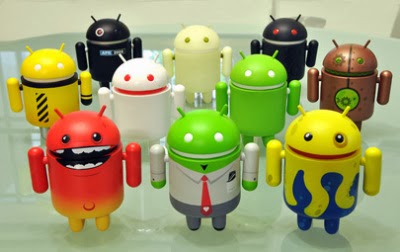

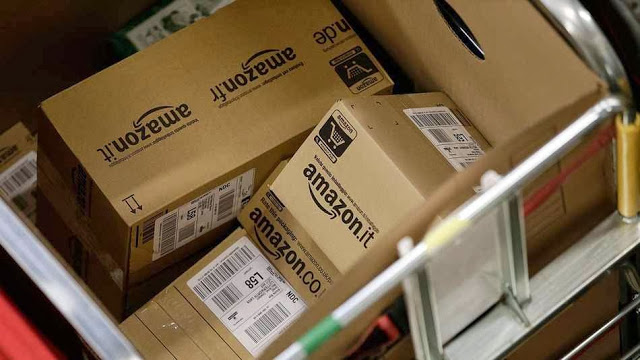

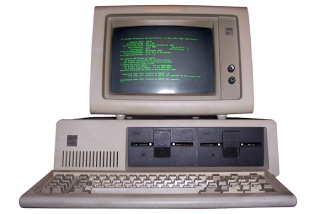

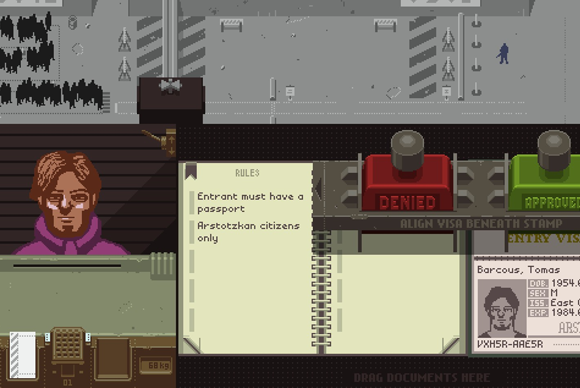

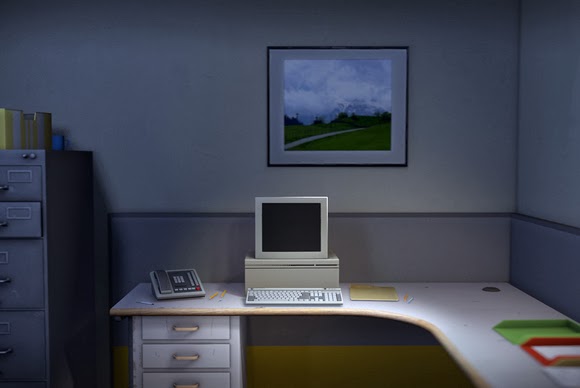



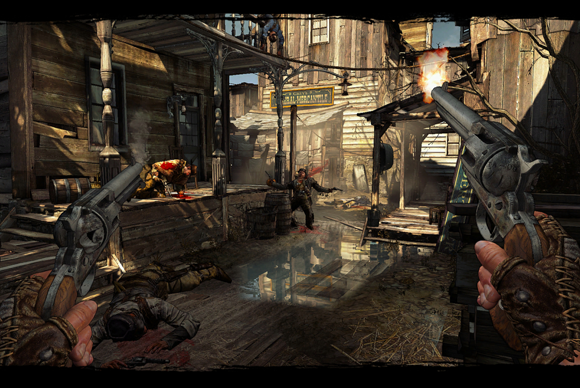



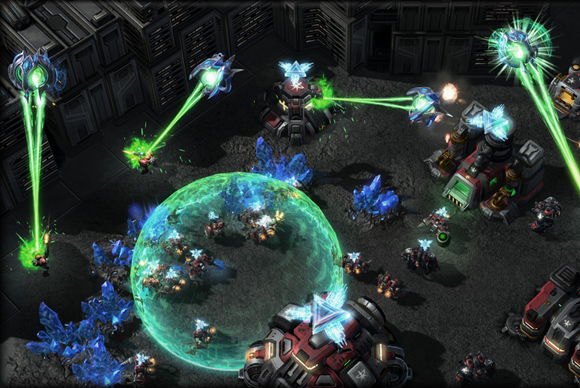






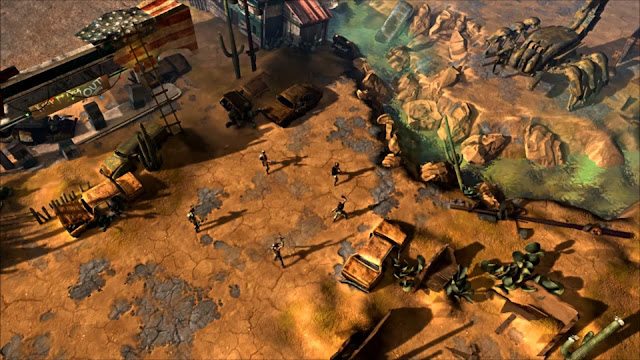




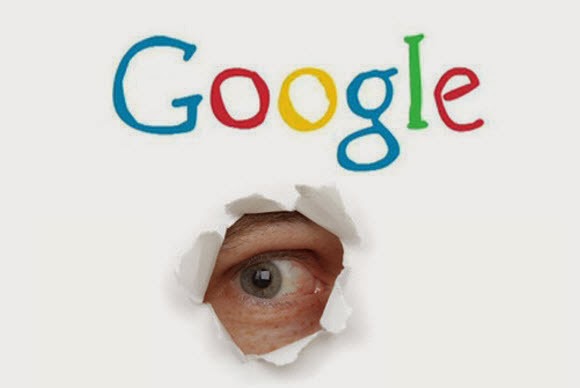
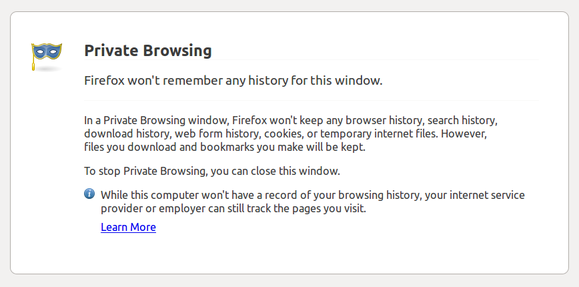

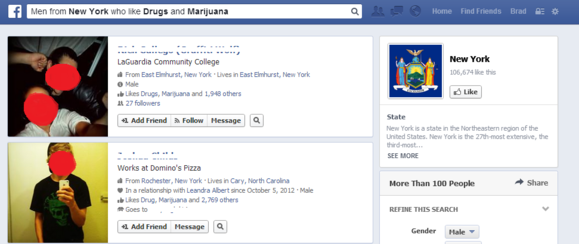

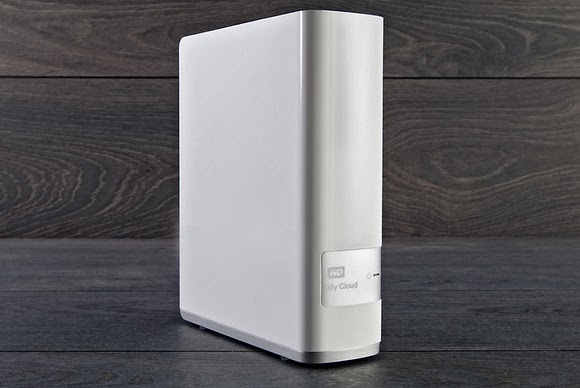














 Adsense is one of the most trusted way of making money online but after handing series of suspension to publishers it becomes potentially unreliable to use adsense.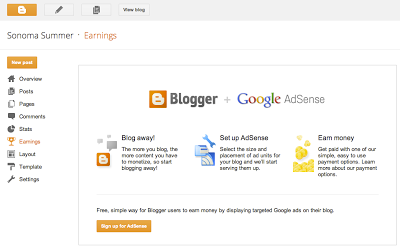


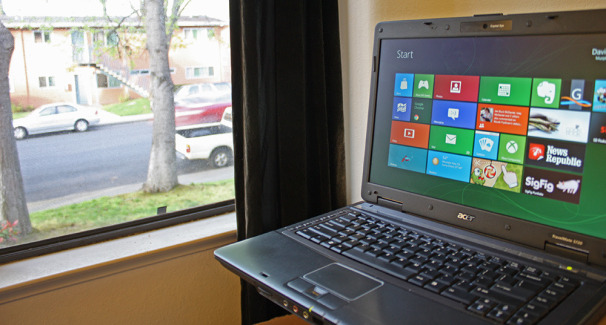
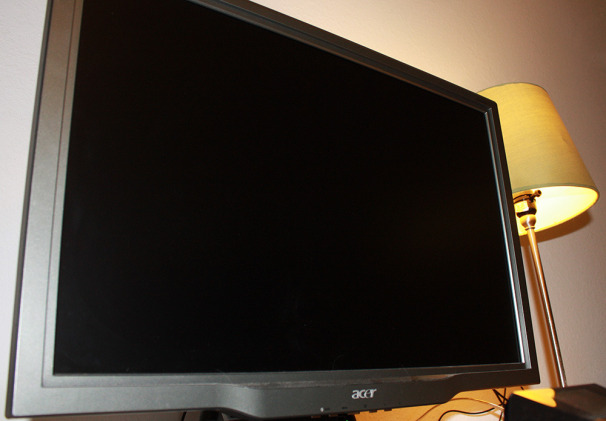
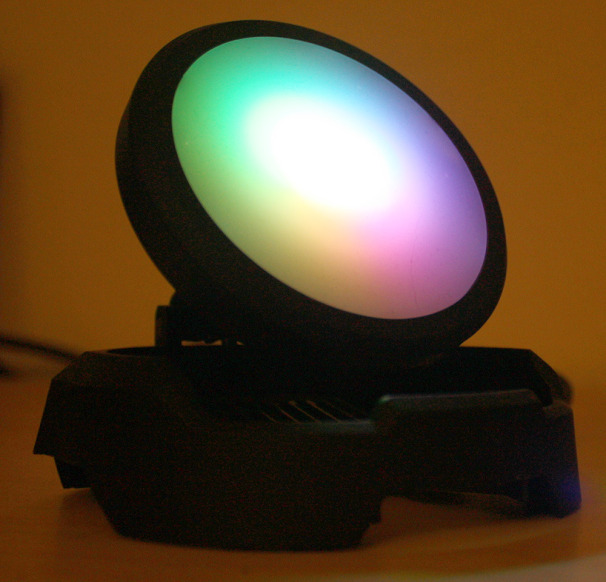
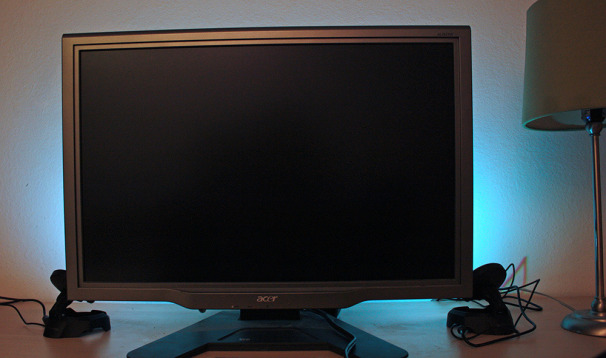

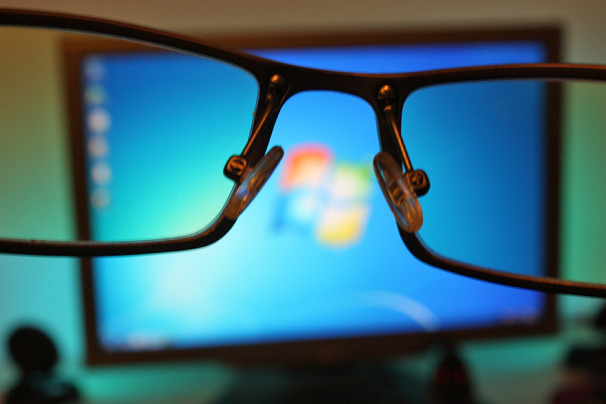
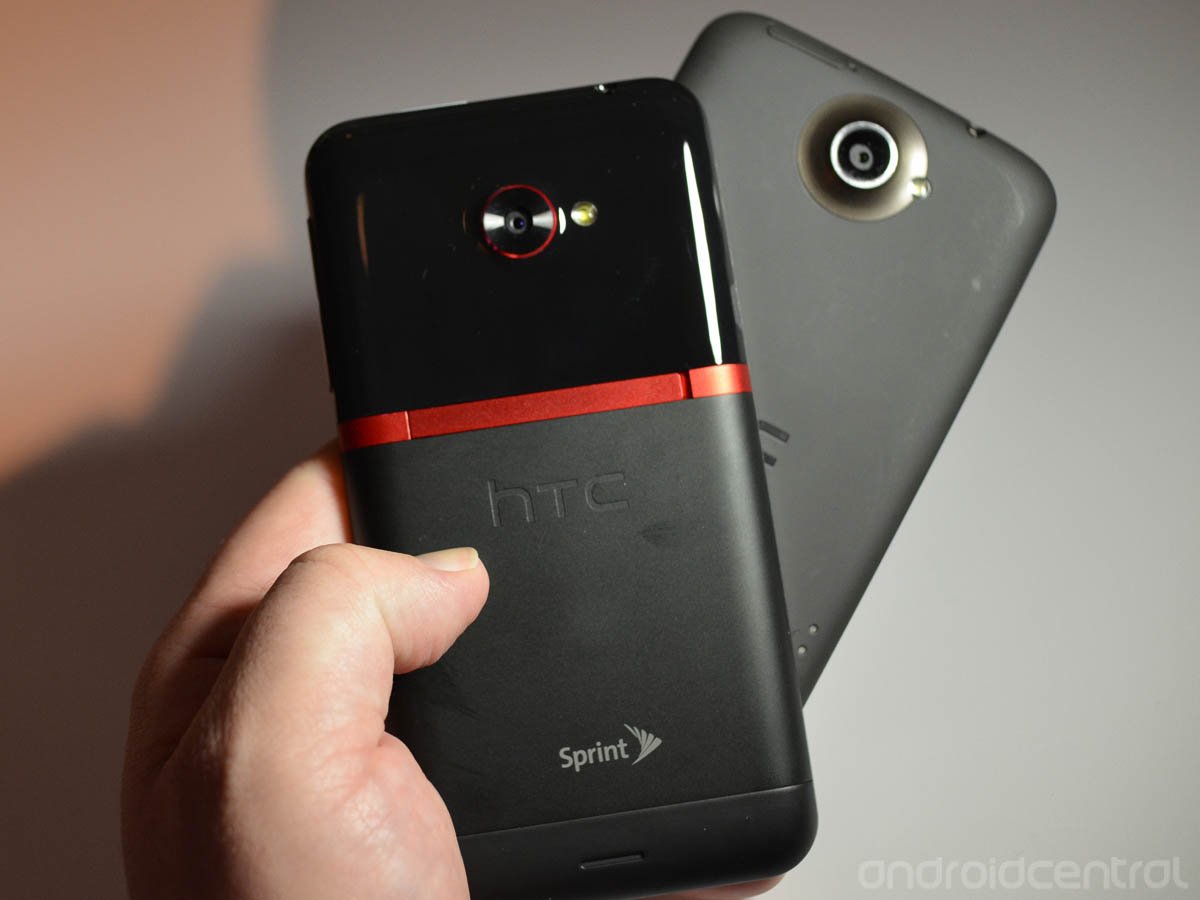
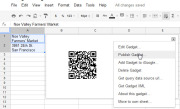
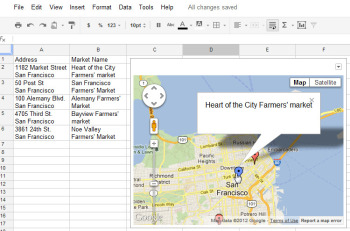 The Map gadget uses content from Google Maps to display the addresses you have entered as markers on the map.Pictures convey more information than words do, and a map offers the easiest way to show people where your office and other places of interest are located. The Map gadget lets you create a custom Google Map with pointers to the places you want to highlight, and it’s simple to use. To begin, type a list of addresses, one per row down a single column. If you want a tooltip to appear over the map location when someone hovers over the marker, type the text for this item in the cell to the right of the address. For example, to produce a map of local farmers’ markets, type each address in one cell and the name of the farmers’ market in the adjoining cell to the right. Choose Insert > Gadget >Maps, and click Add to Spreadsheet. Now select the range of cells containing your address and tooltip data, and then enter a title for the map in the Title box. If your data includes tooltips, select the Last Column as Tooltips checkbox, and then click theZoom Using Mouse Wheel checkbox. From the ‘Map type’ list, select the type of map–Normal is a good choice–and then click Apply & Close. The gadget dialog box will now show a map with the addresses plotted on it. As with the other gadgets, you can publish the Map gadget for use on your website to show your business locations or places of interest to your customers.
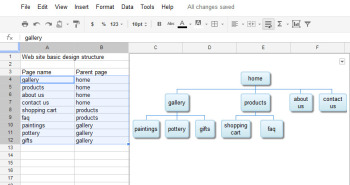 The Organization Chart gadget can create a hierarchical chart showing the design for your website or the management structure of your business.
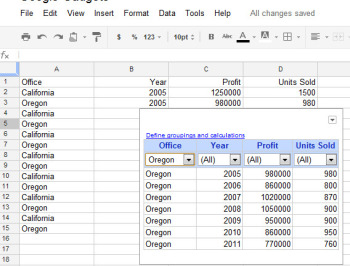 At its simplest, the Table gadget lets you filter data to see a subset of it.The Google Table gadget allows you to analyze data by creating a table that supports filtering, grouping, and even totaling. Insert the gadget by choosingInsert > Gadget > Tables > Add to spreadsheet. Select the range containing your data, including the heading row, and click OK. Click in the Title box and type a title for your tables. Select the checkboxes for Show Filters and Enable Grouping, and then click Apply & Close.To group the data by the contents of column A, for example, click the Define groupings and calculations link, select that column’s heading, and click the arrow to add it to ‘Group by Box’. Click Next, and select a column to calculate. To sum Profit, for instance, set the Profit entry to Total. You can apply calculations to multiple columns, if you desire, or to none at all if you just want to group the data.You’ll see a table appear in the gadget dialog box, with the headings over each column. Use the filter box at the top of each column to filter that column of data. Click OK, and the gadget will show you the grouped data, with any calculations appearing in the row above the appropriate group. You can collapse and expand the groups as necessary to see the values in the table.
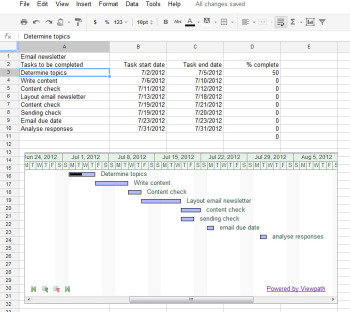 The Gantt Chart gadget illustrates the tasks in a project and the time allotted for each of them.You can use a Gantt chart to display projects involving tasks that must be performed over time. To make this type of chart, you need three columns of data (with an optional fourth column). In the first column, place a list of the individual tasks in the overall project–the steps needed to create and publish an email newsletter, for example. In the second column, place the start date for each task; in the third column, insert the end date for the task. If you wish, you can add a fourth column containing the percentage completed for that task. To produce the Gantt chart, chooseInsert > Gadget > Charts. Locate the Gantt chart and click Add to spreadsheet. Select the data for the tasks, the start and end dates, and the completed percentage, and click OK. Set the Name column to the column containing the task names. Set the Start column, Finish column, and % Complete column to the column letters containing that data (typically columns B, C, and D), and click Apply & Close. The Gantt chart will present the tasks to be completed, their start and end dates, and the progress made toward their completion to date.
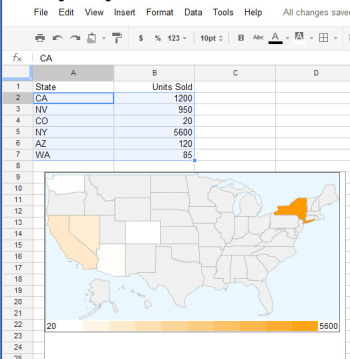 The Heatmap gadget shows relative values as colors on a map.You can plot data related to states or countries on a heat map, with small values indicated by light colors and larger values rendered in darker and more saturated colors. To plot the data correctly, you must use ISO country codes (or, for U.S. states, the usual two-letter state codes). Place the data to plot in the cell to the right of each relevant state or country. Choose Insert > Gadget > Map > Heatmap, and then click Add to spreadsheet. Select the data–including the locations and the data to plot, but not the column headings–and click OK. Type a title for the heatmap in the Title box, select the map type from the Region box (click USA to plot data on a United States map), and click Apply & Close. The map will appear with the regions colored appropriately for the value of the data associated with each.
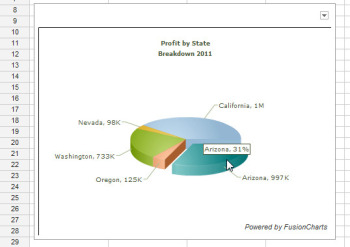 Drag on a pie slice in the animated pie chart to offset it from the chart itself.Interactive charts are more interesting to look at than static graphs. You can create animated pie charts in a Google spreadsheet using a gadget. For this chart, you need only the categories and one set of data, because pie charts can plot only a single data series. Insert the gadget by choosing Insert > Gadget > Charts. Locate the FusionCharts Pie & Donut Widget, and click Add to spreadsheet. Click in the Range box, select the data to plot–omitting the column headings–and click OK. Now select the chart type, such as Pie 3D. Type a caption and subcaption for the chart to inform the viewer as to the information the chart is intended to convey. Enable the Animate checkbox, and, if you prefer, enable Values On and Labels On to show both labels and values for each pie slice. If you enable Tooltips, the mouse pointer will show a tooltip if the user hovers the mouse over a given slice. Select Format Number and set Decimals to No Decimal so that numbers will be constrained in size. Enabling Shorten Values will ensure that the chart presents large values legibly. Click Apply & Close. When the chart appears, you can drag on a pie slice to explode it from the chart. Right-click the chart and click Enable Rotation so that you can then rotate the chart with your mouse. Gadgets such as these add a range of extra functions to Google spreadsheets, allowing you to do new things with your data and display it in ways that can help your business.

 HTC pulled a similar trick with the One X. The global version runs on an NVidia Tegra 3 processor, while the U.S. phone uses a dual-core Qualcomm Snapdragon S4 processor. NVidia’s quad-core processor was not yet compatible with AT&T’s LTE network at the time of the One X’s manufacture. In our benchmarks, however, the U.S. version of the One X did quite well despite having fewer cores.
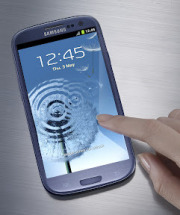 The 3.4-inch-thick S III has a 4.8-inch HD Super AMOLED display with a 1280-pixel by 720-pixel resolution. This is the same display technology we saw on the Galaxy Nexus. The Galaxy S II had Super AMOLED Plus, which is actually based on a PenTile pixel structure in which pixels share subpixels.
 Samsung Galaxy Note S PenSamsung announced a slew of accessories, including a C Pen stylus (which seems pretty similar to the S Pen on the Galaxy Note), an AllShare Cast Hub for wireless streaming, a docking station for your desk, a wireless charger, a car kit, and an HDMI adapter.
 Samsung Galaxy NexusNo, relax. It might not have as many cores as the S III, and the display might be a little smaller, but don’t feel bad if you just walked out of the store with a brand new Galaxy Nexus. Your Galaxy Nexus is still an excellent, current phone and offers something the Galaxy S III does not: A pure, untouched Android experience.