Author: Alicia Margretha

  • Anonymous Messages 2025: Why Vibebo Is the Only App Getting It Right

    Anonymous Messages 2025: Why Vibebo Is the Only App Getting It Right

    It’s 2025. An era of overwhelming DMs, “seen” zones, and social media pressure. And then there’s Vibebo — the one app that actually understands anonymous messaging, not just as a feature, but as a feeling.

    After using it across both Android and iOS, here’s the honest truth: Vibebo just gets it.

    It’s Not Just Anonymous — It’s Designed to Feel Safe
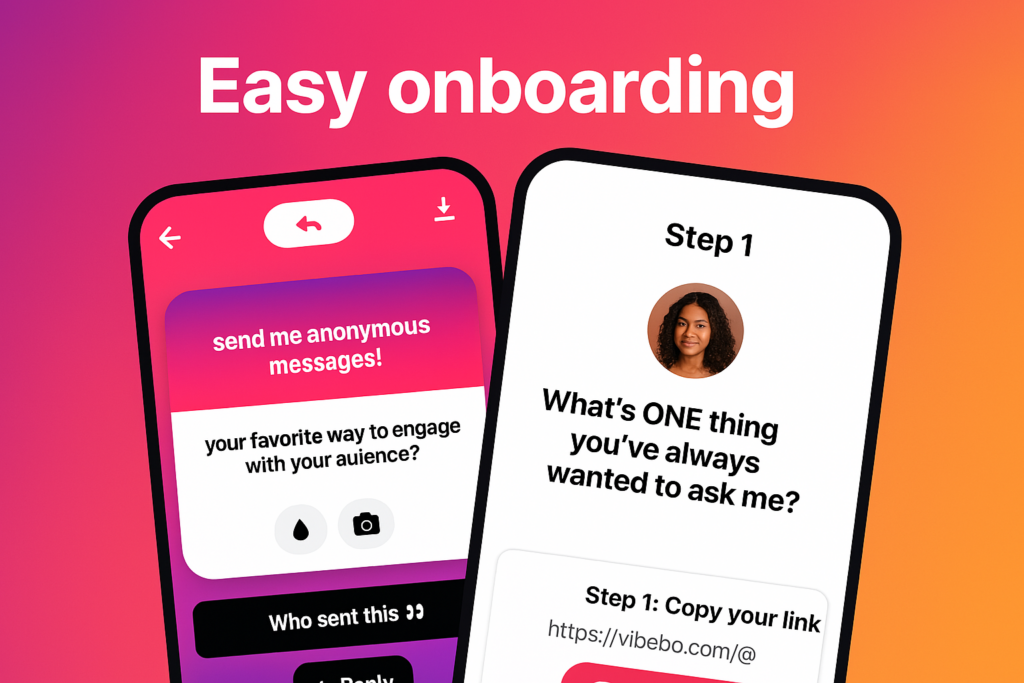
    easy onboarding for anonymous messaging

    From the moment you log in, Vibebo looks and feels intentional. The onboarding is smooth. No fluff. The interface feels like it was built to reduce social pressure, not add to it.

    The “Playground” tab becomes your hub — where you receive anonymous messages and get to reply, publicly or privately. But what really stands out is the level of control it gives you. You can:

    • Hide specific words
    • Block specific users (yes, even anonymous ones)
    • Pause your profile link anytime
    • And toggle Advanced Message Filtering if you’re not in the mood for chaos.
    • It’s like having a personal bouncer for your inbox.

    Channels Are the Game-Changer
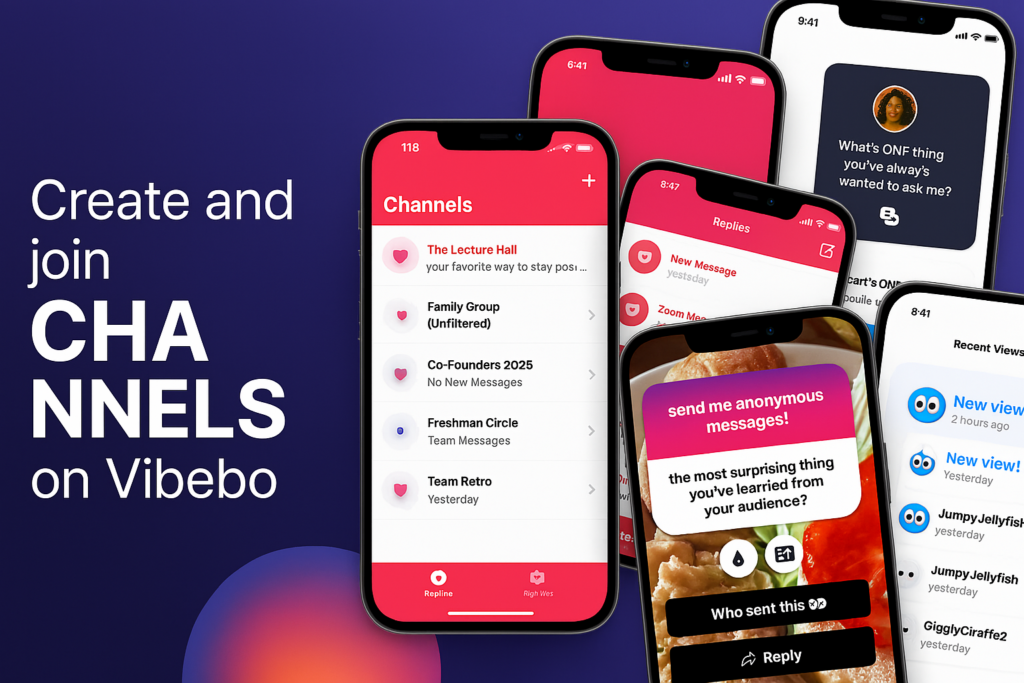
    create channels for anonymous messages

    While most anonymous messaging apps are focused on individual clout, Vibebo introduces a completely new social layer: Channels.

    Whether you are:

    • Class Reps collecting feedback
    • Clubs or Orgs handling suggestions
    • Work Teams encouraging honest input
    • Influencers or Creators managing fan messages

    Channels let groups receive anonymous messages. That’s big. It opens the door for big or small teams to collect messages and feedback anonymously — all in one place.

    As a channel owner, you get full control over message moderation. Others in your team can view the responses, but no one can delete what they didn’t start. Pure transparency. Pure vibes.

    Smart, But Still Fun
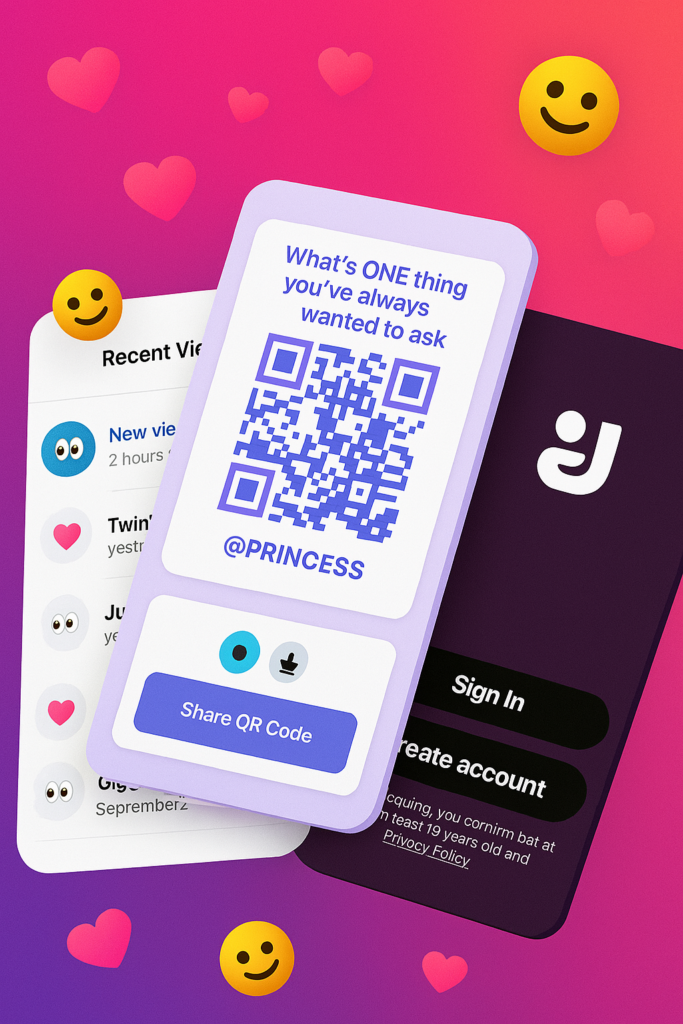
    Vibebo is anonymous, but it doesn’t feel cold or impersonal. There’s a touch of play in everything:

    • The colourful QR posters with lines like “What’s ONE thing you’ve always wanted to ask me?”
    • The ability to reply with a tap
    • The quirky usernames in “Recent Views” like JumpyJellyfish or TwinklingStarfish
    • It’s a mix of deep honesty and Gen Z energy. You feel seen — even when you’re unseen.

    Sharing Is Effortless

    Sharing your Vibebo is smoother than ever. Just tap “Share Profile,” copy the link or grab the QR code. It’s designed for real-world use — from classrooms to campus events, team-building sessions, or friend circles.

    One post. One link. Endless messages.

    Vibebo Feels Like the First App That Cares

    Let’s be honest. Most anonymous apps end up becoming chaos. But Vibebo’s layered design — with advanced safety controls, invite-only channels, real-time views, and an actual message review experience — makes you feel safe and curious at the same time.

    Try it for yourself: vibebo.com/download

  • How to Configure Java Phones Using Opera Mini 5.2

    How to Configure Java Phones Using Opera Mini 5.2

    It might interest you to know that you can now configure your java phones using the latest opera mini 5.2 free. examples of java phones are: Nokia C1. Nokia C2, Nokia C3, Nokia 200, Nokia 210 Nokia 2730  Nokia 5300 etc.

    For you to configure java phones for free browsing, download the cast opera mini 5.2 you can also use this link http://xchange.mobi/get235545/otenntferfH/opera5.2_beta_multi_readvance_cast_cheat.jar. paste it in your phone. These are the step to use when configuring your java phones and using any network. but Mtn is mosly used:

    * From your phone click on the menu
    * Click on setting
    * Select  default configuration setting
    * Chse the Airtel, Etisalat, Mtn, Glo provide file
    * click on option
    * Select default that all
    Open the cast opera mini 5.2 and use these setting on any java phone.

  • BBNaija 2018: Miracle Declared Winner of 2018 Edition ahead of Cee-C

    BBNaija 2018: Miracle Declared Winner of 2018 Edition ahead of Cee-C

    It’s official, Miracle has won the Nigeria’s biggest reality TV show, Big Brother Naija, beating the closest runner up Cee-C with over 10% votes.

    The winner of the Payporte games is Miracle!
    The winner of the Payporte games is Miracle!

    How Africa Voted

    BBNaija which started on January 28, with 20 housemates came down to its grand finale today and Miracle will be going home with 45 million Naira.

    Wins 2018 BBNAIJA Reality Show
    2018 BBNAIJA Reality Show

    With only 5 housemates remaining at the grand finale, there was always going to be one winner. and that winner was in the shape of Miracle.

    A total of 170 million people voted this season at the just concluded BBNaija Double Wahala reality TV show. 30 million of those people voted in the final that saw Miracle clinching the prize money of N25m cash, a brand new SUV worth N12m, a trip for two valued at N4.7m, and household gadgets worth N3.3m.

    He also added the PayPorte prize of 1 Million Naira to his collections on the night.

    Miracle won the PayPorte challenge with a total time of 53 min 30sec!

    Below is how the 30 million people voted in the final:

    • Miracle – 38.18%
    • Cee-C – 28.04%
    • Tobi – 22.53%
    • Alex – 7.07%
    • Nina – 4.18%

    BBNAIJA 2018 Finale Recap

    When Ebuka told them to take one last walk and switch off the lights in the House, Miracle and Cee-C knew that one of them was the ultimate Housemate for this season’s Double Wahala.

    With smiles all over their faces as they switched one light at a time, they finally said their goodbyes to Big Brother and exited for the main stage.

    When Davido’s Fall faded, the mood electrified as the Housemates entered the stage and soon after, Ebuka had to calm the crowd to which he slightly succeeded.

    Winning Before Winning

    Miracle’s will to win has always been rewarded by his ability to give his all in every challenge given to him. Whether it’s the Head of House, a Task or the Arena games, he always brought his A-game.

    So when he was announced as the overall winner for the Payporte’s Arena games, it came as no surprise as he’s won more than any other Housemate.

    With an overall time of 53 minutes and 30 seconds throughout the season, Miracle was awarded a cash prize of One Million Naira.

    The Crowning

    As usual, Ebuka asked the auditor to confirm if the results were independently verified and the auditor confirmed.

    After they were shown the prizes to be won and with a total of thirty million votes this week; after a long silence and seeing both contestants shaking and nervous, Miracle emerged as the ultimate Big Brother Naija winner.

    Emotions ran high from everyone and Miracle’s in-House sweetheart Nina; was at the fore embracing him as he struggled getting up after his excitement threw him on the ground.

    Champaign splashing and everyone gathering to embrace him, finally he stood up and continued to celebrate in disbelief.

    About the Winner of 2018 BBNAIJA, Miracle

    Miracle Igbokwe Ikechukwu was born on 17th February, 1994 in Lagos State. He, however, currently resides in Owerri, Imo State, Nigeria.

    He’s a trained pilot who graduated in 2017 at the International Aviation College (IAC) and the Nigerian College of Aviation Technology, Zaria. He entered the Big Brother Naija house with his pilot license tightly in hand.

    He once told Big Brother he’ll use part of the money to advance his aeronautic training and use the rest to support his family.

    Celebrities Reacts to Miracle Winning 2018 BBNAIJA

    Here is the trending reaction from all over the social media on the wake of Miracle’s latest triumph.

    Popular music producer and Mavins boss, Don Jazzy has reacted to Miracle emerging winner of this year’s Big Brother Naija reality show.

    In a series of tweets posted after the announcement was made, he wrote:
    “It’s a Miracle. #bbnaija 2018 WINNER

    “Channel Closed – CC.

    “On that note I hail CC’s fans sha #bbnaija.

    “Oya pls let’s get back to work o. Let’s not be lazy nigerian youths. #bbnaija.”

    BBNAIJA 2018 host, Ebuka Obi-Uchendu congratulated Miracle on the amazing season he had.

    More Reaction from Social Media

    Official sponsors, Payporte captured the moment.

    That moment! Drop your thoughts.

    A post shared by PayPorte (@payporte) on

    The Chief of Staff to the Governor of Imo State, Hon. Uche Nwosu declared their readiness to reward Miracle, the winner of Big Brother Naija ,and Nina who is a student of the Imo State University and an Indigene.

    Congratulations Miracle, a race well run.

  • Arsène Wenger to step down as Arsenal Manager at the end of the season

    Arsène Wenger to step down as Arsenal Manager at the end of the season

    Come the end of this football season, Millions of Arsenal fans will be saying farewell to one of the best manager the game has ever seen.

    Arsène Wenger announced on the club official site that he will be stepping down at the end of the season. The statement reads:

    “After careful consideration and following discussions with the club, I feel it is the right time for me to step down at the end of the season.

    “I am grateful for having had the privilege to serve the club for so many memorable years.

    “I managed the club with full commitment and integrity.

    “I want to thank the staff, the players, the Directors and the fans who make this club so special.

    “I urge our fans to stand behind the team to finish on a high.

    “To all the Arsenal lovers take care of the values of the club.

    “My love and support forever.”

    Majority owner Stan Kroenke said:

    “This is one of the most difficult days we have ever had in all our years in sport. One of the main reasons we got involved with Arsenal was because of what Arsène has brought to the club on and off the pitch. His longevity and consistency over such a sustained period at the highest level of the game will never be matched.

    “Arsène has unparalleled class and we will always be grateful to him. Everyone who loves Arsenal and everyone who loves football owes him a debt of gratitude. Three Premier League titles, including an entire season unbeaten, seven FA Cup triumphs and 20 successive years in the Champions League is an exceptional record. He has also transformed the identity of our club and of English football with his vision for how the game can be played.

    “We have high ambitions to build on Arsène’s remarkable tenure and to honour his vision by ensuring that Arsenal competes for and wins the biggest and most important prizes in the game.

    “We must now focus on making a strong finish to the season and ask our millions of fans around the world to join us in paying appropriate tribute to one of the greats of Arsenal’s history and one of the greats of the game.”


    Arsène will lead the team to the end of the season and we will make an appointment as soon as possible. The club will not be making any further comment on the selection process until an appointment is made.

    Sourcewww.arsenal.com

  • Russia Banned from South Korea 2018 Winter Olympics Games by IOC Over Systematic Doping

    Russia Banned from South Korea 2018 Winter Olympics Games by IOC Over Systematic Doping

    It has been confirmed that Russia will play no official role come 2018 Winter Olympics Games in Pyeongchang, South Korea. The country’s government officials are forbidden to attend, its flag will not be displayed at the opening ceremony and its anthem will not sound.

    Even though some Russian athletes will be allowed to compete, they will do so as individuals wearing a neutral uniform, and the official record books will forever show that Russia won zero medals.

    The IOC also handed a lifetime ban to the country’s deputy prime minister, Vitaly Mutko, preventing him from having any involvement in the Olympic Games, and has ordered the Russian government to pay $15m towards a new Independent Testing Authority and reimburse the cost of their investigations.

    The head of the IOC, Thomas Bach, revealed the decision in a press conference in Lausanne, Switzerland on Tuesday. “This was an unprecedented attack on the integrity of the Olympic Games and sport,” he said of Russia’s sophisticated doping system.

    Vladimir Putin is expected to respond in the next 24 hours with the possibility that Russia will decide to boycott the Winter Olympics and withdraw any competitors from taking part as authorised neutral athletes, an option he had previously described as a “humiliating compromise”.


    The former Russian sports minister Vitaly Mutko (Getty)

    Bach added: “The IOC, after following due process, has issued proportional sanctions for this systemic manipulation while protecting the clean athletes. This should draw a line under this damaging episode and serve as a catalyst for a more effective anti-doping system led by WADA.

    “As an athlete myself, I feel very sorry for all the clean athletes from all NOCs who are suffering from this manipulation. Working with the IOC Athletes’ Commission, we will now look for opportunities to make up for the moments they have missed on the finish line or on the podium.”

    Russia was barred from London’s Athletics World Championships this year in the wake of the McLaren report, which revealed details of a state-sponsored doping programme that had been in place for many years.

    And the follow-up Schmid report confirmed a “systemic manipulation of the anti-doping rules and system in Russia” citing a lack of effort to address the issue, forcing the IOC to take action.

    In his findings, the IOC commission chairman Samuel Schmid found that doping was fully endorsed by the Russian sports ministry, of which Vladimir Putin’s deputy Mutko was in charge up until October 2016.

    Pressure will now grow on Fifa to take action over Mutko, who heads up Russia’s 2018 World Cup team as president of the football union.

    However, like the McLaren report, the Schmid report was careful not to directly implicate the Kremlin itself, noting there was no evidence “confirming the support of knowledge of this system by the highest state authority”.


  • Amazing Spider-Man 2 Review: Swinging nowhere

    Amazing Spider-Man 2 Review: Swinging nowhere

    Every year or two they release a new Spider-Man game. Every year or two I get my hopes up that the developers have made a proper follow-up to 2004’s Spider-Man 2—the only fun Spider-Man game in recent memory. We’re now a decade out from that, and Amazing Spider-Man 2 shares (mostly) the same title as that lone bright spot. Is this the Spider-Man game that will break the long streak of stinkers?

    Nope.

    Impossible standards

    In a way, it’s unfair to developer Beenox to hold them to Spider-Man 2’s standards. See, Spider-Man 2 wasn’t even a very good game. It fell prey to a lot of the movie-game pitfalls—repetitive content, dumb missions, a horrible camera, et cetera.

    The swinging, though. Spider-Man 2 was the first game to implement a system where Spidey’s webs actually stuck to walls instead of fastening to some invisible helicopter in the sky. I distinctly remember standing in a GameStop in New Jersey, waiting for my dad to finish up shopping at Home Depot or something, transfixed by the way the swinging worked, probably humming the song from the Spider-Man 2 trailer under my breath. (I think it was Vicarious by Dashboard Confessional? Different times.)

    Spider-Man 2 was the first game to make me feel like Spidey, which was a big deal—he’d always been one of my favorite superheroes, and I’ve long thought that web-swinging is a more interesting mode of transportation than flight.

    It was easy to put up with all the dumb movie-game garbage in Spider-Man 2 because swinging around Manhattan was such a joy. Keep in mind, this was also an era when expansive open-world games were relatively novel. We’d only had two large-scale Grand Theft Auto games and a handful of knock-offs. There was still a sense of wonder at just moving around an enormous environment, even if you could only enter a handful of buildings and the draw distance was about a hundred feet.

    This is what nostalgia results in: impossible standards.

    Amazing Spider-Man 2 is not really that bad, compared to Spider-Man 2. Let me rephrase: “Game released this month” is not really that bad, compared to “Game that came out a decade ago.”

    After a baffling sidestep into the old “webs attach to skyhooks” mode in 2012’s Amazing Spider-Man, Beenox has brought Spidey back into a world governed by physics. His webs are forced to attach to walls or ceilings, which is a step in the right direction. You also affect speed by releasing higher or lower in the arc of your swing.

    Swinging still doesn’t feel quite right, though. I could never quite get the hang of Spidey’s momentum, and it seemed like I swung into walls a bit more often than I’d expect. It also lacks the complexity of Spider-Man 2’s system, which allowed for all sorts of high-level maneuvering by accounting for how long you held buttons. Amazing Spider-Man 2 is at least on par with Ultimate Spider-Man (the second-best Spidey game) though, as far as swinging is concerned.

    Roll film

    Where Amazing Spider-Man 2 is not on par with anything worth playing recently is in the actual game part. This is where those “impossible standards” come into play. I’m not going to argue that Amazing Spider-Man 2 is any worse than the original Spider-Man 2. But that’s not a high bar.

    Amazing Spider-Man 2 has far too much in common with the movie tie-in games of old. Bad camera, bad lip-syncing, bad models, bad mission design—it’s all present here.

    Side quests are universally abysmal. Many of them are the same rote, quicktime event-infested tedium we’ve seen in other Spider-Man games—stop the fleeing car full of criminals!—except here you have to load into them. You swing to a location, hit a prompt to start the mission, and then sit and wait for the scene to load instead of having the events trigger organically in the world. You already won’t want to do the missions because they’re boring, but you doubly won’t want to do them when you have to sit through a loading screen each time.

    Too bad. You have to do them. If you don’t, Spidey’s reputation goes down and you’re targeted by hit squads that make it an enormous pain to just swing around the city. Apparently “not stopping a crime” is equivalent to “endorsing crime.” It’s asinine, and makes the game tedious even if you’re just there to run through story content.

    And the story? For some baffling reason Marvel or Beenox or Activision or whoeverdecided the story shouldn’t really match the story of the film. Maybe they got gun-shy after Amazing Spider-Man spoiled the film for certain players?

    Whatever the case, you’re left with an utterly forgettable tale that mostly concerns a bunch of iconic villains doing the least iconic things possible. Some of my favorite villains make an appearance in this game, but they’re given short shrift by lackluster writing and acting.

    Another thing: Apparently this game, despite being an official tie-in, couldn’t secure rights to any of the actors. Neither likenesses nor voices are present here. This results in an awkward situation where, for instance, Spidey sounds a lot like Tobey Maguire instead of Andrew Garfield, and Gwen Stacey doesn’t even appear in the entire game. It’s explained away with so much hand-waving.

    No, it doesn’t really make sense.

    Bottom line

    Sorry, true believers. I know you’re holding out hope for a great Spider-Man game, but this isn’t it. It’s good for a few hours of web-swinging entertainment if you need a fix, but by no means does it recapture the magic. (That won’t stop me from getting my hopes up the next time a Spider-Man game comes around, though.)

    This review was originally posted on PCWorld. Price When Rated: $40$40 Our Rating: 3.0   Operating System: Windows, Mac

  • Trend Micro CWShredder Review & Free Download
    Trend Micro CWShredder Review & Free Download
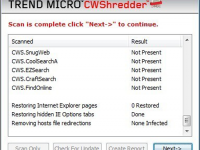
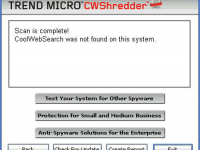
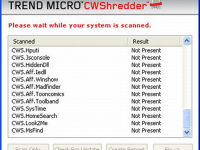
    A quality product called CWShredder from Trend Micro released to remove traces of coolwebsearch virus from the pc, this was one of the major virus released by hackers it creates auto bookmarks to your browser mostly to the porn and other related websites and it also changes the default home page and when you attempt to change it back it reverts the changes also it impacts system performance too which causes windows to crash and reboot very often this symptom has been noticed on vast number of pc’s. Download CWShredder today from EwtNet and safeguard your pc.
    • Effective hijack removal tool
    • Quick fix for browser related hacks
    • A quality product from major antivirus company
    • Focused on browser protection
    • Improves browser & system speed
    • Efficient in removing coolwebsearch virus
    • Fast and low on using system resources
    • Small size file and quick install
    • Easy navigation
    • Provides for all major browser

    Click on the download button to begin the download

    File Size: 207 KB (rar)
  • Trend Micro Hijackthis Review & Free Download
    Trend Micro Hijackthis Review & Free Download
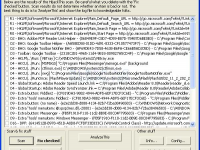
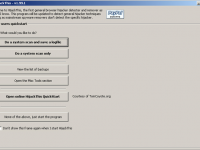
    HijackThis is a security tool which generates logs with files that are required and point to malware files & un important files, if you are picky and need control of manually deleting files instead of letting the security software take control of deleting files, hijack this is a good option. But it is extrememly important to use tool with extra caution as you might end up deleting some important files too. Download free Hijackthis tool at EwtNet

    • Lite tool with control over deleting files
    • Fast and effecient
    • Does a good job in finding virus effected files
    • Need good technical understanding to use this tool while deleting files
    • User friendly design

    Click on the download button to begin the download

    File Size: 1.34 MB
  • Download VLC Player For Windows 8,7,XP

    Download VLC Player For Windows 8,7,XP

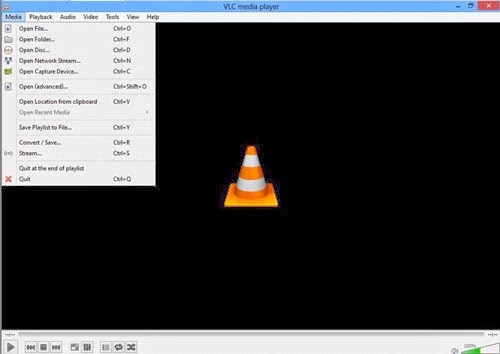
    VLC media player is one of the popular video player out there, it is a open source product which makes it free to download customize the as per your requirements , you could download VLC player for windows,mac,android,IOS devices. VLC media player project has been active from a long time and a series of updates has been pushed to fix error and improve product quality.

    It supports large number of input,video,audio formats, specially which aren’t compatible with windows media players, I tunes. This feature make VLC more adaptable and possibly one of the reason for it being so very popular. VLC also has subtitle feature which can be added or removed as and when you need it. it also offers many customization features with awesome skin and interfaces available. VLC has good input & output streaming options too.


    Some of benefits to Download vlc player

    • Supports multiple input formats
    • Mozilla/Firefox plugin
    • Supports multipe Video formats
    • Supports multipe Audio formats
    • Subtitle/Tag formats
    • A/V outputs
    • A/V filters
    • Choose different interfaces, Skins
    • Active X plugin support
    • Streaming options

    To Download VLC player click on the download button below.

  • Pick the Best Windows 8 Phone!

    Pick the Best Windows 8 Phone!

    While Apple’s iOS and the Android dominate the mobile phone’s operating systems, Microsoft’s Windows, particularly Windows 8, is growing increasingly popular not only with Nokia but Samsung and HTC have taken interest.

    Now the consumers are met with the question, “Which is the best Windows 8 phone“ in the market right now?. While we want to give you an answer, it would be best to let you decide. However, we can give you our best 5 Windows 8 phones to check for yourselves, based on the considerations of the phone’s basic functionality, look, capacity and price.

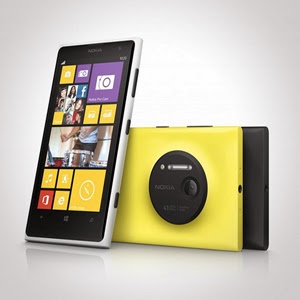
    Nokia Lumia 925/1020

    Let us begin with Nokia. It has an array of amazing units. Nokia Lumia 925 is perfect for photography. It is equipped with Nokia’s Pureview and 6 Carl Zeiss lenses to provide 8.7megapixels with Optical Image Stabilization that allows you to capture images even on low light environments. It is somewhat lined up up there with the Iphones and Samsung Galaxy S4 with its touch-screen technology of PureMotion HD + Amoled offering you 1280×768 pixels resolution. Nokia Lumia 1020 is the video and photography professional. With its main feature of 41MP camera, your videos and photos are taken in top-class clarity and detail. It is backed by the Nokia Rich Recording that provides distortion-free and stereo sound on your videos.

    HTC 8x/8s

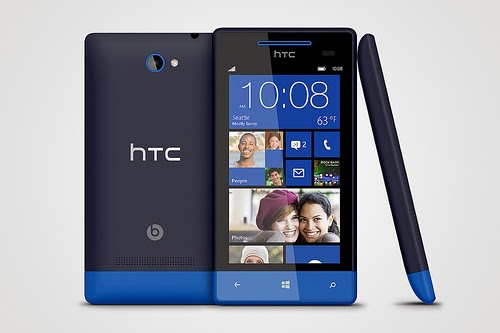
    HTC also has its wonders with Windows 8 units. It has windows phone 8X and 8S. Windows phone 8X considered as one of the best Windows 8 phone for its high end quality. It has world class camera, perfect fit design, and wide screen with 1,280×720 pixels resolution. Its dual core 1.5GHz processor is capable enough, but there is no option for expanding its memory just like most Windows 8 phones. There is also the HTC Windows phone 8S.Its boldly colored design makes it classy and attractive. It has a high performing battery. Moreover, it has a superb studio quality sound and entertainment. Great photo qualities and camera options are also featured in this one of the best Windows 8 Phone.


    Samsung ATIV S Neo

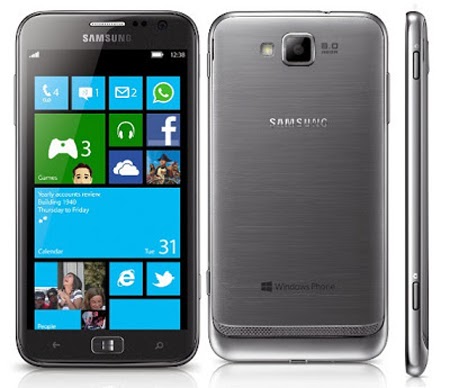
    Next stop is the Samsung ATIV S Neo. It is Samsung’s best Windows 8 phone, because of its affordability and good performance. It has a wide screen display of 720 x 1280 pixels, 4.77 inches for easy touch and visuals. It definitely provides a good windows 8 experience. It has long life battery of up to Up to 15 h and it has good camera features 8 MP, 3264 x 2448 pixels, autofocus that can capture sharp details. However, the phone is a little bulky and heavy. It is not much of a style but still a high end one with reasonable price.


    Huawei Ascend W1

    If you are looking for a very affordable prepaid Windows 8 phone then Huawei Ascend W1 will be the best choice. It may not be a perfect device for some applications, but it has a strong battery life and expandable memory. However, this device has several drawbacks. It has a low internal storage of only 4 GB and low camera specs 5 MP, 2592*1944 pixels. Still, being affordable and practical, this might be perfect for some people who don’t want to stretch more of their budget.

    These are the top choices that we can have varying from different types of needs and lifestyle. Windows 8 had made these phones far better than usual ones. Check them out!

  • The Best Guide For Augmented Reality Apps

    The Best Guide For Augmented Reality Apps

    What is Augmented Reality?

    Augmented Reality is a relatively new technology that adds value in the real world using digital media and information like videos and 3D models while superimposing in real-time, the camera view of connected glasses, your PC, tablet or smart phone.

    Augmented Reality tools have three main categories. Augmented Reality 3D viewers use trackers to place life size 3D models in the environment. Augmented Reality browsers provide contextual information to add value to your camera feed. Augmented Reality games offer interactive gaming experiences.

    Benefits of Using Augmented Reality Apps

    There are a number of benefits derived from employing augmented reality apps. These include the following.

    Presentation Tool
    Marketing, design and sales teams benefit from the use of Augment as a powerful visualization tool.

    Catalogue Animation
    You can bring life to any print content. Your print can be scanned from any location and 3D models, links to your site or videos can pop up.

    Here are some of the best Augmented Reality Apps currently on the market.

    Amway Augmenter

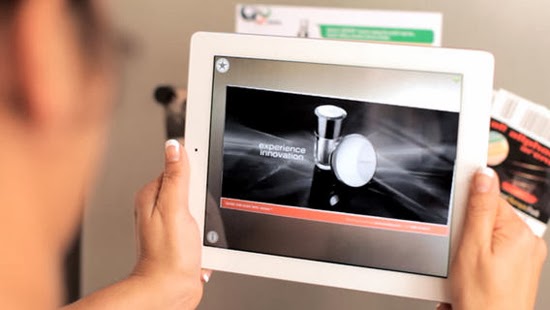
    Amway Augmenter uses image recognition to choose codes and images. Content is then activated to play on the device screen.It is a very easy app to operate. All you need to do is identify the content that you want to augment and hold your device over the image in a way that all of it will appear on the screen. The application does the rest for you.

    Visuar Augmented Reality

    This is a general purpose augmented reality application. It significantly reduces the cost of marketing and advertising campaigns. Salient features of this application include centering the view in the middle and sawing the interior, take photos and share on social networks and email, change textures and add personal targets in real time, add video texture as well as video, sounds and animations escalate, rotate and move in all perspectives in addition to having your own corporate image and corporate channel.

    Acrossair Augmented Reality Browser

    This augmented reality browser has been described as the Swiss Army knife of augmented reality. This app has been developed for the iPhone and iPad. Salient features include pinning your location to find your car later, viewing local tweets, viewing geotagged Wikipedia entries as well as hotels, cinemas and many other amenities. Holding your phone horizontally shows your location on map giving you the option regarding the layer you would like to look at.

    iOnRoad Augmented Driving

    This augmented reality app helps you keep track of your location while on the road while preventing the occurrence of accidents. Features include an audio-visual warning used to detect veering off the road and moving closer to the vehicle next to you. This is done by employing sensors, GPS and the smart phone camera. Operation is simple. All you have to do is mount it on the windshield which activates it automatically once the vehicle is set in motion. Other features include parking location detection allowing you to find your car later via a clicked photo and the area navigation.

    R U McSafe Augmented Reality

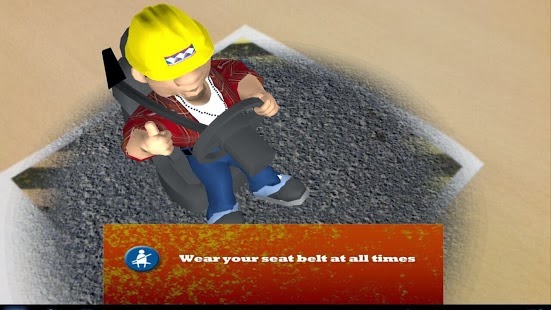
    This augmented reality app is employed to supplement safety and health measures in the work environment. It allows you to utilize your mobile device to view a variety of safety situations in space or real time. All that is required is for you to position your screen over the printed marker that fills the screen when seen from above. You can watch as the 3D appears as if they are right before your eyes. It allows you to interact with the 3D animation through the use of your finger. You can spin the icons and choose the situation you want to view.

  • Top 7 Best Photo Editing App for iPhone

    Top 7 Best Photo Editing App for iPhone

    The best photo editing app for iPhone is determined by the purpose for which the app is used. Instagram has become an established brand though there is stiff competition in the market. Although these apps are not perfect Graphic software, they make user experiences much easier and create more independence with regards to quick editing and can be used on iOS and Android operated phones. There is a wide variety of photo editing apps to choose from but here are the 7 best photo editing app for iPhone on the market at the moment.

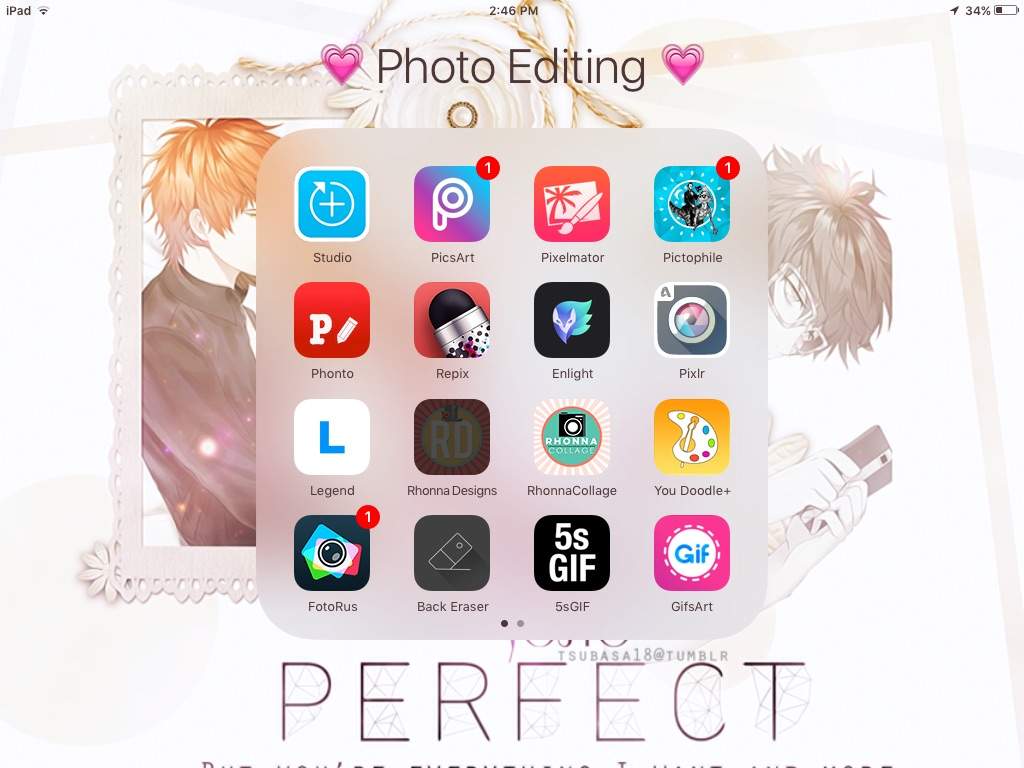
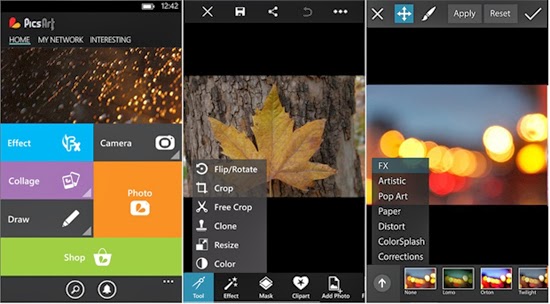
    PicsArt

    Apart from being a photo editing app PicsArt serves the purpose of being a social network for sharing photos. Editing tasks like color adjustments, re sizing and cropping can be undertaken by using the Photo button. Other salient features include Effects that issue specialized tools like red-eye removal, watercolor, pastel and cartoonizer that you can brush on to the image. Conversely, you can snap pictures with a camera tool and paint or draw on an image using a layer-based interface with the Draw tool. It has one of the widest collections of image manipulation tools.

    Pixlr Express

    Pixlr Express is an all-round photo editor & one of the best photo editing app for iPhone. It has facilities that ensure resizing, cropping and basic cleanup. Other specialized tools providing additional enhancements to your photos include one-touch cleanups, Autofix, teeth whitening and red-eye removal. Striking improvements are ensured by lighting effects and overlays in addition to colour adjustment and other tools that are done with fine-grained control.

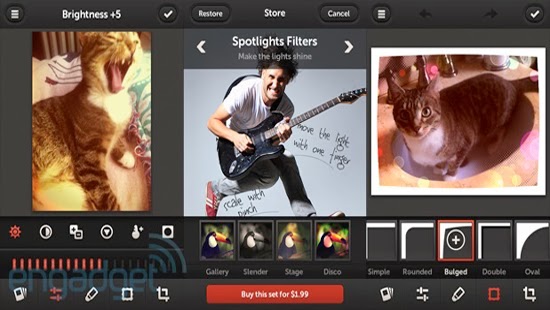
    Repix

    If you are looking for artistic and classical images, this is the right photo editor app for your iPhone. Salient features include adjustment tools and frames including fast and rough image filters. Custom effect brushes are at your fingertips to selectively paint on special effects. Repix is compatible with Samsung’s S-Pen that provides brushes, frames, filters in addition to other tools that are available as in-app purchases.

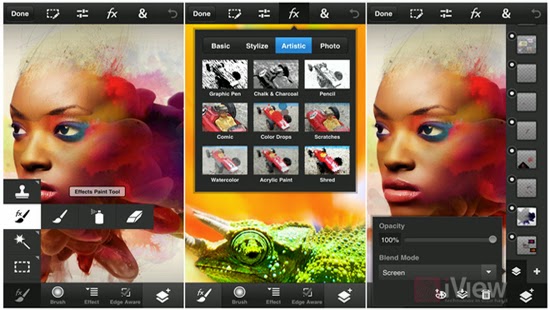
    Adobe Photoshop Touch

    This photo editing app incorporates some desktop functions that are employed with the larger app. These include filters, adjustments, selection tools and layers. During editing, there is no loss of detail because there is no downscaling while editing up to 12 megapixels when working on high-resolution photos. Despite being slightly advanced for the novice, this is a powerful editor that makes an exceptional choice.

    Adobe Photoshop Express

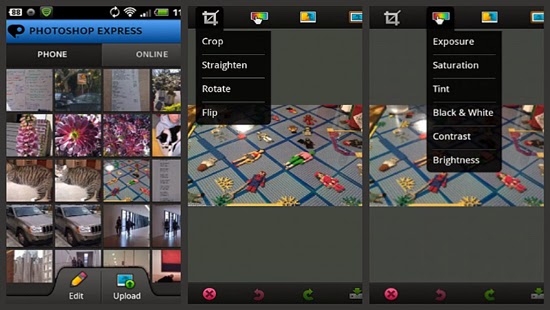
    For those in need of a basic photo editing app, Adobe Photoshop Express is the right tool. Its properties include one-touch filters and Auto-fix for quick edits including slider controls for image enhancements such as shadows, exposure and contrast. In-app purchases allow for the incorporation of additional features like image utilities, special features and advanced filters. The basic package is mostly sufficient for simple editing manoeuvres that include cropping, resizing and red-eye correction.

    Snapseed Mobile

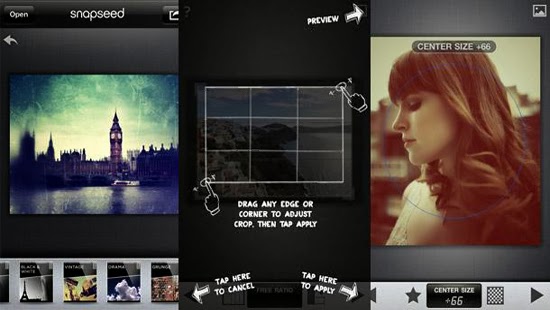
    Snapseed mobile provides more selective tools with one-touch enhancement through exceptional usability and power. Essential attributes allow you to fine-tune the image using a simple slider as well as quick boosts to colour and contrast including photo clean ups with Auto Correct. Other features provided are ‘Selective Adjust’ mode enabling you to tune concentrated portions of the image using saturation edits, colour and brightness in addition to the Tune Image tool that allows you to alter a variety of image effects like warmth, shadows and brightness. Tilt-shift provides a wide selection of tools and filters as well.

    iPhoto

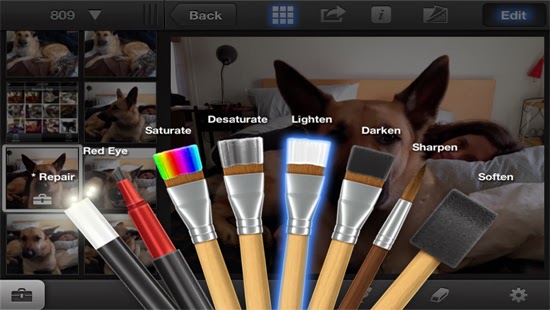
    iPhoto is a high-end photo editing app for iOS featuring smart organizational tools that enable you to tag and sort out your photos as well as touch-based tools for adding special effects and cleaning up photos. Brush-based editing tools give you the leeway to use your fingertip in sharpening, darkening or lightening images. You can selectively edit pictures by employing gesture-based and multi-touch tools. Users can order custom photo prints or photo books while you can share photos online as slideshows or web journals.

    We believe the list above features best photo editing app for iPhone, we hope this article can help you choose the right app , as always we’d love to hear your comments, suggestions…

  • Beginner’s Guide While Learning PHP

    Beginner’s Guide While Learning PHP

    Is back to the classroom, as we take a look at the five ‘most’ basic tips that will help you in your PHP lessons.

    Hypertext Preprocessor or PHP is one of the most commonly used programming languages on the web, PHP is a valuable skill for any young developers to posses. Most popular content management systems such as Oxwall, WordPress and Drupal use PHP as their framework, which means that developers who are skilled in the language can customize code through these programs.

    Of-course, it is very essential that you keep your head down, while attending to your PHP lessons. Other than that, here are five tips that will prepare you for your PHP class.

    1. Prepare in Advance

    Before you get started, make sure that you have a basic understanding of programming. Prior experience and knowledge in programming will help you with basic procedures such as building, testing and troubleshooting. Additionally, many developers find it helpful to work with two or more monitors. With dual monitors in front of you, it’s easy to keep your code on one screen and a tutorial readily available on the other.

    2. Use Your Own Code

    Though some developers recommend working with code templates, you’ll have an easier time learning with your own code. It might take you more time at first to piece the code together, but you’ll ultimately learn PHP more thoroughly by creating all of your own coding. This will save you time when you move on to more advanced projects.

    3. Practice Makes Perfect

    For many new developers, PHP is fairly simple to learn because it is similar to other server-side scripting languages. It’s important to allow yourself enough time for practice, as even small errors in your code can throw off your entire project. If you find yourself confusing PHP syntax with codes from other programming languages, rest assured that you’ll make fewer mistakes with more practice.

    4. Ask for Help

    The official PHP website offers a free online manual with answers to many questions you might have along the way. I don’t know what you think about Stack Overflow? Seem pretty much to me like a place where you can ask lots of PHP questions and get answers and ideas from other PHP users. The PHP Group also has several mailing lists that allow you to ask questions of other users. Additionally, check out online forums where you can ask experienced developers for advice about PHP. Many developers are willing to assist new programmers, particularly if you can clearly explain what type of problem you’re having.

    5. Employ Error Reporting Codes

    As you develop in PHP, it’s always a great idea to use error reporting codes to speed up the process. An error reporting code will help you determine where your errors are if you make a mistake, saving you time and the headache of going through the code line by line. An error reporting code can be the PHP student’s best friend.

    If you haven’t found a school yet, w3schools sounds like a place you might want to visit: A whole loads of PHP step to step guides, live demo and practicals for both beginners and masters.

  • Lenovo Android laptop confirmed after user manuals leak online

    Lenovo Android laptop confirmed after user manuals leak online

    PCWORLD – A story posted on pcworld today has confirmed that we are likely to see a new generation of PC anytime soon. With microsoft paying more interest in the production of windows 8 smartphones, it is now clear to everyone that windows are likely to swap places with the android OS in the technology world.

    Accidentally leaked user manuals from PC maker Lenovo show that the company is preparing a new laptop that runs Android instead of Windows.

    Called the IdeaPad A10, the laptop has a 10.1 inch HD screen and is listed as an Android device, according to the manuals uploaded on Lenovo’s site.

    The laptop’s 10-inch display also functions as a touchscreen. It can be opened up to 300 degrees, supporting the screen for reading or touching while the keyboard rests face down. In addition, the keyboard has signature Android buttons for “home screen”, “previous” and “apps screen”, found on the bottom of many phones and tablets running the Google OS.

    Lenovo had planned on making an official announcement for the device, said Chris Millward, a spokesman for the company, on Thursday. But somehow, Lenovo unintentionally leaked the user manuals online, he added.

    “The product has not been canceled. It will be going out to the market,” he said. Lenovo will later announce launch dates and pricing information.

    The laptop’s specs show that it could be a budget product. It has an Arm quad-core 1.6GHz processor from Chinese firm Rockchip, 1GB or 2GB of RAM, and 16GB or 32GB of storage. There is also a 0.3 megapixel camera, a microSD card slot and an HDMI port.

    Tech vendors are increasingly experimenting with Android at a time when demand for traditional Windows PCs has been waning. Earlier this year, Acer and Hewlett-Packard showed all-in-one desktops using the Google operating system. HP’s product, called the Slate 21, has a price of $399.

    On the convertible PC side, Asus has shown a hybrid device that can run both Windows and Android. Called the Transformer Book Trio, the product operates as a stand-alone Android tablet, but when attached to its keyboard it can also boot up Windows.

  • Hackers Bully the vBulletin Internet Community Software Vulnerability

    Hackers Bully the vBulletin Internet Community Software Vulnerability

    Hackers are exploiting a vulnerability in the popular vBulletin Internet Community software in order to inject rogue administrator accounts into websites using it.

    After the recent success of hackers exploring the WordPress CMS through a vulnerable end of the software, PC World has yet again announced the recent potential threat to web development. In a press release this morning, pcworld explained how hackers exploited the vBulletin internet community software vulnerability. Details are below:

    The exploit was found by researchers from security firm Imperva on underground hacker forums and targets versions 4.x.x and 5.x.x of vBulletin.
    The vulnerability allows attackers to abuse the vBulletin configuration mechanism to create a secondary administrative account, the researchers said Wednesday in a blog post.

    At the end of August, vBulletin Solutions, the company that develops the forum software, advised users to delete the “install” directories from their vBulletin deployments because of an unspecified exploit vector.

    The company declined to release any additional information about the issue at that time, but Imperva’s researchers believe it’s the same vulnerability targeted by the exploit script they found.

    How the attack can happen

    In order to exploit the vulnerability, attackers need to know the exact URL for the upgrade.php script from the install directories of the targeted vBulletin deployments and the vBulletin customer IDs associated with those deployments.

    To obtain this information, hackers created a separate PHP script that scans vBulletin sites for the vulnerable path and extracts the customer IDs from the source code of the upgrade.php pages, the researchers said.

    Once they have those details, attackers only need to choose a username and password for the rogue administrator account that will be created and the exploit will do the rest.

    Company response
    VBulletin Solutions declined to confirm whether the exploit identified by Imperva is the one they warned about in August.

    “We’ve released updates to vBulletin 4 and vBulletin 5,” said Wayne Luke, technical support lead at vBulletin Solutions, Wednesday via email. “These are vBulletin 4.2.2 and vBulletin 5.0.5. We recommend customers delete their install directories when not in use maintaining their software.”

    “I cannot provide any further information on the issue,” Luke said.

    Notes accompanying the exploit script found by Imperva claim the vulnerability was discovered on Aug. 22.

    The Imperva researchers have seen traffic from an attack that successfully exploited a forum powered by vBulletin 4.2.0 and there are also reports about successful attacks against others using version 4.2.1, said Tal Be’ery, security research team leader at Imperva, Thursday via email. However, the company hasn’t tested whether the latest 4.2.2 and 5.0.5 versions are vulnerable to the exploit, he said.

    The directories that vBulletin users should delete in order to protect their deployments are “/install” for vBulletin 4.1.x versions and “/core/install” for the 5.x versions.

    Users who, for some reason, are unable to delete these directories, can use the web server access configuration mechanism or a web-application firewall to block requests or redirects for upgrade.php, the Imperva researchers said.

  • Introducing PhotoScape: Image Editing Software (Download)

    Introducing PhotoScape: Image Editing Software (Download)

    The Image Editing becomes the trend in digital photography and image editing software have helped a lot either in increasing the resolution or to give many amazing effects to the photographs. The latest technology digital photography becomes most popular due to the high quality of image, a soft-copy of result after just make of click, easy to use for a common man and the ability to convert an image in the amazing effects quickly and boundless. There are hundreds of image editing software applications are available in market like Adobe Photoshop, GIMP, Picasa and many others, even you can convert you image On-Line, there are many Online Photo Editing Tools available. Last days we write about the Top 10 Free Adobe Photoshop Alternatives, today writing the review about the one of the best alternative for Adobe Photoshop, The PhotoScape.

    PhotoScape is a free graphics editing program, developed by MOOII Tech, from Korea. PhotoScape is built up with the concept of easy to edit and make ultimate fun with your images. It’s Light, Fast and a Powerful image editing program which is packed with the features as follows:-

    • Photo Viewer: Browse and organize your photos
    • Photo Editor: Enhance and balance color, Re-size, add effects and clip-arts.
    • Photo Batch-Editor: Process multiple photos at same time, rename multiple photos at same time.
    • Page Creator: Joins multiple photos into poster-like single page or into one final photo.
    • GIF Animation: You can make multiple images into GIF-animated image.
    • Screen Capture: You can save monitor screen into an image file or we can the print-screen is here.
    • Color Picker: You can choose and pick color from  screen pixel as font color, design or erase.
    • RAW Convert: It can also convert RAW format picture into JPEG format.
    • Face Finder: Find similar faces automatically through internet.
    • Featured Printer: Print photos for particular occasions, such as Passport photo, or lined page such as graph, calendar or music paper.

    Means a complete set even if you are a professional image editor. It also offers to make your image much better with some other options like brightness/color/white-balance adjustment, back-light correction, frames, balloons, text, drawing pictures, cropping, filters, red-eye removal and blooming. It has been used for two years and is expanding its features continuously. Its latest version supports 34 languages: English, Korean, Chinese, Traditional Chinese, German, Dutch, Spanish (Spain), Spanish (Mexico, Latin America), French, Japanese, Russian, Polish, Italian, Portuguese, Portuguese (Brazil), Portuguese (Colombian), Thai, Hungarian, Turkish, Catalan, Slovak, Czech, Norwegian, Bulgarian, Ukrainian, Swedish, Estonian, Danish, Romanian, Hebrew, Galician, Finnish, Indonesian and Arabic.Click Here to Download PhotoScape

  • Common-Sense While Using WI-FI Hot Spots

    Common-Sense While Using WI-FI Hot Spots

    Wi-Fi hotspots are nothing more than just a wireless access point, which grants internet accessibility to network devices in various public locations, such as cafes, restaurants, hotels and airports. Schools and businesses are also opting for the Wi-Fi hotspots and using them for their intranet or internet networks.
    Same Wi-Fi technology is utilized in wireless networks at home. Devices get connected to Wi-Fi hotspots via the use of a Wi-Fi network adapter. In fact, today the latest laptops and computers are designed with built-in adapters. The hotspots that are used in public locations usually require paid subscriptions and credit cards.


    Neighborhood cafes, universities and similar places are opting to use the free Wi-Fi hotspots. With this, more and more users are connecting to the public Wi-Fi networks. As a result, security risks are increasing. In fact, Wi-fi hotspots are more like unsecured networks, which provide opportunities for hackers to take complete advantage of the technology. Your personal information is under threat if you access personal account information and passwords while using a public Wi-Fi hotspot.
    So, prior to using the local internet or WiFi hotspots from a restaurant or a café, do make sure to follow the following rules:

    • Always keep in mind that these networks are not secured and safe. They are always unsecured network connections. If you have to provide passwords or log onto something, do think twice and keep your guard on. 
    • Make use of built-in security tools, Windows and Mac OS X have. They come with inbuilt features that enable firewall of a user and keep a check of the incoming traffic. The feature only helps to keep the hackers or unethical entities away from your system and personal information.
    • Disable file sharing.
    • Keep a tab on padlock. The sites that make use of HTTPS are capable of encrypting your activities. Users doing anything on the sites are confidential. Opt for the padlock, which is present on the address bar. You can also download and install HTTPS Everywhere.
    • Hackers are capable of retrieving even saved passwords that from your installed keyloggers or Registry. Therefore, try to protect and secure your passwords. Install features like LastPass or similar add-ons, whereby you can store your passwords safely in the cloud.
    • Hackers use different techniques and gimmicks to lure their victims. They might also use fake networks and grab hold of their victims online. Therefore, check the name of the network or better, ask and confirm the same with the employees of the concerning place.

    Bottom line, it is always required to make use of your common sense whenever opting for public Wi-Fi hotspots or networks. If you sense any threat to security, immediately keep your guard on and avoid shopping or doing online activities where sharing personal details is a mandatory.

  • How to Make the Most of Google Maps

    How to Make the Most of Google Maps

    Everyone knows that Google Maps is the ruler when it comes to mapping services (Nokia map lies just somewhere by the side). There is no doubt about that whatsoever. You can use it in your mobile phone as an app or in a browser. Although Google Maps is loaded with tons of effective features, few of these useful features are widely veiled.  

    Here are some tips and tricks on how to make the most of Google Maps:

    1. View live traffic. It is a feature in which Google Maps displays live traffic feed on maps. This enables users to go by the current rate of traffic and plan their routes accordingly. In order to view live traffic, simply click on the ‘Satellite’ icon and then on the ‘Traffic’ option. This particular feature is operational through mobile apps.
    2. Google Now. This is yet another feature of Google Maps. Its integration enables the Google Maps Sync to function in a more enhanced manner than before. Searching for directions enables the feature to predict the desired location based on your web history. If Google is aware of your work or home locations, it will calculate and display the route and estimated time it will take to reach home or work.
    3. Route change. If Google Maps suggested routes are not according to your liking or convenience, you can click a point (it can be any point) present on the map and then drag it to some other place. By doing so, you can change your route.
    4. Mode of transit. Directions, whether for walking or driving, are available from whatever your current location. You can also access directions if traveling by bicycle or public transit. Whatever the case, Google Maps will provide you with three different routes. Varied directions help in selecting the best and most convenient route for you, whatever you’re preferred mode of transit.
    5. Routes with numerous destinations. If you want to stop on multiple destinations, you can make use of the ‘Add Destination’ feature. Through this link, you can add each of your desired destinations to your list. Google will then provide you with the most efficient and convenient route.
    6. Make maps for yourself. If there are vital locations available with you, you can create and make customized maps for yourself only. Visit Google Maps and go to ‘My Places’. Right under it, you will find the link ‘Create Map’.
    7. Locating places of interest. Try out the Tourist Path. Through this feature, you can get a display of historical sites, parks and restaurants on a customized Google Maps view.

    Using Google Maps is simply easy. All you need to do is fiddle with its many features and work with them until you get the desired results!

  • Legitimate Means of Making Money through Online Survey

    Legitimate Means of Making Money through Online Survey

    Making money online is now the order of the day. Online surveys are one of the easiest forms of market research through which you can earn fast cash. It is one of the most popular forms active today in the virtual world. This trend is encouraged by advertisers and manufacturers, who are in favor of such forms of marketing. Online surveys help manufacturers and advertisers to learn about the potential of products or services before introducing them in the market. Both survey takers and proprietors can earn big bucks. However, there is a strong amalgamation of both scam and legit survey sites. This balanced existence of fake and original content is making it difficult for users to find 100% authentic survey sites.

    Through my own experience, I have gained enough knowledge and expertise in deciphering a fake entity among legitimate ones.

    Here are few tips for survey takers to use when looking for legitimate websites:

    1. Search for websites that are the highest paying ones. You can check out survey review websites. Through them, you can get enough information and details about both new, as well as pre-existing survey websites. Through the acquired information, you can single out the fake ones and target only those websites that have got higher ratings for payouts from users.
    2. Scan the scams instantly. 60% of online survey sites are nothing but scams. Most users are entrapped in these scams because of promises and high dollar numbers. Therefore, it is important to take out enough time and get information about survey sites from reliable sources before joining any. Remember, if a site is asking for a fee payment or money and promising thousands of dollars over a payment of a small fee then think twice.
    3. Join numerous survey sites. There is no restriction or limitation. All you have to do is create accounts, provide the required information about yourself and then work from there. The surveys will match only with survey takers whom they find are suitable and appropriate. Therefore, signing up with multiple survey sites will only increase your chance of getting notified and accepted.
    4. Get a mixed bag of payout forms. If you need cash payouts then sign up on only cash paying survey websites. But it is always profitable to join both cash and reward point paying websites. Do not avoid sweepstakes oriented sites either. There are winning chances and occasional success opportunities in them too.
    5. Update your subscriptions. Survey sites offer work mostly to their consistent survey takers. This is because they are on the lookout for reliable users. So, if you refuse offers on a constant basis, you might lose out on opportunities or even get your accounts suspended. Therefore, make sure to update your account and profiles on all websites and take surveys in a periodical manner.

    Surveys are fun and not at all time consuming. You earn good cash without putting in much effort. Therefore, becoming a survey taker is surely a profitable deal all together!

  • Tips for Creating Custom Themes with Growl for OSx

    Tips for Creating Custom Themes with Growl for OSx

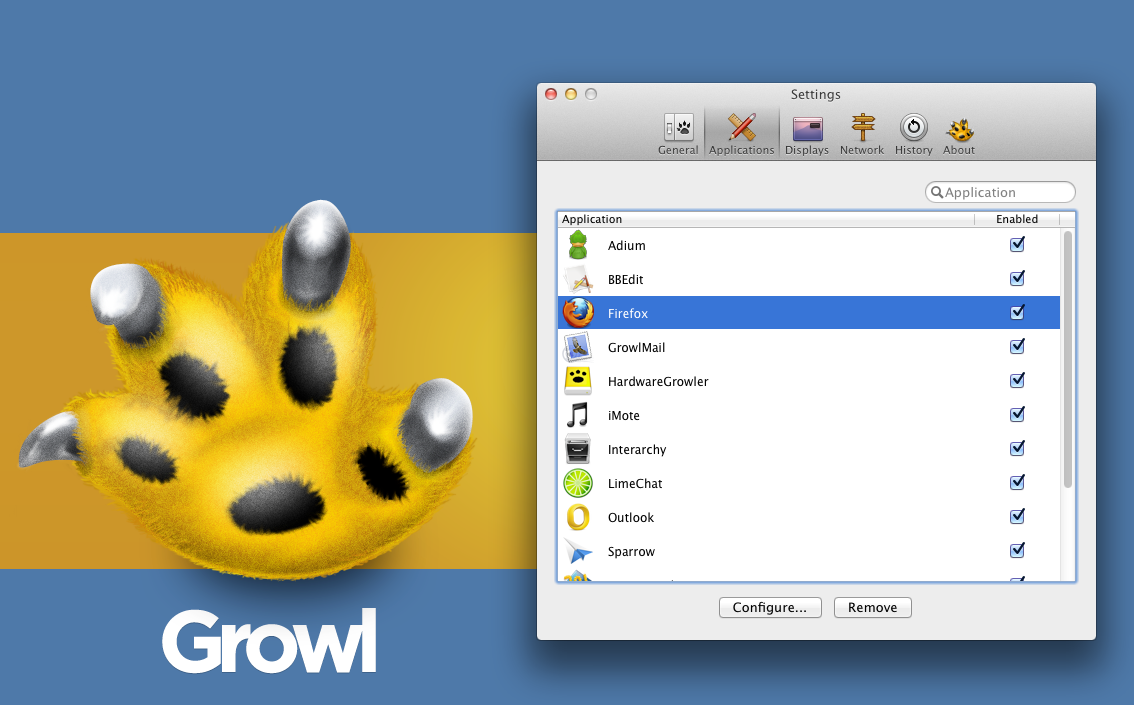
    You might install Growl for design purposes or simply by accident. There are numerous applications that provide support to it. There are even some applications that are available along with Growl. It is one of the few applications that many will consider to be usable with OS X only. Growl is perhaps the coolest notification applications for OS X. The application is known to aid many in getting alerts, whether they’re new tweets, software update or new emails. Developers have also considered Growl as a staple application because its API’s are usable by developers for the integration of alerts in their individual applications.

    Growl is not only OS X’s primary notification system, it is a well thought out design available with different animations and themes. It comes with its own themes preset, which you can obtain after downloading the application from your nearest Mac App Store. You can simply visit the Growl website to get a hold of the desired themes.

    There are many styles of themes to opt from, including AirMail Classic, Basics 1.3, Portal Growl Style and more. Growl is a cool application because you can customize the notification type you want to be displayed. If you want to customize it further, you can set styles on the screen. Growl was set to get updated by its developers. It is a 3rd party notification system that features Boxcar and Prowl in addition to an enhancement of display and action displays via visual ones.

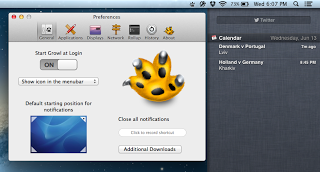
    This update is a major one because of the support provided to the Notification Center in Mountain Lion. Its functionality and operation is a straightforward one- users can keep on using Growl and consolidating the present visual displays on Apple’s Notification Center. Users can also open Preferences, click on General, and set the OS X notifications to on. By doing so, you will become capable of adding Growl to your apps listed, which is under the System Preferences’ Notifications. It might also be effective to make use of Growl as a major bridge between the Notification Center and the 3rd party apps.

    Growl 2.0 also comes with an additional element where you can separately handle the action and visual displays.