Google has begun pushing its “Auto Backup” photo archival software to Mac and Windows users via the company’s social networking platform, Google+. The promotion is new, we’ve confirmed, though the software itself was first launched back in December.
At that time, Google began offering the desktop utility as a part of its older Picasa photo-sharing platform, which confusingly (and oddly) somehow still has its own domain, despite the fact that Google has been integrating Google+ into everything it owns, from search to Gmail to YouTube. When the version of Picasa for Mac and Windows launched at the end of last year, a separate tool called “Auto Backup” appeared. This app runs in the background, similar to something like Google Drive or Google Music, in order to upload all your photos to Google+, including those from SD cards.
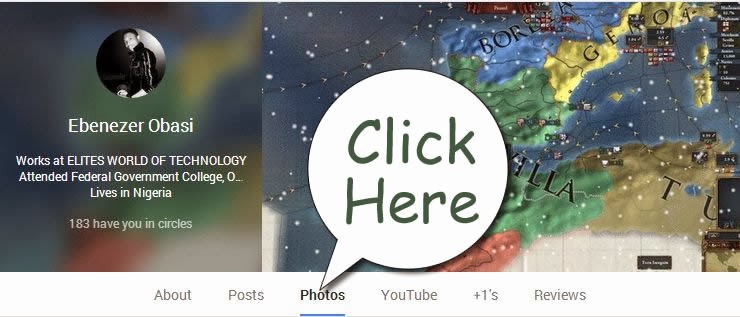
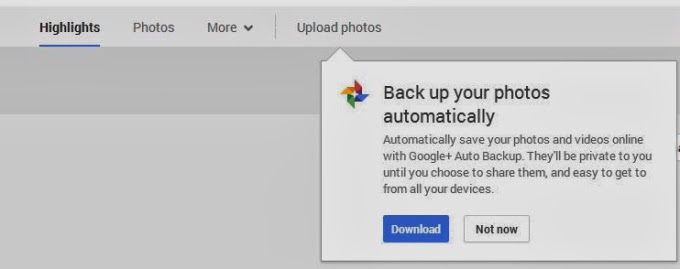
Now some users are noticing that a link to the same software is appearing on Google+, when they click into the “Photos” section of the social networking website.
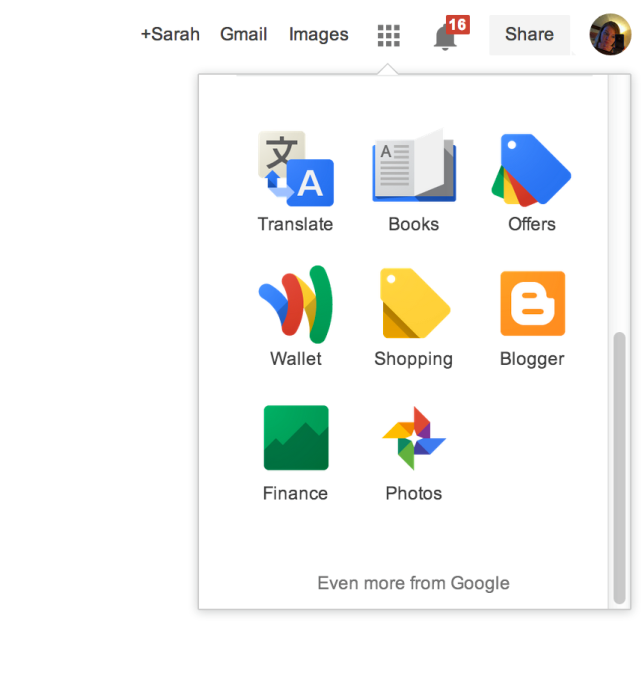
The prompt appears underneath the “Upload Photos” button from the Google+ Photos top-level navigation. Here, a dialog box explains that the software will automatically save your photos and videos to Google+, where they’ll be marked private unless you choose to share them. You can also access Google+ Photos to then see this prompt if you’re a Chrome user who clicks through on the “Photos” icon from the app launcher (the top-right square grid-like button).
After you download the utility, or dismiss the prompt in another way, it may be difficult to get the message to reappear, I’ve found. There doesn’t seem to be a website or section on Google+ where users can find links to directly download this software for themselves. For instance, the Google+ Photos “Take a Tour” page points to the “Auto Backup” app (which is actually just the Google+ app) on Google Play and the iTunes App Store, but links to “Auto Backup” for Mac and Windows are nowhere to be found.
For what it’s worth, if you do decide to take advantage of the utility, be aware that it will not respect the folder structure you may have in place on your computer. That is, it will take the photos from all the albums you point it to and place them in one album on Google+ where you could then choose to share or organize them as you like.
What the software’s appearance means in terms of Google’s larger plans to shutter the Picasa brand and domain remains to be seen, of course. For whatever reason, Google continues to develop and update its Picasa desktop software, despite its competition with Google+ in terms of feature set (photo editing, organization, etc.) and mindshare.
This post was first seen on Techcrunch. Images are as seen on the post page.
IDG NEWS SERVICE – Virgin Atlantic revealed last week that it is testing the use of Google Glass devices among its staff to see how the technology could be used to improve the experience of the airline’s highest-paying passengers.
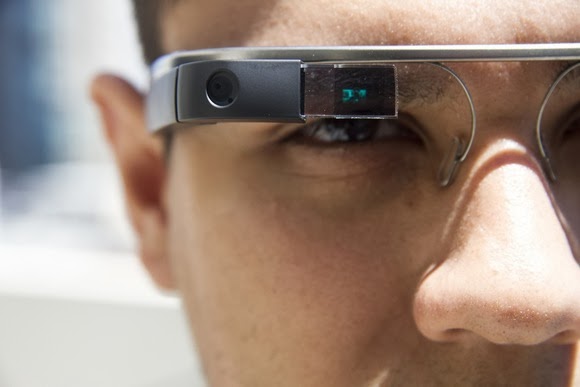
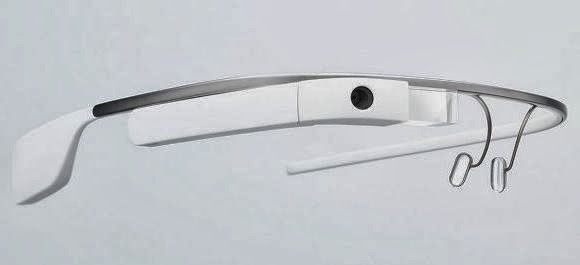
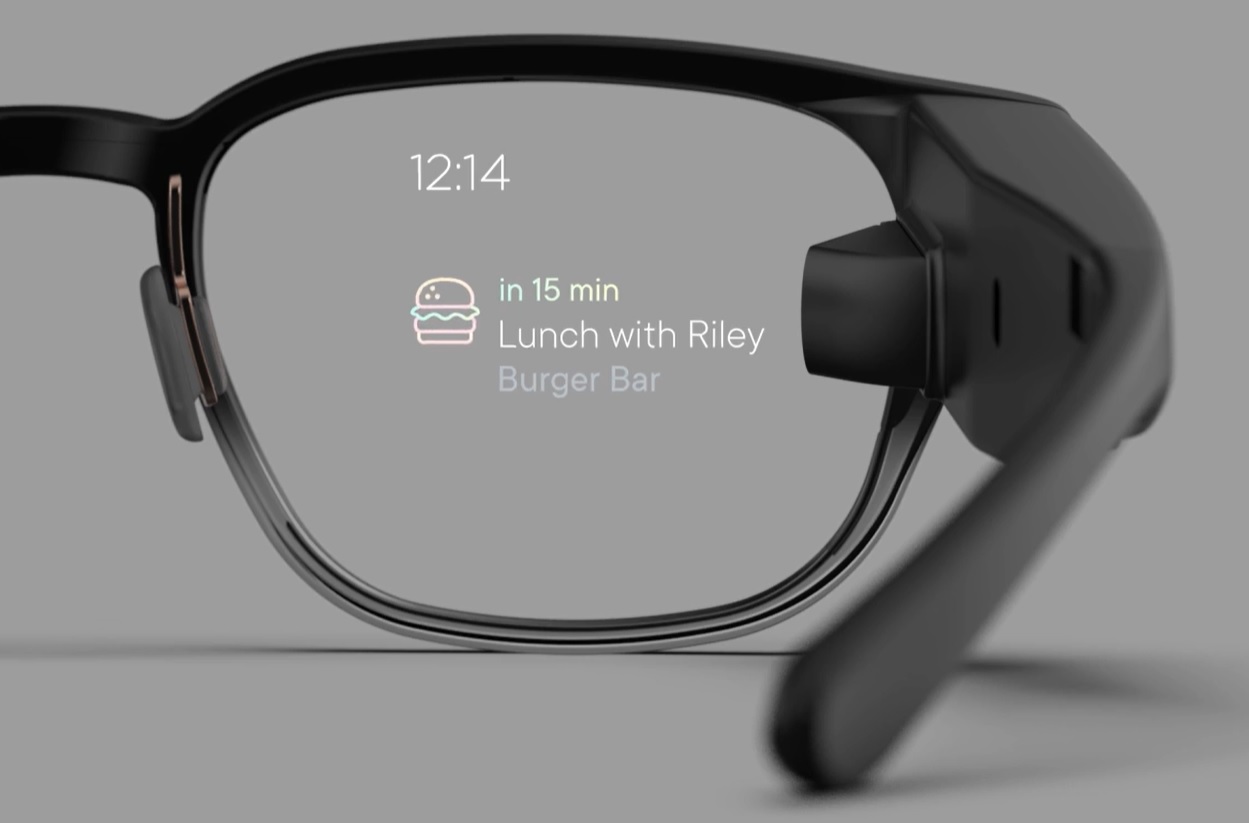
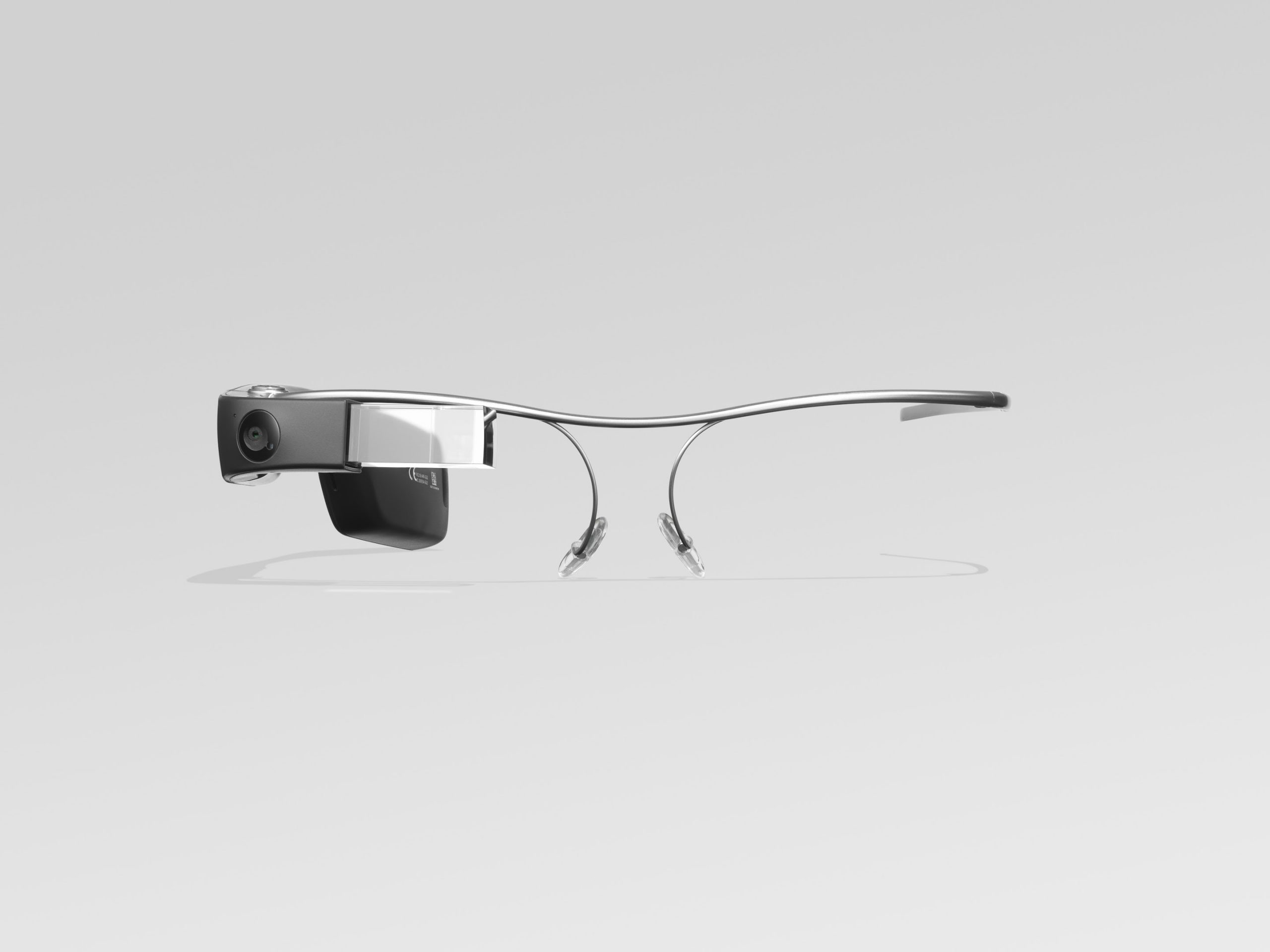
The Google Glass spectacles include a small screen that can be used to deliver apps, directions, social media streams, and webpages just above the right eye. The wearable computer also allows wearers to take a picture, record a video, and read messages.
Over the next six weeks, concierge staff working in Virgin Atlantic’s Upper Class Wing at London Heathrow’s Terminal 3 will aim to use Google Glass to check-in customers and provide them with flight information, weather and local events at their destination and translate any foreign language information.
In order to make this possible, Virgin Atlantic has integrated Google Glass with a purpose-built dispatch app built by SITA and the Virgin Atlantic passenger service system.
Sony’s SmartWatch
The dispatch app manages all task allocation and concierge availability. It also pushes individual passenger information directly to the assigned concierge’s smart glasses just as the passenger arrives at the Upper Class Wing.
Virgin Atlantic said Google Glass also has the potential to tell staff their passengers’ dietary and refreshment preferences.
The airline is also testing the use of Sony’s SmartWatch 2 over the same six-week time period.
“The fact that air travel has become so accessible has led to some of the sheen being lost for many passengers,” said Dave Bulmad, Virgin Atlantic IT director. “By being the first in the industry to test how Google Glass and other wearable technology can improve customer experience we are…putting innovation at the heart of the flying experience.
Google Glass and other wearables are being tested by an increasing number of businesses, including the New York Police Department, which said last week that it was investigating whether the technology could be used to help enforce the law.
IDG NEWS SERVICE – Google Now is moving out of the lab and onto the desktop in the beta version of Chrome.
Starting this week, Chrome beta users can view Google Now “cards” within the notifications area on Windows, Mac, and Chrome OS. The cards should show up automatically if you’re already using Google Now on Android or iOS, and have signed into Chrome with the same Google account.
Google Now is a virtual assistant that tries to anticipate the information you want, such as the weather, traffic, travel details, and upcoming reservations. Much of that information is based on activity from your Google account. For example, Google Now can detect flight confirmations in Gmail and notify you about any delays; it can also look at your Web searches to infer what breaking news topics you’d be interested in.
The service first launched for Android in 2012, making its way to the iPhone last April as part of the Google Search app. There have been hints of a desktop version since early last year; last month, it finally launched as an experimental feature—not enabled by default—within Chrome Canary. While the feature rolls out to the Chrome beta channel this week, it’s already available through theChrome dev channel.
The arrival of Google Now is the search giant’s biggest step yet toward a convergence of Chrome and Android. Google has said that it won’t merge the two platforms anytime soon, but that it wants to have a more consistent experience across both platforms. Along that line, Google recently started letting Chrome developers create standalone Web apps for Android.
Having Google Now in Chrome could be useful for certain things, such as traffic on your upcoming commute or reminders of when to leave for your next appointment. But it could also be a nuisance for less important things such as sports scores.
If you’d rather not see Google Now notifications, click the bell icon in your notification area (lower-right corner in Windows, upper-right on Macs), then click the gear icon in the Notifications Center and uncheck the “Google Now” box.
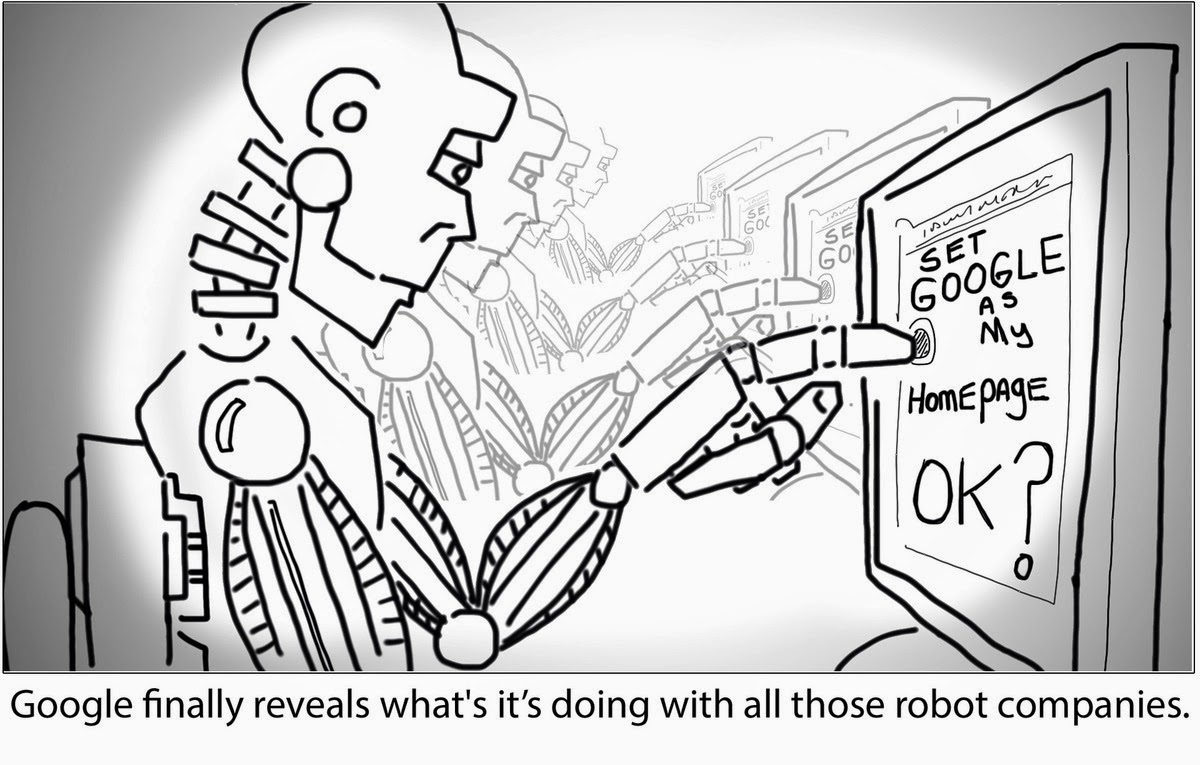
Starting from December last year, Google has acquired at least six robots companies or companies creating technologies used in the development of robotics. The acquisition of Boston Dynamic (the creators of Big Dog) on December last year and the recent acquisition of DeepMind Technologies has made a few people to wonder about Google’s actual intentions for buying all those robots.
Former Google Android lead and current Google Robot Guru Andy Rubin‘s list of acquired companies reads a bit like a baseline robot kit:
While we are well aware of Google’s interest in self-driving cars, the robot end-game is unclear. Sure, you can build an army of C-3POs, but for what?
Well, robots are excellent at repetitive tasks, like changing the settings on millions of computers so that they have Google.com as their home page and Google as their default search engine. Would these Google Robots invade homes to make the change or would Google offer it as a service? Send us your computer and our robots will “fix” them.
No one knows. Until then, I offer you the comic guesswork above.
Motorola Mobility is being sold to Lenovo, in a deal worth $2.91B. Google is divesting itself of the handset division it purchased for $12.5B in 2011, but it will keep some of the assets — including patents.
“Google will maintain ownership of the vast majority of the Motorola Mobility patent portfolio, including current patent applications and invention disclosures,” says Motorola Mobility CEO Dennis Woodside. “As part of its ongoing relationship with Google, Lenovo will receive a license to this rich portfolio of patents and other intellectual property. Additionally Lenovo will receive over 2,000 patent assets, as well as the Motorola Mobility brand and trademark portfolio.”
When Google purchased Motorola Mobility, much of the discussion swirled around whether it was buying it simply to own a hardware pipeline on which to deliver its Android juice — or whether it wanted patents for protection. The answer, as is typical, lay somewhere in the middle. Though the Motorola patents never turned out to by incredibly effective winning solo battles against Google’s patent enemies, they did work as a part of a larger tactic which has seen Google aligning itself via cross-licensing with OEMs like Samsung.
One segment of the statement today by Woodside was interesting:
Since being acquired by Google in 2012, Motorola has transformed itself, focusing on solving real consumer problems and providing amazing experiences built on a foundation of pure Android. The result has been Moto X, Moto G, and a reinvigorated Droid line. Together, these devices have won over consumers and critics alike and helped re-establish the Motorola brand around the world.
Indeed, Google’s purchase and investments in Motorola did raise the flagging manufacturer’s profile significantly over the intervening years. They have several well-received smartphones on the market and have made a lot of noise about technology innovations in wearable computing and DARPA-think-tank-director hires.
Techcrunch – TechCrunch has confirmed reports that Lenovo is buying Motorola Mobility from Google. This is the division within Google that the company purchased in 2011 for $12.5 billion. Motorola Mobility will go to Lenovo for $2.91 billion.
Of that $2.91 billion, $1.41 billion will be paid at the close of the deal. $660 million will be comprised of US cash and $750 million in Lenovo ordinary shares. The remaining $1.5 billion will be paid in the form of a three-year promissory note. Google will maintain ownership of the vast majority of the Motorola Mobility patent portfolio. Lenovo will still receive 2,000 patent assets and the Motorola Mobility brand and trademark.
According to a separate report published by Reuters, Lenovo is being advised by Credit Suisse Group while Lazard Ltd advised Google on the transaction.
“As part of Lenovo, Motorola Mobility will have a rapid path to achieving our goal of reaching the next 100 million people with the mobile Internet. With the recent launches of Moto X and Moto G, we have tremendous momentum right now and Lenovo’s hardware expertise and global reach will only help to accelerate this,” said Dennis Woodside, CEO, Motorola Mobility, in a released statement.
According to our source, Google wanted to dump the asset for some time. The company had to hold off selling the division for tax reasons.
Motorola Mobility’s performance has yet to live up to its purchase price. Since Motorola split and its consumer division went to Google, it has been a constant source of red ink. Motorola lost quite a lot of money: $248 million in the last quarter alone. Google sums this well, noting that the loss was “-21% of Motorola Mobile segment revenues.” Motorola lost $192 million in the year-ago quarter, so the trend here isn’t positive.
Google previously sold off the cable box division of Motorola Mobility for $2.4 billion.
This comes just weeks after Google purchased the hot hardware startup Nest. Since then, Nest’s role in the budding conglomerate that Google is turning into has been widely speculated about. With Motorola gone, Nest’s superstar team that includes many former Apple engineers seemingly has an empty playground.
It seems this complete’s Lenovo’s quest for an established cell phone business. It was rumored back in October that the company submitted a bid for BlackBerry. That deal clearly didn’t pan out.
Simply buying its way to the top worked for Lenovo in the past. In 2005 Lenovo purchased IBM’s personal computer division for $1.25 billion. That purchase alone caused Lenovo to be the world’s third-largest computer maker. But, using the established brand, Lenovo scaled the PC division to become the largest shipper of PCs in the world. In the last months of 2013 Lenovo overtook HP.
Just last week, Lenovo announced a plan to buy IBM’s x86 server business for $2.3 billion.
As the dust settles on this deal, it’s clear that Google took a large loss on its venture with Motorola Mobility. Google acquired an established brand with a vast portfolio of patents, a mature distribution system and a knowledgeable manufacturing arm. Even after pouring money and resources into the historic American brand, Google couldn’t make lemonade with Motorola. Maybe Lenovo, the now-leader in personal computers, will have better luck.
Glass, Google’s head-mounted, Internet-connected device, won’t be available commercially until sometime in 2014. Even so, there are thousands of Glass “Explorers,” or early adopters, already using the high-tech eyewear on the job. Many are discovering that, in addition to being a geeked-out plaything, Glass can in fact solve everyday business problems, help people be more productive, enhance workflows and deliver other real-world benefits.
Here’s a look at some of the practical and innovative ways Explorers are using the $1,500 prototype device in their work – from automotive repair to sports reporting.
1. Live, Remote Sales Training
Josh Cohen is CEO of TownSpot, an online video network startup. The company has no actual offices, Cohen says, with team members scattered around the country. The virtual organization structure makes it challenging to train the sales team—a problem Google Glass is helping to solve, according to Cohen.
For example, on a recent sales call to a new customer in Los Angeles, with the customer’s permission, Cohen streamed video of his view in real-time via Google Glass to an Atlanta co-worker. Cohen’s colleague could see the customer’s reactions and hear how he delivered the sales pitch, he says, adding that this type of easily set up, live and remote training “could never have been done before.”
Often, salespeople are trained by accompanying the sales leader or CEO on customer calls, Cohen notes. This usually requires flying the sales person to another location, among other costs. Glass lets Cohen virtually take multiple people on sales calls with him wherever he goes, thereby reducing travel and other training expenses.
2. Hands-free sports reporting
Andrew Abramson, the Miami Dolphins beat reporter for The Palm Beach Post, uses Glass on the job. He was interested in the device mainly for its video and photo capabilities.
”Video has become a huge part of sports reporting,” Abramson says. “While the traditional TV reporters still enter locker rooms with their bulky cameras, other reporters are often uncomfortably holding up their cell phones and shooting their own clips.”
Meanwhile, Abramson finds it much easier to wear a video camera on his face. “With Google Glass, I can shoot photos and videos simply by pressing a button or using voice commands,” he says. “I can instantly upload photos and videos to the Web without using my hands.”
Abramson has received “an overwhelmingly positive response” from Dolphins fans who follow his reports, and about half of the Dolphins’ players have tried on his pair. Reaction varies, he says, from ridicule to amazement to “Where do I get my pair?”
3. Sharing conference sessions
”Literally every day, there are different start-up related conferences and events,” Cohen says. He can’t make it to them all, but with Google Glass—and the permission of conference organizers—Cohen and his team divide and conquer.
Recording the events in real time “is easier and less obtrusive than using a video camera,” he says, and it gives employees the convenience of watching a conference or event on their own time.
4. Taking notes
Evernote, the popular note-taking Web service and application, is among the few official Google Glass apps currently available—and Shazafar Khaja, integration architect for The Kroger Company, says Evernote is the most useful app thus far for Glass.
”Before I go to meetings, I email myself the minutes from previous meetings and action items. I have all of this accessible to me in the meeting at the flick of a finger, with Glass,” he says. “I’ve also started to record (with everyone’s permission) parts of brainstorming sessions where we have ideas flying around. This enables me to be involved without having to fiddle with a phone or camera.”
Khaja admits he could do all of the above using traditional methods, “but with Glass, I’m less distracted and more focused on what’s going on.”
5. Fixing cars
Glass Explorer Will Elias says Glass has helped him with the complexity of fixing vehicles. “With cars changing so quickly, and everything computerized, I was able to work on a vehicle with the assistance of an ASE-certified mechanic,” Elias says. “He watched what I was doing (through a Glass video chat) and guided me on how to fix the vehicle correctly.”
6. Showcasing your company
Google Glass is an ideal way to show off a company’s customer service experience, notes Hilary Topper, CEO of HJMT Public Relations: “Imagine walking in and videotaping, with a first-person perspective, the way someone would be treated if they entered your restaurant, spa or bank.”
Topper’s firm used Glass to make a reality video to both showcase the firm and show off Glass. The video, Glasslandia, has received more than 50 million social media impressions,” she says.
7. Staying up to date while out and about
Matt McGee is editor-in-chief of Marketing Land and also runs the popular Glass Almanac blog. “With Glass I can get RSS feeds, Tweets, emails and so forth sent right to me while I’m out and about,” he says. “It’s great at conferences, for example, to be able to consume this kind of information while walking the halls or expo floors. It keeps me in the know.”
McGee admits that he could get these updates on his iPhone – but consuming that kind of information at a conference means stopping, find an out-of-the-way spot and reading. With Glass, on the other hand, he can keep walking and see headlines and tweets as they come to him. “I can even speak a reply,” he says. “And it’s all done hands-free with my head up, so I don’t have to worry about walking into someone.”
8. Troubleshooting a website from a distance
Cohen says the capability to share visual information immediately can help solve tech issues. If he encounters a bug or other technical glitch on his company’s website, the Los Angeles-based Cohen can say, “OK, Glass, take a picture,” and share a photo of his computer screen with his two Web developers in Virginia. The real-time sharing lets his Web developers understand the issue better and react immediately, Cohen says. The downsides of Google Glass at work
The built-in battery is notorious among Explorers for its short life, especially when video is involved. “With moderate use, the battery will only have to be charged once or twice a day, allowing you to use GPS, text messaging and occasional photos,” Abramson says. “But if you’re recording or watching video, the battery will die in less than an hour.”
Cohen bemoans the inability to bulk delete multiple cards. (Glass displays information, such as text messages, as individual cards.) Cohen can receive as many as 600 business emails per day, and not being able to tell Glass, “wipe all email cards from today,” means that Cohen can’t access any other information on his Glass without scrolling all those emails.
But the biggest limitation is the lack of Google Glass apps, most of which are limited in their features, McGee notes. Twitter won’t take a Tweet received on Glass and send it via email, he says, nor can headlines received over RSS get sent in an email. Meanwhile, the new, unofficial WordPress app seems to be geared toward photoblogging. “I’d like a WordPress app that would let me speak a headline, speak some text and then send that to my WordPress install,” MeGee says. The future of Google Glass on the job
Though Glass already helps workers in a variety of occupations, the technology could be of particular importance to specialized fields.
For example, Glass could be used to improve an airline’s baggage handling process, says Stephen Fluin, chief strategy and innovation officer for MentorMate. Most bag lines have one person scanning bags, to verify their destination and other information, and another physically moving bags. Smaller lines use one person to both tasks, picking up and putting down a scanner repeatedly. Using technology such as Glass, Fluin says, a single baggage handler could scan bags with both hands free to move the bags.
Glass Explorer Chuck Webster says third-party apps from developers in industries such as healthcare, education, security and system repair will really make Glass valuable to workers. He points to the advantage of surgeons using Glass to confer with experts during surgery, adding that early responders could also wear Glass to receive “just-in-time clinical decision support.”
Webster says Glass will likely shine when integrated with current workflow management, business process management and adaptive case management technologies. “We’re going to see some very interesting mashups between Glass and business process management software,” he says. That’s why Webster refers to Glass not as a smartphone on your face but, rather, “workflow on your face.”
TechCrunch – Google will buy London-based artificial intelligence company DeepMind. The deal wasconfirmed to Re/code by Google. Re/code reports that the acquisition price was $400 million, but we’ve heard from a source that it was more. We’ve emailed Google and DeepMind for comment.
DeepMind was founded by neuroscientist Demis Hassabis, a former child prodigy in chess, Skype and Kazaa developer Jaan Tallin, and researcher Shane Legg.
This is the latest move by Google to fill out its roster of artificial intelligence experts, and the acquisition was reportedly led by Google CEO Larry Page. In December 2012, Google hired inventor, entrepreneur, author, and futurist Ray Kurzweil as a director of engineering focused on machine learning and language processing. Kurzweil has said that he wants to build a search engine so advanced that it could act like a “cybernetic friend.”
Google’s hiring of Deepmind will help it compete against other major tech companies as they all try to gain business advantages by focusing on deep learning. For example, Facebook recently hired NYU professor Yann LeCunn to lead its new artificial intelligence lab, IBM’s Watson supercomputer is now working on deep learning, and Yahoo recently acquired photo analysis startup LookFlow to lead its new deep learning group.
DeepMind’s site currently only has a landing page, which says that it is “a cutting edge artificial intelligence company” to build general-purpose learning algorithms for simulations, e-commerce, and games.
In 2012, Carnegie Mellon professor Larry Wasserman wrote that the “startup is trying to build a system that thinks. This was the original dream of AI. As Shane [Legg] explained to me, there has been huge progress in both neuroscience and ML and their goal is to bring these things together. I thought it sounded crazy until he told me the list of famous billionaires who have invested in the company.”
Deepmind was started about three years ago, according to LinkedIn profiles. Re/code reports that Founders Fund and Horizons Ventures are both major investors in the startup.
If your first reaction to Google Glass is, “That’s amazing and also horrifying!”, you’re not alone. Wearable Internet is certainly the future, and probably the nail in the coffin of social grace.
We’ve noticed that holding a conversation and even walking around in public can be tough while wearing Glass. That’s why we’re offering this warning about Glassholes: People whose DoucheFactor™ is off the charts thanks to the distracted, creepy behavior associated with wearing a voice-activated face camera.
Google’s Knowledge graph is gradually developing into a very handy tool for Google search results. The company has announced that the tool, henceforth, will form an integral part of its search results. In a blog post on its official Search Blog, Google gave a brief explanation on how you’re now able to learn more about the topics you’re searching for by clicking names that appear next to a given link in your search results.
These additional, informational widgets are only appearing in desktop searches at present.
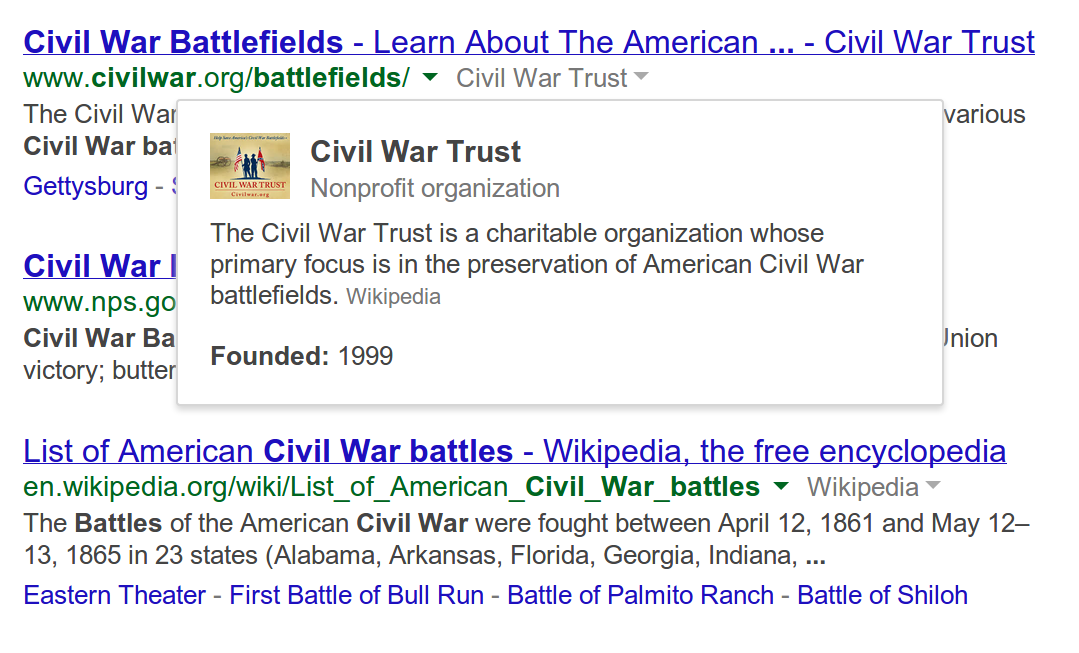
In the provided example, a search for “Civil War battles” may be tagged with another small link, which, when clicked reveals a drop-down box summarizing that page’s topic. In the picture shown (see above), an extra link titled “Civil War Trust” pops up a box that offers a one-sentence explanation about the nonprofit being referenced, including the date of its founding.
These new links are small and gray, so as not to impact the search experience. They appear beneath the larger blue link, and next to the actual site URL (green link).
The extra information will only be provided for sites that are “widely recognized as notable online,” says Google, which means that it’s not likely that you’ll see some random person’s blog on page 10 of Google’s search results getting the same treatment.
The additional information is powered by Google’s Knowledge Graph, a semantic search effort the company first introduced back in 2012 as a way to make Google Search smarter by infusing it with an understanding of the people, places, and things in its search index.
Since that time, the Knowledge Graph has gone on to touch nearly every aspect of Google’s search, including Google Trends, its mobile card-style interface, searches involving statistics, and much more, in addition to also providing at-a-glance information to the right and sometimes top of Google’s Search results.
Like some of the Knowledge Graph enhancements that have come before it, the new informational pop-ups could impact click-throughs on the pages returned in the search results. For instance, if the searcher was only looking for a brief explanation or fact-check, the pop-up could suffice. But Google purports this extra info is instead designed as a way to help you choose the right result from its list of blue links, not avoid them.
The recent versions of Google Chrome will let you synchronize your Google account with Chrome so that you don’t have to login again to each Google products (e.g. Google Drive, Gmail, Blogger, Google Play, etc) website you visit. This will also mean that anybody who has access to your Google Chrome browser can easily explore your email and other Google products without your consent.
How do you ensure that no intruder can have access to your Google account without you logging off? If you share a PC at home, other family members can start searching the web as you by simply opening Chrome.
Luckily, Chrome’s multiple profile support can help, providing an easy-peasy way for multiple people to use the same browser without worrying about intruders or having to constantly sign in and out of Google profiles.
How to Add a New User
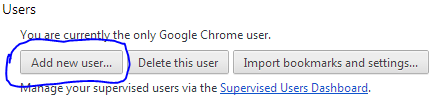
First off, open Google Chrome’s menu—the icon with three horizontal lines in the upper right-hand corner—and open the Settings option. Towards the bottom you’ll see a “Users” section >> Simply click on Add new user.
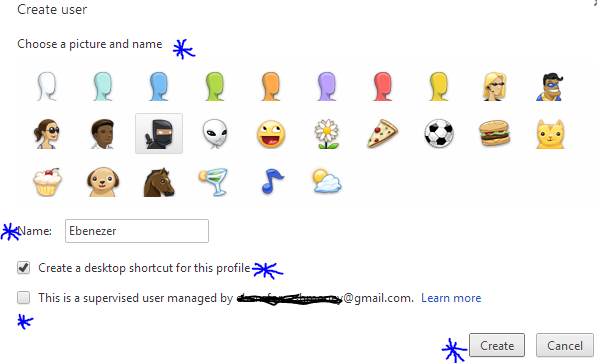
A pop up window will appear with a bunch of user icons and new user account configuration. Choose an icon and name for your profile, you will have to decide whether you want to create a desktop shortcut icon for the profile, and then tap the “Create” button. Viz.. In a few seconds, a new window will open with the new user profile.
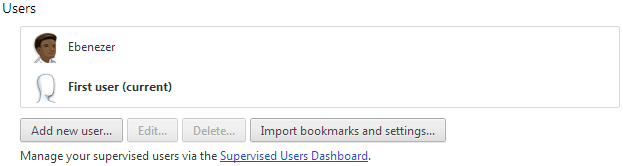
Notice that the first time you create a new user profile, Chrome will actually create two profiles: One called “Default Profile” for the person who is currently signed in to Chrome, and one for the new profile that you just created.
So the first time you add a new user, you are actually creating two profiles. To change the name of the default profile to something more user friendly, go back to the Chrome settings tab. Highlight the default profile in the “Users” section and the click the “Edit…” button to change the name.
That’s pretty much it. Just follow the same process as many times as you need to create a user profile for each member of your household.
Create User Profiles for Kids
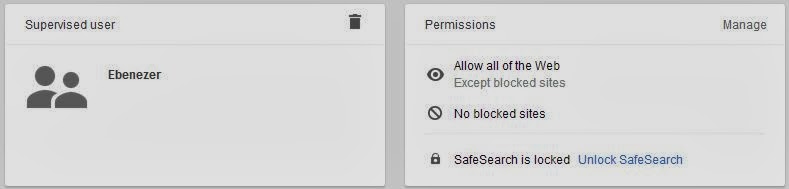
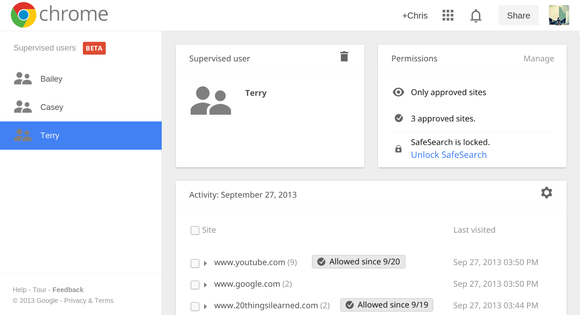
If your kid is less than 16 years old. You need to be weary of what he/she does on the internet. The most reliable, easy and cheap way to achieve that is with Google Chrome. The browser allows you to supervise a particular profile. You can block the profile from visiting certain websites, view website histories by that user profile, delete and add bookmark.
To be able to monitor your kid internet activities, you will need to create a special kind of profile called a supervised user, a beta-grade profile type Google added to Chrome earlier in January.
To make a supervised user, simply click the checkbox next to “This is a supervised user managed by [email address].” Parents of supervised users can block specific websites, check out the websites they’ve visited, and lock kids into Google’s “Safe search.” If you block a website that your child thinks they should be allowed to view, they can even send you a request to unblock it, and you can manage settings for your supervised users via the dashboard at chrome.com/manage.
You need to be weary of the fact that user profiles are not password protected, however, so Chrome’s supervised users feature is far from fool proof. You will still have to keep an eye on your child’s surfing habits to make sure they are using their profile and not switching over to yours, or—if you’re really worried—create separate user accounts as the operating system level .
How to Switch between Profiles
To switch between users, just click the user icon that appears in the upper left corner of the browser window. The other created users will appear in a drop down menu. Select the one you want to switch to and a new window will open for that user profile. If that’s too much trouble, you can also use the customized desktop shortcuts Chrome offers to make when creating a profile to open the browser as a particular user.
Techcrunch – Yesterday’s Nest acquisition was unique in the respect that out of its four board members, one of them, Bill Maris, was a partner at the corporate VC arm of the acquirer’s parent company, Google Ventures.
The other, Randy Komisar, was a partner at a Silicon Valley venture firm helmed by John Doerr, who was on the board of the acquirer, Google. The last two board spots were filled by the Nest co-founders, Tony Fadell and Matt Rogers. Holy conflict of interest Batman! What a completely awkward situation for both Maris and Doerr. As an investor you want to maximize returns, but as a part of Google, would you want to keep the price down for your parent company?
Google has been the acquirer of a Google Ventures funded company four times since the VC firm launched in 2009: Makani Power, Milk and Bufferbox. Nest will be the fourth if you count Bufferbox, which was so small that Google Ventures didn’t even know it was in M&A talks because it was grandfathered in as a personal Kevin Rose investment. Nest is one of its biggest, if not the biggest, Google Ventures Google exit to date. https://www.youtube.com/embed/gZYEjaJDpKM?feature=player_embeddedIn every case above, Google Ventures partners have recused themselves from M&A discussions, due to obvious conflicts of interest, and that was especially acute in the Nest because of the size of the deal (A whole Snapchat!). Maris took himself out of the game and left Kleiner Perkins’ Randy Komisar to negotiate for the investor’s side when talks got serious over a month ago. KPCB held the majority share in Nest, and saw an over 20x return in this deal. Back at Kleiner, head John Doerr also excused himself from talking to Komisar about the talks, because of his board conflict (note: Kleiner owns no Google shares). Komisar was a lonely puppy for a while.
According to Fadell, Google had been interested in nabbing Nest as far back as Google Venture’s investment in 2011, but the discussions were never serious until this winter. We at TechCrunch had heard Apple was also trying to feather its nest with Nest around a month ago, whether “serious” or not.
For what it’s worth, Fadell told Fortune’s Dan Primack yesterday that he couldn’t discuss whether or not he had discussed an Apple buy, which likely means that he had, even if informally. I mean, he’s the father of the iPod. He’s not going to chat up his former colleagues?
But when it came time to sign away the company, Google was simply a better fit from a data standpoint. “Excitement from Sergey and Larry delivered a little extra confidence,” said one person familiar with the matter, citing that the deal was of the eBay “Buy It Now” sort instead of an all-out bidding war.
Google Ventures is now completing two to three new investments per week and will have a brand-spanking-new $300 million fund as of this month, so Google acquisitions of portfolio companies are just going to keep on happening. And the partners are trying their best to keep the mindset of a Sand Hill Road firm instead of one that resembles traditional corporate VCs like Intel Capital. “We get paid when we maximize returns,” one person said.
But there’s the question of how much revenue Google sees from a large Google Ventures return. Let’s say hypothetically that this deal returned a few hundred million for Google Ventures (if Google got 12.5% that would mean a ~$400M return minus carry). One could argue if Google as the parent company gets meaningful profit from Google Ventures, then Google bought Nest for less because it also sees returns on the deal, ~$3 billion instead of $3.2 billion, again hypothetically.
And unlike a Sand Hill VC, Google Ventures does advertise “Google access” as a portfolio company perk. According to a well-informed source, a Google Ventures investment will not make or break a potential acquisition, but yeah it might help – like making the original intro that eventually led to the Nest buy: “Google is a part of our DNA, I think that’s attractive.”
IDG News Service – Few things are worse than when you’re trying to get some work done with your headphones on and all of a sudden, a loud, obnoxious advertisement yells at you to “come try this out!”
It’s terrible, but Google seems to empathize with this. Back in November, the search giant launched an update to its Chrome beta browser that included a helpful little feature that silences these noisy tabs. This helpful feature is now available in the latest stable release of Google Chrome.
Just look for the little sound icon in your tabs.
The feature allows you to track down noisy tabs with visuals: scan your tabs and look for the speaker icon to see which one is the disruptor. You’ll also be able to tell which tabs are using your webcam or are being cast to your TV via Chromecast.
The new Google Chrome update also comes with the stronger Safe Browsing feature that blocks malicious files from downloading, while Windows 8 users will appreciate the new “Metro” mode look.
Supervised users is a lot like multi-user accounts.
Lastly, if you’ve got a family computer, you can now try out a beta preview of supervised users, which helps out those family members who need some help getting around the Internet. Once you’ve set up the accounts, you can visit a specific page to review each member’s browsing activity and determine their restrictions. It’s like Android’s multi-user profiles, but for Chrome.
If you’d like to try out the new features, you can update the Chrome browser from the Help menu under the browser settings. To try out the beta features, you’ll have to download Chrome Beta.
CES may be finished for another year, but one of the biggest themes of the show — that anything (cars, watches, mirrors, tables, whatever) can be ‘hardware’ — is just taking off. And today’s news of Google buying Nest for $3.2 billion underscores how Google wants to be the player at the front and center of hardware.
Google’s Nest buy may not be giving the search giant access to all the data that zooms across Nest’s apps, thermostats and smoke detectors (for now at least), but it will give Google something else: top-shelf design expertise for that next frontier of hardware, by way of a team of people brought together by two senior hardware veterans from Apple, one of whom is known as the father of the iPod. This is a significant turn of events for Google.
Up to now, the search giant has cornered business — on desktop internet, mobile devices — through software, and then monetized those markets with data — specifically advertising data.
It’s been a fundamentally different approach from Apple, the quintessentially vertically integrated company that controls not just a platform and the services that run on it, but the devices they run on, too. (And with that, the lucrative margins that come from successful, premium hardware sales.)
Nest will give Google an opportunity to diversify its revenues by tackling a whole new market — connected home devices — with that vertical approach.
“This is the new hardware movement,” as one person described it. “Devices + services, product-market fit and research done through crowdfunding platforms, mix of retail partnerships and direct online sales.”
For Google, Nest is a particularly attractive example. Not only does it make an integrated piece of connected hardware for the home, but it’s designed with interoperability at its heart — in the initial case, by way of apps that you control on your iOS or Android smartphone, along with a well-developed, direct and online retail channel and loyal following.
It’s an area, in any case, that Google appears to have already been eyeing up for some time. In December, for example, The Information uncovered a test Google was running called EnergySense, which appeared to be a smart thermostat program that helped people lower energy consumption. This reportedly was being trialled on third party devices from Nest competitor Ecobee, but could now potentially find their way to Nest’s thermostats instead.
“Will Nest and Google products work with each other?” co-founder Matt Rogers asked in a hypothetical Q&A post earlier today. “Nest’s product line obviously caught the attention of Google and I’m betting that there’s a lot of cool stuff we could do together, but nothing to share today,” he answered.
Yet, to say that the acquisition is a boost for Google alone is not the whole story.
For months now, Nest has been facing a growing cacophony of criticism from customers that the software on its products was buggy. Leaning on Google’s software expertise could come in handy here (although the overlap between Google haters and Nest lovers could pose a problem in this regard).
And there is also the issue of Nest’s intellectual property and patent fights. Nest is facing patent infringement lawsuits from Honeywell and First Alert maker BRK. To help fight those and also to protect itself from copycats, it’s been aggressive on the patent front, with 100 patents granted, another 200 filed and a further 200 ready to file; and an ongoing licensing agreement with Intellectual Ventures. Bringing Google into the mix will be another major boost for safeguarding the company in these battles, too.
The Nest acquisition also raises questions of how Google’s other hardware interests may come into play going forward.
Motorola, which Google acquired for $12.5 billion in 2012, at one time looked like it could be a way for Google to take a new, vertical approach to smartphones and tablets. Ultimately, Motorola remained a partner among equals with other Android OEMs, and patents became one of the most crucial parts of the deal. Could the Nest acquisition, bringing a new focus on hardware creation, see Google bring in some of the IP and talent that Google picked up in that Motorola deal?
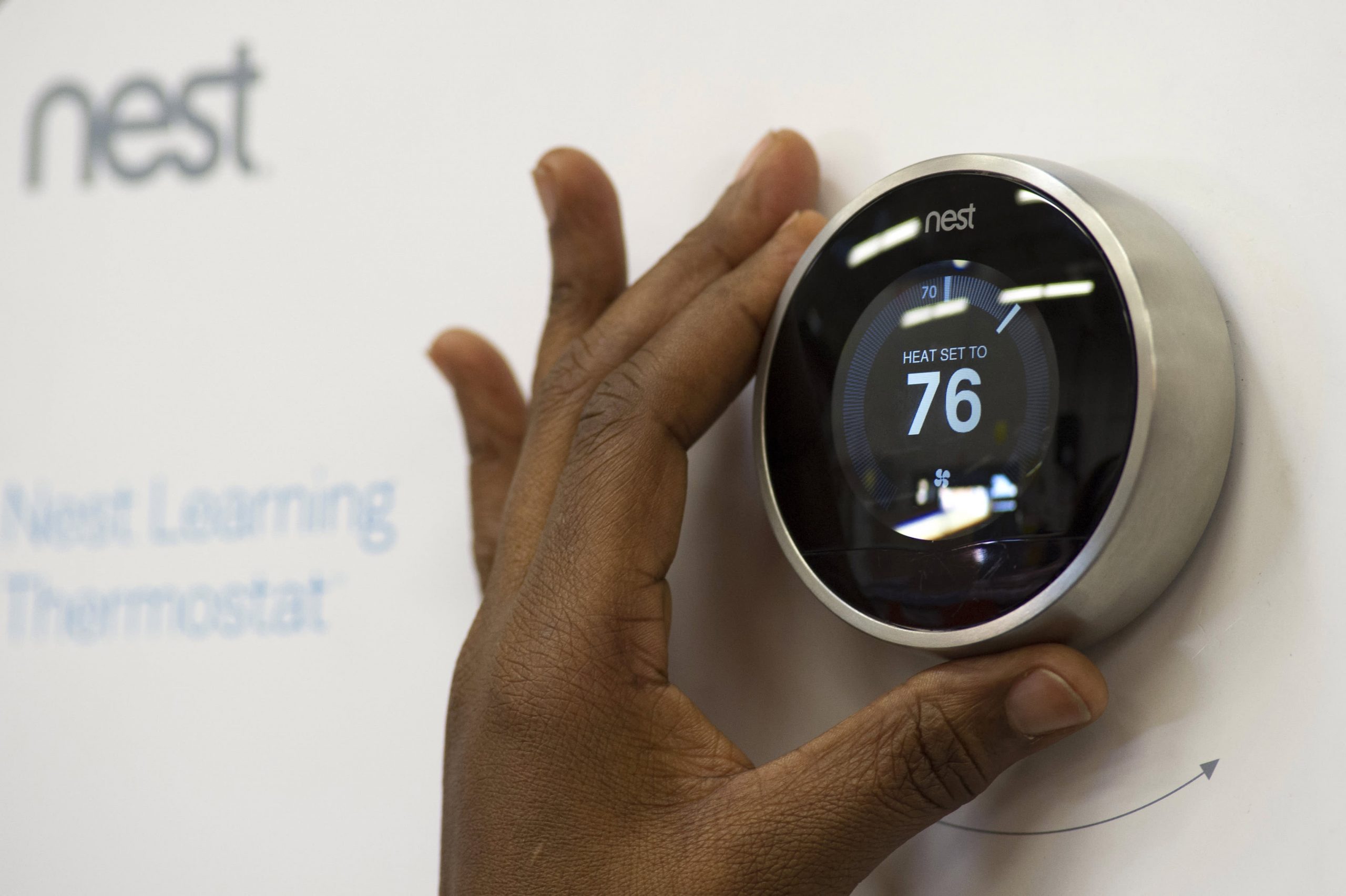
Google is acquiring connected device company Nest for $3.2 billion just after it has acquired Boston Dynamics, creator of Big Dog recently. Google sent out an email to employees noting the acquisition today and later issued a press release.
In the release, Google noted that Nest has been offering its best-selling thermostat since 2011 and recently began offering the Protect smoke alarm, which networks with its other devices. Nest Founders Tony Fadell and Matt Rogers will both join Google. Rogers was one of the first engineers on the iPhone team at Apple.
“They’re already delivering amazing products you can buy right now–thermostats that save energy and smoke/CO alarms that can help keep your family safe,” said Google CEO Larry Page in a statement. “We are excited to bring great experiences to more homes in more countries and fulfill their dreams!”
Fadell, who is known as the ‘father of the iPod’, said that they’re ‘thrilled to join Google.’ “With their support, Nest will be even better placed to build simple, thoughtful devices that make life easier at home, and that have a positive impact on the world.”
Nest will continue on as its ‘own brand identity’ and continue to be led by Fadell. The deal hasn’t closed yet as it has to meet regulatory approval.
Nest founders Fadell and Rogers also sent an emailed statement to TechCrunch about why Nest chose to go ahead with the acquisition.
“Google will help us fully realize our vision of the conscious home and allow us to change the world faster than we ever could if we continued to go it alone. We’ve had great momentum, but this is a rocket ship,” Fadell says. “Google has the business resources, global scale and platform reach to accelerate Nest growth across hardware, software and services for the home globally. And our company visions are well aligned – we both believe in letting technology do the hard work behind the scenes so people can get on with the things that matter in life. Google is committed to helping Nest make a difference and together, we can help save more energy and keep people safe in their homes.”
Fadell says that this decision was not made hastily. He says that at the 2011 TED conference — even before Nest had launched — he and Nest VP of business Erik Charlton had ‘huddled’ together in a corner with Google’s Brin to show him a video and early model of the Nest thermostat.
He instantly got what we were doing and so did the rest of the Google team when we showed them. In May 2011, Google Ventures led our Series B round of financing, and in 2012, Series C. Time and time again, Googlers have shown themselves to be incredibly like-minded, supportive and as big of dreamers as we are. I know that joining Google will be an easy transition because we’re partnering with a company that gets what we do and who we are at Nest – and wants us to stay that way.
We’ve been hearing rumors about Nest getting courted with large billion-dollar acquisition offers for months now, but a Google buy is a definite statement. The company has been fairly serious about its connected-device efforts for a while but hasn’t quite been able to get anything to gel. For instance, there have been some abortive attempts at connected devices like Android at Home in the past. But Nest already has a nice start in producing well-designed and connected home devices — something that Google should be able to build off of in the future.
Peter Nieh, a partner at Nest investor Lightspeed Venture Partners, has a post up about his early days working with Fadell at startup General Magic and what Nest has done since. He also shared a photo of the pair from 1992:
Nieh says that though he was excited to work with Fadell again when it came time to invest in Nest, “…our excitement went off the charts when we met Matt Rogers, Tony’s co-founder, who was responsible at Apple for iPod software development and one of the first engineers on the original iPhone team. We would have invested had they been looking to start a food truck.”
We reached out to Nieh for more thoughts, and he told TechCrunch that “Nest is a very special company — it’s a combination of an incredible team led by Tony and Matt, world-changing vision, and world-class execution.
“The acquisition by Google is just a milestone along the way as they continue their quest to change the world,” he added. “I can’t wait to see how they will continue to bring magic to all those unloved things in our homes.”
The acquisition could also provide a patent boost of some sort for Google. In December,Nest said that it had 100 patents granted, with 200 more on file with the U.S. Patent Office and another 200 ready to file. Nest has been the target of some fairly high-profile patent suits and threats from legacy manufacturers like Honeywell over its thermostat and BRK over its Protect smoke detector. Google will likely offer shelter from further suits with its wide range of patents across a variety of technology arenas.
As far as how much autonomy Fadell will have to execute on his vision of what Nest can be, it doesn’t make a lot of sense for Google to derail a business that — by most counts — was fairly successful already and had been garnering praise from consumers over design. It could help with infrastructure problems that have caused failed firmware upgrades, which recently prompted complaints.
There’s also bound to be an immediate and visceral reaction to the access that Google will now have to information about when you’re home, which rooms you’re in and more. Which is why Nest also issued a Q&A about what will happen to users now that Google owns their thermostats and smoke detectors:
Will Nest continue to support iOS so I can have the Nest app on my iPhone or iPad?
Yes, absolutely. We’ll continue supporting iOS, Android and modern web browsers so you can check in on your home and control the temperature from wherever you are.
Will Nest and Google products work with each other?
Nest’s product line obviously caught the attention of Google and I’m betting that there’s a lot of cool stuff we could do together, but nothing to share today.
What will happen to the Nest warranties on products?
No change there – we stand behind our products like we always have.
Will I still be able to find Nest products at my local retailer?
You bet. We intend to continue selling through the same partners in the US, Canada and the UK.
Will Nest customer data be shared with Google?
Our privacy policy clearly limits the use of customer information to providing and improving Nest’s products and services. We’ve always taken privacy seriously and this will not change.
That answer is a bit vague, but the concerns over the recent revelations of enormous datagathering efforts on the part of the NSA should definitely cause some to worry. Whether Google chooses to share information voluntarily, it’s still a big target for those looking to hoover up vast swaths of data about its users, and that will only be more likely as time goes on, not less.
The deal is also set to make the startup’s early investors — Kleiner Perkins Caufield Byers and Shasta Ventures — a lot of money.
Some of us here have been enjoying the photo editing feature on Google+ since its introduction in November, 2013 but I believe a great number of you are yet to know about this feature and how to use it.
As one of it’s techniques to land you on Google+, Google has integrated an amazing photo editing tool into Google+. Though a number of you has sworn enmity with Google+ but in this case, hatred doesn’t matter: This tool will make you use Google+.
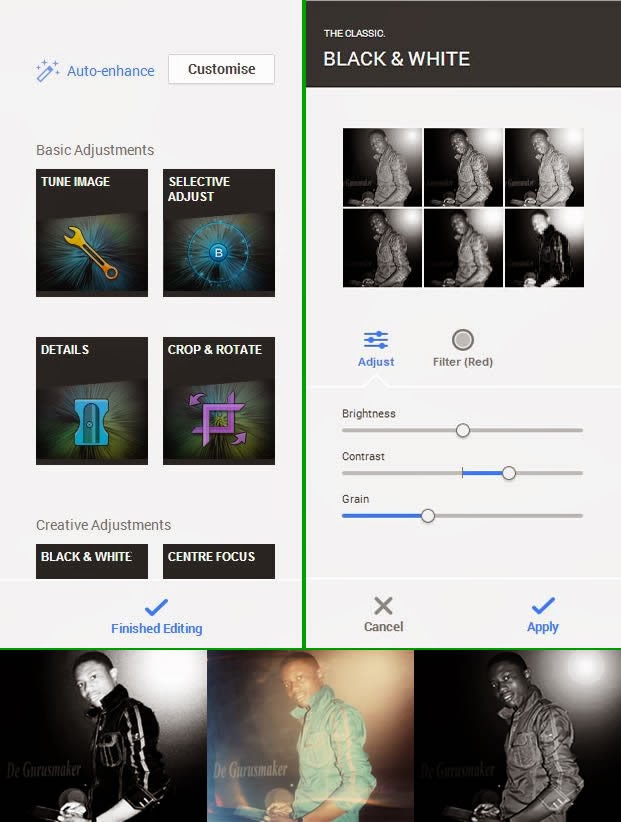
Google+ photo editing tool allows its users to crop, enhance or customize photos they have uploaded through their Google+ account, Blogger platform, Android OS or any of Google’s services that involves photos. Google+ creates an automatic album for all the photos you shared on various Google platforms. Any changes you apply on a photo will reflect on it regardless of where it’s being used or was uploaded.
To edit a photo
Login to your Google+ account.
Goto your photos page.
Click on the photo you want to edit
This will open a light-box, click on edit inside the light-box.
Clicking edit will bring photo editing tools to the right hand-side of the screen. For the first timers, I would advice you play around with the tool until you are able to master it’s functions.
When you are done editing, hit the finished editing link to apply your changes.
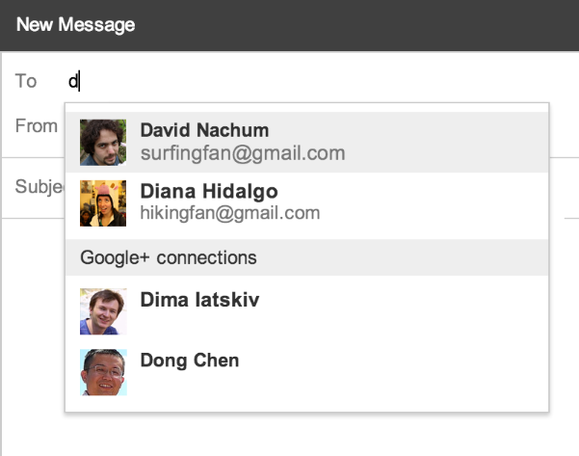
Google has deepened the integration between its Google+ social network and Gmail, adding a feature that auto-suggests Google+ contacts when Gmail users are typing in email recipients. In other words, you can email any of your Google+ contacts without knowing their email address, and they can email you as well.
The feature will be rolled out over the coming days to all Gmail users who also have Google+ profiles. Gmail will auto-suggest Google+ users that the email sender has added to his Circles on the social network. (Circles is the term Google uses for connections on Google+.) However, email senders will not see the email address of the Google+ contact being auto-suggested unless the contact responds to the message, and messages from Google+ users that aren’t also in your own Circles will appear in your Gmail account’s Social tab, rather than the Primary tab.
Google+ users are able to control who can contact them from Gmail in this way with four options. They can opt out entirely, so that they won’t appear in Gmail auto-suggest. They can limit the feature to include only people they have added to their own Circles. They can make the scope broader by extending it to people with a second degree of Circles separation, meaning people you’re not connected to but who are connected to someone in your Circles. The last option is to open up the feature to anyone on Google+.
The goal of this new feature is to make it easier for Google+ users to communicate via Gmail. Google says the feature will be rolling out over the next few days.
Google has said repeatedly that its intention is to integrate Google+ broadly and deeply with its other services, sites and web applications, so that it can act as a common, underlying social networking layer. Google has integrated Google+ with Gmail, Blogger, Apps, YouTube and other products to varying degrees already.Image and article credit goes to PC World
If you have a good knowledge on web technologies such as XML, HTML and HTML5, JavaScript, Flash and exceptional skills on scripting language knowledge such as Bash, Python and PHP here is your opportunity to work with Google in Nigeria.
The internet search engine giants are currently looking to fill the vacant position of Technical Account Manager, Publisher and Distributor in Nigeria. View the full job extract below.
Job Description
Our relationships with partners should run like well-oiled machines, and Google’s Publisher & Distribution Solutions ensures partners are empowered to grow their businesses by making the most of Google’s expanding suite of products. Technical Account Managers are advertising and technology consultants who serve as liaisons between our top partners and Google’s Engineering and Sales teams. You are a Google product expert who can nurture and deepen the partner relationship through successful multi-product integrations, providing day-to-day support with your extensive expertise in AdSense, AdMob, DoubleClick, Chrome and other Google products.
You flawlessly lead implementations and integrations for a variety of our product lines during the pre-sales and post-sales process. You provide end-to-end support to our publisher partners, from deployment to ongoing support of daily business. As the technical expert, you work closely with the partner sales teams to monitor our products’ performance for top clients, develop tools that address their technological and business needs and identify opportunities to grow Google’s partner business.
Responsibilities
Help partners resolve day-to-day challenges by delivering innovative and scalable solutions. Ensure the prompt and proper resolution of any technical challenges. Evangelize new product features and assist clients in the adoption of new products via upgrades and migrations to help them build long-term success. Provide documentation and technical guidance to ensure the technical success of clients’ integrations. Improve product offerings by providing client feedback on features to Google product managers and engineers. Perform implementation reviews, and analyze and optimize clients’ product mix to ensure their success.
Minimum Qualifications
BA/BS degree in software engineering or related field or equivalent practical experience.
Preferred Qualifications
Strong troubleshooting skills in common web technologies, such as XML, HTML and HTML5, JavaScript, Flash. Good scripting language knowledge such as Bash, Python, PHP. Collaboration skills for working across geographically dispersed functions. Fluency in French and English and at least one another African language.
Area
The Google Technical Services (gTech) team serves as the primary point of contact for our global Sales, Business Development, and Partnerships teams to support our sales organization across all products. We provide tools so that our sales teams can focus on what they do best. Our team collaborates with many of Google’s engineering groups to create technical solutions that enable our sales organization to help grow our customers’ businesses.Apply Now or Read More About Google
Just pulled this one from Techcrunch – Google is hoping to do it again with Android — and cars. The 2007 Open Handset Alliance helped drive Google’s mobile OS from new-kid-on-the-block to dominant force in smartphones. Today, the company has announced the Open Automotive Alliance (OAA) to attempt the same trick but for cars — persuading a small coterie of car makers and others to join it as founder members of the OAA.
As well as Mountain View itself, Audi, GM, Honda, Hyundai and NVIDIA have put their names to the OAA, which is described as “a global alliance of technology and auto industry leaders committed to bringing the Android platform to cars starting in 2014″. The OAA will be focused on establishing a common platform for Android integration with connected cars.
Google notes:
We’re working with our partners to enable better integration between cars and Android devices in order to create a safer, car optimized experience. We’re also developing new Android platform features that will enable the car itself to become a connected Android device. Stay tuned for more details coming soon.
As with Android, Google is a little late to the party here: back in June Apple confirmed it is working with car makers on an initiative called ‘iOS in The Car’ to enable iDevice owners to use their gadgets to do stuff like play music, display maps, dictate messages in their cars, starting in 2014.
Car makers signed up to Apple’s earlier automotive initiative are a little more plentiful and include Honda, Mercedes Benz, Nissan, Ferrari, Chevy, Infiniti, Kia, Hyundai, Volvo, Jaguar, and Acura. (So Honda and Hyundai are playing in both camps.)
The first cars with “Android integration” are expected by the end of this year, according to the OAA’s inaugural release (it does not say which car maker is expected to be first).
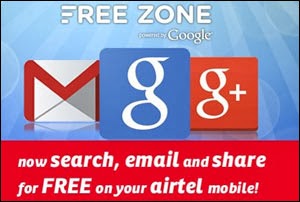
The internet search engine giant (Google) has combined powers with Airtel Nigeria to provide a unique Internet service tagged Free Zone powered by Google.
This service allows customers within Nigeria to access mobile web search and other feature-phone-friendly versions of Gmail and Google+ without getting billed. The first page of any website linked from the search results is also provided at no charges.
Free Zone aims to put the web in the hands of more people. First time Internet users who haven’t purchased data bundles often find basic services like email, mobile web browsing and social applications to be very expensive. With Free Zone, phone users can take advantage of the web to grow their businesses or keep in touch with friends and family without the fear of unknown data costs and also make more informed choices about their next data device.
To enjoy the array of free Internet mobile services on Free Zone, customers are to text “Free Zone” to 881 or go to http://g.co/freezone from their phone browser. Juliet Ehimuan, Country Manager, Google Nigeria, said: “We are excited to be working with Airtel to introduce Free Zone powered by Google to Nigeria. We believe in the power of the Internet to create better opportunities, and working with Airtel on this makes it possible for anyone with a phone to get Internet services at little or no cost.
Just like our other access projects, this gives people easier access to information in a way that benefits not just themselves, but their businesses, and by extension Nigeria’s economy.” Deepak Srivastava, Chief Operating Officer and Executive Director, Airtel Nigeria, stated: “Breaking down the barriers to Internet adoption is critical for Nigeria to keep up with the rest of world in terms of social and economic development. It is through key initiatives like these that these barriers can be reduced. “We are, therefore, really proud to bring this spectacular innovation to Nigerians especially our customers who will now have seamless access to Google Search, Gmail and Google+ by simply using Airtel SIM card on any data enabled handset free of charge. This is indeed another good reason to remain an Airtel customer or to joint Airtel if you are not yet a customer.”
Airtel customers who access Free Zone will enjoy unlimited access to Gmail; share photos and messages with circles of family, friends and associates as well as follow updates on the things they are passionate about – from football to photography, music to news and follow people they’re interested in via Google+. Also, customers will be able to search the entire Internet and access the first page of websites from the results for free using Google Search.
When Airtel customers leave the Free Zone to navigate deeper into a website or download an attachment they are informed about the data charges and given the option to purchase an appropriate data package. The service is available immediately to all new and existing Airtel customers from their mobile phones. Customers without a Google account can sign up for free.

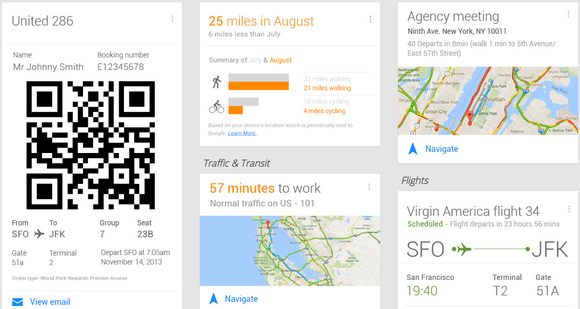
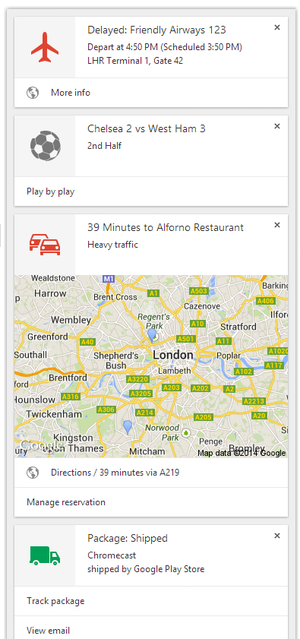 Google Now is a virtual assistant that tries to anticipate the information you want, such as the weather, traffic, travel details, and upcoming reservations. Much of that information is based on activity from your Google account. For example, Google Now can detect flight confirmations in Gmail and notify you about any delays; it can also look at your Web searches to infer what breaking news topics you’d be interested in.