Search results for: “google ”

  • 10 Best Alternative Search Engines to Google

    10 Best Alternative Search Engines to Google

    When someone thinks of internet searches, Google is often the first name that comes to mind. Since Google’s launch in 1998, it has steadily grown to become the undisputed leader in multiple areas of technology and digital services. It dominates the global search engine market and leads in online advertising through Google Ads.

    Google also powers the world’s most widely used mobile operating system, Android, and its Chrome browser is the market leader. In addition, Google has a strong presence in cloud computing with Google Cloud, and in video streaming through YouTube. Its services like Gmail and Google Maps are globally popular, and it is one of the top corporations in AI and machine learning technologies, as well as smart home devices through Google Nest.

    Even with over 90% market share, Google’s presence in the search engine market does not stop users from seeking alternatives. Multiple persons have argued the growing concerns over privacy, data collection, and not just the monopolization of information.

    While Google’s dominance is unlikely to wane soon from the search engine space, these 10 best alternative search engines to Google will help you minimize your digital footprint(if you want) and enhance privacy.

    Best Alternative Search Engines

    Best Alternative Search Engines to Google - Microsoft Bing, Qwant, Startpage, Mojeek, Swisscows, Presearch, Gibiru, Ecosia, Brave Search
    1. Microsoft Bing

    Price: Free

    Bing, powered by Microsoft, holds 6.04% of the global search engine market. It’s known for providing multimedia results and AI tools, and its tight integration with Microsoft’s ecosystem makes it a powerful alternative to Google. Additionally, Bing’s Rewards Program lets users earn points redeemable for gift cards.

    Key features: Advanced image and video search, built-in AI functionalities, and extensive search integration with Windows and Microsoft 365.

    1. DuckDuckGo

    Price: Free

    DuckDuckGo has made its name as the go-to search engine for people who love privacy, as it does not track or store user data. While its global market share is less than 1%, its reputation continues to grow due to rising concerns about online privacy.

    Key features: Private, non-tracked searches, no ad-targeting, and anonymous browsing.

    1. Brave Search

    Price: Free

    Brave Search is the engine for users who prioritize privacy and independent results. Launched by the creators of the Brave browser, this search engine boasts complete anonymity, with no user tracking, and has gained 40 million active users as of 2023.

    Key features: customization, AI-powered summaries, and ad-free experience for paid version.

    1. Ecosia

    Price: Free

    Ecosia is an ethical search engine that donates its profits to environmental causes, particularly reforestation. With over 170 million trees planted by 2024, it appeals to environmentally conscious users who want to make a positive impact through their searches.

    Key features: Privacy-focused and powered by Bing.

    1. Qwant

    Price: Free

    Qwant, based in France, is a privacy-centric search engine that offers a powerful music search feature as well as maps. It adheres to stringent European privacy laws, ensuring that no user data is stored or sold.

    Key features: No tracking or personalized ads, integrated maps and music search, and GDPR compliance for users in Europe.

    1. Swisscows

    Price: Free

    Swisscows is a Swiss-based search engine, well-known for its family-friendly content filtering. With servers based in Switzerland, it adheres to some of the strongest privacy laws in the world, ensuring user data is not tracked or stored.

    Key features: Semantic search technology, privacy guarantees, and a focus on music search and other media-based queries.

    1. Startpage

    Price: Free

    Startpage combines the accuracy of Google’s search results with enhanced privacy features. It functions as a proxy search engine, allowing users to browse without being tracked by Google, and is subject to EU privacy laws.

    Key features: Google-powered results without data tracking, anonymous proxy for extra privacy, and EU privacy compliance.

    1. Mojeek

    Price: Free

    Mojeek is a UK-based search engine with an innovative approach. It ranks results based on emotional sentiment, allowing users to filter search results by emotions like positive or negative tones.

    Key features: No tracking, independent search index, and emotion-based result filtering.

    1. Presearch

    Price: Free

    Presearch is a decentralized search engine that allows users to earn cryptocurrency (PRE tokens) for their searches. With a focus on Web3 technology, it provides an alternative for users interested in blockchain-based search engines.

    Key features: Earn rewards for searches, community-driven moderation, and decentralized search infrastructure.

    1. Gibiru

    Price: Free

    Gibiru offers uncensored, private search results while still drawing on Google’s powerful search infrastructure. It strips out the tracking and personalization that normally comes with Google searches, allowing for anonymous results.

    Key features: Unfiltered Google results without tracking, prioritizes user privacy, and delivers fast, unbiased search results.

    Other Alternative Search Engines

    • Yahoo Search: remains relevant due to its integration with Yahoo Finance, Yahoo News, and its long-standing user base.
    • Seekr Search: ranks search results based on reliability and political bias, offering transparency for users concerned with misinformation.
    • Seva Search: allows users to contribute to charitable causes through searches, much like Ecosia but with a broader focus on philanthropy.
    • Yep Search: a search engine that directs 90% of its ad revenue towards content creators, providing a financial incentive for those producing original online content.
  • Google Layoff Employees: More Job Cuts for Tech Workers

    Google Layoff Employees: More Job Cuts for Tech Workers

    The labor market, which has been consistently saturated with employees is clearly showing indications of slowing down, as certain companies are starting the new year by reducing their workforce. On Tuesday, Google revealed plans to lay off hundreds of employees in its advertising sales team, signaling ongoing workforce reductions at the Alphabet-owned company.

    Google is joining the bandwagon of tech companies turning to artificial intelligence software and automation to streamline operations rather than human labor. While discussions and questions about why Google is laying off employees are yet to settle, other companies have also declared plans to lay off staff this year.

    The roles receiving this harsh blow at Google include the Assistant team, the augmented reality hardware division within the devices and services product area(hardware teams overseeing Pixel, Nest, and Fitbit), and the central engineering team. The company attributes these layoffs to its efforts to enhance efficiency, realign resources with its major product priorities, and bring about improvement across the board.

    A spokesperson for Google explained, “We’re responsibly investing in our company’s biggest priorities and the significant opportunities ahead. To best position us for these opportunities, throughout the second half of 2023, a number of our teams made changes to become more efficient and work better, and to align their resources to their biggest product priorities. Some teams are continuing to make these kinds of organizational changes, which include some role eliminations globally. We’re continuing to support any impacted employees as they look for new roles here at Google and beyond.”

    Shares of Google’s parent company, Alphabet, experienced a 0.9% decline in intraday trading following reports of the layoffs. Google confirmed that the restructuring will result in the elimination of hundreds of roles. This workforce reduction follows Google’s previous major layoff in early 2023, where approximately 12,000 employees, constituting about 6% of its workforce, were let go.

    Several companies, such as Amazon, Twitch, Duolingo, Discord, Macy’s, Citigroup, BlackRock, etc have recently revealed plans to reduce their workforce. Some of these companies, which are currently implementing job cuts, had previously carried out more extensive layoffs over the past year or so. Since then, both inflation and expectations for a recession have decreased, contrary to the predictions made by most economists as recently as the middle of last year.

    In October of the previous year, the continued downturn in aviation revenues caused by the impact of the pandemic led Rolls-Royce to lay off 6% of its employees. Concurrently, Microsoft’s professional social media platform, LinkedIn, undertook workforce reductions, laying off 668 employees across engineering, product development, talent acquisition, and finance departments. This move followed a prior reduction of 716 staff in May of the same year, which was accompanied by the closure of its job application operations in China.

    How do Layoffs Impact Employees?

    Experiencing a layoff can bring about severe financial hardships for those affected. The abrupt termination of employment translates to the loss of a steady income, employee benefits, and various job-related perks. Despite the provision of severance packages, many individuals may find it difficult to meet their financial obligations, particularly if they are responsible for supporting a family or contend with high living expenses. The resulting stress, stemming from the inability to cover bills and provide for loved ones, can significantly impact the mental and emotional well-being of those who have been laid off.

    Google Layoff Employees: How do Layoffs Impact Employees?

    The turmoil triggered by layoffs and the subsequent career transitions can deeply affect the mental health of individuals. Confronting uncertainties, financial constraints, and the pressure of re-entering a competitive job market can elevate levels of stress, and anxiety, and even contribute to feelings of depression. Furthermore, the loss of a familiar work environment, daily routine, and a sense of purpose can compound these challenges, fostering a sense of helplessness and diminishing self-esteem.

  • Google Pixel Tablet 2023 With Impressive Speaker Dock

    Google Pixel Tablet 2023 With Impressive Speaker Dock

    Since its debut 13 years ago, the iPad has consistently held a firm grip on the global tablet market. Often dominating a huge portion of all tablets sold annually. Android tablets from brands like Samsung and HUAWEI have struggled to match iPad’s success. But Apple has always been faster, hauling out products with better functionality and faster OS upgrades. Even Google made an early entry into the tablet market with its Nexus tablet series, but that too ground to a halt.

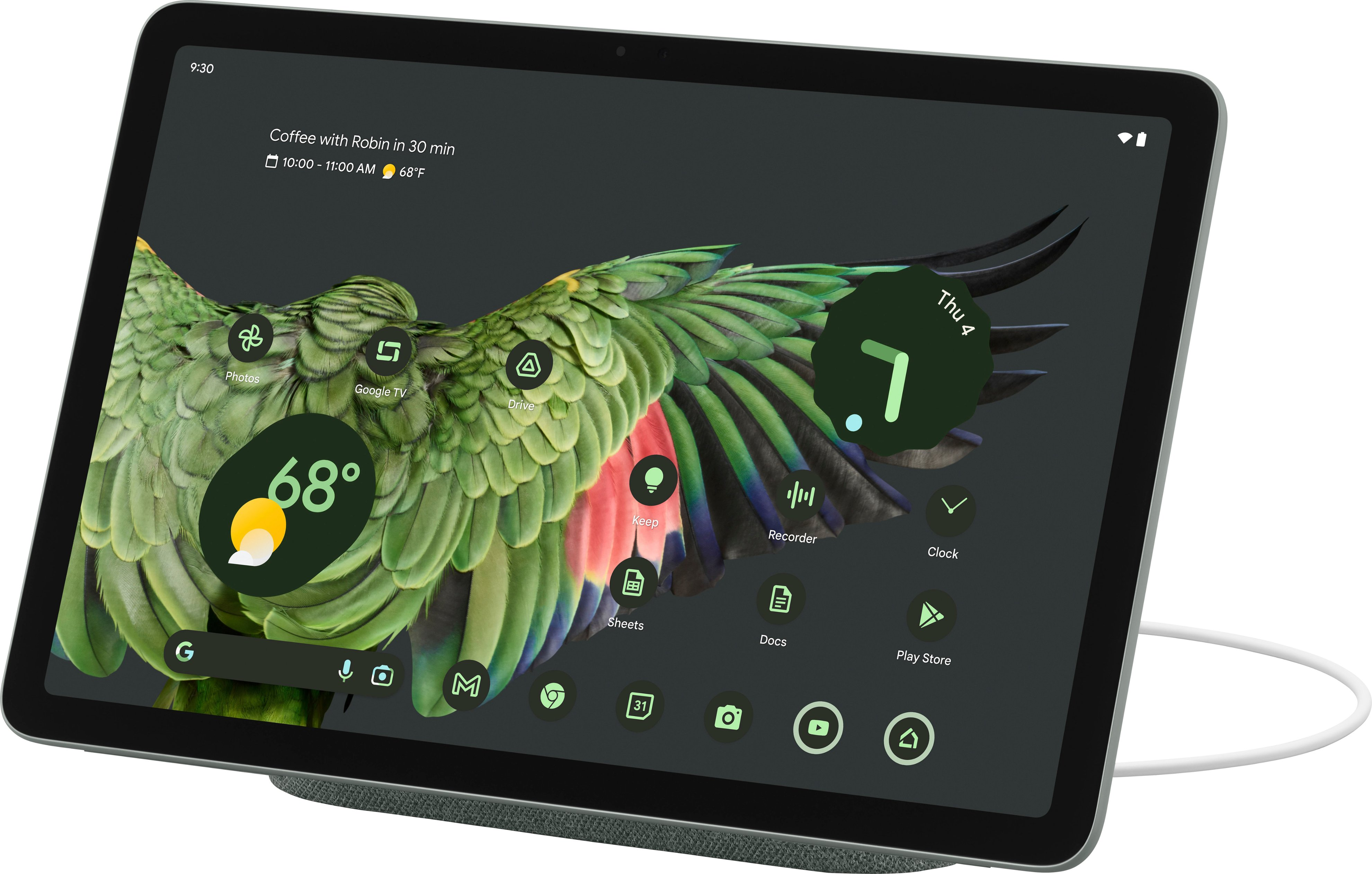
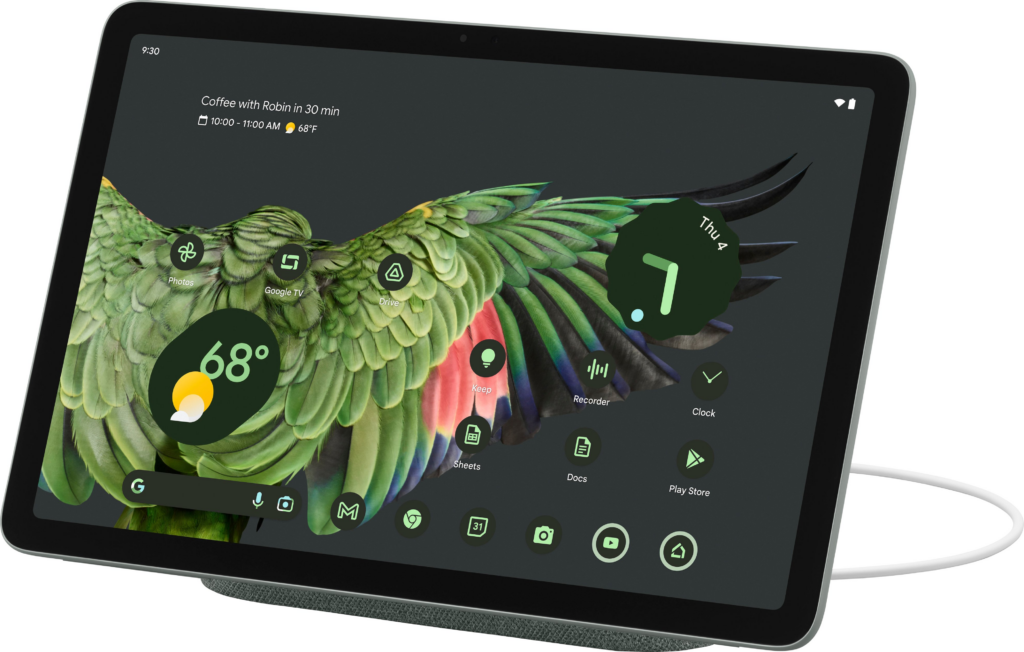
    Now, introducing the Google Pixel Tablet 2023; the latest addition to the Android tablet market, after Google’s long break. This roughly 11-inch screen tablet comes in three refreshing colors: Porcelain, Hazel, and Rose. Priced at $499, the Google Pixel Tablet has a standard tablet design with a 10.95-inch LCD display and bezels that match the color of the tablet. Along with a resolution of 1,600 x 2,560 and a 60Hz refresh rate. While it may not be as impressive as other tablets out there with OLED panels and higher refresh rates, the LCD screen is chosen to avoid screen ghosting issues. Mostly, the display offers good viewing angles, cool colors, and sufficient brightness for outdoor use.

    Let’s look at some of the outstanding features of the Google Pixel Tablet; including the most raved-about Dock.

    Design

    Google Pixel Tablet 2023 With Impressive Speaker Dock

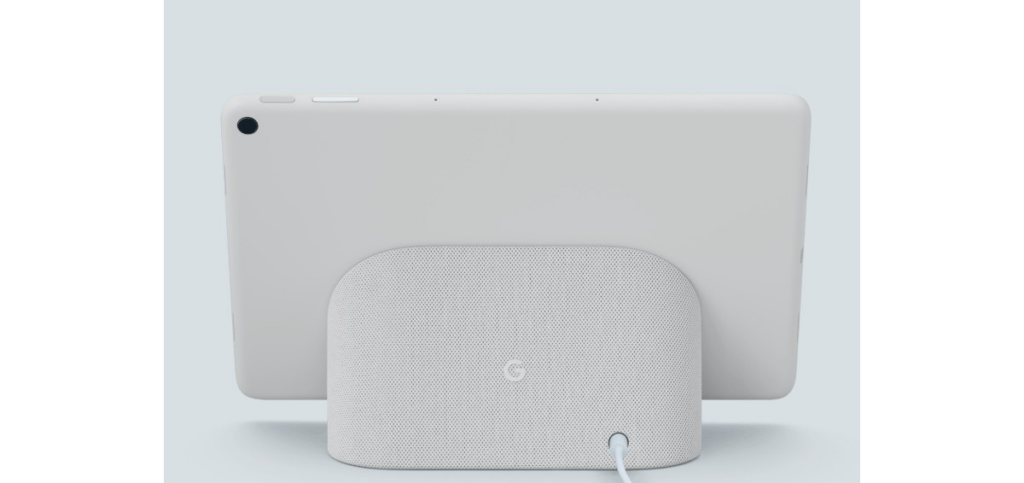
    The Google Pixel Tablet has a back made of aluminum with a textured feel and a nano-ceramic coating. It has connectors for attaching it to the dock, which also serves as a charging speaker. Just like the Pixel 5, Google has a fingerprint sensor and volume rocker on the top edge when held in landscape mode. The USB-C connector for charging is on the left side, and there are silicone bumpers on the bottom for protection.

    The tablet offers convenient hands-free assistance. By simply saying “Hey Google” users can play music and videos. Or get answers to questions, control smart home devices, manage tasks, and much more. In terms of software updates, the Pixel Tablet has a solid operating system update arrangement: a minimum of 3 years. So that users can have access to Google’s latest features and improvements. Pixel Tablet users will also receive security updates for a minimum of 5 years, to protect the device against potential security threats.

    Software and Performance of The Google Pixel Tablet 2023

    The tablet has four speakers on both sides that deliver clear audio and stereo sound, but it lacks a headphone jack. It features an 8-megapixel webcam for video calls and a rear camera for basic photography needs. It is said to offer decent performance for most tasks but tends to get warm and has a slightly lower battery life compared to similar tablets. The battery life of the Pixel Tablet is decent. When it is undocked, the device can last up to 12 hours after charge.

    The performance of the Pixel Tablet is really impressive, considering how overinflated most of Google’s products are when it comes to performance. The tablet runs on the same powerful Tensor G2 chipset as the Pixel 7 series, along with 8GB of RAM. Google has also made significant improvements in optimizing the tablet for wider screens. They have worked on enhancing the experience of using over 80 popular apps on the Pixel Tablet, such as Twitter, Whatsapp, Instagram, Calculator, Chrome, Netflix, and more.

    While Google’s apps(Maps, Gmail, YouTube, Chrome, etc) have been optimized for the tablet, many third-party apps still lack tablet-specific designs. The Pixel Tablet runs on Android 13 OS with a similar interface to Google’s Pixel phone. And from what we know, the tablet is primarily focused on providing users advanced productivity features, which if you pay close attention to, aren’t that avant.
    The Famous Google Pixel Tablet Dock

    Google Pixel Tablet 2023 With Impressive Speaker Dock

    The standout feature of the Pixel Tablet is its speaker dock, which seamlessly transfers audio from the tablet to the dock’s louder speakers. The fact that the Google Pixel Tablet includes this Dock that also charges the tablet makes the device all the more impressive. The tablet can equally be used as a smart display when docked, with voice commands and access to Google Assistant. It supports multiple users and has a kids’ mode too.
    As for the Pixel Tablet, the Charging Speaker Dock enhances the tablet’s audio experience, but it basically falls short compared to other dedicated smart speakers. It is more suitable for background music or podcasts at low to medium volumes, but lacks loudness and clarity at higher volumes. The dock beyond our expectations has limited functionality and cannot be used independently when the tablet is not docked. It’s frustrating that the dock lacks any built-in intelligence as well.

    Google’s inclusion of the dock with every tablet increases the product’s overall cost. If the speaker dock is a mandatory part of the purchase, it should offer better sound or more features, ideally both.

    When the tablet is attached to the dock, it can function as a smart display, showing a screensaver and providing access to Google Home device controls. The dock also serves as a Chromecast target for casting media to the tablet.

    Pixel Tablet VS Nest Hub

    Sadly, we cannot help but notice the similarities to Google’s Nest Hub and Nest Hub Max. Versatile smart displays that combine a smart speaker with a touchscreen. Powered by the Google Assistant, they offer a wide range of features. You can access news briefings, view weather conditions, control smart home devices, play music and podcasts, watch videos, cast content, use it as a digital picture frame, participate in video chats, create a home intercom system, answer your doorbell, assist in cooking, monitor your sleep, translate languages, control the display with hand gestures, and personalize your experience with voice and face recognition.

    What We Think?

    The Pixel Tablet is a decent midrange Android tablet that comes with a charging dock for added functionality. Its performance is impressive for its price range, and although the display isn’t technically remarkable, it still looks good. However, Google’s decision to only sell the tablet with the dock seems like a big mistake. Although Google says the Pixel Tablet is not a Nest Hub Max upgrade, it gives off that vibe and even functions similarly in some ways.

    A number of people may purchase the device, assuming they’re getting a high-end smart display that can be detached for mobility. Unfortunately, they will be disappointed because the Pixel Tablet is not a substitute for a dedicated smart display, which puts it in an awkward position. Moreover, the audio quality from the Pixel Tablet’s Charging Speaker Dock falls short of what one would expect from an approximately $500 smart home gadget. Google has come up with an intriguing concept with the Pixel Tablet, but its execution is lacking. Most people would prefer the option to buy the tablet alone without the dock. While many people may still desire the dock, it shouldn’t be a requirement for everyone.

    Full Specifications

    • Display: 10.95 inches, 2560 x 1600 pixels
    • Processor: Google Tensor G2
    • Weight: 493g
    • RAM: 8GB
    • Storage: 128 / 256GB
    • Camera: 8MP for rear and front
    • Operating system: Android 13
    • Camera: 8MP front and rear
    • Ports and Connectivity: Wi-Fi 6, Bluetooth 5.2, USB-C, UWB
    • Dimensions: 258 x 169 x 8.1mm
    • Battery: 27Wh
    • Colors: Porcelain, Hazel, Rose
  • Google Chrome Now Works Faster On Mac and Android

    Google Chrome Now Works Faster On Mac and Android

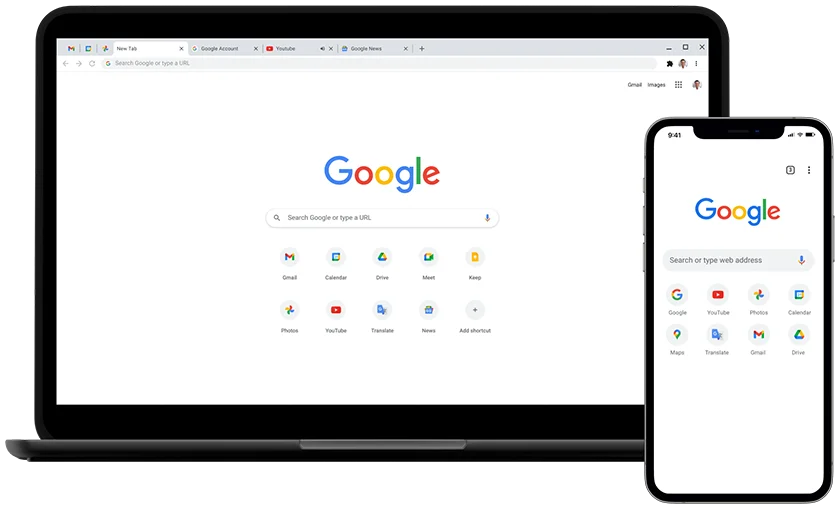
    American global technology company Google has announced its latest adjustments to Chrome—one of the leading internet browsers in the world. Over the years, several users have lodged complaints about Chrome’s very slow performance. Along with the inordinate amount of time it takes to load pages. And for a while, Google Chrome sought long and hard for ways to improve the swiftness and efficiency of their extensively utilized internet browser. But now, they’ve made a few tweaks.

    Google prides itself on being the premier search engine that offers a wide range of tools to assist millions of its users in universally accessing and sharing helpful information. In line with this mission, the Google Chrome web browser is getting a speed boost. This significant modification to the dynamic web browser will allow for a faster and more enjoyable browsing experience. The company announced this in a blog post.

    From improved caching to better memory management for all devices, including Mac and Android devices with varying capabilities. These technical improvements will not only make the browser faster, but they’ll also make the experience satisfying. According to them, the changes made to this new upgrade required Google’s expert team of engineers to delve beneath the surface of Google Chrome.

    Google Chrome Changes To Improve Functionality

    Google Chrome Changes To Improve Functionality
    Credit: Nintendo-Power

    One of the specific improvements Google factored into their upgrade is HTML Parsing. In the announcement, Google says it has uncovered some targeted optimizations for their highly used JS “Object.prototype.toString” and “Array.prototype.join” functions. Google equally implemented targeted improvements in CSS’s InterpolableColor. All of which are specialized fast paths for parsing to offer a more satisfactory web experience for all of its web users.

    Another tweak that was made to the Google Chrome web browser was a more efficient pointer compression. Due to the endless tussle between memory and performance, Google stated that it has made optimizations to how it compresses and decompresses pointers. This is to also ensure a faster, seamless browsing experience for its users with reduced memory consumption. Google further highlights the relocation of frequently accessed objects like JavaScript’s “undefined” to the beginning of the memory bases. Where they can be easily accessed with faster machine code.

  • How to Use Google Docs Offline

    How to Use Google Docs Offline

    The Day 2 keynote at Google I/O was no match for yesterday’s Android keynote (though it did have people skydiving again), but Google delivered when it came to Google Docs: At long last, Google Docs has offline editing. The update has been added to Google Docs as of today, but you’ll need to take a few steps to enable it.

    Ho to Use Google Docs Offline
    •  

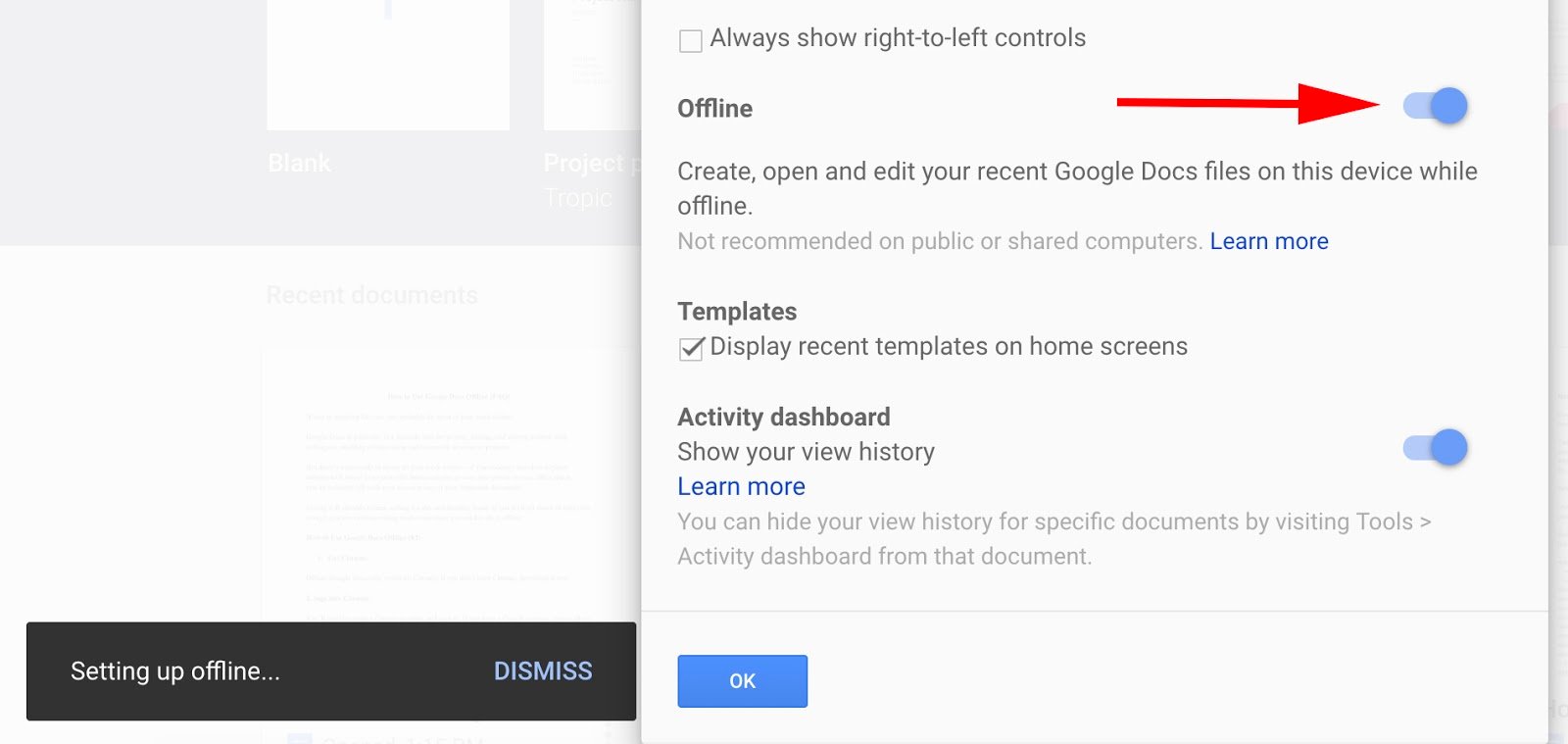
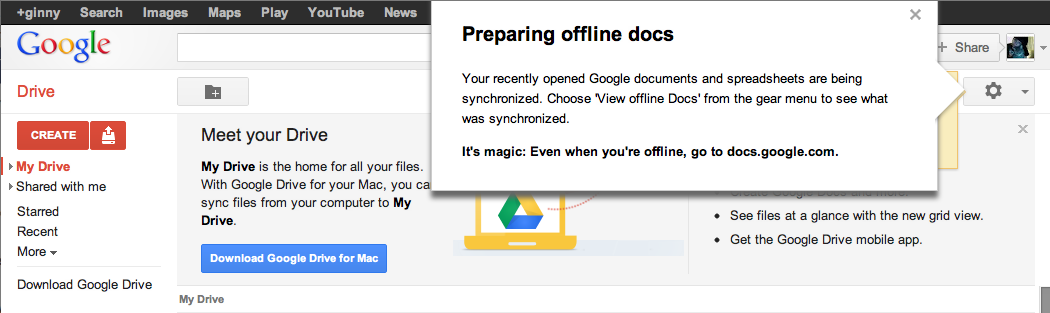
    Offline mode in Google Docs is especially useful while traveling on an airplane or if you’re in a cafe with no Internet connectivity. When you get back online, your changes will be synced to the cloud. One drawback, however, is that offline support isn’t available to the full Google Docs suite. You’ll be able to edit only documents offline. You can view spreadsheets, but you can’t edit them. Presentations, drawings and other items from your Documents List won’t be available while you’re offline. If you use Firefox or Internet Explorer, this next bit of news might be disappointing: Offline mode works only in the Chrome browser. It’s a smart tactic by Google to get people to use Chrome, but it is a bit annoying if you don’t regularly use the browser. You’ll need to enable offline mode before you can use it.After setting up Chrome, you will need to allow offline access on your computer. If you’re using the classic look, click the gear icon in the upper right-hand of your window. If you are using the new look, click the grey gear just above your document list. You’ll see a new option in the drop-down menu that reads “Set up Docs offline (beta).” After clicking on that option, you’ll be taken to a separate window with an “Enable offline Docs” button. When you complete that step, you’ll be asked to install the Google Drive Chrome web app (if you haven’t already). You’re taken directly to the Chrome Store where you can quickly download the Drive app. The app will show up alongside your other Chrome apps; click on it and you’re back to your Documents List. Calling offline “magic” is bit over the top, don’t you think?In the upper right corner, you’ll see a notification informing you that your recently open documents and spreadsheets are being synchronized. Click “View offline Docs” from the gear menu, and you can see which documents are available to you offline. And that’s it–you’re ready to start working on Google Docs offline. The whole process takes about five minutes to set up if you already have Chrome installed on your PC. Google Documents in offline mode worked well and felt stable once I had it set up. I was disappointed that Well, it is still in beta.you can’t actuallycreate documents offline; you can only edit them. Bizarrely, there’s a button at the top of your offline documents window labeled “New Document,” but clicking on it brings you to a page informing you “this document is not available offline.” It seems like an oversight to include this non-functioning function, but this is a Google beta project after all. I hope that Google expands offline editing mode to spreadsheets and presentations in future updates as well.

  • New Google ‘Feature’ now Allows you to Bookmark Image Searches for Future Reference

    New Google ‘Feature’ now Allows you to Bookmark Image Searches for Future Reference

    Normally, the images you looked up on Google’s image search page usually disappears the moment you close your browser/tab. However, Google has introduced a new feature that will let you bookmark an item and add it to a collection for easy future access when next you visit the page or better still, search it directly from your mobile browser.

    The feature was announced on Google Inside Search blog yesterday, and this is how it works.

    haircuts+imagesgroups
    Let’s say you’re searching for “bob hairstyles” on Google and an image catches your eye. Simply select it and tap the star. Next time you’re at the stylist, you can easily access the picture without having to dig around or do another search.

    To star an image simply search for whatever phrase you want, pick the images you like and tap the star icon to save them. You can also organize these saved images into folders, thereby eliminating the need to run the search again later. The new feature is already available to mobile users in the US running both Android and iOS.

  • Google Invests In Mobvoi, Its Android Wear Partner In China

    Google Invests In Mobvoi, Its Android Wear Partner In China

    Google’s services are not available in China, but that isn’t stopping it from making a significant investment in a company based on Chinese soil. The U.S. search giant is backing Mobvoi, a three-year-old company specializing in mobile voice technology.

    The duo already have business ties. Mobvoi is the company that Google picked to bring Android Wear, its operating system for wearables, to China, so this deal takes things up to the next level.

    The size of the investment, which is a Series C round for Mobvoi, has not been disclosed, but Mobvoi co-founder Yuanyuan Li confirmed that Google has become a minority shareholder. The deal, she said, takes the company to $75 million in investment to date. Since Mobvoi previously raised $10 million Series B and $1.6 million Series A rounds, Google’s investment is just shy of $65 million.


    Update: Mobvoi has clarified to TechCrunch that it raised previously unannounced funding rounds so the amount invested by Google is lower than the $60-65 million that we originally reported. The company declined to disclose the value of those unannounced rounds or Google’s investment when we asked directly.

    Beyond the Android Wear deal, the two companies have plenty in common. Beijing-based Mobvoi was started by ex-Googlers — CEO Zhifei Li and CTO Mike Lei are both former research scientists with Google U.S. — and Li said the company’s DNA is heavily influenced by the tech giant.

    “We used the Google model from day one,” she told TechCrunch in an interview. “We wanted to have same culture and team values. The co-operation [on bringing Android Wear to China] went really well… and [Google] showed interest and decided to make an investment.”

    On the business and product side, Mobvoi is very Googley, too.

    The company is probably best known for Chumenwenwen, a mobile voice search service very much in the style of Siri or Google Now. The service is akin to a virtual butler, allowing users to perform a range of tasks — including search, checking weather, buying items, and more — just using their voice. Li said the company has struck deals with over 100 content partners to give users access to various services via Chumenwenwen.

    Mobvoi used its natural language technology to build out its own smartwatch software, too. Ticwear is a ROM that pairs with Android Wear to make the Google-run operating system — which is kneecapped in China thanks to the government’s blockage of Google services — work in mainland China.

    Beyond developing smartwatch software, which works on selected watches like the Moto 360, Mobvoi went a step further and developed its own hardware: the Ticwatch. Li said the company has sold 30,000 units of the smartwatch, which is priced between $160-$190 in China, but it remains focused on software development.

    “Our goal isn’t to be a watch manufacturer, [but] we’re happy to see early adopters buying our product,” she said.

    Mobvoi said it will use its new financing to hire talent from across the world and continue refine its software services — Ticwear is updated every two weeks, much like Xiaomi’s approach to its MIUI Android software — while it is plans to dip its toes into robotics and it is also working on its own in-car software. That latter product is, again, much like a Chinafied version of Apple’s CarPlay or Android Auto from Google.

    Given the many business/tech similarities between both companies and reports that the U.S. firm is looking to open up its services in China — and in particular the Google Play Store — is today’s investment a sign that Google has found the company in China to rebuild its business there?

    Perhaps there’s even the possibility of a full Google buyout in the future?

    Not so, according to Li.

    “We value this partnership a lot, and respect Google as an investor, [but it is] still a minority investor and we will focus on what we believe in and in our products,” she told TechCrunch. “We’re not changing what we’ve planned, but there are definitely more opportunities [that will open up].”

    Google, for its part, said it has “nothing to announce at this time” when we asked about potential plans to expand the scope of its partnership with Mobvoi and reopen the Google Play Store in China.

    The company may be coy on its China plans, but today’s news is undoubted evidence that those plans do exist in some form. Google Inc and its Google Capital VC arm have made investments in China in the past — including a $5 million stake in music and video site Xuneli way back in 2007 — but this deal with Mobvoi is certainly its most strategic to date, and it sets off thoughts about what the search giant has up its sleeve.

    Note: This post has been updated to correct the name of the Mobvoi spokesperson. Apologies for any confusion.

  • Tim Cook, Facebook, Google and Tech Giants throw their Support for Same-Sex Marriage

    Tim Cook, Facebook, Google and Tech Giants throw their Support for Same-Sex Marriage

    When the Supreme Court issued its historic ruling on Friday legalizing same-sex marriage across the U.S., many of the biggest technology companies embraced the decision with characteristic flair through social media, on their sites, and with tools that others could use to show their support as well.

    Companies like Google, Microsoft, Motorola Mobility, Uber and Airbnb, their chief executives, and their venture capitalist funders all took to Twitter to post celebratory tweets about the ruling, often accompanied by the hashtags #LoveWins or #Pride, plus GIFs. Companies also changed the colors of their profile pictures on Twitter to those of a rainbow, conjuring the symbol of lesbian, gay, bisexual or transgender pride.


    Twitter, which called Friday “a monumental day for equal rights,” released two new rainbow emojis, of a flag and a heart, that users could post by tweeting the aforementioned hashtags.

    Google, in a tweet, said it was proud to celebrate marriage equality. The company included a GIF of a green Android robot waving a rainbow flag.

    Given the likely impact of the Supreme Court’s ruling, and rising support among the public, same-sex marriage has become a safer issue for technology companies to support. Liberal social values in the parts of California where many tech companies are based made their reactions not much of a surprise.

    And yet the ruling comes at a time of heightened sensitivity around issues of diversity in the tech industry. Whether it’s leveraged this way or not, the Supreme Court ruling offers a convenient opportunity for companies to cast their brands in the light of openness and acceptance.

    Some executives expressed wholehearted support for the ruling. Tim Cook, the openly gay CEO of Apple, said the day marked “a victory for equality, perseverance and love.”

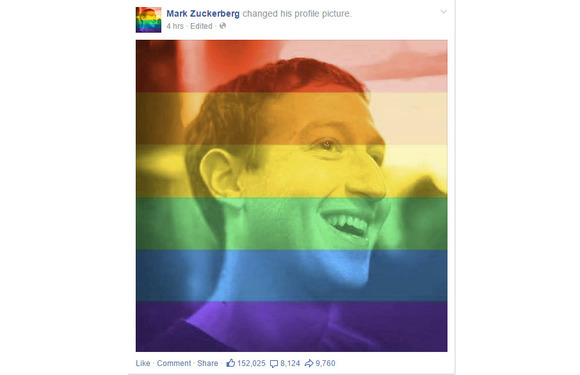
    Mark Zuckerberg, CEO at Facebook, said the ruling represented another step toward achieving the founding promise of the U.S. that all people are created equal.

    Josh Elman, a venture capitalist at Greylock Partners in Silicon Valley, offered this observation: “Rainbow flags going up. Confederate flags coming down. Feeling the arc of progress and humanity in how we respect each other,” referring to growing opposition to the flag associated with racism in the South.

    Meanwhile, some technology companies offered tools or features meant to celebrate marriage equality. Facebook released a filter that people could use to overlay a rainbow on their profile picture. The tool appears to have been developed for Pride events around the country this weekend; the Supreme Court ruling hastened its arrival. It can be accessed at www.facebook.com/celebratepride.

    Google, for its part, added a banner to the top of its search results page showing people holding hands and a rainbow heart. The banner only appeared for certain searches like “marriage equality” or “gay marriage.” The banner did not appear for a search for just “marriage.”

    Snapchat got in on the action, too. The photo-sharing app created a themed Live Story around the ruling, called “Marriage Equality,” which let users post photos and videos to a feed that everyone else could see. Part of the feed contained a video showing people celebrating outside the Supreme Court.

    Interest in the ruling, at least initially, appeared to be higher in the U.S. than in other countries. Google searches around gay marriage were concentrated primarily in the U.S. and Canada, according to a Google Trends report.

    But the Snapchat feed was made available to users globally, as was the Facebook rainbow filter.

  • Google Bans User Testimonials in Play Store Apps

    Google Bans User Testimonials in Play Store Apps

    One way of shamelessly making anything you make – especially online – seem like the greatest thing ever is testimonials. Not just in the actual section of a webpage or area dedicated for them, but choosing the best ones to put in the body of text meant to describe your “thing.” Google knows this and seems to think doing so on the Play Store can lead to many of things like unfair advantages, false advertising, etc. So, how do they fix this? By banning the user of testimonials in app descriptions n the Play Store, of course.

    “Please do not include user testimonials in your app description. They tend to be dubious and are frequently utilized to include references to popular search terms and competitor apps in violation of the policies outlined here. Let your users speak for themselves via Play’s comment review system,” reads an update to the “Spam, & Placement in the store” section of Google’s developer guidelines.

    Basically, Google is preventing app developers from inflating their position on the search results and lists of Google Play as to attain a fair advantage for every developer, in addition to other methods one could use such as repetitive use of keywords in an attempt to boost the presence of the app, using completely unrelated keywords to draw unsuspecting people to your application, and many more.

    To help ensure the best experience for Android users, Google Play policies prohibit the publication of spam. Please do not publish unwanted, deceptive, repetitive, or irrelevant content on Google Play. Not only will it lower your app’s rating and cause negative reviews, it can result in your app being suspended or your developer account being terminated,” reads Google’s guidelines.

    Hopefully, this small change to the policy allows more people to get only high quality applications for their device. Believe it or not, there is a lot of scrap-apps (scrapps) on the Google Play store, and most of them are the ones including testimonials in their descriptions.

    Speaking of Play Store apps, did you know about the EWT app? Get all of our post and latest tech news no matter where you’re at! Download it here to your device!

  • Window shop this Holiday season at home with the help of Google Maps

    Window shop this Holiday season at home with the help of Google Maps

      The leisurely window-shopper might be forgiven for feeling rather ambivalent towards Christmas, a time of lavish shop-displays – and of crowds of people getting in the way. Google’s latest online tool solves this problem, by allowing you to tread the streets of world shopping capitals such as London and New York. The tool, Google Maps Business View, allows surfers to avoid the cold weather, heavy bags and huge numbers of people associated with Oxford Street or Fifth Avenue at this time of year. It is similar to Google Street view – where the facades of properties on public highways can be viewed – but the shop-fronts of various flagship stores have been updated to show their festive window displays. It is also possible to take a 360-degree tour of the stores. From the comfort of your own home, you can browse the sparkling display at Liberty, which is awash with gold – and toys – or salivate with wonder at the gingerbread house at Selfridges nearby.

    •  

    Meanwhile, in New York, the department store Saks Fifth Avenue has been turned into a fairy-tale world called Once Upon a Time in NYC, complete with a Cinderella magical carriage. Santa and his Elves are hard at work at Macy’s ‘Miracle on 34th Street’ in Herald Square, and at Bloomingdale’s, the New Year’s Eve party has apparently already kicked off. The Business Map tool also allows users to look inside world famous stores, including Old Navy in San Francisco or Benetton in Moscow. Google users can click the ‘see inside’ marker when they search for shops on the maps app, or when they use the search engine.

    via Telegraph by Tom-Brooks Pollock

  • Google plans to add Android directly into your vehicle

    Google plans to add Android directly into your vehicle

    The company is working on a new Android version that will power a car’s entertainment and navigation systems, connect it to the Internet, and integrate with the vehicle’s sensors, a Reuters report says.

    Sometime in the not-too-distant future, cars from many automakers could feature a version of Google’s Android operating system built directly into the vehicles.
    If Google’s plans take shape, its operating system will power the car’s entertainment and navigation systems, connect it to the Internet, and integrate with the vehicle’s sensors, camera, fuel gauge and other components.

    That’s according to a report by Reuters Dec. 19 that it said was based on conversations with two unnamed officials with knowledge of the matter. According to Reuters, Google could announce plans for integrating Android directly into cars when it rolls out Android M, the successor to its recently released Android 5.0 Lollipop operating system, sometime next year.
    Google did not confirm or deny the report. In an email, the company merely noted that it does not comment on rumors and speculation.

    But if Google were indeed to integrate Android directly into vehicles someday, that would mark a significant step forward for the company.  At the I/O conference this year, Google announced Android Auto, software that will allow drivers to basically stream most of their smartphone’s functions to the in-car display. Android Auto is expected out next year. It will allow drivers to take advantage of Google Maps, Google Now and other Android applications more easily when driving using simple voice commands and touch commands.

    With the new version of Android that Google is reportedly working on, drivers will no longer be required to connect their phones to the vehicle. Instead, a lot of the same functionality that is currently available on Android smartphones will be accessible directly from the vehicle in a manner that is optimized for in-vehicle use.

    Google’s big challenge though will be to persuade automakers to integrate its technology into their vehicles. Google has said that Android Auto will be available in vehicles from several major domestic and international automakers, including Ford, Chrysler, Honda and Audi.
    However, some automakers may be wary of giving the company too much access to internal components for safety reasons and because of branding concerns, Reuters noted.
    Google will also have to deal with the myriad safety concerns that have been expressed over connected cars recently. Security researchers have already shown how hackers can exploit a connected vehicle’s electronic control unit and take remote control of functions like steering, braking and acceleration.

    The National Highway Traffic Safety Administration highlighted several of those concerns in a report on connected cars earlier this year while advocating the need for intrusion detection, access control and other security technologies in vehicles over the next few years. One of the areas of concerns highlighted in the report has to do with in-vehicle entertainment and navigation systems becoming potential attack vectors in connected cars of the future.

    For safety-conscious automakers to allow any version of Android to be integrated into their vehicles, Google will likely have to first considerably bolster the security of the operating system. Currently, Android is one of the most attacked operating systems in the world, with more malware targeting it than any other mobile operating system.

    via eWeek

  • It’s the Holidays, here are 10 Apps/Movies/Albums on Google play to get to get in the spirit.

    It’s the Holidays, here are 10 Apps/Movies/Albums on Google play to get to get in the spirit.

    SantaDroid-1 (1)
    Hey, are you an Android user? Good, because the end-year Holidays are rounding up on us quick, and you need to snap into the spirit! We live in a amazing age where we can set the mood from the power of a small device, in this case your Android. So, with that out of the way let us make like Santa to our list of 10 Apps/Movies/Albums to get on Google Play to help get you “ho-ho-ho’ing” into the spirit of the season.

    1) Frosty the Snowman: Holiday Collection (Movies)

    Ah, a classic! Fortunate for you this Holiday Seaon, Frosty the Snowman: Holiday Collection is available on the Google Play store. Each episode starts at $9.99 but you can save by getting the entire bundle for $12.99. If you have a Chromecast and you’ll be having a lot of kids around this season, then you should definitely look into this classic set of short-films.

    2)Wish – Shopping made Fun (App)

    You or someone special to you a fashonista? Then you should definitely check out this Android application conveniently named “Wish.” Their slogan; Shopping made Fun. I personally am using this app (yep, that means an app review to come soon), and so far I can definitely recommend it. It’s focus is letting worldwide customers get constant deals stacked on deals on awesome clothes, accessories, and other fashion items that are sold from vendors around the world. Take my word on it, it is cheap. Perfect to make you some quick “ugly sweater” shopping for X-mas.

    3)Christmas Fun (App)

    Step one: get some friends. Step two: put on ugly sweaters. Step three: make hot chocolate. Step four: sit down and pull out this game. Step five: ??? = Merry Memories. This newly found app on the Play store is a Christmas oriented piece of work. Developed by SMARTSTUDY, this app is meant to make your Christmas season more fun with songs and activities. It comes with features like 16 Christmas songs with a sing-a-long feature, little seasonal games, and more all accompanied by amazingly cute graphics and animations.

    4)Mr. Hankey’s Christmas Classics (Music)

    It’s Christmas, and you are wanting some funny sh*t. This album is for you. You will be greeted with a total of 18 songs all across the South Park history of Christmas and Holidays. No doubt that this could help make your office Christmas party less quiet and more fun (no guarantee on how it will effect the status of your job) for everyone!

    5)NOW Today’s Christmas (Music)

    This album is for those looking to move onto new traditional music for the Holidays. This “NOW” album is a good pick up for a great price ($5.99) that focuses on Christmas music from today’s hottest artist.

    6)Betty Crocker Christmas Cookies (Books)

    Mmmm..imagine waking up to the smell of delicious, beautiful cookies on Christmas morning – only to find out that Santa had eaten them. Anyways, this book on Google Play Books is filled with Christmas-oriented cookies recipes. Perfect gift for your mom, or yourself if you love to bake!

    7)Allrecipes Dinner Spinner (Apps)

    Staying on the trend of recipes and cooking (I like to cook in my spare time), next on this list of Holiday Android goods is the Allrecipes (Dinner Spinner) application. Having personal experience with this app, I can definitely recommend it for everyone preparing multiple items for that Christmas dinner, or that New Year’s Eve punch.

    8)Hotwire Hotels & Cars (Apps)

    This app will be best for those travelling around this Holiday Season. Hotwire helps their users get discounts on great hotel rooms and rental cars. No more stressing over the pre-planning stage of your family Holiday travels!

    9)Kids Paint Christmas Cards (Apps)

    Kids Paint Christmas Cards is a neat little app that offers a cutesy painting system that your children will love. You can use the replay mode to re-watch your coloring session, and share created cards to friends on social media. There are 60+ templates, so get to it!

    10)Amazon (Apps)

    And to tie off the list with a fan-favorite: the official amazon app for Android. Download, tap items into your cart, and get those last-minute gifts in quickly and safely.
    There, now you have your Christmas and New Year’s Eve setup from your friends at EWTNet! However, this is just our own personal list of recommendations, if you’re looking for more go and check out Google’s Holiday Prep Kit on Google Play! Happy Holidays from EWTNet.
    BONUS: Love our tech-related news and updates? We also offer tech profiles and job vacancies in the US and Africa. You can get our official Android app here and make your technical Holiday Season better and more informative.
  • Google Tour Bus will pass through Bangladesh To Help 500,000 Students Learn About The Internet

    Google Tour Bus will pass through Bangladesh To Help 500,000 Students Learn About The Internet

    Google is literally hitting the road to promote the potential of the internet in Bangladesh. The company today launched ‘Google Bus Bangladesh’, an educational program aimed at teaching key digital skills to more than half a million students in the South Asian country.

    There are some outlandish programs to help connect the world’s population — including Google’s balloons, SpaceX’s forthcoming satellites, and Facebook’s drones — but Google is going back to basics with this roadshow across the world’s eighth most populated country. It plans to visit some 500 educational campuses across 35 locations over the next 12 months, bringing with it instructors who can teach students about important tools to help them make the most of the internet.

    In addition to tutors, students involved in the project will be able to get hands-on with a number of internet-connected Android devices. Google tells us that the hardware will be entry-level devices from Symphony, like the $70 Xplorer W65i. There’s also a Google+ community for the project, where students can exchange ideas, and access more information.

    “Bangladesh is a country on the move with a large pool of young citizens that’s leading the Internet charge. Equipped with the right training, the youth can be the cornerstone for creating a connected, digital Bangladesh,” said James McClure from the Google Asia Pacific

    Living in Southeast Asia, I’ve witnessed first-hand how the internet can make big and also small-yet-impactful changes to people’s daily lives. Whether that’s helping connect them with friends, family or experts, giving them better access to information and news, or just providing a medium for entertainment — many people in emerging markets are simply just unaware of what’s possible. Throwing a smartphone or computer at them isn’t always the best approach, since the internet can be daunting, so a tutor-led approach is a great start.

    With two-thirds of the world estimated to be offline, local initiatives like Google Bus Bangladesh offer inexperienced or first-time internet users an important opportunity to familiarize themselves with the basics and the possible benefits. It’s doubtless true that the more people who use the internet or carry mobile phones is good for Google’s business — but, even still, initiatives like this are resource and time-intensive, and Google deserves credit for getting out there and trying to make a difference.

    This article was originally posted by Techcrunch. All rights reserved.

  • Larry Page; the main man of Google; puts Sundar Pichai in control of more of Google’s products.

    Larry Page; the main man of Google; puts Sundar Pichai in control of more of Google’s products.

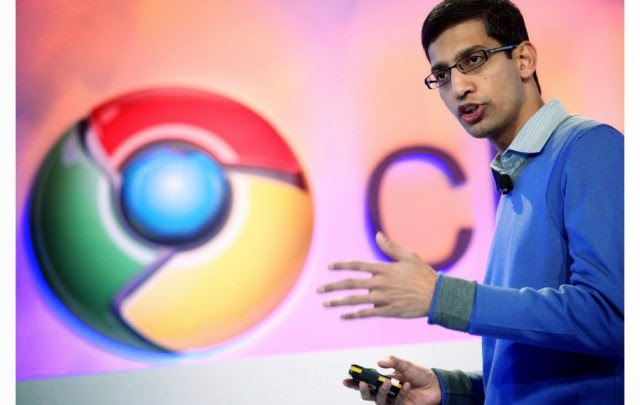
    On Friday of last week, Google boss Larry Page sent out a memo to staff that Sundar Pichai – the man responsible for Android, Chrome, and Google Apps, will be taking on the responsibility of even more Google products. These products include Maps, Search, Research, Commerce, Ads, Infrastructure, and Google+.

    Page said that the move would help free up more time for him to focus on bigger projects, such as new products and strategies for the corporate, while Pichai puts his concentration on the already-existing business units. Such a move like this makes most believe that a move like this is putting Pichai steps closer to getting the top job of Google, and he will most likely be taken over the seat when Larry Page decides he’s done.

    Pichai was born Pichai Sundararajan in the Indian city of Chennai (formerly Madras) in 1972 and earned a Bachelor’s degree in Technology from IIT-Kharagpur in West Bengal, a Master’s degree from Stanford University, and an MBA from the Wharton School of the University of Pennsylvania.
    After a brief spell at management consultants McKinsey & Company, Pichai held various positions at Applied Materials before joining Google in 2004 as a product manager. He originally focused on Google Apps but later took responsibility for Chrome and Chrome OS, too.
    After Andy Rubin left the Android team in March of last year to concentrate on Google’s robotics ambitions, Pichai also added the mobile OS to his responsibilities, and has been the public face of the division ever since.  – history source from theregister.co.uk.

    What do you think of this move by Mr. Page? Comment below with your opinions.

  • Breaking News: Google+ Website Down For 10 Minutes

    Breaking News: Google+ Website Down For 10 Minutes

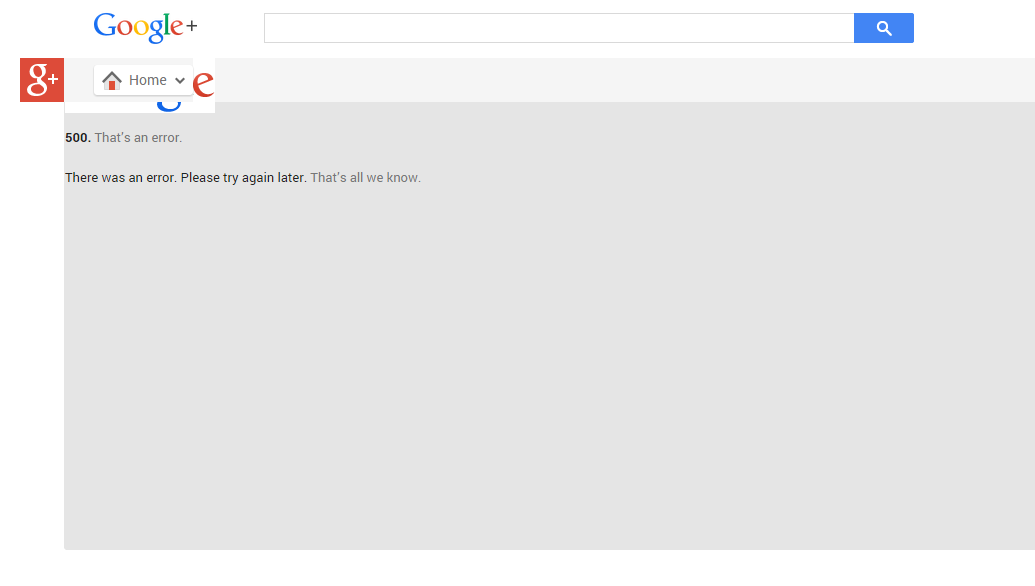
    Google’s social networking platform Google+ went down today at 8:45 am GMT + 1.

    Visiting Google+ plus.google.com will land you in a page that reads:

    500. That’s an error.
    There was an error. Please try again later. That’s all we know.

     The site came back up 10 minutes later. We were unable to reach Google to know the cause of the error page on Wednesday.

  • Google Glass Explorer’s Edition Now Available in the Play Store

    Google Glass Explorer’s Edition Now Available in the Play Store

    While all the focus of late has been on the Moto 360 and other Android Wear smartwatches, Google is giving some attention to its other wearable: Glass.

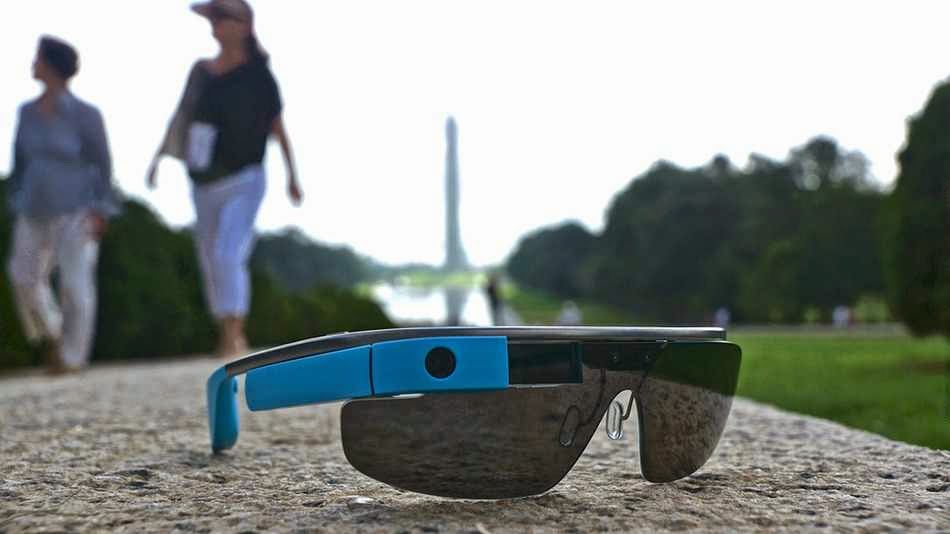
    You can now buy the Explorer edition from the Play Store, though the price is the same as when it was an invite-only product: $1,500. As a “perk” Google is throwing in a pair of shades or frames free when making the purchase.

    Glass comes in five different colors and ships from the warehouse in one to two business days.

    You will need the MyGlass companion app from the Play Store on an Android device running Ice Cream Sandwich (Android 4.0) or higher. There is also a version of the app for iOS.

  • Your New Google Glass Comes Without Video Calls Support

    Your New Google Glass Comes Without Video Calls Support

    As you set fort to lay your hand on a new pair of Goolge glasses today, let’s quickly give you the heads up on what to expect from Google’s $1,500 pair of glasses.

    Although the device will support KitKat and a couple of new features, including new tools for working with photos easier, Google has also decided to remove the option to do video calls from Glass for the time being.

    Google says video calls from Glass didn’t live out to the company’s “high standards.” Only about 10 percent of Glass users currently use them, and because of this, the Glass team has made “the hard decision to remove video calls from Glass until the experience is better.”

    It’s unclear when this feature will return, but Google tells Glass users to keep an eye out for video-streaming apps in the MyGlass app library for third-party solutions. Given that video calls from Glass were always one of the device’s marquee features, it does come as quite a surprise that Google would remove this, even if just a few percent of its current users use it.

    Is Hangout Really Enough?

    As for the photo updates, Google now finally bundles photos together so when you scroll through your timelines, it’s not cluttered by lots of photos, and the photos you take are easier to find. Glass now bundles all your videos, photos and vignettes into a single bundle for each day. If you take a lot of photos on Glass, that’s definitely a major improvement.

    Despite losing the video calling feature, Hangouts on Glass are still an option for chats, and with this update, Google now allows users to more easily send photos in Hangout messages.

    Other new updates include a voice command menu that’s now sorted by frequency and recency, as well as the ability to more easily send feedback about Glass right from the device.

    According to Google, there are a few more features in this update, too, but it hasn’t updated its Glass Journal blog yet. We will update this post with a list of all the new features as Google makes this information available.

  • Google Glass Now Available to Everyone: How to Obtain your Own Pair of Google Glasses

    Google Glass Now Available to Everyone: How to Obtain your Own Pair of Google Glasses

    In compliance to Google’s announcement last week, everyone in the U.S. will be able to buy Google Glass today, starting from 9 a.m ET.  “Every day, we get requests from those of you who haven’t found a way into the program yet, and we want your feedback too,” the company wrote in a blog post.

    Google Glass is not commercially available yet; it’s been available only to Google Glass Explorers — in other words, only through a very limited beta-testing program.

    Now, Google is opening up the program and folks in the U.S. will be able to get the Glass for $1500 + tax. Google has apologized to everyone else, saying it’s “just not ready yet to bring Glass to other countries.”

    The price is steep, but at least Google will throw in frames or a shade of your choice.

    To get the Glass, you need to be 18 years old, and you need to be a U.S. resident with a U.S. shipping address. Then, go to this address today, April 15, at 9am ET. Be fast, as the number of spots available is limited. You can also sign up for a reminder at the same address.

    If you are wondering what this pair of glasses will do for you, poke your cursor on this link to find out.

  • Microsoft And Dell Sign Patent Royalty Agreement For Google’s OS

    Microsoft And Dell Sign Patent Royalty Agreement For Google’s OS

    Today Dell and Microsoft announced that they have signed an agreement relating to intellectual property, which will see the two companies “license each company’s applicable” patents regarding Android and Chrome OS devices, as well as Xbox consoles.

    So Dell will pay Microsoft dollars when it ships devices running Google’s operating systems. The companies mention Xbox consoles because Dell, it turns out, has some IP with surface area to the device. Dell likely got a discount on its royalty payments as a result.

    The Android and Chrome OS portion of the agreement are not surprising, other than that they indicate that Microsoft can turn the largest of OEMs into its paying customers, and that it undercuts Google’s mobile platform hegemony and attempt to break into the traditional PC market. How so? Increasing the unit cost of using Android and Chrome OS adds a nip of cost to each unit, making them less profitable for their manufacturer, or more expensive to the consumer. Neither is much of a good option.

    And Microsoft directly cashes further into Google’s success, which is one of the more ironical pieces of the technology world at the moment.

    This post was originally posted on Techcrunch | Image by Flicker user Alex Schwenke under CC BY 2.0 Licence (Images has been cropped)

  • Meta Pro may Leapfrog Google Glass in the “Glass Wearing” Technology

    Meta Pro may Leapfrog Google Glass in the “Glass Wearing” Technology

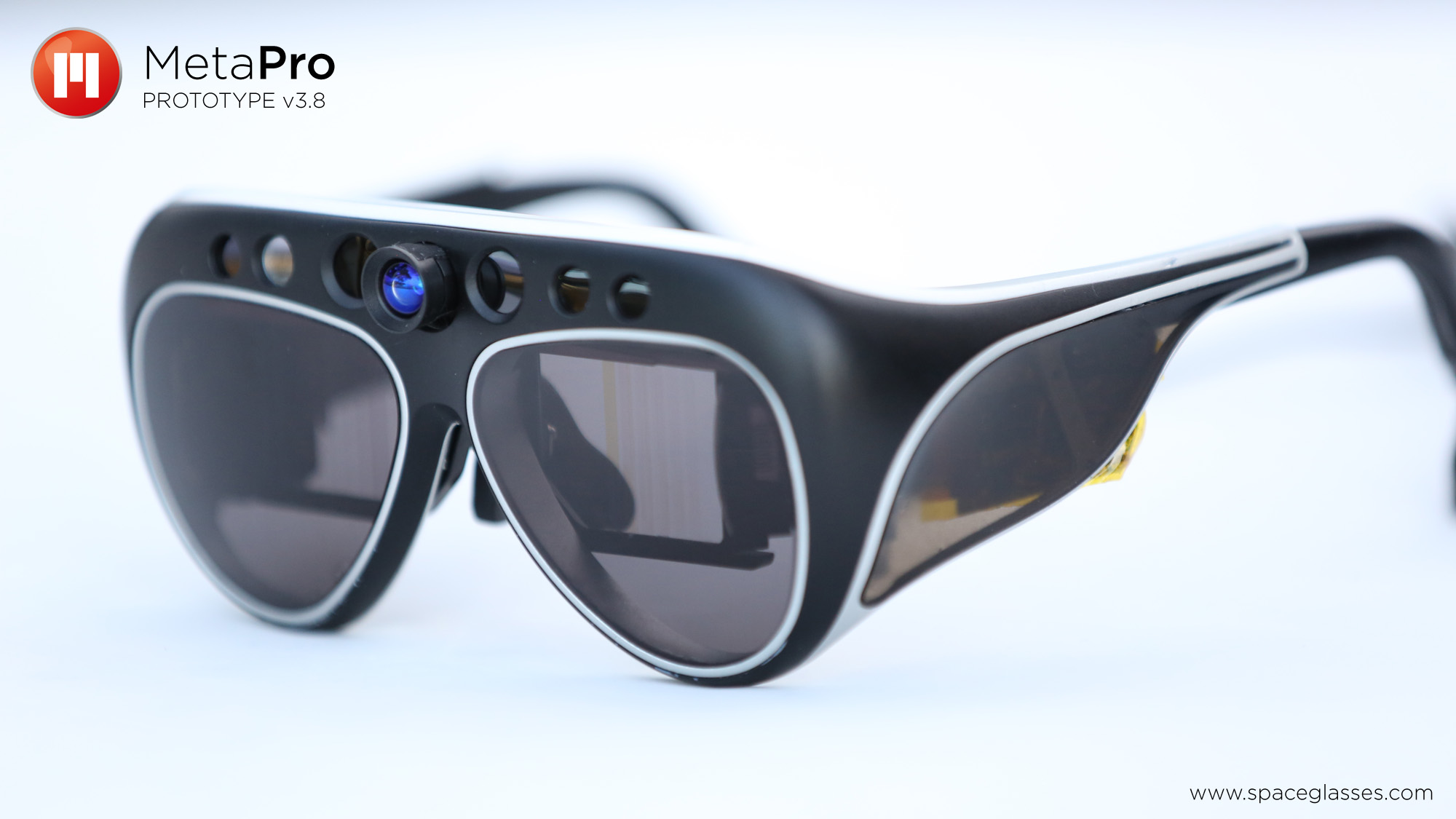
    Meta, the augmented reality technology company, has captured the attention of the gadget world with the launch of the Meta Pro, the $3,000 headset that aims to bridge the gap between fully immersive virtual reality tools such as the Oculus Rift and (relatively) more subtle wearable devices such as Google Glass.
    You can read much more about the Meta Pro, which TechCrunch named one of the best devices at this most recent CES conference in Las Vegas, here.

    The Meta Pro is up for sale online now, but it won’t start shipping to customers until this summer. So we stopped by Meta’s Portola Valley, California headquarters to get an early look at the latest prototype of the device.

    There are any number of uses for the Meta Pro, as the company has an SDK which allows developers to create programs to use with the glasses. In a news today, Techcrunch wrote on their website:

    In our visit, Meta’s CEO and founder Meron Gribetz showed us how the glasses can be used in place of traditional CAD software to design a 3D printed object using only your hands. I’m told that the final version of the glasses which will ship to users this summer will be a bit lighter and more sleek in the design, but this prototype gives a good idea of the core technology and capabilities.

    Meta, which makes wearable devices with augmented reality technology, is a particularly ambitious breed of startup — a staff of fewer than 50 employees squaring away against competition from the likes of Google and Apple. But then again, it took a good deal of ambition for Gribetz to set out a few years ago on his own with the goal of building a real-life version of something that had previously only been seen in movies such as Iron Man. It will be exciting to see how this technology continues to develop as more people play with it.

    This post was first seen on Techcruch | Image & video credit: Laptopmaga.