Live wallpapers refreshes your Android screen and keeps your device alive. While some of you will go down as legends in this field, a lot of us are yet to explore the excitement of Android live wallpapers. Whichever category you fall into, here is a chance to try a new thing, applaud your favourite wallpapers that made the list or tell us which wallpaper you feel should have been listed.
The wallpapers listed in this post are all live wallpapers, less-buggy and elegant in appearance. Also, the wallpapers are responsive and can adapt to any device or screen size.
Read on as we list 15 Android live wallpaper that attracted us this week or in the past two weeks.
We have been following this wallpaper for quite sometimes now. It’s consistency and clean fascinating layout has earned it a first slot in our listing today. This is your a ticket to get Koi (amazing fishes) swimming around your smartphone or tablet. This wallpaper comes with 3D rendered in OpenGL 2.0, with fully interactive water that supports multitouch.
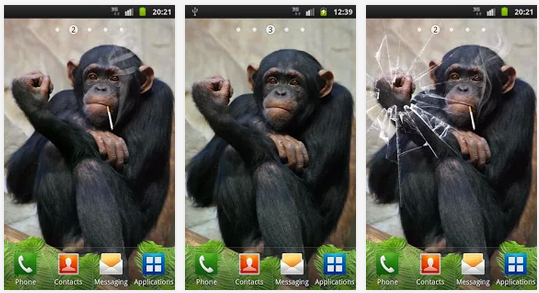
Funny Monkey Live Wallpaper – Download Install an arrogant monkey your Android device. Funny Monkey Live Wallpaper. It is not a polite monkey. As you touch the monkey on the head she will show you the “Fuck You”. Tap it in her hand and the monkey will break the screen on the phone (cracked screen). The monkey is funny and she loves to laugh. Tickle the monkey in her leg and she is going to laugh.
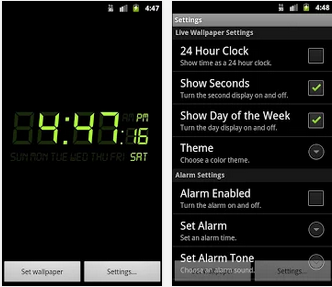
Alarm Clock Live Wallpaper is a digital clock and alarm on your home screen. It features: – One-touch snooze. – Set alarm tone, time, and reoccurring days. – 24 hour clock support. – Alarm will still sound even if device’s screen is off.
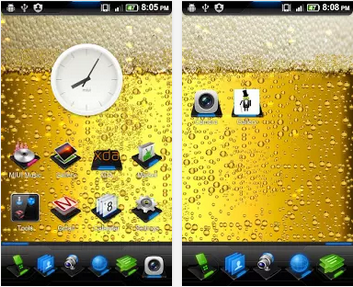
It is always good to have a beer in your hand, it gives you energy, confidence, and might make you drunk! Drink responsibly and we hope nobody gets charged for DUI!
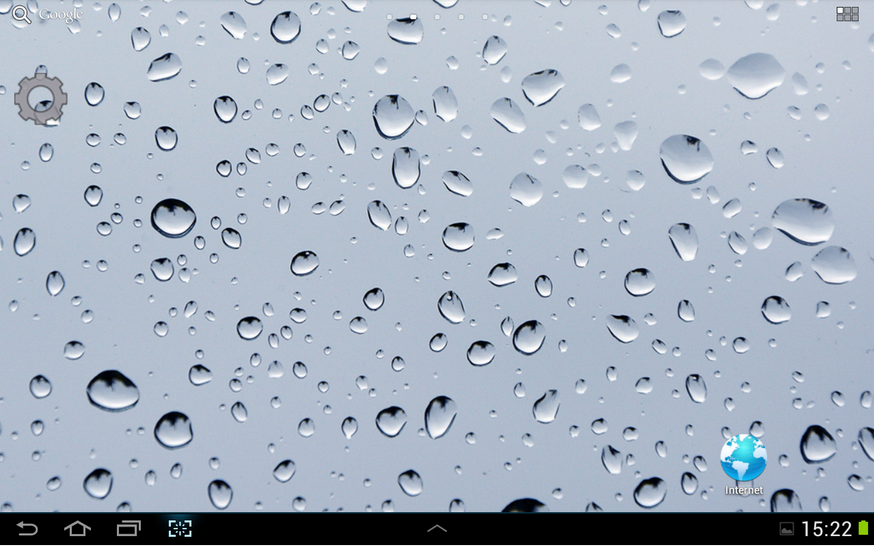
Love to create ripples in bathtub and watch them subside. Now you could create same kind of waves in your cell phone. All you have to do is, set the wall paper on your screen and touch the point where you like to see ripples appear.
Here is something for the gamers. If you need to turn your friends into war enemies, go on adventures or solve ‘head cracking’ puzzles together, the new console games is the answer you seek.
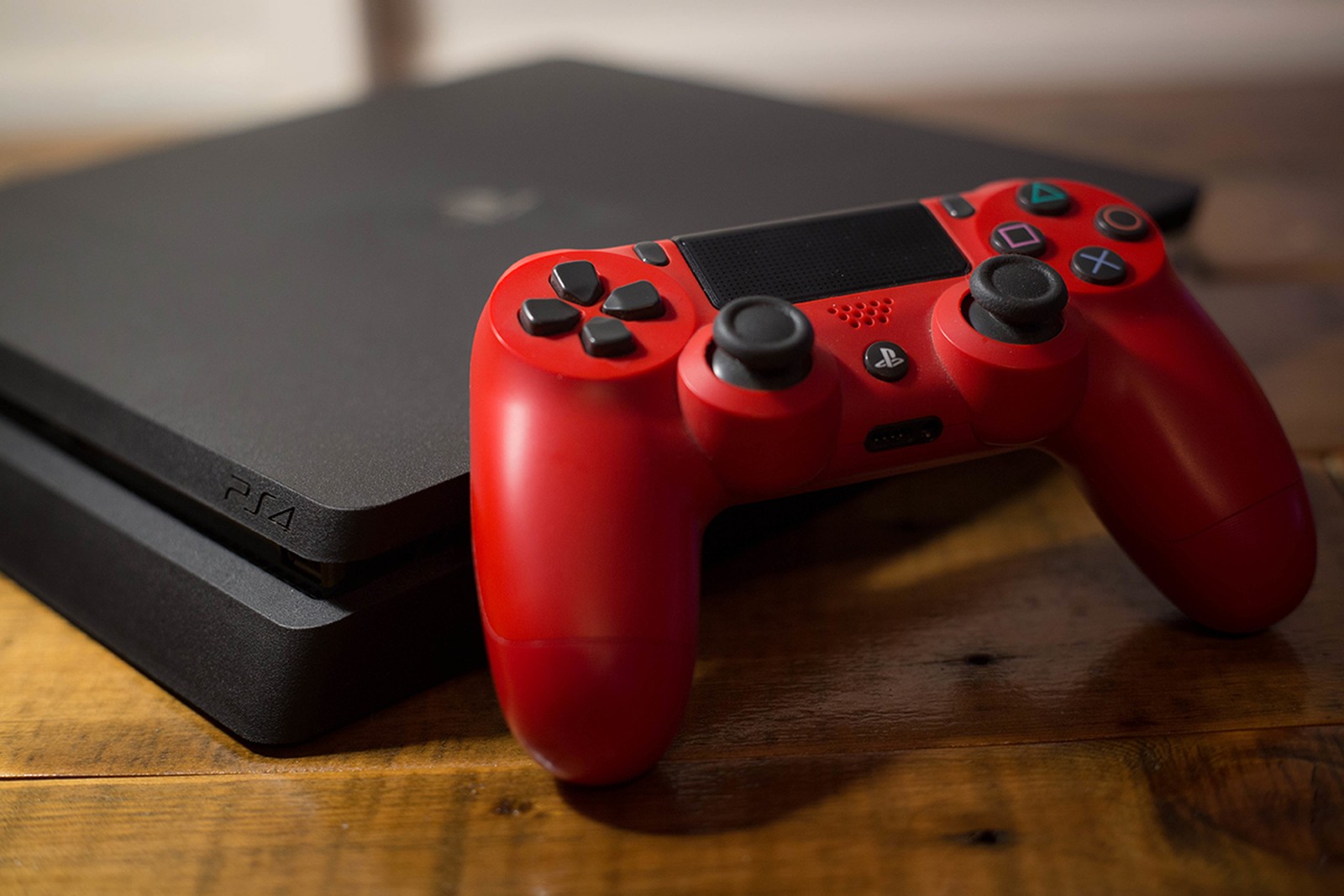
The latest PlayStation 4 titles, featuring mutiplayer facility and more advance gaming environment boast of answers for any co-op gaming style you prefer. While some of this games are available and ready to be explored, a few of them will only be available at some point in this year, but considering the interesting new mutiplayer features introduced to PS4, I think they’ll be worth the wait.
Below, we take a look at the top six co-op games to rock with your friends. Note: You can also find some of the games listed below on your old PlayStation or the new Xbox One, but nothing can be compared to the feeling of playing it on PS4.
6. Lego Marvel Super Heroes
The world is in imminent danger, and it is counting on you and your friends to save it! You and your friends will have to play alone or together as members of the well-known team to save the world in Lego Marvel Super Heroes. All the superheroes have their unique superpowers, and you’ll need all their strength to go into battle against the most venomous villains of the Marvel universe.
5. Destiny
If you are a big believer in destiny, then you will be exited for Destiny console game. Destiny was made by the manufactures of multiplayer greats Halo and Call of Duty. The promotional trailers and gameplay videos display a beautiful world for you and your friends to explore, cherish and protect. It’s part of the new “shared-world shooter” genre which combines the typical fine motor skills of a FPS game with traits that are more common to MMOs. If anyone can make wonders out of this new breed of games, it’s the folks at Bungie. This game will be available, starting from Sept. 9th 2014.
4. Watch Dogs
Unfortunately, this amazing title from Ubisoft isn’t available yet, but it’s been making some impressive noise since its initial unveiling. Not only will Watch Dogs allow players the chance to sneak and hack their ways through a fictional downtown Chicago, but the game will also have a multiplayer option integrated into the normal campaign. Your objective is to hack other players with a malicious virus before they catch and kill you. Ubisoft will let you opt out of the multiplayer if you want to focus on the single-player story, but we’re all looking forward to getting our hands on exponentially more underground cyber justice when the game launches. Right now, the release date is set as a hazy spring 2014.
3. Killzone Shadow Fall
This series has long been a PlayStation exclusive, and Killzone Shadow Fall has all the great dystopian warfare between the ISA and the Helgast that gamers have come to expect. Warzone matches players through a ringer of several traditional co-op modes (such as Team Deathmatch or Search and Destroy) all in one battle royale. Players can customize their own rules for matches, setting the modes, number of players, classes or weapons allowed, then share those creations with the online community.
2. FIFA 14
If the word “football” conjures up images of a black and white ball and rabid European fans, then you’re probably well-versed in the FIFA games. With FIFA 14, soccer is looking better than ever on the new generation of hardware. Players’ movements and behaviors have new realism and a much sharper look that old consoles couldn’t dream of matching. EA received some flak from long-time fans for removing the Tournament feature, but with many available co-op modes remaining, this is still an excellent title for going multiplayer. Create a unique footballer to send through the Pro Clubs circuit and pursue a stellar career in all-player matches. You can also go head-to-head against another gamer in Seasons and Online Friendlies, or team up with friends for two-on-two games.
1. Battlefield 4
No game delivers complex, realistic warfare as well as the Battlefield franchise. Battlefield 4 has dynamic, visually stunning maps that require players to display finesse and strategy in order to achieve victory. Technical difficulties plagued the latest release at launch, but that’s due in part to its massive scope. Now that DICE has cleaned up most of the issues, players can enjoy the classic Conquest or Rush battles, or the new Obliteration and Defuse modes. The Xbox One may be getting the expansions and other new content first, but superior graphics capabilities make the PS4 the platform of choice for the console crowd.
Yesterday Paul Thurrottenumerated a number of tweaks that will appear in the upcoming Windows 8.1 update. Screenshots from WZor confirm a few of Paul’s earlier notes on upcoming changes to Windows 8.x that are worth discussing.
The gist is that Microsoft wants to unify the desktop and Metro environments, especially in the context of apps. The better the apps work between the two, the more people might use applications from the Windows Store. This is tacit admission that people love the desktop environment that they have used for decades, and have been slow to switch over to the Metro environment.
So, if people love the desktop and you want them to use more Metro apps, you bring the Metro apps to their desktops. Paul previously reported that you would be able to run Metro apps on the desktop, but WZor screenshots show it in action. Surprise? No.
There is more: “I can confirm one new feature: Metro apps will now include a close box, similar to that seen on desktop applications, which can be clicked with a mouse so that the app closes completely.” Thank god. Getting rid of Metro apps when you are done with them has been a constant Windows 8.x headache.
The divide between the “new” in Windows 8.x (the Metro side of the fence) and the “old” (the Windows 7 bits of Windows 8.x) is being blurred. That’s probably good, given that the old is popular and Microsoft wants the new to become more so.
We’ll see more before Build, given the current pace of leaks. It seems that Microsoft wants to patch the weaker parts of Windows 8.x while keeping its main thrust in place. You can’t have mobile Windows without the Metro interface, and you need an app store as well. But you can heal the cracks on traditional PCs, I suppose.
WebOS made its second big debut at last week’s CES, but not on a smartphone like it was in 2009. This time around, WebOS has landed on televisions from LG, as we’ll explore in this video report.
WebOS will power 70 percent of LG’s Smart TV lineup.
The webOS interface on the TV makes sense of all the different types of content and inputs on your television. There’s no more wondering which input to use or which service has the best content.
IDG News Service – Few things are worse than when you’re trying to get some work done with your headphones on and all of a sudden, a loud, obnoxious advertisement yells at you to “come try this out!”
It’s terrible, but Google seems to empathize with this. Back in November, the search giant launched an update to its Chrome beta browser that included a helpful little feature that silences these noisy tabs. This helpful feature is now available in the latest stable release of Google Chrome.
Just look for the little sound icon in your tabs.
The feature allows you to track down noisy tabs with visuals: scan your tabs and look for the speaker icon to see which one is the disruptor. You’ll also be able to tell which tabs are using your webcam or are being cast to your TV via Chromecast.
The new Google Chrome update also comes with the stronger Safe Browsing feature that blocks malicious files from downloading, while Windows 8 users will appreciate the new “Metro” mode look.
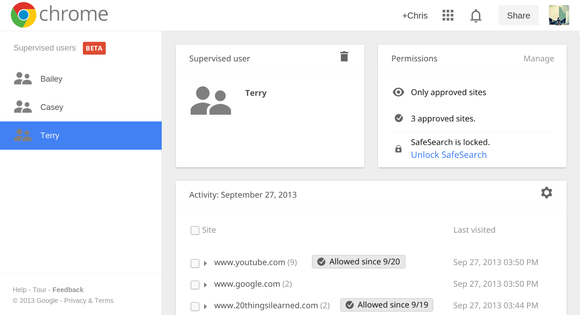
Supervised users is a lot like multi-user accounts.
Lastly, if you’ve got a family computer, you can now try out a beta preview of supervised users, which helps out those family members who need some help getting around the Internet. Once you’ve set up the accounts, you can visit a specific page to review each member’s browsing activity and determine their restrictions. It’s like Android’s multi-user profiles, but for Chrome.
If you’d like to try out the new features, you can update the Chrome browser from the Help menu under the browser settings. To try out the beta features, you’ll have to download Chrome Beta.
Your iPhone is remarkable in many ways, but its camera will simply never capture photos with a deliciously shallow depth of field like your DSLR. And unless Apple finds a way to cram a much, much larger sensor into the phone, that will always be the case. You can simulate that luxuriant, shallow depth of field effect through software, though. Tadaa SLR does just that.
Actually, Tadaa doesn’t simply let you artificially tweak the depth of field; it lets you change the focus point of the photo. And it does that after you’ve taken the image, not unlike what you can do with the innovative Lytro camera.
You start Tadaa in camera mode; compose and take your shot. If you want to start with an existing photo, you can alternately choose one from your camera roll. There are a few widgets: Display a line of thirds grid, switch between a square or wide shot, and turn the flash on and off. Tadaa even gives you access to both the front and rear cameras.
After taking the shot, you paint a mask over whatever object you want to be in sharp focus. Tadaa has pretty smart edge detection, so you can just dab with your finger and the app selects the whole subject for you. If that’s not working—and I did run into some subjects that Tadaa refused to select in their entirety—you can turn off edge detection and do the painting manually. In general, though, the trick is to slightly overpaint your subject so that Tadaa can find the edges.
Paint a mask over the parts of the image you want to be in focus.
After that, a slider lets you choose the aperture, which translates into the intensity of the depth of field effect. You can vary the effect from nothing, which gives you the deep depth of field the iPhone shoots automatically, to a very blurry background like you’d get from setting a DSLR to f/2.
And here’s where Tadaa distinguishes itself from other blur apps like AfterFocus, for example. You can tap anywhere in the image to adjust the focus. Tap the background, for example, and it snaps into focus, simultaneously blurring the foreground objects that you’ve previously masked. This is a fun feature that lets you explore what a photo would look like if you shot the scene several times, varying the focus in each. Unlike the Lytro, though, you eventually need to make a choice and save the image—you can’t continue to interactively change the focus after saving.
Tadaa even can give you a bokeh effect.
Another unique tool in Tadaa’s bag of tricks: You can add and tweak bokeh. Bokeh can be a difficult concept to wrap your head around; it’s the visual quality of the out-of-focus areas of a photo, and it often manifests itself as glowing blurs around reflective elements in the background. Using a pair of sliders—highlights and gloss—you can dial in an excellent simulation of bokeh, and get just the amount that you want. If you have every looked longingly at examples of bokeh in DSLR photography, you’ll love fiddling with the bokeh in Tadaa; it delivers an effect that is essentially impossible to achieve with an iPhone in the usual way.
Completed photos are automatically saved to your camera roll, and you can optionally upload it to Twitter or Facebook from within the app. Tadaa SLR is one of several apps that let you simulate shallow depth of field in an iPhone photo, but it does so in an elegant and flexible way.
“All work without play” they said, “makes Jack a dull boy”. 2013 would have been incomplete without all the fun in it. Today, EWT is bringing your attention to the top 20 PC games that branded our 2013.
The games shortlisted here can easily contend for the ‘best game of the year’ award. If your most preferred game is not listed here, you are free to include it on the comment section. The qualifications for contention: The game must be a stand-alone product that you can buy on its own, and it must run on a PC.
DayZ is a gritty, authentic, open-world survival horror hybrid-MMO game, in which players follow a single goal: to survive in the harsh post-apocalyptic landscape as long as they can. Players can live through powerful events and emotions arising from the ever-evolving emergent gameplay.
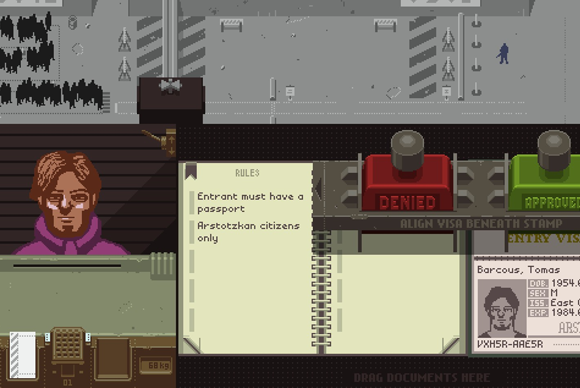
In Papers, Please, you win the lottery. Unfortunately, it’s the labor lottery, and you’re pressed into service as a border-crossing guard for your vaguely Eastern Bloc country Arstotzka. Your job is to examine people’s passports and—as drab days stretch into miserable weeks—make sure no criminal scum is trying to get into the country using falsified documents. Of course, the “criminal scum” is often people just like you—like the man who immigrates with no problem but whose wife has counterfeit papers. Do you let her in anyway? Or do you do your job and reject her? Keep in mind that if you let her in, there’s a good chance your pay will get docked and your family won’t eat tonight. Papers, Please is brutal. Unforgiving. Bleak.
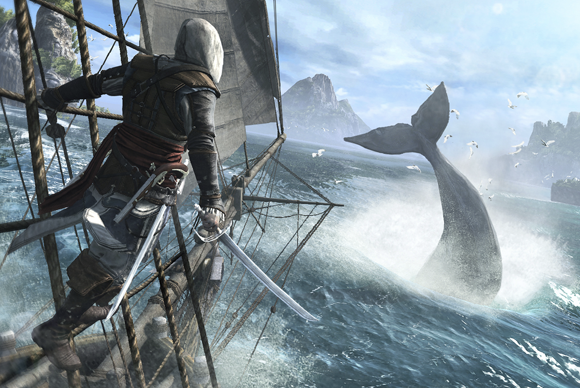
After a swift fall from grace with the last two middling chapters of the Assassin’s Creed franchise (Revelations and III), I thought I was done. Burned out. Imagine my surprise when I put 15 hours into Black Flag my first day. Sailing around the Caribbean, sinking boats just to cause chaos, with my crew of pirates belting out sea chanties—I liked being a pirate. Star of the show Edward Kenway is the most affable protagonist the series has ever had. While some lament the lack of plot progression in the overarching series, I’m actually glad proceedings are less self-serious this time around. Assassin’s Creed IV is pure, unadulterated fun. Just make sure to keep a bottle of rum close at hand. Or this weird nonalcoholic rum for all you youngsters.
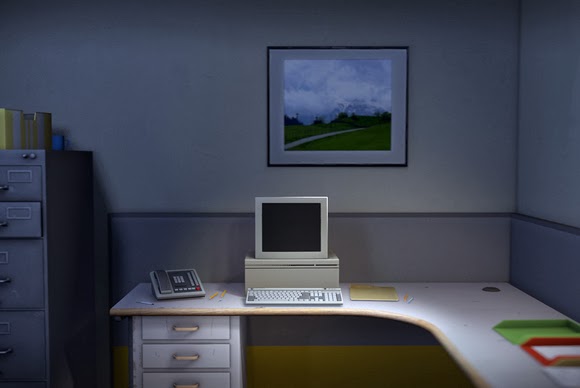
The Stanley Parable, once a mod for Half-Life 2, is now a stand-alone game. If you don’t know what The Stanley Parable is about, I highly recommend that you skip the rest of this entry and just go download the demo. Choice is the operative word in The Stanley Parable. You play Stanley, a hapless office worker who suddenly realizes that all his coworkers are missing. Also, a British guy narrates everything. “Stanley came to two doors and walked through the one on the right, towards his boss’s office,” the narrator says cheerfully. Do you listen to him, or do you rebel and walk through the door on the left? Do you stand there, paralyzed by choice, for minutes on end? Or do you contemplate how utterly meaningless life is? Let’s be honest: It’s probably the last one.
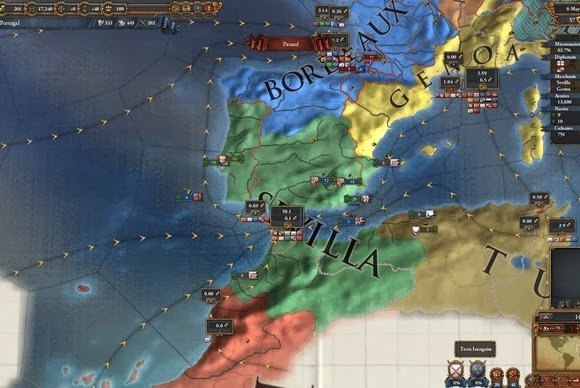
Eu não falo Português. Still, that didn’t stop me from becoming eternal king of the Portuguese Empire, a globe-spanning operation that discovered the Americas before Columbus was even born, and that grew to control the entire New World. In Europa Universalis IV, you take control of a country in the early Renaissance era and guide it toward empire. Or don’t. It’s a giant political sandbox. Want to know what would’ve happened if Ireland had thrown in with the French during the Hundred Years’ War? Or if the Holy Roman Empire had become an exceptional naval power? Go ahead and try it. The complexity of Europa Universalis IV’s grand-strategy approach takes some getting used to, but stick with it and you’ll suddenly find you’re making political decrees at four in the morning, wearing a crown you fashioned from an old pizza box. Perfect.
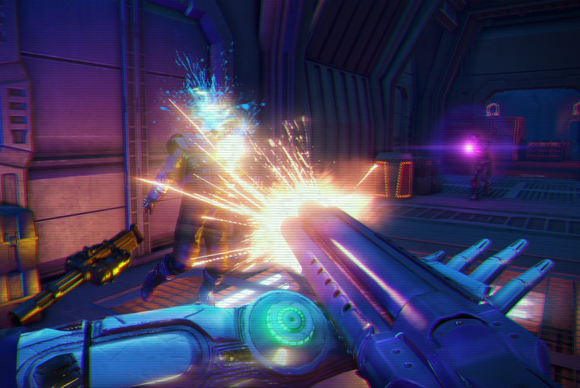
Look at your shelf of films (or your Netflix account or wherever they live). Are a good portion of your favorites neon-soaked, 1980s action films? Ones that feature spandex, an abundance of one-liners, and cheesy synthesizer and saxophone music? Far Cry 3: Blood Dragon takes place in a post-nuclear-war 2007. Your name is Sergeant Rex Power Colt. You have an electronic eye and a cybernetic arm. Your character is voiced by Michael “Kyle Reese” Biehn. It’s basically the same game as Far Cry 3, except way more pink. And way more amazing.
It’s been months, and I still don’t quite know how to put my experience with Gone Home into words—or perhaps I don’t want to. The experience is intensely personal, and not everyone is going to get as much out of it as I did. Gone Home is not, despite outward appearances, a horror game. There are no enemies to encounter, no middle act where you blow up the house and save the universe. Gone Home is a story of a family—and the secrets the family members keep even from one another, secrets that are hidden in the backs of old drawers and stashed under beds. What can you learn from the letter your mother uses for a bookmark? How about the box of papers in the basement? Or the details of an old rejection slip addressed to your dad? A lot, it turns out. Gone Home takes people as its premise, and people are fascinating.
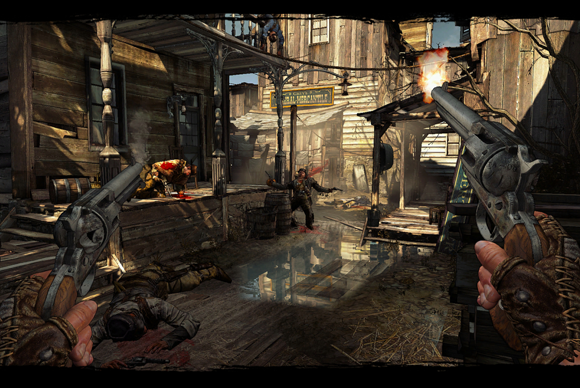
8. Call of Juarez: Gunslinger
Call of Juarez: Gunslinger abandons the self-seriousness of the last Call of Juarez game (The Cartel) and returns to the Old West, winning it the title of best arcade-style shooter of the year. You play as Silas Greaves, a grizzled bounty hunter and legend of the Old West. Greaves is actually the narrator of Gunslinger, relating his tales to a crowd of saloon patrons. And, as you can imagine, his tales are a bit…tall. Yes, you play the unreliable narrator of your own stories. The other people in the bar will call Greaves out on his lies, and the game world changes accordingly. “Now hang on, I didn’t say they were Apaches, I said they fought like Apaches!” Greaves says, and suddenly the Apache enemies turn into generic bandits. It’s a refreshing approach—toying with game tropes without taking itself too seriously. And for only $15? It’s a steal.
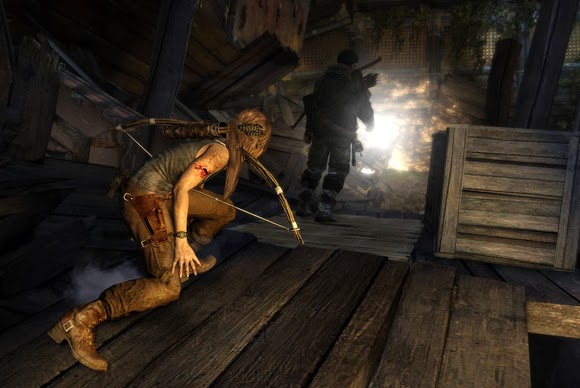
9. Tomb Raider
I never thought that in 2013 I’d be putting a Tomb Raider title on the Game of the Year list, but here we are. Developed by Crystal Dynamics, the new Tomb Raider is (like so many things these days) a dark, gritty reboot of the franchise. In this case, however, it’s a gritty reboot that works. The iconic Lara Croft is younger here, not as sure of herself. She’s shipwrecked on a mysterious island where the locals are less than friendly, and from there the game plays a bit like an open-world Uncharted. And I mean that comparison in the most favorable way. Tomb Raider’s mechanics just feel right: The game has dozens of collectibles scattered around the world, and for the first time in a long, long while, I actually snagged them all, just so I could keep playing.
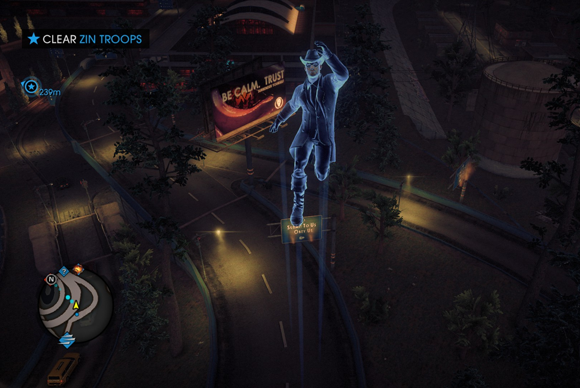
10. Saints Row IV
If Saints Row were a presidential candidate, it would endorse Fun. Capital F. “Restrict guns? No, I want the entire world to have guns,” says President Saints Row IV. “Oh, and here are some superpowers and a kickin’ soundtrack and—you know what, let’s just remake Crackdown, but make it silly.” I love Crackdown. Remake Crackdown but set it in the anything-goes, Saints Row universe, where every moment is a new pop-culture reference, and one of your many superpowers lets you turn yourself into a nuclear explosion? Awesome. Plus, I think there’s an unspoken rule that any game prominently featuring Aerosmith’s perennial classic “I Don’t Want to Miss a Thing” has to make the GOTY list.
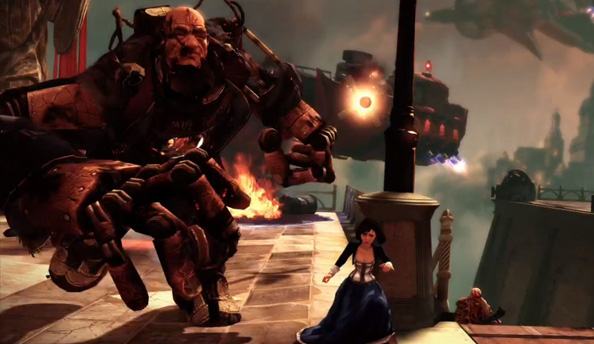
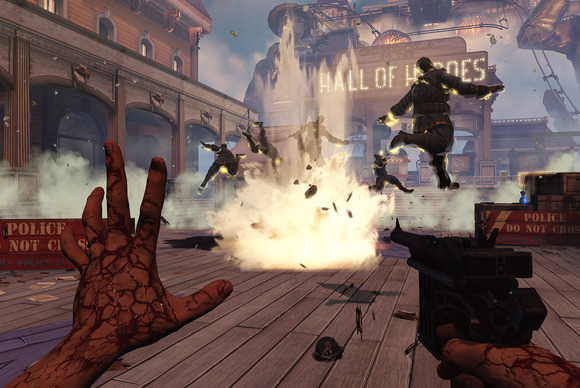
BioShock Infinite didn’t match its potential. Set aside the fact that the middle chapter is a drag, and you’re still left with an extremely problematic story that never quite gets a handle on any of its themes. And yet there were moments (particularly this one) that provided brief glimpses of the game it might have been, and even those brief glimpses were better than a lot of games. BioShock Infinite didn’t “save video games,” and it certainly didn’t have the same impact as the original BioShock, but those sky-high expectations were always unrealistic. It’s a shooter with a story that’s marginally better than those of most other shooters, set in a high-concept world that occasionally falters and shows its seams.
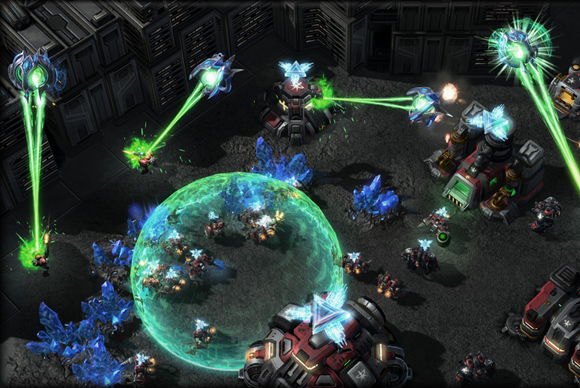
Starcraft II: Heart of the Swarm is the first expansion pack to Starcraft II, and the second chapter in a planned trilogy of games. The game’s campaign takes place after the events of the first game and you take on the role of Sarah Kerrigan and the Zerg race in an all new single-player campaign. Like the first game, you’ll decide how to proceed through the campaign by choosing your missions and your army’s upgrades—which now in the form of Zerg evolutionary enhancements. The multiplayer portion of the game, which is arguably what most people are going to get the game for, is also getting some major additions with new buildings, units, and associated strategies.
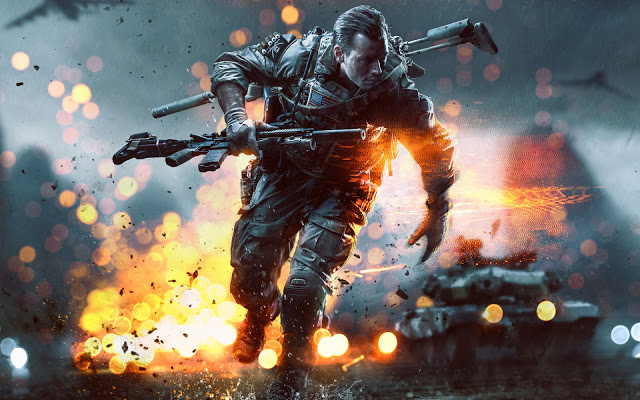
Battlefield 4 is being developed on a powerful next-gen engine and features Destruction 4.0 — allowing for Battlefield: Bad Company 2 style effects — tessellation and dynamic weather effects. As with Battlefield 3, the next entry in the series’ primary platform will be PC. More than just a yearly upgrade, the game will come with a host of improvements to the way its maps are set. For instance, each map in the game will be subject to various weather conditions including fog, sandstorms, rain and haze with these being completely random according to the leak. This, and a dedicated single-player campaign will be part and parcel of the next-gen Battlefield 4 experience.
SimCity is one of our most wanted games of 2013 for the PC. Heck, it’s been one of our most wanted games for a decade now. We’ve wanted a proper, current-generation sequel to SimCity 4, a game which has—thus far—remained uncontested by the likes of too many city simulations that simply fail to compete. The new SimCity offers a city simulation with more detail than ever before thanks to the powerful Glassbox engine it runs on, which simulates everything from underground water tables to the spread of fire, pollution, and crime. Beyond that, it’s got detail that’ll make use of high-end PC hardware to their max, pushing the boundaries of what’s possible in a simulation. It’s got its share of problems, but they’ve been fixed. Aside from the game’s always online requirement, most of its issues that were around during its launch have since been alleviated, making it one of the best city simulation games of all time.
Total War: Rome II is set to be the latest and greatest title in Creative Assembly’s Total War series of real-time strategy games. As the eight standalone title in the series, Rome II is set in the classical antiquity with a focus on the Roman Republic. The game is set to offer a much larger campaign than any previous Total War title, encompassing the extent of the Roman Empire and its environs. This time around however, players will be prompted with a variety of decisions to make throughout their campaign. For the first time ever, players will have to make decisions which affect how the campaign plays out by assigning traits to their legions, customizing their loadouts, and more. Additionally, the game’s developers also seek to capture the uniqueness of the different cultures and fighting forces of the time so you won’t simply be commanding cloned armies to fight one another. Each unit in the game will have a unique look and feel associated to its culture, and a technological tree that makes historical sense.
Planetary Annihilation can be best described as the spiritual successor to Total Annihilation and Supreme Commander, offering real-time strategy battles that take place on a planetary scale. Games are expected to vary from half-hour 2-player battles to large scale, and lengthy 40-player matches. The game is set to feature a planet-based map system spanning over multiple star systems, different types of planets, and even asteroids. Players will be able to conquer planets and even entire solar systems in their war for galactic dominance.
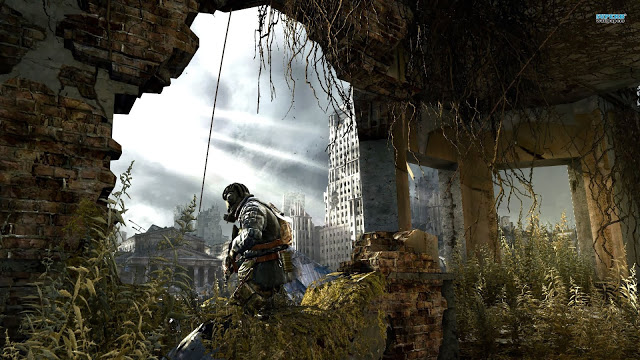
Metro: Last Light is the sequel to Metro 2033, taking place a year after the events of the first game. Originally slated for release in 2012, the game has since been delayed to an early 2013 release. The writer of the books, Dmitry Glukovsky has been signed on to work with the developers on the game. Like Metro 2033, the game is expected to make full use of the PC’s capabilities to offer better visuals than its console counterparts.
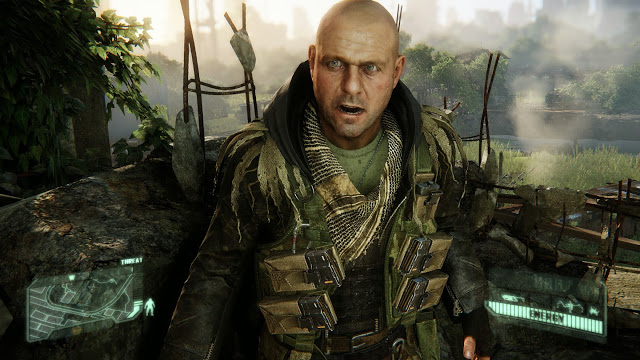
Crysis 3 may be getting released on consoles, but it’s a game that finds its home on the PC as its developers plan to make full use of the PC’s powerful hardware. Veering away from the corridor shooter gameplay of the second Crysis, Crysis 3 is set to offer wide open spaces in a New York City overrun by flora and fauna. Much like the first Crysis and Far Cry before it, players can expect to be able to utilize free-form strategies against AI opponents as they traverse through the wide open areas.
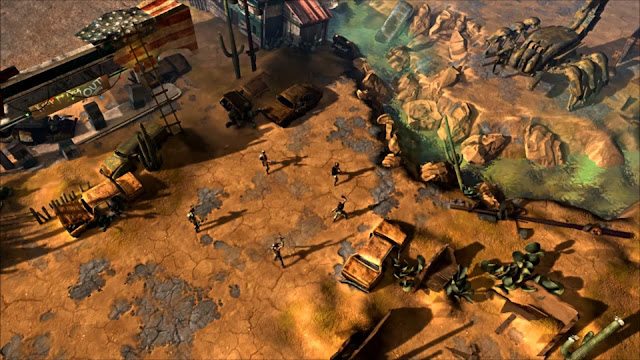
Wasteland 2 is a tactical turn-based and party-based RPG with an “old school” isometric view in which players take control of a party of up to seven characters (three of which are NPCs), and all of whom are highly customizable. Wasteland 2 comes from the makers of Fallout and the original Wasteland—precursors to just about every other modern RPG. As one of the first major games to be funded by Kickstarter, Wasteland 2’s development is entirely independent from the machinations and meddling of marketing departments and corporate big-wigs.
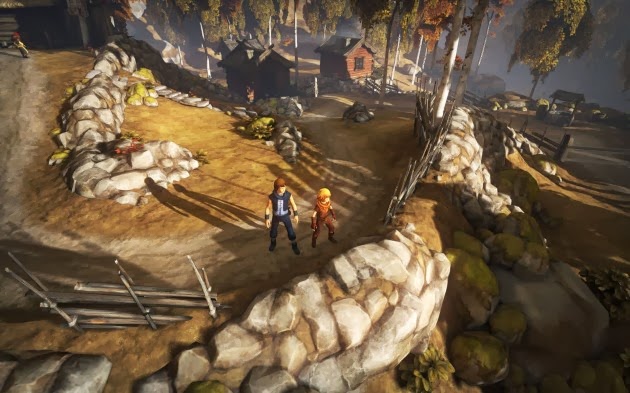
Brothers – A Tale of Two Sons is a videogame developed by Starbreeze Studios in partnership with 505 Games. A lovely game just enough to squeak in at the bottom of the list.
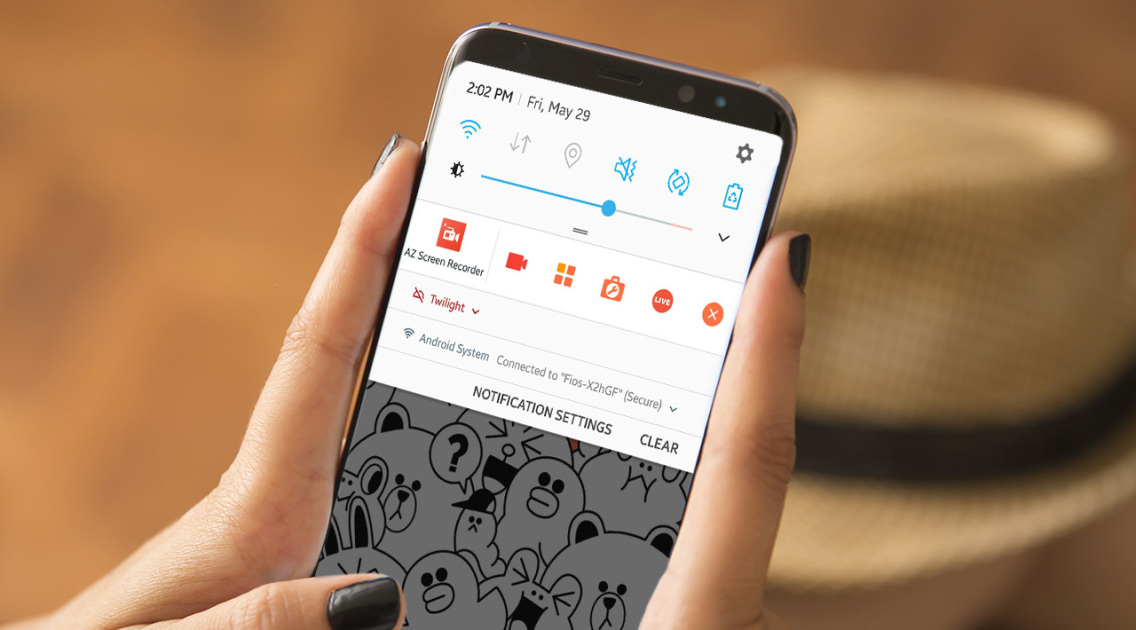
Screencast Pro might be the ideal app for screen-casting quality videos on your mobile; Wondershare video converter will ensure that you don’t miss your favourite video due to compatibility issue.
Wondershare Video Converter is an amazing software that lets you convert 2D & 3D videos in any format to over 150+ formats; including AVI, 3GP, MP4, MPEG, FLV, WMV, MUV, MTS, VOB, MKV, etc. The easy-to-use interface makes it possible for you to drag and drop multiple videos and convert them with one click. In a niche already populated with some heavy-weight competitors, Wondershare Video Converter Ultimate will not hide behind the folds; presenting unique and unprecedented features that will crack even the ‘hardest nut’.
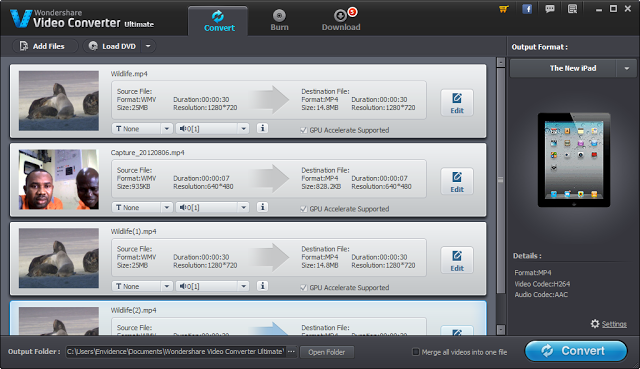
Similarly to Total Video Converter, the ultra-fast video converter keeps you on track: So that you can choose your device brand/model (ranging from PCs, iPad, DVDs, DVs and Smartphones) from the workspace, ensuring that you only covert videos into something that really works for your device.
The Applications lets you choose the device you want to make your video compatible with.
Unlike Total Video Converter, you can now convert multiple videos, simply by dragging them into the workspace and hitting the convert button, saving you the stress of adding each video manually. You can as well merge multiple videos into one file: Just check the box next to ‘Merge all videos into one file‘ before hitting the covert button and watch the application do the rest for you.
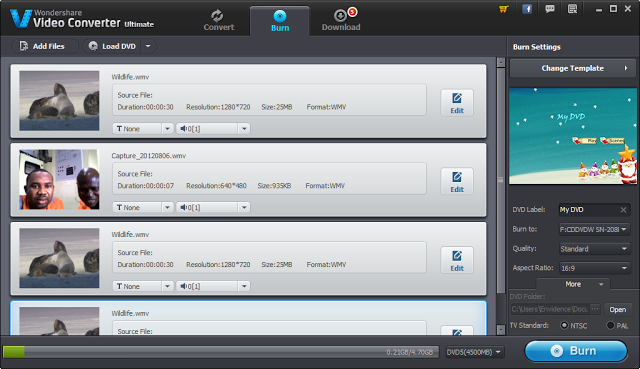
How about recording a Christmas event? Outside video conversion, Wondershare Video Converter Ultimate makes it easier to ‘preserve a memory’ in a DVD: You can easily burn a Christmas event into a DVD5/DVD 9 disc, DVD folder, or ISO files. This feature can also be used commercially to make professional and corporate presentations, music videos or DVD collections.
Edit and burn video in any format to DVD5/DVD 9 disc, DVD folder, or ISO files
If you don’t like the default, you can always change the template, use a custom background image, text and add your own background music to your DVD.
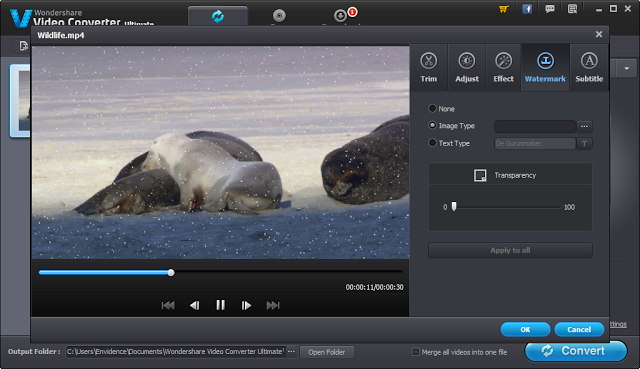
Right before you hit the ‘Burn‘ button; you can achieve massive result with the video editing tool. This tool lets you cut, merge, crop, trim, rotate, adjust duration or even add watermark to your video. You can have Santa Claus standing right beside you with the editor’s photo effect or stitch an old video to your current presentation (see image below).
Professional but easy-to-use video editing tool: Add personalized effects to your videos
The Version 6.7.0 of Wondershare Video Converter Ultimate now supports metadata retrieval; so that you can add meta information (e.g. Artwork, Actors, Directors, etc) to your imported beefs. The featured version also save you the stress of importing converted beef to iTune library as this is done automatically upon connection.
While JetAudio seems incapable of shaking itself off from bugs and Window media player just ‘what it is’, Wondershare Video Converter Ultimate can very well compete for a spot as a top video player. Its elegant and seamless interface makes a huge difference; less I forget, it plays a large variety of video formats and of course, whilst remaining bug-free.
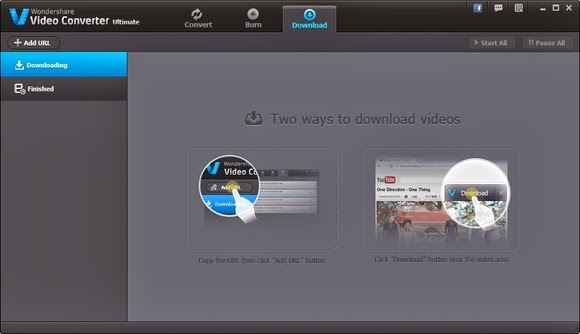
Download and covert videos from the web (Including flash videos)
This review will be incomplete without mentioning that you can as well download your favourite videos from YouTube and watch them offline. The software comes with a browser extension/plugin /add-on that let you download and convert videos from the web (including flash videos).
I understand some of my readers here believe in what they see, I won’t judge you for that; a free demo version is available for you to try. Also, Wondershare will be offering you a very generous promotion across its product lines this coming Christmas. Be sure to seize this fantastic deal either on the great discounts or free giveaways! The Christmas campaign will run from the 20th of December until the 10th of January 2014. Please click here for more information. Price When Rated: $69.95$49.95 Our Rating: 4.5 Operating System: Windows XP/Vista/7/8, Mac Download Now
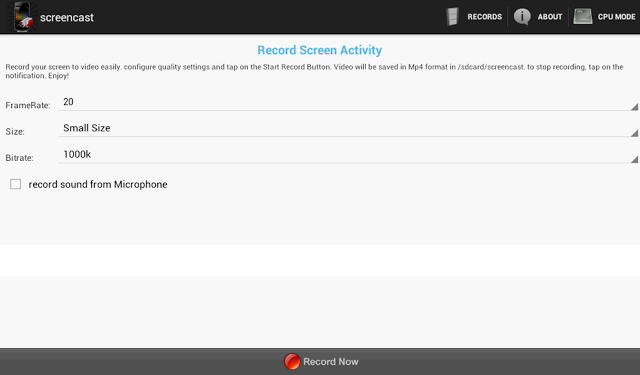
This application works with rooted Android phones only. It helps you record your screen into high quality videos. Recorded videos will be saved as MP4 on your device or SD card – you in turn, will be able to mail this video to a friend or share it on YouTube and social media.
The Screencast Pro is available to be downloaded free at the Google Play Store. However, if for reasons you would love to have a ‘raw’ copy of the application or you wish to use this Android app on PC or Mac, simply hit the download button just beneath this section.
Publisher’s Description
** Rooted phones only ** Screencast is a free screen recorder application. Record your screen into high quality video. Videos are saved as MP4 on your sdcard. Very usefull to create presentation or tutorials.
This application may works on some unrooted phones. Please tell us if it works for you. and if it doesn’t, please tell us too to help us improve this app.
If your phone is rooted and the app doesn’t work, please send us a message with your phone characteristics including processor information, thanks. This application doesn’t support all Tegra 2/3 based devices. Keywords: screenshot, screencast, video recorder, screen recorder, camtasia, screenrecorder
**This app uses FFMPEG application for the encoding process
Remember when television was the exclusive preserve of a select few? When no one really cared about picture quality, but those who has access to movies on television were simply thankful to behold the wonders of motion picture? Well, those days are gone now.
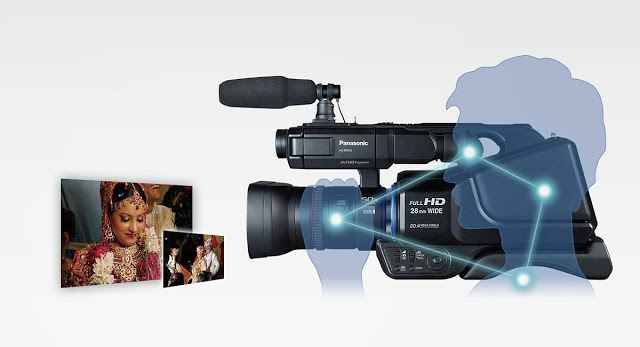
The average person now cares as much for the quality of a video as he does for the quality of a movie plot. Panasonic knows that. That’s why it recently introduced its latest camcorder product to widen the gap in film shooting and photography with the pro-style shoulder mounted HD camcorder HC-MDH2. The camcorder is equipped with the “Simultaneous Recording” function, the camcorder allows recording on dual memory devices simultaneously.
Panasonic’s new HC-MDH2 with greater advanced shooting performance, design and operability enables photographers to shoot still Photo’s at 20 Megapixel resolution and videos in Full High Definition or in Standard Definition format. The direct manual control Of focus, Zoom, Iris, White Balance and Shutter Speed, via the manual ring, are incorporated based on user needs to have control over varying shooting conditions. “Simultaneous Recording” in Dual Memory Devices for Added Dependability:
With the Simultaneous recording function, a captured video can be recorded in dual memory devices at the same time, which means that even if a problem happens in one device while shooting, the video images are always backed up in the other device. This ensures high dependability. Relay Recording is also supported, making the camcorders effective for extended recordings.
Automatically correcting the tilting of captured images to make them horizontally level for ease of viewing -The tilting angle to the horizontal plane is automatically detected and corrected while the camcorder is stationary.
This article first appeared at our neighbor’s site: Vanguardngr.
If you are searching for older versions of Connectify Hotspot PRO, I bet you have a good reason for that and if you are thinking what I am thinking, then, you are at the right place: This file contains the full version of Connectify Hotspot PRO in .iso format. After downloading, simply extract its content with winrar before running ConnectifyHotspotInstaller.exe.
What will Connectify do for me?
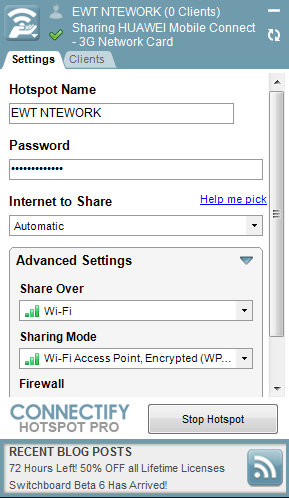
Connectify Hotspot PRO converts your PC into a hotspot. Allowing you to share internet from your PC to other devices and PCs through WIFI. Some of the features of this program include:
Custom Hotspot Name
Secured Hotspot
Sharing Mode
Firewall
You have full control over your wireless network all the time, so you will know exactly who is connected to your server. Among its advanced features, Connectify enables you to explore shared resources from the devices that are paired with your system. DOWNLOAD CONNECTFY
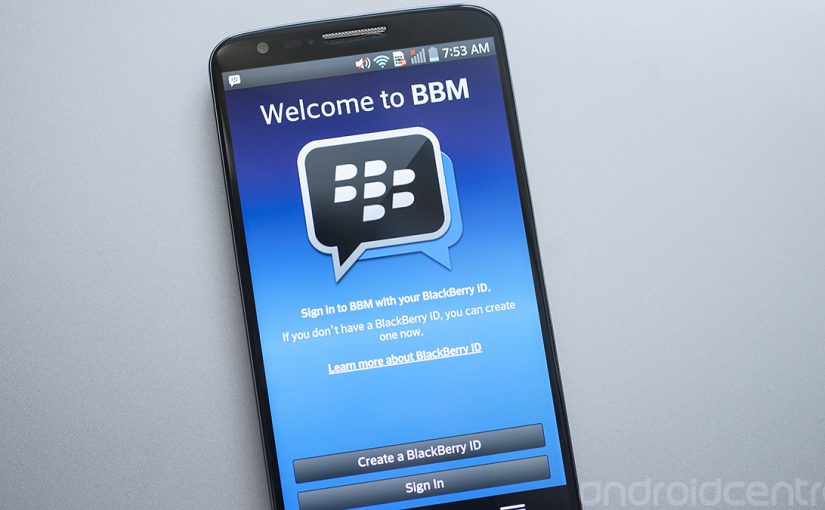
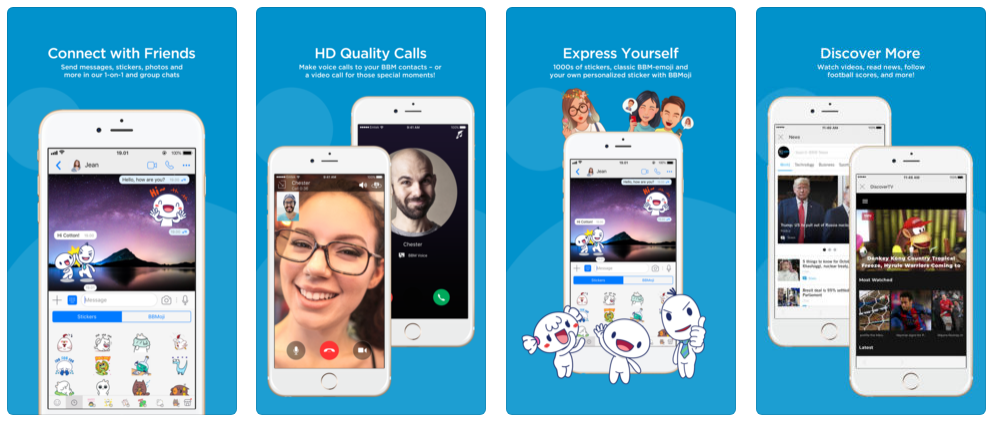
In the days of featured phones, Nimbuzz was the go-to guy when it comes to instant messaging. That was a long time ago, though. Smart phones has come to stay and WhatsApp and BBM for Android and iOs decides the rules in this new world. As you already know, the official Blackberry Messenger has long been available in the Google Play Store. A lot of BBM app (camouflage) has been uploaded to the Play Store ever since the smart phone company (Blackberry) was sold.
To save you the stress of going through a wasted day searching for the official BBM application in the Google Play Store, I have uploaded the official BBM Android app on this page.
BBM for Android
BlackBerry Messenger (BBM) is also now available in an iOS version so that you can communicate between BlackBerry, Android and iOS devices.
BBM for iPhones and iPads
BBM allows you to send free messages, photos, voice memos, to participate in group conversations and much more.
Description
It is no understatement to say that BBM ruled the world of mobile instant messaging for the longest period, but that was on BlackBerry devices. However, the official version of BBM for BlackBerry is now here for Android. Get the free BBM Android and iOS app and continue in the old habit of pinging with your friends and family.
Chat with friends on Android, BlackBerry and iPhone:
After getting your PIN code, i.e. your BlackBerry Messenger ID, the application will let you communicate with your friends without restriction.
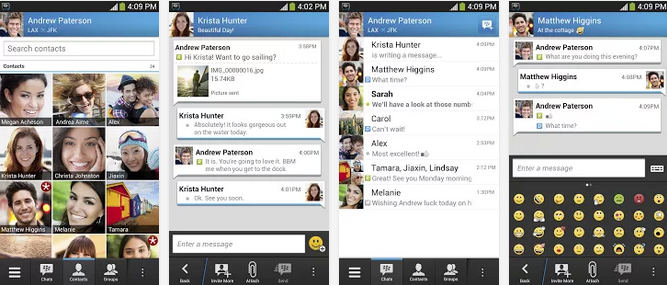
Blackberry Messenger lets you send messages, voice memos, photos, and files. It also informs you as soon as your messages have been received and read by your contacts. The BBM application is permanently enabled and connected so that you don’t need to open the app to get notifications.
BBM is always on and always connected – no app to open
Know when messages have been delivered (D’s) and read (R’s)
Share photos, files, documents, voice notes and more
See when contacts are responding to your message
Emoticons for every mood and emotion let you express yourself
BBM lets you protect your privacy.
BBM for Android and iOS gives you absolute control on your privacy:
As a user, you chose how to share your information – BBM uses PINs instead of phone numbers or email addresses so that it’s more private and you always control who can contact you
You chose your contacts – 2-way opt-in means you have control over who is able to message you
BBM Android app allows you to Chat and Share with many at once:
With Blackberry Messenger groups, the messaging app lets you share images, lists, and meetings with members of a group (up to 30 individuals). As for multiple chat, it’s useful to get in touch with multiple friends at the same time, and you can make use of a whole range of emoticons to send in your conversations.
BBM also provides functionality for sending bulk messages. With the option to broadcast messages, you can easily send a message to several BBM contacts simultaneously.
Groups – BBM groups help you share pictures, lists and appointments with group members. You can even be in a group with people who aren’t part of your own BBM contact list.
Multi-person chats – Invite multiple contacts to have a chat together.
Broadcast messages – Send a message to multiple BBM contacts at one time.
Create your own BBM profile with BBM for Android and iOS
Finally, Blackberry Messenger lets you create your own profile using your avatar (picture or animated GIF) and gives you the ability to post statuses. You can change your profile by clicking on your avatar.
Post a profile picture using images, pictures or even animated pictures (GIFs).
Update your status to let people know what you’re up to or how you feel
A BlackBerry 10 interface
With Blackberry Messenger, BlackBerry seems to want to provide a similar experience on all platforms. The interface of the application is the same for all versions and imitates the BlackBerry 10 style and codes. On Android, the interface seems slightly out of place; for example, you’ll notice the presence of a “previous” button that duplicates the one offered on the screen of the Nexus or many other Android devices. BBM features are nevertheless easy to access, thanks to a list of tabs at the bottom of the interface.
Good news for Android as well as BlackBerry users
The arrival of Blackberry Messenger is good news for Android users but perhaps even more so for BlackBerry users. If the latter were only able to use the application with those friends who own a BlackBerry, they might not have had many contacts on their BBM list.
As for the application, Blackberry Messenger proves to be quite comprehensive, with a range of good features comparable to those found on competing applications like WhatsApp, LINE, and Viber. It only lacks VoIP and a more flexible interface.
Support for Android 2.3.x added
The most recent update of BlackBerry Messenger adds support for Android 2.3. At last users of the Gingerbread flavor of Android can chat via BBM on their device. This means that millions of people with lower-end devices will have access.
Changes
Support for Android 2.3.x added: The most recent update of BlackBerry Messenger adds support for Android 2.3. At last users of the Gingerbread flavor of Android can chat via BBM on their device. This means that millions of people with lower-end devices will have access.
Download BBM for Android and iOS
The official BBM iOS app may be installed directly from the Apple store. Initially, it was tricky to get the app on the play store but in recent times, the Android app has been made available. If somehow you managed to find yourself using a BlackBerry device, the app is still available on the BlackBerry App World.
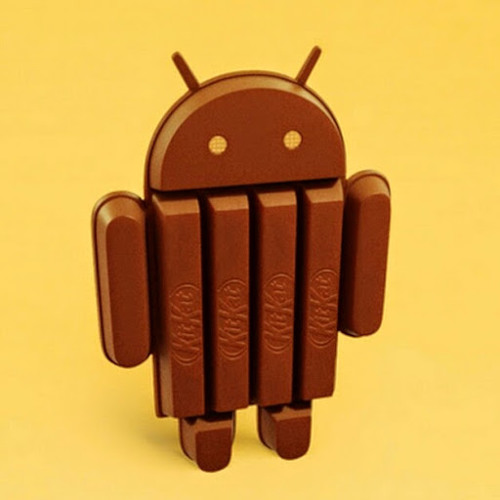
The speculation sourounding Android 4.4 KitKat can finally be put to rest. While users and developers are allowed to have their opinion, you need to base your criticism or appluas on a good ground and the contents below could prove an avenue for such ground.
While we weren’t expecting a hefty update, some of the features announced in KitKat—like the newly revamped interface and new messaging features in the Hangouts app—were on our wish list. Other features, like optimization updates to help KitKat run on low-end phones, simply remind us that Google is still battling all the issues that lead to device fragmentation.
Regardless, let’s walk through some of the key features of KitKat and what you can expect when you finally get your hands on the new OS (whenever that is, because as we know, Android updates can take a long time to roll out).
A better phone dialer
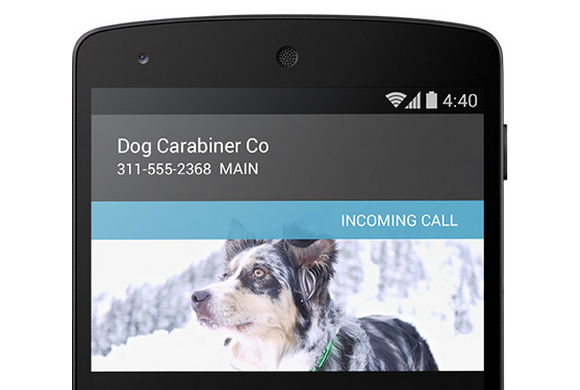
No more surprises: Google will provide info to let you know who is calling you.
You wouldn’t expect an overhaul of a dialer application to be a marquee feature, but Google has achieved the near impossible. When you’re in the dialer interface, now you can type just the first few letters of who or what you’re looking for—whether it’s a business or a friend—and the dialer will immediately bring it up. You won’t have to venture into Contacts for this essential information. If this search functionality sounds familiar, that’s because some manufacturers already offer this feature in their own version of the Android dialer. Samsung’s TouchWiz UI, for example, helps you find the name of the person you want to call by letting you key in the first few letters of his or her name on the number pad. So perhaps the bigger news isn’t that Google overhauled its dialer applications, but that it’s looking to what third-parties are doing to give consumers what they want. KitKat also provides a novel form of caller ID, fetching the location information of unknown numbers that call you to provide a better glimpse into who might be calling and where they’re located. This is an especially helpful addition when you consider the number of telemarketer calls that aren’t routed through an 800 number.
Fabulous interface makeover
That navigation bar will look translucent, which should prettify the slightly doldrum Android interface.
Stock Android doesn’t have to be plain and simple. As some developers posited in our Android retrospective, KitKat includes a slightly revamped interface design. You’ll see better use of screen real-estate in applications that utilize the new “immersive” full-screen abilities, like Google Music and Books. And the new navigation bar is now translucent, so your wallpaper won’t be cropped by a colored menu bar. KitKat also sports a new condensed font. Unfortunately, these interface changes won’t necessarily be exposed on non Nexus devices—meaning pretty much the entire universe of Android hardware. You’ll still be held hostage to whatever interface the manufacturer wants you to look at if you’re not using the developer edition of a phone. It’s unclear how these design changes could affect interfaces like HTC’s Sense or Samsung’s TouchWiz UI, but we’re not holding our breath for substantial KitKat additions to those UIs. Third-party manufacturers will likely continue to push interfaces that match their brand, and for companies like Samsung that means gaudy icons and blue everything.
Never carry cash again
As leaks suggested, Android 4.4. KitKat will enable Google Wallet right off the bat—without the need for your carrier’s approval. And because Android is actually storing your payment information within KitKat, you won’t have to rely on NFC security elements to make a transaction. But that’s not all: Not only will you be able to manage your credit card information from within the Settings panel and more easily pay for items anywhere NFC and Wallet is supported, but you’ll also be able to send money to friends without annoying transaction fees. Google enabled the payment settings from within the OS to help people on Verizon, T-Mobile, and AT&T take advantage of its Wallet offerings, as those three carriers have banded together to use Isis as the default NFC-payment platform. We won’t know more about how Wallet works in KitKat until we physically have an Android 4.4 device in our hands, but at first glance the update looks like a win.
Okay, Google Now
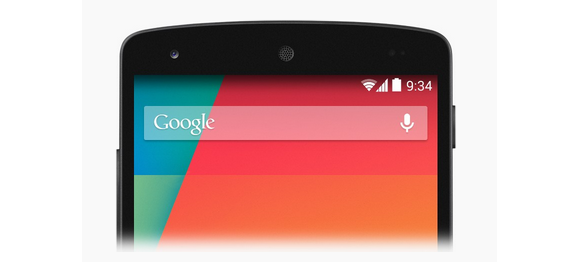
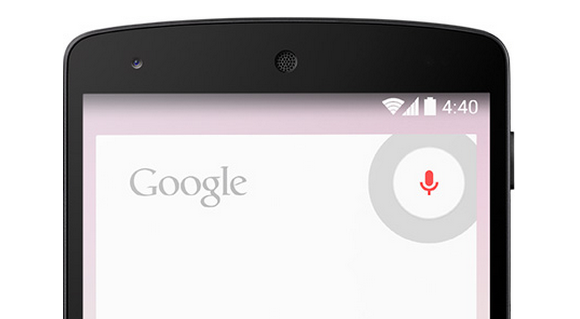
Launch Google Now any which way.
How you access Google Now varies from phone to phone. Do you hold down the home button? Do you swipe up from the bottom of the screen? Do you shake your phone vigorously while shouting at it? Hoping to simplify things a bit, Google has put Google Now front and center by adding it to the Home screen. Now, instead of entering in some variable command, you can just swipe from left to right to quickly access Google’s handy service. The new OS also supports launching Google Now by saying, “Ok Google” while on the homescreen. It should be a helpful feature if your hands are tied up, or you would rather dictate than type. It’s kind of like the Touchless Controls on the Moto X, but with a few more hoops to jump through. Unfortunately the functionality is currently limited to the Nexus 5, so your current phone probably won’t get the feature. (But your next phone might!)
Also, Google Now can now access apps when it exposes information in its search results. Let’s say you’re looking for a particular restaraunt. Not only will you get the usual Google results, you could also get an invitation to book a reservation via, say, the OpenTable app. This function has to be supported on the app level, but suggests an exciting new expansion of Google’s digital assistant. Indeed, by enabling easier access to Google Now, third-party manufacturers like Samsung won’t be able to hide it behind its own proprietary services. (Ever try to get to Google Now on a Galaxy S 4, only to be defaulted to S-Voice?) Google just wants you to stick with it for all of your queries.
Hangouts
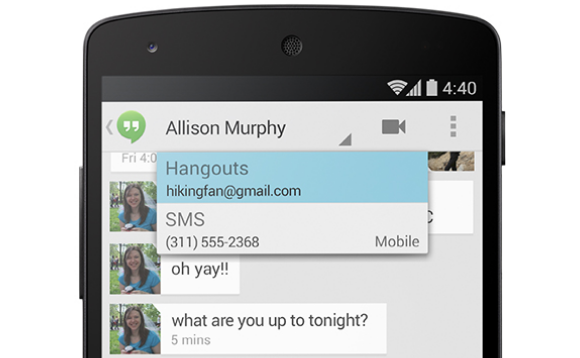
You can chat with your friends through SMS in the Hangouts app.
Finally! A few days ago, Google updated its Hangouts app to let you send both SMS, MMS, and chat messages from one application. It’s the right idea, but Google is merely playing catch-up, since Apple released the all-encompassing Messages application in iOS 6 over a year ago. Google wrote in its official blog post that its intention for combining all the communication functionality into one was for added convenience.
Faster Android for aging phones
Okay, so maybe your hardware isn’t exactly top tier compared to the ones running quad-core Snapdragon processors and massive amounts of memory. Google understands your plight and has introduced a new way for manufacturers to take advantage of all the latest Android features without the typical slow downs that plague most aging hardware. It’s called Project Svelte and it’s designed to make KitKat run smoothly and efficiently even on low-end devices with as little as 512MB of RAM. As a result, Kit Kat uses 16 percent less memory than its predecessor, Jelly Bean, and there are additional features that allow developer to disable any features that use up more memory than needed. This may help developers make apps for low-end devices, but that doesn’t necessarily mean that all old hardware will be able to run KitKat. Not even the Galaxy Nexus will be eligible for an update, and that device is barely a year and a half old. However, the under-the-hood improvements should help the current generation of devices handle applications a bit better, like the now-aging Nexus 7 and Nexus 4. This means an overall smoother Android experience if you’re running those devices.
Under-the-hood enhancements
You may not reap the benefits of some of the other features just yet, but that’s because they’re intended for developers to embed into applications.
There’s some weird irony in the phrase “Stay fit with KitKat.”
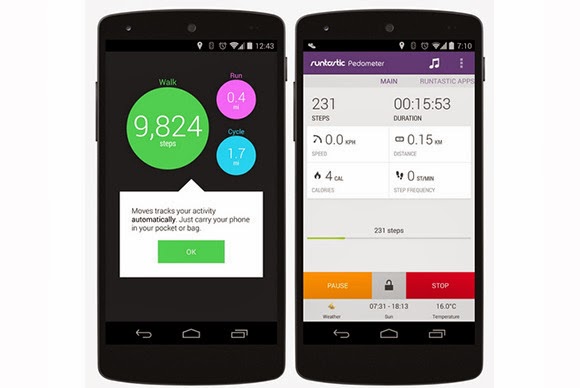
If you walk to work everyday, you might appreciate that Google introduced a nifty new low-power step detector that enables you to track the number of steps you walk in a day without having to leave the screen on. Developers can also take advantage of system-wide captioning abilities that can display closed captions for various content, which is a nice enhancement for the hearing impaired—and when you want to watch a video but don’t headphones nearby. As for that printer collecting dust in the corner, if it’s Google Print-compatible you can now send documents directly to it with the built-in cloud print functionality. Android apps can print anything over Wi-Fi or from cloud-hosted services. You can also discover any available printers, change paper sizes, and choose specific pages to print. Article Credit: PC World
The Image Editing becomes the trend in digital photography and image editing software have helped a lot either in increasing the resolution or to give many amazing effects to the photographs. The latest technology digital photography becomes most popular due to the high quality of image, a soft-copy of result after just make of click, easy to use for a common man and the ability to convert an image in the amazing effects quickly and boundless. There are hundreds of image editing software applications are available in market like Adobe Photoshop, GIMP, Picasa and many others, even you can convert you image On-Line, there are many Online Photo Editing Tools available. Last days we write about the Top 10 Free Adobe Photoshop Alternatives, today writing the review about the one of the best alternative for Adobe Photoshop, The PhotoScape.
PhotoScape is a free graphics editing program, developed by MOOII Tech, from Korea. PhotoScape is built up with the concept of easy to edit and make ultimate fun with your images. It’s Light, Fast and a Powerful image editing program which is packed with the features as follows:-
Photo Viewer: Browse and organize your photos
Photo Editor: Enhance and balance color, Re-size, add effects and clip-arts.
Photo Batch-Editor: Process multiple photos at same time, rename multiple photos at same time.
Page Creator: Joins multiple photos into poster-like single page or into one final photo.
GIF Animation: You can make multiple images into GIF-animated image.
Screen Capture: You can save monitor screen into an image file or we can the print-screen is here.
Color Picker: You can choose and pick color from screen pixel as font color, design or erase.
RAW Convert: It can also convert RAW format picture into JPEG format.
Face Finder: Find similar faces automatically through internet.
Featured Printer: Print photos for particular occasions, such as Passport photo, or lined page such as graph, calendar or music paper.
Means a complete set even if you are a professional image editor. It also offers to make your image much better with some other options like brightness/color/white-balance adjustment, back-light correction, frames, balloons, text, drawing pictures, cropping, filters, red-eye removal and blooming. It has been used for two years and is expanding its features continuously. Its latest version supports 34 languages: English, Korean, Chinese, Traditional Chinese, German, Dutch, Spanish (Spain), Spanish (Mexico, Latin America), French, Japanese, Russian, Polish, Italian, Portuguese, Portuguese (Brazil), Portuguese (Colombian), Thai, Hungarian, Turkish, Catalan, Slovak, Czech, Norwegian, Bulgarian, Ukrainian, Swedish, Estonian, Danish, Romanian, Hebrew, Galician, Finnish, Indonesian and Arabic.Click Here to Download PhotoScape
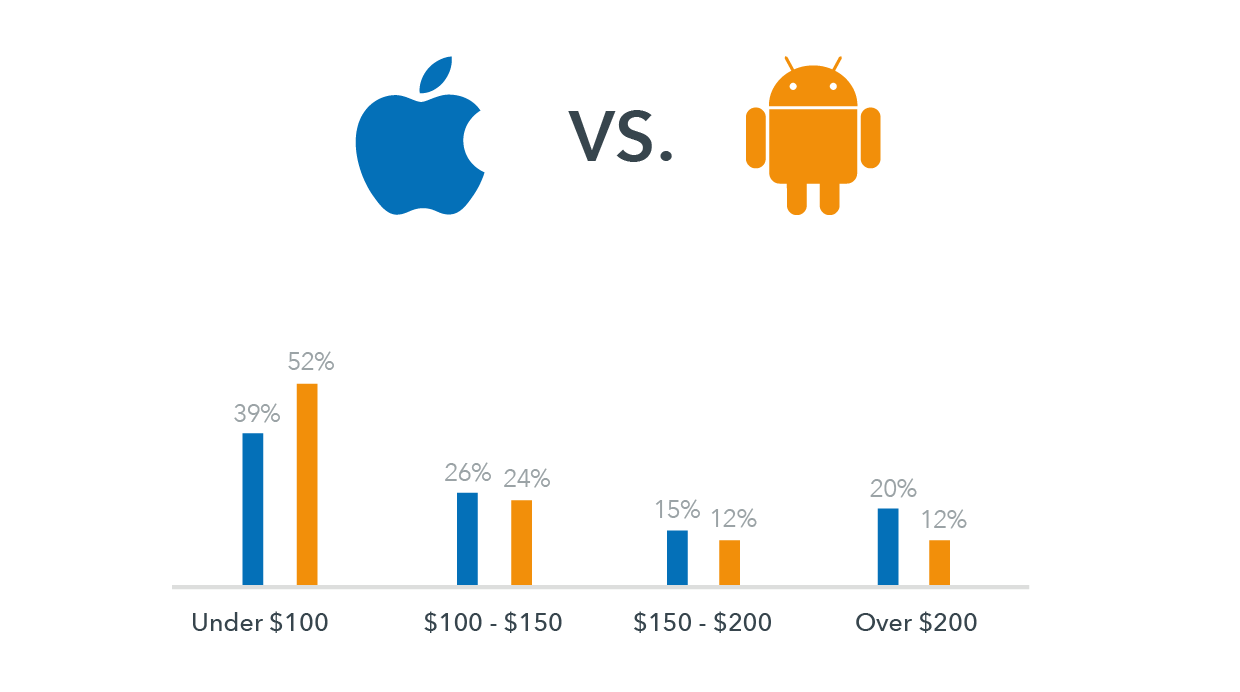
When given a choice between Android and Apple, we start to think and scratch our head. It is difficult to choose between the two since both operating systems offer some of the best and effective smartphone features currently available. As a result, both have a strong and loyal user base. Most of the smartphone programs and apps are compatible on apple and android platforms and users can gain accessibility to vital online projects by using either iOS or Android.
Online businesses and their operations, especially on a mobile platform, demand the use of a smartphone platform, which is effective and capable of meeting requirements as well as being compatible with the nature of business. You need to make use of a platform that best complements and meets your needs because you will be depending on mobile phones for your business appointments, tasks, deals, etc.
So, if you are fretting over the decision of choosing between Android and Apple then take these points into heed first:
Determine the type of apps you make use of most in your business. When accessing online features and programs through mobile phones or other handheld devices, dependency on efficiency is high. Today, you will come across many apps that are made and designed especially for businesses. You can download and install such apps easily. If you are looking for highly innovative apps, an Android platform would be the best option.
Stability of OS is another point to lookout for. Apple is the best option for you if you are looking to use a smartphone on a long-term basis or one that keeps up with your fast paced online business and lifestyle. Products from Apple are designed and crafted to become compatible even amidst changes and upgrades in software. Android phones and mobile devices are not as quick moving.
If you have a business that is highly dependent on merchant services, such as e-commerce or payment transactions, then making use of Apple would be the best option to choose. You will find specific apps that are merchant-related and designed and created for iOS mobile devices that enable users to process different payments through debit or credit cards and make payments without any hassle.
Using smartphones and the latest handheld devices for business purposes are also usable for personal purposes. Apps, like music, entertainment, and gaming are best found under Android.
Let’s get to the bottom line then. If you are looking for a platform strictly to house your business needs, then the platform of Apple overpowers Android. The sole reason behind this revelation is that doing online business is not only about innovation, but also about prolonged stability. The platform of android does offer features for business purposes but one has to be selective about the apps and features from Android. Remember, business which is done within a stabilized mobile framework flourishes more than a business that is not based on such a platform – making Apple the winner, hands down!
Just incase you haven’t check PcWorld today, here is the latest piece of news I pulled out from there.
Intel has shipped its first “open-source PC,” a bare-bones computer aimed at software developers building x86 applications and hobbyists looking to construct their own computer. The PC, called the MinnowBoard (shown above), is basically a motherboard with no casing around it. It was codeveloped by Intel and CircuitCo Electronics, a company that specializes in open-source motherboards, and went on sale this month for $199 from a handful of retailers. It’s the first open-source PC to be offered with an Intel x86 processor, and the board’s schematics and design files are published and can be replicated under a Creative Commons license. Development kits based on x86 processors from Via Technologies are already sold for robotics and other projects, but those boards are not open source.
Intel has also shared server designs through Facebook’s Open Compute Project, but they’re aimed primarily at large companies that design and build servers in-house. The MinnowBoard, which measures 4 inches (10.16 centimeters) by 4 inches, is Intel’s first open-source hardware design for enthusiasts and developers. Other open-source boards are available based on ARM processors or Arduino microcontrollers. The most notable ARM example is the Raspberry Pi,which starts at $25 and has sold in the millions.
Details
The MinnowBoard is more expensive than ARM or Arduino boards and might be less attractive since it uses older hardware, including a 1GHz Intel Atom E640 processor, a 32-bit chip that was released in 2010. However, the MinnowBoard is still cheaper than most PCs and could appeal to developers looking to write and test commercial applications before they’re deployed in servers, embedded devices and other computers. Other hardware in the MinnowBoard includes 1GB of DDR2 memory, an HDMI port, Gigabit ethernet, USB ports, and a micro-SD slot for expandable storage. The board’s open-source UEFI firmware allows for the development of custom secure boot environments. The board comes pre-loaded with the Angstrom Linux distribution and is compatible with Yocto Project, which enables the creation of hardware agnostic Linux-based systems. The MinnowBoard also includes support for Intel’s hyperthreading and VT virtualization technology, which are only available on processors from Intel. Advanced Micro Devices and Via use different technologies to speed data transfer on chips. The MinnowBoard is available at online retailers including Digi-Key, Farnell, Mouser Electronics, and Newark. Intel and CircuitCo have also established a community website for MinnowBoard, which provides the specifications and other details of the PC.
The news is right on there front page, what’s your opinion on this? lets iron this out on the comment section.
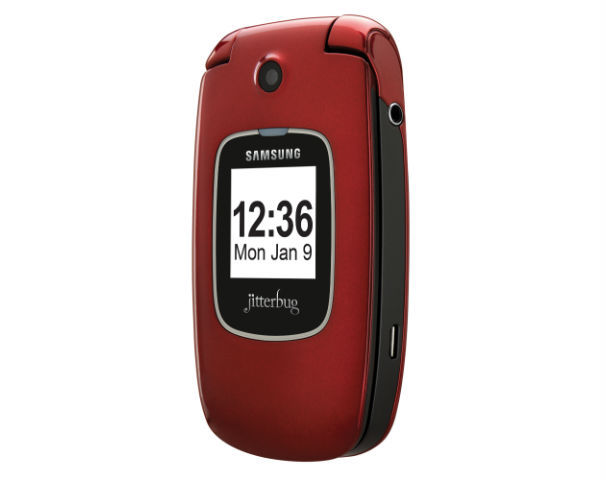
The GreatCall Jitterbug Plus ($119, no contract required; price as of July 2, 2012), designed for seniors and anyone else who needs access to health or safety services, looks and functions like a simple, no-frills feature phone, but it has lifesaving technology behind it. The Jitterbug Plus improves on the previous Jitterbug model with photo-sharing capabilities, preloaded text messages, and a more sleek design. It also supports GreatCall’s 5Star Urgent Response personal emergency-response service. GreatCall CEO David Inns says that the company obtained feedback from customers on ways to improve the previous Jitterbug. One feature request that kept coming up was picture sharing. Jitterbug Plus owners can now share photos on Facebook, Picasa, and Shutterfly. It is easy to set up, too: You simply go to your Jitterbug.com account and fill out your profile credentials. Afterward, you can share photos with your social networks directly from the camera gallery. The 2-megapixel camera isn’t the highest quality; in my tests, photos looked a bit hazy and washed out. For social networking purposes, however, the Jitterbug Plus’s camera works just fine. The camera has no flash, so taking photos in dark environments might not turn out so well. The Jitterbug’s design is a bit of a throwback to older phones, with its clamshell shape and internal and external displays. The Samsung-built phone is smaller and lighter than previous iterations, though, and comes in an attractive red or silver color. On the Jitterbug Plus, you’ll find a few preinstalled text messages, such as “How are you?” and “On my way.” The alphanumeric keyboard offers large, easy-to-press keys with a clear font to make texting painless. Large ‘Yes’ and ‘No’ keys help you navigate the simple menu; for example, if you want to read a text message, you press ‘Yes’ to open it. As somebody who is constantly using advanced smartphones, I found that this extremely basic navigation system took some getting used to–I kept looking for ‘Back’ and ‘Home’ keys instead. But when I showed the Jitterbug Plus to a person who has never even attempted to use a smartphone, he loved the design, and said that it was much easier to use than the feature phone he already owned. He did not like how long it took to browse through the main menu, however. I also noticed that the navigation was a bit slow in that regard. The Jitterbug Plus has insanely long battery life, which is an important feature for its demographic. GreatCall claims that the phone has 25 days of standby time. Although I haven’t had the phone for 25 days, I haven’t needed to charge it since I received it about a week ago. One drawback is that the display has no battery-life indicator; you have to go to ‘Phone Info’ from the main menu, which is a bit unintuitive. For customers who are hard of hearing, the Jitterbug Plus has a very loud ringtone and audio speaker. Call quality overall was quite clean on my test calls. My friends on the other end of the line were similarly pleased with how clear I sounded.
Pricing and Additional Services
GreatCall offers a pay-as-you-go plan that starts at $15 per month for 50 minutes, and runs up to $80 per month for unlimited minutes and text messages. If you choose to go à la carte, text messages cost 10 cents each. Voicemail costs an extra $3 per month. Jitterbug Plus owners can add a number of wellness services to their plans, including 5Star Urgent Response ($15 per month), which gives you direct contact with a certified emergency-response agent, performs GPS tracking, and provides free 24-hour access to unlimited health advice from registered nurses. You can tack on other helpful services, too, such as automated check-in calls ($5 per month) and medication reminders ($10 per month). These services add up, but are invaluable to anyone who needs them. The Jitterbug Plus is meant for a very specific audience–one that I’m not yet a member of–so reviewing a product like this can be difficult. But I’ve seen other products that try to make an interface too simple, and end up leaving out some important features. GreatCall has done an excellent job of creating a phone that is both easy to use and full-featured, packed into a modern design.
Here’s the scoop on what Samsung didn’t discuss at the launch party of the next hot Android phone.
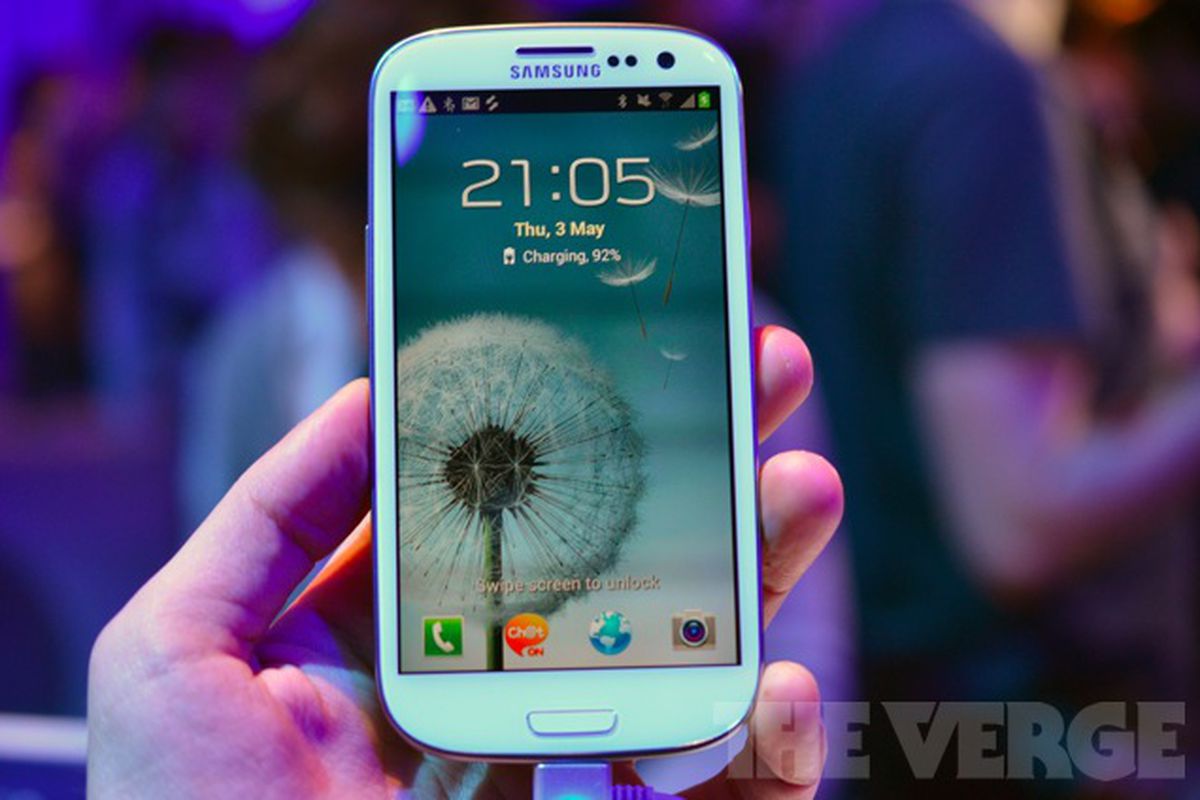
Samsung Galaxy S IIIAfter all of the rumors and speculation, the Samsung Galaxy S III is finally here but you probably have a few questions about this new Android phone. Samsung is the master of flash and flare at its press conferences, but we’re here to help you get to the nitty gritty of why you should care about this phone. The Galaxy S III will go on sale in Europe on May 23. No official word yet on a U.S. launch, but it could come this summer.
Can the S III Really Follow Your Every Move?
The Samsung S III really wants to be your new best friend–your new psychic best friend. According to Samsung’s somewhat creepy commercial (shown below), the S III “follows your every move.” Scared yet? http://www.youtube.com/embed/_JkkkdH6zTQ In reality, the Samsung S III can do things like predict when you want the screen awake by using the front-facing camera to monitor your eyes. If you’re watching a movie on your phone and happen to fall asleep, the phone’s display will turn off. The S III also has a feature called S Voice, which is a customized voice-recognition system. Hmm, sound familiar? Like Apple’s Siri, S Voice can recognize a variety of commands. For example, you can say “snooze” when your alarm goes off and buy yourself a little more sleeping time. You can also say “direct call” and ring somebody while you’re in the middle of a text. You can also control the volume of your music, organize your calendar, and launch the camera via voice commands. However, there’s no word, so far, on whether S Voice works with third-party applications. S Voice works with eight different languages, including British English and American English. A few of my friends from across the pond have complained about Siri’s difficulty in understanding them so I guess this is good news there.
Is It Quad-Core Powered?
Samsung confirmed before today’s announcement that the Galaxy S III phones will be powered by the company’s own quad-core 1.4GHz Exynos 4 Quad processor. Oddly, however, the processor specs were not in the press materials we received today. I have a suspicion that the Samsung quad-core processor is not compatible with U.S. LTE networks. If true, we might see a different processor on the S III phones in the United States. Samsung would not comment on what sort of processor the U.S. versions will have when I asked. HTC pulled a similar trick with the One X. The global version runs on an NVidia Tegra 3 processor, while the U.S. phone uses a dual-core Qualcomm Snapdragon S4 processor. NVidia’s quad-core processor was not yet compatible with AT&T’s LTE network at the time of the One X’s manufacture. In our benchmarks, however, the U.S. version of the One X did quite well despite having fewer cores.
When Will the S III Come to the United States?
According to our sources at Samsung, the 4G (HSPA+/LTE) versions of the S III will come to North America this summer. Samsung said it will optimize the phones for the LTE and HSPA+ networks. Timing, pricing, or carrier partners have not yet been announced.
What is the Deal with the New Sharing Apps?
Samsung made a big deal about the ease of sharing from the S III, but from what I can tell, it looks like you can only share from your S III to another. Samsung has enhanced Android Beam, which allows large files to be transferred between phones quickly. Now called S Beam, you can share music, photos, and up to 1GB of video from your S III to your buddy’s S III. To help you understand, here’s how Android Beam works on the Galaxy Nexus. Samsung also enhanced its DLNA service for sharing content from your phone to your TV. AllShare Cast lets you wirelessly connect your Galaxy S III to your TV, tablet, or PC and share files over WiFi. However, you’ll have to buy the separate All Cast Hub accessory in order to use this feature (see the Accessories question below)
What is an HD Super AMOLED display?
The 3.4-inch-thick S III has a 4.8-inch HD Super AMOLED display with a 1280-pixel by 720-pixel resolution. This is the same display technology we saw on the Galaxy Nexus. The Galaxy S II had Super AMOLED Plus, which is actually based on a PenTile pixel structure in which pixels share subpixels. The Galaxy S II phones, on the other hand, have full RGB displays in which the pixels have their own subpixels. This means that HD Super AMOLED displays have lower overall subpixel density, which could translate to reduced sharpness and degraded color accuracy. When we compared the Galaxy Nexus to the Galaxy S II, however, we didn’t notice a huge difference in display quality. The only quality different we detected was color accuracy, especially with whites (they appeared to have a yellowish tint). I have yet to see the Galaxy SIII up close and personal, so I’m not sure if it suffers from this same issue One cool thing is that despite the Galaxy S III having a larger display than its predecessor (4.8 inches versus 4.3/4.5 inches), it isn’t much bigger. There’s very little bezel around the phone as the display takes full advantage of the hardware real estate.
Will Battery Life Really Improve?
Battery life is the bane of every tech user. Samsung claims that it won’t be an issue with the S III as it has a larger 2100mAh battery. For comparison, the Galaxy S II has a 1560mAh battery, while the Galaxy Nexus has a 1750mAh battery. The granddaddy of phones with long battery life, the Droid Razr Maxx, has a 3300mAH battery. I fear that Samsung’s all-seeing front-facing camera might put a strain on the battery life, however. Also, phone manufacturers still haven’t worked out all the kinks with battery conservation on LTE networks. Battery life will depend on what sort of processor Samsung is packing into its S III phones for the United States and, as we’ve learned, this is still very much up in the air.
Is the Camera Any Good?
The Samsung Galaxy phones have always performed quite well in our PCWorld Test Center camera subjective tests. While I haven’t personally gotten my hands on the Galaxy S III’s 8-megapixel camera, I can tell you a little bit about its new features. According to Samsung, the Galaxy S III will have zero shutter lag. The company also claims that the camera will start in “less than one second.” The S III will also have a burst-shot mode, a feature we saw on HTC’s One phones. The S III camera also will have a feature called “Best Photo,” which will automatically select your best photos out of a series of eight photos taken in succession. But do you really want your phone to be your photo assistant?
What About Accessories?
Samsung Galaxy Note S PenSamsung announced a slew of accessories, including a C Pen stylus (which seems pretty similar to the S Pen on the Galaxy Note), an AllShare Cast Hub for wireless streaming, a docking station for your desk, a wireless charger, a car kit, and an HDMI adapter. Samsung also announced the S Pebble “music companion” MP3 player. Why does this accessory look so familiar? Oh yes, in 2009, I reviewed the Samsung Pebble MP3 player which looks strikingly similar to the S Pebble.
Is the Galaxy Nexus Outdated Now?
Samsung Galaxy NexusNo, relax. It might not have as many cores as the S III, and the display might be a little smaller, but don’t feel bad if you just walked out of the store with a brand new Galaxy Nexus. Your Galaxy Nexus is still an excellent, current phone and offers something the Galaxy S III does not: A pure, untouched Android experience. Have more questions? Sound off in the comments and I’ll try my best to answer them for you.






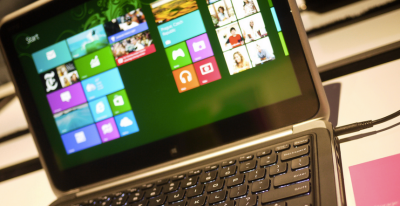 The gist is that Microsoft wants to unify the desktop and Metro environments, especially in the context of apps. The better the apps work between the two, the more people might use applications from the Windows Store. This is tacit admission that people love the desktop environment that they have used for decades, and have been slow to switch over to the Metro environment.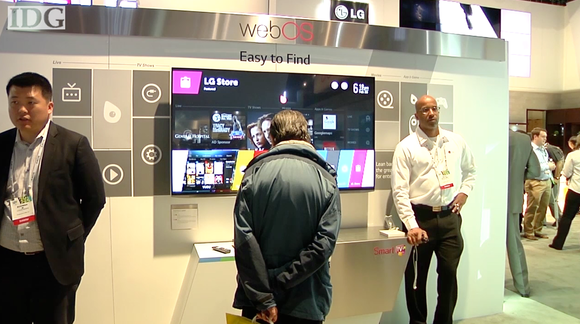





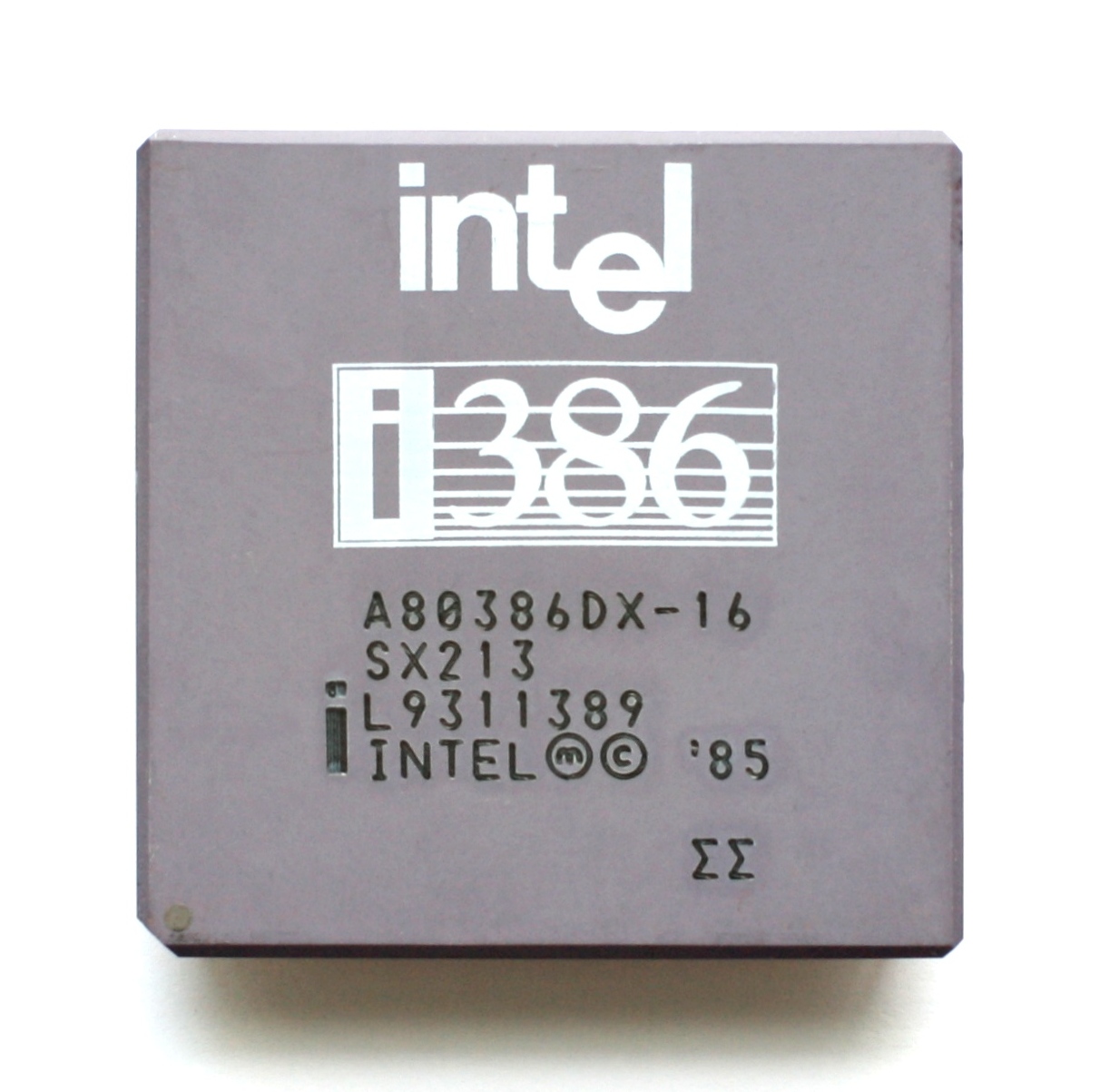
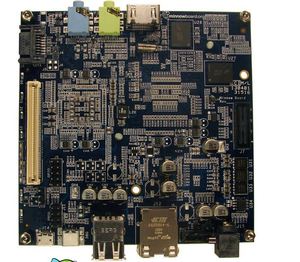 The PC, called the MinnowBoard (shown above), is basically a motherboard with no casing around it. It was codeveloped by Intel and CircuitCo Electronics, a company that specializes in open-source motherboards, and went on sale this month for $199 from a handful of retailers.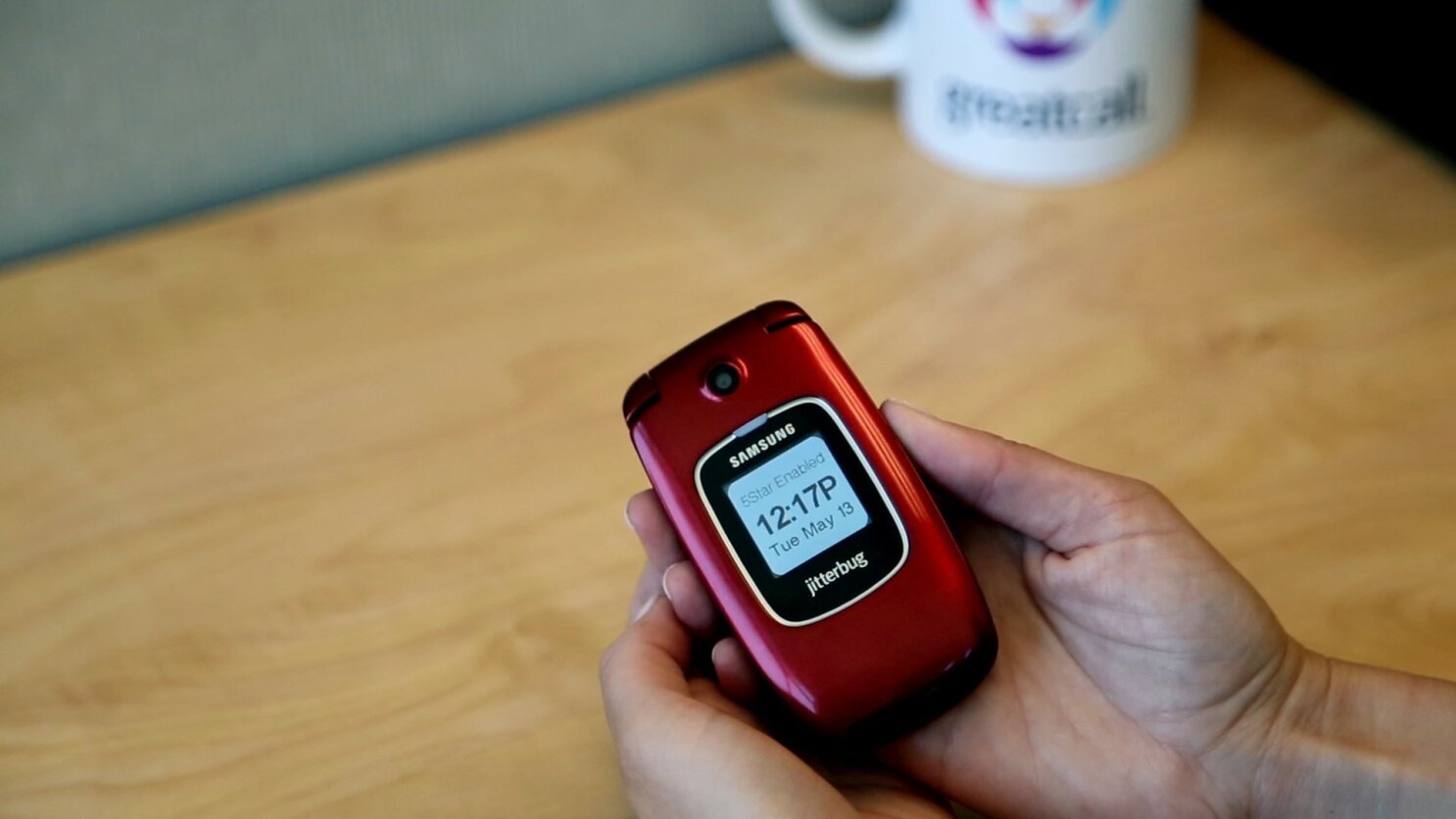
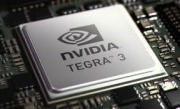 HTC pulled a similar trick with the One X. The global version runs on an NVidia Tegra 3 processor, while the U.S. phone uses a dual-core Qualcomm Snapdragon S4 processor. NVidia’s quad-core processor was not yet compatible with AT&T’s LTE network at the time of the One X’s manufacture. In our benchmarks, however, the U.S. version of the One X did quite well despite having fewer cores.
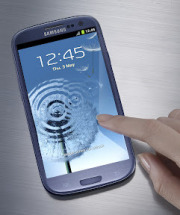 The 3.4-inch-thick S III has a 4.8-inch HD Super AMOLED display with a 1280-pixel by 720-pixel resolution. This is the same display technology we saw on the Galaxy Nexus. The Galaxy S II had Super AMOLED Plus, which is actually based on a PenTile pixel structure in which pixels share subpixels.
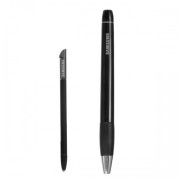 Samsung Galaxy Note S PenSamsung announced a slew of accessories, including a C Pen stylus (which seems pretty similar to the S Pen on the Galaxy Note), an AllShare Cast Hub for wireless streaming, a docking station for your desk, a wireless charger, a car kit, and an HDMI adapter.
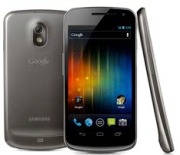 Samsung Galaxy NexusNo, relax. It might not have as many cores as the S III, and the display might be a little smaller, but don’t feel bad if you just walked out of the store with a brand new Galaxy Nexus. Your Galaxy Nexus is still an excellent, current phone and offers something the Galaxy S III does not: A pure, untouched Android experience.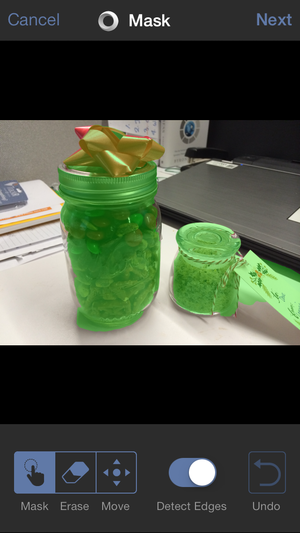
You must be logged in to post a comment.