Tag: android phones

  • Best Budget Android Phones to Buy in 2024

    Best Budget Android Phones to Buy in 2024

    There have been mindblowing changes lately to Android phones thanks to some seriously powerful new chips. Remember when you had to pick between shelling out big bucks for a best-value phone or settling for midrange phones or something slower on a budget? Those days are fading fast. We’ve also seen sweeping changes to Google’s mobile OS—the world’s most popular mobile operating system.

    Even the less affordable Android phones now pack a punch. It’s like everyone’s getting a taste of the good stuff without breaking the bank – suddenly, everyone’s in.

    We’ll check out what these best budget Android phones can do, so we can help you find the cheapest phones no matter the budget.

    What Should I Look for in a Good Budget Android Phone?

    Most expensive phones are designed with high-quality gaming and advanced photography in mind, while more affordable Android phones are carefully engineered with powerful mid-range processors to handle daily tasks with ease and stay up-to-date with Android updates.

    Even more surprising is the fact that these budget smartphones between $150 to $500 offer great user experiences and can last for years.

    Choosing an affordable Android phone that suits your needs and wallet is important for most of us. You don’t want to end up with a phone that feels outdated and sluggish shortly after purchasing it. So, before diving into specs like processor and camera quality, start by considering connectivity. Ensure the phone supports your network and other basics like Bluetooth and Wi-Fi.

    When it comes to the processor, look for an Android phone with a decent chipset to avoid a slow performance. Qualcomm’s Snapdragon processors are common, but not all are equal. Aim for at least a Snapdragon 400-series or higher for better performance. MediaTek’s Dimensity series is also worth considering for speedier performance.

    RAM is another thing you need to look out for; phones with at least 6GB of RAM allow for better multitasking.

    Storage isn’t a major concern nowadays thanks to cloud services like Google Photos and Apple iCloud. These services can store your media securely, freeing up space on your phone.

    Camera quality matters too, especially if you enjoy capturing moments. While cheaper phones may not have great image quality like iPhones, you can still take good pictures with some Android models.

    Battery life is one thing many users overlook. While most phones on the list below have decent battery life, some are built to last longer. They might not be the most expensive phones today, but they sure do perform better than most of the high-end phones. All you need to do is consider your priorities and budget before making a decision.

    Best Budget Android Phones: Cheap Android Phones 2024

    Here are the cheapest Android phones to buy this 2024

    Google Pixel 7a
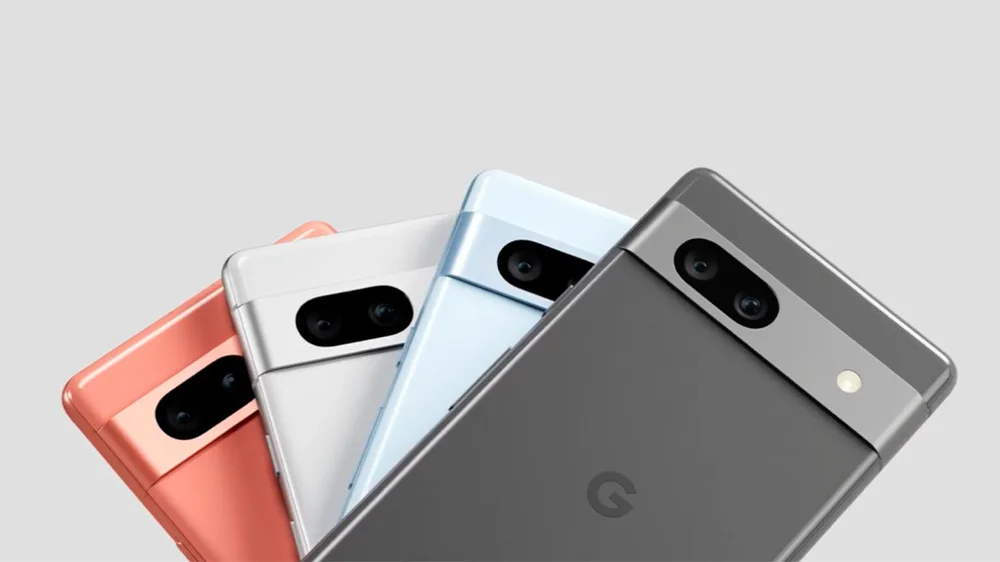
    Google Pixel 7a Best Budget Android Phones
    Google Pixel 7aBest Budget Android Phones

    Google’s phones are favored by Android lovers; from the Pixel 7 Pro, Pixel 7, and Pixel 6a. The Google Pixel 7a is known as the best budget Android phone in the market, and it’s easy to see why. With a bright 6.1-inch AMOLED display, 8GB of RAM, and a powerful Google Tensor G2 chipset, this phone delivers top-notch performance.

    Its 64MP primary camera captures stunning photos, and you get access to exclusive Pixel features straight out of the box. Plus, it’s the first A-series Pixel with wireless charging support. Despite minor drawbacks like a 90Hz refresh rate and average battery life, the Pixel 7a is one of the cheapest phones under $500.

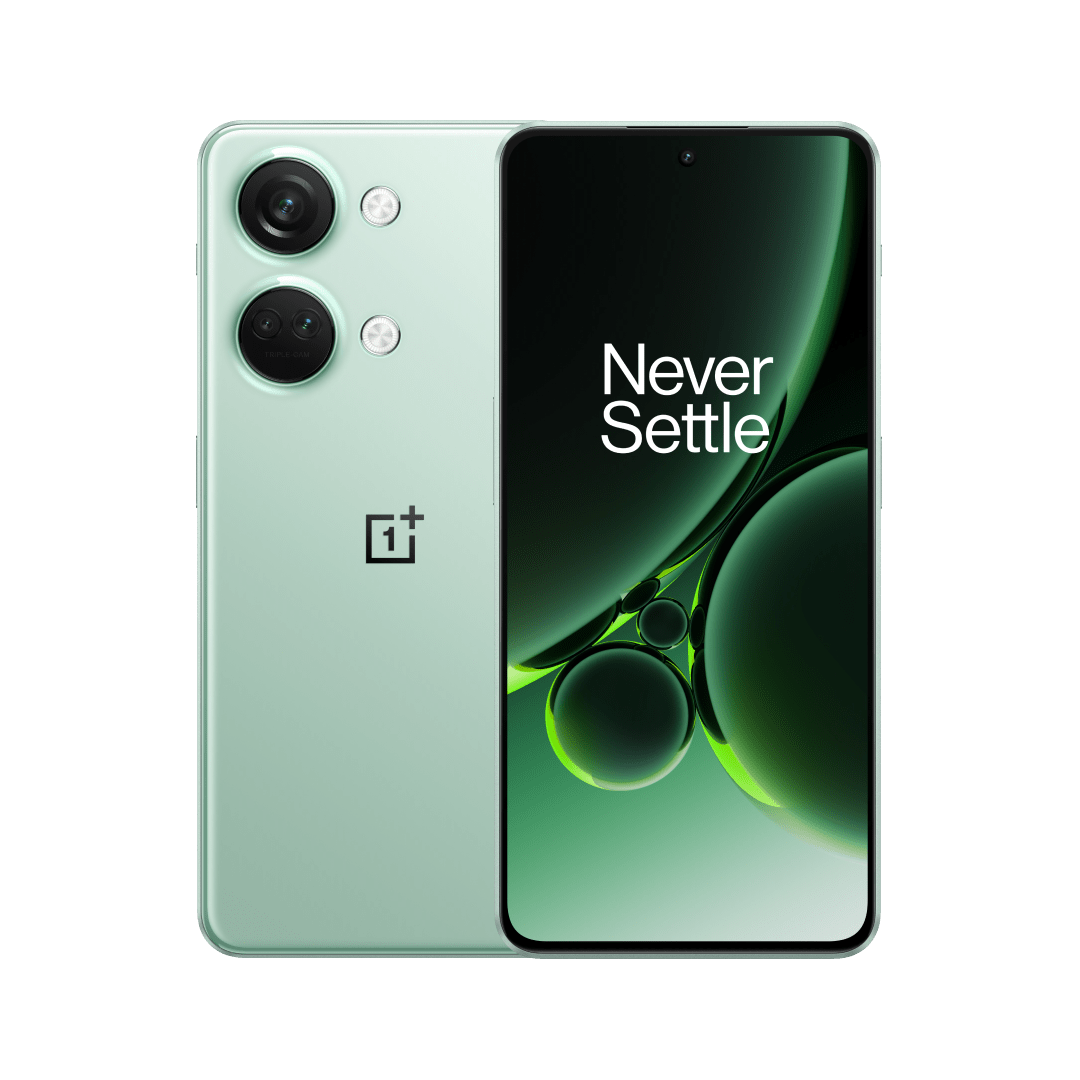
    OnePlus 12R
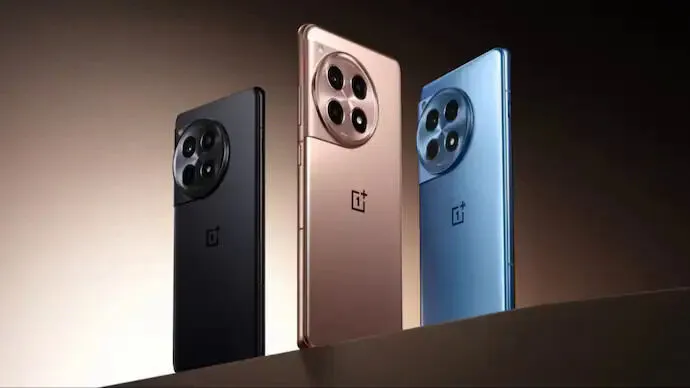
    OnePlus 12R Best Budget Android Phones to Buy in 2024

    The OnePlus 12R is dubbed one of the most affordable and best-value Android phones, and for good reason. Packed with a Snapdragon 8 Gen 2 processor, a superb AMOLED display with a 120Hz refresh rate, and impressive camera capabilities, this phone offers flagship-level performance. The sleek design and 100W wired charging are impressive and ideal for anyone in the market for a high-quality smartphone.

    Nothing Phone 2a
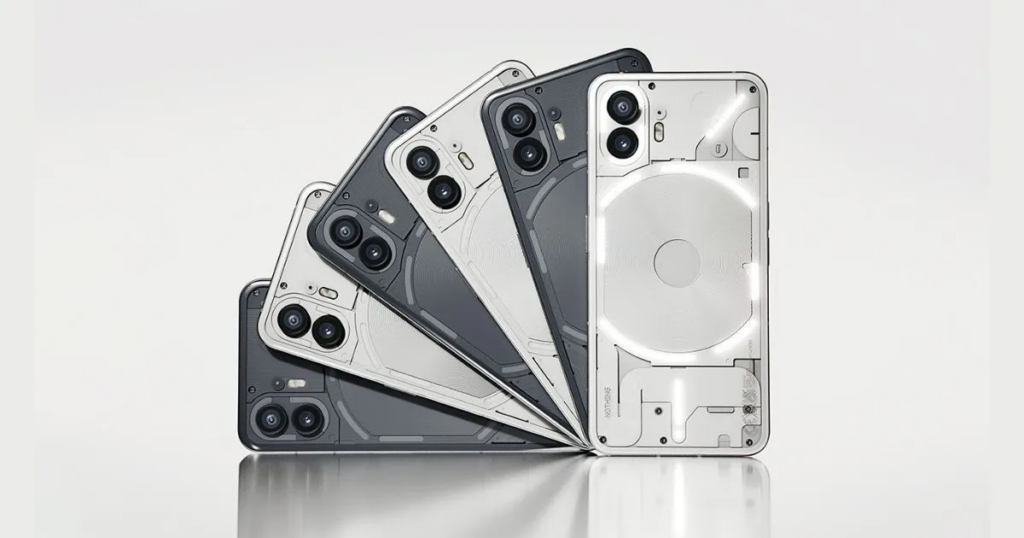
    Nothing Phone 2a Best Budget Android Phones to Buy in 2024

    Next up, we have the Nothing Phone 2a, praised for its exquisite design. With features like a transparent back panel and unique Glyph lights, this phone is impressive. Other specs, including a 6.7-inch Flexible AMOLED display and a MediaTek Dimensity 7200 Pro processor, make it a great choice in the budget Android phone market.

    Samsung Galaxy A54
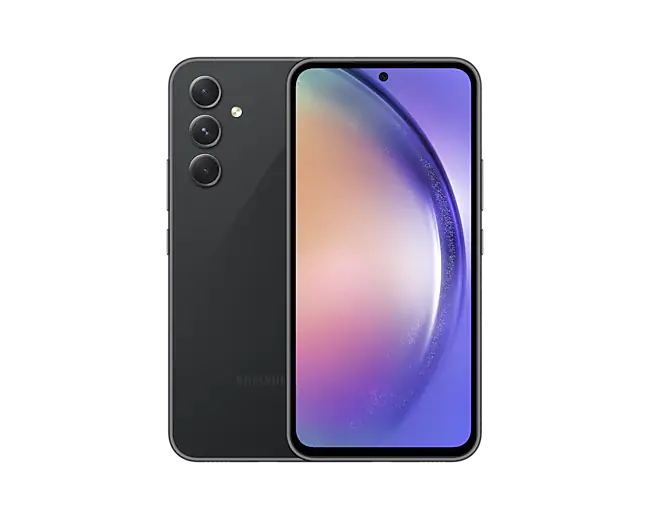
    Samsung Galaxy A54 - best budget android phones
    Samsung Galaxy A54

    Another Samsung phone to buy if you’re looking for the best budget Android phone is the Galaxy A54 5G, sold for $325. It has a Pixel alternative with a fast display and premium design, though lacking wireless charging and slow charging speeds.

    With a Super AMOLED display, flagship-level camera features, and a large 5,000mAh battery, this phone offers solid performance at a reasonable price. Samsung promises users four OS upgrades and up to five years of security updates.

    OnePlus Nord N30 5G
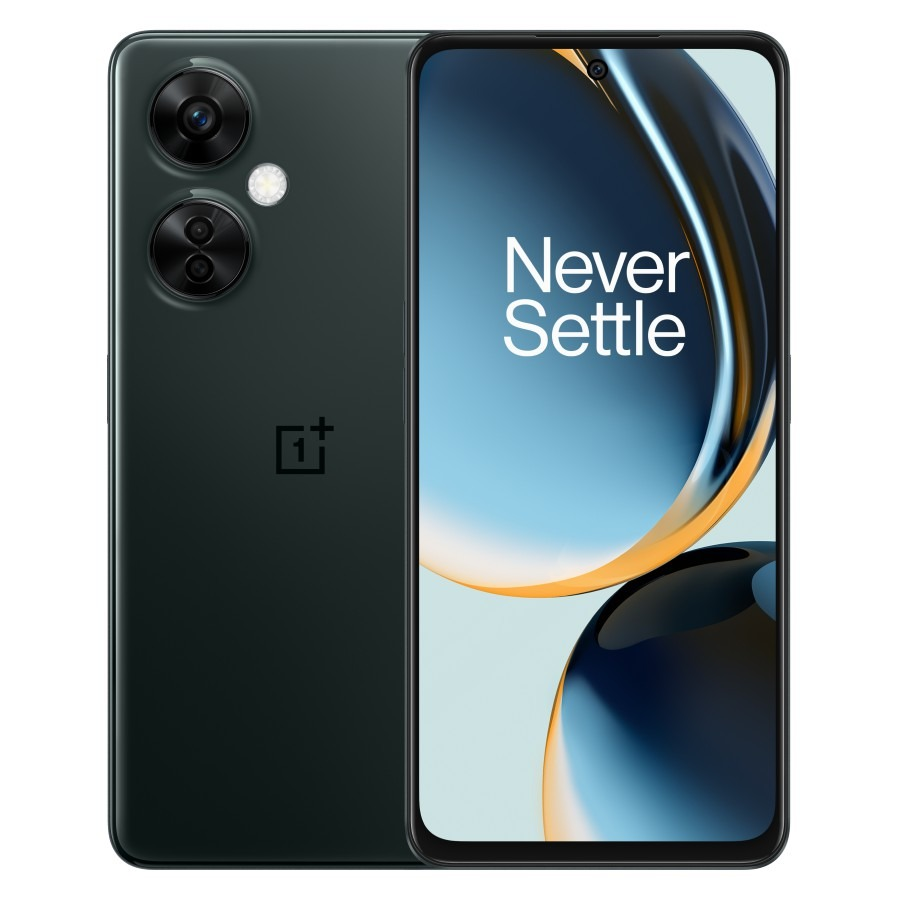
    OnePlus Nord N30 5G

    The OnePlus Nord N30 5G delivers exceptional value for its price. With features like a Snapdragon 695 processor, an AMOLED display, and impressive camera capabilities, this phone is one of the cheapest Android phones to buy. Plus, its 120Hz refresh rate ensures a smooth user experience.

    Although the OnePlus Nord N30 priced at $250 maintains strong performance, it loses the AMOLED display and premium design of its predecessor.

    Moto G Stylus 5G
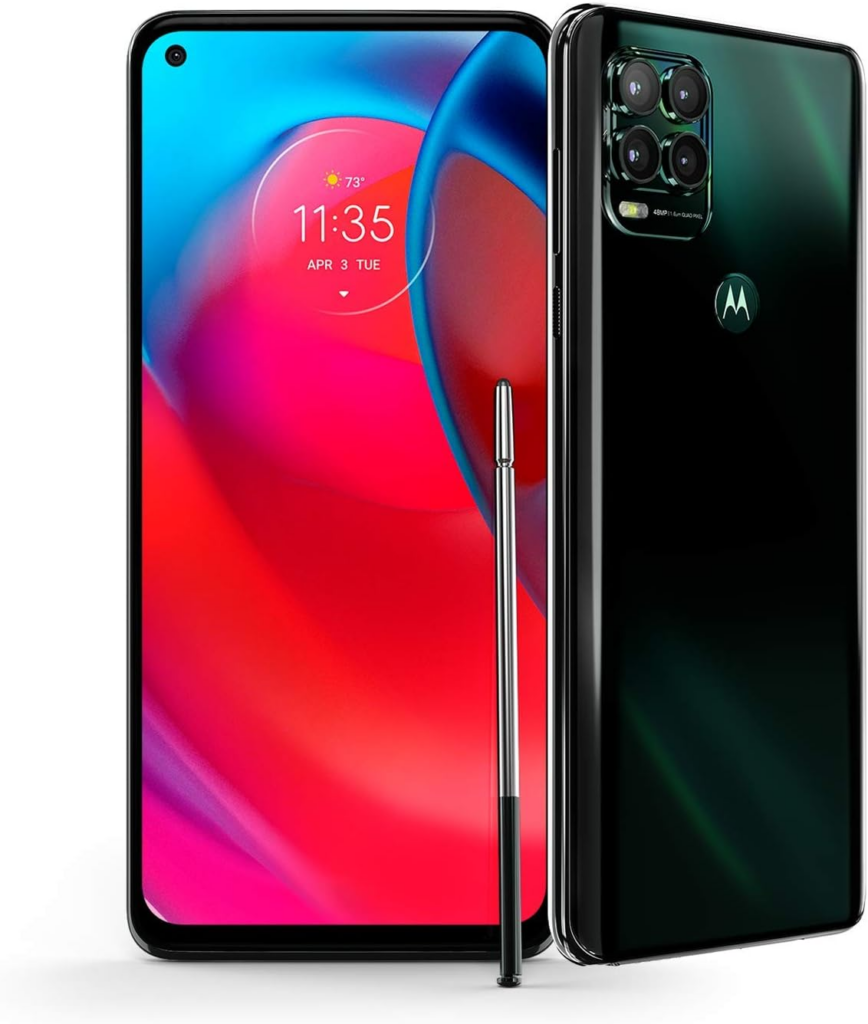
    Moto G Stylus 5G

    The Moto G Stylus 5G has been termed as the best stylus phone. Alongside solid specs like a Snapdragon 6 Gen 1 processor and a large 6.6-inch FHD+ display, it comes with a built-in stylus for writing and drawing. With its combination of features, performance, and value, it’s an ideal choice for a mid-range smartphone.

    Other Budget Android Smartphones

    • The $350 Motorola Edge has a cool OLED display, solid battery life, and improved cameras and is one of the best budget Android phones.
    • For Galaxy fans, the Samsung Galaxy A14 5G, priced at $200 is a top pick. It features a fast display and great design, though lacking in speaker quality.
    • Motorola Razr sold for about $500 is a budget foldable smartphone with decent performance, good battery life, and a large display, despite limitations in the cover screen and camera quality.
    • You can also get the Samsung Galaxy A04 under $120, which offers good budget specs with Samsung’s One UI software, though limited by its plastic build and low resolution.
    • The $230 T-Mobile REVVL 6x Pro with wireless charging, and long battery life is a great choice for a budget phone if you can handle a large screen, but it has poor display quality and weak performance.

    While these budget Android smartphones might not meet the features of the cheapest iPhones by comparison, they still offer decent performance and features at affordable prices.
  • MS Office now Available for Android Phones

    MS Office now Available for Android Phones

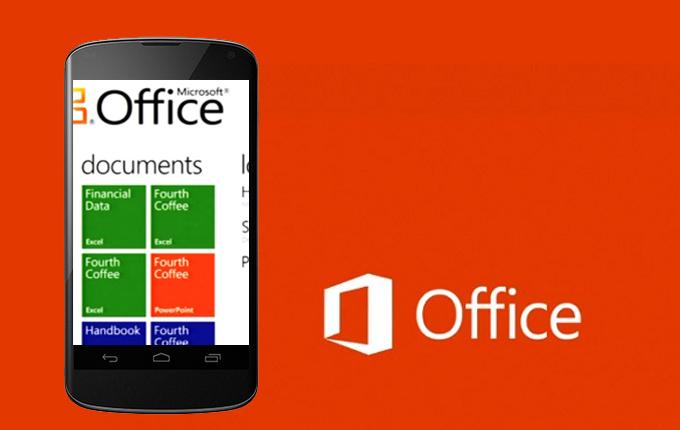
    Earlier today Microsoft added Android to the list of mobile operating systems now supported by Office Mobile. But Office Mobile for Android only covers phones, not tablets, limiting its utility. The Android version, Office Mobile for Android, is also arguably the weakest of the bunch, in terms of compatibility with Microsoft Office. Microsoft is still tacitly encouraging users to buy Windows Phones, which come preloaded and activated with Windows Mobile and don’t require an Office 365 subscription to use. The problem is, within the Android world, there are a number of other office solutions that provide very good direct competition to Microsoft’s offering.

    Office Mobile for Android PowerPoint

    Nevertheless, Office Mobile for Android is free and downloadable from the Google Play Store. The only requirement is that your phone must contain Android 4.0 or higher, and you must already have purchased Office 365.
    In a break with Office Mobile for iPhone, Microsoft doesn’t even offer the option to purchase Office 365 from within the app; instead, users must sign up outside the application itself. And without Office 365, Office Mobile for Android is virtually useless.
    “The release of this app shows that we’re committed to keep providing additional value for Office 365 subscribers,” said Guy Gilbert, a senior product manager of the Office apps for Microsoft, in a blog post.
    Qualifying Office 365 plans include Office 365 Home Premium, Office 365 Small Business Premium, Office 365 Midsize Business, Office 365 Enterprise E3 and E4, Office 365 Education A3 and A4, Office 365 ProPlus, and Office 365 University.
    There are also Office 365 government plans that include Office Mobile. Users can also visit Office.com and sign up for a free 30-day trial, Microsoft said.
    While Microsoft eventually intends to make Office Mobile for Android available across 33 languages and in 117 markets, it’s only currently available for the United States. That will change over the next few weeks, Microsoft said.

    What’s included

    Like Office Mobile for iPhone, the Android version comes with mobile versions of Excel, PowerPoint, and Word; Office Mobile for Windows Phone adds OneNote as well. So far, Android users don’t have access to the Outlook Web App app that Microsoft recently released for the iPhone, either.

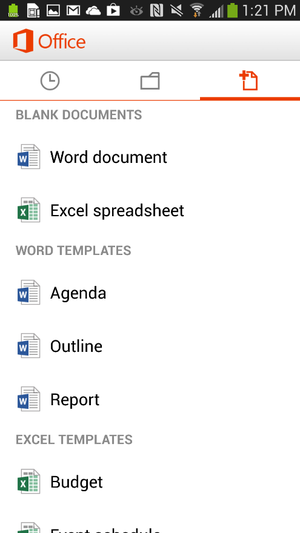
    Office Mobile for Android new document
    Office for Android users can create documents in Word or Excel.

    Users can create new documents, edit those that they’ve already created, and save, load, or edit files saved to Microsoft’s SkyDrive or SkyDrive Pro—which on Tuesday received a few upgrades, as well.
    But the ability to create files only applies to Word and Excel; for now, you can review your PowerPoint slides and edit them, but not create a presentation from scratch.
    Users can also open a document via email. Office Mobile includes a couple of handy features designed for the phone;
    The software knows what documents you’ve recently accessed on your PC, and those are the first options presented when you choose to open a saved file.
    A feature that Microsoft calls Rapid Resume also works like Amazon’s Kindle, ‘fast-forwarding” you to the portion of the document last viewed on your PC.
    An “outline view” in Excel and Word allow you to quickly navigate through the document, and both apps allow annotations as well.
    Within the three supported apps, Microsoft has made efforts to make editing a snap; in Word (shown at top of story), for example, tapping the pencil brings up the most common editing functions. Excel allows you to filter and sort data and create charts, using the local processor to calculate data.
    Within PowerPoint, users can review slides and edit speaker notes, move and hide slides, and make text edits directly from the phone. Holding the phone in a portrait orientation allows edits to be made and includes a quick navigation bar; a landscape orientation serves as presentation mode.

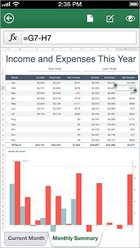
    Office Mobile for Android Excel
    Office Mobile for Android, displaying an Excel worksheet.

    In general, Office Mobile for Android and Office Mobile for iPhone should function quite similarly, with two exceptions: Android users can not sign up for Office 365 within the app itself, and Android users may need to fully qualify documents that are accessed via an on-premise SharePoint server.

    Buy Windows Phone—or a Surface

    To date, however, Microsoft has been keenly cognizant that productivity apps are the foundation of the Windows platform, and users who purchase a Windows Phone will have these benefits:

    • Office Mobile will be preinstalled and activated;
    • users will be able to save documents to the phone itself, as well as SkyDrive or email;
    • WP users will be able to filter and search for documents;
    • Users can also easily open documents with permissions attached to them.

    Office 365 includes a license of up to five mobile devices—but Windows Phones don’t count against that limit.
    The biggest annoyance, however, is that—like the iPad—tablets aren’t supported in either Office Mobile for the iPhone or the Android version, either. Those trying to hunt and peck at keys in the back of a jouncing taxi are likely to grit their teeth and muddle through; by doing so, however, Microsoft is tacitly encouraging customers in the direction of a Surface tablet—now at a new low, low, price—or even a full-fledged Windows 8 PC. (“Phablets” like the Samsung Galaxy Note II should still be supported, however.)
    “If you have an iPad or Android tablet, we recommend using the Office Web Apps, which provide the best Office experience on a tablet,” a spokeswoman for Microsoft said via email. “We have made lots of enhancements to Office Web Apps including a touch experience for tablet users.”

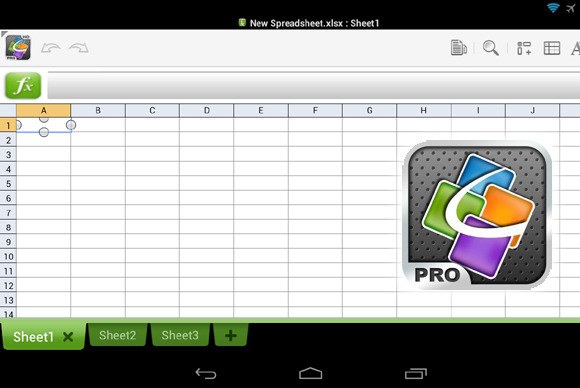
    QuickOffice Pro provides one tablet-friendly alternative to Office Mobile for Android.

    Microsoft also has native apps for OneNote, Lync, and SharePoint, in addition to supporting Exchange Active Sync for email, calendar and contacts, she said.
    ”I’m not sure how many people are going to want to do a lot of Office work on a phone,” Michael Silver, an analyst at Gartner, said recently. “A tablet’s going to be a lot more important.”

    Alternatives

    Of course, there’s no reason that users have to live in the world that Microsoft has created. Plenty of Android office apps allow document creation or editing, both on a phone or tablet: Google Drive, of course, allows for Google’s own documents to be created; and Google’s own QuickOffice, Documents to Go, and OfficeSuite Pro 7 are all arguably as good or better choices than Microsoft’s offerings.
    In one way, editing or creating an Office document on a mobile phone is counter-intuitive; too many people still append some sort of signature file on a mobile phone to explain away any typos or shorthand.
    Within a business document, however, typos simply shouldn’t appear. Office Mobile can certainly stand in to enable last-minute changes while on the go, but they shouldn’t be considered as serious tools for document creation. And that’s exactly how Microsoft appears to want it.

    News Pulled from:  http://www.pcworld.com/article/2045576/microsoft-releases-office-mobile-for-android-phones-tablets-need-not-apply-.html