Tag: android

  • Mercury mTAB Star M831G Tablet – Review & Spec

    Mercury mTAB Star M831G Tablet – Review & Spec

    Mercury mTab Star m830G Dual Core-1.2GHz (1GB RAM ,8GB HDD, 3G), Dual SIM 7-Inch Android Tablet

    COMMENT: Mercury might not be biggest name in the tablet segment but are set to make a statement with their new 7 inches mTAB Star tablet.

    NIGERIA – As the competition within the tablet segment continues to rage, SamsungTecno and the big guns manufacturers are lining up new and improved models of their existing stock. Not only are they, in most cases, manufacturing less expensive devices, but others like Kobian, are also loading on the features and trying their hardest to maintain a competitive price structure. Kobian launched their first Mercury Tablet the mTab, back in the tail quarter of 2011. It proved to be just above average, however, in the budget tablet division, while keeping the price under N30, 000 ($185.29). Their latest announcement is of the upgraded version of the same device only now infused with 3G capabilities and dual SIM support.
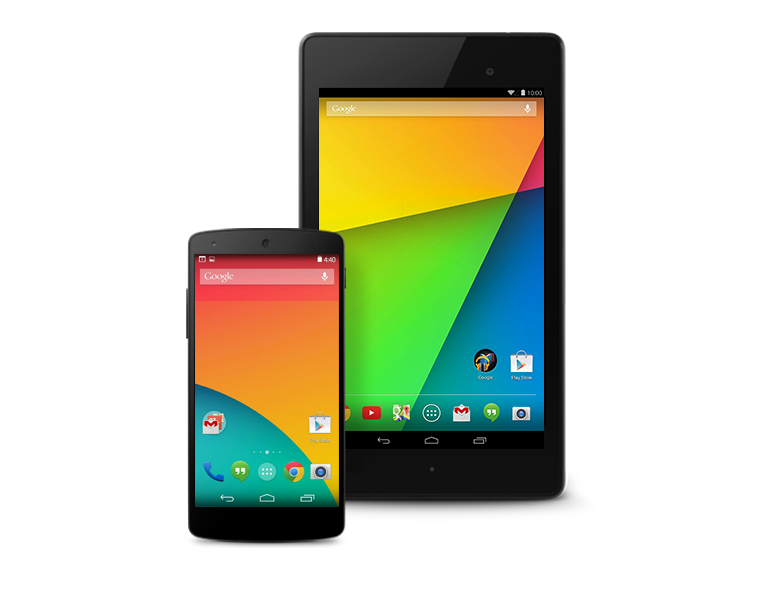
    The Mercury mTab Star M831G features a 7-inch display with a resolution of 1024×600 pixels. The device is powered by a 1GHz dual core Cortex A9 processor and is based on the MediaTek chipset. It comes with 1GB of RAM and 8GB of internal storage that can be expanded up to 32GB with the help of a microSD card. It runs on Android 4.2.2 Jelly Bean. The tablet is encased in a metal body and weighs 400grams.

    The tablet comes with Dual SIM card support complete with voice & video calling functionality. The tablet is far from being the ideal device for explorers and vacationist as it can only boast of a 2.0-megapixel rear camera with LED flash and a VGA front-facing camera. Connectivity options on the tablet include Wi-Fi, Bluetooth, Micro-USB, HDMI and 3G. While also supporting tethering & hotspot. Other features include a 3.5mm audio jack, built-in speakers, Flash 11 support and SGX531 3D graphics engine. The tablet includes a 3000mAh battery.

    The device will be sold out for around N21, 995 – N25, 000 in most retail stores and less than N21, 000 in online stores such as Jumia.

    Mercury mTab Star key specifications

    • 7-inch display with a resolution of 1024×600 pixels
    • 1.2GHz dual core Cortex A9 processor
    • 1GB RAM
    • 8GB of internal storage, expandable up to 32GB via microSD card
    • 2.0-megapixel rear camera
    • VGA front camera
    • Android 4.2.2 Jelly Bean
    • 3000mAh battery
    • 3G, Wi-Fi, Bluetooth
    • Dual SIM support

    In the Pack & Rooting mTAB Star M831G

    When you open your brand new device pack, you will find the following items:

    • 16 pages user manual
    • A USB data connectivity cable
    • Battery charger
    • USB tablet adapter
    • A pair of cable headset
    The tablet comes with Whatsapp, Temple Run, OfficeSuite & Angry Bird pre-installed. Of course, to ensure master control of your device you might consider rooting it. We have tried the Kingo Rooting software and it works perfectly for this device.
  • Unlocking your Android Phone could be that easy with Device Unlock App

    Unlocking your Android Phone could be that easy with Device Unlock App

    Recently, Obama granted smartphone users the freedom to unlock their devices and T-Mobile has made this  freedom even more remarkable with a new Android app that lets you unlock your smartphone with one click or maybe two.

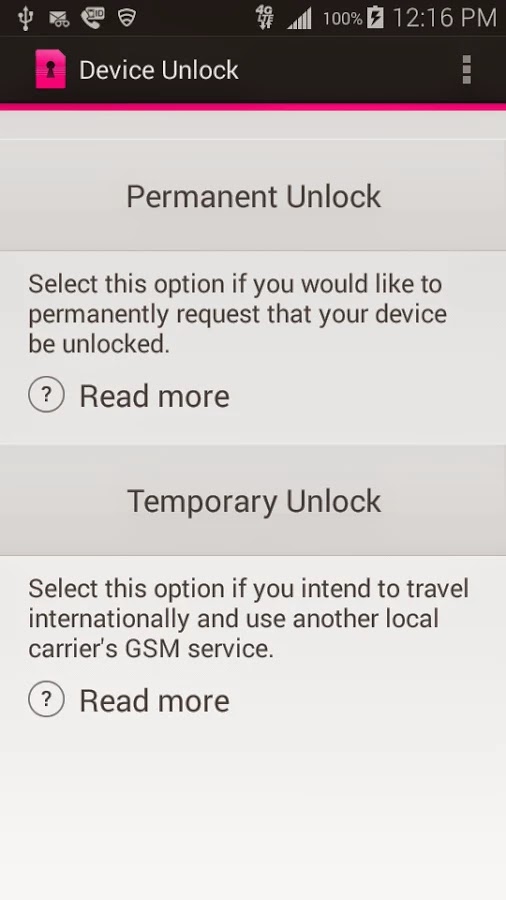
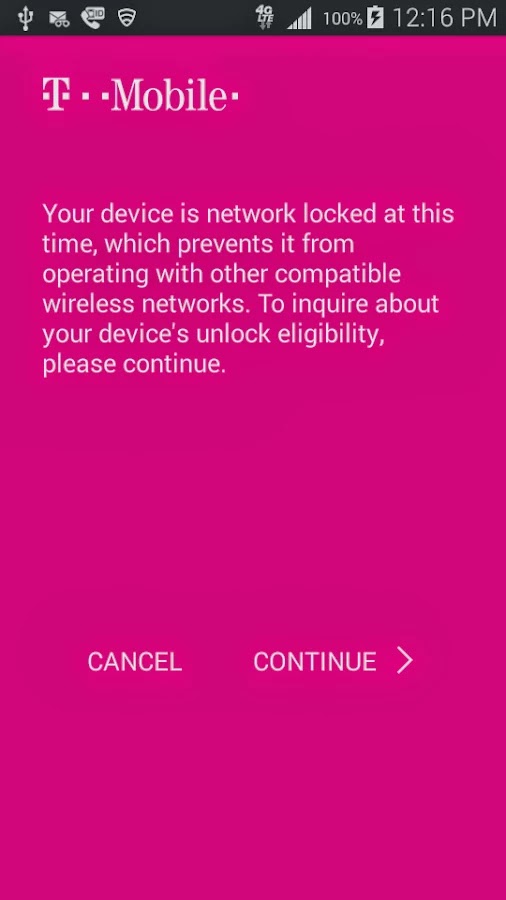
    Device Unlock is an application that allows you to request and apply a Mobile Device Unlock directly from the device. For many of you Android users out there, you probably know your way around, but there are many out there with tied-down phones who have no idea where to start. And since unlocked phones are basically a civil liberty for the time being, T-Mobile plans to help them.

    Note: Unlocking your smartphone is completely different from rooting your Android device. For walk-through on how to root most Android devices, kindly read: 3 Steps to Root any Android Phone with 1 Click

    A Coin of Two Sides

    The Device Unlock App offers you two options: one that permanently unlocks a device, for those who want complete freedom from the carrier, and a temporary unlock, which frees the phone for 30 days so you an use it overseas. The permanent unlocking option will check to see if your device is actually eligible for it before it completes the process.

    The Downside

    While the functionality of this app remains flawless, the limitation of supported devices remains the Achilles heel: So far, the application may install successfully on devices like T-mobile variant of the LG G3 but only works on Samsung Avant devices as clearly stated on the Play Store description. This has earned it a number of criticism among Android users in the Play Store. However, according to TmoNews.com, the US’s fourth biggest carrier is working on an app that lets its users easily unlock their phones with the literal touch of a button. It’s a really smart idea, and it’s probably how the carrier plans to appeal to all the novice smartphone users out there.

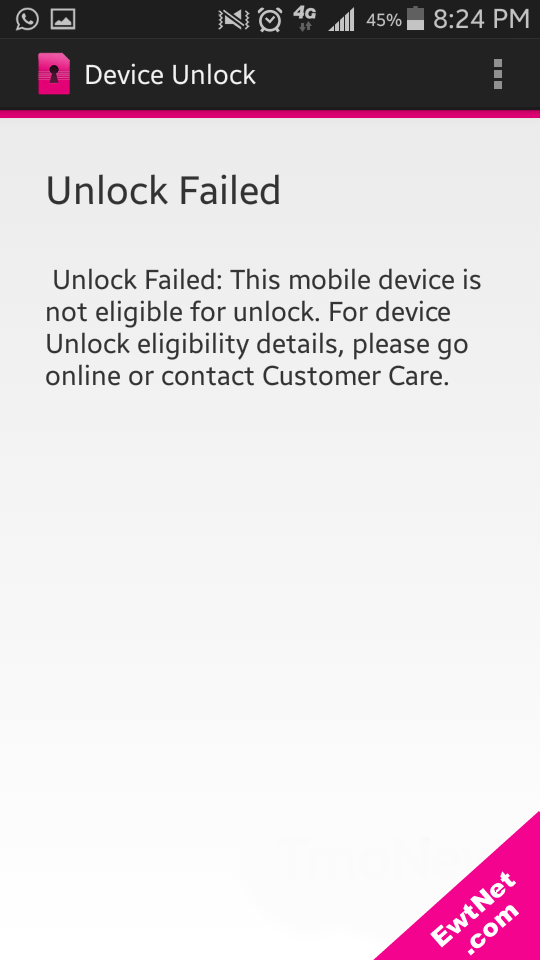
    When unlocking is unsuccessful an alert pops up with details on why the your unlocking failed (See screenshot above).

  • Launcher 8 for Android Review: Turn your Android into Windows 8

    Launcher 8 for Android Review: Turn your Android into Windows 8

    Launcher 8 (fake wp8) is a Android application that turns your boring, dull Android home UI into a fluid, mock-up UI of that of a Windows 8 phone! Developed by the QiHang Team, this application has been downloaded over 5 million+ times, and really turns your Android into something else! Now, I (Jake) of EWT will go into detail of my review and thoughts of the app!  

    Installation

    The installation process is very easy, smooth, and simple. Just download from the Google Play Store, install, and press your home button and set Launcher 8 as your main action for “Home.” Wa-la! There’s no hacking, modding, or rooting needed to install this application.   Installation is very simple, great work there.  
    New UI & Logics

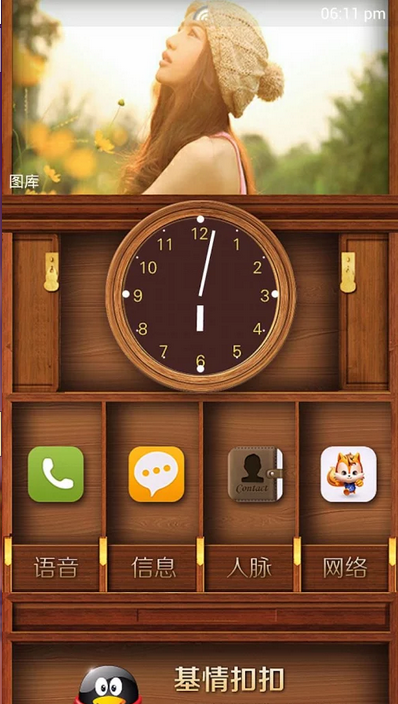
    The app’s added new ui and logics is very helpful and astonishing! After installation, you instantly have the power of an Android phone with the look and options of a Windows phone. There are many themes users have made that you can effortlessly download and install, or you can customize yourself!   You can add/edit/remove tiles, re-size, and even use special “widget” tiles that are included in the app. You can bind your installed applications to tiles, change individual tile background colors, names, and more. This application truly gives you control over everything! It also is programmed to work with certain apps, such as SMS, Phone, and Facebook – showing the number of new notifications, missed calls, and new SMS messages. It’s very convenient! The app also has a setting for a customizable lockscreen, which completely overrides the default Android lock screen – you can add custom backgrounds, change the layout, etc to it and add a password. The only problem with the lockscreen in this app is if you had a lock screen set up on the default Android UI before this installation, applications like “Camera” and such will not work correctly, and pressing your Home button will try and take you to the original Android lock screen rather than the Launcher 8 lock screen.    You can, however, fix this by simply going to System Settings -> Security -> Passwords and turning off any locks, pins, etc. You can set your lockscreen pin for Launcher 8 in the Launcher 8 settings.  
    Effect on Battery

    One of the main, if not the only, downside to this application is the power consumption. You’ll be loosing more and more phone battery life every 2 to 3 minutes even if you’re in idle mode. However, the QiHang team brags that their Pro version is more power efficient. This application really does take a toll on your battery life, my Android has been on the charger more then often since the install.   

    Final Thoughts

    I believe this is a great Android application for those who want the power of Android/Google products but the look and feel of a Windows product. It has great potential, and I believe it would be even more widely popular if the free version was less battery-consuming. It could use some literary work (the grammar for settings are poor), and some of the ads are a bit mis-placed and annoying, but all around it’s pretty amazing and I’m sure to never uninstall it!  

    Final Rating

    Price When Rated:

    $2.58Free

    Our Rating: 4.5

    Requires Android:

    2.0 and up

    Content Rating:

    Low Maturity This is a great app, and does everything that it says in it’s description. However, there is room for improvement and the battery drainage is what really kills it from being 5 stars.

    Pros:

    • Complete customization; Easy to customize to your liking
    • Downloadable themes; For those living in the fast lane
    • Beautiful and fluid; Includes smart widgets and is beautiful with live tiles
    • Free with minimal ads, and many options and settings to configure

    Cons:

    • Drains the battery of your device VERY fastly
    • Lockscreen issues occur if you have the default Android lockscreen already set up
    • Can be a bit laggy once you first boot up your Android

    Download So, what are you waiting for? Go download Launcher 8 now, you won’t regret it!

  • Become Ten times Smarter with Android Smart Tools

    Become Ten times Smarter with Android Smart Tools

    Have you ever thought of making your smartphone much more smarter than it is?

    Going outdoors or camping, but not knowing exactly where to start? Or you just want to feel secured with a full suite of tools covering lots of different things – measurements of all sorts, flashlights and more?

     Smart Tools has everything you might need in your day-to-day life! On more than one occasion, this awesome android app has got me out of a traffic jam, so it comes highly recommended.

    Smart Tools Version 1.7

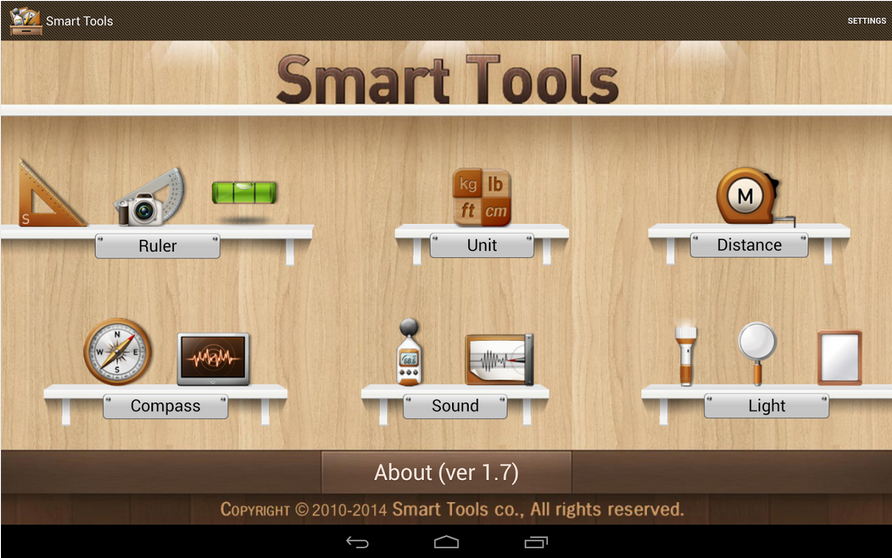
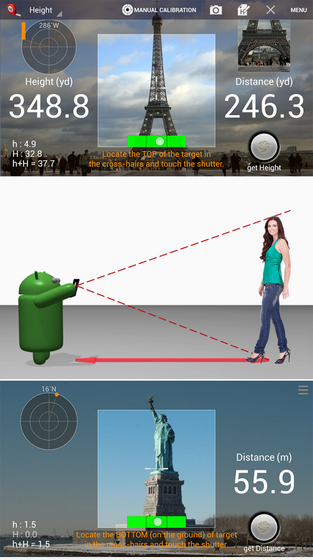
    The latest version of Android Smart Tools comes with 5 Pro sets for a total of 16 tools. In a word, All-in-One

    • Set 1: Length, Angle, Slope, Level, Thread – Smart Ruler Pro 
    • Set 2: Distance, Height, Width, Area – Smart Measure Pro
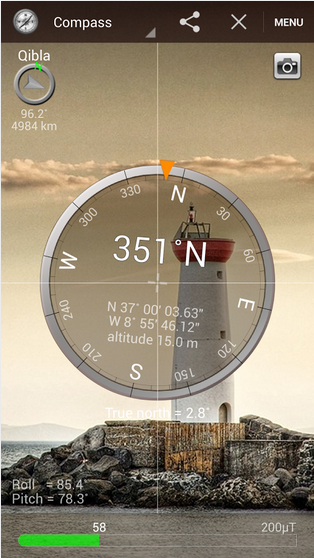
    • Set 3: Compass, Metal detector, GPS – Smart Compass Pro
    • Set 4: Sound level meter, Vibrometer – Sound Meter Pro
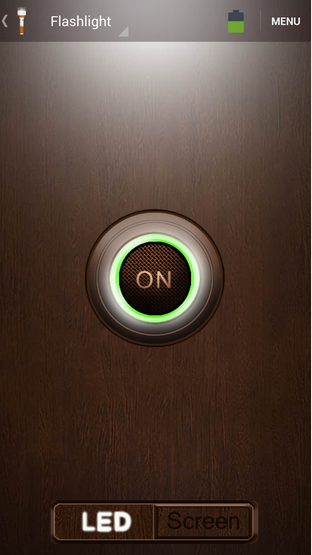
    • Set 5: Flashlight, Magnifier, Mirror – Smart Light Pro
    • Set 6: Unit – Unit Converter

    Cons

    The heaviest downside of this app is the lack homescreen shortcuts to individual tools. Maybe it’s just me but you pay for this app then realize there are no shortcuts then the author wants you to buy the individual tool apps or be pledged with adverts!  

    Pros

    This app basically helps you deal with any measurement problem you may encounter. It’s affordable price tag will also give it an edge over similar apps in the play store.  

    The best way to understand this app is probably by experimenting with it. Nonetheless, I can guarantee that your $2.55 will be worth it.

    Price When Rated:

    $3.00$2.55

    Our Rating: 3.5

    Requires Android:

    2.2 and up

    Content Rating:

    Low Maturity Download

  • Your New Google Glass Comes Without Video Calls Support

    Your New Google Glass Comes Without Video Calls Support

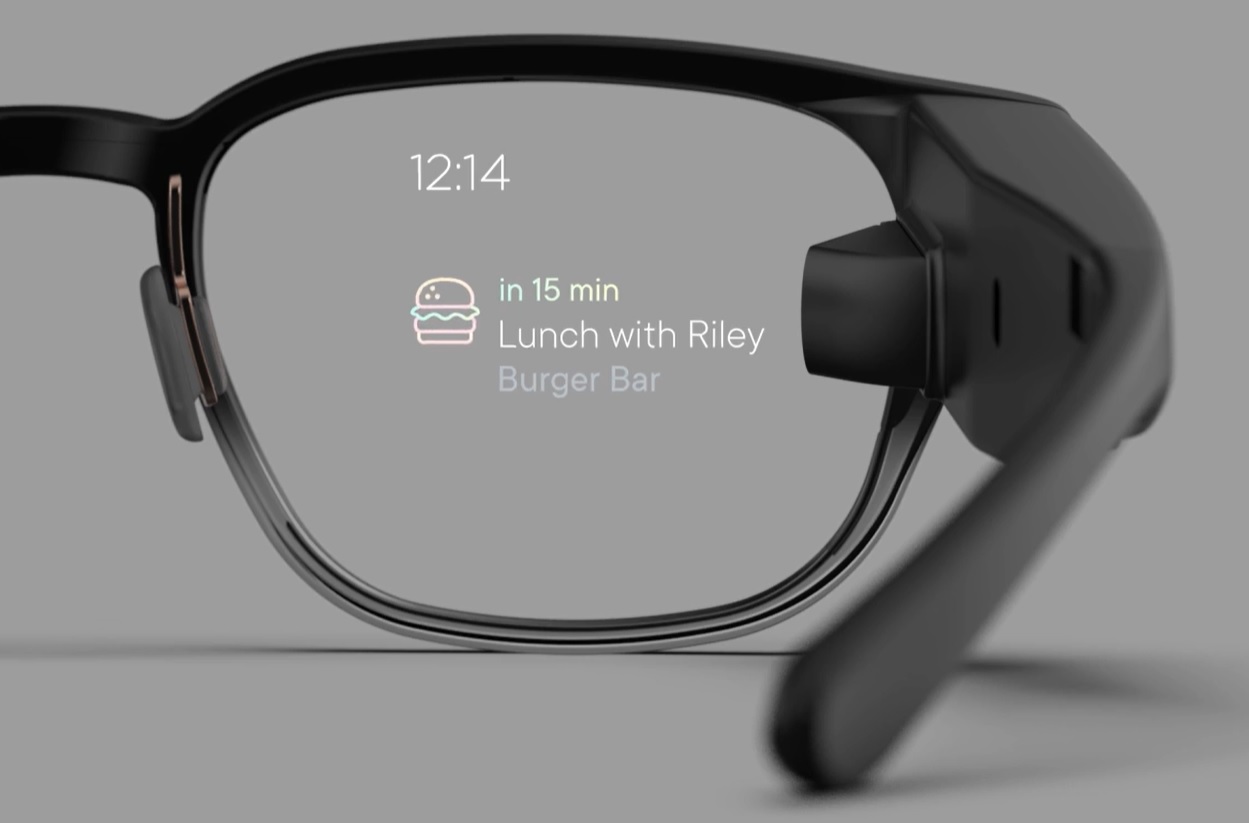
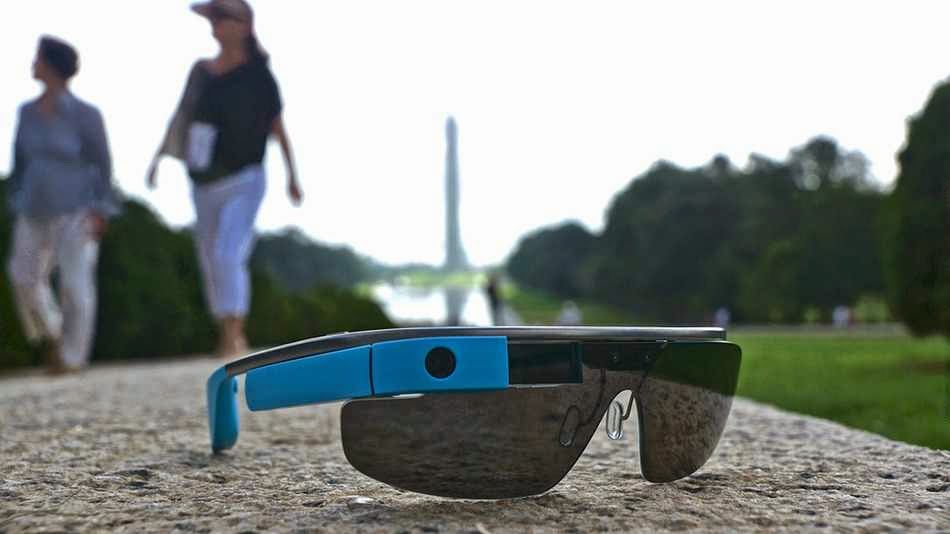
    As you set fort to lay your hand on a new pair of Goolge glasses today, let’s quickly give you the heads up on what to expect from Google’s $1,500 pair of glasses.

    Although the device will support KitKat and a couple of new features, including new tools for working with photos easier, Google has also decided to remove the option to do video calls from Glass for the time being.

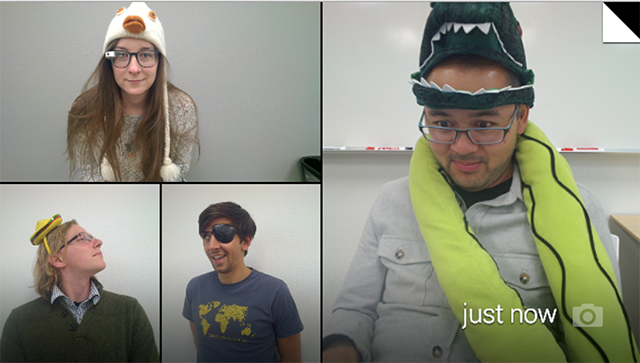
    Google says video calls from Glass didn’t live out to the company’s “high standards.” Only about 10 percent of Glass users currently use them, and because of this, the Glass team has made “the hard decision to remove video calls from Glass until the experience is better.”

    It’s unclear when this feature will return, but Google tells Glass users to keep an eye out for video-streaming apps in the MyGlass app library for third-party solutions. Given that video calls from Glass were always one of the device’s marquee features, it does come as quite a surprise that Google would remove this, even if just a few percent of its current users use it.

    Is Hangout Really Enough?

    As for the photo updates, Google now finally bundles photos together so when you scroll through your timelines, it’s not cluttered by lots of photos, and the photos you take are easier to find. Glass now bundles all your videos, photos and vignettes into a single bundle for each day. If you take a lot of photos on Glass, that’s definitely a major improvement.

    Despite losing the video calling feature, Hangouts on Glass are still an option for chats, and with this update, Google now allows users to more easily send photos in Hangout messages.

    Other new updates include a voice command menu that’s now sorted by frequency and recency, as well as the ability to more easily send feedback about Glass right from the device.

    According to Google, there are a few more features in this update, too, but it hasn’t updated its Glass Journal blog yet. We will update this post with a list of all the new features as Google makes this information available.

  • Google Glass Now Available to Everyone: How to Obtain your Own Pair of Google Glasses

    Google Glass Now Available to Everyone: How to Obtain your Own Pair of Google Glasses

    In compliance to Google’s announcement last week, everyone in the U.S. will be able to buy Google Glass today, starting from 9 a.m ET.  “Every day, we get requests from those of you who haven’t found a way into the program yet, and we want your feedback too,” the company wrote in a blog post.

    Google Glass is not commercially available yet; it’s been available only to Google Glass Explorers — in other words, only through a very limited beta-testing program.

    Now, Google is opening up the program and folks in the U.S. will be able to get the Glass for $1500 + tax. Google has apologized to everyone else, saying it’s “just not ready yet to bring Glass to other countries.”

    The price is steep, but at least Google will throw in frames or a shade of your choice.

    To get the Glass, you need to be 18 years old, and you need to be a U.S. resident with a U.S. shipping address. Then, go to this address today, April 15, at 9am ET. Be fast, as the number of spots available is limited. You can also sign up for a reminder at the same address.

    If you are wondering what this pair of glasses will do for you, poke your cursor on this link to find out.

  • With LastPass comes the End of entering Passwords Manually in Android Apps

    With LastPass comes the End of entering Passwords Manually in Android Apps

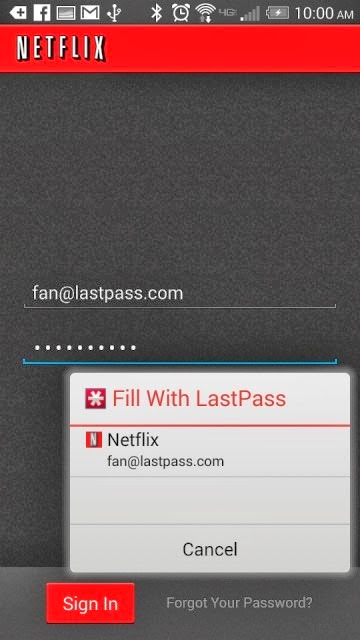
    Password management service LastPass, which stores passwords on a secure online service to automatically log users into websites, has rolled out automatic password entry to Android apps and the smartphone’s Chrome browser.

    So for LastPass users on Android, the days of manually entering passwords into apps and websites are over.

    “It takes the concept of our desktop functionality — recognizing what page you’re on and looking for a match stored in your vault — but is adapted for the Android accessibility feature,” Amber Gott, a LastPass spokesperson, told Mashable. “Once the option is enabled in the LastPass Android app, LastPass can now ‘see’ when you’re on an app login page, and then can hover and let you know if you have a matching login.”


    The news comes just a few weeks after competing password management service PasswordBox enabled a similar automatic entry feature. Previously, LastPass users needed to copy and paste passwords from the LastPass app to log into native apps and sites.

    The feature is available for apps on devices with Android 4.1 and later and Chrome on smartphones running 4.3 and later. It also supports Dolphin HD and Firefox mobile browsers, too.

    Although the functionality adds a big convenience on Android, it’s unclear if and when the feature will ever come to iOS devices.

    “Unfortunately, Apple doesn’t have an equivalent that allows us to hook into the OS and securely deliver users their data,” a LastPass spokesperson told Mashable. “We’re still looking into it and hope that further updates to iOS may allow us to implement something similar.”

    Click here to download LastPass password manager to your Android smart phone.

  • The Best Guide For Augmented Reality Apps

    The Best Guide For Augmented Reality Apps

    What is Augmented Reality?

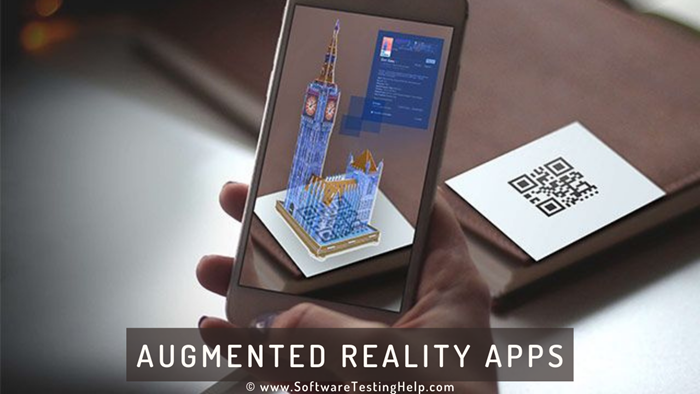
    Augmented Reality is a relatively new technology that adds value in the real world using digital media and information like videos and 3D models while superimposing in real-time, the camera view of connected glasses, your PC, tablet or smart phone.

    Augmented Reality tools have three main categories. Augmented Reality 3D viewers use trackers to place life size 3D models in the environment. Augmented Reality browsers provide contextual information to add value to your camera feed. Augmented Reality games offer interactive gaming experiences.

    Benefits of Using Augmented Reality Apps

    There are a number of benefits derived from employing augmented reality apps. These include the following.

    Presentation Tool
    Marketing, design and sales teams benefit from the use of Augment as a powerful visualization tool.

    Catalogue Animation
    You can bring life to any print content. Your print can be scanned from any location and 3D models, links to your site or videos can pop up.

    Here are some of the best Augmented Reality Apps currently on the market.

    Amway Augmenter

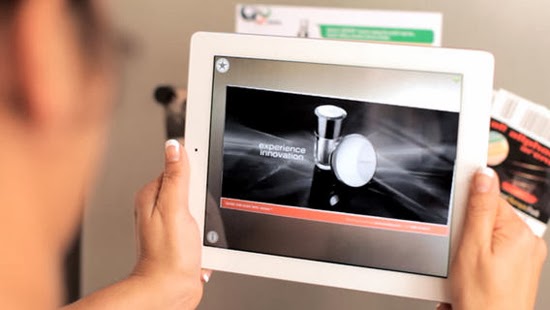
    Amway Augmenter uses image recognition to choose codes and images. Content is then activated to play on the device screen.It is a very easy app to operate. All you need to do is identify the content that you want to augment and hold your device over the image in a way that all of it will appear on the screen. The application does the rest for you.

    Visuar Augmented Reality

    This is a general purpose augmented reality application. It significantly reduces the cost of marketing and advertising campaigns. Salient features of this application include centering the view in the middle and sawing the interior, take photos and share on social networks and email, change textures and add personal targets in real time, add video texture as well as video, sounds and animations escalate, rotate and move in all perspectives in addition to having your own corporate image and corporate channel.

    Acrossair Augmented Reality Browser

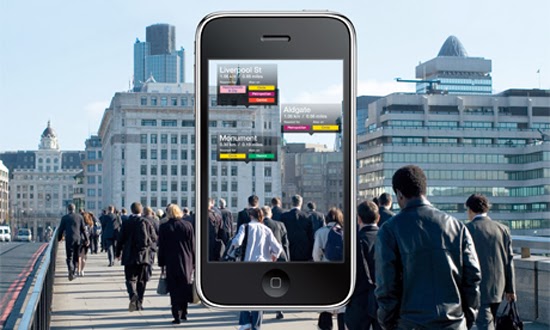
    This augmented reality browser has been described as the Swiss Army knife of augmented reality. This app has been developed for the iPhone and iPad. Salient features include pinning your location to find your car later, viewing local tweets, viewing geotagged Wikipedia entries as well as hotels, cinemas and many other amenities. Holding your phone horizontally shows your location on map giving you the option regarding the layer you would like to look at.

    iOnRoad Augmented Driving

    This augmented reality app helps you keep track of your location while on the road while preventing the occurrence of accidents. Features include an audio-visual warning used to detect veering off the road and moving closer to the vehicle next to you. This is done by employing sensors, GPS and the smart phone camera. Operation is simple. All you have to do is mount it on the windshield which activates it automatically once the vehicle is set in motion. Other features include parking location detection allowing you to find your car later via a clicked photo and the area navigation.

    R U McSafe Augmented Reality

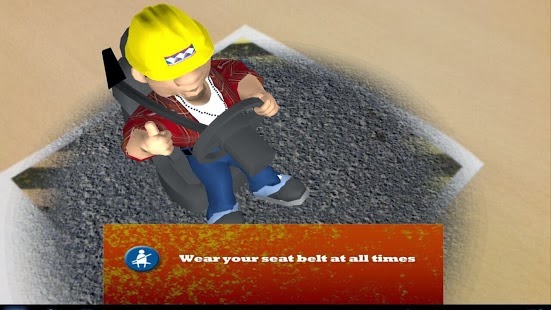
    This augmented reality app is employed to supplement safety and health measures in the work environment. It allows you to utilize your mobile device to view a variety of safety situations in space or real time. All that is required is for you to position your screen over the printed marker that fills the screen when seen from above. You can watch as the 3D appears as if they are right before your eyes. It allows you to interact with the 3D animation through the use of your finger. You can spin the icons and choose the situation you want to view.

  • The Best Camera Apps for Android

    The Best Camera Apps for Android

    Tons of camera apps has been made since the foundation of Android OS. While many blogs and websites has had their say on which app is best, we are going to consider seven Android camera apps that can easily fit in as the best among it’s kind.

    In this list we are going to consider features that makes them stand out among the crowd and reasons why they are better than your preferred camera app. From 1 – 7, let’s get the list rolling.

    Camera360 Ultimate – The Best Camera App

    For sometimes now the position of Camera360 Ultimate has been unquestionable in the marquee of best Android camera apps. The free mobile application is arguable the best camera app around this days and could easily replace any smartphone default camera app.

    Features

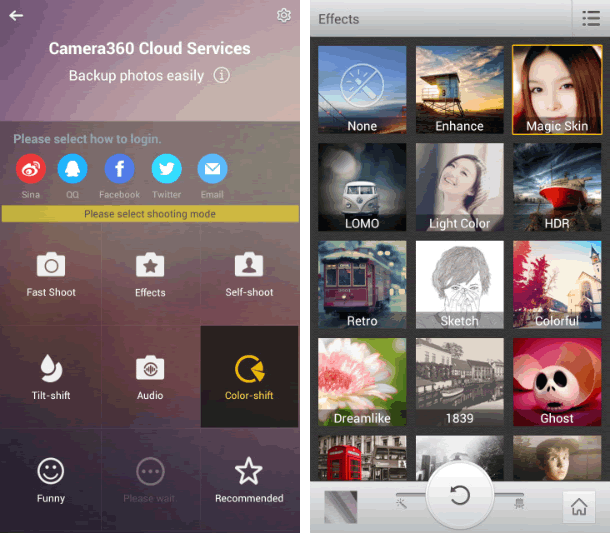
    Camera360 Ultimate of course, was only an upgrade on the old Camera360 app, which was mostly known for its HDR shooting mode. The recent version still has it in there, among some other useful features like photo effects, quick sharing, support for phone-mountable Sony lenses, and a very easy-to-use interface.
    • Easy-to-use Interface
    • Support for Phone Mountable Sony Lenses
    • Photo Effects
    • New Camera Store
    • Basic editing tools, including crop, rotate, etc
    • Photos are classified by time in Camera360 album for easy photo search and management.
    • Safe and smart cloud album for photo storing, managing, editing, sharing and more.
    • Free photo editor featuring tons of filters, unique shot modes, and extras not found in other apps from the genre
    • 1-tap upload to Facebook, Twitter, Flickr, and more
    • HDR Shooting Mode
    • Real-time digital zoom
    • Hardware tweaking options, including white balance, night shooting modes, ISO, focus metering, exposure, contrast, saturation, and more (as long as your hardware supports it)

    The Awesome

    The application compared to its competitors is worth over $4 – $5 but has been made totally free by its producers. Camera360 Ultimate makes it easier to choose between normal shot and special effects shooting mode allowing it to function properly on almost every Android device including low end Tecno Android phones.
    The latest version of Camera360 Ultimate is loaded with amazing photo tools and features. The good thing about the application is the new camera store where you can manage and add new features to your camera app. You can add features such as Effect Cam, Selfie Cam, Easy Cam, Scene Cam, Funny Cam, Tilt-shift Cam, Color-shift Cam, Audio Cam, etc. Free of charge.

    Where It Falls Short

    Camera360 Ultimate’s interface is great at guiding you right to the type of shooting mode you may want, but the problem with the app is that it’s gotten progressively bloated and bogged down with features that aren’t too useful and have little or nothing to do with taking good photos—just gimmicky ones. It’s also gotten to be a big of a storage hog, weighing in at 21mb.

    6 Worthy Alternative of Camera360 Ultimate

    Camera ZOOM FX ($3.00) has been the preferred camera app for many android users but will always face stiff competition against free top crooners like Camera360 Ultimate. The camera app has features such as:
    • Auto-focus and tap-to-focus modes
    • Hardware tweaking options, including white balance, night shooting modes, ISO, focus metering, exposure, contrast, saturation, and more (as long as your hardware supports it)
    • Gesture and multitouch support, including pinch to zoom, tap to focus, and tap to shoot
    • Burst shooting mode that supports up to 20 shots/second
    • Customizable grid overlays (so you can make use of the rule of thirds, the golden ratio, or other composition techniques)
    • Horizon level indicator (never take tilted photos again)
    • Stable shot meter and shooting mode (with crosshairs that flash red when the camera is moving)
    • Customize all the hardware buttons on your phone and assign them to camera functions, e.g. zooming with the volume controls
    • Support for time lapse shots and long exposures
    • Self Timer
    • Voice and sound-activated triggers: Clap or speak to take a picture
    • Silent photo shooting and shutter sound control
    • Over 40 different photo filters and effects, like tilt-shift, vignette, LOMO, retro, toy camera, and Polaroid
    • Dozens of photo presets for one-touch personalization
    • Real-time digital zoom
    • Geo-tagging of photos using your phone’s GPS
    • Preserves EXIF and other metadata with your photos
    • Auto-save of images when you take them
    • Live previews of photo effects and filters before you apply them
    • Basic editing tools, including crop, rotate, etc
    • Non-destructive photo editing features
    • Collage shooting modes, so you can build an instant collage of photos you’ve just taken
    • Quick social media share
    Works a bit better than the stock app and offers ISO mode control. Unfortunately, all the photos are cropped to 4:3 instead of 16:9, and there doesn’t appear to be any way to fix it. With its amazing features as mentioned above, Camera ZOOM FX can comfortably sit in our second place for best Android camera app.
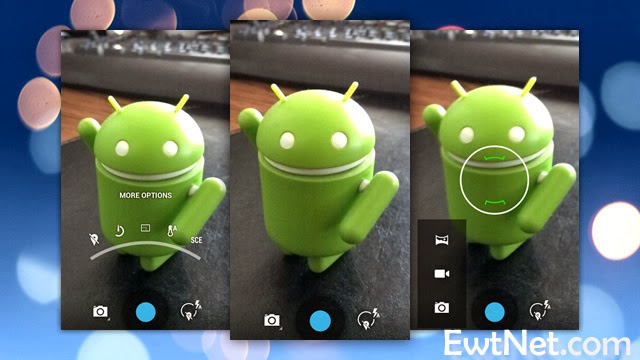
    ProCapture ($3.99, Free ‘Lite’ Version) is a great camera app for niche photo shooting. The application supports multiple advanced camera shooting modes such as: Timer, Burst, Reduced Noise, Wide Shot and Panorama.

    Action Snap Pro ($3.85, Free ‘Lite’ Version) is another niche photo shooting app. Allows you to use both front and primary camera of your android device. ActionSnap supports combining 4 or 9 photos. You can choose a time interval from 0.1s to 5s and start capturing photos by one click only, or you can use the custom mode to take photos one by one.

    Camera FV-5 ($4.13, Free “Lite” version) has been around for sometime, but only recently did it get good enough to grab our attention—and boy did it get good. Loaded with tons of features, and the developers has added a lot of useful shooting features over filters and effects. You can now control hardware settings like white balance, exposure time, aperture, light metering, and so on, and the viewfinder even has an RGB histogram right there, updating in real-time. You’ll find all of the other useful features from Camera360 ultimate and other apps here too—tilt-shift shooting, auto-focus and tap-to-focus, long exposure support, the works. Its only drawback is that the interface can be a bit overwhelming as a result of all of the features.

    Vignette ($3) midst stiff competition is still around and kicking, and is an excellent option if you’re looking for an elegant shooting interface and more filters and post-processing effects than you can shake a stick at. It looks great, is a joy to use, and like Camera FV-5 can do a lot of things the other apps here can do, including tilt-shift photography, cross process, duotone, LOMO, toy camera, and more. Vignette’s only drawback is that in being elegant and useful, it’s also a bit lighter on features and shooting modes. Still, if other camera apps are overkill but you still want a step up from stock, try it out.

    Focal Camera (Free), pretty much at the beta stages and good enough to decorate the bottom area of our awesome list. The application is loaded with  features like HDR shooting, panorama shooting, photospheres, burst shooting modes, self and auto-timers, and more. It’s a bit buggy on some devices, is definitely still a beta, and doesn’t support anything running less than Jelly Bean 4.2, but if you need HDR or panoramas, it’s more than worth a look.

  • How Nimbuzz Lost to Whatsapp and BBM in the IM Battle

    How Nimbuzz Lost to Whatsapp and BBM in the IM Battle

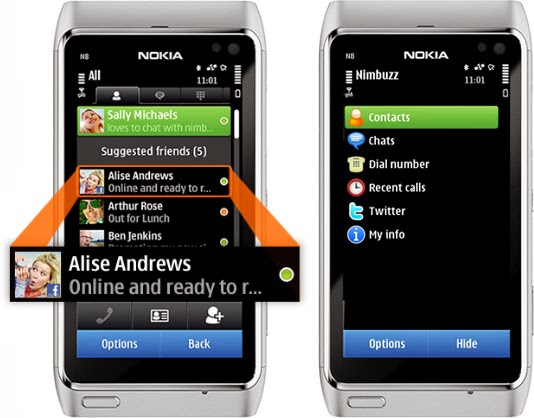
    As a high school boy in 2007, I always use Nimbuzz on my Nokia 8080 Java phone to keep in touch with my classmates. It was quite handy as it was the only reliable way to have a live chat with my friends & contacts on Facebook—yes, back in the days, you have to refresh Facebook mobile for new new messages—and Gtalk, send instant messages to my phonebook contacts and update my twitter status from my mobile phone.

    Nimbuzz
    Nimbuzz was an all-round app that does everything.

    Nimbuzz was an all-round app that does everything. You can connect your accounts on various Instant messengers (IM) such as Gtalk, Yahoo! Messenger, AOL, Skype, Facebook IM and Twitting live updates. In fact, I made my very first VOIP (voice over internet protocol) call on mobile phone with Nimbuzz in 2012—it was a 3G phone, a Nokia Symbian phone, even.

    However, these days, Nimbuzz has been ‘reduced’ to less than a shadow of its former self. At best, it will serve as free mobile application that lets you connect and exchange instant messages with your phonebook contacts within app.

    Nimbuzz, WhatsApp & BBM Battle

    Even in the days of Nokia Sybiam series, Nimbuzz was at its climax, introducing voice call over 3G, file sharing and other exciting features. For an application that got downloaded by over 10 million users on GetJar app store in 2009, Nimbuzz seems to have depreciated from gloss to gross, prompting us to wonder what really happened to place such a glowing candle under the bushel.

    I will tell you what, smartphones happened. Facebook and Twitter now have their own apps for messaging and posting update. BBM and WhatsApp has dominated the mobile IM industry.

    smartphones
    Nimbuzz was displayed in favor of WhatsApp and BBM in the smartphone era.

    The BBM idea was working quite perfectly in 2010/2011. Despite its single platform limitation at the time, people find it very convenient and easy to exchange instant message through a pre-installed app on their BlackBerry device rather than downloading a third party application.

    While Nimbuzz battles with voice call over 3G, Whastsapp will go on to seize an opportunity to explore other platforms that BBM could not cover. With the introduction of file sharing and voice messenger, WhatsApp became the favorite messaging app for Android and iOS users, pulling some users from Blackberry as well.  The application has over 9 million downloads on the Android platform alone and almost a double figure across other platforms.

    The major reason behind the success of Whatsapp was its cross-platform availability and easy to use interface. This feature was not available on Nimbuzz untill recently. On the other hand BBM was integrated into Blackberry, with over 15 Million phones sold out by RIM in 2011, Nimbuzz unsurprisingly, was crushed under the weight of this IM giants.

    What is Nimbuzz doing these days?

    With the fall from grace in the IM industry, Nimbuzz seems to be throwing their weight behind their new Nimbuzz Social. In their own words:

    Nimbuzz Social is the new content destination for you. With Nimbuzz social get local news and content across world, real time.

  • Huawei Ascend G6 4G smart phone Review and Spec

    Huawei Ascend G6 4G smart phone Review and Spec

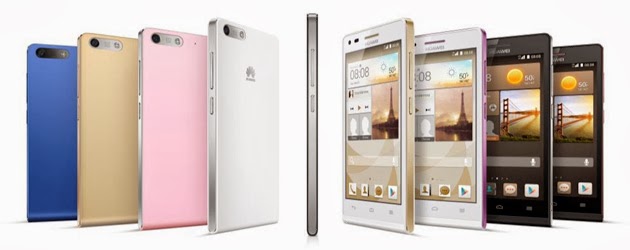
    Earlier this week one of the leading leading global information and communications technology (ICT) giants Huawei registered a new name, Huawei Ascend G6 4G smart phone to the already populated smartphone industry. The 4G LTE-enabled Android device is set to face tough competitions from the likes of Samsung Galaxy S5 and Tecno P5 in the smartphone market, especially in Africa, Asia & Middle East where the the later has left it’s mark.

    The smartphone device will be featuring the latest version of 4G technology – CAT 4 – giving you a super speedy internet connection.

    Inside Ascend G6

    The new 4G LTE-enabled smartphone brings ease of use back to smartphone ownership and opens up a world of fun and colorful new ways to stay connected without boundaries.

    With a 4.5-inch qHD display, 5-megapixel front-facing camera and Emotion UI 2.0 , the product is an ideal companion for those who want to share better.

    With the product, there are also endless opportunities to explore surroundings with multi-shot capture, horizontal shooting and panoramic functions, thanks to the five plastic elements (5P) lens of the 8-megapixel AF BSI f/2.0 aperture rear-facing camera.

    Alternatively, the voice-activated hands-free ‘selfie’ function shows off camera-ready poses.

    Describing the product, , Richard Yu, CEO, Huawei Consumer Business Group, said it is stylish, colorful, and lightning fast smartphone designed to break down barriers.

    With its handy 4G LTE connectivity, he said that it is easy-to-use interface and dynamic cameras offering a multitude of photographic opportunities.

    Interestingly, filming or photographing in low light is a breeze with Ascend G6 4G’s in-built Sony IMX134 sensor, blue glass infrared filter and integrated camera flash for sharp, clear images.

    Featuring the latest version of the intuitive, easy-to-use interface, Emotion UI 2.0, HUAWEI Ascend G6 4G brings smartphone use within reach for everyone

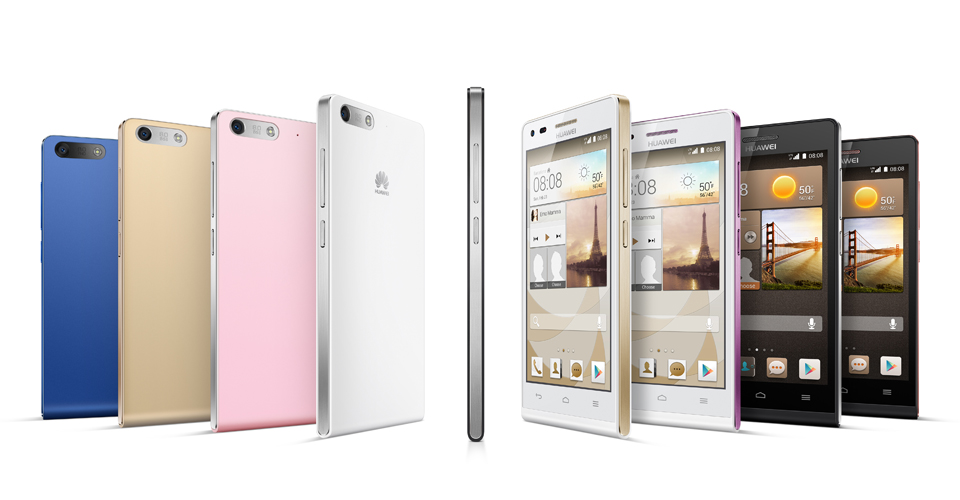
    However, the phone brings vibrant color to life with its crystal clear 4.5-inch qHD 960 x 540 LCD display and 245PPI. At 7.85mm slim and weighing 115g, Ascend G6 4G builds upon the stylish ‘double C’ design of the popular Ascend P6 smartphone and is available in a range of colors including black with light gunmetal grey or rose gold highlights, or in white with pink or champagne gold .

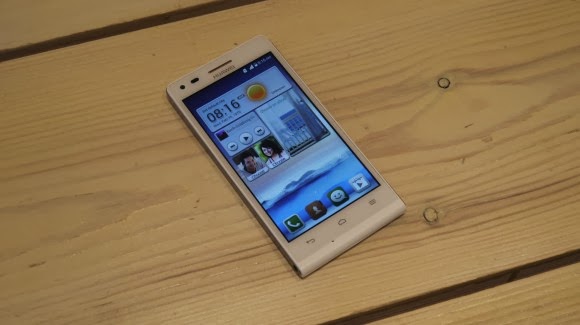
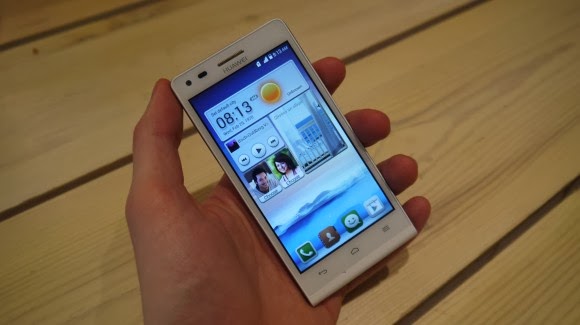
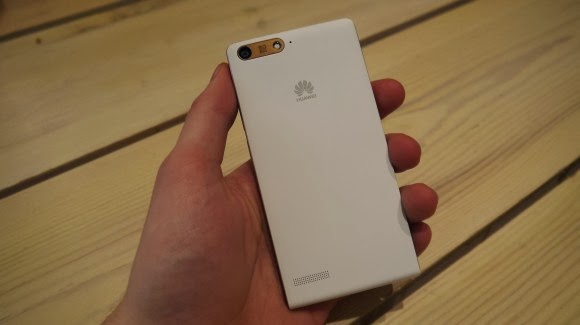
    Unsurprisingly for a phone which is going to come in at under $330 the Huawei Ascend G6 sports an all plastic construction, although it is solid and the thick, faux-metal band which runs round the circumference keeps everything together nicely.

    Available in black, white, pink, gold or blue colors, the product runs on a powerful quad-core 1.2 GHz processor and robust 2000 mAh lithium polymer battery with up to 30 percent power saving, HUAWEI Ascend G6 4G is 4G LTE-enabled to make connectivity faster and more reliable than ever before.

    Movies can be downloaded in minutes and work files uploaded in seconds with speeds of up to 150 Mbps. Smart photo album, internet, notification and permission management provides full control over the information shared.

    In addition, the ‘one key scan’ function maintains peak performance through ‘phone speed tracking’, ‘power conservation’, ‘storage cleaning’ and ‘harassment filter.’ Ascend G6 4G also supports NFC sharing for mobile payments.

    The product offers an enhanced smartphone camera experience with Huawei’s proprietary self-focus tips and preview screen.

    The four plastic element (4P) lens featured on the 5-megapixel front-facing camera provides audio controlled spontaneous snapping, auto-scene recognition and auto-facial enhancement. Featuring 88 degree wide-angle shooting, Ascend G6 4G enables you to take all-inclusive photos that will wow family and friends.

    Add an extra dimension to photos with the ‘Voice Photo’ function that takes photos accompanied by 10-second audio clips that can be shared via Facebook and WeChat, such as at a wedding when you capture the bride and groom saying “I do.” Price When Rated: $350$330 Our Rating: 3.5   Operating System: OS Android 4.3 Jelly Bean

  • Google Photo Backup Software – A “Must” for Google+ Users

    Google Photo Backup Software – A “Must” for Google+ Users

    Google has begun pushing its “Auto Backup” photo archival software to Mac and Windows users via the company’s social networking platform, Google+. The promotion is new, we’ve confirmed, though the software itself was first launched back in December.

    At that time, Google began offering the desktop utility as a part of its older Picasa photo-sharing platform, which confusingly (and oddly) somehow still has its own domain, despite the fact that Google has been integrating Google+ into everything it owns, from search to Gmail to YouTube. When the version of Picasa for Mac and Windows launched at the end of last year, a separate tool called “Auto Backup” appeared. This app runs in the background, similar to something like Google Drive or Google Music, in order to upload all your photos to Google+, including those from SD cards.

    Now some users are noticing that a link to the same software is appearing on Google+, when they click into the “Photos” section of the social networking website.

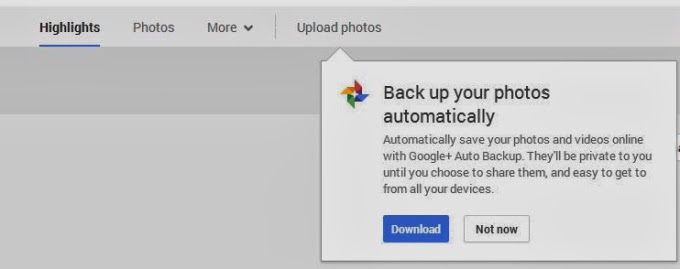
    The prompt appears underneath the “Upload Photos” button from the Google+ Photos top-level navigation. Here, a dialog box explains that the software will automatically save your photos and videos to Google+, where they’ll be marked private unless you choose to share them. You can also access Google+ Photos to then see this prompt if you’re a Chrome user who clicks through on the “Photos” icon from the app launcher (the top-right square grid-like button).

    After you download the utility, or dismiss the prompt in another way, it may be difficult to get the message to reappear, I’ve found. There doesn’t seem to be a website or section on Google+ where users can find links to directly download this software for themselves. For instance, the Google+ Photos “Take a Tour” page points to the “Auto Backup” app (which is actually just the Google+ app) on Google Play and the iTunes App Store, but links to “Auto Backup” for Mac and Windows are nowhere to be found.

    For what it’s worth, if you do decide to take advantage of the utility, be aware that it will not respect the folder structure you may have in place on your computer. That is, it will take the photos from all the albums you point it to and place them in one album on Google+ where you could then choose to share or organize them as you like.

    What the software’s appearance means in terms of Google’s larger plans to shutter the Picasa brand and domain remains to be seen, of course. For whatever reason, Google continues to develop and update its Picasa desktop software, despite its competition with Google+ in terms of feature set (photo editing, organization, etc.) and mindshare.

    This post was first seen on Techcrunch. Images are as seen on the post page.

  • Top 15 Free Live Wallpapers for Android Devices

    Top 15 Free Live Wallpapers for Android Devices

    Live wallpapers refreshes your Android screen and keeps your device alive. While some of you will go down as legends in this field, a lot of us are yet to explore the excitement of Android live wallpapers. Whichever category you fall into, here is a chance to try a new thing, applaud your favourite wallpapers that made the list or tell us which wallpaper you feel should have been listed.

    The wallpapers listed in this post are all live wallpapers, less-buggy and elegant in appearance. Also, the wallpapers are responsive and can adapt to any device or screen size.

    Read on as we list 15 Android live wallpaper that attracted us this week or in the past two weeks.

    Koi Free Live Wallpaper – Download

    We have been following this wallpaper for quite sometimes now. It’s consistency and clean fascinating layout has earned it a first slot in our listing today.   This is your a ticket to get Koi (amazing fishes) swimming around your smartphone or tablet. This wallpaper comes with 3D rendered in OpenGL 2.0, with fully interactive water that supports multitouch.   

    Transparent Wallpaper Camera – Download

    Make your own live wallpapers! This applications allows you to record video from your camera and use them as wallpapers. https://www.youtube.com/embed/fgeeFX8K7as?ps=play&vq=large&rel=0&autohide=1&showinfo=0&autoplay=0&authuser=0 3D Angel Live Wallpaper – Download The quickest route to bring down the angels a little closer yourself. This a 3D live wallpaper that contains the Angel prayer, angel song and a beautiful angel.  

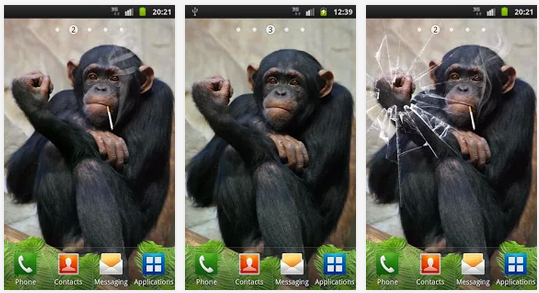
    Funny Monkey Live Wallpaper – Download Install an arrogant monkey your Android device. Funny Monkey Live Wallpaper. It is not a polite monkey. As you touch the monkey on the head she will show you the “Fuck You”. Tap it in her hand and the monkey will break the screen on the phone (cracked screen). The monkey is funny and she loves to laugh. Tickle the monkey in her leg and she is going to laugh.

    Autumn Live Wallpaper – Download

    Your screen will produce amazing autumn leaves rustling inside the little house in the woods. You might end up spending the whole day busting bubbles.

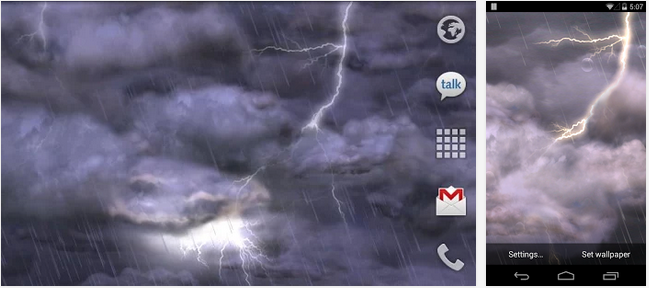
    Thunderstorm Free Wallpaper – Download

    A spectacular backdrop of storm clouds, lightning, and rain!

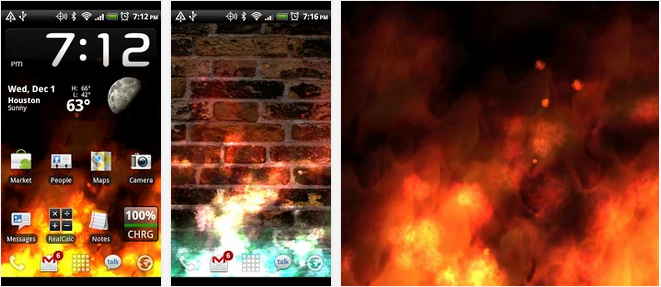
    KF Flames Free Live Wallpaper – Download

    Start a blazing fire on your device screen. It’s time to scare the hell out of your friends!

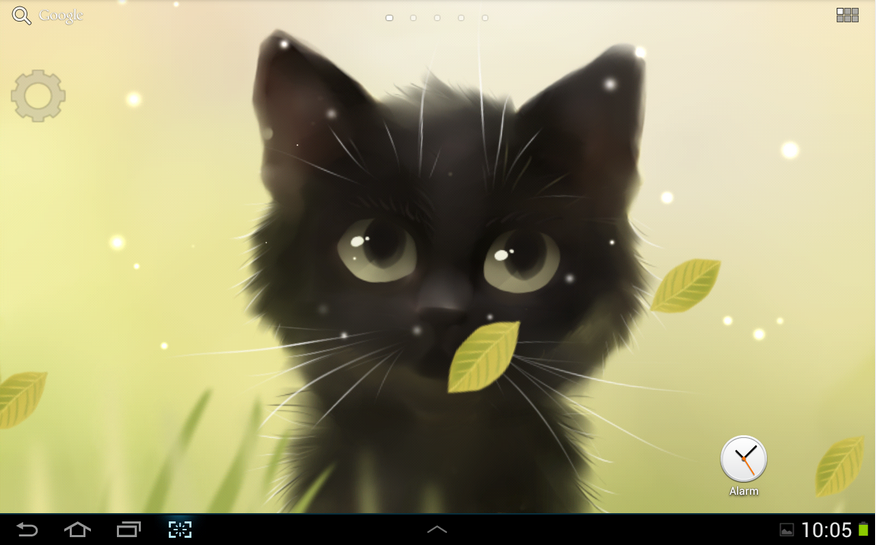
    Savage Kitten Lite – Download

    Savage Kitten Lite live wallpaper features a black savage kitten yet not your average house pet!

    Cracked Screen – Download

    Tricked your friends into believing that your new Android screen is broken. You need to download this app it’s fun to mess with your friends.

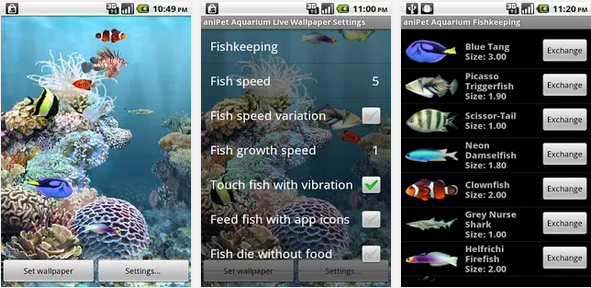
    aniPet Aquarium Live Wallpaper- Download

    Turn your phone/table into a mini aquarium. Select 20 fish from 180 species to grow. Feed them and make babies.

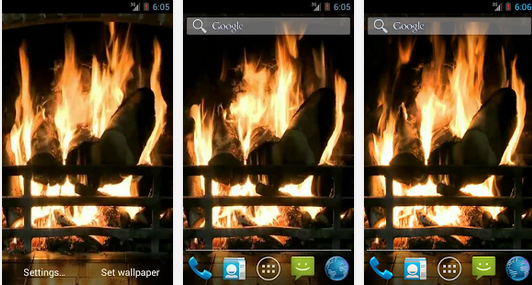
    Fireplace Live Wallpaper – Download

    Enjoy the warm glow and ambiance of a wood-burning fireplace right on your Android smartphone

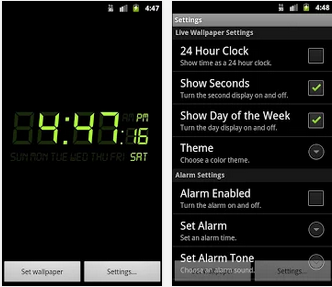
    Alarm Clock Wallpaper – Download

    Alarm Clock Live Wallpaper is a digital clock and alarm on your home screen. It features: – One-touch snooze. – Set alarm tone, time, and reoccurring days. – 24 hour clock support. – Alarm will still sound even if device’s screen is off.  

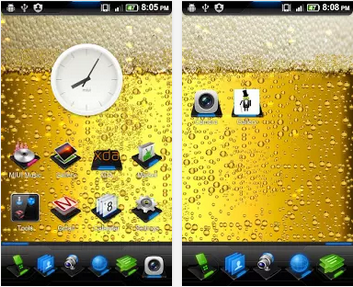
    Bubbly Beer Live Wallpaper – Download

    It is always good to have a beer in your hand, it gives you energy, confidence, and might make you drunk! Drink responsibly and we hope nobody gets charged for DUI!

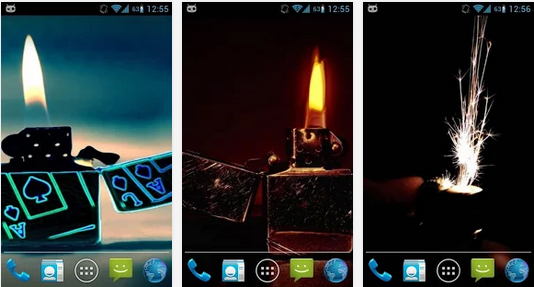
    Magic Touch : 3D Lighter – Download

    Love to create ripples in bathtub and watch them subside. Now you could create same kind of waves in your cell phone. All you have to do is, set the wall paper on your screen and touch the point where you like to see ripples appear.

    iOS 7 Glass – Download

    Free elegant live wallpaper, iOS look-a-like.

  • Dell’s $129 Dongle Puts Android On Any Screen With HDMI Input

    Dell’s $129 Dongle Puts Android On Any Screen With HDMI Input

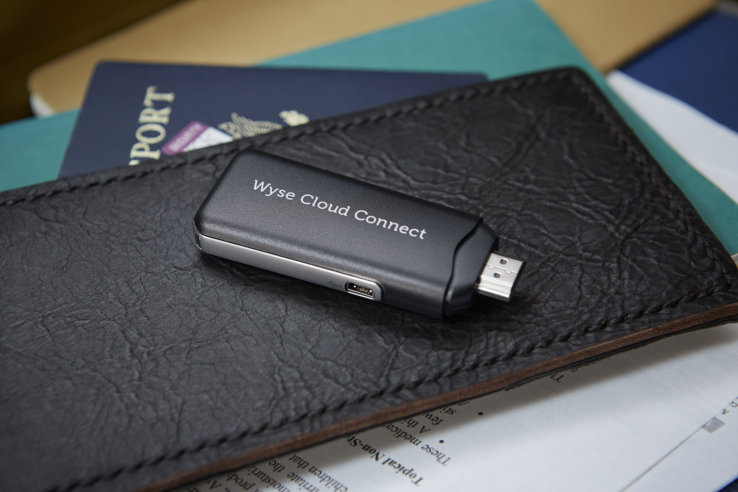
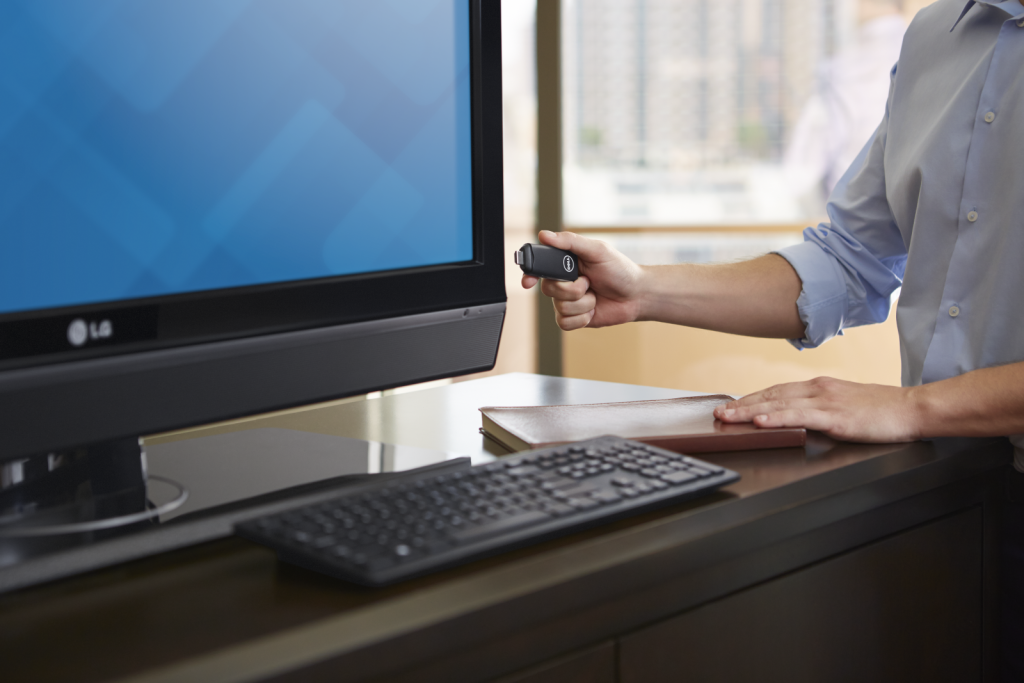
    Techcrunch – Dell continues making bets on Android in its computing lineup with a new $129 device that brings Google’s mobile OS to any TV or display with HDMI input. The new stick runs Android Jelly Bean, also supports MHL connections (mobile high-def) and offers Bluetooth and mini USB for mouse, keyboard and other device connectivity.

    In addition to onboard connectivity for Bluetooth, the new Dell Wyse Cloud Connect also offers 802.11n dual-band Wi-Fi and the standard Google Play store for Android software. It’s an enterprise and business focused device, however, and also has Dell’s Wyse PocketCloud software preloaded to help it act as a virtual terminal for remote computers.

    This is, in effect, supposed to be the long-vaunted and sought-after thin client PC you can carry with you in your pocket that still manages to provide access to all your files, software and communications back home. Of course, that doesn’t mean it can’t also provide entertainment options to business travellers, since it’s capable of full HD output and should be able to easily run Netflix’s Android app.

    That “multi-core” Cortext-A9 ARM SoC might not be the most muscular mobile processor in the world, but Dell does specifically tout its HD and 3D graphics abilities in its specs sheet. It has 8GB of onboard storage, and 1GB of RAM, plus a micro SD slot that supports up to 72GB of additional space.

    Based solely on surface impressions, you could do far worse in a pocket computer for those gruelling weeks on the road if you’re a frequent business traveler. It’s interesting to see Dell move in this direction, effectively taking a page out of the playbook of devices like the Ouya and the Gamestick but cutting out all the nonsense and painting it with a business brush.

    Weirdly, more than anything else over the past half decade at least, this makes me want a Dell computer. Go figure.

  • How to Check the Power Status of Remote Control Batteries with your Smartphone

    How to Check the Power Status of Remote Control Batteries with your Smartphone

    Earlier today I published an infographics on things you can do with your smartphone but I didn’t mention the possibility of checking the status of your television/electronics remote control battery with your smartphone.

    Of course, in the modern technology it is no longer a question of ‘what you can do’ with your smartphone, it is now a question of ‘what you can’t do ‘ with your smartphone.

    The latest discovery has revealed that you can check the power status of your TV set or home theater remote control with your smartphone. This is possible because most standard remote controls send signals to your home theater gear using a beam of infrared light, which a sensor on your hardware picks up. The beam of course is invisible to the human eyes, however, never neglect the power of your smartphone’s Camera! If your remote control start behaving in a funny way, you can easily use your phone to check if your remote batteries need refreshments.

    Checking your Battery Power Status

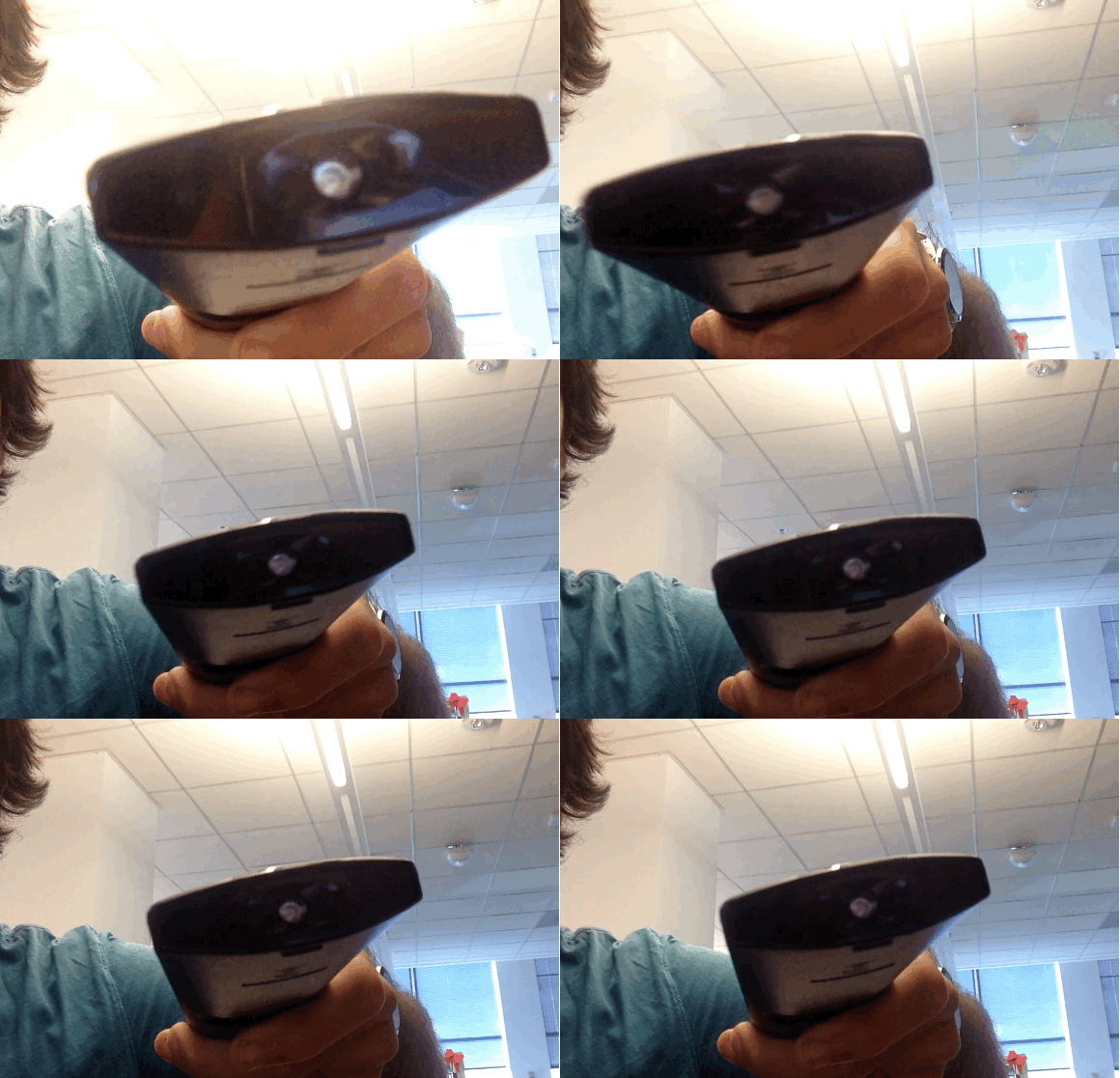
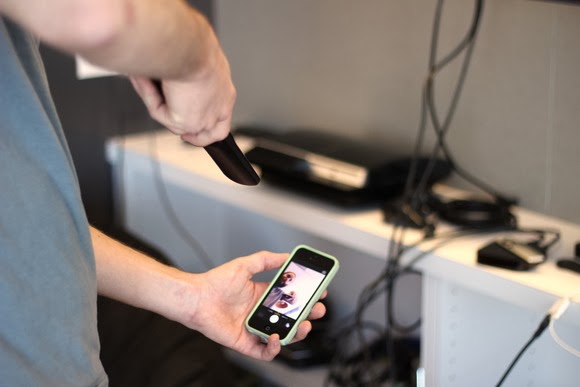
    To check your battery status, simply wake your smartphone and launch the Camera application. Next, switch to the front-facing camera, point the remote at the camera, and press any button on the remote.

    If the remote is working properly, you should see a flicker of light come from the IR blaster as viewed through your phone’s screen that looks something that this:

    If you don’t see the flicker from the IR blaster, or perhaps just a very, very dim flicker, you probably need to change the remote’s batteries. (And if new batteries don’t help, you probably need to replace your remote. Sorry.)

    Of course, this trick isn’t limited to your smartphone’s camera; many digital cameras can see infrared light, despite having filters to tune it out. So if all you have at your disposal is your laptop’s built-in webcam, you may have everything you need.

    Image Credit: TechHive

  • Top 10 Fastest Internet and Files Browsers for Android Smartphones

    Top 10 Fastest Internet and Files Browsers for Android Smartphones

    So far, a number of Android internet browsers and file managers has been developed. While some of them are completely ads-free, easy-to-use and fast, quite a number of them contain detracting advertisement banners, data consuming and extremely slow when opening internet pages.

    Recently, we listed five applications that will help you monitor your data usage on your Android smartphone. While monitoring your data usage it is also necessary you consider the speed of your internet browsers as this will affect your bandwidth usage. In this post we are listing 10 Android internet browsers and file managers that will sky rocket your surfing experience.

     Base on popularity measure and our analyst experience; topping our list is, Dolphin Browser: It is the fastest Android browser out there which has had a total downloads of 1,090,050 so far.

     Another very famous and popular browser which is suitable for the Android operating system is the Opera Mini Browser. It has been developed by Opera Software USA and has had a total of 938,098 downloads till date. The third fastest browser on this list of the fastest browsers for Android Smartphones is Astro file manager/browser which has been developed by Metago and has 358,155 downloads to its credit. 

    Chrome browser is yet another very fast browser for Android browser which is followed by Firefox browser developed by Mozilla. UC Browser for Android is also one of the fastest Android browsers out there and is developed by USWeb inc.

    Maxthon Android web browser developed by Maxthon LTD is a very fast browser for Android and next in the line is Boat browser which is developed by Boat browser.

    Ninesky browser is another browser for Android which is one of the fastest and this is followed by Baidu browser which has been developed by Baidu Inc

    Embed this Infographic on your site
    <a href=”https://ewtnet.com/2014/01/top-10-fastest-internet-and-files.html” title=”Top 10 Fastest Internet and Files Browsers for Android Smartphones – Infographic”><img src=”https://googledrive.com/host/0B1AElyKV1YCfMGVTWlMxX3Uyelk” alt=”Top 10 Fastest Internet and Files Browsers for Android Smartphones Infographic” title=”Top 10 Fastest Internet and Files Browsers for Android Smartphones – Infographic” width=”” height=”” /></a><br /><a href=”https://ewtnet.com/2014/01/top-10-fastest-internet-and-files.html”>Top 10 Fastest Internet and Files Browsers for Android Smartphones – Infographic</a>
    Image credit: Graphs.net

  • Video: Got Google Glass? Don’t Be a Glasshole

    Video: Got Google Glass? Don’t Be a Glasshole

    If your first reaction to Google Glass is, “That’s amazing and also horrifying!”, you’re not alone. Wearable Internet is certainly the future, and probably the nail in the coffin of social grace.

    We’ve noticed that holding a conversation and even walking around in public can be tough while wearing Glass. That’s why we’re offering this warning about Glassholes: People whose DoucheFactor™ is off the charts thanks to the distracted, creepy behavior associated with wearing a voice-activated face camera.

    Video Credit: Mashable

  • Best Smartphone & Tablet Games for Android and iOS

    Best Smartphone & Tablet Games for Android and iOS

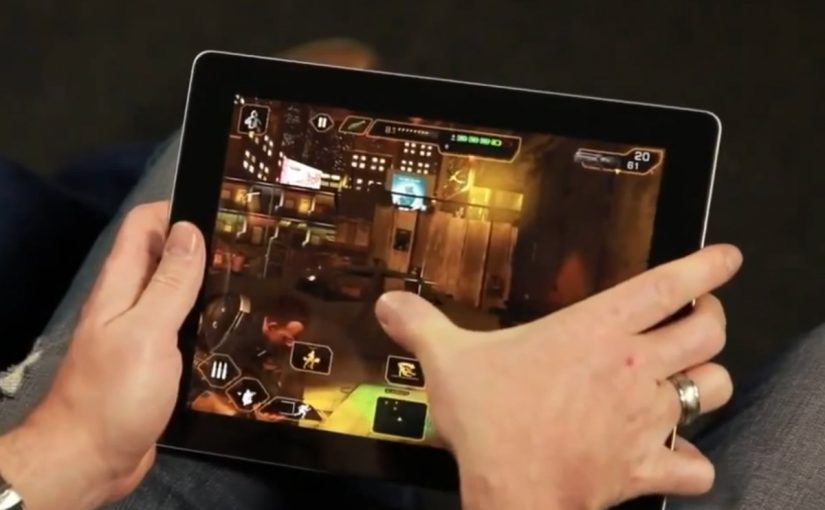
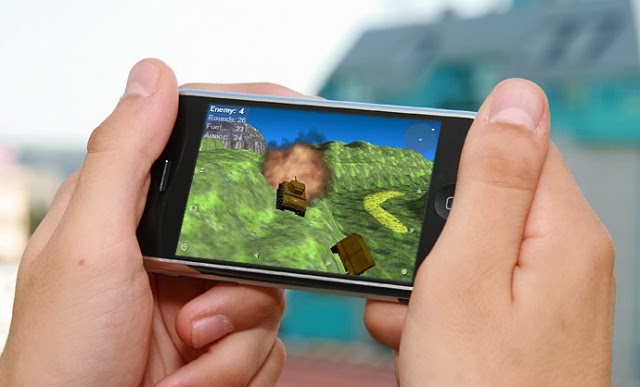
    The best way to start a new week is starting with fun. Not to worry, we do not intend to scare you with Android horror games—but it’s okay if horror is fun to you—what we are interested in are three most relaxing games you must rock this week on your Android or iOS devices.

    Android game

    If you happen to find your favourite game in this list, you are in luck. If not, it’s time to try other games and see what you have been missing. The games in our list here today is available for both iOS and Android devices and adaptable to any screen size.

  • Freak Your Friends Out With Android Face Changer

    Freak Your Friends Out With Android Face Changer

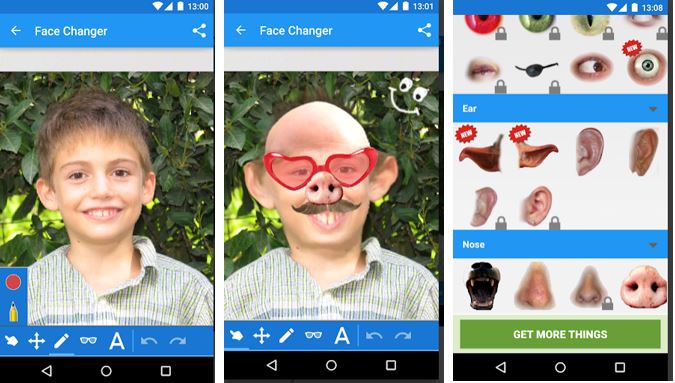
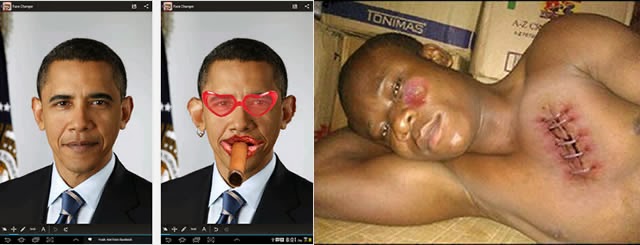
    Recently, a friend tagged me in picture where he was brutally injured. “What happened?” was my first question as I wondered what might have inflicted such injury and bruises on him. The answer didn’t wait for too long: He honestly told me it was a costume he made with Face Changer on his Android device.

    It doesn’t matter whether you forgot to apply the necessary make-ups before taking a photo, this app will help you apply make-ups or add items you never had to your photos.

    Publisher Description

    CNET: If you are searching for a great time killer and funny photo app, this one is for you. This app promises many laughs as you twist and edit your friends’ faces.   Face changer lets you easily change faces in photos. Use it to change your face, friends or change face in any image you find on the internet. It’s easy to create funny pictures and caricatures, and easy to share them.

    File Info

    – Release Date: October 24, 2013
    – Size: 6 MB
    – Version: 5.8
    – App Requirement: Android 2.2 and up
    – Age Rating: 13+

    For information on how to use Android Face Changer on PC or Mac click here, otherwise, click on the download button below to initiate your download.DOWNLOAD ANDROID FACE CHANGER

  • Video Review: Neptune Pine Android Smartwatch

    Video Review: Neptune Pine Android Smartwatch

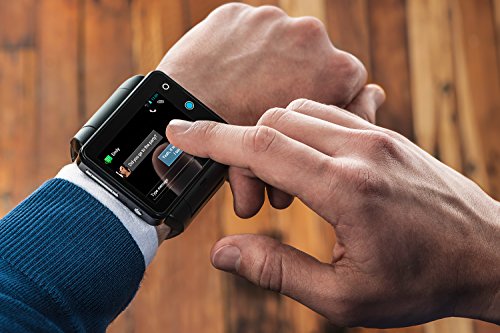
    Neptune Pine Is an Android Phone in Watch Form. Have you ever thought of wearing your mobile phone around your wrist? The video below will wow you. https://www.youtube.com/embed/KOJ45k2KOgY?feature=player_embedded
    The above video was originally posted by Mashable.