It’s 2025. An era of overwhelming DMs, “seen” zones, and social media pressure. And then there’s Vibebo — the one app that actually understands anonymous messaging, not just as a feature, but as a feeling.
After using it across both Android and iOS, here’s the honest truth: Vibebo just gets it.
It’s Not Just Anonymous — It’s Designed to Feel Safe
From the moment you log in, Vibebo looks and feels intentional. The onboarding is smooth. No fluff. The interface feels like it was built to reduce social pressure, not add to it.
The “Playground” tab becomes your hub — where you receive anonymous messages and get to reply, publicly or privately. But what really stands out is the level of control it gives you. You can:
Hide specific words
Block specific users (yes, even anonymous ones)
Pause your profile link anytime
And toggle Advanced Message Filtering if you’re not in the mood for chaos.
It’s like having a personal bouncer for your inbox.
Channels Are the Game-Changer
While most anonymous messaging apps are focused on individual clout, Vibebo introduces a completely new social layer: Channels.
Whether you are:
Class Reps collecting feedback
Clubs or Orgs handling suggestions
Work Teams encouraging honest input
Influencers or Creators managing fan messages
Channels let groups receive anonymous messages. That’s big. It opens the door for big or small teams to collect messages and feedback anonymously — all in one place.
As a channel owner, you get full control over message moderation. Others in your team can view the responses, but no one can delete what they didn’t start. Pure transparency. Pure vibes.
Smart, But Still Fun
Vibebo is anonymous, but it doesn’t feel cold or impersonal. There’s a touch of play in everything:
The colourful QR posters with lines like “What’s ONE thing you’ve always wanted to ask me?”
The ability to reply with a tap
The quirky usernames in “Recent Views” like JumpyJellyfish or TwinklingStarfish
It’s a mix of deep honesty and Gen Z energy. You feel seen — even when you’re unseen.
Sharing Is Effortless
Sharing your Vibebo is smoother than ever. Just tap “Share Profile,” copy the link or grab the QR code. It’s designed for real-world use — from classrooms to campus events, team-building sessions, or friend circles.
One post. One link. Endless messages.
Vibebo Feels Like the First App That Cares
Let’s be honest. Most anonymous apps end up becoming chaos. But Vibebo’s layered design — with advanced safety controls, invite-only channels, real-time views, and an actual message review experience — makes you feel safe and curious at the same time.
Are you on the lookout for the best YouTube ad blocker? Then this post is exactly what you need.
YouTube is one of the most popular online video-sharing platforms in the world, with over 2.1 billion monthly active users. Giving creators, artists, and businesses the opportunity to promote and grow their audience. It also presents students with inexhaustible streams of information. The cherry on the cake? It’s completely free to watch and upload content on YouTube.
Yet, YouTube video ads and pop-ups can be ridiculously frustrating. Viewers find it difficult to stream content on YouTube without irksome ads flying all over their screens. It slows traffic, increases data usage, and makes you susceptible to online threats, spear phishing, and other malware.
Below, we compiled a detailed list of some of the best YouTube ad blockers to aid your free streaming on YouTube and protect your device from trackers.
Best Ad Blocker for YouTube on Android, Mac, And iOS
1. AdBlock
AdBlock is an open-source software that gives users control over unwanted YouTube ads and pop-ups. With over 60 million users worldwide, it blocks third-party trackers and enhances privacy.
Key features include:
Custom ad blocking rules with filters, whitelists, and dark mode.
Advanced privacy protection against malicious ads, scams, and phishing sites.
Ad substitution—replace ads with images of animals, objects, or landscapes.
Cross-device compatibility, working on Android, iOS, and 40+ languages.
2. AdGuard
As the name implies, AdGuard blocks incredibly annoying ads and pop-ups on browsers and apps, particularly YouTube. It works by enabling a safe, web-browsing experience for users. AdGuard equally allows users high-level privacy protection from online malware and other threats harmful to their computers, networks, or servers.
Here are some key features of the AdGuard for YouTube ad-free experience:
AdGuard is available on Android and iOS, going as far as offering compatibility with various other platforms such as Chrome Extension, Windows, and Mac.
The YouTube ad blocker protects its users’ data from web trackers, consequently preventing personal information from being disseminated to unwanted sites.
One significant benefit of AdGuard is that it filters adult content via parental control options that limit children’s exposure to unsuitable content.
AdGuard also maintains web page functionality, ensuring pages load faster and limit traffic.
3. Luna
Luna is one of the top-rated mobile ad blockers, designed to block YouTube ads and pop-ups across apps and browsers without compromising user safety.
Key features include:
Broad compatibility, blocks ads on Spotify, Instagram, Reddit, Facebook, TikTok, Snapchat, Chrome, Firefox, and more.
Data-efficient browsing for a smoother experience.
Full support for Android and iOS, with both Wi-Fi and cellular data connections.
4. Adblock Plus
Adblock Plus is a free, open-source ad blocker designed to enhance the web browsing experience by eliminating video ads, pop-ups, and flashing banners.
Key features include:
Faster page loading by blocking intrusive ads.
Protection from online trackers, scams, and malware.
Selective ad blocking allows support for non-intrusive ads that help websites generate revenue.
Compatibility with desktop browsers and Android devices.
5. Ghostery
Ghostery is a powerful YouTube ad blocker designed specifically for Mozilla Firefox. It helps users eliminate unwanted ads, videos, and pop-ups, creating a smoother and distraction-free browsing experience.
Beyond ad blocking, Ghostery enhances web page speed and offers robust protection against spear phishing, spoofing, and other cyber threats.
Key Features:
Customizable ad blocking – Choose which ads to block.
AI-powered filtering for smarter, more efficient protection.
Advanced privacy protection & anti-tracking to safeguard personal data.
6. StopAd
For those searching for the best YouTube ad blocker, StopAd is a powerful solution that does exactly what its name suggests—completely stops ads. Beyond YouTube, it blocks intrusive ads across various streaming platforms, ensuring a seamless viewing experience.
Compatible with iOS, Mac, and Android, StopAd offers:
Full ad blocking – Eliminates all ad URLs, scans CSS, and filters HTML codes.
Robust web protection – Shields against ID theft, bank phishing, and online scams.
7. YouTube AdBlock
YouTube AdBlock is a dedicated ad blocker for Microsoft Edge, designed to eliminate ads, prevent scams, and reduce data usage while browsing. This Edge-exclusive extension not only blocks all types of YouTube ads but also protects users from third-party tracking, spear phishing, and spoofing attempts.
Key features include:
Unlimited YouTube ad-blocking for a seamless viewing experience.
Enhanced privacy protection to prevent tracking activities.
Cross-platform installation authorization for multiple operating systems.
30-day money-back guarantee for subscribers.
8. Total Adblock
Total Adblock is the ultimate YouTube ad blocker, designed to eliminate intrusive ads, pop-ups, alerts, and auto-play ads instantly. Available as a Chrome extension, it provides seamless browsing by blocking unwanted distractions on YouTube and other platforms.
Key features include:
Advanced ad blocking – Removes ads, notifications, and third-party trackers.
Award-winning antivirus – Enhances security against malware and online threats.
Faster browsing – Improves page load speed for a smoother experience.
Customizable filters – Allows users to tailor acceptable ads for better control.
Compatible with multiple browsers and social media platforms like Facebook, Total Adblock ensures a secure and ad-free browsing experience.
9. AdBlocker Ultimate
AdBlocker Ultimate is a top-tier YouTube ad blocker designed to eliminate ads, pop-ups, and notifications for an uninterrupted browsing experience. While it’s highly rated for iOS devices, it also supports Android and Windows, offering robust protection against phishing, malware, hackers, and other online threats.
Key features include:
Cross-platform compatibility – Available for iOS, Android, and Windows.
Browser extension support – Works on Chrome, Firefox, Opera, and more.
Advanced security – Blocks intrusive ads while safeguarding against cyber threats.
Custom whitelisting – Allows users to personalize ad preferences for trusted sites.
With AdBlocker Ultimate, users enjoy safer, faster, and ad-free browsing across devices.
Finding the best YouTube ad blocker depends on your device and browsing preferences. Whether you need a mobile ad blocker for YouTube, a fast YouTube pop-up blocker, or advanced privacy protection, these top-rated options ensure an ad-free, secure, and smooth streaming experience.
A catastrophic wildfire erupted in Los Angeles on Tuesday evening, tearing through the inland foothills northeast of the city and leaving widespread destruction in its path. Casualties have been reported as the fast-moving flames engulfed homes, vehicles, and vegetation, forcing over 30,000 residents to evacuate in a desperate rush to safety.
The Los Angeles Fire Department Chief, Kristin Crowley, confirmed the devastating toll while hundreds of firefighters battled the blaze from both air and ground. Crews worked tirelessly in steep terrain to carve firebreaks and slow the fire’s relentless advance.
Families Recount Their Journey to Safety in the Los Angeles Wildfire
Witnesses described terrifying moments as embers rained down, turning neighborhoods into fiery infernos. “It looked far away—then suddenly, it was upon us,” Gary, a resident of Sea Ridge, told KTLA. Roads turned into gridlocks with flames on both sides, leaving some evacuees to flee on foot.
Despite the chaos, stories of resilience have emerged. Families helped each other escape, and communities are rallying together to support those displaced. “In times like this, we see the best of humanity,” said Pacific Palisades resident Andrew Hires, who helped neighbors pack their belongings before fleeing the flames.
For those who have made it to safety, what comes next? This is a time to lean on community resources and support systems. Local shelters are offering temporary housing, while aid groups are mobilizing to provide food, water, and clothing.
Have you checked in with loved ones or reached out to friends who may be affected? Even a small act of kindness can make a significant difference in moments like these. Survivors are encouraged to access counseling services to process the trauma and take small, hopeful steps toward rebuilding.
Steps to Protect Yourself Against Wildfires
Wildfires are a harsh reminder of the importance of preparedness and proactive measures. Here’s a step-by-step guide to help communities and individuals protect themselves and minimize risks:
1. Create Fire-Safe Zones Around Your Home
Clear Vegetation: Remove dry leaves, branches, and dead plants near your home to reduce fire fuel.
Plant Fire-Resistant Vegetation: Opt for plants with high moisture content and low resin.
Maintain Defensible Space: Keep at least 30 feet of clear space around your home to act as a buffer.
Store Combustible Materials Safely: Keep firewood and flammable items far from your house.
2. Prepare Your Home for Wildfire Resistance
Install Ember-Resistant Vents: Prevent embers from entering your home through openings.
Install Smart Smoke Alarms: The best smart smoke alarms for modern homes offer real-time notifications and alerts directly to your phone, allowing you to take immediate action no matter where you are. These alarms can detect smoke, fire, and carbon monoxide, giving you an early warning to evacuate or take safety measures.
Upgrade Windows: Use tempered glass windows that are more resistant to heat.
Seal Gaps: Ensure roofs, gutters, and eaves are sealed to avoid ember penetration.
Use Fire-Resistant Materials: Consider metal roofs or fiber-cement siding for extra protection.
3. Develop an Emergency Plan
Identify Safe Exits: Know multiple evacuation routes in case of emergencies.
Pack Emergency Kits: Include essentials like water, non-perishable food, medications, important documents, and flashlights.
Establish a Communication Plan: Ensure all family members know how to stay in touch during emergencies.
Practice Evacuations: Regularly rehearse evacuation plans with your household.
Monitor Weather Conditions: Stay aware of red flag warnings and high-wind advisories.
Listen to Authorities: Follow instructions from emergency services promptly during a wildfire.
5. Collaborate as a Community
Participate in Fire Safety Programs: Join or organize local fire-prevention initiatives.
Support Local Firefighters: Advocate for funding and resources for fire departments.
Create Firebreaks Together: Work with neighbors to clear vegetation and create communal safety zones.
6. Advocate for Government Action
Strengthen Emergency Systems: Push for improved wildfire alert systems and response mechanisms.
Promote Policy Changes: Support legislation that prioritizes wildfire prevention and management.
Invest in Research: Encourage investments in technology and strategies to predict and control wildfires effectively.
By taking these steps, we can collectively reduce the risk of wildfires and ensure that future disasters cause less destruction and loss. Let’s commit to learning from this tragedy and building a safer tomorrow.
We stand with the survivors and all affected by this tragedy, offering our deepest empathy and support as they navigate the road to recovery.
The Redmi Note 13 Series, however, is the latest version . Ever since Redmi, the subsidiary of Chinese electronics company Xiaomi entered the market, it has produced hundreds of budget-friendly phones with solid performance. It launched earlier this year and is hands-down one of the most impressive smartphones from Redmi. It came with new upgrades to its camera, design, display, and processor, an improvement on the Redmi Note 12 series.
It was released on January 15, 2024, and comes in five sleek devices. Redmi Note 13, Redmi Note 13 5G,Redmi Note 13 Pro, Redmi Note 13 Pro 5G, andRedmi Note 13 Pro+ 5G.
Check out the specifications of the Redmi Note 13 Series if you’re in the market for a new smartphone.
Redmi Note 13 Series Specs
Photography
The cameras on it are top-notch. There’s the 108MP triple camera on the Redmi Note 13 with 3x lossless zoom. While the Pro and Pro+ 5G models have a 200MP camera to make your pictures cooler. perfect for capturing distant details. Its advanced sensor and pixel-binning technology enhance low-light performance.
Apart from the main cameras, the series has additional lenses like ultra-wide, macro, and depth sensors for versatile photography. It also has film camera filters and a high-resolution front camera, ranging from 16MP to 32MP across models for selfies and video calls.
Displays
The upgrade from Redmi Note 12 series to Note 13 is even better with stunning visuals of 120Hz FHD+ AMOLED displays. If you prefer the Pro+ 5G, you get a 1.5K 120Hz AMOLED curved display.
Design
Redmi knows looks matter. You can enjoy a sleeker design with ultra-thin bezels, giving you more screen space and making your device look trendy. The Redmi Note 13 Series has a sleek and stylish design with thin borders and an elegant rear camera setup. It comes in black, white, blue, and green, but it’s not just about looks; the Redmi Note 13 Pro+ 5G has been upgraded for damage resistance. The series is built to last, with an IP68 rating for excellent dust and water resistance, a first in the Redmi Note lineup.
Performance
In terms of performance, all models in the series are built for various tasks; including gaming. From the Snapdragon chipset on the Redmi Note 13 to the MediaTek Helio G99-Ultra on the Pro and the Helio 7200-Ultra on the Pro+ 5G, each model in this series offers a powerful and improved user experience. Memory and storage are up to 12GB RAM and 256GB.
Battery Life
You can stay connected all day with 5000mAh batteries across the series. The Redmi Note 13 has 33W fast charging, the Pro boasts 67W turbocharging, and the Pro+ 5G takes it to the next level with a 120W HyperCharge – less time charging, more time enjoying your phone.
The Redmi Note 13 Series is great when it comes to connectivity and sustainability. It has 5G network connectivity, Wi-Fi 6, and Bluetooth 5.2 for superior speed, efficiency, and audio quality. It includes a headphone jack for comprehensive connectivity.
Secure Unlock
You can keep your data safe and easily accessible with the in-screen fingerprint sensors for a convenient and secure unlocking experience.
One of the key roadblocks to success when it comes to digital businesses recently relies on a lack of improved customer support, engagement, and retention. Integrating Chat SDK into organizations’ system is one way businesses can improve and increase customer engagement and retention, however, choosing the best SDK Chat simplifies and improve customer retention even more. That said, in this article, we will highlight some basic guides to choosing the best chat SDK for your app. But before that, let’s get to know what the Chat SDK is all about and how it works.
What is Chat SDK and How Does it Work?
Chat SDK (software development kit) is a set of tools designed to help developers integrate real-time chat into their websites and applications. This shortens the time needed to create a website and application. By using the pre-existing SDK Chat to integrate chat functionality into their websites instead of starting from scratch to create a working interactive system, developers can save time and resources. Having said that, using SDK Chat allows developers to do away with the needless time spent developing new chat systems. It also lowers costs and improves security and scalability. Additionally, SDK Chats are integrated into various types of websites, like messaging websites, social media platforms, and e-commerce platforms.
Top Chat SDKs available in the industry
The best SDK Chat is based on your specifications, the platform, and the type of app and website you are building with it. Now let’s explore some of the best SDK chats out there;
Sendbird
The first on my list today is Sendbird, it is one of the best SDK chats you can find out there, an SDK chat API for chat boxes. Businesses may enhance engagement, collaboration, and quality of service by utilizing Sendbird’s flexible capabilities, adaptable APIs, configurable SDKs, and more features.
Group chat, one-to-one messaging, push alerts, read receipts, and other features make Sendbird’s chat box API an excellent choice for both individual and business customers.
Features:
Sendbirdhas user interface features that can be fully customized for a smooth integration with your program of choice.
It supports group calls for real-time communication and can have up to 25 members.
Chatbots with AI capabilities for automated customer service and interaction, enhance customer retention
Support in multiple languages for diversity and a global reach.
Push notifications and in-app communications provide a satisfying user experience.
PubNub
PubNub is another SDK Chat out there that is very nice and seamless to use. With PubNub, developers have access to a flexible toolbox built around a robust interactive system. This makes for dependable chat experiences as well as ones that work well across a variety of platforms, including web, mobile,
Features:
Automated Business logic
A profanity filter
Robust support for multi-user operations
With an emphasis on mobile platforms, PubNub’s SDK chat API is designed to empower development teams and let them quickly and effectively realize their unique chat visions, improving user experiences all around.
Easy to use UI
TWILIO
Twilio is a unified platform for business communications, it allows businesses to interact with clients through their preferred channels. It is a powerful SDK chat software that allows users to establish and handle chat features on their websites and mobile apps. By providing a flexible and adaptable platform, Twilio enables businesses to deliver smooth and tailored chat experiences that foster interaction and enhance customer satisfaction.
Twilio is an excellent option for businesses aiming to improve their customer communication approaches and achieve lasting achievements.
Features:
real-time chat functionality.
Multi-channel support,
Customizable chat experiences that can be tuned to suit your company’s brand and style
Flexible developer API integrations
Advanced security features
MirrorFly
MirrorFlyis an SDK chat thathelps to keep businesses connected with an improved communication experience. By creating SDK chat, audio, and video SDKs that can be linked with your software programs within a few minutes, it improves connectivity between programs.
It provides seamless interaction and integration of application programming interfaces (APIs), pre-built UI kits, video guides, simple instruction manuals, and 24/7 technical assistance, as well as secure communication.
Features:
Voice, video, and in-app chat APIs
Lite-chat app
Low-code strategy
Reliability and Scalability
Apphitect
Apphitect is another top Chat SDK with enhanced features and functionalities. With features like push notifications, social interactions, and personal chats, It offers a 99.9% uptime option for the integration of communication channels into web, iOS, and Android applications with its configurable chat API. It supports features of virtual communication tools like screen sharing, video conferencing, and video.
Features:
Notifications with Push and Offline Messaging
Social integration and presence indicators
Geo-location tracking
Video Calls
Normal Calls
Guide to Choosing the Best Chat SDK for Your App
The ultimate guide to choosing the best Chat SDK for your app provides a simple and user-friendly UI. It also ensures that all messages are delivered securely. To select a chat solution, first outline why your product requires chat functionality. This will empower you to seek APIs and SDKs that excel in this area.
Step #1: Documentation
While chat may seem simple, reliable in-app messaging requires many technical components and engineering resources. As a result, building chat in-house can consume more development bandwidth than an entire product if you don’t carefully prioritize it relative to your core value proposition.
When choosing a chat API or SDK, you want one with detailed documentation that’s easy to understand. This ensures that SWEs can quickly pick up on using the feature without relying on support.
You also want to be sure that the chat solution adheres to industry-standard security practices and will protect user data. Otherwise, you risk becoming another data breach headline or facing fines for mishandling customer information. Choose a vendor like Agora.io with robust security features like end-to-end encryption, source code control, and security patches to ensure your apps are safe. A secure in-app messaging platform will keep users’ conversations private and prevent the leaking of personal information.
Step #2: Reliability
A reliable chat solution should offer robust real-time messaging functionality and the ability to expand as your needs change. It should also support a range of programming languages and platforms, 3rd party integrations, and multi-protocol capabilities.
The right solution offers a variety of Chat APIs and SDKs that provide developers with the tools to add in-app messaging to their apps, including direct and group messages, threads, reactions, typing indicators, and more. Its UI/UX Kits enable customizability and ease of integration. Some also provide developers with tools to help productive app communication. Its chat APIs and SDKs are easily integrated into existing web-based or mobile-native systems. They’re scalable and reliable, allowing you to drive 1B+ conversations across multiple apps at minimal latencies. Looking for A Guide to Boost your Dating Website Ranking with Better Skadate SEO?
Furthermore, a trustworthy chat solution should put security first to guarantee the privacy and accuracy of communications. It should provide end-to-end encryption and adhere to industry standards. Furthermore, it should have a responsive customer support system to promptly address issues or concerns, contributing to a trustworthy and efficient communication platform.
Step #3: Scalability
Users use chat apps daily, so product teams must ensure the system can handle many messages and users. This is where a Chat SDK can help.
While an API-based chat solution may require heavier integration work by developers, it can also save time and resources in the long run. In addition, it can offer a customizable user experience and robust security features such as end-to-end encryption and compliance with industry standards.
Additionally, real-time Chat SDK tools offer multiple monetization options like in-chat payments and sponsorships, which can turn your chat into a revenue-generating resource for your company. Furthermore, these systems are designed to scale and allow for unlimited concurrent users, which can prove helpful in the case of business expansion. In contrast, subscription-based chat solutions limit simultaneous users on a per-plan basis.
Moreover, a scalable Chat SDK should provide efficient load balancing and server-side optimizations, ensuring optimal performance even during peak usage. This capability is essential for accommodating sudden spikes in user activity and maintaining a seamless user experience. Additionally, a well-designed Chat SDK should facilitate easy integration with third-party analytics tools, empowering businesses to gather insights into user behavior and further enhance their scalability strategies.
Step #4: Security
The best chat SDK should provide robust security features to keep users’ conversations and data private. This can include end-to-end encryption, securing the server-side components with Transport Layer Security (TLS), or other data protection mechanisms.
In addition, the SDK should be able to handle large volumes of traffic without breaking down. This can be done by implementing multiple connections to the chat servers, using load balancers, or using other scalable solutions.
Moreover, the SDK should be capable of saving chat messages to prevent losing important information. This is important because it allows developers to comply with industry-standard data protection regulations and protect against security breaches. This can be achieved by integrating chat providers offering unlimited user data storage. The right tools allow indefinite chat message retention.
Step #5: Pricing
Pricing is a major factor in choosing an SDK or API solution. For some apps, the savings in up-front cost and development bandwidth will make it a no-brainer to use a chat SDK. But in-house development may be worth the investment for others, particularly those with a unique vision for how a chat should look and function and the budget to back it up.
Stream offers a developer-friendly SDK and UI kit to help brands build productive communication features into their mobile and web apps. It supports direct, group, and channel messaging with threads, read receipts, and reactions. Plus, it provides advanced features like online presence, profanity control, and user moderation.
Its security features protect sensitive data and conversations from eavesdropping. It also complies with GDPR and other privacy standards to keep users’ data secure. It is ideal for e-commerce, marketplace, healthcare, and finance industries. This chat API is a reliable, scalable, and customizable option for businesses of all sizes. It integrates easily and is available on a variety of platforms.
Whether you are a tech enthusiast, a social media influencer, or simply looking for a reliable phone that can keep up with your dynamic lifestyle, you are sure to find a perfect match from our list of the best android phones of 2023.
We bring to you a compilation of the hottest phones to buy this year. Featuring sleek designs, ultra-powerful processors, high-resolution cameras, innovative features, specifications, etc, these android phones are the ultimate gadgets that will upgrade your daily communication and entertainment. With their guarantee to offer seamless and immersive user experiences like never before.
So let’s explore the new android phones for 2023, alternatives to iPhones.
Our Top Picks Of The Best Android Phones in 2023
Samsung Galaxy A54 5G
Cnet.com
The sleek and stylish Samsung Galaxy A54 5G, which takes its design cues from the highly coveted Galaxy S23 lineup is the latest addition to the Samsung Galaxy series. This modern device boasts a 6.4″ FHD+ AMOLED display with a lightning-fast refresh rate of 120Hz, powered by a Samsung Exynos 1380 processor and backed by 128GB of storage that’s expandable up to 1TB with a microSD card.
You can capture amazing shots with the Galaxy A54’s upgraded camera setup featuring a 50MP primary sensor for superior low-light performance and dynamic range, along with a 12MP ultra-wide and 5MP macro camera for close-up shots. On the front, a 32MP selfie shooter awaits, capable of recording in 4K resolution, giving you picture-perfect moments to treasure.
The Galaxy A54 is packed with other features like 5G, Wi-Fi 6, and eSIM, ensuring you stay connected to the world around you. Running on Android 13 with One UI 5.1, the Galaxy A54 offers a seamless and intuitive user experience. Available in black and purple, this phone is so affordable. Pre-orders are set to kick off in a couple of weeks on March 30th, and you can get your hands on one starting April 6th. And the best part? This baby won’t break the bank – just like last year’s A53 5G model, it’s priced at a super reasonable $450. Truly one of the best android phones of 2023
Samsung Galaxy S23 Ultra
Forbes
Samsung’s latest offering, the Galaxy S23 Ultra is not the regular stylus smartphones. It boasts impressive upgrades in its chip, battery, and camera features compared to its predecessors. However, aside price tag, it is one of the most expensive non-folding smartphones available.
Visually, the S23 Ultra closely resembles its predecessor the Samsung Galaxy S22, and its cream color scheme adds to its premium look and feel. The phone’s aluminum frame, slightly less curved glass edges, and super-bright and crisp screen remain unchanged from the previous model.
One of the phone’s unique features is the S Pen stylus. A fan-favorite that was introduced to the S series in 2022, and has undergone minor changes in this version. The phone’s software is based on Samsung’s One UI 5.1, running on Android 13. And offers numerous useful features, including productivity tools for the S Pen and customizable lock screens. The phone’s height is 163.4 x 78.1 x 8.9mm and weighs 233g.
Other specifications include a 6.8-inch QHD+ Dynamic Amoled 2X screen with 500ppi and 120Hz refresh rate. A Qualcomm Snapdragon 8 Gen 2 processor, 8 or 12GB RAM, and storage options of 256, 512GB, or 1TB. The phone supports 5G, USB-C, WiFi 6E, NFC, Bluetooth 5.3, UWB, and GNSS. And boasts an IP68 water resistance rating of up to 1.5m for 30 minutes.
Google Pixel 7 Pro
Digital Trends
The Pixel 7 Pro is the top model in Google’s 2022 phone lineup. Aimed at continuing the company’s recent success in high-end mobile devices. Which also includes the smaller Pixel 7 and the more affordablePixel 6a.
The phone features a large, 6.7-inch OLED screen. With a 120Hz refresh rate and a polished aluminum camera bar on the back. It has good performance, a fast fingerprint scanner, and reasonable battery life. Along with impressive AI features, such as dictation and unblurring technology. The standout feature, however, is the camera, which boasts a 10x optical zoom. A feature only found on Samsung’s best, more expensive phone.
The Pixel 7 Pro comes with 12GB of RAM and is available with 128, 256, or 512GB of storage. It runs on Android 13 and has 5G connectivity, as well as eSIM, wifi 6E, UWB, NFC, Bluetooth 5.2, and GNSS. The phone is water-resistant with an IP68 rating, allowing it to withstand being submerged in 1.5 meters of water for up to 30 minutes.
Samsung Galaxy Z Fold 4
Notebook check
The Samsung Galaxy Z Fold 4 is the epitome of snappy and smooth, thanks to Qualcomm’s latest Snapdragon 8+ Gen 1 processor – the most powerful chip you can find on Android.
This phone has two screens, which can affect its battery life. Using just the inside display can last up to 35 hours while using both screens can get you up to 40 hours of battery life. Charging takes about 80 minutes for a full charge or 30 minutes for 50% with a 25W USB-C power adapter. It runs on Samsung’s One UI 4.1 based on Android 12L, optimized for folding-screen devices.
Now let’s talk cameras—the phone has five cameras, including a new triple system on the back, a 10MP front-facing camera, and a 4MP selfie cam hidden under the inside screen’s top right. The back cameras are similar to the S22+ and include a 50MP camera with 3x optical zoom and an ultrawide lens
So if you’re in the market for a folding phone, the Fold 4 is worth considering. Here’s a quick rundown of the specs: 7.6in QXGA+ 120Hz AMOLED flexible display (374ppi), 6.2in HD+ 120Hz Amoled cover screen (387ppi), 12GB RAM, 256/512GB or 1TB storage, One UI 4.1 based on Android 12L, 50MP wide/12MP ultrawide/10MP 3x telephoto back cameras, 10MP and 4MP selfie cams, 5G, dual sim, e-sim, USB-C, wifi 6E, NFC, Bluetooth 5.2, IPX8 water resistance, dimensions folded: 155.1 x 67.1 x 15.8mm, dimensions unfolded: 155.1 x 130.1 x 6.3mm, weight: 263g.
Sony Xperia Pro
MobGSM
The Sony Xperia Pro is a distinctive and impressive device that is specifically tailored for professional photographers and videographers. While its steep price tag of $1800 may deter casual users, those in the content creation industry will appreciate its four-in-one functionality as a smartphone, camera monitor, fast file transfer device, and 5G machine for broadcasting and live streaming.
Equipped with a Snapdragon 888 SoC, 12GB of RAM, and 512GB of storage, the black phone is a powerful device capable of handling even the most demanding tasks. Its standout camera system includes three rear cameras with varying focal lengths and advanced capture applications. The device’s 6.5-inch 4K HDR OLED display equally offers stunning visuals with very excellent speakers. Despite not feeling as premium as similarly priced android phones, the Sony Xperia Pro is a cool and innovative option for professionals looking to take their photography and videography to the next level. Indeed one of the best android phones of 2023
ASUS ROG Phone 6 Pro
MobGSM
For those who want to have a superior gaming experience, the Asus ROG Phone 6 Pro is your go-to gaming android phone. True Asus fans know that ROG Phones are built for gamers. This is evident in the design and configuration of the Asus ROG Phone 6 Pro. As well as other outstanding features such as a bulky and imposing build, great display, cool speakers, etc. The phone delivers nothing short of an incredible gaming experience.
The ROG Phone 6 Pro’s display is a 6.78in, 2448×1080 OLED panel that delivers sharp details in vibrant colors for an enthralling viewing experience. It also has a classic view from the back. With a triple rear camera module that doesn’t cause any issues when placing the phone face-up on a surface. The sides of the device have power and volume controls. Dual shoulder triggers, and a second USB-C port for comfortable gaming while charging.
Audio is a priority for the ROG Phone 6 Pro. With a speaker system designed in collaboration with the audio company Dirac, known as Dirac Virtuo. This stereo design combines a large front-facing speaker with an earpiece to deliver rich music and game sound effects.
5G is the 5th generation technology for broadband mobile phone networks that require 5G-compatible devices to ensure network connection. As wireless technology becomes more commonplace, so also does the increase in the manufacture of smartphones with 5G modems. Some mobile phones will not support 5G, hence, you need to know if your device is congruent with the cutting-edge technology network.
Before acquiring new gadgets, you want to be sure that they are 5G-enabled. So you don’t run the risk of being outpaced in an era of groundbreaking innovations. It is imperative to know also, the phone specifications, performance, and internet or broadband speed within your location. For ease of reference, we’ve earlier reviewed how to use a wifi speed test to determine network coverage in your location.
Here are six 5G-compatible phones from iPhones to the latest Samsung phones and Nokia phones that will guarantee network connection.
iPhone 13 Pro Max
Source: Caleb Oquendo pexels.com
Overall Best Phone With 5G Network Connection
Apple’s iPhone 13 Pro Max like every phone in the 13 series such as; iPhone 13 Mini, and iPhone 13, supports an assortment of 5G network connections. Ranging from frequencies under sub-6GHz, ultra-wideband to mmWave which provides greater bandwidth. Unlike other iPhone series, the iPhone 13 is the best mobile phone to use if you want to enjoy seamless transmission speed.
iPhone 13 Pro Max Specifications
Released. Sep 24, 2021.
Display. 6.1 inches. 2532 x 1170 pixels. 60Hz Refresh rate.
Camera. 12 MP (Dual camera) 12 MP front.
Hardware. Apple A15 Bionic. 4GB RAM.
Storage. 128GB, not expandable.
Battery. 3227 mAh.
OS. iOS 15.x
Samsung Galaxy S22 Ultra
Source: Imad Clicks pexels.com
Overall Best Android Phone With 5G Network Connection
Samsung S22 Ultra 5G Specifications
Released February 25, 2022
Display: 6.8 inches Dynamic AMOLED
Dimensions: 77.9 x 163.3 x 8.9 mm
OS· Android 12
Battery: 5000mAh (typical)
Weight: 228 g / 229 g (mmWave) (8.04 oz)
Camera: Photo / Video
Internal: 128GB 8GB RAM, 256GB 12GB RAM
Main Camera: Quad
Samsung Galaxy S21
Source: The Verge
Galaxy S21 5G Specifications
Released January 29, 2021
Dimensions: 151.7 x 71.2 x 7.9 mm
Weight:169 g (Sub6), 171 g (mmWave) (5.96 oz)
Display: 6.2 inches Dynamic AMOLED 2X
OS: Android 11, One UI 3.1
Internal: 128GB 8GB RAM, 256GB 8GB RAM
Battery: 4000mAh
Main Camera: Triple
Google Pixel 6a
Google Pixel 6a with glass coating Source: IG @isstoyohashi
The Internet has over the years metamorphosed into a very essential part of our lives. The internet is a source of information, it keeps us in tune with the happenings in the world. Being absent from the internet for an hour can be very torturing. In this article, we explore a tutorial on how to hack wifi passwords using Android apps. This will help you gain access to wifi networks in your surrounding, without prior knowledge of the password.
1. How To Hack Wi-Fi Password Using Wi-Fi WPS WPA Tester Android App
Seeking to make a quick wifi network hack? The Wi-Fi WPS WPA Tester may just be what you need. The Wi-Fi WPS WPA Tester app works on both rooted and nonrooted devices. Despite its compatibility with non-rooted devices, it requires root access, to hack tougher wifi networks. Steps to hacking Wi-Fi networks using the Wi-Fi WPS WPA Tester app are listed below.
Download and install the Wi-Fi WPS WPA Tester App from the Google Play Store
Launch the Wi-Fi WPS WPA Tester app on your Andriod device
Locate the Wi-Fi connection you wish to hack.
Tap on the Wi-Fi network
Select ”connect” and then select no root methods to hack Wi-Fi password.
Note: If the color of the Lock icon is green, it means the chances of hacking the network is high. Red or Orange color lock indicates the chances of hacking the network is low.
2. How To Hack Wi-Fi Password Using Android Dumper Android App
Still on the topic of how to how to hack wifi passwords using Android apps, Androdumper is a free app that lets use hack Wi-Fi networks seamlessly. Androdumper doesn’t require root access to function. It is available in the Google Play store for downloads. Steps to hacking Wi-Fi networks using the Androdumpper app are listed below.
Download and Install the AndroDumper app from the Google Play Store
Launch the AndroDrumper app on your Android device
Click on the refresh button in the second top left corner of the app. This will allow the app to search for available Wi-Fi connections.
Click on the Wi-Fi network of your choice, and then click on the “Try to connect” button.
Select the hack method. You have the option to choose between Root way or No Root.
Wait for Androiddumper to hack Wi-Fi network
How To Hack Wi-Fi Password Using Android Bcmon Android App
Last but certainly not least, is the Bcmon app. Unlike the already mentioned wifi hacking apps, Bcmon requires root access. It is compatible with rooted devices. Bcmon is a more effective app, in hacking Wi-Fi network. Steps to using the Bcmon app is listed below.
Download and Install the Bcmon app from the Google Play Store
Click on the ” Refresh” icon to view available Wi-Fi network
Click on the desired Wi-Fi network
Navigate to settings and uncheck “use Bcmon” checkbox
Navigate back to the network screen and click the “ok” button to hack the Wi-Fi network
Conclusion: Despite the fact that apps featured in this article are highly recommended, there is a high chance that they won’t be able to hack all the Wi-fi connections you come across. This is due to the different levels of fortification Wi-Fi connections possess. In cases where the Wi-Fi connection security isn’t strong, you should be able to gain access using the apps listed above.
Android Apps to watch full TV episodes: Over the years, smartphones have managed to make our lives easier than they were before their existence. It has made us independent of a lot of things. For example, before smartphones and tablets existed, the only option we had to watch movies was our Television set. We had to stay glued to them until the movie ended. Thanks to smartphones, we can now watch movies on the Go using our smartphones. This has made leisure time a lot better.
This article explores a comprehensive list of the best Android apps to watch TV episodes. These apps allow users to stream their favorite TV episodes on their smartphones. These apps are listed below.
1. Showbox Apps
Looking to watch full TV episodes on your Android device? Showbox may just be the app you have been searching for. Despite not be available in the Google PlayStore, Showbox is unarguably one of the most used media and video stream apps available on the Android platform.
Showbox lets users stream movies and TV series for free on their Android device. There are no hidden charges, you don’t have to pay any monthly or annual fee. Apart from allowing users stream media content, Showbox also lets users download movies and TV series to be watched later. Showbox offers movies and TV series in high definition quality, giving uses crisp and clear content to stream. As earlier mentioned, the Showbox app is not available in the Google Play store for download, to download the Showbox app, click here
2. Netflix Android Apps
Netflix is undoubtedly the most popular streaming platform we have today. From Movies to TV Episodes, Netflix is the most sought after app streaming app we have today. Despite offering a subscription for service, the top-notch content they have set them apart from others.
The Netflix app bears a very intuitive interface, designed to make navigation as easy as possible. Locating your favorite movies is as easy as possible here. Chances of you running out of content to watch is very low here because Netflix is loaded with a lot of exciting contents to stream. The Netflix app can be downloaded from the Google Play Store.
3. Stremio
Stremio offers a platform for users to stream movies, TV series and TV shows directly on their smartphone. The Stremio app features a very intuitive interface, making navigation very easy. It was designed to help users find their favorite movies easily.
Stremio lets users streaming videos from a lot of services, which includes the popular ones we are familiar with. Example of such services includes Netflix, iTunes, HBO, Youtube, Twitch and lots more. With support for these streaming services, you are assured of seamless streaming of movies, series and lots more.
4. Tubi
Tubi is a legal streaming service, that allows users stream movies, TV series on their Android smartphones, without having to pay any fee. Tubi services are absolutely free of charge. You are not required to pay any monthly fee or annual fee. It’s simple, select the movie you want to watch, and start streaming.Streaming with Tubi, you are offered content from Comedy, Drama, Kiddies show, Korean movies, Anime, British series and lots more. Tubi is constantly updated, delivering the latest content to its users. The Tubi app is available for downloads on the Google Play store.
5. iFlix
iFlix is an Android app, designed to provide top-notch streaming experience to users. iFlix houses loads of exciting and popular TV Series and moves, for free streaming. If you desire to continue watching your favorite TV episodes on the go, iFlix is the app you need.
It also has a section that lets you discover new movies, TV series and lots more. Unlike the already mentioned apps, iFlix requires a pay a monthly fee, to enjoy streaming. The iFlix app is available on the Google Play store for downloads.
6. Showmax
Still on the topic of best Android Apps to watch full Tv episodes, Showmax is yet another awesome app, that allows users to stream TV episodes and movies on their Android devices. Showmax offers a huge selection of TV show, TV episodes, kids shows and documentaries for a monthly fee. It is supported on devices running Android operating system, including Android TV.
Apart from streaming, Showmax also allows users to download movies to their devices, to be watched later. Showmax features a bandwidth capping feature that reduces data consumption when streaming. The Showmax app is available on the Google Play store for downloads.
7. Amazon Prime Video
Amazon Prime Video lets you stream and download popular movies and TV shows, including Amazon exclusives, like the Grand tour, The Man in the High Castle, and Emmy award winner Tumble Leaf and lots more. This app also lets you stream content from special channels like HBO, SHOWITIMEm STARZ, and CINEMAX. The Amazon prime video app is available for downloads on the Google Play Store.
8. ZEE5
ZEE5 is a streaming app dedicated to providing the best from Bollywood. ZEE5 lets users stream TV shows, Web series, International shows, Acclaimed plays, from the comfort of their smartphones. ZEE5 features over 80 live TV channels and 00,000+ hours of video content.
Video content on the ZEE5 Video content dubbed in 5 languages including Hindi, Bengali, Malayalam, Tamil, and Telugu. Apart from allowing users stream media content, ZEE5 also allows users to download content for offline viewing. The ZEE5 app can be downloaded from the Google Play Store.
9. SnagFilms
SnagFilms is yet another app that lets users stream movies and TV episodes from the comfort of their Android smartphones. Snagfilm is a free app. All movies and TV episodes featured in their library can be accessed for free, without paying any subscription fee.
Snagfilm features over 5,000 Independent movies, TV Shows and documentaries. In their library, you will find content under comedy, action-filled and documentaries categories. The Snagfilms can be downloaded from the Google Play Store.
10. IROKOtv
Last but not least, is is the IROKO TV app. IROKO TV is a Nigerian based channel, that offers content from Nigeria’s media sector.
IROKO TV serves users with the best from Nollywood, and Nigerian TV series. You will also find Ghanian Films and TV series here. Apart from allowing users stream content via the internet, IROKO TV also lets users download content to be viewed offline. The IROKO TV app can be downloaded from the Google PlayStore.
There you have it – The best Android Apps to watch full Tv episodes. If you have other favorites, feel free to drop them in the comment section below.
The fact that Smart TV Boxes are the best ways to convert ordinary TVs into smart tv is unarguable. Smart TV Boxes lets offers a wide range of channels for free; they allow users to stream a lot of premium content for free. This is facilitated by their support for Add-ons. Apart from letting you stream contents, Smart TV boxes also have support for apps that run on its operating system, allow users to play games and use other nonstreaming applications on it.
Despite its usefulness, a lot of people tend to stick with their ordinary TVs. This is due to the discouraging price tags, some of these Smart TV boxes offer. In this article, we explore a list of top affordable Android smart TV box. There are listed as follows:
1. Leelbox Q2 Mini
Leelbox Q2 mini is an Android TV smart box, that makes the price tag featured on other smart boxes capable. It offers so much for so little, without cutting corners. With a price tag of $40, Leelbox offers users premium streaming experience.
The Leelbox Q2 mini is powered by a quad-core Cortex A7 processor, a Penta Core GPU, 2GB Ram, 8GB EMMC Flash storage. It features integrated Wifi and Bluetooth 4.0. The Leebox Q2 comes with Kodi preinstalled.
On default, the Leelbox Q2 Mini is set with a configuration that allows handling is streaming without stress. The Leelbox Q2 is capable of streaming high-resolution videos without buffering or lag. You are assured of hitch free streaming of content with the Leelbox Q2 mini. The Leelbox Q2 comes with a 12-month warranty, allowing users to get free repair within the first year.
2. Goodbang Doo Abox
Goodbang Doo Abox is another Android TV Box that offers so much for so little. It even has a cheaper price tag, when compared to the Leelbox Q2 mini. It lets users stream TV Shows, movies, music, and other entertaining content seamlessly — all for a price tag of $37.
The Goodbang doo Abox Android TV features an Amlogic 2GHz Quad-Core S905X processor, Mali-450 Penta core CPU, IGB RAM and 8GB of internal storage. Similar to the Leelbox Q2 mini, The Goodbang doo Abox Android TV runs onAndroid 6.0. It also comes with Kodi Pre-installed.
3. MXQ Pro 4K
The MXQ Pro offers provides users with top-notch 4k streaming, for a price tag that seems very little. The MXQ Pro can stream 4k content for long, without any form of lag or buffers. It offers all its features for a price tag of $31.
The MXQ Pro 4k is powered by Quad-Core Amlogic S905X processor, a Penta-core Mali-450 GPU, IGB Ram and 8GB of internal storage. The MXQ Pro 4k Android TV features stable Wi-Fi and also supports Ethernet. The MXQ Pro Android TV also has HDMI support and comes with support for many languages.
4. A95X TV BOX
Still, on the topic of top affordable Android TV smart box, the A95X TV box is yet another affordable Android TV smart box. With a price tag of $41, the A95X TV box fits perfectly in this list. It lets users stream 4k content seamlessly.
The A95X TV box does 4k video playback without buffering or any form of lag. It houses a 2.4GHz WiFi and Ethernet, Bluetooth. The A95X TV box has VP9 decoding and H.265 support. This allows it to run faster than most of the low-end TV Box we have today. It also supports DR Vivid world, which allows for improved video clarity, color, contrast and high definition pictures.
5. X96 Mini Android TV Box
Last but certainly not least is the X96 Mini Android TV Box. With a price tag of $26, the X96 mini Android TV box is the cheapest smart tv box in this list. Again have a meager price tag, doesn’t facilitate a denial in quality specs. The X96 Mini is the cheapest and most powerful Android smart TV Box featured in this article.
The X96 Mini Android TV box features an octa-core Amlogic S912 processor, 3GB ram, ARM-Mali T820MP3 GPU. It operates on 1000M ethernet. It houses Bluetooth 4.1, HDMI support. Supports 4k video up to 60 FPS. It comes with Kodi pre-installed and runs on Android 7.1 operating system.
There you have it – A comprehensive list of top affordable Android Smart TV box. Smart TV Boxes featured in this article, have different price tags, it is now left for you to choose the one that suits your budget. If you have other recommendations, please do let us know in the comment section below.
Viruses on Android devices may not be common, but they do exist. Spotting viruses on Android devices may be very difficult for some, but to the enlightened, it is a straightforward thing. When Your Android device is infected, Your Android device begins to malfunction. Browsing through the web, you begin to see add pop-ups, you may; It to porn sites on different occasions. These are some of the signs that a virus has infected your Android device.
Clearing viruses for Android device, you are provided two options. Its either you perform a full system wipe, or you make use of an Antivirus app, to treat the viruses. Using Antivirus apps is a more natural option. There are many Antivirus apps available in the Google PlayStore today. In this article, we explore a comprehensive list of best free antivirus applications for Android devices.
1. Kaspersky
Kaspersky is unarguably one of the best and also one of the most used Antivirus applications we have today. A lot of apparent reasons facilitates this fact. The Kaspersky Antivirus app helps users keep their Android devices safe from Malware and viruses. Kaspersky lets users can use their Android devices for Malware and Viruses free of charge. Upgrading to its premium package, Kaspersky provides real-time protection, anti-theft, anti-phishing, and an app locker. Kaspersky Also features a call filter, find my phone feature and lots more. The Kaspersky app can be downloaded from the Google Play Store.
2. Avast Mobile Security
Avast mobile security is yet another famous Antivirus app. Over the years, the Avast Mobile security app has been able to build a reputation for itself. The Avast mobile security app lets users scan their smartphone for dangerous or infected apps and trojans. Avast antivirus provides total protection against spyware and viruses.
Unlike the Kaspersky antivirus app, Avast mobile security offers all its essential feature for free. Although Avast offers its features for free, it features in-app purchases. These in-app purchases remove ads and provide users with the app lock feature, ass well sim security, camera tap and lots more. The Avast mobile security app can be downloaded from the Google Play Store.
3. Bitdefender Antivirus Free
Bitdefender Antivirus is an app designed to secure your Android devices from all malware and Antiviruses. Bitfender makes use of cloud scanning technology, to offer users top-notch security on their Android devices. Bitdefender Antivirus is one of the Antivirus apps that don’t slow down or drain your battery when functioning.
Still, on the features of Bitdefender Antivirus, it features an Integrated VPN for accessing blocked websites, features a smart unlock for unlocking apps when connected to trusted wifi, it features web protection for scanning adware, malware when browsing. The Bitdefender Antivirus app can be downloaded from the Google PlayStore.
4. Norton Security & Anti-Virus
Famous for its efficiency in detecting malware and spyware, and Viruses, Norton Security is yet another credible Antivirus app for Android devices. Apart from detecting and treating viruses, Norton security can also be used to find missing Android devices. You can use the app to trigger an alarm on the lost device remotely. You can also use this app to remotely lock the missing device, to prevent data theft.
Still, on the features of the Norton Security app, It can be used to scan wi-fi connections, allowing you to detect unsecured wi-fi connections. Norton security can be used for safe Search for flagging unsafe websites during browsing, It can also be used as a call blocker, to block spam and unwanted calls.
5. Sophos Mobile Security
Sophos Mobile security is yet another free Antivirus application that offers all the essentials for free. Sophos mobile security is one of the few free Antivirus apps that doesn’t show in-app ads. Sophos mobile security protects Android devices from malware and viruses. It features loss and theft protection, an app locker, security adviser, which gives you useful security tips, call blocker and lots more.
Still, on the features of the Sophos Mobile security app, the Mobile Sophos security app features a web filter for blocking malicious websites, it houses an app locker, wi-fi security to protect you from snooping.
6. Security Master
As its name depicts, the Security master app is an app designed to give its users optimal security of their smartphones. Security master is the upgraded version of the CM security app. The Security master app keeps your smartphone safe from malware and viruses. The free version of the app offers awesome features like app locker, scanner, message security, Wi-Fi security, junk cleaner, notification cleaner, phone booster, CPU cooler, battery saver, call blocker and lots more.
Still, on the features of this app, the Security master app lets users browse their favorite sites safely within the app. This way, you rest assured of not getting your information leaked or your location tracked. The Security master app houses a safe-connect VPN for accessing websites that are blocked in your region, Anti-theft alarm, message security for hiding notification previews and intruder selfie or capturing intruders. Similar to the already mentioned apps, the security master app can be downloaded from the Google PlayStore.
7. McAfee Mobile Security & Lock
Still, on the topic of Best Free Antivirus Application for Android Devices, McAfee is yet another highly recommended antivirus app for Android device. It is a famous antivirus app that has been able to live up to the hype.
The McAfee Mobile security app houses anti-theft features, security lock, wi-fi security, a battery optimizer, memory cleaner and lots more. Still, on the characteristics of this app, the McAfee mobile security app allows users to remote wipe of data on their smartphone, in case of theft, it also has a feature that prevents a thief from uninstalling the McAfee antivirus app from your phone.
8. DFNDR Security
DFNDR Security is one of the top antivirus apps we have today on Android, with top ratings from AV-Test institute, you rest assured of optimal security of your Android device.
The DFNDR security app provides total protection fro viruses. It also has houses anti-hacking and anti-phishing features. DFNDR security can be used to speed up internet connection by closing background apps that compete for bandwidth. The DFNDR security app is available for download from the Google play store.
9. Avira Antivirus Security
Avira Antivirus security is yet another reliable Antivirus app, that can be used to secure your Android device against spyware, malware, and Viruses. Avira Antivirus scans external storage unit and shows how each app rates on a private scale.
The Avira Antivirus security app can be used as a phone tracker, to track missing smartphones. The premium version of the Avira Antivirus security app offers camera & Mic protection, additional browser security and lots more. The Avira Antivirus security app can be downloaded from the Google PlayStore.
10. AVG Antivirus
Last but certainly not least is the AVG Antivirus app for Android. AVG Antivirus is a sturdy security app, that offers users total protection of their devices. Similar to the already mentioned apps, AVG features all the essentials needed in securing your Android device. It features periodic scan feature, Wi-Fi security, junk cleaner, ram booster, call blocker, power saver and lots more.
The AVG Antivirus app features a dual-engine antivirus for removing viruses and other malicious content; it features a performance booster, photo vault for locking photographs and lots more. AVG Antivirus can be downloaded from the Google PlayStore.
There you have it – a Comprehensive list of Best Free Antivirus Application for Android Devices. If you have other recommendations, feel free to drop them in the comment section below.
Tired of using your stock text messaging app? Do you desire a better text messaging app that offers a ton of exciting features? In this article, we explore a list of top text messaging apps for Android. Text messaging apps featured in this article have been designed to be better alternatives to stock messaging apps. These text messaging apps are listed as follows:
1. Textra SMS
Looking for a third party text messaging app to replace your default messaging app, The extra SMS app may be all you need. The Textra SMS app lets you send SMS and MMS to contacts on your smartphone. It also enables you to schedule the time text messages will be sent. The Textra SMS app features GIFs, 21 text sizes, message blocker/blacklisting, pin-to-top, over 3000 Android, Twitter, Emoji One & iOS style emojis automatic video & picture compression and lots more.
The Textra SMS app has a very appealing user interface. It lets users tweak the appearance of the app to their taste. The Textra SMS app features more than 180 material design themes, bubble & app icon colors. The Textra SMS app can be set to automatically switch between dark and light modes, depending on your schedule.
2. Chomp SMS
Having over 10 million downloads, Chomp SMS is an Android app designed exclusively for sending text messages. It was intended to act as an alternative for your stock Android messaging app. It lets users send text messages as well as MMS seamlessly, in a very intuitive interface. The Chomp SMS app, allows users send scheduled text messages, messages that will be delivered on schedule. You can schedule birthday messages and lots more. Still, on the features of the Chomp text messaging app, this app features a privacy lock, privacy options, ability to stop messages while sending, SMS backup, blacklisting, text snippets, over 3000 Android, Twitter, Emoji One & iOS style emojis and lots more.
3. Evolve SMS
Evolve is yet another power text messaging app designed for Android. It provides an interface that is entirely different from stock messaging apps. It features a highly customizable interface that lets users customize the app to suit their taste. The evolve SMS app features a navigation system, that makes accessing contacts very easy.
The Evolve SMS app features a wide range of themes to choose from, a theme store, gifs, lot of emojis. Similar to the already mentioned apps, the Evolve SMS app is available for download on the Google PlayStore.
4. Handcent Next SMS
Are you tired of using your default text messaging app? The Handcent, Next SMS app, may be the app you need. The Handcent Next SMS app was designed to be a replacement default messaging apps on Android. It features a very appealing interface that meets the needs of its users.
The Handcent Next SMS app lets users send text messages, as well as MMS to contacts on their Android smartphone. This app features quick reply pop-ups, Vacards, themes, backup, restore the system and lots more. The Handcent Next SMS is available on the Google PlayStore for downloads.
5. Google Messages
Despite the fact that this article is all about alternatives to stock messaging apps, the fact that Google has one of the best messaging apps we have today is unarguable.
The Google Messages app is Google’s official messaging app. It comes pre-installed on most Android smartphones. It lets users send SMS, MMS and RCS chats, allowing you to send and receive messages over wifi or cellular data. It lets you stay in touch with your friends and family, allowing you to send text messages seamlessly without stress. The interface of the Google Messages app may not be customizable, but it features clean and intuitive designs. If your Android smartphone doesn’t come with the Google Messages app pre-installed, you download it from the Google Play Store.
6. Go SMS Pro
Still on the topic of best text messaging apps for Android, the Go SMS Pro app, is yet another awesome third-party app, designed to replace stock Android messaging apps. It hs all the essential features needed in text messaging apps. Similar to some of the already mentioned apps, the Go SMS Pro app lets you customize the interface; it also comes with themes that help users design the interface to their taste.
The Go SMS pro app features an Auto-reply feature, Spam blocking feature, scheduled message feature and lots more. This app can be downloaded from the Google PlayStore.
7. Pulse SMS
The Plusle SMS app was designed to be a very good alternative of stock messaging apps. It houses most of the features you wished you stock text messaging app featured. All these features are housed in a highly customizable interface.
The Pulse SMS app features an Unparalleled design and fluid animations, password protection for private conversations, lets you share GIfs, features a powerful searching through messages and communications, automatic message backup and restore, enables you to preview web links, backlists pesky spammers and lots more. The Pulse SMS app can be downloaded from the Google PlayStore.
8. QkSMS
The QkSMS app is an app that offers one of the most beautiful interfaces for text messaging. It was designed to be a better alternative to stock text messaging apps. It makes sending text messages more fun.
Qksms lets users send SMS and MMS via a highly customizable interface, with a wide range of in-built themes. QKSMS has dual sim support, allowing you send messages using any of the sims on your smartphone. It features a pre-contact notification, that allows you to prioritize and distinguish your messages. It also lets you backup and restores messages easily. This app can be downloaded from the Google PlayStore.
9. YAATA SMS
YAATA SMS is a third party app that continues the stock design of stock text messaging apps on Android. Using the YAATA app, you are offered a very familiar interface, with a lot of new features. The YAATA SMS app can be best described as an upgrade of your stock text messaging app.
The YAATA SMS app lets users send SMS/MMS. It has multimedia messaging support that allows users to send media files ranging from videos, Audio, Vcards, and GIFs. It also houses a group chat feature, scheduled messages, allows users to convert SMS to MMS, blacklisting and lots more. This app can be downloaded from the Google PlayStore.
10. Mood Messenger
Still, on the topic of best text messaging apps for Android, the Mood Messanger is yet another awesome text messaging app, designed to replace your stock messaging app. It is an ad-free app that offers a ton of exciting features.
The Mood messenger app lets users send and receive SMS and MMS, in a highly customizable interface. It even features a typing indicator. Mood messenger features over 100 themes, allows users to change text and font size, Animated Emojis – iOS, Android or Emoji One style emojis, animated GIf library, chat encryption and lots more. This app can an excellent from the Google PlayStore.
11. Yippeee Messenger
Yipeee lets you send and receive text messages and MMS. Similar to all the already mentioned apps, the Yipeee app was designed to replace the stock messaging app on your Android smartphone. The Yipeee features a super light and intuitive interface. Yipeee lets you customize the interface to suit your taste.
The Yipeee text messaging app lets you share pictures and audio. it features a spam box that enables you to filter spam messages from essential messages. It has a search feature that allows you easily navigate through contacts and conversations.
12. Dual SMS Messenger
Dual SMS Messanger is a super-fast and highly customizable alternative to stock text messaging app. It offers an exciting and intuitive interface to send text messages and MMS. In addition, Dual SMS Messanger lets users customize its interface, to suit their needs.
Dual SMS Messanger Lets users block unwanted messages; it houses a spam filter feature that lets users filter important messages from spam messages. This app is available on the Google Play Store for downloads
13. New Switch
Are you thinking of replacing your stock text messaging app? The New Switch app is yet another awesome app, that can replace the stock messaging app on your Android device. It features a minimal and intuitive interface that makes sending text messages fast and seamless. The New Switch app provides users with the power to customize their interface, allowing them to design the interface to their taste. It features a vast collection of themes that make customization faster. The new switch app has support RCS messaging, allowing users to send messages over wifi.
14. Messaging SMS
The Messaging SMS app is yet another app that offers an interface very similar to what we have on stock text messaging app. Using this app, you are provided a familiar interface with a lot of new and exciting features.
This app lets users send SMS and MMS seamlessly in real time. It also houses security features that let users encrypt their messages. This app is available on the Google Play Store for downloads.
15. MySMS SMS Text Messaging
Last but not least, the My SMS app, is yet another app that provides users with an exciting and intuitive interface to send text messages. It is a very good alternative to stock text messaging apps.
The My SMS app can be synced to your computer, allowing you to view text typed on any of the devices. It supports remote typing, lets users create MMS group chat, lets users send multimedia messages and lots more. This app is available on the Google Play store for download.
There you have it – The best text messaging apps for Android. If you have other recommendations, please let us know in the comment section below.
Do you have two accounts for Messaging, tired to log in and out to receive different message?
Have you ever dreamt of having multiple accounts for your favorite game?
Do you have double social accounts for work and personal life,wish them to parallel?
Now Multiple Accounts (2Accounts) is created to fulfill your dream! Multiple Accounts Android application is a portable app that enables you to use more than one WhatsApp, Messenger or Instagram accounts, on your android device. It allows you to use two accounts of one app with only one phone, while data of your main account and second account are in parallel and separate storage.
With Multiple Accounts you can have more than one Facebook Messenger accounts logged in at the same time on your device. If like me, you have more than one phone number and would like to connect with your friends/family on both numbers on WhatsApp account, you are likely to find Multiple Accounts equally handy.
There is no limit to the number of applications you can add. Meaning you can have a two different accounts logged in at the time on your device for Twitter, Google+, Instagram, Messenger, WhatsApp or even your favorite game.
To get the Multi Account app on your android phone, you go to your Play Store or Google Play app on your phone. Then you go to the search dialog box and type in Multi Account and click on the search button.
After clicking on the Enter button, a set of various apps are being displayed. For example, Multiple Accounts: 2 Accounts, Multiple Accounts: Parallel App, Parallel Space, Multi Accounts, just to mention a few.
For this tutorial I recommend Multiple Accounts: 2 Accounts. Select the Multiple Accounts: 2 Accounts, click on install, after it has been installed then you click open.
Add Accounts – WhatsApp, Messenger, etc
Open your Multiple Account app by locating the application icon on your Android device.
Click on the Add button. After clicking on the Add button it shows a list of all your apps on your phone.
Click on the WhatsApp, Messenger, Instagram, any other app you wish to have more than one on your phone.
Now you can use more than one WhatsApp, Messenger, Instagram on your Android device.
This app can also be used for games. You can also have your favorite games on your phone. There are no changes made in your game account.
Pokemon GO is a augmented reality mobile game that released (without announcement) on July 6th, 2016 (in the U.S.). I was in my friend’s car when I refreshed the Google Play store, and searched ‘pokemon’ to come across its app tile in the results. When I got home, I rushed to that Play Store and downloaded and installed Pokemon GO. I thought I would love this game; I figured it would be the game to get mobile games the attention and traction they needed. I thought wrong.
Since its release, Pokemon GO and developer Niantic has faced challenge after challenge, bug after bug, complaint after complaint. Many eager North American player’s first few days of the game was greeted with constant server shortages and only able to play every so often for a few minutes. Naturally, these outages came about from the influx of new players trying to access; simple tech stuff, right? Well, the first blow to the game and the first sign of failure arose from this: little to no comment about the servers from the company, and in a game where we were given some PokeBalls, and sent on our way. Eventually (about a week or so later) the servers became stable for the most part; most looked past Niantic’s shy communication with the players and continued to enjoy the game, as did I.
After the servers were finally stable, me and my Pokemon-avid brother would take out at night to “cath em’ all,” and being the mega fan my brother is of the franchise: he enjoyed nearly every minute. I had fun, sure, but something began to set in the back of my mind. Something we all know very well; something we all dread. It was there and I knew it instantly. This feeling creeping on me was none other than boredom. It wasn’t too much to trouble me at first, but then the game finally reached its peak of social media attention and that’s when I knew this would go downhill for me as a player, and for the mobile game itself.
Every single day here in Ohio, out in the blistering heat; people I knew (including my brother and his friends) would travel to universities near and far and wander aimlessly for hours to capture the abundance of Pokemon available. I can say during my time of playing, I never felt the need to travel as this game shouldn’t treat the larger cities with more spawns. However, it does and people in small towns like me are left with little to no spawns – at the beginning this was okay with me. I was just simply leveling up and hoping to evolve my Pokemon; playing freely whilst many others were ditching town and spending a good deal of cash on the game.
So, as I continued to get bored with the capturing mechanics (which felt at the time and at this time still seem quite broken [regarding capture rate]) I decided to simply grind my Pokemon with the most CP so I can take some gyms. This part of the game is nearly impossible. Active players at the time (e.g people on the social media wagon) of course played this game with every single second of their free time that they could, and of course this made capturing and holding gyms within the game very close to impossible. I would capture a gym, just to have it taken within about 20 minutes or more (give or take). It started to make me feel even less motivated to take part in the game.
Then, the social media ‘hype’ and ‘buzz’ of the game soon turned to distrust and conspiracy as the in-game tracker broke. This tool was essential to the whole concept of catching Pokemon, as you could have an estimate of knowing when you’d be close or far from a Pokemon. Without any patch or word, this stayed a problem. Then we got an update: for “minor text fixes.” This, of course being a ridiculous excuse for an update, developed into a bit of a fond ‘meme’ for many of the games players. These ‘minor text fixes’ did not fix the tracker and did not improve gameplay.
Then, the relatively-young Niantic began to dig itself a deeper whole. A considerable “first major update” arrived, and with it they removed the tracker completely. This of course caused an uproar with players, but many continued on in hopes of one day “catching em’ all.” I also continued to play this, but definitely not as much as I did the prior month.
About a day or so after Niantic’s big tracker-fiasco, the company was purportedly the reason behind the shut downs of many of the online Pokemon GO tracker websites. Many players now felt like the company had been suppressing them, and that there was no way to enjoy the game at all. And I agree. Thought, there is much more to why this mobile game “phenomenon” fall short.
People only see the negatives as given: removed tracking, lack of communication, shutting down fan-run websites, etc. Of course, these taint Niantic’s name and all that they do. But there was, from the start, and has been another negative of the game that led it to what I consider it’s demise: the player base.
Many will agree when they say this game belongs into an “over-hyped” and “bandwagon” category of sorts. Many die-hard Pokemon fans hyped it, and many people who never even cared and/or heard of the series played it “because everyone else was.” And this isn’t necessarily bad: all the time. Many people play games because many others are; fun games like Overwatch, CS:GO, and even relative mobile titles like Fruit Ninja and Crossy Road are played by millions due to bandwagon. It’s natural. But in the case of Pokemon GO, it was too much. There’s mobile games that are addictive, and then there’s ones that become addictive strictly because of the need to feel like you have conquered over your peers and other strangers.
Thanks to the awful leveling system, I was stuck at level 16 forever, barely making it to 17 before I stopped playing. And I chose to stop playing 1) because of the player base and 2) because of the brokenness of the game. Every other player and their grandma had done nothing with their lives besides this game in every breathing moment that they weren’t working or sleeping. Every gym holder and those contributing Pokemon to protect it were way out of my league – level 20+ players with Dragonites and Venasaurs all over 1,500+ CP (much much stronger than anything I can hatch/find at level 17.) I no longer had a point to try for gyms, and the only other mechanic was broken due to messed-up catching rates (low CP Pokemon would break out of a Great Ball and run, despite however many razz berries were tossed its way).
And the annoyance brought from the player base also deteriorated the game’s reputation and overall play-ability. Always harsh cracks and disrespect based on what fictional team you were. Players would be threaten, called ‘retarded’, or even have their property destroyed for being on an “enemy team.” (according to a redditor on a /r/pokemongo thread). People who were taking the game and its teams way too seriously; people devoting every second to this game (working out isn’t done with every free hour of your day); people neglecting other things in life simply because they want to brag that their Blastoise is stronger. Mix this awful, confused, and allured audience with a game that is relatively broken, barren, and simply boring, and you get a very great concept that rode upon hype and died surely enough.
The recent figures for the game have come out: Pokemon GO by Niantic has lost over 15 million active players in just one month. And I think the reasons are reflected here in the editorial. Pokemon GO was a great concept, but a rushed release of a buggy game with an over-involved and addicted audience destroyed all that this mobile game had going for it.
Happy Sunday to all EWT readers! This is the 7th month of the year and I hope everything’s going according to plan? If it’s not, it’s not too late to start afresh. One of our major objectives this year is to provide you with valuable information that will help you reach your ambitions in as much as it is tech related.
Regardless of your social class, occupation or belief this apps will help you manage your weekdays effectively and subsequently giving you a memorable week in the end. Keep your eyes fixed as we take you down the stream.
The more I think of Sunday is the more I think of social networking. What other way would you rather spend a cool Sunday evening aside saying hello to your co-workers, leaving a voice note to your classmate or even sharing your awesome videos, musics and photos with your distant family and friends? Pheed is the Android application that lets you achieve all this without lifting a foot.
The free social networking application lets you share voice-notes, musics, videos, photos and text with your followers.
A free app to quickly convert video clips and photos into awesome editable movie; you can add your custom background music, graphics and movie effects.
Imagine having everything you need in one app. This is what Binu is all about. The application serves as a valuable resource for news in your locality. You can also add links to your favourite news website and the app gives recent updates from the websites you have added.
Binu has an in-built chat messenger, 15 credit to send SMS to any phone number globally, sport news resources, dictionary, bible, quran, wikipedia, etc. The application is free, very portable and easy to use.
Talking of having a mobile branch of your office, all it takes is $14.99 – OfficeSuite Pro allows you to view, create, edit, print and share Microsoft Word, Excel and PowerPoint files on the go. You can also open attachments and see PDF files on an Android based phone or tablet with our feature-rich mobile office solution.
OfficeSuite Pro includes a File Browser and integration with Cloud service leaders: Box, DropBox, Google Drive, SkyDrive and SugarSync to give users a multitude of options on how to manage files and attachments.
With the great features of smartphones we often forget that it is actually a phone. Callist Call Manager ensure that you don’t miss that important call you want to make. With the application you can keep a list of the people you want and need to talk to, schedule call reminders, add notes and repetitions, add to, delete from and organise your Callist with simple touch gestures, call, text and email your favorite contacts and contacts you recently talked to.
The application also deliver after call pop ups e.g. If you had a missed call or you could not reach someone Callist will show you a popup from which you can easily add a call reminder directly into your Callist (Can be done automatically, if you’d like).
Above all, this app is free, ads-free and easy to use.
This application will take note of all your activities this week: The people you talk to, the places you visit, the images you capture, and the songs you listen to, etc. And like your brain, it initiates thoughts and ideas for you, it helps you remember information and tries to anticipate adequate actions.
Do not loose this app: You will need it at the weekend. Camera ZOOM FX could easily be the best replacement for the N5 camera application which lacks a lot of options like 16:9 highres shot for example. It takes only $2.95 to preserve that decent memory. If Camera ZOOM FX doesn’t sound like a great app to you, you might as well hang on to any of the awesome camera app that made our best android camera app list.
The festive period is almost over and it is my believe that you have already made arrangements to live a healthy live, have a good time and enjoy a prosperous life in this new year.
In less than two weeks from now it will be ‘back to school’ for every college student. As usual, you have made your usual commitments; top your class, be the smartest kid on board or even eyeing a spot in any of the ten ‘2014 scholarships to study abroad’ watch list. I’m also aware that most of you have gone through the games that rocked in 2013 and have decided to take your hands off the gaming pads.
If you have made any of the above resolutions, I am here to show you how to work towards them using your Android smartphone. Sit back, get a pen and let me walk you through the top six Android apps that you need as a science college student.
You don’t want to carry a gigantic physics text book to everywhere you go to but you can always carry your Android smartphone around and with this application in it, you can rock Physics from anywhere and anytime.
The application covers most of physical formulas with descriptions and images. It is perfect for students to do physics homework quickly and accurately.
Though this app will cost you a cup of coffee but $3.63 is enough to save you from your algebra & calculus hassles.
Math Helper allows you not only to see the answer or result of a math or algebra problem, but you can also obtain a detailed step-by-step solution so that you may learn how to do the problems rather than just getting the answers.
If you don’t know what for example enzymes means, then this is a great choice. ;). Just avoid as many pop up ads as possible, you really don’t blame them for embedding so many pop up ads, do you? It’s a great app for any student offering biology as a subject or course.
Nice to brush up your knowledge on chemistry and is indeed very helpful. Includes a periodic table with links to wikipedia also allows students to perform simple grams/moles calculations, calculate mass percents and do stoichiometry with that compound.
The application arrays variety of useful tools arranged in tabular forms. The tabular forms are easy for quick remembrance.
Like Twitter, Facebook (and now, Telegram), the use of usernames makes it easier to find and locate users on the website. However, finding or adding users by username isn’t something very common among mobile messaging apps. WhatsApp allows you to add a username or moreorless, a nickname but people can neither find nor add you with this username – something privacy lovers will appreciate.
Telegram on it’s own right is taking a different path. Since last year the company made it possible for you to add friends by username – without necessarily knowing their phone numbers – on their mobile app.
The advantage of a username is that you can share your contact details for Telegram without revealing your phone number, thus safeguarding some level of privacy. A lot of users has been asking us how to add a username to the app. So, here is a step to step guide:
Add Username on Telegram
Tap the menu button on your Android screen.
Launch Telegram application.
Tap the Apps button on your Android screen. Locate and launch the Telegram application.
Tap the menu icon on Telegram
Navigate to Settings
On the Telegram app tap the menu icon (represented with three horizontal lines) and open Settings. Among other options on settings, you will find Username which is set to ‘None‘ by default.
Username is set to ‘None’ by default.
Tap on Username.
Tapping on the Username option will open a page where you can enter or modify your username. Simply enter your desired username on the text input box.
Usernames must be a minimum of five characters — so you can’t make up for losing out on a one-letter Twitter handle here — and can contain letters, numbers and underscores.
Save your username.
Save your new username by tapping ‘Good’ sign at the top-right side of your screen.
You are also free to change your alias, so long as the new one is not already taken.
BlackBerry (BBRY) is a mobile company that has been failing miserably to keep up with relevance with competitors like Android and iPhone. Several months back, however, BlackBerry took the oath of “if you can’t be em’: join em’” and released the BlackBerry Priv: their first Android powered smartphone with classic BBM apps, and Android 5.0 Lollipop; all while boasting touchscreen and the classic keyboard.
While some folks have had their doubts about the phone, or BlackBerry’s chance to become relevant again in the market have been quite slim, news today from Walmart and Best Buy retailers show that the Android-powered device is garnishing a reputation. The two stores (while not immediately sharing sale figures/comments) have restocked the device onto the shelves on Friday – all this while the stock priced jumped up 7% alonside the news.
The Priv has become the surprising hit from a company who has had many failures in their lineup; and this could be partly due to its unique design (touchscreen + keyboard) and/or Android 5.0 Operating System. With the stock jump and stock shipment, BlackBerry might be in for a very good future of possibly becoming known in the mobile market again; and hopefully bringing challenge to fellow Android product developers, such as Samsung and LG. However, it could take just one major mistake in the Priv device or a quick lack of interest to cause the company to consider leaving mobile hardware all together.
“Anyone who has been watching closely at what I’ve been trying to do at BlackBerry has surely heard me say that we would not stay in the device business if we were not profitable,” CEO John Chen wrote in a blog post earlier this year. “That said, we are doing everything possible to make our devices profitable.”
What are your thoughts on the sales of the rather new BlackBerry Priv? Leave your thoughts below.
Google has certainly beefed up the feature set of Hangouts on Android Wear since launch, but just because Hangouts is the default messaging client on most Android phones doesn’t mean it’s your only option for messaging from your wrist.
There are plenty of great messaging apps with their own Android Wear modules. Let’s check out the best ones.
Coffee
Coffee is an interesting app because it’s an SMS client designed exclusively for Wear. The phone side is only used for configuring settings, adding quick responses, and organizing your contacts. Messages that come in on your phone are displayed on the watch with cool quick-reply features. The watch app includes dozens of pre-configured quick-reply snippets, but you don’t have to scroll through them all. They’re split up into categories, and similar statements are grouped together so you can build a reply in a few taps. There’s also voice input, of course. All the same messaging options are available if you want to send a new message from the watch—just open Coffee and select a contact.
You won’t (thankfully) be doing video calls on your watch any time soon, but the Skype app has support for messaging on Android Wear. You’ll need to be logged into the Skype app on your phone and have it running in the background, but you can reply to all your messages from the watch. Replies are handled by voice, canned responses, or by drawing an emoji.
WhatsApp is one of the most popular messaging services in the world, as evidenced by the more than 1 billion installs it has on the Play Store. WhatsApp was fast to add Wear support after Google’s wearable platform launched last year. Messages show up in full on the watch, and you can reply by voice. There’s no dedicated wearable app to select contacts or conversations, so all your messages have to be initiated by voice.
Unlike most other messaging apps for your wrist, WearResponses doesn’t try to take over for your main messaging app. Instead, it grafts new capabilities onto the existing SMS reply functionality. Android Wear still doesn’t have customized canned replies for SMS, and that’s what WearResponses provides. You simply add your desired text to the app, and when messages arrive on the watch via WearResponses, they’ll have your custom text as quick reply options. It’s best to turn off Wear notifications for your default SMS app so you don’t get duplicates. The free version limits you to three custom responses, but the $2.99 paid version is unlimited.
The tiny screen on your watch is not very conducive to typing, but Wear Messenger makes the experience not terrible, which is probably the best you can hope for. This app has a full wearable app that can be launched at any time to see all the active conversations and type out new replies with one of several keyboard options. You have to enable the keyboard in the phone settings app—the best one is FlickKey You tap or swipe each block of letters to get the ones you want. It’s not fast, but it’s feasible to shoot off short messages entirely from the watch. Wear Messenger also has full notification text and voice replies. It will cost you a little under $2.
Despite the sorry state of the main Facebook app, the Messenger client is actually quite well-supported. Facebook Messenger notifications on your Android Wear watch have full text previews, as well as the ability to respond by voice or by drawing an emoji. Want something more immediate? Next to the reply button is one that just sends a thumbs up emoji.
Telegram is a lot like WhatsApp in that it serves as a data-based replacement for SMS, but it’s free, open source, and end-to-end encrypted. It was also quick to add support for Android Wear, which entails expanded notification text and the option to reply via voice or by drawing an emoji. There’s no standalone Telegram app in the Wear launcher, though.
You want a full QWERTY keyboard on your watch? That’s what you get with Messages for Android Wear. It’s not as insane as it sounds, and this app has a ton of functionality for sending and reading your SMS. When messages arrive, you can view not only the current one, but the entire conversation via the wearable app. If you reply, there’s a voice option or a scrolling keyboard with text prediction. It’s possible to tap out a few words when speaking to the watch or using your phone isn’t an option. A $1.49 upgrade adds canned responses, a custom signature, and more.
EvolveSMS is a full-featured SMS app for your phone, but it also has a great Android Wear client. It’s available in the app list and shows you all active conversations. Replies are handled only by voice—no fancy (or awkward) keyboards here. EvolveSMS also supports expanded message text on the watch when new messages arrive, and instant voice replies. The app is free, but if you want features like backup and themes, it’s $3 via in-app purchases.
Hangouts has SMS support, but Google also (for some reason) has a dedicated SMS app. I’m willing to forgive the overlap, though, because Google Messenger is fantastic. It doesn’t have a full Wear app in the launcher, but notifications on the watch have an expanded conversation view and the ability to reply by voice or with a quick response. It even has MMS image preview. Like all other Google apps, Messenger is free.
The domination of the global smartphone market by Android devices is no secret but only few can brag about knowing their in and out about their Android devices. Here, we have exactly what you need to explore and make maximum use of your Android mobile device.
Below is an image that illustrate the secret codes you can play with on your smart device!
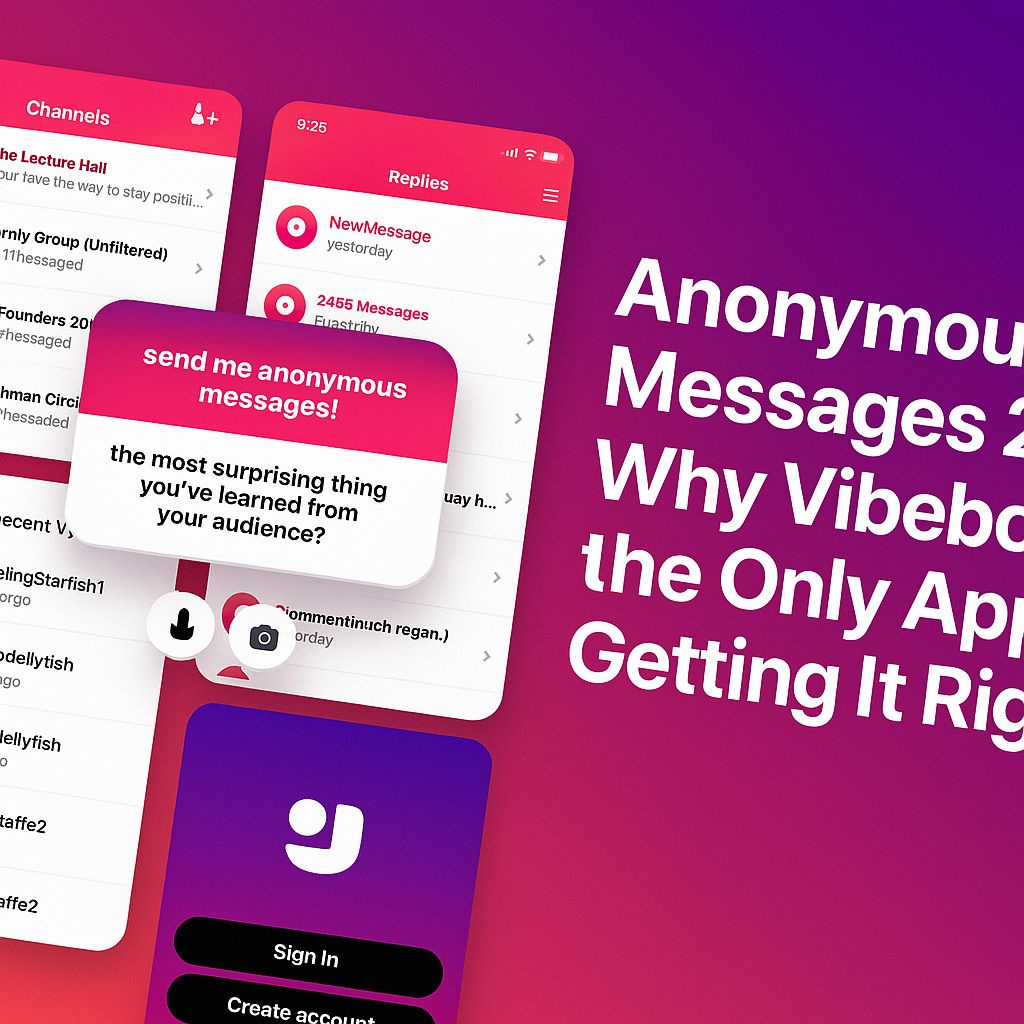
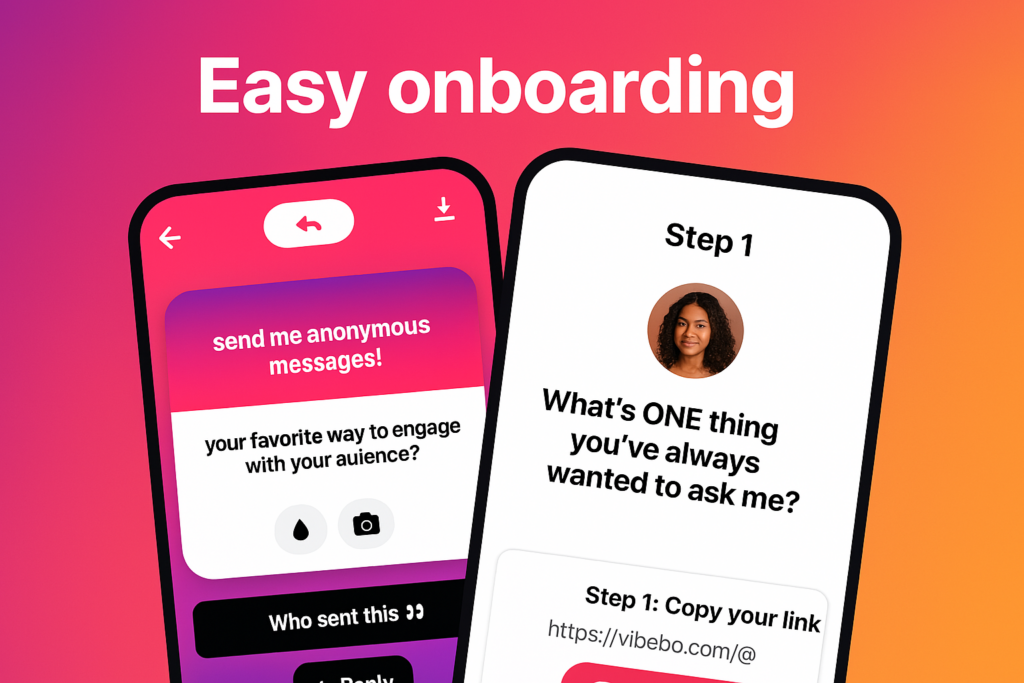
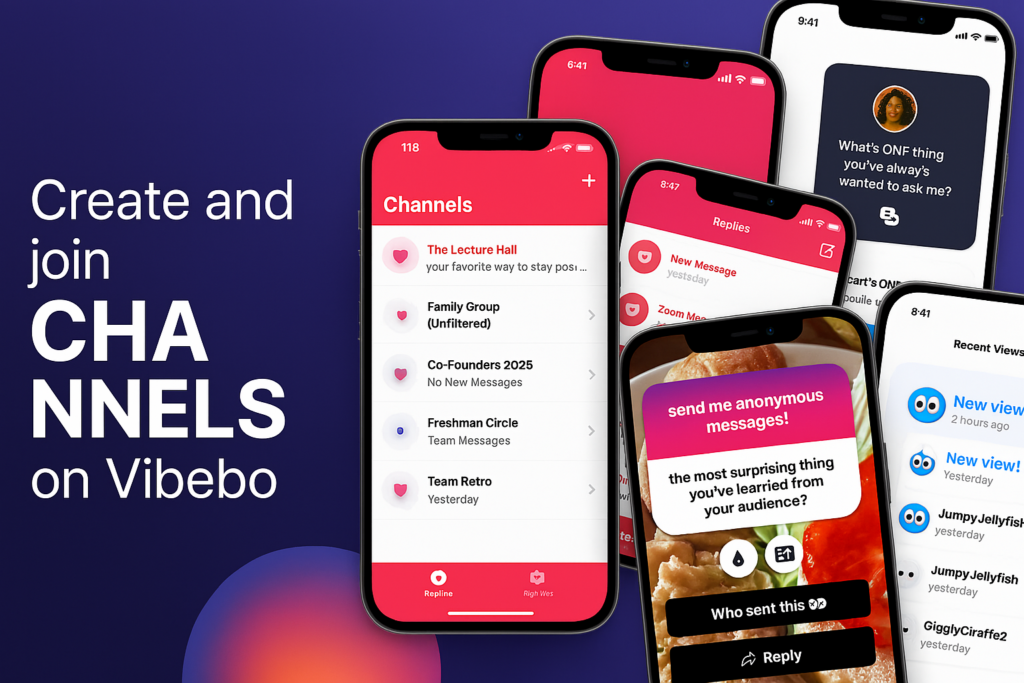
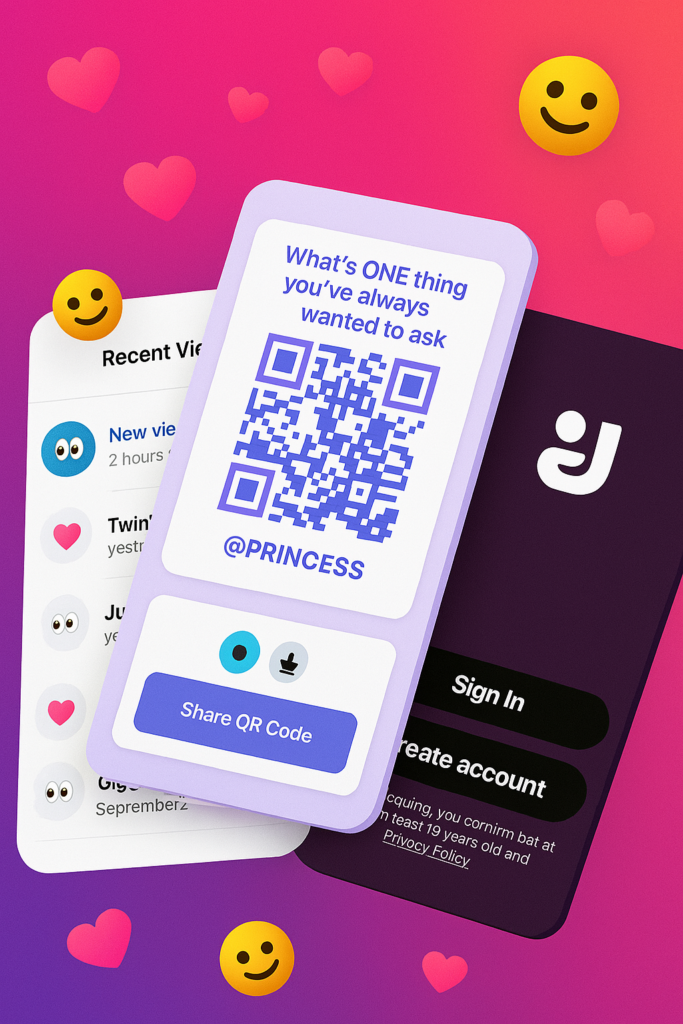





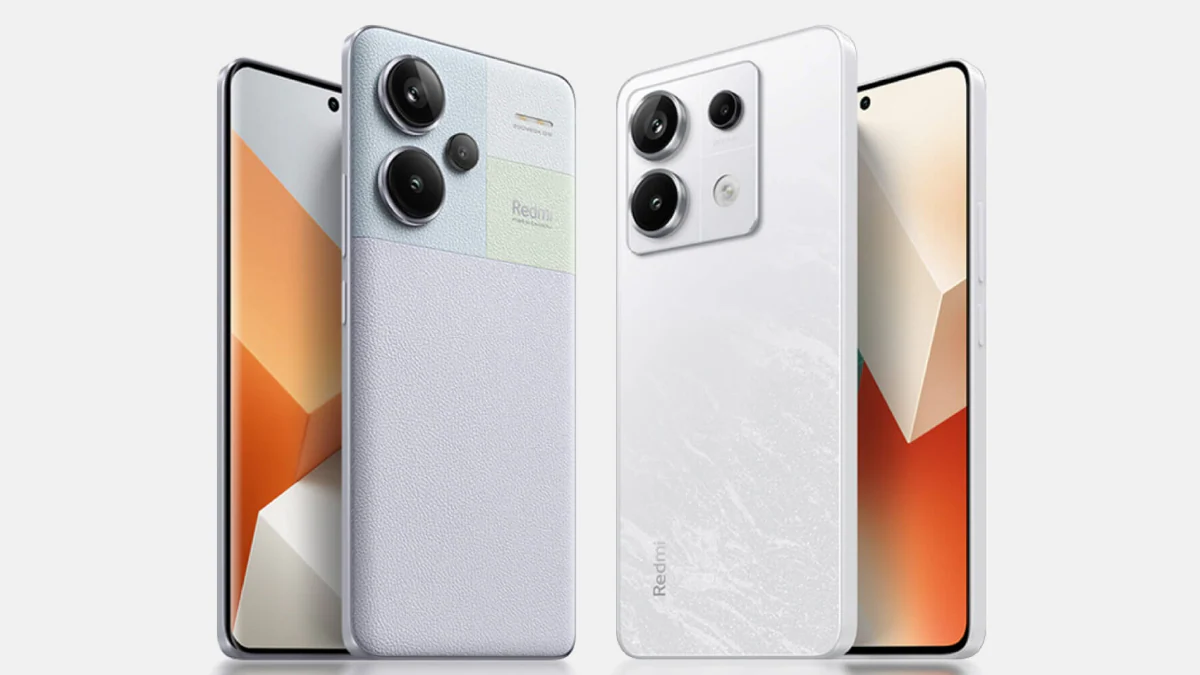
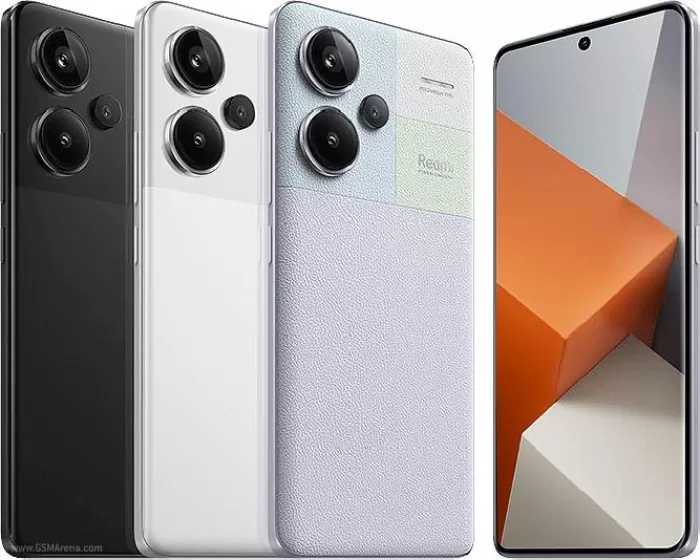
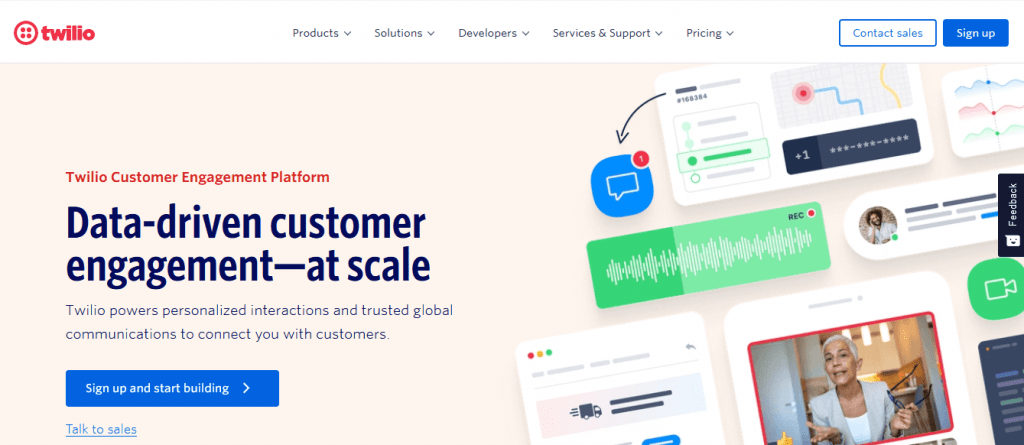

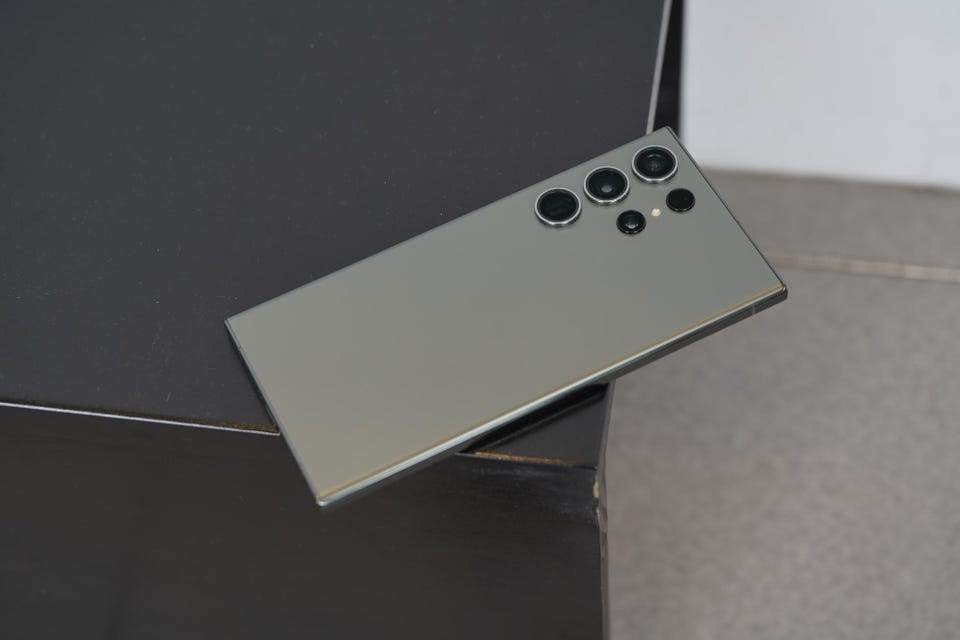
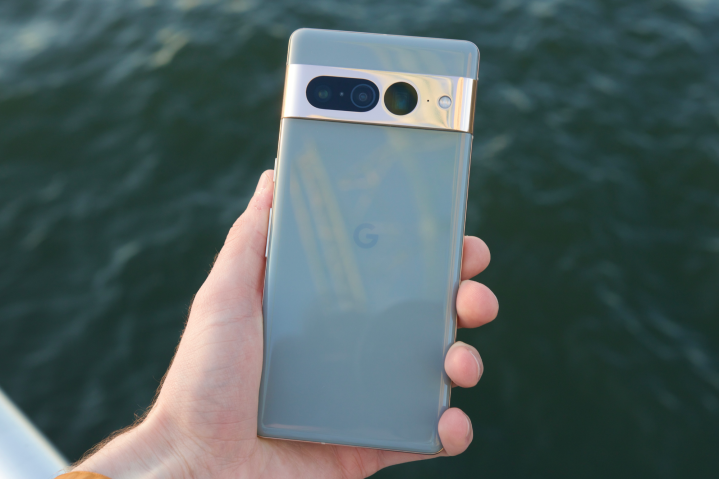
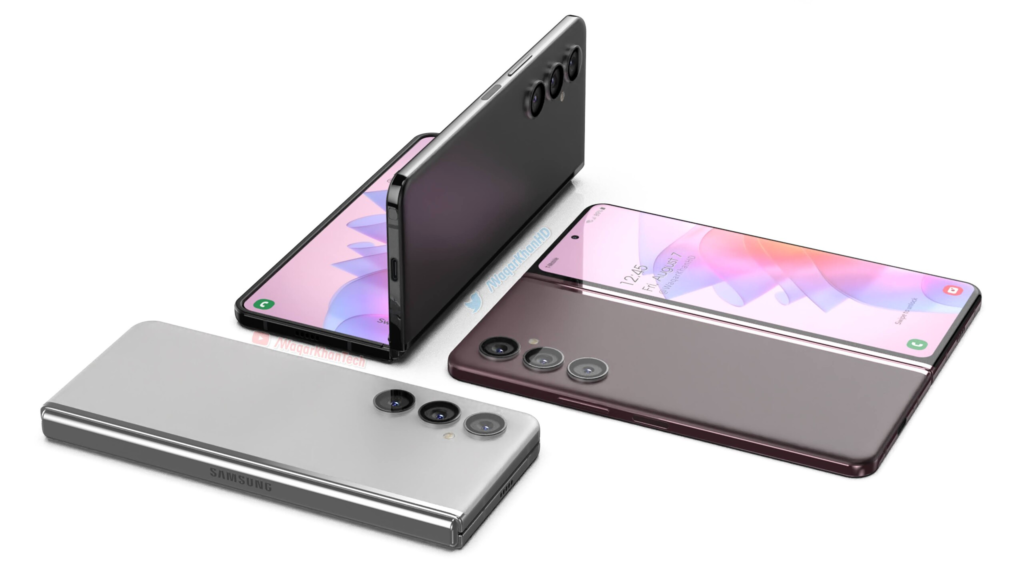
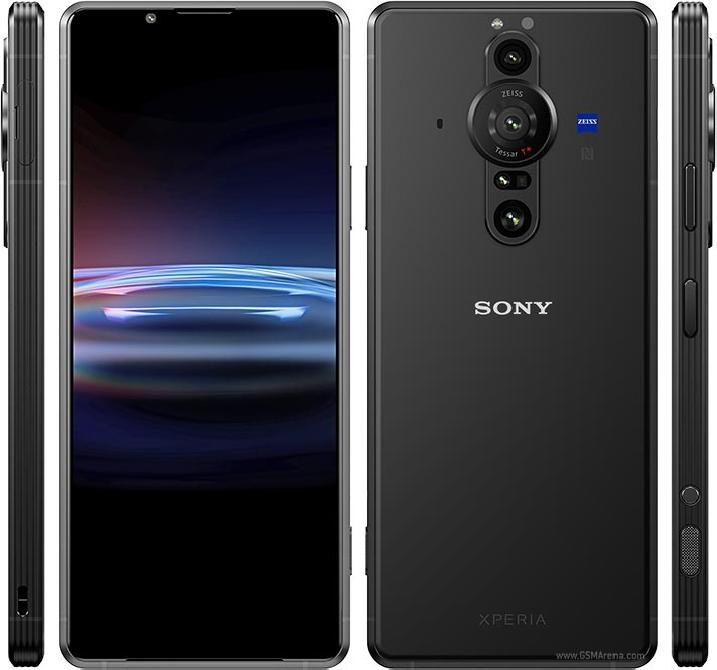
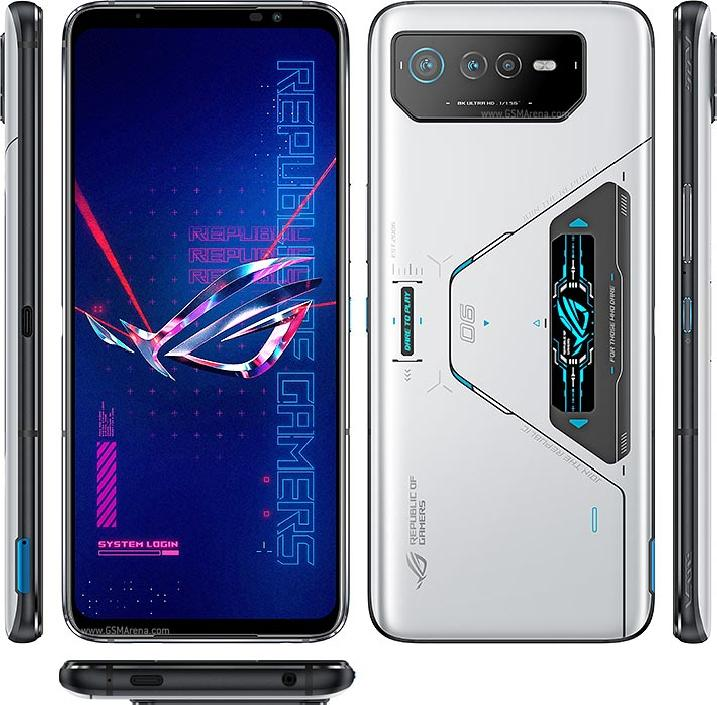
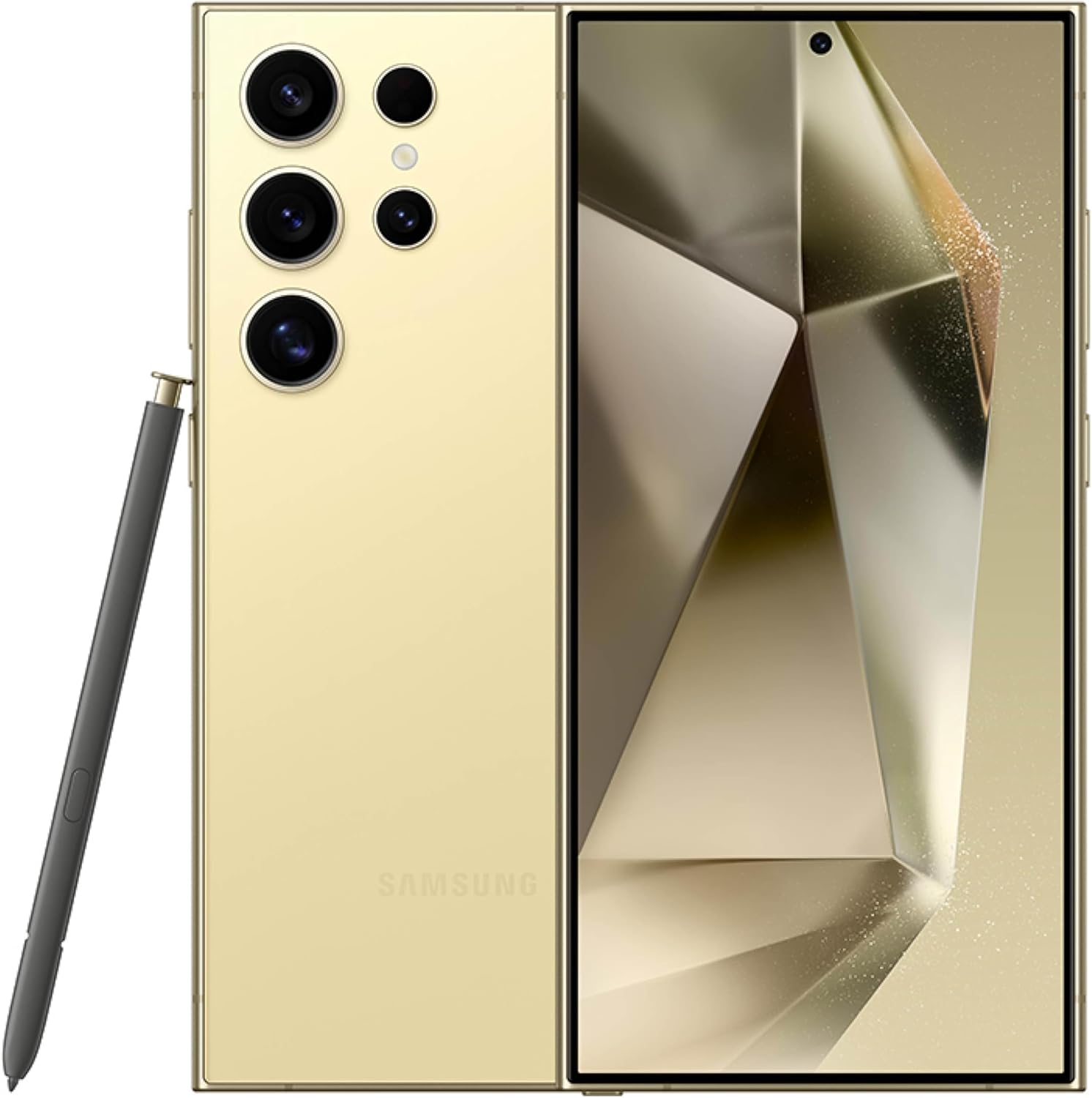
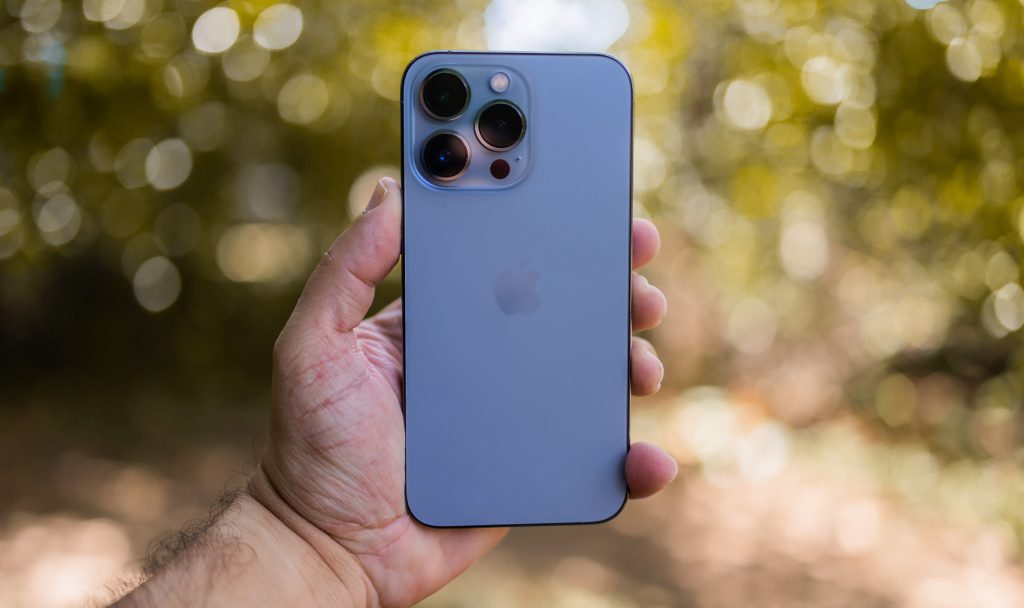

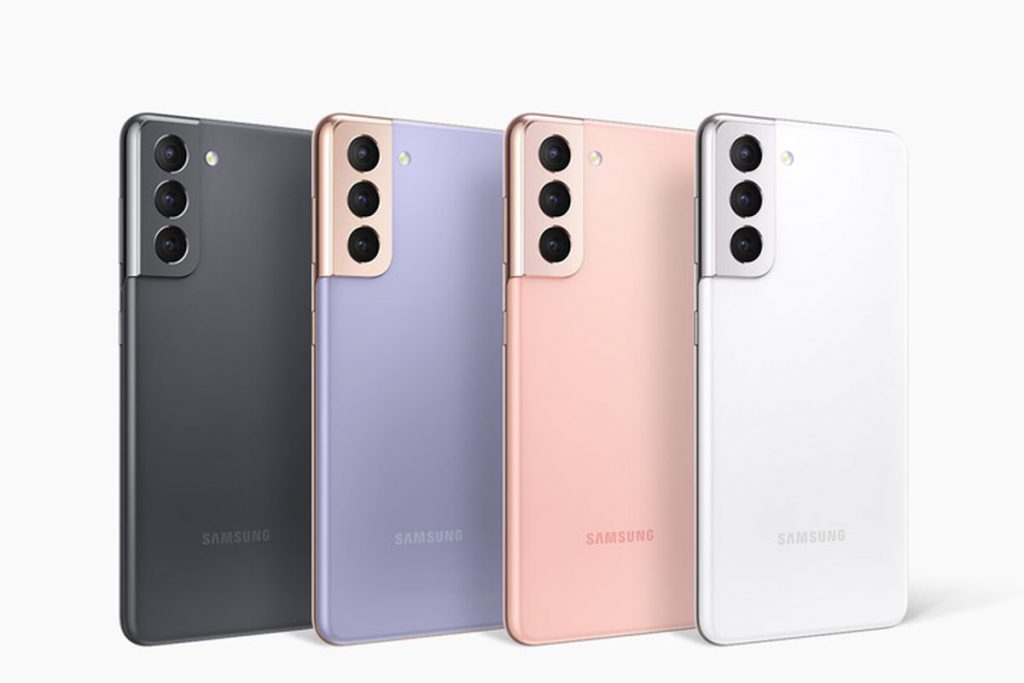
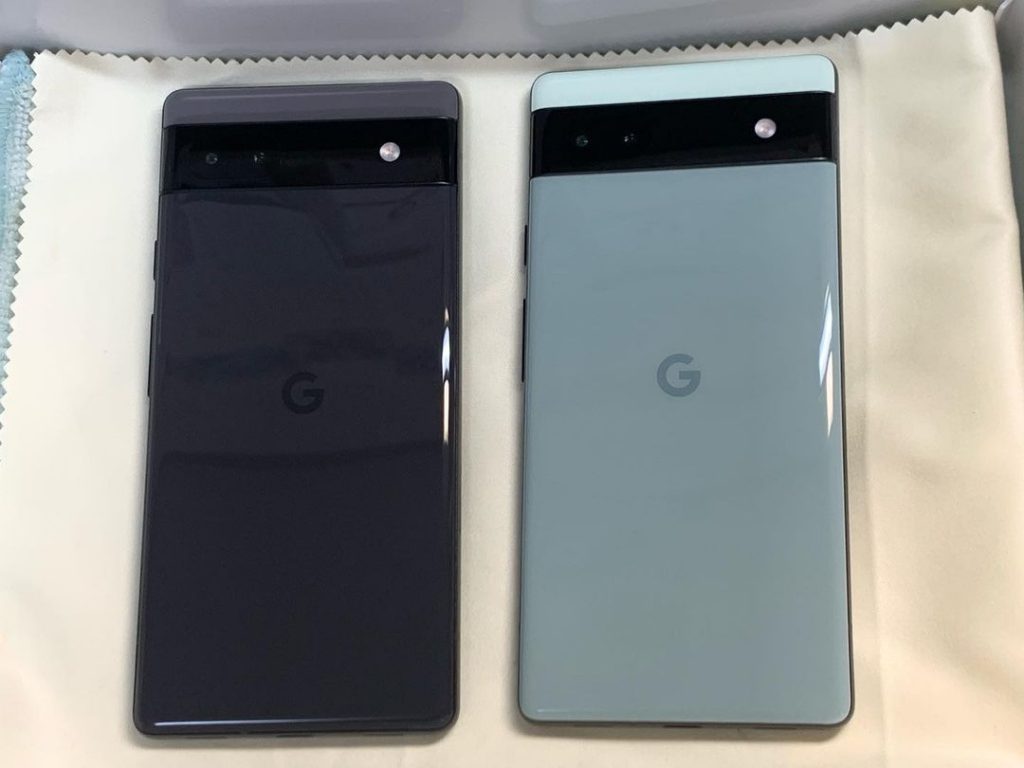
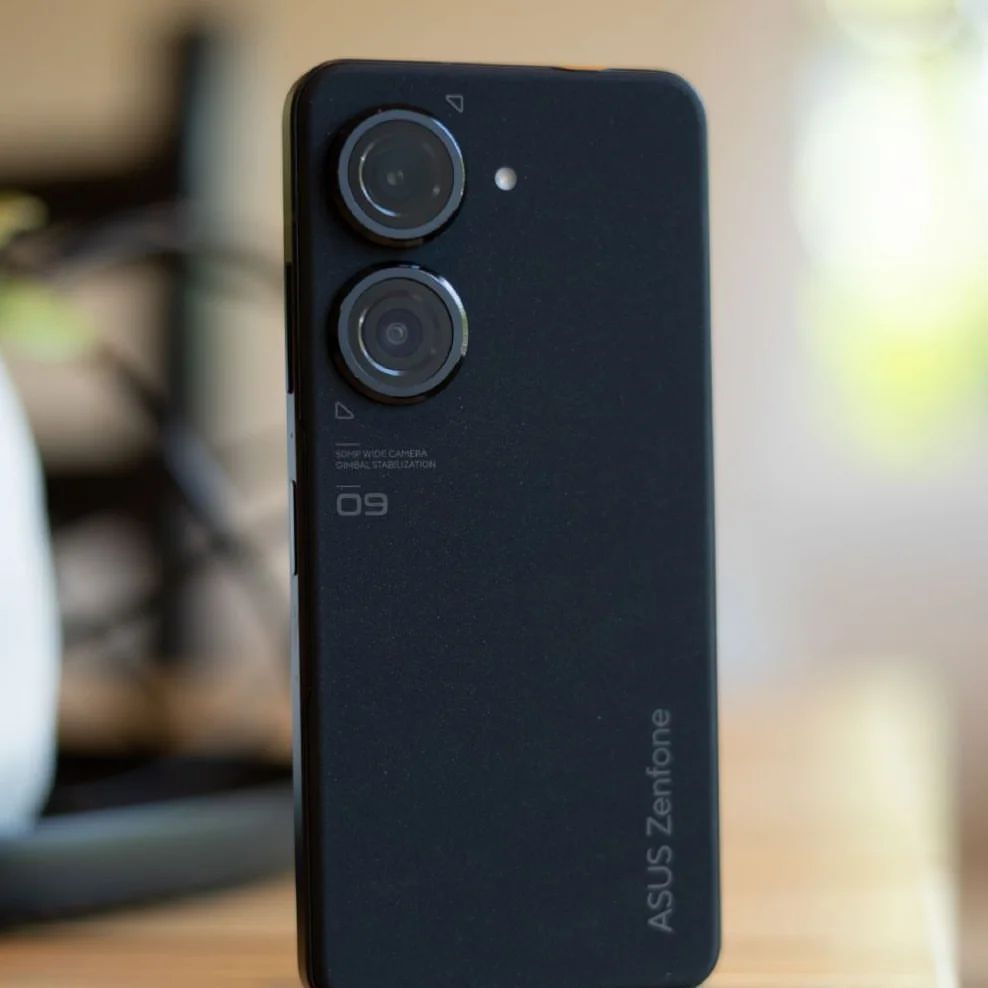
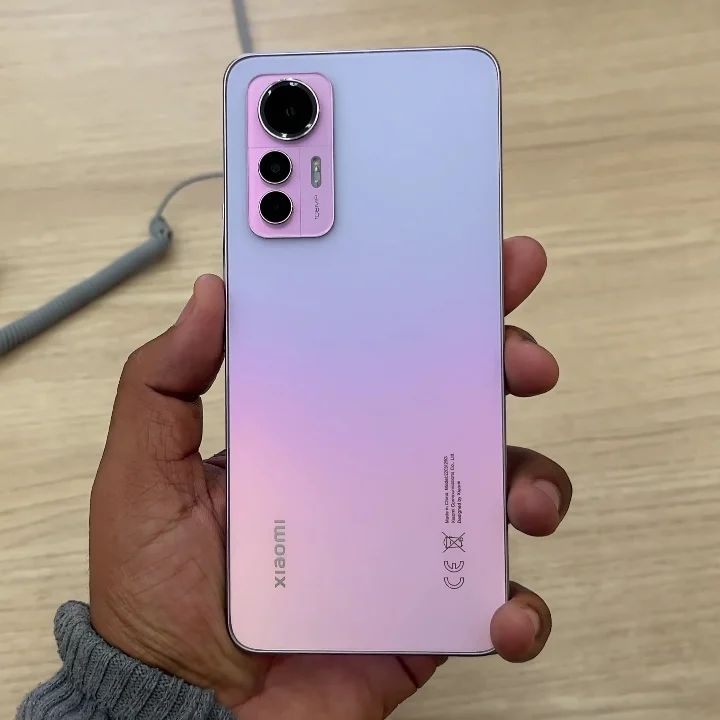
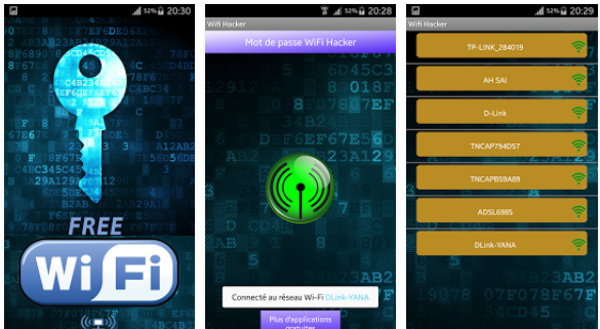


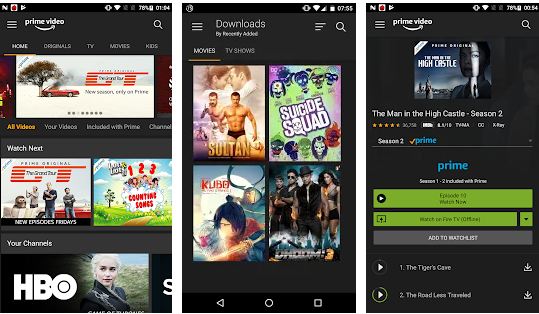


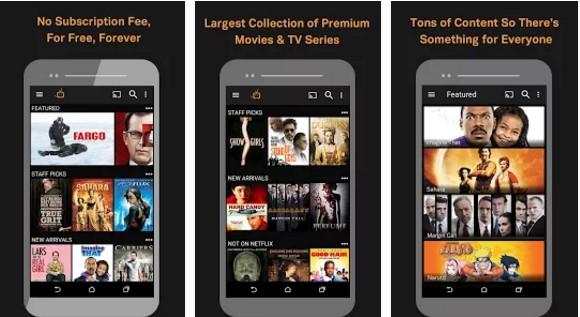
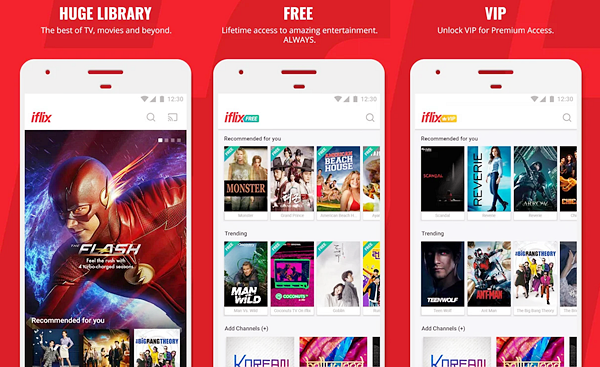


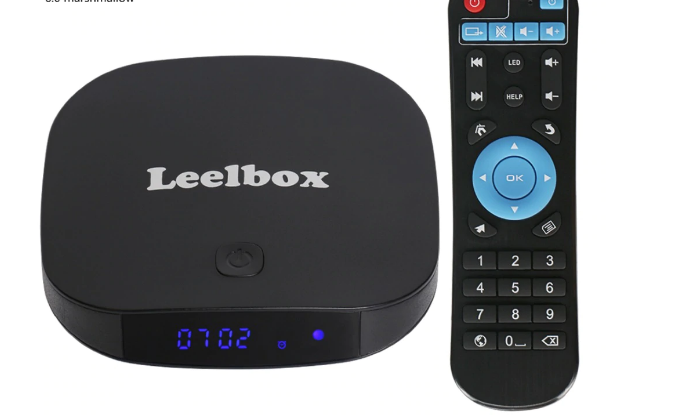
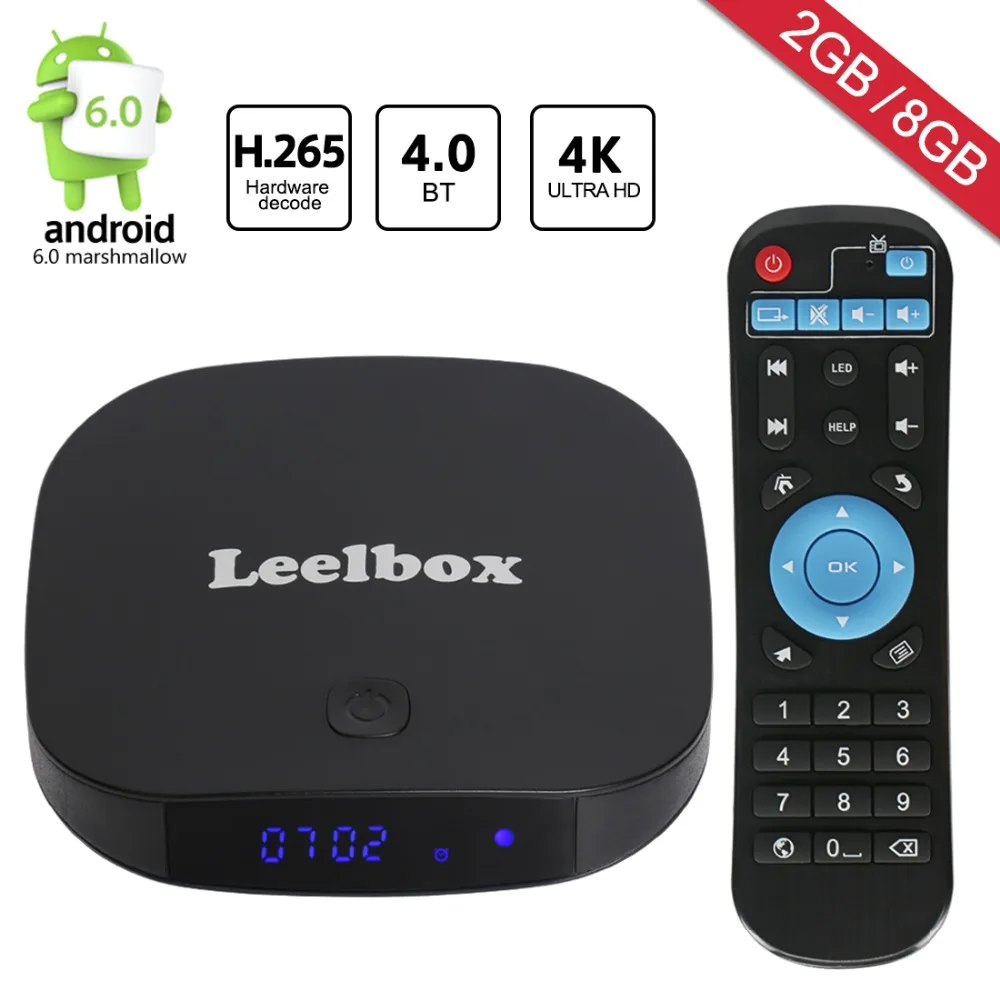
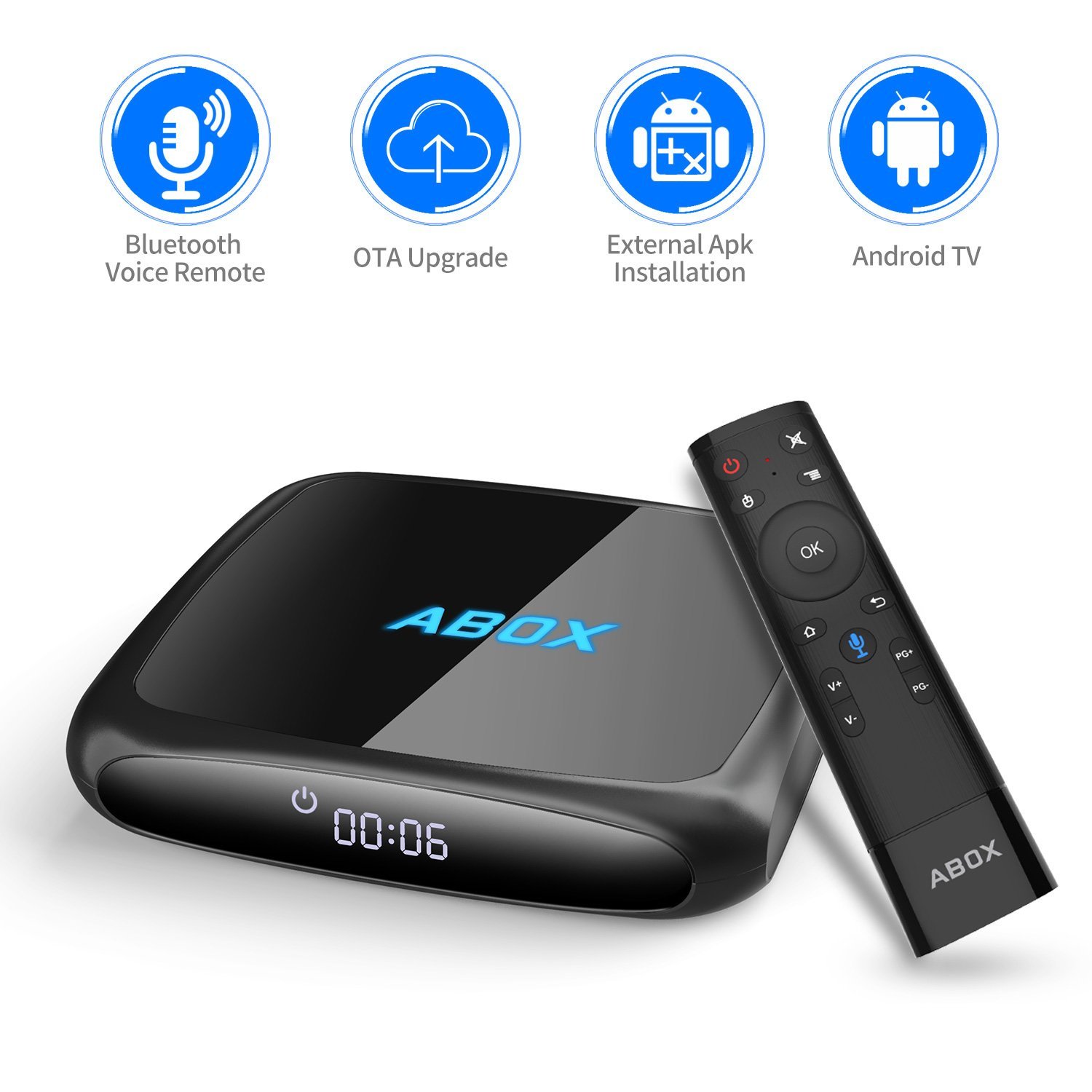

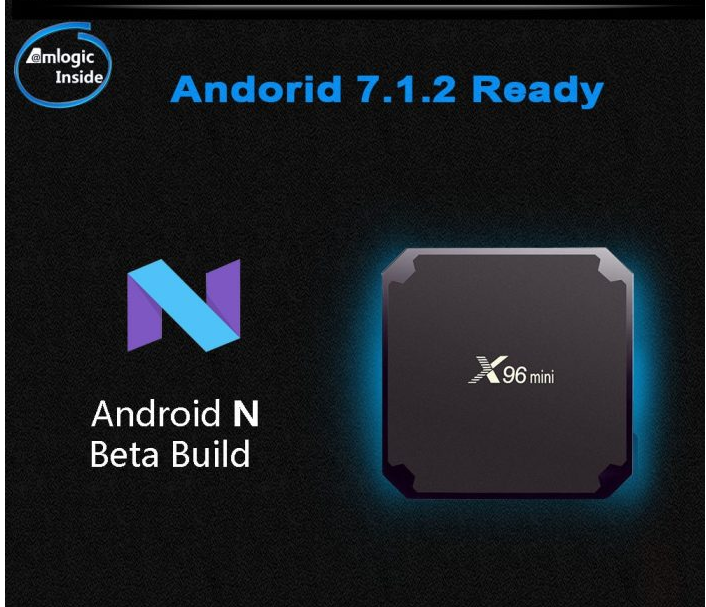
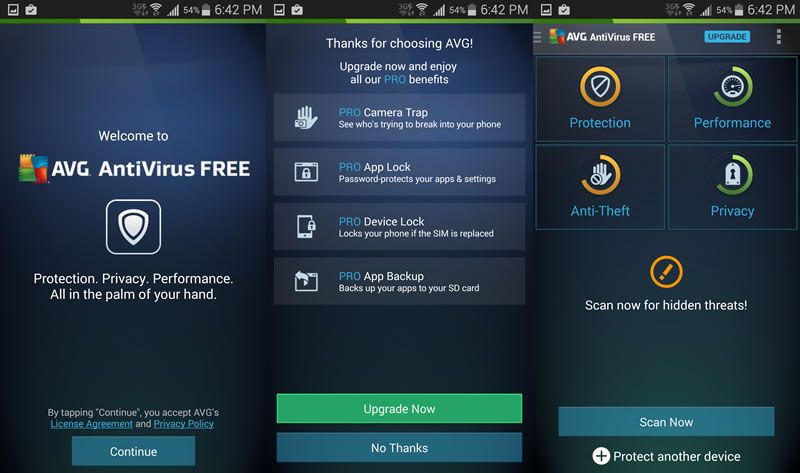



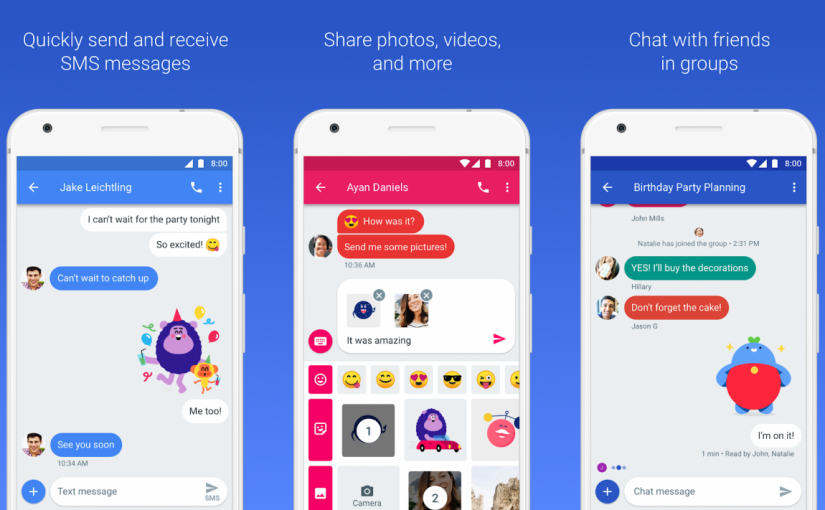


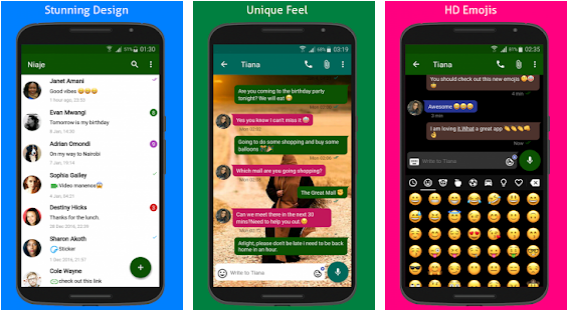
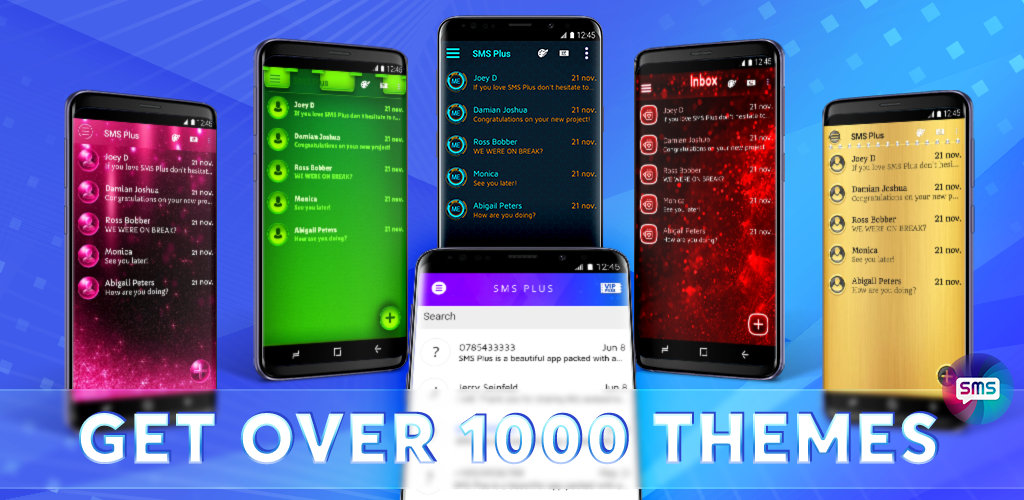
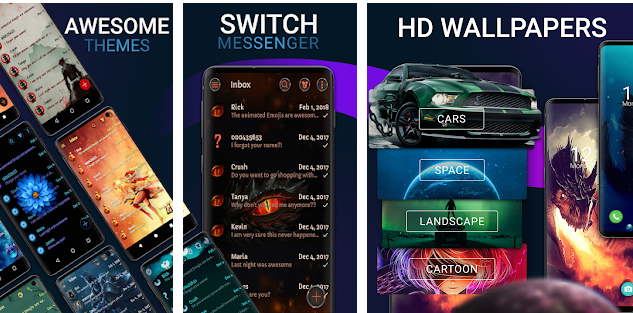
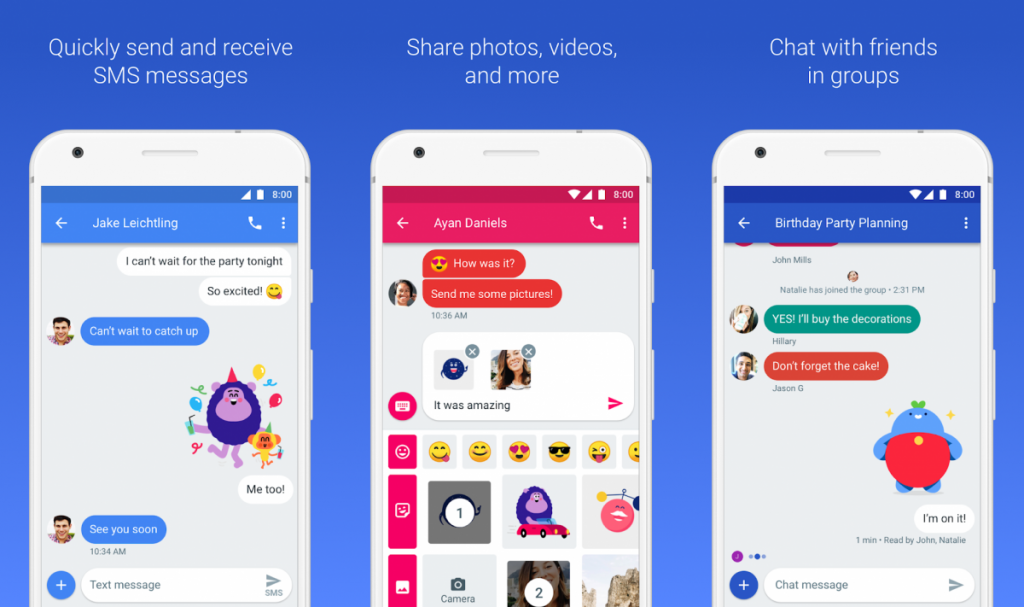
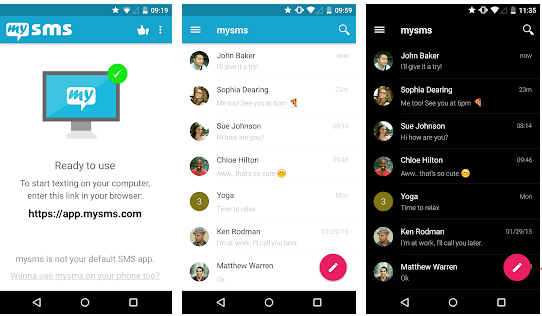



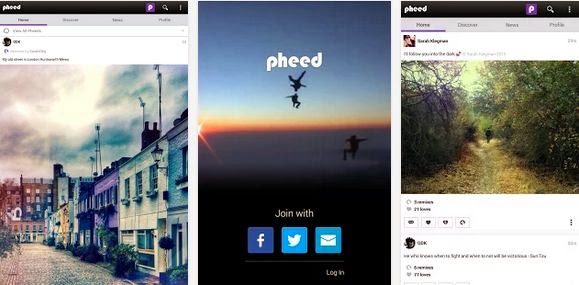
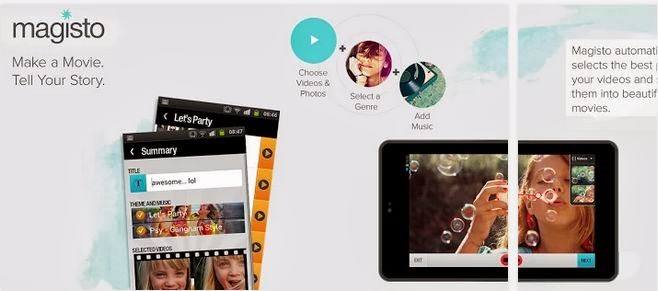
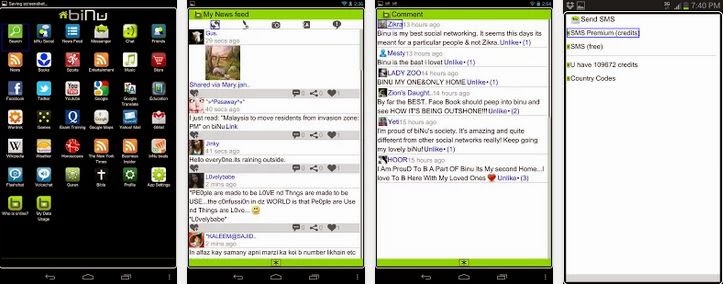
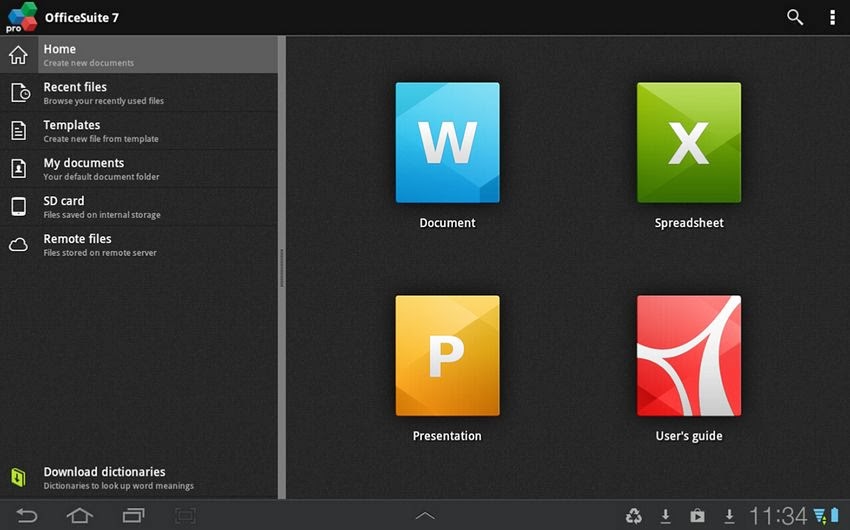
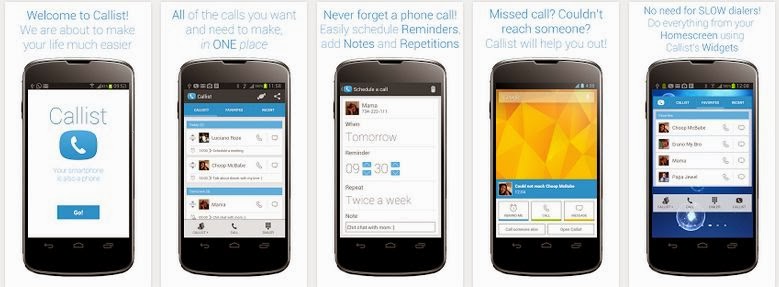

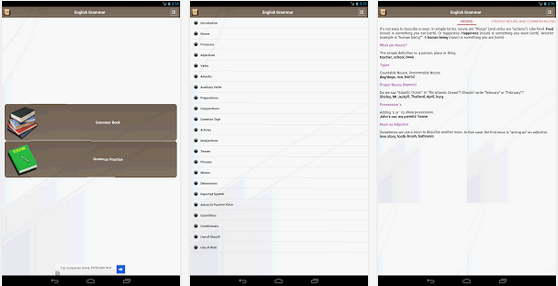
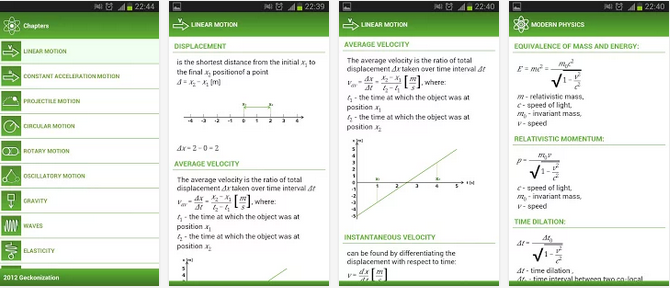



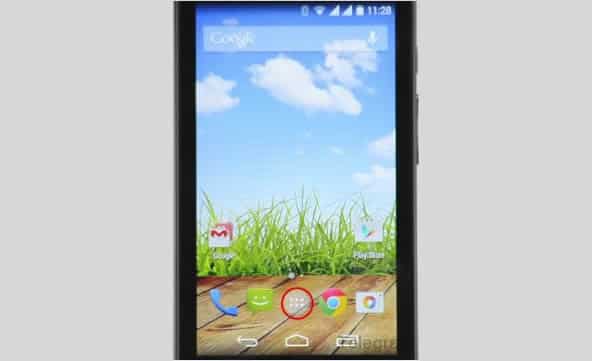
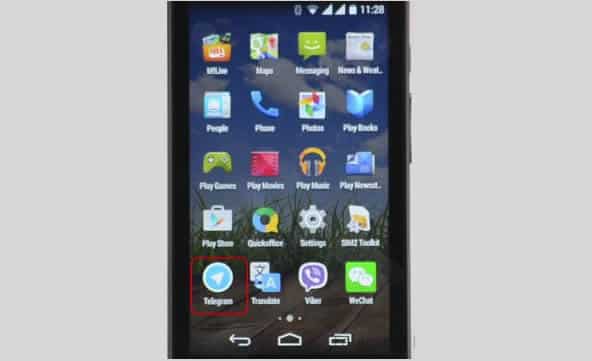
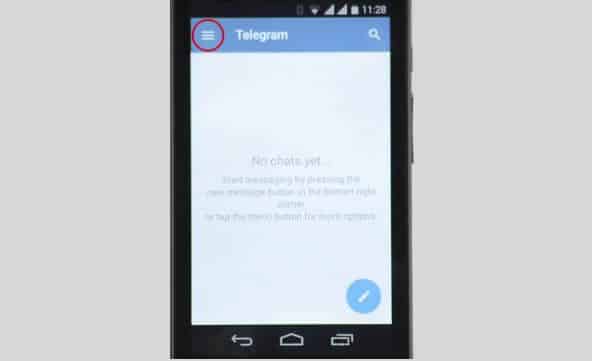
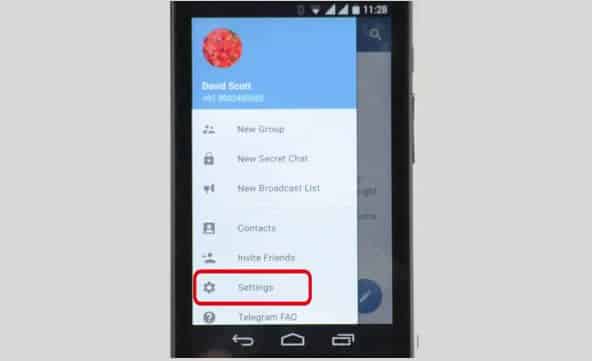
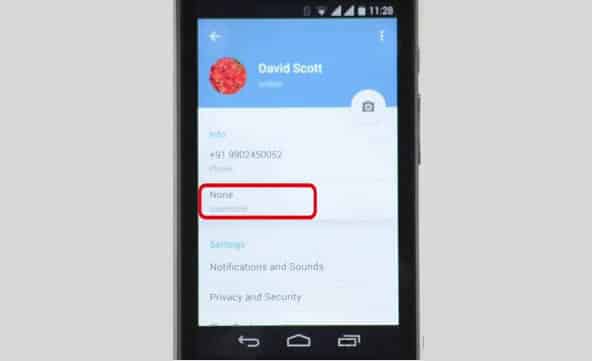
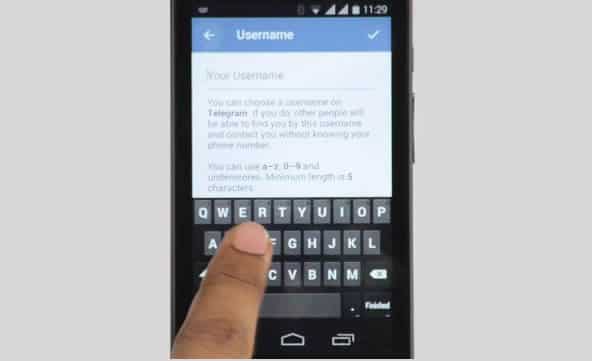
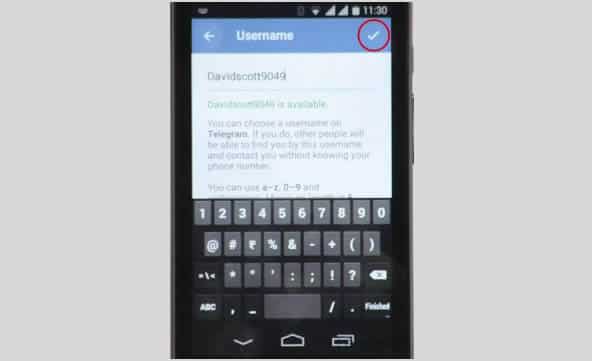

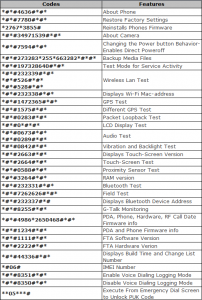
You must be logged in to post a comment.