Just pulled this one from Techcrunch – Google is hoping to do it again with Android — and cars. The 2007 Open Handset Alliance helped drive Google’s mobile OS from new-kid-on-the-block to dominant force in smartphones. Today, the company has announced the Open Automotive Alliance (OAA) to attempt the same trick but for cars — persuading a small coterie of car makers and others to join it as founder members of the OAA.
As well as Mountain View itself, Audi, GM, Honda, Hyundai and NVIDIA have put their names to the OAA, which is described as “a global alliance of technology and auto industry leaders committed to bringing the Android platform to cars starting in 2014″. The OAA will be focused on establishing a common platform for Android integration with connected cars.
Google notes:
We’re working with our partners to enable better integration between cars and Android devices in order to create a safer, car optimized experience. We’re also developing new Android platform features that will enable the car itself to become a connected Android device. Stay tuned for more details coming soon.
As with Android, Google is a little late to the party here: back in June Apple confirmed it is working with car makers on an initiative called ‘iOS in The Car’ to enable iDevice owners to use their gadgets to do stuff like play music, display maps, dictate messages in their cars, starting in 2014.
Car makers signed up to Apple’s earlier automotive initiative are a little more plentiful and include Honda, Mercedes Benz, Nissan, Ferrari, Chevy, Infiniti, Kia, Hyundai, Volvo, Jaguar, and Acura. (So Honda and Hyundai are playing in both camps.)
The first cars with “Android integration” are expected by the end of this year, according to the OAA’s inaugural release (it does not say which car maker is expected to be first).
We all love to see live statistics; how much bandwidth was spent on upload and download, how much data was spent on each page you visit but unfortunately Android prefers to keep such information to itself.
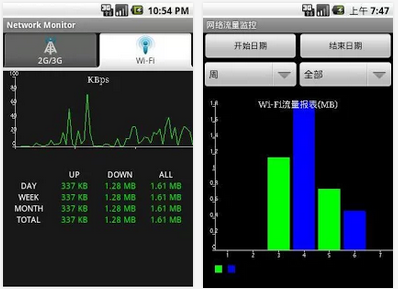
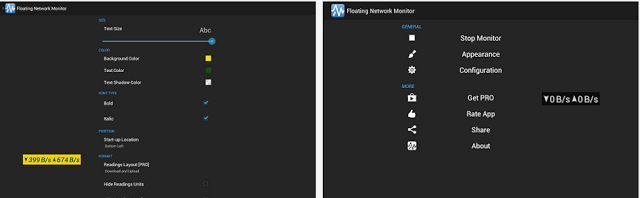
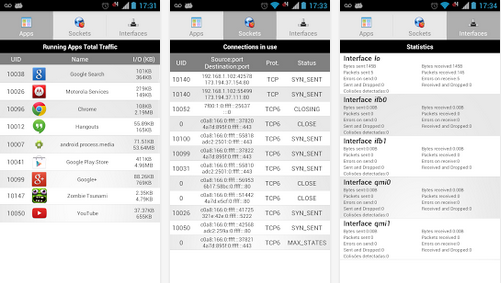
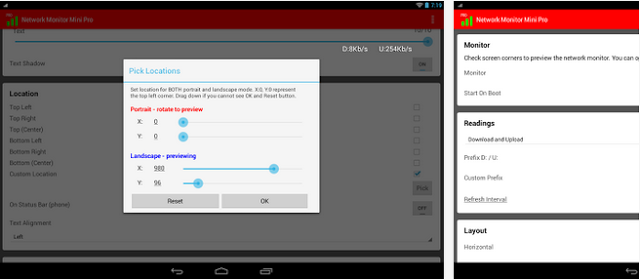
Do you want to catch all the applications that is killing your bandwidth? In this list, we are going to look at some android apps that will help you monitor your network connection statistics on screen and find out exactly what app consume more bandwidth.
Android OS is gradually taking it’s place as the mobile king: every tom, dick and harry now own one. This insane increase in consumers has lead to the development of many third-party ‘useful’ Android application.
As a measure intended to shield your Android device from malwares synonymous with most third-party applications, the OS does not accept application unapproved by Google (unapproved applications may be installed but will not work correctly on non-rooted Android devices).
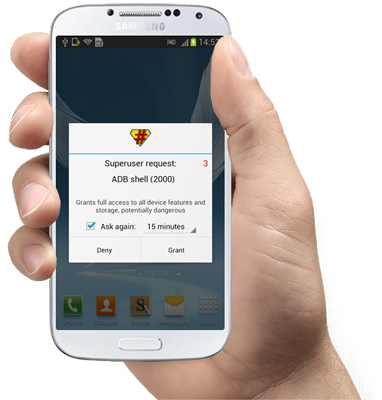
Rooting (or jailbreaking) your Android device gives you unimaginable control over your device, letting you have master control on how your device functions; update the OS, replace the firmware, overclock (or underclock) the processor, customize just about anything.
In the past rooting might be an easy “nut to crack” for Mr. tom Mr. dick, but certainly not for Mr. harry. The process was generally complicated and you might just end up in the ‘bricked’ zone with one miscalculated move. In this tutorial, I’m going to show you how to root/jailbreak any Android phone with just 1 click (or maybe 2).
Requirements:
– A healthy Windows PC (Windows XP, 7, 8 or higher).
– You must have Kingo Android Root software installed in your PC. If you don’t have the software, you can download a copy here.
– Your device must be properly charged.
Compatibility Check Up
To begin the rooting process, make sure you have downloaded and installed Kingo Android Root software on your PC: The application will root any (or at least 95%) android device with 1 click but to remain on the safer side, check if your device is compatible with the software.
Enable USB Debugging
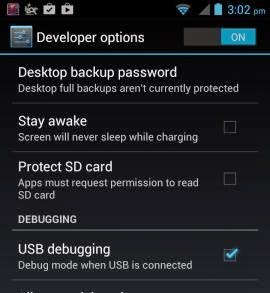
If your device is among the compatible devices, proceed to your device settings and enable USB debugging. If it’s running Android 4.0 or 4.1 follow this steps to enable USB debugging:
GOTO Settings.
Navigate to Developer Options
Tick the box just beside “USB debugging.” (You may need to switch “Developer options” to On before you can do so.)
Follow this steps if your device is running on Android 4.2 and later:
GOTO Settings
Navigate to About Phone
Enter Developer Options
Tick the box next to “USB debugging“.
Then Click OK to save your changes.
Run Kingo Android Root Software
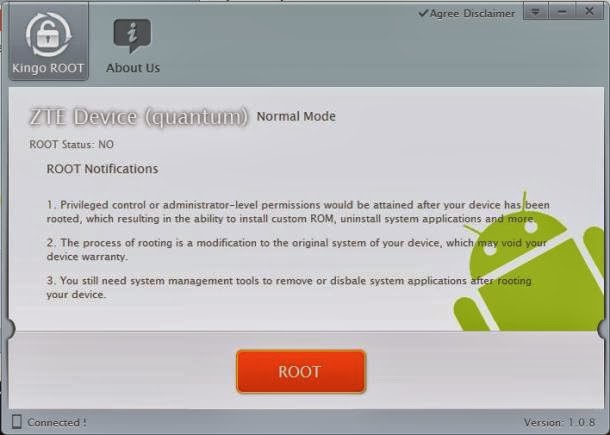
After enabling USB debugging on your device, locate Kingo Android Root icon on your start menu or desktop. Run the application by double clicking on it and connect your device via its USB sync cable. If your device is connected successfully, you should see an indication at the bottom-left corner of the software interface.
1 Click Rooting
Once your device is connected; you are just 1 click away from being the master of your Android phone/tablet. Click ROOT, grab a cup of coffee and watch Kingo Android Root do the rest for you. The whole process is automated and should take up to 2 mins; your device maybe rebooted a couple of times.
Beware: Rooting your Android device will make it open to malware attack, to remain on the safer side; only install applications from trusted sources and websites.
Un-Root your Android
If you decided rooting is just ‘what it is’ you can always sign off by running the Kingo Android Root software on your PC, reconnect your device via USB sync cable and click UNROOT when your device is set.
You can also opt for any of these popular Android UNroot methods instead. They’re best for mostly MTK-powered devices.
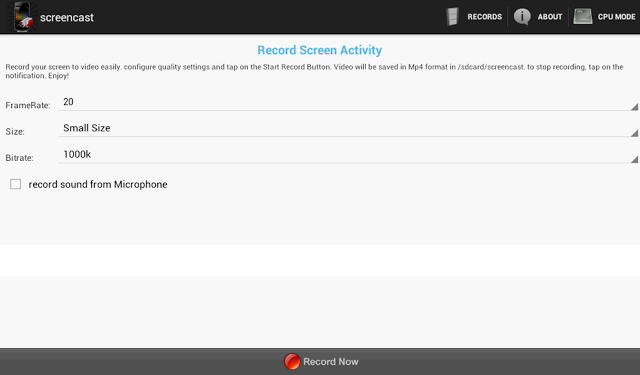
This application works with rooted Android phones only. It helps you record your screen into high quality videos. Recorded videos will be saved as MP4 on your device or SD card – you in turn, will be able to mail this video to a friend or share it on YouTube and social media.
The Screencast Pro is available to be downloaded free at the Google Play Store. However, if for reasons you would love to have a ‘raw’ copy of the application or you wish to use this Android app on PC or Mac, simply hit the download button just beneath this section.
Publisher’s Description
** Rooted phones only ** Screencast is a free screen recorder application. Record your screen into high quality video. Videos are saved as MP4 on your sdcard. Very usefull to create presentation or tutorials.
This application may works on some unrooted phones. Please tell us if it works for you. and if it doesn’t, please tell us too to help us improve this app.
If your phone is rooted and the app doesn’t work, please send us a message with your phone characteristics including processor information, thanks. This application doesn’t support all Tegra 2/3 based devices. Keywords: screenshot, screencast, video recorder, screen recorder, camtasia, screenrecorder
**This app uses FFMPEG application for the encoding process
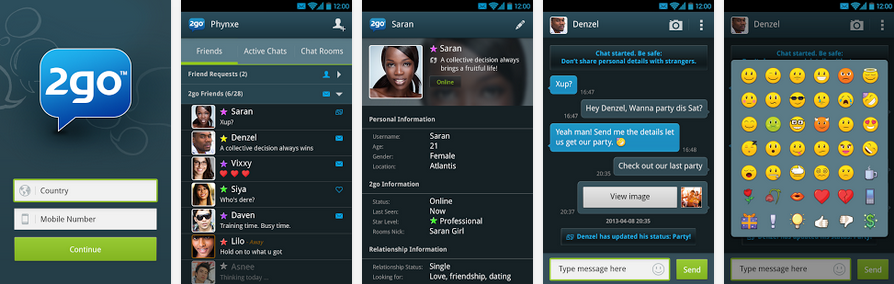
The 2go IM is currently on the Google Play Store but if for some reasons (probably best known to you) you don’t want to download it from the Store, then be my guest: I have uploaded it to this page and the application is all yours the moment you click the download button below this section.
Publisher Description
2go is a mobile social network where you can chat and share with friends and meet new people!
– Create your own profile and upload profile pictures
– Share files and photos
– Share contacts
– Chat to friends on Facebook, Google Chat and Mxit
What’s New on 2go?
The Facebook gateway is available. Chat to all your Facebook friends in 2go!
v1.0.16
– Emoticons now selected from text box for easier access.
– Preview gallery photos before sending.
– Improved keyboard behaviour.
– Improved online and offline notifications.
– Numerous bug fixes and improvements!
File Info
– Release Date: October 24, 2013
– Size: 2.3 MB
– Version: 1.0.16
– App Requirement: Android 2.2 and up
– Age Rating: 16+
For information on how to use Android 2go Application on PC or Mac click here, otherwise, click on the download button below to start your download.
It’s always kind of a drag when your mobile email client doesn’t do all the things that your desktop client can. Google seems to be catching on to this, since the company rolled out a new update to Gmail for Android today with a few new features that have been previously reserved for its web users.
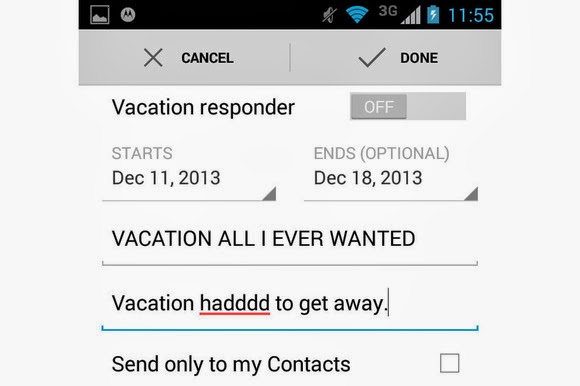
Gmail 4.7 now lets you set up an away message with the Vacation Responder. Just as in the web client, you can set a start and end date for when the service should send out an automatic message that you’re out enjoying yourself. When you’re done having fun, you can easily toggle the messages on and off from within the app.
Google also added the ability to send attachments from the mobile client, such as documents, PDFs, and .zip files.
For those of you with Android 4.4. KitKat, the new Gmail includes native support for cloud printing. Devices with low memory will also notice a performance improvement within the app, which Google notes is a change made on behalf of Project Svelte.
The Gmail update should be rolling out to an Android device near you, or you can try to grab it from the Google Play store.
Falling prices on TVs and 7-inch Android tablets helped boost Black Friday sales to nearly $5 billion, NPD reported Wednesday. The retail analyst firm added that sales of “stocking stuffer” accessories also showed dramatic growth from a year ago.
All told, sales during Black Friday week (Nov. 24 through Nov. 30) increased nearly 10 percent compared with a year ago, the firm found. One of the only laggards during the period was the slowdown in Windows sales, which dropped off by more than 10 percent compared to 2012.
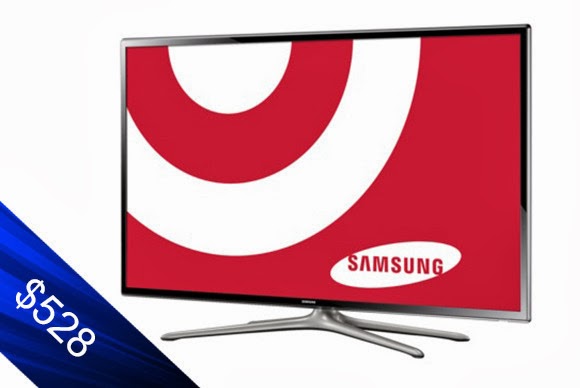
TVs and tablets generated the most revenue of any category measured by NPD, prompted in part by what appears to be the migration of low-end TVs into what might be called impulse buys. Retailers polled by NPD reported $1.4 billion in TV sales during that one week alone, up 5.6 percent, with units climbing more than 16 percent to 4.7 million units. Interestingly, both high-end and low-end TVs flew off the shelves, with 60-inch TV sales growing by 60 percent; the average price was a little more than $1000, down about $300 from a year ago. Vizio led with 55 percent of the 60-inch TV market. Samsung, then Sharp, trailed with 29 percent and 8 percent, respectively.)
But the average selling price of a 32-inch TV also plunged from $194 to $137, making it a fairly uncomplicated purchase for a bedroom or as a second monitor. That helped boost sales of 32-inch TVs by 40 percent.
Tablet sales boomed, as units increased by 105 percent and the category generated the second-highest revenue of any measured by NPD.
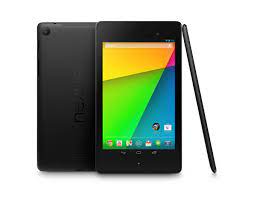
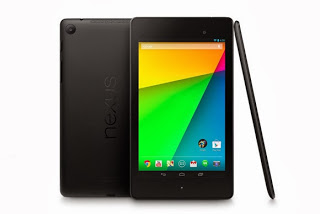
Drilling down through NPD’s numbers, however, unearthed the big winner of Black Friday: 7-inch Android tablets, which accounted for 80 percent of all Android tablet sales. Total Android tablet sales exploded 146 percent from a year ago, and revenues climbed 70 percent. But the prices tell the story: the average price of an Android tablet fell from $151 to $105, and the average price of the 7-inch tablets was just $82. That means a lot of $69 Android tablets will be under the Christmas tree this year, for better or for worse.
Overall, PC and tablet sales increased by 58 percent to almost 5.9 million units; however, notebook sales actually fell by 2 percent.
NPD found that Microsoft’s aggressive discounts paid off, with an 8 percent boost in Windows device sales as a whole. But Windows desktops and Windows notebooks fell 8 percent and 9 percent, respectively. So that left Apple to pick up the slack: thanks to its own holiday sales, sales were up 34 percent in notebooks, 51 percent in tablets and 277 percent in desktops, NPD found.
Tech stocking-stuffers gaining, too
NPD also found that more shoppers began plowing back any savings in the tablets and other devices with additional purchases in accessories and cheaper devices. And not only are consumers buying more headphones and sound bars, but they’re spending more, too.
Stephen Baker, the analyst in charge of the report, provided some examples on a related blog: the average price paid by a shopper for a multi-function inkjet printer prices was up 23 percent, PC monitors were up 2 percent, and memory cards climbed 30 percent from a year ago (but just to $13).
“To sum up we saw encouraging industry signs in this Black Friday report,” Baker wrote. “Revenue growth across all the major large categories and accelerating revenue increases in the fastest growing mid-size categories, all combined with a slowing in revenue declines in some of the legacy categories, with the end result that Black Friday week sales delivered an impressive start to the holiday season.”This post first appeared on PC World
It is often a hectic experience trying to find a new place to live (especially if you desire to move to the housing market hellholes that are New York City and San Francisco). It’s no surprise then that so many startups — Trulia, Zillow, Redfin, Apartment List, Rental Engine, Zumper, Nestio, the list goes on — are trying to make it all just a little bit easier.
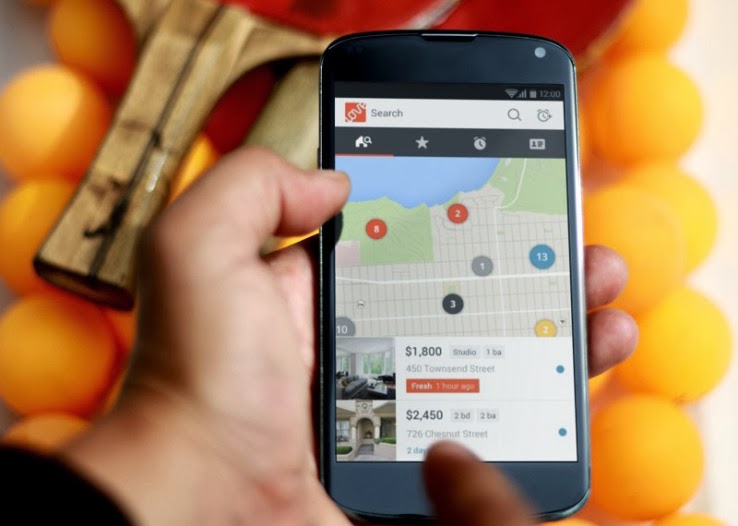
Of these myriad startups, apartment-centric Lovely has been especially busy these past few months: it closed a (sadly undisclosed) Series A and snapped up automated rent payment startup Rentmatic to help prove its worth to property owners too. So what was next on their agenda? Getting a new Android app out the door, which the company finally did earlier today.
Lovely is hardly new to the mobile realm — it launched an iOS version of the app a little over a year ago, and anyone who’s mucked around with that should feel comfortable taking the Android version for a spin. That’s far from a bad thing when more than a few competing mobile real estate apps are happy to throw everything plus the kitchen sink into the mix. It’s not hard to see why: as stated, finding an apartment is hard and bombarding a user with fiddly options and controls makes them feel like they’re actually getting something done. Maybe they are, maybe they aren’t, but the illusion of control persists.
The Lovely approach is to strip out the cruft. When you fire up the app for the first time, color-coded listings appear in location-based groups that expand when tapped. From there it takes a but a few taps to directly contact the property owner, share the listing, or report obvious frauds. If you go on to create an account, even more doors open (I slay me) so you can set alerts when properties free up within specific areas and preload some personal and financial information to put potential renters at ease.
There’s little here that differentiates the Android app from its iOS cousin, but that’s hardly an issue — CEO Blake Pierson said he considers Lovely a mobile-first company that uses what it’s learned from fast iteration on the web to inform the mobile experience. All things considered, this new Android version of the app is a handsome one and I actually found a few interesting leads while I was writing this story (what can I say, I’ve grown a little weary of southern New Jersey).
“Some think of us as purely a search tool,” Pierson noted on the phone. “But our long term vision is to be the platform and THE marketplace for rentals.” What he means is that the Lovely vision ultimately encompasses the renting process from both ends: tools for renters and apartment hunters alike. The team has already starting moving down that path with its Rentmatic acquisition, but we’ll see if they can really balance both sides of that equation.DOWNLOAD LOVELY ANDROID APP
Join us today as we officially release our first Android App: You can now stay updated with every activity on Elites World Technology, read technology news, reviews and how-to (s), simply by clicking the EWT icon on your Android device.
EWT Android App 0.1 Beta is currently in beta mode, however, does not pose any risk to your device and completely safe to use on any Android device. This beta version is intended to gather our reader feedback in order to enable us improve the user’s experience on Android devices, hence, your feedback and suggestions will be gladly appreciated.
Participate
To participate in making EWT Android App better, you need to download and install EWT Android App on your Android device. Locate and run the application from your programs and leave your feedback in the comment section below. DOWNLOAD EWT ANDROID APP
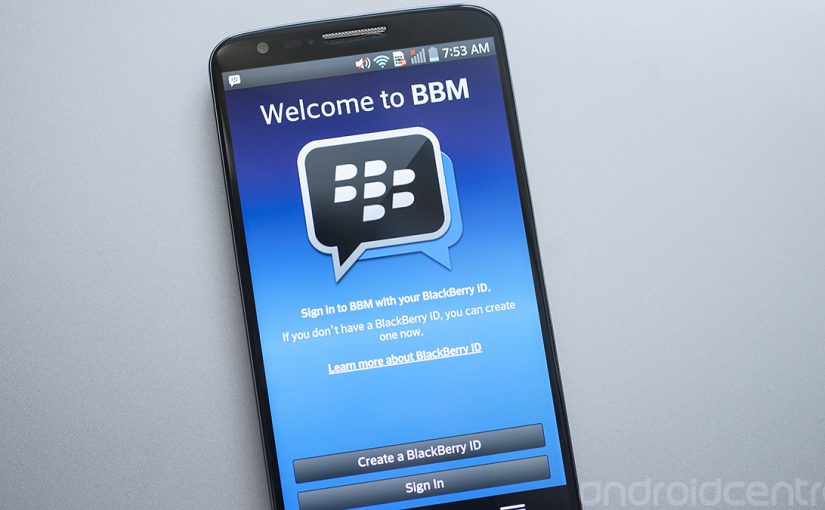
In the days of featured phones, Nimbuzz was the go-to guy when it comes to instant messaging. That was a long time ago, though. Smart phones has come to stay and WhatsApp and BBM for Android and iOs decides the rules in this new world. As you already know, the official Blackberry Messenger has long been available in the Google Play Store. A lot of BBM app (camouflage) has been uploaded to the Play Store ever since the smart phone company (Blackberry) was sold.
To save you the stress of going through a wasted day searching for the official BBM application in the Google Play Store, I have uploaded the official BBM Android app on this page.
BBM for Android
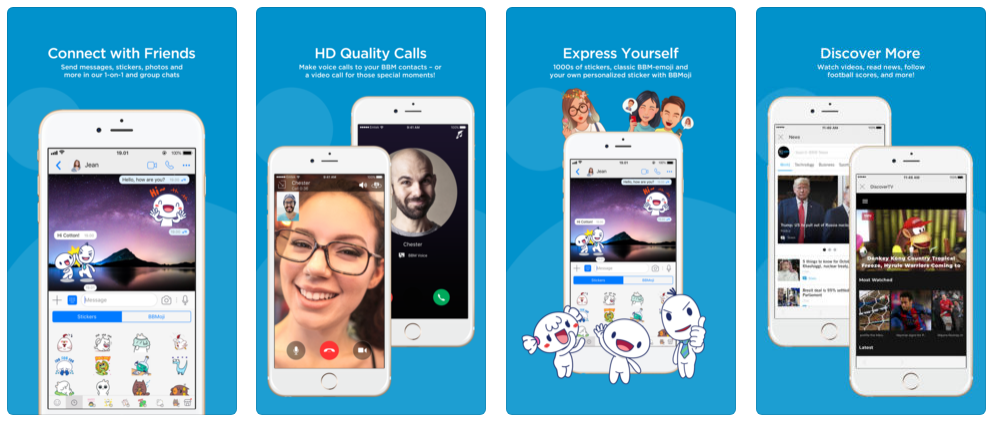
BlackBerry Messenger (BBM) is also now available in an iOS version so that you can communicate between BlackBerry, Android and iOS devices.
BBM for iPhones and iPads
BBM allows you to send free messages, photos, voice memos, to participate in group conversations and much more.
Description
It is no understatement to say that BBM ruled the world of mobile instant messaging for the longest period, but that was on BlackBerry devices. However, the official version of BBM for BlackBerry is now here for Android. Get the free BBM Android and iOS app and continue in the old habit of pinging with your friends and family.
Chat with friends on Android, BlackBerry and iPhone:
After getting your PIN code, i.e. your BlackBerry Messenger ID, the application will let you communicate with your friends without restriction.
Blackberry Messenger lets you send messages, voice memos, photos, and files. It also informs you as soon as your messages have been received and read by your contacts. The BBM application is permanently enabled and connected so that you don’t need to open the app to get notifications.
BBM is always on and always connected – no app to open
Know when messages have been delivered (D’s) and read (R’s)
Share photos, files, documents, voice notes and more
See when contacts are responding to your message
Emoticons for every mood and emotion let you express yourself
BBM lets you protect your privacy.
BBM for Android and iOS gives you absolute control on your privacy:
As a user, you chose how to share your information – BBM uses PINs instead of phone numbers or email addresses so that it’s more private and you always control who can contact you
You chose your contacts – 2-way opt-in means you have control over who is able to message you
BBM Android app allows you to Chat and Share with many at once:
With Blackberry Messenger groups, the messaging app lets you share images, lists, and meetings with members of a group (up to 30 individuals). As for multiple chat, it’s useful to get in touch with multiple friends at the same time, and you can make use of a whole range of emoticons to send in your conversations.
BBM also provides functionality for sending bulk messages. With the option to broadcast messages, you can easily send a message to several BBM contacts simultaneously.
Groups – BBM groups help you share pictures, lists and appointments with group members. You can even be in a group with people who aren’t part of your own BBM contact list.
Multi-person chats – Invite multiple contacts to have a chat together.
Broadcast messages – Send a message to multiple BBM contacts at one time.
Create your own BBM profile with BBM for Android and iOS
Finally, Blackberry Messenger lets you create your own profile using your avatar (picture or animated GIF) and gives you the ability to post statuses. You can change your profile by clicking on your avatar.
Post a profile picture using images, pictures or even animated pictures (GIFs).
Update your status to let people know what you’re up to or how you feel
A BlackBerry 10 interface
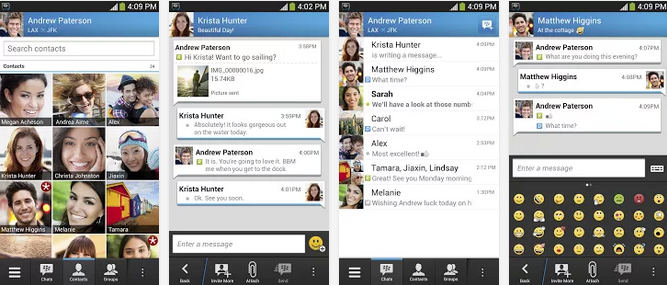
With Blackberry Messenger, BlackBerry seems to want to provide a similar experience on all platforms. The interface of the application is the same for all versions and imitates the BlackBerry 10 style and codes. On Android, the interface seems slightly out of place; for example, you’ll notice the presence of a “previous” button that duplicates the one offered on the screen of the Nexus or many other Android devices. BBM features are nevertheless easy to access, thanks to a list of tabs at the bottom of the interface.
Good news for Android as well as BlackBerry users
The arrival of Blackberry Messenger is good news for Android users but perhaps even more so for BlackBerry users. If the latter were only able to use the application with those friends who own a BlackBerry, they might not have had many contacts on their BBM list.
As for the application, Blackberry Messenger proves to be quite comprehensive, with a range of good features comparable to those found on competing applications like WhatsApp, LINE, and Viber. It only lacks VoIP and a more flexible interface.
Support for Android 2.3.x added
The most recent update of BlackBerry Messenger adds support for Android 2.3. At last users of the Gingerbread flavor of Android can chat via BBM on their device. This means that millions of people with lower-end devices will have access.
Changes
Support for Android 2.3.x added: The most recent update of BlackBerry Messenger adds support for Android 2.3. At last users of the Gingerbread flavor of Android can chat via BBM on their device. This means that millions of people with lower-end devices will have access.
Download BBM for Android and iOS
The official BBM iOS app may be installed directly from the Apple store. Initially, it was tricky to get the app on the play store but in recent times, the Android app has been made available. If somehow you managed to find yourself using a BlackBerry device, the app is still available on the BlackBerry App World.
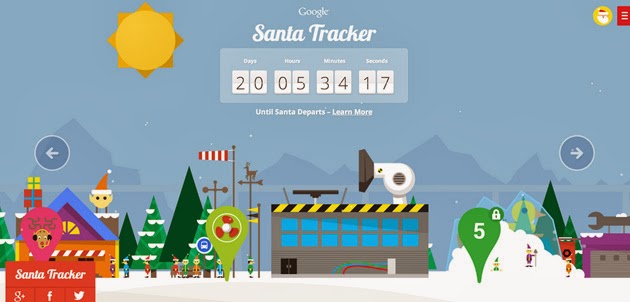
After spending the last 11+ months maxin’ and relaxin’, Santa and his elves are back in full swing. Yes! Santa Tracker is here again and better than ever!
Following Microsoft’s NORAD touch-friendly Santa Claus web tracker, Google is set to shower it’s Christmas blessings: The search giant’s latest Santa Tracker centers on an updated Android app (launching mid-December) with Chromecast TV streaming support — you’ll soon get to follow St. Nick from the comfort of your living room. If you’d prefer to keep tabs on him from the web, the company is promising both daily game and scene updates as well as a refreshed Chromecast-ready web extension to help you see how things are progressing. Just like last year, you can head to the Christmas Village website to keep an eye on how things are going up north.
“To join in the flurry of preparations for Christmas Eve, visit the Village every day through December 24. You’ll have the chance to join the elves as they catapult presents and race with reindeer—and you’ll be able to send holiday wishes to friends and family from Santa himself. The elves make a little more progress each day, so be sure to stop by the Village to see the latest.” https://www.youtube.com/embed/0qrFL0mn3Uk
There are tons of fun things to do to pass the time; an Android app is expected to roll out any day now.
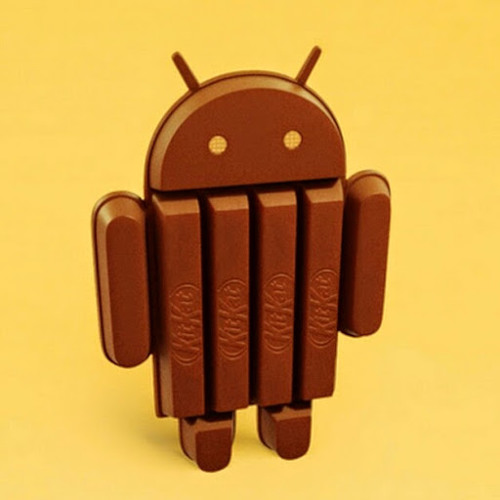
The speculation sourounding Android 4.4 KitKat can finally be put to rest. While users and developers are allowed to have their opinion, you need to base your criticism or appluas on a good ground and the contents below could prove an avenue for such ground.
While we weren’t expecting a hefty update, some of the features announced in KitKat—like the newly revamped interface and new messaging features in the Hangouts app—were on our wish list. Other features, like optimization updates to help KitKat run on low-end phones, simply remind us that Google is still battling all the issues that lead to device fragmentation.
Regardless, let’s walk through some of the key features of KitKat and what you can expect when you finally get your hands on the new OS (whenever that is, because as we know, Android updates can take a long time to roll out).
A better phone dialer
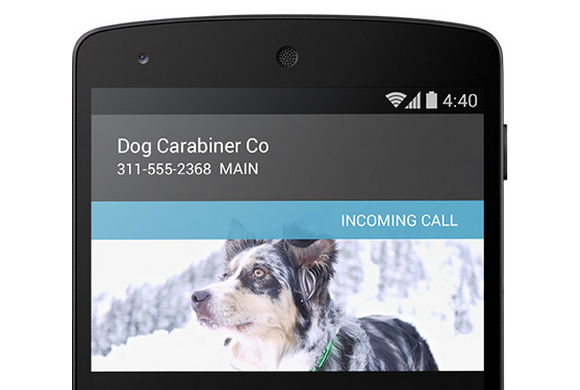
No more surprises: Google will provide info to let you know who is calling you.
You wouldn’t expect an overhaul of a dialer application to be a marquee feature, but Google has achieved the near impossible. When you’re in the dialer interface, now you can type just the first few letters of who or what you’re looking for—whether it’s a business or a friend—and the dialer will immediately bring it up. You won’t have to venture into Contacts for this essential information. If this search functionality sounds familiar, that’s because some manufacturers already offer this feature in their own version of the Android dialer. Samsung’s TouchWiz UI, for example, helps you find the name of the person you want to call by letting you key in the first few letters of his or her name on the number pad. So perhaps the bigger news isn’t that Google overhauled its dialer applications, but that it’s looking to what third-parties are doing to give consumers what they want. KitKat also provides a novel form of caller ID, fetching the location information of unknown numbers that call you to provide a better glimpse into who might be calling and where they’re located. This is an especially helpful addition when you consider the number of telemarketer calls that aren’t routed through an 800 number.
Fabulous interface makeover
That navigation bar will look translucent, which should prettify the slightly doldrum Android interface.
Stock Android doesn’t have to be plain and simple. As some developers posited in our Android retrospective, KitKat includes a slightly revamped interface design. You’ll see better use of screen real-estate in applications that utilize the new “immersive” full-screen abilities, like Google Music and Books. And the new navigation bar is now translucent, so your wallpaper won’t be cropped by a colored menu bar. KitKat also sports a new condensed font. Unfortunately, these interface changes won’t necessarily be exposed on non Nexus devices—meaning pretty much the entire universe of Android hardware. You’ll still be held hostage to whatever interface the manufacturer wants you to look at if you’re not using the developer edition of a phone. It’s unclear how these design changes could affect interfaces like HTC’s Sense or Samsung’s TouchWiz UI, but we’re not holding our breath for substantial KitKat additions to those UIs. Third-party manufacturers will likely continue to push interfaces that match their brand, and for companies like Samsung that means gaudy icons and blue everything.
Never carry cash again
As leaks suggested, Android 4.4. KitKat will enable Google Wallet right off the bat—without the need for your carrier’s approval. And because Android is actually storing your payment information within KitKat, you won’t have to rely on NFC security elements to make a transaction. But that’s not all: Not only will you be able to manage your credit card information from within the Settings panel and more easily pay for items anywhere NFC and Wallet is supported, but you’ll also be able to send money to friends without annoying transaction fees. Google enabled the payment settings from within the OS to help people on Verizon, T-Mobile, and AT&T take advantage of its Wallet offerings, as those three carriers have banded together to use Isis as the default NFC-payment platform. We won’t know more about how Wallet works in KitKat until we physically have an Android 4.4 device in our hands, but at first glance the update looks like a win.
Okay, Google Now
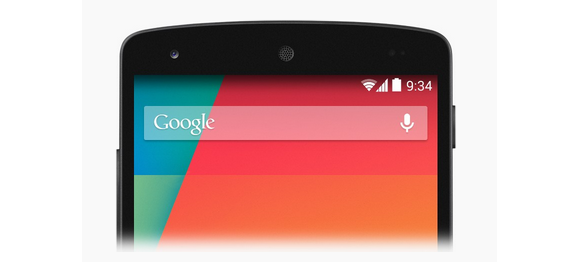
Launch Google Now any which way.
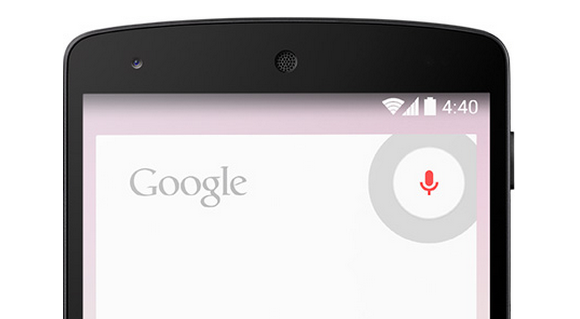
How you access Google Now varies from phone to phone. Do you hold down the home button? Do you swipe up from the bottom of the screen? Do you shake your phone vigorously while shouting at it? Hoping to simplify things a bit, Google has put Google Now front and center by adding it to the Home screen. Now, instead of entering in some variable command, you can just swipe from left to right to quickly access Google’s handy service. The new OS also supports launching Google Now by saying, “Ok Google” while on the homescreen. It should be a helpful feature if your hands are tied up, or you would rather dictate than type. It’s kind of like the Touchless Controls on the Moto X, but with a few more hoops to jump through. Unfortunately the functionality is currently limited to the Nexus 5, so your current phone probably won’t get the feature. (But your next phone might!)
Also, Google Now can now access apps when it exposes information in its search results. Let’s say you’re looking for a particular restaraunt. Not only will you get the usual Google results, you could also get an invitation to book a reservation via, say, the OpenTable app. This function has to be supported on the app level, but suggests an exciting new expansion of Google’s digital assistant. Indeed, by enabling easier access to Google Now, third-party manufacturers like Samsung won’t be able to hide it behind its own proprietary services. (Ever try to get to Google Now on a Galaxy S 4, only to be defaulted to S-Voice?) Google just wants you to stick with it for all of your queries.
Hangouts
You can chat with your friends through SMS in the Hangouts app.
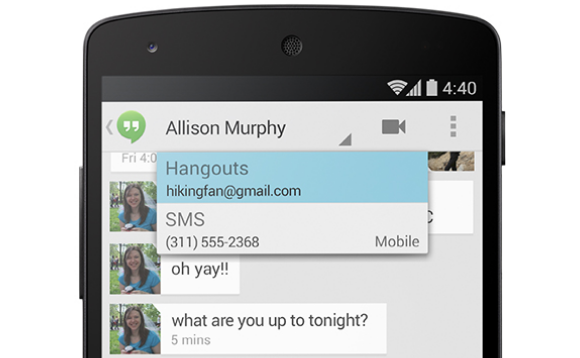
Finally! A few days ago, Google updated its Hangouts app to let you send both SMS, MMS, and chat messages from one application. It’s the right idea, but Google is merely playing catch-up, since Apple released the all-encompassing Messages application in iOS 6 over a year ago. Google wrote in its official blog post that its intention for combining all the communication functionality into one was for added convenience.
Faster Android for aging phones
Okay, so maybe your hardware isn’t exactly top tier compared to the ones running quad-core Snapdragon processors and massive amounts of memory. Google understands your plight and has introduced a new way for manufacturers to take advantage of all the latest Android features without the typical slow downs that plague most aging hardware. It’s called Project Svelte and it’s designed to make KitKat run smoothly and efficiently even on low-end devices with as little as 512MB of RAM. As a result, Kit Kat uses 16 percent less memory than its predecessor, Jelly Bean, and there are additional features that allow developer to disable any features that use up more memory than needed. This may help developers make apps for low-end devices, but that doesn’t necessarily mean that all old hardware will be able to run KitKat. Not even the Galaxy Nexus will be eligible for an update, and that device is barely a year and a half old. However, the under-the-hood improvements should help the current generation of devices handle applications a bit better, like the now-aging Nexus 7 and Nexus 4. This means an overall smoother Android experience if you’re running those devices.
Under-the-hood enhancements
You may not reap the benefits of some of the other features just yet, but that’s because they’re intended for developers to embed into applications.
There’s some weird irony in the phrase “Stay fit with KitKat.”
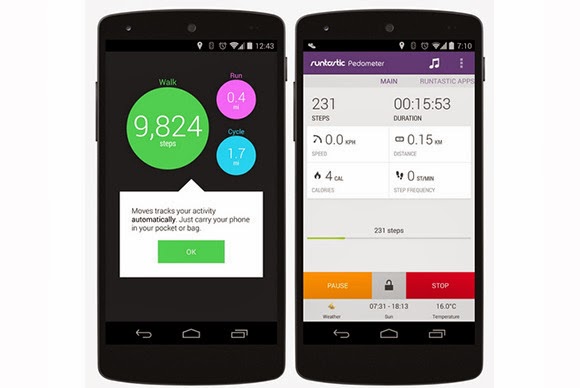
If you walk to work everyday, you might appreciate that Google introduced a nifty new low-power step detector that enables you to track the number of steps you walk in a day without having to leave the screen on. Developers can also take advantage of system-wide captioning abilities that can display closed captions for various content, which is a nice enhancement for the hearing impaired—and when you want to watch a video but don’t headphones nearby. As for that printer collecting dust in the corner, if it’s Google Print-compatible you can now send documents directly to it with the built-in cloud print functionality. Android apps can print anything over Wi-Fi or from cloud-hosted services. You can also discover any available printers, change paper sizes, and choose specific pages to print. Article Credit: PC World
PCWORLD – A story posted on pcworld today has confirmed that we are likely to see a new generation of PC anytime soon. With microsoft paying more interest in the production of windows 8 smartphones, it is now clear to everyone that windows are likely to swap places with the android OS in the technology world.
Accidentally leaked user manuals from PC maker Lenovo show that the company is preparing a new laptop that runs Android instead of Windows.
Called the IdeaPad A10, the laptop has a 10.1 inch HD screen and is listed as an Android device, according to the manuals uploaded on Lenovo’s site.
The laptop’s 10-inch display also functions as a touchscreen. It can be opened up to 300 degrees, supporting the screen for reading or touching while the keyboard rests face down. In addition, the keyboard has signature Android buttons for “home screen”, “previous” and “apps screen”, found on the bottom of many phones and tablets running the Google OS.
Lenovo had planned on making an official announcement for the device, said Chris Millward, a spokesman for the company, on Thursday. But somehow, Lenovo unintentionally leaked the user manuals online, he added.
“The product has not been canceled. It will be going out to the market,” he said. Lenovo will later announce launch dates and pricing information.
The laptop’s specs show that it could be a budget product. It has an Arm quad-core 1.6GHz processor from Chinese firm Rockchip, 1GB or 2GB of RAM, and 16GB or 32GB of storage. There is also a 0.3 megapixel camera, a microSD card slot and an HDMI port.
Tech vendors are increasingly experimenting with Android at a time when demand for traditional Windows PCs has been waning. Earlier this year, Acer and Hewlett-Packard showed all-in-one desktops using the Google operating system. HP’s product, called the Slate 21, has a price of $399.
On the convertible PC side, Asus has shown a hybrid device that can run both Windows and Android. Called the Transformer Book Trio, the product operates as a stand-alone Android tablet, but when attached to its keyboard it can also boot up Windows.
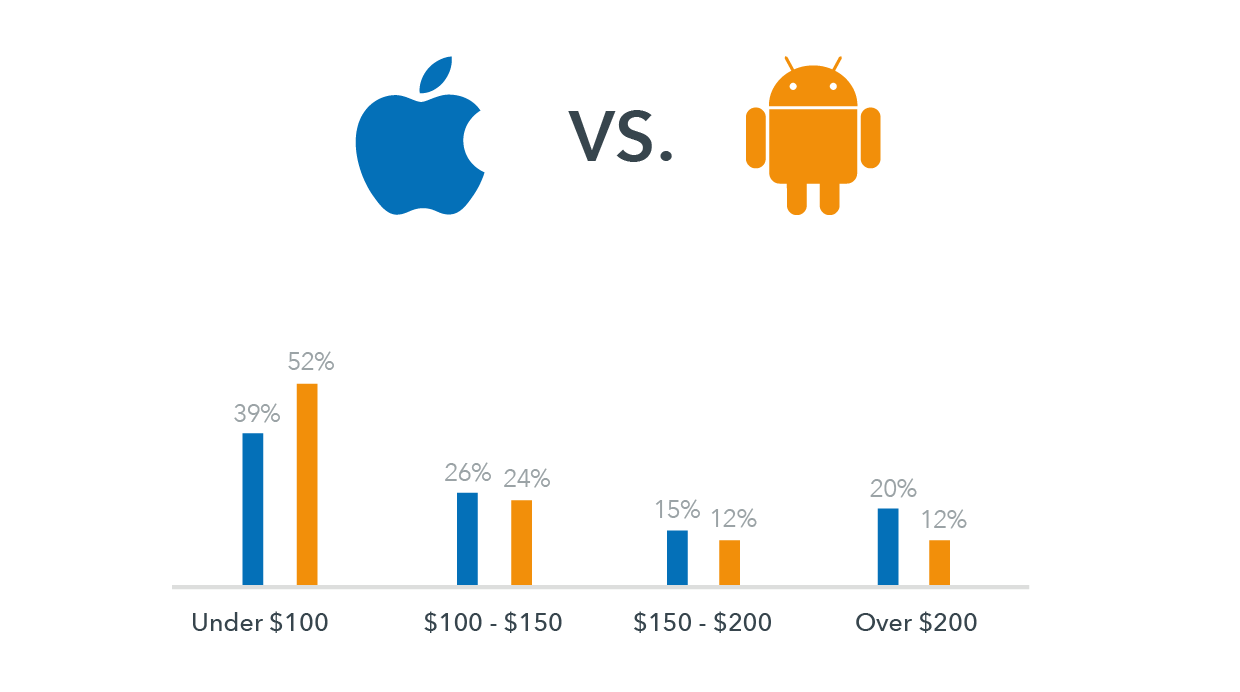
When given a choice between Android and Apple, we start to think and scratch our head. It is difficult to choose between the two since both operating systems offer some of the best and effective smartphone features currently available. As a result, both have a strong and loyal user base. Most of the smartphone programs and apps are compatible on apple and android platforms and users can gain accessibility to vital online projects by using either iOS or Android.
Online businesses and their operations, especially on a mobile platform, demand the use of a smartphone platform, which is effective and capable of meeting requirements as well as being compatible with the nature of business. You need to make use of a platform that best complements and meets your needs because you will be depending on mobile phones for your business appointments, tasks, deals, etc.
So, if you are fretting over the decision of choosing between Android and Apple then take these points into heed first:
Determine the type of apps you make use of most in your business. When accessing online features and programs through mobile phones or other handheld devices, dependency on efficiency is high. Today, you will come across many apps that are made and designed especially for businesses. You can download and install such apps easily. If you are looking for highly innovative apps, an Android platform would be the best option.
Stability of OS is another point to lookout for. Apple is the best option for you if you are looking to use a smartphone on a long-term basis or one that keeps up with your fast paced online business and lifestyle. Products from Apple are designed and crafted to become compatible even amidst changes and upgrades in software. Android phones and mobile devices are not as quick moving.
If you have a business that is highly dependent on merchant services, such as e-commerce or payment transactions, then making use of Apple would be the best option to choose. You will find specific apps that are merchant-related and designed and created for iOS mobile devices that enable users to process different payments through debit or credit cards and make payments without any hassle.
Using smartphones and the latest handheld devices for business purposes are also usable for personal purposes. Apps, like music, entertainment, and gaming are best found under Android.
Let’s get to the bottom line then. If you are looking for a platform strictly to house your business needs, then the platform of Apple overpowers Android. The sole reason behind this revelation is that doing online business is not only about innovation, but also about prolonged stability. The platform of android does offer features for business purposes but one has to be selective about the apps and features from Android. Remember, business which is done within a stabilized mobile framework flourishes more than a business that is not based on such a platform – making Apple the winner, hands down!
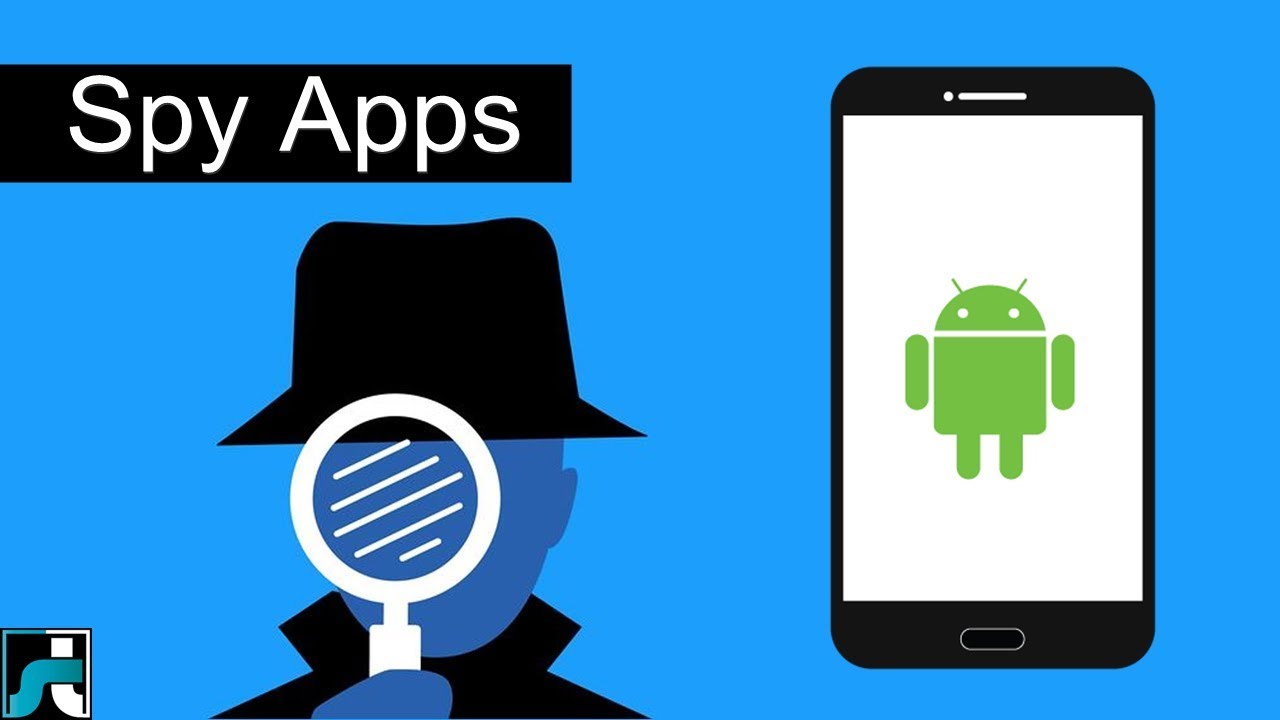
Android spy apps allow one to point out the location of target phone with all the details. You can find your lost or stolen android phone by installing one of the blow GPS apps. The difference in tracking lies in the fact that the Android phone is located by making use of the Wi-Fi and other satellite connections, even when GPS has been turned off. Yet again, the price of installation of this package depends on the time period for which the user wants to spy on the other person.
1. Mobistealth
Mobistealth’s spy app offers different packages for its users, ranging from the most basic spying features to the most detailed ones. Be it phone calls and text messages on cell phones or tracking for Android, its spy app has managed to fulfill all the requirements of its customers.
As for the tracking features for the android, mobistealth’s spy app can do this job. The package which is known as the Android spy Lite allows one to know where the person who is being subjected to spying is at. This package uses the GPS system for tracking. It allows the user to know where his or her target person is at any point in time, or where he or she was and for how long.. This package is available for installation at different prices, depending on the period of use. If someone wishes to use this package for the basic tracking details for 3 months, he or she can buy this package for $49.99 USD, meanwhile those who plan on continuing the use for 6 months and 12 months have to pay $69.99 USD and $99.99 USD respectively.
2. Mobile-Spy
This is not all. Mobile-spy has introduced new package with which one can track the location of the person in whose phone the app is downloaded with more efficiency. The package known as the Android spy Advance which comes with a feature which can track the location of the Android without GPS. This is useful when the target people decide to turn off the GPS of their Android phone. It is compatible with almost all of android phones. The price is under $300 USD.
3. Flexispy
Another spy app is Flexispy app which also comes with different affordable packages. The price of Flexispy PRO is different than that of Android Spy Lite because of the difference in the features. One can install to monitor target phone’s activities without letting know target user. All the activities can be viewed on an online which is provides you after downloading this app. The price of Flexi-shield package is $39 (one time) as mentioned on its website.
In the year 2012, we have seen a great revolutionary trend in the smartphones. With the release of Samsung Galaxy S III, Galaxy Note II, computing and connectivity has been taken to a new level. Apple’s iPhone 5 has generated a phenomenal buzz with its latest features, gaining popularity among the several. “How would the next generation smartphones be?” this was the first thought that has entered my mind when I see the features. For all those questions here is a sneak peek into the next generation android phone features: Larger Display Screen : In the year 2013, we are likely to see phones with a larger display. The screen size might be increased to provide a better viewing experience. You can see high definition pictures on your mobile phone. The colours would be more brilliant and vibrant providing us with life like picture quality. You might expect better size and display with the increase in the colour pixels. Faster OS : Although most phones haven’t updated android 4.1 OS, Google has already started working on its new version. It is all set to launch the new android 4.2 Key Lime Pie in the year 2013. The operating system is believed to be faster and better than the current existing one. Better Designs: Android phones in the coming generations may view a great change in their body designs. The body might pass through various changes to bring out that best design which could ‘wow’ the crowds. It might be sleeker, thinner which weighs less. Processors: With the present processors speeding up our work and cut shorting the time taken to upload or open a web page. Presently there are various processors are used such as 1.4 GHz ARM Cortex A9, 1.2 GHz Exynos, 1.5 GHz Scorpion, 1.2 GHz dual-core TI OMAP and many others. But the grapevine is buzzing with talks that they might increase the speed or might continue with the existing ones Camera: This feature is one among the waited features. Currently smartphones come with 8 megapixels, 5 megapixel for the rear camera and 1.3 megapixels for the front but there are talks that this could be increased to 13 megapixels for the rear and 3 megapixels for the front to provide better clarity and to produce complete HD quality pictures. Memory Storage: This is another check out feature. The current memory provided by android phones is 16GB/34GB/64GB with 1GB ram but the future phones might come with 16GB, 32GB, 64GB and 128GB variant might be included and might also have 3GB ram. This provides you with a large storage area where all your files can be easily stored without much problem. With all these great features, the phone might be heavy on the pockets so in case you want to buy them and lack finances opt payday loans. The above-mentioned are a few features that might be enhanced. Technology is updated regularly.
Maria Benson
Author Biography:
This guest post was written by Maria Benson, who loves to write articles on various topics like finance, health, technology. Previously she has done research on ppi claims currently she is focusing on technology related articles.
Outdated software is the weak spot of Android phones, according to a security firm’s recent study that finds more than half of the Android-powered devices checked have unpatched vulnerabilities, putting their users at risk of mobile malware. Duo Security, a Michigan-based company whose investors include Google, gathered data from more than 20,000 Android devices around the world that loaded its free app, X-Ray, released two months ago. Unlike traditional mobile antivirus software that scans for known malware, X-Ray scans Android devices to see whether they have unpatched vulnerabilities that may put them at risk.
The firm found that more than half of Android devices worldwide have unpatched vulnerabilities that could be exploited by rogue apps. The X-Ray FAQ explains that a number of such vulnerabilities have been discovered in the core Android platform, affecting nearly all Android devices. Even more are found in manufacturer-specific extensions that may affect a smaller subset of Android users. “Yes, it’s a scary number, but it exemplifies how important expedient patching is to mobile security and how poorly the industry (carriers, device manufacturers, etc.) has performed thus far,” says Jon Oberheide, CTO at Duo Security, in the company’s blog posting about its research. “We feel this is actually a fairly conservative estimate based on our preliminary results, the current set of vulnerabilities detected by X-Ray, and the current distribution of Android versions globally.” Oberheide was recently named one of Forbes’ “30 under 30” for his Android security research.
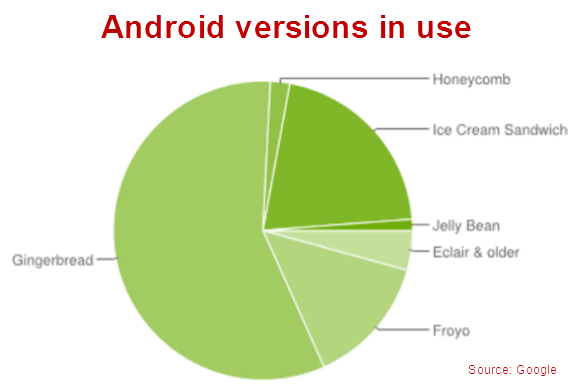
Carriers are very conservative in rolling out patches to fix vulnerabilities in the Android platform, users’ mobile devices often remain vulnerable for months and even years,” Oberheide adds. Apple releases software patches for its iOS software regularly and users have immediate access to any updates, but the nature of Android means that carriers and device manufactures hold the key when it comes to updating phones. Sometimes Android updates are not rolled out to all phones in order to entice users to buy newer devices. If you’re one of those people running an older version of Android, make sure to take extra precaution when installing apps or browsing the Web on your device. Never install apps from sources you don’t trust, and take some time to grab a mobile security app like Lookout, TrustGo, or Norton Mobile Security. While you may not be able to close the holes in the OS itself, you can at least prevent apps that use these exploits from getting onto your device. More than 500 million Android devices are activated, according to Google’s own stats, and the majority of them (57 percent) run on Gingerbread (2.3.X), a version introduced in late 2010, while only 1.2 percent run on the latest Jelly Bean (4.1) update. Just under 20 percent of Android devices run older versions of Android, dating back to 2009. Post Credit: techhive.com
Adobe announced Thursday that it would not provide a version of Flash for Android 4.1, dubbed Jelly Bean, or any updates thereafter. Google introduced version 4.1 this week at its I/O conference in San Francisco. The OS will be available in July. The Flash Player has never posed much of a security risk, because hackers have not used it as a pathway to Android. “There hasn’t been a piece of malware using the Flash Player technology as a vector,” Tim Armstrong, malware researcher for Kaspersky Lab, said. Adobe’s decision to wind down Flash on Android is not surprising. The company said in November that it would switch to Adobe AIR as the cross-platform runtime environment for mobile applications. Adobe believes AIR is the better option as Web developers move to HTML5, the latest version of the markup language used for presenting content on the Web. The company will continue to develop the Flash Player for PCs. Whether the technologies replacing the Flash Player will pose a greater security risk is not yet known, Armstrong said. “We can’t say yet whether these technologies could be leveraged for malicious purposes,” he said. In general, dropping Flash with Jelly Bean is not expected to have much of an impact on Android users, because almost 90 percent are running versions 2.1 to 2.3.7. By the time they upgrade to version 4.1, Flash alternatives are expected to be firmly in place. Adobe has also decided to limit access of the Flash Player on Google Play, the official Android app store. Beginning Aug. 15, only Android phones already running Flash will be able to get newer versions in the store. “Devices that do not have Flash Player already installed are increasingly likely to be incompatible with Flash Player and will no longer be able to install if from the Google Play Store,” the company said in its blog. Adobe’s latest announcement only involves Android, because Apple doesn’t use Flash in the iPhone or iPad. In 2010, Apple Chief Executive Steve Jobs, who died in October of complications from cancer, bashed Flash as too slow and a battery hog, arguing that HTML5 would become the better platform for showing video and other multimedia content. Adobe initially fought back, but later realized development trends for mobile apps were against Flash.
Android is one of the most popular mobile operating system in the world by Google’s mobile operating system which has been growing exponentially since its launch in late 2008. Android is an open source mobile operating system and have number of useful apps which potentially increase the functionality of the device. Sometimes it becomes so hard to find such a useful apps. Here,I am going to share best Android Apps from my point of view, which you must have on your Android phone.
Real Player
RealPlayer has made its way to Android and can be a great thing. Real Player is a media player app for your Android Phone, plays Music , Videos , Show Photos. Real player also offers you to create your Playlists to arrange your songs according to your choice. You can sort your music according to the albums, play recently added music to the library. Real Player is not just a music player it also acts as photo editing app for photos you can zoom, crop, Slide show, Rotete and more from the same app. Download
Photoshop Express
The Photoshop Express is one of the most popular photo editing app by Adobe. Photoshop Exprees allows you portable image editing option like crop, rotate, adjust color, and add special effects. Access all your photos form your mobile and quickly share with family and friends. PhotoShop Express contains the amazing effects, Soft Focus, and Sharpen, Borders and more in just a touch. Photoshop Express lets you access your entire online photo and video library directly from your Photoshop.com account. It is just like having thousands of photos and videos right in your pocket. Download
Bubble Buster
Bubble Buster is a gaming app for your Android device. Bubble Buster is an entertaining app,helps one to pass your time for hours, where a challenging strategy to be implemented to advance to the levels. The distinct colored bubbles will keep coming from top of the screen, and the player should aim at the bubbles and tap to shoot with another similar colored bubble to clear the down pouring bubbles which clear the screen and also overflow. Bubble Buster has numerous levels, and once you finish with the present level, you will be able to notice an indicator for next level which can be downloaded. Download
Tube Mate
Tube Mate lets Android Device users to Search Videos, Related Videos, Favorites and store them to SD card.Tube Mate is a Youtube video browser and download tool. Tube Mate lets you to download High Quality and High Definition videos to SD Card. TubeMate for Android features 480×270 for general devices. Download
Skype
Now make Video Calls, Instant Messaging with one application from your Android Device. Skype has been developed in close conjunction with Google to enjoy IM and keep contact books up to date by syncing Skype contacts with the handset’s address book. When you first fire it up, you have the option of adding all your Skype contacts to your main address book and works over WiFi and 3G. Download
eBuddy Messenger
eBuddy Messenger is almost all in one Instant Messenger App. It is works very quick with MSN, Yahoo, AIM, Google Talk, MySpace, and Hyves for instant Messenging. You can sort contacts by names, groups, or accounts and add a slew of alert bells and whistles and the feature offers page tabs for your buddy list, your open chats, and your accounts. eBuddy has a visually humorous, light exterior that comes complete with a little “eBuddy” buddy logo. Download
Yahoo! Messenger
Yahoo is the one the populer social network and it possesses most of the ingredients necessary to make a great IM experience. With Yahoo Messenger for Android, stay in touch with your IM friends. Always know when you get a new message or friend request. Access your friends’ status and update your own availability. Check out your friends and add new ones. Chat with your Yahoo! Messenger and MSN/Windows Live friends. Send camera and gallery photos and express yourself with emoticons and receive pix from your IM friends.
Tic Tac Toe is the gaming app for Android Device. Tic Tac Toe is the game is to get, horizontal, vertical or the diagonal cells marked with the same symbol. You can play TicTacToe against the mobile or your friends(1 Player or 2 Player) into 3×3 or 6×6 level mode with excellent graphics . Download
Anti-Virus Free
Now protect you mobile from virus with Anti-Virus Free from AVG-Mobilation. Anti-Virus Free protect Android Phone from Viruses , ,malware & exploits in real-time. It’s easy-to-use virus protection, as well as a real-time scanner, backup assistant, phone locator, task killer, app locker and local device wipe. With Real Time Scanner, keeps you protected no meter how you download your apps or games or data via Bluetooth. Download
Google Maps
>Google Maps for Android offers one of the best experiences you can get. Google Maps tells you how to get where you want to go by car, public transport, good old-fashioned shoe leather, and now, by bike. Voice-guided navigation takes you turn by turn, and voice search keeps your typing fingers fresh. Google Places feature is now integrated with Twitter, allowing users to share their opinion and other information about a specific location. Download




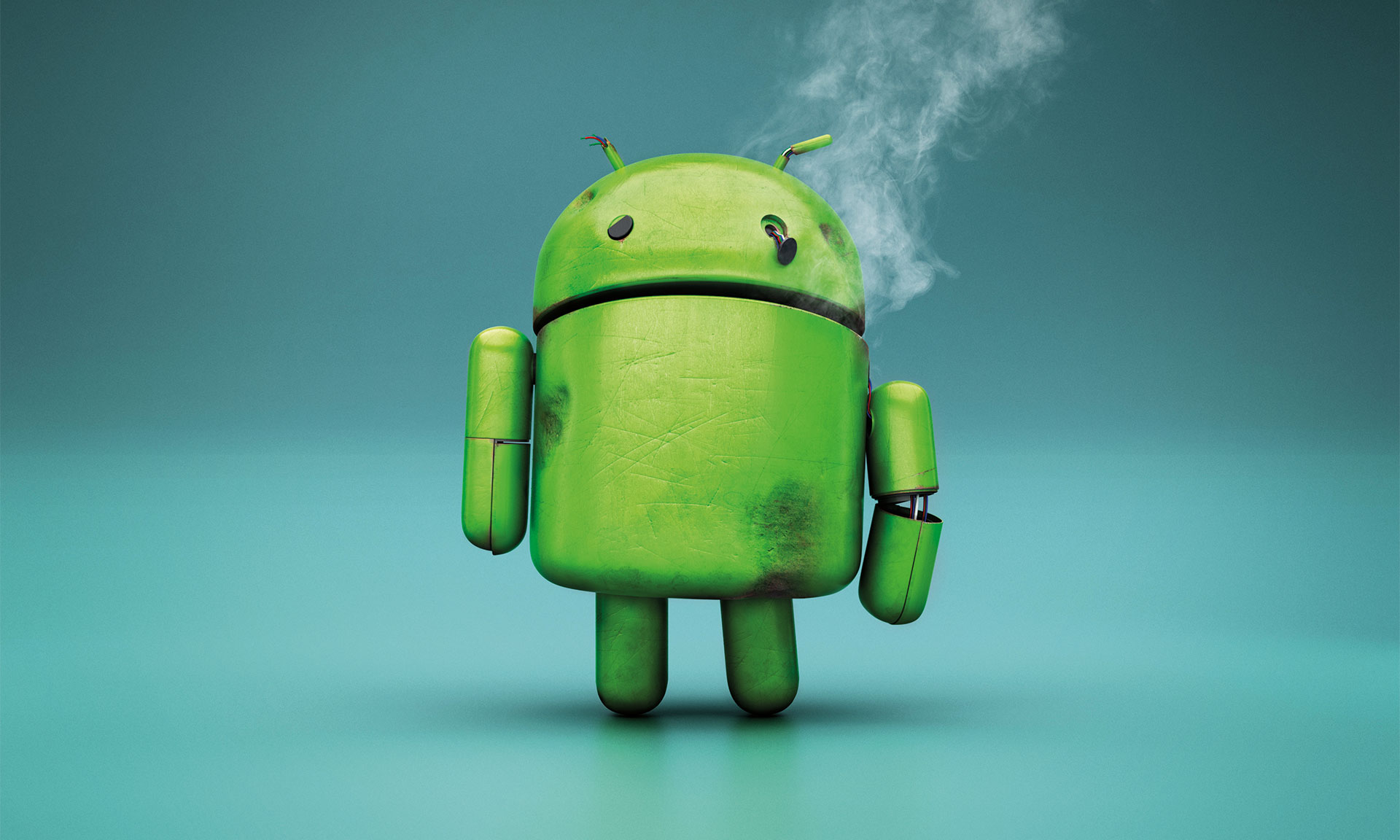
 Outdated software is the weak spot of Android phones, according to a security firm’s
  The firm found that more than half of Android devices worldwide have unpatched vulnerabilities that could be exploited by rogue apps. The
  Apple releases software patches for its iOS software regularly and users have immediate access to any updates, but the nature of Android means that carriers and device manufactures hold the key when it comes to updating phones. Sometimes Android updates are not rolled out to all phones in order to entice users to buy newer devices.
 Post Credit: techhive.com




You must be logged in to post a comment.