With just a bit of work you can set up Android 4.0 on your Kindle Fire, transforming the device into a powerful general-purpose tablet with an unbeatable price tag.
With a vibrant 7-inch IPS display and a 1GHz dual-core processor, the $199 Kindle Fire can make for one lovely tablet. With a bit of work–but no hardware modifications–you can set up Android 4.0 on your Kindle Fire and thenceforth use the device as a powerful general-purpose tablet despite its incredibly low price. Email, games, Web browsing (with Chrome for Android or any other browser)–the Kindle Fire can do it all. This guide is directly based on the excellent guide written by XDA Developers user Kinfauns. Kinfauns’s guide and his Kindle Fire for Beginners guide are highly recommended reading, but they’re fairly lengthy. We’ve simplified the process and then tested it ourselves, so we can walk you through all of steps; but please use caution when tinkering with your gear, and understand that PCWorld accepts no responsibility for the consequences. That said, read on for a quick step-by-step procedure that you can follow to transform your Kindle Fire into an Android 4.0 tablet!
Ingredients
You will need:
A Kindle Fire with a full battery (if it’s not full, take time to recharge it fully).
A USB cable for connecting the Kindle Fire to your computer.
A Windows computer that you have Administrator rights for.
The Kindle Fire Utility, a third-party toolkit that simplifies many tasks and includes vital drivers.
An ICS (Android 4.0) ROM for the Kindle Fire. You can pick one from this list of ROMs. For this wow-to, we’ll be using AOKP, a well-regarded third-party ROM. The latest AOKP version at the time of this writing is build 38, but it’s a good idea to check for the most recent version.
[Optional] The Google Apps bundle, including Gmail, Google Play, and other essential Android apps. This is packaged separately from the ROM for legal reasons. If you download AOKP, you can find Google Apps for AOKP release 38, under GApps (the last link on the page).
A willingness to void your warranty and to use the Windows command line. This how-to does not use graphical tools.
Install the Kindle Fire Drivers
For this procedure to work, your computer must correctly recognize the Kindle Fire as an Android device. Here’s how to make that happen: 1. If your Kindle Fire is connected to your computer, unplug it. 2. The KFU zip contains a folder called Kindle Fire Utility. Unzip the contents of this folder into a new folder, c:kfu. 3. Run the install_drivers.bat file that’s in the c:kfu folder. Windows will pop up a UAC prompt, and then start the Kindle Fire Driver Installer. 4. As you step through the installer, you’ll receive a Windows Security alert warning you that the drivers are not signed. Install the drivers anyway. 5. The installer should complete successfully and show a confirmation dialog with the driver name:Kindle Fire driver installation confirmation.
Verify That the Drivers Were Successfully Installed
Before doing anything risky with your Kindle Fire, make sure that your PC fully recognizes it as an Android device: 1. Connect the Kindle Fire to your computer and wait for a few moments while Windows recognizes it (even if you’ve plugged it in before). 2. Run Device Manager (Click Start, right-click My Computer, and then select Manage > Device Manager). 3. You should see the Kindle Fire registered as an Android Composite ADB Interface, under Android Phone in the Device Manager tree. If you see this listing, you’re good to go. If this isn’t exactly what you see, you’ll need to do some troubleshooting; for that, refer to the original guide which has an extended troubleshooting section under the heading “What can I do if the drivers won’t load?”
Switch to Fastboot Mode
It’s still not too late to turn back. Up until this point, you haven’t done anything to the Kindle itself. But now you’re about to take the first step that involves making changes to the tablet. So, without further ado: 1. Make sure that the Kindle Fire is still connected to your computer. 2. Create a new subfolder, c:kfusoftware. 3. Unzip fbmode.zip into c:kfusoftware. It contains a single file, called fbmode (with no suffix). 4. Open a command prompt window, and copy fbmode into a user-writable location on the Kindle Fire using ADB: adb push C:kfusoftwarefbmode /data/local/tmp/ 5. Edit fbmode’s permissions so that it can run: adb shell chmod 755 /data/local/tmp/fbmode 6. Run fbmode to switch to fastboot mode: adb shell /data/local/tmp/fbmode 7. Using ADB, reboot the Kindle Fire: adb reboot At the end of this process, your command prompt window should look like this: Command prompt window after switch to fastboot mode. Your Device Manager should look like this:
The meaning of this notation is that the name of the device changes from Android Composite ADB Interface to Android ADB Interface. Finally, the Kindle Fire itself should look like this:
Kindle Fire screen after switch to fastboot mode. The Fire will simply display a logo and stay put. It’s not “stuck”; rather, it’s in fastboot mode, awaiting further instructions.
Install a Recovery Image
Next, you’ll install a recovery image–a miniature operating system that you’ll use later to flash the complete ROM. The recovery image will also come in handy for creating full backups of the device, among other things. 1. Copy the TWRP .img file into c:kfusoftware. At this writing, the latest TWRP image is named openrecovery-twrp-blaze-2.1.1.img. 2. Open a command prompt window at c:kfutools and install the image: fastboot -i 0x1949 flash recovery C:kfusoftwareopenrecovery-twrp-blaze-2.1.1.img 3. Change the boot mode to Recovery: fastboot -i 0x1949 oem idme bootmode 5001 4. Reboot into TWRP: fastboot -i 0x1949 reboot At this point, your command prompt should look like this: Command prompt window after installation of recovery image. And your Kindle Fire should look like this: Kindle Fire screen after installation of recovery image
Install a Custom Bootloader
You are well into the process now. Next, install the FIREFIREFIRE custom bootloader: 1. Take the FIREFIREFIRE Zip file and place it (still zipped) into c:kfusoftware. At this writing, the latest filename is called fff-u-boot_v1.4a.zip. 2. Copy FIREFIREFIRE into the Kindle Fire’s /sdcard directory: adb push C:kfusoftwarefff-u-boot_v1.4a.zip /sdcard/ 3. On the Kindle Fire, press the Install button. Navigate to /sdcard if needed (you should already be there by default), and select fff-u-boot_v1.4a.zip. 4. Swipe to confirm. You should get a success message: Custom bootloader success message. 5. Back up the stock OS so you can roll back to it at any time. In the root TWRP menu, select Backup, modify the options if you like (the defaults are fine), and swipe to confirm. Backing up will take a while, which is one of the reasons why starting the process with a full battery is so important. Backing up the stock OS can take a while.
Flash the Ice Cream Sandwich ROM
You’re almost there! Now you just need to copy the ROM and flash it. As noted at the outset, we used AOKP in our test runs, but different ROMs may have different flashing procedures. Read the documentation for the ROM of your choice. 1. Place the .zip files containing the ROM image and Google Apps into c:kfusoftware. 2. Push the ROM and Google Apps onto the device: adb push C:kfusoftwareaokp_otter_build-38.zip /sdcard/ adb push C:kfusoftwaregapps-ics-20120429-signed.zip /sdcard/ 3. In TWRP, select Wipe > Factory Reset. This will remove all existing files from the data and cache partitions, but it won’t affect the /sdcard directory, which contains media files. 4. In TWRP, select Install. Navigate to the ROM .zip file that you placed on the device, tap it, and swipe to confirm. This will take a few moments: Installing the Ice Cream Sandwich ROM. 5. Once that is done, tap the Back button in the upper right corner, and repeat the process with the Google Apps .zip file. 6. Tap Reboot System in the lower right corner, and boot into your brand-new Android 4.0 experience! If you wish, you can now remove the ROM and Google Apps .zip files from your device.
New GPS tech can track your every move. Should you fear it or embrace it?
Privacy fans, take note: A new technology, called Indoor Positioning System, could push your worry meter to the max. IPS allows pinpoint tracking of any Wi-Fi-enabled device, such as a smartphone or tablet, within a building. This means that an IPS service could easily track you–right down to, say, the table you’re occupying in a mall’s food court–as long as your mobile devices’ Wi-Fi is turned on. And, if you’re a typical device user, your Wi-Fi is always on, right? In short, we’ve moved far beyond using regular old GPS for location tracking. Indoor environments are challenging for low-cost location systems such as GPS, because the ways in which buildings are constructed–not to mention physical obstacles and even people’s bodies–interfere with GPS’s ability to pinpoint a location. Navizon ITS logoOne example of the new technology is the Navizon Indoor Triangulation Service, which MIT’s Technology Review blog discussed recently. Location services company Navizon says that ITS can provide accurate tracking of Wi-Fi-enabled devices, including smartphones, tablets, and laptops, anywhere inside a building or throughout a campus. (Triangulation by Wi-Fi hotspots helps to make location services more accurate.) As such services begin to grow, they might threaten your privacy. So, in many instances, if you don’t want an entity knowing the location of your mobile device, you should shut it off or ditch it completely. At the same time, however, device tracking could become hugely useful to you. Innovators have figured out how to take GPS-like navigation indoors so that people can not only quickly find the restroom in a department store or their departure gate at the airport, but also receive deals and discounts from retailers upon stepping over a shop’s threshold. Navizon wouldn’t comment for this article, but some of its competitors did. Let’s take a look at other companies working on IPS services.
Skyhook
Skyhook developed the first hybrid location system to use Wi-Fi positioning, GPS, and cell-tower triangulation to determine the coordinates of a device, even indoors. Since then, Apple (Skyhook’s biggest customer) and Google (Skyhook’s biggest competitor) have emulated the hybrid approach for their respective mapping apps. All sorts of mobile devices on the market–phones, laptops, ebook readers, digital cameras, and gaming devices–are location aware. In many cases, that’s because Skyhook software is baked into them. For instance, Apple, Dell, and HP laptops use the Skyhook system to change their clocks automatically when users take them across time zones. The laptops also let users pull up real-time information about what’s happening in a neighborhood that they happen to be in, and they can broadcast their location so that users can find them in case of theft. Skyhook’s SpotRank data-intelligence service predicts the density of people in predefined urban square-block areas worldwide at any hour, any day of the week. Image: Courtesy of SkyhookBut what’s really interesting about Skyhook is its ability to profile individual devices–not identifiable people, as CEO Ted Morgan is quick to point out–and know which ones are associated with certain kinds of people. For instance, if Skyhook sees that a device shows up at Wrigley Field four times in a season, it assumes that the person using the laptop is a sports fan. Or if a laptop or smartphone is detected in an airport several times a month, Skyhook guesses that the user is most likely a business traveler. “Because we’ve been running the location on about 100 million devices for the last four or five years, we have a tremendous amount of knowledge into overall human behavior–about where people are throughout the day, where they go, which street corners are busy, which ones are not at different times of the day,” Morgan says. Over time, Skyhook also figures out where all these devices live. Then, by mixing into device profiles publicly available data from the U.S. Census, for example, it adds demographic data such as age and ethnicity. This is a veritable gold mine of data that Skyhook can then package and offer to marketers who want to reach only select segments of consumers, or to developers and device makers who can use the software to deliver highly relevant real-time content to users. “We’re able to see at an aggregate level what 100,000,000 people are doing, so we can predict what areas of a city are getting busy or less busy, what types of people are in different areas of the city,” Morgan says. “So, if you want to know where to go out in Seattle tonight, I can tell you what the most active street corner is going to be, and I can tell you the high-level breakout of the type of people who will be there, because they’ve done that every Friday night for the last three years.” So just how does Skyhook do all this profiling of individual devices while maintaining the anonymity of the people using them? Morgan says that the company does not use device MAC addresses or phone numbers. “Every time a new phone registers on our system, we give it an ID like a license plate. There’s no way for you to know what it is. There’s no way for anyone to see it. If you were able to look into our system and see what my phone’s ID was, the only thing you’d ever find out about me is that I’m a middle-aged white guy who makes over $100,000,” Morgan says. “It would never say my name. It would never say where I’m from. There’s nothing that could ever figure out the user, and that’s the bar we have for privacy. Nobody could get into our system, even ourselves, to figure out the name of a user.”
Skyhook and Google
The main thing you need to know here is that Skyhook is suing Google currently. “Google recognized [the value of mapping the country’s Wi-Fi] and decided it wanted to have a similar system, so it copied the model,” says Morgan. “And because Google brings so much else to the table, where it’s giving away things for free [such as] maps and search and email, they became a competitor to us.” The problem, Morgan says, came about after Skyhook won deals with Motorola and Samsung, and Google forced those companies to back out of their contracts. Google did not respond to a request for comment. Even so, maps are undeniably a brilliant gem in Google’s crown–its turn-by-turn navigation is something that Android users universally adore. It only makes sense that the company would get involved in IPS services. In November, Google announced that it was taking Google Maps indoors. Now, if you go to select U.S. shopping malls, airports, and retail locations, or certain Japanese transit stations, you can use your Android mobile device to see where you are. The idea is similar to the physical kiosk maps you see in malls, except this one is on your phone and adds Google’s famous little blue pin so that you can quickly figure out how to get from the shoe department in Macy’s, for example, over to the men’s department.
Google Maps 6.0 for Android updates your indoor location as you move, and will even refresh the map when you move to a different floor. Image: Courtesy of Google Google Maps 6.0 for Android updates your location as you move, and it will even refresh the map when you move to a different floor. It also labels all sorts of helpful information, such as bathroom locations, ATMs, and airport gates. At launch, the application included floor plans for Tokyo’s Narita and 17 U.S. airports; stores of the retail chains Bloomingdales, Home Depot, Ikea, and Macy’s; and malls such as the Mall of America in Bloomington, Minnesota, Times Square Mall in Mt. Vernon, Illinois, and Liberty Fair Mall in Martinsville, Virginia. To enable indoor mapping, Google created a desktop tool that lets venue owners and business owners upload the floor plans of their locations. After doing so, they download an app from Google Play that lets them share publicly broadcast GPS, cell-tower, and Wi-Fi information with Google. With that radio-signal information in hand, Google can allow Android users to track their indoor locations on its maps. Currently Google isn’t pushing ads, discounts, or offers to consumers who use its IPS service. Since Google makes gobs of money on advertising, however, one can only imagine that we may very well see something like that at some point in the future. As for whether the service profiles devices the way Skyhook does, Google’s new privacy policy doesn’t exactly say. It does state that the company keeps a consolidated record of how you use its services so that it can improve them as well as serve you more-relevant search results and ads. Regarding location information specifically, Google’s privacy policy states: “When you use a location-enabled Google service, we may collect and process information about your actual location, like GPS signals sent by a mobile device. We may also use various technologies to determine location, such as sensor data from your device that may, for example, provide information on nearby Wi-Fi access points and cell towers.”
Wifarer
Wifarer is another company using IPS. Unlike Google, which so far provides only indoor maps and location awareness to users, Wifarer wants to give its users heaps of content, discounts, and deals related to where they are located. The company says that its service is essentially a private, customized version of Google’s IPS offering that lets venues control the content, the branding, and various ways to make money from their digital space. The Wifarer app for Android gives users heaps of content, discounts, and deals related to where they are located. Image: Courtesy of WifarerThe Wifarer software works with Wi-Fi systems that exist in public places such as malls, museums, and airports–that is, any location where it might help you to know your whereabouts so as to better find your way and receive relevant information or offers. If you have the Wifarer app installed on your Android phone (Apple has yet to allow the app into its ecosystem), the fingerprint radio frequency-based system determines your phone’s position within a few feet of where you’re using it. Currently beta testing in 25 venues, Wifarer expects to be up and running in 400 additional places by the end of this year. “One of the things about indoor positioning systems is that they open up a new vein of [intellectual property],” says Wifarer CEO Philip Stanger. That means IPS is seeing a tremendous amount of development; Stanger says that some exciting things will be coming down the pipeline in the next several months to a year. He won’t divulge what those developments might be, although they could include inventions such as displays that employ augmented reality and are triggered by users’ locations. Stanger, like many other people in the business of phone-finding technology, maintains that his product keeps user privacy intact. “Without giving away core IP and proprietary processes, I can say that the app calculates and displays its own positioning and location information entirely from within the app. This occurs when the app is turned on, and only when the app is turned on,” Stanger says. “Upon first download, a new user is given an anonymous user ID, and neither their MAC ID nor their IMEI number is ever recorded, monitored, or tracked. From then on, all transactions with and downloads from our system are identified by this UI (user ID) alone. Occasionally, and only when the app is on, location information of the UI is reported back to the system, mainly to verify positioning accuracy.” The fact that Wifarer works at all is pretty impressive, considering the technical hurdles involved. “The challenges are many, but most revolve around the variability of Wi-Fi due to environmental considerations,” Stanger says. “For instance, most Wi-Fi broadcasts at around 2.4GHz. Unfortunately the resonating frequency of water is also 2.4GHz, and people are comprised of mostly water. So, the more that people congregate, the more the Wi-Fi radio patterns vary. So the question becomes, how can we normalize patterns when the very usage we envisage generates disruptions to those patterns?” Stanger isn’t saying how his company has done it, only that it involves proprietary coding.
Nokia
Phone maker Nokia is also working on an interesting way to determine location in an indoor environment. As part of a consortium of 17 technology and media companies, Nokia recently participated in a demo showing how unused portions of the TV spectrum can deliver information to people according to their location. At the Imperial War Museum hangar in Duxford, UK, Scott Probasco, a Nokia senior manager, shows how a Nokia smartphone can connect to the Internet via TV white spaces and use an app to grab information about the planes on display. Image: Courtesy of NokiaAt the Imperial War Museum hangar in Duxford, UK, Nokia recently showed how a radio system box operating in UHF TV bands can connect to a TV white-space database to pinpoint which TV channels are available. From there, a Nokia smartphone can connect to the Internet via the TV white space and use an app to grab content. In the case of the museum demo, the content was information about the planes on display. This type of arrangement would allow museum visitors, for example, to gain access to a vast amount of information about exhibits depending on where they are standing–far more than the museum could ever include on physical signage. A similar system could be built out to push content to people in other places, such as retail locations; in this case, shoppers could receive offers and coupons, and participate in loyalty programs, just by walking around with an app on their phones. That isn’t going to happen overnight, however. Before services can use TV white spaces for location finding and content distribution, the necessary technology–including mass-produced chips inside phones and special wireless access points–must be standardized, which likely won’t occur for at least a few years. In addition, the system isn’t terribly precise, as the accuracy is good only at 25 feet to 50 feet. “We can use several well-known methods to refine this coarse location, for example taking signal-strength measurements from several access points and then mathematically combining these signals to estimate the location of the phone a bit more accurately,” says Scott Probasco, a senior manager at Nokia.
Broadcom
Before the end of the year, a new chip made by Broadcom, called the BCM4752, will be integrated in certain mobile devices coming to market. Although the company won’t identify the devices, the technology looks to be pretty mind-blowing.
Broadcom’s BCM4752 chipDesigned for smartphones, tablets, portable media players, and portable navigation devices, the BCM4752 chip is a Global Navigation Satellite System (GNSS) product that communicates with the U.S.-based GPS as well as with three of that system’s counterparts–the Russian GLONASS, the in-progress Quasi-Zenith Satellite System (QZSS) in Japan, and SBAS constellations of satellites. Access to more satellites means better location awareness, but what’s really fascinating about the Broadcom location platform is that, in addition to supporting IPS through Wi-Fi, Bluetooth, and NFC, it integrates measurements from device sensors–the accelerometer, gyroscope, magnetometer, and altimeter–into its positioning engine. Essentially, that means Broadcom’s technology can find your location without being connected to any kind of network. For example, after recording your GNSS coordinates as you enter a building, the technology could continue to track your device’s location simply based on these sensor outputs–how many steps you’ve taken, in what direction you took them, and at what altitude. According to Scott Pomerantz, GM and VP of Broadcom’s GPS line of business, the technology makes use of intelligent location software known as the Hybrid User Location Application to integrate measurements from GNSS, inertial sensors, its Wi-Fi products, its cellular modem, and many other RF components found in smartphones today. “We want to be able to do all of the position location locally, not necessarily depending on outside databases or other information; but, just with the device in your hand, we can recognize [the data that is] available and how to render [its] position,” Pomerantz says. While it’s one thing to have a phone capable of doing incredible things and quite another to build out infrastructure and applications that actually use it, Pomerantz says many location-aware apps will be able to make great use of the BCM4752 chip. The companies I spoke with represent just a sampling of those carrying out the location tracking of mobile devices. If this topic interests you, check out Polaris Wireless as another example: It provides high-accuracy, software-based systems for finding the location of mobile phones, and it can serve not only for activities like push advertising and social networking but also for asset tracking and fleet tracking, plus lawful interception by government agencies.
How Much Should You Worry About Privacy Issues?
Should it bother you that so many entities can see where you’re using your mobile device, or do features such as vastly improved navigation trump any such privacy concerns? I posed the question to a couple of experts well versed in the implications of this advanced technology. Rob Enderle, principal analyst for Enderle Group, sees the tracking of individuals as particularly useful for companies that have high security requirements or have issues with employee theft or time-card cheating. And, he says, when physical danger is an issue, knowing a person’s exact location can mean that help comes faster. “In those instances, when implemented properly, the reward clearly exceeds the risk,” Enderle says. “The utility and convenience for commercially available location-based services and wireless tracking usage outweigh, at this moment in time, individualistic notions of privacy,” says T. Jeff Vining, VP of government research and geospatial surveillance operational technology for Gartner, a technology research firm. “But when data is aggregated, then it will become a concern for privacy advocates and governments.” In short, this is a subject you’re going to want to track
Spotify’s desktop application is a fantastic music manager and a good replacement for our itune. Here’s is a complete walkthrough on how to make spotify you default music application.
Are you tired of your current music-management software? Invest in a Spotify membership and declare independence from iTunes, Google Music, or any other music app you’re fed up with. iTunes in particular is becoming pretty bloated, especially for Windows users–but I’ve barely seen it over the past few months thanks to Spotify and the new ability to upgrade my iOS software on my iPhone itself.
As long as you’re already paying for Spotify Premium, make Spotify’s mobile app your phone’s default music player. Spotify’s hybrid approach–storing your most-played tunes on disk while letting you stream anything from its massive song library–gives you a much larger musical selection on the go. If you’re buying more than an album or two every month, it’ll also save you money. Here’s the fastest method to make Spotify your default music manager. Since iTunes is the thorniest music-management app to get rid of, I’ll use it as my example, but these methods should be just as easy (or even easier) on Android phones running other music-management apps.
Initial Housecleaning
The first step is to make room for Spotify to start managing your tunes by commanding your current music-management app to stop syncing your smartphone with your music collection. iTunes at least makes this process fairly easy: While your phone is synced to your PC, switch to the Music tab in the device management options, and uncheck Sync Your Music. iTunes will warn you that this action will delete all the music off your phone, but since that’s exactly what you want, click OK. Now you should have plenty of room to start syncing with Spotify. Next, set up Spotify as an iTunes replacement. This step is simple, since Spotify asks whether you want to automatically import your iTunes library the first time you open it. This procedure will not only bring all your local files into the application (as long as you’ve linked them with your iTunes library) but also import all your iTunes playlists. If you declined this option when you first started Spotify but want to import your iTunes library now, or if you merely want to import a library from another music manager, that’s simple enough. Open Spotify, navigate to File > Import Playlists, and then choose iTunes, Windows Media Player, or whatever other supported music application Spotify can find on your PC. Keep in mind that Spotify playlist imports sometimes require a bit of cleaning up; in my case, for example, Spotify attempted to sync the iTunes library of each of my computers separately, which resulted in quite a lot of copies of the same material. However, even with a manual check and some deletions, getting your Spotify application set up with all your iTunes music and playlists shouldn’t take more than 5 to 10 minutes.
Syncing
Once Spotify is set up on your computer, it’s time to start syncing your files onto your phone. Again, Spotify makes this step fairly straightforward, but the process involves quite a few more pitfalls that you need to be ready for. First, the good news: All you have to do is connect your phone to the same wireless network as your computer, open Spotify on your PC, and then select your phone under the Devices tab in Spotify’s left navigation pane. Click the big Sync this device with Spotify button, and select the playlists you want to download to your phone. The bad news is that Spotify syncing suffers from a few irritating hiccups. Since it syncs wirelessly, it’s much slower than iTunes syncing by USB. Syncing 3000 or so songs to the Spotify app on my phone took me almost 10 hours. By itself, that wouldn’t be a huge issue, since I could just leave my phone on overnight, but Spotify also stops syncing when you leave your smartphone inactive for too long. Here’s hoping that Spotify will patch this glaring error in a future update. For now, though, this limitation makes it difficult to have Spotify sync your whole library in the background. If you’re thinking of using Spotify as a straight replacement for your music app, and if you have a gigantic music library, syncing everything will be a time-consuming process. Instead, consider being more selective as to which playlists you listen to. Spotify syncing works much more elegantly if you don’t try to make it emulate iTunes exactly, so I suggest adding local files to Spotify gradually. Find 300 to 500 songs you know you’ll want to listen to regularly, and sync those first. Then, when you’re out and about, you can choose to save the music you find yourself streaming too often as an offline mode playlist. You probably won’t find more than 100 songs or so on any given day that you’ll want to add like this, so syncing them should be a fairly quick affair. Don’t worry about the syncing process eating up your bandwidth. Unless you explicitly tell it to sync over 3G, the Spotify mobile app will wait until you’re on a wireless network. You can just tell it what you want to have permanently downloaded, and it will add those items to your local library the next time you’re near a stable Internet connection.
A Few More Obstacles
You should keep some other small roadblocks in mind as you declare your phone’s independence from iTunes. Many of these obstacles are relatively minor and easily solved; you can’t delete the iOS default Music app, for instance, even if you don’t have any music synced with it. I suggest hiding it in a folder and ignoring it. Other issues, however, are slightly more serious. For the most part Spotify should import all of your music and give you access to Spotify’s library of millions of streaming songs, but if you’ve downloaded a lot of DRM-protected music from iTunes or another music store, things get more complicated. Since Spotify won’t be able to play your DRM-protected files, the service automatically matches those tracks with songs that reside in the global Spotify library. Thus, if you’ve bought, say, a Ratatat album with DRM on iTunes (as I did while writing this article), you should still be able to play it in Spotify by streaming it from Spotify’s library. On rare occasions, Spotify won’t be able to find a match for your DRM-protected music in its online library. At times, however, Spotify won’t find a match for one of your DRM-protected songs, and you’ll be unable to play your music. This occurrence should be fairly uncommon (in my library of 7000 songs, I had a grand total of five unplayable tracks, three of which were free iTunes “Song of the Day” selections I haven’t listened to in years), and you can fairly easily resolve the problem by stripping the DRM off of your iTunes track. You’ll need to go through your library and look for tracks listed in red; these are the songs on which you’ll have to remove the DRM. Also, as much as this method frees you from iTunes for everything but backing up your data, it ties you heavily to Spotify. If you ever stop paying for Spotify Premium, you’ll lose access to offline mode, which means that any music you haven’t synced from your local computer–including Spotify copies of your DRM-protected music–won’t be available on your phone any longer. Nevertheless, as an iTunes replacement, Spotify Premium is a great choice. Spotify comes with its own set of inconveniences and annoyances, but once you get past the basic setup it’s hard to argue with on-demand access to Spotify’s music library on the go. Happy listening!
If you’re blogging then you will almost certainly have heard about keyword search optimization. There are many ways to get traffic to your blog, but the best free method is to appear in the search engines for relevant keywords. Searchers will then click through to your blog to find what you’re looking for. Although the search engines may include your site in results when you take advantage of keyword search optimization or not, you can give them a helping hand. By doing keyword research, finding highly searched keywords, and then using them appropriately in your content, you can make sure that the search engines rank you higher for these terms. Keyword Density When writing using keywords, the number of times you include a given keyword throughout the content is known as “keyword density”. For example, if your blog post is 400 words long and contains 4 instances of the keyword, this means that you’ve got a 1% keyword density (one instance of the keyword per 100 words). There is debate about how much you should use the keywords, but it’s often recommended you use them at least once per 100 words. Where you use the keywords is also important. You should include them: * At the beginning of the title, * Within the first sentence, * Within the last sentence, * And spread through the article body. Keep It Natural Although keyword search optimization is an important strategy for many bloggers, it’s also important to sound natural. After all, it’s not just the search engines looking at your content – there are real human readers too! And they’re likely to be turned off if it sounds like you’ve just stuffed in your keyword as many times as possible. This is why it’s important to work on writing a good blog post first, and worry about the keywords you’re including second. No matter how well you’ve incorporated keyword search optimization into your article, your site isn’t going to do well unless you can keep readers interested with well crafted, interesting content that’s written with their needs in mind. Too Many Keywords Can Have The Opposite Effect Although we all know that it’s useful to include keywords in your blog posts, including too many can even turn the search engines off. The giants like Google are well aware that bloggers and internet marketers are trying to improve their rankings with methods like this, so they won’t reward you for taking shortcuts and stuffing your content with too many keywords. If they did, it would be too easy for low quality rankings to get to the top of the rankings. Keywords Aren’t Everything Following on from the point above, it’s important to realize that Google is looking at a lot more than just keywords to rank your site. It takes into account who links back to your site, how you link to your own pages, how well your site is laid out and, importantly, whether your website actually delivers the information your visitors are searching for. Keyword search optimization is definitely something you should be incorporating into your blog posts if you want to take advantage of free search engine traffic. However, it’s also important to work on the quality of your blog. The visitors will follow.
The current generation Kindle FireKindle Fire gossip is almost as common as iPhone and iPad rumors. Lately we’ve been hearing a lot about a new Kindle Fire tablet, which may arrive as early as next month. The rumored new model will be the successor to the first-generation Fire that debuted less than a year ago, and not a moment too soon–the impressive specs of the just-announced Google Nexus 7 make the original Fire seem pretty dated already. Want more rumors? Here ya go: Before the end of 2012, Amazon will unveil its first 10-inch color tablet, one likely designed to go head-to-head with Apple’s dominant iPad. BGR reports that the planned 10-inch “Hollywood” tablet will be powered by a quad-core processor. Better Build Citing anonymous sources , the report says that both the upcoming 7- and 10-inch Kindle Fire models will have a much better build quality that the original 7-inch Fire, which was derided by some critics for its cheap look and mediocre display. The new models, for instance, will feature a metal casing rather than the plastic body found on the first-gen model. The 10-inch Kindle Fire also adds a front-facing camera, BGR reports, and both models have a microUSB port and an additional jack that may be an HDMI-out port. It may be too late at this point, but Amazon might consider adding a front-facing camera to its second-gen 7-inch Kindle Fire as well. The Google Nexus 7 has a 1.2-megapixel camera, and it’s priced the same as the original Fire at $199. The latest Kindle Fire rumors sound much more credible than those of late 2011, when Digitimes reported the second-generation Kindle Fire would have an 8.9-inch screen.
Twitter can be boring at time if you have a lots of followers. I want to save you the stress of visiting your twitter to read and update tweets. I’m going to show you a proving way to update and read your tweets using your Instant Messenger or even your gmail account
How does it work?
The tweet.IM service sits between your Jabber or Google@Talk instant messaging account and your Twitter account and passes messages to and from, in both directions. As a result, you can create Twitter messages in your instant messaging application and send them direct to Twitter, without having to enter your Twitter account. You can also elect to receive tweets from users that you follow, directly in your instant messenger.
HOW TO UPDATE YOUR TWITTER USING GTALK, GMAIL
Visit www.twitter.com and sign in to your twitter account. Now, when you are Logged in, Go to www.tweet.im/ and click on the Sign in with twitter button.
Click on Authorise App.
Select Google Talk & put your E-mail address, then click ‘Register’
Login to your gmail account and you will find a box like this:This is your twitter updatesHOW TO CONNECT YOUR TWITTER ACCOUNT TO YOUR 2GO ACCOUNT
Open your 2go and go to Settings , click on Gateway and select Gtalk then activate using you gmail logins all in lower case.
Now go to your friend lists and you will see a request from Twitter, click and accept request and add Twiiter as a friend. That’s All.
Twitter can be boring at time if you have a lots of followers. I want to save you the stress of visiting your twitter to read and update tweets. I’m going to show you a proving way to update and read your tweets using your Instant Messenger or even your gmail account
How does it work?
The tweet.IM service sits between your Jabber or Google@Talk instant messaging account and your Twitter account and passes messages to and from, in both directions. As a result, you can create Twitter messages in your instant messaging application and send them direct to Twitter, without having to enter your Twitter account. You can also elect to receive tweets from users that you follow, directly in your instant messenger.
HOW TO UPDATE YOUR TWITTER USING GTALK, GMAIL
Visit www.twitter.com and sign in to your twitter account. Now, when you are Logged in, Go to www.tweet.im/ and click on the Sign in with twitter button.
Click on Authorise App.
Select Google Talk & put your E-mail address, then click ‘Register’
Login to your gmail account and you will find a box like this:This is your twitter updatesHOW TO CONNECT YOUR TWITTER ACCOUNT TO YOUR 2GO ACCOUNT
Open your 2go and go to Settings , click on Gateway and select Gtalk then activate using you gmail logins all in lower case.
Now go to your friend lists and you will see a request from Twitter, click and accept request and add Twiiter as a friend. That’s All.
This article presents the common mistakes which people make in search engine optimization (SEO).
Failure to apply constant effort in optimizing a website for search engines. SEO involves continuous effort in carrying out all the key activities that can help you rank high on search engines. Many people fail in their efforts to rank high on search engines because they expect overnight success, and they soon give up when they fail to see immediate results. It is important for you to gradually add new content to your website so that search engines visit your website more often. You also need to steadily build links to your website in order to improve your ranking on search engines.
Failure to use different SEO strategies and tools. It is important for you to use different tools for optimizing your website. You must also aim to rank high on several major search engines. Choose about four main search engines and aim to rank high on them. Write and submit articles, participate in relevant forums, submit your website to many directories and search engines and exchange links with related websites that have high popularity rank. List the strategies that you intend to follow in optimizing your website for search engines, and make sure that you carry them out on a regular basis.
Lack of a good understanding of your niche’s keywords and phrases. If you want to successfully optimize your website, it is important that you know all your keywords and it is also important that you use these keywords on your website content, in your articles, and in any other content that you use to promote your website. Many people make the mistake of using untargeted keywords and phrases on their websites and other content that is meant to drive traffic to their website. Some internet marketers and website owners also fail to use their keywords on the title tag of their website.
Lack of patience. Many web masters get impatient and they want to see their website rank high on search engines immediately. They fail to apply constant effort in implementing their SEO strategies. SEO requires that you patiently use your selected strategies and tools in optimizing your website for search engines.
If you want to succeed in optimizing your website for search engines, it is important that you avoid the mistakes outlined above.
Search engine optimization (SEO) is very essential if you want to successfully earn money online.
Because of the importance of SEO, many website owners spend a lot of money and effort improving their website ranking on search engines. This article outlines the key benefits of SEO to your website and to your online business’ success.
SEO helps to increase the ranking of your website on search engines. When your website ranks high on search engines, it means you get high volumes of traffic that is directed to your web site through the search engines. More traffic means more sales.
SEO helps you to save money on paid advertising. If your website is well optimized and receives large volumes of traffic through search engines, you get a large volume of traffic coming to your website through organic links on the search engines. This means that you do not have to spend money on other advertising tools such as Pay Per Click (PPC).
Optimizing your website for search engines and using your keywords and phrases in this process ensures that you get targeted visitors on your website. If you use all your keywords and phrases in your articles and website content, it means that your website is visible on search engines for your relevant keywords. When people type your keywords on search engines, your website ranks high on search engines.
SEO helps you dominate your niche. If your website ranks high on all major search engines, and for all your keywords, you soon dominate the niche and become an expert in your niche or topic. This builds a good reputation for you, which further drives more traffic to your website.
With all these benefits of SEO, it is important that you start to optimize your website for search engines today!
If you’re blogging then you will almost certainly have heard about keyword search optimization. There are many ways to get traffic to your blog, but the best free method is to appear in the search engines for relevant keywords. Searchers will then click through to your blog to find what you’re looking for.
Although the search engines may include your site in results when you take advantage of keyword search optimization or not, you can give them a helping hand. By doing keyword research, finding highly searched keywords, and then using them appropriately in your content, you can make sure that the search engines rank you higher for these terms.
Keyword Density
When writing using keywords, the number of times you include a given keyword throughout the content is known as “keyword density”. For example, if your blog post is 400 words long and contains 4 instances of the keyword, this means that you’ve got a 1% keyword density (one instance of the keyword per 100 words). There is debate about how much you should use the keywords, but it’s often recommended you use them at least once per 100 words.
Where you use the keywords is also important. You should include them:
At the beginning of the title
Within the first sentence
Within the last sentence
And spread through the article body.
Keep It Natural
Although keyword search optimization is an important strategy for many bloggers, it’s also important to sound natural. After all, it’s not just the search engines looking at your content – there are real human readers too! And they’re likely to be turned off if it sounds like you’ve just stuffed in your keyword as many times as possible.
This is why it’s important to work on writing a good blog post first, and worry about the keywords you’re including second. No matter how well you’ve incorporated keyword search optimization into your article, your site isn’t going to do well unless you can keep readers interested with well crafted, interesting content that’s written with their needs in mind.
Too Many Keywords Can Have The Opposite Effect
Although we all know that it’s useful to include keywords in your blog posts, including too many can even turn the search engines off. The giants like Google are well aware that bloggers and internet marketers are trying to improve their rankings with methods like this, so they won’t reward you for taking shortcuts and stuffing your content with too many keywords. If they did, it would be too easy for low quality rankings to get to the top of the rankings.
Keywords Aren’t Everything
Following on from the point above, it’s important to realize that Google is looking at a lot more than just keywords to rank your site. It takes into account who links back to your site, how you link to your own pages, how well your site is laid out and, importantly, whether your website actually delivers the information your visitors are searching for.
Keyword search optimization is definitely something you should be incorporating into your blog posts if you want to take advantage of free search engine traffic. However, it’s also important to work on the quality of your blog. The visitors will follow.
Blogging is very effective in attracting large volumes of traffic. However, if you really want to drive huge volumes of traffic to your blog, you will need to do more than just blogging.
This article outlines the top seven secrets for driving traffic to your blog.
Create high quality content that is rich with your keywords and phrases. This brings two main benefits. First, high quality and useful content will keep your website’s visitors interested and they will visit your blog on a regular basis and will buy the products you sell on your website. Second, fresh content with your key words will improve your search engine ranking which brings traffic to your blog and website.
Optimizing your titles for search engines is also an effective way of driving traffic to your website. You will need to optimize your blogs titles and use all the keywords or phrases which people use while looking for information on the internet. This will make your website visible on search engines, and your website will also rank high for all your keywords, driving traffic to your website.
Use email marketing with your blog. This is an effective way of bringing readers back to your blog as well as to create a list. Having your own list is important because you can sell your products and services to your list. By using an auto responder, you can send emails to your list about updates to your blog, hence driving traffic to your blog.
Social book marking is yet another powerful way to drive traffic to your blog. If you rank high on some of the most popular social book marking sites, you can drive large volumes of traffic to your website.
RSS feed for blog traffic. RSS feed is another way you can use to keep people coming back to your blog because after people subscribe to read your RSS feed, they will get updates continuously. This means that you will be bringing readers back to your blog every time you make a new blog post.
You can use some of your blog posts and covert them into articles. All you have to do is to add more content to your blog posts if necessary, add a catchy article heading and convert it into an article. Writing and submitting articles is one of the most excellent strategies for traffic generation.
These six strategies can significantly increase the volume of traffic to your website and blog.
Can’t Undo Facebook Timeline? Know Why After 6th December, Facebook Timeline has completely transformed the shape of old FB profiles. Some users are finding the new layout pretty complicated and unfamiliar. Whether it may be new advanced privacy settings or the new profile design, Facebook new changes are always somewhat not unanimously accepted by the 800 Million registered users. The new Timeline design display all your posts in hierarchal way, giving more importance to your memorable posts, photos and events. There appears to be no option which could remove timeline or undo the new profile design change so that you could revert back to the old profile layout. No method so far seems to work, neither disabling the timeline app is working. The Timeline App was a method by which you could set up timeline before its launch. There must be reasons behind absence of timeline Removal option. Lets analyze some facts.
I founded Facebook on the idea that people want to share and connect with people in their lives, but to do this everyone needs complete control over who they share with at all times. This idea has been the core of Facebook since day one. When I built the first version of Facebook, almost nobody I knew wanted a public page on the internet. That seemed scary. But as long as they could make their page private, they felt safe sharing with their friends online. Control was key. With Facebook, for the first time, people had the tools they needed to do this. That’s how Facebook became the world’s biggest community online. We made it easy for people to feel comfortable sharing things about their real lives. We’ve added many new tools since then: sharing photos, creating groups, commenting on and liking your friends’ posts and recently even listening to music or watching videos together. With each new tool, we’ve added new privacy controls to ensure that you continue to have complete control over who sees everything you share. Because of these tools and controls, most people share many more things today than they did a few years ago. Overall, I think we have a good history of providing transparency and control over who can see your information. That said, I’m the first to admit that we’ve made a bunch of mistakes. In particular, I think that a small number of high profile mistakes, like Beacon four years ago and poor execution as we transitioned our privacy model two years ago, have often overshadowed much of the good work we’ve done.
The highlighted words are where Mark himself accepts some of his past mistakes. Beacon was Facebook’s advertisement system that sent data from external websites to Facebook, for the purpose of allowing targeted ads and allowing users to share their activities with their friends. The controversial part was that Facebook was publishing User activities from other websites without explicit permission from the user. This was a complete violation of user privacy. All this was done without letting you know! The purpose of sharing the Beacon story is to tell you that Facebook have often taken decisions without keeping user feedback greatly in mind. Now when the entire Layout was going to be transformed, no proper Feedback campaign was ran which could ask users about their likes and dislikes concerned with the new timeline Design. Yes they tested a beta version of timeline and allowed users to try timeline in advance but why not User Feedback again? Mark promised on November with his blog post that user response will be given great importance but I never get it why the same mistake is repeated again? Now lets know the reasons that why can’t your remove, undo or delete the timeline view. 1.To Prevent Algorithm Conflict Things look simple when they look alike. In order to prevent development ambiguity/complexity, all layouts are given same design structure so that it becomes easy to organize the data using the same technique without the need of two different methods for the display and arrangement of the same data on Facebook servers. 2. To Prevent Psychological Confusion If the option of removing Timeline existed then it would have given rise to great confusion in interface. Facebook users are of different age and are experimented to like simplicity in design and structure. If your friend is running a timeLine and you are running Old Profile, then of course you will find it difficult to understand the updates at his profile due to different organization of data. What is placed at your left is shifted to top and right on timeline. This can discourage users from using Facebook and then can probably look for an alternative simple social media network like Google+. 3. A Challenge to Google+ Google Plus is the new social networking website which was launched just this July by Google Inc. Almost all features in Google+ match that of Facebook accept the introduction of Sparks, Circles and video conferencing. In order to tell its users that Facebook offers much different social touch a step like this was important. I must inform you that Facebook knew about the Google+ development and all its features much before it was launched. Because keeping an eye on your competitor is an important principle of i-marketing.
What do you think? In short it is hard to believe but once again the new look has been forced upon the users without keeping the community likes and dislikes in Mind. I would love to hear about what else can you share on this latest development and do tell me if you like the new layout or not. Please give reasons why you like it. Hope to see some comfortable new changes in FB’s new design. For the time being new creative tricks are been applied to Timeline Covers. Why not Create a Hot Cover for your Profile? Peace and blessings pals!
Facebook Video Calling: How To Set Up & Start a Video Call?Facebook has finally started filling up the missing blanks on their social network as an answer to Google Plus Project. Together with Skype, Facebook has launched its first ever Video Calling option on there website. Facebook Users can now not only chat but they can now see their loved ones smile, wink and say lol face to face! So far there are no latency issues and video calling loads faster and works without pauses or any other pros. You don’t need to install any software or application to make this function work. Below you will find some useful Facebook video calling tips.
How do I set up video calling? To start a video call with a friend you will first need to complete a quick, one-time setup:
To call a friend, click the video icon at the top of your chat window. Simply click the “Set Up” button and follow the easy instructions for how to set up video calling on your favorite browser. Once installed successfully the video call will start automatically or you can ring back your friend by clicking the video call button at the top right corner of your friends profile
How do I start a video call with a friend? After the one-time set up you are now ready to make your first call:
Visit your friend’s profile and click the “Call” button in the top right corner. You can also click the video icon at the top of the chat window. When your friend answers, be patient and wait for sometime till both your web cams are inter connected. If your friend is unavailable or offline, you can leave a video message. That’s indeed more like Yahoo’s Voice service.
For all these steps to correctly work you must make sure that both your webcam and microphone are connected to the right slots and are in a running condition. You can still use video calling even if you don’t have a webcam. You will be able to talk to and see your friend but your friend will be able to hear your voice only.
UPDATE: Though Facebook video calling is still a work under progress but you may find these tips useful in future. I will keep you updated with all the latest new few features.
Nokia, the one of most popular and trusted mobile company. Nokia made wide range of mobile phones for every kind of user either the user is rich or belongs to middle class. Here recently Nokia launch Nokia 5800, a Symbian OS v9.4 based mobile phone with TFT resistive touchscreen. Nokia 5800 is a fully loaded features n work over both Wi-Fi and 3G connections. Nokia 5800 has an amazing feature of TV-Out, which makes it different from other segments by Nokia. Here are the 10 best applications from my personal view which I think makes its performance excellent from good. These apps are about your social network, Business, Security, Entertainment and as well as for students.
1.Nimbuzz
Nimbuzz is application for free calls and messaging using your different social media. You can use your Yahoo!, Windows Live/MSN, AIM, ICQ, Google Talk, Facebook, MySpace, Hyves and SIP (VoIP) accounts at a same time and can customize contacts list and tabs. In new version some changes, New chat style layout, Recent Calls tab, Real time call rates for cheap international calls with Nimbuzz Out, New profile style. Download
2.MazeLock
MazeLock is the one of best security app for your phone from strangers. Just install and watch carefully the default unlock pattern. It is an innovative way to unlock your touch screen phone just set your own unlock pattern by connecting some of the nine white dots together. When you try to unlock your phone, you need to draw the same pattern exactly as you set. Download
3.Moneycontrol-Markets on Mobile
Worried about your investments in market and enable to know information, here is the solution for you while using Nokia 5800.This application is powered by moneycontrol.com, India’s no.1 financial and business portal trusted by millions. Use the application to get real-time stock quotes, Indian and Global market Indices, manage and keep track of your investment portfolio, watch Live TV and get in-depth coverage & analysis of financial markets, economy and business. Download
4.AroundMe
Stranger in a new area and want to find restaurants, banks, ATM, gas stations, and other local services while using Nokia 5800, here is the best app for you which not even tells you about places around you, also tells the maps, directions, routes, street view and read reviews about your destination. Download
5.Mundu TV
Mundu TV is Television on your mobile. Mundu TV provides a rich TV viewing experience with network independence, subscription with unlimited usage. Now everyone with an Internet access will watch their favorite channels live. You can access Mundu TV over a GPRS , 3G or WiFi connection. Download
6. Kaspersky Mobile Security
Kaspersky Mobile Security is the one of the best security app for Nokia mobile phones. Now don’t worry about your phone to lost or stolen with the Anti-Theft Locate. In case your device lost or stolen GPS Find will help you to locate your device. This app keeps your mobile life truly private you can hide or un-hide your contacts and communications history to others. Download
7.Opera Mobile Web Browser
Opera Mobile Web Browser is one of the most popular and using web browser for mobile not even in Nokia it is used on all platforms, Android, Java and iPhones. It is fast, smooth, safe and makes surfing the Web on a mobile device like never before. In latest version the interface looks better with your device and gives Opera Mobile a sleek, modern appearance. Opera Mobile Web Browser comes ultimate when your device connected with WiFi or wireless broadband connection. Download
8.AccuWeather.com WRT Widget
With this application you’ll have access to the current conditions and severe weather risk for the next 6 hours, rain and snow totals for the next 5 days, temperature and sky conditions for the next 15 hours, 10 days and nights of forecasts, daytime high wind speed and or satellite map centered on your location with 5 levels of zoom. Download
9.Dictionary & Translation Pro
Dictionary & Translation Pro is an extremely simple app to use and all you really have to do is touch once to access a thesaurus, dictionary, and translation service all in one. You can get information for a variety of different languages including Arabic, French, Spanish, German, Hindu, Italian, and many others. There are over a million words that are located in the dictionary portion. You can simple Dictionary, and Translator with use of left and right buttons. Download
10.Wikipedia Reader
Wikipedia Reader is an amazing app to read about every topic to related every field. Wikipedia Reader Widget for Symbian is a Web Runtime application that allows reading Wikipedia pages in a format appropriate for small screens. Wikipedia reader have bookmarks, history, collapsible sections and beta support for reading in all languages. It is a very useful app for students. Download
Android is one of the most popular mobile operating system in the world by Google’s mobile operating system which has been growing exponentially since its launch in late 2008. Android is an open source mobile operating system and have number of useful apps which potentially increase the functionality of the device. Sometimes it becomes so hard to find such a useful apps. Here,I am going to share best Android Apps from my point of view, which you must have on your Android phone.
Real Player
RealPlayer has made its way to Android and can be a great thing. Real Player is a media player app for your Android Phone, plays Music , Videos , Show Photos. Real player also offers you to create your Playlists to arrange your songs according to your choice. You can sort your music according to the albums, play recently added music to the library. Real Player is not just a music player it also acts as photo editing app for photos you can zoom, crop, Slide show, Rotete and more from the same app. Download
Photoshop Express
The Photoshop Express is one of the most popular photo editing app by Adobe. Photoshop Exprees allows you portable image editing option like crop, rotate, adjust color, and add special effects. Access all your photos form your mobile and quickly share with family and friends. PhotoShop Express contains the amazing effects, Soft Focus, and Sharpen, Borders and more in just a touch. Photoshop Express lets you access your entire online photo and video library directly from your Photoshop.com account. It is just like having thousands of photos and videos right in your pocket. Download
Bubble Buster
Bubble Buster is a gaming app for your Android device. Bubble Buster is an entertaining app,helps one to pass your time for hours, where a challenging strategy to be implemented to advance to the levels. The distinct colored bubbles will keep coming from top of the screen, and the player should aim at the bubbles and tap to shoot with another similar colored bubble to clear the down pouring bubbles which clear the screen and also overflow. Bubble Buster has numerous levels, and once you finish with the present level, you will be able to notice an indicator for next level which can be downloaded. Download
Tube Mate
Tube Mate lets Android Device users to Search Videos, Related Videos, Favorites and store them to SD card.Tube Mate is a Youtube video browser and download tool. Tube Mate lets you to download High Quality and High Definition videos to SD Card. TubeMate for Android features 480×270 for general devices. Download
Skype
Now make Video Calls, Instant Messaging with one application from your Android Device. Skype has been developed in close conjunction with Google to enjoy IM and keep contact books up to date by syncing Skype contacts with the handset’s address book. When you first fire it up, you have the option of adding all your Skype contacts to your main address book and works over WiFi and 3G. Download
eBuddy Messenger
eBuddy Messenger is almost all in one Instant Messenger App. It is works very quick with MSN, Yahoo, AIM, Google Talk, MySpace, and Hyves for instant Messenging. You can sort contacts by names, groups, or accounts and add a slew of alert bells and whistles and the feature offers page tabs for your buddy list, your open chats, and your accounts. eBuddy has a visually humorous, light exterior that comes complete with a little “eBuddy” buddy logo. Download
Yahoo! Messenger
Yahoo is the one the populer social network and it possesses most of the ingredients necessary to make a great IM experience. With Yahoo Messenger for Android, stay in touch with your IM friends. Always know when you get a new message or friend request. Access your friends’ status and update your own availability. Check out your friends and add new ones. Chat with your Yahoo! Messenger and MSN/Windows Live friends. Send camera and gallery photos and express yourself with emoticons and receive pix from your IM friends.
Tic Tac Toe is the gaming app for Android Device. Tic Tac Toe is the game is to get, horizontal, vertical or the diagonal cells marked with the same symbol. You can play TicTacToe against the mobile or your friends(1 Player or 2 Player) into 3×3 or 6×6 level mode with excellent graphics . Download
Anti-Virus Free
Now protect you mobile from virus with Anti-Virus Free from AVG-Mobilation. Anti-Virus Free protect Android Phone from Viruses , ,malware & exploits in real-time. It’s easy-to-use virus protection, as well as a real-time scanner, backup assistant, phone locator, task killer, app locker and local device wipe. With Real Time Scanner, keeps you protected no meter how you download your apps or games or data via Bluetooth. Download
Google Maps
>Google Maps for Android offers one of the best experiences you can get. Google Maps tells you how to get where you want to go by car, public transport, good old-fashioned shoe leather, and now, by bike. Voice-guided navigation takes you turn by turn, and voice search keeps your typing fingers fresh. Google Places feature is now integrated with Twitter, allowing users to share their opinion and other information about a specific location. Download
Windows 7 is latest operating system from Microsoft and also without any doubt, a very successful operating system yet. It has many amazing features and have a big improvement with built application like Media player , Games , Internet Explorer and some other menu items. But here I would like to share with you some of the best must have applications for Windows 7 without which it is just like incomplete for the purpose for which it is designed.
1.Mozilla Firefox
Mozilla Firefox is one of the most famous and used web browser application at the time and thousands of the people’s are using it as their default browser. Firefox have a lot of extensions which makes your internet accessing easy and better. The latest version of Firefox now available Mozilla Firefox 4.0 with a new look as compare to its old versions. In latest Firefox have features include tabbed browsing, spell checking, incremental find, live bookmarking, a download manager,private browsing, and more. Download
2. AVG Anti-Virus 2011 Free Edition
AVG anti-virus is a most popular antivirus in market and also have a good response by users. It protects your computer from many kinds of viruses. It is a total security which can make the scans are faster, it does install more quickly, and some tweaks to the interface have made it easier to use. The big improvement in this edition is Link Scanner, E-Mail scanner , an Update Manager Anti-Rootkit and PC Analyzer to provide more protection and better performance of your pc. Download
3. VLC Media Player
VLC is a free and open source cross-platform multimedia player and framework that plays most multimedia files and completes all your needs. You can play DVDs, VCD’s, Audio CD’s, web streams, TV cards and much more. It is a Simple, Powerful and Fast media player which Plays most codecs with no codec packs needed and all there for totally free. Download
4. CCleaner
CCleaner is the most easy tool for cleaning your Windows PC. It protects your privacy online and makes your computer faster and more secure. It is very Easy to use and a small, fast download. CCleaner removes Temporary files, history, cookies, Auto complete from history, index.DAT, Recycle Bin, Recent Documents, Temporary files and Log files from your PC and an advanced features to remove unused and old registry entries. In other words we can say it works as a sweeper for Internet Explorer , Mozilla Firefox, Google Chrome, Opera, Safari and Windows. Download
5. Internet Download Manager
Internet Download Manager is used to download any thing from any site. It shows on-screen download links, which makes your internet surfing easy and fast. You can make your downloading file Pause and Resume. You can also add a new URL to download manually. Download
6. Winamp
Winamp is also another media player used widely after Windows Media Player. It is a free media player that plays mp3 and other audio files, syncs your iPod, subscribes to Podcasts and more. It have amazing in-built loaded equalizer setting which makes a good quality of sound for listeners. You can also download more skins and visualization effects and able to customize them. Download
7.Microsoft Security Essentials
Microsoft Security Essentials provides real-time protection for your home or small business PC that guards against viruses, spyware, and other malicious software. Microsoft Secure Essentials is a free and download from Microsoft that is simple to install, easy to use, and is automatically updated to protect your PC with the latest technology. It runs quietly and efficiently in the background so that you are free to use your Windows-based PC the way you want without any interruptions or long computer wait times. Download
8.CDBurnerXP
is a free application to burn CDs and DVDs, including Blu-Ray and HD-DVDs. Though it includes XP in name but works like a charm in Windows 7. It includes the feature to create and burn all kinds of discs,audio-CDs with or without gaps between tracks,ISO files,bootable discs. It also provide the option for data verification after burning process. Not even this, it has multi-language interface and also available different operating systems such as Windows 2000/XP/2003 Server/Vista/2008/Win7 (x86 / x64). Download
9.Digsby
Digsby is multi messenger which lets you to make instant messaging easy with various social network sites. It is an e-mail notification and social networking tool that lets you chat with all your friends on AIM, Facebook, MSN, Yahoo, ICQ, Google Talk, and Jabber. You can manage you buddy list in simple way.You can Customize digsby with application skins to give it a personal look and feel and also manage your Hotmail, Gmail, Yahoo Mail, AOL/AIM Mail, IMAP, and POP accounts right from it. Download
10. Photo Scape
If you have low system configuration and can’t run Photoshop then here is an alternative for it. Photo Scape is a great free photo editing software application which supports RAW, as well as all other major image formats from JPEG and PNG to animated GIF’s. It comes with rebuilt templates for users to create photo collages, fumetti, and Web comics, and has a standard set of red-eye removal, light/shadow, and contrast-editing features. You can also batch edit images, combine them, and print them out one at a time or several at once. All this for free and with a small use of memory . Download
Apple announcement that it’s integrating Facebook into its operating system software should be welcome news for a social network that’s taken a lot of hits in recent weeks. “Facebook is a company that could use some good news or could, at the very least, use a break from the seemingly non-stop drumbeat of dismal press,” said Dan Olds, an analyst at Gabriel Consulting Group. “This isn’t going to be any sort of miracle for Facebook, but it is a nice feature. And it’s [a change from] the ‘Facebook Cavalcade of Crappy News’ headlines.” Apple announced at its annual Worldwide Developers Conference this week that Facebook will be integrated into the iOS software that runs the iPhone and iPad, as well as into the latest OS X version, code-named Mountain Lion. Apple said the integration of Facebook into its operating systems will enable users to easily and seamlessly post photos, videos and updates to their Facebook accounts. The updates will let users update their Facebook status by talking to their phones, Apple added. The integration puts Facebook at the fingertips of Apple device users without having to use the social network’s own apps, which many experts call mediocre at best. While Apple’s move doesn’t offer an answer to Facebook’s problem of figuring out how to make money from mobile users, it may increase the time that millions of users spend on the site when they are on the go. “Apple caters to the masses and Facebook is the social media hub for the masses,” said Patrick Moorhead, an analyst with Moor Insights & Strategy. “This sounds positive for Facebook, which needs any kind of win. This will undoubtedly increase Facebook interaction but it still doesn’t address the mobile monetization issue. And until Facebook figures this out, not much else matters,” he added. As for Apple, offering integration with a wildly popular social network is a good way to keep users from drifting to other platforms, noted Rob Enderle, an analyst at the Enderle Group. “In general, this is a nice feature which should help prevent customer moves to Android or Windows Phone,” he added. “It showcases their increased advantage in speech in what is a speech optimized device and perhaps anticipates the long-rumored smaller iPhone, where text entry would be more difficult.” Olds agreed that the integration is as good for Apple as it is for Facebook. “There are almost a billion Facebook users. That’s a big, big number, even for Apple,” Olds said. “Down the road, there might be a mechanism where Facebook users can buy and view Apple content via the Facebook interface with friends. So there’s a lot of potential synergy here.” He added that it’s wise not to forget the adage, ‘the enemy of my enemy is my friend.’ “Both companies are arrayed against Google on several fronts,” said Olds. “A combined effort, or at least a loose relationship, helps both.”
Widgets, also known as gadgets, are small tools or applications that can be added to a website or blog to enhance its content or functions, or to pull content and services from third-party websites. Widgets come in multiple forms, such as countdown tickers, photos, games, or interactive social media applications that allow you to chat. Some widgets in Blogger serve the purpose of enhancing your blog, such as listing your blog followers or allowing readers to subscribe to your blog content.
Here are steps on how to add a widget to Blogger.
Log in to your Blogger account with your username and password. Once you are logged in, make sure you are at your blogger’s dashboard; otherwise, click on the “Dashboard” link, which will take you to a list of your blogs. 2Access the Layout page of your blog. After selecting your blog, click on the “Design” link, which will take you to the Layout page. Click on the “Page Elements” link, then click on “Add a Gadget.”
3Choose a widget or gadget. A Blogger pop-up window will appear that lists all the gadgets available to you through Google Blogger. You may search for the name of a specific gadget, or you can browse through several categories, including Basic gadgets, Featured gadgets, Most Popular gadgets or More Gadgets, which are contributed by third-party developers for Blogger.
4Add the widget to Blogger. Once you find the widget you want to add, click on the blue plus sign symbol to add it to your blog’s layout. On the Layout screen, you will be able to click and drag the widget to where you want it to appear on your blog. Save your changes. Once you have added the widgets you want to your layout, click on the “Save” button at the bottom of the Layout screen to save your changes to Blogger.
5Add a custom widget to Blogger using the HTML and JavaScript widget. The HTML and JavaScript widget within Blogger is a blank widget that allows you to add or paste third-party functionality or other code to your blog. The HTML and JavaScript widget can be found by clicking on “Add a Gadget” from the Blogger Layout screen.
Watch Video
Tips
When adding Blogger widgets or customized widgets to your blog’s sidebar, take note of the pixel width size to make sure it fits and is visible within your sidebar. If you are using a Blogger template, you can adjust the sidebar width using the Template Designer on the Design tab to accommodate your widget.
Each time you use the “Add a Gadget” feature in Blogger, your new widget will always appear at the top of your layout above all your other widgets. You will be required to drag and drop your new widget to its desired location.
When adding a widget using the “Add a Gadget” tool within Blogger, you have the option to enter the URL for a gadget you want to add from outside of Blogger. Click on the link that says “Add Your Own” and type in the name of the website you want to add.
Warning
Adding a large number of widgets to your blog may potentially cause your blog pages to load slower, however this may vary depending on the browser being used and personal browser configurations.Credit to Wikihow.com
I have already discussed about a small but useful utility Asterisk Key to find hidden passwords in Internet Explorer. But scope of this application is not limited to web browsers only. It can also be used to reveal passwords hidden under asterisks from any windows applications like Google Talk, Yahoo Messenger etc. How many times have you forgotten your saved passwords? It happens with everyone. But don’t worry. Things can be a lot easier after you learn how to use this software. All you have to do is to launch the application for which the password has to be found along with Asterisk Key. Then click on “Recover” button in Asterisk Key. That’s it. You can see in the image below the password gets revealed along with the application name. It’s very simple. Now a forgotten password hidden under asterisks is just a click away. Also, you can easily hack others stored passwords as well. Enjoy!!! Download:- Asterisk Key Any comments are whole heartedly appreciated. P.S. Asterisk Key size is just 453 Kb and it does not work with Firefox. It’s up to you if you use if for hacking.
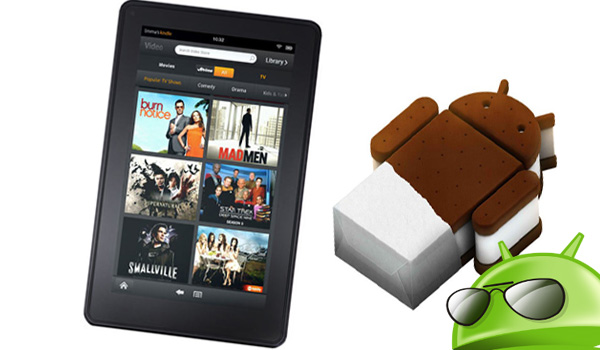

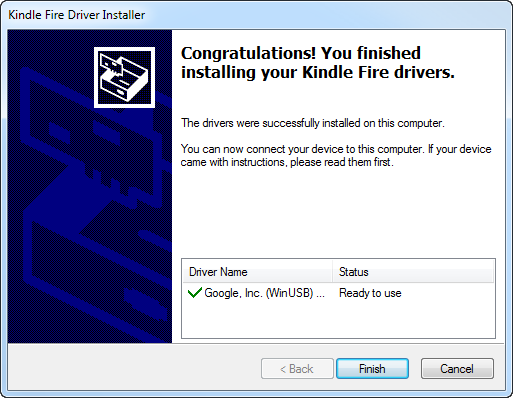 Kindle Fire driver installation confirmation.
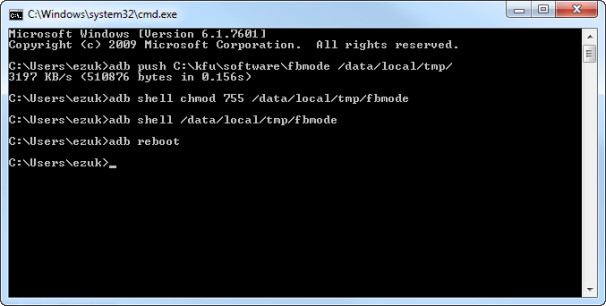 Command prompt window after switch to fastboot mode.

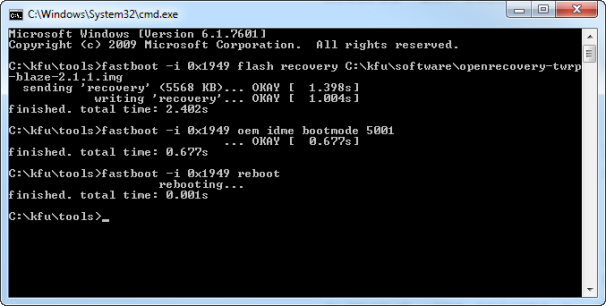 Command prompt window after installation of recovery image.
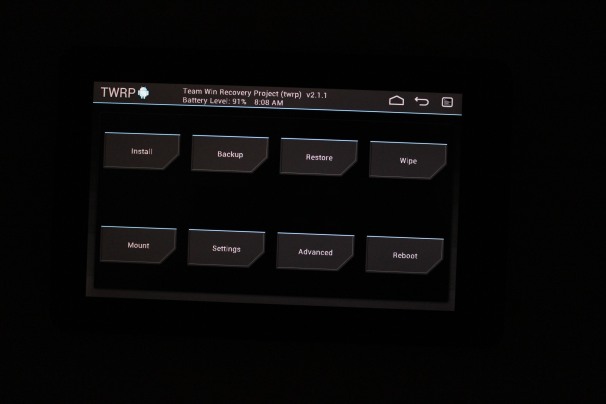 Kindle Fire screen after installation of recovery image
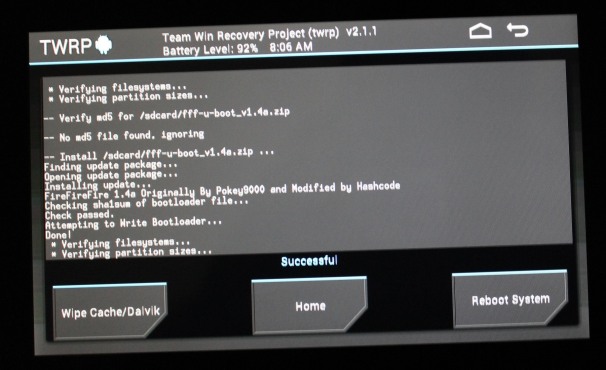 Custom bootloader success message.
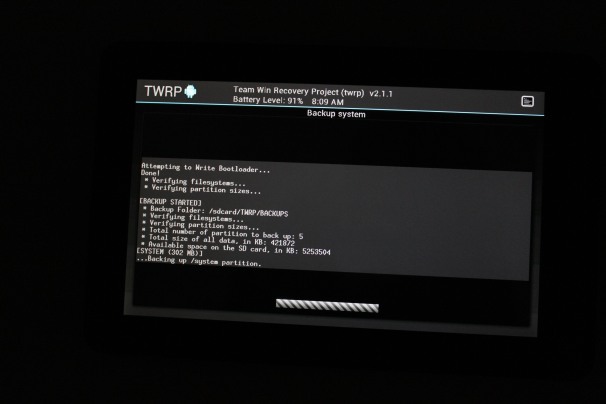 Backing up the stock OS can take a while.
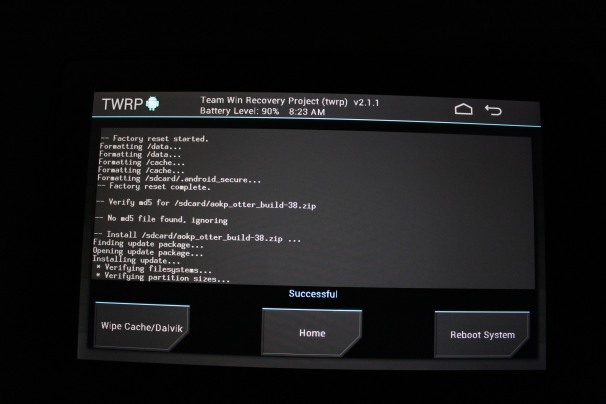 Installing the Ice Cream Sandwich ROM.

 Navizon ITS logoOne example of the new technology is the Navizon Indoor Triangulation Service, which MIT’s Technology Review blog discussed recently. Location services company Navizon says that ITS can provide accurate tracking of Wi-Fi-enabled devices, including smartphones, tablets, and laptops, anywhere inside a building or throughout a campus. (Triangulation by Wi-Fi hotspots helps to make location services more accurate.)
 Skyhook developed the first hybrid location system to use Wi-Fi positioning, GPS, and cell-tower triangulation to determine the coordinates of a device, even indoors. Since then, Apple (Skyhook’s biggest customer) and Google (Skyhook’s biggest competitor) have emulated the hybrid approach for their respective mapping apps.
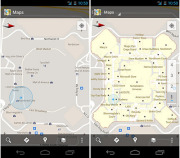 The main thing you need to know here is that Skyhook is suing Google currently.
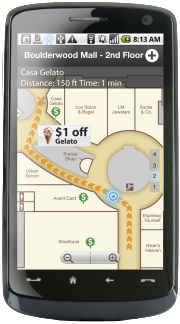 Wifarer is another company using IPS. Unlike Google, which so far provides only indoor maps and location awareness to users, Wifarer wants to give its users heaps of content, discounts, and deals related to where they are located.
 Phone maker Nokia is also working on an interesting way to determine location in an indoor environment.
 Before the end of the year, a new chip made by Broadcom, called the

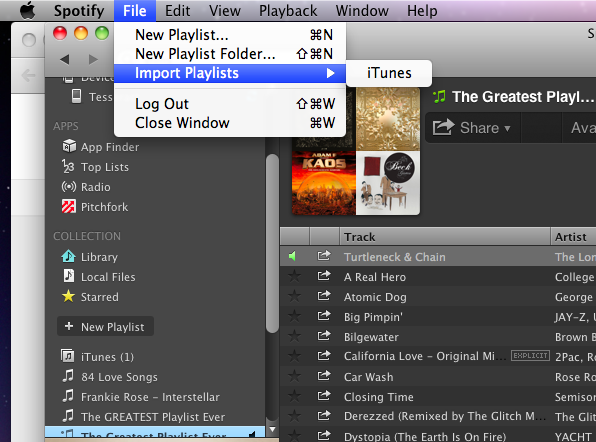
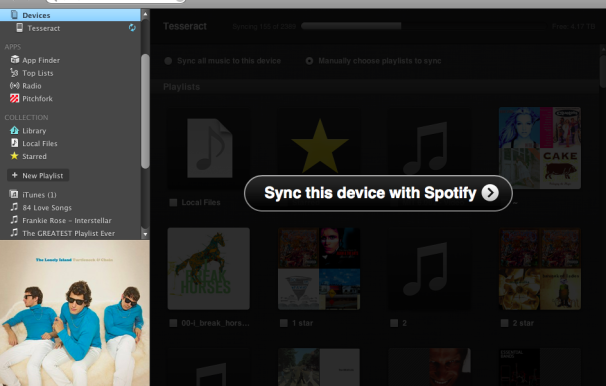
 On rare occasions, Spotify won’t be able to find a match for your DRM-protected music in its online library.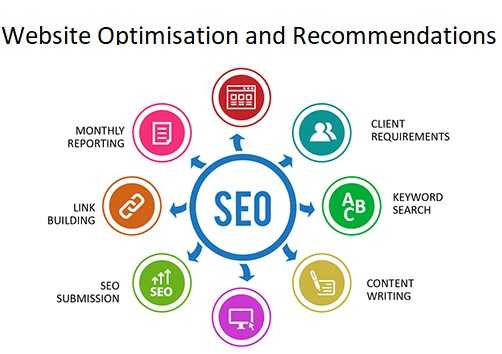
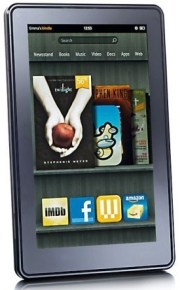 The current generation Kindle FireKindle Fire gossip is almost as common as iPhone and iPad rumors. Lately we’ve been hearing a lot about a new Kindle Fire tablet, which may arrive as early as next month. The rumored new model will be the successor to the first-generation Fire that debuted less than a year ago, and not a moment too soon–the impressive specs of the just-announced Google Nexus 7 make the original Fire seem pretty dated already. Want more rumors? Here ya go: Before the end of 2012, Amazon will unveil its first 10-inch color tablet, one likely designed to go head-to-head with Apple’s dominant iPad. BGR
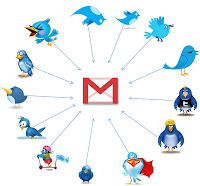

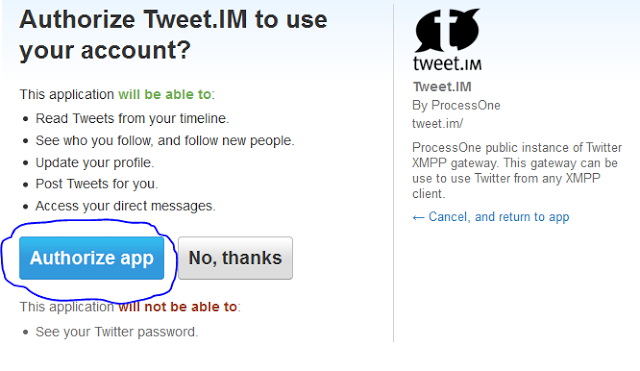


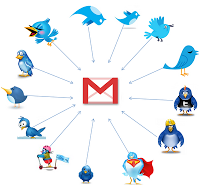

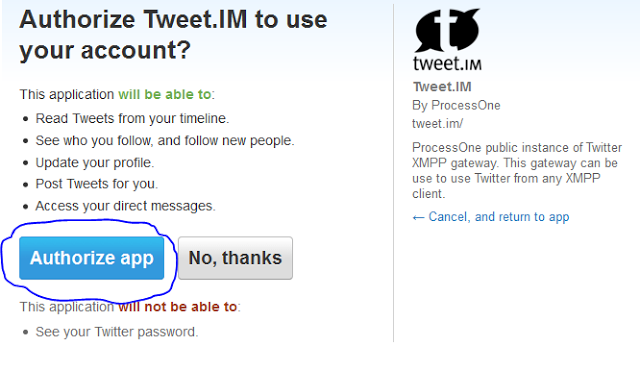








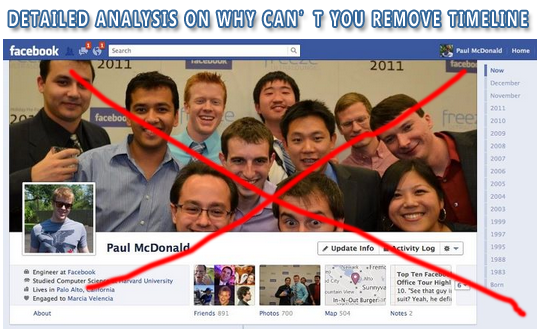

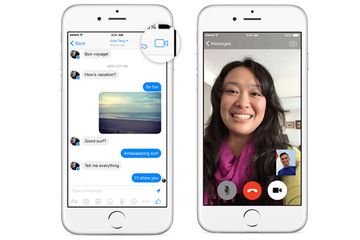
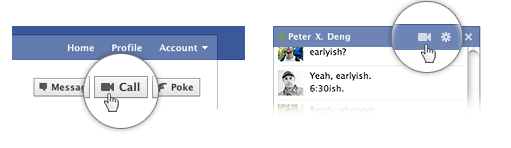
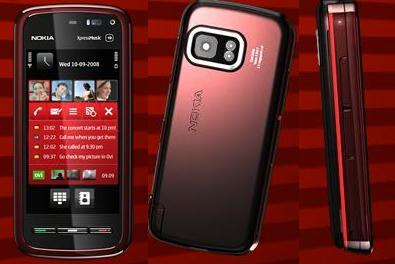
 Nokia, the one of most popular and trusted mobile company. Nokia made wide range of



 Apple announcement that it’s integrating Facebook into its operating system software should be welcome news for a social network that’s
  While Apple’s move doesn’t offer an answer to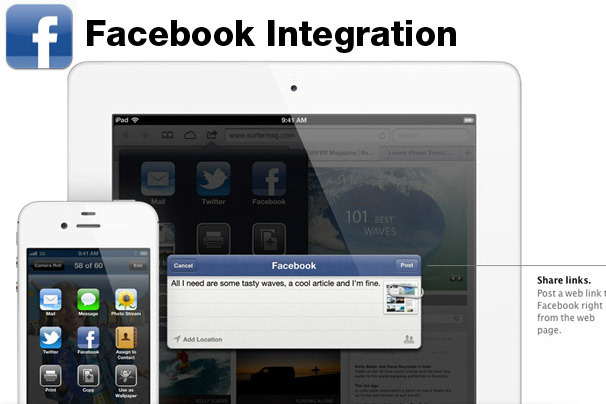

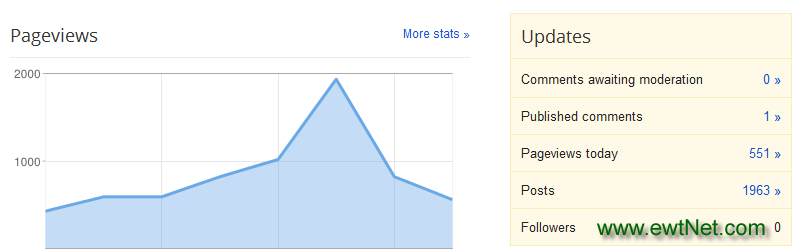
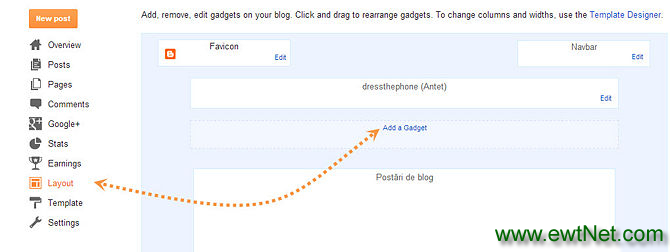
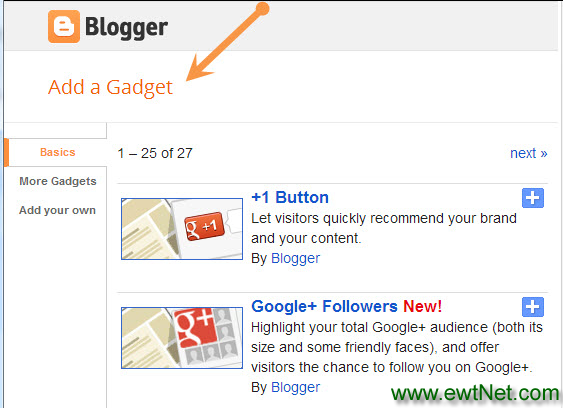
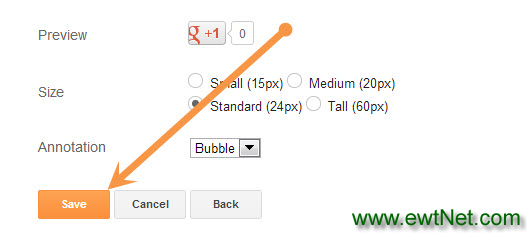
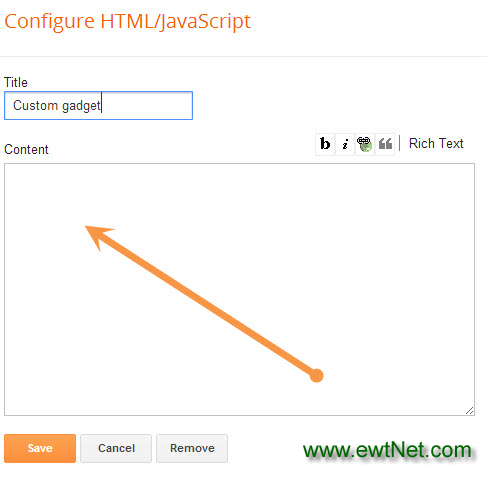





You must be logged in to post a comment.