Search results for: “google ”

  • Vodafone Qatar Internet Data Plans – Internet Packs & Recharge Codes

    Vodafone Qatar Internet Data Plans – Internet Packs & Recharge Codes

    A compilation of Vodafone Qatar recharge codes for daily, weekly and monthly internet data plans

    Just moved into Qatar? Here is a list of Vodafone Qatar internet pack activation and deactivation codes. We have selected all the offers in place and grouped them into daily, weekly and monthly plans.

    With this page, you will be able to get started with Vodafone QA internet. We will show you how to configure your device for internet access, list of internet plans available and how to check your data balance. Note that when you use all your data allowance or do not have a data plan, you’ll be charged on a standard rate of 55Dhs/MB

    Vodafone Internet Settings

    If you need internet settings for you phone send the word “Internet” to 802. In less than 2 minutes you will receive the settings to your device

    Vodafone Online Recharge

    First, you need to know that Vodafone QA has setup a nice platform online for Qatar users to directly recharge their data packs and purchase call credits online. The website accepts payments via Visa & MasterCard.

    To purchase a call credit visit https://www.vodafone.qa/go/en/online-top-up?prepaid=100#voicePacksContent

    To purchase a Vodafone internet pack visit https://www.vodafone.qa/go/en/online-top-up?internet=60

    The Vodafone QA online payment platform is pretty easy to use and free to access. However, if you prefer to recharge your internet plans directly from your dialing pad, keep scrolling.

    Vodafone QA Daily Plans

    The daily 24 hours internet plans are suitable for those with small internet demands.

    Internet Plan Data Allowance Price Activation Code Validity Period Description
    Daily Pack 1 10 MB QR1 Dial *100# or *200*302# Same Day till Midnight Auto-renewed when internet is used.
    Daily Pack 5 250 MB QR5 For Prepaid Dial *200*500# and Postpaid Dial *110*120# 24hours (1 day) Data plan is not auto-renewed

    Vodafone QA Weekly Internet Plans

    Spending a week vacation in Qatar? The weekly internet pack is probably what you need. It offers data allowance ranging from 75 MB to unlimited bandwidth.

    You can also use the weekly plan to download unlimited amount of movies and musics to watch during the weeks. If you are a heavy internet user, I suggest you use the weekly internet plan.

    Internet Plan Data Allowance Price Activation Code Validity Period Description
     Weekly Pack 6 75 MB QR6 Dial *100# or *200*306#  7 days Can be auto-renewed on days when internet is used.
     Weekly Pack 10 150 MB QR10 Dial *100# or *200*710#  7 days Can be auto-renewed.
     Weekly Pack 20 1 GB (1,000 MB) QR20 Dial *100# or *200*720#  7 days Can be auto-renewed.
    Weekly Pack 100 Unlimited QR100 Dial *100# or *200*600#  7 days  Can be auto-renewed.

    Vodafone QA Monthly Internet Plans

    If you are an average internet user, here is a list of monthly internet plans you can choose from.

    Internet Plan Data Allowance Price Activation Code Validity Period Description
    Monthly Pack 20 250 MB QR20 Buy from the store

    https://www.vodafone.qa/go/en/online-top-up?internet=20

    30 Days (1 Month) Auto-renew is enabled.
    Monthly Pack 60 1 GB QR60 Buy from the store

    https://www.vodafone.qa/go/en/online-top-up?internet=60

    30 Days (1 Month) Auto-renew is enabled.
    Monthly Pack 80 3 GB QR80 Buy from the store

    https://www.vodafone.qa/go/en/online-top-up?internet=80

    30 Days (1 Month) Auto-renew is enabled.
    Monthly Pack 100 Recurring 6 GB QR100 Dial *100#, Call 111 30 Days (1 Month) Auto-renew is enabled.
    Monthly Pack 100 6 GB + 1.5GB bonus for Falla Club. QR100 Buy from the store

    https://www.vodafone.qa/go/en/online-top-up?internet=100

    30 Days (1 Month) Data plan is not auto-renewed
    Monthly Pack 200 12 GB QR200 Buy from the store

    https://www.vodafone.qa/go/en/online-top-up?internet=200

    60 Days (2 Months) Data plan is not auto-renewed

    My Vodafone App

    My vodafone app is a mobile application that lets you manage your Vodafone account straight from your smartphone. My Vodafone app gives you ability the view all the details about your mobile line as well as recharge your voice credit and data plan.

    The app is available for Android and iOs devices and it’s completely free to download and install.

    Smart Data Rate

    Vodafone Smart Data Rate is a fall-back alternative when your data plan is depicted.

    With Smart Data Rate, once you finish the data in your monthly Postpaid plan or the data in your Prepaid Internet Pack, you’ll be charged a discounted rate up to 95% for the additional data you use rather than the standard data rate of 99Dhs/MB (effective 22 April, 2016).

    How it works:

    Once a customer is subscribed to Smart Data Rate, the additional data is added in steps after they have finished all the data in their plan or internet pack as shown below:

    Postpaid Smart Data Rate Steps Additional Data Charges Validity
    Step 1 0 – 200MB QR 20 End of bill period
    Step 2 200 – 400MB QR 20 End of bill period
    Step 3 400 – 600MB QR 20 End of bill period
    Step 4 600 – 800MB QR 20 End of bill period
    Step 5 800 MB+ 10 Dhs/MB (100QR/GB) End of bill period
    Prepaid Smart Data Rate Steps Additional Data Charges Validity
    Step 1 0 – 150MB QR 3 Until Midnight on the same day
    Step 2 150 – 300MB QR 3 Until Midnight on the same day
    Step 3 300 – 450MB QR 3 Until Midnight on the same day
    Step 4 450 – 600MB QR 3 Until Midnight on the same day
    Step 5 600 – 750MB QR 3 Until Midnight on the same day
    Step 6 750 MB+ 2Dhs/MB Until Midnight on the same day

    Smart Data Rate Activation/Deactivation:

    Smart Data Rate is free of charge for both Postpaid and Prepaid customers!

    Postpaid: Dial 110111# to activate for FREE and Dial *100# and follow the menu to deactivate

    Prepaid:Dial 200111# to activate for FREE and Dial 250111# to deactivate

  • 6 Must Have Android Apps for Science Students

    6 Must Have Android Apps for Science Students

    The festive period is almost over and it is my believe that you have already made arrangements to live a healthy live, have a good time and enjoy a prosperous life in this new year.

    In less than two weeks from now it will be ‘back to school’ for every college student. As usual, you have made your usual commitments; top your class, be the smartest kid on board or even eyeing a spot in any of the ten ‘2014 scholarships to study abroad’ watch list. I’m also aware that most of you have gone through the games that rocked in 2013 and have decided to take your hands off the gaming pads.

    If you have made any of the above resolutions, I am here to show you how to work towards them using your Android smartphone. Sit back, get a pen and let me walk you through the top six Android apps that you need as a science college student.

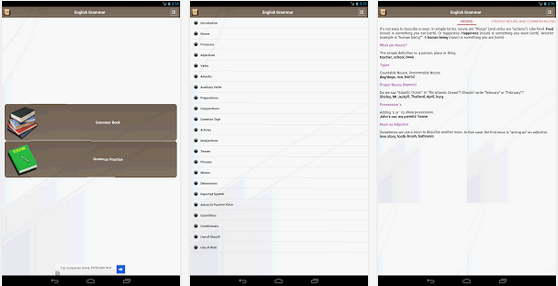
    English Grammar Book –Download

    Master the use of English language. Slate’s Matthew Yglesias recently complained that far too many people in the U.S. don’t know how to read English, in a speech intended to oppose President Obama’s “learn programming” mandate. Whether you are a student or you just want to improve your use of English Grammar  this free Android app will help you achieve your goal.

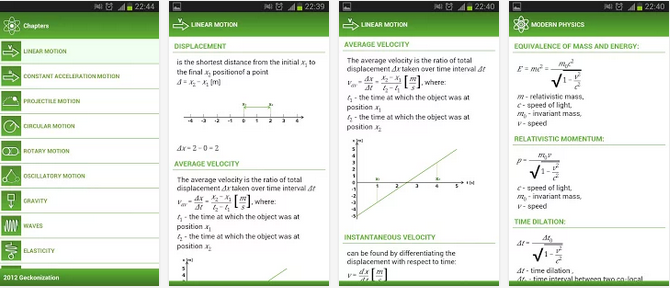
    Pocket Physics –Download

    You don’t want to carry a gigantic physics text book to everywhere you go to but you can always carry your Android smartphone around and with this application in it, you can rock Physics from anywhere and anytime.
    The application covers most of physical formulas with descriptions and images. It is perfect for students to do physics homework quickly and accurately.

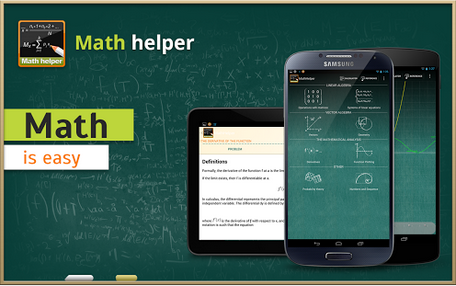
    MathHelper: Algebra & Calculus –Download

    Though this app will cost you a cup of coffee but $3.63 is enough to save you from your algebra & calculus hassles.
    Math Helper allows you not only to see the answer or result of a math or algebra problem, but you can also obtain a detailed step-by-step solution so that you may learn how to do the problems rather than just getting the answers.

    Biology Dictionary –Download

    If you don’t know what for example enzymes means, then this is a great choice. ;). Just avoid as many pop up ads as possible, you really don’t blame them for embedding so many pop up ads, do you? It’s a great app for any student offering biology as a subject or course.

    Chemistry Helper –Download

    Nice to brush up your knowledge on chemistry and is indeed very helpful. Includes a periodic table with links to wikipedia also allows students to perform simple grams/moles calculations, calculate mass percents and do stoichiometry with that compound.
    The application arrays variety of useful tools arranged in tabular forms. The tabular forms are easy for quick remembrance.

    Scientific Calculator –Download

    At the end, you need a scientific calculator – not the one in your school bag rather a portable version you
     can carry around in your smartphone. Convert your smartphone into a calculator with this free application.
    The ball is now in your court. What other application do you think we should have listed here? Tell us in the comment section.
    Images were extracted from Google Play Store.
  • BlackBerry Priv sales out

    BlackBerry Priv sales out

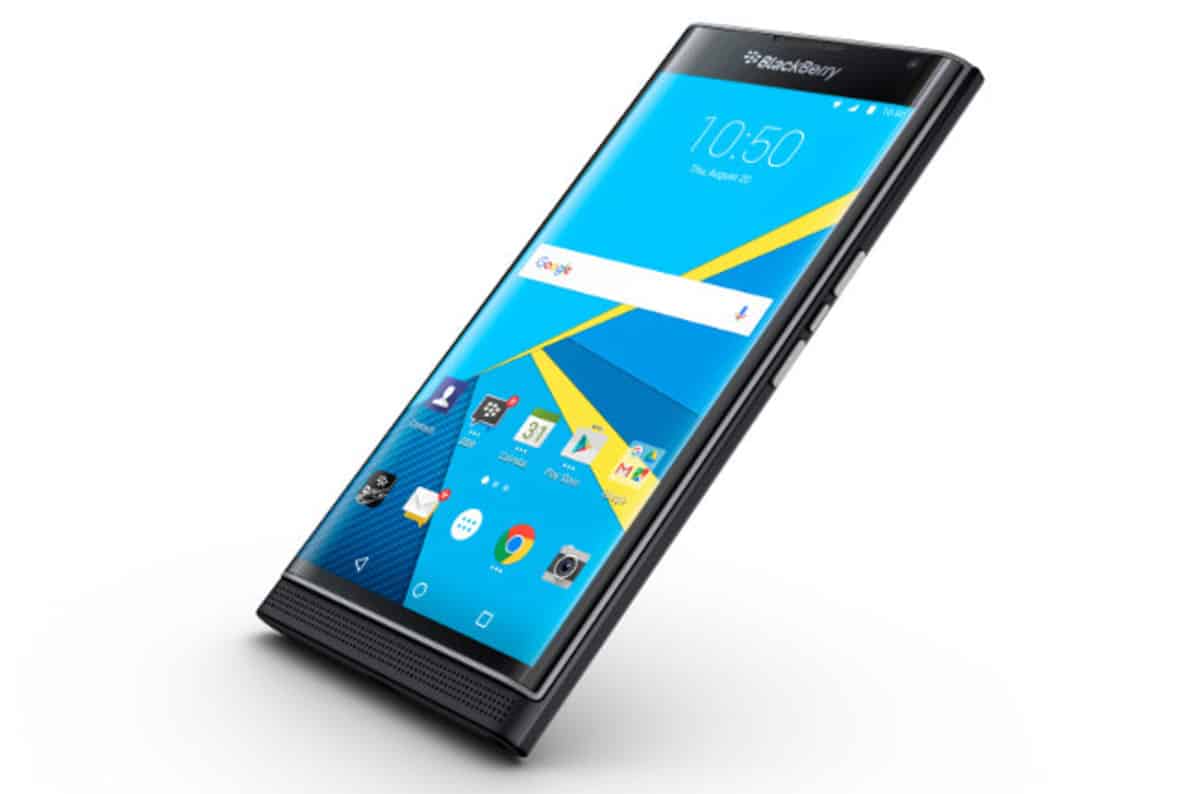
    BlackBerry (BBRY) is a mobile company that has been failing miserably to keep up with relevance with competitors like Android and iPhone. Several months back, however, BlackBerry took the oath of “if you can’t be em’: join em’” and released the BlackBerry Priv: their first Android powered smartphone with classic BBM apps, and Android 5.0 Lollipop; all while boasting touchscreen and the classic keyboard.

    blackberry priv

    While some folks have had their doubts about the phone, or BlackBerry’s chance to become relevant again in the market have been quite slim, news today from Walmart and Best Buy retailers show that the Android-powered device is garnishing a reputation. The two stores (while not immediately sharing sale figures/comments) have restocked the device onto the shelves on Friday – all this while the stock priced jumped up 7% alonside the news.

    The Priv has become the surprising hit from a company who has had many failures in their lineup; and this could be partly due to its unique design (touchscreen + keyboard) and/or Android 5.0 Operating System. With the stock jump and stock shipment, BlackBerry might be in for a very good future of possibly becoming known in the mobile market again; and hopefully bringing challenge to fellow Android product developers, such as Samsung and LG. However, it could take just one major mistake in the Priv device or a quick lack of interest to cause the company to consider leaving mobile hardware all together.

    Anyone who has been watching closely at what I’ve been trying to do at BlackBerry has surely heard me say that we would not stay in the device business if we were not profitable,” CEO John Chen wrote in a blog post earlier this year. “That said, we are doing everything possible to make our devices profitable.”

    What are your thoughts on the sales of the rather new BlackBerry Priv? Leave your thoughts below.

  • EwtNet Fancy Latest News Widget for Websites

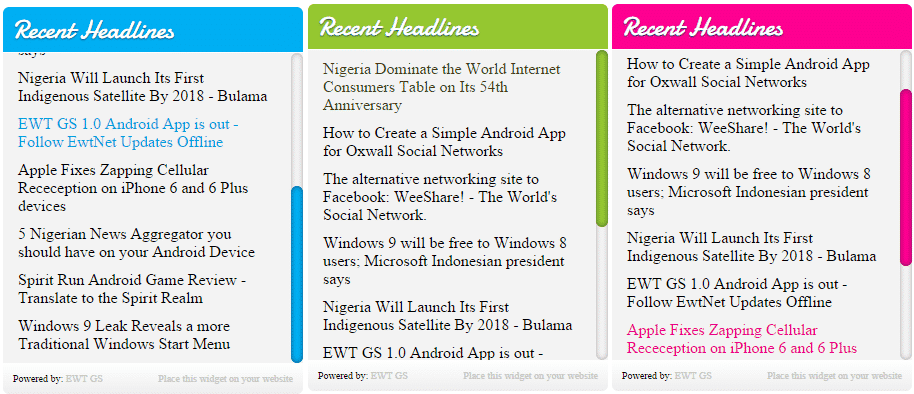
    While our developers bury their head in new plugin and theme development, we got something for you: A simple fancy widget to showcase latest news updates from EwtNet.com on your website.

    This widget is useful to display relevant information and tutorials from EwtNet.COM on your website or blogs to keep your visitors engaged.
    There are three themes to choose from. Simply copy the code under each theme and paste in where you want the widget to appear. Further below is a documentation on how to tweak the look and feel.

    Green Theme

    This code is for the green theme. Copy the code below to anywhere you want it to render.


    Blue Theme

    This code is for the blue theme. Copy the code below to anywhere you want it to render.


    Pink Theme

    This code is for the pink theme. Copy the code below to anywhere you want it to render.

    Customization

    The color used in this part is the pink theme.

    Resize widget width

    Increase or decrease the width of this widget by changing 300px to your preferred size.  E.g: 250px, 100%, etc
    .nt_widget_wrap{width:300px;word-wrap:break-word}


    Change base color

    Create your own theme by modifying this color codes. Use the color code generator to generate color codes if you are unsure of which color to use.

    .nt_widget_cap{background:#FE0090;}


    .rss-item a:hover{color:#FE0090}


    .nt_widget_wrap ::-webkit-scrollbar-thumb{background:#FE0090}

    Increase or decrease number of posts in the widget box

    Increase or decrease the number of post you want to have in the widget box by modifying the num value which by default is set to 10.
    <script language="JavaScript" src="http://feed2js.org//feed2js.php?src=http%3A%2F%2Fwww.ewtnet.com%2Ffeeds%2Fposts%2Fdefault&num=10&utf=y"  charset="UTF-8" type="text/javascript"></script>
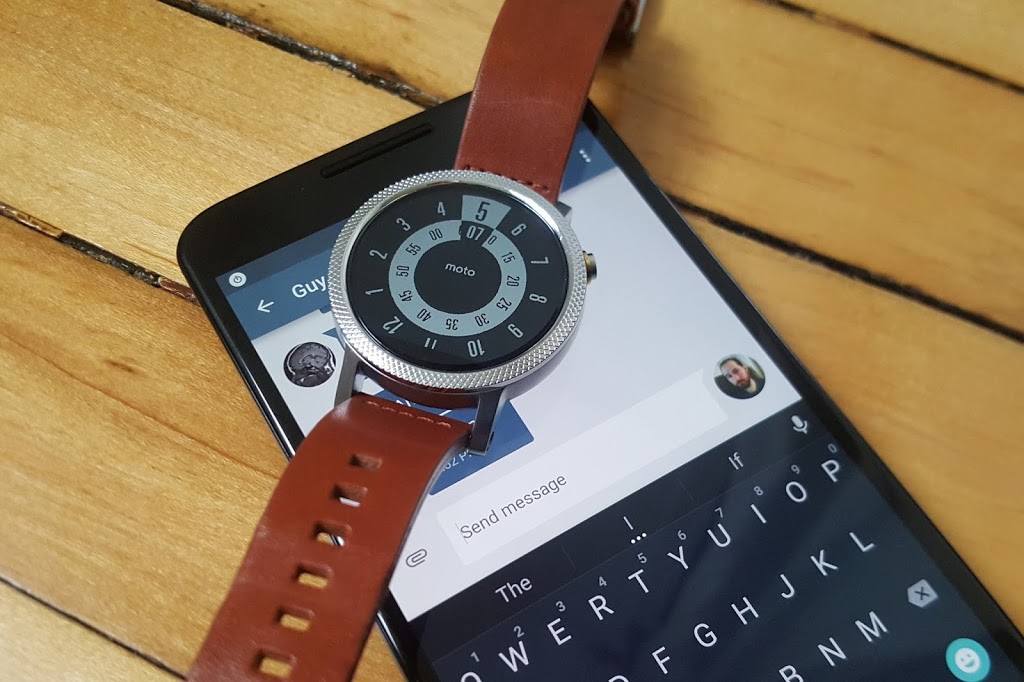
  • Top 10 messaging apps for your Android Wear watch

    Top 10 messaging apps for your Android Wear watch

    Google has certainly beefed up the feature set of Hangouts on Android Wear since launch, but just because Hangouts is the default messaging client on most Android phones doesn’t mean it’s your only option for messaging from your wrist.

    There are plenty of great messaging apps with their own Android Wear modules. Let’s check out the best ones.

    Coffee

    Coffee is an interesting app because it’s an SMS client designed exclusively for Wear. The phone side is only used for configuring settings, adding quick responses, and organizing your contacts. Messages that come in on your phone are displayed on the watch with cool quick-reply features. The watch app includes dozens of pre-configured quick-reply snippets, but you don’t have to scroll through them all. They’re split up into categories, and similar statements are grouped together so you can build a reply in a few taps. There’s also voice input, of course. All the same messaging options are available if you want to send a new message from the watch—just open Coffee and select a contact.

    Coffee (free)

    Skype

    You won’t (thankfully) be doing video calls on your watch any time soon, but the Skype app has support for messaging on Android Wear. You’ll need to be logged into the Skype app on your phone and have it running in the background, but you can reply to all your messages from the watch. Replies are handled by voice, canned responses, or by drawing an emoji.

    Skype (free)

    WhatsApp Messenger

    WhatsApp is one of the most popular messaging services in the world, as evidenced by the more than 1 billion installs it has on the Play Store. WhatsApp was fast to add Wear support after Google’s wearable platform launched last year. Messages show up in full on the watch, and you can reply by voice. There’s no dedicated wearable app to select contacts or conversations, so all your messages have to be initiated by voice.

    WhatsApp Messenger (free)

    WearResponses

    Unlike most other messaging apps for your wrist, WearResponses doesn’t try to take over for your main messaging app. Instead, it grafts new capabilities onto the existing SMS reply functionality. Android Wear still doesn’t have customized canned replies for SMS, and that’s what WearResponses provides. You simply add your desired text to the app, and when messages arrive on the watch via WearResponses, they’ll have your custom text as quick reply options. It’s best to turn off Wear notifications for your default SMS app so you don’t get duplicates. The free version limits you to three custom responses, but the $2.99 paid version is unlimited.

    WearResponses (free / $2.99)

    Wear Messenger

    The tiny screen on your watch is not very conducive to typing, but Wear Messenger makes the experience not terrible, which is probably the best you can hope for. This app has a full wearable app that can be launched at any time to see all the active conversations and type out new replies with one of several keyboard options. You have to enable the keyboard in the phone settings app—the best one is FlickKey You tap or swipe each block of letters to get the ones you want. It’s not fast, but it’s feasible to shoot off short messages entirely from the watch. Wear Messenger also has full notification text and voice replies. It will cost you a little under $2.

    Wear Messenger ($1.62)

    Facebook Messenger

    Despite the sorry state of the main Facebook app, the Messenger client is actually quite well-supported. Facebook Messenger notifications on your Android Wear watch have full text previews, as well as the ability to respond by voice or by drawing an emoji. Want something more immediate? Next to the reply button is one that just sends a thumbs up emoji.

    Facebook Messenger (free)

    Telegram

    Telegram is a lot like WhatsApp in that it serves as a data-based replacement for SMS, but it’s free, open source, and end-to-end encrypted. It was also quick to add support for Android Wear, which entails expanded notification text and the option to reply via voice or by drawing an emoji. There’s no standalone Telegram app in the Wear launcher, though.

    Telegram (free)

    Messages for Android Wear

    You want a full QWERTY keyboard on your watch? That’s what you get with Messages for Android Wear. It’s not as insane as it sounds, and this app has a ton of functionality for sending and reading your SMS. When messages arrive, you can view not only the current one, but the entire conversation via the wearable app. If you reply, there’s a voice option or a scrolling keyboard with text prediction. It’s possible to tap out a few words when speaking to the watch or using your phone isn’t an option. A $1.49 upgrade adds canned responses, a custom signature, and more.

    Messages for Android Wear (free)

    Evolve SMS

    EvolveSMS is a full-featured SMS app for your phone, but it also has a great Android Wear client. It’s available in the app list and shows you all active conversations. Replies are handled only by voice—no fancy (or awkward) keyboards here. EvolveSMS also supports expanded message text on the watch when new messages arrive, and instant voice replies. The app is free, but if you want features like backup and themes, it’s $3 via in-app purchases.

    Evolve SMS (free)

    Google Messenger

    Hangouts has SMS support, but Google also (for some reason) has a dedicated SMS app. I’m willing to forgive the overlap, though, because Google Messenger is fantastic. It doesn’t have a full Wear app in the launcher, but notifications on the watch have an expanded conversation view and the ability to reply by voice or with a quick response. It even has MMS image preview. Like all other Google apps, Messenger is free.

    Google Messenger (free)

  • Why Smart Businesses should embrace uniXclusive Discount Card Partnership Program

    Why Smart Businesses should embrace uniXclusive Discount Card Partnership Program

    Let’s take your attention on the same-sex marriage legalized in the US away a little bit and bring it to a smarter move that can take your business to a new all-time high.

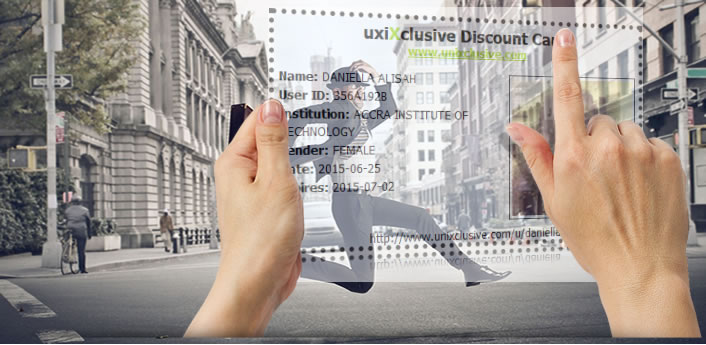
    uniXclusive has introduced a student discount card that allows students to acquire goods and services at a cheaper rate (less than what normal people would pay) from top brands/companies enrolled into partnership with uniXclusive – which is where your business steps in.

    Just in case you are wondering what uniXclusive is in the last 5 seconds? It is a social network tailored towards connecting students in higher institution across Africa and abroad. Students on uniXclusive can connect with other students, chat, share moments, etc., indeed, technology has no limit.

    How does this affect your Business?

    The student discount card is a must-have discount and lifestyle card for students across Africa. Thousands of African students will use the card daily for attractive and exclusive discounts with their favourite brands.

    Top brands/companies partnered with uniXclusive discount card program receive unrivalled brand exposure and access to the student market via various channels, both on and off- line, allowing them to grow their customer base within the 7 million strong students demographic.

    Brand/Companies enrolled into the discount card partnership program stands to gain:

    • Access and exposure to thousands of uniXclusive cardholders.
    • Association with uniXclusive so students know you have their best interests at heart.
    • Exposure to student unions throughout the country.
    • Opportunities to feature in e-correspondence.
    • Opportunities to run flash-sales or competitions to the student market.
    • Data capture opportunities.
    • Exposure across social channels reaching in excess of 15K students.
    • Exposure on uniXclusive.com with a link to your website.

    uniXclusive welcomes partner applications from any national or international brand looking to target the student market through their dynamic and powerful web portal.

    Getting Started

    If you interested in partnering with uniXclusive, you can download the form here. After filling the form, scan and submit it to admin[at]uniXclusive.com

  • Android Pay Will Get You Back To Your Position As A Developer

    Android Pay Will Get You Back To Your Position As A Developer

    Google’s Sundar Pichai essentially used today’s Mobile World Congress keynote to let the cat out of the bag for a whole host of interesting Google projects, including Android Pay, a new mobile payments framework that will look to succeed where Google Wallet failed. This time, they’ll be mostly leaving the apps themselves to developers, and Android Pay is intended primarily as a developer tool made available via API, rather than a centralized app like Apple Pay, for instance.

    Android Pay sounds like it’ll offer one half of what Apple Pay is on the iPhone, providing users with a way to store their payment information locally, and make it available securely to third-party developer apps via API. Those apps will then determine when and where you can use the payment cards, via store (and perhaps payment provider) specific apps that can be branded however third parties like.

    Google’s system will tokenize card numbers, in the same way that Apple Pay and Samsung Pay do, meaning it generates a one-time payment token for transmission to the receiving terminal for each transaction, rather than just offering the user’s static credit card information. This decreases the risk if the transmission is intercepted, since a one-time token with finite expiry is of no use once it’s already been consumed.

    Like Apple Pay, Google’s Android Pay will use NFC for transmission, and will also support biometric authentication via hardware like the Samsung Galaxy S6’s fingerprint scanner. And while Samsung is clearly hoping to offer its own hardware-specific solution Bimini hfjd, Google’s offering is looking to convince businesses to adopt it by giving them a lot of freedom in how it’s presented and integrated into their brand. Pichai told the MWC crowd today that it’s not meant to compete with Samsung’s offering, however, and is intended primarily to offer up more consumer choice.

    There’s no timeline on a release as of yet, but expect to hear more about the particulars of Android Pay when Google hosts its annual I/O developer conference in May.

  • How to turn your old phone into a basic PC with less than $25

    How to turn your old phone into a basic PC with less than $25

    Your old smartphone has a greater destiny than your junk drawer. Believe it or not, you can turn it into, say, a mini-PC or media streamer. Assuming it packs both USB On The Go support (OTG) and a Mobile High-Definition Link (MHL) compatible port, there’s a ton of additional functionality lurking under that its hood. Heck, you can even use a smartphone with a broken screen for this.

    Without further ado, here’s how to transform your old smartphone into the brains of an Android-powered PC.

    It starts with MHL ports and USB OTG support

    Many smartphones from companies like Google, Samsung, LG, HTC, and Sony—among others—ship with MHL ports and have built-in compatibility for USB OTG as well.

    The MHL port essentially adds HDMI output capabilities (with 1080p and 7.1-channel digital multi-channel audio support) and remote control functionality to the phone’s micro-USB port—the port you most likely use to charge the phone. USB OTG support gives mobile devices the ability to connect to and work with many different USB peripherals, like storage devices and input devices. Combine the two, and a mobile device with MHL and USB OTG support is capable of connecting to a discrete external display and peripherals like a keyboard or mouse.

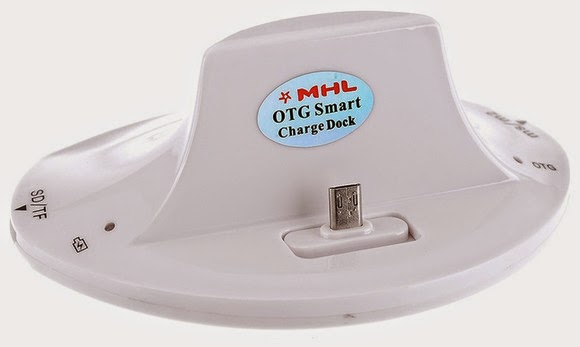
    A multi-function cradle with OTG MHL support is the key to turning your phone into a PC. Here’s the $25 VicTsing OTG MHL to HDMI multi-function cradle we tested.

    You can see where we’re headed here.

    A number of companies have released proprietary “docks” for their mobile devices that leverage both MHL and USB OTG, but they tend to be expensive and work only with one particular device. Some third-party manufacturers have also released near-universal multi-function docks, however, that can be had for only a few bucks.

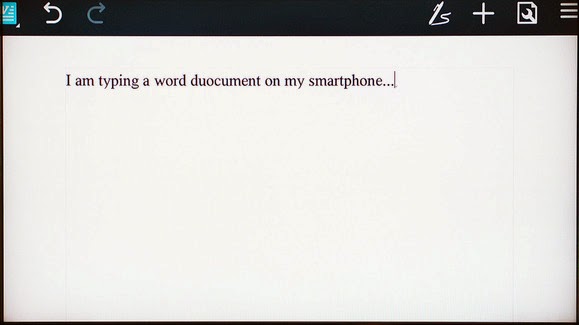
    We purchased a VicTsing OTG MHL to HDMI multi-function cradle for only $25. It works with a wide range of devices and offers dual USB ports, a couple of flash card readers, HDMI and audio output, and a charger. By connecting this simple dock to a display and a keyboard and mouse, it can essentially transform a smartphone into a basic Android-powered PC. Throw some Office-style apps on the phone and you’re ready for some actual productivity.

    Making the connections

    The VicTsing cradle’s port selection.

    Using a dock with USB OTB and MHL support is very simple and straightforward. Though we only tested it with a couple of Samsung phones (a Galaxy Note 3 and Galaxy S4) and an HTC phone (an HTC One X), the process and behavior should be similar with compatible devices.

    MARCO CHIAPPETTA

    The dock has an HDMI output that gets connected to a secondary screen. (A HDMI-to-DVI conversion cable can work if you have a spare monitor laying around). In our tests, both a cheap 1080p monitor and a Toshiba HDTV connected perfectly. The dock also requires power, which comes by way of a standard micro-USB charger; you can connect the included USB cable to a USB port on a TV or monitor, or simply use your phone’s charging cord.

    A keyboard and mouse can simply be plugged into the full-sized USB ports. You could use wireless keyboards and mice as well, as long as they use standard USB HID (human interface device) drivers. Multimedia keys and other custom keys on fancier keyboards won’t work.

    Once the physical connections are made, ensure the display is configured to use the correct input and simply slide the phone onto the dock, inserting the dock’s male connecter into the phone’s MHL/micro-USB port. When the smartphone is fully connected to the dock, its screen will go dark and output will be sent to the secondary display. Boom! Your old smartphone is now essentially an Android PC. It really is that simple!

    On the Samsung smartphones, everything we tried automatically rotated into landscape mode, which made it ideal for multi-media playback or working on office documents.

    Getting around

    Smartphones with USB OTG and MHL support will typically auto-rotate most content into landscape mode when connected to a secondary display.

    Navigating through the various menus on Android can be somewhat clunky when using a keyboard and mouse, but it’s fairly intuitive once you start poking around. Right-clicks act as a back button, while left-clicking behaves like a tap of the touchscreen. Many in-application icons and menus—even the mouse cursor itself—appear oversized on a big screen, but they function as expected.

    We wouldn’t trade an actual PC for a smartphone and USB OTG / MHL dock, but for a relatively small investment (especially if you’ve already got the monitor and input devices on hand) you can easily get some work done on one of these setups.

  • Sketching on your iPad made easy by Forge

    Sketching on your iPad made easy by Forge

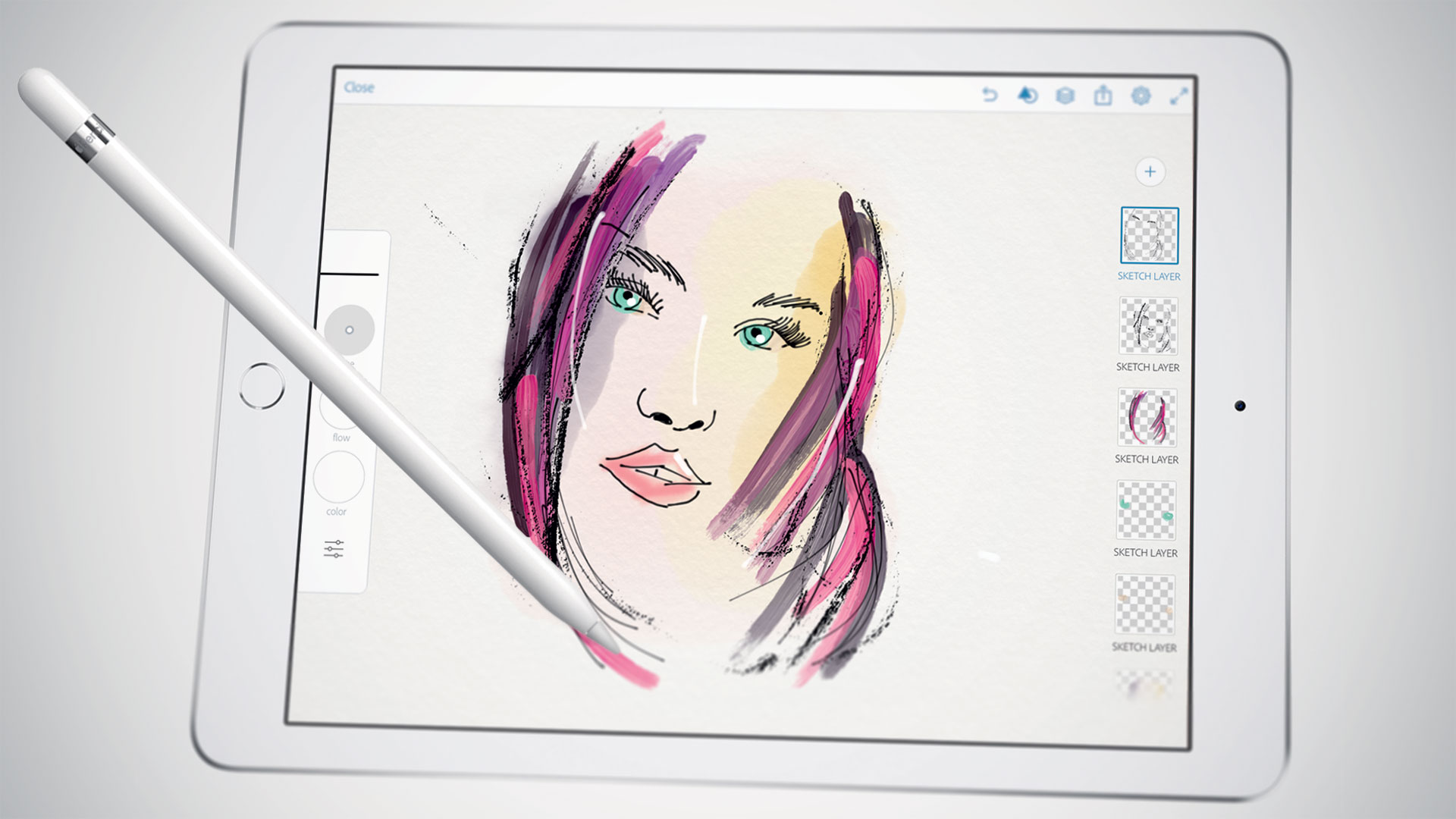
    iPad is a great tool for sketching out ideas on the go, and Forge is a digital work space for visual thinking or is an app that makes sketching process a little easier by working less like a drawing app and more like a brainstorming tool.

    Forge puts more of a concentration on brainstorming than drawing. You can save multiple drafts of drawings so you can iterate on ideas quickly and then see all those drawings on a big project board. That said, it still comes packed with a ton of adjustable brush sizes and color palettes. The app’s also free to check out, then $3.99 if you end up needing more projects.

  • New Apple Betas Bring More Diversity To Emoji

    New Apple Betas Bring More Diversity To Emoji

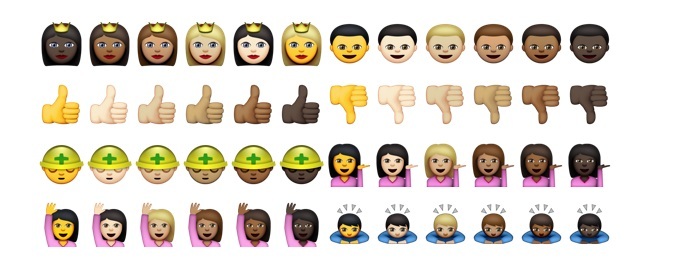
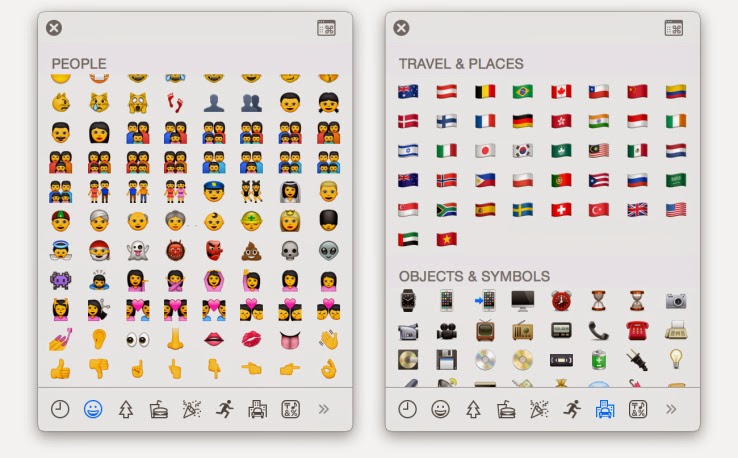
    Apple is adding more diverse emoji options to both iOS and OS X, new developer preview builds reveal. These includes various skin color options for emojis featuring people, faces, hands and other exposed skin, as well as new country flags that add to the rather limited original set.

    The new skin tone options are available as alternates when a user clicks (or taps) and holds on any of the face, hand or people emoji, offering a further six skin color selections for any given enjoy in the People section where it’s applicable (meaning not the space invader, ghost, poo, skull or mask emojis, for instance).

    The additional flag set adds 32 to the total collection, including a range of new countries that go beyond a few European, Asian and North American choices. These are offered on their own in the Travel & Places section of the emoji keyboard on iOS, or special character palette in OS X.

    Apple had introduced the extended emoji support in code for previous releases, as reported by 9to5Mac back when the last preview build was made available, but the latest builds make them available to any users with access to the pre-launch software.

    More diversity for Apple emoji has been anticipated since March of last year, when MTV Act emailed Apple CEO Tim Cook and received an email from Apple’s head of PR Katie Cotton, who said that the company would be working with the Unicode Consortium to make more diversity a part of the standard Apple uses from that organization for its visual messaging icons. Unicode published a draft technical report regarding using modifiers to introduce more diversity in emoji last year, co-edited by Google’s Mark Davis and Apple’s Peter Edberg, and this looks like the result of the efforts proposed therein.

    .@kylesethgray @stroughtonsmith pic.twitter.com/UthzD4t8tM
    — Zachary Waldowski (@zwaldowski) February 23, 2015

    In addition to the diversity changes, Apple has also switched up some of the gadgetry imaging, including offering an iPhone 6 for the smartphone image, and an Apple Watch instead of a more traditional timepiece.

  • Feeling Intimidated by your ipad?  We found a way for you to own and control it

    Feeling Intimidated by your ipad? We found a way for you to own and control it

    Do you sometimes get afraid of your iPad device, or you feel like your iPad is in control of how you should use it? Here is a chance to take charge over your device by using the following steps.

    these lesson is to teach the user of an iPAD few of the advanced features of the iPad, such as how to organize your iPad, how to launch apps without hunting for the app icon and skipping the keyboard altogether by using voice dictation. If you are still learning the basics, be sure to visit the iPad 101 class before taking on these tips.

    iPad Control Center – Quick & Convenient Access to Common Settings on Your iPad

    Center gives you quick, convenient access to several settings on your iPad. You’ll find controls for audio, wireless options, do not disturb (DND), rotation lock and brightness, as well as handy buttons for the timer, camera and AirDrop. You’ll also find AirPlay if you have AirPlay capable devices such as Apple TV. You can call up Control Center at any time, even when the iPad is locked.

    You activate Control Center by swiping up from beneath the bottom of the screen. Place your finger below the display on the bezel or frame around the screen. Then flick up. The image above shows the entire Control Center. Let’s divide it into three sections, look more closely at each of those sections and address the controls you’re likely to use most often.

    In the left section we see playback or transport controls to play and pause content, such as a song or video. Below that you’ll find the title of the item being played or the name of the app that’s generating the sound. This part of the control center gives you a quick way to pause playback or lower volume. This is especially handy when content is “mysteriously” playing and you’re confused about the source of the noise.

    In the middle section we find three network (wireless) buttons as well as DND and screen rotation lock. These buttons are toggles. A tap turns each one on or off. When the button is white, the function is active. (Wi-Fi and Bluetooth show as active in the diagram above). Tap Airplane mode to disable all wireless connections: Wi-Fi, Bluetooth, cellular and GPS. You can use this option to comply with directions from flight attendants when aboard an aircraft. You can also use this feature to extend battery life, since each of these “radios” draw power. Just remember to turn Airplane mode off when your aircraft lands or when you need to be connected again. When Airplane mode is active, you’ll see a tiny airplane icon in the upper left corner in the status bar of your iPad.

    The crescent moon is DND (Do Not Disturb). DND silences alerts, notifications, phone calls and FaceTime calls. This feature is useful when you’re in a meeting or public performance or if you keep your device on your bed stand at night. Once again, remember to deactivate DND when you no longer need it. When DND is active, you’ll see a tiny crescent moon icon in the upper right corner in the status bar of your iPad. Lock rotation prevents your iPad screen from switching between landscape and portrait modes. So when you want your iPad to keep the same screen orientation, activate lock rotation. AirDrop and Airplay require deeper explanations. I’ll deal with those in a later article.

    On the top right right you see a slider to set screen brightness. This brightness control saves you a trip to Settings. Below you get instant access to two apps, the alarm/stopwatch/timer app and the camera app. When you need to set or measure a timed event, you can do it quickly right here. You’ll find a world clock under the timer app too. These are the same four tools found in the Clock app. The Camera button immediately activates the Camera app on your iPad. Need to snap a photo or capture a video in a hurry while your iPad or iPhone is locked? Do it from here. You may miss a great shot if you take time to swipe to unlock, enter your passcode and start the Camera app.

    To put the Control Center away without making a selection, tap the handle or touch the screen anywhere but the Control Center.

  • Video: An iPhone Working With An Android Wear Watch, No Jailbreak Required

    Video: An iPhone Working With An Android Wear Watch, No Jailbreak Required

    Have an iPhone, but want to use an Android Wear watch? Too bad! Google and Apple are focusing their smartwatch efforts on their own platforms for now, with all signs pointing to them avoiding cross-platform friendliness for as long as possible.

    Fortunately, the world has talented modders who can make things right. Here’s a video of the world’s first iPhone-to-Android-Wear connection, no jailbreak required.

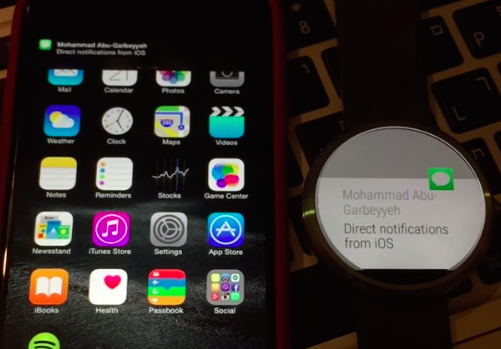
    MohammadAG, the prolific developer behind many an Android mod, has managed to get notifications to send from iOS to a Moto 360.

    The crazy part? Though MohammadAG’s iPhone is jailbroken (note the bouncing message icon on his phone — that’s a jailbreak trick), no jailbreaking is required to make this work.

    Instead, MohammadAG says the mod relies on the same ANCS protocol that the Pebble watch uses, which has been built into the iPhone since the release of iOS 7. A custom APK runs on the watch, listening for notifications. This solution limits iOS-to-Android-Wear compatibility to just basic notification support — but it’s a start, right?

    Alas, MohammadAG has yet to release the watch app to the public, so this is a one-off thing for now.

  • Sony Xperia Z3 – Cons, Pros and Why You Should Own One

    Sony Xperia Z3 – Cons, Pros and Why You Should Own One

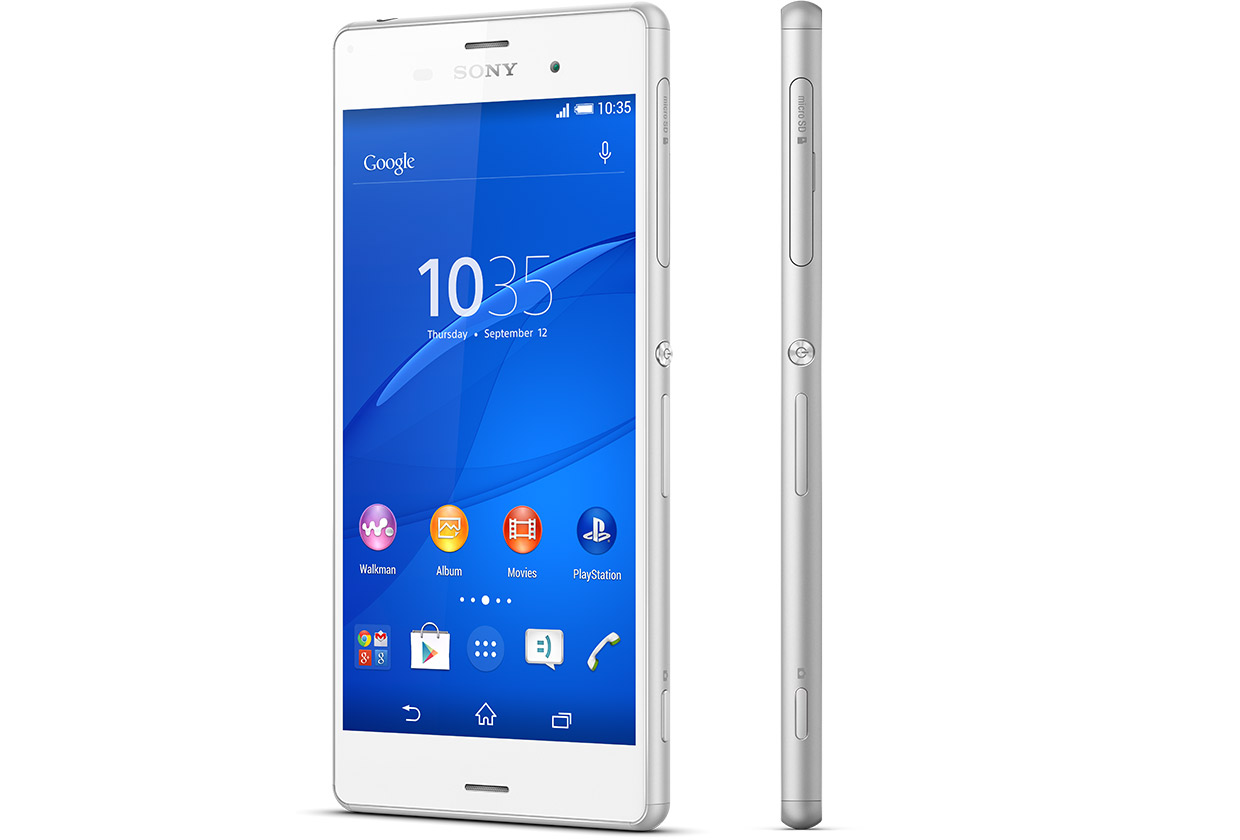
    Sony is set to make a difference in our in world today by bringing about the newest smartphone Xperia Z3.

    The high competitions between reputable phone companies had driven Sony into researching and coming up with the latest Sony Xperia Z3, that has the latest premium design and highest waterproof rating capacity. the Xperia Z3 is the premium smartphone that does more by making life more easy and comfortable.

    A premium smartphone

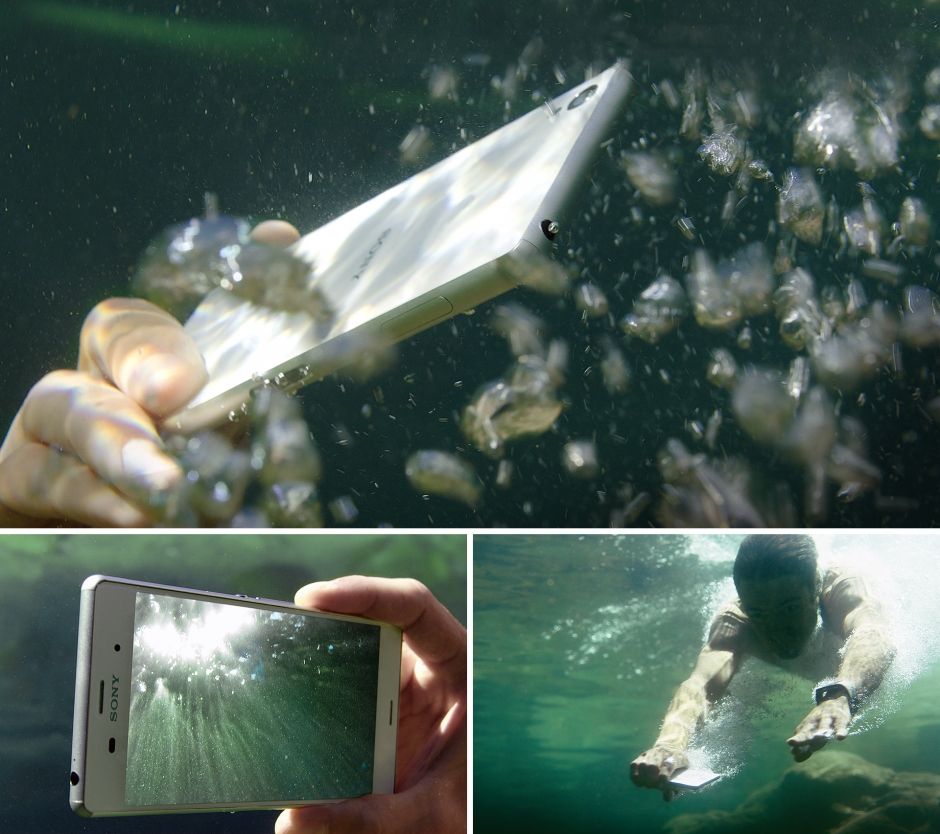
    This phone has been designed to withstand water for over 30 mins. Today you dive into pool on a hot sunny day, running when it’s raining, taking pictures in a downpour or underwater or wipe your phone when an unexpected spill occur, without considering to drop your phone or with the fear that it’s going to get damaged.


     In compliance with IP65 and IP68, the Xperia Z3 is protected against the ingress of dust and is waterproof. Provided that all ports and covers are firmly closed, the phone is (i) dust tight and (ii) protected against low-pressure jets of water from all practicable directions in compliance with IP65; and/or (iii) can be kept under 1.5 m of fresh water for up to 30 minutes in compliance with IP68. 

    Use the Xperia Z3 in the rain or in the pool

    Do you want to make great pictures and videos even better?

    You can unleash your creativity with our widest ever choice of unique Xperia camera apps. It’s our best smartphone camera yet, to make sure your memories are as vibrant as real life.

    PS4 Remote Play

    Xperia Z3 is the only phone with a PS4 game. The Xperia Z3 matches the latest gaming with the best Sony technologies. With a super-bright display and digital noise-cancelling technology, immersing yourself in your game has never been easier.


    Products Highlight


    • GSM / 4G LTE Capable
    • 20.7MP 1/2.3″ Exmor RS Camera Sensor
    • 25mm Sony G Lens + BIONZ Processor
    • 2.5 GHz Quad-Core Snapdragon 801 Chipset


    Additional Features


    • Performance battery life offering up to 2-days of regular usage
    • HighAdreno 330 GPU
    • Display Technology: TRILUMINOS Display for Mobile, Live Color LED, X-Realty for mobile, IPS display
    • Display Construction: Durable tempered glass
    • Sensors: Accelerometer, ambient light sensor, barometer, game rotation vector, geomagnetic rotation vector, gyroscope, magnetometer, step counter, step detector, significant motion detector, proximity
    • Playback/Record Supported Format: 3GPP, MP4, AVI
    • Compatible with the Sony Game Control Mount and wearable tech watches

    Sony Xperia Z3 can be purchased from Amazon or any retail store near you. To see more details or purchase this item, click here.

  • PlayStation Network, Xbox LIVE offline due to Attacks

    PlayStation Network, Xbox LIVE offline due to Attacks

    The two most popular gaming networks, PSN and Xbox Live, have been offline most of Christmas day due to a DDoS (distributed denial of service) attack. A group named the Lizard Squad has taken credit for the attack. This is the same group that credited themselves for an attack on the PlayStation network and MMO games World of Warcraft and League of Legends back in August.

    Both service status pages for the Xbox and PSN state (at the time of this writ) that they’re offline. This definitely caps off a rough Holiday for Sony, who recently had their Sony Pictures subsidiary get attacked and sourced as one of the biggest tech topics over the past week and a half. During which, a group of hackers named the Guardians of Peace (GOP) threatened a 9/11 style attack on theaters that would show the leaked Sony Pictures movie “The Interview.”

    Sony had decided to pull the film when the U.S. government determined that North Korea had been behind the hack, but recently decided to put the film on services like Google Play and show it in cinemas in the U.S. on Christmas day. The film can be purchased on other services like YouTube and, on Xbox Live.

    We’re aware that some users are having issues logging into PSN – engineers are investigating
    — PlayStation (@PlayStation) December 25, 2014

  • Facebook is facing a law suit. Reason? Scanning user’s Messages

    Facebook is facing a law suit. Reason? Scanning user’s Messages

    From the revelation that Facebook scans through its user’s messages to deliver “tailored” ads, a U.S. judge has ruled that they must face a class-action lawsuit. Facebook’s bid to dismiss the lawsuit, filed by users Matthew Campbell and Micheal Hurley back in 2013, was dismissed by U.S. District Judge Phyllis Hamilton in Oakland. According to the details of the suit, until October 2012, when Facebook had said they stopped the practice, the large social networking company was scanning through user’s private messages for website URLs. This information was then used to deliver tailored advertisements to the user. By doing so, Facebook violated the federal and state privacy laws, which they broke by reading their users’ personal and private Facebook messages without their consent.
    Facebook had shown that the Electronic Communications Privacy Act covered the practice to the district court. The social networking giant also stated that it discloses to all users that the company might use the information they receive from the users about them for data analysis.
    However, Judge Hamilton wasn’t satisfied with Facebook’s explanation. She stated that Facebook had not offered a sufficient explanation of how the challenged practice falls within the ordinary court of business. She also added that the disclosure wasn’t specific enough to establish that users expressly consented to the scanning of the content of their messages.
    Facebook’s unwillingness to offer any details regarding its targeted advertising practice prevents the court from being able to determine whether the specific practice challenged in this case should be considered ‘ordinary,’” added Judge Hamilton.

    Facebook is continuing to stay silent on any comments about the case.
    Google is also under the hammer for the same message-scanning practices, though they aren’t facing a class-action suit like Facebook. Many experts in the field believe that the result of both of the lawsuits will have a major impact on how we use technology to communicate in the future.

  • Intel Easy Migration App sends data from your device to a Chromebook

    Intel Easy Migration App sends data from your device to a Chromebook

    Over the past 18 months, Intel has been striking on the Chromebook market as the said market grows as more and more content is placed and trusted to the cloud. The company, that makes many CPU chips and graphics, wants to help customers switching to a Chromebook device to have a much easier time with their switch.

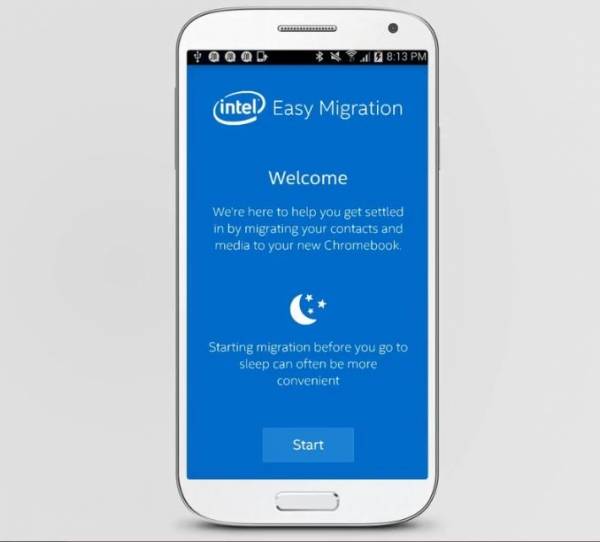
    With their app, conveniently named Intel Easy Migration, users can easily migrate files from their mobile devices or PCs to Intel-powered Chromebooks. The app can move all sorts of files like photos, videos, and audio to even contacts and more. The Intel Easy Migration app let’s the customer move any of said files from their mobile Apple iOS or Google Android device to their Chromebook or even files from their Intel-powered Windows computers.
    According to Intel officials, the customer can use the Quick Migration function to have all of their files sent over to the targeted destination, or manually select the files they want to have migrated. The user can also pause the migration whenever they wish to. The app is available in the Google Play and Apple App Store online stores, or can be downloaded for Microsoft Windows systems. Through the software, users can migrate their local and Hotmail contacts to Google Contacts, and their photos and videos to Google+ Photos. The app will also show how much space on their Google Drive is being used during the migration.

    The new app by Intel comes shortly after the popularity for the Chromebook grew, the trend continuing through 2014. In July, analysts with NPD Group found that during the first half of the year, Chromebook sales in the U.S. commercial channel jumped 250 percent from the same period in 2013 and accounted for 35 percent of the notebook sales in the channel.

    Building on last year’s surprising strength, Chrome’s unit strength ahead of this year’s education buying season shows how it has become a legitimate third platform alongside Windows and Mac OS X and iOS,” Stephen Baker, vice president of industry analysis at NPD, said in a statement at the time.

    Analysts also look at the Chromebook as a key reason – alongside Microsoft cancelling Windows XP support – for the decline of global PC sales this year. Intel has been aggressive in pursuing the Chromebook market as part of its larger efforts to gain inroads in the mobile device space against ARM and its manufacturing partners and to extend the reach of its chip portfolio into as many computing devices as possible. That includes supporting a broad range of operating systems, including Windows, Android and Chrome.

  • Instagram now bigger than Twitter with 300 Million Users

    Instagram now bigger than Twitter with 300 Million Users

    Instagram has reached over 300 million active users, a tremendous milestone for the company. Across the abundance of users, there are roughly about 70 million photos shared each day, accompanied by 2.5 billion “likes.”

    Since March, the active user count for Instagram has grown over 100 million. Quite fast and quite good indeed. This also makes Instagram now more popular than Twitter; only amassing to 284 million active users a month, it’s market cap being around $23 million. Why this detail? Because Instagram was acquired by Facebook back in April 2012 for only $1 billion.

    More than 70% of Instagram’s users are outside of the U.S., and across the network the users have shared over 30 billion photos.

    “We’re seeing a lot of people coming in the fashion world, a lot of people coming in, in the youthful teens world, and a lot of people internationally as well,” 

    CEO Kevin Systrom said in an interview with CNBC. Can Instagram keep up with this change of pace? “That’s the big challenge for me and my team going forward,” he said. One way Mr. Systrom aims to do so is to make it easier than ever for people to find new content they would love and more and more people to follow to keep updated with said-content. “There are photos pouring in from everywhere in the world. If you’re interested in really eclectic topics, I guarantee you there are accounts that are related to that. So we need to make sure to connect you with the content that matters most to you.

    There is more to the announcements by Instagram than just the 300 million user marker. To help combat spam on their app, they are rolling out a verification badge to be displayed on the profiles of celebrities, athletes, brands and other user types, to help ensure the majority of users know they’re connecting with the real person behind the account. Instagram also said it was planning to remove all “spammy” accounts from the service to improve the app for everyone.

    The removal of spam is required whilst Instagram ramps up in popularity and usage. Mr. Systrom said that Instagram doesn’t aim to compete with tech companies in their advertising platform (which is another major reason for the removal of the spam), but to compete against print and television ads – something you don’t really hear in the comparison of online ad competitors.

    We are selling brand advertising that shifts perceptions, for instance like Chobani,” said Systrom.

    Chobani did a really wonderful yogurt campaign on Instagram to shift perceptions away from the fact that they were just yogurt. And they had a 7 point incremental lift on shifting that perception through a brand advertisement on Instagram. That’s the type of thing you typically see in a magazine or on TV. If you look at those markets, they are very, very large. And I think that’s what we’re going after. So you can see where we’re headed.

    Though Instagram has outnumbered Twitter in active users, they still have a long while to catch up to the company in revenue terms; which was $365 million in the last quarter. “I think it’s hard to compare Twitter and Instagram,” he said. “Twitter has a more mature business. They’re public. We’ve just started monetizing. We have a lot to prove before we’re, you know, worth many billions of dollars,

    When asked if he felt like he wasted billions on the Facebook acquisition, Kevin Systrom denied, saying he doesn’t think of it that way, and that he has Facebook to thank for the intense growth of the company.

    sources:
    CNBC
    Google News
    blog.theadvocate.com (image)

    What do you think of the good news Instagram has released? Leave a comment below.

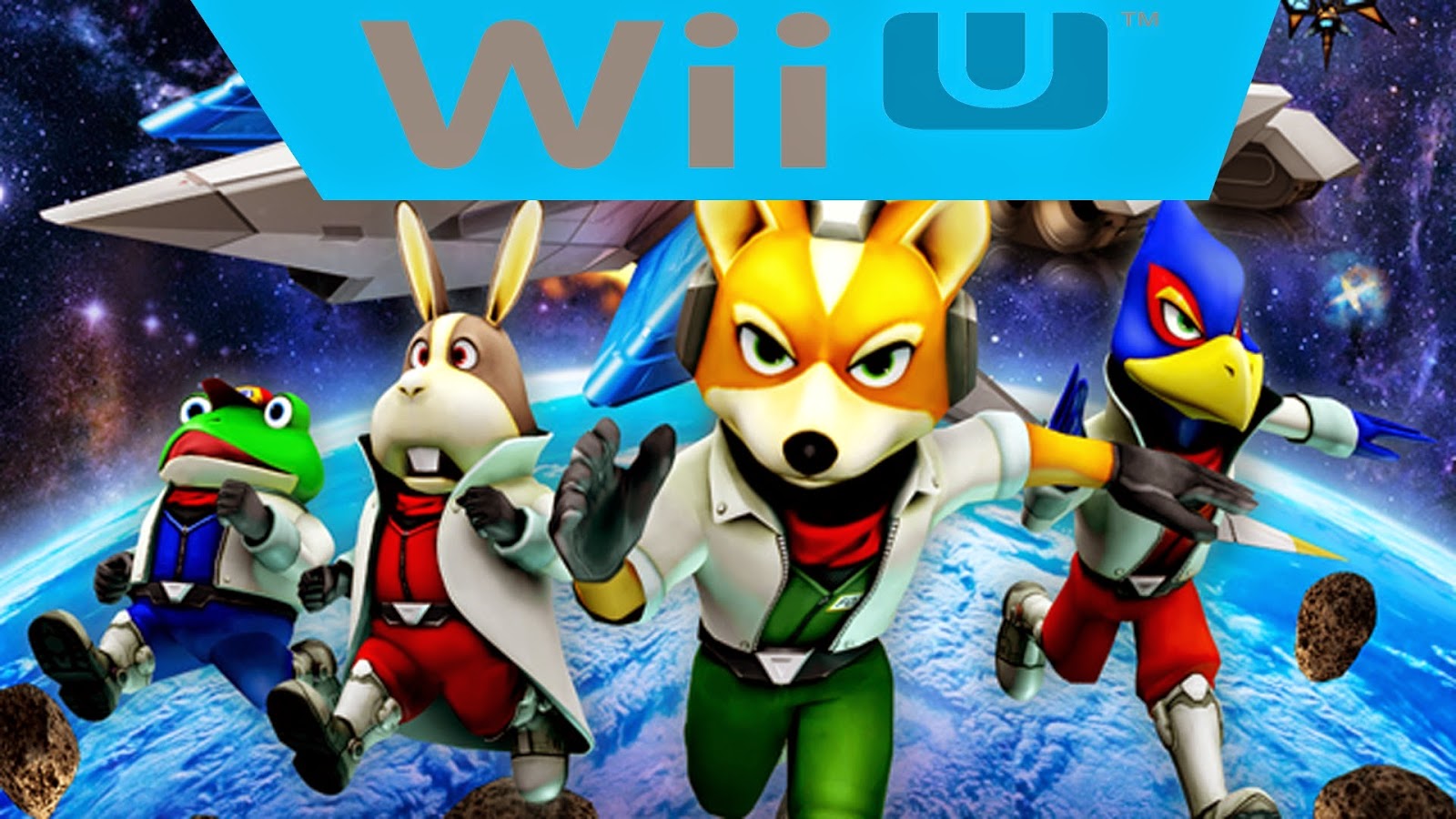
  • Nintendo’s new Star Fox Game said to release before the new Zelda Title for the WiiU

    Nintendo’s new Star Fox Game said to release before the new Zelda Title for the WiiU

    Nintendo has revealed that it will be releasing it’s new Star Fox for WiiU game ahead of the more anticipated Legend of Zelda title.
    During the Game Awards in Las Vegas, CA, the developer of the ever-lasting Mario franchise show cased in a video that the game will be released in 2015 – a head of the next installment for The Legend of Zelda series. During the announcement, Shigeru Miyamoto also announced that the game would be employing some new features that will take the gamepad experience for the game to the next level.

    Several people that played the game have stated that players can now control the Airwing using the gamepad’s analogue sticks when aiming and firing at enemies. There are also now special effects during the transition of the Airwing into a Landmaster; two pinnacles of the series’ vehicles.
    One last thing noted is the added creation of a seemingly two-player mode where one player controlls a helicopter, and the other a small robot that collects items and materials.
    If you’re anything like me, you’re very excited for the release of the new Star Fox game. Having played the original, 3DS remake, and the original Gamecube Star Fox; I am a bit excited to see the execution of this game, especially much sooner than the new Legend of Zelda.
    (Story developing)
    sources:
  • Android 5.0 Lollipop Update will be available for some LG G3 phones this week

    Android 5.0 Lollipop Update will be available for some LG G3 phones this week

    Here’s some good news for owners of LG’s G3 smartphone: Your phone will be among the first to get an update to Android 5.0 Lollipop. Assuming you live in Poland, anyway.

    According to the company, it will roll out an update to Lollipop to G3 users in Poland this week, and release the update “[in] other key markets in the near future.” LG didn’t specify what it means by “near future,” however, so it could conceivably take anywhere from a few days to a few months for it to make it onto LG phones here in the US.

    The story behind the story: Fragmentation may not be the fatal flaw that some expected it to be with Android—it’s a non-issue for many people most of the time, and it’s arguably one of Android’s strengths in that it’s resulted in a wide variety of hardware and software options. But updates are one area where fragmentation still becomes an issue. Ironically, enthusiasts who bought Google Nexus devices because of the promise of speedy Android updates are watching third-party phones land Lollipop first.

    The Lollipop waiting game continues

    And so we wait. Despite the limited release of LG’s upcoming Lollipop update, though, there are some signs that we’ll start to see some updates soon. On Friday, Motorola published–then pulled —release notes for its Android Lollipop update for the second-generation Moto X. This seems to suggest that Motorola is close to having an update, but you’ll have to wait at least a little longer.

    But if you’re feeling daring—and have a compatible Nexus device, the Sony Experia Z, or the Samsung Galaxy S3—the folks at XDA Developers have cobbled together a jury-rigged build of Lollipop for you to try. It’s a potentially buggy build, though, and installing unofficial builds can be a challenge, so it isn’t for the faint of heart.

  • Android Horror Games Terrifying to Play with the Lights Off

    Android Horror Games Terrifying to Play with the Lights Off

    Are you an Android horror game addict? Or you just didn’t get enough of Halloween night and still want images that will scare you to death? Be careful of what you wish for, here are 5 most scariest of horror Android games. Don’t be ashamed to curl up in a ball in the corner. These Android horror games will scare the pants off of even hardened gamesters.

    Android horror game

    Real time horror games are something you are not likely to find in any of the Play Store’s top game charts. It’s nothing to be worried about, really: A lot of people would prefer to be chased by a nice looking ‘monster monkey’ in Temple Run than to face the real terror in Android horror games.

    [Further Reading: 3 Smartphone & Tablet Games you Must Play this Week]

    As horror as horror games sounds, most gamers still prefer the suspense, and don’t need swarms of disfigured monsters creeping at them at all times to have fun. Meanwhile, others want exactly that. In that light we have tried to strike the balance between the thrill-seekers and the ones who just want a creepy enough game that is simply incompatible with poorly-lit environments.

    The good thing about this list is that the games are free and risk free: If they scare you hard enough, you might as well uninstall them and try board games.