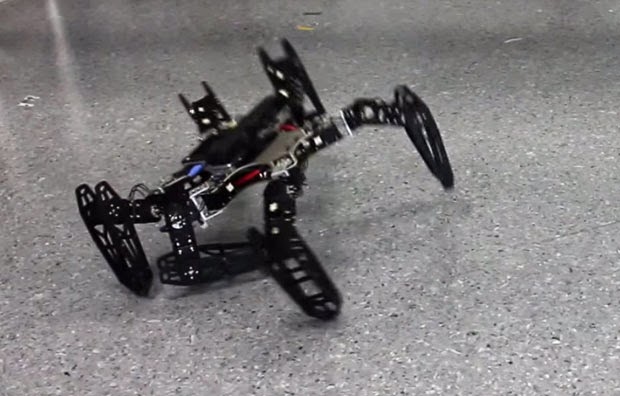
What do you do if you’re a robotic hexapod and one of your legs is broken? Do you give up? Lie down and burst into flames? Cry from tear duct-less eyes? Or, through a process of trial-and-error, do you brush yourself off, hide your broken leg, and learn to walk again?
You guessed it.
Researchers Antoine Cully, Jeff Clune and Jean-Baptiste Mouret have trained a hexapod to try different walking configurations through “Intelligent Trial and Error.” The original version of this algorithm kept the robots stumped for about 20 minutes until they figured out how to go in a relatively straight line after suffering damage. The new system lets the robots learn to walk in about two minutes.
As you see in the video, the robot tries different walking “styles.” First it hops a little, then it brings its damaged leg up high to try to balance itself. All the while it is sensing its position in the room as well as its speed. If the gait it has chosen is suitably straight and fast, it can keep doing it indefinitely until it gets moving again.
How does it work? Well, in this case the researchers created a database of potential gaits – 13,000 in all – by running a simulated version of the hexapod and rendering the walking styles. Because the robot is fairly simple it could easily classify the problem it was having (broken strut, mashed leg, etc.) and compare it to the database. Then, using a series of tests, it could decide how to move.
While this isn’t exactly artificial intelligence, the system does save time in the field and, more importantly, allows the robot to carry out its nefarious mission without stopping, an important consideration when the robots finally rise up to take control of our precious bodily fluids.
For more on what Hexapod Robots are doing to stay indestructible, check out Spectrum and remember to watch the video above again.
The original copyright to this post belongs to Techcruch. All rights reserved. Image & Video are the properties of Spectrum.
From the oldest libraries on the Web to the modern book shelves, EwtNet has searched all corners and compiled the most thrilling places virtual bookworms can have a good read and download free E-books
Since the beginning of time men has been searching for one knowledge or the other. Reading is one of the simplest method of acquiring knowledge best known to man. The invention of the Web and various technologies has insured that books can be fully represented in digital media format know as E-book.
Whether you are developer seeking for handouts, a student searching for information or just another book nerd looking for the next great book to sink your teeth into? We have compiled a list of the best shelves to pick your favorite E-book and even more, have a good read without spending a dime.
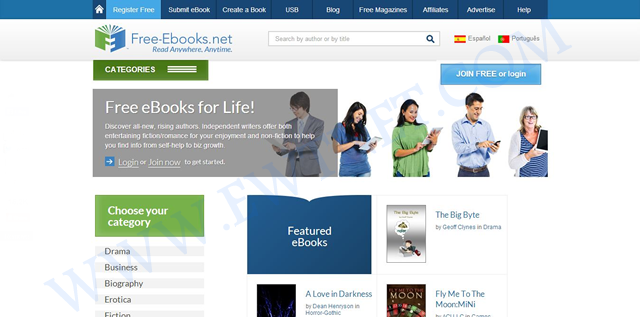
Topping our list today is a free E-book community site Free-Ebook. The site is an online source for free E-book downloads, E-book resources and E-book authors in over 80 categories. Besides free E-books, you also download free magazines or submit your own E-book.
The online e-book library is recommended for everyone, especially to students and fictional book lovers. If you need to get something nice for your kid, you might want to browse through the Children Audio Books category.
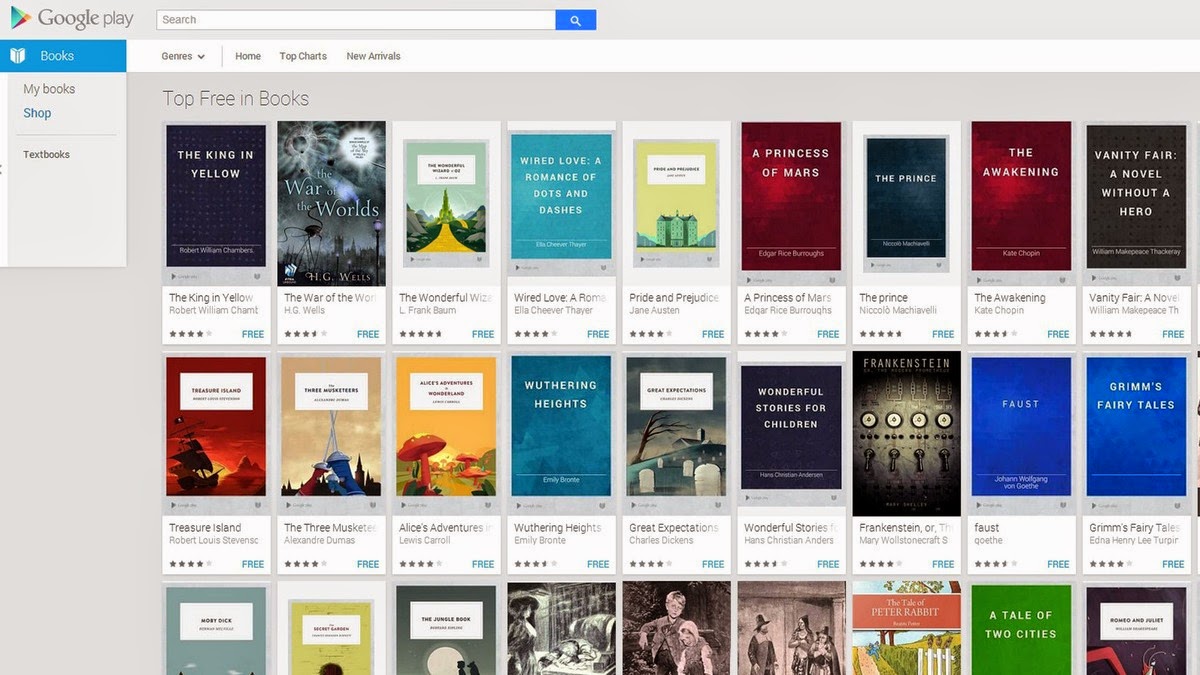
In the midst of stiff competition from other free e-book sites, it will be unfair not to include the Google Book Shelf. The Google eBookstore is a home to tons of premium and free e-books from a variety of genres. You can filter your search to bestsellers, favorite classics and more. Books are available in several formats, and you can also check out ratings and reviews from other users.
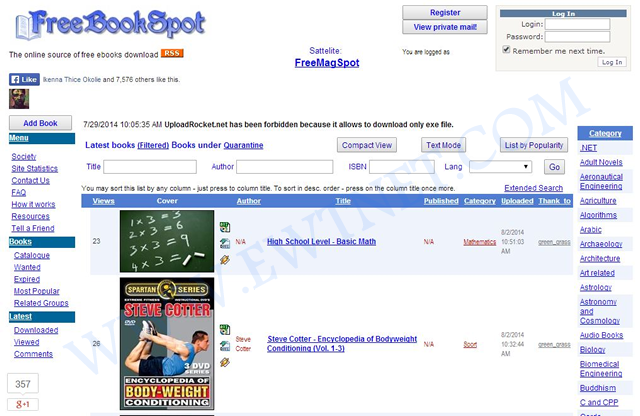
Free Book Spot is a free e-books links library where you can find and download free books in almost any category. Created November 2006, Free Book Spot is one of the oldest e-book library you can come across. The library houses 187,565 e-books in more than 90 categories.
The simplicity of the site makes it easier to navigate through pages and look up e-books using the search box.
If you are looking for tutorial handout on any tech-related subject, Know Free is the shelf you might want to start looking from. No registration or fee is required and has 15 categories.
The Open Library can boast of over 1 million free e-books available on it’s shelves. This library catalog is an open online project of Internet Archive, and allows users to contribute books or make correction to the catalog. You can easily search by the title, author and subject.
One of the unique features of Open Library is the E-book borrowing: Open Library account holders can borrow an eBook from the growing collection of mainly 20th Century titles available now. Each title can be borrowed by one patron at once, and you can read it in a web browser or in Adobe Digital Editions as a PDF or ePub.
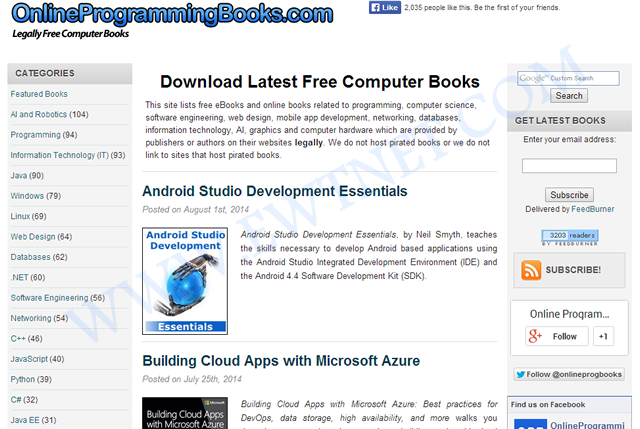
Online Programming Books consists of a huge collection of free online Computer, Programming, Mathematics, Technical Books, Lecture Notes and Tutorials. It is very well categorized by topics, with 92 categories and 1,574+ E-books.
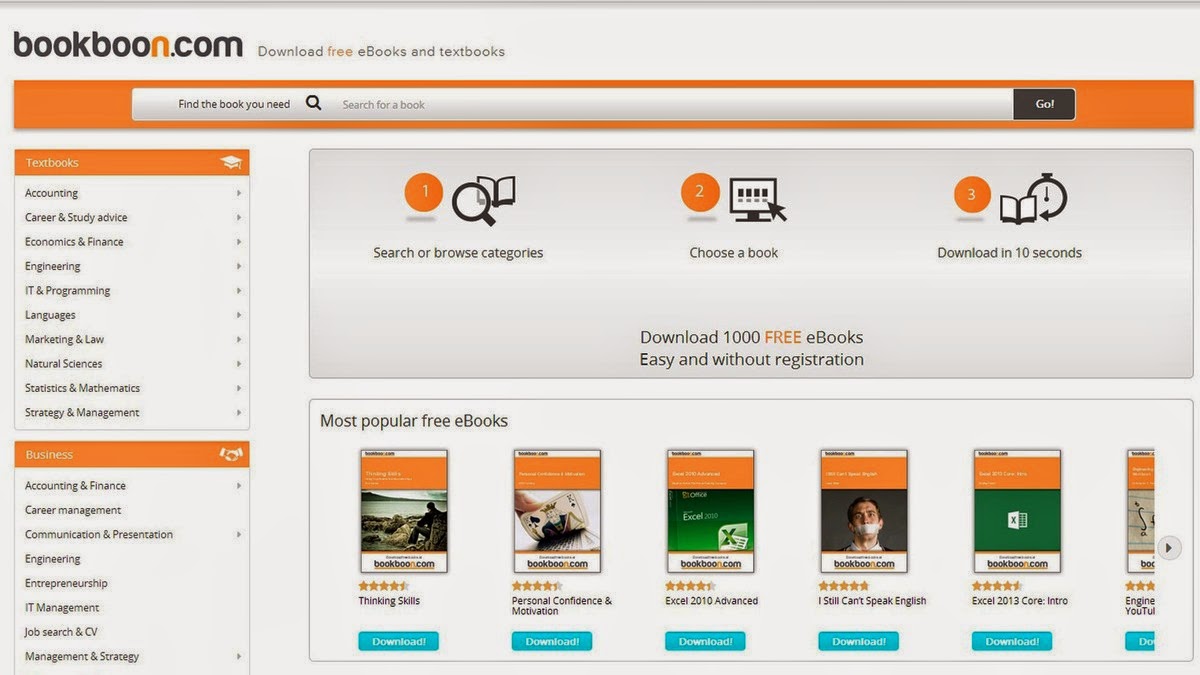
If you are searching for a particular educational textbook or business book BookBoon may come very handy. The site offers more than 1,000 e-books, it’s easy to navigate and best of all, you don’t have to register to download them.
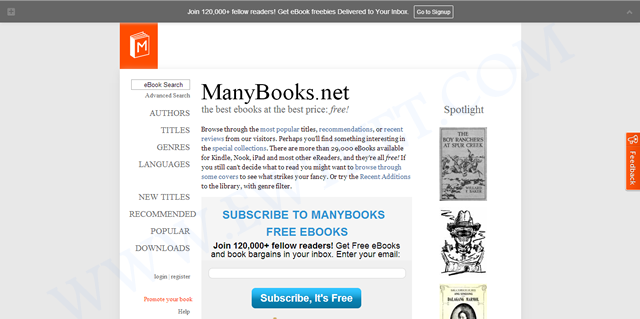
Grouped under authors, titles, languages and genres Many Books houses more than 29,000 E-books for Kindle, Nook, iPad and most other eReaders. The simplified navigation gives you the option to browse by most popular titles, recent reviews, authors, titles, genres, languages and more.
You might find the simplicity of The Online Book Page’s website a bit interesting but it has a list of over 1 million E-books from the web. It is more like an E-book search engine with option for visitors to submit more E-book links to their index.
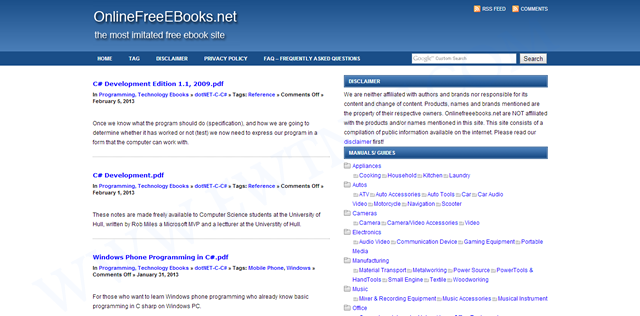
Completing our list of top 10 Online Libraries is the Online Free E-books. The library has 100s of E-books categorized under various tags.
Download/Read Chinese Novels PDFs Free Online
With the rise of Chinese industry in the global economy comes strong appeal for everything China, including novels – which are great, by the way. Chinese novels has the tendency of getting you hooked up and leaving you hanging. This is owing to the original material being in Mandarin and English translation apps charging too much to unlock chapters.
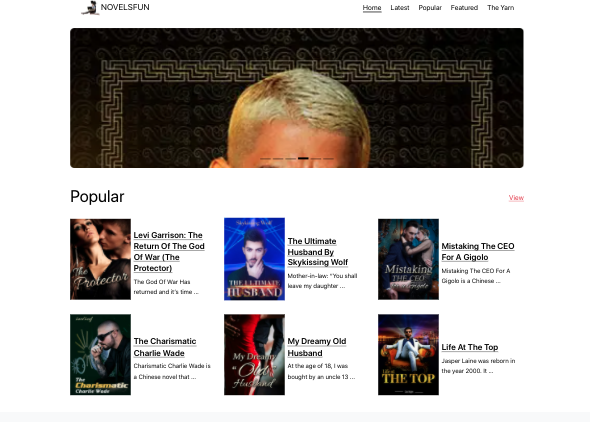
Novels.Fun homepage for reading free Chinese novels online.
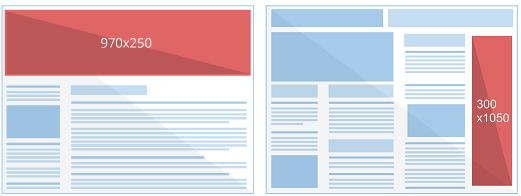
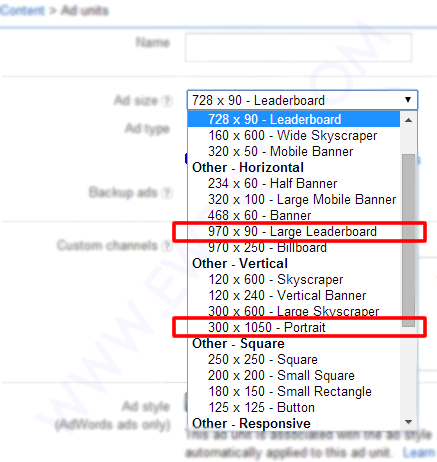
From simple text links to rich media ads, Google has continued it’s bid to optimize revenue for it’s publishers and subsequently gain more advertisers. According to a blog post in Adsense official blog, Google has rolled out two brand new ad sizes – 970 x 250 Billboard and the 300 x 1050 Portrait – that will help you reach more advertisers while also enhancing user experience and engagement on your site.
According to Adsense Product Specialist Alexey Petrov, the new ad sizes was as a result of publishers and advertisers demand for a larger ad unit.
We’ve heard from both publishers and advertisers that new, larger ad formats provide a great canvas for rich creatives and perform well on many sites. Today, we’re pleased to share two new ad sizes – 970 x 250 Billboard and the 300 x 1050 Portrait – that will help you reach more advertisers while also enhancing user experience and engagement on your site.
What’s up with the new ad sizes?
The new ad size will follow the way of it’s predecessors – supporting text only and text/display ads.
The ad is pretty much at the beta stage; you are likely to see fewer banners at that size. However, As with most of Adsense ad sizes, both of these ad units can accommodate standard text ads in addition to image ads. Additionally, they can show similar-sized image ads when doing so will maximize the performance of your ad unit. In this case, a 300 x 250 ad would serve in the 970 x 250 ad unit and a 160 x 600 would serve in the 300 x 1050 ad unit.
While trying the new ad sizes you will also discover that you can only make use of a maximum of one large banner per page, of course, I don’t see anyone complaining about this, considering the the size of each banner.
Feel free to play around with this new ad sizes and share your experience with us.
Launcher 8 (fake wp8) is a Android application that turns your boring, dull Android home UI into a fluid, mock-up UI of that of a Windows 8 phone! Developed by the QiHang Team, this application has been downloaded over 5 million+ times, and really turns your Android into something else! Now, I (Jake) of EWT will go into detail of my review and thoughts of the app!
Installation
The installation process is very easy, smooth, and simple. Just download from the Google Play Store, install, and press your home button and set Launcher 8 as your main action for “Home.” Wa-la! There’s no hacking, modding, or rooting needed to install this application. Installation is very simple, great work there.
New UI & Logics
The app’s added new ui and logics is very helpful and astonishing! After installation, you instantly have the power of an Android phone with the look and options of a Windows phone. There are many themes users have made that you can effortlessly download and install, or you can customize yourself! You can add/edit/remove tiles, re-size, and even use special “widget” tiles that are included in the app. You can bind your installed applications to tiles, change individual tile background colors, names, and more. This application truly gives you control over everything! It also is programmed to work with certain apps, such as SMS, Phone, and Facebook – showing the number of new notifications, missed calls, and new SMS messages. It’s very convenient! The app also has a setting for a customizable lockscreen, which completely overrides the default Android lock screen – you can add custom backgrounds, change the layout, etc to it and add a password. The only problem with the lockscreen in this app is if you had a lock screen set up on the default Android UI before this installation, applications like “Camera” and such will not work correctly, and pressing your Home button will try and take you to the original Android lock screen rather than the Launcher 8 lock screen. You can, however, fix this by simply going to System Settings -> Security -> Passwords and turning off any locks, pins, etc. You can set your lockscreen pin for Launcher 8 in the Launcher 8 settings.
Effect on Battery
One of the main, if not the only, downside to this application is the power consumption. You’ll be loosing more and more phone battery life every 2 to 3 minutes even if you’re in idle mode. However, the QiHang team brags that their Pro version is more power efficient. This application really does take a toll on your battery life, my Android has been on the charger more then often since the install.
Final Thoughts
I believe this is a great Android application for those who want the power of Android/Google products but the look and feel of a Windows product. It has great potential, and I believe it would be even more widely popular if the free version was less battery-consuming. It could use some literary work (the grammar for settings are poor), and some of the ads are a bit mis-placed and annoying, but all around it’s pretty amazing and I’m sure to never uninstall it!
Final Rating
Price When Rated:
$2.58Free
Our Rating: 4.5
Requires Android:
2.0 and up
Content Rating:
Low Maturity This is a great app, and does everything that it says in it’s description. However, there is room for improvement and the battery drainage is what really kills it from being 5 stars.
Pros:
Complete customization; Easy to customize to your liking
Downloadable themes; For those living in the fast lane
Beautiful and fluid; Includes smart widgets and is beautiful with live tiles
Free with minimal ads, and many options and settings to configure
Cons:
Drains the battery of your device VERY fastly
Lockscreen issues occur if you have the default Android lockscreen already set up
Can be a bit laggy once you first boot up your Android
Have you ever thought of making your smartphone much more smarter than it is?
Going outdoors or camping, but not knowing exactly where to start? Or you just want to feel secured with a full suite of tools covering lots of different things – measurements of all sorts, flashlights and more?
Smart Tools has everything you might need in your day-to-day life! On more than one occasion, this awesome android app has got me out of a traffic jam, so it comes highly recommended.
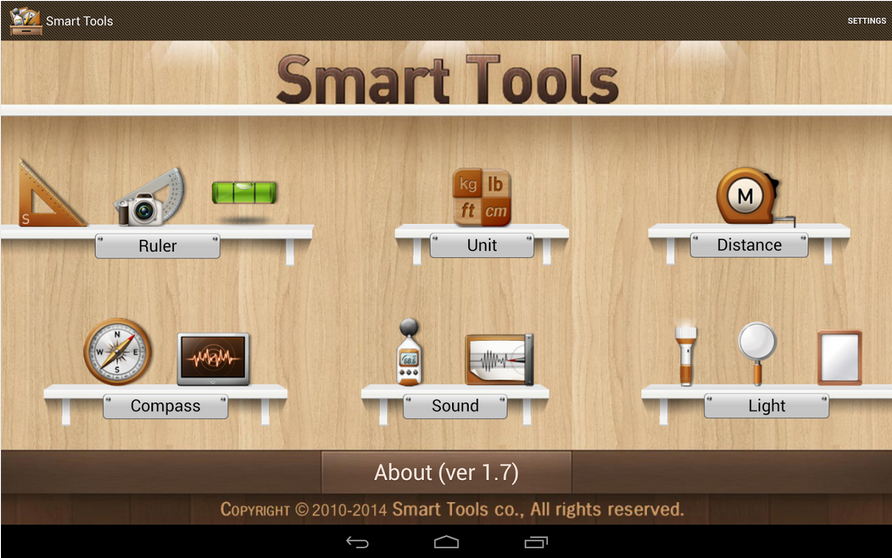
Smart Tools Version 1.7
The latest version of Android Smart Tools comes with 5 Pro sets for a total of 16 tools. In a word, All-in-One
Set 1: Length, Angle, Slope, Level, Thread – Smart Ruler Pro
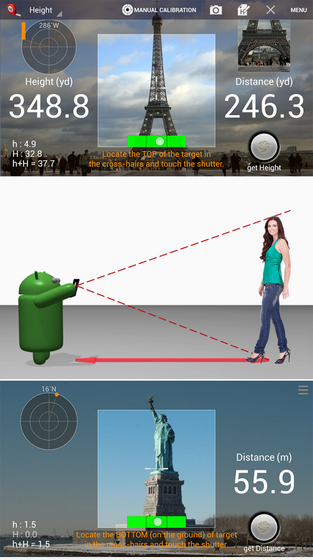
Set 2: Distance, Height, Width, Area – Smart Measure Pro
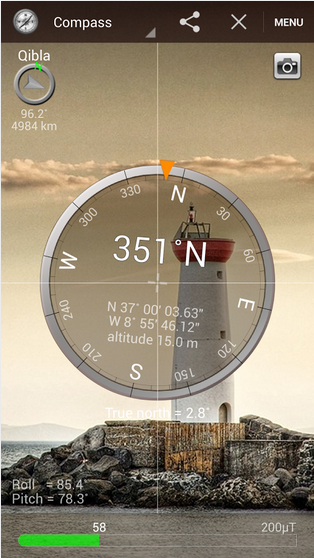
Set 3: Compass, Metal detector, GPS – Smart Compass Pro
Set 4: Sound level meter, Vibrometer – Sound Meter Pro
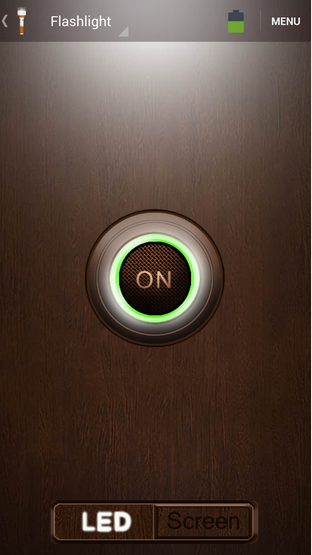
Set 5: Flashlight, Magnifier, Mirror – Smart Light Pro
Set 6: Unit – Unit Converter
Cons
The heaviest downside of this app is the lack homescreen shortcuts to individual tools. Maybe it’s just me but you pay for this app then realize there are no shortcuts then the author wants you to buy the individual tool apps or be pledged with adverts!
Pros
This app basically helps you deal with any measurement problem you may encounter. It’s affordable price tag will also give it an edge over similar apps in the play store.
The best way to understand this app is probably by experimenting with it. Nonetheless, I can guarantee that your $2.55 will be worth it.
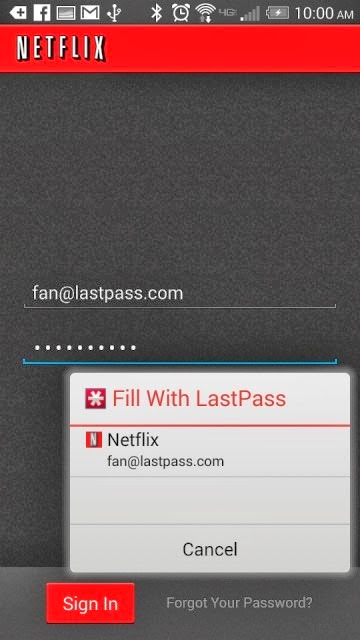
Password management service LastPass, which stores passwords on a secure online service to automatically log users into websites, has rolled out automatic password entry to Android apps and the smartphone’s Chrome browser.
So for LastPass users on Android, the days of manually entering passwords into apps and websites are over.
“It takes the concept of our desktop functionality — recognizing what page you’re on and looking for a match stored in your vault — but is adapted for the Android accessibility feature,” Amber Gott, a LastPass spokesperson, told Mashable. “Once the option is enabled in the LastPass Android app, LastPass can now ‘see’ when you’re on an app login page, and then can hover and let you know if you have a matching login.”
The news comes just a few weeks after competing password management service PasswordBox enabled a similar automatic entry feature. Previously, LastPass users needed to copy and paste passwords from the LastPass app to log into native apps and sites.
The feature is available for apps on devices with Android 4.1 and later and Chrome on smartphones running 4.3 and later. It also supports Dolphin HD and Firefox mobile browsers, too.
Although the functionality adds a big convenience on Android, it’s unclear if and when the feature will ever come to iOS devices.
“Unfortunately, Apple doesn’t have an equivalent that allows us to hook into the OS and securely deliver users their data,” a LastPass spokesperson told Mashable. “We’re still looking into it and hope that further updates to iOS may allow us to implement something similar.”
Click here to download LastPass password manager to your Android smart phone.
Tons of camera apps has been made since the foundation of Android OS. While many blogs and websites has had their say on which app is best, we are going to consider seven Android camera apps that can easily fit in as the best among it’s kind.
In this list we are going to consider features that makes them stand out among the crowd and reasons why they are better than your preferred camera app. From 1 – 7, let’s get the list rolling.
For sometimes now the position of Camera360 Ultimate has been unquestionable in the marquee of best Android camera apps. The free mobile application is arguable the best camera app around this days and could easily replace any smartphone default camera app.
Features
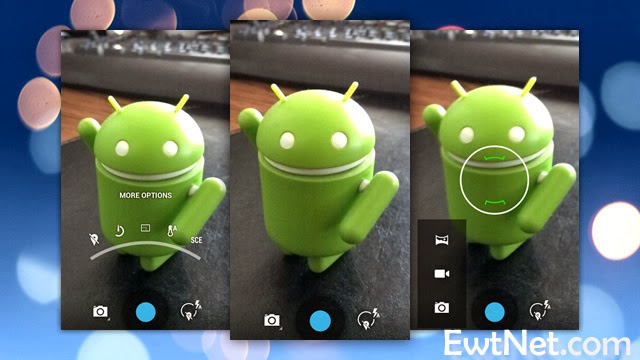
Camera360 Ultimate of course, was only an upgrade on the old Camera360 app, which was mostly known for its HDR shooting mode. The recent version still has it in there, among some other useful features like photo effects, quick sharing, support for phone-mountable Sony lenses, and a very easy-to-use interface.
Easy-to-use Interface
Support for Phone Mountable Sony Lenses
Photo Effects
New Camera Store
Basic editing tools, including crop, rotate, etc
Photos are classified by time in Camera360 album for easy photo search and management.
Safe and smart cloud album for photo storing, managing, editing, sharing and more.
Free photo editor featuring tons of filters, unique shot modes, and extras not found in other apps from the genre
1-tap upload to Facebook, Twitter, Flickr, and more
HDR Shooting Mode
Real-time digital zoom
Hardware tweaking options, including white balance, night shooting modes, ISO, focus metering, exposure, contrast, saturation, and more (as long as your hardware supports it)
The Awesome
The application compared to its competitors is worth over $4 – $5 but has been made totally free by its producers. Camera360 Ultimate makes it easier to choose between normal shot and special effects shooting mode allowing it to function properly on almost every Android device including low end Tecno Android phones.
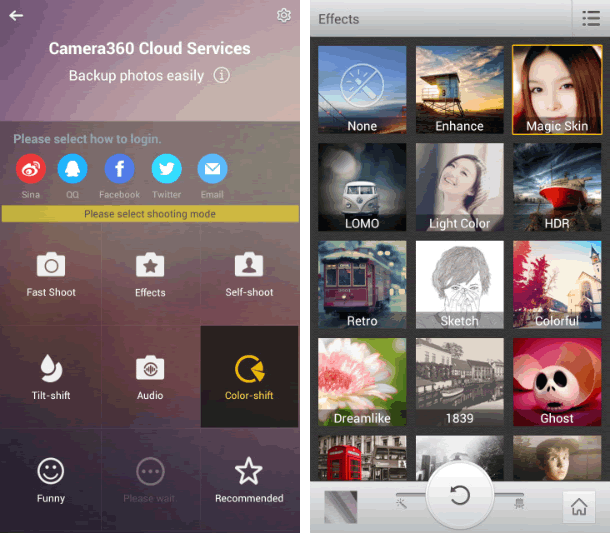
The latest version of Camera360 Ultimate is loaded with amazing photo tools and features. The good thing about the application is the new camera store where you can manage and add new features to your camera app. You can add features such as Effect Cam, Selfie Cam, Easy Cam, Scene Cam, Funny Cam, Tilt-shift Cam, Color-shift Cam, Audio Cam, etc. Free of charge.
Where It Falls Short
Camera360 Ultimate’s interface is great at guiding you right to the type of shooting mode you may want, but the problem with the app is that it’s gotten progressively bloated and bogged down with features that aren’t too useful and have little or nothing to do with taking good photos—just gimmicky ones. It’s also gotten to be a big of a storage hog, weighing in at 21mb.
6 Worthy Alternative of Camera360 Ultimate
Camera ZOOM FX ($3.00) has been the preferred camera app for many android users but will always face stiff competition against free top crooners like Camera360 Ultimate. The camera app has features such as:
Auto-focus and tap-to-focus modes
Hardware tweaking options, including white balance, night shooting modes, ISO, focus metering, exposure, contrast, saturation, and more (as long as your hardware supports it)
Gesture and multitouch support, including pinch to zoom, tap to focus, and tap to shoot
Burst shooting mode that supports up to 20 shots/second
Customizable grid overlays (so you can make use of the rule of thirds, the golden ratio, or other composition techniques)
Horizon level indicator (never take tilted photos again)
Stable shot meter and shooting mode (with crosshairs that flash red when the camera is moving)
Customize all the hardware buttons on your phone and assign them to camera functions, e.g. zooming with the volume controls
Support for time lapse shots and long exposures
Self Timer
Voice and sound-activated triggers: Clap or speak to take a picture
Silent photo shooting and shutter sound control
Over 40 different photo filters and effects, like tilt-shift, vignette, LOMO, retro, toy camera, and Polaroid
Dozens of photo presets for one-touch personalization
Real-time digital zoom
Geo-tagging of photos using your phone’s GPS
Preserves EXIF and other metadata with your photos
Auto-save of images when you take them
Live previews of photo effects and filters before you apply them
Basic editing tools, including crop, rotate, etc
Non-destructive photo editing features
Collage shooting modes, so you can build an instant collage of photos you’ve just taken
Quick social media share
Works a bit better than the stock app and offers ISO mode control. Unfortunately, all the photos are cropped to 4:3 instead of 16:9, and there doesn’t appear to be any way to fix it. With its amazing features as mentioned above, Camera ZOOM FX can comfortably sit in our second place for best Android camera app.
ProCapture ($3.99, Free ‘Lite’ Version) is a great camera app for niche photo shooting. The application supports multiple advanced camera shooting modes such as: Timer, Burst, Reduced Noise, Wide Shot and Panorama.
Action Snap Pro ($3.85, Free ‘Lite’ Version) is another niche photo shooting app. Allows you to use both front and primary camera of your android device. ActionSnap supports combining 4 or 9 photos. You can choose a time interval from 0.1s to 5s and start capturing photos by one click only, or you can use the custom mode to take photos one by one.
Camera FV-5 ($4.13, Free “Lite” version) has been around for sometime, but only recently did it get good enough to grab our attention—and boy did it get good. Loaded with tons of features, and the developers has added a lot of useful shooting features over filters and effects. You can now control hardware settings like white balance, exposure time, aperture, light metering, and so on, and the viewfinder even has an RGB histogram right there, updating in real-time. You’ll find all of the other useful features from Camera360 ultimate and other apps here too—tilt-shift shooting, auto-focus and tap-to-focus, long exposure support, the works. Its only drawback is that the interface can be a bit overwhelming as a result of all of the features.
Vignette ($3) midst stiff competition is still around and kicking, and is an excellent option if you’re looking for an elegant shooting interface and more filters and post-processing effects than you can shake a stick at. It looks great, is a joy to use, and like Camera FV-5 can do a lot of things the other apps here can do, including tilt-shift photography, cross process, duotone, LOMO, toy camera, and more. Vignette’s only drawback is that in being elegant and useful, it’s also a bit lighter on features and shooting modes. Still, if other camera apps are overkill but you still want a step up from stock, try it out.
Focal Camera (Free), pretty much at the beta stages and good enough to decorate the bottom area of our awesome list. The application is loaded with features like HDR shooting, panorama shooting, photospheres, burst shooting modes, self and auto-timers, and more. It’s a bit buggy on some devices, is definitely still a beta, and doesn’t support anything running less than Jelly Bean 4.2, but if you need HDR or panoramas, it’s more than worth a look.
PROS Large, vivid screen Excellent battery life and performance Office and videoconferencing apps are built in
CONS No wired display connection Flip cover doubles as a flimsy stand Avoid using it for pictures Exceptionally high price
AT A GLANCE
Spending $750 for an Android tablet seems exorbitant. But the Samsung Galaxy Note Pro offers a larger screen, excellent battery life, and access to the Android and Samsung app stores. When one considers the wealth of inexpensive Android tablets available, the idea of paying $750 for a 12-inch Android tablet seems inconceivable. But if now isn’t the time for consumers to start thinking of large Android tablets as legitimate Windows laptop replacements, that day isn’t far off. That’s right: a Windows laptop replacement. That’s the only way to consider the Samsung Galaxy Note Pro, a massive tablet that, like the Microsoft Surface, works best on a desk. Samsung’s 12.2-inch Galaxy Note Pro (7.95 mm thick, 1.65 pounds) is virtually identical to the Galaxy Tab Pro, save for the addition of an S-Pen stylus.
This is not a competitor to smaller tablets like the Nexus 7. Indeed, if last year’s Galaxy Note 3 smartphone doubles as a reporter’s notebook, then the new Galaxy Note Pro is something akin to an electronic legal pad. And with a surprisingly complete selection of productivity apps in both Google Play and Samsung’s own app store, this massive Android tablet can help you get real work done.
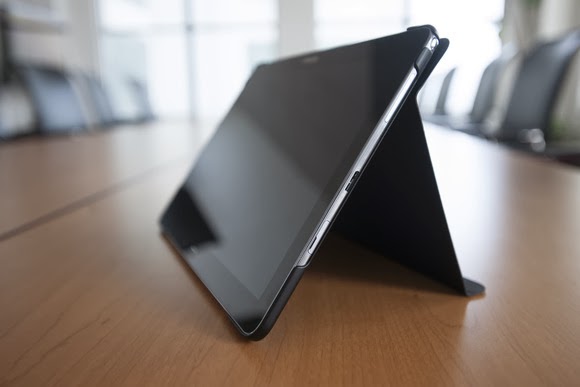
The Galaxy Note Pro lacks an integrated keyboard, and the cover, which does double duty as a stand, is a little flimsy.
The Note Pro is available for either $750 for a 32GB model, or $850 for 64GB of onboard storage. So far, Samsung has yet to announce the price for a model with an integrated LTE WLAN chip. According to Samsung, the Wi-Fi version of the Note Pro houses a 1.9GHz quad-core ARM Cortex A15 chip, powering Android 4.4 (KitKat). Our performance tests produced a Sunspider score of 0.97 seconds (which hits the upper echelons of the tablet market), and a PeaceKeeper score of 815. For the sake of comparison, the iPad 3 managed 516 in PeaceKeeper, and the Dell XPS 10 hit 324 (higher scores are better).
The Samsung ‘Surface’
It’s not much of a stretch to consider the Note Pro as Samsung’s response to Microsoft’s Surface 2 Pro, which starts at $899 for 64GB of onboard storage. Both the Note Pro and the Surface Pro 2 ship with foldable keyboard covers; the Note Pro’s can be configured so that it wakes up and unlocks the tablet when flipped back. But while the Note Pro’s cover actually doubles as a stand, it’s not immediately obvious that it does so.
The Note Pro also lacks an integrated keyboard, such as the Surface’s Type and Touch Covers. In fact, to use it as a laptop replacement, you’ll need to buy a Bluetooth keyboard and possibly a mouse. That completely eliminates its use as a “lap top” computer.
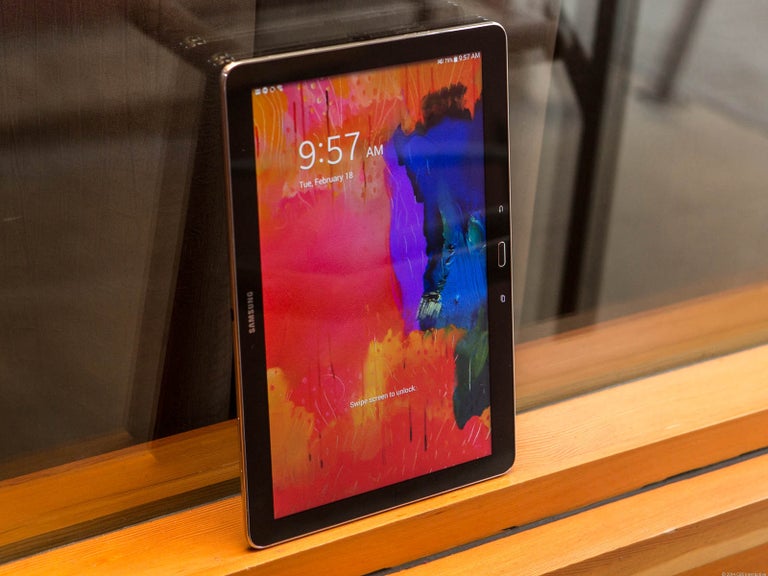
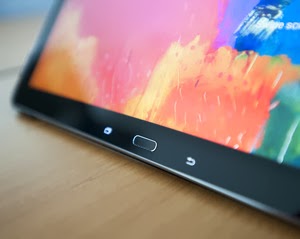
Physically, the Note Pro looks like a Note 3, flipped on its edge. The tablet is designed to be held in landscape mode, with the physical home button mounted between the back and applications buttons. Near the top sits the 2-megapixel front-facing camera, with an 8-megapixel camera at the back. (Unfortunately, the cover lacks a rear camera cutout, so when thumbing the camera button, you’ll have to awkwardly hold up the cover.) Volume and power switches sit on the top, while an all-important microSD card slot sits on the side.
An underrated productivity tool
Like the Note 3, the Note Pro uses the new USB 3.0 connector, collecting juice through a high-output charging plug. Charging the Note Pro takes about three to four hours, but battery life is excellent: You’ll see two, possibly even three days or so of casual use from its integrated 9,500 mAh battery, and our looping video test ran down the battery in 8 hours, 37 minutes. That’s on par with the Dell XPS 10 tablet.
Unfortunately, you won’t be able to use the Note Pro on long flights. The tablet, its stand and a Bluetooth keyboard will take up too much room on a seat-back tray. But you can still use the tablet for mid-flight video playback in your hands. The 12.2-inch display boasts a 2560×1600 resolution and 247 ppi pixel density, and you can even hook up an external monitor care of an optional external HDMI dongle for $39.99.
One of the problems with Samsung’s latest devices, beginning with the Galaxy S4 smartphone, is their overwhelming number of largely extraneous features, such as the “smart pause” feature that supposedly pauses video playback when you look away. You’ll see a number of these still hidden deep within the Note Pro’s settings menus—but thankfully turned off.
Feel free to mix and match entertainment and work apps—the Note Pro can handle both.
The default home screen contains a giant reminder widget for S Note, so that you don’t forget the S Pen. Equally useless New York Times and Twitter widgets can be tossed out. And, fortunately, a collection of news and entertainment apps, such as WatchON and a version of Samsung’s Flipboard-like My Magazine app, are confined on the peripheral screens.
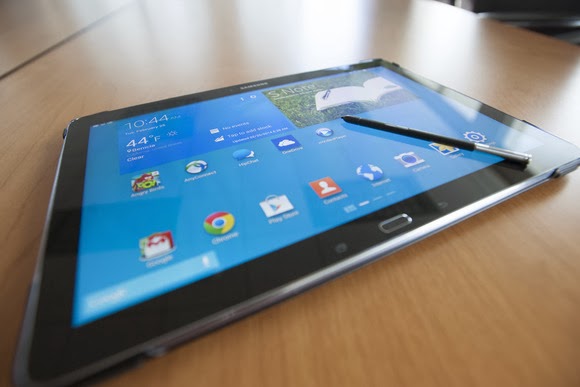
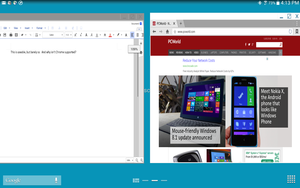
You can use the pen to draw your own windows, as I did, using the S Pen.
As with the Note phones, pulling out the S Pen triggers several options, including an Action Memo; the ability to save content into a Scrapbook; and my favorite, the Pen Window. The Pen Window lets you run a second app inside a window, providing Android with a desktop-like multitasking environment. You simply draw a box, and when it’s done, select the app you want to fill the space.
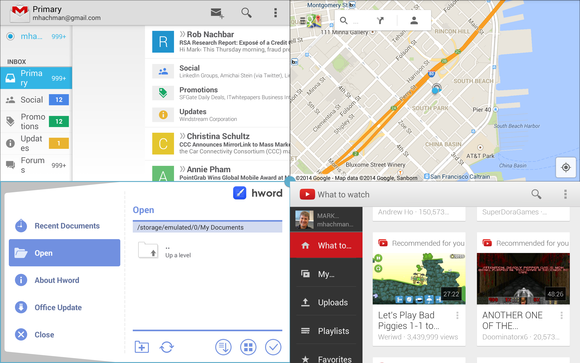
Samsung, however, now has a better option: Multi Window mode, which Samsung has made available on only the largest Galaxy Tab and Note tablets. To trigger Multi Window mode, you swipe in from the right-hand side, via a list of supported apps. (YouTube is supported, for example, but Angry Birds is not. And, inexplicably, Chrome is not supported by Pen Window mode, but it is under the Multi Window view.) Dragging one app to the main screen fills it. Dragging a second “snaps” the screen into two halves—and so on, up to a total of four screens. On a smaller tablet, this is a gimmick, but on a larger tablet like the Note Pro, it’s surprisingly useful.
Multi Window can show four apps at once, or you can snap two. This is amazingly useful.
A viable office suite
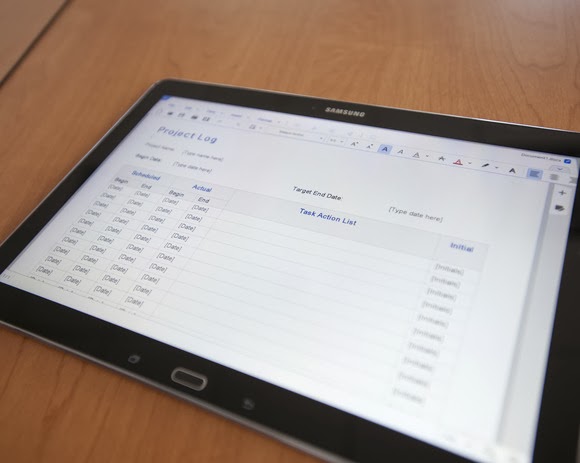
More impressive are the numerous productivity apps that are either available via the Note Pro itself or via Samsung’s own app store. Apps such as Cisco’s WebEx, a Samsung Remote PC app (an alternative to Microsoft’s own Android app, Microsoft Remote Desktop), and the Hancom Viewer are all included. On Google Play, Hancom’s Hanword, a word processor, cost over $17 at press time, but on the Note Pro, it’s free, as are similar apps to view and edit PowerPoint and Excel documents.
The Hancom apps ship in both “viewer” and editable versions, and the Note Pro tends to open files in the “viewer” version first without an option to choose the editing app, which is annoying. Google’s own Quickoffice is also installed. Aside from some possible font compatibility issues, the Hancom apps seemed to work surprisingly well.
Keep in mind one thing: With the Note Pro, these productivity apps are free. If you purchase a Surface Pro 2, you’ll also need to pay for a subscription to Office 365 or a standalone copy of Office 2013. That pushes the long-term cost up.
Hancom’s app suite makes the Note Pro a viable productivity tablet.
Samsung inexplicably omitted the VPN app that it included on the Note 3, meaning that you’ll need to search out an Android version, such as Cisco’s Easy Connect, on the Play Store. In all, though, I found Android versions of virtually every productivity app I wanted from either the Samsung or Google Play, giving me a PC-like experience on an Android tablet.
This is the bottom line. Windows PCs and Macs represent the power-user extremes of the computing experience, owning everything from Adobe Photoshop to the latest first-person shooters. But tablets are for centrist users: Android tablets and iPads dominate casual gaming, and more and more light-productivity apps are being written for those platforms.
The sum of its parts—a large screen, excellent fantastic battery life, multi-app windows, and equivalent PC software—not only make the Note Pro a viable choice for a tablet enthusiast, but a jumping-off point for an adventuresome road warrior to leave the Windows world entirely. If only Samsung could knock another $150 or so off the price.
If you’re the type of person who can never have too much cloud storage, Microsoft just added a nice deal: 100GB of OneDrive storage as a Bing Reward offer.
Normally, amassing the credits needed to redeem a Bing Reward takes some time and effort. But with just a little bit of work, you’ll probably earn this one almost immediately.
If you prefer to use Bing as your search engine, or don’t mind switching back and forth between Bing and Google, Microsoft’s Bing Rewards is a worthwhile loyalty program. Each time you visit Bing, Microsoft records the visit. Over time, users are awarded “credits” for their visits as well as visiting a dashboard to pick up additional tasks or for referring friends to the service.
Microsoft is offering a free 200-credit bonus to friends you invite to Bing Rewards.
Now Microsoft is offering 100GB of OneDrive (nee SkyDrive) storage for one year for 100 credits. (Microsoft officials have said previously that any unused storage will vanish after the year expires, but Microsoft won’t delete any files.)
Through the end of February, Microsoft is also offering a free 200-credit bonus to friends you invite to Bing Rewards. And if they complete Silver-level status (which basically means they need to click through a “tour” or two), you’ll get 200 credits as well. It’s a bit spammy, so you’re more likely to convince your friends to participate if you pitch it as a “scratch my back, and I’ll scratch yours” deal.
Microsoft already hands out 7GB of free OneDrive cloud storage to new users who sign up for the service. As part of it rebranding SkyDrive to OneDrive marketing effort, Microsoft also handed out an additional 3GB if you simply turned on the camera-backup feature on your smartphone (iOS, Android, or Windows Phone). Referring a friend to OneDrive will earn you another 500MB, up to a maximum of 5GB.
The additional OneDrive storage deal might not be the best offer you can get. Microsoft offers a 5-percent discount at the Microsoft Store for just 50 credits, for example, and other deals include $5 gift cards at Amazon or Starbucks for 525 credits.
If you prefer Google’s search engine, you’ll probably want to stick with it. But if you’re willing to check out Bing, Microsoft will reward you with tangible benefits.
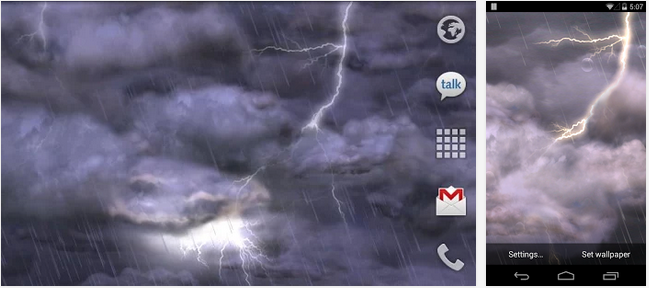
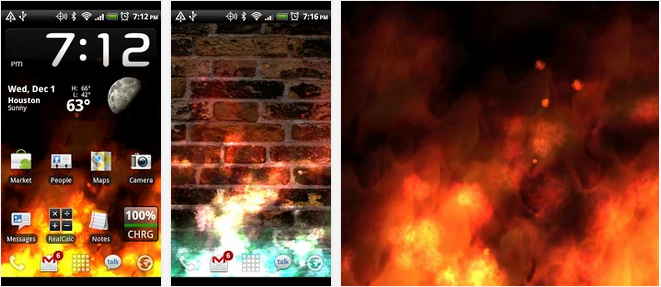
Live wallpapers refreshes your Android screen and keeps your device alive. While some of you will go down as legends in this field, a lot of us are yet to explore the excitement of Android live wallpapers. Whichever category you fall into, here is a chance to try a new thing, applaud your favourite wallpapers that made the list or tell us which wallpaper you feel should have been listed.
The wallpapers listed in this post are all live wallpapers, less-buggy and elegant in appearance. Also, the wallpapers are responsive and can adapt to any device or screen size.
Read on as we list 15 Android live wallpaper that attracted us this week or in the past two weeks.
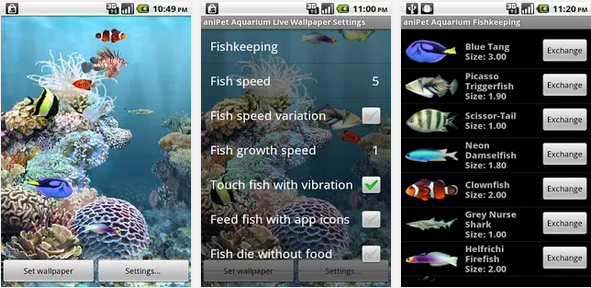
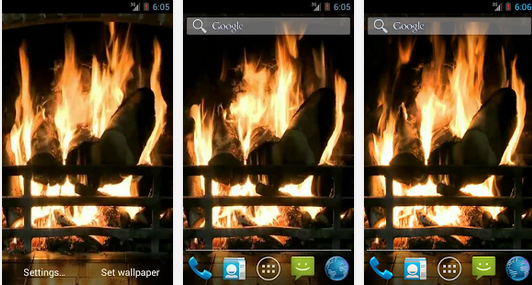
We have been following this wallpaper for quite sometimes now. It’s consistency and clean fascinating layout has earned it a first slot in our listing today. This is your a ticket to get Koi (amazing fishes) swimming around your smartphone or tablet. This wallpaper comes with 3D rendered in OpenGL 2.0, with fully interactive water that supports multitouch.
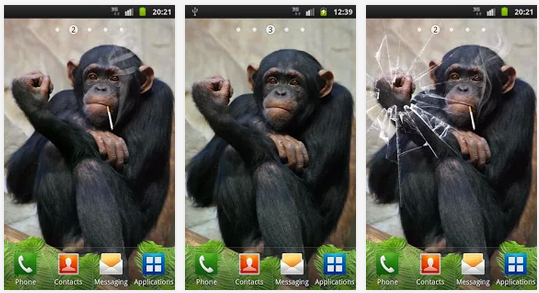
Funny Monkey Live Wallpaper – Download Install an arrogant monkey your Android device. Funny Monkey Live Wallpaper. It is not a polite monkey. As you touch the monkey on the head she will show you the “Fuck You”. Tap it in her hand and the monkey will break the screen on the phone (cracked screen). The monkey is funny and she loves to laugh. Tickle the monkey in her leg and she is going to laugh.
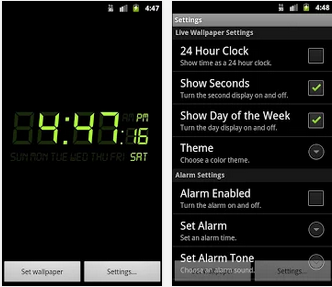
Alarm Clock Live Wallpaper is a digital clock and alarm on your home screen. It features: – One-touch snooze. – Set alarm tone, time, and reoccurring days. – 24 hour clock support. – Alarm will still sound even if device’s screen is off.
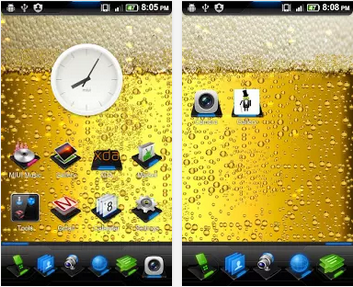
It is always good to have a beer in your hand, it gives you energy, confidence, and might make you drunk! Drink responsibly and we hope nobody gets charged for DUI!
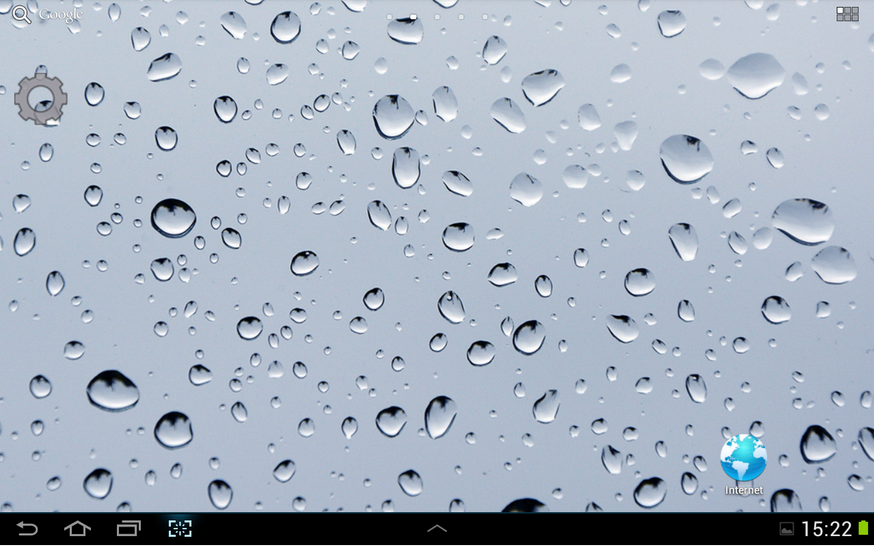
Love to create ripples in bathtub and watch them subside. Now you could create same kind of waves in your cell phone. All you have to do is, set the wall paper on your screen and touch the point where you like to see ripples appear.
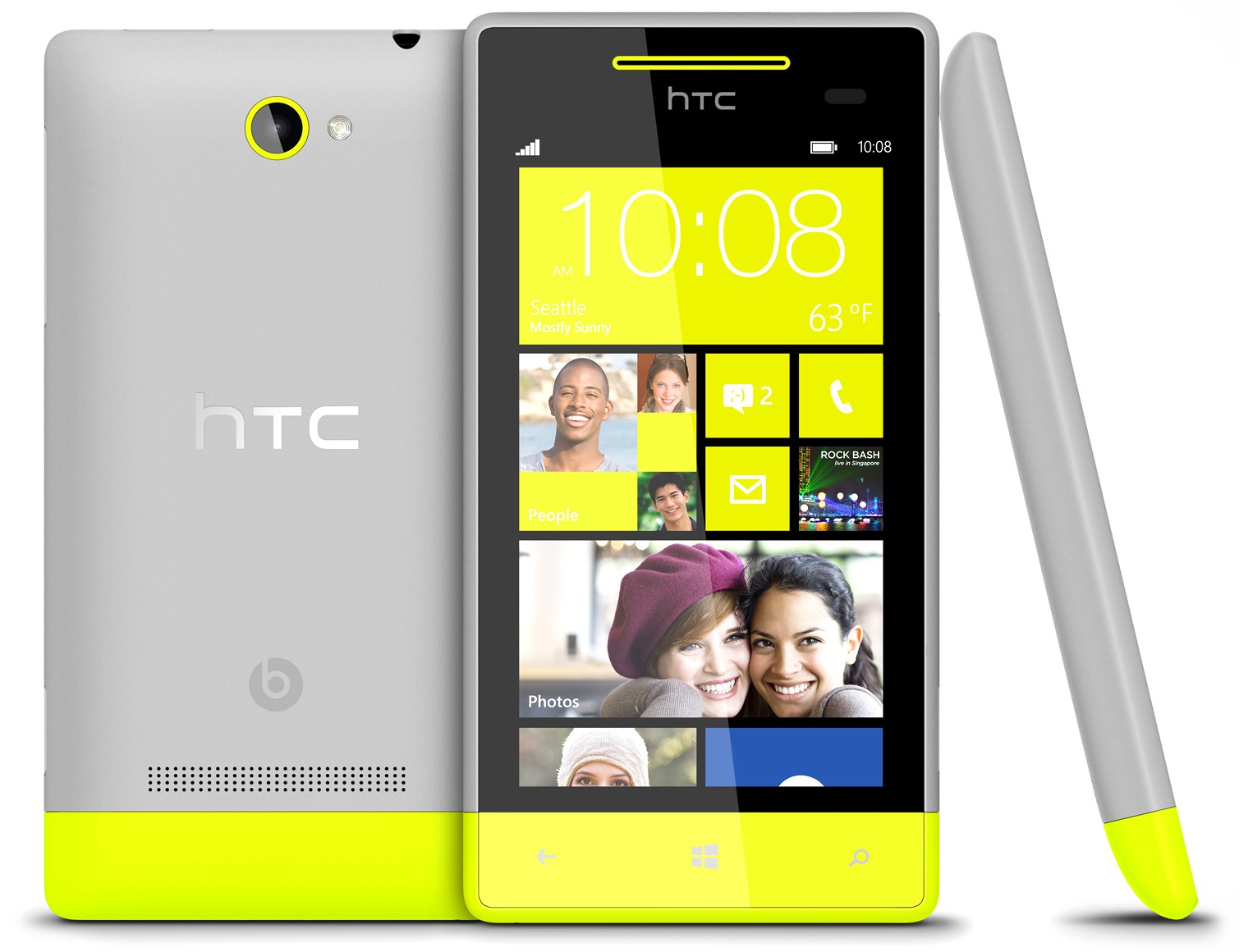
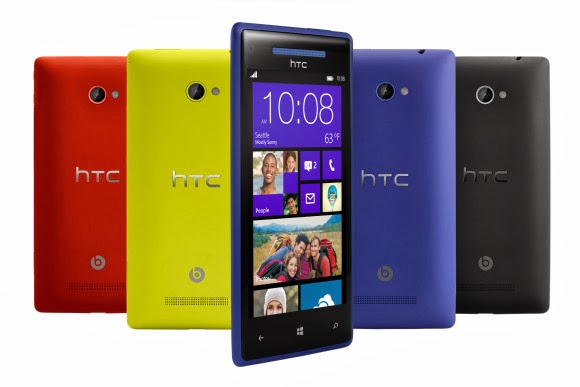
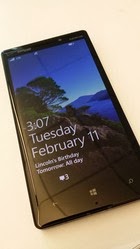
IDG NEWS SERVICE – HTC didn’t do much to fan the flames of future Windows Phones on Friday, stating that “nothing concrete” is in the works regarding future products.
HTC executives took to the pages of Reddit for an “Ask Me Anything” session that covered the company’s product strategy, with regards to features like its use of the Sense UI versus its Google Play Edition.
Unfortunately, the company was vague when talking about the future of Windows Phone. User “0157h7” asked, point blank, “Is HTC done with Windows Phone?”
Leigh Momii, a product manager for HTC, weighed in.
To say “done with Windows Phone” is a pretty blanket statement. I don’t think a company such as ourselves can ever say that point blank. As strong partners of Microsoft, we’re working with Microsoft on the Blue update on Windows Phone 8X and will continue to take new products into consideration. Nothing concrete right now, but who knows!
Or, as user “jpspiderman” put it: “So far they’ve said that they haven’t written off Windows Phone completely but that’s all they’ve said — no real commitment.”
“What he said,” the HTC team replied.
The future of Windows Phone may be from Nokia, not HTC.
It wouldn’t be unusual if HTC decided to put its Windows Phone plans on hold, or scuttle them completely. When Microsoft announced the $7.17 billion deal last year, IDC had just reported that Nokia made 81.6 percent of all Windows Phones sold. “Clarity helps make the market for all Windows Phones,” Microsoft said, a bit of doublespeak that implied that acquiring Nokia would actually promote diversity among Windows Phone partners. That in turn prompted several analysts to question the deal and its long-term effects on the Windows Phone ecosystem.
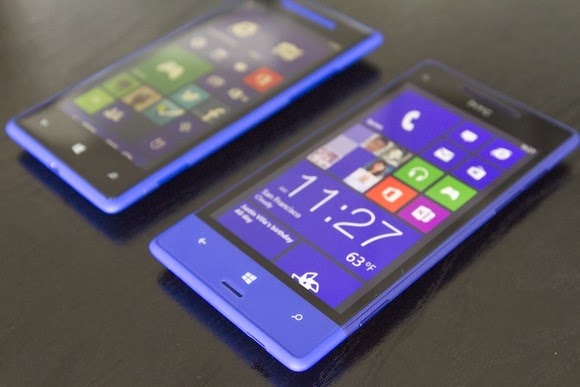
If nothing else, it appears that HTC 8X users will at least be receiving the Windows Blue update, another name for Windows Phone 8.1. But if you’re looking for new Windows Phone hardware, it seems like you should stay focused on Nokia and phones like its new Lumia Icon, for now.
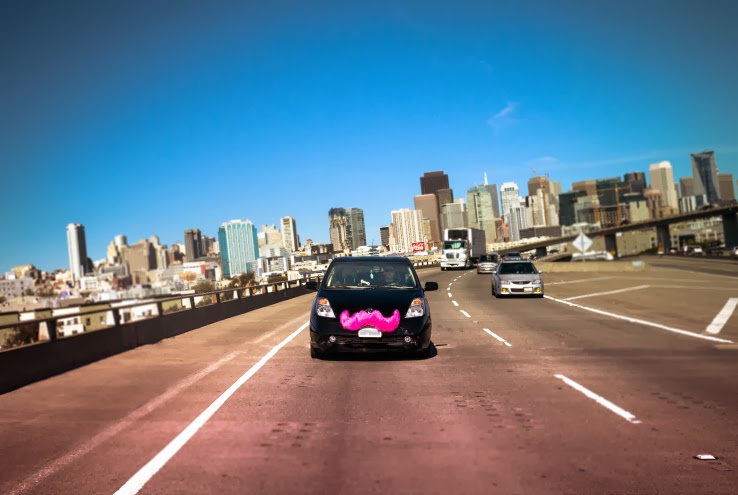
Lyft is raising yet another big round of funding, according to sources. The company, which is seeking to make ride-sharing mainstream in cities across the U.S. and around the world, is expected to use the new cash to fund expansion into new cities and territories.
We’ve heard Lyft has pitched a number of venture firms and late-stage institutional investors, but hedge fund Coatue Management seems to be in the lead for the deal. Coatue has recently invested in hot companies like Box, Snapchat, and HotelTonight, and is part of a growing trend of hedge funds making bets on later-stage startups with traction.
Andreessen Horowitz, which led Lyft’s $60 million Series C round, is also expected to contribute a large chunk of cash. Other investors in Lyft include Founders Fund, Floodgate, Mayfield Fund, K9 Ventures, Ooga Labs, fbFund, and Keith Rabois.
The company was founded as Zimride back in 2007, but it wasn’t until 2012 — when it shifted from long-range to on-demand ride-sharing — that things began to really take off.
With the launch of the Lyft mobile application, it broke new ground in enabling passengers to get rides from other people with a car and spare time on their hands. Due to the success of the on-demand platform, the company rebranded as Lyft and sold its legacy Zimride assets to Enterprise Holdings last summer.
After its initial stint in San Francisco, Lyft began expanding to other cities early last year and now is offering service in 20 markets throughout the U.S. But like Uber, which also offers on-demand rides via mobile app, Lyft has plans to aggressively increase the number of international cities that it operates in beginning this year.
The additional funding will be vital to getting it on the right track toward that goal, as it bulks up operations both in its San Francisco headquarters and in remote offices around the world.
In the meantime, Lyft is trying to get more regulators and local officials comfortable with the idea of letting unlicensed drivers give rides to passengers around town. To that end, it recently hired Google X legal director David Estrada as its VP of government relations.
The company also announced the creation of a peer-to-peer rideshare insurance coalitionthat includes other transportation companies, as well as regulators and insurance providers, to figure out the tricky issue of insurance for its drivers.
Lyft, Coatue, and Andreessen Horowitz all declined to comment.
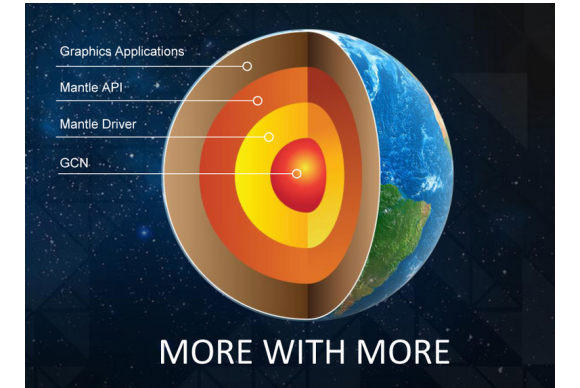
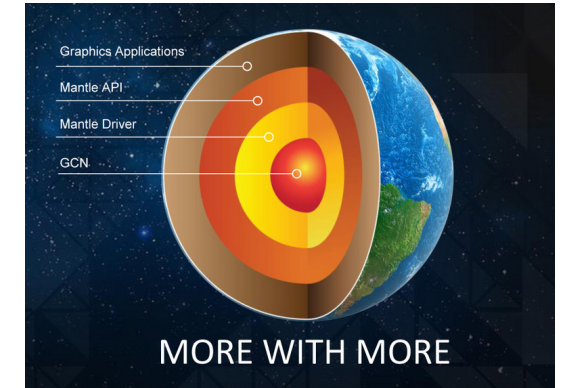
AMD has released the latest beta driver of its Catalyst software, making its Mantle API a reality for those with supported graphics cards.
AMD’s Catalyst 14.1 beta driver was expected last week, although a few glitches delayed the release. Over the weekend, AMD published the beta driver to its Web site. Note that you’ll need to uninstall the current driver before installing the beta.
AMD is positioning Mantle as a low-level API optimized for its own hardware, offering significantly better performance than the generic DirectX API that powers both AMD and Nvidia graphics cards and integrated CPU/GPU chips, known as APUs. (For more, see our earlier deep dive into Mantle technology.)
So far, just one game, EA’s Battlefield 4, has been optimized for Mantle, although a tech demo of an upcoming game, Star Swarm, has also been released. According to AMD, gamers who load the new beta Catalyst driver should see up to 45% improvement in frame rate running Battlefield 4, and 200% when using the driver and playing the Star Swarm demo. A few other games, including the Thief reboot and Wing Commandercreator Chris Roberts’ Star Citizen, will also support Mantle, the developers have said.
PCWorld hasn’t had a chance to test Mantle yet, but real-world tests conducted by Anandtech showed gains of up to 30 percent when running Battlefield 4 on an Intel i7 4960x CPU. Naturally, because the Catalyst driver is a beta, future improvements are expected.
The new driver also includes support for AMD’s “frame pacing” technology, which smooths the handoffs between multiple GPUs working together in a Crossfire alignment to an “even and regular pace,” according to AMD.
AMD says that the following graphics cards will support the new Catalyst driver, and by extension, Mantle: the AMD Radeon R9 and R7 cards, plus the Radeon HD 8000 and 7000 series, and as well as the A10-7000 and A8-7000 APUs. Don’t expect to see the same dramatic gains in frame rate using the older cards, however, AMD warns—you’ll have to wait for future updates to see those improvements.
The Department of Transportation (DOT) said Monday that it plans to require vehicle-to-vehicle communications in future generations of cars, eventually making the technology as ubiquitous as seat belts.
Specifically, the DOT said that it will prepare a report on its findings on vehicle-to-vehicle (V2V) communications for publication in the coming weeks. That report will become the foundation for a new V2V regulatory framework, to be published later.
Google has said that its self-driving cars will use V2V communications in addition to its LIDAR systems.
The National Highway Traffic Safety Administration (NHTSA), part of the DOT, “will then begin working on a regulatory proposal that would require V2V devices in new vehicles in a future year, consistent with applicable legal requirements, Executive Orders, and guidance,” the DOT said in a statement Monday. The DOT said it believes that the signal this announcement sends to the market will significantly enhance development of this technology and pave the way for market penetration of V2V safety applications.
Vehicle-to-vehicle communications refers to the emergence of Wi-Fi-like radios that could be mounted in cars and communicate with one another. Also known as Dedicated Short-Range Communications, V2V car-mounted radios would constantly communicate with other vehicles within range, providing speed and directional data to other cars’ safety and navigation systems. The idea is that a car racing around a blind curve would “know” that a car was heading in the opposite direction, or a car would receive warnings that cars ahead were coming to an unexpected stop.
In August, 2012, DOT launched what it called the Safety Pilot “model deployment” in Ann Arbor, Mich., where nearly 3,000 vehicles were deployed in the largest-ever road test of V2V technology. DOT testing demonstrated the interoperability of V2V technology among products from different vehicle manufacturers and suppliers and has demonstrated that they work in real-world environments, it said.
“V2V crash avoidance technology has game-changing potential to significantly reduce the number of crashes, injuries and deaths on our nation’s roads,” said NHTSA’s acting administrator, David Friedman, in a statement. “Decades from now, it’s likely we’ll look back at this time period as one in which the historical arc of transportation safety considerably changed for the better, similar to the introduction of standards for seat belts, airbags, and electronic stability control technology.”
At this point, the DOT doesn’t envision that the V2V data would do anything more than sound an alert, rather than trigger the braking or steering systems. The DOT also said that the data would not be used to track drivers. “In fact, the system as contemplated contains several layers of security and privacy protection to ensure that vehicles can rely on messages sent from other vehicles and that a vehicle or group of vehicles would be identifiable through defined procedures only if there is a need to fix a safety problem,” the DOT said.
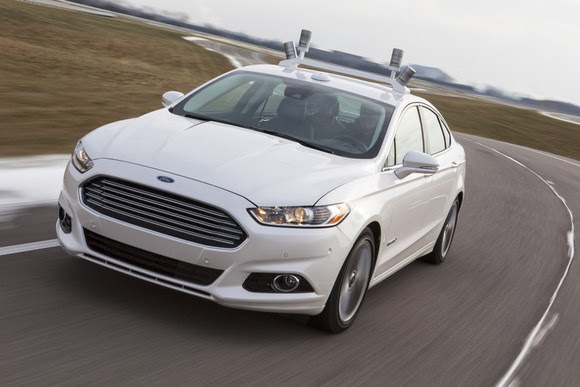
This enthusiastic wing-pup may someday be out of a job, if V2V systems start communicating location and speed data directly from car to car.
Vehicle communications systems have been in place for some years, with bus systems in London, the San Francisco Bay Area’s BART system, and others broadcasting their estimated times of arrival at the next station, based upon their location data. It’s this vision of the future that Scott F. Belcher, president and chief executive of the Intelligent Transportation Society of America (ITS America), said he endorsed.
“Thanks to the strong commitment by U.S. DOT and automotive leaders, and years of investment by countless innovators and industry pioneers, the vision of ‘talking’ cars that avoid crashes is well on the way to becoming a reality,” Belcher said in a statement. “And we’re not just talking about cars talking to cars, but about cars talking to bikes, trucks talking to motorcycles, and even buses talking to pedestrians. This promises to significantly reduce the number of deaths and injuries on our nation’s roads while unleashing a new wave of innovation from advanced traffic management systems and smart mobility apps to real-time traffic, transit and parking information. We look forward to working with U.S. DOT, the automakers, and high-tech industry to ensure that issues such as security and privacy are addressed as we work toward full scale adoption of this life-saving technology.”
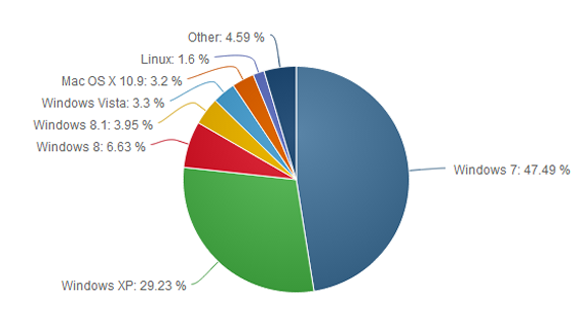
Microsoft is almost ready to put Windows XP out to pasture, but the popular operating system refuses to die. The latest worldwide numbers from Net Applications show Windows XP market share actually grew by 0.25 percentage points in January, compared to the month previous.
This is the first time Windows XP has gained in market share based on Net Applications’ freely available data, which reaches back to 2009.
We’ve dropped a line to Net Applications to see if the company has any explanation about why Windows XP might have bounced back in January, and we’ll update this story accordingly.
With the deadline for Windows XP’s end of life looming in April, it’s tempting to see the old system’s apparent resurgence as an embarrassment for Microsoft as Windows 8 stumbles in the market place. But could there be another, less sinister reason for the bounce?
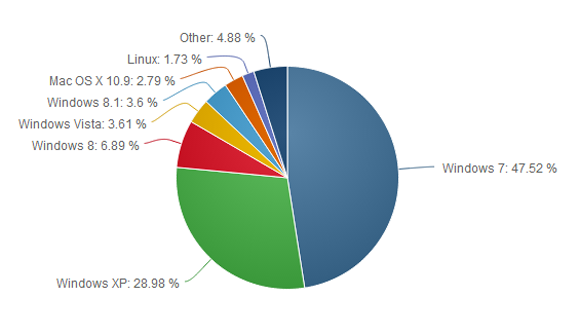
In December 2013, the browser usage numbers from Net Applications showed Windows XP with a 28.98 market share. But check out the next pie chart…
The surge may not be real
First, if you look at the top of Net Applications’ report for January 2014 it says, “This report contains preview data that has NOT been reviewed by Quality Assurance.” So there’s that.Also, StatCounter, a a competing metrics service, registered a 0.64 percent decline for Windows XP during the same time. So who should we believe?
Perhaps neither. There are problems with how Net Applications and StatCounter measure market share. Both companies rely on browser hits to determine OS popularity, so the companies are really counting the number of Windows XP, Vista, 7, 8, and 8.1 computers that go online during a given month.
That method may be generally accurate since today’s PCs (including Windows XP machines) are essentially web browsing machines. But when you’re looking at modest gains for a particular flavor of Windows, relying on browser data may not be perfectly trustworthy.
One month later, Windows XP shows a modest surge, possibly explained by people digging out old machines from closets to work on them before the XPocalypse.
But what if it’s true?
Assuming Net Applications is spot on, it’s also easy to see why a bunch of Windows XP machines might suddenly go online. As I wrote above, Windows XP’s end of life is just around the corner on April 8. When that happens, Microsoft will cease delivering security patches for the system.
So enterprises and small businesses may be yanking old Windows XP machines out of closets, warehouses, and backrooms as they take stock of company hardware and any data stored on antiquated computers.
Factor in curious home users wondering if they can upgrade their machine to Windows 8 or install a Linux variant on their aging hardware, and it’s easy to see where the modest uptick came from.
That’s all speculation mind you, but it makes a certain amount of sense.
The XP problem
Nevertheless, it’s undeniable that Windows XP still has a massive install base, second only to Windows 7. It’s likely there will still be a huge user base for Windows XP later in 2014, and tech companies are preparing to support the system in a limited fashion after April.
To help out Windows XP users who refuse to quit, Google will support Chrome for Windows XP until April 2015. And Microsoft says Windows XP’s anti-malware engine will continue to get updates until July 14, 2015. But security software can only detect malware attacks, and won’t permanently fix any critical flaws after April 8—and there will be flaws in Windows XP, bet on it.
If you do plan on sticking with the aging OS, we’ve just published a primer on what you should do to remain as safe as possible with Windows XP. But if you’re able to quit the system, you should do so very soon.
Is longer a secret, it’s been over a decade since Windows XP came into being. It’s true, time has changed; newer technologies has been introduced, even the guys up there are already getting tired of it. Yet, I want to stick with Window XP.
What you are asking for is quite a difficult one. Microsoft has already decided to end it’s support for the OS come April, 2014 and to continue using it, will open your PC to various security vulnerability. Psst! Listen to my brief advice and implement it with caution. I really understand why you might not be able to give up your Windows XP. Your business may depend on a specialized application that won’t run on Windows 7 or 8. Or you may not be able to afford a new PC and your old one isn’t powerful enough for an upgrade. Perhaps you’re just stubborn.
Reluctantly, I’m going to advise you on protecting a Windows XP computer after Microsoft’s updates stop. But I give this advice with a warning: This is not perfect protection. You’ll be better off giving up on XP.If you absolutely can’t or won’t give up XP, consider disconnecting that particular PC from the Internet. Use it the old-fashioned way: as a truly personal computer with no connection to the outside world. Then buy another PC or a tablet for email and browsing.
If that isn’t practical, follow these suggestions to make your XP computer more secure:
Get a full security suite: A simple antivirus program won’t be enough. Buy a heavy-duty suite with a two-way firewall and exploit protection in addition to antivirus. I like Kaspersky Internet Security, but there are several solid security suites, as we found in our recent roundup.
Get a second opinion: Now that you have a powerful security suite, don’t trust it. Augment your regular antivirus program with Malwarebytes Anti-Malware Free. Run it once a week to scan for malware that your suite may have missed.
Use Firefox or Chrome: An out-of-date browser is an open door for malware, and any version of Internet Explorer that runs on XP is very out of date indeed. But the latest versions of Firefox and Chrome can still run on your machine.
Protect your browser: Scripts are a dangerous malware delivery system, and the right browser add-ins can block them. And yes, you can tell the add-ins to make exceptions and allow scripts from sites that you trust. If you use Firefox, install NoScript Security Suite. For Chrome, go with NotScripts.
And remember that eventually, the security suites and browsers will stop supporting XP, as well. This can’t go on forever.
Part of the problem with any powerful technology is how it is perceived. It might be something that is too early for its time or it may just need those years of development and use for the market to catch up to its potential. That is true of graph databases like Neo4j, which now has a new graphical interface that helps people map relationships between different people, places or things.
There is one simple way to think about graph databases, said Emil Eifrem, CEO of Neo Technology and one of the original developers of the graph database technology. And that is to explore how graph databases treat relationships as first-class citizens. The knowledge is all about relationships. When more connections are made, the view fills out. Graph databases find the relationships, the missing pieces that help form connections.
Graphs databases are still known by relatively few people, but they are gaining acceptance as the use cases increase. The reasons are clear when you consider how much data is now getting created. With that scaling comes a growing demand for new types of analytics capabilities.
Graph databases are becoming more popular for the varied amounts of data they aggregate and analyze. They treat everything as a node. That might be things like a street light or people. The properties of a graph database describe the nodes. A graph database also has “edges” that connect the nodes and properties, defining the relationship between them. The value is derived when analyzing the patterns between the nodes and the properties.
Neo Technology has put a heavy emphasis on the user interface to make it more accessible and easier to query and build graphs from large data sets. It took the developers 10 years to get to Neo4j 1.0, said Eifrem. They built it to be fully transactional and ACID compliant, meaning transactions are processed reliably. But it lacked a decent user interface. So that became the focus as they developed the 2.0 release.
In this new version, the goal is to make it possible for developers to create their own recommendation engines using visual guides and simple queries. Cypher, the query language, has been updated and streamlined, making it more accessible to someone like a business analyst. It also now supports labels that refer to subsets of nodes in a graph, introducing a form of schema into the technology. This means that the data can be indexed better, allowing the developer to tell the database more about the data. https://www.youtube.com/embed/qbZ_Q-YnHYo?feature=player_embedded
Snap-Interactive uses Neo4j to build social graphs that find the patterns in the data to recommend potential matches on dating sites. Graph databases also apply to network and data center management. A cloud infrastructure, for example, is a connected system. The shape of the data can help track the root cause analysis of a data center outage.
Neo4j is the most popular graph database, said Matt Aslett, a research director for data management and analytics at 451 Research. But these are early days and there are competitors like Objectivity and established providers such as Teradata that have layered a graph capability to its Aster database.
Orchestrate takes a different approach, Aslett said. They are doing it in reverse. They have a single API that allows the user to sync multiple databases with its service that has a graph capability. It does not layer on top of the existing database. Instead, it syncs with the existing database. In Orchestrate they get the graph capability, which is connected to the pre-existing database.
Time To Visualize
Data has been locked up in rows and columns on a spreadsheet for years but that has to change as we increasingly need to visualize what the data means. There is just too much of it for our minds to comprehend unless it is shown in some way through pictures and graphics.
The visualization in Neo4j helps show the relationships between different data sets that you can’t get by only looking at the code. This visualization capability is supported with Cypher, the query language developed by Neo4j. Each query represents an interaction that is shown in the visualization.
Traditional SQL engines are not meant to collect data and seek out relationships. They are instead designed more for transaction-oriented systems. Graph databases handle the loads with far more ease as they model, store and query the data. Everything is connected. A relational database will often deteriorate in performance over time as the data set grows. It may be a result of joined tables or queries that rely on joins. This can make it quite slow as opposed to a graph database that is densely connected and easily queried.
As sensors become more widely used in wearables such as Google Glass, the demand for graph databases will increase. It will be important to correlate the data from any number of sensors that might be in a house, a car or city street. There will also be the need to analyze increasing amounts of text from medical records, contracts, etc.
It will be a long time before relational databases ebb into oblivion. But their role is no longer universal. Graph databases are here to stay and for now Neo4j is setting the standard for the rest of the market.
“There is a tipping point but that will take some time,” Aslett said.
If you are residing within Australia, Nigeria, India, Russia or anywhere else around the world, wanting to own a U.S bank account or localized accounts in EURO, CHY, GBP and JPY. The Payoneer service is a secure and convenient service that allows you to send and receive funds globally.
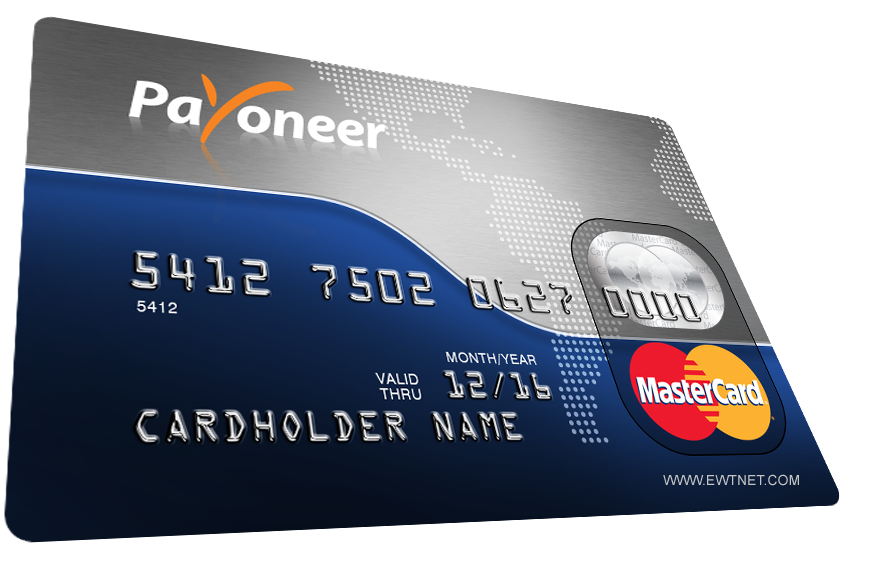
This is nothing like PayPal or the likes. These are fully functional bank accounts in your name. You can withdraw your funds from an ATM or make payments online with your Payoneer debit card.
Payoneer debit card
As a resident of Nigeria (or any other country) you can own a U.S Checking Account that provides you with a US collection account that can be used to receive payments from US companies directly to your Payoneer account.
These payments can be withdrawn using your Payoneer debit card or used to make other payments online.
Payoneer Global Payment Service
Furthermore, Payoneer allows account holders to own, receive and make payments in other localised currencies using the Global Payment Service.
There are two types of receiving accounts:
Local receiving accounts – let you get paid by local bank transfer from companies in different countries as if you had a local bank account in that country. Receiving local accounts include:
USD Receiving Account (United States)
EUR Receiving Account (Europe)
GBP Receiving Account (United Kingdom)
CHY Receiving Account (People’s Republic of China)
JPY Receiving Account (Japan)
Wire (SWIFT) receiving accounts – let you get paid by wire transfer worldwide. You can use wire (SWIFT) receiving accounts to receive payments from companies located in countries where local receiving accounts aren’t supported.
Payoneer Debit Card
Payoneer allows you to receive ACH / Direct Deposit transfers from cooperate organizations such as eBay, Fiverr, Amazon, Upwork, etc. The debit card makes it easy and convenient to perform various transactions online such as purchasing or paying for services online and can be used in any ATM globally that accepts MasterCard.
You can request for a separate debit card for all your currencies. Depending on your location, your debit card is shipped between 2-5 weeks.
Setting Up your Payoneer Account
Creating a Payoneer account is easy. You can start by simply creating an account on the Payoneer website. But the easiest method to get your account approved and verified is going through a third party.
Co-operations such as Amazon, SeoClerks and Fiverr allows you to receive funds through your Payoneer account. Hence, providing you with a unique link to setup of your Payoneer account. In this tutorial, I will be walking you through on how to setup your U.S bank account and get your Payoneer card using Infolinks.
A scanned copy of a government-issued ID (any of Driving licence, Passport, National ID or Voter’s Card will be fine)
Setting Up your Infolinks Publisher’s Account
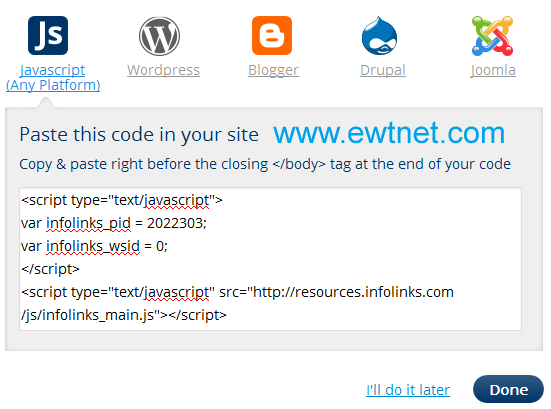
Infolinks is a media advertisement partner that allows you to share advertisement revenue by implementing the infolinks publisher code on your website or blog. If you don’t already own one, proceed to Gmail to create a free email account. Then visit Blogger.com to start a free blog powered by Google.
When all is set, proceed to Infolinks Publisher’s account setup, and enter your website/blog (e.g. website.blogspot.com) address in the specified input box. FIll the remaining info and complete the setup by implementing the Infolinks code on your website/blog (See how to add custom widget on Blogger to add your Infolinks code on the Blogger platform).
Request your Payoneer Debit Card
I believe you have already setup your email address and created an Infolinks publisher’s account. Now, proceed to your Infolinks payment setting:
Enter your contact details and click next
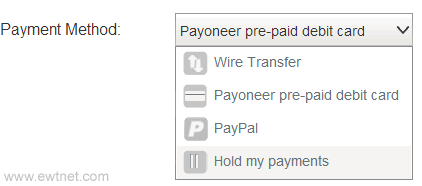
Select Payoneer pre-paid debit card as your payment method
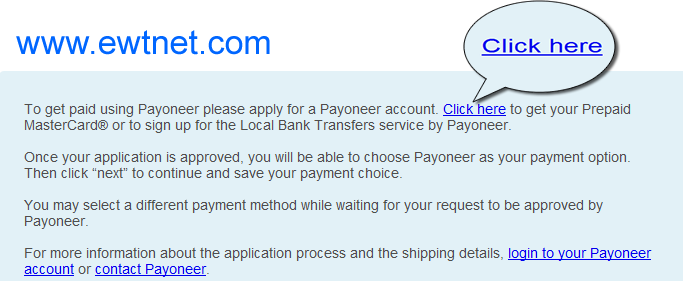
Immediately beneath this area, you will find a notification box prompting you that no Payoneer account is associated with your infolinks account. Kindly, follow the Creat account link and fill the form at the Payoneer website. This process will require your email address and a government issued ID. If you do not have any of driving licence, national id or passport you can select National ID and use your voters’s card later.
Note: Ensure that your billing address is valid and correct. To be on the safer side, visit the nearest post office to get details of your mailing address.
At this point a confirmation message will be sent to your email. Sit back and wait for 2-5 business days for your Payoneer account to be reviewed and approved.
Once your account is approved you will receive a congratulation email!
Your Payoneer Debit card will arrive your mailing address within 2-5 weeks. Once you receive it, you can proceed to your Payoneer account to view your status and activate your card.
Setting Up your U.S Bank Account
A free U.S checking account will be created for you the moment your debit card request is approved. This account is used to receive payments from US companies directly to your Payoneer account.
Check your email inbox for an email from [email protected] containing the following message:
Dear FirstName,
Welcome to the Payoneer US Payment Service.
This service provides you with a US collection account that can be used to receive payments from US companies directly to your Payoneer account!
Your US Payment Service information: BANK NAME: Bank Of America ACCOUNT TYPE: CHECKING ACCOUNT #: ***-***-***-***-***-*** ABA # (Bank Routing Number): ####-##### Please Note: Your US Payment Service has not yet been verified. In order to ensure that payments you receive are funded to your account without delay, you’ll need to verify your service by completing the following steps:
Click here to complete the US Payment Service Questionnaire Click here to submit a copy of your government-issued photo ID
Kindly, follow the links provided in the email to submit your US Payment Questionnaire and a scanned copy of your government-issued photo ID respectively.
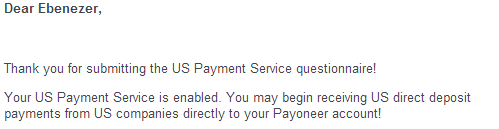
Wait for a message similar to this one:
Congratulations! Your U.S Bank Account is ready to be used. You can use this account to receive funds from various U.S co-operation including Paypal and Amazon.
Need Help?
If you want us to help you setup your U.S Checking Account or request for a Payoneer debit card. Contact us here.
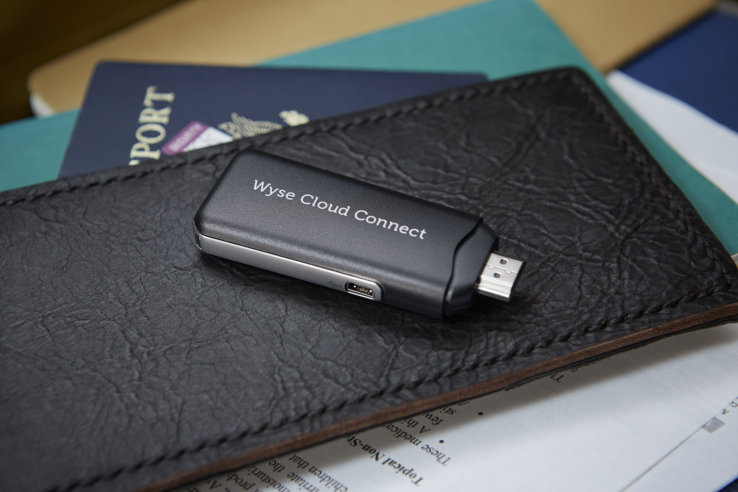
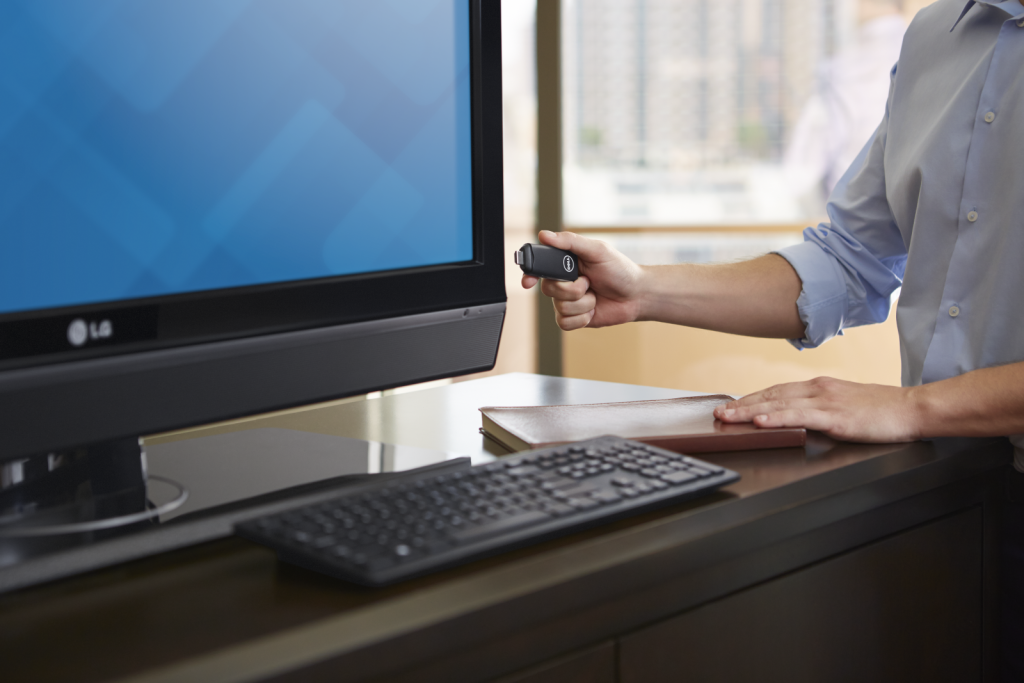
Techcrunch – Dell continues making bets on Android in its computing lineup with a new $129 device that brings Google’s mobile OS to any TV or display with HDMI input. The new stick runs Android Jelly Bean, also supports MHL connections (mobile high-def) and offers Bluetooth and mini USB for mouse, keyboard and other device connectivity.
In addition to onboard connectivity for Bluetooth, the new Dell Wyse Cloud Connect also offers 802.11n dual-band Wi-Fi and the standard Google Play store for Android software. It’s an enterprise and business focused device, however, and also has Dell’s Wyse PocketCloud software preloaded to help it act as a virtual terminal for remote computers.
This is, in effect, supposed to be the long-vaunted and sought-after thin client PC you can carry with you in your pocket that still manages to provide access to all your files, software and communications back home. Of course, that doesn’t mean it can’t also provide entertainment options to business travellers, since it’s capable of full HD output and should be able to easily run Netflix’s Android app.
That “multi-core” Cortext-A9 ARM SoC might not be the most muscular mobile processor in the world, but Dell does specifically tout its HD and 3D graphics abilities in its specs sheet. It has 8GB of onboard storage, and 1GB of RAM, plus a micro SD slot that supports up to 72GB of additional space.
Based solely on surface impressions, you could do far worse in a pocket computer for those gruelling weeks on the road if you’re a frequent business traveler. It’s interesting to see Dell move in this direction, effectively taking a page out of the playbook of devices like the Ouya and the Gamestick but cutting out all the nonsense and painting it with a business brush.
Weirdly, more than anything else over the past half decade at least, this makes me want a Dell computer. Go figure.
Before now, the Huawei E303 Glo Bolt Internet Modem has been an ugly nightmare for Nigerian geeks. I happened to be a victim of this nightmare, but somehow, I found an escape route. You might have wondered why Glo Bolt Modem cannot be unlocked using code unlockers or the Huawei E303 unclocking I tips posted earlier. The reason is because Glo Bolt modems has been blocked by either its manufactures or Glo themselves. When a user enters a wrong unlock code in a particular modem over ten times, the modem is blocked and can no longer accept SIM cards outside the one it was branded for, this is the exact state of Glo Bolt modems.
At some point, the possibility of unblocking or re-branding the Glo Bolt modem looks hopeless, but thanks to our team’s curiosity, we now have a solution to Unblock Huawei E303 Glo Bolt Internet Modem using firmware updater. It is free and easy to follow steps.
Requirements to Unlock Huawei E303 Glo Bolt Modem
A PC with internet access (preferably not from a modem).
Uninterrupted power supply (Your devices cannot be interrupted throughout the process). If you are using a laptop, it is recommend you charge your battery to the brim.
Unblocking your Huawei E303 Glo Bolt Modem
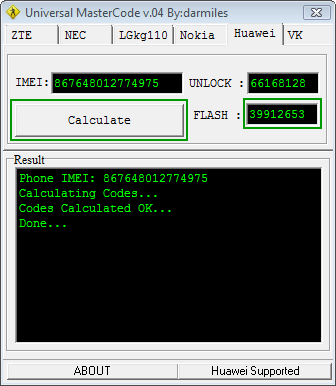
Run the Universal Master Code Calculator you have downloaded earlier. Put your IMlEI and hit the Calculate button. Copy the Flash code into somewhere save. We will use it as a password at some point in this tutorial.
Universal MasterCode Tool
Next, extract the contents of the HUAWEI E303 Firmware Update into a folder. Make sure the modem is connected and it has been installed with the SIM card inside it. Now exit the dashboard tray if it’s open and run E303SUpdate_21.157.31.00.850.B757.exe, put the Flash code you got earlier from the Universal Master Code Calculator when it prompt for password.
In less than 3 mins, you will have a brand new modem at your disposal 🙂 Just insert any SIM and enjoy permanent freedom. You can also download a new modem dashboard here.







 The Note Pro also lacks an integrated keyboard, such as the Surface’s Type and Touch Covers. In fact, to use it as a laptop replacement, you’ll need to buy a Bluetooth keyboard and possibly a mouse. That completely eliminates its use as a “lap top” computer.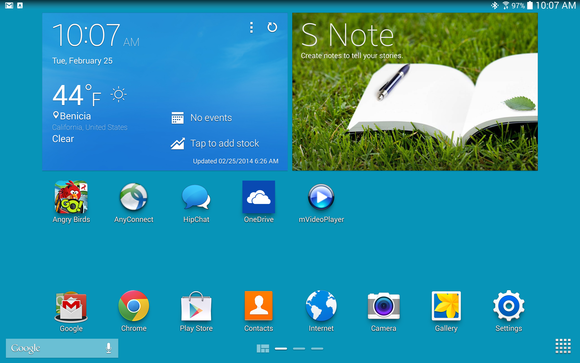













You must be logged in to post a comment.