Search results for: “microsoft”

  • Microsoft Copilot: Features, Availability, Pricing

    Microsoft Copilot: Features, Availability, Pricing

    Microsoft, the multinational technology company bridging the interaction between humans and technology has consolidated this with the introduction of Microsoft Copilot, an AI assistant. Microsoft claims Copilot is capable of assimilating insights from the web. Including data, and PC activities, all the while protecting user privacy and security. Integrated into Windows 11, Microsoft 365, Edge, and Bing, the first rollout of the AI assistant will be accessible as an application with a free update to Windows 11.

    This launch is on the sidelines of some amazing new products designed to amplify productivity and creativity. As well as help people and businesses realize their full potential. Bing and Edge are transforming; introducing the latest DALL.E 3 model from OpenAI to provide customized responses based on user search history and an AI-driven shopping experience. In addition to the product updates, Microsoft announced the launch of new Surface devices.

    Windows 11 Update 2023
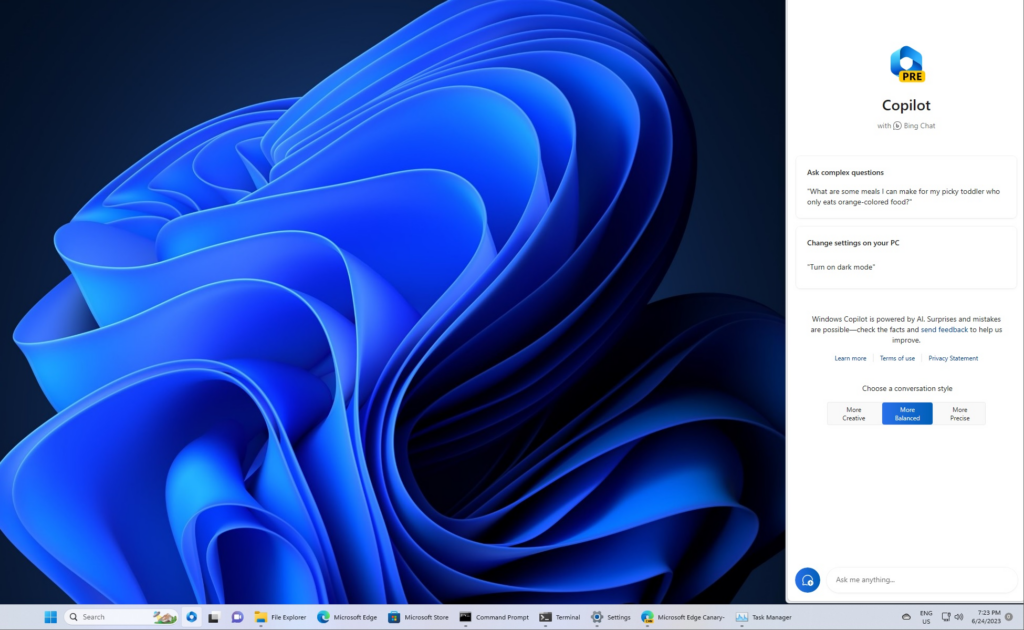
    Microsoft Copilot AI Features Windows 11 update
    Windows 11 Update Credit: Windows Latest

    Updated on September 26 with over 150 new features, the new Windows 11 update brings the capabilities of Microsoft AI Copilot. Including File Explorer, widgets boards, paint, backup, etc. Paint has also received an upgrade with AI-driven features such as background removal and layers. Along with a preview of Cocreator. Another feature that benefits from Microsoft’s AI enhancements is Photos. Additions like Background Blur, and improved search capabilities to make locating photos stored in OneDrive a breeze.

    The Windows Snipping Tool now offers expanded content capture options, allowing for specific text extraction from images and providing tools for sensitive information redaction. Sound capturing via audio and microphone support has also been integrated, simplifying the creation of compelling videos and content.

    Clipchamp now boasts an auto-compose functionality, suggesting scenes, edits, and narratives based on your images and footage. In addition to empowering users to create professional-quality videos for sharing. Notepad now automatically saves your session state, allowing for seamless transitions without interruptions, ensuring you pick up right where you left off.

    The new Outlook for Windows offers simplified account management, merging several accounts in one app. Intelligent tools assist in crafting clear, concise emails, and help to easily attach important documents and photos from OneDrive. A modernized File Explorer interface for enhanced accessibility and a new Gallery feature for quick access to photo collections. Additionally, New text authoring experiences, voice access, and natural voices in Narrator are among the upgrades making Windows 11 the most accessible version yet. With Windows Backup, it’s very easy to move files, and applications to a new Windows 11 PC.

    Microsoft Copilot AI Features
    Microsoft Copilot AI Features
    Microsoft Copilot AI Features Credit: searchenginejournal

    Bing and Edge

    Bing and Edge now present features powered by the latest AI language models for a more advanced user experience. There are personalized answers from chat history that provide specific results based on preferences. Shopping via Bing or Edge not only feature customized buying guides, but also summarized reviews, and price match. Making it easier than ever to find what you’re looking for online.

    To improve image generation with greater detail and accuracy, the text-to-image AI model DALL.E 3 has been integrated into Bing Image Creator. Content Credentials for cryptographic markers to AI-generated images have also been added. With Bing Chat Enterprise receiving updates that extend to the Microsoft Edge mobile app.

    Microsoft Designer App

    Designer, the latest addition to our Microsoft 365 consumer apps, leverages AI to facilitate the creation of visually stunning content. Microsoft Designer is a design application that allows users to craft an amazing collection of visuals. From graphics, illustrations, and various other creative elements. This includes features powered by OpenAI’s Dall.E 3. Enabling tasks like generative to expand, fill, as well as erase for a more dynamic visual experience. Designer’s integration into Microsoft 365 Copilot for consumers, starting with Word, augments your document’s visuals with contextual suggestions. This creative tool revolutionizes content creation, providing immediate visual drafts with minimal prompts.

    Latest Surface Devices

    Microsoft also unveiled the latest Surface laptops to deliver exceptional AI experiences across Microsoft products and third-party platforms. It includes a Surface Pro 9 that comes with 5G and Windows Studio Effects. A Surface Laptop Go 3; the lightest and most portable Surface Laptop yet, featuring a responsive touchscreen display. The Surface Go 4 with unparalleled portability in a 2-in-1 form factor. And the 50″ Surface Hub 3 with innovative features like Portrait mode, Smart Rotation, and Smart AV. Opening up new dimensions for co-creation.

    FAQs

    What is Microsoft Copilot?

    Microsoft Copilot is Microsoft’s AI companion integrated into Microsoft 365, Windows 11, Edge, and Bing to streamline operations across them. With Copilot, users gain access to AI-powered assistance across various facets of their workflows within these applications.

    Is Microsoft Copilot Free?

    Starting November 1, enterprise customers can access Microsoft 365 Copilot at a rate of $30 per user per month. Although, the cost of Microsoft Copilot hinges on the application into which it is integrated.

    What is Microsoft 365 Chat?

    Microsoft 365 Chat is a chat interface with access to user data across various Microsoft work applications. This grants it the capability to respond to queries and assist with tasks. It can keep you up-to-date on meetings, locate documents, and provide answers based on the content within your documents, meetings, chats, and more.

    Is Microsoft Copilot Available Now?

    As of September 26, Microsoft Copilot is accessible on Windows 11.

    Can I use Copilot in Windows 10?

    Copilot can be used on Windows 10
  • Flutterwave and Microsoft Collaborates To Streamline Payments

    Flutterwave and Microsoft Collaborates To Streamline Payments

    Flutterwave, one of Africa’s leading fintech corporations entered into a progressive partnership with technology giant Microsoft. A five-year agreement aimed to reconstruct payment services across the countries in the second-largest continent and beyond. By leveraging Microsoft Azure’s products, Flutterwave will create a new payment infrastructure that facilitates seamless and secure transactions for Africans and international companies, including Uber, Netflix, and Microsoft.

    The collaboration between Flutterwave and Microsoft is a significant milestone for both parties. According to Mike Gaal, the General Manager of Microsoft Corporation, this partnership aligns with Microsoft Azure’s support for Flutterwave’s core operations. Gaal equally emphasizes Microsoft’s mission to empower individuals and organizations worldwide; noting that working with Flutterwave is a step closer to realizing that mission in Africa.

    Olugbenga Agboola, CEO of Flutterwave, expresses gratitude for Microsoft’s support. And recognizes the critical role that Microsoft Azure plays in managing high-volume payment processing. Agboola highlights the strength, credibility, and scalability of Azure; indicating that the collaboration with Microsoft is the logical next step for Flutterwave.

    Gurbhej Dhillon, Flutterwave’s Chief Technology Officer, also hinted at the developer leverage provided by Microsoft’s platform. This would also empower Flutterwave to improve its client services and grow its platform effectively. Looking ahead, Dhillon is excited about the possibilities of building with Azure OpenAI Service.

    The partnership announcement by Flutterwave highlights the company’s dedication to delivering consistently high-quality services to its customers. Microsoft is transitioning key products such as Flutterwave for Business, Send by Flutterwave, Flutterwave Store, and Flutterwave for Fintech Platform onto Azure’s cloud platform.

    How The Flutterwave and Microsoft Partnership is Beneficial

    Flutterwave can maximize some of the services and capabilities offered by Azure to enhance its payment services. With its secure and reliable cloud infrastructure, Azure provides virtual machines and container services. This includes Azure Kubernetes Service for deploying and managing backend services, databases, and APIs. Azure’s auto-scaling capabilities ensure that resources are dynamically allocated based on demand. This would enable Flutterwave to handle high transaction volumes during busy times efficiently.

    Various data storage options, including Azure Blob Storage and Azure Cosmos DB, are available for storing transaction records and accessing data with low latency. Azure prioritizes security and compliance; it provides encryption, access management, and network security features. So as to protect sensitive customer data and ensure adherence to industry regulations like PCI DSS.

    The platform’s analytics and machine learning services, such as Azure Machine Learning, Azure Data Lake Analytics, and Azure Databricks, enable valuable insights. In addition to predictive modeling for fraud detection and customer behavior analysis. Integration with external systems and third-party services is also made seamless through Azure Logic Apps, Azure Service Bus, and Azure API Management.

    Disaster recovery and business continuity are ensured. Through Azure’s global presence and built-in features like Azure Site Recovery for replication and failover. Microsoft Azure equally provides specialized services like Azure Payment HSM for secure key management. As well as Azure Bot Service for creating payment-related chatbots, and Azure Cognitive Services for fraud detection and risk assessment.

  • Firefox OS, Microsoft IE and 5 top Technologies that Died in 2015

    Firefox OS, Microsoft IE and 5 top Technologies that Died in 2015

    Like 2016, 2015 started with a lot of promises and big time resolution for technology companies, but unfortunately, not all those technologies made it through the year.

    A large number of services/technologies either died, discontinued or gradually faded away in 2015. For every success recorded in 2015, there was a complementing failure. There is no shame in it, after all, the market is a battlefield. Some technology will fall to a better competition, others will simply fail to replicate the first spark there product generated or just not good enough in the modern trend. However, before we welcome what 2016 have in stock for us, let’s pause to remember five notable products and services whose death in 2015 will forever remain in our memory.

    Replaceable batteries (c. 1954-2015)
    Replaceable batteries (c. 1954-2015)

    Replaceable batteries (c. 1954-2015)

    The 61 long years of replaceable batteries finally came to an unexpected end in 2015 – well, in a way. If you used Samsung smartphone in 2013 then you are no stranger to short battery life, but then, you can at least carry 3 backup batteries in your pack… Not anymore!

    The movement was first started when Apple decided that it could reduce the weight of devices by sealing non-removable batteries in their systems. Introducing the non-removable battery technology with the original iPhone and the first MacBook Air, and it has since stuck with this plan.

    Today, no Apple products feature replaceable batteries, and neither does much of anything else. This year even the Samsung Galaxy Note line, long known for replaceable batteries, ditched them too. Today, the LG G4 is the only mainstream smartphone left that has one. We’re calling it dead except in niche or corporate products as of this year.

    Windows RT (2012-2015)
    Windows RT (2012-2015)

    Windows RT (2012-2015)

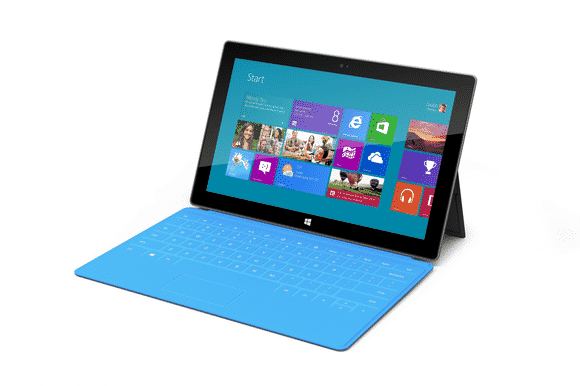
    Microsoft had only 3 years to surrender their failed attempt to create a cheap lite version of disastrous Windows 8. This “lite” version of Windows 8 was created for lower-power, cheaper tablets that couldn’t run the full-fledged OS.

    RT-powered Windows tablets met with immediate disdain due to performance problems, a lack of software, and compatibility issues. Development on the OS ended in 2013, and when the Surface 2 was discontinued in February, Windows RT breathed its last. All Windows RT support formally ends in January 2018.

    Mozilla Firefox OS for Smartphone (2013 - 2015)
    Mozilla Firefox OS for Smartphone (2013 – 2015)

    Mozilla Firefox OS for Smartphone (2013 – 2015)

    In February 2013, Mozilla founded an initiative that let you have an open, web-based framework that anyone could work with, instead of closed platforms and apps – Firefox OS.

    Firefox OS proved the flexibility of the Web, scaling from low-end smartphones all the way up to HD TVs. However, the OS couldn’t stand the competition from other tech giants or “weren’t able to offer the best user experience possible” as the owners claimed and hence the death of this initiative.

    Even if Mozilla has maintained that they are still willing to “experiment” with the software on smart devices — they just won’t be the kind of devices that make phone calls.

    Amazon Fire Phone (2014-2015)
    Amazon Fire Phone (2014-2015)

    Amazon Fire Phone (2014-2015)

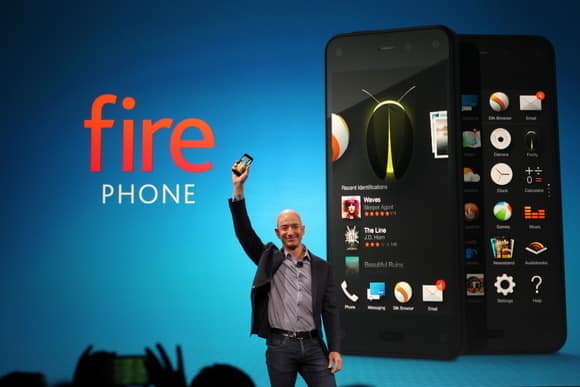
    After upending publishing, retail, and cloud services, Amazon took on the cell phone industry in 2014 with its first-ever smartphone.

    It will probably be its last.

    The idea wasn’t particularly bad in concept: The Fire Phone was ambitious, designed to integrate with the retailer’s various offerings and make it easier to take advantage of the many services available to Amazon Prime members, along with more standard Android features. But for a phone focused on media consumption, the Fire Phone was undercooked and complicated, and its unique features just didn’t work well enough. Massive discounts began within months, and Amazon pulled the plug barely a year after launch.

    Internet Explorer (1995-2015)
    Internet Explorer (1995-2015)

    Internet Explorer (1995-2015)

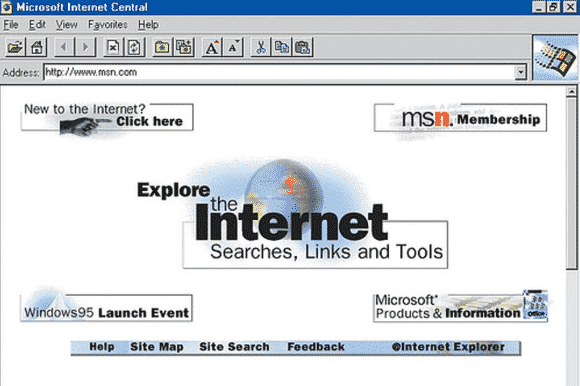
    The death of Microsoft Internet Explorer will probably be celebrated as the death of a tyrant by some PC users. Can it be that we’ve suffered for a full 20 years with good ol’ “Internet Exploder?” Designed as a competitor to Netscape—Netscape!—back in 1995, IE once boasted market share of over 90 percent, and as recently as 2009 still had a share of over 60 percent.

    The dramatic rise of Chrome and, to a lesser extent, Safari killed IE, but the death blow has been delivered by Microsoft itself. While some of its code is still buried inside the guts of Windows 10, IE is effectively no more, replaced by Microsoft Edge—which was developed entirely separately from IE—as the default Windows browser. Microsoft has already announced restricted support plans for IE and will sunset it along with older versions of Windows.

    Next on life support: Firefox.

  • Microsoft’s Virtual Assistant, Cortana now Available for iOS

    Microsoft’s Virtual Assistant, Cortana now Available for iOS

    Looking back at my experience with Windows 10, the newly introduced Microsoft’s virtual assistant that goes by the name Cortana, was one thing I wished I had on my Macbook. Wishes are not horses, they said – but I have some good news – and some bad news too.

    The good news is that Microsoft has just release a beta version of Cortana for IOS. The bad news is that only 2000 user can try it – for now.

    According to tech blog Warenotice, Microsoft is currently distributing the Cortana for iOS beta to the first round of beta testers—presumably to those who applied for the beta program earlier this month. Warenotice received an invitation to test the app, and published a few screenshots of Cortana running on an iPhone.

    The story behind the story: Microsoft has worked hard to bring many of its apps to other platforms like iOS and Android. It’s all part of the”cloud first, mobile first” ethos the company instituted under CEO Satya Nadella. However, as our Jared Newman pointed out, the iOS version won’t be as full-featured as the Windows and Android versions, largely because of the more closed nature of the iOS universe. The iOS version of Cortana won’t have a hands-free mode, for example, so it isn’t a true replacement for Siri.

    Only 2000 testers allowed

    Unfortunately, not everyone will be able to try the Cortana for iOS beta. Microsoft is using Apple’s TestFlight beta testing system—the one Apple-sanctioned method for distributing public betas on iOS—and it has some limitations. Most notably, TestFlight allows developers to distribute a beta app to only 2000 testers, and as Warenotice points out, app beta periods can run for up to 60 days. In addition, the beta program is only open to users in the US and China.

    So if you aren’t one of the lucky few to get in the beta program, you’ll have to wait until the final release of Cortana for iOS to give it a try.

  • Microsoft Windows 10 making A Great “UP GOING ” In Mobile Market Share

    Microsoft Windows 10 making A Great “UP GOING ” In Mobile Market Share

    Microsoft is doing a great job in the mobile world and the operating System at large.

    Today, IDC reported that Android and iOS controlled 96.3 percent of the mobile market in 2014. But Microsoft is always making a go up effort in their new strategy.That means that Microsoft’s Windows 10 strategy, which will see a single operating system stretch from the smallest to the largest screens, is starting in many ways from scratch.

    It’s worth keeping in mind how quickly Windows 10’s market share will grow inside of the Windows Phone universe — given that Microsoft will provide free upgrades to a majority of Windows Phone owners whose phones can make the jump, Windows 10 could quickly become the majority platform in the Windows Phone universe. Microsoft’s developer gambit is that it will bring a huge chunk of the Windows 7, 8, 8.1, and Phone 8.1 universe under the 10 aegis in rapid order, creating a massive base for developers to sell into.

    Fun game: What is Windows 10’s mobile market share inside of Windows Phone at the end of the year, and what is its tally among the larger smartphone market at year’s end?

    Regardless, this new data marks the start of market adoption for Windows 10 on smartphones. Charge of the Light Brigade, or start of a new era? We’ll find out soon.

  • Microsoft Spots New Vulnerability in Microsoft Office – Your PC may be at Risk

    Microsoft Spots New Vulnerability in Microsoft Office – Your PC may be at Risk

    Heads up! In what feels like a throwback to the late 90s/early 2000’s, Microsoft has discovered one helluva bug in Microsoft Office. Executed properly, the bug could be exploited to take over your entire system running just about any version of Windows.

    You can find Microsoft’s full disclosure on the bug here, but here’s the bulk of what you should know:

    • This bug is being exploited in the wild, though Microsoft only knows of “limited, targeted attacks” so far
    • It affects Windows Vista, Windows Server 2008, Windows 7, Windows 8, Windows Server 2012, and Windows RT. XP isn’t mentioned as Microsoft no longer supports it — but yeah, it’s probably affected too.
    • If executed properly, the exploit gives the attacker the same permissions on your system as whatever type of user you’re currently logged in as. If you’re an admin, that means full admin rights — code execution, app installs, etc.
    • If you have Window’s User Account Control feature enabled, it’ll throw up a prompt asking if the file is okay to execute. If you aren’t 100% sure that the file is legit, avoid doing so.
    • The bug is part of PowerPoint’s OLE system, which lets you embed things like spreadsheets into a presentation. It’s supposed to be fairly well sandboxed; alas, it looks like someone found a gap.
    • Microsoft says that hacked presentations e-mailed to users and hacked presentations sitting on the web are potentially dangerous. The short version: avoid all but the most-trusted PowerPoint presentations right now.

    So just how gnarly is this bug? Says Microsoft (emphasis ours):

    An attacker who successfully exploited this vulnerability could gain the same user rights as the current user. If the current user is logged on with administrative user rights, an attacker who successfully exploited this vulnerability could take complete control of an affected system. An attacker could then install programs; view, change, or delete data; or create new accounts with full user rights.

    But should you panic?

    Nah. Do a few things things, and you should be safe:
    1) Play it smart about what presentations you open
    2) If you’re on a build of Windows that has User Account Control as an option, enable it (it should be on by default, in most cases.) This won’t fix the bug outright, but it’ll throw up a big permissions prompt that’ll remind you not to open mystery files.
    3) Check out this advisory page from Microsoft, which offers up a temporary patch until Microsoft finalizes a security update.

  • New Microsoft adapter lets Xbox One’s Kinect play nice with PCs

    New Microsoft adapter lets Xbox One’s Kinect play nice with PCs

    Xbox One owners can attach their Kinect motion sensors to Windows PCs and tablets thanks to a new adapter introduced by Microsoft.

    The new $49.99 adapter is specific to Kinect sensors built for Xbox One, and it plugs into the USB 3.0 port of Windows 8 PCs. Microsoft already sold a separate $199.99 Kinect for Windows v2 motion sensor, which plugs directly into PCs without the need for an adapter.

    There will be no difference in the performance of the Kinect sensors, Microsoft said.

    Kinect sensors can recognize movement and gestures, which then allows users to participate in games. It can do much more for PCs than a simple webcam-style monitor. Kinect sensors, for example, can work with Windows applications like Microsoft’s 3D Builder, which allows the scanning of 3D objects.

    Software developers are working on various PC applications that take advantage of Kinect sensors, which are also used in engineering, design, and healthcare applications.

    To further fuel developer interest, Microsoft on Wednesday also released the Kinect SDK 2.0, which is available for download. It is an update from the June preview and has more than 200 updates and improvements.

    With SDK 2.0, “developers can commercially deploy Kinect apps in the Windows Store for the first time,” Microsoft said.

  • Windows 9 will be free to Windows 8 users; Microsoft Indonesian president says

    Windows 9 will be free to Windows 8 users; Microsoft Indonesian president says

    Yes, you’ve heard right. According to a recent article from an Indonesia news website “Detik.com,” the Windows Indonesian president Andreas Diantoro said, rather confirmed, that Windows 9 will be available for free to users of Windows 8(8.1). According to Andreas, the “update will be automatic” for Windows 8 systems. Whether this update will occur also for Windows 7/Vista users is yet to be announced nor confirmed.

    While this can surely be just rumors, we might get the 101% confirmation when Microsoft unveils its new OS at an event at San Francisco tomorrow (September 30th, 2014). This all comes ahead of an announced “preview edition” of Windows 9 which is expected to come round October of this year.

    Why would Microsoft make their new OS free?
    Well, some should take in account of how much negative feedback that was received to Windows 8, their OS that released two years ago; reason of the hate to it happened to be that Windows 8 removed the traditional start menu popup, and gave everyone a “Retro Start Menu” in its place. Not only that, but it is an OS solely aimed at mobile systems, and I think it’s safe to say that the design may have been a wrong choice, given the stop coming to the production/support of Windows 8 and Windows 7.8 phones.

    Anyways, with the hate, their blunder of the Xbox One reveal, and more; Microsoft is letting fan and/or user loyalty slip away and they do this even more by not standing for support of free OS support. Apple’s updates to OS X’s are always free to owners of previous versions, however with Microsoft’s “Windows,” the case hasn’t been the same. No one got a free update from Windows 7 right to Windows 8, or from any other versions that preceded it. Some believe that giving Windows 8/8.1 a free update to Windows 9 or “Threshold” (official name still unknown) will be an incentive of Microsoft saying something like “sorry we’ve screwed you over recently.” This could also be them contributing to being more free on OS’; this can definitely gain them some big media points, along with their names eventually hitting all game systems thanks to their acquisition of Mojang: the creators of Minecraft.

    So, all-in-all it’s only right to give some incentive back to their users that stayed with them even through the muck of the buggy, unattractive to most; Windows 8.
    What are your thoughts on the announcement of the free upgrade? Let us know in the comments below.

    Sources:
    PC World – Microsoft Indonesia president; Windows 9 will be free to Windows 8 users
    PC Gamer – Windows 9 will be free to windows 8 users, according to report By Jake Brunton, 2014.

  • Microsoft And Dell Sign Patent Royalty Agreement For Google’s OS

    Microsoft And Dell Sign Patent Royalty Agreement For Google’s OS

    Today Dell and Microsoft announced that they have signed an agreement relating to intellectual property, which will see the two companies “license each company’s applicable” patents regarding Android and Chrome OS devices, as well as Xbox consoles.

    So Dell will pay Microsoft dollars when it ships devices running Google’s operating systems. The companies mention Xbox consoles because Dell, it turns out, has some IP with surface area to the device. Dell likely got a discount on its royalty payments as a result.

    The Android and Chrome OS portion of the agreement are not surprising, other than that they indicate that Microsoft can turn the largest of OEMs into its paying customers, and that it undercuts Google’s mobile platform hegemony and attempt to break into the traditional PC market. How so? Increasing the unit cost of using Android and Chrome OS adds a nip of cost to each unit, making them less profitable for their manufacturer, or more expensive to the consumer. Neither is much of a good option.

    And Microsoft directly cashes further into Google’s success, which is one of the more ironical pieces of the technology world at the moment.

    This post was originally posted on Techcrunch | Image by Flicker user Alex Schwenke under CC BY 2.0 Licence (Images has been cropped)

  • Microsoft deal delivers ‘free’ 100GB of OneDrive storage

    Microsoft deal delivers ‘free’ 100GB of OneDrive storage

    If you’re the type of person who can never have too much cloud storage, Microsoft just added a nice deal: 100GB of OneDrive storage as a Bing Reward offer.

    Normally, amassing the credits needed to redeem a Bing Reward takes some time and effort. But with just a little bit of work, you’ll probably earn this one almost immediately.

    If you prefer to use Bing as your search engine, or don’t mind switching back and forth between Bing and Google, Microsoft’s Bing Rewards is a worthwhile loyalty program. Each time you visit Bing, Microsoft records the visit. Over time, users are awarded “credits” for their visits as well as visiting a dashboard to pick up additional tasks or for referring friends to the service.

    Microsoft is offering a free 200-credit bonus to friends you invite to Bing Rewards.

    Now Microsoft is offering 100GB of OneDrive (nee SkyDrive) storage for one year for 100 credits. (Microsoft officials have said previously that any unused storage will vanish after the year expires, but Microsoft won’t delete any files.)

    Through the end of February, Microsoft is also offering a free 200-credit bonus to friends you invite to Bing Rewards. And if they complete Silver-level status (which basically means they need to click through a “tour” or two), you’ll get 200 credits as well. It’s a bit spammy, so you’re more likely to convince your friends to participate if you pitch it as a “scratch my back, and I’ll scratch yours” deal.

    Microsoft already hands out 7GB of free OneDrive cloud storage to new users who sign up for the service. As part of it rebranding SkyDrive to OneDrive marketing effort, Microsoft also handed out an additional 3GB if you simply turned on the camera-backup feature on your smartphone (iOS, Android, or Windows Phone). Referring a friend to OneDrive will earn you another 500MB, up to a maximum of 5GB.

    The additional OneDrive storage deal might not be the best offer you can get. Microsoft offers a 5-percent discount at the Microsoft Store for just 50 credits, for example, and other deals include $5 gift cards at Amazon or Starbucks for 525 credits.

    If you prefer Google’s search engine, you’ll probably want to stick with it. But if you’re willing to check out Bing, Microsoft will reward you with tangible benefits.

  • Microsoft pleads with customers to ditch Windows XP and Office 2003

    Microsoft pleads with customers to ditch Windows XP and Office 2003

    Microsoft has again painted a grim picture for customers who remain on Windows XP and Office 2003 after it ends support for the old OS and suite in early April, but it’s unclear if the company is succeeding in its campaign to convince holdouts to upgrade.

    In a blog post on Wednesday, Microsoft reiterated that consumers and businesses that stick with the products past the April 8 deadline will face severe security risks and be unable to take advantage of technical advances.

    “Computers currently running Windows XP and Office 2003 won’t stop working on April 9, but over time security and performance will be affected,” reads the post.

    Specifically, Windows XP PCs won’t be able to run many “newer” applications or work with new hardware due to unsupported drivers. Additionally, PCs running the OS will become easy prey to malware, because Microsoft won’t release new security updates and bug fixes for it, nor offer support services and technical content updates. Office 2003, on the other hand, can’t provide modern mobility and cloud capabilities, according to Microsoft.

    Unsurprisingly the solution the company offers is for customers to adopt Windows 8.1 and Office 365, while acknowledging that in most instances PCs running Windows XP lack the hardware specs to run the new OS. “The majority of PCs running Windows XP are not capable of upgrading to Windows 8.1 due to the age of the hardware,” the post reads.

    Windows XP remains quite popular despite its age—it was first released in 2001. According to the latest figures from NetApplications, Windows XP has an almost 30 percent share of the desktop OS market, second only to Windows 7 which has about 47 percent. By contrast, Windows 8, which started shipping in October 2012, and its 8.1 update, released a year later, have a combined share of about 10.6 percent.

    Windows 8 and its update have drawn criticism for their touch-optimized interface and a series of disruptive bugs. Microsoft is promising another update for the spring that will make the OS friendlier for mouse-and-keyboard users, but the impression in the marketplace is that Microsoft has struggled to get Windows 8 right. The most pessimistic critics have likened Windows 8 to the disastrous Windows Vista, released in 2007 and generally panned.

    Office 2003 is also still heavily used. According to the results of a Forrester Research survey released in October, Office 2003 was in use in 28 percent of businesses polled, behind Office 2007 (51 percent) and Office 2010 (85 percent). The latest version of Office—called Office 2013 when sold via traditional perpetual license and Office 365 when sold via an annual subscription—was at the time used in 22 percent of companies polled, and with a slower adoption than Office 2010 at a comparable stage of release, according to Forrester.

  • Bill Gates may be on his way Out of Microsoft; Satya Nadella to be named Microsoft CEO

    Bill Gates may be on his way Out of Microsoft; Satya Nadella to be named Microsoft CEO

    Microsoft’s cloud chief, Satya Nadella, will lead the company as its next chief executive, according to a report from Bloomberg.

    Microsoft’s board is “preparing to name” Nadella chief executive, Bloomberg reported Thursday afternoon. Nadella, whose official title is executive vice president of Microsoft’s Cloud and Enterprise group, had been one of the front-runners in the race to replace current chief executive Steve Ballmer, who said last August that he planned to step down within a year.

    But the board is also considering replacing Bill Gates as chairman of the company, Bloomberg reported, ousting the company’s co-founder and possibly replacing him with John Thompson, Microsoft’s lead independent director. If Gates is to go, as PCWorld suggested last year, it would remove two of Microsoft’s iconic employees from the software giant.

    The problem with replacing Ballmer or Gates, is that no one executive at Microsoft has traversed the range of the company’s products, which include consumer businesses like the Xbox, cloud services such as Azure, the company’s Windows business, server and development services like Visual Studio, and an emerging mobile business, too.

    Nadella, 44, is an Indian-born engineer with degrees in electronics, computer science (from the University of Wisconsin–Milwaukee), and business administration (from the University of Chicago). Nadella has worked since 1992 at Microsoft, and is credited with launching BizTalk, Microsoft’s Commerce Server, and Microsoft’s Office Small Business products.

    However, Nadella is most famous for having overseen Microsoft’s online initiatives, where he transformed Windows Live Search into Bing. The market share for Microsoft’s search offering stands at 18.2 percent, according to Microsoft’s recent earnings.

    One problem that naysayers point to: Nadella has no experience as a chief executive, unlike internal rivals like Tony Bates, who ran Skype, and external candidates like Alan Mulally of Ford, who took himself out of the running in early January, saying he was committed to Ford.

    So far, Ballmer’s commitment has been to a “devices and services” strategy. If Nadella is named CEO, its unclear whether he’d commit to that direction. On the other hand, his track record indicates that he can fulfill at least one half of that strategy.

  • Microsoft’s Latest Windows Phone Update Sees Paced Uptake

    Microsoft’s Latest Windows Phone Update Sees Paced Uptake

    This weekend AdDuplex, an advertising platform for Windows applications, announced that according to its tracked data, Windows Phone Update 3 is now installed on 15 percent of Windows Phone 8 handsets.

    Microsoft tore the wrapping off of Update 3 — also known as GDR3 — in October, detailing to the media what it would include, and providing notes on its delivery schedule. Developers could get their hands on the code sooner, but the average user, as TechCrunch wrote at the time, would “get the updates between the Fall, and the early parts of 2014. Carrier considerations, testing, and the like will determine when precisely your handset gets the bump.”

    To see a mere 15 percent of the Windows Phone 8 pool of handsets have the update as January comes to a close is slightly disappointing. We could, perhaps, see a surge of firmware updates come in the next few months, but it’s safe to say now that the pace of upgrade from firmware announcement to installation on a plurality of devices is a long cycle in the Windows Phone world.

    I had no benchmark in mind of how far along Update 3 should have been at any given moment, but I do think that it is reasonable to say that 15 percent after a quarter is a slower uptake pace than we might have hoped for given that the software is free for consumers.

    Carriers, presumably, are the sticking point. If Microsoft wants to more quickly move its new code to extant Windows Phone consumers, it will need new strategy. Unless, like with Android, Microsoft is content with fragmentation that will see its user base stratified across versions, hampering developers and not maximizing the strength of its own user experience.

    Kicked to the above is the fact that Windows Phone 8.1 is on the way — likely in April. If carriers don’t get out-of-the-way, some users may end up moving to 8.1 before Update 3 trickles down to their handsets.

    Top Image Credit: Flickr | Article was originally posted on TechCrunch

  • Microsoft to Improve Metro Apps in Windows 8.1

    Microsoft to Improve Metro Apps in Windows 8.1

    Yesterday Paul Thurrott enumerated a number of tweaks that will appear in the upcoming Windows 8.1 update. Screenshots from WZor confirm a few of Paul’s earlier notes on upcoming changes to Windows 8.x that are worth discussing.

    The gist is that Microsoft wants to unify the desktop and Metro environments, especially in the context of apps. The better the apps work between the two, the more people might use applications from the Windows Store. This is tacit admission that people love the desktop environment that they have used for decades, and have been slow to switch over to the Metro environment.

    So, if people love the desktop and you want them to use more Metro apps, you bring the Metro apps to their desktops. Paul previously reported that you would be able to run Metro apps on the desktop, but WZor screenshots show it in action. Surprise? No.

    There is more: “I can confirm one new feature: Metro apps will now include a close box, similar to that seen on desktop applications, which can be clicked with a mouse so that the app closes completely.” Thank god. Getting rid of Metro apps when you are done with them has been a constant Windows 8.x headache.

    The divide between the “new” in Windows 8.x (the Metro side of the fence) and the “old” (the Windows 7 bits of Windows 8.x) is being blurred. That’s probably good, given that the old is popular and Microsoft wants the new to become more so.

    We’ll see more before Build, given the current pace of leaks. It seems that Microsoft wants to patch the weaker parts of Windows 8.x while keeping its main thrust in place. You can’t have mobile Windows without the Metro interface, and you need an app store as well. But you can heal the cracks on traditional PCs, I suppose.

    This post first appeared on Techcrunch | Top Image Credit: Flickr

  • GoDaddy Partners with Microsoft to offer Office 365 to small businesses

    GoDaddy Partners with Microsoft to offer Office 365 to small businesses

    Microsoft  has partnered with a domain name and hosting company GoDaddy to offer Office 365  as the exclusive business-class email and productivity tools service for GoDaddy’s small business customers.

    GoDaddy is offering customers three different tiers of Office 365 service: Email Essentials, Business Essentials, and Productivity Plus. The Email Essentials plan is only $4 per month, and is tailored to very small business customers. It lets the business set up an email using the company’s own domain; comes with 5GB of email storage, plus 2GB of SkyDrive Pro cloud storage; and lets customers sync email, calendar, and contacts across devices and platforms.
    https://www.youtube.com/embed/xvK76H9olXM?feature=player_embeddedThe Business Essentials plan is closer to the standard Office 365 offerings. For $9 per month, it includes 50GB of email storage, and 25GB of SkyDrive Pro cloud storage. It also adds online HD video conferencing, file sharing and collaboration, and online access to the core Office Web Apps.

    For $12.50 per month, Productivity Plus customers get to install the full Microsoft Office desktop suite on up to 5 PCs or Macs, and gain access to use Office Mobile Apps for Windows Phone, iPhone, and Android.

    All of the tiers of service offered by GoDaddy also include the main benefits of Office 365 for small business customers. First, the infrastructure and applications are maintained by Microsoft, so it’s like getting a whole IT department thrown in for free. Second, the tools included in the Office 365 service will always be updated, and customers will have access to whatever is the most current version of the software available.

    There are nearly 30 million small businesses in the United States, and an estimated 92 percent of them have fewer than four employees. Businesses that small face a challenge because they still need business-class tools and services, but lack the resources to implement and manage those tools on their own. A Boston Consulting Group study commissioned by Microsoft found that if more small and medium businesses had access to cutting edge IT tools, it could boost revenues by a combined $770 billion and create an estimated 6 million more jobs.

    If your small business has a domain bought from or hosted by GoDaddy, you should take a look at the new Office 365 offerings and see if they make sense for you.

  • NORAD and Microsoft Launches a touch-friendly Santa Claus web tracker

    NORAD and Microsoft Launches a touch-friendly Santa Claus web tracker

    Engadget – NORAD’s Santa Claus tracking has officially entered the tablet era. The defense agency has teamed up with Microsoft on an updated web-based tracker that’s designed for touch-friendly browsers, including Internet Explorer 11.
    The new site lets you follow St. Nick by spinning a WebGL-powered globe with your finger, and you can even call NORAD through Skype to get the sleigh’s latest position. You won’t have to wait until Christmas Eve to have fun, either, as Microsoft promises a daily dose of games, movies and music. Those who want to surveil Santa can visit NORAD’s page today, while Windows 8 and Windows Phone users can also grab native tracking apps through their respective stores.

  • Apple & Microsoft-Backed Rockstar Consortium Battles Google and Samsung Over 7 Nortel Patents

    Apple & Microsoft-Backed Rockstar Consortium Battles Google and Samsung Over 7 Nortel Patents

    Well, at the moment, it does look like a ‘never ending’ war between this two parties. “The Rockstar consortium is an organization backed by Apple, Microsoft, BlackBerry, Ericsson and Sony. It purchased patents off of the defunct telecommunications company Nortel in 2011, in a bidding war with Google.

    Now, the consortium has filed suit against Google, ASUSTek, HTC, Huawei, LG, Pantech and ZTE over those patents. The suit was filed in a U.S. District Court of Eastern Texas today.

    “Google placed an initial bid of $900,000,000 for the patents-in-suit and the rest of the Nortel portfolio. Google subsequently increased its bid multiple times, ultimately bidding as high as $4.4 billion,” the filing states. “That price was insufficient to win the auction, as a group led by the current shareholders of Rockstar purchased the portfolio for $4.5 billion. Despite losing in its attempt to acquire the patents-in-suit at auction, Google has infringed and continues to infringe the patents-in-suit.”

    Google famously bid some not-so-random numbers before the end, including ‘pi’. The suit also involves a licensee of the ‘Associative Search Engine’ 6,098,065 patent, NetStar, Inc.

    The other patents are US 7,236,969, 7,469,245, 7,672,970, 7,895,178, 7,895,183 and 7,933,883. They’re mostly fairly dry stuff related to database searches, relevance in advertising presentation and data sorting, but exactly the kind of stuff that makes Google’s special sauce work. We can’t speak to the strength of the patents, but they certainly appear to be relevant.” said techcrunch on their website, “Google lost out in a heated bidding war against Rockstar and went on to acquire Motorola, a move that many attributed to a patent grab, but that was also about hardware in a lot of ways.

    Notably, HTC has a cross-licensing agreement with Apple on some patents, but apparently not these. News of the suit was first reported by Reuters today.”

  • Microsoft is going all in with Windows 8 and Windows Phone 8

    Microsoft is going all in with Windows 8 and Windows Phone 8

    It’s a huge year for Microsoft. The venerable tech giant is essentially reinventing itself from the ground up for 2012. A new server OS, new desktop OS, new Microsoft Office suite, new mobile platform, and new tablet hardware are all being launched virtually simultaneously. To say Microsoft has a lot riding on the success of the new products is an understatement. Apparently, Microsoft is willing to put its money where its proverbial mouth is, though, and lead its customers by example. There are reports that Microsoft plans to accelerate its normal PC refresh cycle to give all employees new Windows 8 desktops and laptops. But, wait—there’s more! Microsoft is also allegedly issuing new Windows Phone 8 smartphones and Surface RT tablets to all employees as well.
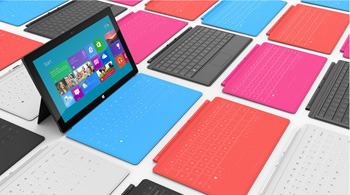
    Microsoft allegedly plans to give all employees their very own Surface RT tablet.

    Aside from Microsoft playing Santa Claus (or Oprah—choose your own benevolent icon), and bringing Christmas to employees a tad early, the move also demonstrates Microsoft’s confidence in the new platforms and software. It is arguably the most extreme example of the “eat your own dog food” mantra ever implemented. It’s probably not entirely altruistic, though. It seems safe to assume that there is a deeper business strategy behind the decision.
    Onuora Amobi, editor of Windows8Update.com, thinks it’s a brilliant move by Microsoft. Aside from fostering loyalty and good will with employees, it allows Microsoft to do a massive real-world test of its manufacturing and distribution channels, and it enables Microsoft to demonstrate–on a massive, global scale—that Windows 8 and Windows Phone 8 are ready for enterprise customers to roll out themselves.
    From a marketing and consumer standpoint, the strategy makes sense as well. With more than 90,000 employees carrying and using Windows 8 smartphones and Surface RT tablets, the devices will get a huge boost in exposure. The friends and family of those 90,000 employees will have a chance to touch and feel the new Windows 8 smartphones and tablets, and the word of mouth marketing will be much more invaluable to Microsoft than any advertising it can buy.
    Of course, Microsoft followed a similar strategy a couple years ago when it gave all employees Windows Phone 7 smartphones. Despite the word of mouth marketing and excitement that should’ve been generated among Microsoft family and friends, the Windows Phone platform has still been struggling to earn a seat at the table with other mobile platforms like iOS and Android.
    Microsoft is putting its money on the line in other ways as well, though. Previous versions of Windows have cost consumers hundreds of dollars to upgrade, but with Windows 8 Microsoft is offering the upgrade for a mere $40 for a limited time. There’s also a rumor that Microsoft could price its Surface RT tablet at around $200—a very aggressive price for a tablet of that caliber, and something, which is sure to draw attention if it proves true.
    Microsoft isn’t just developing incremental tweaks to existing product lines. The operating systems, platforms, software and devices Microsoft is unleashing this year represent a bold departure from traditional Microsoft products and strategies. Much of what Microsoft is doing is essentially a gamble—but it’s a gamble that Microsoft is going all in on.
    We’ll see if the strategy pays off.

  • Microsoft battles botnet pre-installed on systems

    Microsoft battles botnet pre-installed on systems

    Imagine turning on a brand new, fresh-from-the-factory laptop and already having a virus on it before you even do anything. That’s the scary situation Microsoft uncovered on several PCs in China, and now the tech giant is fighting the botnet responsible for the infections in court.
    Microsoft digital crime investigators in China discovered the Nitol virus when looking into the sale of counterfeit software. The virus was preinstalled on 20 percent of the laptops and desktops tested, Microsoft states on its blog. Somewhere between the assembly line and the retail purchase, cybercriminals were able to introduce the malware.
    The majority—85 percent—of Nitol infections have been detected in China, but nearly 10 percent have also been found in the U.S., Microsoft reveals.

    Nitol-infected PCs immediately and automatically search the Internet for other computers to connect to and attack.
    Microsoft’s further investigation unearthed more than 500 other types of malware being hosted by this illegal network. The malware found was capable of keystroke logging, remotely turning on the video camera and microphone, launching denial of service attacks, and more.
    The Microsoft Digital Crime Unit has been investigating the malware since last August. This week, a U.S. District court granted Microsoft permission to take over the 3322.org domain and its 70,000 sub-domains, which the company says is the source of the infection and a major hub of illegal activity. Microsoft has filed a lawsuit against server owner Peng Yong.

    Combating botnets by shutting down the domain providers is a strategy Microsoft has had great success with in the past. This is the second botnet disruption for the software giant in the last six months.
    It’s also the largest single repository of infected software the company has found to date. More than 37 million malware connections have been blocked from 3322.org since Microsoft won the court order.

  • InstallFree Nexus Brings Microsoft Office to iPads, Via the Cloud

    InstallFree Nexus Brings Microsoft Office to iPads, Via the Cloud

    Earlier this year, the Internet was abuzz with what appeared to be a version of Microsoft Word running on the iPad. Today, we’re no closer to seeing Word as a native iPad app than we were when it was spotted briefly in the wild six months ago. That doesn’t mean that you can’t edit or create Word documents on an iPad. There are a number of offerings that bring the Microsoft Office experience to the iPad, such as DataViz’s Docs to Go or Quickoffice, as well as services such as CloudOn, Nivio Online Desktop and InstallFree Nexus. You can even use Microsoft’s web apps to edit Word documents in a pinch, if you have Google’s web browser, Chrome, installed on your iPad.
    Of the various alternatives available to Word lovers, InstallFree Nexus is an intriguing one, even though it seems to be ill named. Its use of “Nexus” is bound to get the app confused with Google-backed hardware of the same name. Moreover, there’s nothing to “install” — the service runs entirely from the cloud — and there’s nothing “free” for subscribers who want to use Microsoft Office apps from the service over the long haul.
    Joining the service is fast and easy. During the registration process you provide an e-mail address, create a password and associate a cloud storage service with your account. Storage services supported by InstallFree Nexus include Dropbox, Skydrive, Google drive and Box.com.

    Once logged in to InstallFree Nexus, you can swiftly import files from your cloud storage service then work on them in any Microsoft Office program. When you’re finished, you can save your file to your cloud storage and return to it from any device that can run a browser, including the iPad’s version of Safari.
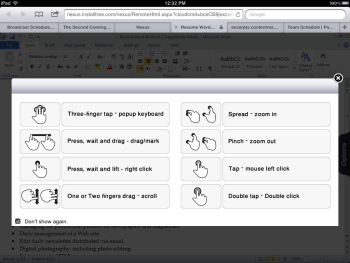
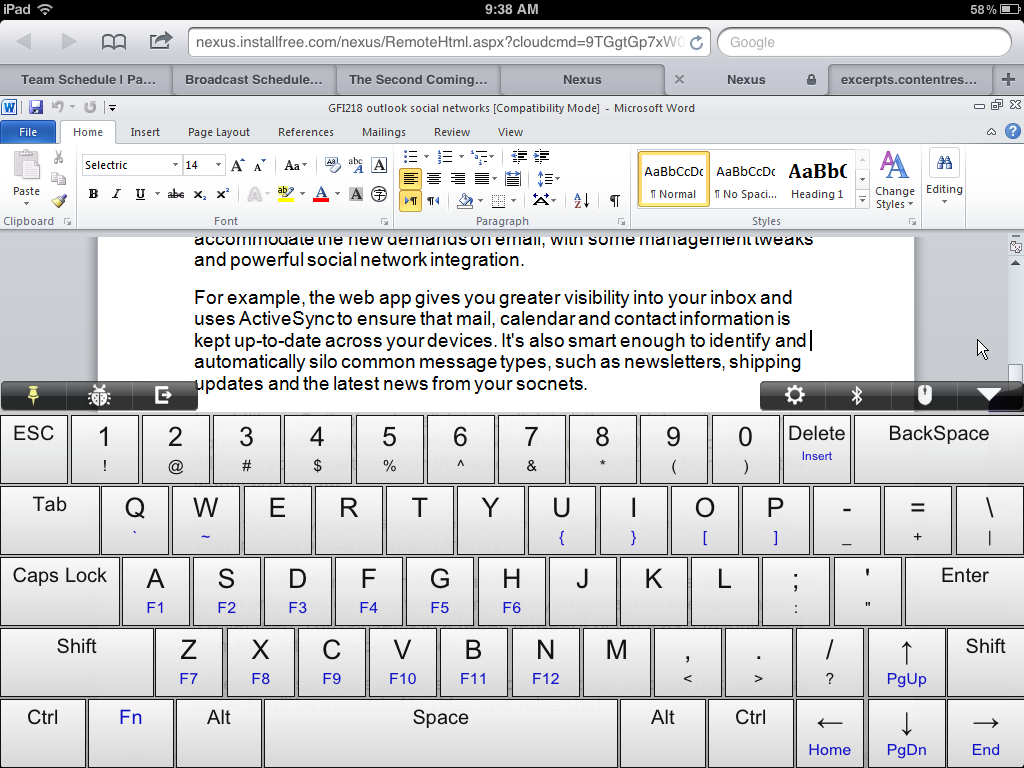
    On the iPad, gestures can be used to work within Word or other applications. A three-finger tap, for instance, displays a virtual keyboard in Word with a traditional QWERTY layout, including numbers and symbols in the top row, and embedded function keys, F1-F12.
    Apple’s Bluetooth keyboard can also be used with Word in InstallFree Nexus. However, it does require that the virtual keyboard be shut off from the settings menu.
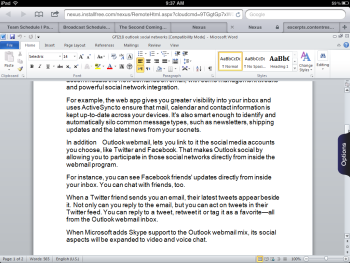
    A problem Word users will immediately find with using the word processor on the iPad is that most of the icons on the ribbon bar are too tiny to be very useful. And with the ribbon bar and keyboard displayed on the screen, very little text space is left on the tablet’s screen.
    As a service, InstallFree Nexus doesn’t seem ready for prime time either. Word crashed occasionally. Sometimes the site freezes. My link to Dropbox was dropped and I couldn’t access my files from within Word. And the performance within Word was sluggish. All of which added up to not a very pleasant experience.
    Currently, InstallFree Nexus is offering a free 60-day trial of its service that includes use of Office 2010 apps. After that, those apps are offered on a subscription basis: $4.99 a month/$49.99 a year for students; $19.99 a month/$199.99 a year for non-students.
    In addition to offering cloud access to Microsoft programs, InstallFree Nexus offers free access to the LibreOffice suite.