How do the specs for the upcoming Microsoft Surface for Windows RT and Surface for Windows Pro compare with the Apple iPad? Here’s what we know. Surface will change your expectations of what you can do with your tablet. First and foremost, you are no longer buying into a dedicated mobile OS and its corresponding app ecosystem. Instead, you’ll be able to buy one app and use it on both a tablet and a Windows 8 laptop or desktop PC. While the Metro face of the two Surfaces will be the same, the hardware flavors are fundamentally different. Surface RT will compete most directly with Apple’s iPad and the current crop of Android tablets, all of which run on power-efficient ARM-based processors. And Surface Pro—though still a tablet—targets Ultrabooks and other ultraportable laptops. Click on the chart below for a comparison of the two Surface models with other tablets.
Surface RT vs. the iPad and Android Tablets
Tech specs: Surface RT comes with a USB 2.0 port standard (critical for connecting external storage and peripherals), along with a MicroSD card slot and Micro-HDMI video out. Most Android tablets have a MicroSD card slot and a Micro-HDMI port as well, but very few have a full-size USB port. Apple’s iPad famously has no ports, with the sole exception of its proprietary dock connector. At the chip level, Nvidia’s Tegra 3 ARM processor powers the Surface RT. Most Android tablets run a version of the Tegra 3, as well, or they use another ARM-based processor. The iPad carries Apple’s own processor, which is also based on the ARM architecture. Click for a full-size view of the chart.Storage on the Surface RT is similarly upscale, with a minimum of 32GB. The iPad and most Android tablets start at just 16GB. Among Android tablets, Asus’s Transformer Pad Infinity TF700 and Acer’s Iconia Tab A700 are the two exceptions, with 32GB baseline models. Screen and resolution: Microsoft lists the RT’s display as “HD” rather than as “Full HD,” which likely translates into a resolution of just 1366 by 768 pixels. That won’t compete with the iPad’s Retina display, or even with those of Android tablets such as the Transformer Pad Infinity TF700 and the Iconia Tab A700 (both with resolutions of 1920 by 1200 pixels). The Surface RT’s optically bonded display, which eliminates the annoying air gap between the screen and the glass, should help overcome its resolution shortfall. Microsoft does cite its ClearType font-display technology, but we won’t know how much ClearType can compensate for the gap in pixel density until we have the Surface tablet in hand. Click for a full-size view of this chart.Physical specs: Microsoft didn’t supply complete numbers, but it did say Surface RT should be about 0.37 inch thick—thinner than many competing tablets and in a dead heat with Apple’s iPad. Current estimates put the Surface RT’s weight at 1.49 pounds, or 0.05 pound heavier than the current iPad. That’s a negligible difference, but the iPad itself got heavier this year, while Android tablets are consistently moving in the other direction, as consumers have come to expect. At 1.49 pounds, the Surface will be about 0.2 pound heavier than the Toshiba Excite 10 or the Asus Transformer Pad Infinity. The Surface tablet’s design is unique. It features a comfortably angled bezel created with ergonomics in mind; a balanced arrangement of internal components that make Surface feel lighter; and a built-in kickstand for conveniently using Surface in a variety of scenarios. Productivity: In this respect Surface RT is likely to shine. Unlike Apple’s iOS and Google’s Android, Microsoft’s Windows 8 provides the ability to view two apps at a time on one screen, as well as having additional apps multitasking in the background. This flexibility is closer to what users are accustomed to having on a desktop or laptop computer. Plus, Surface RT will include Office Home and Student 2013 RT (with Word, Excel, PowerPoint, and OneNote).
Surface Pro vs. Ultrabook Laptops and Windows 7 Tablets
Tech specs: Surface Pro will come with 64GB or 128GB of storage and an Intel Core i5 CPU (Microsoft has not yet revealed the clock speed). By contrast, Ultrabooks have anywhere from 128GB to 320GB of solid-state or hard-drive storage, and feature Intel Core i3, Core i5, or Core i7 CPUs. Microsoft hasn’t disclosed how much memory its Surface Pro will have; Ultrabooks average 4GB of RAM, comparable to what you’d find on an ultraportable or all-purpose laptop. Surface Pro outdoes most Ultrabooks, though, with a MicroSDXC card slot, a USB 3.0 port, a Mini DisplayPort for video output, and a dual digitizer for digital inking with a stylus. An example of a Surface screen; click for a full-size view.Screen and resolution: Preliminary specs simply state that Surface Pro has a “Full HD” 10.6-inch display, which would suggest a display resolution of at least 1920 by 1200 pixels. That minimum spec would put it on a par with the best Android tablets from Asus and Acer, but those displays are half an inch smaller, so they have a higher pixel density. And none of the Android models compares with the 9.7-inch Apple iPad at 2048 by 1536 pixels. Like Surface RT, Surface Pro will also feature Microsoft’s ClearType (standard in Windows 8). Physical specs: Surface Pro’s overall physical design is the same as Surface RT’s; but this model will be thicker, at 0.53 inch. Nonetheless, Surface Pro looks more stylish and snappy than current Windows 7 slates, and it’s thinner than many Ultrabooks. Surface Pro’s weight is estimated at 1.99 pounds, which is significantly lighter than the average 3- to 4-pound Ultrabook and comparable to current Windows 7 tablets. Productivity: Intel’s Core i5 is powerful enough to let you tinker in Photoshop, handle complex spreadsheets, or play games. Surface Pro won’t come with Microsoft’s Office apps, though. Still, with digital inking plus one of Microsoft’s keyboard cover options, Surface Pro could be the ultimate ultraportable. If you can make do with a 10.6-inch display, then you can benefit from Surface’s inherent flexibility.
With interactive documents, you can choose from a range of predefined options for data, instead of typing the data from scratch each time. If you write lots of letters to the same few correspondents, generate electronic data-entry forms, produce documents with boilerplate language, or find yourself typing the same phrases over and over, wouldn’t it be convenient if your documents were already partially formatted and allowed you to make selections from drop-down menus instead of copying and pasting from documents you created earlier? I’ll show you how to use the Content Control tools within Microsoft Word to create templates that you can use every day.
How to Find Word’s Content Controls
Content Controls let you add interactive elements to your Word documents, but you might not even know they exist because they’re accessible only from the Developer tab in Word’s Ribbon, and that tab is disabled by default. To enable it in Word 2010, choose File > Options > Customize Ribbon. In the right-hand panel, locate and click the Developer checkbox and click OK. In Word 2007, choose File > Word Options and then click the Show Developer Tab in the Ribbon checkbox (from the Popular set of options) and click OK. Now select the Developer tab, locate the Controls group, and click Design Mode. You’re ready to set up your controls.
Select a Date Using the Date Picker Control
Hover your mouse over the icons in the Controls group, and a label will pop up identifying each control. The Date Picker Content Control creates a placeholder that you can use to choose a date from a calendar. The Date Picker Content Control will display a small calendar that allows the user to choose a date.Click the icon to add this element to your document. Turn off Design Mode, and you’ll see a box labeled ‘Click here to enter a date.’ The calendar will appear when you click the down arrow on the control. Pick a date, and that date will appear automatically in the document. The Date Picker has some handy settings you can configure. To see these, click Design Mode once again. Click the Date Picker control and then click the Properties button (it’s in the Controls segment of the Ribbon). Use the Properties dialog box to format the control (for instance, to have the month spelled out instead of being represented numerically). You can also use Properties to lock the content control so that it can’t be deleted, or you can add a title to the control telling the user about its purpose (“Select a date for a meeting,” for example). Finally, you can format the control with a Word style so that the date looks the way you want it to. If you use styles, and the style set changes, the date’s text formatting will automatically change to match the new style set.
Add a Content Control to Manage Text Entry
Use the Plain Text Content Control as a placeholder for a user to enter text into the document.The Plain Text Content Control creates a designated place for someone to enter text into a document. You can preformat the text in this control using a defined style, so that any text the user enters there will appear a certain way. You can also elect to permit or disallow carriage returns. On top of that, you can leave this control as is, lock it so that it cannot be deleted, or set it so that it automatically disappears once its contents have been edited. In the last mode, the content control will appear in the document until someone has typed text in it; as soon as they do, the content control will vanish, but the text typed into it will remain.
Select an Item From a List of Options
Populate the Drop-Down List Content Control with items for the user to choose from.With some documents, you’ll want to pick from a limited number of options presented in a list. In these cases, creating a template with the Drop-Down List Content Control or the Combo Box Content Control is the way to go. Click the Drop-Down List Content Control to add it to the document. For this control, you can not only type a title and use a style to format its contents, but also format it so that it cannot be deleted. To prepopulate the control with a set of choices, select the control and then click Properties. Now click Add in the Properties dialog box, and type an entry for the list (for this example, leave the display name and the value the same). Repeat this step with each entry for the list, and click OK when you’re finished. When you click Design Mode and return to the document, you’ll see the words ‘Choose an item’ in gray. Click that text, and a drop-down box will appear with the words in your list. Click one of these items, and the word will appear in the document.
Use the Check Box Control to Create Checklists
You can change the symbols used in the Check Box Content Control.The Check Box Content Control allows a user to place a checkmark to indicate their selection of an item. To add one to your document, click the Check Box Content Control and then click Properties. A Check Box can toggle between two states when clicked on: selected, represented by an X inside a box, and not selected, which shows a blank space inside the box. To change these symbols, open Properties, click the Change button, and choose a font from the dialog box (I suggest something from the Wingdings family.)
Add Quick Parts to a Document
The document properties on the Insert tab are another form of content control–these are populated from data stored in the document.Some document properties, such as the author’s name, are stored in every Word document, but usually they don’t display in the document. Here’s an easy way to add that information so that it does appear: While you’re in Design Mode, select the Insert tab on the Ribbon. Click Quick Parts and then Document Property. Finally, choose the property–Author, for example–to insert that information into the document automatically. Choose the Developer tab and click Properties while this control is selected, and you can set the text style or other properties for the control. To see where the Author data is sourced from, click File > Options. You’ll see User Name in the Popular group of settings; this is the value that populates the document’s Author property. If you change this information, you must restart Word for the change to take effect.
Put Controls to Work in a Document
You’ve probably already come up with a thousand ways to use Word’s Content Controls. If you haven’t, think of any documents you create on a regular basis that include repetitive data-entry tasks: memos, fax covers, shipping documents, and so on. Include a Date Picker control anywhere in the document template that calls for a date. Add a Drop-Down List control to pick an item from a predefined list. Use a Check Box control to select or deselect various options. Using Content Controls not only helps you complete documents quickly, but also allows you to preset a document’s layout so that you don’t need to align everything perfectly every time you create it. Once you’ve created your template, save it by choosing File > Save As > Save as Type, and choose Word Template (*.dotx). Be sure to click the Templates link in the top-left corner of the Save As dialog box to store the template in the Templates folder. Type a name for the template, click Save, and close it. In the future, you can create a new document based on this template by choosing File > New > My Templates and then clicking the desired template to open it.
Imagine turning on your computer one day only to find your files, photos, and work are all gone. It happens more often than you think, but it’s easily preventable with the right backup plan. Windows 10 and Windows 11 offer powerful tools to back up everything you care about, whether you use an external drive or cloud storage. This guide will walk you through the easiest ways to set up your backup and secure your digital life.
1. How to Backup Files Using File History (Windows 10 and Windows 11)
File History automatically backs up important folders like Desktop, Documents, Pictures, and Music. It’s an easy-to-use tool that helps you quickly recover files if they get lost or corrupted.
Backup Windows 10 to External Drive
Step 1: Connect an external drive to your PC.
Step 2: Go to Settings > Update & Security > Backup.
Step 3: Click Add a drive and select your external drive.
Step 4: Turn on Automatically back up my files.
Step 5: Click More options to choose which folders to back up and how often.
Backup Windows 11 to External Drive
Step 1: Connect your external drive.
Step 2: Open the Search bar and type File History.
Step 3: Select File History from the search results.
Step 4: Click Select drive and choose your backup drive.
Step 5: Turn on File History to start backing up your files.
Note: Windows 11 limits File History to certain folders. To back up other locations, move files into the default folders.
2. How to Use Windows Backup App
The Windows Backup app lets you back up settings, files, and apps directly to the cloud (OneDrive). It’s a seamless option if you want to ensure your data is accessible from any device.
How to Set Up Windows Backup
Step 1: Open Settings > Accounts > Windows backup.
Step 2: Sign in with your Microsoft account.
Step 3: Turn on the options for:
Remember my apps
Remember my preferences
Back up my files to OneDrive
This makes switching to a new device or recovering files very easy.
3. How to Create a Full System Image Backup (Windows 10/11)
System Image Recovery creates a complete copy of your system, including Windows, settings, apps, and files. It’s a great way to ensure that if your system fails, you can quickly restore everything to its original state.
Create a System Image Backup
Step 1: Connect an external hard drive (formatted as NTFS).
Step 2: Open the Control Panel.
Step 3: Go to Backup and Restore (Windows 7).
Step 4: Click Create a system image on the left.
Step 5: Choose your external drive or network location.
Step 6: Follow the prompts and click Start backup.
Tip: You must create new system images regularly to keep your backup updated. Make sure your drive has enough space to store the image.
4. Best Third-Party Backup Tool Option: EaseUS Todo Backup
For users looking for more flexibility beyond the built-in Windows tools, third-party software like EaseUS Todo Backup can be considered. It offers a variety of features such as:
Backing up individual files, folders, entire partitions, or the full system.
Scheduling automatic backups based on your preferred frequency.
Cloning hard drives for easy migration or upgrades.
Saving backup copies to external drives, cloud services, or network storage (NAS).
EaseUS Todo Backup has both free and paid versions available. Users can explore these options based on their backup needs and preferences.
Frequently Asked Questions (FAQ)
Q: How often should I back up my files on Windows? It’s recommended to set up automatic backups through File History or Windows Backup to back up your files daily or weekly, depending on your needs.
Q: Can I back up my system to a cloud service like OneDrive? Yes, Windows allows you to back up important files to OneDrive using the Windows Backup app. However, a full system backup (like a system image) requires external or network storage.
Q: What’s the difference between File History and System Image Recovery? File History backs up individual files and folders, allowing you to recover previous versions. System Image Recovery creates a complete snapshot of your entire system, including Windows, settings, and apps, which can be restored in case of major system failure.
Are you on the lookout for the best YouTube ad blocker? Then this post is exactly what you need.
YouTube is one of the most popular online video-sharing platforms in the world, with over 2.1 billion monthly active users. Giving creators, artists, and businesses the opportunity to promote and grow their audience. It also presents students with inexhaustible streams of information. The cherry on the cake? It’s completely free to watch and upload content on YouTube.
Yet, YouTube video ads and pop-ups can be ridiculously frustrating. Viewers find it difficult to stream content on YouTube without irksome ads flying all over their screens. It slows traffic, increases data usage, and makes you susceptible to online threats, spear phishing, and other malware.
Below, we compiled a detailed list of some of the best YouTube ad blockers to aid your free streaming on YouTube and protect your device from trackers.
Best Ad Blocker for YouTube on Android, Mac, And iOS
1. AdBlock
AdBlock is an open-source software that gives users control over unwanted YouTube ads and pop-ups. With over 60 million users worldwide, it blocks third-party trackers and enhances privacy.
Key features include:
Custom ad blocking rules with filters, whitelists, and dark mode.
Advanced privacy protection against malicious ads, scams, and phishing sites.
Ad substitution—replace ads with images of animals, objects, or landscapes.
Cross-device compatibility, working on Android, iOS, and 40+ languages.
2. AdGuard
As the name implies, AdGuard blocks incredibly annoying ads and pop-ups on browsers and apps, particularly YouTube. It works by enabling a safe, web-browsing experience for users. AdGuard equally allows users high-level privacy protection from online malware and other threats harmful to their computers, networks, or servers.
Here are some key features of the AdGuard for YouTube ad-free experience:
AdGuard is available on Android and iOS, going as far as offering compatibility with various other platforms such as Chrome Extension, Windows, and Mac.
The YouTube ad blocker protects its users’ data from web trackers, consequently preventing personal information from being disseminated to unwanted sites.
One significant benefit of AdGuard is that it filters adult content via parental control options that limit children’s exposure to unsuitable content.
AdGuard also maintains web page functionality, ensuring pages load faster and limit traffic.
3. Luna
Luna is one of the top-rated mobile ad blockers, designed to block YouTube ads and pop-ups across apps and browsers without compromising user safety.
Key features include:
Broad compatibility, blocks ads on Spotify, Instagram, Reddit, Facebook, TikTok, Snapchat, Chrome, Firefox, and more.
Data-efficient browsing for a smoother experience.
Full support for Android and iOS, with both Wi-Fi and cellular data connections.
4. Adblock Plus
Adblock Plus is a free, open-source ad blocker designed to enhance the web browsing experience by eliminating video ads, pop-ups, and flashing banners.
Key features include:
Faster page loading by blocking intrusive ads.
Protection from online trackers, scams, and malware.
Selective ad blocking allows support for non-intrusive ads that help websites generate revenue.
Compatibility with desktop browsers and Android devices.
5. Ghostery
Ghostery is a powerful YouTube ad blocker designed specifically for Mozilla Firefox. It helps users eliminate unwanted ads, videos, and pop-ups, creating a smoother and distraction-free browsing experience.
Beyond ad blocking, Ghostery enhances web page speed and offers robust protection against spear phishing, spoofing, and other cyber threats.
Key Features:
Customizable ad blocking – Choose which ads to block.
AI-powered filtering for smarter, more efficient protection.
Advanced privacy protection & anti-tracking to safeguard personal data.
6. StopAd
For those searching for the best YouTube ad blocker, StopAd is a powerful solution that does exactly what its name suggests—completely stops ads. Beyond YouTube, it blocks intrusive ads across various streaming platforms, ensuring a seamless viewing experience.
Compatible with iOS, Mac, and Android, StopAd offers:
Full ad blocking – Eliminates all ad URLs, scans CSS, and filters HTML codes.
Robust web protection – Shields against ID theft, bank phishing, and online scams.
7. YouTube AdBlock
YouTube AdBlock is a dedicated ad blocker for Microsoft Edge, designed to eliminate ads, prevent scams, and reduce data usage while browsing. This Edge-exclusive extension not only blocks all types of YouTube ads but also protects users from third-party tracking, spear phishing, and spoofing attempts.
Key features include:
Unlimited YouTube ad-blocking for a seamless viewing experience.
Enhanced privacy protection to prevent tracking activities.
Cross-platform installation authorization for multiple operating systems.
30-day money-back guarantee for subscribers.
8. Total Adblock
Total Adblock is the ultimate YouTube ad blocker, designed to eliminate intrusive ads, pop-ups, alerts, and auto-play ads instantly. Available as a Chrome extension, it provides seamless browsing by blocking unwanted distractions on YouTube and other platforms.
Key features include:
Advanced ad blocking – Removes ads, notifications, and third-party trackers.
Award-winning antivirus – Enhances security against malware and online threats.
Faster browsing – Improves page load speed for a smoother experience.
Customizable filters – Allows users to tailor acceptable ads for better control.
Compatible with multiple browsers and social media platforms like Facebook, Total Adblock ensures a secure and ad-free browsing experience.
9. AdBlocker Ultimate
AdBlocker Ultimate is a top-tier YouTube ad blocker designed to eliminate ads, pop-ups, and notifications for an uninterrupted browsing experience. While it’s highly rated for iOS devices, it also supports Android and Windows, offering robust protection against phishing, malware, hackers, and other online threats.
Key features include:
Cross-platform compatibility – Available for iOS, Android, and Windows.
Browser extension support – Works on Chrome, Firefox, Opera, and more.
Advanced security – Blocks intrusive ads while safeguarding against cyber threats.
Custom whitelisting – Allows users to personalize ad preferences for trusted sites.
With AdBlocker Ultimate, users enjoy safer, faster, and ad-free browsing across devices.
Finding the best YouTube ad blocker depends on your device and browsing preferences. Whether you need a mobile ad blocker for YouTube, a fast YouTube pop-up blocker, or advanced privacy protection, these top-rated options ensure an ad-free, secure, and smooth streaming experience.
Microsoft has confirmed it will be shutting down Skype, the once-dominant internet-based phone and video service, in May.
In an announcement on X, the company assured users they would soon be able to access Microsoft Teams’ free tier using their Skype login credentials.
Skype’s closure comes 14 years after Microsoft acquired the platform for $8.5 billion in cash—its largest-ever purchase at the time. Since then, the tech giant has integrated Skype into various products, including Office and the now-defunct Windows Phone.
“Skype shaped modern communications and created countless meaningful moments, and we honor being part of its journey,” said Jeff Teper, Microsoft’s president of collaborative apps and platforms, in a blog post.
He added, “We’re excited about the new opportunities that Teams brings and remain committed to helping you stay connected in new and meaningful ways.”
A Changing Communications Landscape
Once the go-to platform for online calls, Skype’s influence has waned in recent years, despite a brief resurgence during the pandemic. The rise of competing services—including Zoom, Google Meet, and Cisco Webex—has further pushed Skype into the background. Meanwhile, Apple’s FaceTime and Meta’s WhatsApp have cemented their places as key players in the video calling space.
At the same time, Microsoft has been shifting its focus to Teams, which offers many of Skype’s features along with additional business-oriented tools.
A Legacy of Innovation
Skype launched in 2003 in Estonia and quickly attracted users as a free alternative to costly international phone calls. The service’s rapid growth led eBay to acquire it for $2.6 billion in 2005. However, the partnership was short-lived, and eBay sold a majority stake in Skype to an investor group for $1.9 billion in 2009.
Microsoft’s 2011 acquisition marked a significant investment in the future of digital communication. However, the company has struggled to maintain Skype’s relevance in an increasingly crowded market. With Microsoft now prioritizing Teams, Skype’s shutdown marks the end of an era for a platform that once revolutionized the way people connected across the globe.
A key highlight of the iPhone 16e is Apple’s in-house designed cellular modem, making it the first iPhone to feature an Apple-built modem.
iPhone 16e vs iPhone SE: A Shift in Apple’s Budget Strategy
The introduction of the iPhone 16e signifies a shift away from the iPhone SE, Apple’s previous budget iPhone line that debuted in 2016 and last saw an update in 2022.
According to Consumer Intelligence Research Partners, the iPhone SE accounted for just 5% of U.S. iPhone sales as of December 2024, prompting Apple to rethink its budget strategy.
Unlike the SE, the iPhone 16e offers a more modern design, bringing it closer to Apple’s current lineup with a 6.1-inch display, Face ID, and a 48MP camera.
iPhone 16e Features & Specs
The iPhone 16e shares many similarities with the standard iPhone 16, but at a lower price point.
Key Features of the iPhone 16e:
6.1-inch display (same as iPhone 16)
Face ID authentication
48MP camera (lacks a second camera for wide shots)
Powered by the same processor as the iPhone 16 lineup
While it lacks the Camera Control button and a secondary wide-angle camera, it retains many premium features. Which makes it an attractive option for budget-conscious buyers.
Generative AI tools for creating emojis and images
Notification summaries for better organization
Object removal in photos
ChatGPT integration with Siri
This move signals Apple’s intent to make AI a core feature of its future products, as it competes with Google and Samsung, both of which have aggressively integrated AI into their devices.
The Future of AI in Smartphones
Since the launch of ChatGPT in late 2022, AI has become a central focus for tech giants like Microsoft, Google, and Samsung. While Apple has long used AI in the background for tasks like photo processing, it has only recently begun rolling out consumer-facing AI features.
By introducing Apple Intelligence on the iPhone 16e, Apple aims to broaden AI accessibility, potentially driving wider adoption of its AI tools. However, with iPhone revenue missing Wall Street expectations in early 2025, it remains to be seen whether AI features will be enough to boost iPhone sales.
The Nigerian startup space has witnessed tremendous growth in the last decade, transitioning from relative obscurity to becoming a force to reckon with, not just in Africa but across the globe.
The Nigerian government has not failed to notice this growth trajectory and its impact on the Nigerian economy. In 2022, the National Assembly passed the Nigerian Startup Act, which was eventually signed into law by former President Buhari.
Beyond the passage of the Startup Act, the federal government is also providing the necessary support, despite the harsh business environment, to allow these startups to scale.
Despite a series of economic challenges in Nigeria since 2014, including two recessions, the COVID-19 pandemic, issues in the foreign exchange market, and others, the tech ecosystem has weathered these storms. In the process, it has birthed up to four (4) unicorns—the latest being Moniepoint. However, some have seen their valuations decline in recent years.
Nigerian startups received the largest share of the international funding pie for Africa in the years prior to 2023. Of the $2.9 billion raised by startups in Africa in 2023, Nigerian startups secured $410 million, with Kenya taking the biggest slice of the pie, followed by Egypt and South Africa.
However, in the past five years, from 2019 to 2023, Nigerian startups captured the largest share of funding raised by African startups, accounting for 29% of the total $15 billion in investments.
The startup ecosystem in Nigeria is dominated by e-commerce, fintech, and edtech startups, leveraging the country’s burgeoning youth population and the large number of unbanked individuals in Nigeria.
Retail giant Konga and the fintech startup Paystack rank together as the ninth most valuable startups in Nigeria, with a market valuation of $200 million each. Paystack was sold to Stripe in 2020 for a whopping $200 million, which remains its current valuation.
Konga was founded in 2012 as a Nigerian e-commerce firm that provides direct online retail and also serves as a third-party marketplace. Amid a dire situation in 2017 and severe cost-cutting measures, including significant downsizing, the company was sold to Zinox Technologies in 2018 for an undisclosed amount.
08. Paga
This mobile payment platform was established by Tayo Oviosu in 2009 but eventually launched to the public in 2011. It offers a range of services, including money transfers, bill payments, retail payments, data and airtime top-ups, as well as banking services.
It is reportedly valued at $300 million, with investors including Global Innovation Fund, Goodwell Investments, Unreasonable Capital, and others. Since its founding, it has raised up to $35 million in funding.
07. Jumia
Africa’s first startup to achieve unicorn status and list on the New York Stock Exchange now ranks seventh among the most valuable startups in Nigeria. The e-commerce giant has, in recent times, seen its valuation nosedive to $450 million as it struggles to achieve profitability and revenue growth amidst operational challenges.
So far, the startup has raised up to $750 million in funding since its establishment in 2012.
06. Kuda
Dubbed “Africa’s bank for the free” for its near-zero fees and charges, Kuda is the sixth most valuable startup in Nigeria, with a market valuation of $500 million. Founded in 2018, the company has raised around $90 million in funding from investors, with the latest funding round occurring in August 2021, where it raised $55 million led by Valar Ventures, Target Global, and other angel investors.
This fintech startup offers financial services specifically to drivers, focusing on helping them acquire vehicles through a revenue-based financing model. The startup is barely four years old, having been established in 2020.
Since its inception, Moove has raised a total of $447.2 million in funding from up to 33 investors, including SpeedInvest, Left Lane Capital, Tekton Ventures, Class 5 Global, and others. These funding rounds include debt financing and private equity.
Moove operates in Nigeria, South Africa, and several other African countries. Its latest funding round occurred in February 2024, when it raised $10 million in debt financing from India’s Stride Ventures.
Following its latest funding raise, Moove’s valuation rose to $750 million, making it one of the most valuable startups in Nigeria.
04. Moniepoint (formerly TeamApt)
The latest entrant into the unicorn rank boasts a market valuation of over $1 billion.
Its recent status came after raising $110 million in its latest Series C funding round, led by Development Partners International’s African Development Partners III (ADP III) fund. Other investors included Google’s Africa Investment Fund, Verod Capital, and Lightrock.
03. Andela
The second of Iyin Aboyeji’s unicorns, Andela is the third most valuable startup in Nigeria, with a market valuation of $1.5 billion.
Andela helps companies build remote teams quickly and cost-effectively and rose to prominence during the pandemic when the demand for remote workers surged.
Since its establishment in 2014, the company has raised up to $340 million in funding, with the latest being a $200 million Series E funding round in 2021 led by SoftBank Vision Fund 2, Whale Rock, Generation Investment Management, the Chan Zuckerberg Initiative, and Spark Capital.
02. Opay
The second most valuable startup in Nigeria transitioned from a mobility firm to a fintech and has recorded tremendous success since the shift.
The company is valued at a staggering $2.7 billion and has so far received $540 million in funding across several rounds.
Opay facilitates money transfers and various types of payments. Its prominence peaked during the cash scarcity in Nigeria in early 2023, when demand for online payments soared, and traditional banks’ digital banking infrastructure became overwhelmed.
The most valuable startup in Nigeria is a fintech company that helps businesses and banks process seamless and secure payments to clients and customers worldwide.
The company is currently valued at over $3 billion and has floated plans to list on the New York Stock Exchange (NYSE).
Its backers include Y Combinator Continuity Fund, Greycroft, Greenvisor Capital, Omidyar Network, and Glynn Capital, which collectively have invested over $445 million in the startup.
When someone thinks of internet searches, Google is often the first name that comes to mind. Since Google’s launch in 1998, it has steadily grown to become the undisputed leader in multiple areas of technology and digital services. It dominates the global search engine market and leads in online advertising throughGoogle Ads.
Even with over 90% market share, Google’s presence in the search engine market does not stop users from seeking alternatives. Multiple persons have argued the growing concerns over privacy, data collection, and not just the monopolization of information.
While Google’s dominance is unlikely to wane soon from the search engine space, these 10 best alternative search engines to Google will help you minimize your digital footprint(if you want) and enhance privacy.
Best Alternative Search Engines
Microsoft Bing
Price: Free
Bing, powered by Microsoft, holds 6.04% of the global search engine market. It’s known for providing multimedia results and AI tools, and its tight integration with Microsoft’s ecosystem makes it a powerful alternative to Google. Additionally, Bing’s Rewards Program lets users earn points redeemable for gift cards.
DuckDuckGo has made its name as the go-to search engine for people who love privacy, as it does not track or store user data. While its global market share is less than 1%, its reputation continues to grow due to rising concerns about online privacy.
Key features: Private, non-tracked searches, no ad-targeting, and anonymous browsing.
Brave Search
Price: Free
Brave Search is the engine for users who prioritize privacy and independent results. Launched by the creators of the Brave browser, this search engine boasts complete anonymity, with no user tracking, and has gained 40 million active users as of 2023.
Key features: customization, AI-powered summaries, and ad-free experience for paid version.
Ecosia
Price: Free
Ecosia is an ethical search engine that donates its profits to environmental causes, particularly reforestation. With over 170 million trees planted by 2024, it appeals to environmentally conscious users who want to make a positive impact through their searches.
Key features: Privacy-focused and powered by Bing.
Qwant
Price: Free
Qwant, based in France, is a privacy-centric search engine that offers a powerful music search feature as well as maps. It adheres to stringent European privacy laws, ensuring that no user data is stored or sold.
Key features: No tracking or personalized ads, integrated maps and music search, and GDPR compliance for users in Europe.
Swisscows
Price: Free
Swisscows is a Swiss-based search engine, well-known for its family-friendly content filtering. With servers based in Switzerland, it adheres to some of the strongest privacy laws in the world, ensuring user data is not tracked or stored.
Key features: Semantic search technology, privacy guarantees, and a focus on music search and other media-based queries.
Startpage
Price: Free
Startpage combines the accuracy of Google’s search results with enhanced privacy features. It functions as a proxy search engine, allowing users to browse without being tracked by Google, and is subject to EU privacy laws.
Key features: Google-powered results without data tracking, anonymous proxy for extra privacy, and EU privacy compliance.
Mojeek
Price: Free
Mojeek is a UK-based search engine with an innovative approach. It ranks results based on emotional sentiment, allowing users to filter search results by emotions like positive or negative tones.
Key features: No tracking, independent search index, and emotion-based result filtering.
Presearch
Price: Free
Presearch is a decentralized search engine that allows users to earn cryptocurrency (PRE tokens) for their searches. With a focus on Web3 technology, it provides an alternative for users interested in blockchain-based search engines.
Key features: Earn rewards for searches, community-driven moderation, and decentralized search infrastructure.
Gibiru
Price: Free
Gibiru offers uncensored, private search results while still drawing on Google’s powerful search infrastructure. It strips out the tracking and personalization that normally comes with Google searches, allowing for anonymous results.
Key features: Unfiltered Google results without tracking, prioritizes user privacy, and delivers fast, unbiased search results.
Other Alternative Search Engines
Yahoo Search: remains relevant due to its integration with Yahoo Finance, Yahoo News, and its long-standing user base.
Seekr Search: ranks search results based on reliability and political bias, offering transparency for users concerned with misinformation.
Seva Search: allows users to contribute to charitable causes through searches, much like Ecosia but with a broader focus on philanthropy.
Yep Search: a search engine that directs 90% of its ad revenue towards content creators, providing a financial incentive for those producing original online content.
The tech industry continues to be a driving force in the global economy, with demand for the highest paying tech jobs and skilled professionals skyrocketing as large corporations increasingly rely on technology to boost businesses.
Technology is evolving, but so do the opportunities. There is an array of opportunities for skilled professionals in the technology industry. If you’re looking for places where you can build a technology career, there are tons of sectors to pursue a career in tech. Some of the best places to build a tech career include startups, financial services, healthcare, education, government, retail, manufacturing, entertainment, energy, consulting, telecommunications, and non-profits.
40Top Highest Paying Tech Jobs & Careers 2024
1. Applications Architect
Responsibilities: Design the architecture of software applications, ensuring alignment with business requirements and technology standards.
Degrees/Skills: Bachelor’s in Computer Science or Engineering; extensive experience in application development; expertise in design patterns.
Salary: $150,000 – $200,000 per year.
2. Application Analyst
Responsibilities: Analyze and support applications, manage application performance, and troubleshoot issues.
Degrees/Skills: Bachelor’s in Computer Science or a related field; knowledge of application support and management; strong analytical skills.
Salary: $100,000 – $130,000 per year.
3. Application Developer
Responsibilities: Develop and maintain software applications, write code, and test functionality.
Degrees/Skills: Bachelor’s in Computer Science or a related field; proficiency in programming languages like Java, Python, or C#.
Salary: $100,000 – $130,000 per year.
4. Artificial Intelligence (AI) Engineer
Responsibilities: Develop AI models and systems, implement machine learning algorithms, and work on artificial intelligence solutions.
Degrees/Skills: Master’s or PhD in Computer Science; proficiency in machine learning frameworks like Python, TensorFlow, or PyTorch; strong analytical and problem-solving skills.
Salary: $150,000 – $200,000 per year.
5. Big Data Engineer
Responsibilities: Design and maintain large-scale data processing systems, working with big data technologies like Hadoop and Spark.
Degrees/Skills: Bachelor’s in Computer Science or a related field; expertise in big data frameworks and tools; strong programming skills.
Salary: $140,000 – $180,000 per year.
6. Blockchain Engineer
Responsibilities: Develop and implement blockchain-based solutions, including smart contracts and decentralized applications.
Degrees/Skills: Bachelor’s in Computer Science or a related field; knowledge of blockchain platforms like Ethereum; skills in cryptography and distributed ledger technology.
Salary: $140,000 – $180,000 per year.
7. Business Intelligence Analyst
Responsibilities: Analyze business data, generate insights and reports, and support strategic decision-making.
Degrees/Skills: Bachelor’s in Business Intelligence, Data Science, or a related field; expertise in Business Intelligence tools like Power BI or Tableau; strong analytical skills.
Salary: $110,000 – $140,000 per year.
8. Business Intelligence Developer
Responsibilities: Develop and manage BI solutions, design data models, and create reports.
Degrees/Skills: Bachelor’s in Computer Science, Data Science, or a related field; expertise in BI tools and SQL; strong analytical skills.
Salary: $120,000 – $150,000 per year.
9. Cloud Architect
Responsibilities: Design and manage cloud infrastructure, implement cloud solutions and ensure scalability and security.
Degrees/Skills: Bachelor’s in Computer Science or IT; certifications such as AWS Certified Solutions Architect or Microsoft Azure Architect; experience with cloud platforms.
Salary: $150,000 – $200,000 per year.
10. Cloud Engineer
Responsibilities: Implement and manage cloud services, and ensure cloud infrastructure is efficient and scalable.
Degrees/Skills: Bachelor’s in Computer Science or IT; certifications like AWS Certified Solutions Architect; experience with cloud platforms.
Salary: $120,000 – $150,000 per year.
11. Computer Programmer
Responsibilities: Write and test code for software applications, debug and troubleshoot programming issues.
Degrees/Skills: Bachelor’s in Computer Science or a related field; proficiency in programming languages; problem-solving skills.
Salary: $80,000 – $110,000 per year.
12. Computer Systems Analyst
Responsibilities: Analyze and improve computer systems, gather requirements, and work on system upgrades.
Degrees/Skills: Bachelor’s in Computer Science or a related field; experience with system analysis and design; strong analytical skills.
Salary: $90,000 – $120,000 per year.
13. Cyber Security Engineer
Responsibilities: Develop and implement security measures to protect systems from cyber threats, and conduct security assessments.
Degrees/Skills: Bachelor’s in Cybersecurity or a related field; certifications like CISSP or CEH; skills in network security and incident response.
Salary: $120,000 – $150,000 per year.
14. Data Architect
Responsibilities: Design and manage data systems and structures, ensuring data quality and accessibility.
Degrees/Skills: Bachelor’s in Computer Science or a related field; experience with data modeling and architecture; skills in SQL and data warehousing.
Salary: $130,000 – $170,000 per year.
15. Data Security Analyst
Responsibilities: Analyze and implement measures to protect data; monitor systems for security breaches and respond to incidents.
Degrees/Skills: Bachelor’s in Cybersecurity or a related field; certifications like CEH or CompTIA Security+; skills in network security and risk management.
Salary: $110,000 – $140,000 per year.
16. Data Scientist
Responsibilities: Analyze complex data sets to provide actionable insights, build predictive models, and use statistical methods.
Degrees/Skills: Master’s or PhD in Data Science, Statistics, or a related field; proficiency in data analysis tools like R or Python; strong analytical skills.
Salary: $130,000 – $170,000 per year.
17. Data Warehouse Architect
Responsibilities: Design and manage data warehouse systems, and ensure data integration and availability for analysis.
Degrees/Skills: Bachelor’s in Computer Science or a related field; experience with data warehousing technologies, data modeling, data management and data analysis; strong analytical skills.
Salary: $130,000 – $170,000 per year.
18. Database Manager
Responsibilities: Oversee database system design, implementation, and maintenance; ensure data integrity and security.
Degrees/Skills: Bachelor’s in Computer Science or Information Technology; expertise in database management systems (DBMS) such as SQL Server or Oracle; strong analytical skills.
Salary: $130,000 – $170,000 per year.
19. DevOps Manager
Responsibilities: Oversee DevOps practices, manage deployment pipelines, and coordinate between development and operations teams.
Degrees/Skills: Bachelor’s in Computer Science or IT; experience in DevOps methodologies; strong management skills.
Salary: $140,000 – $180,000 per year.
20. DevOps Engineer
Responsibilities: Bridge the gap between development and operations, automate processes, and ensure efficient software delivery.
Degrees/Skills: Bachelor’s in Computer Science or a related field; experience with CI/CD tools, scripting, and cloud platforms.
Salary: $130,000 – $170,000 per year.
21. Digital Marketing Manager
Responsibilities: Develop and execute digital marketing strategies, manage online campaigns, and analyze performance metrics.
Degrees/Skills: Bachelor’s in Marketing, Business, or a related field; experience with digital marketing tools; strong analytical and strategic skills.
Salary: $100,000 – $140,000 per year.
22. Enterprise Architect
Responsibilities: Design and manage the overall IT architecture of an organization, ensuring alignment with business goals.
Degrees/Skills: Bachelor’s in Computer Science or a related field; extensive experience in enterprise architecture; skills in strategic planning.
Salary: $150,000 – $200,000 per year.
23. Front-End Developer
Responsibilities: Build and maintain the user interface of web applications, ensuring responsiveness and usability across devices.
Degrees/Skills: Bachelor’s in Computer Science or a related field; expertise in HTML, CSS, JavaScript, and front-end frameworks like React or Angular.
Salary: $100,000 – $130,000 per year.
23. Full-Stack Developer
Responsibilities: Develop both front-end and back-end components of web applications, ensuring seamless integration and functionality.
Degrees/Skills: Bachelor’s in Computer Science or a related field; proficiency in full-stack technologies such as Node.js, Express, and various front-end frameworks.
Salary: $120,000 – $160,000 per year.
24. Hardware Design Engineer
Responsibilities: Design and develop hardware components and systems, conduct tests, and improve hardware functionality.
Degrees/Skills: Bachelor’s in Electrical Engineering or a related field; experience with hardware design and testing; proficiency in CAD tools.
Degrees/Skills: Bachelor’s in Cybersecurity, Information Systems, or a related field; certifications like CISSP or CISM; deep knowledge of security technologies.
Salary: $150,000 – $190,000 per year.
26. Information Technology Manager
Responsibilities: Oversee IT operations, manage technology infrastructure, and lead IT teams.
Degrees/Skills: Bachelor’s in IT Management, Computer Science, or a related field; strong leadership and organizational skills; experience in IT management.
Salary: $130,000 – $170,000 per year.
27. Internet of Things (IoT) Solutions Architect
Responsibilities: Design IoT solutions, integrate IoT devices with systems and manage data from connected devices.
Degrees/Skills: Bachelor’s in Computer Science, Engineering, or a related field; knowledge of IoT protocols and platforms; skills in system integration.
Salary: $150,000 – $190,000 per year.
28. IT Security Specialist
Responsibilities: Implement and manage security measures for IT systems, monitor for security breaches, and respond to incidents.
Degrees/Skills: Bachelor’s in Cybersecurity or a related field; certifications like CompTIA Security+; experience with security tools and practices.
Salary: $110,000 – $140,000 per year.
29. IT Systems Security Manager
Responsibilities: Manage security for IT systems, develop security policies, and oversee security operations.
Degrees/Skills: Bachelor’s in IT Security, Cybersecurity, or a related field; certifications like CISSP; experience in security management.
Salary: $140,000 – $180,000 per year.
30. Mobile Applications Developer
Responsibilities: Design, develop, and maintain applications for mobile devices on platforms like iOS and Android.
Degrees/Skills: Bachelor’s in Computer Science or a related field; proficiency in Swift, Kotlin, or Java; experience with mobile app development tools and frameworks.
Salary: $120,000 – $150,000 per year.
31. Network and Computer Systems Administrator
Responsibilities: Manage and support network and computer systems, and ensure system performance and security.
Degrees/Skills: Bachelor’s in Computer Science or a related field; experience with network administration; certifications like CompTIA Network+.
Salary: $80,000 – $110,000 per year.
32. Network Security Engineer
Responsibilities: Protect network infrastructure from security threats, configure firewalls, and conduct security assessments.
Degrees/Skills: Bachelor’s in Computer Science Network Security, Cybersecurity, or a related field; certifications like CCNP Security or CISSP; skills in IT networking and programming.
Salary: $120,000 – $150,000 per year.
33. Product Manager
Responsibilities: Lead product development from conception to launch, define product vision, and coordinate with cross-functional teams.
Degrees/Skills: Bachelor’s in Business, Computer Science, or a related field; strong project management and communication skills; experience with product lifecycle management.
Salary: $140,000 – $180,000 per year.
34. Site Reliability Engineer
Responsibilities: Ensure the reliability and performance of software systems, automate operations tasks, and improve system resilience.
Degrees/Skills: Bachelor’s in Computer Science or a related field; expertise in system administration, automation, and monitoring tools.
Salary: $130,000 – $170,000 per year.
35. Software Architect
Responsibilities: Design and oversee the software architecture of complex systems, ensuring alignment with business goals and technical standards.
Degrees/Skills: Master’s in Computer Science or Software Engineering; extensive experience in software development; expertise in web applications, design, and web services.
Salary: $160,000 – $210,000 per year.
36. Software Engineering Manager
Responsibilities: Oversee software development teams, manage projects, and ensure the delivery of high-quality software products.
Degrees/Skills: Bachelor’s or Master’s in Computer Science or Engineering; strong leadership and project management skills; expertise in software development methodologies.
Salary: $160,000 – $210,000 per year.
37. Software Test Engineer
Responsibilities: Develop and execute test plans, identify bugs, and ensure software quality.
Degrees/Skills: Bachelor’s in Computer Science or a related field; experience with testing tools and methodologies; strong attention to detail.
Salary: $100,000 – $130,000 per year.
38. Solutions Engineer
Responsibilities: Provide technical solutions to clients, support sales teams, and tailor solutions to customer needs.
Degrees/Skills: Bachelor’s in Computer Science or a related field; strong technical and communication skills; experience in pre-sales support.
Salary: $110,000 – $140,000 per year.
39. User Experience Designer
Responsibilities: Design intuitive and engaging user experiences, conduct user research, and iterate on designs.
Degrees/Skills: Bachelor’s in UX Design, HCI, or a related field; proficiency in design tools; strong understanding of user behavior.
Salary: $110,000 – $140,000 per year.
40. User Interface Designer
Responsibilities: Design user interfaces for web and mobile applications, ensuring usability and visual appeal.
Degrees/Skills: Bachelor’s in Graphic Design, HCI, or a related field; proficiency in design tools like Sketch, Figma, or Adobe; understanding of UX principles.
Salary: $90,000 – $120,000 per year.
How to Get Highest Paying Tech Jobs in 2024
Getting a top-paying tech job in 2024 might seem like a big challenge, but breaking it down into simple steps can make it easier to understand and achieve. Here’s how you can do it:
STEP #1. Learn the Right Skills
Coding: Start by learning popular programming languages like Python, JavaScript, or Java. These are the basics and thats where years of experience comes in.
Stay Curious: Explore areas like data science, AI, cloud computing, and cybersecurity. These fields are hot right now and pay well.
Hands-On Practice: Work on small projects or build apps to apply what you learn. It’s the best way to get better.
STEP #2. Stay Updated
Follow Tech News: Keep up with what’s happening in tech by reading blogs or watching YouTube channels.
Attend Events: Join webinars or local tech meetups to learn from others and make connections.
STEP #3. Get Certified
Consider getting certifications in areas like cloud computing or cybersecurity. They show you have specific skills and can help you stand out.
STEP #4. Build a Portfolio
Show Your Work: Create a GitHub account and upload your projects. This becomes your online resume that potential employers can check out.
Be Active Online: Share your projects on LinkedIn or a personal website. The more people see your work, the better.
STEP #5. Gain Experience
Start Small: Look for internships or freelance gigs to get some real-world experience too.
Join a Startup: Startups can be a great place to learn quickly and take on more responsibilities.
STEP #6. Network with People
Join Communities: Be part of online tech communities where you can ask questions, share ideas, and connect with others.
Meet People: Attend local tech events or meetups to make connections that could lead to job opportunities.
STEP #7. Focus Your Job Search
High-Paying Fields: Aim for roles in fast-growing areas like AI, cybersecurity, or cloud computing.
Big Companies: While big names like Google or Amazon are great, don’t forget about smaller companies or startups, which can also offer high-paying roles.
STEP #8. Prepare for Interviews
Practice: Use coding challenge websites like LeetCode to get ready for technical interviews.
System Design: For advanced roles, be prepared to discuss how you would design and build complex systems.
STEP #9. Consider Location
Tech Hubs: Cities like San Francisco or Austin are known for highest paying tech jobs, but remote work is also an option, giving you more flexibility.
By focusing on learning, building experience, and making connections, you’ll set yourself up for one of the highest paying tech jobs in 2024. Stay curious, keep practicing, and don’t be afraid to put yourself out there!
To generate AI images, the model processes extensive datasets of images and their related text from across the web. By identifying patterns and relationships between visuals and descriptions, the algorithm learns to accurately match images with text prompts. This enables the creation of realistic images based on user input.
The development and widespread adoption of deep learning techniques, particularly neural networks, revolutionized AI. The availability of more powerful and efficient hardware, such as Graphics Processing Units (GPUs) and specialized AI chips, enabled the training of more complex models on larger datasets and big data provided the fuel for training AI systems.
Developed by OpenAI, DALL-E 3 represents a significant leap forward in text-to-image generation. It can interpret complex text prompts and produce highly detailed and imaginative images. The model’s ability to generate contextually accurate visuals from abstract concepts makes it a favourite among digital artists and marketers for concept art, advertising, and storytelling.
Midjourney offers a unique blend of realism and artistic flair. Its AI models are great at generating images with a painterly touch, making it a popular choice for digital painting and illustration. The platform provides users with a range of styles, from photorealistic to abstract, allowing for versatile creative expression.
Key Features:
Customizable artistic styles
Intuitive user interface
Community-driven platform with collaborative features
Runway ML continues to push the boundaries of AI-generated art and stands out for its versatility and accessibility. This platform offers a suite of creative tools powered by machine learning, including image generation, video editing, and more. Runway ML’s user-friendly interface and extensive library of pre-trained models make it a go-to choice for artists and developers alike.
Artbreeder is a unique platform that focuses on collaborative image generation. It allows users to blend and remix images, creating entirely new artwork. The platform’s algorithm-based approach enables infinite creativity, making it a fascinating tool for exploring new artistic directions.
Jasper Art is an AI image generator designed for content creators and marketers. Its AI-driven approach allows users to quickly generate custom images for blogs, social media, and websites. Jasper Art’s emphasis on high-quality visuals and ease of use makes it a valuable tool for boosting online presence.
Most companies, with their complex workflows, remote teams, and innovative projects, need strong tools to keep everything on track. Whether you are leading a small startup or managing projects in a large enterprise, here’s a comprehensive look at the best project management tools you should consider in 2024.
Before we begin, it’s important to note that choosing the right project management tool depends on your team’s specific needs, the complexity of your projects, and your budget. Jira and Trello are excellent for software development teams, while Asana and Monday.com offer versatile solutions for various project types. ClickUp provides an all-in-one solution with extensive features, and Basecamp offers simplicity and ease of use. Smartsheet stands out for teams that prefer a spreadsheet-like interface with advanced capabilities.
Developed by Atlassian, Jira is a favorite among software development teams. It is great for tracking issues, bugs, and tasks, making it an essential tool for Agile methodologies.
Key Features:
Customizable Workflows: Tailor workflows to fit the needs of your team.
Scrum and Kanban Boards: Visualize and manage work in real time.
Advanced Reporting: Gain insights with real-time reporting and dashboards.
Integration: Seamlessly integrates with other Atlassian products like Confluence, Bitbucket, and more.
Best For: Software development teams looking for a powerful issue and project tracking tool.
Also an Atlassian product, Trello is known for its simplicity and visual approach to project management. Its card and board system makes it easy to organize tasks and collaborate with team members.
Key Features:
Boards, Lists, and Cards: Organize tasks and projects visually.
Power-Ups: Enhance functionality with Slack, Google Drive, and more integrations.
Automation: Use Butler to automate repetitive tasks.
Collaboration: Real-time collaboration features for team interaction.
Best For: Small to medium-sized teams looking for a simple and intuitive project management tool.
Asana is a versatile project management tool that supports various project types and team sizes. It’s particularly strong in task management and team collaboration.
Key Features:
Task Management: Create and assign tasks, set deadlines, and track progress.
Timeline View: Visualize project timelines and dependencies.
Workload Management: Balance team workload with real-time insights.
Integration: Connects with Slack, Microsoft Teams, and other tools.
Best For: Teams of all sizes looking for a comprehensive task and project management solution.
Pros:
Easy to use with a clean interface
Strong task management capabilities
Versatile for different types of projects
Cons:
Some advanced features are only available in the premium version
Monday.com is known for its flexibility and customizability, making it suitable for various industries and team needs. It provides a visual and intuitive way to manage projects and workflows.
Key Features:
Customizable Workflows: Design workflows that fit your team’s processes.
Visual Dashboards: Get an overview of project status and team performance.
Automation: Automate routine tasks to save time.
Integrations: Connect with tools like Slack, Zoom, and Google Workspace.
Best For: Teams that need a highly customizable and visual project management solution.
ClickUp aims to be an all-in-one project management solution, offering a wide range of features to manage tasks, documents, goals, and more. It’s highly customizable and supports multiple views.
Key Features:
Task Management: Manage tasks with lists, boards, and calendars.
Time Tracking: Built-in time tracking and time estimates.
Goals and OKRs: Set and track goals to ensure alignment with business objectives.
Integrations: Connect with tools like Slack, Zapier, and Google Drive.
Best For: Teams looking for a comprehensive, all-in-one project management solution.
Pros:
Extensive features and customization options
Competitive Pricing
Suitable for various project types
Cons:
Steeper learning curve due to feature-rich environment
Basecamp is designed to simplify project management and team collaboration. It offers an all-in-one toolkit for managing projects, communicating with teams, and sharing files.
Key Features:
Message Boards: Centralized place for team discussions.
To-Do Lists: Simple task management with due dates and assignments.
Schedules: Calendar view for project timelines.
Docs & Files: Organize project documents and files.
Best For: Teams looking for a straightforward and user-friendly project management tool.
Smartsheet combines the familiar interface of spreadsheets with advanced project management features. It’s ideal for teams that prefer working in a grid-like environment.
Key Features:
Grid, Card, Gantt, and Calendar Views: Multiple ways to visualize projects.
Automations: Automate workflows and repetitive tasks.
Reports and Dashboards: Gain insights with customizable reports.
Integrations: Connects with tools like Microsoft Office, Google Workspace, and more.
Best For: Teams that prefer a spreadsheet-like interface with advanced project management capabilities.
The traditional 9-to-5 office setup as we know it is no longer the only path to professional success. Thanks to advancements in technology and changing workplace dynamics, remote work has become increasingly popular and widely accepted across industries. If you’re here, you’re likely already sold on the idea that remote employment opportunities are the way forward. There are a lot of top brands in the world that need remote talent including industry giants such as Apple, Google, Walt Disney, Microsoft, American Express, Cigna, Amazon, Adobe, Merck, Dell, Wells Fargo, and Verizon, among countless others. We’ll review some of the best remote jobs sites to apply for jobs in 2024.
Top 53 Remote Jobs Sites in 2024
Remote Tech Jobs
Freelancer
SolidGigs
We Work Remotely
Freelance Writing
LinkedIn
RubyNow
Craigslist
Skip the Drive
NODESK
FlexJobs
Lensa
Textbroker
Remoteers
JustRemote
Authentic Jobs
Upwork
Idealist
TranslatorsCafe
Freelance Writing
HubStaff Talent
Contena
Media Bistro
GrowthHub
Glassdoor
Power to Fly
Fiverr
Remotive
Dribbble
Axiom Law
Remote Tech Jobs
Guru
SalesGoat
Remoters
Hitmarker
ServiceScape
LinkedIn
Indeed
Lemon.io
Gun.io
Adzuna
Amazon Mechanical Turk
Hundred5
GitHub
Monster
TravelMassive
Aprés
Dynamite Jobs
99designs
Business Talent Group
Wellfound (formerly AngelList Talent)
Dice
LGBTQ Remotely
22 Best Remote Jobs Sites
FlexJobs: This site is like your personal job curator, offering not just remote jobs, but also freelance and part-time gigs. It’s easy to use and free from annoying ads or scams.
SolidGigs: Perfect for freelancers, this site handpicks the best gigs for you every week. Plus, it offers a ton of resources to help you grow your freelance business.
JustRemote: With hundreds of new remote jobs added monthly, JustRemote is your go-to for finding remote positions in various fields. Their paid service is worth it if you’re serious about landing a remote job.
We Work Remotely: This site has been around for a while and is still one of the best places to find remote work. It’s especially great for small businesses looking to hire remote workers.
Dynamite Jobs: Every job listing here is 100% remote, open, and paid. They also offer a Job Placement Program to connect candidates directly with hiring companies.
Remotive: Not just a job board, Remotive also offers valuable advice and resources for landing remote jobs, all for free.
Working Nomads: If you’re into software engineering, Working Nomads is one of the must-visit remote jobs sites. They send curated job listings straight to your inbox, making your job search a breeze.
LinkedIn: While primarily known as a professional networking and digital marketing platform, LinkedIn has been a useful resource for remote job seekers. LinkedIn features thousands of remote job listings updated regularly along with an extensive network of professionals and recruiters. Its advanced search filters and recommendation algorithms help users discover relevant remote opportunities narrowed down to their skills and career goals.
Lensa: Simplifies remote job searching with advanced filtering options, focusing on company values like work-life balance.
Power to Fly: This site is one of the many job sites tailored towards inclusion for women in the workplace. It matches talented women with inclusive companies for remote tech jobs, offering a trial period for job fit assessment.
Remote Tech Jobs: Offers up-to-date remote roles for various tech skills, and allows subscribers to receive job alerts.
Landing.Jobs: Connects top tech talent with European companies for remote roles. And also offers job seekers a more personalized job search experience.
GitHub: Lists remote jobs for developers across different technologies, with daily updates on Twitter.
Dribbble: Offers remote jobs for designers and creatives, with a simple toggle for remote gig searches.
99designs: Connects designers with clients for freelance projects, with fixed-price packages for billing clarity.
NODESK: Offers remote job listings and resources for digital nomads, covering various categories like Finance and Marketing.
TravelMassive: Lists remote jobs for travel creators, including roles in marketing, development, and sales.
Hitmarker: Focuses on remote jobs in e-sports and gaming, especially entry-level opportunities.
Axiom Law: This site embraces the future of remote legal work by helping lawyers with remote roles.
Business Talent Group: Connects senior executives with remote consulting opportunities, and provides flexibility and independence.
Aprés: It supports women re-entering the workforce with remote roles after maternity leave, offering career coaching and resources.
SalesGoat: Here, the remote sales jobs are for startups and tech companies worldwide and it’s open to applicants with various levels of experience. If you’re interested in working for startups, this is the place to be.
The widespread use of digital devices and the internet has led to an abundance of information. This sheer volume of information available on social media, articles, online videos, and constant notifications is often overwhelming for some people. Since attention spans are limited due to the fear of missing out, brands are readily churning out visually appealing content that grabs the audience’s attention more effectively.
Graphic design has become an integral part of content creation for over a decade now. It improves the aesthetics of content to be more engaging and memorable, but that’s not all. Businesses and large corporations have utilized graphic design to establish brand identity and recognition. It is a cornerstone of marketing and advertising. Brands use graphic design to create banners, posters, or online ads, and these visually compelling designs impact the success of campaigns.
It also influences how every single piece of information is presented, consumed, and shared. In the context of social media, where attention is fleeting, visually engaging graphics are needed to create shareable and viral content. Most people find graphic design an important tool for simplifying complex information through intuitive visuals and this contributes to positive user experience.
Graphic design doesn’t necessarily require an expert designer for every task, as there are varying levels of complexity in design projects. Simple tasks like creating social media posts or promotional campaigns can often be handled by people with basic design skills. For small businesses and startups looking to save money, learning basic graphic design from online resources is important. However, as your brand grows, you might want to hire a professional graphic designer for more complex and technical projects such as branding, and logo design.
Free Graphic Design Software for Social Media and Content Creation
We took the liberty to compile some of the best graphic design software for beginners and brands that need to save money on designs. Graphic design has become indispensable to content creation, whether you’re the CEO or intern, it wouldn’t hurt to have basic knowledge of the tools that make the magic happen. Let’s find out which software is best for graphic design for beginners and what free app is best for graphic design for Mac and PC.
Canva
Canva is a versatile and user-friendly design app, available across various platforms, offering a million templates, graphics, and photos under its free plan, with even more assets accessible through Canva Pro. Canva Pro unlocks additional features, including automatic resizing and brand kit integration. The interface has numerous templates for just about any purpose, as well as a good search feature that helps you easily find the designs you want. The drag-and-drop editor simplifies customization and there’s a design collaboration with sharing options.
DesignWizard
This free graphic design software functions similarly to Canva but provides access to all its tools in the free version. With an extensive collection of over 5,000 templates, users can effortlessly craft digital content such as social media posts, flyers, ads, and YouTube videos. As well as print materials like gift cards, certificates, and sales posters.
There’s a library with millions of images, videos, illustrations, and graphics. DesignWizard empowers users to upload fonts, photos, and logos. The platform allows for the creation of custom color palettes and resizing designs, ensuring each final product is what you need for your brand.
Adobe Express
Adobe Express
Formerly known as Adobe Spark, is designed for social media and web graphics. Adobe Express is free, with premium features offered at $9.99/month. While its template selection falls short compared to Canva, it compensates with a powerful editor. Quick Actions on the home screen provide efficient tools like image resizing and background removal. Advanced features such as layer options and blend modes are available for deeper customization. Integration with Adobe’s Creative Suite enhances its utility for those planning to use more advanced Adobe tools.
GNU Image Manipulation Program
An acronym for GNU Image Manipulation Program, GIMP is a go-to free tool for those working with photography. Although not available in-browser and considered more advanced, GIMP is exceptional for its capacity to handle demanding photo editing needs. It lacks templates and may be more challenging to use compared to other software on this list, but its power lies in advanced photo editing and design.
Pablo by Buffer
If you need a minimalist way to create and design content, then use Pablo by Buffer. This straightforward tool allows easy text placement over images, with no need for accounts. The user-friendly interface provides basic options for image selection, template choice, and text formatting. Despite its simplicity, Pablo is great for creating visually appealing social media images, and the tool is free to use.
Piktochart
This free graphic design software focuses on the creation of impactful and shareable infographics. Mostly preferred by non-designers, Piktochart helps users create basic infographics without the need for advanced design software. Offering 400 templates, icons, and graphics, Piktochart is a solid starting point for those eager to understand the fundamentals of infographic creation.
Snappa
This is the only app on this list where the free plan provides access to the same resources as the paid plan. Users can download three designs per month. Snappa’s templates, though not as thoroughly themed, have personalized options, including effects and graphics. The process is easy and involves selecting a base template, customizing it, and downloading or sharing the image. Snappa’s free plan is user-friendly as it is less intrusive with upgrade notifications.
Pixlr
Pixlr, a popular online image editor, facilitates photo editing with a collection of overlays, effects, and borders. Available as an application on both iOS and Android, Pixlr caters to Instagram users and photography enthusiasts seeking an accessible alternative to expensive photo editing software.
VistaCreate
Previously known as Crello, Vista’s free design tool has a lot of templates, photos, videos, and vectors for social media and print design. The free plan is forever and includes vast resources, while the Pro plan has more features, such as team collaboration and automatic resizing. The Styles feature simplifies color and font customization, and a generous 10GB file storage is equipped to help both free and Pro users.
Fotor
Fotor is an old photo editing tool that has been modified to offer traditional editing features along with powerful AI enhancements. While its AI features are not free, taking advantage of the free trial is recommended to explore its capabilities. Fotor, available instantly through your browser, is known for its speed and user-friendly interface.
One of the key roadblocks to success when it comes to digital businesses recently relies on a lack of improved customer support, engagement, and retention. Integrating Chat SDK into organizations’ system is one way businesses can improve and increase customer engagement and retention, however, choosing the best SDK Chat simplifies and improve customer retention even more. That said, in this article, we will highlight some basic guides to choosing the best chat SDK for your app. But before that, let’s get to know what the Chat SDK is all about and how it works.
What is Chat SDK and How Does it Work?
Chat SDK (software development kit) is a set of tools designed to help developers integrate real-time chat into their websites and applications. This shortens the time needed to create a website and application. By using the pre-existing SDK Chat to integrate chat functionality into their websites instead of starting from scratch to create a working interactive system, developers can save time and resources. Having said that, using SDK Chat allows developers to do away with the needless time spent developing new chat systems. It also lowers costs and improves security and scalability. Additionally, SDK Chats are integrated into various types of websites, like messaging websites, social media platforms, and e-commerce platforms.
Top Chat SDKs available in the industry
The best SDK Chat is based on your specifications, the platform, and the type of app and website you are building with it. Now let’s explore some of the best SDK chats out there;
Sendbird
The first on my list today is Sendbird, it is one of the best SDK chats you can find out there, an SDK chat API for chat boxes. Businesses may enhance engagement, collaboration, and quality of service by utilizing Sendbird’s flexible capabilities, adaptable APIs, configurable SDKs, and more features.
Group chat, one-to-one messaging, push alerts, read receipts, and other features make Sendbird’s chat box API an excellent choice for both individual and business customers.
Features:
Sendbirdhas user interface features that can be fully customized for a smooth integration with your program of choice.
It supports group calls for real-time communication and can have up to 25 members.
Chatbots with AI capabilities for automated customer service and interaction, enhance customer retention
Support in multiple languages for diversity and a global reach.
Push notifications and in-app communications provide a satisfying user experience.
PubNub
PubNub is another SDK Chat out there that is very nice and seamless to use. With PubNub, developers have access to a flexible toolbox built around a robust interactive system. This makes for dependable chat experiences as well as ones that work well across a variety of platforms, including web, mobile,
Features:
Automated Business logic
A profanity filter
Robust support for multi-user operations
With an emphasis on mobile platforms, PubNub’s SDK chat API is designed to empower development teams and let them quickly and effectively realize their unique chat visions, improving user experiences all around.
Easy to use UI
TWILIO
Twilio is a unified platform for business communications, it allows businesses to interact with clients through their preferred channels. It is a powerful SDK chat software that allows users to establish and handle chat features on their websites and mobile apps. By providing a flexible and adaptable platform, Twilio enables businesses to deliver smooth and tailored chat experiences that foster interaction and enhance customer satisfaction.
Twilio is an excellent option for businesses aiming to improve their customer communication approaches and achieve lasting achievements.
Features:
real-time chat functionality.
Multi-channel support,
Customizable chat experiences that can be tuned to suit your company’s brand and style
Flexible developer API integrations
Advanced security features
MirrorFly
MirrorFlyis an SDK chat thathelps to keep businesses connected with an improved communication experience. By creating SDK chat, audio, and video SDKs that can be linked with your software programs within a few minutes, it improves connectivity between programs.
It provides seamless interaction and integration of application programming interfaces (APIs), pre-built UI kits, video guides, simple instruction manuals, and 24/7 technical assistance, as well as secure communication.
Features:
Voice, video, and in-app chat APIs
Lite-chat app
Low-code strategy
Reliability and Scalability
Apphitect
Apphitect is another top Chat SDK with enhanced features and functionalities. With features like push notifications, social interactions, and personal chats, It offers a 99.9% uptime option for the integration of communication channels into web, iOS, and Android applications with its configurable chat API. It supports features of virtual communication tools like screen sharing, video conferencing, and video.
Features:
Notifications with Push and Offline Messaging
Social integration and presence indicators
Geo-location tracking
Video Calls
Normal Calls
Guide to Choosing the Best Chat SDK for Your App
The ultimate guide to choosing the best Chat SDK for your app provides a simple and user-friendly UI. It also ensures that all messages are delivered securely. To select a chat solution, first outline why your product requires chat functionality. This will empower you to seek APIs and SDKs that excel in this area.
Step #1: Documentation
While chat may seem simple, reliable in-app messaging requires many technical components and engineering resources. As a result, building chat in-house can consume more development bandwidth than an entire product if you don’t carefully prioritize it relative to your core value proposition.
When choosing a chat API or SDK, you want one with detailed documentation that’s easy to understand. This ensures that SWEs can quickly pick up on using the feature without relying on support.
You also want to be sure that the chat solution adheres to industry-standard security practices and will protect user data. Otherwise, you risk becoming another data breach headline or facing fines for mishandling customer information. Choose a vendor like Agora.io with robust security features like end-to-end encryption, source code control, and security patches to ensure your apps are safe. A secure in-app messaging platform will keep users’ conversations private and prevent the leaking of personal information.
Step #2: Reliability
A reliable chat solution should offer robust real-time messaging functionality and the ability to expand as your needs change. It should also support a range of programming languages and platforms, 3rd party integrations, and multi-protocol capabilities.
The right solution offers a variety of Chat APIs and SDKs that provide developers with the tools to add in-app messaging to their apps, including direct and group messages, threads, reactions, typing indicators, and more. Its UI/UX Kits enable customizability and ease of integration. Some also provide developers with tools to help productive app communication. Its chat APIs and SDKs are easily integrated into existing web-based or mobile-native systems. They’re scalable and reliable, allowing you to drive 1B+ conversations across multiple apps at minimal latencies. Looking for A Guide to Boost your Dating Website Ranking with Better Skadate SEO?
Furthermore, a trustworthy chat solution should put security first to guarantee the privacy and accuracy of communications. It should provide end-to-end encryption and adhere to industry standards. Furthermore, it should have a responsive customer support system to promptly address issues or concerns, contributing to a trustworthy and efficient communication platform.
Step #3: Scalability
Users use chat apps daily, so product teams must ensure the system can handle many messages and users. This is where a Chat SDK can help.
While an API-based chat solution may require heavier integration work by developers, it can also save time and resources in the long run. In addition, it can offer a customizable user experience and robust security features such as end-to-end encryption and compliance with industry standards.
Additionally, real-time Chat SDK tools offer multiple monetization options like in-chat payments and sponsorships, which can turn your chat into a revenue-generating resource for your company. Furthermore, these systems are designed to scale and allow for unlimited concurrent users, which can prove helpful in the case of business expansion. In contrast, subscription-based chat solutions limit simultaneous users on a per-plan basis.
Moreover, a scalable Chat SDK should provide efficient load balancing and server-side optimizations, ensuring optimal performance even during peak usage. This capability is essential for accommodating sudden spikes in user activity and maintaining a seamless user experience. Additionally, a well-designed Chat SDK should facilitate easy integration with third-party analytics tools, empowering businesses to gather insights into user behavior and further enhance their scalability strategies.
Step #4: Security
The best chat SDK should provide robust security features to keep users’ conversations and data private. This can include end-to-end encryption, securing the server-side components with Transport Layer Security (TLS), or other data protection mechanisms.
In addition, the SDK should be able to handle large volumes of traffic without breaking down. This can be done by implementing multiple connections to the chat servers, using load balancers, or using other scalable solutions.
Moreover, the SDK should be capable of saving chat messages to prevent losing important information. This is important because it allows developers to comply with industry-standard data protection regulations and protect against security breaches. This can be achieved by integrating chat providers offering unlimited user data storage. The right tools allow indefinite chat message retention.
Step #5: Pricing
Pricing is a major factor in choosing an SDK or API solution. For some apps, the savings in up-front cost and development bandwidth will make it a no-brainer to use a chat SDK. But in-house development may be worth the investment for others, particularly those with a unique vision for how a chat should look and function and the budget to back it up.
Stream offers a developer-friendly SDK and UI kit to help brands build productive communication features into their mobile and web apps. It supports direct, group, and channel messaging with threads, read receipts, and reactions. Plus, it provides advanced features like online presence, profanity control, and user moderation.
Its security features protect sensitive data and conversations from eavesdropping. It also complies with GDPR and other privacy standards to keep users’ data secure. It is ideal for e-commerce, marketplace, healthcare, and finance industries. This chat API is a reliable, scalable, and customizable option for businesses of all sizes. It integrates easily and is available on a variety of platforms.
The labor market, which has been consistently saturated with employees is clearly showing indications of slowing down, as certain companies are starting the new year by reducing their workforce. On Tuesday, Google revealed plans to lay off hundreds of employees in its advertising sales team, signaling ongoing workforce reductions at the Alphabet-owned company.
Google is joining the bandwagon of tech companies turning to artificial intelligence software and automation to streamline operations rather than human labor. While discussions and questions about why Google is laying off employees are yet to settle, other companies have also declared plans to lay off staff this year.
The roles receiving this harsh blow at Google include the Assistant team, the augmented reality hardware division within the devices and services product area(hardware teams overseeing Pixel, Nest, and Fitbit), and the central engineering team. The company attributes these layoffs to its efforts to enhance efficiency, realign resources with its major product priorities, and bring about improvement across the board.
A spokesperson for Google explained, “We’re responsibly investing in our company’s biggest priorities and the significant opportunities ahead. To best position us for these opportunities, throughout the second half of 2023, a number of our teams made changes to become more efficient and work better, and to align their resources to their biggest product priorities. Some teams are continuing to make these kinds of organizational changes, which include some role eliminations globally. We’re continuing to support any impacted employees as they look for new roles here at Google and beyond.”
Shares of Google’s parent company, Alphabet, experienced a 0.9% decline in intraday trading following reports of the layoffs. Google confirmed that the restructuring will result in the elimination of hundreds of roles. This workforce reduction follows Google’s previous major layoff in early 2023, where approximately 12,000 employees, constituting about 6% of its workforce, were let go.
Several companies, such as Amazon, Twitch, Duolingo, Discord, Macy’s, Citigroup, BlackRock, etc have recently revealed plans to reduce their workforce. Some of these companies, which are currently implementing job cuts, had previously carried out more extensive layoffs over the past year or so. Since then, both inflation and expectations for a recession have decreased, contrary to the predictions made by most economists as recently as the middle of last year.
In October of the previous year, the continued downturn in aviation revenues caused by the impact of the pandemic led Rolls-Royce to lay off 6% of its employees. Concurrently, Microsoft’s professional social media platform, LinkedIn, undertook workforce reductions, laying off 668 employees across engineering, product development, talent acquisition, and finance departments. This move followed a prior reduction of 716 staff in May of the same year, which was accompanied by the closure of its job application operations in China.
How do Layoffs Impact Employees?
Experiencing a layoff can bring about severe financial hardships for those affected. The abrupt termination of employment translates to the loss of a steady income, employee benefits, and various job-related perks. Despite the provision of severance packages, many individuals may find it difficult to meet their financial obligations, particularly if they are responsible for supporting a family or contend with high living expenses. The resulting stress, stemming from the inability to cover bills and provide for loved ones, can significantly impact the mental and emotional well-being of those who have been laid off.
The turmoil triggered by layoffs and the subsequent career transitions can deeply affect the mental health of individuals. Confronting uncertainties, financial constraints, and the pressure of re-entering a competitive job market can elevate levels of stress, and anxiety, and even contribute to feelings of depression. Furthermore, the loss of a familiar work environment, daily routine, and a sense of purpose can compound these challenges, fostering a sense of helplessness and diminishing self-esteem.
OpenAI, the creator of ChatGPT, has finalized an agreement for the return of Sam Altman as CEO just days after firing him from the board, concluding intense deliberations regarding the future of the startup at the forefront of the artificial intelligence surge.
As part of the resolution, the company has committed to restructuring the board of directors that had previously ousted Altman. Bret Taylor, formerly co-CEO of Salesforce, has been appointed as chair, and Larry Summers, former U.S. Treasury Secretary, joins the board.
Altman expressed his anticipation for returning to OpenAI in a post on X. Following Altman’s abrupt dismissal on Friday, the original board provided limited explanation, citing his lack of transparency and the necessity to safeguard OpenAI’s mission of developing AI for the benefit of humanity.
The reinstatement of Altman signals a potential new phase for the nonprofit startup, which has long grappled with internal concerns about the risks of AI and its potential commercialization.
Is Sam Altman joining Microsoft?
The reshuffling on Tuesday appears to favor Altman and the financial supporter Microsoft (MSFT.O), which is globally deploying OpenAI’s technology for business clients. Microsoft CEO Satya Nadella welcomed the changes in a statement on X, stating, “We believe this is a first essential step on a path to more stable, well-informed, and effective governance.”
Quora CEO Adam D’Angelo will continue on the new “initial board” as outlined by OpenAI. It remains unclear if non-equity-holding directors will retain their seats. Or if investors, including the 49% owner of Microsoft, will secure their first appointments. Reports suggest that some investors are exploring legal options due to the recent events that jeopardized OpenAI’s future, previously estimated to have a valuation exceeding $80 billion.
Susannah Streeter, head of money and markets at Hargreaves Lansdown, commented on the clarity in OpenAI’s path following the recent tumult. Noting that Altman’s leadership will significantly influence the company’s direction under the new board.
Recall that Altman’s departure triggered turmoil at OpenAI, leading to President Greg Brockman’s resignation in protest. Altman’s return was initially expected, but the board surprised by appointing Emmett Shear as interim CEO on Sunday.
In a post on X, Shear detailed the intense efforts undertaken to restore stability and ultimately bring back Altman. Stressing the commitment to all stakeholders. Altman’s reinstatement was facilitated in part by Microsoft. During his absence, Microsoft offered him the opportunity to lead a new research team. Alongside Brockman and other colleagues leaving OpenAI.
By Monday, a significant portion of OpenAI’s 700-plus staff had threatened to join Microsoft unless the board resigned and Altman was reinstated. Leveraging Microsoft’s substantial computing power, a key asset for OpenAI’s technology. Co-founder and President Brockman celebrated the resolution with a staff selfie late Tuesday night. Triumphing over the Thanksgiving holiday deadline and expressing confidence in returning stronger and more unified.
OpenAI, the creator of ChatGPT, announced on Friday that it has removed its co-founder and CEO, Sam Altman, following a review that revealed a lack of consistent transparency in his communications with the board of directors.
ChatGPT is an AI-driven chatbot employing natural language processing to generate lifelike conversational interactions. This language model is trained to answer queries and craft various written materials, including articles, social media posts, essays, code, and emails. ChatGPT, the brainchild of OpenAI, the research company specializing in artificial intelligence was introduced in November 2022.
Why was OpenAI CEO Sam Altman Fired?
In a statement, the artificial intelligence company expressed a loss of confidence in Altman’s ability to lead OpenAI. Altman had gained global recognition over the past year as a prominent voice in Silicon Valley, discussing both the promises and potential risks associated with artificial intelligence. His abrupt and largely unexplained departure has created uncertainty about the future of the industry.
OpenAI’s Chief Technology Officer, Mira Murati, will assume the role of interim CEO immediately, as the company initiates a search for a permanent replacement. The announcement also mentioned that another co-founder and top executive, Greg Brockman, who serves as the board’s chairman, would step down from that position but remain with the company as president. However, in a post on X (formerly Twitter), Brockman later announced his resignation, stating, “based on today’s news, I quit.”
According to Brockman’s Friday night post, Altman was informed of his termination during a video meeting with the board. Excluding Brockman, where co-founder and Chief Scientist Ilya Sutskever delivered the news. Brockman expressed shock and sadness at the board’s decision. Learning of his own removal from the board in a subsequent call with Sutskever.
The statement from OpenAI did not disclose the specifics of Altman’s alleged lack of candor but emphasized that it impeded the board’s ability to fulfill its responsibilities.
Altman, in a Friday post on X, expressed his love for his time at OpenAI. He described it as transformative and praising the talented individuals he worked with. He promised more details about his future plans. In a Saturday morning post, Altman referred to the situation as a “weird experience” and thanked his followers for the “outpouring of love.”
Altman helped in founding OpenAI as a nonprofit research laboratory in 2015. But it was ChatGPT’s widespread recognition that brought him into the public eye as a figurehead for generative AI. He had engaged with multiple heads of state to discuss the potential and challenges of AI. Participating in a CEO summit at the Asia-Pacific Economic Cooperation conference just a day before the announcement in San Francisco, where OpenAI is headquartered.
Founded in 2015 by a cadre of entrepreneurs and researchers, including Elon Musk and Sam Altman, OpenAI enjoys support from various investors, like Microsoft. In addition to ChatGPT, OpenAI is the creator of Dall-E, an AI-powered text-to-art generator.
Is Sam Altman going back to open AI? Check our next post “Sam Altman Returns as CEO Amid Board Restructuring“
This year, a further decline in aviation revenues due to COVID-19-induced impact has prompted Rolls-Royce to execute yet another round of layoffs in less than a decade. Cutting a chunk(6%) of its original headcount(50,000). On the sidelines, Microsoft’s professional social media platform Linkedin this Monday revealed its plans to lay off 668 of its workforce in engineering, product development, talent acquisition, and finance departments. This follows a previous booting of 716 staff in May, along with the closure of its job application in China. Let’s find out why Rolls-Royce is cutting 2,500 jobs.
Derby-based Rolls-Royce on the other hand is set to trim its workforce by up to 2,500 positions in a thorough global restructuring initiative by its new CEO Tufan Erginbilgic. Who claims that axing a considerable number of its workforce is to simplify operations and improve profitability. Rolls-Royce Holdings PLC, a prominent British name specializing in the production of aircraft engines, military vehicles, marine propulsion systems, and power-generation systems, is a UK enterprise creating and providing power and propulsion solutions for crucial safety applications. The company is an engine supplier for Airbus A350 and Boeing 787 aircraft.
What is happening with Rolls-Royce?
Over the past decade, Rolls-Royce has undergone numerous restructurings under successive leadership. A prior overhaul, conducted under former CEO Warren East in response to the severe impact of the Covid pandemic on Rolls-Royce’s civil aerospace division aimed to shed 9,000 frontline jobs.
However, this time around, Rolls-Royce booting the jobs of over 2,000 people will predominantly affect the non-engineering segments of the workforce. McKinsey, the consulting firm, was enlisted this year to provide counsel on Rolls-Royce’s restructuring efforts. Roughly half of Rolls-Royce’s employees are based in the UK, with 10,800 in Germany and 5,400 in the US.
In May, Rolls-Royce was in the news for potential staff redundancies, but the company firmly debunked rumors of layoffs. According to a spokesperson from Rolls-Royce, the British engine manufacturer has not yet made any decisions regarding alterations to its workforce. Officially stating that a reduction of approximately 3,000 non-manufacturing positions was baseless and merely speculative.
Erginbilgic has moved swiftly to leave his imprint on the 117-year-old corporation, characterizing it as a critical juncture in an address to the staff in January. He has also been highly critical of the management of Rolls-Royce’s power systems division, responsible for producing diesel and gas engines for ships and trains.
What’s different this time with Rolls-Royce Jobs Layoff?
The impending job cuts will touch across the global operations of the engine manufacturer. With a significant impact anticipated on a substantial number of UK-based personnel. As part of the cost-reduction initiative, Rolls-Royce aims to merge its engineering technology and safety divisions. This restructuring will also instigate significant transformations in the company’s procurement and supply chain management processes.
Since taking over as CEO of Rolls-Royce in January, Tufan Erginbilgic has been vocal about the company’s imperative to enhance cash flow, reduce debt, and invest in its future. In line with this vision, Erginbilgic initiated a comprehensive strategic review. The outcomes of this will be revealed in the latter part of 2023. Under him, Rolls-Royce has witnessed a robust recovery. Erginbilgic has consistently emphasized the vigilant management of the firm’s cost structure to counterbalance inflationary pressures.
Mr. Erginbilgic communicated these plans to investors. He lauded the talent and dedication within the organization. And expressed confidence that these adjustments would bolster capabilities in areas critical to the company’s enduring triumph. He characterized this maneuver as yet another milestone in the company’s multi-year endeavor to forge a competitive, and expanding Rolls-Royce. These new modifications come on the heels of two prior turnaround strategies enacted under Mr. Erginbilgic’s predecessor, Warren East. The initial plan was in 2020; with the chief objective of weathering the repercussions of the pandemic. Ultimately resulting in the shedding of 9,000 jobs. The second initiative, executed in 2018, led to 4,600 redundancies.
Black Friday, the post-Thanksgiving celebration will forever remain an important day for shoppers shopping day. One way to describe Black Friday is a “yearly shopping extravaganza.” It occurs on the day after Thanksgiving. For all we know, the annual slashes on many gift items like kitchen accessories, TVs, tech devices, vacuums, headphones, and gaming consoles make Black Friday a day to look forward to.
And yes, this includes discounts that are even better than Amazon’s much-anticipated Prime Day offerings. Here’s what you should know about Black Friday 2023 in advance. Take it from us, items are genuinely more affordable on Black Friday and this year’s event will not be an exception.
When does Black Friday Start?
Black Friday 2023 Credit:pexels.com
Black Friday falls on Friday, November 24 this year, but we anticipate numerous stores to give exclusive early access to their customers who subscribe amidst their ongoing holiday sales in the coming weeks. Many items will go on sale at steep discounts in the weeks leading up to Black Friday.
Price-tracking websites and coupon-finding browser extensions can do much of the legwork for you. Check out CamelCamelCamel, Honey, SlickDeals, Keepa, etc, and keep an eye out for dedicated Black Friday landing pages on retailers’ websites like Amazon, Walmart, Best Buy, and Target. We will also be monitoring the best Black Friday deals right here on this page once they start.
Black Friday vs Cyber Monday
Both Black Friday and Cyber Monday simultaneously denote blowout sales and binge shopping. However lately, the Black Friday and Cyber Monday deals have started to blur together. But one of the disparities between the two largest shopping days is that Cyber Monday is solely online. The day after Thanksgiving which is Friday is Black Friday while three days after Thanksgiving which is Monday is Cyber Monday.
Shoppers who were unable to score some great deals on Black Friday can avail themselves of the opportunity to purchase high-end gadgets and other seasonal frills on Monday. Black Friday was initially for retailing top-of-the-line merchandise, but the dawn of Cyber Monday has presented tech-savvy consumers the opportunity to also shop smart devices at closeouts. As well as other quality home electronics and accessories.
The Best Black Friday Deals 2023
In essence, nearly every conceivable product and brand will feature some form of promotion or discount during the shopping season. The majority of these discounts most likely apply to high-value items that don’t typically see major price cuts. Here’s a brief rundown of the most important deals to look forward to in Black Friday 2023.
Gaming Consoles
The demand for current-gen gaming accessories and consoles like Nintendo, PlayStation, and Xbox consoles has surged over the past two years, a trend set to peak during Black Friday. While we can’t assure the availability of the coveted Switch, PS5, or Xbox Series X/S this holiday season due to soaring demand, not every console may be in stock this year.
The Switch OLED, while not enhancing gameplay, boasts a 7-inch OLED display, expanded storage (64GB), strong kickstand, and an updated dock with an Ethernet port. Sony’s PlayStation 5, in circulation for two years, sees limited discounts. Although more accessible, the stock remains fleeting. Retailers employ invite systems to thwart scalpers, while bundles, like the one with God of War: Ragnarok, present an option. Walmart intermittently stocks bundles.
The PS5 Digital Edition is typically scarcer than its standard counterpart. The PS5, while benefiting from more exclusive titles, delivers a substantial upgrade for PS4 holdouts. Microsoft’s Xbox Series X, more available than the PS5, sees scant discounts. It often experiences third-party retailer stockouts, and Black Friday offers are currently lacking. Amazon and Walmart utilize invite systems for purchases.
Tablets and E-Readers
Tablets remain among the most sought-after tech products on the market. The finest iPads are now capable of running full-fledged video games. And can also double as work laptops, smart home devices, or an additional monitor. While a top-tier tablet can function as an E-Reader, you can also secure devices dedicated solely to this purpose for a much lower cost. There’s invariably a multitude of exceptional Kindle deals available during the shopping spree season, allowing you to acquire a reading tablet for under $100.
TVs
While TV prices have seen a considerable decline in recent years, this shopping event remains the best time to purchase a new television. Top online retailers consistently roll out significant price reductions on both 2023 models and previous iterations from major brands. You’ll find discounts on Samsung, LG, Sony, TCL, and Vizio TVs across the board, with prices dipping well below $300 for some exceptional 4K models. If you’re on the hunt for the best TV deals on OLED or LED, the day after Thanksgiving is your best bet.
Phones and PCs
If you’re looking to snag a new phone at a bargain, the holiday season presents the prime opportunity. With fall releases like the iPhone 15 Pro, various mobile carriers have begun offering promotions tied to new phone plans. These typically take the form of Buy One, Get One offers upon switching carriers. Or diverse trade-in deals for those seeking an upgrade. Additionally, unlocked phones usually receive direct discounts from retailers like Amazon, Walmart, and Best Buy. It’s an excellent time to secure an older iPhone at an affordable price if having the latest model isn’t a priority.
Headphones and Earbuds
Even some of the most budget-friendly earbuds can carry a hefty price tag. And if you’re in the market for a quality pair of noise-canceling headphones, you might end up making a substantial investment. This makes the shopping event one of the prime events of the year to procure headphones, earbuds, or headsets. Deals on AirPods, Sony, Beats, and Samsung headset are virtually guaranteed. Additionally, expect to come across phone bundles that throw in branded earbuds as a complimentary bonus with your purchase. So keep an eye out for those as well.
Over the years, Africans have encountered numerous obstacles preventing prompt and efficient disbursement of their funds to financial institutions abroad. Flutterwave’s vision is to enable Africans to create multinational businesses that accept payments from anywhere in Africa and beyond.
In line with this, a new payment product called Tuition was introduced. It conveniently allows African users to pay just about any fee to educational institutions. Both within Africa and outside using their local currencies.
The technology company announced that Tuition’s primary goal is to address the payment challenges faced by students, parents, guardians, and sponsors. Whether they are studying abroad or in their home countries, this innovative service will facilitate seamless and hassle-free payment transactions
Currently available in Nigeria for UK school fee payments, Tuition will soon be rolled out to other African countries in the coming months. Additionally, Flutterwave has plans to expand access to the product. By adding more schools in Africa, the UK, US, Canada, France, and Germany. Flutterwave’s sight is fixed on delivering a comprehensive solution to fee payment around the world.
The CEO of Flutterwave Olugbenga Agboola, expressed his excitement for the launch of Tuition.
“We are excited to launch Tuition to support the dreams of African students across all levels who want to study anywhere without worrying about how to meet the deadline for their school fees payment. With Tuition, we are providing a safer, reliable, and affordable means for African students to pursue their dreams and seamlessly get financial support from parents, guardians, and sponsors.”
Olugbenga Agboola, CEO of Flutterwave
Stella Elele, the Product Manager of Tuition at Flutterwave, also commented on the product launch. “We are always looking for new ways to make payment challenges in Africa hassle-free, and we are confident that Tuition will be a game changer for parents who want to support their children’s education. We are excited to offer this solution to parents in Nigeria, with plans to eventually roll out the service to other African countries. We want to provide the best possible service and support for our customers.”
Stella Elele, Product Manager
Flutterwave Partners with IATA to Simplify Payments for Airlines in Africa
With the launch of Tuition underway, Flutterwave continues to demonstrate its commitment to driving innovation. And empowering Africans to pursue their careers, grow their businesses, travel the world, and have fun without unnecessary financial burdens. The convenience, security, and reliability of each new payment product/service hold great promise for the future of commerce in Africa and beyond.
To sweeten the pot of payment transactions, especially in sub-Saharan Africa, Flutterwave teamed up with the International Air Transport Association (IATA) to improve travel experiences by a mile. Leveraging IATA’s Payment management platform, Flutterwave will ensure airlines worldwide process payments from customers seamlessly. Through various payment methods, including cards, wire transfers, mobile money, and other payment options. As Africa’s aviation sector continues to expand, this collaboration will pave the way for improved airline experiences across the continent.
Global Payment Possibilities and IATA’s Commitment to Innovation
The IATA’s primary purpose is to enable airlines to accept local payments from various markets through all distribution channels. With approximately 290 international airlines under IATA’s umbrella, this collaboration simultaneously grants them access to expand their operations in Africa. And efficiently manage bookings, as well as local and international payments.
This integration favors travel agencies; there are more than enough payment options available whenever clients make reservations for airline tickets. Instead of dealing with complex connections to various payment service providers in Africa, just one global connection with steady regulation of payment methods will do the trick.
The strategic collaboration between Flutterwave and IATA represents a significant landmark that will help boost airline payments in Africa. Leveraging Flutterwave’s efficient and reliable payment infrastructure and IATA’s drive to promote and simplify aviation activities, airlines worldwide will surely provide decent payment services to their customers.

 Surface will change your expectations of what you can do with your tablet. First and foremost, you are no longer buying into a dedicated mobile OS and its corresponding app ecosystem. Instead, you’ll be able to buy one app and use it on both a tablet and a Windows 8 laptop or desktop PC.
 Tech specs: Surface RT comes with a USB 2.0 port standard (critical for connecting external storage and peripherals), along with a MicroSD card slot and Micro-HDMI video out. Most Android tablets have a MicroSD card slot and a Micro-HDMI port as well, but very few have a full-size USB port. Apple’s iPad famously has no ports, with the sole exception of its proprietary dock connector.
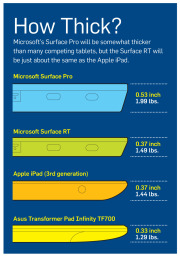 Click for a full-size view of this chart.Physical specs: Microsoft didn’t supply complete numbers, but it did say Surface RT should be about 0.37 inch thick—thinner than many competing tablets and in a dead heat with Apple’s iPad. Current estimates put the Surface RT’s weight at 1.49 pounds, or 0.05 pound heavier than the current iPad. That’s a negligible difference, but the iPad itself got heavier this year, while Android tablets are consistently moving in the other direction, as consumers have come to expect. At 1.49 pounds, the Surface will be about 0.2 pound heavier than the Toshiba Excite 10 or the Asus Transformer Pad Infinity.
 Physical specs: Surface Pro’s overall physical design is the same as Surface RT’s; but this model will be thicker, at 0.53 inch. Nonetheless, Surface Pro looks more stylish and snappy than current Windows 7 slates, and it’s thinner than many Ultrabooks. Surface Pro’s weight is estimated at 1.99 pounds, which is significantly lighter than the average 3- to 4-pound Ultrabook and comparable to current Windows 7 tablets.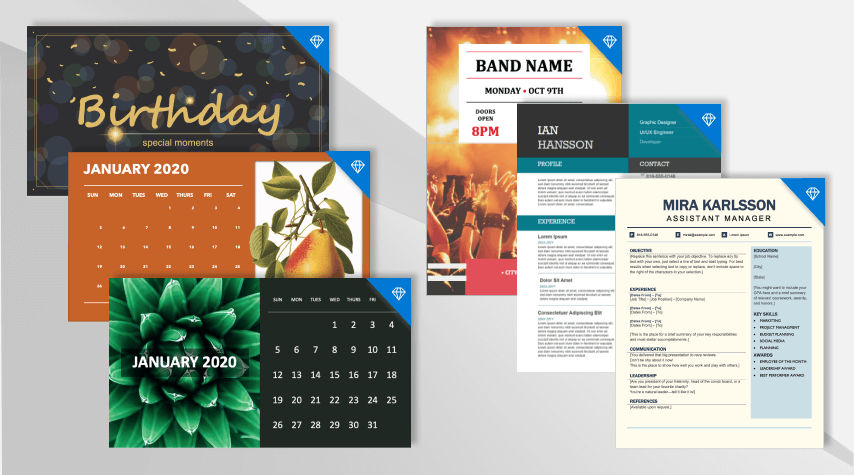
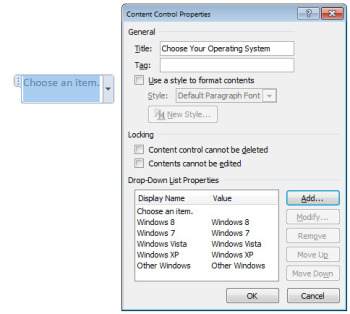
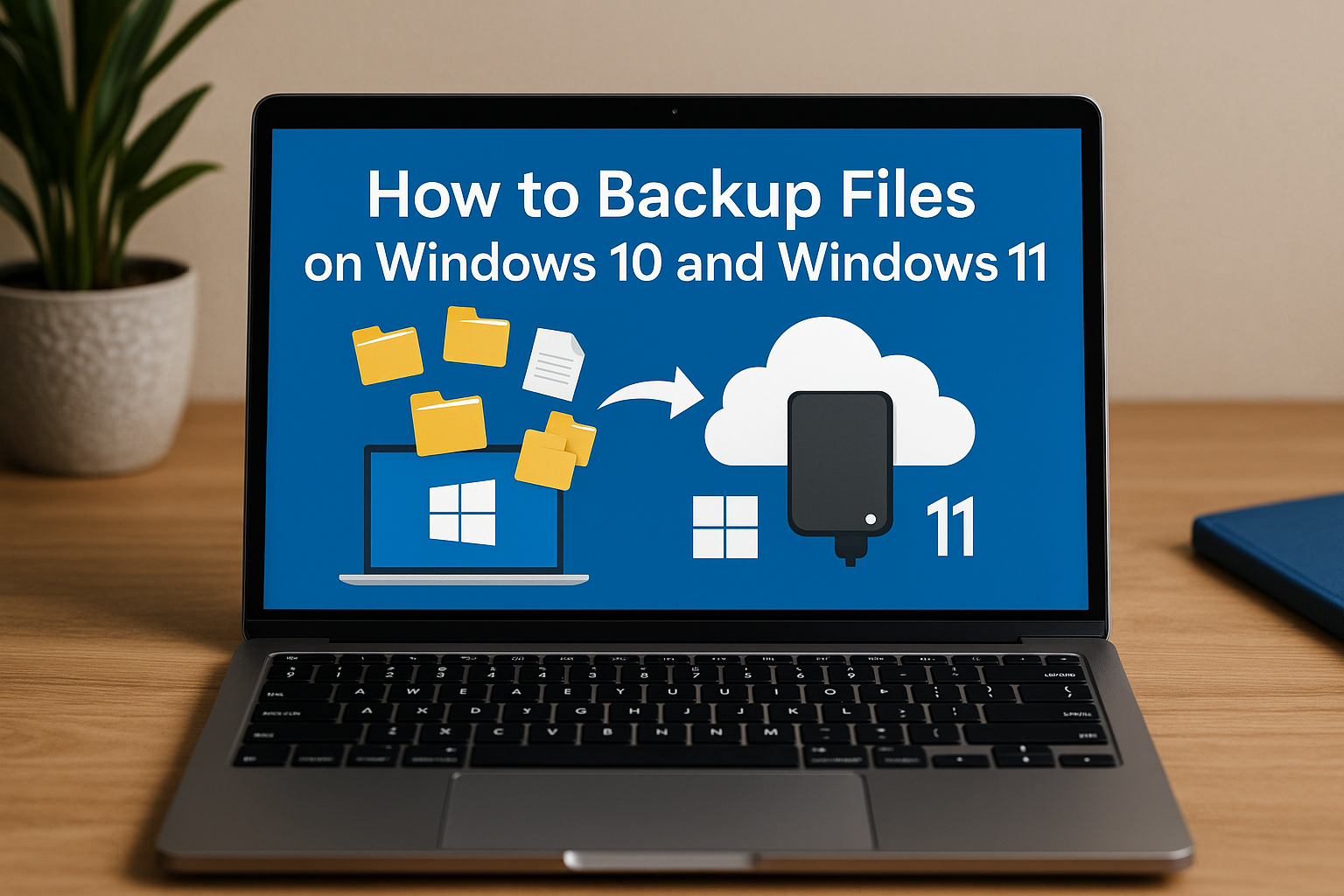
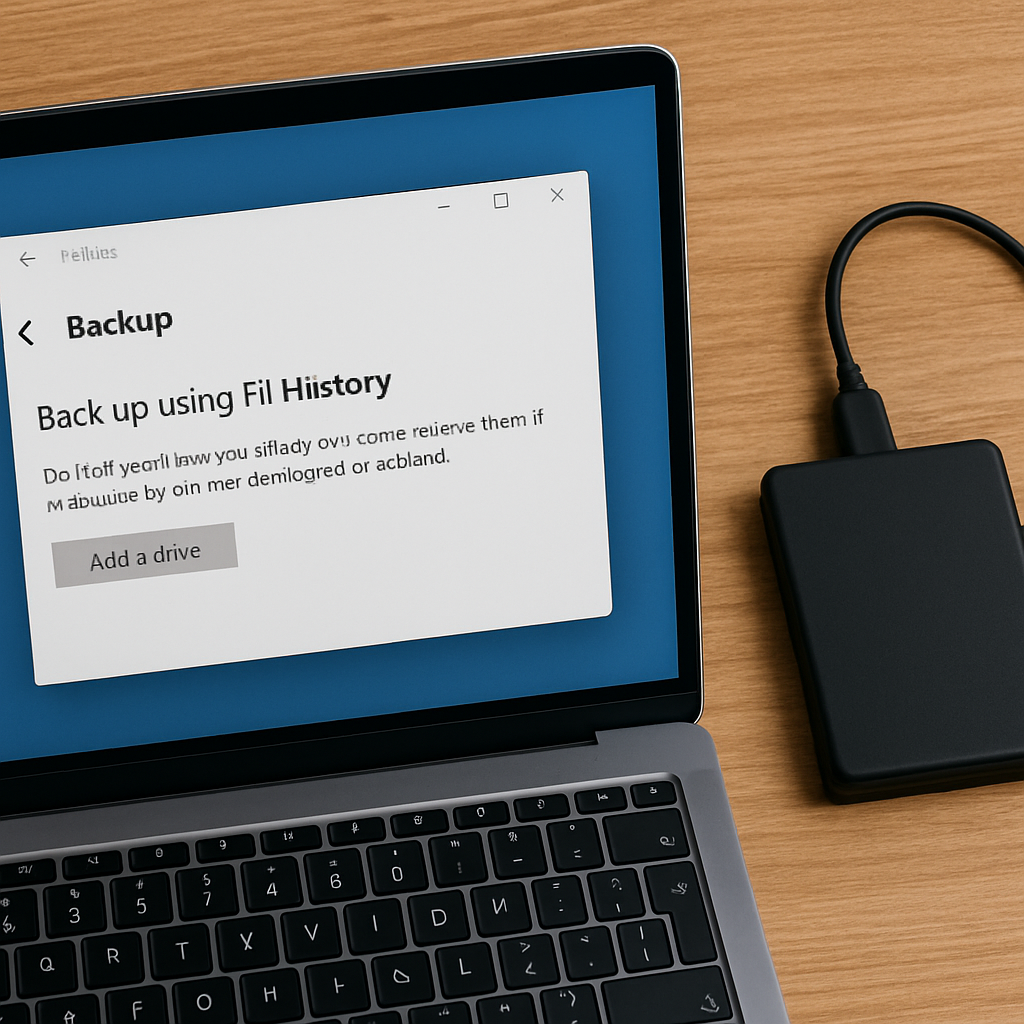
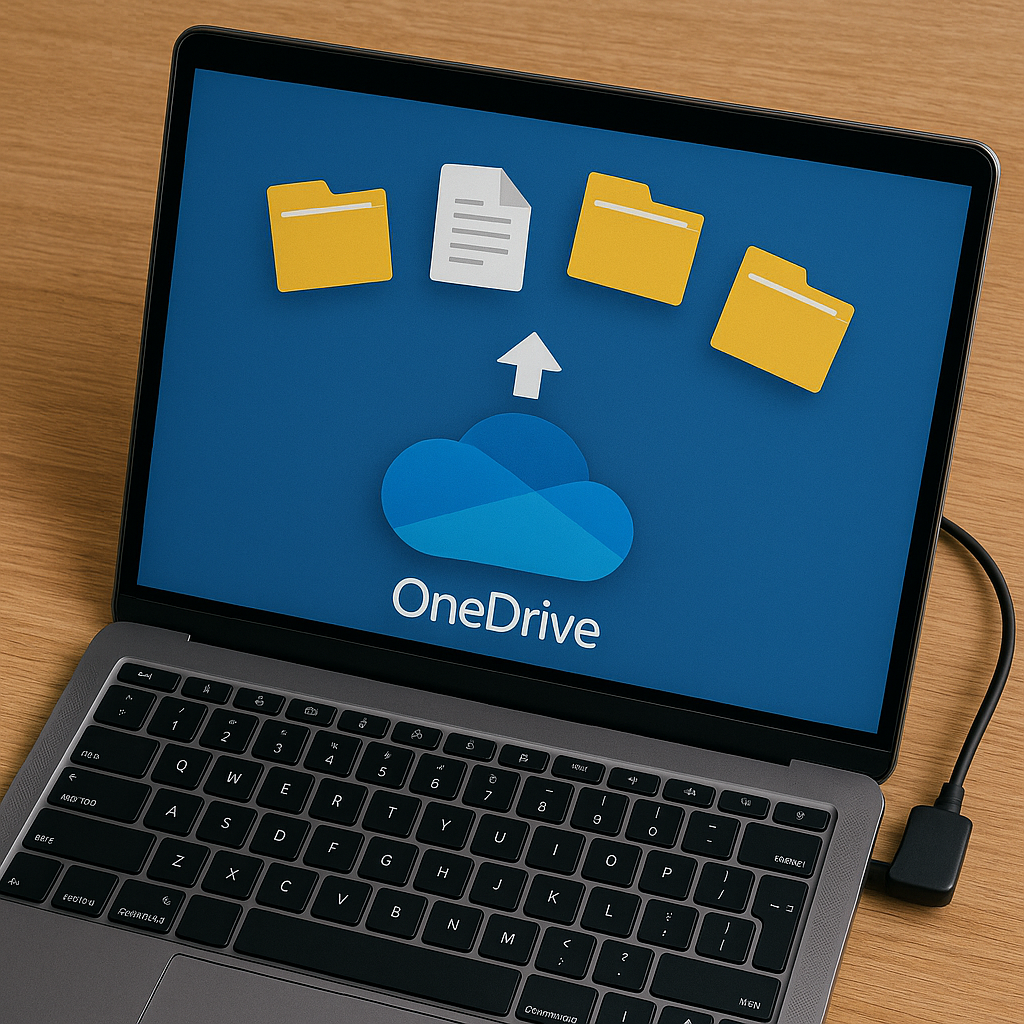























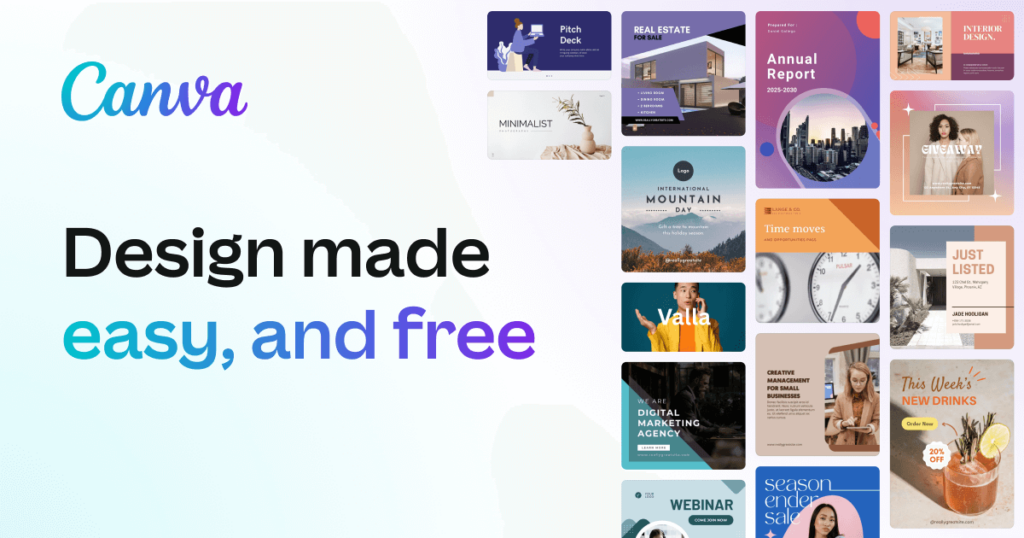
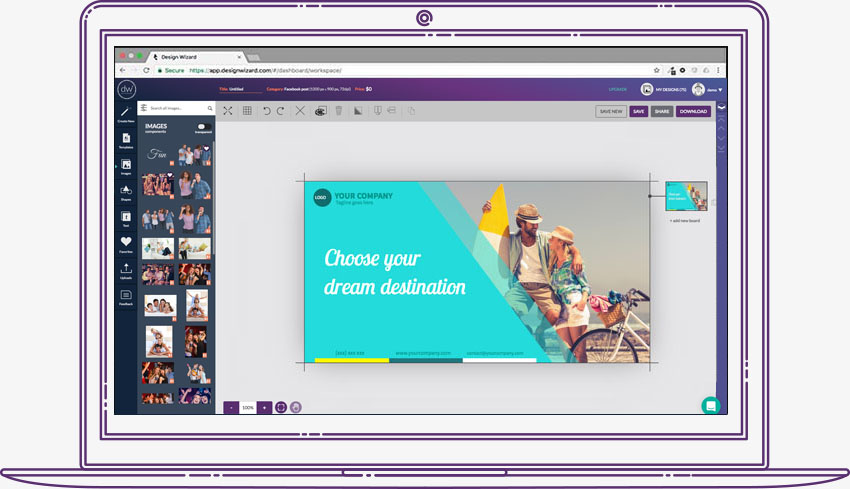


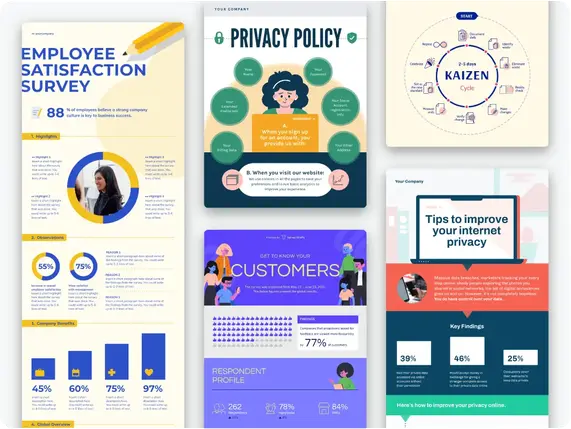
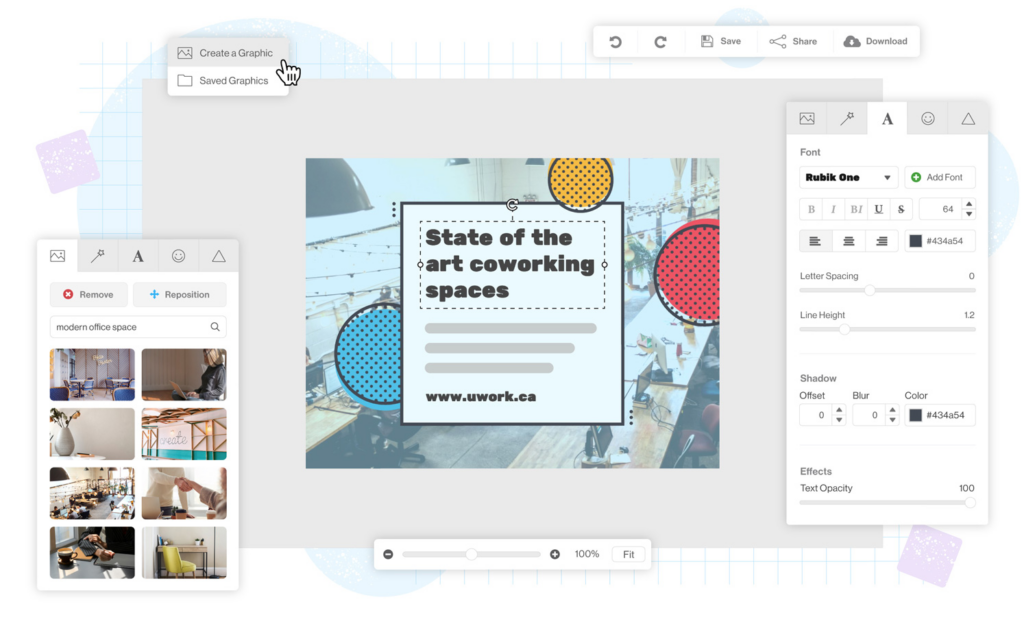












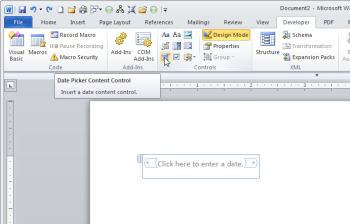

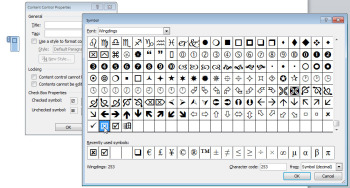

You must be logged in to post a comment.