Search results for: “phones”

  • How to Track your Windows 10 PC, Tablet or Phone Location

    How to Track your Windows 10 PC, Tablet or Phone Location

    Exactly this time last year, a Lagos based Nigerian Mr. Tunde Makhinde was able to track the location of arm robbers who invaded his property with his stolen iPad.  Still last year, an amazing iPhone app, Find my iphone, was used to track down a stolen iPad and the man who allegedly took it from underneath a family’s Christmas tree in the US. The victim on the ‘Find my iPhone’ app that sends out a signal to the device.Using his computer, the victim was then able to locate the iPad on a map, and alerted police to its whereabouts – just a few houses away.

    This is something that is almost synonymous with Apple devices. However, this time, Microsoft is taking over the spotlight with their new ‘Find My Device’ feature introduced in November Windows 10 update. The new Microsoft invention is not just for tablets or phones. Any Windows 10 device can take advantage of the new feature, including desktops and laptops.

    Although the current version of ‘find my device’ may not take your breath away or have your tablet make a sound, lock itself, erase data, or anything like that when stolen – it’s still a great feature to keep tabs of your device’s location and capture its thief – if needed.

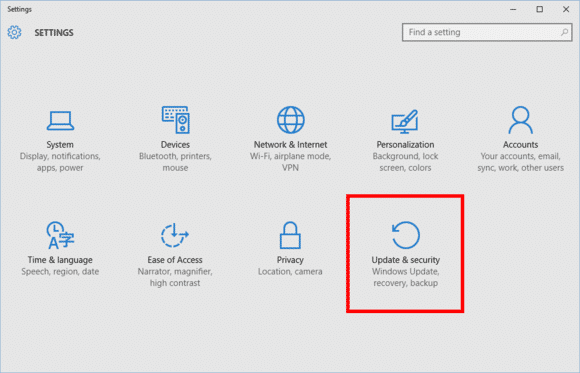
    Find My Device is buried under Settings > Update & Security.
    Find My Device is buried under Settings > Update & Security.

    To active this feature go to Start > Update & Security > Find My Device.

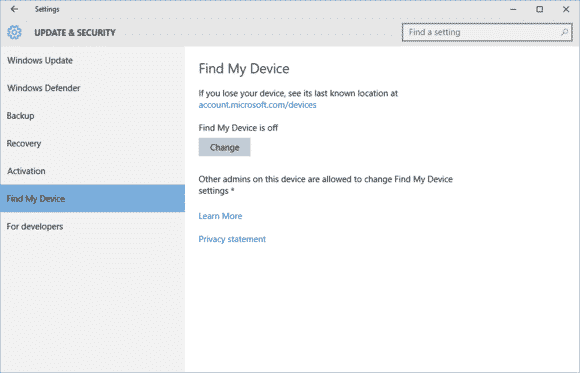
    findmydevice2-100629921-large

    On this screen you’ll see a big Change button under the heading “Find My Device is off.”

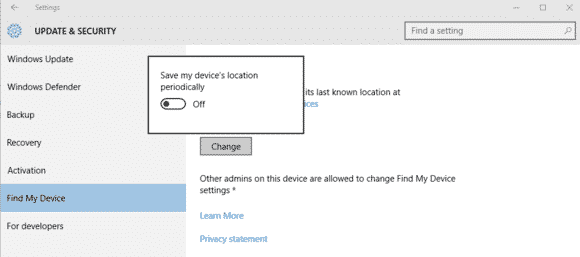
    Turn this slider to On and you’re done.
    Turn this slider to On and you’re done.

    Once you click Change you’ll see a pop-up panel that says “Save my device’s location periodically.” Turn the slider to On and you’re done.

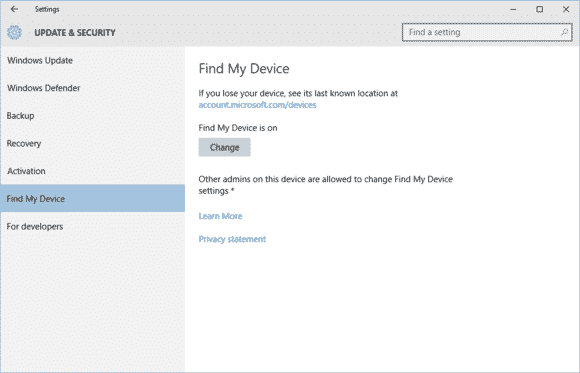
    Find My Device is now on.
    Find My Device is now on.

    You should now see that the Find My Device screen has changed to “Find My Device is on” as seen above.

    To make sure everything is working, login to account.microsoft.com/devices with your Microsoft account and you should see the name of your PC listed under “Your devices.”

    If you don’t know the name of your device, right-click on the Start button and selectSystem. In the Control Panel window that opens you’ll see it under “Computer name.”

  • Top 10 messaging apps for your Android Wear watch

    Top 10 messaging apps for your Android Wear watch

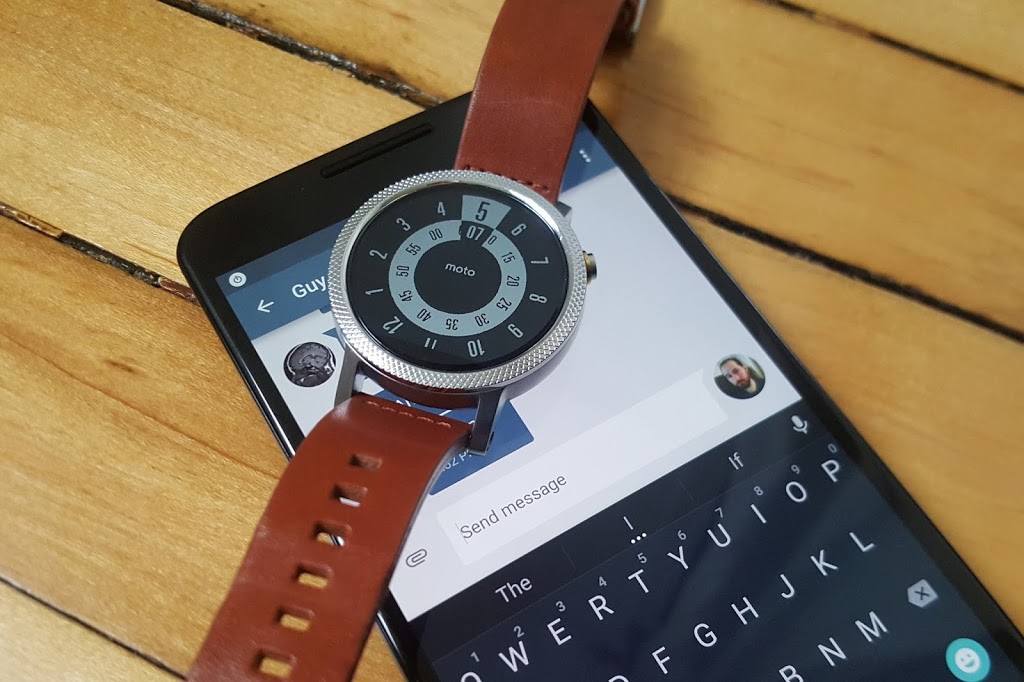
    Google has certainly beefed up the feature set of Hangouts on Android Wear since launch, but just because Hangouts is the default messaging client on most Android phones doesn’t mean it’s your only option for messaging from your wrist.

    There are plenty of great messaging apps with their own Android Wear modules. Let’s check out the best ones.

    Coffee

    Coffee is an interesting app because it’s an SMS client designed exclusively for Wear. The phone side is only used for configuring settings, adding quick responses, and organizing your contacts. Messages that come in on your phone are displayed on the watch with cool quick-reply features. The watch app includes dozens of pre-configured quick-reply snippets, but you don’t have to scroll through them all. They’re split up into categories, and similar statements are grouped together so you can build a reply in a few taps. There’s also voice input, of course. All the same messaging options are available if you want to send a new message from the watch—just open Coffee and select a contact.

    Coffee (free)

    Skype

    You won’t (thankfully) be doing video calls on your watch any time soon, but the Skype app has support for messaging on Android Wear. You’ll need to be logged into the Skype app on your phone and have it running in the background, but you can reply to all your messages from the watch. Replies are handled by voice, canned responses, or by drawing an emoji.

    Skype (free)

    WhatsApp Messenger

    WhatsApp is one of the most popular messaging services in the world, as evidenced by the more than 1 billion installs it has on the Play Store. WhatsApp was fast to add Wear support after Google’s wearable platform launched last year. Messages show up in full on the watch, and you can reply by voice. There’s no dedicated wearable app to select contacts or conversations, so all your messages have to be initiated by voice.

    WhatsApp Messenger (free)

    WearResponses

    Unlike most other messaging apps for your wrist, WearResponses doesn’t try to take over for your main messaging app. Instead, it grafts new capabilities onto the existing SMS reply functionality. Android Wear still doesn’t have customized canned replies for SMS, and that’s what WearResponses provides. You simply add your desired text to the app, and when messages arrive on the watch via WearResponses, they’ll have your custom text as quick reply options. It’s best to turn off Wear notifications for your default SMS app so you don’t get duplicates. The free version limits you to three custom responses, but the $2.99 paid version is unlimited.

    WearResponses (free / $2.99)

    Wear Messenger

    The tiny screen on your watch is not very conducive to typing, but Wear Messenger makes the experience not terrible, which is probably the best you can hope for. This app has a full wearable app that can be launched at any time to see all the active conversations and type out new replies with one of several keyboard options. You have to enable the keyboard in the phone settings app—the best one is FlickKey You tap or swipe each block of letters to get the ones you want. It’s not fast, but it’s feasible to shoot off short messages entirely from the watch. Wear Messenger also has full notification text and voice replies. It will cost you a little under $2.

    Wear Messenger ($1.62)

    Facebook Messenger

    Despite the sorry state of the main Facebook app, the Messenger client is actually quite well-supported. Facebook Messenger notifications on your Android Wear watch have full text previews, as well as the ability to respond by voice or by drawing an emoji. Want something more immediate? Next to the reply button is one that just sends a thumbs up emoji.

    Facebook Messenger (free)

    Telegram

    Telegram is a lot like WhatsApp in that it serves as a data-based replacement for SMS, but it’s free, open source, and end-to-end encrypted. It was also quick to add support for Android Wear, which entails expanded notification text and the option to reply via voice or by drawing an emoji. There’s no standalone Telegram app in the Wear launcher, though.

    Telegram (free)

    Messages for Android Wear

    You want a full QWERTY keyboard on your watch? That’s what you get with Messages for Android Wear. It’s not as insane as it sounds, and this app has a ton of functionality for sending and reading your SMS. When messages arrive, you can view not only the current one, but the entire conversation via the wearable app. If you reply, there’s a voice option or a scrolling keyboard with text prediction. It’s possible to tap out a few words when speaking to the watch or using your phone isn’t an option. A $1.49 upgrade adds canned responses, a custom signature, and more.

    Messages for Android Wear (free)

    Evolve SMS

    EvolveSMS is a full-featured SMS app for your phone, but it also has a great Android Wear client. It’s available in the app list and shows you all active conversations. Replies are handled only by voice—no fancy (or awkward) keyboards here. EvolveSMS also supports expanded message text on the watch when new messages arrive, and instant voice replies. The app is free, but if you want features like backup and themes, it’s $3 via in-app purchases.

    Evolve SMS (free)

    Google Messenger

    Hangouts has SMS support, but Google also (for some reason) has a dedicated SMS app. I’m willing to forgive the overlap, though, because Google Messenger is fantastic. It doesn’t have a full Wear app in the launcher, but notifications on the watch have an expanded conversation view and the ability to reply by voice or with a quick response. It even has MMS image preview. Like all other Google apps, Messenger is free.

    Google Messenger (free)
  • Why growing businesses MUST embrace SMS Text Marketing – Especially in 2015

    Why growing businesses MUST embrace SMS Text Marketing – Especially in 2015

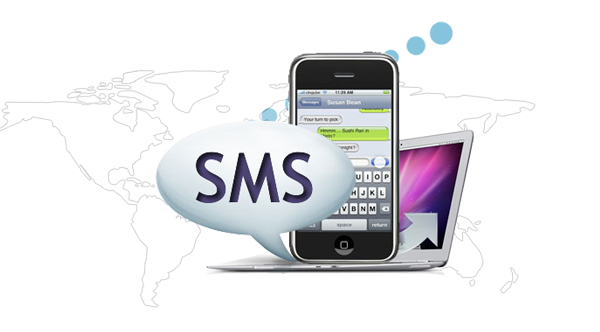
    The shift from PC to Mobile is now in full swing. With “65% of all mobile phones sold being smartphones”, according to the June 2014 Ericsson Mobility Report, no longer is Mobile the future of communications, but rather the ‘present’, and the means by which information is consumed is now becoming more and more mobile.

    This change in consumer behavior is attributed to smartphone penetration, which is around 30% now worldwide and continues to widen as mobile broadband connectivity continues to gain strength. In “Q1 of 2014 alone, there were 120 million subscriptions (mobile broadband) added and by 2019 we expect that 80% of the mobile subscriptions will actually be mobile broadband,” according to Rima Qureshi, Chief Strategy Officer of Ericsson.

    This development results in an unprecedented use of mobile instant messaging (MIM), with actual number of messages expected this year to reach “50 billion messages per day on the MIM services and about 20 billion messages a day via text messaging (SMS)” according to Paul Lee, Deloitte TMT Head of Research. Tools like Webcilo Phone Number Generator are now flooding the internet, making it possible for SMS marketers to reach more mobile audience through text messaging.

    However, despite the burgeoning volumes of messages carried over instant messaging on mobile phones (MIM) “we expect globally SMS to generate more than $100 billion in 2014, equivalent to approximately 50 times the total revenues from all MIM services, according to the 2014 Deloitte TMT Predictions.”

    This disparity in revenue levels is largely due to the higher cost of sending SMS as opposed to the almost ‘free-to-use’ instant messaging apps that sprouted in the market in recent years. But, what does this information tell us?

    The decline of SMS usage among consumers is attributed to the availability of instant messaging, which is relatively free to use. And it is replacing two-way conversations, i.e. email and voice calls, only because of this cost implication.

    Despite this decline in number of outbound SMS text messages, people still continue to use it for more important, time-sensitive messaging because of its high open-rate. As the messaging platform, standard among all phones across the globe (whether basic or smartphone), SMS messaging gets through on any type of phone device, regardless of country, time zone, carrier connection, and does not require exclusive subscription as in the case of MIMs where one cannot send an instant message to another unless both of them use the same service, i.e. WeChat to WeChat, iMessage to iMessage, etc.

    This makes the mobile phone a perfect spot for marketers to reach their existing and potential customers. As casual conversations take the MIM, people will have more room for consuming push notifications and promotional information on their SMS inbox. And with ethical implementation, the email’s loss could be SMS text marketing’s gain.

  • How to turn your old phone into a basic PC with less than $25

    How to turn your old phone into a basic PC with less than $25

    Your old smartphone has a greater destiny than your junk drawer. Believe it or not, you can turn it into, say, a mini-PC or media streamer. Assuming it packs both USB On The Go support (OTG) and a Mobile High-Definition Link (MHL) compatible port, there’s a ton of additional functionality lurking under that its hood. Heck, you can even use a smartphone with a broken screen for this.

    Without further ado, here’s how to transform your old smartphone into the brains of an Android-powered PC.

    It starts with MHL ports and USB OTG support

    Many smartphones from companies like Google, Samsung, LG, HTC, and Sony—among others—ship with MHL ports and have built-in compatibility for USB OTG as well.

    The MHL port essentially adds HDMI output capabilities (with 1080p and 7.1-channel digital multi-channel audio support) and remote control functionality to the phone’s micro-USB port—the port you most likely use to charge the phone. USB OTG support gives mobile devices the ability to connect to and work with many different USB peripherals, like storage devices and input devices. Combine the two, and a mobile device with MHL and USB OTG support is capable of connecting to a discrete external display and peripherals like a keyboard or mouse.

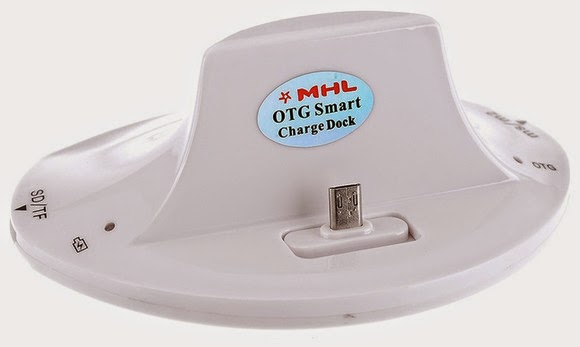
    A multi-function cradle with OTG MHL support is the key to turning your phone into a PC. Here’s the $25 VicTsing OTG MHL to HDMI multi-function cradle we tested.

    You can see where we’re headed here.

    A number of companies have released proprietary “docks” for their mobile devices that leverage both MHL and USB OTG, but they tend to be expensive and work only with one particular device. Some third-party manufacturers have also released near-universal multi-function docks, however, that can be had for only a few bucks.

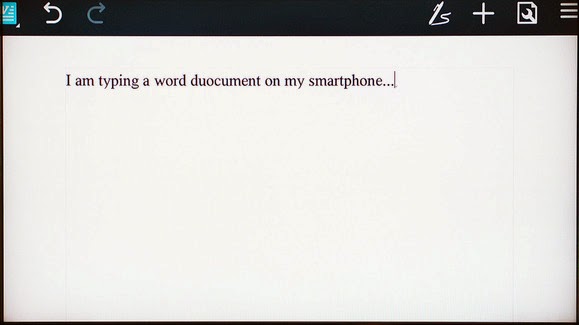
    We purchased a VicTsing OTG MHL to HDMI multi-function cradle for only $25. It works with a wide range of devices and offers dual USB ports, a couple of flash card readers, HDMI and audio output, and a charger. By connecting this simple dock to a display and a keyboard and mouse, it can essentially transform a smartphone into a basic Android-powered PC. Throw some Office-style apps on the phone and you’re ready for some actual productivity.

    Making the connections

    The VicTsing cradle’s port selection.

    Using a dock with USB OTB and MHL support is very simple and straightforward. Though we only tested it with a couple of Samsung phones (a Galaxy Note 3 and Galaxy S4) and an HTC phone (an HTC One X), the process and behavior should be similar with compatible devices.

    MARCO CHIAPPETTA

    The dock has an HDMI output that gets connected to a secondary screen. (A HDMI-to-DVI conversion cable can work if you have a spare monitor laying around). In our tests, both a cheap 1080p monitor and a Toshiba HDTV connected perfectly. The dock also requires power, which comes by way of a standard micro-USB charger; you can connect the included USB cable to a USB port on a TV or monitor, or simply use your phone’s charging cord.

    A keyboard and mouse can simply be plugged into the full-sized USB ports. You could use wireless keyboards and mice as well, as long as they use standard USB HID (human interface device) drivers. Multimedia keys and other custom keys on fancier keyboards won’t work.

    Once the physical connections are made, ensure the display is configured to use the correct input and simply slide the phone onto the dock, inserting the dock’s male connecter into the phone’s MHL/micro-USB port. When the smartphone is fully connected to the dock, its screen will go dark and output will be sent to the secondary display. Boom! Your old smartphone is now essentially an Android PC. It really is that simple!

    On the Samsung smartphones, everything we tried automatically rotated into landscape mode, which made it ideal for multi-media playback or working on office documents.

    Getting around

    Smartphones with USB OTG and MHL support will typically auto-rotate most content into landscape mode when connected to a secondary display.

    Navigating through the various menus on Android can be somewhat clunky when using a keyboard and mouse, but it’s fairly intuitive once you start poking around. Right-clicks act as a back button, while left-clicking behaves like a tap of the touchscreen. Many in-application icons and menus—even the mouse cursor itself—appear oversized on a big screen, but they function as expected.

    We wouldn’t trade an actual PC for a smartphone and USB OTG / MHL dock, but for a relatively small investment (especially if you’ve already got the monitor and input devices on hand) you can easily get some work done on one of these setups.

  • Microsoft Windows 10 making A Great “UP GOING ” In Mobile Market Share

    Microsoft Windows 10 making A Great “UP GOING ” In Mobile Market Share

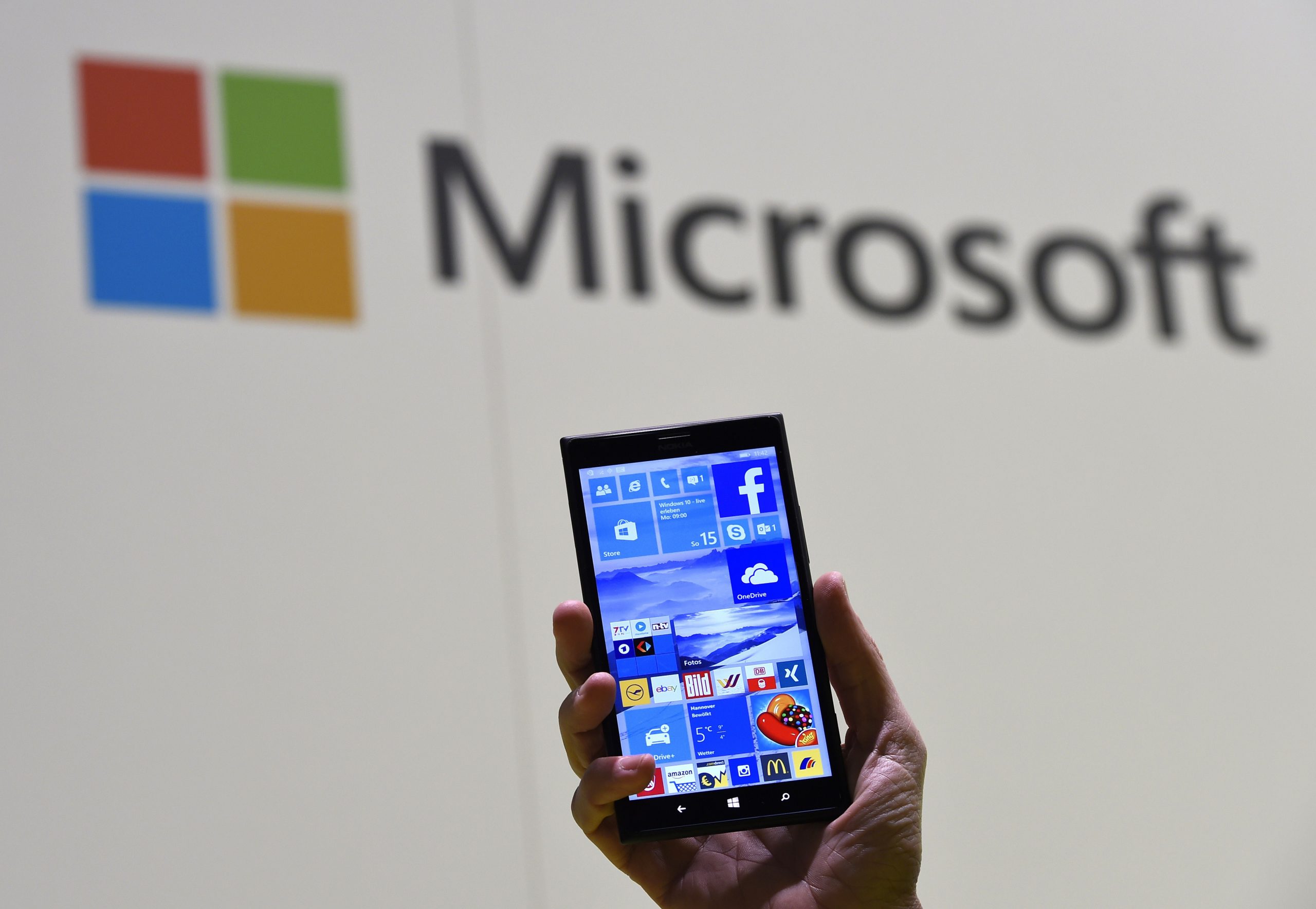
    Microsoft is doing a great job in the mobile world and the operating System at large.

    Today, IDC reported that Android and iOS controlled 96.3 percent of the mobile market in 2014. But Microsoft is always making a go up effort in their new strategy.That means that Microsoft’s Windows 10 strategy, which will see a single operating system stretch from the smallest to the largest screens, is starting in many ways from scratch.

    It’s worth keeping in mind how quickly Windows 10’s market share will grow inside of the Windows Phone universe — given that Microsoft will provide free upgrades to a majority of Windows Phone owners whose phones can make the jump, Windows 10 could quickly become the majority platform in the Windows Phone universe. Microsoft’s developer gambit is that it will bring a huge chunk of the Windows 7, 8, 8.1, and Phone 8.1 universe under the 10 aegis in rapid order, creating a massive base for developers to sell into.

    Fun game: What is Windows 10’s mobile market share inside of Windows Phone at the end of the year, and what is its tally among the larger smartphone market at year’s end?

    Regardless, this new data marks the start of market adoption for Windows 10 on smartphones. Charge of the Light Brigade, or start of a new era? We’ll find out soon.

  • #Apple Ordered to Pay $532.9 Million after losing Lawsuit over wireless Messaging

    #Apple Ordered to Pay $532.9 Million after losing Lawsuit over wireless Messaging

       #Apple has been Told to pay $532.9 Million for Breaching Gaming-Related   Patents     Infringement


    A Federal Jury in Texas has ordered Apple to pay out just under $532.9 million in a patent infringement case brought by Smartflash LLC regarding technology that the company said iTunes used without permission. Apple had attempted to argue that the patents were invalid. The court ruled in Smartflash’s favor, but chose not to award the entire $852 million the software maker was seeking.
    The patents in question were related to “data storage and managing access through payment systems,” according to Bloomberg. Several game developers who took advantage of the tech settled out of court last year, leaving Apple to stand against Smartflash alone.  
    Apple said that it saw no reason to pay royalties on the price of a phone when the dispute was over a single feature. As representing lawyer Eric Albritton put it, “People do not buy cell phones for the sole purpose of using apps.”
     
     
    Smartflash originally asked for $852 million in damages, saying that it has a percentage of sales of App;e products that access iTunes. The company doesn’t sell anything itself and makes money only by licensing the seven patents it holds.
      
    Smartflash isn’t just going after Apple, though. now that this case has concluded, the company is reportedly planning to go after Korean smartphone manufacturer Samsung. The company owns only seven patents, the licensing fees for which constitute its only income.
     
  • Google plans to add Android directly into your vehicle

    Google plans to add Android directly into your vehicle

    The company is working on a new Android version that will power a car’s entertainment and navigation systems, connect it to the Internet, and integrate with the vehicle’s sensors, a Reuters report says.

    Sometime in the not-too-distant future, cars from many automakers could feature a version of Google’s Android operating system built directly into the vehicles.
    If Google’s plans take shape, its operating system will power the car’s entertainment and navigation systems, connect it to the Internet, and integrate with the vehicle’s sensors, camera, fuel gauge and other components.

    That’s according to a report by Reuters Dec. 19 that it said was based on conversations with two unnamed officials with knowledge of the matter. According to Reuters, Google could announce plans for integrating Android directly into cars when it rolls out Android M, the successor to its recently released Android 5.0 Lollipop operating system, sometime next year.
    Google did not confirm or deny the report. In an email, the company merely noted that it does not comment on rumors and speculation.

    But if Google were indeed to integrate Android directly into vehicles someday, that would mark a significant step forward for the company.  At the I/O conference this year, Google announced Android Auto, software that will allow drivers to basically stream most of their smartphone’s functions to the in-car display. Android Auto is expected out next year. It will allow drivers to take advantage of Google Maps, Google Now and other Android applications more easily when driving using simple voice commands and touch commands.

    With the new version of Android that Google is reportedly working on, drivers will no longer be required to connect their phones to the vehicle. Instead, a lot of the same functionality that is currently available on Android smartphones will be accessible directly from the vehicle in a manner that is optimized for in-vehicle use.

    Google’s big challenge though will be to persuade automakers to integrate its technology into their vehicles. Google has said that Android Auto will be available in vehicles from several major domestic and international automakers, including Ford, Chrysler, Honda and Audi.
    However, some automakers may be wary of giving the company too much access to internal components for safety reasons and because of branding concerns, Reuters noted.
    Google will also have to deal with the myriad safety concerns that have been expressed over connected cars recently. Security researchers have already shown how hackers can exploit a connected vehicle’s electronic control unit and take remote control of functions like steering, braking and acceleration.

    The National Highway Traffic Safety Administration highlighted several of those concerns in a report on connected cars earlier this year while advocating the need for intrusion detection, access control and other security technologies in vehicles over the next few years. One of the areas of concerns highlighted in the report has to do with in-vehicle entertainment and navigation systems becoming potential attack vectors in connected cars of the future.

    For safety-conscious automakers to allow any version of Android to be integrated into their vehicles, Google will likely have to first considerably bolster the security of the operating system. Currently, Android is one of the most attacked operating systems in the world, with more malware targeting it than any other mobile operating system.

    via eWeek

  • Amazon is getting “Fired” up for another smartphone

    Amazon is getting “Fired” up for another smartphone

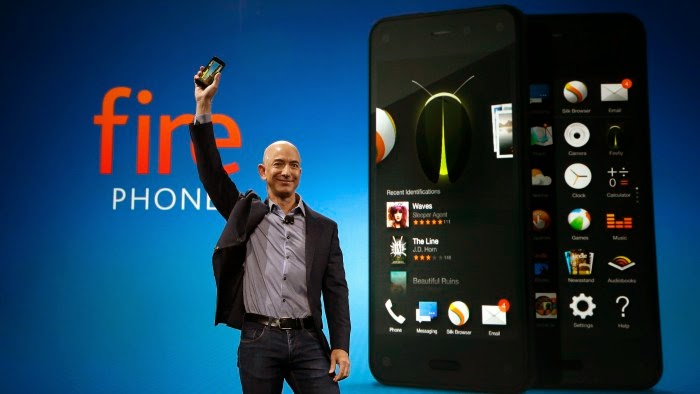
    In June of 2014, Amazon tried to launch their newest product – the Fire phone. It was essentially a modified Android phone with a “unique” 3D display and a ton of references to different Amazon shops. It turned out that “Fire” was pretty cold, being a complete failure. The phone hit Amazon with a $170 million loss in its most recent financial quarter to account for “inventory valuation and supplier commitment cost.” The major commerce company is finding it hard to even give these things away; if you wander into a Amazon warehouse, you may just find a big pile of these lonely little buggers hoping; waiting for someone to come and make them theirs.

    However, Bezos & CO aren’t giving up without a few punches here, truly living up to the phrase “if at first you don’t succeed, try again.” On Friday, Amazon released a software update for their Fire phone that adds new features and sources close to the giant company says they have plans of releasing a second Fire phone, just not anytime soon.

    Among the new features in the Friday update is text translation for the Fire Phone’s Firefly app, where you can scan text and have it converted to or from English, French, German, Italian, and Spanish.

    Firefly has also been trained to identify 2,000 famous paintings, for those of you who like to walk around art museums with your mobile in your hand.

    The update introduces a new camera feature named Best Shot, a (camera) app that takes three quick photos and lets the user choose the best ones. Amazon said this would be great for group photos or pictures of children or pets. There are also some minor UI changes, such as adjustable SMS settings and blocking phone calls by the number. Added to their “flop” phone was a office-document editing app, VPN support, and even more which you can find in the full list of changes here.

    On the topic of making another phone that customers will actually like, VentureBeat reports that several sources agree that the online megastore will take another shot at it, but it’s not in a hurry. It has “gone back to the drawing board,” one source claimed, and is currently pondering which features to put into the new device that would make it appealing, with an eye to ship it sometime in 2016.

    And we may be able to expect more phones to come from Amazon after that. The company CEO Jeff Bezos gives the Fire Phone line full support and believes it’s a young product that the company will need to “iterate” over time.

    What do you think of a new Fire phone coming out, or about the changes in the new update? Leave a comment below.

    source(s);
    TheRegister

  • BlackBerry launches their Classic smartphone with a traditional keyboard

    BlackBerry launches their Classic smartphone with a traditional keyboard

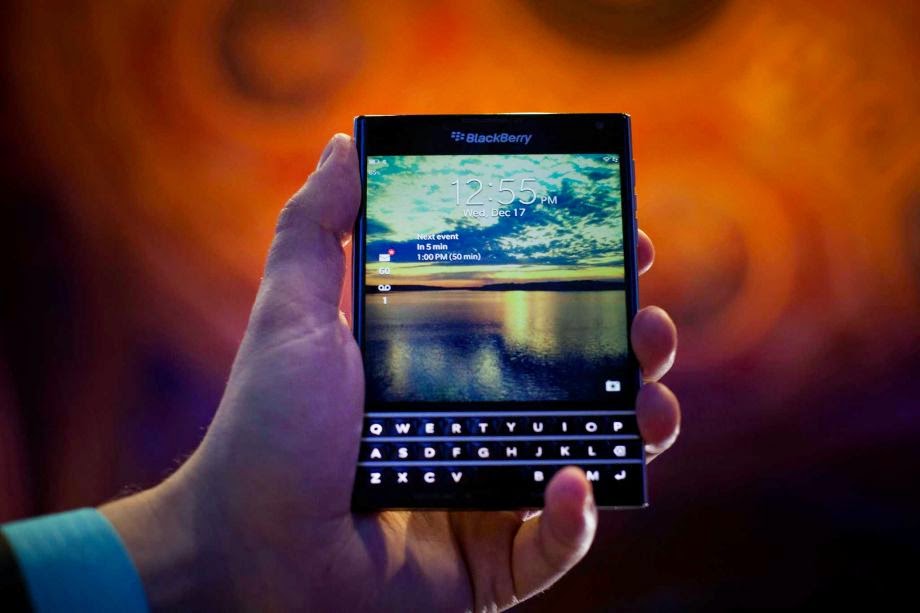
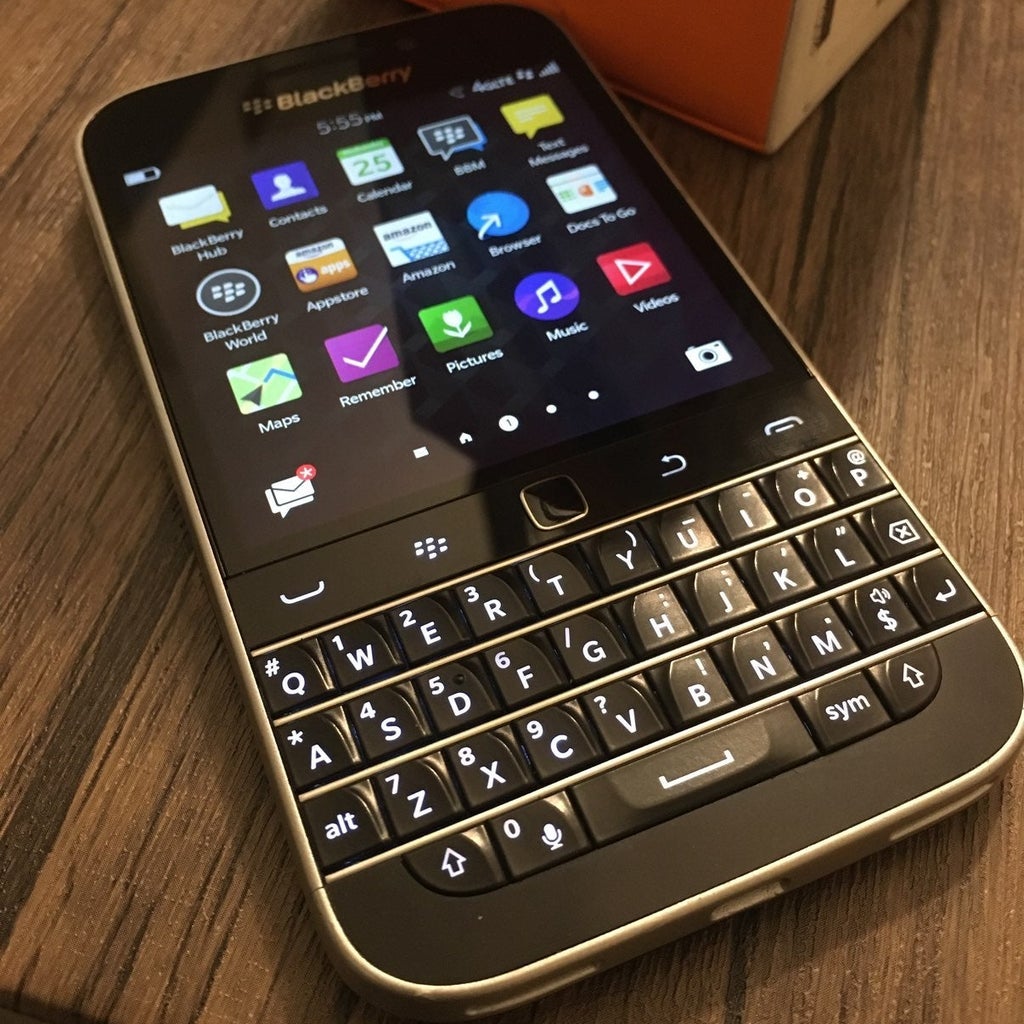
    BlackBerry is hitting the market by returning to their roots; releasing a new “Classic” smartphone with a traditional keyboard which seems like an un-logical choice in the time when rival Apple and Android devices – and most smartphone customers – have come to accept and use their screen for almost all functionality.
    BlackBerry is calling out to it’s core customer with the Classic – business folk. The physical keyboard is a traditional asset that BlackBerry users have found to be more easier and comfortable to use than to type using a touch-screen keypad. The company is also putting their emphasis on security and long battery life, however there is little released facts to prove the ladder.
     “A lot of people say the Classic is aiming for loyal customers. And that is true,” CEO John Chen said at the gadget’s launch event, tellingly held in New York City’s Financial District. But he also invited people who haven’t used a BlackBerry “especially people who are young,” to try the BlackBerry Classic.
    1999 was the year BlackBerry came up with the RIM 950, and allowed on-the-go business people to access their email wirelessly. Soon however more and more competitors came around, and BlackBerry seemed to have turned ancient. Apple showed that phones could definitely perform to a greater extent past the use of email and phone calls, and all while BlackBerry was too late to overhaul its operating system.
    A obvious sign to BlackBerry’s decline is their hold on the smartphone market – they only hold a small fraction compared to the nearly 50% that they continuously had going up until as late as 2009. The company is trying to stay relevant on making hardware even as it tries to transform into an enterprise security and consumer software company. Whether the Classic will sell enough to keep it in the hardware business is unclear.
    “It’s going to be a niche product based around enterprise, based around security and pockets of the world where there is still strengths. The future of this company is not the hardware,” BGC analyst Colin Gillis said. The BlackBerry classic is on sale as of Wednesday (12/17/2014) for $449 in the U.S through Amazon.com and BlackBerry.com. The phone will soon be available at AT&T and Verizon shops and their respective websites.
    What are your thoughts on the BlackBerry Classic? What do you love/hate about it? Let us know in the comments.
    source:
  • NSA has a spying program that targets many mobile networks

    NSA has a spying program that targets many mobile networks

      The NSA has recently conducted a campaign focused on the interception of internal communications of operators and trade groups in order to infiltrate mobile networks around the world, according to recent revelations from Edward Snowden.   

    The U.S. National Security Agency ran two undisclosed operations, the Wireless Portfolio Management Office and the Target Technology Trends Center, operating under the aegis of a program called Auroragold, according to an article Saturday in The Intercept, which also published related documents.

    Operations closely monitored the GSM Association with a maintained list of 1,201 email targets or “selectors” used to intercept internal company communications and gathered information of network security flaws in the process.

    As of May 2012, NSA documents shown that the company had collected technical information on about 70% of  the  estimated 985 mobile phone networks worldwide. Besides mentioned names of operations in Libya, Iran, and China; no other names of the targeted networks were disclosed in the documents revealed by Snowden. Intercept founding editors Glenn Greenwald and Laura Poitras have been instrumental in helping Snowden leak NSA documents to the public through various media outlet

    The mentioned NSA operations collected information in “IR.21” documents used by  the GMSA members to report security weaknesses and encryption details used by mobile operators, according to the documents of Mr. Snowden. The NSA used this information to circumvent encrypted communications, according to the documents.

    “NSA collects only those communications that it is authorized by law to collect in response to valid foreign intelligence and counterintelligence requirements — regardless of the technical means used by foreign targets, or the means by which those targets attempt to hide their communications,” the NSA said in an emailed statement. “Terrorists, weapons proliferators, and other foreign targets often rely on the same means of communication as ordinary people. In order to anticipate and understand evolving threats to our citizens and our allies, NSA works to indentify and report on the communications of valid foreign targets.”

    Since June 2013, Snowden’s leaked documents have lead to a series of of reports on the extent of NSA’s spying on Internet and telecom networks worldwide. The documents have also shown that the NSA has hacked into emails of leaders of U.S. allies as well as into networks and equipment of foreign companies including China-based Huawei.

    Additional to the covert spying, the NSA has a bulk telephone record collection system highly criticized by many. Last month, NSA Director Michael Rogers said the agency is planning no major changes in its domestic telephone records collection program after a bill to curb those efforts failed in the Senate.

    sources:
    computerworld.com – computerworld.com(2)
    firstlook.com
    pcworld.com

    What are your thoughts on the NSA’s mobile spying intentions thus far? Leave a comment below.

  • Google Tour Bus will pass through Bangladesh To Help 500,000 Students Learn About The Internet

    Google Tour Bus will pass through Bangladesh To Help 500,000 Students Learn About The Internet

    Google is literally hitting the road to promote the potential of the internet in Bangladesh. The company today launched ‘Google Bus Bangladesh’, an educational program aimed at teaching key digital skills to more than half a million students in the South Asian country.

    There are some outlandish programs to help connect the world’s population — including Google’s balloons, SpaceX’s forthcoming satellites, and Facebook’s drones — but Google is going back to basics with this roadshow across the world’s eighth most populated country. It plans to visit some 500 educational campuses across 35 locations over the next 12 months, bringing with it instructors who can teach students about important tools to help them make the most of the internet.

    In addition to tutors, students involved in the project will be able to get hands-on with a number of internet-connected Android devices. Google tells us that the hardware will be entry-level devices from Symphony, like the $70 Xplorer W65i. There’s also a Google+ community for the project, where students can exchange ideas, and access more information.

    “Bangladesh is a country on the move with a large pool of young citizens that’s leading the Internet charge. Equipped with the right training, the youth can be the cornerstone for creating a connected, digital Bangladesh,” said James McClure from the Google Asia Pacific

    Living in Southeast Asia, I’ve witnessed first-hand how the internet can make big and also small-yet-impactful changes to people’s daily lives. Whether that’s helping connect them with friends, family or experts, giving them better access to information and news, or just providing a medium for entertainment — many people in emerging markets are simply just unaware of what’s possible. Throwing a smartphone or computer at them isn’t always the best approach, since the internet can be daunting, so a tutor-led approach is a great start.

    With two-thirds of the world estimated to be offline, local initiatives like Google Bus Bangladesh offer inexperienced or first-time internet users an important opportunity to familiarize themselves with the basics and the possible benefits. It’s doubtless true that the more people who use the internet or carry mobile phones is good for Google’s business — but, even still, initiatives like this are resource and time-intensive, and Google deserves credit for getting out there and trying to make a difference.

    This article was originally posted by Techcrunch. All rights reserved.

  • Apple says it has taken action against the infected apps in China

    Apple says it has taken action against the infected apps in China

    Conventional wisdom suggests that the vast majority of mobile malware cases impact Android devices. Or at least that those who do not jailbreak their iPhones are safe most threats — even Apple CEO Tim Cook has bashed Android for “dominating” the mobile malware market. Yet a new virus found in China by US-based researchers could herald the first serious security threat to Apple devices.

    A report from Palo Alto Networks (hat tip The Verge) claims that a new family of malware is getting past Apple’s settings to potentially infect secure (i.e. not jailbroken) iOS devices using infected software for Macs. Dubbed ‘WireLurker’, it was found in the wild in the Maiyadi App Store, a third-party Mac store in China, where it is said to have infected 467 apps. Infected versions of these programs have been downloaded more than 350,000 times and are likely to have affected “hundreds of thousands” of users, according to Palo Alto Networks.

    Apple tells us that it has blocked infected apps from working — the company’s full statement is at the bottom of this post.

    The malware works by repacking legitimate Mac applications. Once downloaded to a Mac, that software will then install malicious and third-party applications on any iOS device that is connected to the infected machine using a USB cable. What’s most interesting — or, indeed, worrying for Apple customers — is that once on an iOS device, WireLurker reportedly uses a range of sophisticated techniques to modify existing apps for malicious purposes.

    While the aim of its creators is not clear yet, Palo Alto Networks reports, WireLurker has been found to steal “a variety of information” from inside rewritten apps. Since it surfaced in China, it is targeting Alibaba’s hugely popular Taobao shopping and AliPay payment apps — where a phone owner’s credit card and bank details are retained — but the security firm says the way it operates could usher in a “new era” of malware for Apple devices.

    In particular, Palo Alto Networks says it is “the first in-the-wild malware to install third-party applications on non-jailbroken iOS devices through enterprise provisioning.”

    The security firm recommends its own product to help prevent WireLurker, but — as ever — the best pieces of advice are to avoid downloading apps from third-party sources, and use officially approved USB cables. The former is more difficult in China, where third-party app store are well established and hugely popular — though that’s more the case for Android than Mac or iOS.

    The full report from Palo Alto Networks has additional advice for Apple customers in the enterprise space, who could be most at risk given WireLurker’s characteristics.

    Apple says it has taken action against the infected apps in China:

    We are aware of malicious software available from a download site aimed at users in China, and we’ve blocked the identified apps to prevent them from launching. As always, we recommend that users download and install software from trusted sources.

  • Android Horror Games Terrifying to Play with the Lights Off

    Android Horror Games Terrifying to Play with the Lights Off

    Are you an Android horror game addict? Or you just didn’t get enough of Halloween night and still want images that will scare you to death? Be careful of what you wish for, here are 5 most scariest of horror Android games. Don’t be ashamed to curl up in a ball in the corner. These Android horror games will scare the pants off of even hardened gamesters.

    Android horror game

    Real time horror games are something you are not likely to find in any of the Play Store’s top game charts. It’s nothing to be worried about, really: A lot of people would prefer to be chased by a nice looking ‘monster monkey’ in Temple Run than to face the real terror in Android horror games.

    [Further Reading: 3 Smartphone & Tablet Games you Must Play this Week]

    As horror as horror games sounds, most gamers still prefer the suspense, and don’t need swarms of disfigured monsters creeping at them at all times to have fun. Meanwhile, others want exactly that. In that light we have tried to strike the balance between the thrill-seekers and the ones who just want a creepy enough game that is simply incompatible with poorly-lit environments.

    The good thing about this list is that the games are free and risk free: If they scare you hard enough, you might as well uninstall them and try board games.

  • BlackBerry will try to tempt you back with BackBerry Classic

    BlackBerry will try to tempt you back with BackBerry Classic

    What do you like most about your old BlackBerry device? What if BlackBerry has improved those features for you?

    A top row of navigation keys! A trackpad! The BlackBerry is back, baby, with the BlackBerry Classic!

    Well, that’s how BlackBerry hopes you’ll react, anyway, with the announcement of the BlackBerry Classic on the company’s website on Tuesday. Chief executive John Chen promised the “things you remember about BlackBerry that made you better are better than ever with BlackBerry Classic”.

    “Innovation is a word that gets used too often and carelessly. Innovation is not about blowing up what works to make something new – it’s about taking what works and making it better,” Chen wrote in a blog post. “In that sense, BlackBerry Classic represents the kind of innovation BlackBerry – and you – strive toward every day.”

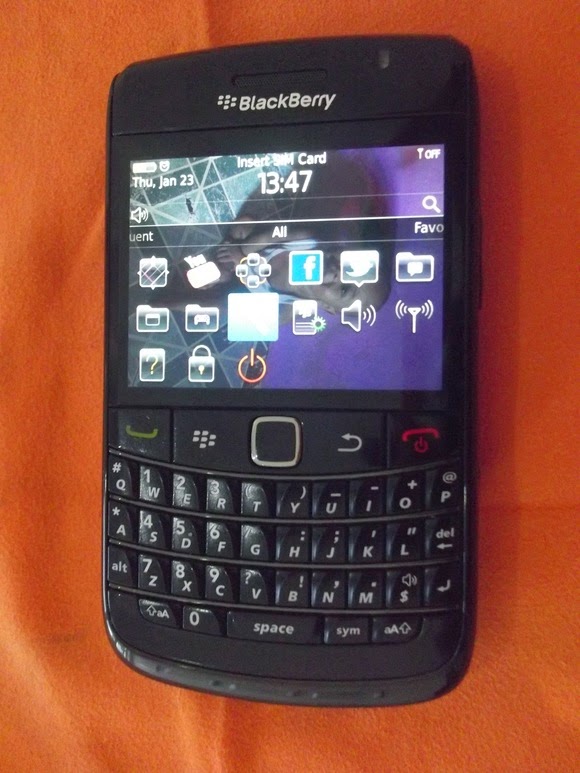
    The BlackBerry Bold 9780. [AKIDJOH]

    And while Chen didn’t reveal what those features would be, exactly, he gave some hints: the trackpad, the navigation screen, a larger, sharper screen, and “all the best productivity and collaboration features on any mobile device, including the BlackBerry Hub and our all-new BlackBerry Blend.”

    Users can sign up to hear more about the new Classic on a dedicated site, which also promises “Navigation buttons that do more than ‘go home’,” a physical keyboard “with no rival,” and a central repository for all of your messages. The site also has a partial image of the new phone.

    The Bold, of course, arguably marked the beginning of the gradual decline of the BlackBerry—not so much because of any great deficiencies of the phone, but because of the rise of the iPhone and its associated app strore. Google’s Android soon followed, and developers latched on to the new, lucrative opportunities. As of July 2014, BlackBerry had only 2.4 percent of the U.S. smartphone market, in fourth place behind Android, iOS, and Windows Phone.

    With nothing to lose, Chen and BlackBerry have rolled out a new release of the BlackBerry OS, as well as a partnership to bring many popular Android applications to the BlackBerry platform. BlackBerry recently launched the Passport, a square phone that the company is pitching at professionals.

    Could you see yourself buying a BlackBerry again? Would a touchpad be the answer to those who prefer a large phone but prefer to use it with one hand? Let us know in the comments.

    Why this matters: Having failed to attract new converts, BlackBerry is hoping to reinvigorate whatever fan base BlackBerry still has. At one time, it owned the smartphone market. So a combination of nostalgia and innovation is an obvious next step.

  • Lenovo G505, HP 255 and 5 budget laptops for Nigerian college students—we picked the best

    Lenovo G505, HP 255 and 5 budget laptops for Nigerian college students—we picked the best

    Going to  college in Nigeria could be financially cumbersome towards the end of each semester—especially when it is imperative to get a new laptop and you didn’t manage your finance during the semester.

    Your bank account is nearly tapped out, and you still need to buy text books, handouts and lay in enough ramen noodles to last through the winter.

    Yeah, we’ve all been there. Fortunately, Moore’s Law is still in play, so today’s budget notebook is yesterday’s workhorse. Pretty much any modern laptop can handle the gamut of productivity chores—word processing, number crunching, email, and the like—but all of the machines in this roundup can also tackle media editing and encoding sessions, and deliver respectable entertainment experiences.

    To strike the best balance between performance and affordability, I gathered the top five laptops I could find for ₦60,000 or less. Benchmark busters they’re not, but they aren’t budget busters, either.

    Also Read: Infinix Diamond, Ankara Q2 and 6 ‘Premium’ Affordable Android Phones/Tablets you can buy for ₦9,999+

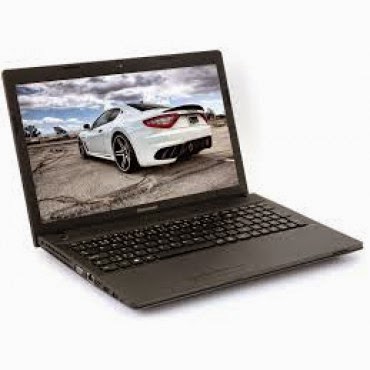
    Lenovo G505 (₦58,000) — Buy Online

    Working on an environment that demands great sound system? Lenovo G505 offers you the best option. Thanks to its stereo speakers with Dolby® Advanced Audio™ v2, graphics card options up to the speedy AMD Radeon 8570M VRAM, and optical disk drive options up to a Blu-ray Disc™ combo, the G505 offers stunning, stutter-free visuals and immersive sound for a fuller, more satisfying home entertainment experience.

    The AMD E1-2100 APU Processor powered laptop comes with a Windows 8 operating system and a RAM of 2GB. The pre-installed Bitdefender Anti‎‐Virus Plus gives maximum security to the user for 1 year and can be renewed afterward.

    Key Specifications:

    • Windows 8 OS
    • 4GB DDR3 RAM
    • 1TB (1,000GB) Hard Drive
    • AMD E1-2100 APU Processor
    • 15.6-Inch, HD Display
    • Inbuilt Wireless Adapter
    • AMD Radeon Graphics
    • DVD RW Optical Drive

    The actual price for Lenovo G505 is currently ₦86,400 but can be bought online for ₦58,000 (discount rate). See product page for full specification and purchase.

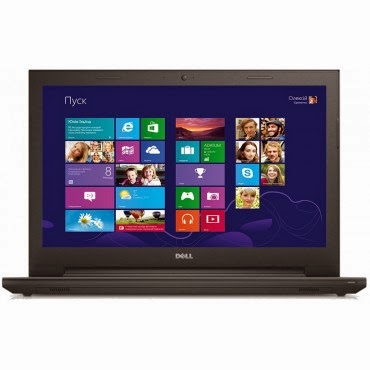
    Dell Inspiron 3541  (₦59,990) — Buy Online

    Dell Inspiron 3541 is a well packaged Windows 8.1 laptop with an AMD E1-6010 Dual Core Processor, Free Dell Sleeve, Microsoft Office 365 Personal, 8GB Flash Drive and 2 years free call service with Skype.

    The device is suitable for gaming and performing high resolution display tasks, boasting of 15.6-Inch (1366×768) HD display unit and AMD R2 dedicated graphics card.

    Key Specifications:

    • Windows 8.1 OS
    • 2GB DDR3 RAM
    • 500GB Hard Drive
    • AMD E1-6010 Dual Core Processor
    • 15.6-Inch (1366×768) HD
    • DVD RW Optical Drive
    • Inbuilt Wireless Adapter

    You can purchase or see complete features and specification of Dell Inspiron 3541 on the product page.

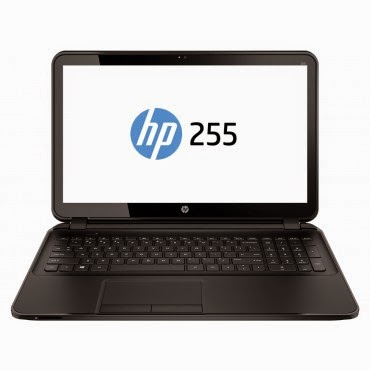
    HP 255 G2 (₦58,600) — Buy Online

    HP 255 is a multi-tasks Windows 8 laptop powered by a 1 GHz, AMD E1-2100 Dual Core Processor and 2 GB RAM, certainly not the fastest PC on this list but the 15.6 Inch, HD display unit will make up for its shortcoming.

    The laptop has a 500 GB storage space, DVD RW Optical Drive and yes, it has an inbuilt wireless adapter.
    Key Specifications

    • Windows 8.1 OS
    • 2GB RAM
    • 500GB Hard Drive
    • AMD Dual-Core E1-2100 APU with Radeon HD 8210 Graphics (1 GHz, 1 MB cache)
    • 15.6-Inch (1366×768) HD
    • Intel HD Graphics
    • DVD RW Optical Drive
    • Inbuilt Wireless Adapter

    The actual amount for this device is ₦75,000 but can be purchased online for just ₦58,600. See pricing and full specifications.

    Also Read: Sony & Samsung Tablets Dominate the Top 5 Most Expensive Android Tablets in Nigeria

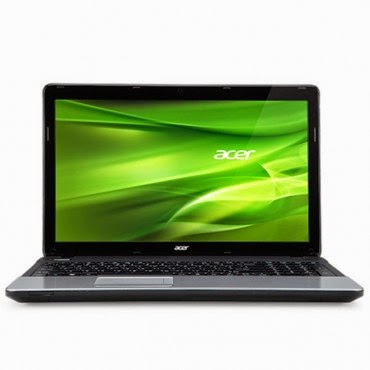
    Acer Aspire E1-510 (₦53,500) — Buy Online

    When it comes to producing quality PCs, Acer is second to no one. Acer Aspire E1-510 carries the same DNA, featuring a durable plastic case and a 4-cell Li-Ion with extended life capacity—if you are in an area where electricity is an issue, you might want to stick with this product.
    The practical yet stylish notebook is loaded with powerful and useful features like multimedia tools and convenient connectivity features‎‎.‎‎ This is a stylish notebook which comes with 15.6 inch, HD LED Backlit display‎‎,‎‎ powered by Intel Pentium processor with Linux OS to provide a faster and user friendly experience‎‎.‎‎ It has Intel HD Graphics that deliver ultimate graphics needed for gaming‎‎,‎‎ 500GB Hard disk drive also provides ample space for storage‎‎,‎‎ HDMI and USB 3.0 ports for faster data transfer.‎‎
    Key Specifications
    • Linux OS (Windows 8.1 & 7 OS Compatible)
    • 4GB DDR3 RAM
    • 500GB Hard Drive
    • Intel Celeron Processor
    • 15.6 Inch, Active Matrix TFT Color LCD
    • 4-cell Li-Ion Battery
    • DVD RW Optical Drive
    • Inbuilt Wireless Adapter
    The researcher friendly laptop is on sale for ₦53,500 online and ₦71,500 in most shops offline. See full product specifications and pricing.

    Acer V5-123 Mini Laptop (₦49,900) — Buy Online

    If you think the products listed above are a little above your budget and you don’t mind sacrificing the option of listening to another Davido’s single, you can bite the bullet and go with an Acer mini laptop without a CD Drive.
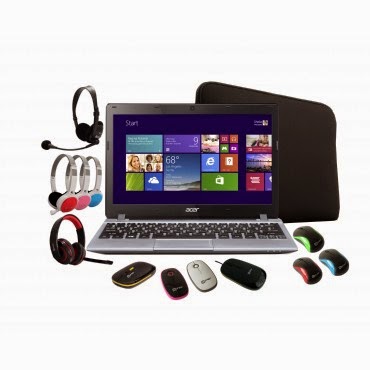
    The Aspire V5 Series puts inspiring performance in a thin and light form. A choice of elegant views adds to the charm. Breathe life into your entertainment and enjoy hands-on control with Acer Aspire V5-123. Its built-in speakers sweeten the deal with splendid sound. The laptop features;11.6-Inch WXGA HD, AMD Radeon trade; HD display with 2GB RAM and a 500GB hard drive which provides enough space for you to store your files, data, photos, and music. You can connect to the world wherever you are with your laptop, the WiFi enables you to browse and surf the web, you can also transfer data to other devices via bluetooth. This laptop comes with a free mouse, bag and headset.
    Key Specifications:
    • Windows 8.1 OS
    • 2GB RAM
    • 500GB Hard Drive
    • 11.6-Inch WXGA HD Display
    • Intel HD Graphics
    • Inbuilt WiFi 802.11 bgn Adapter
    Although Acer Aspire V5-123 has no CD Drive, you can still connect a CD Drive via the USB port. Saving over ₦10,000 compared to other products listed above. Purchase or see more about this product on its product page.
  • Apple Pay’s Could Emulate Bluetooth File Share and Enable Phone-to-Phone Payments

    Apple Pay’s Could Emulate Bluetooth File Share and Enable Phone-to-Phone Payments

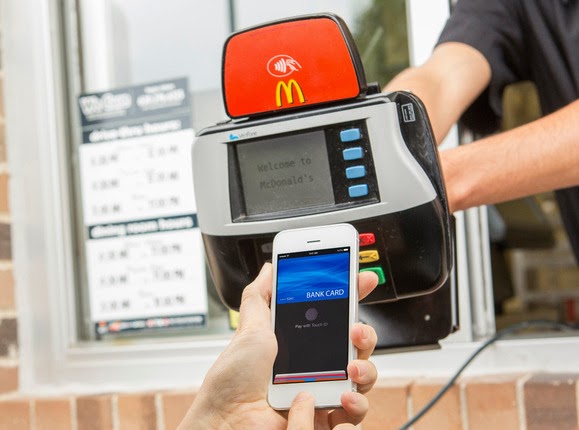
    The launch of Apple Pay this week is giving many people their first taste of NFC payment technology, which allows them to buy things in a store by bringing an iPhone 6 close to a compatible terminal.

    But the NFC standard also allows payments to be made directly between smartphones. Apple and its competitors, such as Google Wallet, don’t offer support for that part of the standard, but the technology already exists inside many of today’s NFC-equipped phones and could one day allow retailers to accept NFC payment using smartphones. It would also be technically possible for individuals to exchange money with their friends through the same system.

    The NFC standard defines three modes for the technology.

    The first, and most simple, is for reading small snippets of information such as phone numbers or Web addresses from wireless tags. The second, used by Apple Pay and Google Wallet, involves the phone emulating an NFC payment card. The third allows the NFC chip to function as a card reader.

    It’s this third mode, if enabled by Apple or Google, that would allow a smartphone to accept payments.

    Smartphone payment systems are already common in some countries. Perhaps the most famous and recognizable is the Square system, which uses a small magnetic stripe reader that plugs into a phone’s headphone jack. In Europe, some companies offer card readers for more secure chip-based payment cards, but nothing exists yet for NFC.

    “We’ve been working on it at Mastercard for a little while,” said James Anderson, the company’s senior vice president of emerging payments. “We’re interested in turning every phone into a payment acceptance device.”

    But while many of the NFC chips used in smartphones support it, not every phone could necessarily be used to accept payments.

    There are a number of requirements for NFC payments, such as the minimum and maximum distance over which the NFC transaction can take place and the speed with which it happens. Terminal manufacturers design for these requirements, but not all smartphones have necessarily been built with these in mind.

    “There may be situations in which the two devices may technically be capable of exchanging data for payment, but may not be able to achieve the read ranges and/or response times required for them to be certified as contactless payment capable,” said Sam Shrauger, senior vice president of digital solutions at Visa.

    For now, the industry is watching closely to see consumer reaction to Apple Pay. If it takes off, competitors such as Google would probably step up their offerings and the NFC payments field would become a lot more competitive. That might bring new features such as phone-to-phone payments into play.

  • US Court Officially bans Aereo from streaming live TV to devices

    US Court Officially bans Aereo from streaming live TV to devices

    Aereo can no longer relay TV shows to its customers using its teeny-tiny antennas (for now, that is), according to US District Judge Alison Nathan. 

    It’s been a while since the Supreme Court decided that the service violates the law by “transmitting performances of copyrighted work to the public,” but it’s only now that a judge has issued a temporary ban order. For those who’ve forgotten what it is: Aereo used to stream live or nearly-live programming to its subscribers’ phones, laptops or tablets for $8 a month.
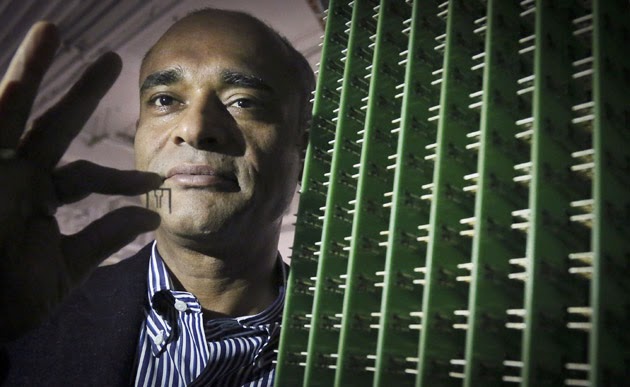
    Each customer is assigned a minuscule antenna of his own (pictured above), which captures shows from the airwaves, as well as a DVR that stores recordings for a later time. Now, though, it’s no longer allowed to beam on-air TV shows to people’s devices anymore. Even worse, Judge Nathan has refused to acknowledge it as a cable service, which means it can’t reinvent itself as one — even if it’s now willing to pay those licensing fees.

    Wondering what’s next for Aereo? Well, the jury’s still out on whether it can record and store programs to be aired at a later time. The judge didn’t grant TV networks their request to stop the company from doing so, since they didn’t include it as part of their demands when they first filed a lawsuit. She’s currently investigating whether she should grant that request, though — and whether to order a final, permanent ban against Aereo. If you want to know more about the temporary injunction, prepare to pore over 17 pages of legalese before checking out the official court documents.

    [Image credit: AP] SOURCE: Scotusblog, Bloomberg, Hollywood Reporter,Injunction (Scribd) Via Engadget.

  • Android 5.0 Lollipop to hit the wild on November 3

    Android 5.0 Lollipop to hit the wild on November 3

    Google is telling developers to step on it if they want their apps ready for a November 3 release of Android Lollipop.

    It’s the first specific date we’ve heard, which means the newest flavor of Android will start hitting the street in less than two weeks. The Nexus 9 preorders start shipping on that same date as well. Though as is often the case with preorders, they may show up on some people’s doorsteps early.

    Google wants developers to finish tinkering and get their apps ready to go in the Play Store.

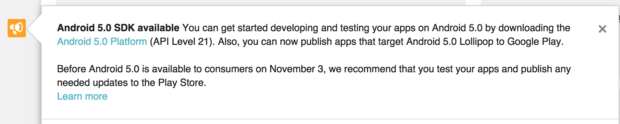
    With Lollipop so close, Google is gently nagging programmers in the Google Play Developer Console (pictured) to grab the latest release of Android and get cracking. They can already upload apps and schedule them for release when Lollipop goes live.

    This isn’t a guarantee that your device will get Lollipop on November 3, but at least we know when the rollout will start. Expect Nexus devices to get it first, with others manufacturers planning to follow suit. Manufacturers like HTC have promised some phones (like the One M8 and M7) will get an update within 90 days of the official release—this would be the date to start the clock. Software updates often have to be tested by carriers before they’re released, too.

    Why this matters: It’s one thing to get Android 5.0 Lollipop out the door, it’s quite another to get the rest of the ecosystem ready. Lollipop is a significant rewrite of how Android looks and performs, so it will be rather funky if third-party apps look like they don’t belong.

    Google is nudging developers to update their apps so the transition to Lollipop is a smooth one, which won’t happen if all of a sudden Android owners can’t get their favorite apps to work properly.

  • Spotify Launches New Subscription Plan, Starting At $14.99 Per Month For Two Members

    Spotify Launches New Subscription Plan, Starting At $14.99 Per Month For Two Members

    A much requested feature — and playing catch-up with competitors, such as Rdio — Spotify is introducing a family plan to reduce the cost of several family members subscribing to the music streaming service.

    The ‘Spotify Family’ plan lets users buy premium subscriptions for up to four additional family members at 50 per cent off, or $4.99 for each additional account. So, for example, a family of five would pay $29.99 through the new family plan rather than the $50.

    Like stand-alone Spotify Premium accounts, under the family plan each member can create and manage their own descrete playlists/music library and get personalized song recommendations. In addition, all of the other Premium features apply, such as the ability to cache playlists for offline listening, multi-device/mobile support, and ad-free listening.

    “This is one of the most asked for features from our audience,” says Ken Parks, Chief Content Officer at Spotify, in a statement. “With today’s announcement we’re making it easier than ever for the whole family to experience Spotify Premium on their phones, at home and on the go.”

    However, while the move and reduced pricing will be welcomed by families who are already hooked on Spotify or want to add additional household accounts, it also speaks to one of the challenges facing the company. As Josh Constine notes, the big problem for Spotify is that its on-demand streaming competitors aren’t in the music business. Apple uses music software to sell iPhones and MacBooks. Google Music is designed to lock people into its ad-filled ecosystem. Amazon bundles music in for “free” with a $99 a year Prime subscription that gets you to buy more physical goods.

    In other words, all three of Spotify’s deep-pocketed competitors could drive down the price of music streaming further because they make money elsewhere. If music streaming services weren’t already a commodity, it’s not inconceivable to imagine on-demand streaming becoming something we eventually expect to come for free with a phone or mobile OS, regardless of any attempts to differentiate via a better user experience or broader music catalogue.

    Posted via TechCrunch

  • Android 5.0 Lollipop Review: Yet another OS Android Developers will Love

    Android 5.0 Lollipop Review: Yet another OS Android Developers will Love

    Yes, you heard right! Google has decided to put an end to the speculations of a new Android OS and officially pulled the curtain on its new OS version Android 5.0 Lollipop. 

    Two days ago, the company announced the release of a new Android version 5.0 Lollipop on their official blog – An OS designed to “work on all your devices and to be customized for you the way you see fit.”

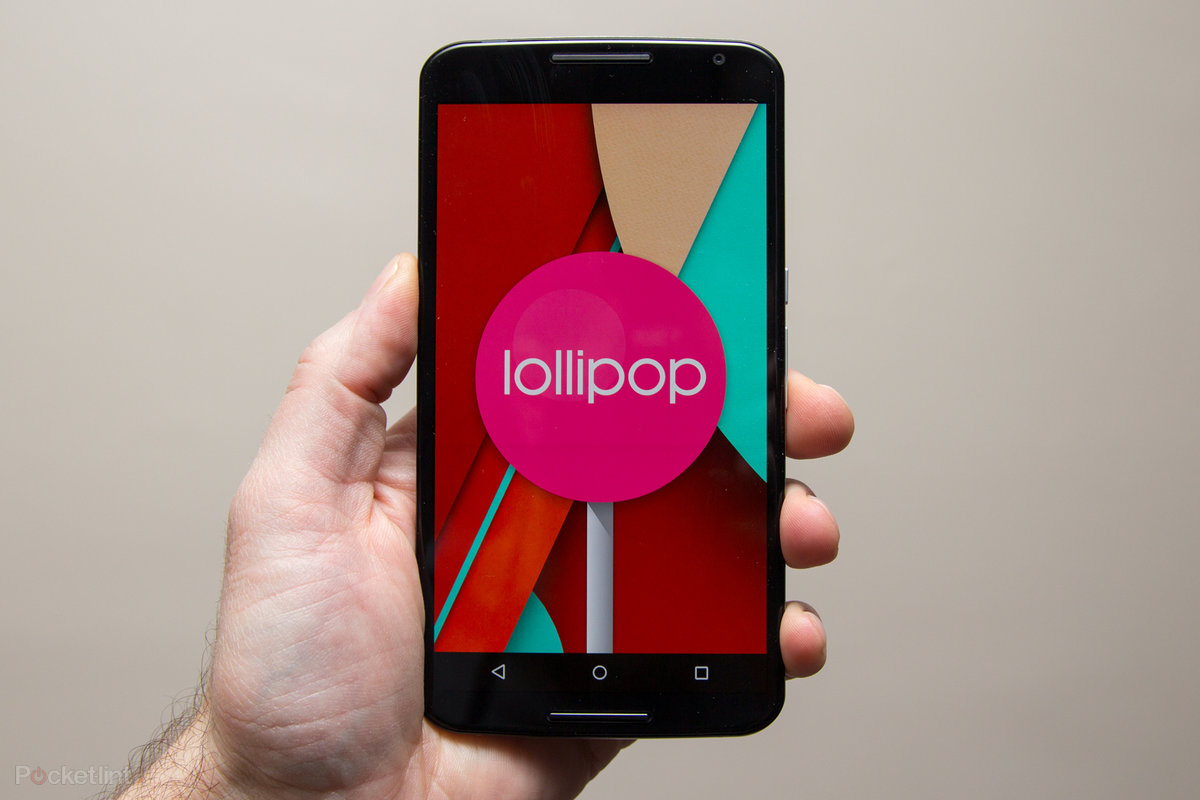
    Android 5.0 Lollipop featured image. Credit to Google official blogspot
    Android 5.0 Lollipop featured image. Credit to Google official blogspot

    Android has a face only an engineer could love. At least, that’s the reputation it has earned over the past few years. Google’s mobile OS is a hotbed of mobile innovation and new technologies, but its interface doesn’t have the friendly consumer-centric design of iOS or Windows Phone. With Android 5.0 Lollipop, Google aims to overhaul this shortcoming, while baking-in a handful of nifty new features.


    Google stated that “Lollipop is designed to be flexible, to work on all your devices and to be customized for you the way you see fit.” That may be true to some extent but the plastic surgery is incomplete. While iOS7 is easily identifiable by its flat bright colors and lightweight fonts, and Windows Phone carries on with Live Tiles, the Lollipop interface has no single recongnizable trait. Yes, it’s flatter and brighter, but what isn’t these days? Worse, the redesign seems pushed out the door too early. Scratch beneath the surface, and you’ll find built-in apps and menus that haven’t been udpated to the new look. There’s a lot to like in Google’s name-branded OS release, but this sweet treat isn’t quite ready to be unwrapped.

    New Cosmetic Look

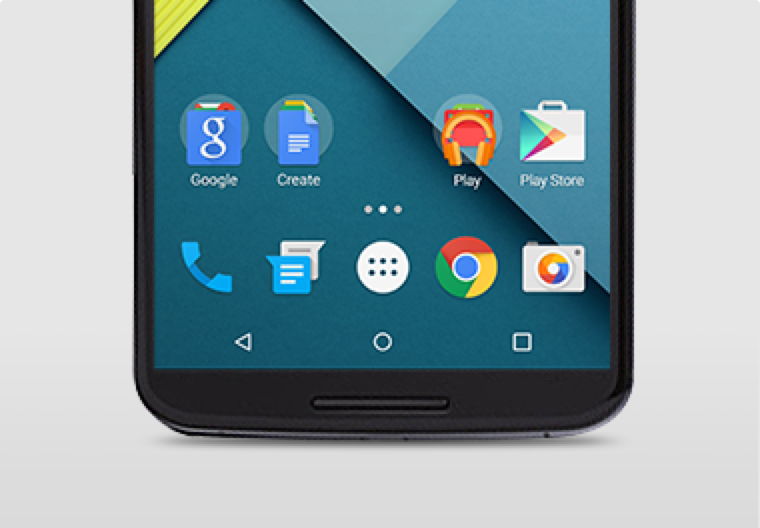
    Android 5.0 Lollipop has a new vibrant look, otherwise called Material Design. Google has finally ditched the traditional look of the Android soft keys at the bottom of the screen and has adopted something rather more stylish.

    New Soft Keys. Image by Knowyourmobile
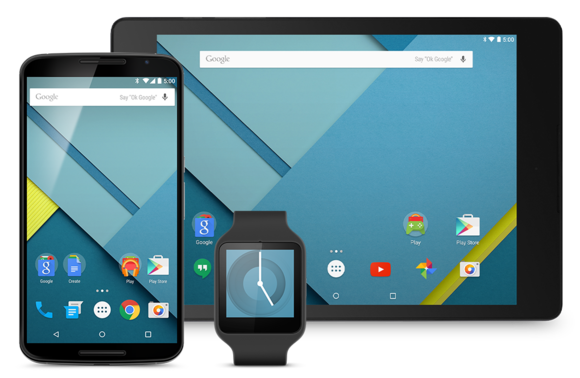
    New Google Now Launcher. Image by Android

    The “Home” symbol is now a circle, while the multitasking menu is a square. The back button is a reversed arrow that looks like it has been lifted from a 1980’s tape player or VCR unit. It’s quite a drastic change and does take some getting used to, especially if you’ve been using Android since day one.

    The new OS is also bundled with a new launcher. A clean, simple, customizable home screen that comes with the power of Google Now: traffic alerts, weather, and much more, just a swipe away.

    Extensive Battery Life Saver

    Android L brings with it Project Volta, Google’s attempt at giving developers more visibility on what aspects of their apps are draining the most juice. While it’s early days here, the majority of the apps we tested had not been configured to make use of Volta, it’s a solid move by the Big G, as it gives you a more accurate indication of how long your phone is going to last and what apps are sucking up most power.
    Another nice touch is that when you’re charging your phone, you’re told how long it will take for the battery to be fully topped up. While we’ve perhaps not spent enough time with Android Lollipop to get a complete picture, it did seem to give our Nexus 5 more stamina than KitKat.
    Finally, we have Battery Saver mode. How this works is simple, although the service isn’t anything particularly new – plenty of OEMs already build similar features into their hardware. The idea here is to conserve battery life, so when your battery hits a certain percentage, you can set the Battery Saver mode to kick in and throttle the performance of the phone to ensure that juice lasts a little bit longer.

    Newly Improved Notification & Lock Screen

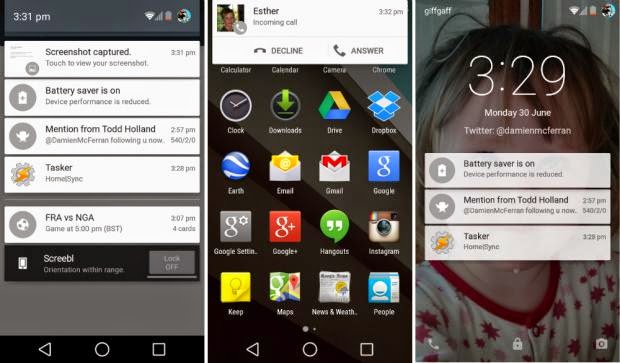
    This is perhaps the biggest area of change in Android Lollipop. Notifications have undergone a complete overhaul, and now look a lot like Google Now’s card-based system. Notifications are displayed directly on the lock screen, and tapping a card allows you to unlock the device and jump straight to that area. You can even expand cards to see more details, such as a list of emails, with the phone still in its locked state (If you don’t like the idea of people being able to snoop on your personal messages then you can enable a feature which locks away the detailed info).
    Newly improved notification and lock screen. image by Knowyourmobile
    It’s a very clever move by Google, and one that brings you even closer to the content you need on your handset. Even if you have a security lock in place, the fact that you can tap the notification you wish to see, unlock the phone and then leap straight into the relevant information makes the whole process seem a lot smoother. You can also swipe away and dismiss notifications without actually unlocking your device.
    When the phone is unlocked, notifications can be displayed by sliding a finger down from the top of the screen. Rather than showing the data in a slide-down panel, as was the case in previous versions of Android, a series of cards flow over the top of your current view, which can be seen behind the cards at all times. This “flowing” cascade of cards is set to be one of Android L’s most striking visual changes. As before though, the slide-down notifications panel has two stages: your finger swipe shows notifications, while a second swipe pulls down the quick settings menu.
    While Google is giving notifications a face-lift, it’s also making them less obtrusive. If your phone is unlocked and you’re involved in another activity, such as browsing emails or playing a game, the call details appear at the top of the display. You can accept or reject the call without having to pause what you’re currently doing. Another welcome addition is the Do Not Disturb function, which you can quickly enable to stop you being bugged by your phone.
    However, Lock-screen widgets have been removed entirely, so if you’re a fan of browsing your emails without unlocking your phone, then you might be disappointed.

    Lollipop is Pretty Good & Tasty

    From its list of features, Lollipop sounds tasty, and Android 5.0 is certainly a step in the right direction. Its interface is bright and inviting and the newly added secondary features like “People” app and a new Dialer application should help make stock Android even more consumer friendly. You also have top-level access to Google+ and Google Now, so there’s no excuse not to take advantage of Google’s most hottest features.
    A lot of popular phones will get upgraded to Lollipop in the next couple months, though Google has recently launched Nexus 6, Nexus 9 and Nexus Player, all powered by Lollipop. Hopefully by the time Lollipop makes its way to your device, Google will have tied up some the loose ends—adopting the new design in all of its core apps and consolidating the myriad of new settings. Or, it can continue to torture us like it did with Kitkat by making only incremental changes to the entire Android package with each release, spacing out core app updates by months.