Search results for: “phones”

  • Google Pixel Tablet 2023 With Impressive Speaker Dock

    Google Pixel Tablet 2023 With Impressive Speaker Dock

    Since its debut 13 years ago, the iPad has consistently held a firm grip on the global tablet market. Often dominating a huge portion of all tablets sold annually. Android tablets from brands like Samsung and HUAWEI have struggled to match iPad’s success. But Apple has always been faster, hauling out products with better functionality and faster OS upgrades. Even Google made an early entry into the tablet market with its Nexus tablet series, but that too ground to a halt.

    Now, introducing the Google Pixel Tablet 2023; the latest addition to the Android tablet market, after Google’s long break. This roughly 11-inch screen tablet comes in three refreshing colors: Porcelain, Hazel, and Rose. Priced at $499, the Google Pixel Tablet has a standard tablet design with a 10.95-inch LCD display and bezels that match the color of the tablet. Along with a resolution of 1,600 x 2,560 and a 60Hz refresh rate. While it may not be as impressive as other tablets out there with OLED panels and higher refresh rates, the LCD screen is chosen to avoid screen ghosting issues. Mostly, the display offers good viewing angles, cool colors, and sufficient brightness for outdoor use.

    Let’s look at some of the outstanding features of the Google Pixel Tablet; including the most raved-about Dock.

    Design
    Google Pixel Tablet 2023 With Impressive Speaker Dock

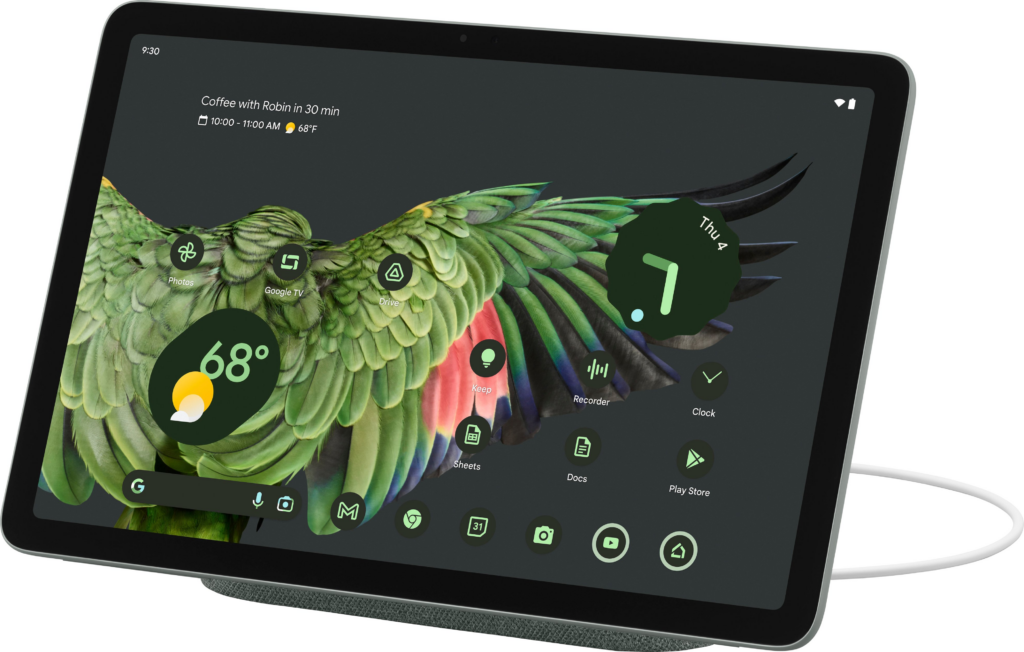
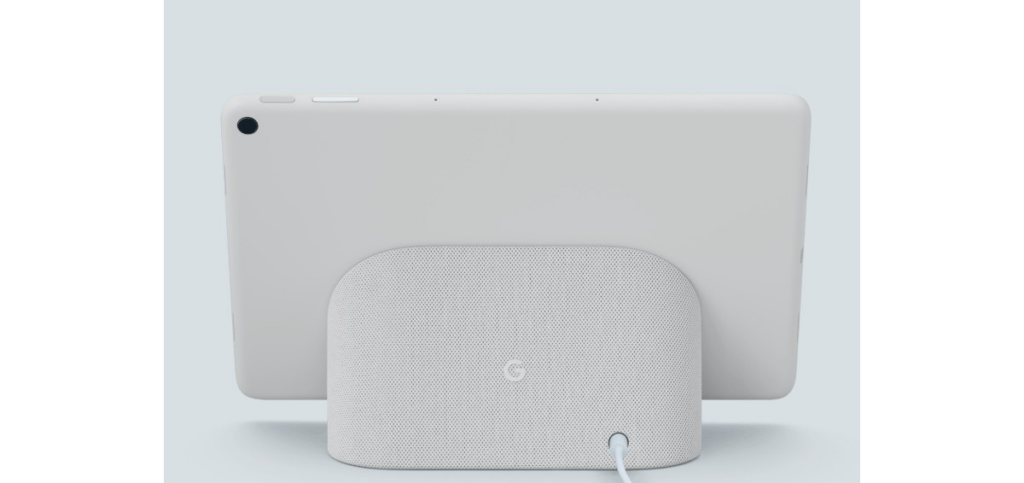
    The Google Pixel Tablet has a back made of aluminum with a textured feel and a nano-ceramic coating. It has connectors for attaching it to the dock, which also serves as a charging speaker. Just like the Pixel 5, Google has a fingerprint sensor and volume rocker on the top edge when held in landscape mode. The USB-C connector for charging is on the left side, and there are silicone bumpers on the bottom for protection.

    The tablet offers convenient hands-free assistance. By simply saying “Hey Google” users can play music and videos. Or get answers to questions, control smart home devices, manage tasks, and much more. In terms of software updates, the Pixel Tablet has a solid operating system update arrangement: a minimum of 3 years. So that users can have access to Google’s latest features and improvements. Pixel Tablet users will also receive security updates for a minimum of 5 years, to protect the device against potential security threats.

    Software and Performance of The Google Pixel Tablet 2023

    The tablet has four speakers on both sides that deliver clear audio and stereo sound, but it lacks a headphone jack. It features an 8-megapixel webcam for video calls and a rear camera for basic photography needs. It is said to offer decent performance for most tasks but tends to get warm and has a slightly lower battery life compared to similar tablets. The battery life of the Pixel Tablet is decent. When it is undocked, the device can last up to 12 hours after charge.

    The performance of the Pixel Tablet is really impressive, considering how overinflated most of Google’s products are when it comes to performance. The tablet runs on the same powerful Tensor G2 chipset as the Pixel 7 series, along with 8GB of RAM. Google has also made significant improvements in optimizing the tablet for wider screens. They have worked on enhancing the experience of using over 80 popular apps on the Pixel Tablet, such as Twitter, Whatsapp, Instagram, Calculator, Chrome, Netflix, and more.

    While Google’s apps(Maps, Gmail, YouTube, Chrome, etc) have been optimized for the tablet, many third-party apps still lack tablet-specific designs. The Pixel Tablet runs on Android 13 OS with a similar interface to Google’s Pixel phone. And from what we know, the tablet is primarily focused on providing users advanced productivity features, which if you pay close attention to, aren’t that avant.

    The Famous Google Pixel Tablet Dock
    Google Pixel Tablet 2023 With Impressive Speaker Dock

    The standout feature of the Pixel Tablet is its speaker dock, which seamlessly transfers audio from the tablet to the dock’s louder speakers. The fact that the Google Pixel Tablet includes this Dock that also charges the tablet makes the device all the more impressive. The tablet can equally be used as a smart display when docked, with voice commands and access to Google Assistant. It supports multiple users and has a kids’ mode too.

    As for the Pixel Tablet, the Charging Speaker Dock enhances the tablet’s audio experience, but it basically falls short compared to other dedicated smart speakers. It is more suitable for background music or podcasts at low to medium volumes, but lacks loudness and clarity at higher volumes. The dock beyond our expectations has limited functionality and cannot be used independently when the tablet is not docked. It’s frustrating that the dock lacks any built-in intelligence as well.

    Google’s inclusion of the dock with every tablet increases the product’s overall cost. If the speaker dock is a mandatory part of the purchase, it should offer better sound or more features, ideally both.

    When the tablet is attached to the dock, it can function as a smart display, showing a screensaver and providing access to Google Home device controls. The dock also serves as a Chromecast target for casting media to the tablet.

    Pixel Tablet VS Nest Hub

    Sadly, we cannot help but notice the similarities to Google’s Nest Hub and Nest Hub Max. Versatile smart displays that combine a smart speaker with a touchscreen. Powered by the Google Assistant, they offer a wide range of features. You can access news briefings, view weather conditions, control smart home devices, play music and podcasts, watch videos, cast content, use it as a digital picture frame, participate in video chats, create a home intercom system, answer your doorbell, assist in cooking, monitor your sleep, translate languages, control the display with hand gestures, and personalize your experience with voice and face recognition.

    What We Think?

    The Pixel Tablet is a decent midrange Android tablet that comes with a charging dock for added functionality. Its performance is impressive for its price range, and although the display isn’t technically remarkable, it still looks good. However, Google’s decision to only sell the tablet with the dock seems like a big mistake. Although Google says the Pixel Tablet is not a Nest Hub Max upgrade, it gives off that vibe and even functions similarly in some ways.

    A number of people may purchase the device, assuming they’re getting a high-end smart display that can be detached for mobility. Unfortunately, they will be disappointed because the Pixel Tablet is not a substitute for a dedicated smart display, which puts it in an awkward position. Moreover, the audio quality from the Pixel Tablet’s Charging Speaker Dock falls short of what one would expect from an approximately $500 smart home gadget. Google has come up with an intriguing concept with the Pixel Tablet, but its execution is lacking. Most people would prefer the option to buy the tablet alone without the dock. While many people may still desire the dock, it shouldn’t be a requirement for everyone.

    Full Specifications

    • Display: 10.95 inches, 2560 x 1600 pixels
    • Processor: Google Tensor G2
    • Weight: 493g
    • RAM: 8GB
    • Storage: 128 / 256GB
    • Camera: 8MP for rear and front
    • Operating system: Android 13
    • Camera: 8MP front and rear
    • Ports and Connectivity: Wi-Fi 6, Bluetooth 5.2, USB-C, UWB
    • Dimensions: 258 x 169 x 8.1mm
    • Battery: 27Wh
    • Colors: Porcelain, Hazel, Rose
  • Best Fitness Trackers to Monitor Your Fitness Journey

    Best Fitness Trackers to Monitor Your Fitness Journey

    In today’s wearable scape dominated by smartwatches like the Apple Watch, and Samsung Galaxy Watch, fitness trackers remain a reliable option. Particularly for those seeking a trusted device to accurately track fitness metrics without the distractions of constant notifications. Or fitness trackers with more configurable features. We extensively reviewed some of the best fitness trackers and handpicked the ideal options for most people.

    While smartwatches have their advantages, fitness bands are better alternatives in a number of ways. Smartwatches may offer exceptional performances, including on-watch apps, alerts, and advanced fitness features. But fitness trackers excel in their primary purpose of tracking physical activity during workouts or exercises. With their compact size, longer battery life, and affordability, fitness trackers remain a good choice for those who prioritize accurate fitness monitoring without the distractions of a smartwatch.
    Best Fitness Trackers to Buy in 2023

    Fitness trackers have greatly advanced in functionalities over the last few decades. Gaining momentum from mere predictions of inventors like Leonardo da Vinci about devices capable of step tracking to advanced health monitoring in present times. Today, wearable technology has gone over and beyond with the invention of sleek smartwatches for not only tracking steps, but skin temperature, heart rate, calories, and sleep patterns, the options are vast. In 2023, the market is teeming with the best fitness trackers with even cooler tweaks and we’re about to share them all.

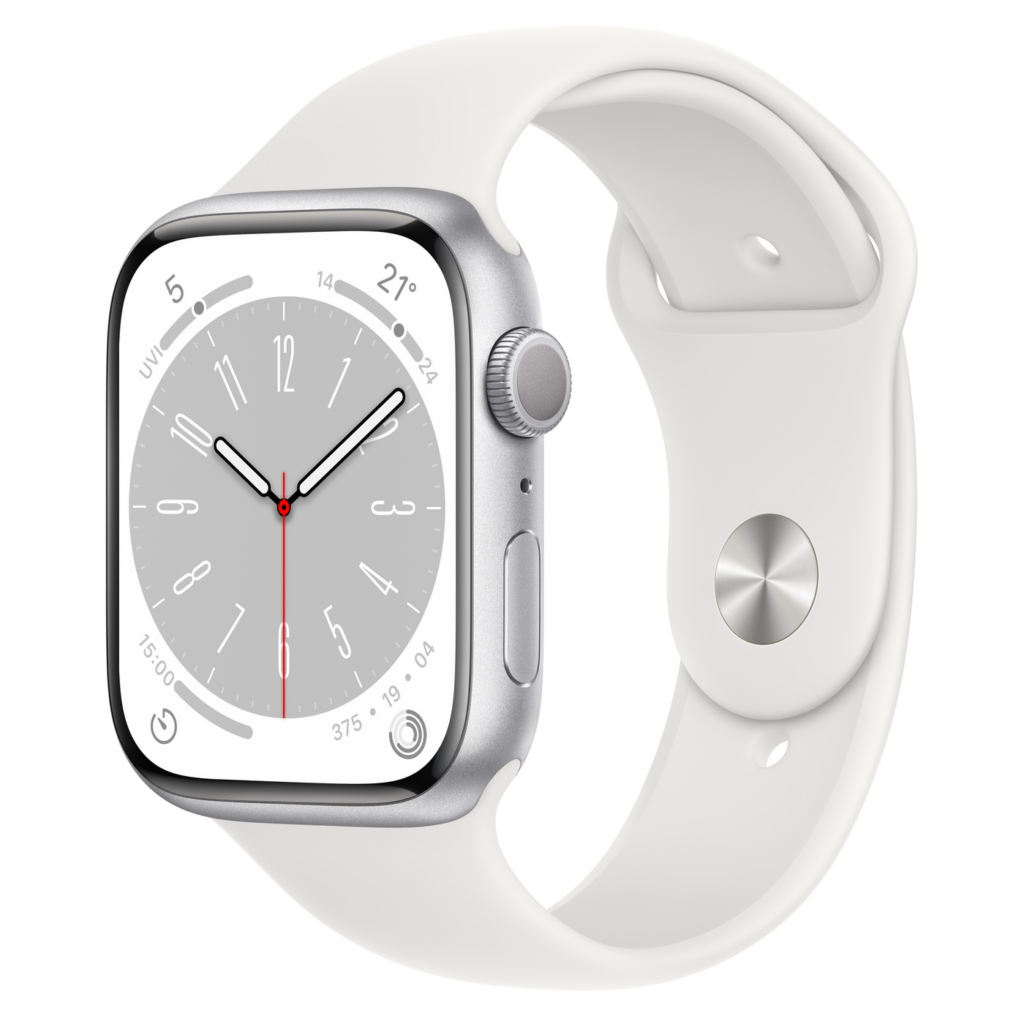
    Apple Watch Series 8

    Apple Watch Series 8

    The Apple Watch Series 8 is the latest offering from Apple, boasting impressive features like watchOS 9 and unique additions such as Crash Detection and temperature sensors for menstrual cycle tracking. It comes with a design that closely resembles its predecessor, the Apple Watch 7, with its curvier chassis and thinner display bezels. The larger screen offers enhanced features like Always-On Display, new watchOS 9 faces, and a QWERTY keyboard for messaging. While these features may not be new to Apple Watch Series 7 users, those upgrading from older models will appreciate the redesigned look and increased usable screen space.
    Apple has introduced a skin temperature sensor in the Series 8, which is beneficial for sleep tracking and cycle tracking. The sensor helps monitor deviations in overnight temperature for sleep analysis and can predict ovulation windows based on wrist temperature for users trying to conceive. Additionally, it can provide validation for those with conditions affecting their menstrual cycles. The data is secure and can be shared selectively, such as with a doctor assisting with fertility treatment.

    Crash detection is a notable safety feature in the Apple Watch Series 8, made possible by upgraded motion sensors. The watch can detect crashes with improved accuracy and automatically call emergency services and notify emergency contacts.

    Another significant upgrade is the low power mode, borrowed from the iPhone, which allows users to disable power-draining features while keeping the watch functional. With low power mode enabled, the battery life of the Apple Watch Series 8 can extend up to 36 hours.

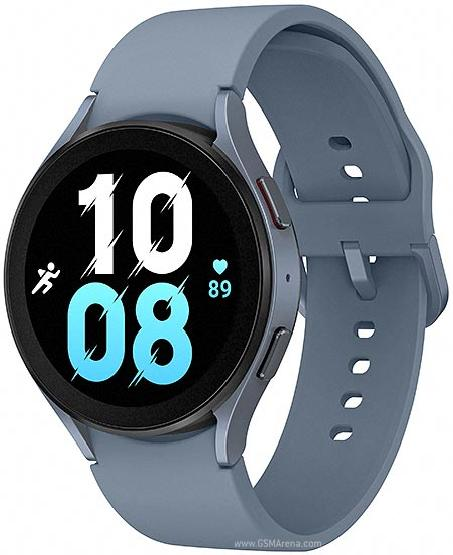
    Samsung Galaxy Watch 5

    Samsung Galaxy Watch 5

    Designed for Samsung phone users, the Samsung Galaxy Watch 5 is a feature-packed smartwatch for fitness tracking. Compared to its predecessor the Galaxy Watch 4, Samsung Galaxy Watch 5 offers a refined design. It offers improved wearable health features, including advanced sleep tracking and body composition analysis. Notable new features include a temperature analysis sensor and comprehensive fitness tracking capabilities. The watch runs on Wear OS powered by Samsung, offering seamless integration with other Samsung devices.

    Unlike the Galaxy Watch 4 lineup, the Galaxy Watch 5 does not feature a rotating bezel, which may disappoint some fans. However, the reshaped curvature on the bottom of the watch enhances watch-to-skin contact for improved accuracy on data collected from the biometric sensor. The watch remains water-resistant and boasts a display made of sapphire crystal glass, for increased scratch resistance. The Galaxy Watch 5 comes in four colors and offers interchangeable bands for personalization.

    Although battery life could be better, it is an improvement over its predecessor.

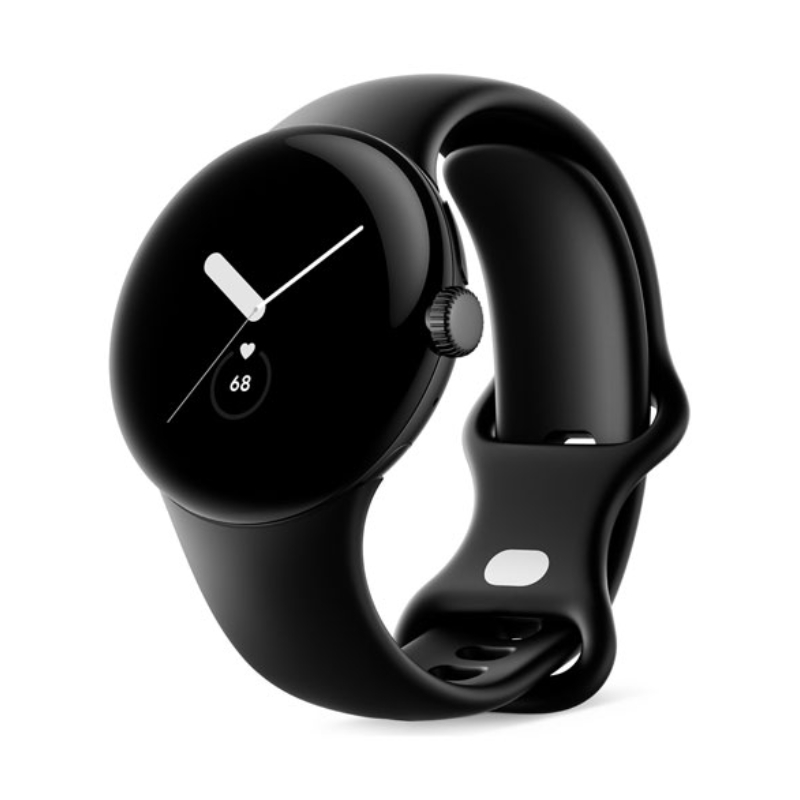
    Google Pixel Watch

    Google Pixel Watch best fitness trackers

    The Google Pixel Watch boasts a simple and minimalistic design, available in a single size of 41mm. While some may desire a larger alternative, the watch fits well. Its face features a rounded design with a 3D glass dome, which somewhat distracts from the thick bezel but leaves a significant portion of the display unused.

    The watch predominantly uses a dark mode interface and watch faces with black backgrounds to conceal the bezel. The Pixel Watch comes in matte black, silver, and gold, with interchangeable straps that require a learning curve to replace. The Watch marks Google’s debut in the smartwatch market and is one of the best fitness trackers with a native Fitbit integration. Aside from its stunning domed display and native Fitbit integration, it delivers excellent health-tracking capabilities. Offering users over 40 workout styles, heart rate monitoring, ECGs, and GPS tracking. Fitbit Premium unlocks advanced features such as a Daily Readiness Score and detailed sleep tracking analysis. The Pixel Watch integrates with Google services through Wear OS, providing access to various daily programs and services.

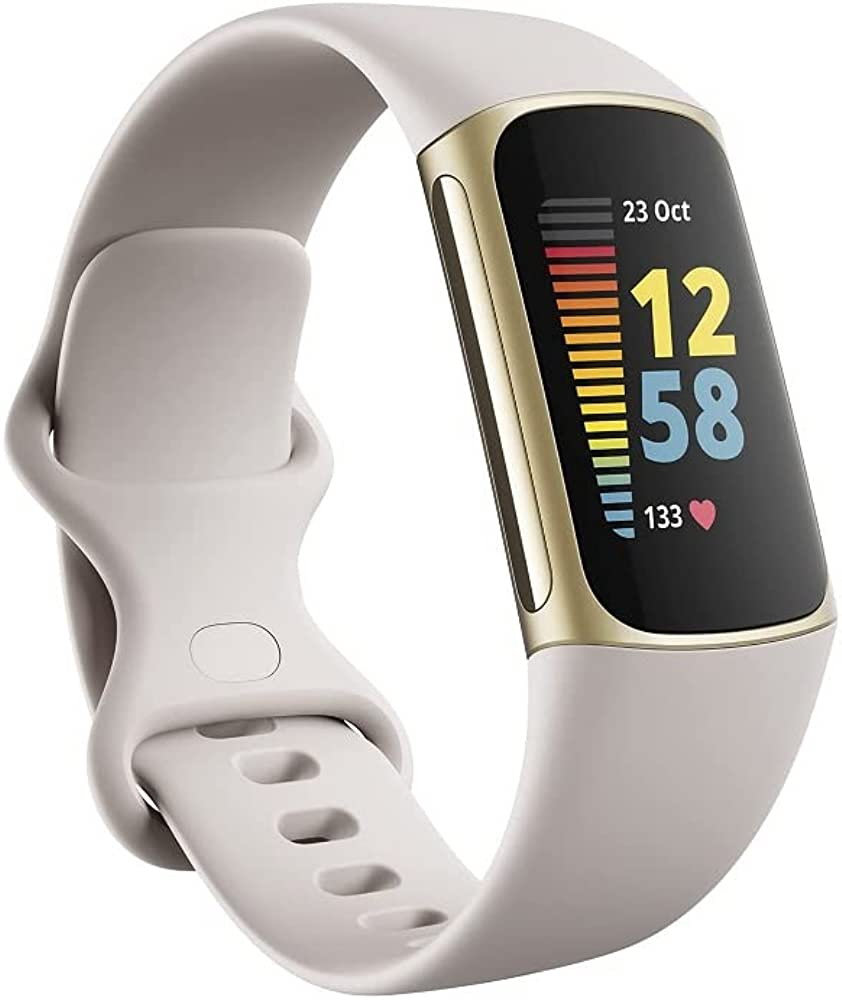
    Fitbit Charge 5

    Fitbit Charge 5

    The Fitbit Charge 5 emerges as the top choice among fitness trackers, offering a comprehensive set of features. With its built-in GPS that delivers fast and accurate tracking, the Charge 5 excels as a versatile fitness tracker and stands out from smartwatches. Its full-color AMOLED display and slim design make it more stylish than its predecessor, the Charge 4. The device boasts stress-tracking capabilities and future updates will introduce ECG measurements and Daily Readiness Scores. Fitbit Pay support and all-day and all-night battery life further enhance its appeal.

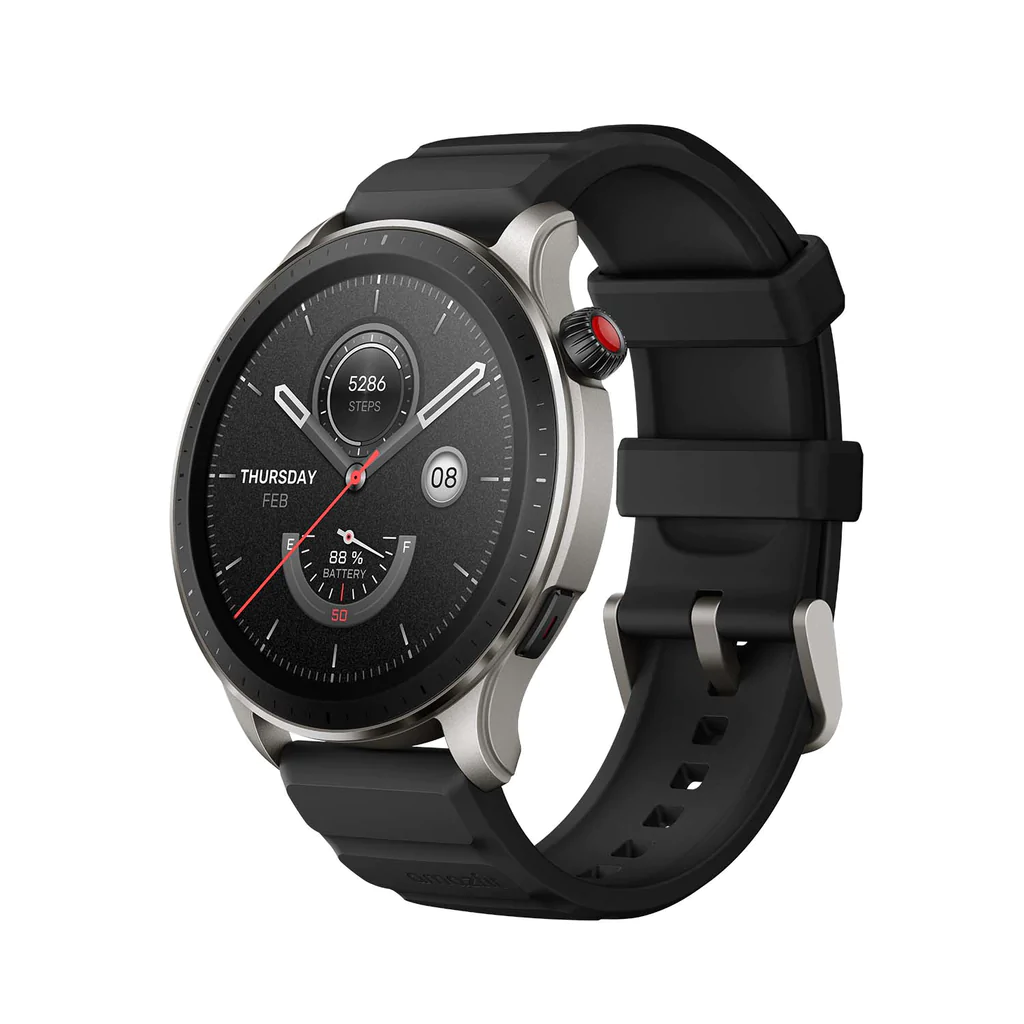
    Amazfit GTR 4

    Amazfit GTR 4 best fitness trackers

    The Amazfit GTR 4 is a great alternative to popular smartwatch brands like Apple and Samsung. Despite some limitations in in-app support and notification interaction, it offers a fantastic design, long battery life, and reliable activity tracking.

    The GTR 4 features a premium look and feel with a beautiful AMOLED display and always-on functionality. Its hardware is impressive, with a lightweight body and durable build. However, the included rubber band may cause discomfort and requires frequent cleaning.

    Running on Zepp OS, the GTR 4 has a simple and functional interface. While lacking extensive app support, it offers useful features and connects seamlessly with both Android and iOS devices. Notably, it supports Alexa and Bluetooth calling.

    The watch is excellent for tracking activities and health metrics such as heart rate, sleep, stress levels, and blood oxygen levels. It comes with a 475mAh battery, delivering approximately ten days of usage on a single charge. The absence of daily charging makes it convenient and comparable to higher-end models.

    Considering its affordability, attractive design, and essential smartwatch functionalities, the Amazfit GTR 4 is among the best fitness trackers for budget-conscious buyers.

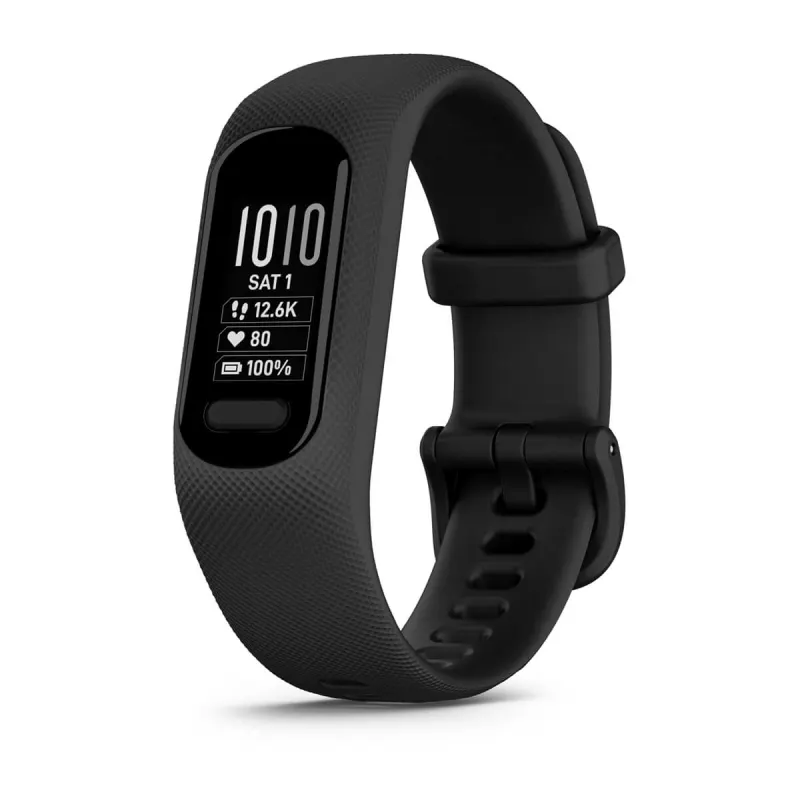
    Garmin vívosmart 5

    Garmin vívosmart 5

    A sleek and modest alternative to dozens of other smartwatches, the Garmin vívosmart 5 showcases Garmin’s expertise in fitness tracking. Garmin has made significant but subtle design improvements to the Vivosmart 5, focusing on usability. The addition of a physical button enhances navigation and activity control, addressing the previous touchscreen issues. The monochrome OLED display is 66% larger than its predecessor, making it easier to read messages and allowing scrolling text to avoid message truncation. The screen shows at least three stats simultaneously.

    However, the Vivosmart 5’s display remains somewhat challenging to view, especially while in motion. Compared to other fitness trackers like the Fitbit Charge 5 and Amazfit GTR 4, its black-and-white screen feels outdated. It may not be as beginner-friendly as top Fitbits, requiring some time to understand its functions, but familiarity improves with usage.

    The Vivosmart 5 comes in two sizes and offers interchangeable bands, a convenient option using Garmin’s official bands for now. Third-party alternatives may become available. Battery life is around seven days without all-day blood oxygen monitoring, reducing to approximately three days when enabled. However, given that blood oxygen monitoring is most useful for sleep tracking, it can be selectively activated during sleep only.

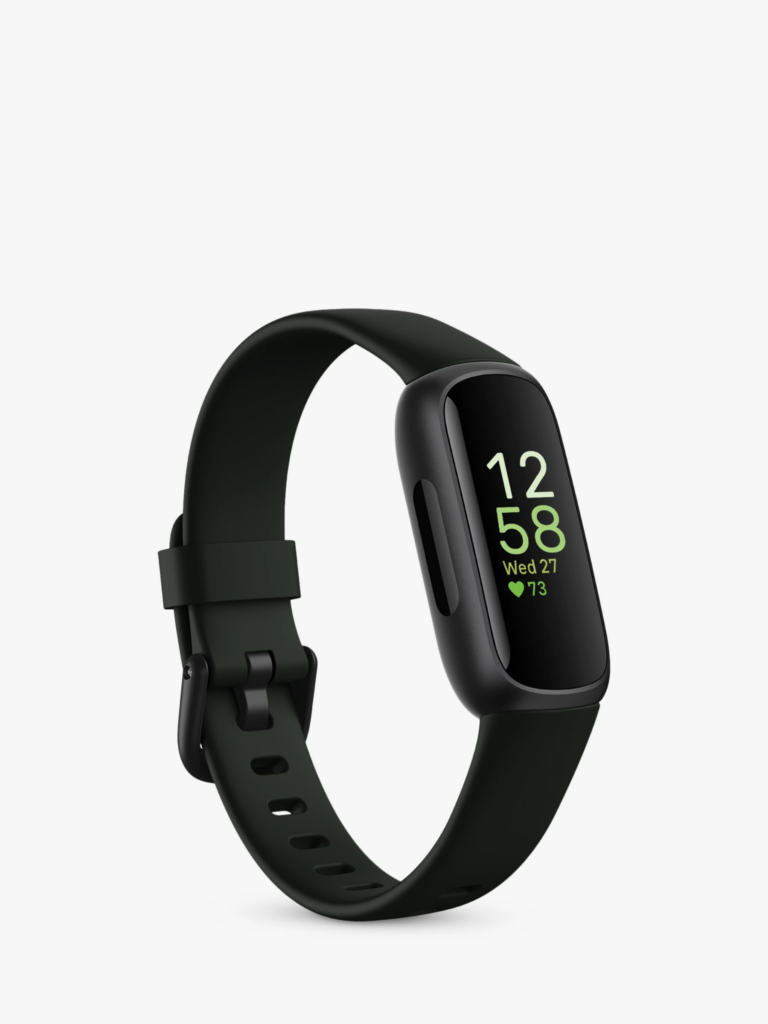
    Fitbit Inspire 3

    Fitbit Inspire 3 best fitness trackers

    The Fitbit Inspire 3 closely resembles its predecessor in terms of design, featuring a compact size and rounded edges. It is lightweight and comfortable to wear, almost unnoticeable throughout the day. Notably, the Inspire 3 stands out with its bright and clear AMOLED display, giving it a premium feel without a higher price tag.

    The tracker incorporates two haptic buttons for easy navigation, although the small screen may not be ideal for extensive message viewing. It is more suited for those seeking overall health insights without the complexities of a full-fledged smartwatch.

    Fitness tracking capabilities include heart rate, steps, calories, Active Zone Minutes, stress, SpO2, and sleep monitoring, all at an affordable price. While the small screen makes it challenging to view live feedback during activities, attaching the tracker to clothing can be a practical workaround. The heart rate accuracy is comparable to more expensive alternatives.

    Additional features include reminders, weekly exercise goals, water intake tracking, weight changes, and menstrual cycle tracking. Fitbit excels in sleep tracking, accurately monitoring sleep duration and quality. However, advanced sleep insights and scores are locked behind a premium subscription. The Fitbit Inspire 3 boasts up to 10 days of battery life, providing ample usage without frequent recharging.

    Amazfit Band 7

    Amazfit Band 7 best fitness trackers

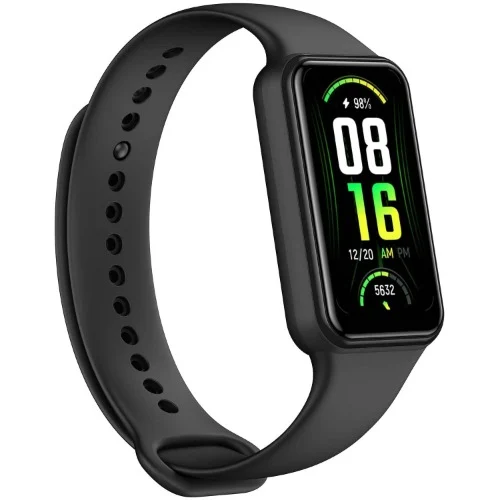
    The Amazfit Band 7 has undergone a significant upgrade with improved features such as a more vibrant OLED display, longer battery life of up to 28 days, etc.

    The case, constructed from polycarbonate is lightweight and available in black or beige. And it is customizable with wristbands in green, blue, pink, or orange colors. Health and fitness tracking capabilities include step counting, heart rate monitoring, stress level assessment, blood oxygen saturation measurement, and sleep tracking.

    The watch can be set up and customized using the Zepp app, which allows users to personalize vibrations, watch faces, and configure notifications. It also supports third-party app integration and features Amazon Alexa as a voice assistant. In addition to providing lightweight comfort, the Amazfit Band 7 is also dust and water-resistant. One of the best fitness trackers in 2023.

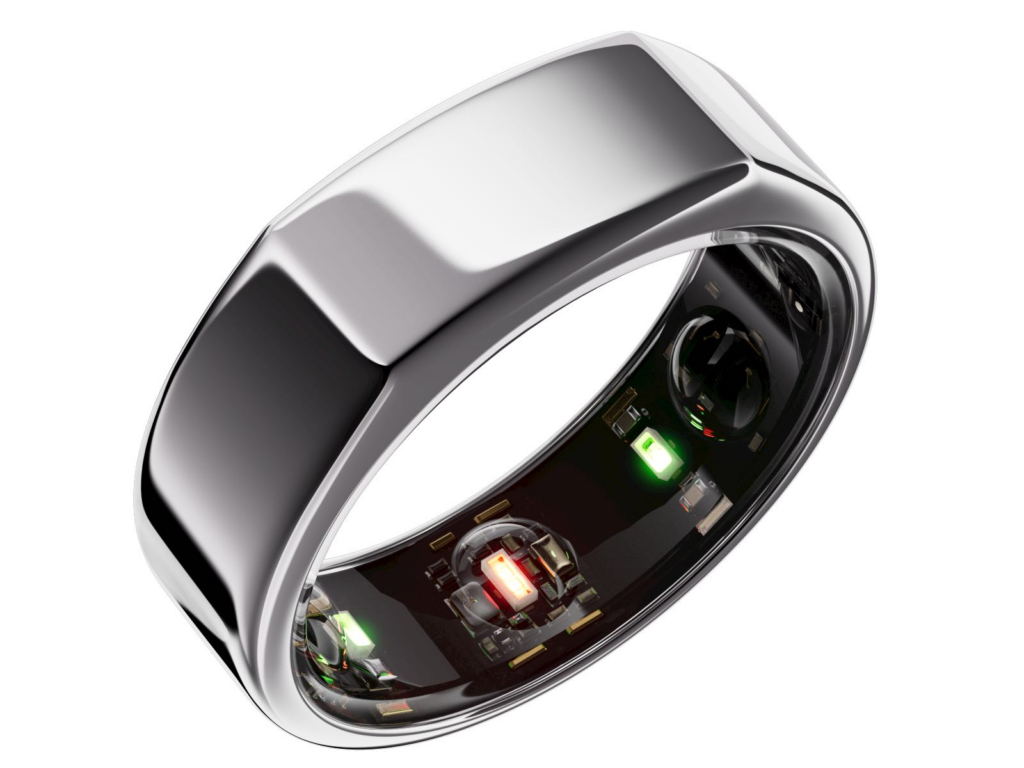
    Oura Ring Gen 3

    best fitness tracker 2023 - Oura Ring Gen 3

    Meanwhile, those seeking a discreet and minimalist option will find the Oura Ring Gen 3 an appealing preference as a fitness tracker. The Oura Ring Generation 3 is a discreet piece of jewelry that seamlessly blends with other silver rings, concealing its advanced features until closer inspection. With its titanium loop, one can easily reveal the underside sensors, which include heart rate, respiratory rate, and body temperature sensors housed within three inner ridges. The ring is designed to be worn on the index finger with the slightly-flattened edge facing up for accurate readings.

    In terms of activity tracking, the Oura Ring Generation 3 is not intended to display metrics during workouts. Instead, it can track calorie burn, steps, walking equivalency, and hourly movement through the Oura app. It assesses workout intensity based on heart rate and elevated activity minutes, incorporating data from Apple Health or Google Fit. The app also allows retroactive exercise logging and can estimate completed workouts.

    For sleep monitoring, the Oura Ring provides valuable insights such as total time spent lying down, hours of sleep, resting heart rate, sleep efficiency, and a daily sleep score.

    The Oura Ring offers an advanced and accurate sleep-tracking experience compared to devices like the Apple Watch. It even provides a Rest Mode feature that can automatically activate if irregular body temperature is detected. The battery life of the Oura Ring Generation 3 is estimated to last up to a week.

    Withings Move

    Withings Move best fitness trackers

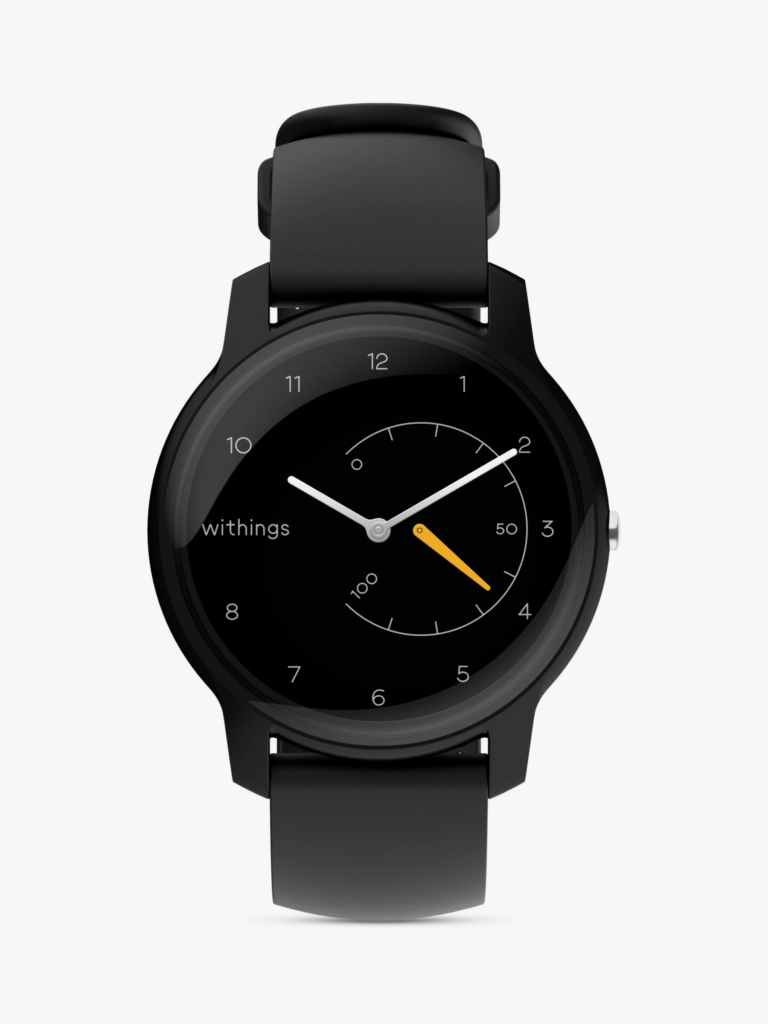
    For those in need of a fitness tracker with a more standard yet fashionable design, the Withings Move is an ideal choice. The analog watch incorporates style with basic fitness tracking features such as step, calorie, distance, and sleep monitoring. It also includes other features such as connected GPS, auto-recognition for over 30 workouts, and water resistance. The Withings Move boasts an impressive battery life of up to 18 months, thanks to its button-cell battery. This eliminates the need to frequently juice it up.

  • iOS 16.5 Upgrade celebrates Diversity, Sports, and More

    iOS 16.5 Upgrade celebrates Diversity, Sports, and More

    Yesterday, Apple unveiled iOS 16.5, the latest update to its operating system, laden with a host of enhancements and new features. Though not as groundbreaking as iOS 16 or previous OS updates, iOS 16.5 introduces significant improvements. Including the incorporation of a dedicated sports tab in Apple News.

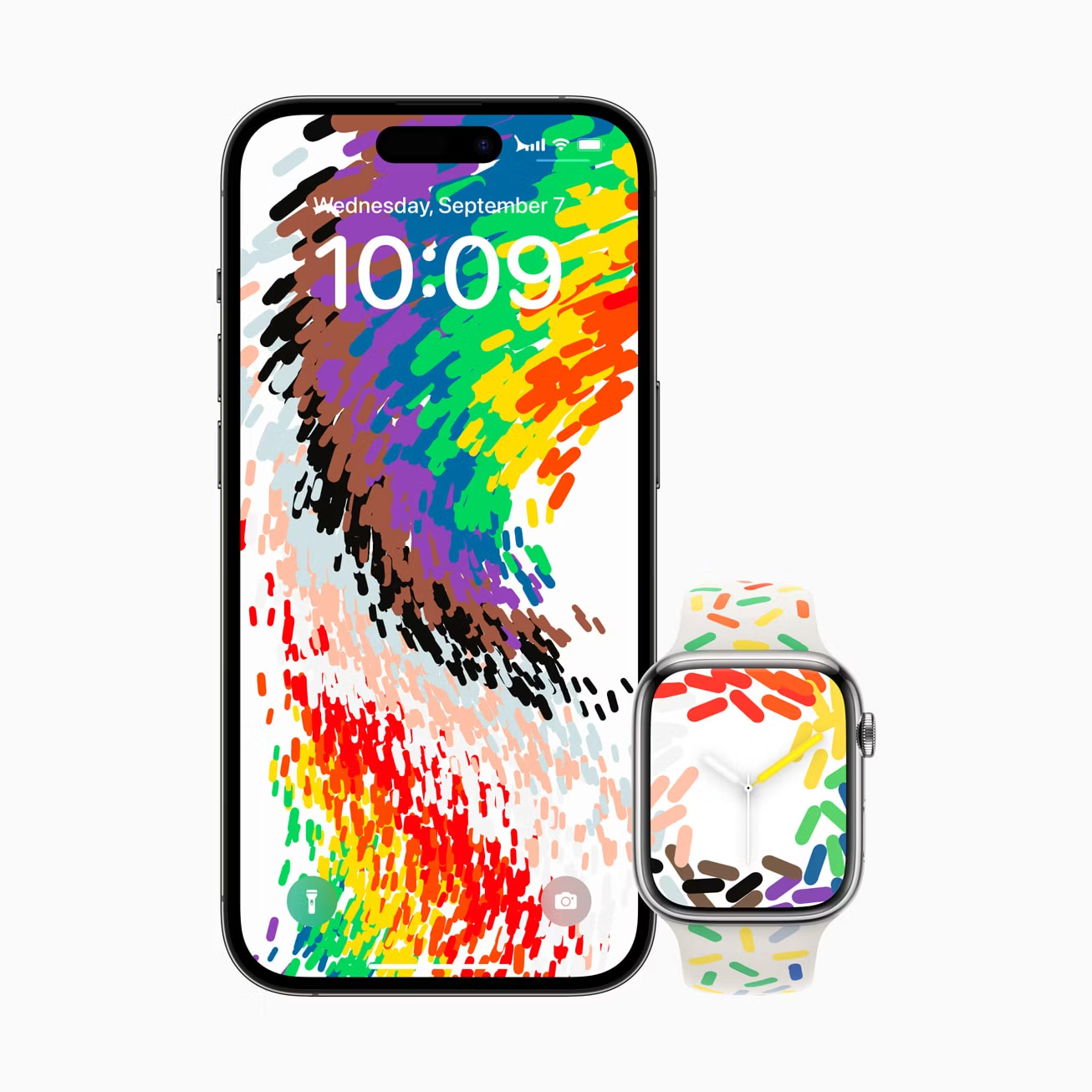
    Alongside the Sports tab, iOS 16.5 also includes a Pride Celebration Lock Screen wallpaper, bug fixes, and important security updates for Apple’s other devices. Which specifically includes iPadOS 16.5, macOS Ventura 16.4, and watchOS 9.5. Let’s delve into the full details of Apple’s latest reveal.

    Sports Tab in Apple News

    One of the standout features of iOS 16.5 is the introduction of the Sports tab in Apple News. This new tab caters to sports fans and offers a convenient way to access stories, scores, and other sports-related information. Apple iOS users can personalize their news section by selecting their favorite teams and leagues so that they can receive news specifically tailored to their preferences. Clicking on sports score and schedule cards within the app now takes users straight to pages filled with games as well as more detailed match info. This keeps sports fans up to date with all the sport deets they crave within a single app.

    iOS 16.5 Pride Celebration Lock Screen

    iOS 16.5 Pride Celebration Lock Screen
    Credit:Apple

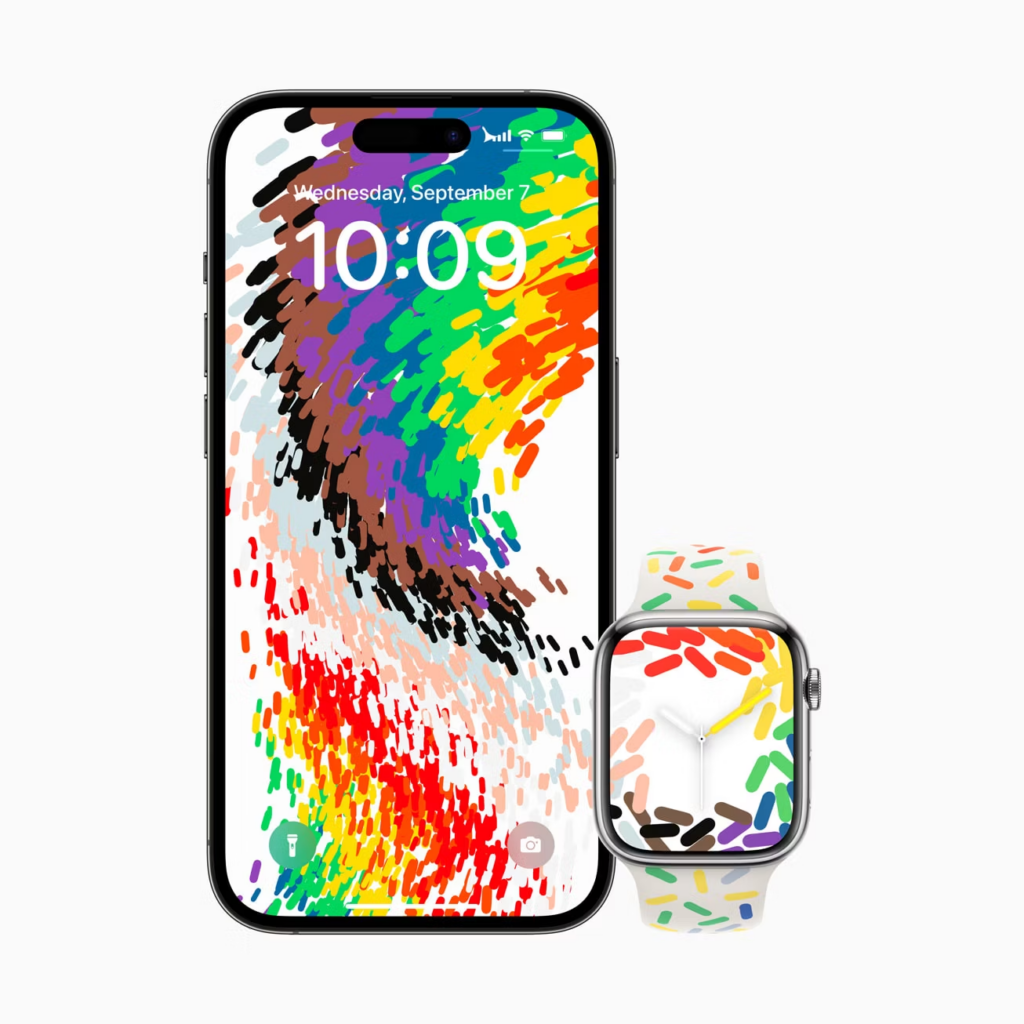
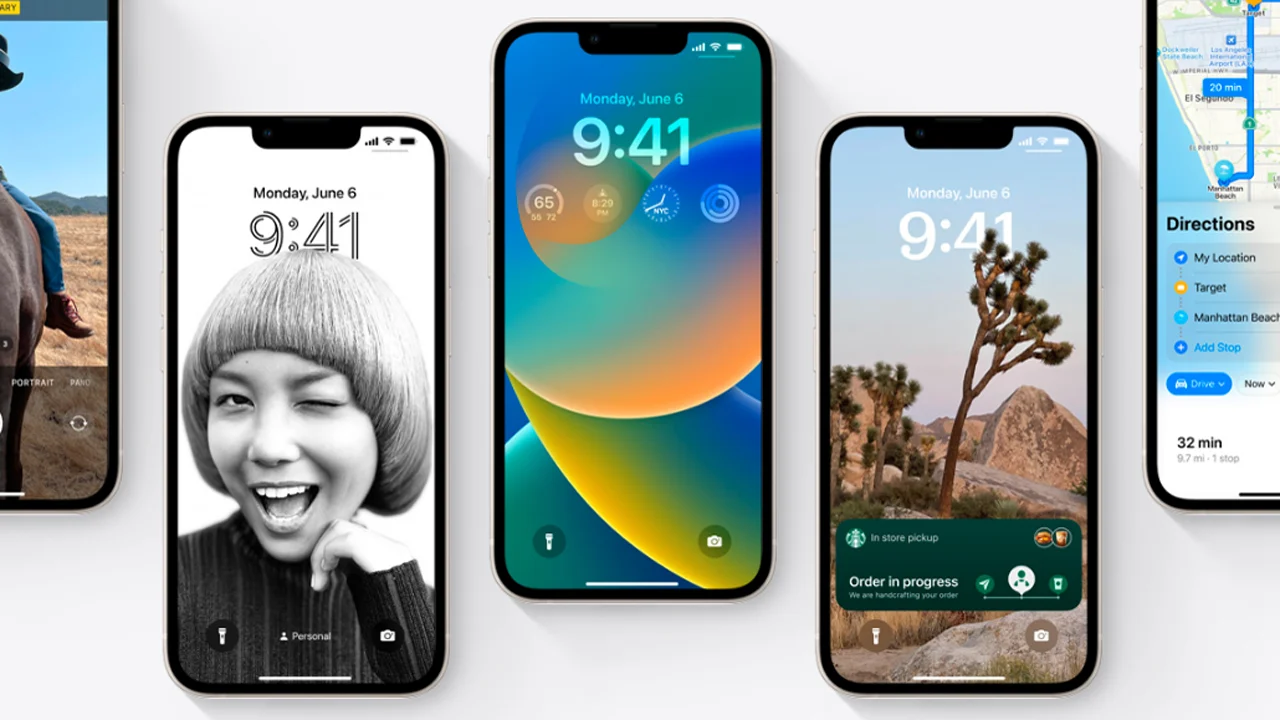
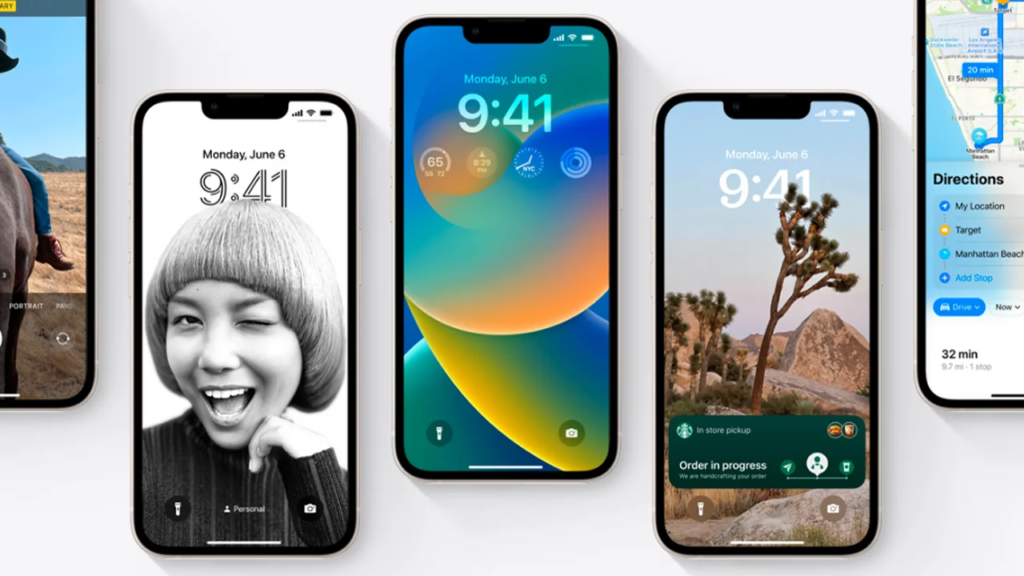
    Apple introduces a vibrant Pride Celebration Lock Screen to honor the LGBTQ+ community, ensuring the update is not just about functionality but also about inclusivity and self-expression. Apple users with iOS 16.5 devices can customize their devices with the Pride Celebration wallpaper, which can adjust to Light and Dark Mode themes and captivating animations.

    Bug Fixes and Security Enhancements

    ios 16.5 Bug Fixes and Security Enhancements
    New Apple Bug Fixes

    Addressing user feedback and aiming for a seamless user experience, Apple’s iOS 16.5 includes several bug fixes in key areas. The “Spotlight” search feature also benefits from an issue resolution that restores its responsiveness. Users no longer have to worry about unresponsive Spotlight interfering with their search activities. Additionally, Podcasts in “CarPlay” now load content reliably for a smooth listening experience especially while on the go.

    Another important fix tackles the problem where “Screen Time” settings may reset or fail to synchronize across multiple devices. Resolving this issue guarantees consistent usage tracking and control.

    Apple also prioritized user security by incorporating crucial security fixes in iOS 16.5. The update addresses a series of vulnerabilities, including three security flaws that were actively exploited. The bug pertaining to WebKit has been diligently rectified to prevent unauthorized access, disclosure of sensitive information, or arbitrary code execution. By staying ahead of potential threats, the company reinforces its commitment to user privacy and data protection.

    The company is expected to reveal iOS 17 for iPhones and other cool devices at the annual Worldwide Developer Conference (WWDC 2023). The WWDC 23 is taking place next month, from June 5 to June 9.

  • ChatGPT App for iOS Devices is now Available

    ChatGPT App for iOS Devices is now Available

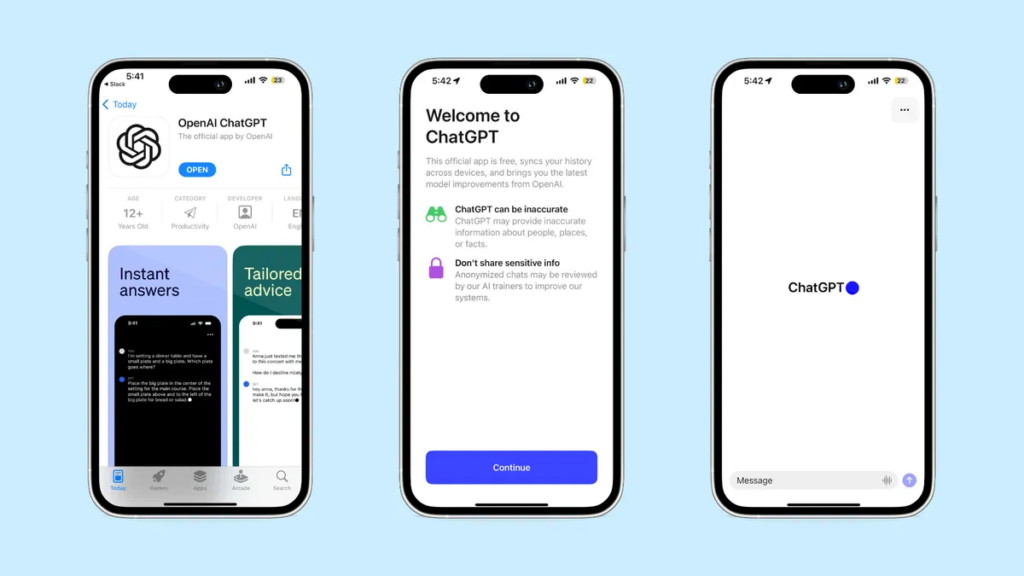
    OpenAI, the popular artificial intelligence research lab, has made an extremely pivotal move by introducing its official mobile app, bringing its famous AI chatbot, ChatGPT, to mobile devices. The launch of the ChatGPT app comes after the App Store was flooded with uncertified and unreliable AI chatbot services. This highly-anticipated app will be free to use, devoid of advertisements, and for the time being, cater to only users in the United States. As OpenAI is making plans to expand to other countries around the globe in the near future.

    About OpenAI’s New Mobile App

    ChatGPT App for iOS Devices is now Available
    cnet.com

    Similar to its desktop counterpart, the ChatGPT app allows users to engage with an AI chatbot. From asking questions, seeking guidance, and motivation, to conducting research, and much more, all without the need for conventional internet search engines such as Google. This release comes at a time when users are increasingly dissatisfied with Apple’s own voice assistant, Siri, and Apple’s overall lack of progress in the AI domain.

    Consequently, the ChatGPT app could potentially attract a significant user base, positioning itself as the go-to mobile assistant. Again, this launch might also have repercussions for Google, as it currently benefits from being the default search engine on Apple’s iPhone through Safari.

    One noteworthy feature of the new mobile version of ChatGPT is its ability to synchronize search history across iOS devices. This means that the app will be aware of users’ previous searches made through the web interface, providing a seamless experience. Additionally, the ChatGPT app integrates Whisper, OpenAI’s open-source speech recognition system, allowing users to input queries through voice commands.

    OpenAI emphasizes that their ChatGPT Plus subscribers will have the privilege of accessing all the capabilities of GPT-4 through the new ChatGPT app. These subscribers will also enjoy early access to new features and faster response times, expressly offering them a premium experience. ChatGPT Plus, which was launched in February this year, is available for a monthly subscription fee of $20.

    Countries with Access to the App

    As earlier stated, OpenAI revealed that the launch of the ChatGPT app will begin in the United States and gradually expand to other countries in the coming weeks. OpenAI has recently shared an exciting update via Twitter, announcing the expanded availability of the official ChatGPT mobile app in multiple countries.

    Initially, the app was exclusively accessible on iOS devices within the United States. However, OpenAI has broadened its reach, making it possible for individuals residing in various regions to now download the app from the App Store.

    The list of countries where the ChatGPT app is presently available includes:

    • Albania
    • Croatia
    • France
    • Germany
    • Ireland
    • Jamaica
    • New Zealand
    • Nicaragua
    • Nigeria
    • South Korea
    • The United Kingdom
    • The United States

    It is important to note that, for the time being, the app remains exclusive to iOS users. Moreover, OpenAI has teased the development of an Android version of the app. They’re focused on the possibility of users on different platforms having access to the powerful AI chatbot soon.

    What We Think About The ChatGPT App

    ChatGPT is a leading example of generative AI and has enough potential to revolutionize various industries and sectors. From internet search engines to email programs, content creation, e-commerce, and so much more.

    OpenAI’s commitment to democratizing AI and transforming research into practical applications that empower people is evident in the launch of the ChatGPT app for iOS. By providing users with a mobile version of their flagship technology, efficiency has been boosted across various niches.

    While these chatbots have their many flaws, considering they learn from extensive amounts of internet data without distinguishing fact from fiction, their current role is to complement human workers rather than replace them entirely. (Continue reading about AI replacing jobs). OpenAI’s introduction of the ChatGPT app marks another step forward in its mission to make research tools accessible, user-friendly, and credible.

    ChatGPT App Download

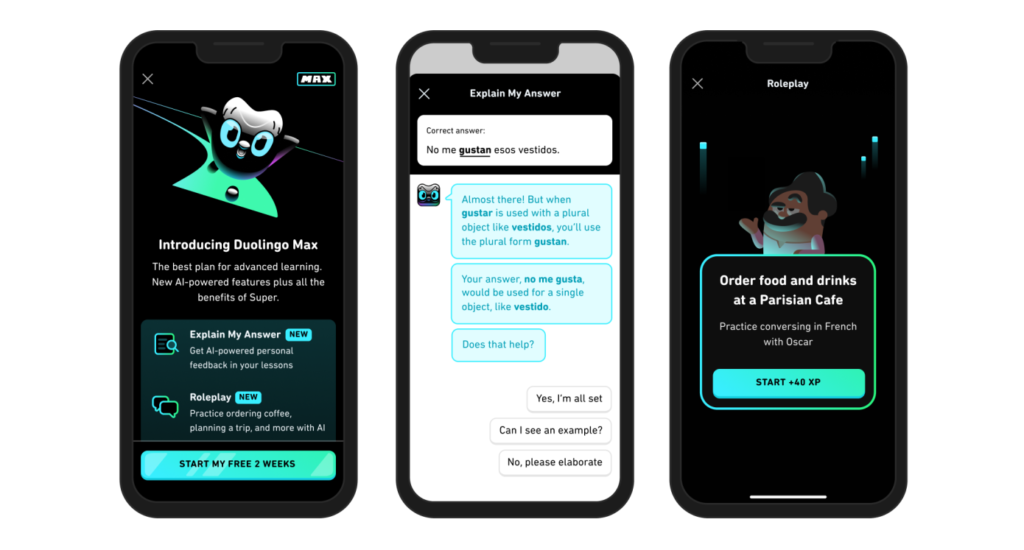
    Users can download the ChatGPT app from the App Store. Android users can look forward to its arrival on their devices in the near future. OpenAI isn’t the only company dishing out applications on the AI streets. Grammarly’s recent announcement of incorporating a generative AI tool for writing called GrammarlyGo was well received. As well as Duolingo’s rollout of a new subscription tier called Duolingo Max.

    FAQs

    Is there an app for ChatGPT?

    Yes, OpenAI now has an app for iOS and Android

    Is ChatGPT available on iPhone?

    Yes, it is available on the iOS App Store

    Is ChatGPT available for free?

    The app is free

    How to download ChatGPT for free?

    Visit the app store to download it

    How much will ChatGPT cost?

    The app is free but ChatGPT plus subscription is $20 monthly

    Does ChatGPT work on iPad?

    The app works on both iPhones and iPads 

    Does ChatGPT have an app?

    Yes, the app is available on iOS

    Can I install ChatGPT?

    Visit the iOS app store to install the app

  • Best Gaming Laptops in 2023

    Best Gaming Laptops in 2023

    Over the past few decades, gaming laptops have witnessed wickedly cool advancements. These substantial tweaks surpass previous models in several ways. From memory, and power to larger displays, portability, graphics cards, performance, etc. For one, the power and efficiency of some of the latest gaming laptops have significantly improved with the integration of the latest generation Intel and AMD processors. Upgrading to PCIe Gen 5.0 data storage has equally improved speed and performance by far. There are lots of other advanced features and specifications that we’ll be delving into shortly.

    7 Gaming Laptops to Buy in 2023

    Here are 7 of our best picks for the best gaming laptops of 2023. Based entirely on upgrades to displays, storage, processors, etc. Including budget-friendly gaming laptops. It is important to note that most of these gaming laptops run on Microsoft Windows 11 Operating System.

    ASUS ROG Zephyrus G15

    ASUS ROG Zephyrus G15 gaming laptops
    Asus

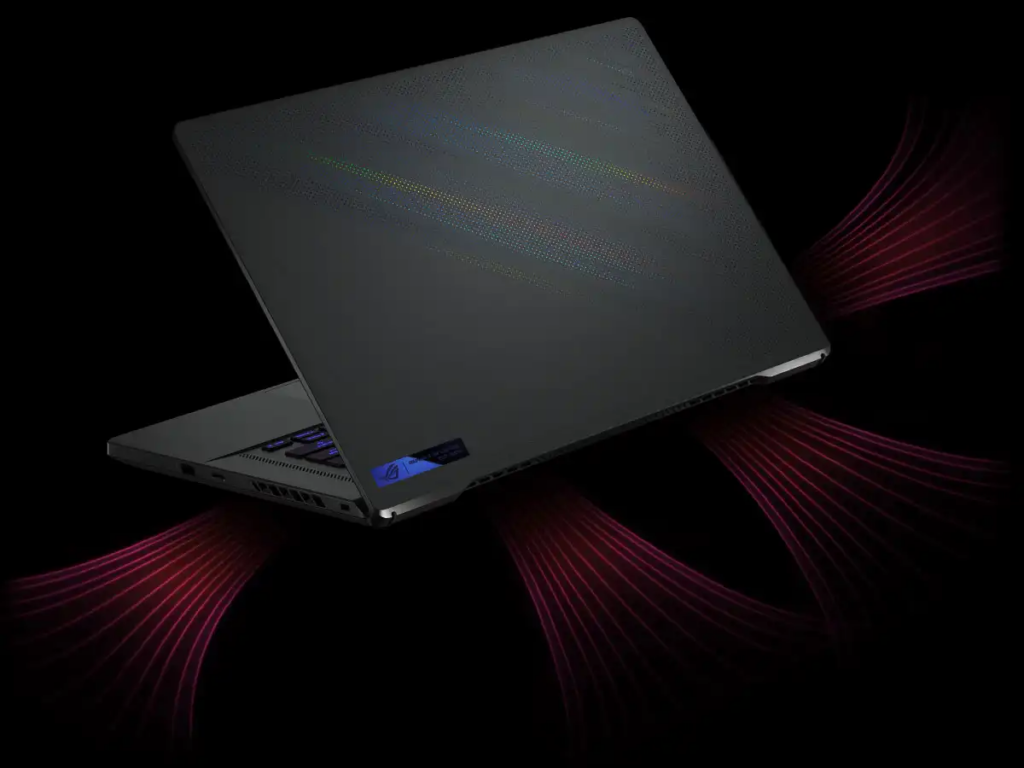
    At the pinnacle of gaming laptops, the ASUS ROG Zephyrus G15 reigns supreme. Featuring an AMD Ryzen 7 processor and an NVIDIA GeForce RTX 30 series graphics card, this laptop packs a punch in a compact 15-inch form factor. With extraordinary battery life and a unique Quad HD display. Anyone who uses Asus products can testify to the portability of Asus laptops. Their phones are equally some of the best budget smartphones in the market.

    Full Specifications:

    • CPU: AMD Ryzen 9 5900HS
    • Graphics: Nvidia RTX 3070
    • RAM: 16GB RAM
    • Screen: 15.6-inch QHD (1440p), 165Hz, 3ms, 300 nits
    • Storage: 1TB SSD
    • Ports: 1 x HDMI, 3.2 Gen 2 USB Type-C, 3 x USB Type-A 3.2 Gen 2, 1 x MicroSD, 1 x RJ45 Ethernet, 1 x 3.5mm combo jack, 1 x lock
    • Connectivity: Wifi 6, Bluetooth
    • Camera: None
    • Weight: 4.19lbs (1.9kg)
    • Size (W x D x H): 13.97 x 9.59 x 0.78 ins (355 x 243.5 x 19.9 mm)
    • Battery: 90 WHr with fast charge

    Alienware m18

    Alienware m18 from dell gaming laptops
    Dell Alienware m18

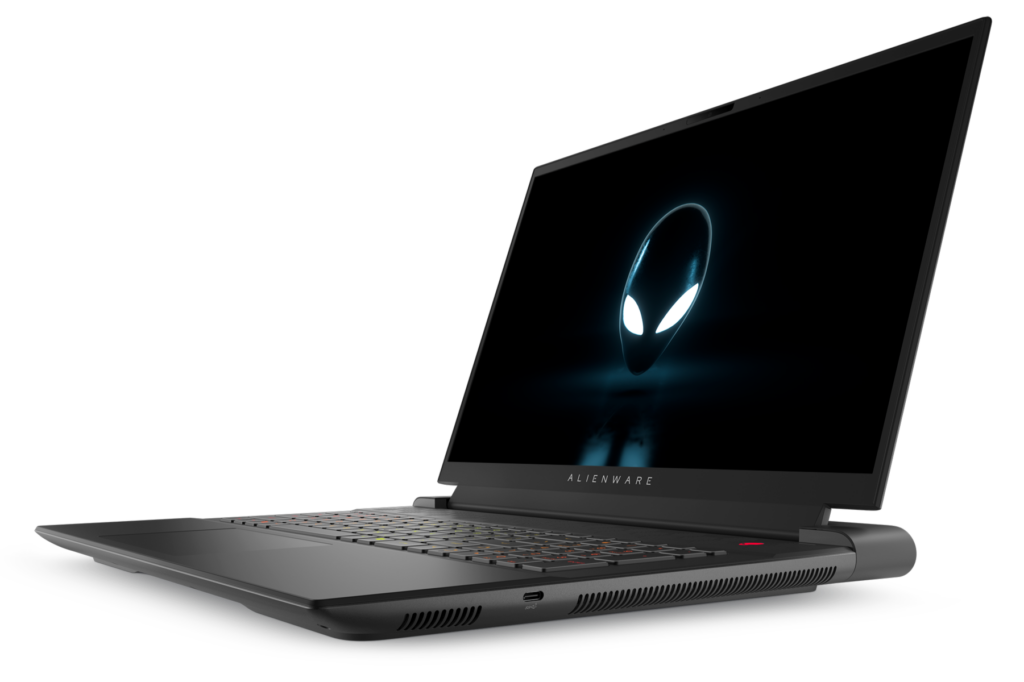
    When it comes to gaming laptops, very few can match the extraordinary capabilities of the 18-inch Alienware m18 gaming beast from Dell. Another powerful gaming laptop on this list of best gaming laptops in 2023. The m18 boasts some very remarkable features such as an 18-inch display with two resolution options: 2,560×1,600 pixels with a 165Hz refresh rate. And 1,920×1,200 pixels with a flaming 480Hz refresh rate. The laptop is equally equipped with an Intel Core i9-13980HX CPU, Nvidia GeForce RTX 4090 graphics card, 32GB of RAM, and a 1TB solid-state drive.

    In terms of performance, the Alienware m18 delivers impressive results. You can play games at full graphics settings and resolutions with high frame rates. Although the Alienware m18 offers excellent performance and a stunning display, it does, however, have some drawbacks. One is that the color options are considered less vibrant compared to those of the previous generation.

    Another major drawback is that the fans can become loud during intense gaming sessions. Lastly, the laptop weighs around 8.7 pounds, which if you ask us, is bulky and not ideal for portability.

    Full Specifications:

    • CPU: Intel Core i9-13980HX
    • GPU: Nvidia GeForce RTX 4090
    • Display: 18-inch QHD+ (2560 x 1600) 165Hz
    • RAM: 32 GB
    • Storage: 1TB SSD
    • Ports: 1x USB 3.2 Type-C Gen 2, 2x USB 3.2 Type-A Gen 1, 2x Thunderbolt 4, 1x HDMI 2.1, 1x mini-DisplayPort, 3.5mm headphone jack, 2.5 GbE, SD slot.
    • Dimensions: 16.1 x 12.6 x 1.05 inches
    • Weight: 8.5 – 8.9 pounds
    • Camera: 1080p
    • Battery: 97 WHr

    Razer Blade 14

    Razer Blade 14 gaming laptops
    Razer

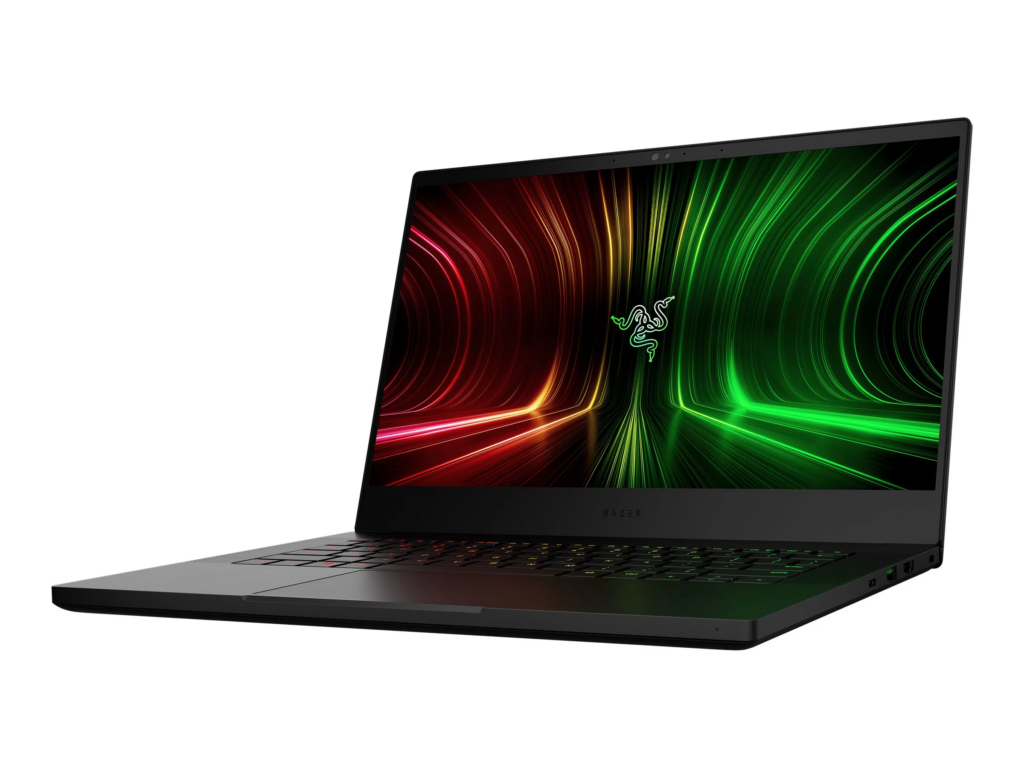
    The Razer Blade 14 is a compact and lightweight gaming laptop that offers impressive gaming performance at both 1080p and 1440p resolutions, with a vibrant 165Hz display and a good selection of physical ports.

    The keyboard may feel cramped due to its small size, but not to worry, it makes up with other fantastic features. Its battery life is quite decent, and the design is durable.
    The only downside is the steep price.

    Although due to its price, it may not be for everyone, if you can afford it, the Razer Blade 14 is one of the best options among some of the portable gaming laptops to buy this 2023.

    Full Specifications:

    • CPU: AMD Ryzen 6900HX
    • Graphics: Nvidia GeForce RTX 3070 Ti
    • RAM: 16GB DDR5-4800
    • Screen: 14-inch 2560×1440, 165Hz
    • Storage: 1TB PCIe Gen4 SSD
    • Ports: 2x USB-A 3.2 Gen 2, 2x USB-C 3.2 Gen 2, 1x HDMI 2.1, combi audio jack
    • Connectivity: Wi-Fi 6E, Bluetooth 5.3
    • Camera: 1080p IR webcam
    • Weight: 1.78 kg
    • Size: 1.7 x 32.0 x 22.0 cm

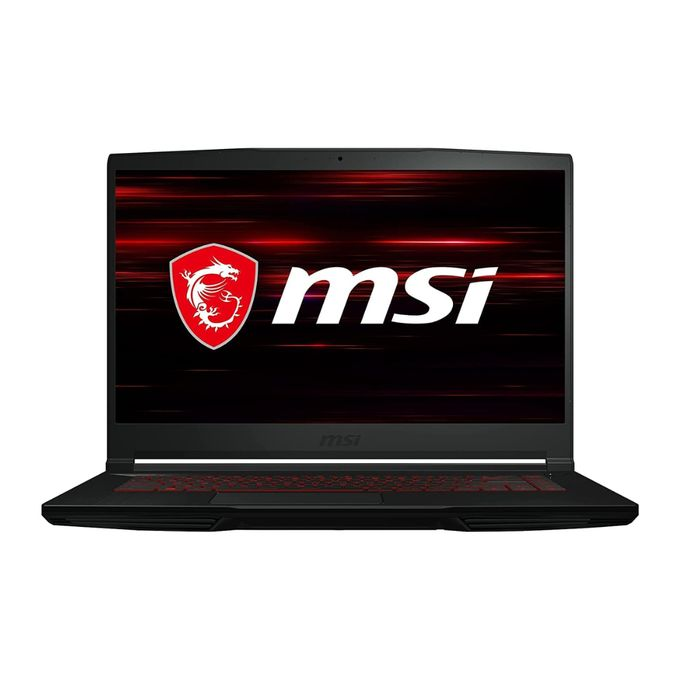
    MSI GF63 Thin

    MSI GF63 Thin
    MSI

    The MSI GF63 Thin is one of the exceptional budget gaming laptops with impressive features sold at $615. It is powered by an 11th Gen Intel Core i7 processor and Nvidia GeForce RTX 3050 – 3050 Ti graphics. This is one of those gaming laptops that deliver when it comes to functionality regardless of its low-end hardware components and its affordable price.

    Although this model still has a few of the previous model’s features, such as the 11th-gen Intel Core i7 CPU and PCIe 3.0 SSD, the developers foresaw the need for the inclusion of an Nvidia RTX 3000 GPU to further enhance the laptop’s capabilities.

    As obvious as it is that it may not match the capabilities of several high-end laptops out there, the GF63 Thin can also hold its own down in ways other gaming laptops within this price range cannot. Its 15.6-inch FHD display with a 144Hz refresh rate further complements and makes it a suitable choice for gaming.

    Full Specifications:

    • CPU: Intel Core i7-11800H
    • Graphics: Nvidia GeForce RTX 3050 Ti
    • RAM: 8GB DDR4-3200
    • Screen: 15.6-inch 1920×1080 IPS-level, 144Hz
    • Storage: 512GB PCIe Gen3 SSD
    • Ports: 3x USB-A 3.2 Gen 2, 1x USB-C 3.2 Gen 2, 1x HDMI 2.1, RJ-45 Ethernet, 3.5mm mic in, 3.5mm headphone out
    • Connectivity: Wi-Fi 6, Bluetooth 5.2
    • Camera: 720p webcam
    • Weight: 1.86 kg
    • Size: 2.2 x 35.9 x 25.4 cm

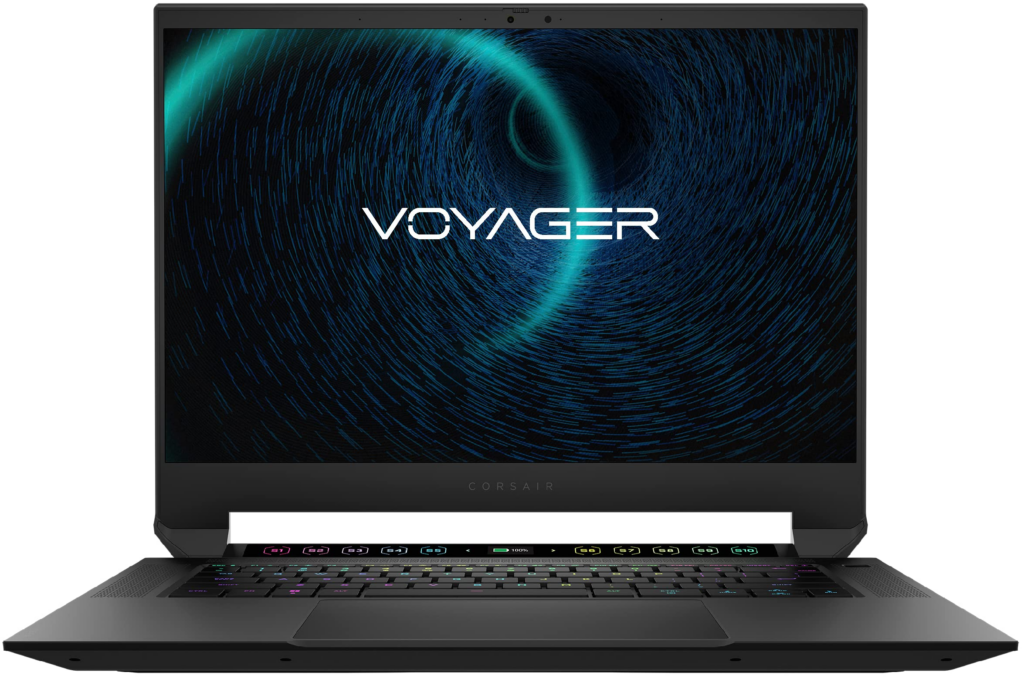
    Corsair Voyager a1600

    Corsair gaming laptops
    Corsair

    The Corsair Voyager a1600 is a high-end gaming laptop that impresses with its faultless aluminum build, Cherry MX mechanical keyboard, and unique streaming-focused touch macro bar.

    The 16-inch, 16:10 aspect ratio screen with a 2,560-by-1,600-pixel resolution delivers detailed visuals and features like a 240Hz refresh rate and AMD FreeSync Premium enhances the gaming experience.

    The macro bar with 10 touch buttons and a customizable display is a standout feature. The Voyager a1600 also boasts other cool features. Such as a high-quality webcam, a fingerprint reader, Dolby Atmos-tuned speakers, a notably large and precise touchpad, Thunderbolt 4 ports, Wi-Fi 6E, and Bluetooth.

    However, its performance falls short compared to competitors like some Acer and Lenovo products, which offer better Intel and Nvidia hardware at a lower price.

    Nevertheless, it reflects Corsair’s elegant and modern design and the laptop’s aluminum chassis reveals excellent craftsmanship. Indeed one of the excellent gaming laptops in the market in 2023.

    Full Specifications:

    • Display: 16-inch 2,560 x 1,600 display
    • CPU: 3.2GHz AMD Ryzen 7 6800HS CPU
    • Memory: 32GB DDR5 4,800MHz RAM
    • Graphics: 12GB AMD Radeon RX 6800M Graphics
    • Storage: 2TB PCIe NVMe SSD
    • Operating system: Microsoft Windows 11 Pro
    • Weight: 5.3 pounds (2.4kg)

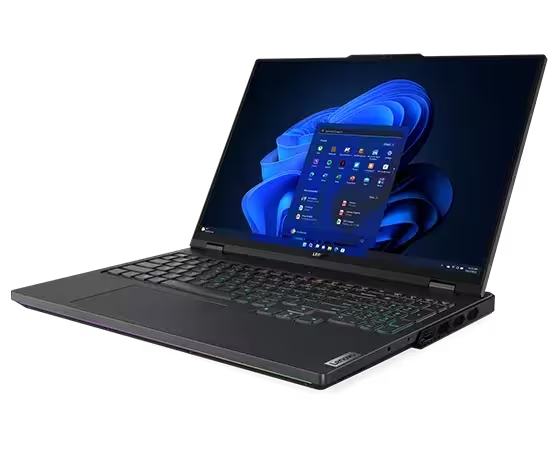
    Lenovo Legion Pro 7i

    Lenovo

    The Lenovo Legion Pro 7i Gen 8 is the ideal gaming laptop if you want efficiency and power. It’s not one of their next-generation rollable concept laptops but it’s extraordinary. The Legion Pro 7i features a colorful and brilliant 240Hz display, a full HD webcam, a keyboard with RGB lighting, various ports, and additional cool features. As well as nice upgrades to the previous Lenovo Legion 6 and 7 models.

    The Legion Pro 7i is powered by an Intel Core i9-13900HX processor and an Nvidia GeForce RTX 4080 mobile graphics chip, that provide outstanding gaming performance. It also supports multiple 4K monitors.

    Now, let’s talk about the downsides. The Lenovo Legion Pro 7i is on the expensive side, so it might not fit everyone’s budget. It also has a relatively short battery life, lasting only about two and a half hours which sucks we know. Then to top it off, it’s very heavy, hence it’s not the most portable option.

    But hey, if you’re all about performance and don’t mind sacrificing aesthetics, this laptop is definitely worth it.

    Full Specifications:

    • CPU: Intel Core i9-11980HK
    • Graphics: Nvidia GeForce RTX 3080
    • Memory: 32GB DDR4-3200
    • Storage: 1TB NVMe M.2 SSD
    • Display: 16-inch, 16:10, 2560 x 1600, 165Hz, IPS 
    • Ports: 2x Thunderbolt 4, 1x USB 3.2 Gen 1 Type-C, 3x USB 3.2 Gen 1 Type-A, 1x RJ-45 Ethernet, 1x HDMI 2.1, 1x 3.5mm Headphone/Mic Combo Jack
    • Camera: 720p
    • Battery: 800Wh
    • Weight: 5.5 pounds (2.49 kg)

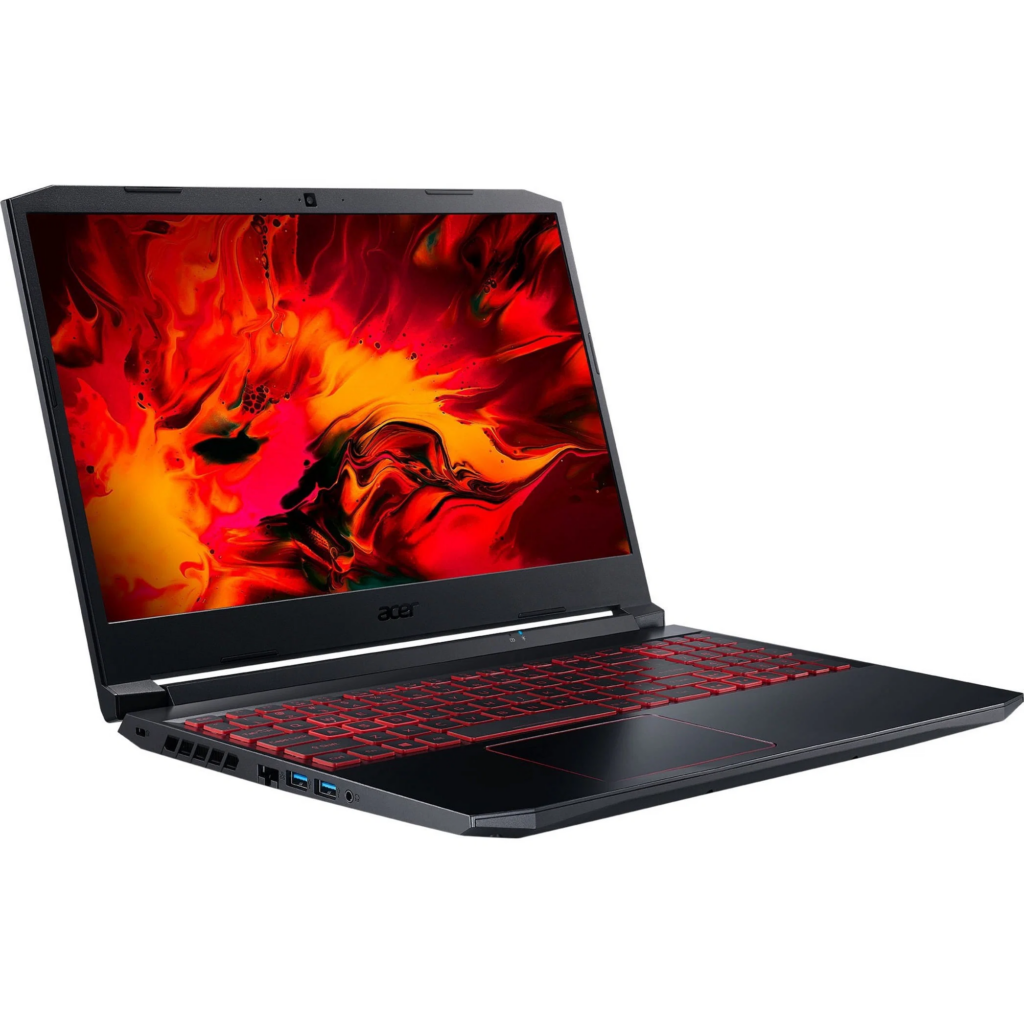
    Acer Nitro 5

    Acer Nitro 5
    Acer

    The Acer Nitro 5 is another reliable gaming laptop in the market that offers good performance at an affordable price of $899. It features a large 15.6-inch 144Hz display, a 12th gen Intel Core i5 processor, and an Nvidia GeForce RTX 3050 Ti GPU. One limitation is weight. Compared to some other gaming laptops out there, the bulkiness of the Nitro 5 makes it less portable,

    But that can be overlooked since it offers decent mid-range performance and customizable RGB backlighting. It is a suitable choice for budget-conscious gamers who are willing to compromise on some features.

    Here are the full specifications:

    • Display: 15.6-inch FHD (1,920 x 1,080 pixels) 144Hz
    • CPU: 12th Gen Intel Core i5-12500H
    • GPU: Nvidia GeForce RTX 3050 Ti GPU
    • RAM: 16 GB
    • Storage: 512 TB SSD
    • Ports: 3 USB-A, 1 Thunderbolt 4 / USB-C, 1 Ethernet, 1 HDMI, 1 Kensington lock key, 1 headphone jack
    • Size: 14.19 x 10.67 x 1.06 inches
    • Weight: 5.51 pounds
  • Amazon Prime Day 2023 is Packed with Incredible Deals

    Amazon Prime Day 2023 is Packed with Incredible Deals

    If you’re an online shopper, chances are you’ve heard of Amazon Prime Day. No, not Black Friday. Not Cyber Monday, not even close. One of Amazon’s biggest shopping events of the year, offering exclusive deals and discounts on millions of products to Amazon Prime members across the globe. Every year, Amazon shoppers eagerly anticipate when the big day will arrive, hoping to snag fantastic deals on every item, from electronics to beauty and tech products, etc.

    Amazon Prime Day made its first debut on July 15, 2015, to commemorate Amazon’s 20th anniversary. The inaugural Prime Day event was an unparalleled success that surpassed all expectations—even Amazon’s. Amazon reported record-breaking numbers in terms of sales, with over 34.4 million items sold on the 24-hour shopping extravaganza.

    Subsequent Prime Day events gradually turned into a 48-hour sales spree. By extending the span of the event, Amazon simply wanted to build a sense of urgency and excitement among its customers. There’s nothing more fun than shopping your favorite items on slash sales And because access was strictly through Amazon’s Prime membership, the exclusivity generated significant buzz and publicity.

    Since then, shoppers have come to expect this from the now two-day event. The significant Prime membership surge tells us all we need to know—the deals are irresistible. Slated for Wednesday, July 12 to Thursday, July 13, 2023, here are some of the best deals on Amazon Prime Day.

    Anticipate these Best Amazon Prime Day Deals

    Amazon Prime Day 2023 is Packed with Incredible Deals

    Based on the sales turnout of last summer, we can predict what the best Amazon Prime Day deals for 2023 would be. We expect serious discounts on high-end electronics, tech gear, and home goods like TVs, gaming accessories, wireless headphones, computers, smart alarms, smart coffee makers, etc. Here are some of the deals we are expecting to see this year from Amazon:

    • 2021 Apple TV 4K
    • iRobot Roomba i7+ Robot Vacuum
    • Sony WH-1000XM4
    • Blink Mini 1080p Security Camera
    • Blink Outdoor 1080p Security Camera
    • Ring Video Doorbell
    • Amazon Wi-Fi Smart Thermostat 
    • Ring Alarm 8-Piece Kit w/ Ring Video Doorbell + Echo Show 8
    • Beats Fit Pro
    • Apple Watch Series 7
    • Apple Watch Series 8
    • Apple AirPods Pro Wireless Earbuds
    • Apple AirTag
    • Apple Pencil
    • Apple iPad 10.2″ 64GB Wi-Fi Retina Tablet
    • Apple iPad Mini 64GB Wi-Fi Tablet
    • Apple MacBook Air M1
    • Apple Mac Mini M2
    • Apple MacBook Pro M1 Pro 14″ 1TB SSD Laptop
    • Eero Pro 6 mesh Wifi router
    • Ring Indoor Cam Wireless Security Camera
    • Amazon Fire TV 65″ Omni QLED series 4K UHD smart TV
    • Samsung 55-Inch Frame Series Smart TV

    Amazon Prime membership for Prime Day 2023

    Amazon Prime Day 2023 is Packed with Incredible Deals

    To start, it’s crucial to ensure that you possess an active Amazon Prime membership. Prioritize confirming your membership status before anything else. You have the option to enroll in a 30-day complimentary trial period. Following that, the membership will require a monthly fee of $14.99 or an annual fee of $139. Apart from the perk of no-cost two-day shipping, being a Prime member grants you access to ad-free music streaming on Prime Video, unlimited photo storage, and unrestricted reading materials. Keep in mind that numerous exceptional deals are offered on Prime Day, exclusively accessible to Prime members.

    During Prime Day, Amazon frequently provides Prime members with exclusive promotions and coupons. For instance, you might discover good discounts on services such as Amazon Music Unlimited and Audible Premium. Typically, these promotions are showcased on Amazon’s Prime Day homepage, either through their app or on their website.

    Getting Ready to Shop

    shopping on prime day

    To stay informed about sales and deals, you have the option to subscribe to notifications. It can be a bit challenging, so if you find it hard to skim through Amazon’s website or app on Prime Day, just sign up for notifications. And you’ll get notified by Amazon of all specific products of interest immediately after the prices drop. This feature proves particularly valuable when it comes to time-limited deals. Also, you can choose to receive notifications based on your Amazon search history and recently viewed items. To set up these deal alerts, simply visit the Amazon Prime Day page online or access it through the Amazon app once it becomes active.

    Another avenue for receiving alerts is utilizing Amazon’s Alexa. Alexa can inform you up to 24 hours ahead of a deal becoming available for an item on your wishlist, in your shopping cart, or saved for later. You can equally ask Alexa to remind you when the deals go live and permit Alexa to place orders on your behalf. And this will be done swiftly using your account’s default payment and delivery details. Amazon highlights that this feature is particularly advantageous during Prime Day due to the constant influx of new mouthwatering deals.

    For more Amazon products and services, check out the movies on Amazon Prime Video to stream this weekend. Or if you’re up to reading your favorite books, discover the Amazon Kindle models that suit your budget.

  • Asus Zenbook S 13 OLED Is The PC You’ve Been Waiting For

    Asus Zenbook S 13 OLED Is The PC You’ve Been Waiting For

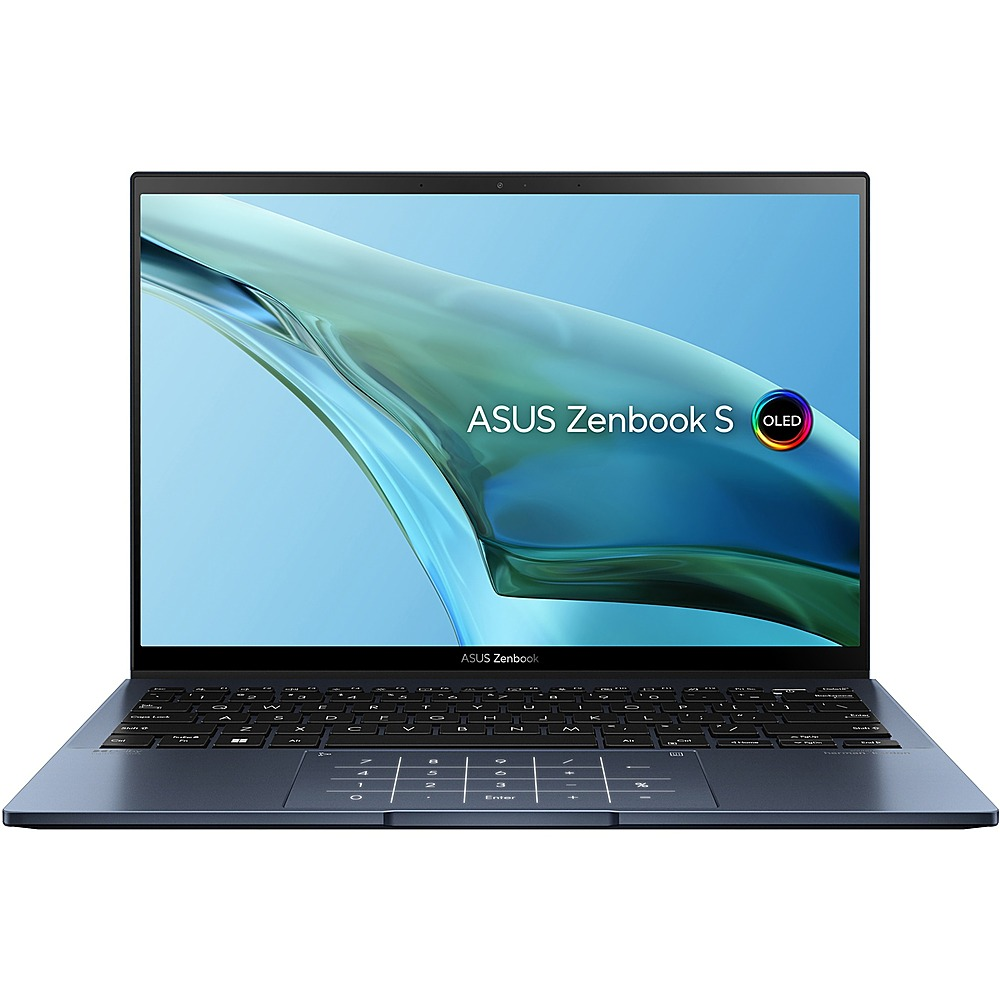
    At the start of 2022, we got wind of a high-tech ultrabook that was dubbed the “best alternative to some high-end PCs like Macbook Air M2” because of its unbelievable weightlessness. The Zenbook S 13 OLED from Asus. Approximately one year later, the good people at Asus analyzed the Asus ZenBook S 13 OLED, and apparently uncovered what we all knew but were reluctant to verbalize — the lightweight 2022 model can be made even lighter.

    Now, the Zenbook S 13 OLED is not just compared side by side with Apple’s MacBook Air, it’s competing for space at the top of the global PC market. Already one of the lightest laptops in the world, the sleek 13.3-inch OLED ultrabook sports mighty impressive features such as a 13th-generation Intel i7 processor, replacing its 2022 model’s AMD processor. It has also been redesigned with several other cool features that we’ll be delving into in this article.

    Asus ZenBook S 13 OLED Review (ZenBook S 13 Series)

    Asus Zenbook S 13 OLED Is The PC You've Been Waiting For

    Compared to its predecessor, the Asus Zenbook S 13 Ultrabook is slimmer and lighter. Although the weight is slightly more than what we see on the spec sheet. And the display specifications remain unchanged. With a 13.3-inch OLED touchscreen with a refresh rate of 60 Hz and a resolution of 2,880 x 1,800 pixels. The panel has a new ID, and the image quality remains excellent with no opalescent effect.

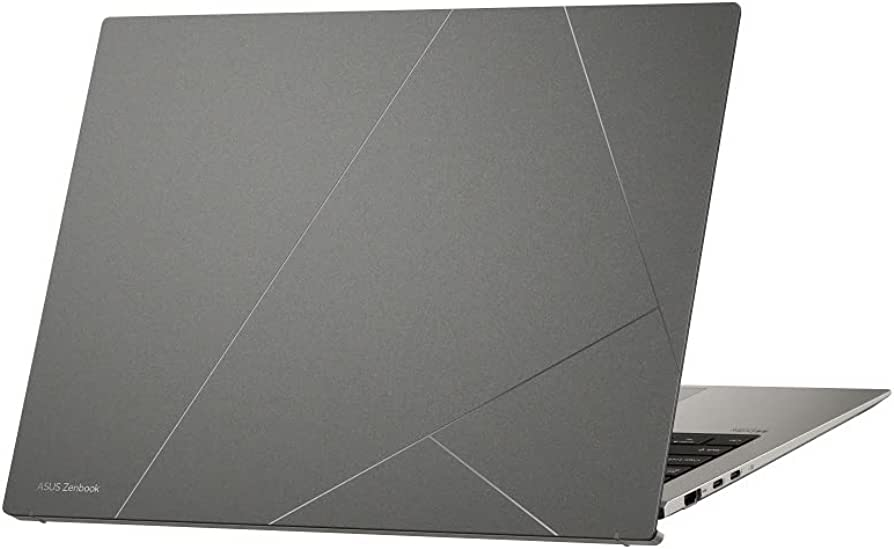
    Asus has equally introduced a new design and material for the case of their 2023 Zenbook S 13 model. Featuring an ErgoLift mechanism that rotates the panel up to meet the display, improving typing comfort for users. The sleek and elegant Zenbook S 13 case comes in two color options: Ponder Blue and Basalt Grey. The lid is made of aluminum and is coated with a layer of plasma ceramic material. This improves resistance to wear and corrosion, and the surface texture also conceals fingerprints perfectly.

    Additionally, Asus has equipped the Zenbook S 13 with a fast PCIe 4.0 SSD from Samsung, providing a storage capacity of 1 TB. The battery capacity is slightly lower than that of the old model, with a battery life of almost 14 hours. The laptop has two USB-C ports. A USB-A port, and a full-size HDMI port, which is more suitable for everyday use. The laptop uses the AZ211 WLAN module from Intel, which supports the most current Wi-Fi 6E WLAN standard and Bluetooth 5.2. The Ultrabook feels premium and is very perfect for creative users.

    Let’s breeze through the full specifications of the Asus Zenbook S 13 OLED.

    Asus ZenBook S 13 OLED UX5304 Full Specs

    Processor – Intel Core i7-1355U 10 x 1.2 – 5 GHz, 44 W PL2 / Short Burst, 17 W PL1 / Sustained, Raptor Lake-U

    Graphics adapter – Intel Iris Xe Graphics G7 96EUs, Core: 1300 MHz

    Memory – 16 GB, LPDDR5, dual-channel, onboard

    Display – 13.30 inch 16:10, 2880 x 1800 pixel 255 PPI, capacitive, SDC417B, OLED, glossy: yes, HDR, 60 Hz

    Mainboard – Intel Alder Lake-P PCH

    Storage – Samsung PM9A1 MZVL21T0HCLR, 1024 GB, 903 GB free

    Soundcard – Intel Raptor Lake-P/U/H PCH – cAVS

    Connections – 1 USB 3.0 / 3.1 Gen1, 2 USB 4.0 40 Gbps. 2 Thunderbolt, USB-C Power Delivery (PD), 1 HDMI, 2 DisplayPort, Audio Connections: 3.5 mm audio port, Brightness Sensor

    Networking – Intel Wi-Fi 6E AX211 (a/b/g/h/n = Wi-Fi 4/ac = Wi-Fi 5/ax = Wi-Fi 6/ Wi-Fi 6E 6 GHz), Bluetooth 5.2

    Size – height x width x depth (in mm): 11.8 x 296.2 x 216.3 ( = 0.46 x 11.66 x 8.52 in)

    Battery – 63 Wh, 8140 mAh Lithium-Polymer

    Operating System – Microsoft Windows 11 Home

    Camera – Webcam: 1080p
    Primary Camera: 2 MPix

    Speakers – Stereo

    Keyboard – Chiclet, 1.1 mm

    Keyboard Light – Yes

    Weight – 1.048 kg ( = 36.97 oz / 2.31 pounds)

    Power Supply – 228 g ( = 8.04 oz / 0.5 pounds)

  • Best Bluetooth Speaker Box of 2023

    Best Bluetooth Speaker Box of 2023

    We need to rectify the misconception that all “boom boxes” are “JBL speakers”. They aren’t—there are hundreds of portable Bluetooth speakers on sale at different sound equipment stores. Calling every and any wireless Bluetooth speaker box a ‘JBL’ simply because JBL party speakers have dominated the wireless speaker department is something that requires dispelling. We’ve rounded up some of our favorite Bluetooth speaker boxes of 2023, including JBL speakers.

    The audio equipment market offers a plethora of Bluetooth speaker box options that come in diverse shapes, sizes, and designs. Offering a myriad of budget-friendly or high-end audio entertainment features. When it comes to a Bluetooth speaker box, the first thing many people look out for is portability. Nobody wants to haul around a hunk of junk to the beach, summer parties, podcasts, night hangouts, etc.

    All the speakers on our list are deemed portable and come with rechargeable batteries. Although some of them may be a bit hefty to carry around, a good number of them come with a handle or strap for added convenience.

    Our Pick of Best Bluetooth Speaker Box of 2023

    Our Pick of Best Bluetooth Speaker Box of 2023
    Best Bluetooth Speaker Box of 2023 Photo Credit: iStockphoto.com

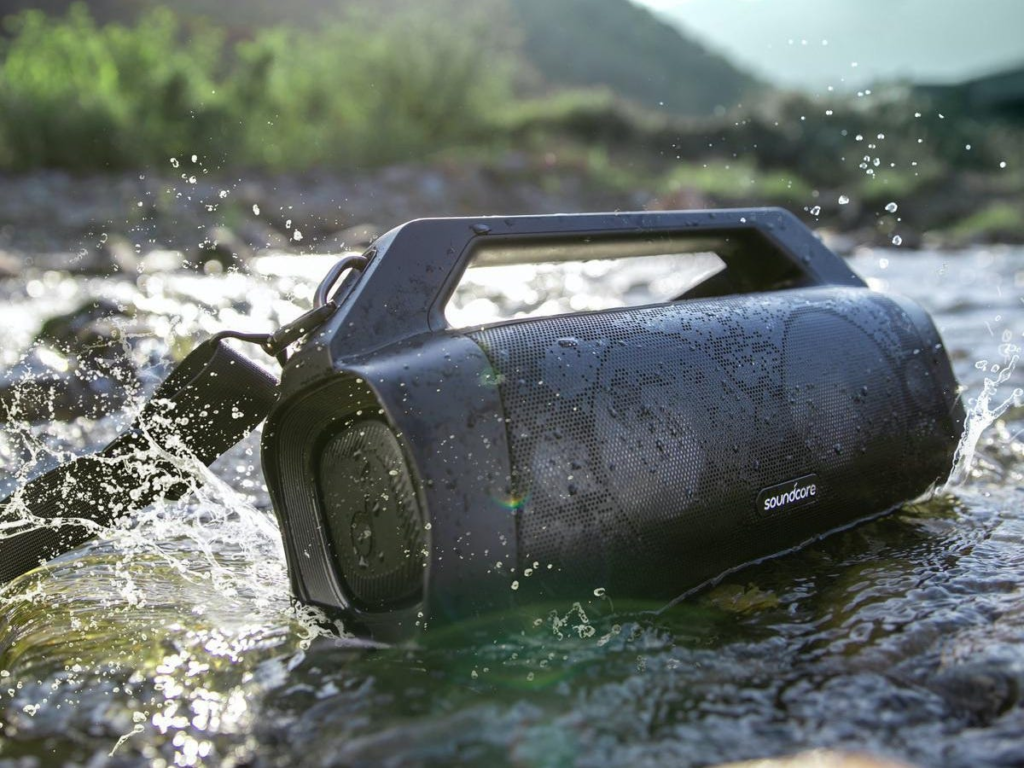
    Anker Soundcore Motion Boom Plus 1P67

    Anker Soundcore Motion Boom Plus 1P67 Bluetooth Speaker Box
    Anker Soundcore Motion Boom Plus 1P67 Photo Credit: Forbes

    The Anker Soundcore Motion Boom Plus 1P67 is a portable Bluetooth speaker that delivers high-quality sound with an impressive 80W stereo output. It weighs 5.29 pounds and comes with dual 3.5-inch woofers and dual 1-inch tweeters. The Motion Boom Plus 1P67 has a built-in power bank that can charge smartphones and other devices. It boasts an IP67 certification that assures users that the speaker is water and dust resistant and even capable of floating if dropped in water. Which in our opinion is beyond impressive.

    The Motion Boom Plus is super portable with a built-in handle and detachable strap. It’s easy to carry around your sounds with you wherever you go. The speaker is highly customizable; it can be paired with up to two devices at once. It can also be adjusted to get the ideal sound using EQ settings in the Soundcore companion app for iOS and Android. It’s also designed with a long battery life that saves users the stress of constantly charging it. The 13,400mAh battery power lasts for about 15 to 20 hours after charging. Definitely, a good place to start if you’re looking for a Bluetooth speaker box with long-lasting battery life.

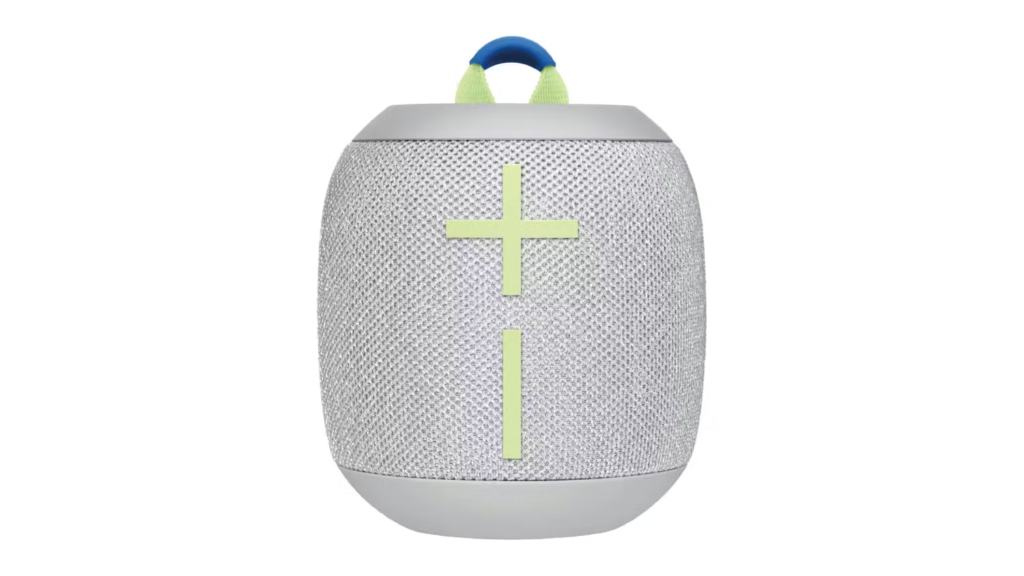
    Ultimate Ears Wonderboom 3

    Ultimate Ears Wonderboom 3
    Ultimate Ears Wonderboom 3

    Another high-end, highly portable Bluetooth speaker box is the Ultimate Ears Wonderboom 3 speaker. Much similar to its predecessor the Ultimate Ears Wonderboom 2 in sound profile, only different with better battery life. What makes the newer version even more unique is that it’s made entirely from recycled plastic. The rounded, aesthetically pleasing design of this speaker is second to none. Just like the Anker Soundcore Motion Boom Plus 1P67, the Ultimate Ears Wonderboom 3 can pair with two devices at the same time. 

    Its capabilities extend beyond just aesthetics; it has a booming bass with a 360-degree soundstage. For bulk, it measures 0.34 ft (104 mm) in height. 0.31 ft (95.3 mm) in diameter, and weighs 14.8 oz (420 g). The rechargeable lithium-ion battery in the Wonderboom 3 can last for up to 14 hours. Unlike the Wonderboom 2, which has a limit of 13 hours of battery life.

    Another great feature of the Ultimate Ears Wonderboom 3 is that it can withstand dust, dirt, and water. When it’s dropped in water, it can stay submerged for about 30 minutes. Which is very ideal for beach or pool parties. The features of this Bluetooth speaker box no doubt make it one of our best picks for speakers in 2023

    JBL Boombox 3

    JBL Boombox 3 Bluetooth speaker box
    Redesigned JBL Boombox 3

    JBL, one of the leading global audio equipment manufacturers seems to be on a roll with high-quality Bluetooth boom boxes and the Boombox 3 is no exception. It boasts a similarly attractive and rugged design to its predecessor—the JBL Boombox 2. But is the new JBL Boombox 3 worth it?.

    The Bluetooth speaker box has become a favorite among party buffs craving excellent sound quality. It is integrated with a handle that makes it very easy to carry around. Part of the few significant upgrades to the Boombox 3 includes a subwoofer that provides superior low-end sound quality and the JBL Portable App that allows for customized EQ settings.

    The JBL Boombox 3 is available in black or camouflage and has a metal handle with silicone grips, twin sidecaps, and a waterproof and dustproof design. For the bulk, it measures 19.0 x 10.1 x 7.9 inches in height, 48.2 x 25.7 x 20.0 (cm) in length, and weighs 14.7 pounds.

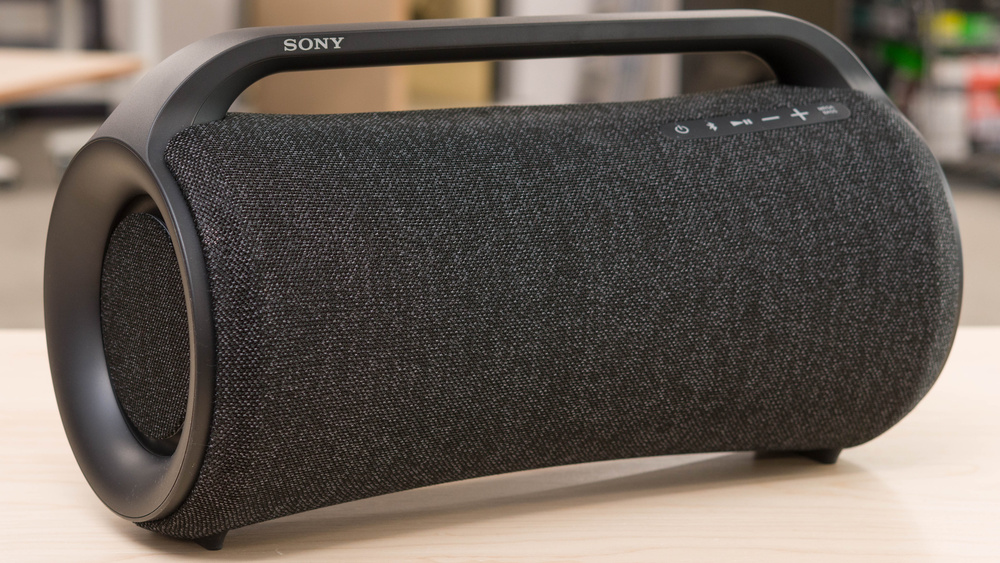
    Sony SRS-XG500

    Sony SRS-XG500
    The Sony SRS-XG500 Photo Credit: RTINGS.com

    Sony has always been a strong competitor of JBL when it comes to Bluetooth speakers. Although the JBL Boombox 3 is incomparable side by side with the Sony SRS-XG500, the Sony SRS-XG500 can still hold its own with some JBL products. Such as the JBL Boombox 2, which has a similar design and handles.

    The Sony SRS-XG500 Bluetooth speaker box is designed for smartphones and tablets and features 2 woofers, 2 tweeters, and X-Balanced Speakers for deep bass and unmistakable boomy sound quality.

    At 12.34 pounds (5.6 kg), it has an IP66 water-resistant and dustproof design, suitable for outdoor activities like beach hangouts, hiking, camping, etc. It supports lightning-fast charging and it comes with very impressive battery power that lasts up to 30 hours after juicing it up.

    Perfect for long music sessions, the Sony SRS-XG500 Bluetooth speaker box is lightweight and comes with a handle. Though it doesn’t appear miniature enough for one to easily carry around, the speaker is weightless and portable.

    It also has a mic/guitar rear input, a USB port for charging, and subtle LED ring lighting for ambiance. The speaker features are also customizable from the Fiestable App which is optimized for Sony speakers to enhance the audio experience, and the Music Center App even allows users to further personalize sounds.

  • VR Headsets to Buy in 2023/How to Discover the Best

    VR Headsets to Buy in 2023/How to Discover the Best

    Over the past few years, VR headsets popularly known as virtual reality headsets have been a hot topic globally. Even though you haven’t been keeping up with the VR trends, you must have heard someone discussing them. It’s easy to understand why. A lot of users derive pleasure from the entertainment and immersive experience VR headsets offer. Others find it a welcome form of escapism from tedious aspects of everyday life.

    This article will explore some of the best VR headsets in the market as well as the prices for expensive and cheap VR headsets.

    How does Virtual Reality Headset work?

    Currently, the use of VR headsets is limitless; every day, new ways of utilizing virtual reality technologies emerge. VR headsets immerse users in a simulated three-dimensional setting, by completely shutting off the real world. Virtual reality glasses usually feature a display screen, audio, sensors, and controllers, that enable users to enjoy life-like content. A VR headset can be used to play video games, meditate, stream sports, attend concerts, do real estate tours, have meetings, etc.

    There are three types of VR headsets; mobile, connected, and standalone VR headsets. Mobile VR headsets operate with smartphones (Android and iPhones to provide immersive virtual reality experiences. Connected or tethered VR headsets as the name implies utilize PCs or consoles to deliver VR content. While the standalone VR headsets come fully equipped and do not use external devices to function.

    To use a virtual reality headset, set up the device and place it on your head. Once the external surrounding is blocked or you can no longer see the world around you. When your field of view (FOV) adjusts to the environment projected on the display screen, use the controllers to interact with the simulated content.

    The Best VR Headsets in 2023

    HTC Vive XR Elite VR Headsets

    HTC Vive XR Elite VR Headset
    HTC Vive XR Elite VR Headsets

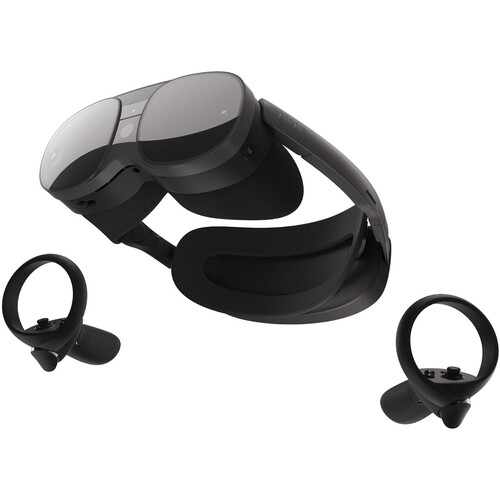
    The HTC Vive XR Elite is an impressive standalone VR headset that features robust graphics performance with a high resolution of 1920*1920 pixels per eye (3840*1920 pixels combined). And an adequate field of view of up to 110 degrees to deliver a high-quality experience.

    The device equally has dual microphones and embedded speakers for echo cancellation and to provide an excellent audio experience. The Vive XR Elite also comes with inputs that include dual integrated microphones, volume buttons, and a headset button.

    Personalization is essential; the Vive XR Elite has been designed with this in mind. Users can personalize their viewing experience with a slider that moves the lenses to accommodate IPD (inter-pupillary distance). And diopter dials to ensure users have the best experience possible. It also has a refresh rate of 90 Hz, ensuring everything looks smooth and not blurry.

    The Vive XR Elite is powered by a Qualcomm Snapdragon XR2 processor with 128GB/12GB of storage and memory. It also features 4x tracking cameras, a 16 MP RGB camera, a depth sensor, G-sensor, a gyroscope, a proximity sensor, etc. For the battery, the headset is equipped with a 24.32Wh Battery that can last for about 2 hours. One of the best things about this device is that it’s lightweight and capable of running mixed-reality apps. The $1,299 price for this VR headset might be a bit upscale but you cannot put a price on entertainment can you?.

    PlayStation VR2

    Sony PSVR 2
    Sony PSVR 2

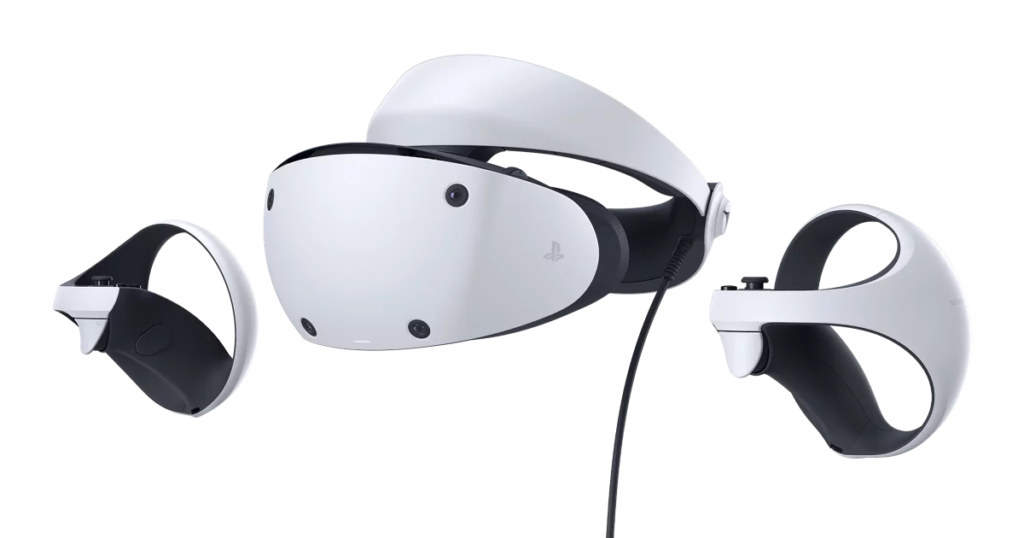
    Experience next-generation virtual reality with this headset from PlayStation that features incredible 4k HD visuals. The headset comes with a stunning OLED display. A built-in 3D audio technology, 2000 x 2040 per eye resolution, and intelligent eye tracking. Complete with an inbuilt microphone and stereo headphone jack. A 90Hz | 120Hz refresh rate, FOV of about 110 degrees, motion sensors, cameras, and an impressive game library. The lenses within the headset are equally adjustable using an external dial on the headset that either moves them closer or further apart.

    The PlayStation VR2 Sense controllers are designed with unique ergonomic design, finger touch detection, haptic feedback, and adaptive triggers that let users have control of their interaction in virtual worlds. From subtle pulses and vibrations to innovative features that deliver the highest quality immersive experience, the Sony PSVR 2 is one of the best VR headsets to cop this 2023.

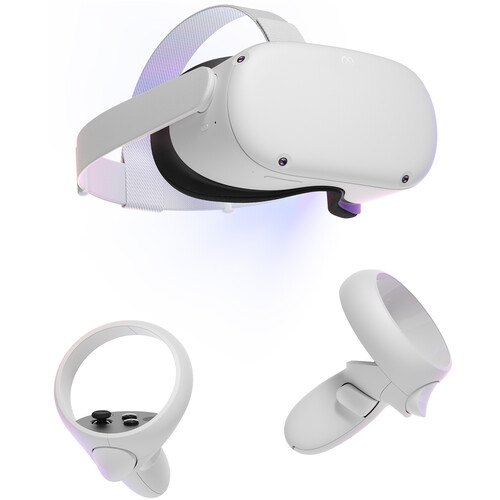
    Meta Quest 2

    Meta Quest 2 Advanced All-In-One VR Headsets
    Meta Quest 2 Advanced All-In-One Virtual Reality Headset (256GB)

    The Meta Quest 2 Advanced All-In-One Virtual Reality Headset is one of the best VR headsets in the market. It features fast-switching LCDs with a resolution of 1832*1920 per eye. This premium virtual reality headset from Facebook delivers more than just aesthetics. With high-quality features such as an impressive 90Hz refresh rate, and 6DoF. With 90 degrees field of view that users say isn’t that great. It also features built-in hand tracking and a portable, adjustable design that doesn’t require an external PC or console to operate.

    At $399, the Meta Quest 2 VR headset is every virtual reality addict’s dream. The head strap is lightweight and designed to offer users unmatched comfort. Add the 3D positional audio built directly into the headset, and users can interact with and explore the virtual environment as if it were real. The 3.5 mm audio port allows users to play VR content with or without headphones. 128GB | 256 of storage and a Qualcomm Snapdragon XR2 processor with 6GB RAM combine to make the Meta Quest 2 a masterpiece.

    Valve Index VR Headsets

    Valve Index Virtual Reality Headsets
    Valve Index VR Headsets

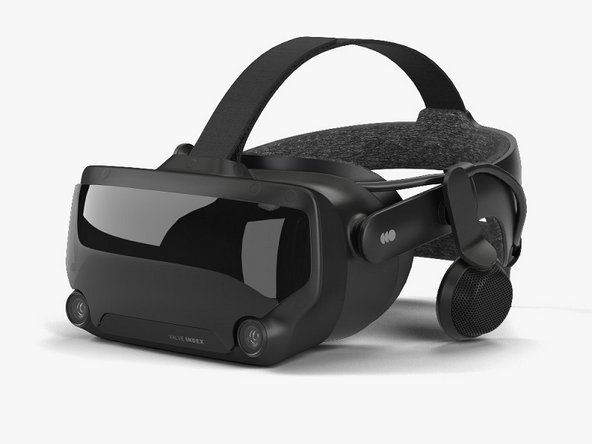
    Named one of the best VR headsets in the market by critics. The Valve Index is another virtual reality headset to tick off the list. Valve Software is pushing the boundaries of technology. By developing not just a high-end VR tool, but an extremely reliable one. The Valve Index headset is rather bulky but not heavy, with a 1,440* 1,600-pixel resolution, an excellent 144Hz refresh rate, and a huge 130-degree field of view.

    Optimized with innovative off-ear balanced mode radiators to provide an enjoyable audio experience. As well as adjustable IPD, impressive camera, etc the Valve is a killer VR headset. Valve Index’s finger-tracking controllers and two Steam VR base stations come together with the device when you purchase it. The headset is ideal for PC gaming and at $999, the comfort and exceptional features make any dime spent worthwhile. 

  • Google Chrome Now Works Faster On Mac and Android

    Google Chrome Now Works Faster On Mac and Android

    American global technology company Google has announced its latest adjustments to Chrome—one of the leading internet browsers in the world. Over the years, several users have lodged complaints about Chrome’s very slow performance. Along with the inordinate amount of time it takes to load pages. And for a while, Google Chrome sought long and hard for ways to improve the swiftness and efficiency of their extensively utilized internet browser. But now, they’ve made a few tweaks.

    Google prides itself on being the premier search engine that offers a wide range of tools to assist millions of its users in universally accessing and sharing helpful information. In line with this mission, the Google Chrome web browser is getting a speed boost. This significant modification to the dynamic web browser will allow for a faster and more enjoyable browsing experience. The company announced this in a blog post.

    From improved caching to better memory management for all devices, including Mac and Android devices with varying capabilities. These technical improvements will not only make the browser faster, but they’ll also make the experience satisfying. According to them, the changes made to this new upgrade required Google’s expert team of engineers to delve beneath the surface of Google Chrome.

    Google Chrome Changes To Improve Functionality

    Google Chrome Changes To Improve Functionality
    Credit: Nintendo-Power

    One of the specific improvements Google factored into their upgrade is HTML Parsing. In the announcement, Google says it has uncovered some targeted optimizations for their highly used JS “Object.prototype.toString” and “Array.prototype.join” functions. Google equally implemented targeted improvements in CSS’s InterpolableColor. All of which are specialized fast paths for parsing to offer a more satisfactory web experience for all of its web users.

    Another tweak that was made to the Google Chrome web browser was a more efficient pointer compression. Due to the endless tussle between memory and performance, Google stated that it has made optimizations to how it compresses and decompresses pointers. This is to also ensure a faster, seamless browsing experience for its users with reduced memory consumption. Google further highlights the relocation of frequently accessed objects like JavaScript’s “undefined” to the beginning of the memory bases. Where they can be easily accessed with faster machine code.

  • Best Movies On Amazon Prime Video Right Now

    Best Movies On Amazon Prime Video Right Now

    Amazon Prime is a streaming service by Amazon that gives users access to a host of premium services with fantastic benefits. One of them is that Amazon Prime provides free 2-day shipping discounts on all eligible items. Aside from that, it allows users access to streaming movies, TV shows, and music once they subscribe, as well as unlimited photo storage. Amazon Prime membership also offer exclusive deals on products sold on Amazon.

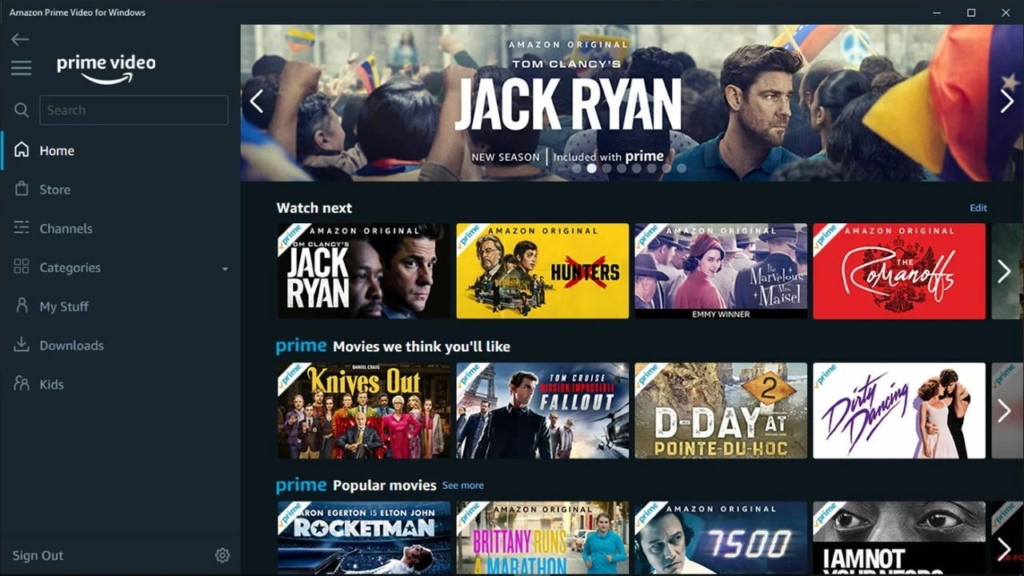
    The streaming video service offered by Amazon is known as Prime Video, which is accessible through an Amazon Prime membership. This membership provides access to hundreds of movies and TV shows on various devices. To start watching videos on amazon prime, visit Amazon.com or primevideo.com. Or download the Prime Video app on your mobile devices from app stores.

    Best Movies On Amazon Prime Right Now
    Prime

    How to Use Prime Video

    After downloading the app, users can sign in using their Amazon Prime or Prime Video account and browse available content. They can also select a title to watch or choose to download it by tapping the download icon on the video detail page if they are using an iOS or Android device.

    Amazon Prime has a diverse selection of streaming content that spans the last eight decades, including some of the most impressive and underrated movies. However, navigating through the vast array of movie titles on the platform can make finding some of the amazing movies a daunting task.

    To make matters worse, the titles of these movies may suddenly disappear, only to reappear under a different URL. Users are always striving to keep track of the haphazard compilation of movie titles on Amazon Prime. Yet, despite all these drawbacks, there are still tons of interesting movies on the platform that is worth the hassles. Below are some of the best movies you can stream on Amazon Prime this weekend.

    Best Movies On Amazon Prime Right Now
    PcMag


    The Amazon Prime Movies List To Stream This Weekend

    The Quiet Man – Romantic Comedy (1952)

    The Quiet Man is a 1952 romantic comedy film directed by John Ford. It tells the story of a boxer named Sean Thornton who returns to his hometown in Ireland after accidentally killing an opponent in the ring. He hopes to buy his family’s homestead and live in peace, but he runs into trouble when he falls in love with Mary Kate, the fiery sister of a man who has long coveted the property.

    Despite Mary Kate’s spirited and independent nature, she ultimately submits to the dominant character of Sean. And their relationship is imbued with a subtle imperialistic undertone due to Sean’s American birth. However, Ford’s artistic sensitivity, empathy for his characters, and attention to detail offset any criticism, and the film presents an idyllic sanctuary of love and community in Ireland constrained by conservative customs.

    Vivarium Sci-Fi (2020)

    Vivarium is a distinctive science fiction story that follows the journey of Tom and Gemma. Two first-time homeowners played by Jesse Eisenberg and Imogen Poots respectively. The couple’s excitement about buying their dream home turns into a nightmare when they find themselves trapped in a strange neighborhood. This sci-fi movie, directed by Lorcan Finnegan, creates a surreal and haunting atmosphere. As Tom and Gemma discover that starting a family is not just a choice, but an obligation forced upon them by their environment.

    The film uses their struggles as a metaphor for a relationship on the brink of collapse. Eisenberg and Poots deliver exceptional performances as a couple struggling to cope with their new reality. What makes Vivarium even more chilling is the way unseen forces manipulate and control the couple, providing for them in an almost inhuman way. Although not as graphic as other horror films, Vivarium’s unique and thought-provoking concept will leave you feeling uneasy and disturbed long after the credits roll.

    Sound Of Metal – Drama (2020)

    Ruben Stone, played by Riz Ahmed in the film Sound of Metal, faces a difficult challenge from his rehab sponsor. Either sit in complete silence or write about the thoughts running through his mind. This task proves to be particularly daunting for Ruben, a recovering addict, and burgeoning rockstar, as his hearing is rapidly deteriorating.

    The film was directed by Darius Marder and delves into Ruben’s struggle with identity following his new disability. The use of sound design and Ahmed’s outstanding lead performance come together to create a captivating viewing experience. Ruben’s girlfriend and bandmate, Lou (Olivia Cooke), accompanies him on their travels in a Winnebago as they perform with their metal band BLackgammon. However, when Ruben’s hearing suddenly disappears, he fears for his sobriety. And seeks out an audiologist, who informs him that his hearing loss is quite advanced. To help him come to terms with his new reality, Lou encourages Ruben to attend a community retreat for the deaf, where he must navigate his conflicting emotions between embracing his new life and longing for his old one.

    13 Assassins Action (2010)

    13 Assassins is a 2010 remake of the 1963 movie of the same name. This grim samurai movie was directed by Takashi Miike, a famous Japanese director. The movie takes place during the Edo period in 1844 Japan and centers around Lord Naritsugu. Naritsugu is a ruthless and power-hungry ruler causing untold chaos and destruction. In an effort to stop him from rising to power and further destroying the country, Shinzaemon, a skilled samurai, is tasked with gathering a team of assassins.

    The group of assassins, consisting of thirteen men, each bring their different skills to the table. Together, they embark on a perilous journey to ambush Lord Naritsugu and his army while they travel through a remote mountain pass.
    Tensions rise as the battle between the assassins and Lord Naritsugu’s troops results in an intense, bloody showdown.

    Before Midnight – Romantic Drama (2013)

    Before Midnight is the third installment in the American romantic drama movie series “Before.” The 3 movies were directed by Richard Linklater and starred Ethan Hawke (Jesse) and Julie Delpy (Celine).

    Before Midnight takes place nine years after the events of the second movie. Jesse and Celine are now a middle-aged couple living in Paris with their twin daughters. Jesse is a well-known writer, having gained fame from two of his autobiographical novels which were both based on his experiences with Celine.

    Celine, on the other hand, is contemplating a government job due to the public’s hostile perception of wind turbines. The family decides to take a much-needed vacation at a writer’s retreat in Greece run by Patrick, an ex-pat author. While there, they explore the beautiful countryside and ancient ruins, discussing their lives and relationships. The couple even manages to sneak away for a romantic night at a hotel, leaving their children in good hands.

    However, Jesse’s complicated relationship with his teenage son from his first marriage, Hank, threatens to disrupt their peaceful existence. Despite this, Jesse’s writing has taken a new direction, and he is now working on a project exploring the lives of individuals with brain disorders who live in a world that lacks cause and effect. This departure from his previous romantic themes reflects Jesse’s appreciation for living in the moment, which is something he shares with Celine.

    House of Gucci – Crime Drama (2021)

    The House of Gucci is a gripping biographical drama that chronicles the legendary rise and catastrophic fall of the Gucci family, an iconic Italian fashion dynasty. The movie centers on Patrizia Reggiani, a fierce and assertive young woman from humble beginnings, portrayed masterfully by Lady Gaga, who enters the Gucci family through marriage and becomes entangled in their complex web of power struggles. Her husband, Maurizio Gucci, the charming and enigmatic heir to the empire, played flawlessly by Adam Driver, faces opposition from his traditional and snobbish father Rodolfo, who disapproves of Patrizia’s lack of cultural refinement.

    With the support of her uncle Aldo, portrayed brilliantly by Al Pacino, Patrizia manipulates her way into the family business, and she and Maurizio gradually drift apart. The film spans three decades, capturing the family’s tumultuous journey, rife with betrayal, infighting, and ultimately, murder. Through it all, the movie offers a searing and incisive critique of the dark side of the fashion industry, driven by greed, power, and excess.

    Licorice Pizza – Comedy Drama (2021)

    Licorice Pizza is a 2021 American comedy-drama movie written and directed by Paul Thomas Anderson. The movie follows a 15 year old teen actor, Gary Valentine (Cooper Hoffman), who falls deeply in love with a young woman, Alana Kane (Alana Haim) older than him by 10 years.

    Gary and Alana’s paths cross while Alana works as an assistant to the school photographer. Upon meeting Alana, Gary boldly declares his love for her and also voices his intention to marry her someday.

    Alana, who aspires to become an actress, agrees to accompany Gary to a New York TV special as his chaperone but ultimately falls for Gary’s co-star, Lance. What follows is Gary and Alana’s relationship as they navigate the complexities of growing up, chasing their dreams, and dealing with the challenges that come their way.

    • There you have it, some of the best movies on Amazon Prime Video to watch this weekend. From heartwarming love stories, horror, action, and adventure, to hilarious dating mishaps, enjoy a compilation of the best old and new series, movies, and documentaries. Check out the best movies on Netflix to stream this weekend. As well as the best Netflix series of 2023.
  • Want To Download A YouTube Video? Here’s How To Do It

    Want To Download A YouTube Video? Here’s How To Do It

    Want to download a YouTube video safely on your device but can’t? Check out these easy methods and steps to download that YouTube video for free.

    Since its inception in 2005, YouTube has grown into one of the most in-demand streaming platforms on the web. Daily providing creators, businesses, and organizations a platform to showcase content to a huge audience. The platform boasts a staggering 2 billion active users monthly. And because one of YouTube’s primary benefits is its wide reach, a lot of people can upload their videos to the platform and potentially reach millions of people worldwide. This has greatly enabled millions of people to gain exposure, build their brands and businesses, and increase their followers

    YouTube has not only provided creators with a platform to express themselves creatively without the limitations of traditional media, but it has made it easy for them to earn money from their content through YouTube monetization. Additionally, it has facilitated the development of communities where different people can collaborate, share knowledge, grow their skills, and support one another.

    However, YouTube’s ads and campaigns can be quite challenging. We are aware that creators, businesses, and brands need to make money off YouTube via ads, but most times, these ads can be frustrating. You can’t watch a single clip without dozens of ads and popups interrupting your streaming time. And we get it, saving these videos to watch at your convenience would have been the ideal option if it weren’t for youtube’s stringent policies. Downloading videos from YouTube is deliberately made difficult by YouTube to protect the rights of copyright owners. While there are YouTube ad blockers to remove these ads, nothing beats having the videos saved on your devices for later.

    Why can’t I download YouTube videos?

    How To Download Any YouTube Video In 2023

    If YouTube is cool and all that, why can’t users download videos on their phones, Macs, or PCs?. There are several reasons people find it difficult to download videos from YouTube. According to YouTube’s terms of service, users are prohibited from downloading videos from YouTube using third-party apps. Also, without a YouTube Premium membership subscription, it’s a colossal problem streaming videos on the platform. Then to top it off, when the download isn’t available to users, they can only watch the videos, but not download them for later. Sad right? But the good news is, there is a way around it and we call it a free downloader for Youtube.

    How To Download Any YouTube Video In 2023

    YouTube Video Downloader

    It’s simple, visit the app store(either Google Play store or Apple App store) to download your preferred free downloader app. In most cases, you might not easily download a free downloader on the app stores. This is due to Google and Apple’s policies that prohibit the download of videos illegally, especially from YouTube. In this situation, the best bet is to install the app from an alternative source—by sideloading.

    To sideload a free downloader for YouTube, ensure to perform a background check on the app and its developers and scrutinize it for signs of malicious threats. Proceed to trusted sites that store APKs and install the app. Other options for installing a free downloader app without an app store include rooting (for android) and jailbreaking (for iOS). Note that Google and Apple protect your devices from cybersecurity attacks and choosing to install third-party applications from unknown sources puts your device at risk.

    Once the download or installation is complete, go to the YouTube web browser and search for the video you want to download. Copy the URL of the video and paste it into your installed free downloader app for YouTube. Choose the quality and resolution of the video, then click the download button.

    Use Desktop Software To Download

    To get the highest quality version of that YouTube video you wish to download, utilize third-party software.
    To do this simply requires copying and pasting the YouTube video URL into the software of your choice. The software then searches and retrieves the best available version of the video.

    For high-definition videos in 1080p format, the software generally downloads an MP4 file, meanwhile, for 4K or 8K videos, the file format is usually MKV. Before now, FLV files were common downloads for Flash-based YouTube videos, but they may be difficult to playback. MP4 files, on the other hand, are widely compatible with different devices and platforms.

    MKV is a container format, meaning it can contain video content that employs various codecs. To ensure seamless playback of all MKV files, the VLC Media Player is a reliable option available for Windows, macOS, and Linux platforms. For downloading videos, various software options are available, and VLC Media Player is a free and recommended choice.

    VLC Media Player To Download YouTube Video

    VLC media player is one of the most popular open-source media players and streaming software that is compatible across different operating systems such as Windows, Mac, and Linux. One of its main features is the ability to download a YouTube video. Although the download process on VLC can be a bit tricky. As most people encounter some issues while trying to download YouTube videos. In the eventuality that you experience difficulties while using VLC, it’s advised to perform a full re-install of the VLC player software and clear your device cache to resolve the problem.

    Now, to download a YouTube video using VLC, first, copy the URL of the video you want to download. Then, open VLC and navigate to the Media menu and select Open Network Stream (or Ctrl+N). Paste the URL copied into the field and click Play. Once the video begins playing, go to Tools > Codec Information. At the bottom of the window, you’ll find a box labeled “Source” that contains a temporary URL. Copy this URL and paste it into your browser’s address bar to play the video. To download the video, click the download option in your browser’s menu or right-click the video and select Save Video As.

    VLC only saves the downloaded YouTube video in 1080p resolution, it doesn’t matter if the original YouTube video was available in higher resolutions like 1440p or 2160p (4K). Also, it’s important to note that VLC isn’t capable of converting videos to other formats. So if you need these features, you’ll have to use different desktop software.

    4K Video Downloader

    4K Video Downloader (4KVD) is a reliable and frequently updated software that allows users to easily download videos up to 8K in quality from streaming platforms such as YouTube, Vimeo, and Facebook. The software has a simple interface that allows users to copy and paste a YouTube URL to initiate the download process.

    One of the best features of 4KVD is its ability to collect subtitles, entire playlists, and all videos from subscribed channels. While the sites supported are limited to major platforms, this should be sufficient for most users. The free version of the software displays a large banner advertisement and is limited to 30 downloads per day.

    4KVD also has a Smart Mode that allows one-click downloads in your preferred format. If you need to download more than 30 videos per day or subscribe to YouTube channels for instant downloads, you will need to upgrade to the paid version.

    The program can also extract audio to MP3 format, eliminating the need for additional software. However, if you prefer a separate YouTube to MP3 converter, the price is the same as 4KVD. Overall, the 4K Video Downloader is a reliable and user-friendly software for downloading high-quality videos from major websites.

    VideoProc Converter

    The VideoProc software is an all-in-one tool available in two editions – the editor and the converter, which provides users with advanced editing features, effects, and an efficient downloader capable of handling downloads in 4K quality from over 1,000 platforms, such as YouTube and TikTok. With hardware acceleration, VideoProc assures users of a fast and reliable video processing experience.

    To use VideoProc to download YouTube videos, the software needs to scan your hardware to be able to determine acceleration options to enhance processing speed. Users can then click on the Downloader button, add as many URLs as they want, and download the videos in batches or choose to download an entire YouTube playlist or live stream.

    FlixGrab

    If you’re looking for how to download your favorite videos from streaming platforms in 2023, then check out FlixGrab Video Downloader. This software is the ultimate solution for all video downloading needs. With FlixGrab Video Downloader, you can easily download short or full-length movies, TV shows, documentaries, comedy skits, tutorials, and lots of other video content from streaming platforms like Netflix, Amazon Prime, Disney Plus, HBO, Instagram, Twitter, and of course, YouTube.

    FlixGrab Video Downloader is equally packed with several cool features and also delivers a user-friendly interface that makes it super easy to use.

    Here’s how to quickly use FlixGrab for youtube downloads. Simply open the FlixGrab app on your device, find the video or movie you want to download, and copy the URL. Then, paste the URL into the “Paste” section of the app, and choose the video quality or resolution that you want. Then click the “Download” button. After that, the download should begin immediately. It’s that easy.

    5KPlayer

    5KPlayer is a video downloader that offers much more than any average video downloader. It boasts an impressive integrated downloader while also promising users a safe and ad-free experience. However, registration is required to access the full range of download options for over 300 streaming platforms. Except for YouTube, registration is not required for downloading 4K videos from YouTube.

    When downloading, the 5KPlayer program attempts to simplify the entire download process by only showing a few download options, but users can access more options by clicking on the gear icon. And then click the Show All button. 5KPlayer also supports DLNA server playback and AirPlay for quick playback to Apple devices. Videos in the library can be easily converted to MP4, MP3, or ACC.

    Despite these features, 5KPlayer has a very confusing interface and slow download speeds, which may be a drawback for some users. Also, the player may experience buffering issues when playing back large 4K files. While there are certainly many positives to 5KPlayer, it may not be the best option for those seeking a user-friendly and efficient downloading experience.

    Browser Extensions To Download YouTube Video

    Using browser extensions can be a convenient way to save time, but downloading videos from YouTube may present some challenges. Especially if you rely on Chrome as your primary browser. The Chrome Web Store, which is the primary source for Chrome extensions, is overseen by Alphabet/Google, the parent company of YouTube.

    Despite having extensions designed for downloading videos from YouTube, the Chrome Store’s regulations prohibit direct downloads from the site. Generally, Chrome extensions cannot download videos that use RTMP protocol or are streaming videos, including those on YouTube. Nonetheless, extensions can still be used on other video hosting websites.

    Video Download Helper Sites

    Video DownloadHelper is widely recognized as one of the top browser extensions for downloading media files across Firefox, Google Chrome, and Edge. It seamlessly works with the majority of websites that you frequent. And provides a fast and stress-free method for preserving your desired video content. In addition, Video DownloadHelper extends its capabilities to include video encoding and other related functions.

    If you would like to avoid the hassle of installing software to download YouTube videos, then, you can use video-download helper sites and they’ll do the work for you. The basic function of these helper sites is to parse a YouTube URL and offer you a selection of download sizes. As well as providing a link to the download once you’ve made your choice.

    These sites are compatible with all platforms and can even work on mobile devices without requiring installation. While it may take longer to download a video depending on its size and quality, the convenience cannot be beaten. However, the drawback is that you cannot always trust these sites. There are hundreds of such sites in existence, and many may become suspicious or untrustworthy. Particularly if they gain popularity and the owner decides to profit from your visits.

    That’s it for how to download youtube videos on a laptop, Mac, or phone. Those who love surfing the net or streaming tons of videos without restriction will love this compilation of free downloaders for YouTube. As well as the best YouTube ad blockers in 2023.


  • Wordle Game: The Real Love Story Behind Its Creation

    Wordle Game: The Real Love Story Behind Its Creation

    Wordle is one of the most exciting internet-based word games that has been quite popular among puzzle gamers. Most people aren’t privy to the motivation behind the creation of this game. Very few people have no idea that the Wordle game was the brainchild of a love-struck, Brooklyn-based software engineer.

    Back in 2013, a prototype of the word game was created by Josh Wardle. Drawing inspiration from the color-matching game Mastermind, Wordle was designed to allow players back then to play an unfiltered wordlist of puzzles consecutively. But due to the difficulty in recognizing some of the less common words, the game’s prototype was abandoned after completion.

    Then Covid 19 struck and everyone was holed indoors for months, and creators blossomed. Wardle and his partner Palak Shah became deeply engrossed in The New York Times’ Spelling Bee and daily crossword puzzles during the pandemic. Wardle got the motivation to create a puzzle game for Shah called Wordle, which was a clever adaptation of his name.

    Wordle Game: The Real Love Story Behind Its Creation
    New York Times

    Following several months of playing the word game, which quickly became an addiction too among his relatives on the family’s WhatsApp group, Wardle started to acknowledge that he might have developed something valuable. So in October 2021, he decided to launch it to the public.

    Wordle Game: The Real Love Story Behind Its Creation
    Wordle

    How to play wordle online

    Wordle game is a daily word challenge that prompts players to attempt to guess a five-letter word using a game-play system. How do you play it from the beginning? It is quite similar to the classic “Mastermind” color-guessing game which gave the inspiration for the game’s prototype. Upon submitting their guess, players are informed by the game if any of the letters in their guess match any of the letters in the secret word, and if they are positioned correctly within the word. To win, players must guess the correct word within six tries.

    Wordle did not have a feature to enable the sharing of results. Aware that players manually share their results by posting a sequence of green, yellow, and black emojis to represent the grid, Wardle was prompted to create an automated solution. For the game’s players to boast about their achievements without revealing any spoilers.

    The New York Times Wordle

    In a move towards achieving its goal of reaching 10 million digital subscriptions by 2025, the NYT company acquired Wordle on January 31, 2022. At an undisclosed amount. Citing the acquisition as a key factor in its growth strategy. The game remains free, although it’s very likely that the New York Times will eventually put it behind a paywall.

    Is a subscription necessary for accessing the Wordle game?. No, the Wordle game is completely free and does not require any registration or login. And if you’re on a quest for an official Wordle app, it doesn’t exist. The game can only be played online from a browser through a web page. You can utilize any internet browser of your choice to play the game, such as Chrome, Edge, and Firefox. The New York Times Crossword app currently incorporates the game and it’s available on iOS and Android app stores.

    Wordle word game application users are restricted to playing one puzzle per day. The daily game resets at midnight based on the user’s local time zone, while the puzzle remains the same for all players. Sharing the game on social media is acceptable, but it should be done without disclosing the solution to avoid spoiling the game for other participants.

    Why Did Wardle sell Wordle?

    it is not uncommon for people to clone other people’s inventions. In the world of gaming, there is often intense competition and the desire to create the next big thing. Unfortunately, this can lead to some small companies or individuals outrightly copying the ideas and inventions of others.

    By creating very similar games without adding any unique features or improvements to said stolen inventions. Cloning another person’s content can be frustrating for the original creators. Not all of these games are protected by intellectual property laws, and even those that are can sometimes be difficult to enforce. This was the case with Josh Wardle as shortly after his launch, we saw the emergence of several equivalent word games.

    Wardle equally expressed that the recent surge in attention towards him and his partner had caused them to feel uneasy. And the couple was not inclined to engage in the struggle against the emergence of the game’s replicas. He conveyed that the situation was rather intricate and unpleasant for him, and selling the rights to Wordle was a straightforward way to distance himself from the drama and attention.

    Alternative Games Like Wordle Games

    If you’re up for a stimulating word puzzle experience, then you might be interested in exploring alternative Wordle games like Quordle, Octordle, Dordle, and Sedecordle. These four-word games share a resemblance to Wordle but present additional complexity with extra rows, columns, and words to solve. Dordle, for example, requires you to tackle two words simultaneously. To top it off, users can also play these puzzle games online from a browser through a web page.

    So, those seeking a more intellectually challenging puzzle game should give the following 25 offline and online puzzle games a try.

    1. Antiwordle
    2. Quordle
    3. Word Master
    4. Crosswordle
    5. Antiwordle
    6. Octordle
    7. Hello Wordl
    8. Waffle
    9. Primel
    10. Dordle
    11. Nerdle
    12. Lewdle
    13. Worldle
    14. Heardle
    15. Name That Ride
    16. Lookdle
    17. Framed
    18. Sedecordle
    19. Words With Friends
    20. Word Forward
    21. Wordscapes
    22. Kitty Letter
    23. SpellTower
    24. Absurdle
    25. Lordle of the Rings

    Wordle Tips and Tricks

    Although getting hints for the latest Wordle might not be your preference, implementing some useful techniques can surely help you complete the game. One of the first methods is to select your first word wisely. It’s not easy to guess the correct answer right away, so choose a word that has three vowels. While there are over 13,000 five-letter words in the English language, only around 2,400 have approval for use in Wordle.

    Next, begin with a word that utilizes five distinct letters to improve your chances of uncovering some of the right ones. Avoid utilizing plurals. Wordle excludes plural forms of three- or four-letter words that end in ES or S. The game does not repeat any answers. So, always choose two distinct words for your initial guesses. If your first guess does not result in many clues, starting over with a new word that has all new letters might help.

  • Duolingo Launches New AI-Driven Subscription Tier

    Duolingo Launches New AI-Driven Subscription Tier

    Duolingo, the language-learning platform, has announced the launch of a new subscription tier called Duolingo Max, which incorporates two new AI-powered features named “Roleplay” and “Explain My Answer” that leverage OpenAI’s next-generation GPT-4 technology. This comes after Grammarly’s recent announcement of incorporating a generative AI tool for writing called GrammarlyGo.

    The new Duolingo Roleplay feature allows users to practice real-life conversations with AI-powered chatbots that are responsive and interactive, providing users with AI-powered feedback on their responses, as well as tips for future discussions. The scenarios are designed and written by human experts to ensure accuracy and alignment with the user’s course progress. The Duolingo Explain My Answer feature provides users with a chat-based explanation of why their answers are correct or incorrect, along with examples and clarification.

    Duolingo Launches New AI-Driven Subscription Tier
    Duolingo

    The Duolingo Max subscription tier price goes for $29.99 per month or $167.99 per year. And offers unlimited hearts, no ads, and personalized reviews through the app’s Practice Hub. It was Initially available for Spanish and French courses for English speakers on iOS. But Duolingo plans to roll out the features to more courses and platforms.

    Duolingo has rigorously tested the new technology with its teams and a small group of users. And has reviewed the AI-generated explanations to ensure accuracy and tone. The company aims to prevent any issues with the chatbot’s tone. And has equally designed it to be fun, encouraging, and occasionally sarcastic in true Duo style.

    What is Duolingo used for?

    Duolingo Launches New AI-Driven Subscription Tier
    Duolingo

    For those asking “what is Duolingo used for?.” Duolingo is a top-rated language-learning platform that works across several devices to teach users how to read, write, speak, and listen in numerous languages by playing games online. It has gained a large following of users from all over the world. As of September 2021, the company reports catering to over 500 million registered users. With over 40 million active users learning languages on the platform every month.

    The app is also available in over 40 different languages, making it accessible to people from diverse linguistic backgrounds. Duolingo’s user-friendly interface and gamification features have made it a popular choice for language learners of all ages and levels of proficiency.

  • Hidden iOS 16 Features You Never Knew You Needed

    Hidden iOS 16 Features You Never Knew You Needed

    Apple’s latest operating system for iPhones has been making waves in the tech world and generally among iPhone users. Since the past 6 months of its release, the upgrade has been well-received by users. While many users appreciate the known advanced iOS 16 features, there remains a vast amount of obscure details and features.

    In this article, we’ll take a look at some of the cool iOS 16 features you can ever imagine existed on your iPhone. Before we dive in and explore these obscure tools that make iOS 16 such an impressive operating system, let’s cover some useful basics.

    What are the common iOS 16 features?. Some of the iOS 16 innovative features include custom Lock Screens with widgets, an editing and deleting messages function, enhanced Focus modes, iCloud Shared Photos Library, improved Mail, Home, Wallet, etc. Most of which will unlock your iPhone’s potential and take your internet connectivity to the next level.

    What iPhones Are Compatible With iOS 16?

    Hidden iOS 16 Features You Never Knew You Needed
    Credit: mint.com

    Here are the latest iPhones that are compatible with the newest operating system for iPhones, iOS 16:

    • iPhone 14
    • iPhone 14 Plus
    • iPhone 14 Pro
    • iPhone 14 Pro Max
    • iPhone 13
    • iPhone 13 mini
    • iPhone 13 Pro
    • iPhone 13 Pro Max

    Hidden iOS 16 Features

    Hidden iOS 16 Features You Never Knew You Needed
    Credit: pcmag.com

    Viewing and Sharing Wi-Fi Passwords iOS 16 Features

    Before now, Apple users find it hard to view and share saved Wi-Fi passwords seamlessly. This was because this feature required two Apple devices to be within proximity to function. If placing the two devices together did not automatically function, the password could not be easily retrieved from the settings.

    Additionally, if the password needed to be shared with someone on a different device, such as an Android user or someone using a computer, the password had to be remembered. All that has changed with the advent of the iOS 15 features and this limitation no longer applies.

    To access the Wi-Fi password-sharing feature on iPhones, simply navigate to Settings, select Wi-Fi, and locate the tiny information icon next to the desired network. Then tap on Password, then use Face ID or your passcode to access the password. Once the password is visible, it can be copied to the clipboard and shared with anyone who needs it.

    Delete Duplicate Photos and Videos on iPhone

    If you have cluttered albums with duplicates of the same photos and videos, it can take up unnecessary storage space. Fortunately, with the latest iOS 16 update, you can easily remove duplicates.

    Once you head to the Album section of your Photos, you’ll find a new album labeled Duplicates. Apple will work its magic by scanning your entire photo library and identifying any duplicated items. Then displays all the photos and videos that you’ve saved more than once. Now, you can choose to either wave them goodbye forever by deleting them one by one or use the slick Merge function to keep the best version while trashing the rest.

    End phone calls and FaceTime calls with Siri

    Another unique hidden feature of the Apple iOS 16 is that Siri, the virtual assistant can now hang up a phone call or FaceTime call. A feature that was previously unavailable.

    To enable this feature, navigate to Siri & Search in your device’s Settings and ensure that “Hey Siri” is turned on. After which you proceed to turn on a new option called Call Hang Up. Once enabled it is enabled, simply say “Hey Siri” during a phone call or FaceTime video chat and ask Siri to hang up the call for you, and voilà.

    Pin Tabs in Safari

    With iOS 16, you can now pin your favorite Safari tabs for easier access. When you have many tabs open, Safari limits them to 500, and this can make it quite difficult to locate the specific tab you want.

    However, with the iOS 16 upgrade, you can now press down on an open tab in Safari and select “Pin Tab.” This will move the tab to the top of Safari, where it will appear as a small tab preview that remains there permanently. You can also tap on the tab preview to view the tab again. If you want to unpin the tab, simply press down on it and select “Unpin Tab,” and it will return to the first position in your grid of open tabs.

    Delete Apple’s built-in apps

    Sometimes you just wish to delete some built-in applications on your iPhone but Apple has limitations. With iOS 16, users can delete up to 20 built-in Apple apps on their iPhones. Including Apple Books, Calculator, Calendar, Compass, Contacts, FaceTime, Files, Home, iTunes Store, Mail, etc.

    To delete built-in apps, simply touch and hold the app icon you wish to delete on the home screen. Then tap on Remove App in the menu that pops up, and tap Delete.

    If you wish to restore any of the deleted built-in Apple applications, go to the App Store. Search for the applications you wish to restore, and then download them like every regular app.

  • Lenovo Laptop With Rollable Concept Screen Is Futuristic!

    Lenovo Laptop With Rollable Concept Screen Is Futuristic!

    Lenovo has once again pushed the boundaries of technology with its latest rollable laptop concept. Which was showcased at the Mobile World Congress in Barcelona. The spectacular device boasts a flexible display that can slide in and out of the laptop’s body. Making it truly unique and innovative. This latest rollable concept laptop from Lenovo is taking flexible displays to a whole new level and we are ready for the future of computer technology!.

    The Latest Lenovo Laptop Is A Revolution In PC Technology

    Everyone wants to know what the whole burst of fascination behind this Lenovo laptop is all about. Here it is. With just a simple double tap of a button on the side, the laptop’s screen begins to slowly extend its way out, resulting in a larger 15.3-inch display with an 8:9 aspect ratio. The display rolls out vertically using twin motors and springs attached to the screen to keep it tight as it goes up and down. More like a futuristic sliding skyscraper built by a first-rate prop-tech company if we have anything to say about the matter.

    This revolutionary concept seeks to increase productivity, and it’s easy to see how this would benefit certain users. Along with the impressive rollable display, the new Lenovo laptop features a standard keyboard and trackpad. There are also three USB-C ports. an audio jack, with a power button. And a switch button that expands the display from a 12.7-inch display to a 15.3-inch display.

    The technology used in the new Lenovo rollable laptop concept is quite analogous to the technology utilized in Motorola’s new rolling concept phones. Which also features an extendable screen that provides a larger surface for watching 16:9 videos.

    The Verge

    Is Lenovo’s Rollable Concept Laptop For Sale?

    While the latest Lenovo laptop is purely a proof of concept. With no plans to put it into production or use the technology on future devices. There is no doubt that significant resources, including time, dedication, and hefty financial investments, have been devoted to its creation.

    Although, this doesn’t seem like the end of the road for rollable gadget displays. We’ll most definitely witness this technology become commonplace in no time. Lenovo laptop with a rollable display concept is an impressive innovation that showcases the potential of flexible displays. That is sure to leave a lasting impression on the tech industry.

    Lenovo Laptop With Rollable Concept Screen Is Futuristic!
    Cnet.com

    We’re keeping an eye out for the future of rollable laptop screens because it’s sure going to be a game-changer. Lenovo’s rollable laptop is just the beginning of an exciting and revolutionary new era in computer technology. With such innovative technology, the possibilities are endless, and we can’t wait to see what the future holds!.

  • Start A Podcast In 2023 With These Tech Items & Pointers

    Start A Podcast In 2023 With These Tech Items & Pointers

    Podcasts are now a very popular way for people to consume content and stay informed on a wide range of topics. It’s not hard to fathom why. Similar to radio broadcasts, podcasts are cool digital channels of entertainment. The significant difference is that people can listen to podcasts on various platforms, at any time. Consider some of these great pointers below if you’re a beginner fascinated with podcasting and have no idea how to start a podcast.

    What Is A Podcast And How Does It Work?

    To put it briefly, a podcast is an audio or video file accessible on the web for either streaming or downloading. It is pre-recorded; unlike radio broadcasts, you can listen to or replay podcasts on the go, at work, while cooking, etc. Either on smartphones or computers. Podcasts are episodic and this makes it easy for users to stream them whenever they want. When users also subscribe to podcasts, these episodes can be automatically sent in installments. Immediately a new series is published, they’re distributed to the various platforms the user subscribed to.

    Aside from learning, and entertainment, podcasts are great avenues for organizations and entrepreneurs to promote their businesses, services, or products. Brands utilize podcasts to reach and connect with their target audiences as well as to drive engagement.

    Who Can Start A Podcast?

    Can anyone start a podcast? Yes, anyone can start a podcast. There is no specific group who are assigned the role of podcasting. Neither are there particular layouts, rules, or platforms for podcasting. All that is required is the right physical and digital tools, as well as a platform to host the podcast. You know the old saying ‘go with your guts’? There’s no better place to apply it than podcasting. Those who are interested in starting a podcast don’t require manuals on the kind of topics they wish to talk about. They simply find the topics that fascinate them, choose the podcast equipment, and get weaving.

    With that squared away, let’s move on to the various platforms for podcasting, the necessary equipment, and a guide for beginner podcasters.

    Podcast Platforms

    First, start by knowing the different podcasting platforms for uploading audio or video content. They’re called podcast hosts and allow podcasters to upload and distribute podcast series. Podcast host providers are either freemium or premium. Monetized hosting platforms offer different pricing plans depending on bandwidth, storage, and analytics. And typically provide tools for podcasters to upload, manage, and publish episodes, as well as to generate RSS feeds and statistics on listener engagement. Some of the popular hosting platforms for podcasts include:

    • Buzzsprout
    • PodBean
    • Captivate
    • Transistor
    • Simplecast
    • Castos
    • Resonate
    • Spreaker
    • Libsyn
    • SoundCloud

    Meanwhile, another platform where podcast listeners search or discover these uploaded podcasts is the podcast directory. After searching for information about desired podcasts, users can subscribe and start listening to their favorite podcasts. Here are examples of podcast directories:

    • Apple Podcasts
    • Spotify
    • Google Podcasts
    • Stitcher
    • TuneIn
    • SoundCloud
    • YouTube

    It is imperative to emphasize that some platforms can be podcast hosts as well as podcast directories. Meaning people can upload on the platform and search or listen to their favorite podcasts at the same time. Examples of podcast platforms that are both hosts and directories are YouTube and SoundCloud. A set of people on YouTube for instance are uploading videos, another group is just there to watch them.

    Tech Items You’ll Need To Start A Podcast

    While you don’t need to rob a bank to start a podcast, it’s really important to go for podcast equipment that gives your podcasts good quality. Essentially, there are lots of cool tech items for podcasting, some are physical items, and others are virtual. Depending on your budget, we’ll be reviewing a few of them.

    Microphone

    Start A Podcast With These Tech Items

    A good microphone is the first thing a podcaster will need to start a podcast. There are also a few key factors to consider before purchasing a microphone for podcasting. The audio quality for one; you need a microphone that gives life to your content. People will abandon your podcast if the audio quality is bad.

    Another thing to consider is how cost-effective, and easy to use the microphone is. if you get a gizmo that you’re not quite familiar with or that takes a long time to get acquainted with, it’ll end up stressing you. Most microphones are built into a computer and usually can’t capture sounds, which is why beginner podcasters should steer clear of them.

    Getting a good microphone depends on your budget or what you hope to achieve with it. There are tons of affordable microphones available in the market for podcasting with good audio quality instead. Here are some of them; Audio-Technica AT2020, Blue Yeti USB Microphone, Rode Procaster, etc.

    Headphones

    Start A Podcast With These Tech Items

    You need a good pair of headphones before you start a podcast. Headphones are important for recording and editing content; you can monitor the audio quality of your podcast and make necessary adjustments. Also, a headphone is great when conducting interviews with guests on your podcasts. Some good headphones for podcasting are Beyerdynamic DT 990 Pro, Sony WH-1000XM4, Sennheiser HD 660 S, Audio-Technica ATH-M50x, Shure SRH440, etc.

    Boom Arm

    Start A Podcast With These Tech Items

    A boom arm is another cool item you need to start a podcast. It’s an adjustable stand attached to a microphone that swivels in different directions. You can adjust it to the position you want to record your podcast in. The boom arm is also called a boom pole or arm stand.

    Shock Mount

    Start A Podcast With These Tech Items

    A shock mount keeps the microphone steady and prevents external noises, or vibrations when recording. That web-like thing clamped around the microphone in the image above for instance is a shock mount. It comes in different shapes and designs and is designed to hold the mic in place. Some good shock mounts for beginner podcasters include Sabra Som SSM-1, LyxPro MKS1-B Condenser Spider Microphone Shockmount, Rycote 44901 Invision USM, etc.

    Pop Filter

    Start A Podcast With These Tech Items

    Pop filters help to eliminate plosives—the popping sounds you make while recording. They also improve the audio quality of a podcast and are pretty much inexpensive. Most people confuse pop filters with foam balls or foam covers. The difference between a pop filter and a foam ball or cover is that pop filters eliminate harsh popping sounds while a foam ball is a covering that reduces external sounds or vibrations, but it does not remove the plosives. Good pop filters to purchase if you want to start a podcast are Shure PS-6 Popper Stopper, Nady MPF-6, etc.

    Video Camera

    Today, podcasts are not just limited to audio only, there are video podcasts as well. This is where a good video camera comes to play. Depending on your budget and the quality of content you wish to produce, you can use camcorders, webcams, DSLR cameras, or even smartphones. There are varieties of video camera brands to choose from such as Sony FDR-AX43, Nikon COOLPIX B500, Panasonic HC-VX981K, etc.

    Audio Interface

    This device allows you to connect your microphone or other audio equipment to a computer. It has mixing software, a converter, amplifiers, etc that gives your audio better sound quality. Some audio interfaces you can use to start a podcast include Midiplus Smartface II Audio Interface, MOTU 8pre USB, etc.

    Recording Software

    A Digital Audio Workstation or recording software is great for audio podcasts and helps to record and edit your audio. They come with other cool features and impressive effects that provide better audio quality. There is free and paid recording software available for podcasters. Example Adobe Audition, Audacity, GarageBand, etc.

    Lighting

    You need a good lighting setup when you’re starting a podcast and in most cases, natural light won’t cut it. You’ll need ring lights, LED lights, 3-point lights, etc. Here are some of the best lighting for video podcasts. For LED light one good option is the Aputure Amaran HR672 LED lighting kit. For the 3-point you can use the CFL lighting kit. And lastly, for ring lights, you might consider the Joby Beamo 12-inch ring Light.

    Digital Recorder

    Last but not least equipment you’ll need to start an audio podcast is a digital recorder. Some of the affordable ones are ZHKUVE Rechargeable Sound Audio Recorder, DYW Portable Digital Voice Recorder, etc

  • Free Downloader For YouTube Videos & Music In 2023

    Free Downloader For YouTube Videos & Music In 2023

    Those who love surfing the net or streaming tons of videos without restriction will love this compilation of free downloader for YouTube.

    The no 1 video-sharing platform in the world is YouTube and we don’t need geniuses to tell us why. YouTube has everything from podcasts, life hacks, music videos, comedy skits, beauty and fashion, and educational videos for both young and old. YouTube’s popularity stems from the millions of users across the globe, uploading and watching videos every single day. Most of these users receive payment from YouTube when they upload quality content.

    If YouTube is cool and all that, why can’t users download videos on their phones, Macs, or PCs?. There are several reasons people find it difficult to download videos from YouTube. According to YouTube’s terms of service, users are prohibited from downloading videos from YouTube using third-party apps. Also, without a YouTube Premium membership subscription, it’s a colossal problem streaming videos on the platform. Then to top it off, when the download isn’t available to users, they can only watch the videos, but not download them for later. Sad right? But the good news is, there is a way around it and we call it a free downloader for Youtube.

    What Is A Video Downloader?

    What Is A Video Downloader?

    Video downloaders are apps or sites that enable users to download videos from various social media platforms like YouTube, Instagram, Facebook, TikTok, etc. These videos are downloaded directly into your device for offline viewing. There are two types of video downloaders available; paid and free. Each of these apps has unique features and capabilities. The paid video downloader usually offers advanced features like faster download speed, unlimited video downloads, frequent upgrades of some features, etc.

    Contrary to paid downloaders, free video downloader apps or sites allow users to download videos from the internet for free. Although the drawbacks of using a free downloader for YouTube or any other platform include annoying ads, slow speed, limited downloads, payment for advanced features, or removing irksome ads.

    How Does A Free Downloader For YouTube Work?

    It’s simple, visit the app store(either Google Play store or Apple App store) to download your preferred free downloader app. In most cases, you might not easily download a free downloader on the app stores. This is due to Google and Apple’s policies that prohibit the download of videos illegally, especially from YouTube. In this situation, the best bet is to install the app from an alternative source—by sideloading.

    To sideload a free downloader for YouTube, ensure to perform a background check on the app and its developers and scrutinize it for signs of malicious threats. Proceed to trusted sites that store APKs and install the app. Other options for installing a free downloader app without an app store include rooting(for android) and jailbreaking(for iOS). Note that Google and Apple protect your devices from cybersecurity attacks and choosing to install third-party applications from unknown sources puts your device at risk.

    • Once the download or installation is complete, go to the YouTube web browser and search for the video you want to download.
    • Copy the URL of the video and paste it into your installed free downloader app for YouTube.
    • Choose the quality and resolution of the video, then click the download button.

    Now, to the crux of the matter. Here are our top picks of free downloaders for youtube videos and music on android, PC, and Mac.

    Best Free YouTube Downloader For Mac, PC & Android

    Free Downloader For YouTube Videos & Music

    There are 10 popular free apps and sites on our list for downloading videos and music from YouTube to your devices.

    1. 4K Video Downloader
    2. Any Video Converter Free
    3. Free YouTube Download
    4. YTD Video Downloader
    5. Freemake Video Downloader
    6. YouTube Downloader HD
    7. Fast Video Downloader
    8. YouTube MP3 Downloader
    9. YouTube Song Downloader
    10. Free YouTube to MP3 Converter

    4K Video Downloader

    4K video downloader is one of the most popular free video and music downloaders for YouTube. Users can not only download videos but music playlists and bulk videos. The app is also surprisingly ad-free and allows users to download quality videos or music from YouTube. Aside from downloading entire music playlists or videos, users can equally extract audio from videos.

    One of the best things about the 4K video downloader is the video formats. Which include an MP4, MKV, and 3GP all in a 4K resolution. All you need to do is install the app, and copy the URL of the video you wish to download as shown above. The entire process is very easy. 4K video downloader is the best free youtube downloader and it’s ideal for Windows, Mac, and PCs.

    YTD Video Downloader

    YTD Video Downloader is another popular free YouTube downloader with even cooler features. With YTD, you can watch and download videos from YouTube, Vimeo, etc into your mobile devices for free. Users can equally convert playlists or videos to other formats, such as MP3 and MP4. YTD is very easy to use and allows video downloads in several formats such as 3GP, MP4, FLV, AVI, etc. It supports Mac and Windows platforms.

    Any Video Converter Free

    Another free youtube downloader for windows and mac platforms is Any Video Converter Free. This YouTube downloader not just downloads videos and music to your device, but it can convert videos to audio. How cool is that?. It’s super easy to use and offers various video formats. Including MP4, MPEG, VOB, WMV, H264, H265, 3GP, 3G2, MKV, MOD, M2TS, RMVB, AVI, MOV, FLV, etc. Any Video Converter is popular across the internet and is one of the best video downloaders.

    Free YouTube Download

    For bulk video downloads or conversions, Free YouTube Download is the ideal downloader. It comes with an auto download option which means once you copy and paste the URLs, the downloads begin. There are also several videos and music formats that the Free YouTube Download supports, like AVI MP4, MP3, etc. The resolution is in 4K, although video formats pretty much depend on the quality of the videos or music being downloaded.

    Freemake Video Downloader

    Freemake Video Downloader is a popular YouTube video and audio downloader. It’s also a very handy video and audio converter. Freemake allows you to download videos and music from YouTube, Facebook, Vimeo, Vevo, etc in high-quality resolution. The range of formats that Freemake supports includes AVI, MP4, WMV, MKV, FLV, 3GP, MPEG, DVD, Blu-ray, etc.  

    YouTube Downloader HD

    YouTube Downloader HD is a free software for users to download videos in 4K Ultra HD, Quad HD, or Full HD quality from YouTube. It is lightning-fast, super easy to use, and also has very flexible bulk download options. The software is compatible with windows and supports numerous video formats, including MP4, FLV, and AVI.

    Fast Video Downloader

    If you want to download videos from YouTube, Dailymotion, Vimeo, Facebook, Bing, etc, just use Fast Video Downloader. With Fast Video Downloader, you can download videos from websites and platforms directly into your device. The program also supports Windows 7 and 10. Although there are limited features in the free version, it still comes with some features that are more advanced than other downloaders. It can schedule the time of downloads, has HD playback when streaming, etc. Fast Video Downloader is the best free video downloader for pc windows 10.

    YouTube MP3 Downloader

    For audio conversions, YouTube MP3 will do the magic. Short for YtMp3, YouTube MP3 is a web application for downloading both music and videos. Users can even download up to 90 minutes long videos. It’s compatible with desktop, tablet, and mobile devices. YtMp3 is simply the best youtube downloader for audio.

    YouTube Music Downloader

    YouTube Music Downloader is a web application from SaveFrom. It also allows users to download music from YouTube for free. The downloader works well with various browsers on almost all devices. It’s one of the best youtube audio downloaders for PC, tablets, and mobile phones. YouTube music downloader downloads music from a number of popular social media platforms such as YouTube, Facebook, Instagram, Twitter, etc. There’s an extension for desktop browsers, as well as an  MP3 downloader app for Android users.

    • Check out our list of best YouTube Adblockers for iPhones and Androids here.
  • Which Gift Card Has The Highest Rate In Nigeria?

    Which Gift Card Has The Highest Rate In Nigeria?

    You’re probably about to receive prepaid cards or vouchers as a gift and you’re wondering which gift card has the highest rate in Nigeria. Don’t fret, we’ve got you covered in this article.

    What Are Gift Cards?

    In simple terms, a gift card is a redeemable voucher card that people use to make payments at specific retail stores. Form a mental picture of this, someone gifts you an MTN recharge card (airtime), because they couldn’t decide which plan to get you. Now, you head to an MTN store to redeem it to your choice airtime or you can sell it at any store that retails MTN cards. That’s just basically what gift cards are. Examples of gift cards include:

    1. Gaming gift cards like Xbox, PlayStation, and Steam.
    2. Service gift cards like salons, spas, and gym memberships.
    3. Retail or chain store gift cards like Amazon, Target, Walmart, Macy’s, Nordstrom, etc.
    4. e-gift cards like Best buy, Etsy, etc.
    5. Entertainment gift cards like Netflix
    6. Restaurant gift cards like Starbucks, McDonald’s, etc.
    7. Beauty and personal care gift cards like Sephora

    There are other examples of gift cards out there, but these are the popular ones. Note that gift cards can be either physical cards or electronic cards(e-gift cards). Before we delve into which gift card has the highest rate, we’ll peek at some uses and examples of gift cards available in Nigeria.

    What Is A Gift Card Used For?

    Which Gift Card Has The Highest Rat

    Originally a convenient way of gift-giving, gift cards have various other uses. Most people are unable to decide what kind of gifts to purchase for friends and those they care about. Or maybe these friends reside in faraway locations. So, they just gift them gift cards which are loaded with certain dollar amounts, equivalent to the gifts they were indecisive about. The recipient uses the gift card to make purchases at stores where the cards are accepted.

    Here are some other uses of gift cards:

    • Organizations give gift cards to customers, employees, etc as rewards or incentives.
    • People use gift cards to make online purchases at gift card retail websites or e-commerce platforms.
    • When it comes to budget spending, gift cards are a very convenient way of ensuring you don’t overspend on personal items.
    • Most organizations use gift cards as a fundraising tool.
    • Some hotels and airlines offer their customers gift cards for room or flight reservations.
    • Many people also use gift cards to purchase tickets or items at movie theaters, theme parks, and various other entertainment venues.
    • Another use of gift cards is the payment for services such as salons, spas, and gyms.

    Examples Of Gift Cards Available In Nigeria

    Can you send gift cards to people in another country?. Yes, you can send gift cards to both people in the same country and international countries. However, it’s important to note that some gift cards are limited to a specific region or country. And are redeemable only at specific retail companies.

    In no particular order, here are some of the popular gift cards in Nigeria available for sale:

    • Steam Gift Card
    • Walmart Gift Card
    • Apple iTunes Gift Card
    • Sephora Gift Card
    • Google Play Gift Card
    • Nordstrom Gift Card
    • Razer Gold Gift Card
    • Macy’s Gift Card
    • Foot Locker Gift Card
    • American Express Gift Card (AMEX)

    Which Gift Card Has The Highest Rate?

    It’s quite hard to say which gift card has the highest rate in Nigeria. Considering that the prices and availability of some of the gift cards might vary. Nonetheless, we have curated all-time gift cards with the highest rates in Nigeria.

    Steam Gift Card

    Steam is one of the largest digital distribution platforms for PC gaming, originally launched in 2003 as a game developer, Steam has grown to incorporate several other features and functionalities. The Steam Gift Card is a digital gift card that users can make use of to purchase games, software, and other items on the Steam platform. As well as to gift friends.

    It’s one of the most acknowledged gift cards with the best rates, due to its cash significance. The physical Steam gift cards are preferable over the digital ones because of their value. Physical Steam cards are available in $20, $30, $50, and $100 denominations. While the digital Steam cards range from  $5, $10, $25, $50, to $100. They can be redeemed at various trading platforms in Nigeria.

    Apple iTunes Gift Card

    An Apple iTunes Gift Card is a digital gift card for purchasing music, movies, TV shows, apps, and other streamable content on the iTunes Store. Apple gift cards are different from Apple iTunes gift cards. You can use them on the App Store or iBooks Store. They’re purchased from the Apple website. People who receive Apple iTunes gift cards as gifts can redeem the funds from the gift card or exchange them at trading platforms.

    Walmart Visa Gift Card

    Another gift card with the best rates in Nigeria is the Walmart visa gift card. Walmart is a popular retail company that operates a chain of stores in the US. Their gift cards are of very high value due to their cash worth. Walmart gift cards and visa cards are either bought from Walmart stores or on the website, but you can’t make use of the gift cards internationally. Only the Walmart visa cards.

    There are lots of items one can purchase with this card. Including groceries, electronics, clothing, home goods, games, books, pets, automotive, and other supplies. The denominations range from $100 to $500.

    Sephora Gift Card

    Users can shop for the Sephora gift card from Sephora stores or on the Sephora website. The card is for making purchases of products like makeup, skincare, haircare, fragrance, etc. It can also pay for services such as makeovers, skincare consultations, hair sessions, etc. They’re redeemable, you can equally exchange them at various trading platforms. Denominations range from $100 – $500.

    Google Play Gift Card

    Google Play gift cards are among the digital gift cards with the best rates in Nigeria. People use them to purchase digital content like apps, books, music, movies, and other subscriptions. With denominations that range from $10-$500.

    Macy’s Gift Card

    Macy’s is an American retail corporation and their gift vouchers are one of the best gift cards with the highest rate. Their denominations range from $10 to $1,000 and are mostly for making purchases such as clothing, shoes, jewelry, handbags, beauty, home goods, and furniture.

    Foot Locker Gift Card

    Popular athletic wear and accessories store Foot Locker is another widely recognized gift card with very good rates in Nigeria. People purchase the cards from Foot Locker stores or the Foot Locker website and giftees redeem the cards to buy items like athletic footwear, clothing, gear, etc.

    Razer Gold Gift Card

    The Razer Gold virtual credit service has one of the best gift cards for purchasing digital products, games, game-related products, etc. Some of the available denominations are  $10, $20, $50, $100, $200, $500, and $1000.

    American Express Gift Card (AMEX)

    Wherever AMEX which is short for American Express is accepted, users or gift card recipients are allowed to make purchases with them. People use AMEX gift cards to shop for items and pay for services such as restaurants, travel, gas, etc.

    Alternative Gift Cards Available Internationally

    • PayPal gift cards for making online purchases or sending money internationally.
    • Amazon gift cards for shopping on Amazon’s website or apps.
    • Netflix gift cards for paying for Netflix subscriptions.
    • Steam gift cards for purchasing games on the Steam platform.
    • Xbox gift cards for purchasing games, DLC, and subscriptions on Xbox.
    • PlayStation gift card for games, DLCs(downloadable content), and subscriptions on PlayStation
    • Master cards
  • Cyber Monday Deals: 10 Christmas Gifts For Tech Lovers

    Cyber Monday Deals: 10 Christmas Gifts For Tech Lovers

    Yoo-hoo! it’s Cyber Monday tech geeks! Time to indulge in last-minute shopping sprees for some swanky gizmos!. In this post, we’ll be looking at ridiculously cool Christmas gifts for tech lovers, men, women and children inclusive.

    Everyone knows that during the holiday shopping season, the chances of getting massive discounts after clearance sales are slim to none. What with online and offline stores throwing open their doors on Black Friday for shoppers to splurge on every single end-of-season sale device, toy and gifts.

    While Black Friday is a long-standing shopping tradition, it’s equally a prelude to Cyber Monday, another exceedingly huge shopping day. Yet most people forestall purchasing discounted items on Black Friday, until Monday when the cyberspace is hit with unbelievably cheap deals. Which is more than enough to make any holiday shopper break into a happy dance.

    The Shopping Season Impact On How People Shop Christmas Gift For Tech Lovers

    Both Black Friday and Cyber Monday simultaneously denote blowout sales and binge shopping. Although lately, the Black Friday and Cyber Monday deals have started to blur together. But one of the disparities between the two largest shopping days is that Cyber Monday is solely online. The day after Thanksgiving which is Friday is Black Friday while three days after Thanksgiving which is Monday is Cyber Monday.

    Shoppers who were unable to score some great deals on Black Friday, can avail themselves of the opportunity to purchase high-end gadgets and other seasonal frills on Monday. Black Friday was initially for retailing top-of-the-line merchandise, but the dawn of Cyber Monday has presented tech-savvy consumers the opportunity to also shop smart devices at closeouts. As well as other quality home electronics and accessories.

    This brings us to the crux of the matter—Christmas gifts for tech lovers. While dispelling the -all-technology-geeks-are-introverts- myths, let’s also hash out those theories about techies hibernating during festive seasons to finesse their way out of receiving gifts. It’s absolutely untrue. Tech people love gifts and acts of benefaction, as well as spending time together with loved ones and families.

    So, what do you buy for a tech savvy person this Christmas season that isn’t too generic?. What gifts do you get a kid who not only loves technology but aspires to be a techie?. How about someone also looking to gift themselves tech gifts, what are the best gift ideas?. If these questions fall anywhere near the category of questions you’ve been seeking answers to, then let’s dive.

    Christmas Gifts For Tech Guys

    Tech bros earn pretty good money working high-paying tech jobs. And with how successful most of them are, it sometimes gets tricky purchasing gifts for them. Altruistic gestures may be met with disappointed glares and while they cannot be entirely faulted for their sometimes unvoiced disapproval, understanding the kind of gift items they’ll love to receive aids gifters in their choice of benefaction.

    Hence, it is only wise to purchase futuristic, high tech devices or accessories for them. From sprucing up their workspace with office essentials, to purchasing really trendy devices that makes life easier for them. The ideal thing is to gift them items they’re well-acquainted with —tech stuff.

    1. Smart Touch Leather Gloves

    Smart gloves Christmas Gifts For Tech Lovers

    This touchscreen enabled leather gloves is among the comfort products designed for cold weather that the iconic Totes Isotoner brand produces. It provides the wearer comfort against harsh elements while equally facilitating access to touchscreen devices. it is truly a very thoughtful gift item for tech geeks.

    2. Nomad Organiser for iPad Pro 12.9″ & MacBook Pro 13″

    organiser Christmas Gifts For Tech Lovers

    Tech bros are inordinately organised individuals, fastidious about every odds and ends they own. This Christmas season, ensure to take your gift game to a different level, more un-conventional than the usual. A tech bro will reward you with a satisfied smile.

    3. Voice + Motion Rectangular Sensor Can

    high tech trash can - Christmas Gifts For Tech Lovers
    Credit: simplehuman.com

    A trash can that listens when someone talks? yes please!. This motion sensitive trash can from Simple Human is the best gift item for any and every tech savvy guy. Complete with voice control, that activates upon the user’s command to “open can,” “stay open” or “close can.”

    4. Roomba i3+ EVO Robot Vacuum

    Vacuum Christmas Gifts For Tech Lovers

    iRobot vacuum is a Wifi-enabled, high-tech device that replaces the traditional vacuum cleaners, disburdening users of the slow and arduous task of regular vacuuming.

    5. Dyson Pure Hot+Cool HP01 Purifying Heater & Fan

    Air purifier Christmas Gifts For Tech Lovers
    Dyson Purifier

    During the winter season when the weather is extremely cold or the air is dry from low-humidity, the tissues that line the nose (sinuses and mucous membranes) tend to dry out as well. This causes nosebleeds in most persons, tech bros inclusive. To avert this situation, purchase them a humidifier ahead of time to increase the moisture in the air, reduce spread of bacteria, as well as relieve dry skin.

    6. PhoneSoap 3 UV Cell Phone Sanitizer and Dual Universal Cell Phone Charger

    phone soap 10 Christmas Gifts For Tech Lovers

    As the name implies, it’s a smartphone sterilizer with charging capabilities. It achieves this by using UV-C light to kill 99% of germs on the phone’s exterior while also charging the phone with its dual USB.

    7. Bang & Olufsen Noise Cancelling Wireless Earphones

    bang and olufsen headphone Christmas Gifts For Tech Lovers
    Bang & Olufsen

    Sometimes, the whole Christmas affair can get monotonous to the point tech geeks make a beeline for their safe haven of solitude. They tune out the world with powerful noise-cancelling headphones and earbuds. This Beoplay EQ Adaptive noise-cancelling wireless earphones from Bang & Olufsen is definitely an important item to include in the list of cool stuff to gift tech guys. Also, if they have flying phobia, consider getting noise-cancelling headphones to help calm them.

    8. DiamondClean Smart 9500 Rechargeable Electric Toothbrush

    smart toothbrush Christmas Gifts For Tech Lovers

    Personal hygiene, but make it advanced. This smart toothbrush from Philips Sonicare is a high-tech device that syncs with a smartphone to ensure proper oral hygiene.

    9. iPhone 14 Pro

    Credit: IG @cellcompanycat

    iPhone 14 and iPhone 14 Plus is another next generation smart device to gift a tech guy. It comes with the A15 Bionic chipset, emergency satellite SOS, crash detection, all integrated within an iOS 16. The 6.1″ inch screen and a 6.7” inch larger screen display allows for HDR content. Apple’s iPhone 14 and 14 Plus are available in midnight, blue, starlight, purple and red. Also in 128GB, 256GB, and 512GB storage capacities.

    10. Ember Temperature Control Smart Mug²

    temperature control mug Christmas Gifts For Tech Lovers
    Credit: Ember

    This season, gift that tech person you know an Ember temperature control mug to maintain the warm temperature of hot beverages. This smart mug is capable of conserving the temperature of hot drinks after users set set an exact drinking temperature.

    Christmas Gifts For Tech Sis

    The technology world has been a men dominated industry for years, but we’re witnessing women break that bias in recent times. More women have and are still transitioning into tech. While the idea of fresh-cut flowers in all their gaudy splendor may seem endearing, most times it’s not. Take a break from the conventional gift ideas for women and embrace newfangled ways of gift-giving.

    Admittedly, finding the perfect gift for women can be a herculean task sometimes, considering women spend several hours just wandering aisles in search of personal items.

    The above mentioned items for tech guys can also be included in the list of items to gift a tech sis. Aside that, women equally love fancy items and luxury fashion brands have some kind of therapeutic effect on them. From a 360-wardrobe overhaul to a collection of designer shoes, bags, jewelries, perfumes, skincare essentials, to all-expense paid vacations, women love the finest things of life.

    1. Canon IVY Wireless Mini Photo Printer

    Wireless photo Christmas Gifts For Tech Lovers
    Canon

    Happy times come and go, but the memories we make stay forever, hence the need to document each moment as we enjoy them. The Canon IVY Wireless Mini Photo Printer allows users to customize and print 2-by-3-inch photos directly from a smartphone.

    2. Hidrate Spark 3 Smart Water Bottle

    hidrate water bottle 10 Christmas Gifts For Tech Lovers
    Hidrate

     This water bottle from Hidrate tracks water intake and glows to remind users that it’s time to drink more water, at specific intervals.

    3. Click and GrowSmart Garden

    Credit: Click and grow

    4. Apple AirTag

    Apple

    5. Meural Canvas II

    Credit: Netgear

    6. The Mirror Workout

    Credit: The Business Insider

    7. ROCKETBOOK Smart Reusable Notebook

    Rocketbook

    8. NEZZOE Touch Screen Vanity Mirror

    Nezzoe

    9. SHARPER IMAGE Jewelry Cleaner

    Sharper Image

    10. Echelon Stride-5s Smart Treadmill

    Echelon