IDG News Service – Few things are worse than when you’re trying to get some work done with your headphones on and all of a sudden, a loud, obnoxious advertisement yells at you to “come try this out!”
It’s terrible, but Google seems to empathize with this. Back in November, the search giant launched an update to its Chrome beta browser that included a helpful little feature that silences these noisy tabs. This helpful feature is now available in the latest stable release of Google Chrome.
Just look for the little sound icon in your tabs.
The feature allows you to track down noisy tabs with visuals: scan your tabs and look for the speaker icon to see which one is the disruptor. You’ll also be able to tell which tabs are using your webcam or are being cast to your TV via Chromecast.
The new Google Chrome update also comes with the stronger Safe Browsing feature that blocks malicious files from downloading, while Windows 8 users will appreciate the new “Metro” mode look.
Supervised users is a lot like multi-user accounts.
Lastly, if you’ve got a family computer, you can now try out a beta preview of supervised users, which helps out those family members who need some help getting around the Internet. Once you’ve set up the accounts, you can visit a specific page to review each member’s browsing activity and determine their restrictions. It’s like Android’s multi-user profiles, but for Chrome.
If you’d like to try out the new features, you can update the Chrome browser from the Help menu under the browser settings. To try out the beta features, you’ll have to download Chrome Beta.
PC World – BlackBerry will rededicate itself to physical keyboards as the company tries to regain its footing.
Speaking to Bloomberg , BlackBerry CEO John Chen said the company’s future phones will “predominantly” have physical keyboards, rather than full touchscreens. “I personally love the keyboards,” Chen said. Out of the four existing BlackBerry 10 smartphones, only the Q10 (shown above) and Q5 have physical keyboards, and only the former is available through U.S. carriers. The BlackBerry Z10 and Z30 use touchscreens, with the quality of the software keyboard being a major focus in BlackBerry 10.
BlackBerry’s recent emphasis on touchscreens over physical keyboards was reportedly a major source of friction within the company as it tried to bring BlackBerry 10 to market. In a story last September , The Globe and Mail recounted a 2012 board meeting, where co-founder and former CEO Mike Lazaridis expressed frustration over the touchscreen Z10. “I don’t get this,” Lazaridis said while pointing to the phone.
Lazaridis eventually left the board, and last November, BlackBerry ousted CEO Thorsten Heins, who oversaw the launch of BlackBerry 10. The company also abandoned plans to sell itself, as it focuses on enterprise services and BlackBerry Messaging (BBM) across multiple platforms.
Status of BlackBerry 10?
Since then, BlackBerry’s commitment to BlackBerry 10 has been murky. A partnership with manufacturer Foxconn will bring at least one BlackBerry 10 handset to emerging markets, but a recent open letter from Chen didn’t even mention BlackBerry 10 by name. The company’s enterprise business is still largely using the older BlackBerry 7 operating system, but companies are increasingly turning to iPhones and Android phones instead.
It’s unclear whether BlackBerry’s physical keyboard push implies more new BlackBerry 7 handsets or more BlackBerry 10 devices without full touchscreens. Either way, BlackBerry is reaching for the past as it tries to stay alive.
CES may be finished for another year, but one of the biggest themes of the show — that anything (cars, watches, mirrors, tables, whatever) can be ‘hardware’ — is just taking off. And today’s news of Google buying Nest for $3.2 billion underscores how Google wants to be the player at the front and center of hardware.
Google’s Nest buy may not be giving the search giant access to all the data that zooms across Nest’s apps, thermostats and smoke detectors (for now at least), but it will give Google something else: top-shelf design expertise for that next frontier of hardware, by way of a team of people brought together by two senior hardware veterans from Apple, one of whom is known as the father of the iPod. This is a significant turn of events for Google.
Up to now, the search giant has cornered business — on desktop internet, mobile devices — through software, and then monetized those markets with data — specifically advertising data.
It’s been a fundamentally different approach from Apple, the quintessentially vertically integrated company that controls not just a platform and the services that run on it, but the devices they run on, too. (And with that, the lucrative margins that come from successful, premium hardware sales.)
Nest will give Google an opportunity to diversify its revenues by tackling a whole new market — connected home devices — with that vertical approach.
“This is the new hardware movement,” as one person described it. “Devices + services, product-market fit and research done through crowdfunding platforms, mix of retail partnerships and direct online sales.”
For Google, Nest is a particularly attractive example. Not only does it make an integrated piece of connected hardware for the home, but it’s designed with interoperability at its heart — in the initial case, by way of apps that you control on your iOS or Android smartphone, along with a well-developed, direct and online retail channel and loyal following.
It’s an area, in any case, that Google appears to have already been eyeing up for some time. In December, for example, The Information uncovered a test Google was running called EnergySense, which appeared to be a smart thermostat program that helped people lower energy consumption. This reportedly was being trialled on third party devices from Nest competitor Ecobee, but could now potentially find their way to Nest’s thermostats instead.
“Will Nest and Google products work with each other?” co-founder Matt Rogers asked in a hypothetical Q&A post earlier today. “Nest’s product line obviously caught the attention of Google and I’m betting that there’s a lot of cool stuff we could do together, but nothing to share today,” he answered.
Yet, to say that the acquisition is a boost for Google alone is not the whole story.
For months now, Nest has been facing a growing cacophony of criticism from customers that the software on its products was buggy. Leaning on Google’s software expertise could come in handy here (although the overlap between Google haters and Nest lovers could pose a problem in this regard).
And there is also the issue of Nest’s intellectual property and patent fights. Nest is facing patent infringement lawsuits from Honeywell and First Alert maker BRK. To help fight those and also to protect itself from copycats, it’s been aggressive on the patent front, with 100 patents granted, another 200 filed and a further 200 ready to file; and an ongoing licensing agreement with Intellectual Ventures. Bringing Google into the mix will be another major boost for safeguarding the company in these battles, too.
The Nest acquisition also raises questions of how Google’s other hardware interests may come into play going forward.
Motorola, which Google acquired for $12.5 billion in 2012, at one time looked like it could be a way for Google to take a new, vertical approach to smartphones and tablets. Ultimately, Motorola remained a partner among equals with other Android OEMs, and patents became one of the most crucial parts of the deal. Could the Nest acquisition, bringing a new focus on hardware creation, see Google bring in some of the IP and talent that Google picked up in that Motorola deal?
Earlier this week, Yahoo announced that it had acquired Aviate, a startup providing contextually relevant information on Android homescreens, but it didn’t say anything about the acquisition price. TechCruch has revealed that the deal cost Yahoo a whooping sum of $80 Million.
Below is the full extract from TechCrunch.
My source didn’t know any of the details beyond the amount — the mix of cash and stock or how much of the total is tied to an earn out, for example. Regardless, that’s an impressive price for a young startup that raised a $1.8 million Series A (from Highland Capital, Andreessen Horowitz, and others) less than a year ago. (It was also incubated at StartX.)
When I reached out for this story, spokespeople from both Yahoo and Aviate declined to comment on the terms of the deal.
Yahoo has on a pretty visible acquisition streak since Marissa Mayer took over as CEO. Last month, for example, it acquired content delivery network provider PeerCDN. During her keynote at the Consumer Electronics Show, Mayer said that Aviate’s technology will allow Yahoo to deliver content in “smarter and more personalized” ways on Android phones.
In an effort to prove that it hasn’t forgotten about Dre—er, about its loyal user base, Nokia announced that it’s officially rolling out the anticipated Lumia Black update for its line of Windows Phones. The update will begin with the Lumia 1020 and Lumia 925, and then roll out to other Lumia models later on.
Black comes chock full of features like app folders, compatibility for Bluetooth LE, and Nokia’s Glance screen 2.0, which constantly displays low-energy notifications on screen so you can check to see what’s happening without even having to unlock your phone.
Nokia has also bundled up its new suite of camera apps, including Nokia Refocus, Nokia Storyteller, and the revamped Nokia Camera that combines the Nokia Pro Camera and Smart Camera in one. Lumia 1020 users will also have raw DNG support, which should prove extremely helpful for serious camera phone photographers and Instagram fanatics (especially now that it exists!).
The software update will begin deployment in China first, with the US and all others soon to follow. You can check out the status of the roll out for your phone with this handy update page from Nokia.
LAS VEGAS—More PC makers are bringing Android to desktops as users increasingly turn to the Internet for apps, storage and entertainment.
Lenovo and Hewlett-Packard showed inexpensive all-in-one PCs running Android at the International CES event in Las Vegas this week. The $450 HP Slate 21 Pro has a 21-inch screen, and the $399 Lenovo N308 has a 19.5-inch screen.
Android is mostly used on tablets and smartphones, and PC makers are trying new desktop usage models with Android on large-screen PCs. The use of Internet-based applications, entertainment and storage services is growing, and Android is designed for that type of computing, said Nick Reynolds, Lenovo’s executive director of marketing. ”Everyone is finding they have an explosion of personal digital content and they need to store and manage it,” Reynolds said. “It changes the way people are working with their traditional desktop.”
Lenovo’s N308 all-in-one PC.
Android was also loaded on to high-definition professional monitors, seemingly as an afterthought. Lenovo’s ThinkVision 28-inch 4K monitor is primarily designed to be used as a professional display, but can also function as an Android all-in-one PC. Acer’s $1100 TA272 HUL is a 27-inch professional display that also doubles as an Android all-in-one when needed.
Windows is designed more for desktop computing, while Android all-in-ones would be a great hub for communications, home automation and online entertainment, analysts said. The PC makers view Android all-in-ones as hub computers in offices or homes that can sync easily with public or private cloud services.
”Most of the Android AIOs are essentially smart monitors, which I think makes them still a bit different—and certainly less powerful—than a true PC,” said Bob O’Donnell, principal analyst at Technalysis Research.
Once of Acer’s new all-in-ones.
Android all-in-one adoption could grow as more apps migrate to the cloud and hybrid computing models, said Jim McGregor, principal analyst at Tirias Research.
”Throughout this year, you will see more and more productivity apps go that route using Android and iOS, which really weakens the argument for traditional PCs,” he said.
The Android PCs are based on ARM processors and cheaper to build than Windows PCs, McGregor said. ARM processors are less expensive than Intel chips used in Windows PCs, and Android is virtually free.
”You eliminate the Windows license fee and you can use a mobile processor that is a fraction of the cost of an x86 processor. That simplifies your system design because it is easier to [build] and the overall design can be much simpler,” McGregor said.
HP’s Slate 21 Pro.
Beyond the cost, HP also liked Android for its Slate 21 as the OS could be heavily customized. The company has modified Android with specific software and fine-grained management and security features designed so that a fleet of Slate 21 PCs could be easily managed in corporate environments.
But there are challenges for Android all-in-ones. They are not designed to run high-end applications, and like mobile devices, are most effective when connected.
Also, most Android apps are written for mobile devices, and questions remain on how effective those apps will be on all-in-ones, where touch input is secondary, O’Donnell said.
”My guess is we’ll see some application compatibility problems and other issues that could be a problem for market success,” he said.This was originally posted on PC World
Just pulled this one from Techcrunch – Google is hoping to do it again with Android — and cars. The 2007 Open Handset Alliance helped drive Google’s mobile OS from new-kid-on-the-block to dominant force in smartphones. Today, the company has announced the Open Automotive Alliance (OAA) to attempt the same trick but for cars — persuading a small coterie of car makers and others to join it as founder members of the OAA.
As well as Mountain View itself, Audi, GM, Honda, Hyundai and NVIDIA have put their names to the OAA, which is described as “a global alliance of technology and auto industry leaders committed to bringing the Android platform to cars starting in 2014″. The OAA will be focused on establishing a common platform for Android integration with connected cars.
Google notes:
We’re working with our partners to enable better integration between cars and Android devices in order to create a safer, car optimized experience. We’re also developing new Android platform features that will enable the car itself to become a connected Android device. Stay tuned for more details coming soon.
As with Android, Google is a little late to the party here: back in June Apple confirmed it is working with car makers on an initiative called ‘iOS in The Car’ to enable iDevice owners to use their gadgets to do stuff like play music, display maps, dictate messages in their cars, starting in 2014.
Car makers signed up to Apple’s earlier automotive initiative are a little more plentiful and include Honda, Mercedes Benz, Nissan, Ferrari, Chevy, Infiniti, Kia, Hyundai, Volvo, Jaguar, and Acura. (So Honda and Hyundai are playing in both camps.)
The first cars with “Android integration” are expected by the end of this year, according to the OAA’s inaugural release (it does not say which car maker is expected to be first).
BlackBerry has today filed a lawsuit against startup Typo Keyboards, which is backed by Ryan Seacrest. The company alleges that Typo copied BlackBerry’s patented and “iconic” keyboard design.
“We are flattered by the desire to graft our keyboard onto other smartphones, but we will not tolerate such activity without fair compensation for using our intellectual property and our technological innovations,” Steve Zipperstein, BlackBerry’s General Counsel and Chief Legal Officer, said in a statement today.
Seacrest invested $1M in the accessory, which encloses an iPhone in a case with a keyboard attached to the bottom half. The keyboard covers the iPhone’s home button but offers an alternate home button on the bottom right corner.
BlackBerry says that the Typo Keyboard violates its intellectual property rights, and that it will protect those rights from “blatant copying and infringement.”
“BlackBerry’s iconic physical keyboard designs have been recognized by the press and the public as a significant market differentiator for its mobile handheld devices,” the statement concludes.
The design certainly bears some resemblance a strong resemblance to BlackBerry’s signature rounded-corner keys and sloped corner design — right down to the placement of the back and return buttons. But one does have to wonder how many ways you can arrange keys on a keyboard.
Here’s the BlackBerry Q10 keyboard:
And here’s the Typo keyboard accessory:
Either way, BlackBerry’s death rattle is unlikely to be slowed by its new strategy of ‘get money from Seacrest‘.
It’s 2014, and you know what that means—time to get off the couch that you’ve been glued to for the past week and start eating food with an expiration date.
I’m certainly sure that one of your new year’s resolutions as always is to lose weight, avoid junks and live a healthy life. Statistics has shown that only less than 27% of US residents manage to keep up to this resolutions past six months. According to a Bodybuilding.com survey, two-thirds of adults in the U.S. have made a resolution to get fit, and a whopping 73 percent of those people gave up before they reached their goal. Though the odds may be against you, but you can succeed—with the help of your smartphone.
In a bid to help you stay healthy in 2014 we have shortlisted five smartphone nutrition apps that will help you track progress, even when it seems like nothing is happening; and they motivate you to keep going with incentives such as achievements and friendly social competition. Whether you want to eat healthier, lose weight, or just learn about nutrition, these five apps will help you stay on track.
Food nutrition labels can be difficult to decipher, but it’s important to know what you’re putting in your body. That’s where Fooducate, a free app for Android and iOS, comes in. Fooducate—yes, that’s a mash-up of “food” and “educate”—is a food look-up service that helps you find and understand nutrition information in real life.
You can look up foods on Fooducate by product name or barcode number (the app has a convenient, built-in barcode scanner) and find the food’s nutrition info and Fooducate “grade.” The grade is based on a variety of factors, including the sugar, salt, and saturated fat content; whether it’s a good source of vitamins, minerals, or other essential nutrients; and whether it contains preservatives or artificial ingredients. Although it’s a bit simplistic, the grade is an easy way for busy people to quickly assess the nutritional value of the food.
Fooducate also has a health tracker for logging food, water, exercise, notes, and weight; daily health and nutrition tips; and the ability to set weight goals. If you want more functionality, such as carb-control, nutrient-tracking, and information about which foods are genetically modified, Fooducate also has a Pro version for $15 per year.
Test your knowledge and learn some new facts with Nutrition Quiz, a free iOS app by fitness app developer Runtastic. Nutrition Quiz offers short quizzes about health, fitness, and nutrition. Each quiz consists of 10 general questions (Fact or myth: Women’s noses can smell better?) chosen randomly from a database of over 600. The questions fall into eight categories, ranging from Functional Foods to Sugar & Spices. Quizzes are scored on timing and accuracy, and if you sign into your Runtastic account you can compare your score against friends and other users. After each question, the app offers an explanation of the correct answer. You can favorite any facts that you find interesting, and share them on Facebook or Twitter. The app’s browse feature lets you look through the question/fact bank at your leisure. The first 64 questions across three categories are free, but you’ll need to unlock the $2 Pro version of the app to access the rest of the database.
Starting a diet is easy; staying on a diet is another story. Free for Android and iOS, My Diet Coach can help you stay motivated and on track with its personal cheerleader approach to dieting. My Diet Coach is more about keeping you motivated than worrying about the nitty-gritty details of your actual diet and exercise plan. The app lets you set up automated text reminders to help keep you on track, such as “take my healthy snacks with me before I leave for work,” or “don’t eat five chocolate bars before bed.” The app also has a section for adding motivational photos (of yourself or of anything that inspires you to lose weight), a tips section for combating emotional eating and diet slip-ups, and daily challenges (such as drinking eight glasses of water) to help you stay healthy. This app is a little cheesy, but don’t knock the power of little nudges throughout the day. My Diet Coach’s reminders will make you think twice about eating that extra cookie, and will help you remember to stop at the health food store on the way home from work. The free version of My Diet Coach has all the motivational tools, but if you want more functionality—such as the ability to log and track food and exercise—you can upgrade to the Pro version of the app for $4.
Fooducate is a useful app if you need a quick snapshot of a food’s general nutritional value, but ShopWell takes food look-up one step further. ShopWell is a free app that rates foods based on your personal profile, taking into account lifestyle choices, dietary needs, and allergies. ShopWell asks you to first fill out a comprehensive nutrition profile, including which nutrients, minerals, and vitamins are important in your diet, as well as which nutritional pitfalls (such as artificial sweeteners or refined grains) you want to avoid. The app also asks which foods you’re allergic to or cannot otherwise tolerate. Then, the app takes this information and rates foods based on your information. ShopWell gives each food a score from 1 to 100 (100 is the highest), and tells you whether the food is a strong match, a medium match, or a weak match for your profile. You can click on the score to find out why the food is a strong/medium/weak match—for example, Bridgford Beef Jerky is a weak match for me because it has lots of added sugar. ShopWell also shows nutrition information and ingredients for each food, as well as suggestions that are similar but “better” for you based on your ShopWell profile. ShopWell is an excellent app for tracking specific aspects of your diet, such as nutrients or sugar intake, which is great for diabetics. The app lacks a built-in calorie-counter, but it does have some nifty extra features such as lists (add favorite foods to lists for future reference), popular foods (find foods that are popular with people who have similar profiles to yours), and missions and achievements to keep you motivated.
If you’re not sure where to start with your diet plan, Nutrino is the app for you. This free iOS app is like a personal nutritionist in your pocket. Nutrino is a food recommendation app that creates a custom, personalized daily menu for you based on your profile, preferences, and goals. Like ShopWell, Nutrino needs some personal information to create your custom meal plan. The initial profile setup includes answering basic questions (gender, age, height, weight, general activity level) and setting goals such as target weight and diet intensity. Nutrino also asks how large you like each meal to be, how you like to prepare each meal, and whether you have any special restrictions, such as gluten-free or vegetarian. Taking into account your profile, preferences, and nutritional goals, Nutrino creates a daily meal plan for you. The meal plans includes nutritional information, recipes, and a grocery list with all the necessary ingredients. If you don’t like a dish Nutrino has picked for you, just tap it and tap Change Dish to find a similarly healthy replacement . Swipe up to scroll through your meal plan, and swipe down to see a summary of your day, including protein, carb, fiber, and fat intake, as well as daily calories. Swipe to the left to see future days’ plans. In one sense, Nutrino is more difficult to use than other diet apps, since its success banks on your ability to follow its meal plan to a T. On the other hand, if you’re willing to put in the legwork and you want an app that will do everything for you (including counting calories), Nutrino is worth a look.
The internet search engine giant (Google) has combined powers with Airtel Nigeria to provide a unique Internet service tagged Free Zone powered by Google.
This service allows customers within Nigeria to access mobile web search and other feature-phone-friendly versions of Gmail and Google+ without getting billed. The first page of any website linked from the search results is also provided at no charges.
Free Zone aims to put the web in the hands of more people. First time Internet users who haven’t purchased data bundles often find basic services like email, mobile web browsing and social applications to be very expensive. With Free Zone, phone users can take advantage of the web to grow their businesses or keep in touch with friends and family without the fear of unknown data costs and also make more informed choices about their next data device.
To enjoy the array of free Internet mobile services on Free Zone, customers are to text “Free Zone” to 881 or go to http://g.co/freezone from their phone browser. Juliet Ehimuan, Country Manager, Google Nigeria, said: “We are excited to be working with Airtel to introduce Free Zone powered by Google to Nigeria. We believe in the power of the Internet to create better opportunities, and working with Airtel on this makes it possible for anyone with a phone to get Internet services at little or no cost.
Just like our other access projects, this gives people easier access to information in a way that benefits not just themselves, but their businesses, and by extension Nigeria’s economy.” Deepak Srivastava, Chief Operating Officer and Executive Director, Airtel Nigeria, stated: “Breaking down the barriers to Internet adoption is critical for Nigeria to keep up with the rest of world in terms of social and economic development. It is through key initiatives like these that these barriers can be reduced. “We are, therefore, really proud to bring this spectacular innovation to Nigerians especially our customers who will now have seamless access to Google Search, Gmail and Google+ by simply using Airtel SIM card on any data enabled handset free of charge. This is indeed another good reason to remain an Airtel customer or to joint Airtel if you are not yet a customer.”
Airtel customers who access Free Zone will enjoy unlimited access to Gmail; share photos and messages with circles of family, friends and associates as well as follow updates on the things they are passionate about – from football to photography, music to news and follow people they’re interested in via Google+. Also, customers will be able to search the entire Internet and access the first page of websites from the results for free using Google Search.
When Airtel customers leave the Free Zone to navigate deeper into a website or download an attachment they are informed about the data charges and given the option to purchase an appropriate data package. The service is available immediately to all new and existing Airtel customers from their mobile phones. Customers without a Google account can sign up for free.
Screencast Pro might be the ideal app for screen-casting quality videos on your mobile; Wondershare video converter will ensure that you don’t miss your favourite video due to compatibility issue.
Wondershare Video Converter is an amazing software that lets you convert 2D & 3D videos in any format to over 150+ formats; including AVI, 3GP, MP4, MPEG, FLV, WMV, MUV, MTS, VOB, MKV, etc. The easy-to-use interface makes it possible for you to drag and drop multiple videos and convert them with one click. In a niche already populated with some heavy-weight competitors, Wondershare Video Converter Ultimate will not hide behind the folds; presenting unique and unprecedented features that will crack even the ‘hardest nut’.
Similarly to Total Video Converter, the ultra-fast video converter keeps you on track: So that you can choose your device brand/model (ranging from PCs, iPad, DVDs, DVs and Smartphones) from the workspace, ensuring that you only covert videos into something that really works for your device.
The Applications lets you choose the device you want to make your video compatible with.
Unlike Total Video Converter, you can now convert multiple videos, simply by dragging them into the workspace and hitting the convert button, saving you the stress of adding each video manually. You can as well merge multiple videos into one file: Just check the box next to ‘Merge all videos into one file‘ before hitting the covert button and watch the application do the rest for you.
How about recording a Christmas event? Outside video conversion, Wondershare Video Converter Ultimate makes it easier to ‘preserve a memory’ in a DVD: You can easily burn a Christmas event into a DVD5/DVD 9 disc, DVD folder, or ISO files. This feature can also be used commercially to make professional and corporate presentations, music videos or DVD collections.
Edit and burn video in any format to DVD5/DVD 9 disc, DVD folder, or ISO files
If you don’t like the default, you can always change the template, use a custom background image, text and add your own background music to your DVD.
Right before you hit the ‘Burn‘ button; you can achieve massive result with the video editing tool. This tool lets you cut, merge, crop, trim, rotate, adjust duration or even add watermark to your video. You can have Santa Claus standing right beside you with the editor’s photo effect or stitch an old video to your current presentation (see image below).
Professional but easy-to-use video editing tool: Add personalized effects to your videos
The Version 6.7.0 of Wondershare Video Converter Ultimate now supports metadata retrieval; so that you can add meta information (e.g. Artwork, Actors, Directors, etc) to your imported beefs. The featured version also save you the stress of importing converted beef to iTune library as this is done automatically upon connection.
While JetAudio seems incapable of shaking itself off from bugs and Window media player just ‘what it is’, Wondershare Video Converter Ultimate can very well compete for a spot as a top video player. Its elegant and seamless interface makes a huge difference; less I forget, it plays a large variety of video formats and of course, whilst remaining bug-free.
Download and covert videos from the web (Including flash videos)
This review will be incomplete without mentioning that you can as well download your favourite videos from YouTube and watch them offline. The software comes with a browser extension/plugin /add-on that let you download and convert videos from the web (including flash videos).
I understand some of my readers here believe in what they see, I won’t judge you for that; a free demo version is available for you to try. Also, Wondershare will be offering you a very generous promotion across its product lines this coming Christmas. Be sure to seize this fantastic deal either on the great discounts or free giveaways! The Christmas campaign will run from the 20th of December until the 10th of January 2014. Please click here for more information. Price When Rated: $69.95$49.95 Our Rating: 4.5 Operating System: Windows XP/Vista/7/8, Mac Download Now
Me2U is a long existing service that lets you transfer airtime credit from one Airtel sim to another. The services was introduced in the days when the company we now know as Airtel NG today was ran by V.Mobile (a Nigerien telecommunication company).
Every Airtel subscriber is entitled to use the Me2u service; no activation is required. The password by default is set to 1234 and you can go ahead and perform transactions with this password.
However, to be on the safer side, it is recommended that you change this password to something that will be easy for you to remember and difficult for others to guess.
Security consciousness is” the first step of wisdom”, especially when the matter involves money. How do you ensure that a malicious person will not transfer your airtime credit when your phone is being stolen, or while you are charging your mobile phone at mama nkechi’s kiosk?
We shall find out, but first, let me show you how to change your default password.
How to reset Airtel Me2u password
To change your Me2U default password, send a message to 432 using the following format: PIN OldPin NewPin
For example if you want your new pin to be 3030, then send “PIN 1234 3030” to 432.
In the above example, OldPin is your current Airtel Me2U password. If you forgot your current Airtel Me2U password, consider tips on how to recover your Airtel Me2U password.
Password Tips for Airtel Me2u Service
It’s one thing to have a strong password, remembering this password is a different story altogether. Aritel will not hesitate to bar you from using the Me2u service the first time you enter a wrong password thrice. To save you the troubles of going through the rigorous process of unbarring your account, it is important to strike a balance between a strong password and a password you can remember.
With that being said, let’s take a long look at some of the effective tips that will help you maintain a healthy Me2u password and keep the thieves away.
Avoid using a straight password: A password like 2468, 1234, 9876 etc. will often be easy for anyone to guess as it involves the multiple of a single number, serial increase and decrease of a number respectively.
Do not use a single number for password: e.g. 1111, 2222, 9999 etc.
Do not use your year of birth: Someone who knew you were born on 1987 can easily assume that it’s your password. Just make sure you don’t fall for that mistake.
Beware of the last four digits of your phone number: Using the last four digit of your phone may sound like a good bargain but when all other methods fails, the thief might be tempted to try the last four digit of your phone number.
Any random four numbers is a good password, you can pick any four digit from your first flyer number, the last four digit of your first phone number or even the birth year of your grand mother.
Transferring Airtime Credit with Airtel Me2u
Did you just recharge the wrong sim? Or need to transfer some airtime credit to your daughter in high school? Just send a message to 432 using the following message format: 2U PhoneNumber Amount PIn
For instance, if you want to transfer N100 to 08020000000 and your pin is 1234, then send: “2U 08020000000 100 1234” to 432.
How to Transfer Airtime using Airtel STK
The SIM Application Toolkit (STK) is a standard application of the GSM system which enables the Subscriber Identity Module (SIM) to initiate actions which can be used for various value-added services.
The Airtel STK application comes with a service that allows you to transfer credit on Airtel to another Airtel subscriber.
Launch Airtel STK Application
From the Airtel Menu on your SIM, select Airtel Services. If you are using a smart phone, locate the SIM Toolkit application from your applications drawer.
Select Me2U
Initialize the Airtel Me2u service by selecting Me2U from the list of services.
Send airtime credit.
Select the send airtime credit option from the menu.
Enter Amount
Enter the amount of credit you want to transfer. Remember that Airtel takes NGN10 transaction fee, i.e. If you are transferring N100, you must at least have N110 airtime balance for the transaction to be successful.
Choose or enter phone number
Select option to enter Phone Number or choose the Number from your address book.
Confirm the transaction
Check your transaction to make sure the subscriber phone number and airtime credit amount is correct.
Enter PASSWORD
Enter your secure password. If you have forgotten your password, kindly follow our tips below to recover your password.
Send
Finalize your transfer by hitting the send button.
Note: This service will cost an additional charge of N10. i.e. If you are transferring N100, you must at least have N110 airtime balance for the transaction to be successful.
How to unbar Airtel Me2u
If you enter a wrong pin more than thrice during a transfer, you are likely to be kicked out from further using the Me2u service. This is a security measure from Airtel to ensure that an intruder is not trying to make away with your money.
Unfortunately, there is no short code readily available to unbar me2u service on your Airtel line. Not to worry though, you can still unbar your account and continue enjoying Airtel Me2u service.
Follow the steps below to ubar Me2U service on your Airtel account. If you find yourself doing this too often, consider reading our tips for a healthy password.
Get your SIM pack ready. Your PUK may be required for identification.
Contact Airtel customer care number. Call 111 / 121 toll-free from an Airtel line. You can as well call +234-802-150-0111 from a non-airtel number or +234-802-150-0121 if you are calling from abroad.
Choose to speak to an agent.
Ask that you want to unblock your Me2U account.
To reset the pin, kindly provide the last 5 digits of the serial number on the sim, last recharge amount and length of usage.
SmartShare – How to Gift & Share Data using Airtel Data Me2U Service
Airtel allows you to share a data plan with family and friends across phones, tablets and laptops. Here are two ways to share an Airtel data plan:
Data Me2U (aka Data Share): You can “share” or “transfer” from the data allowance of an already purchased data bundle to another customer. For example, if you have purchased a 1.5GB Monthly, you can transfer 100MB to another customer.
· To share/transfer data, simply dial *141# and select the option for Gifting or Me2U.
Data Gifting: Data gifting allows you to buy a data bundle plan for another customer by paying with your own airtime. For example, if your friend/family runs out of data, you can just buy another data plan for the person.
· To gift data, simply dial *141# and select the option for Gifting or Me2U.
How do Data Me2U differ from Data Gifting?
The table below will guide:
SN
CRITERIA
DATA ME2U
DATA GIFTING
1
Default PIN, accessibly via *141#; Note that this PIN must be changed before sharing can occur
1234
1234
2
Subscription via USSD
Dial *141#. Select the Gift or Share Data option. Thereafter select Data Me2U.
Dial *141#. Select the Gift or Share Data option. Thereafter select Data Gifting.
3
Data Allowance shareable
Data size maximum of 200MB per day.
Restricted to regular data bundle plans.
4
Number of sharing instances possible
– Twice in a day to a maximum of two different people. – You can share data to the same person again only after that person finishes the first shared data. First rule above still applies.
As many times as possible.
5
Validity of bundle
Residual validity of Sender’s bundle
Validity of gifted bundle plan
6
Auto Renewal
No
No
7
Dta Balance Check
*140#
*140#
8
PIN Management
– PIN reset option is available on *141# USSD Menu – One PIN is applicable for Data Gifting & Data Me2U. – At the fifth pin attempt, the customer will be barred from using any of the services above. – This barring will be for 1 hour at a time. – Where 3 barring(s) happen to one MSISDN in a 24-hour period, customer has to call in to the Call Center for a reset.
*140#
Airtel Me2U Frequently Asked Questions
I forgot my Airtel Me2U PIN?
You can reset your Aitel Me2U by contacting Airtel customer support by calling 111 or 112. To reset the pin, you will need to provide the last 5 digits of the serial number on the sim, last recharge amount and length of usage.
How do I solve a problem of data not sent on Airtel Me2U?
If you are getting this error while using the phone USSD, try using the Airtel SIM Toolkit application. If problem persist, restart your phone or contact customer service.
What is Data Me2U?
Data Me2U also known as Data Share – allows you to transfer data from your existing data allowance to another Airtel customer. Recipient can be another customer e.g your friend, family etc or just your other device with an Airtel line.
How can I access Data Me2U?
By dialing *141#. Dialing this string returns a menu, then you select the option for Gifting or Me2U.
What data bundle plans are available for Data Me2U?
The regular data bundle plans – Weekly/Daily Bundles, Monthly Bundles and Mega Packs.
What is the validity of the shared data bundle?
The shared data will have the same validity as the original data. E.g If you have a bundle with validity end date of 1st Jan 2018, and you share some of that data; the recipient’s data will also expire on 1st Jan 2018.
Is the shared data auto-renewed?
No. You are not auto-renewed on a shared data.
How much data can be shared at a time?
You can share a maximum of 200MB data to one person.
How many people can I share data with?
You can share data with a maximum of 2 recipients daily. This means that you can share a maximum of 200MB each with 2 recipients daily.
Is this service available to both Post-Paid and prepaid customers?
Yes, Data Sharing is for both Prepaid and Postpaid customers.
What is Data Gifting?
Data Gifting allows you to buy a data bundle for another line.
How can I access Data Gifting?
By dialing *141#. Dialing this string returns a menu, then you select the option for Gifting or Me2U.
What data bundle plans are available for Data Gifting?
The regular data bundle plans – Weekly/Daily Bundles, Monthly Bundles and Mega Packs.
How frequently can I gift data?
You can gift data to as many people, as many times as you wish. There are no restrictions.
Is the gifted data auto-renewed?
No. You are not auto-renewed on a gifted bundle.
Will a customer on the receiving end pay for the shared or gifted data?
No. The recipients of Data Sharing/Gifting do not need to pay for the data or bundle received. The sender has already paid for it.
Tell me more about the Pin for Data Sharing.
· In order to prevent an unauthorized person from doing Data Sharing/Gifting from a customer’s phone, a Pin is required before you can share or gift data. · When you access Data Sharing/Gifting for the first time, you will be required to change your Pin from the default Pin to any Pin you desire to use.
Does a customer need to get a special SIM card to use this service?
No special SIM card is required as all newly activated SIMs are automatically data enabled. However, each SIM must have been KYC-ed without which data activity will be automatically disabled. Customers are advised to visit the nearest Airtel retail or partner outlets to perform KYC.
What is Smart-SHARE Service?
The Airtel Smart-Share service consists of a bouquet of offerings that allows internet data bundles to be used by more than one customer in any of the following ways: · Me2U-sending a bundle from your currently active bundle · Gifting-buy a bundle for another line In this regard, please note the following: · Internet bundles refer, in this case to Data, BlackBerry & Android bundles except where explicitly stated · Me2U is possible for only normal data bundles while Gifting is possible for all bundle types above
What constitutes the Airtel Smart-Share Service (AMI) service?
The Airtel Smart-Share Service can be accessed in any of the following ways: · Mobile Devices and Smartphones: Customers can send internet to 232 for settings to be automatically pushed to the respective handset. Settings can also be pushed by a call in to the Call Center or done manually at any of the Airtel shops. · Desktop or laptop: in which case, a USB data card/ modem will be required. This can be picked up from the nearest Airtel outlet at N3,990 and N3,500 respectively for the 7.2mbps and 3.6mbps speeds
Does a customer need to get a special SIM card to use this service?
No special SIM card is required as all newly activated SIMs are automatically data enabled. However, each SIM must have been KYC-ed without which data activity will be automatically disabled. Customers are advised to visit the nearest Airtel retail or partner outlets to perform KYC.
Can the internet be accessed through a Desktop or laptop anywhere in Nigeria?
Yes- over 98% of the locations in Nigeria are covered with at least EDGE data coverage while 3G coverage is at 100% in each of the state capitals and major townsYes- over 98% of the locations in Nigeria are covered with at least EDGE data coverage while 3G coverage is at 100% in each of the state capitals and major towns.
Can I access the internet on my handset or smart phone anywhere in Nigeria?
Yes- internet access is available ‘on the go’ on any handset anywhere in Nigeria as the handset has data capability
How are internet settings activated on a handset or smart phone?
· Sending SETTINGS to 232 via SMS · Call Toll Free number “111” for assistance · Visiting any Airtel shop for manual configuration
Will a customer have to pay for subscription after purchasing the data modem?
Subsequent to purchasing the data modem, a decision has to be taken on the AMI bundle service plan of choice. The default service plan is the Pay As You Use (PAYU) tariff which cost 5kobo per Kilobyte.
How do each of the Smart Share variants differ, one from the other?
Kindly refer to the table above.
How will the Smart Share service work?
Based on the definitions above, please note the following business rules: · The 2 variants of Smart Share will be accessible via SMS, USSD, *141# and *141*1# USSD Menus · There is only one PIN, which is usable across all the 3 variants · Auto renewal or Fall back pricing will not be applicable for Internet bundles that have been shared via Me2U or Sharing · Internet bundles that have been shared via Me2U will have maximum validity of 30 days while internet bundles that have been shared via Gifting and Sharing will have the validity of the associated bundles · Subscribers in the Staff and Spouse service classes should be able to receive Gifted bundles, Me2U or Data Bundle Sharing- the rule is to RECEIVE ONLY · Not all bundle types can be shared across the various service classes. The matrix below outlines the use cases across the 2 major service classes:
How does a customer currently confirm Data Account Balance?
By dialing *141*11*0# or *123*10#
Is there any other menu to take up Data Bundle or other plans?
Yes, by visiting the Airtel Smart Store accessible by dialing *141*1# or *141#. Dialing this string returns a menu & this menu is extremely user friendly
For quicker support, you can as well reach out to @AirtelNigeria on Twitter.
Bonus
To ask someone to send you airtime credit this season, simply dial *141*8*NUMBER# e.g. *141*8*0802000000#.
I wish you all Merry Xmass in advance! and stay safe 🙂
This application works with rooted Android phones only. It helps you record your screen into high quality videos. Recorded videos will be saved as MP4 on your device or SD card – you in turn, will be able to mail this video to a friend or share it on YouTube and social media.
The Screencast Pro is available to be downloaded free at the Google Play Store. However, if for reasons you would love to have a ‘raw’ copy of the application or you wish to use this Android app on PC or Mac, simply hit the download button just beneath this section.
Publisher’s Description
** Rooted phones only ** Screencast is a free screen recorder application. Record your screen into high quality video. Videos are saved as MP4 on your sdcard. Very usefull to create presentation or tutorials.
This application may works on some unrooted phones. Please tell us if it works for you. and if it doesn’t, please tell us too to help us improve this app.
If your phone is rooted and the app doesn’t work, please send us a message with your phone characteristics including processor information, thanks. This application doesn’t support all Tegra 2/3 based devices. Keywords: screenshot, screencast, video recorder, screen recorder, camtasia, screenrecorder
**This app uses FFMPEG application for the encoding process
A report on Vanguardngr says that BlackBerry has announced enhancements to its award-winning multi-OS enterprise mobility management (EMM) solution with the release of BlackBerry Enterprise Service 10 (BES10) version 10.2 globally.
This is even as its customers including Morgan Stanley, Boeing, Aneurin Bevan University Health Board and Secusmartare currently participating in the BES10 version 10.2 Early Adopter and Beta programs, and are running the new version in a test environment.
Currently, customers have installed nearly 30,000 BES10 commercial and test servers around the world. Organizationscontinue to choose BlackBerry because it is the most proven and trustedenterprise mobility management (EMM)solution, supporting iOS, Android™ and BlackBerry smartphones. That is why Secusmart, a leading expert in the field of highly secure mobile voice and data communication,uses BES10, and chose to be an early adopter of version 10.2.
“Secusmart’s needs an EMM solution that can enable our workforce to be more productive and connected, while maintaining our strict security standards and not compromising on our end user experience,” Dr. Hans-ChristophQuelle, CEO of Secusmart, said, adding that , “BES10 provides the necessary functionality and security for our employees and has truly exceeded our expectations.
We’ve benefitted tremendously from BlackBerry’s single, secure multi-platform connectivity model to mobilize our business and empower our employees to be more productive and better equipped to serve our customers.”
Recently named the Best Mobile Device Management Software for 2013 by UK enterprise IT publication V3, BES10 is the only enterprise mobility management solutioncapable of delivering comprehensive management and security for devices, apps and content across iOS, Android and BlackBerry devices, all easily managed through a single console. Backed by industry leading global support services, BES10 offers a seamless, scalable and cost-effective way to truly mobilize businesses, enabling organizations to balance enduser and corporate needs without compromising security.
Falling prices on TVs and 7-inch Android tablets helped boost Black Friday sales to nearly $5 billion, NPD reported Wednesday. The retail analyst firm added that sales of “stocking stuffer” accessories also showed dramatic growth from a year ago.
All told, sales during Black Friday week (Nov. 24 through Nov. 30) increased nearly 10 percent compared with a year ago, the firm found. One of the only laggards during the period was the slowdown in Windows sales, which dropped off by more than 10 percent compared to 2012.
TVs and tablets generated the most revenue of any category measured by NPD, prompted in part by what appears to be the migration of low-end TVs into what might be called impulse buys. Retailers polled by NPD reported $1.4 billion in TV sales during that one week alone, up 5.6 percent, with units climbing more than 16 percent to 4.7 million units. Interestingly, both high-end and low-end TVs flew off the shelves, with 60-inch TV sales growing by 60 percent; the average price was a little more than $1000, down about $300 from a year ago. Vizio led with 55 percent of the 60-inch TV market. Samsung, then Sharp, trailed with 29 percent and 8 percent, respectively.)
But the average selling price of a 32-inch TV also plunged from $194 to $137, making it a fairly uncomplicated purchase for a bedroom or as a second monitor. That helped boost sales of 32-inch TVs by 40 percent.
Tablet sales boomed, as units increased by 105 percent and the category generated the second-highest revenue of any measured by NPD.
Drilling down through NPD’s numbers, however, unearthed the big winner of Black Friday: 7-inch Android tablets, which accounted for 80 percent of all Android tablet sales. Total Android tablet sales exploded 146 percent from a year ago, and revenues climbed 70 percent. But the prices tell the story: the average price of an Android tablet fell from $151 to $105, and the average price of the 7-inch tablets was just $82. That means a lot of $69 Android tablets will be under the Christmas tree this year, for better or for worse.
Overall, PC and tablet sales increased by 58 percent to almost 5.9 million units; however, notebook sales actually fell by 2 percent.
NPD found that Microsoft’s aggressive discounts paid off, with an 8 percent boost in Windows device sales as a whole. But Windows desktops and Windows notebooks fell 8 percent and 9 percent, respectively. So that left Apple to pick up the slack: thanks to its own holiday sales, sales were up 34 percent in notebooks, 51 percent in tablets and 277 percent in desktops, NPD found.
Tech stocking-stuffers gaining, too
NPD also found that more shoppers began plowing back any savings in the tablets and other devices with additional purchases in accessories and cheaper devices. And not only are consumers buying more headphones and sound bars, but they’re spending more, too.
Stephen Baker, the analyst in charge of the report, provided some examples on a related blog: the average price paid by a shopper for a multi-function inkjet printer prices was up 23 percent, PC monitors were up 2 percent, and memory cards climbed 30 percent from a year ago (but just to $13).
“To sum up we saw encouraging industry signs in this Black Friday report,” Baker wrote. “Revenue growth across all the major large categories and accelerating revenue increases in the fastest growing mid-size categories, all combined with a slowing in revenue declines in some of the legacy categories, with the end result that Black Friday week sales delivered an impressive start to the holiday season.”This post first appeared on PC World
In the days of featured phones, Nimbuzz was the go-to guy when it comes to instant messaging. That was a long time ago, though. Smart phones has come to stay and WhatsApp and BBM for Android and iOs decides the rules in this new world. As you already know, the official Blackberry Messenger has long been available in the Google Play Store. A lot of BBM app (camouflage) has been uploaded to the Play Store ever since the smart phone company (Blackberry) was sold.
To save you the stress of going through a wasted day searching for the official BBM application in the Google Play Store, I have uploaded the official BBM Android app on this page.
BBM for Android
BlackBerry Messenger (BBM) is also now available in an iOS version so that you can communicate between BlackBerry, Android and iOS devices.
BBM for iPhones and iPads
BBM allows you to send free messages, photos, voice memos, to participate in group conversations and much more.
Description
It is no understatement to say that BBM ruled the world of mobile instant messaging for the longest period, but that was on BlackBerry devices. However, the official version of BBM for BlackBerry is now here for Android. Get the free BBM Android and iOS app and continue in the old habit of pinging with your friends and family.
Chat with friends on Android, BlackBerry and iPhone:
After getting your PIN code, i.e. your BlackBerry Messenger ID, the application will let you communicate with your friends without restriction.
Blackberry Messenger lets you send messages, voice memos, photos, and files. It also informs you as soon as your messages have been received and read by your contacts. The BBM application is permanently enabled and connected so that you don’t need to open the app to get notifications.
BBM is always on and always connected – no app to open
Know when messages have been delivered (D’s) and read (R’s)
Share photos, files, documents, voice notes and more
See when contacts are responding to your message
Emoticons for every mood and emotion let you express yourself
BBM lets you protect your privacy.
BBM for Android and iOS gives you absolute control on your privacy:
As a user, you chose how to share your information – BBM uses PINs instead of phone numbers or email addresses so that it’s more private and you always control who can contact you
You chose your contacts – 2-way opt-in means you have control over who is able to message you
BBM Android app allows you to Chat and Share with many at once:
With Blackberry Messenger groups, the messaging app lets you share images, lists, and meetings with members of a group (up to 30 individuals). As for multiple chat, it’s useful to get in touch with multiple friends at the same time, and you can make use of a whole range of emoticons to send in your conversations.
BBM also provides functionality for sending bulk messages. With the option to broadcast messages, you can easily send a message to several BBM contacts simultaneously.
Groups – BBM groups help you share pictures, lists and appointments with group members. You can even be in a group with people who aren’t part of your own BBM contact list.
Multi-person chats – Invite multiple contacts to have a chat together.
Broadcast messages – Send a message to multiple BBM contacts at one time.
Create your own BBM profile with BBM for Android and iOS
Finally, Blackberry Messenger lets you create your own profile using your avatar (picture or animated GIF) and gives you the ability to post statuses. You can change your profile by clicking on your avatar.
Post a profile picture using images, pictures or even animated pictures (GIFs).
Update your status to let people know what you’re up to or how you feel
A BlackBerry 10 interface
With Blackberry Messenger, BlackBerry seems to want to provide a similar experience on all platforms. The interface of the application is the same for all versions and imitates the BlackBerry 10 style and codes. On Android, the interface seems slightly out of place; for example, you’ll notice the presence of a “previous” button that duplicates the one offered on the screen of the Nexus or many other Android devices. BBM features are nevertheless easy to access, thanks to a list of tabs at the bottom of the interface.
Good news for Android as well as BlackBerry users
The arrival of Blackberry Messenger is good news for Android users but perhaps even more so for BlackBerry users. If the latter were only able to use the application with those friends who own a BlackBerry, they might not have had many contacts on their BBM list.
As for the application, Blackberry Messenger proves to be quite comprehensive, with a range of good features comparable to those found on competing applications like WhatsApp, LINE, and Viber. It only lacks VoIP and a more flexible interface.
Support for Android 2.3.x added
The most recent update of BlackBerry Messenger adds support for Android 2.3. At last users of the Gingerbread flavor of Android can chat via BBM on their device. This means that millions of people with lower-end devices will have access.
Changes
Support for Android 2.3.x added: The most recent update of BlackBerry Messenger adds support for Android 2.3. At last users of the Gingerbread flavor of Android can chat via BBM on their device. This means that millions of people with lower-end devices will have access.
Download BBM for Android and iOS
The official BBM iOS app may be installed directly from the Apple store. Initially, it was tricky to get the app on the play store but in recent times, the Android app has been made available. If somehow you managed to find yourself using a BlackBerry device, the app is still available on the BlackBerry App World.
According to an article on PCWorld: The next version of the USB connector will accept the plug either way up, the USB 3.0 Promoter Group said Tuesday.
The USB Type-C connector, initially intended for USB 3.1 and 2.0 devices, will be a complete redesign, the group said. It will be similar in size to the USB 2.0 Micro-B plug found on most modern cellphones, and will support scalable power charging. In comparison, the USB 3.0 Micro-B plug is wider than that for USB 2.0 devices.
The new connector will also be tailored to work well with emerging product designs and will scale for future USB bus performance, said the group, whose members include Hewlett-Packard, Intel, Microsoft, Renesas Electronics and Texas Instruments.
Following a lead set by Apple with the Lightning connector used in the iPhone 5 and newer iPads and iPods, the USB Type-C plug and socket will fit either way up, avoiding fumbling to find the correct orientation, the group said.
The Type-C USB connector is meant to be used to deliver power, data and video across all devices without the need for another connector, the group said. It will however not work with existing USB plugs. The specification will define new-to-existing cables and adapters to allow users to use their existing products, the group said.
The new USB connector needs to follow the design trends in terms of size and usability, the group said, adding that the Type-C connector lays the foundation for future versions of USB. It will also enable an entirely new “super thin class” of devices, it added.
The Type-C specification is up for industry review in the first quarter of 2014 and a final specification is expected to be published by the middle of next year. Participants in the review process will be sent a copy of the 0.7 draft of the connector specification.
The ‘wonder’ Apple technology has ensured that it’s thief will not go uncaught. Last week saw the house of Mr. Tunde Makhinde, a Lagos based Nigerian visited by some robbers who took his iPad among other things. Little did they know that the iPad will eventually turn out to be the nail to their coffin: The tech whiz had activated the tracking device on his iPad, and within a matter of days, had gone with law enforcement agents to catch the thieves red handed.
Recently, an amazing app, Find my iphone, was used to track down a stolen iPad and the man who allegedly took it from underneath a family’s Christmas tree in the US. The victim on the ‘Find my iPhone’ app that sends out a signal to the device.Using his computer, the victim was then able to locate the iPad on a map, and alerted police to its whereabouts – just a few houses away.
Even the burglar who broke into Steve Jobs’ house was caught last year two weeks after the crime thanks to the technology in one of the late Apple founder’s own inventions. He might never have been caught if he hadn’t logged onto iTunes on one of Jobs’ personal iPads. Investigators say they were tipped off about the perpetrator when one of the stolen devices connected to Apple servers.
What if…?
‘But I am no tech whiz!” you might say. That doesn’t matter. How smart would smart technology be if it can’t holler at its owner when it gets stolen? There are simple ways to be two steps ahead of the thief. The ‘Find My iPhone’ application can be used if an Apple device is stolen or misplaced. It does not come installed but can be downloaded for free.
The user then signs in with their unique Apple ID.a device goes missing, the owner can activate the app on a computer. Signals ‘ping’ the device and its whereabouts can be seen on a map online.can then choose to display a message on its screen, play a sound for two minutes at full volume, lock the device or erase all of its data.can be used on iPhones, iPads, Apple computers and iPods.
iOS 7 includes a new feature called Activation Lock, which makes it more difficult for anyone to use or sell your iPhone, iPad, or iPod touch once it’s gone missing or has been stolen. And it starts working the moment you turn on Find My iPhone in iOS 7. Turning off Find My iPhone or erasing your device requires your Apple ID and password. And your Apple ID and password are required before anyone can reactivate it.
But what happens if you find your device on a location you can’t reach? Go for second best-initiate a remote wipe to delete your personal data and restore your iPhone, iPad, iPod touch, or Mac to its factory settings. With iOS 7, Find My iPhone can continue to display your custom message, even after your device has been erased. And if you do retrieve your device, you can restore it from your iCloud backup. iCloud is not just for backup, it can help you find your apple device on the map. If one of your Apple devices goes missing, iCloud can help you figure out where it is. Just sign in at iCloud.com or use the Find My iPhone app to see your missing iPhone, iPad, iPod touch, or Mac on a map.
Google’s Nexus phones have become irrelevant for all but the most ardent Android fanboys. Although the Nexus program was launched three years ago to show off the very best that Android has to offer, Google’s newly announced Nexus 5 doesn’t push the envelope as much as earlier Nexus phones.
Google is stuck between a rock and a hard place: Its hardware partners don’t want to innovate when building the company’s Nexus phones; they want to save all the cool stuff for their own brands. But Google can’t just use its Motorola division to build cutting-edge phones with exciting new features without burning bridges with Samsung, LG, Sony, and HTC. Those guys are already trying to build their own ecosystems and Google doesn’t want to push them even further over the edge.
More of the same
In terms of hardware alone, Nexus 5 doesn’t seem like a bad phone—its high-end specs ensure it will be relevant for at least a year. But it’s essentially identical to recent phones released by Samsung and LG. In some ways the Nexus 5 is an inferior product because LG, which built the handset for Google, released its own phone with all the same hardware but more software enhancements. Under the hood, the Nexus 5 is a stripped-down version of the LG G2, just like the Galaxy Nexus was a stripped-down version of the Samsung Galaxy S III.
Nexus 5 (left) and LG G2 (right)
The biggest draw of Nexus phones is that they get timely Android updates directly from Google, but the market has shown that most people don’t really care about that. Ever since Android 4.1 Jelly Bean, most of the updates to Android have been minor tweaks that don’t deliver much in the way of new, consumer-facing features. Instead, Google has slowly started spinning off key components of the OS to the Google Play Store as standalone apps. So, as long as you bought your Android phone in the last year or two, you’ll still have access to the latest version of Gmail, Maps, and Google Now.
Indeed, without any killer, exclusive features, you have very few reasons to buy a Nexus 5. Unless you’re a developer who needs constant access to the latest version of Android, or insist on buying an unlocked phone, the Nexus 5 is no better than any of the other high-end phones already released this year. In many ways it’s just another Android phone, and would fade into obscurity if it weren’t for the big, bold NEXUS on its back.
It’s becoming increasingly obvious that the companies Google partners with to make Nexus phones are reserving all the coolest features and innovations for their own branded handsets. Of course Google owns Motorola, but has held back on using its acquisition to build its Nexus devices for fear of upsetting its hardware partners. But maybe it’s time to start playing favorites.
Time to use Motorola
Motorola and Google collaborated on the Moto X, one of the most innovative phones available. Note that it’s not a “Nexus,” even though the OS bloatware and customizations are minimal—it’s rocking nearly stock Android. The kicker? You can get it on pretty much any carrier and there’s a developer version available for people who want it. The Moto X deserves the title of Nexus more than the Nexus 5, as it introduced a lot of the Nexus 5’s ostensible innovations first. (Take, for instance, touchless controls.)
The Moto X is one of the most innovative phones ever released.
In releasing Nexus devices via its Motorola arm, Google could more directly shape the Android experience. It could dictate all aspects of the phone, creating cutting-edge new hardware features to go hand in hand with new Android software features. KitKat introduces a lot of under-the-hood improvements that allow it to run better on low-end hardware, but manufacturers will continue to cram as many processing cores as they possibly can into their phones in an effort to win an imaginary specs war, making the optimizations almost meaningless. So Google could build a phone showing that you don’t need a quad-core processor and 2GB or RAM to run simple apps without lag. And your battery wouldn’t be eaten up due to poorly written radio drivers.
It would essentially be the Apple approach to making smartphones, an approach that’s proven to work and often leads to a better device. And if Google decided to compete directly with Samsung and others via Motorola, it would push the other Android manufacturers to make better phones and set the bar for Android devices—just like the Nexus One was originally intended to do. Microsoft is trying a similar tactic by purchasing the devices division of Nokia, while Google lets its $12 billion Motorola purchase go to waste.
We’re never going to see a truly revolutionary Nexus phone again until Google decides to take a stand against the other Android smartphone manufacturers. The more the company attempts to placate Samsung, HTC, LG, and Sony, the more meaningless the term “Nexus” becomes. It’s time for Google to drive Android forward with a more holistic hardware-and-software approach, and make Nexus mean something again.Adapted from PC WORLD
The speculation sourounding Android 4.4 KitKat can finally be put to rest. While users and developers are allowed to have their opinion, you need to base your criticism or appluas on a good ground and the contents below could prove an avenue for such ground.
While we weren’t expecting a hefty update, some of the features announced in KitKat—like the newly revamped interface and new messaging features in the Hangouts app—were on our wish list. Other features, like optimization updates to help KitKat run on low-end phones, simply remind us that Google is still battling all the issues that lead to device fragmentation.
Regardless, let’s walk through some of the key features of KitKat and what you can expect when you finally get your hands on the new OS (whenever that is, because as we know, Android updates can take a long time to roll out).
A better phone dialer
No more surprises: Google will provide info to let you know who is calling you.
You wouldn’t expect an overhaul of a dialer application to be a marquee feature, but Google has achieved the near impossible. When you’re in the dialer interface, now you can type just the first few letters of who or what you’re looking for—whether it’s a business or a friend—and the dialer will immediately bring it up. You won’t have to venture into Contacts for this essential information. If this search functionality sounds familiar, that’s because some manufacturers already offer this feature in their own version of the Android dialer. Samsung’s TouchWiz UI, for example, helps you find the name of the person you want to call by letting you key in the first few letters of his or her name on the number pad. So perhaps the bigger news isn’t that Google overhauled its dialer applications, but that it’s looking to what third-parties are doing to give consumers what they want. KitKat also provides a novel form of caller ID, fetching the location information of unknown numbers that call you to provide a better glimpse into who might be calling and where they’re located. This is an especially helpful addition when you consider the number of telemarketer calls that aren’t routed through an 800 number.
Fabulous interface makeover
That navigation bar will look translucent, which should prettify the slightly doldrum Android interface.
Stock Android doesn’t have to be plain and simple. As some developers posited in our Android retrospective, KitKat includes a slightly revamped interface design. You’ll see better use of screen real-estate in applications that utilize the new “immersive” full-screen abilities, like Google Music and Books. And the new navigation bar is now translucent, so your wallpaper won’t be cropped by a colored menu bar. KitKat also sports a new condensed font. Unfortunately, these interface changes won’t necessarily be exposed on non Nexus devices—meaning pretty much the entire universe of Android hardware. You’ll still be held hostage to whatever interface the manufacturer wants you to look at if you’re not using the developer edition of a phone. It’s unclear how these design changes could affect interfaces like HTC’s Sense or Samsung’s TouchWiz UI, but we’re not holding our breath for substantial KitKat additions to those UIs. Third-party manufacturers will likely continue to push interfaces that match their brand, and for companies like Samsung that means gaudy icons and blue everything.
Never carry cash again
As leaks suggested, Android 4.4. KitKat will enable Google Wallet right off the bat—without the need for your carrier’s approval. And because Android is actually storing your payment information within KitKat, you won’t have to rely on NFC security elements to make a transaction. But that’s not all: Not only will you be able to manage your credit card information from within the Settings panel and more easily pay for items anywhere NFC and Wallet is supported, but you’ll also be able to send money to friends without annoying transaction fees. Google enabled the payment settings from within the OS to help people on Verizon, T-Mobile, and AT&T take advantage of its Wallet offerings, as those three carriers have banded together to use Isis as the default NFC-payment platform. We won’t know more about how Wallet works in KitKat until we physically have an Android 4.4 device in our hands, but at first glance the update looks like a win.
Okay, Google Now
Launch Google Now any which way.
How you access Google Now varies from phone to phone. Do you hold down the home button? Do you swipe up from the bottom of the screen? Do you shake your phone vigorously while shouting at it? Hoping to simplify things a bit, Google has put Google Now front and center by adding it to the Home screen. Now, instead of entering in some variable command, you can just swipe from left to right to quickly access Google’s handy service. The new OS also supports launching Google Now by saying, “Ok Google” while on the homescreen. It should be a helpful feature if your hands are tied up, or you would rather dictate than type. It’s kind of like the Touchless Controls on the Moto X, but with a few more hoops to jump through. Unfortunately the functionality is currently limited to the Nexus 5, so your current phone probably won’t get the feature. (But your next phone might!)
Also, Google Now can now access apps when it exposes information in its search results. Let’s say you’re looking for a particular restaraunt. Not only will you get the usual Google results, you could also get an invitation to book a reservation via, say, the OpenTable app. This function has to be supported on the app level, but suggests an exciting new expansion of Google’s digital assistant. Indeed, by enabling easier access to Google Now, third-party manufacturers like Samsung won’t be able to hide it behind its own proprietary services. (Ever try to get to Google Now on a Galaxy S 4, only to be defaulted to S-Voice?) Google just wants you to stick with it for all of your queries.
Hangouts
You can chat with your friends through SMS in the Hangouts app.
Finally! A few days ago, Google updated its Hangouts app to let you send both SMS, MMS, and chat messages from one application. It’s the right idea, but Google is merely playing catch-up, since Apple released the all-encompassing Messages application in iOS 6 over a year ago. Google wrote in its official blog post that its intention for combining all the communication functionality into one was for added convenience.
Faster Android for aging phones
Okay, so maybe your hardware isn’t exactly top tier compared to the ones running quad-core Snapdragon processors and massive amounts of memory. Google understands your plight and has introduced a new way for manufacturers to take advantage of all the latest Android features without the typical slow downs that plague most aging hardware. It’s called Project Svelte and it’s designed to make KitKat run smoothly and efficiently even on low-end devices with as little as 512MB of RAM. As a result, Kit Kat uses 16 percent less memory than its predecessor, Jelly Bean, and there are additional features that allow developer to disable any features that use up more memory than needed. This may help developers make apps for low-end devices, but that doesn’t necessarily mean that all old hardware will be able to run KitKat. Not even the Galaxy Nexus will be eligible for an update, and that device is barely a year and a half old. However, the under-the-hood improvements should help the current generation of devices handle applications a bit better, like the now-aging Nexus 7 and Nexus 4. This means an overall smoother Android experience if you’re running those devices.
Under-the-hood enhancements
You may not reap the benefits of some of the other features just yet, but that’s because they’re intended for developers to embed into applications.
There’s some weird irony in the phrase “Stay fit with KitKat.”
If you walk to work everyday, you might appreciate that Google introduced a nifty new low-power step detector that enables you to track the number of steps you walk in a day without having to leave the screen on. Developers can also take advantage of system-wide captioning abilities that can display closed captions for various content, which is a nice enhancement for the hearing impaired—and when you want to watch a video but don’t headphones nearby. As for that printer collecting dust in the corner, if it’s Google Print-compatible you can now send documents directly to it with the built-in cloud print functionality. Android apps can print anything over Wi-Fi or from cloud-hosted services. You can also discover any available printers, change paper sizes, and choose specific pages to print. Article Credit: PC World

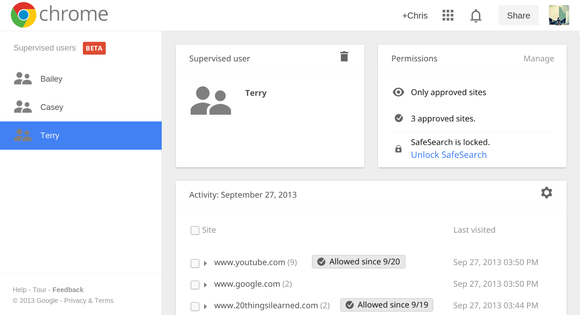
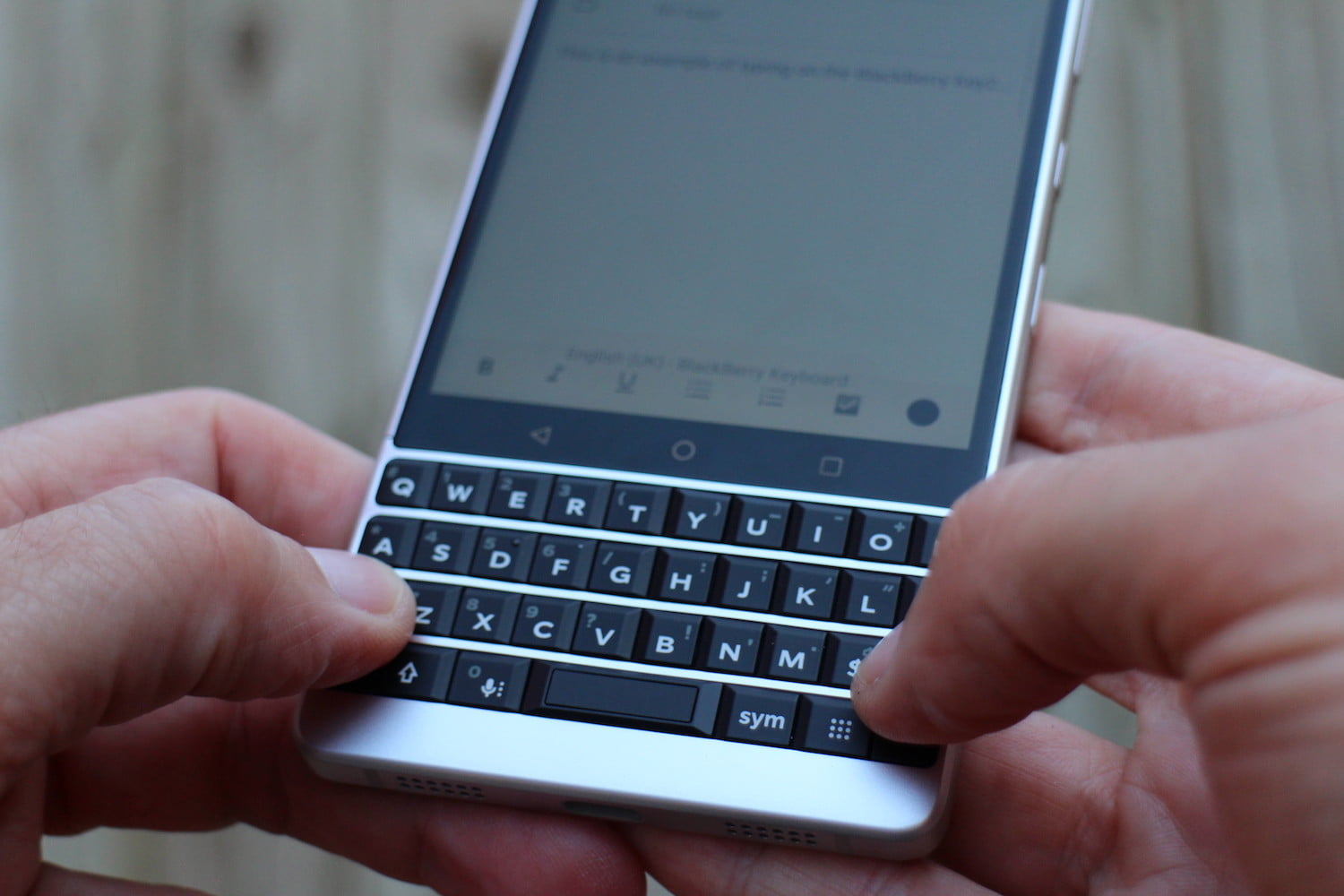
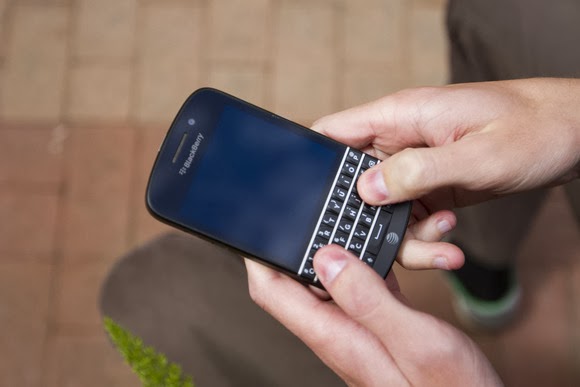
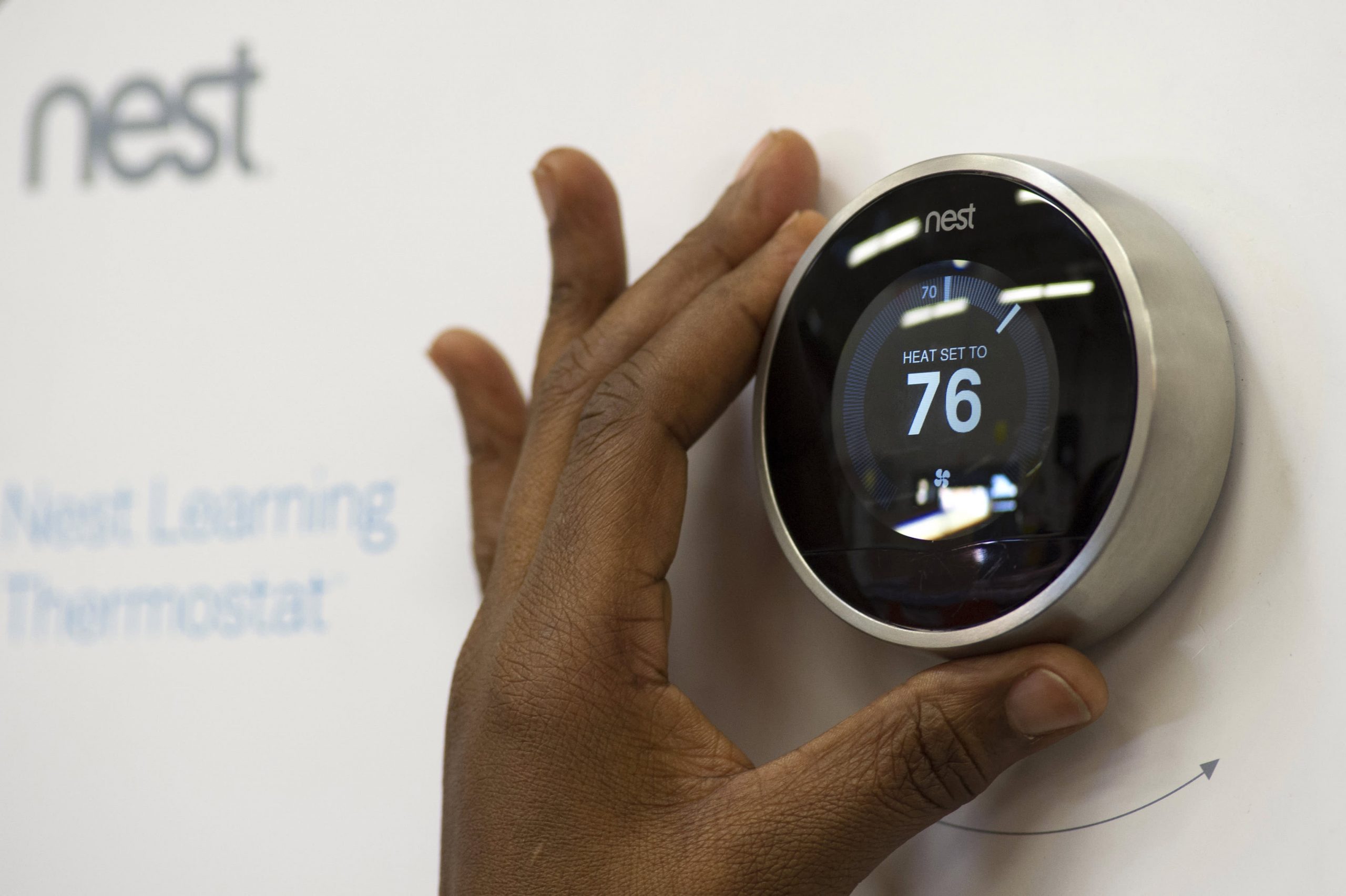
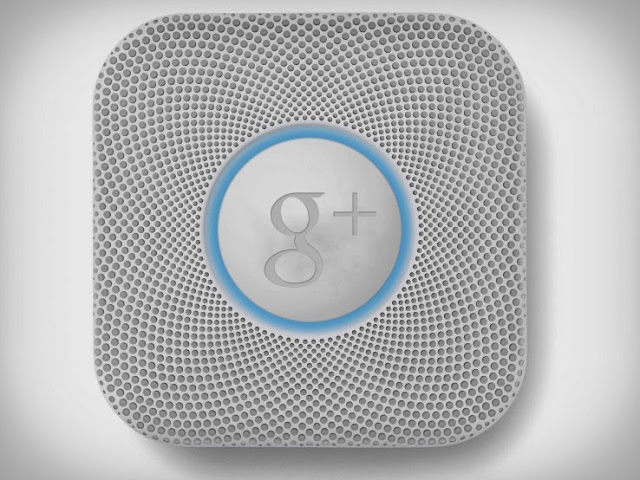

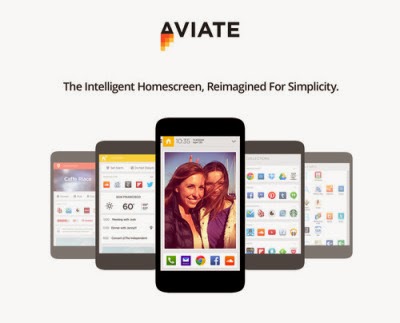
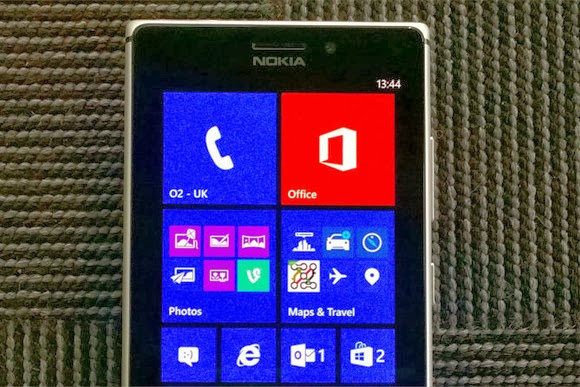
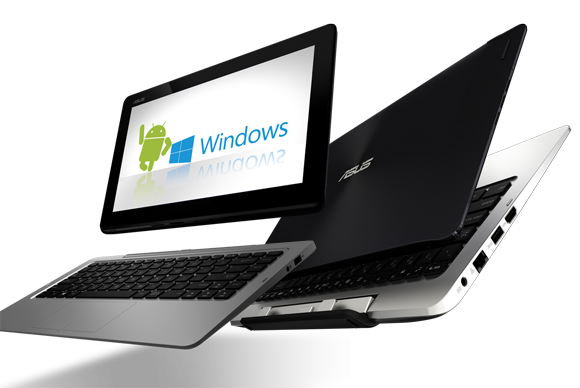
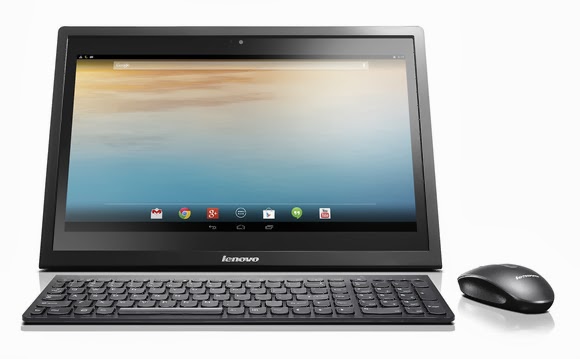
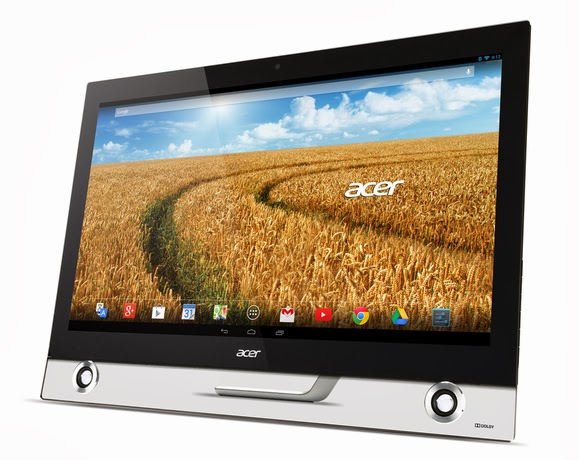

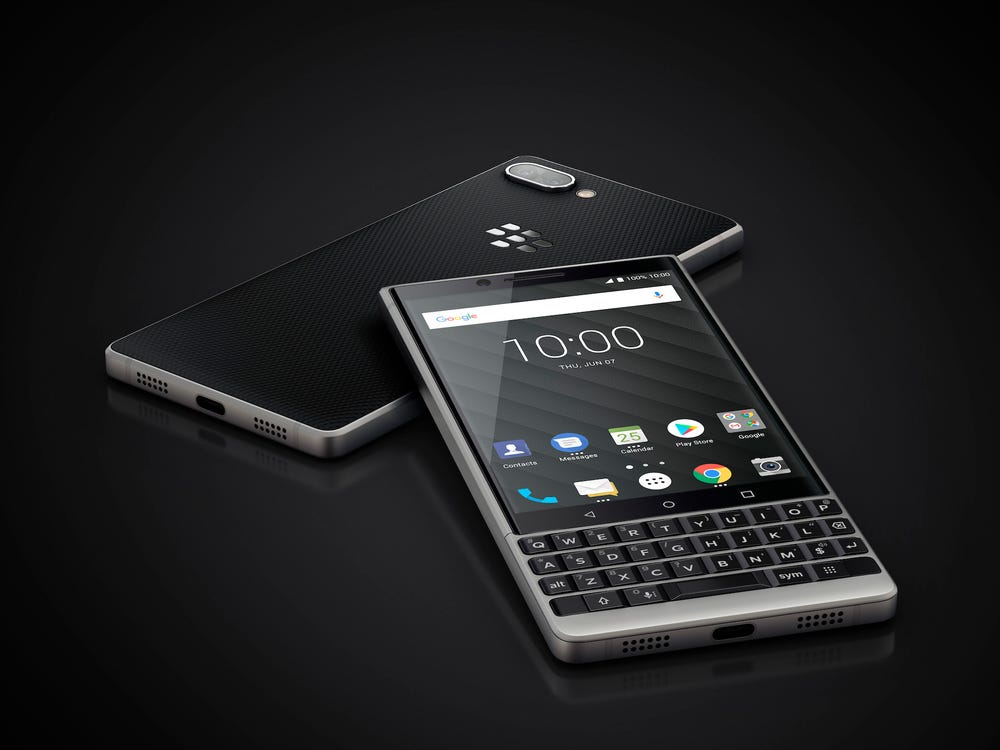
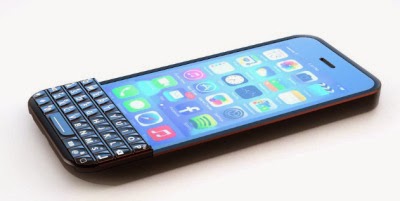

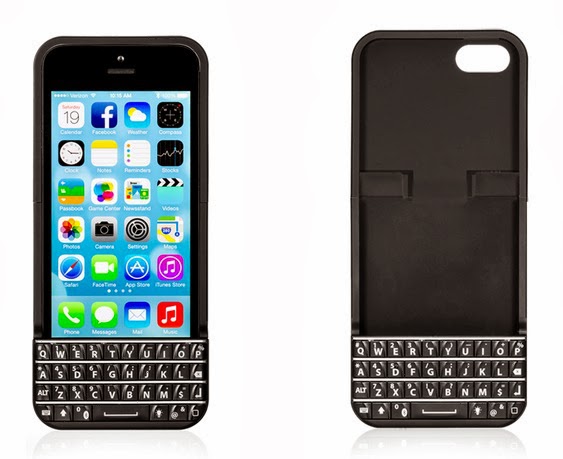


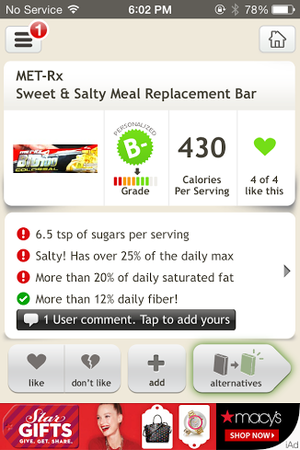
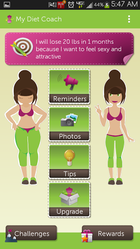 Starting a diet is easy; staying on a diet is another story. Free for Android and iOS, My Diet Coach can help you stay motivated and on track with its personal cheerleader approach to dieting. My Diet Coach is more about keeping you motivated than worrying about the nitty-gritty details of your actual diet and exercise plan. The app lets you set up automated text reminders to help keep you on track, such as “take my healthy snacks with me before I leave for work,” or “don’t eat five chocolate bars before bed.” The app also has a section for adding motivational photos (of yourself or of anything that inspires you to lose weight), a tips section for combating emotional eating and diet slip-ups, and daily challenges (such as drinking eight glasses of water) to help you stay healthy. This app is a little cheesy, but don’t knock the power of little nudges throughout the day. My Diet Coach’s reminders will make you think twice about eating that extra cookie, and will help you remember to stop at the health food store on the way home from work. The free version of My Diet Coach has all the motivational tools, but if you want more functionality—such as the ability to log and track food and exercise—you can upgrade to the Pro version of the app for $4.
 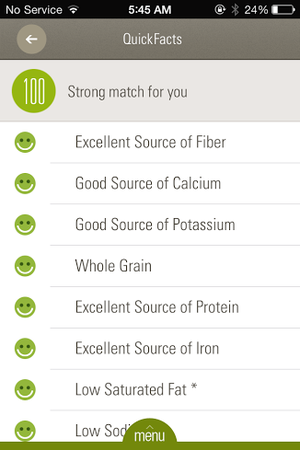 Fooducate is a useful app if you need a quick snapshot of a food’s general nutritional value, but ShopWell takes food look-up one step further. ShopWell is a free app that rates foods based on your personal profile, taking into account lifestyle choices, dietary needs, and allergies. ShopWell asks you to first fill out a comprehensive nutrition profile, including which nutrients, minerals, and vitamins are important in your diet, as well as which nutritional pitfalls (such as artificial sweeteners or refined grains) you want to avoid. The app also asks which foods you’re allergic to or cannot otherwise tolerate. Then, the app takes this information and rates foods based on your information. ShopWell gives each food a score from 1 to 100 (100 is the highest), and tells you whether the food is a strong match, a medium match, or a weak match for your profile. You can click on the score to find out why the food is a strong/medium/weak match—for example, Bridgford Beef Jerky is a weak match for me because it has lots of added sugar. ShopWell also shows nutrition information and ingredients for each food, as well as suggestions that are similar but “better” for you based on your ShopWell profile. ShopWell is an excellent app for tracking specific aspects of your diet, such as nutrients or sugar intake, which is great for diabetics. The app lacks a built-in calorie-counter, but it does have some nifty extra features such as lists (add favorite foods to lists for future reference), popular foods (find foods that are popular with people who have similar profiles to yours), and missions and achievements to keep you motivated.
 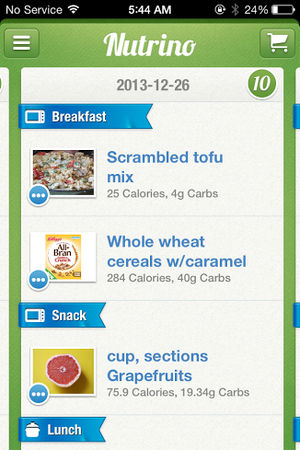 If you’re not sure where to start with your diet plan, Nutrino is the app for you. This free iOS app is like a personal nutritionist in your pocket. Nutrino is a food recommendation app that creates a custom, personalized daily menu for you based on your profile, preferences, and goals. Like ShopWell, Nutrino needs some personal information to create your custom meal plan. The initial profile setup includes answering basic questions (gender, age, height, weight, general activity level) and setting goals such as target weight and diet intensity. Nutrino also asks how large you like each meal to be, how you like to prepare each meal, and whether you have any special restrictions, such as gluten-free or vegetarian. Taking into account your profile, preferences, and nutritional goals, Nutrino creates a daily meal plan for you. The meal plans includes nutritional information, recipes, and a grocery list with all the necessary ingredients. If you don’t like a dish Nutrino has picked for you, just tap it and tap Change Dish to find a similarly healthy replacement . Swipe up to scroll through your meal plan, and swipe down to see a summary of your day, including protein, carb, fiber, and fat intake, as well as daily calories. Swipe to the left to see future days’ plans. In one sense, Nutrino is more difficult to use than other diet apps, since its success banks on your ability to follow its meal plan to a T. On the other hand, if you’re willing to put in the legwork and you want an app that will do everything for you (including counting calories), Nutrino is worth a look.


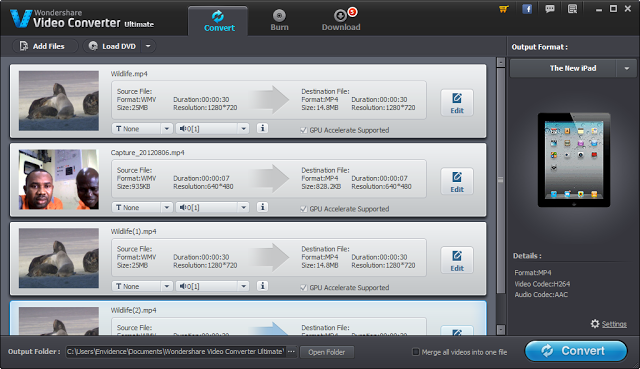
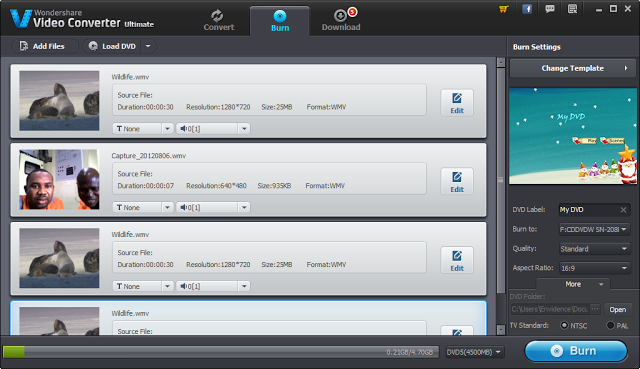
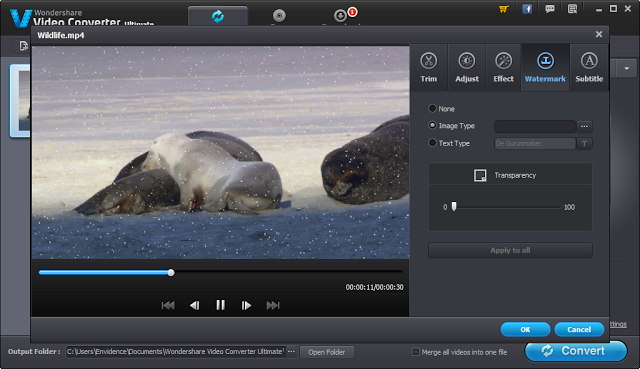
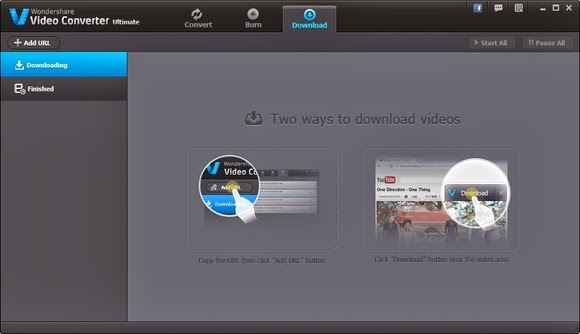


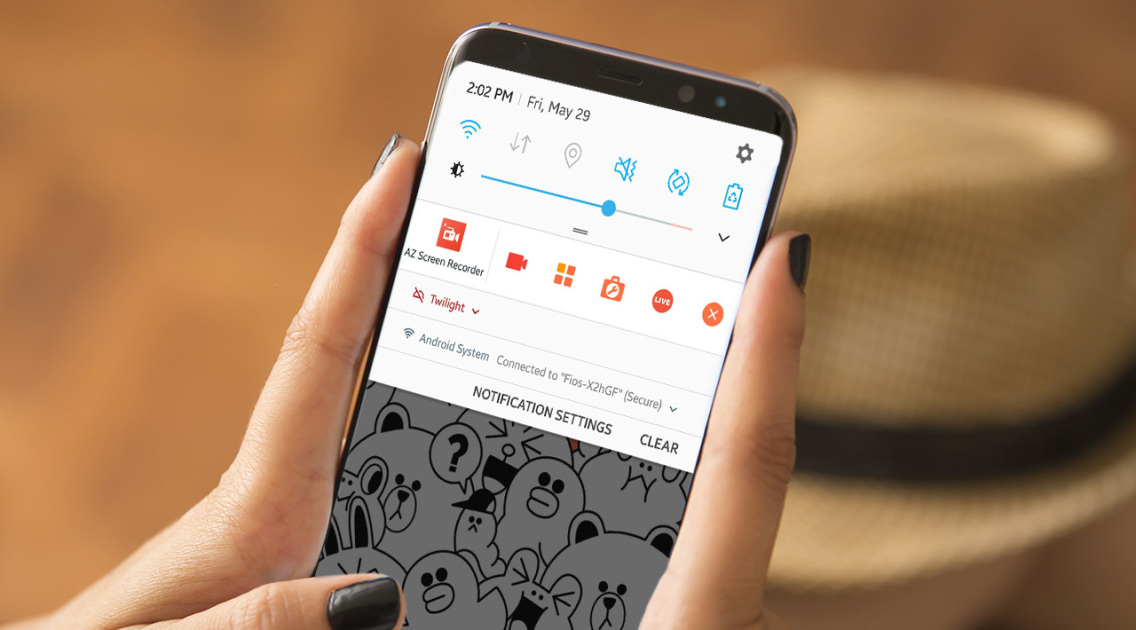
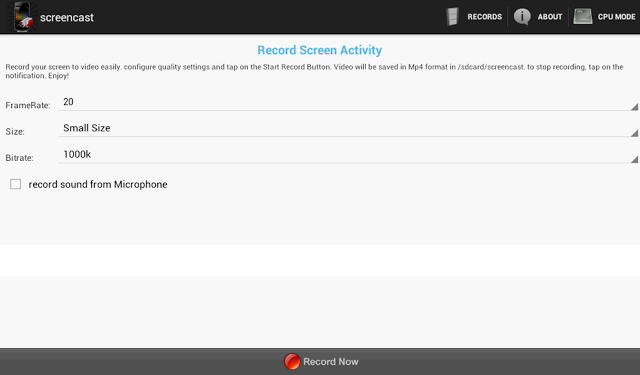
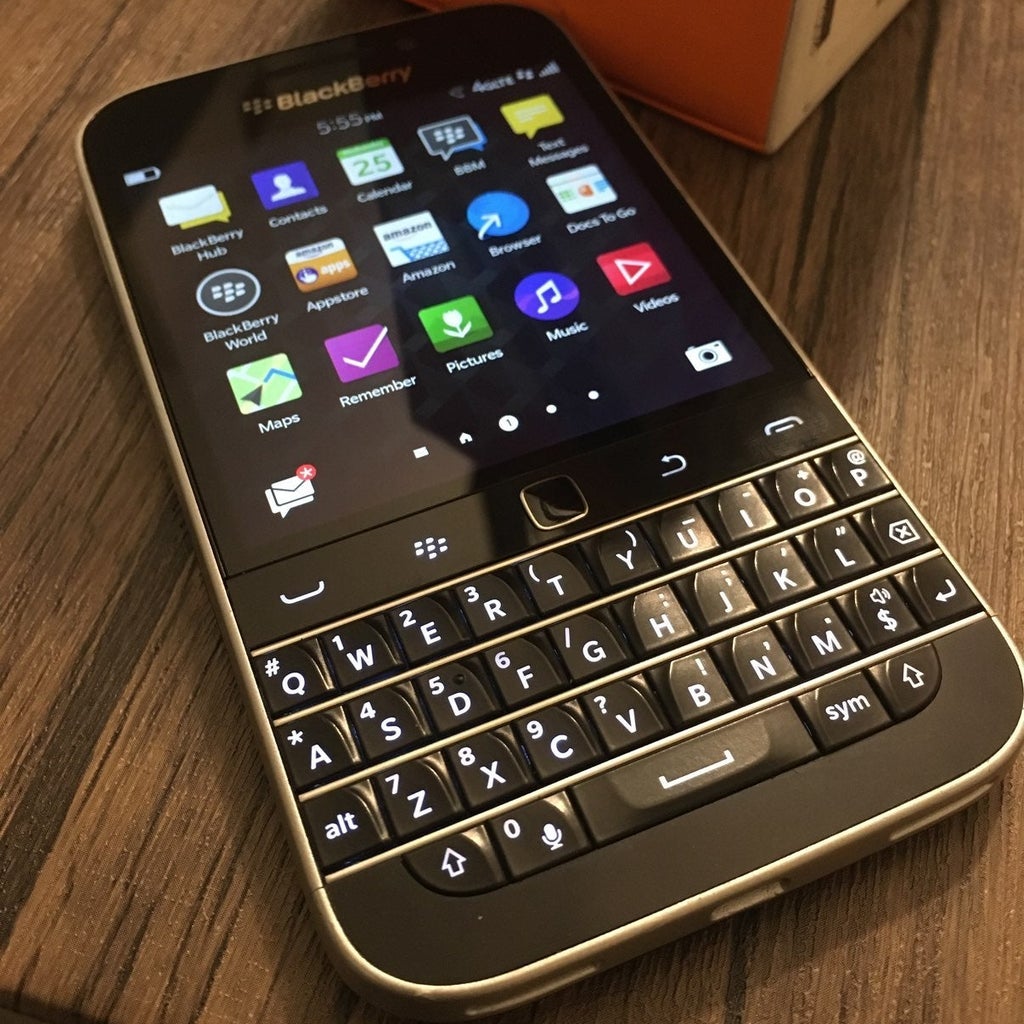
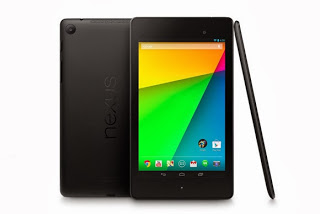
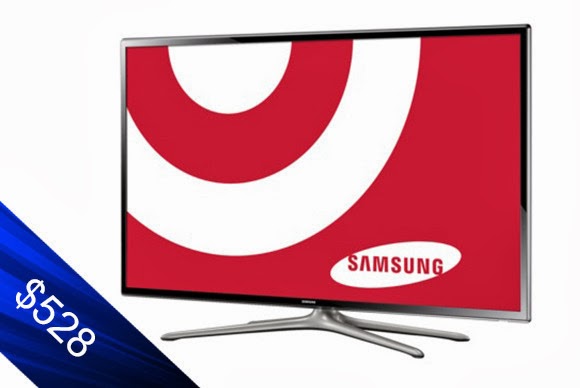
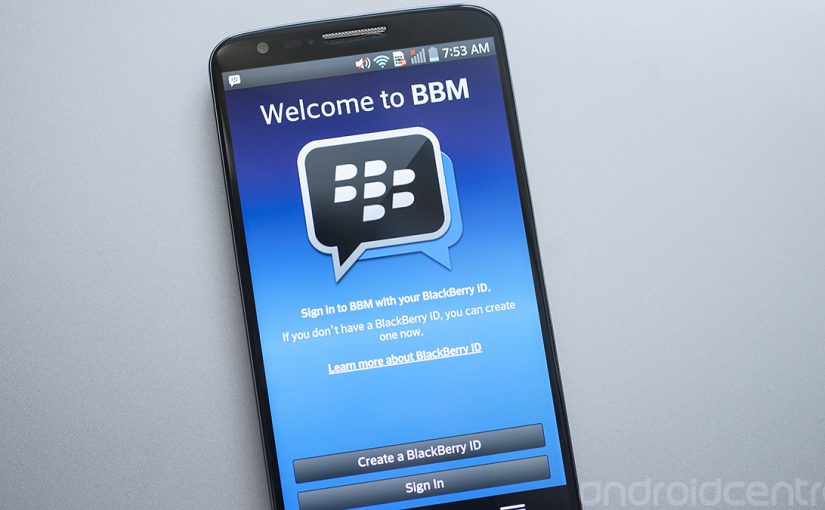
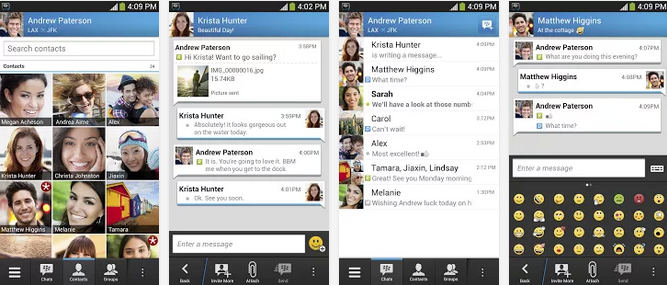
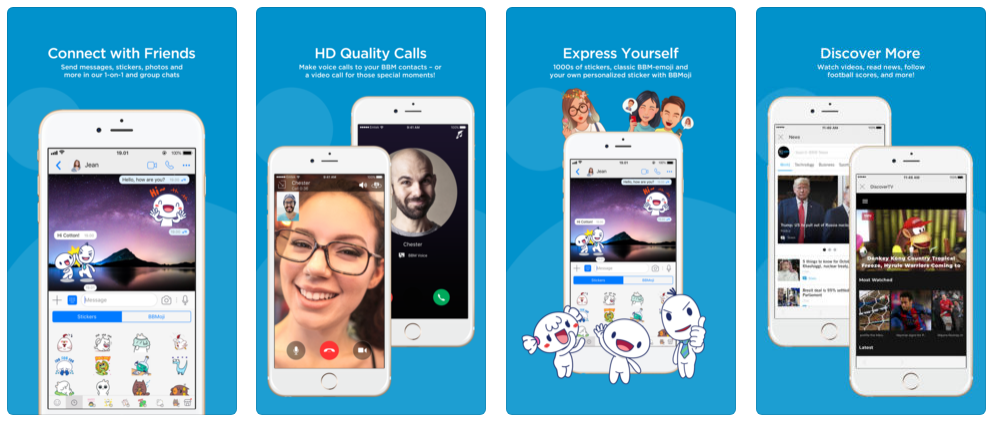
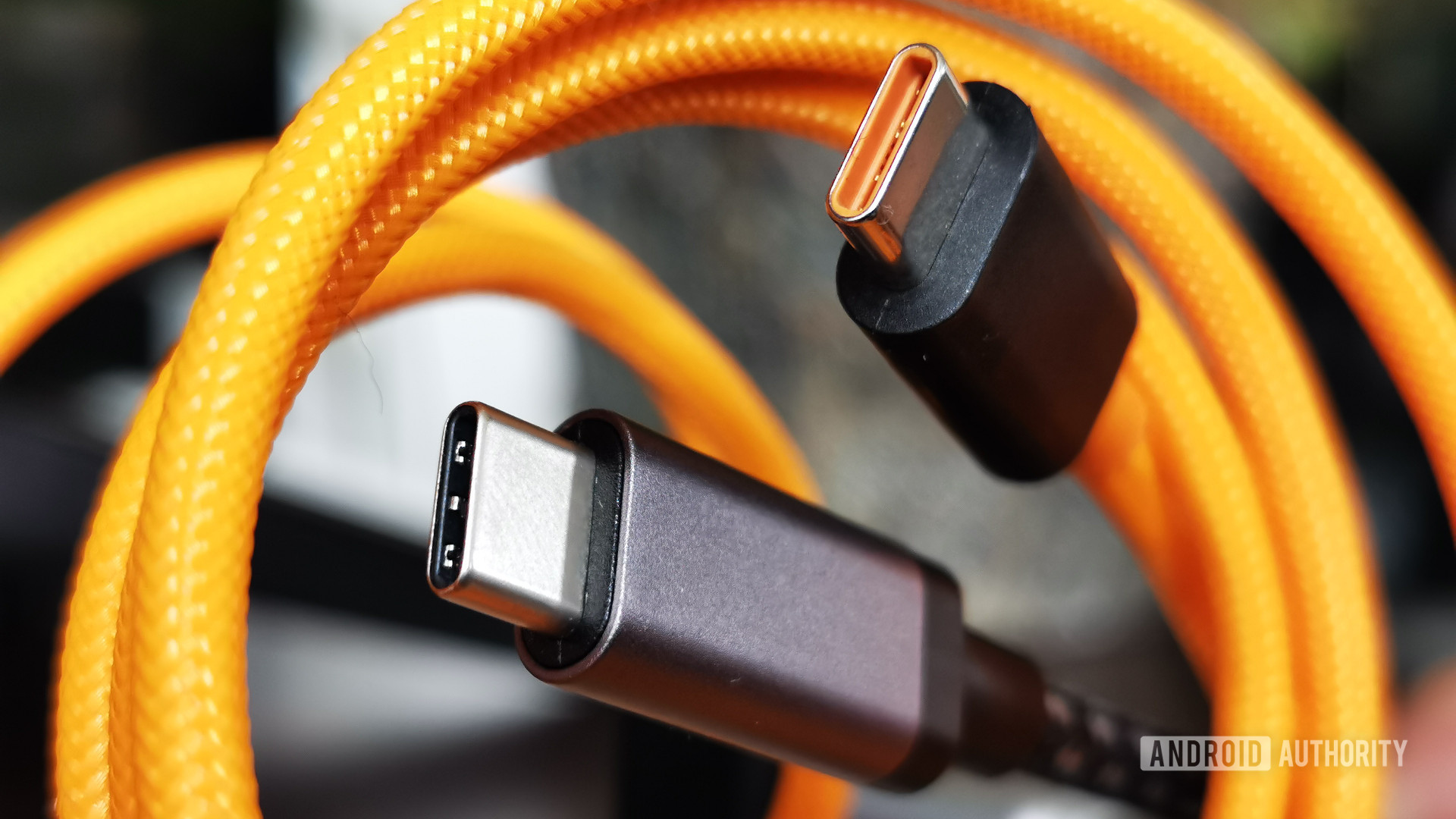
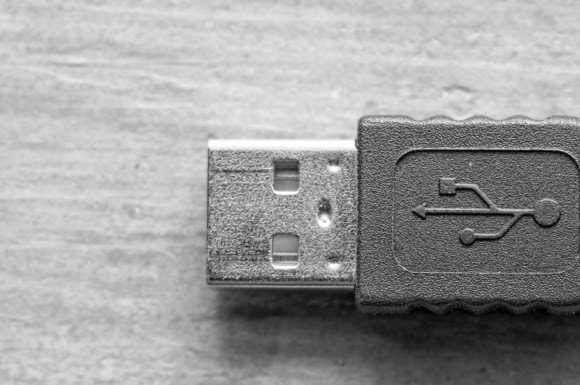
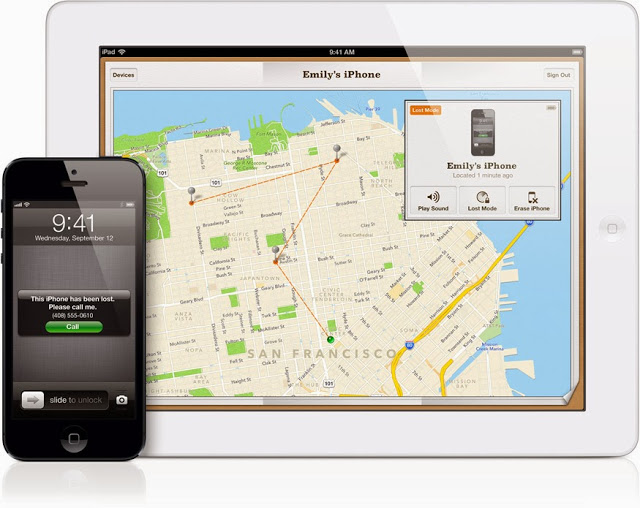

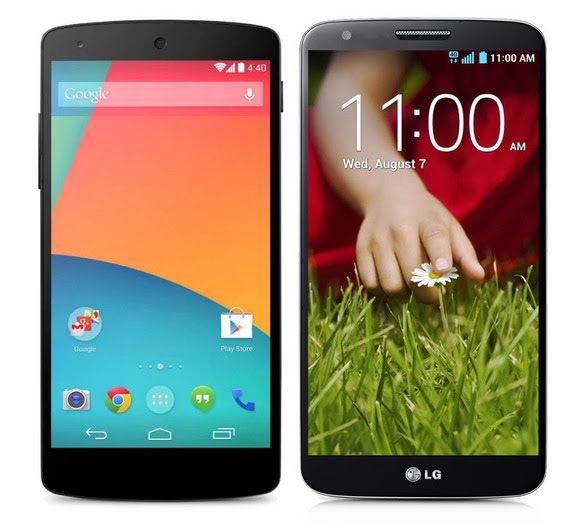
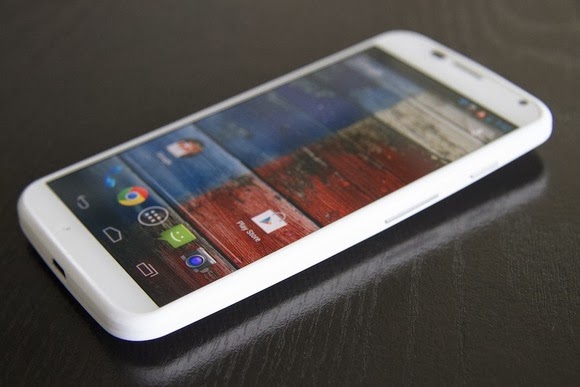
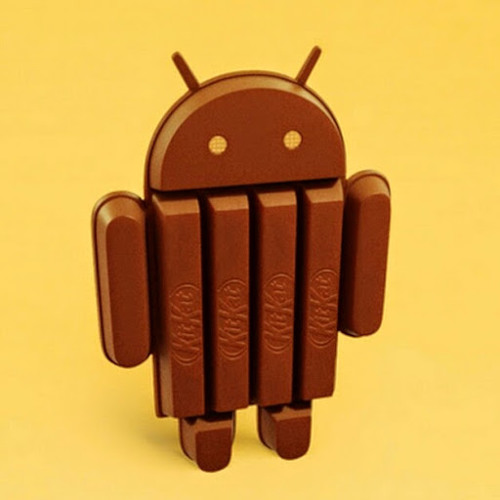
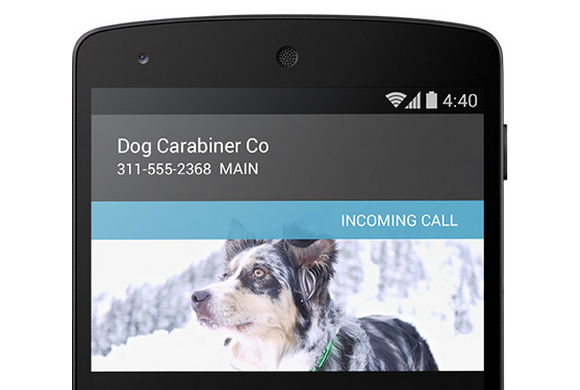
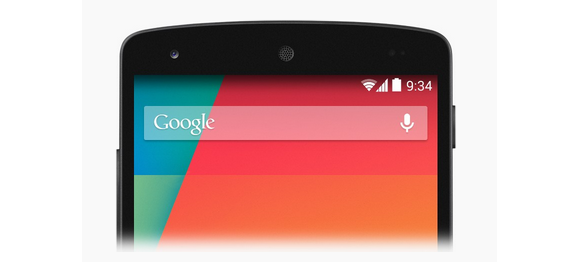
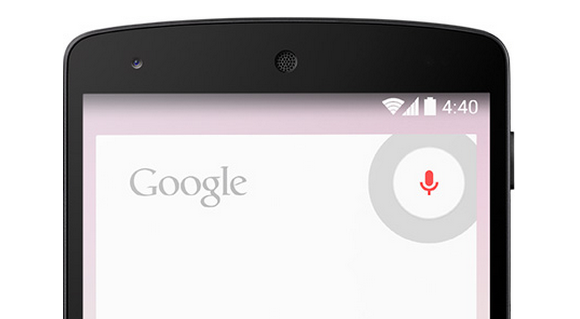
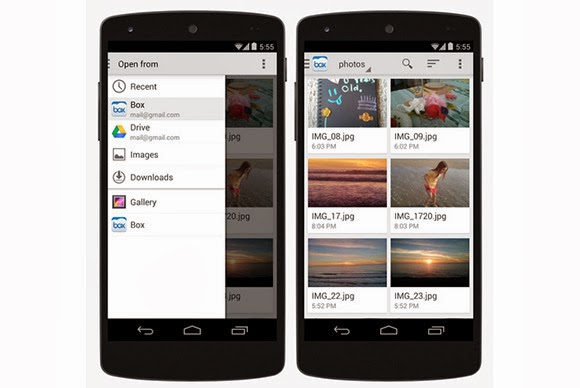
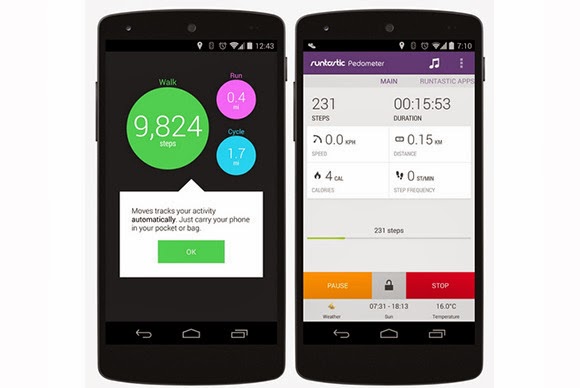
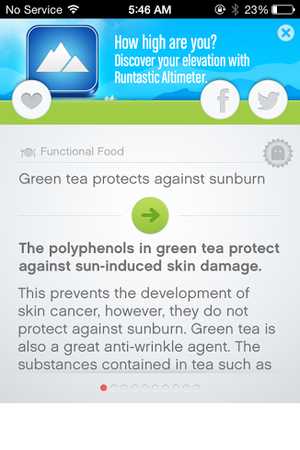
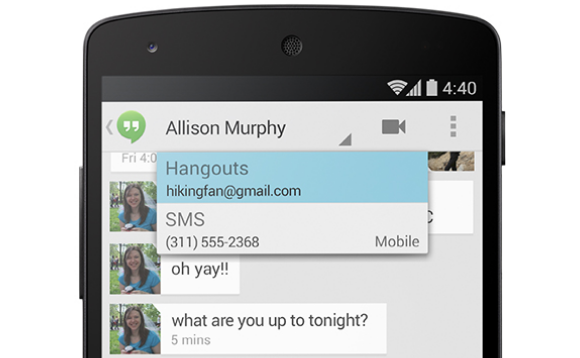
You must be logged in to post a comment.